Chapter: 12


   Stream and Files
                Lecture: 49
              Date: 13.11.2012
Objectives
   Overview of stream classes

   Showing how to perform file-related activities using streams:
       How to read and write data to files in a variety of ways
       How to handle files or I/O errors
       How files and OOP are related
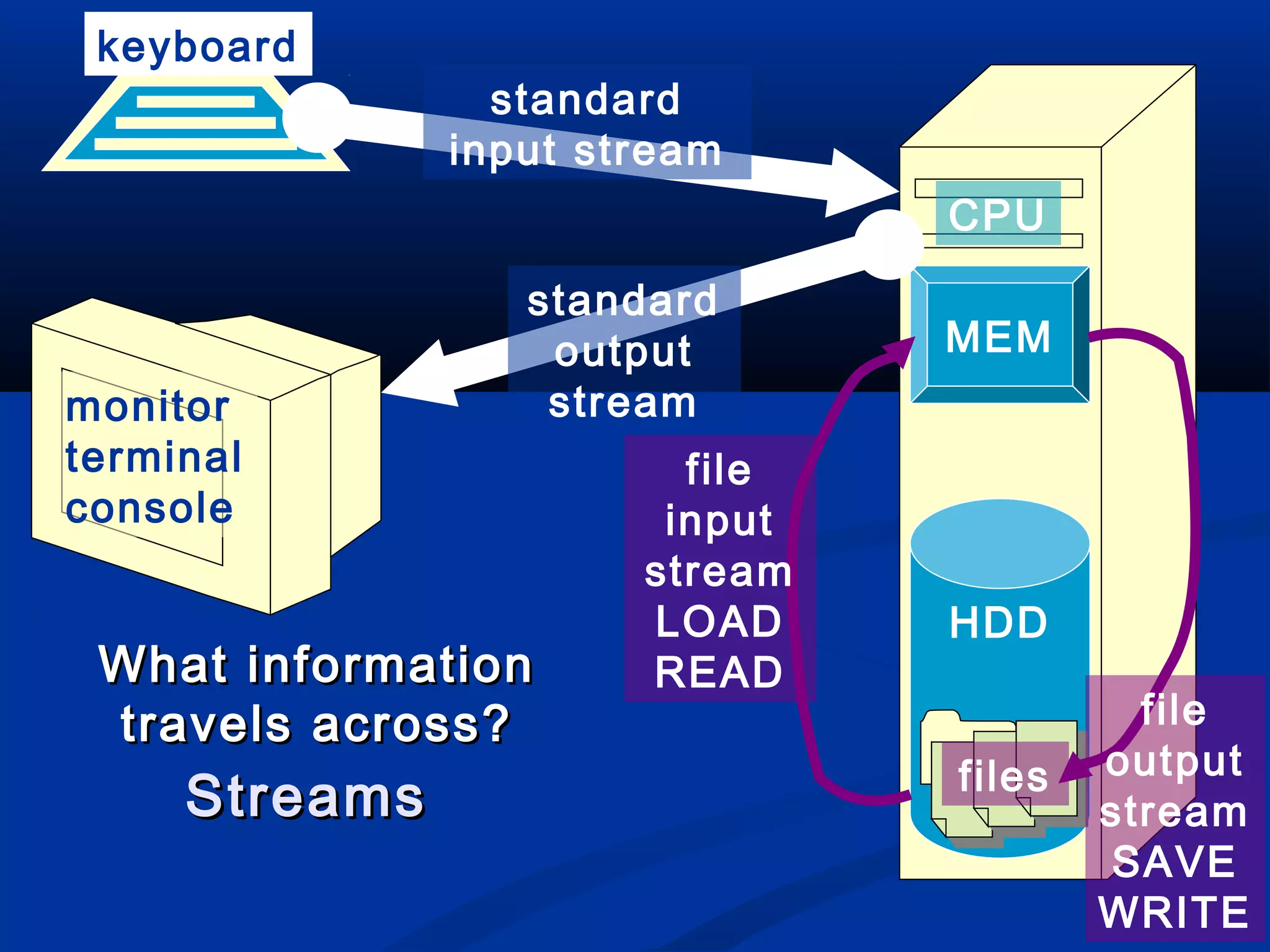
Streams
   Stream (flow of data)
       A transfer of information in the form of a sequence of bytes

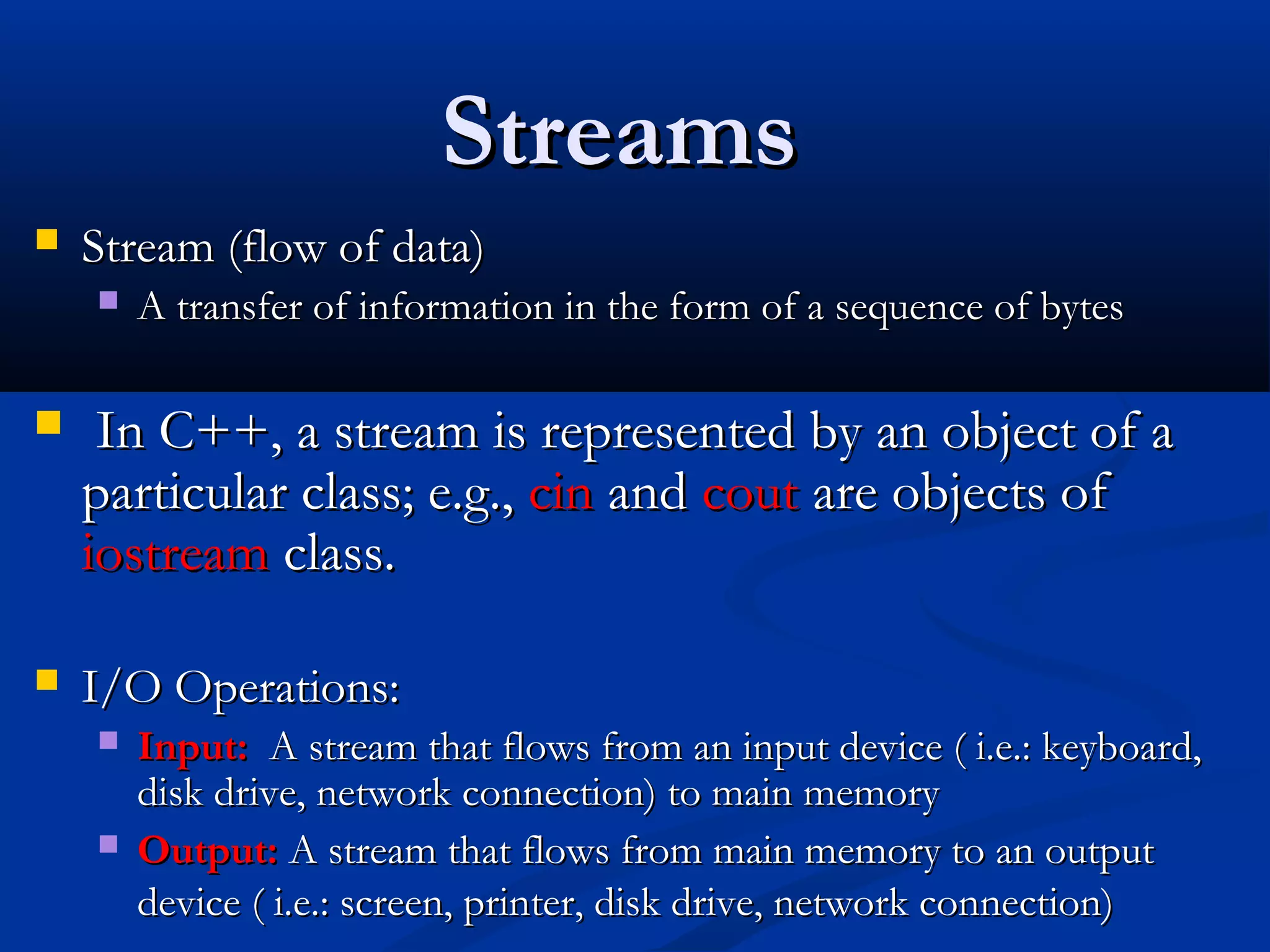
    In C++, a stream is represented by an object of a
    particular class; e.g., cin and cout are objects of
    iostream class.

   I/O Operations:
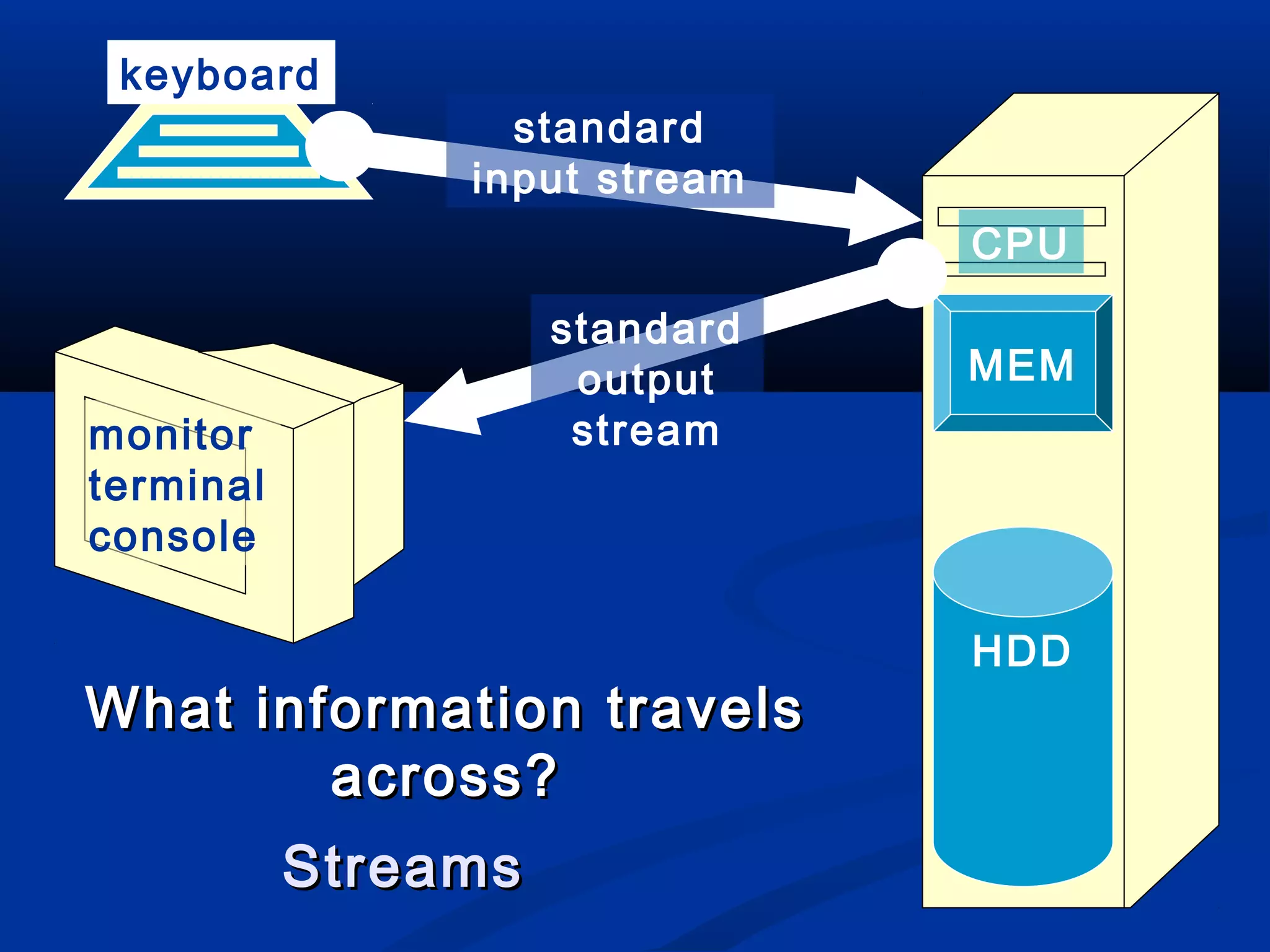
       Input: A stream that flows from an input device ( i.e.: keyboard,
        disk drive, network connection) to main memory
       Output: A stream that flows from main memory to an output
        device ( i.e.: screen, printer, disk drive, network connection)
keyboard
                  standard
                input stream
                                CPU
                     standard
                      output    MEM
monitor               stream
terminal
console

                                HDD
What information travels
        across?
           Streams
keyboard
                 standard
               input stream
                                CPU

                  standard
                   output       MEM
monitor            stream
terminal                 file
console                 input
                       stream
                       LOAD     HDD
 What information      READ
 travels across?                          file
                                files   output
     Streams                            stream
                                        SAVE
                                        WRITE
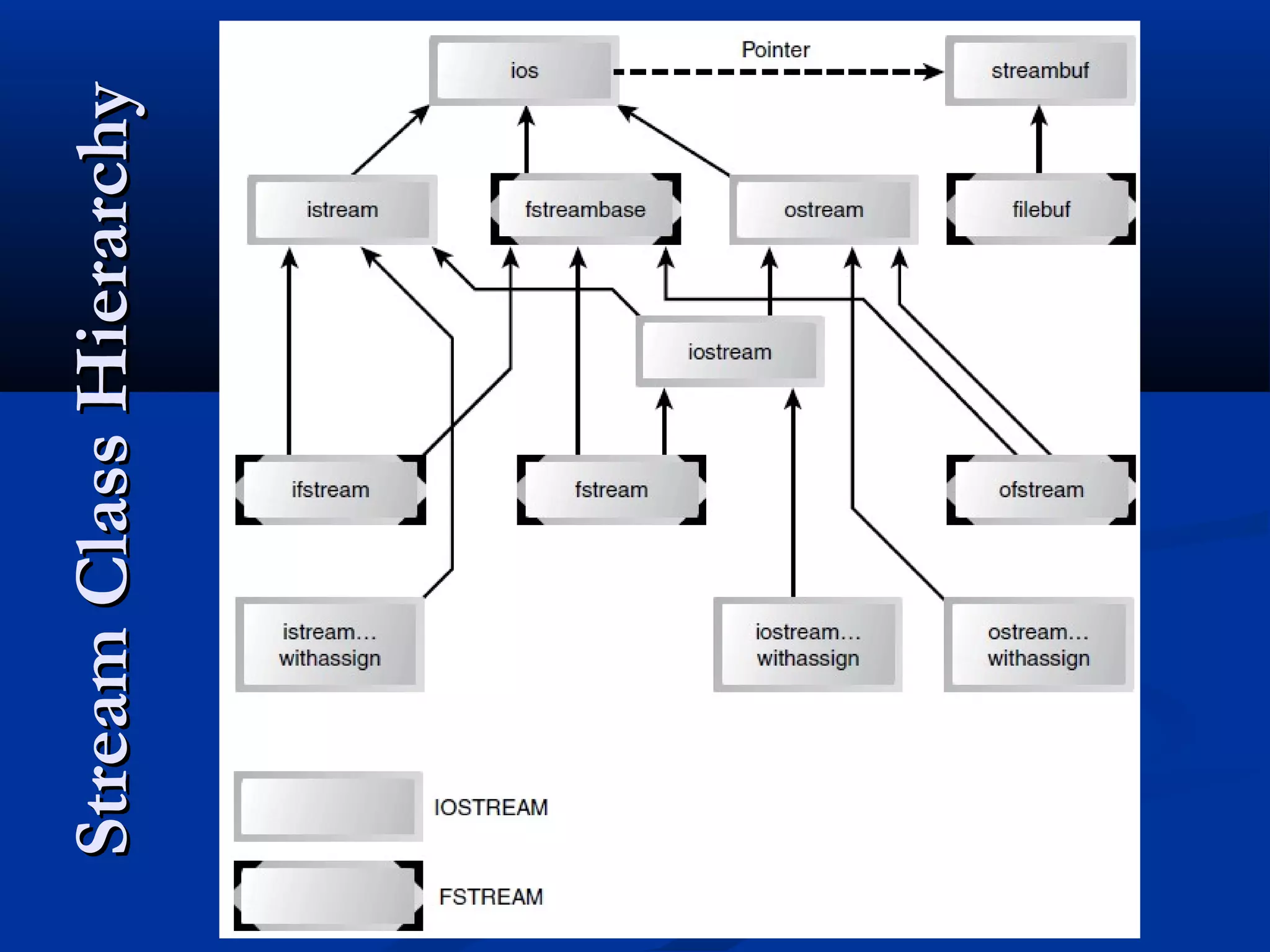
Stream Class Hierarchy
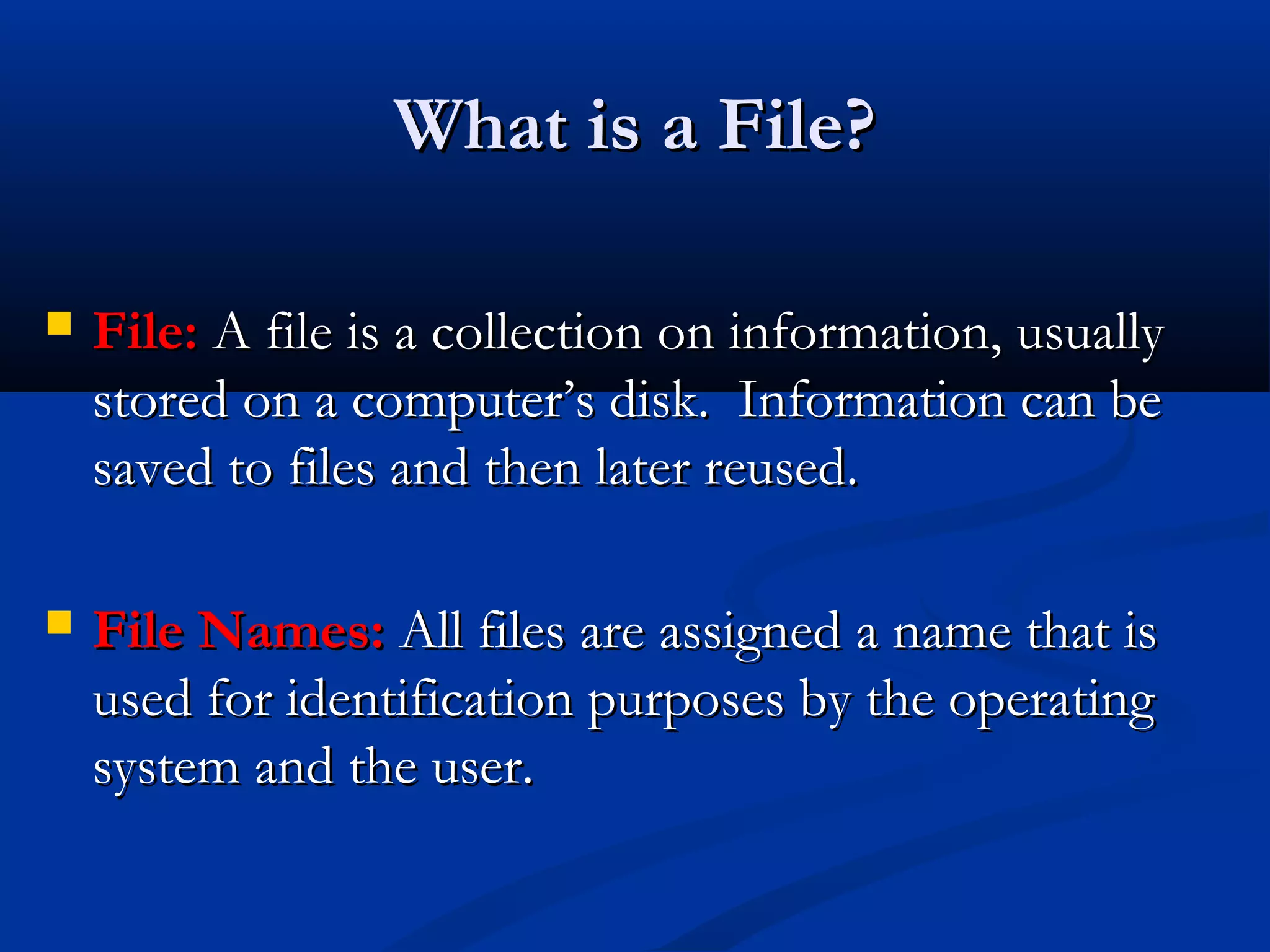
What is a File?

   File: A file is a collection on information, usually
    stored on a computer’s disk. Information can be
    saved to files and then later reused.

   File Names: All files are assigned a name that is
    used for identification purposes by the operating
    system and the user.
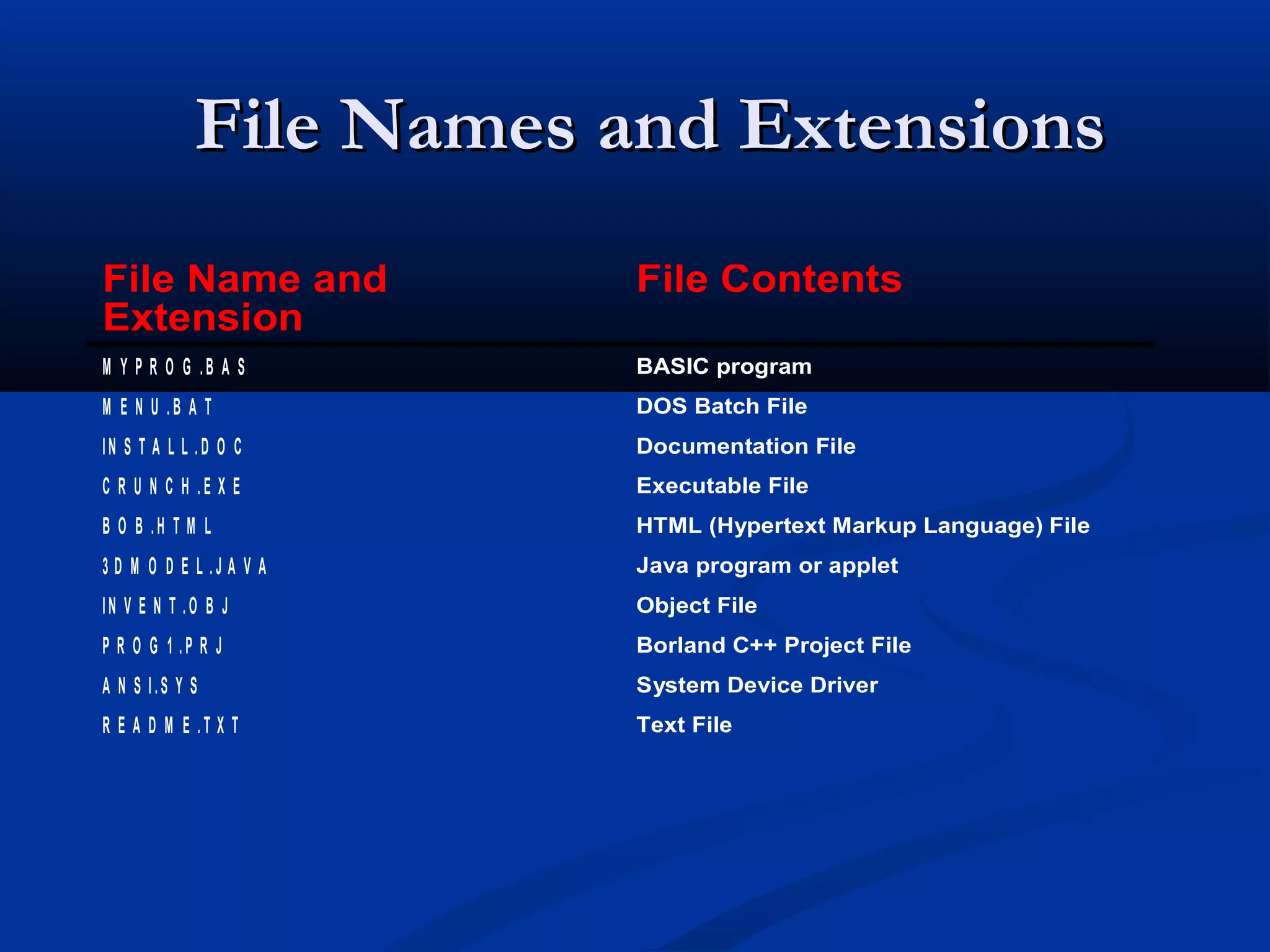
File Names and Extensions
File Name and            File Contents
Extension
M Y P R O G .B A S       BASIC program
M E N U .B A T           DOS Batch File
IN S T A L L .D O C      Documentation File
C R U N C H .E X E       Executable File
B O B .H T M L           HTML (Hypertext Markup Language) File
3 D M O D E L .J A V A   Java program or applet
IN V E N T .O B J        Object File
P R O G 1 .P R J         Borland C++ Project File
A N S I.S Y S            System Device Driver
R E A D M E .T X T       Text File
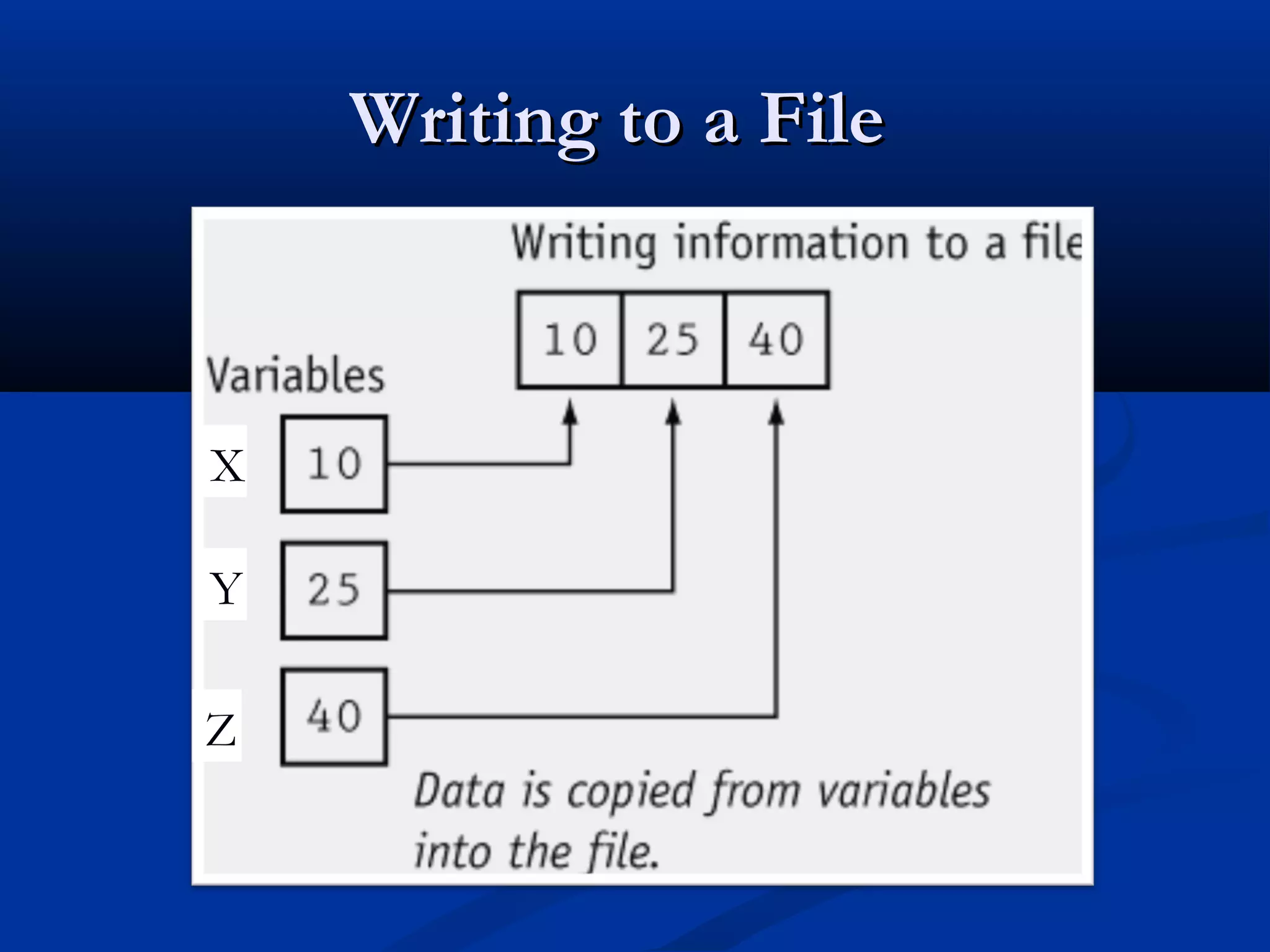
Writing to a File


X

Y

Z
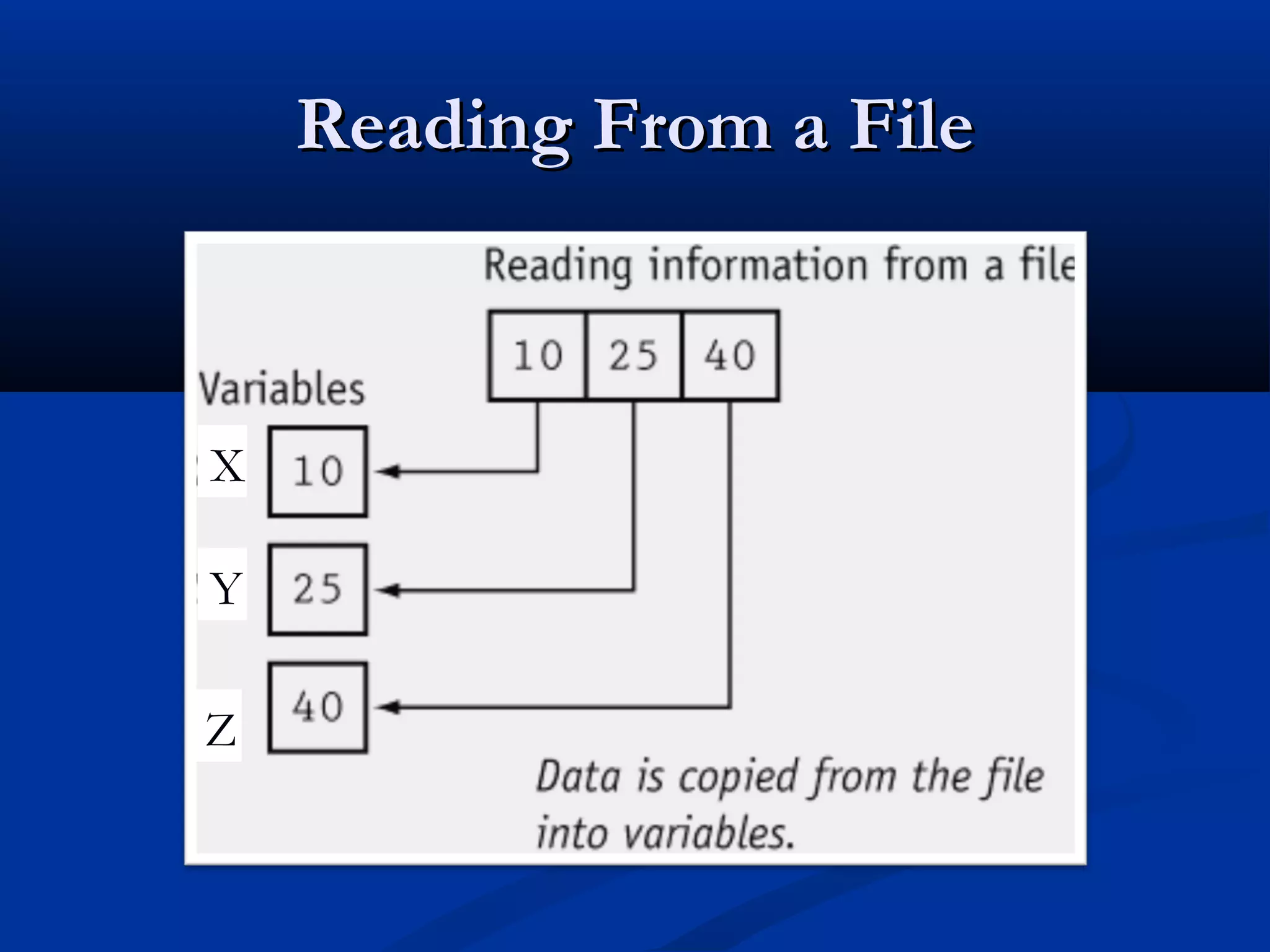
Reading From a File


X

Y

Z
Disk File I/O with Streams
   Most programs need to save data to disk files and read it
    back in.

   Working with disk files requires an other set of classes:
     ifstream for (file) input
     fstream for both (file) input and output
     ofstream for (file) output


   Objects of these classes can be associated with disk
    files, and their member functions can be used to
    read and write to files.
The Process of Using a File
   Using a file in a program is a simple three-step process
    1)   The file must be opened. If the file does not yet exits,
         opening it means creating it.
    2)   Information is then saved to the file, read from the file, or
         both.
    3)   When the program is finished using the file, the file must
         be closed.
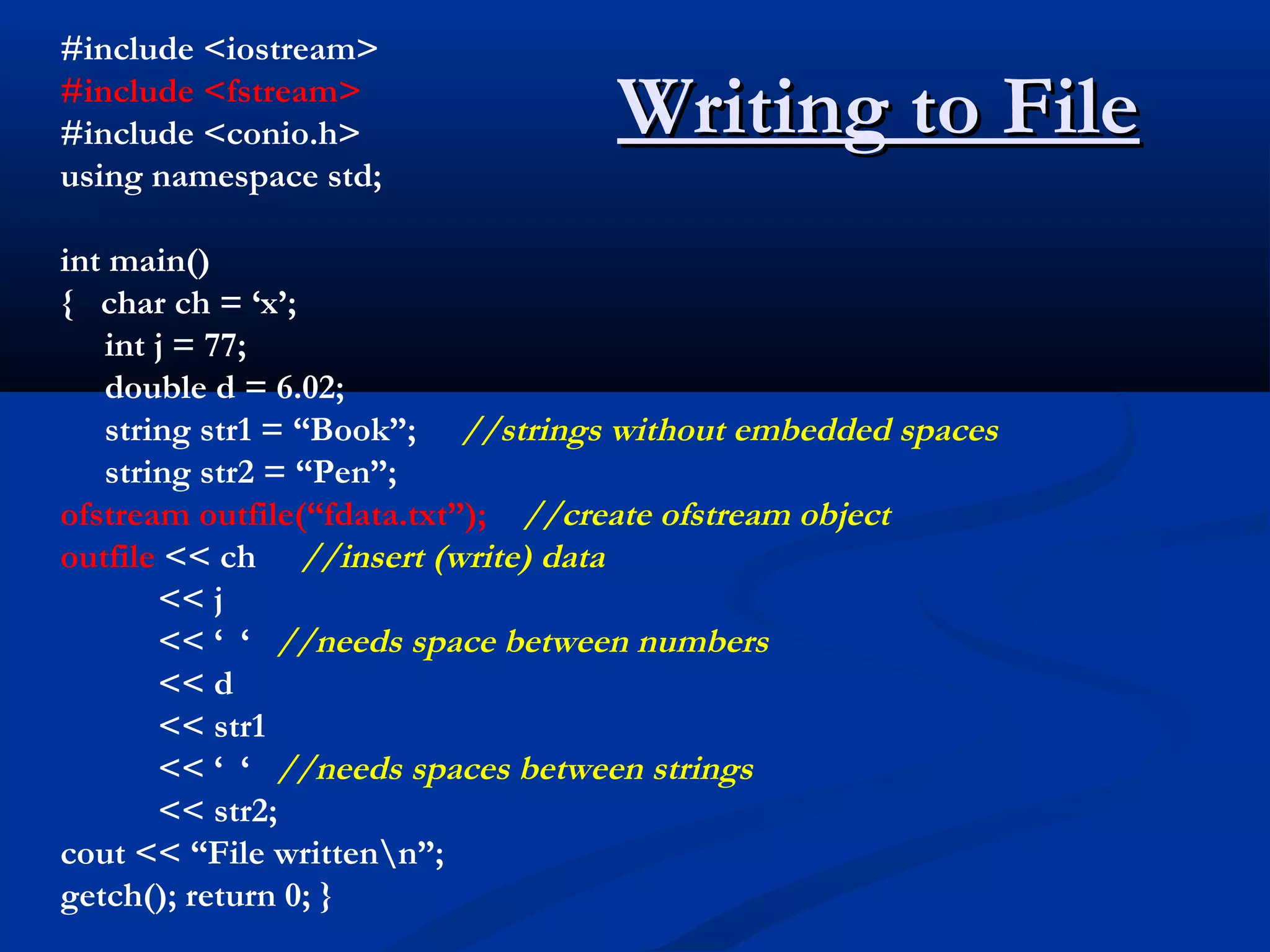
#include <iostream>
#include <fstream>
#include <conio.h>                Writing to File
using namespace std;

int main()
{ char ch = ‘x’;
   int j = 77;
   double d = 6.02;
   string str1 = “Book”; //strings without embedded spaces
   string str2 = “Pen”;
ofstream outfile(“fdata.txt”); //create ofstream object
outfile << ch //insert (write) data
       << j
       << ‘ ‘ //needs space between numbers
       << d
       << str1
       << ‘ ‘ //needs spaces between strings
       << str2;
cout << “File writtenn”;
getch(); return 0; }
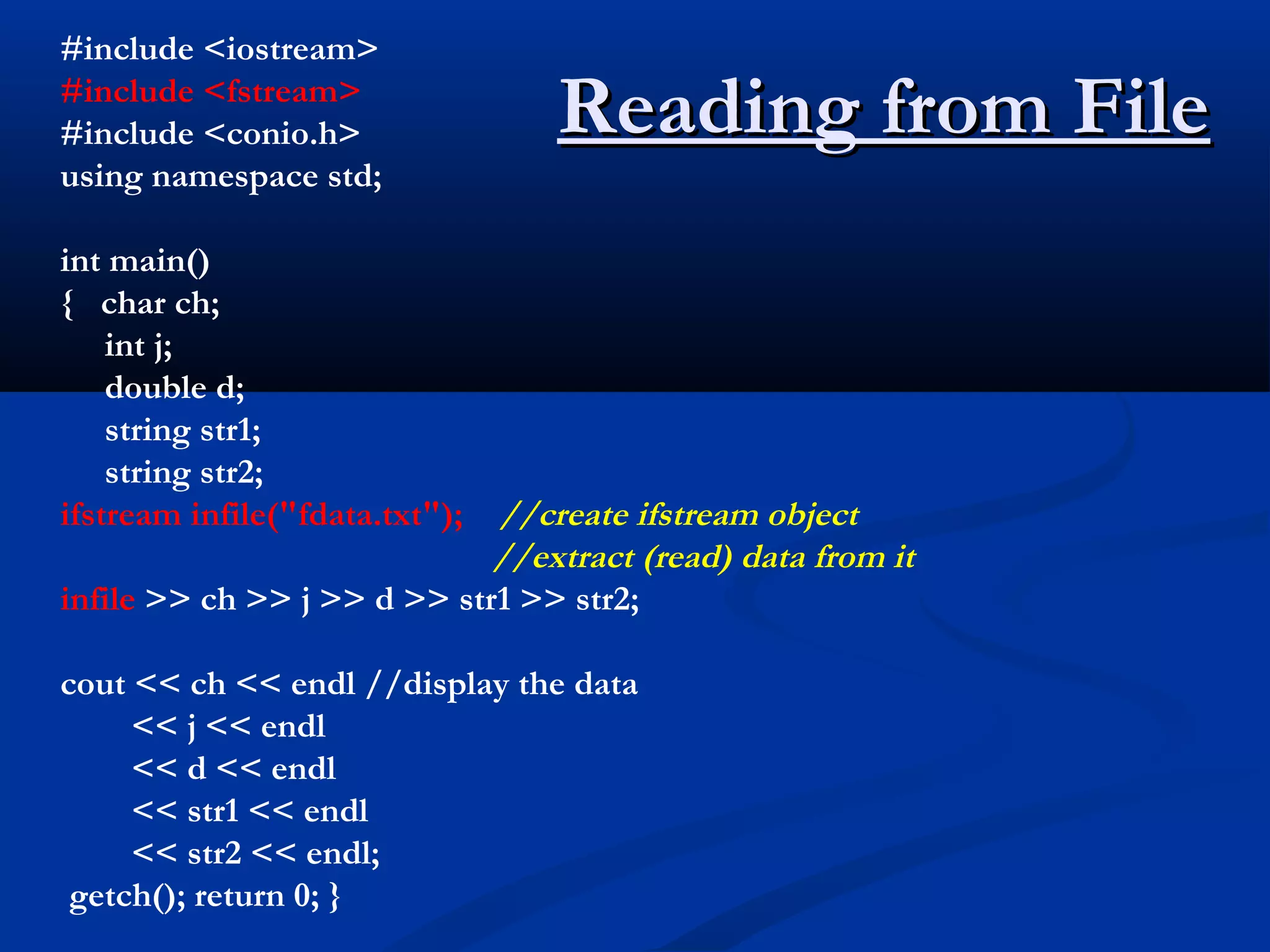
#include <iostream>
#include <fstream>
#include <conio.h>               Reading from File
using namespace std;

int main()
{ char ch;
    int j;
    double d;
    string str1;
    string str2;
ifstream infile("fdata.txt");//create ifstream object
                             //extract (read) data from it
infile >> ch >> j >> d >> str1 >> str2;

cout << ch << endl //display the data
     << j << endl
     << d << endl
     << str1 << endl
     << str2 << endl;
 getch(); return 0; }
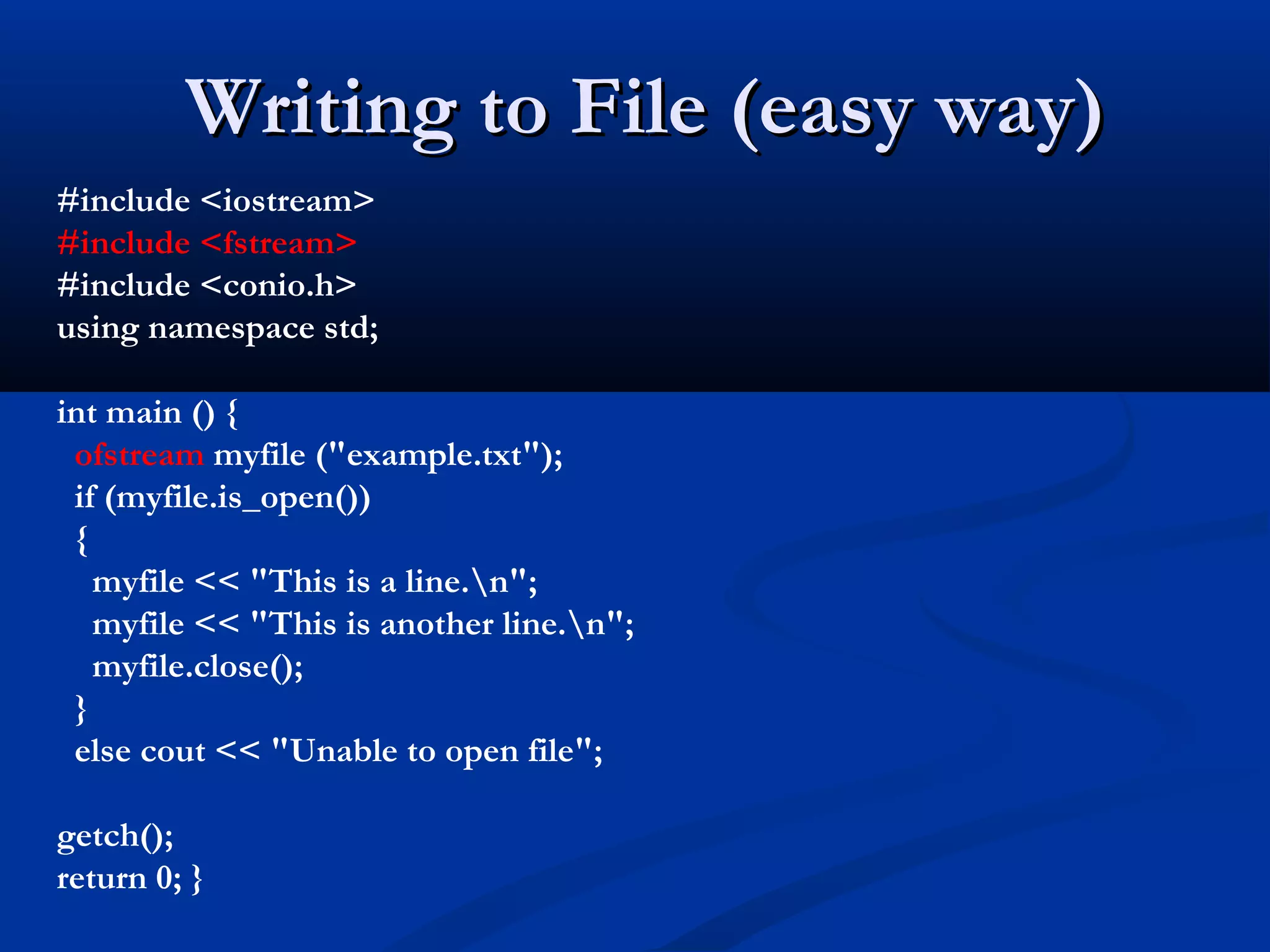
Writing to File (easy way)
#include <iostream>
#include <fstream>
#include <conio.h>
using namespace std;

int main () {
 ofstream myfile ("example.txt");
 if (myfile.is_open())
 {
   myfile << "This is a line.n";
   myfile << "This is another line.n";
   myfile.close();
 }
 else cout << "Unable to open file";

getch();
return 0; }
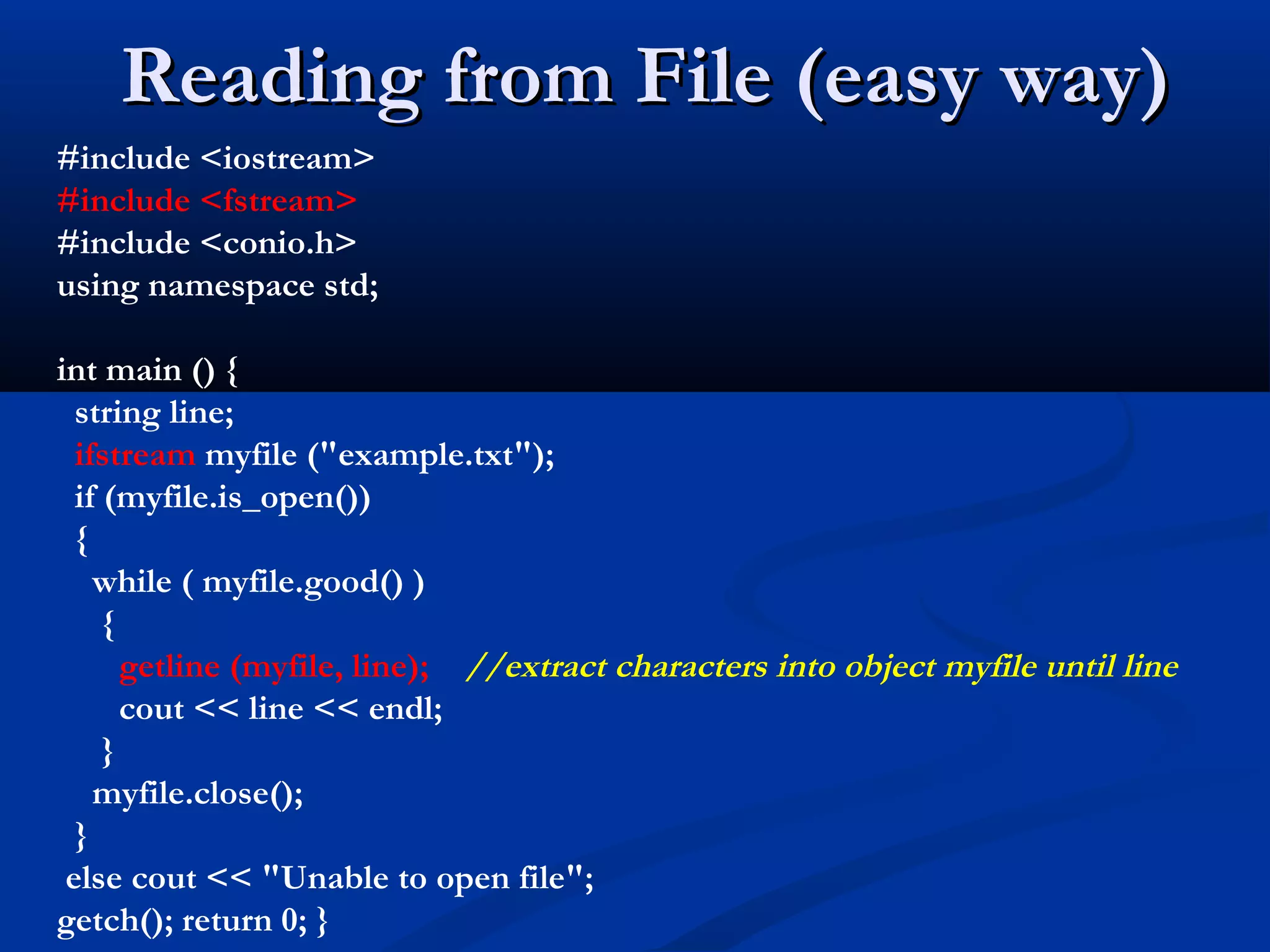
Reading from File (easy way)
#include <iostream>
#include <fstream>
#include <conio.h>
using namespace std;

int main () {
  string line;
  ifstream myfile ("example.txt");
  if (myfile.is_open())
  {
    while ( myfile.good() )
     {
       getline (myfile, line); //extract characters into object myfile until line
       cout << line << endl;
     }
    myfile.close();
  }
 else cout << "Unable to open file";
getch(); return 0; }

Lec 49 - stream-files

  • 1.
    Chapter: 12 Stream and Files Lecture: 49 Date: 13.11.2012
  • 2.
    Objectives  Overview of stream classes  Showing how to perform file-related activities using streams:  How to read and write data to files in a variety of ways  How to handle files or I/O errors  How files and OOP are related
  • 3.
    Streams  Stream (flow of data)  A transfer of information in the form of a sequence of bytes  In C++, a stream is represented by an object of a particular class; e.g., cin and cout are objects of iostream class.  I/O Operations:  Input: A stream that flows from an input device ( i.e.: keyboard, disk drive, network connection) to main memory  Output: A stream that flows from main memory to an output device ( i.e.: screen, printer, disk drive, network connection)
  • 4.
    keyboard standard input stream CPU standard output MEM monitor stream terminal console HDD What information travels across? Streams
  • 5.
    keyboard standard input stream CPU standard output MEM monitor stream terminal file console input stream LOAD HDD What information READ travels across? file files output Streams stream SAVE WRITE
  • 6.
  • 7.
    What is aFile?  File: A file is a collection on information, usually stored on a computer’s disk. Information can be saved to files and then later reused.  File Names: All files are assigned a name that is used for identification purposes by the operating system and the user.
  • 8.
    File Names andExtensions File Name and File Contents Extension M Y P R O G .B A S BASIC program M E N U .B A T DOS Batch File IN S T A L L .D O C Documentation File C R U N C H .E X E Executable File B O B .H T M L HTML (Hypertext Markup Language) File 3 D M O D E L .J A V A Java program or applet IN V E N T .O B J Object File P R O G 1 .P R J Borland C++ Project File A N S I.S Y S System Device Driver R E A D M E .T X T Text File
  • 9.
    Writing to aFile X Y Z
  • 10.
    Reading From aFile X Y Z
  • 11.
    Disk File I/Owith Streams  Most programs need to save data to disk files and read it back in.  Working with disk files requires an other set of classes:  ifstream for (file) input  fstream for both (file) input and output  ofstream for (file) output  Objects of these classes can be associated with disk files, and their member functions can be used to read and write to files.
  • 12.
    The Process ofUsing a File  Using a file in a program is a simple three-step process 1) The file must be opened. If the file does not yet exits, opening it means creating it. 2) Information is then saved to the file, read from the file, or both. 3) When the program is finished using the file, the file must be closed.
  • 13.
    #include <iostream> #include <fstream> #include<conio.h> Writing to File using namespace std; int main() { char ch = ‘x’; int j = 77; double d = 6.02; string str1 = “Book”; //strings without embedded spaces string str2 = “Pen”; ofstream outfile(“fdata.txt”); //create ofstream object outfile << ch //insert (write) data << j << ‘ ‘ //needs space between numbers << d << str1 << ‘ ‘ //needs spaces between strings << str2; cout << “File writtenn”; getch(); return 0; }
  • 14.
    #include <iostream> #include <fstream> #include<conio.h> Reading from File using namespace std; int main() { char ch; int j; double d; string str1; string str2; ifstream infile("fdata.txt");//create ifstream object //extract (read) data from it infile >> ch >> j >> d >> str1 >> str2; cout << ch << endl //display the data << j << endl << d << endl << str1 << endl << str2 << endl; getch(); return 0; }
  • 15.
    Writing to File(easy way) #include <iostream> #include <fstream> #include <conio.h> using namespace std; int main () { ofstream myfile ("example.txt"); if (myfile.is_open()) { myfile << "This is a line.n"; myfile << "This is another line.n"; myfile.close(); } else cout << "Unable to open file"; getch(); return 0; }
  • 16.
    Reading from File(easy way) #include <iostream> #include <fstream> #include <conio.h> using namespace std; int main () { string line; ifstream myfile ("example.txt"); if (myfile.is_open()) { while ( myfile.good() ) { getline (myfile, line); //extract characters into object myfile until line cout << line << endl; } myfile.close(); } else cout << "Unable to open file"; getch(); return 0; }

Editor's Notes

  • #2 Student Book
  • #5 Used tootsie roll pieces as data bytes and a large tootsie roll as a line of data on a cardboard card and drawing on the chalkboard.
  • #6 Used tootsie roll pieces as data bytes and a large tootsie roll as a line of data on a cardboard card and drawing on the chalkboard.