0
 Outline:
◦ concept of byte streams
◦ File access methods
◦ Opening and closing files
◦ Reading from files
◦ Write to files
 When a program runs, the data is in the memory, but when it ends or
the computer shuts down, it gets lost. To keep data permanently, we
need to write it in a file.
 A file is a collection of information, usually stored on a computer’s
disk. Information can be saved to files and then later reused.
 All files are assigned a name that is used for identification purposes
by the operating system and the user.
 We use file handling to store data permanently.
1
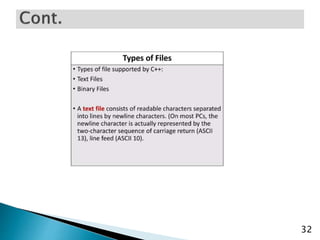
 Text file: it is a file that stores information in ASCII
characters. in a text file each line of text is terminated with a
special character known as EOL(End of Line) character or
delimiter character.
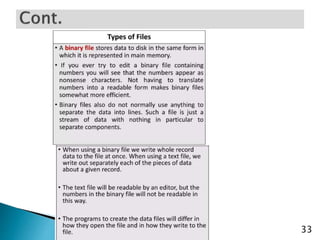
 Binary file: it is a file that contains information in the same
format as it is held in memory. in a binary file, no delimiters
are used for a line.
 Binary files are faster and easier for programs to read and
write.
2
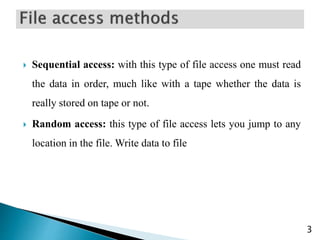
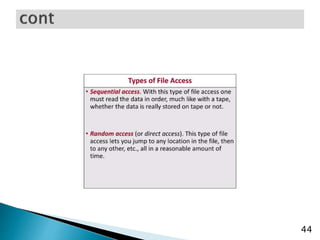
 Sequential access: with this type of file access one must read
the data in order, much like with a tape whether the data is
really stored on tape or not.
 Random access: this type of file access lets you jump to any
location in the file. Write data to file
3
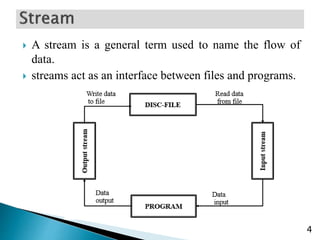
 A stream is a general term used to name the flow of
data.
 streams act as an interface between files and programs.
4
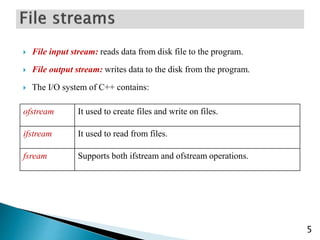
 File input stream: reads data from disk file to the program.
 File output stream: writes data to the disk from the program.
 The I/O system of C++ contains:
5
ofstream It used to create files and write on files.
ifstream It used to read from files.
fsream Supports both ifstream and ofstream operations.
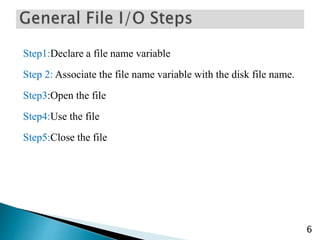
Step1:Declare a file name variable
Step 2: Associate the file name variable with the disk file name.
Step3:Open the file
Step4:Use the file
Step5:Close the file
6
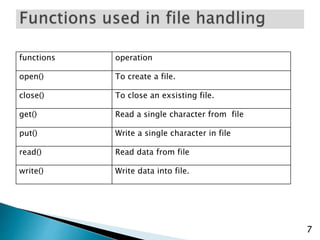
functions operation
open() To create a file.
close() To close an exsisting file.
get() Read a single character from file
put() Write a single character in file
read() Read data from file
write() Write data into file.
7
8
9
10
11
12
13
14
15
16
17
18
19
20
21
22
23
24
25
26
27
28
29
30
31
32
33
34
35
36
37
38
39
40
41
42
43
44
45
46
47
48
49
50
51
52
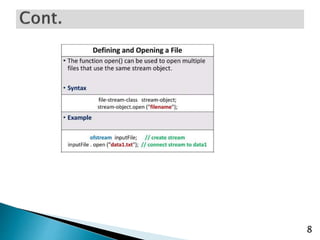
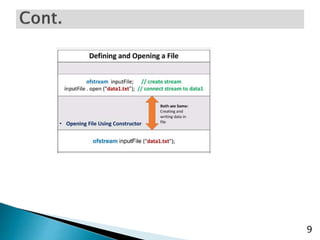
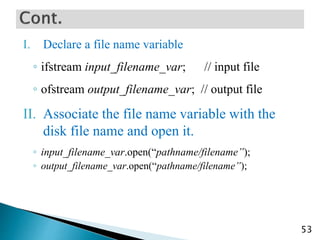
I. Declare a file name variable
◦ ifstream input_filename_var; // input file
◦ ofstream output_filename_var; // output file
II. Associate the file name variable with the
disk file name and open it.
◦ input_filename_var.open(“pathname/filename”);
◦ output_filename_var.open(“pathname/filename”);
53
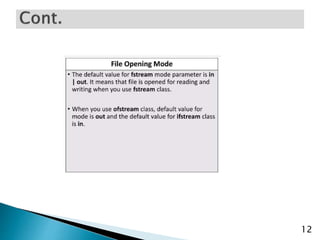
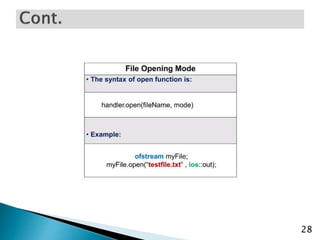
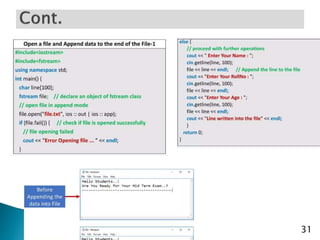
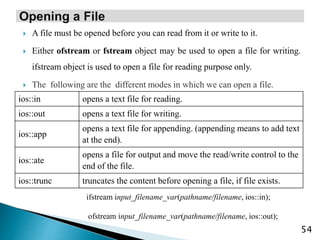
 A file must be opened before you can read from it or write to it.
 Either ofstream or fstream object may be used to open a file for writing.
ifstream object is used to open a file for reading purpose only.
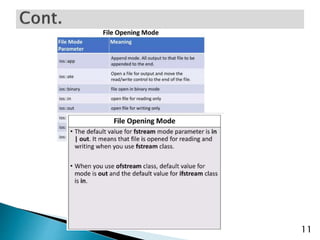
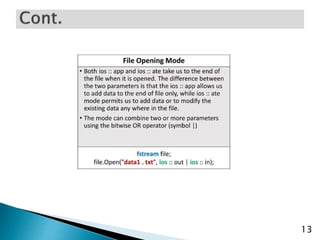
 The following are the different modes in which we can open a file.
54
ios::in opens a text file for reading.
ios::out opens a text file for writing.
ios::app
opens a text file for appending. (appending means to add text
at the end).
ios::ate
opens a file for output and move the read/write control to the
end of the file.
ios::trunc truncates the content before opening a file, if file exists.
ifstream input_filename_var(pathname/filename, ios::in);
ofstream input_filename_var(pathname/filename, ios::out);
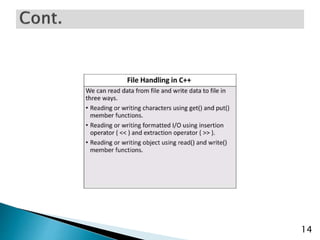
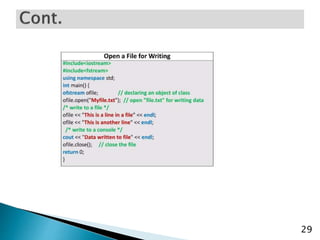
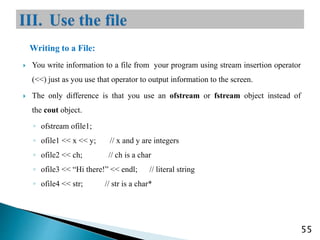
Writing to a File:
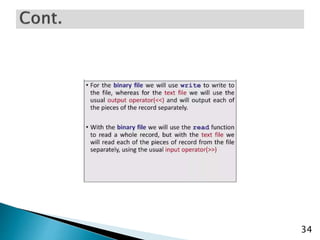
 You write information to a file from your program using stream insertion operator
(<<) just as you use that operator to output information to the screen.
 The only difference is that you use an ofstream or fstream object instead of
the cout object.
◦ ofstream ofile1;
◦ ofile1 << x << y; // x and y are integers
◦ ofile2 << ch; // ch is a char
◦ ofile3 << “Hi there!” << endl; // literal string
◦ ofile4 << str; // str is a char*
55
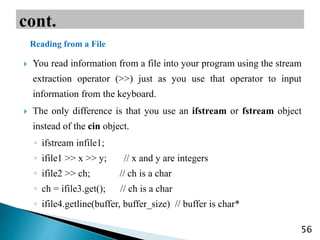
 You read information from a file into your program using the stream
extraction operator (>>) just as you use that operator to input
information from the keyboard.
 The only difference is that you use an ifstream or fstream object
instead of the cin object.

◦ ifstream infile1;
◦ ifile1 >> x >> y; // x and y are integers
◦ ifile2 >> ch; // ch is a char
◦ ch = ifile3.get(); // ch is a char
◦ ifile4.getline(buffer, buffer_size) // buffer is char*
56
Reading from a File
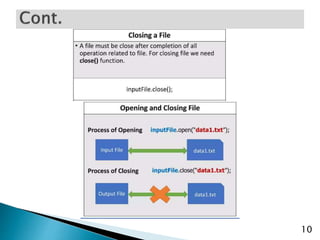
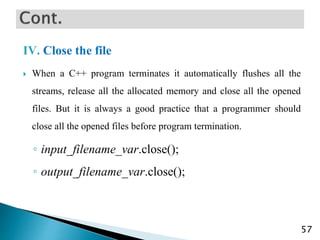
IV. Close the file
 When a C++ program terminates it automatically flushes all the
streams, release all the allocated memory and close all the opened
files. But it is always a good practice that a programmer should
close all the opened files before program termination.
◦ input_filename_var.close();
◦ output_filename_var.close();
57
58
59
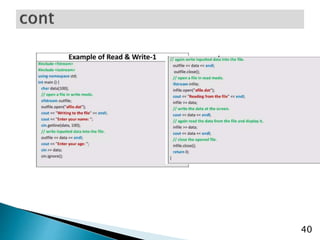
#include <fstream>
#include <iostream>
using namespace std;
int main ()
{
char data[100];
// open a file in write mode.
ofstream outfile;
outfile.open("afile.dat");
cout << "Writing to the file" << endl;
cout << "Enter your name: ";
cin.getline(data, 100);
// write inputted data into the file.
outfile << data << endl;
cout << "Enter your age: ";
cin >> data;
cin.ignore();
// again write inputted data into the file.
outfile << data << endl;
// close the opened file.
outfile.close();
// open a file in read mode.
ifstream infile;
infile.open("afile.dat");
cout << "Reading from the file" << endl;
infile >> data;
// write the data at the screen.
cout << data << endl;
// again read the data from the file and
display it.
infile >> data;
cout << data << endl;
// close the opened file.
infile.close();
return 0;
}

Chapter4.pptx

  • 1.
    0  Outline: ◦ conceptof byte streams ◦ File access methods ◦ Opening and closing files ◦ Reading from files ◦ Write to files
  • 2.
     When aprogram runs, the data is in the memory, but when it ends or the computer shuts down, it gets lost. To keep data permanently, we need to write it in a file.  A file is a collection of information, usually stored on a computer’s disk. Information can be saved to files and then later reused.  All files are assigned a name that is used for identification purposes by the operating system and the user.  We use file handling to store data permanently. 1
  • 3.
     Text file:it is a file that stores information in ASCII characters. in a text file each line of text is terminated with a special character known as EOL(End of Line) character or delimiter character.  Binary file: it is a file that contains information in the same format as it is held in memory. in a binary file, no delimiters are used for a line.  Binary files are faster and easier for programs to read and write. 2
  • 4.
     Sequential access:with this type of file access one must read the data in order, much like with a tape whether the data is really stored on tape or not.  Random access: this type of file access lets you jump to any location in the file. Write data to file 3
  • 5.
     A streamis a general term used to name the flow of data.  streams act as an interface between files and programs. 4
  • 6.
     File inputstream: reads data from disk file to the program.  File output stream: writes data to the disk from the program.  The I/O system of C++ contains: 5 ofstream It used to create files and write on files. ifstream It used to read from files. fsream Supports both ifstream and ofstream operations.
  • 7.
    Step1:Declare a filename variable Step 2: Associate the file name variable with the disk file name. Step3:Open the file Step4:Use the file Step5:Close the file 6
  • 8.
    functions operation open() Tocreate a file. close() To close an exsisting file. get() Read a single character from file put() Write a single character in file read() Read data from file write() Write data into file. 7
  • 9.
  • 10.
  • 11.
  • 12.
  • 13.
  • 14.
  • 15.
  • 16.
  • 17.
  • 18.
  • 19.
  • 20.
  • 21.
  • 22.
  • 23.
  • 24.
  • 25.
  • 26.
  • 27.
  • 28.
  • 29.
  • 30.
  • 31.
  • 32.
  • 33.
  • 34.
  • 35.
  • 36.
  • 37.
  • 38.
  • 39.
  • 40.
  • 41.
  • 42.
  • 43.
  • 44.
  • 45.
  • 46.
  • 47.
  • 48.
  • 49.
  • 50.
  • 51.
  • 52.
  • 53.
  • 54.
    I. Declare afile name variable ◦ ifstream input_filename_var; // input file ◦ ofstream output_filename_var; // output file II. Associate the file name variable with the disk file name and open it. ◦ input_filename_var.open(“pathname/filename”); ◦ output_filename_var.open(“pathname/filename”); 53
  • 55.
     A filemust be opened before you can read from it or write to it.  Either ofstream or fstream object may be used to open a file for writing. ifstream object is used to open a file for reading purpose only.  The following are the different modes in which we can open a file. 54 ios::in opens a text file for reading. ios::out opens a text file for writing. ios::app opens a text file for appending. (appending means to add text at the end). ios::ate opens a file for output and move the read/write control to the end of the file. ios::trunc truncates the content before opening a file, if file exists. ifstream input_filename_var(pathname/filename, ios::in); ofstream input_filename_var(pathname/filename, ios::out);
  • 56.
    Writing to aFile:  You write information to a file from your program using stream insertion operator (<<) just as you use that operator to output information to the screen.  The only difference is that you use an ofstream or fstream object instead of the cout object. ◦ ofstream ofile1; ◦ ofile1 << x << y; // x and y are integers ◦ ofile2 << ch; // ch is a char ◦ ofile3 << “Hi there!” << endl; // literal string ◦ ofile4 << str; // str is a char* 55
  • 57.
     You readinformation from a file into your program using the stream extraction operator (>>) just as you use that operator to input information from the keyboard.  The only difference is that you use an ifstream or fstream object instead of the cin object. ◦ ifstream infile1; ◦ ifile1 >> x >> y; // x and y are integers ◦ ifile2 >> ch; // ch is a char ◦ ch = ifile3.get(); // ch is a char ◦ ifile4.getline(buffer, buffer_size) // buffer is char* 56 Reading from a File
  • 58.
    IV. Close thefile  When a C++ program terminates it automatically flushes all the streams, release all the allocated memory and close all the opened files. But it is always a good practice that a programmer should close all the opened files before program termination. ◦ input_filename_var.close(); ◦ output_filename_var.close(); 57
  • 59.
  • 60.
    59 #include <fstream> #include <iostream> usingnamespace std; int main () { char data[100]; // open a file in write mode. ofstream outfile; outfile.open("afile.dat"); cout << "Writing to the file" << endl; cout << "Enter your name: "; cin.getline(data, 100); // write inputted data into the file. outfile << data << endl; cout << "Enter your age: "; cin >> data; cin.ignore(); // again write inputted data into the file. outfile << data << endl; // close the opened file. outfile.close(); // open a file in read mode. ifstream infile; infile.open("afile.dat"); cout << "Reading from the file" << endl; infile >> data; // write the data at the screen. cout << data << endl; // again read the data from the file and display it. infile >> data; cout << data << endl; // close the opened file. infile.close(); return 0; }