1


       Learning To Run
XPages for Lotus Notes Client Developers


                           Presenter: Kathy Brown
Who am I
• Kathy Brown
  • Lotus Notes Developer, primarily for the Notes client, until recently
  • Co-author of the Lotus User Group Notes Developer Tips Newsletter
  • Speaker at Lotusphere and various LUGs
  • Twitter addict
  • Runner
What this session is...
 • Tips and transitions for Notes client developers
What this session is not...
 • A step-by-step how to
 • Best practices
 • Advanced topics
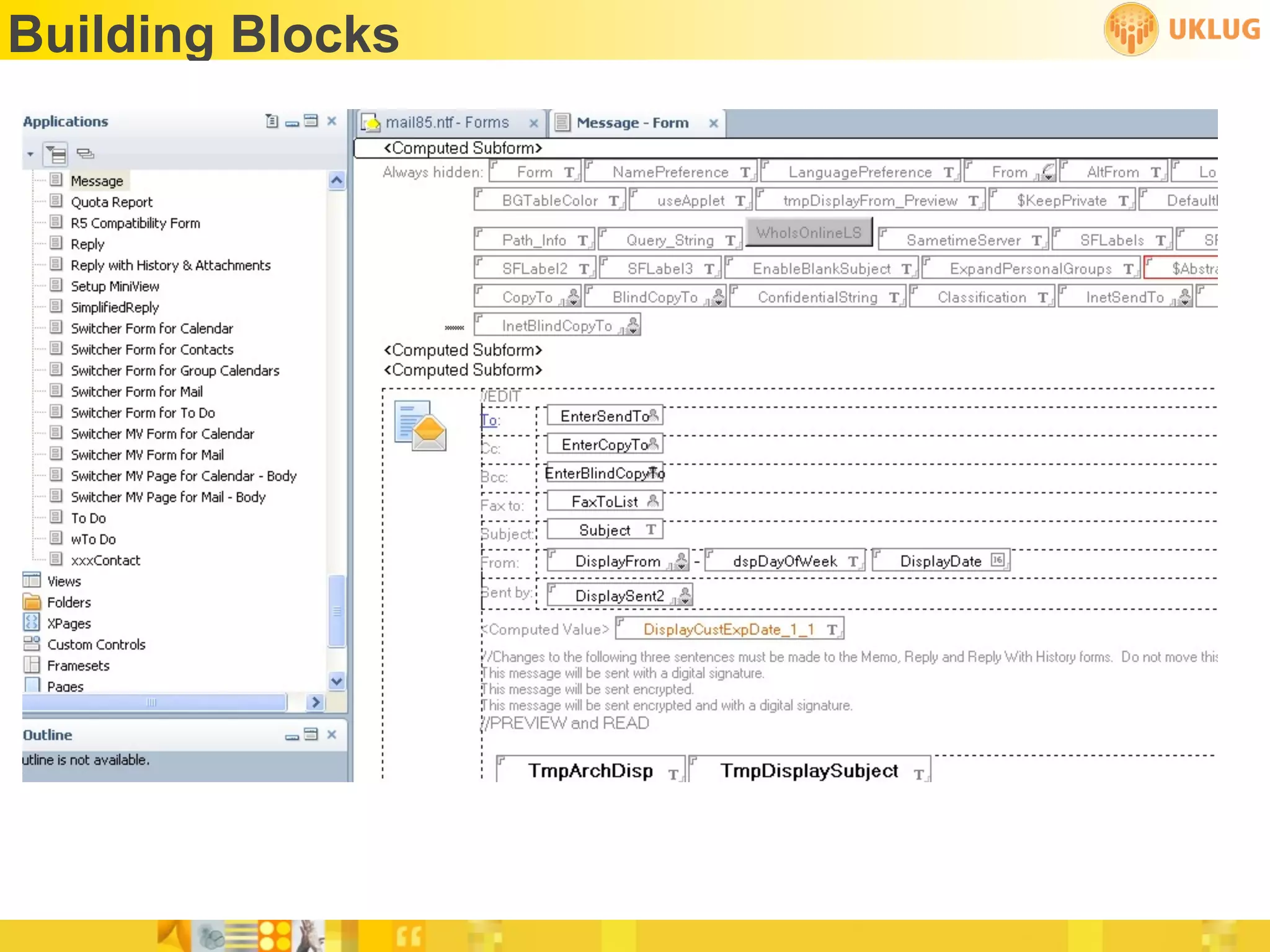
Building Blocks
 •   Forms
 •   Views
 •   Subforms
 •   Framesets
 •   Outlines
 •   Pages
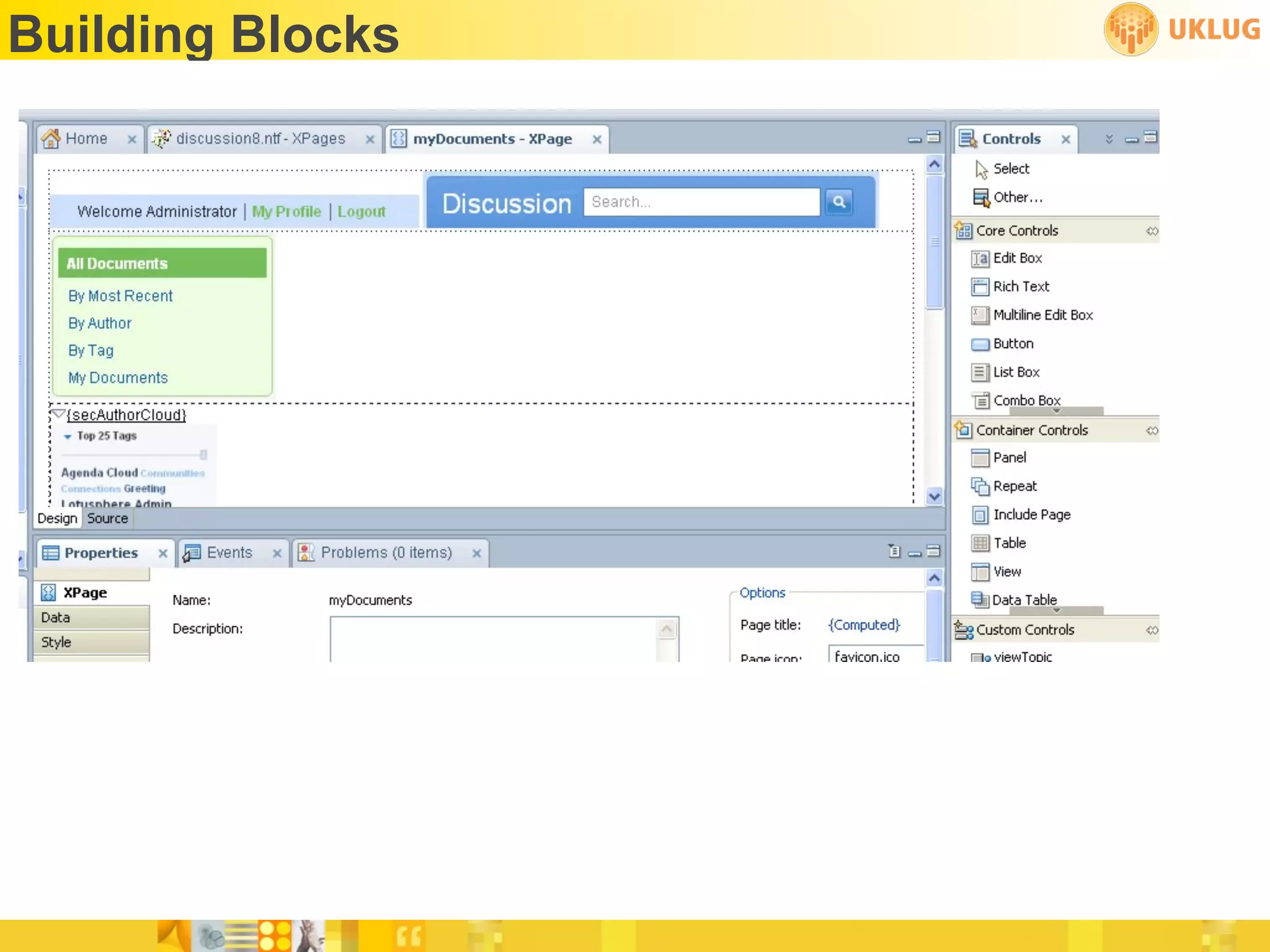
Building Blocks
 •   XPages
 •   Core Controls
 •   Container Controls
 •   Custom Controls
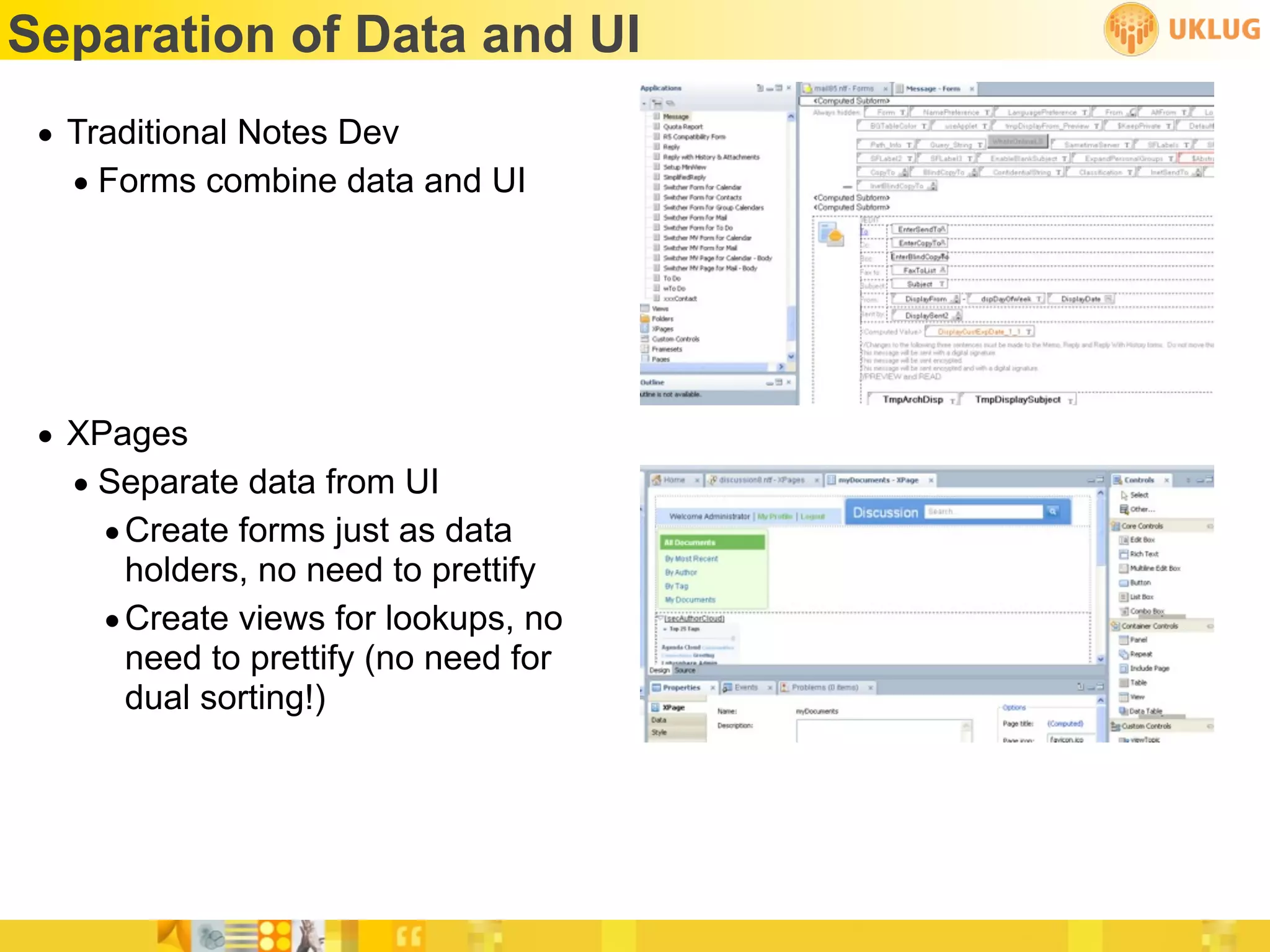
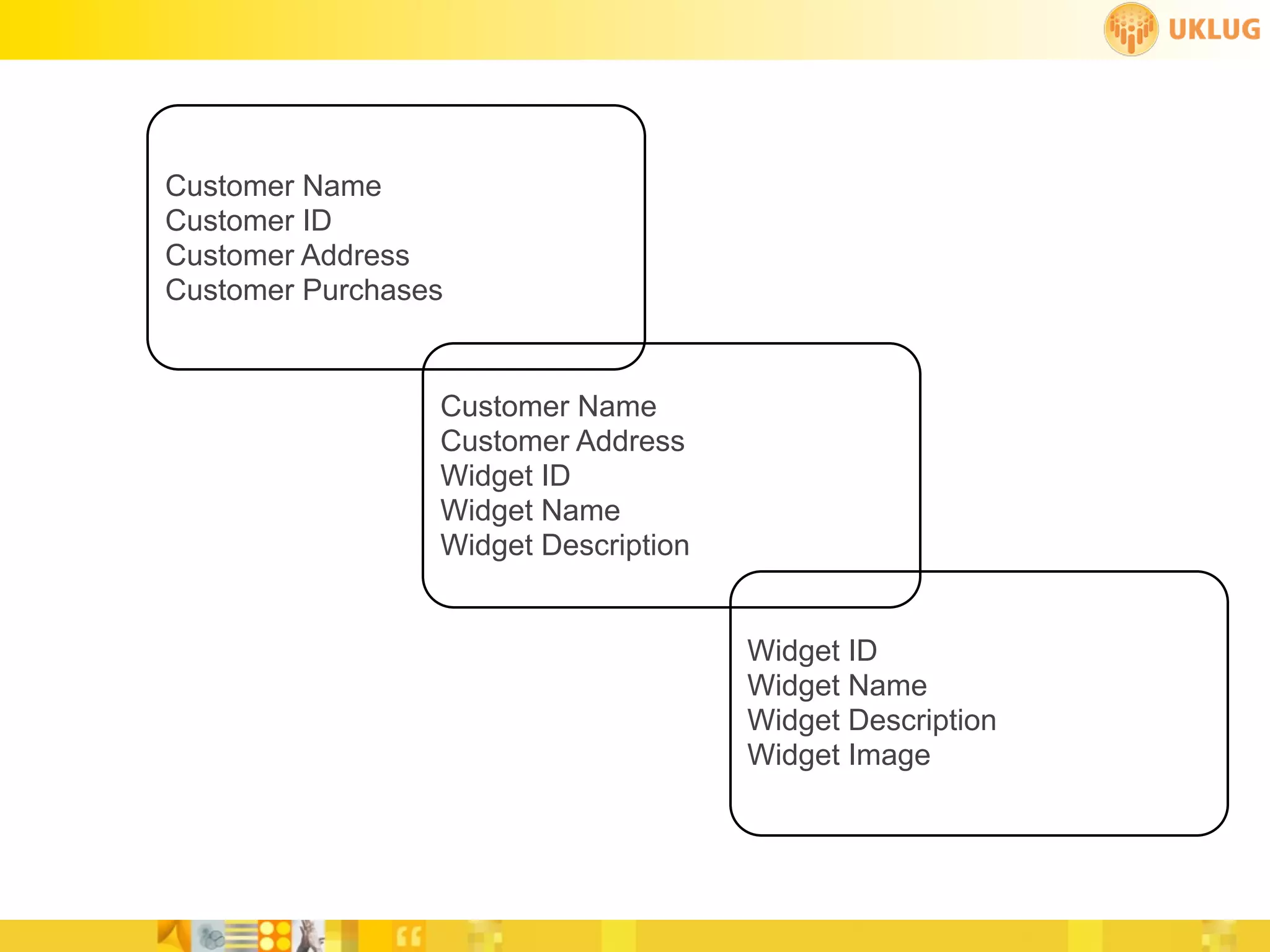
Separation of Data and UI
 • Traditional Notes Dev
   • Forms combine data and UI


 • XPages
   • Separate data from UI
     • Create forms just as data
       holders, no need to prettify
     • Create views for lookups, no
       need to prettify (no need for
       dual sorting!)
Customer Name
Customer ID
Customer Address
Customer Purchases


                 Customer Name
                 Customer Address
                 Widget ID
                 Widget Name
                 Widget Description


                                      Widget ID
                                      Widget Name
                                      Widget Description
                                      Widget Image
Data Binding
 • Because data and UI are separate, we need to “bind” data to our
   elements
 • Xpage
   • Can define a domino document or view as a data source
 • Custom Controls and Container Controls like Panel
   • Can define a domino document or view as a data source
 • Repeat Controls and certain Core Controls
   • Use data binding
Data Binding
 • Simple data binding
   • Select a source from a list, or add another source
   • Select an item to bind to
     • Example: select a document from the source and a field from that
       document to bind to
 • Javascript
   • Utilize the JavaScript editor to write Server Side Javascript (SSJS)
     • Example:
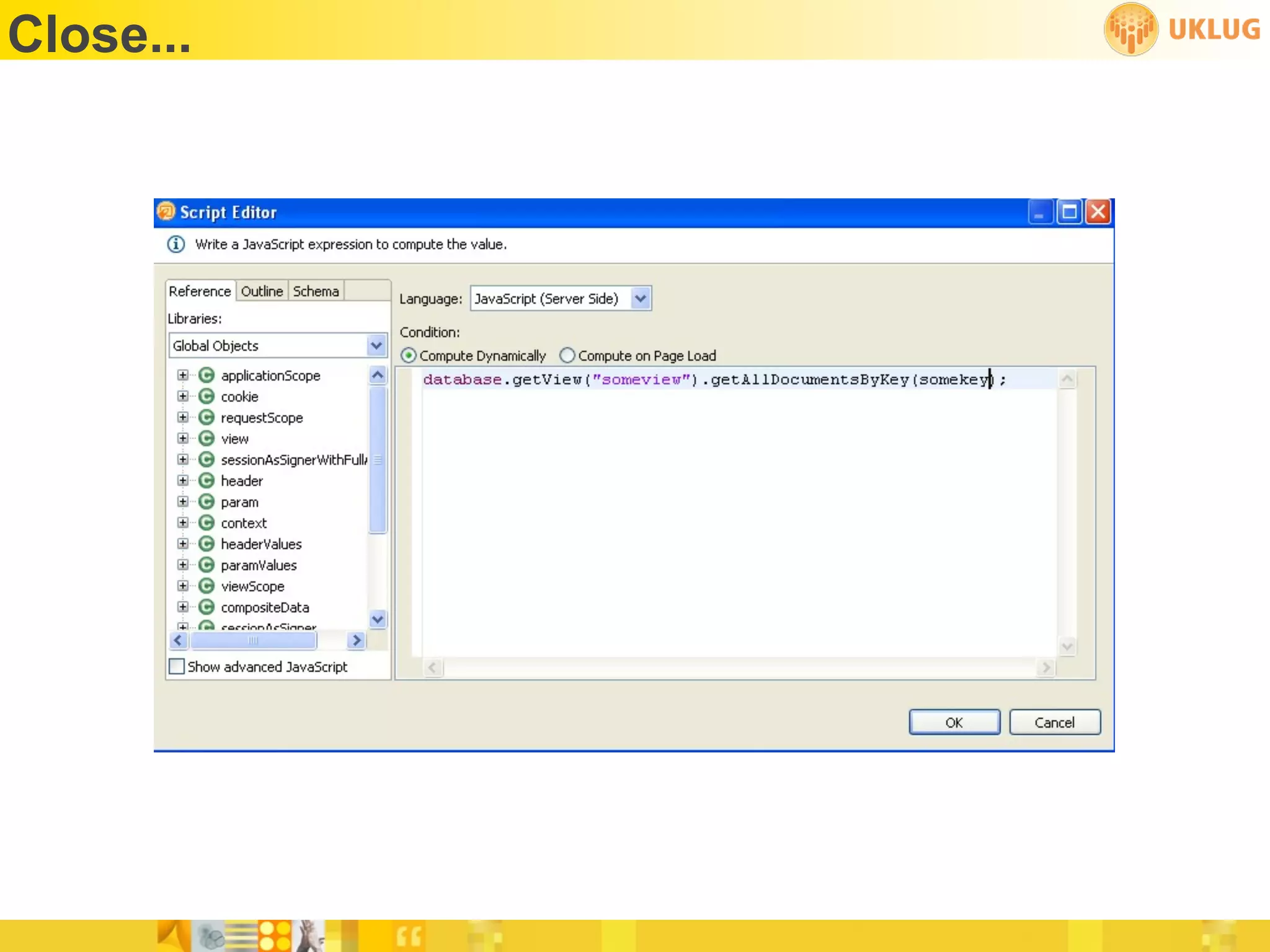
     database.getView(“movies”).getAllDocumentsByKey(genre);
 • Advanced
   • Use expression language, scoped variable, component parameter or
     custom code for data binding
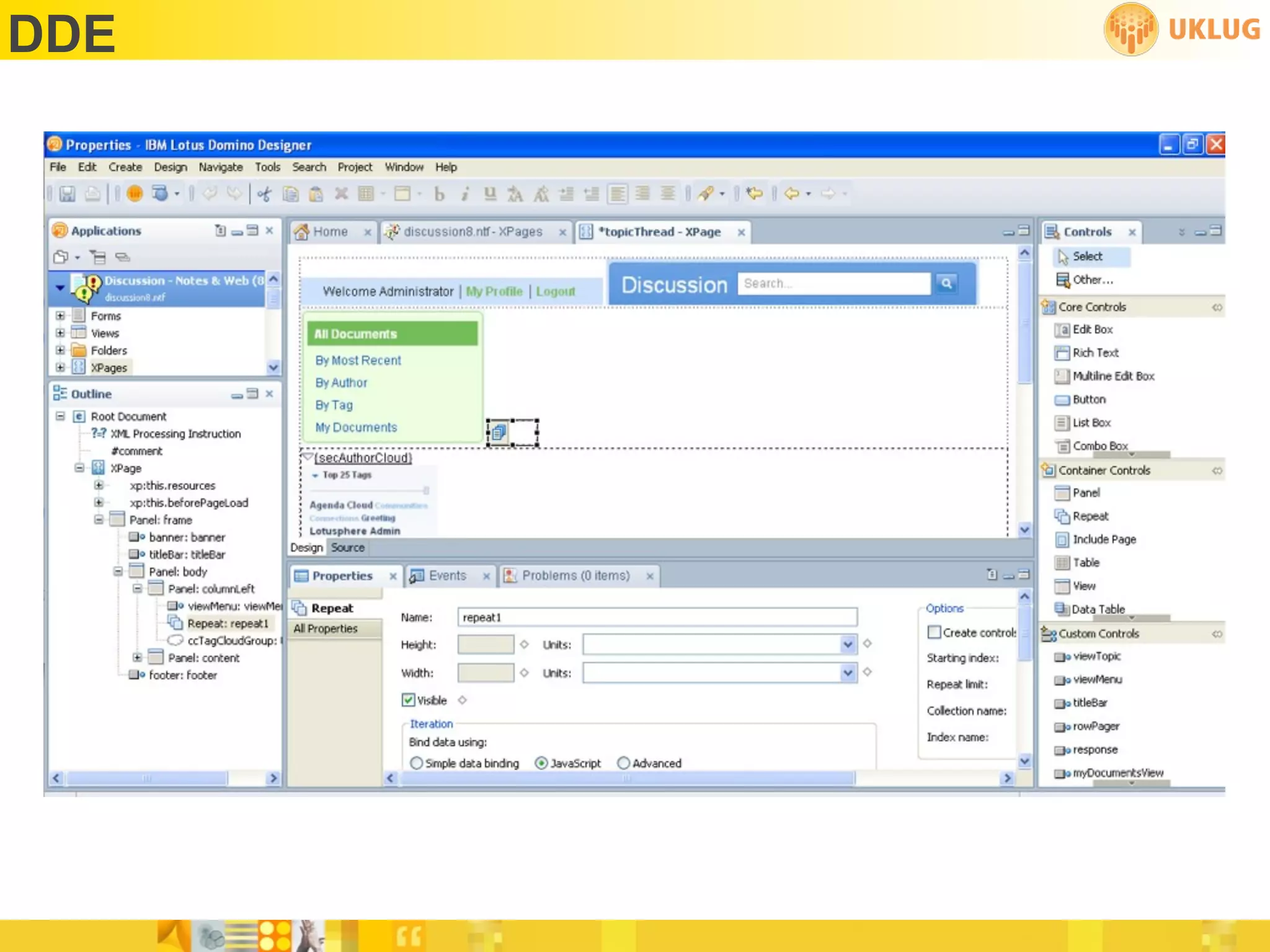
DDE
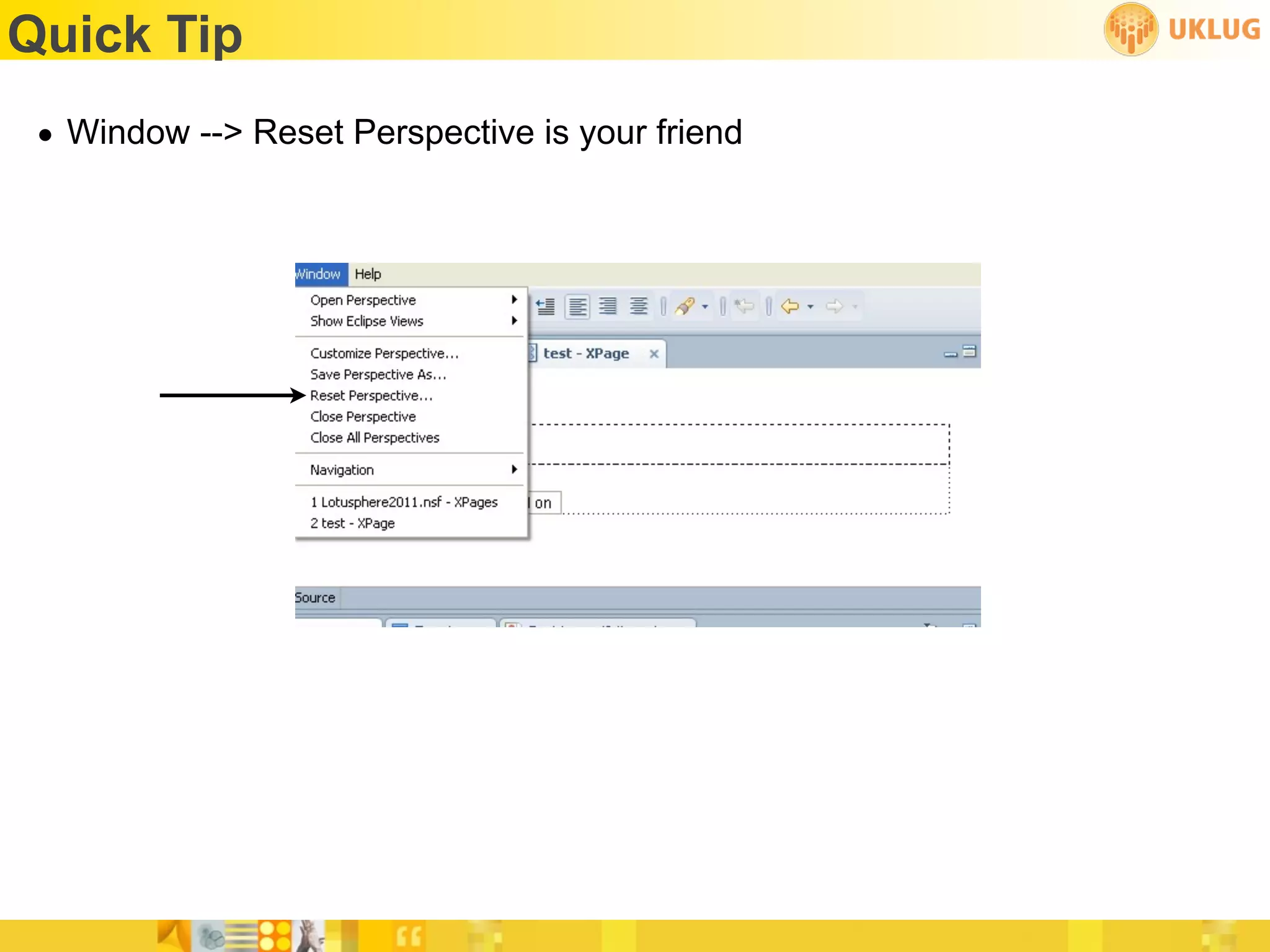
Quick Tip
 • Window --> Reset Perspective is your friend
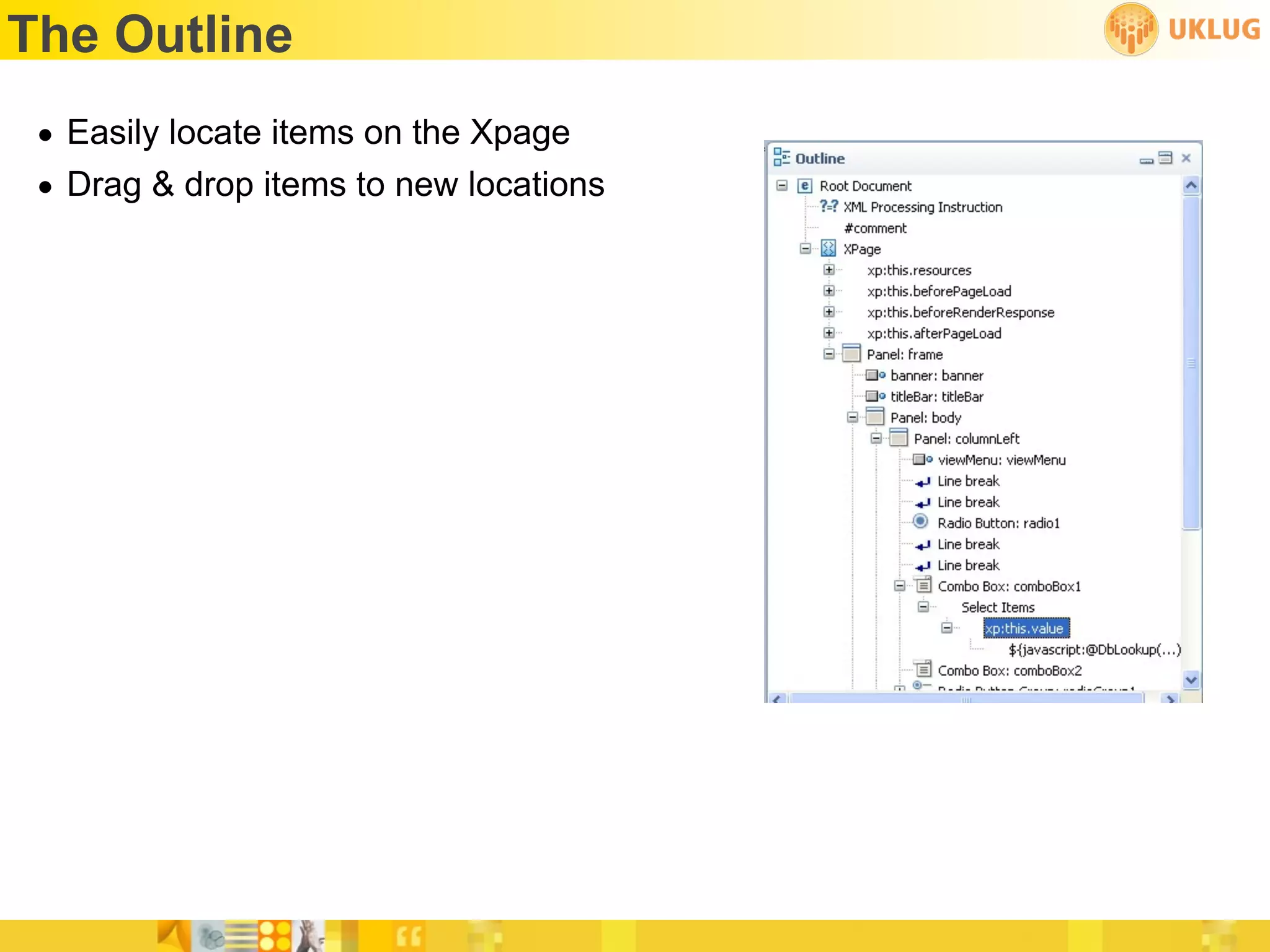
The Outline
 • Easily locate items on the Xpage
 • Drag & drop items to new locations
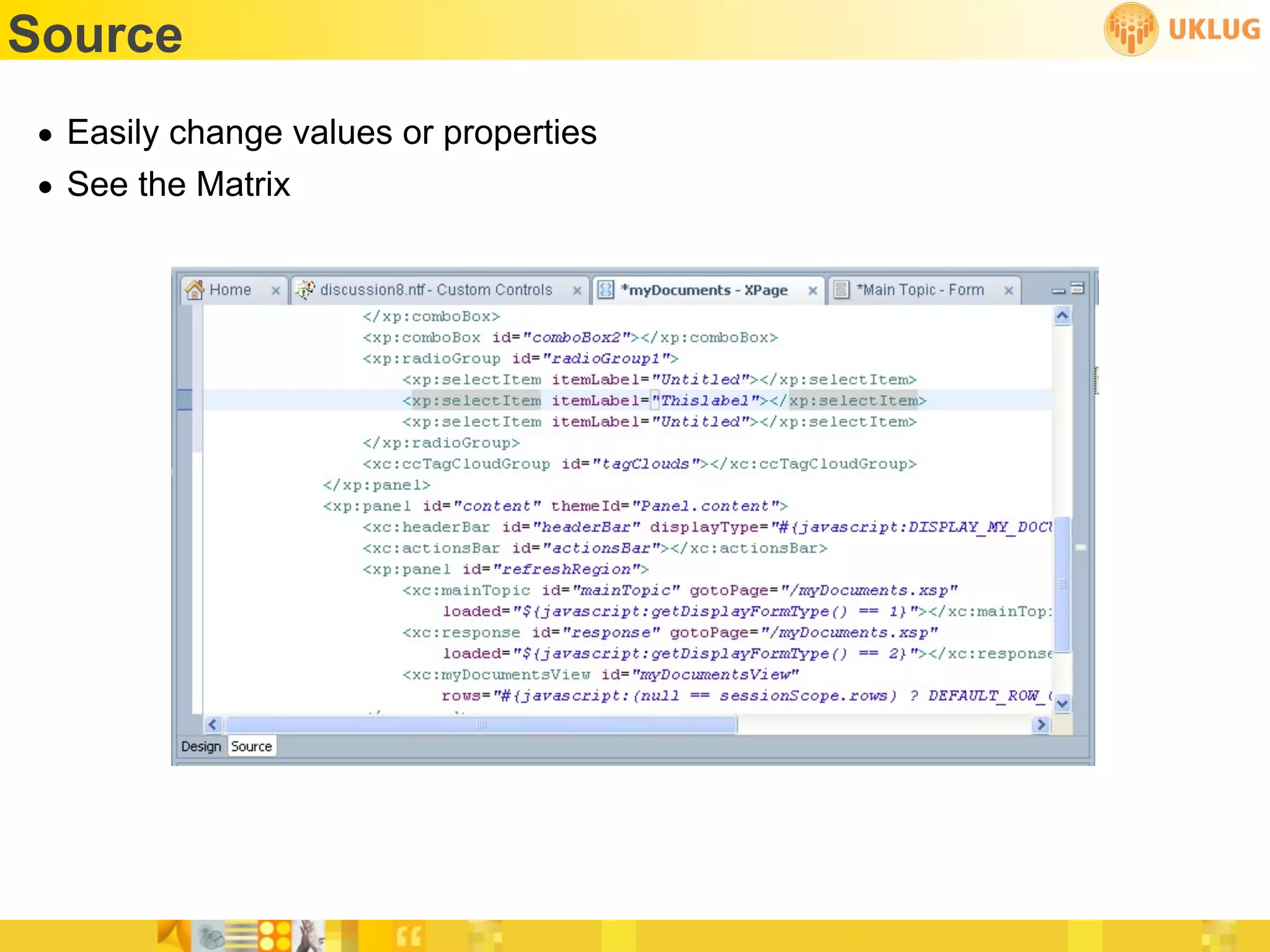
Source
• Easily change values or properties
• See the Matrix
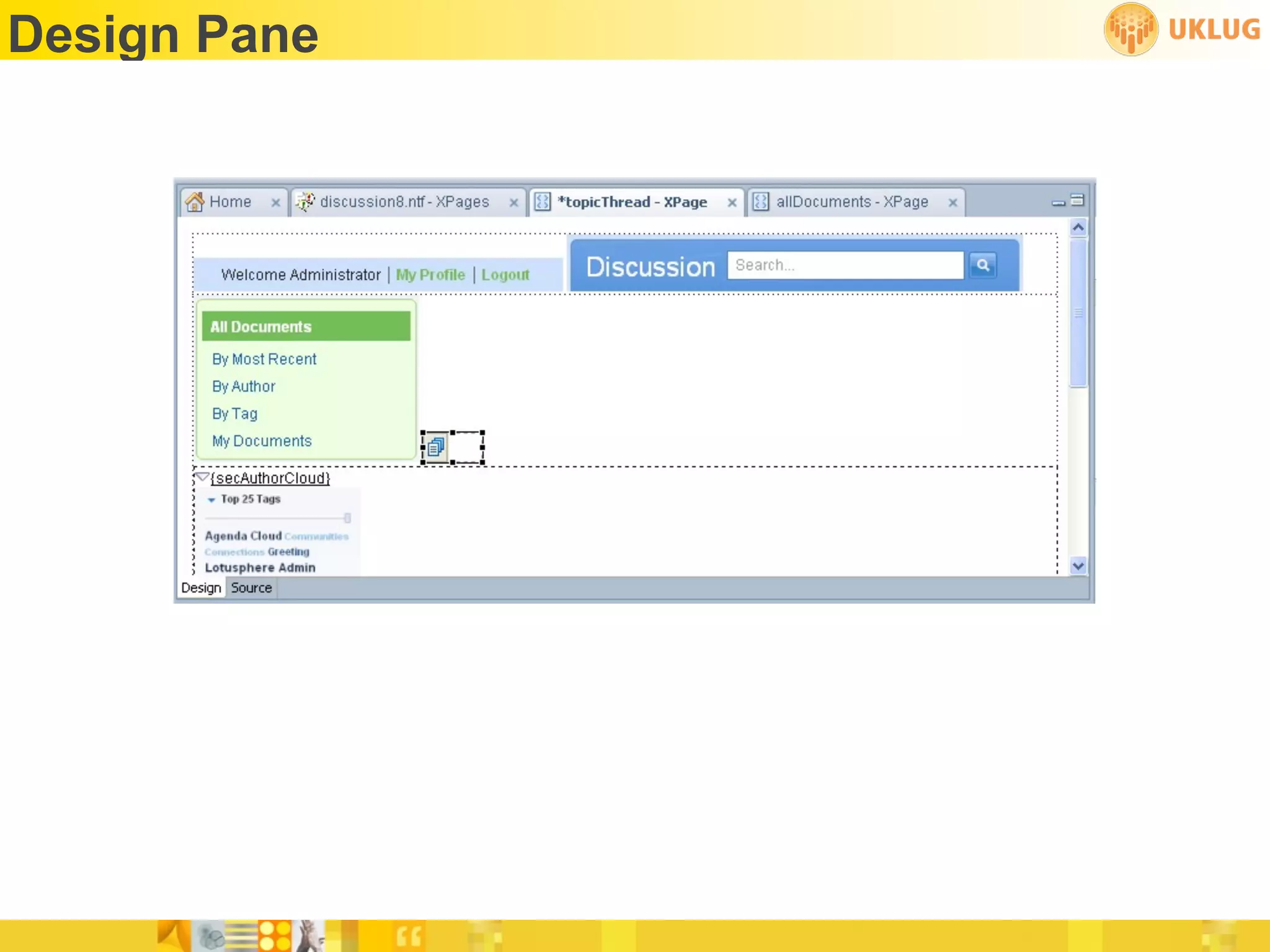
Design Pane
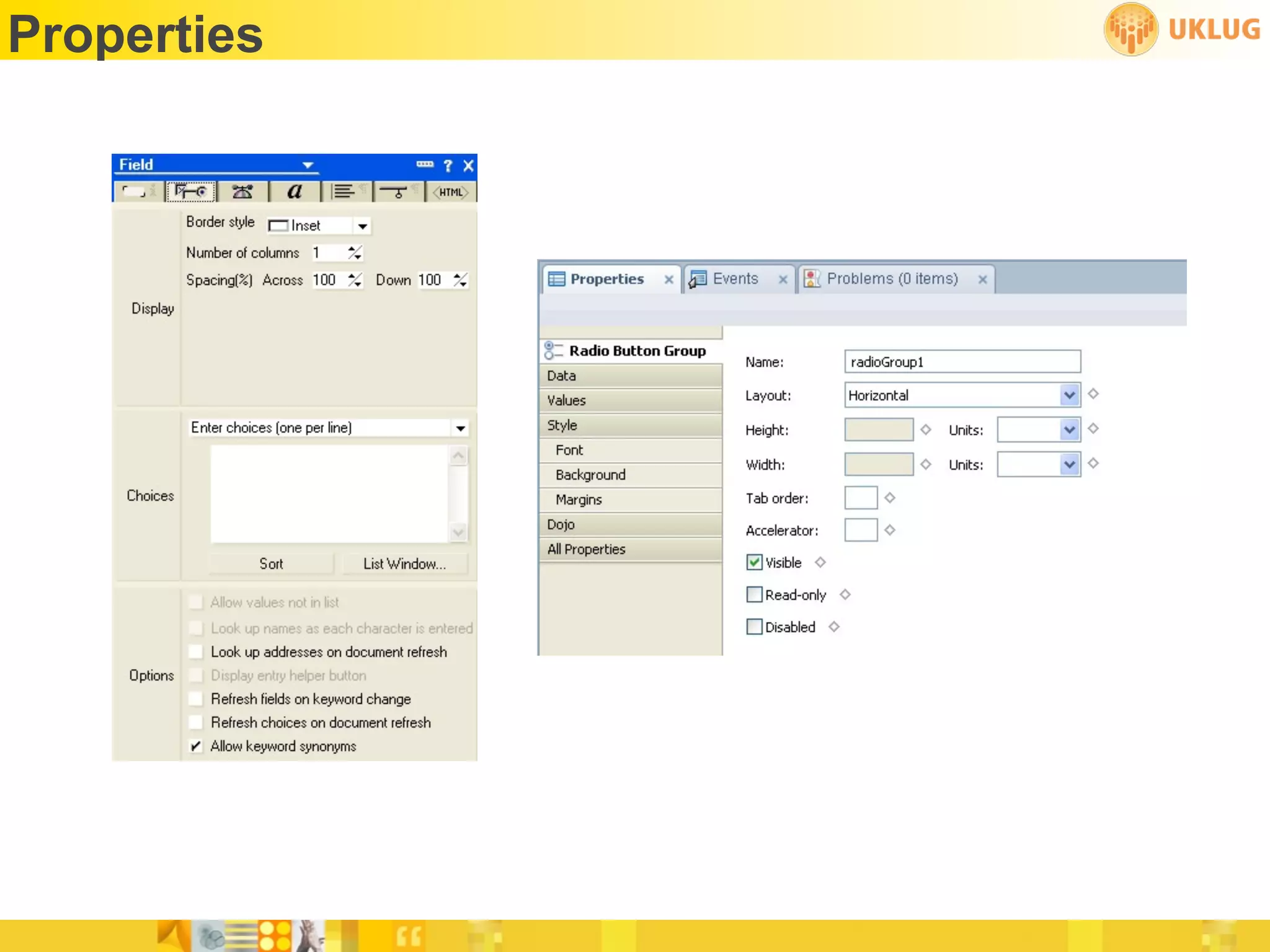
Properties
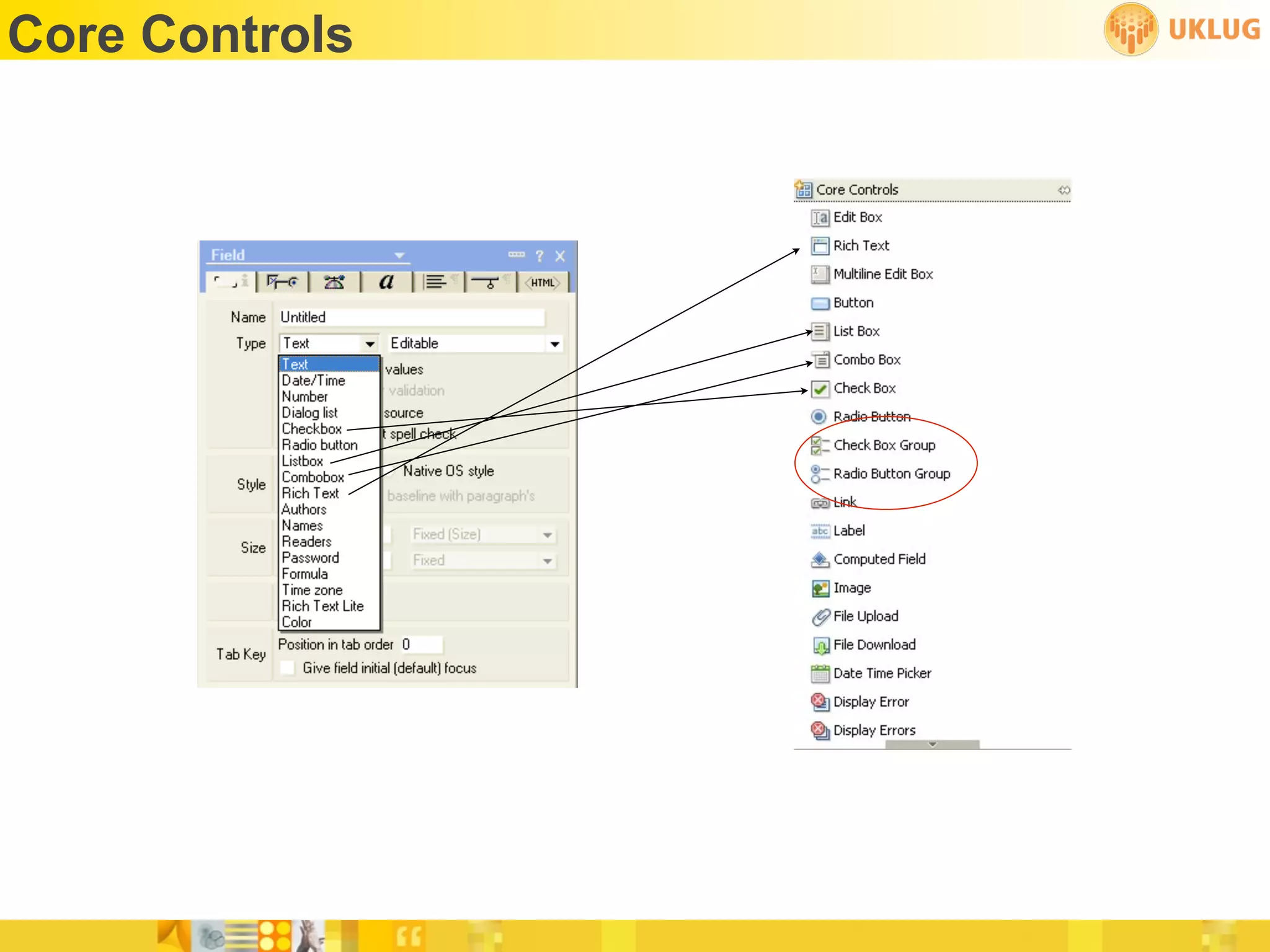
Core Controls
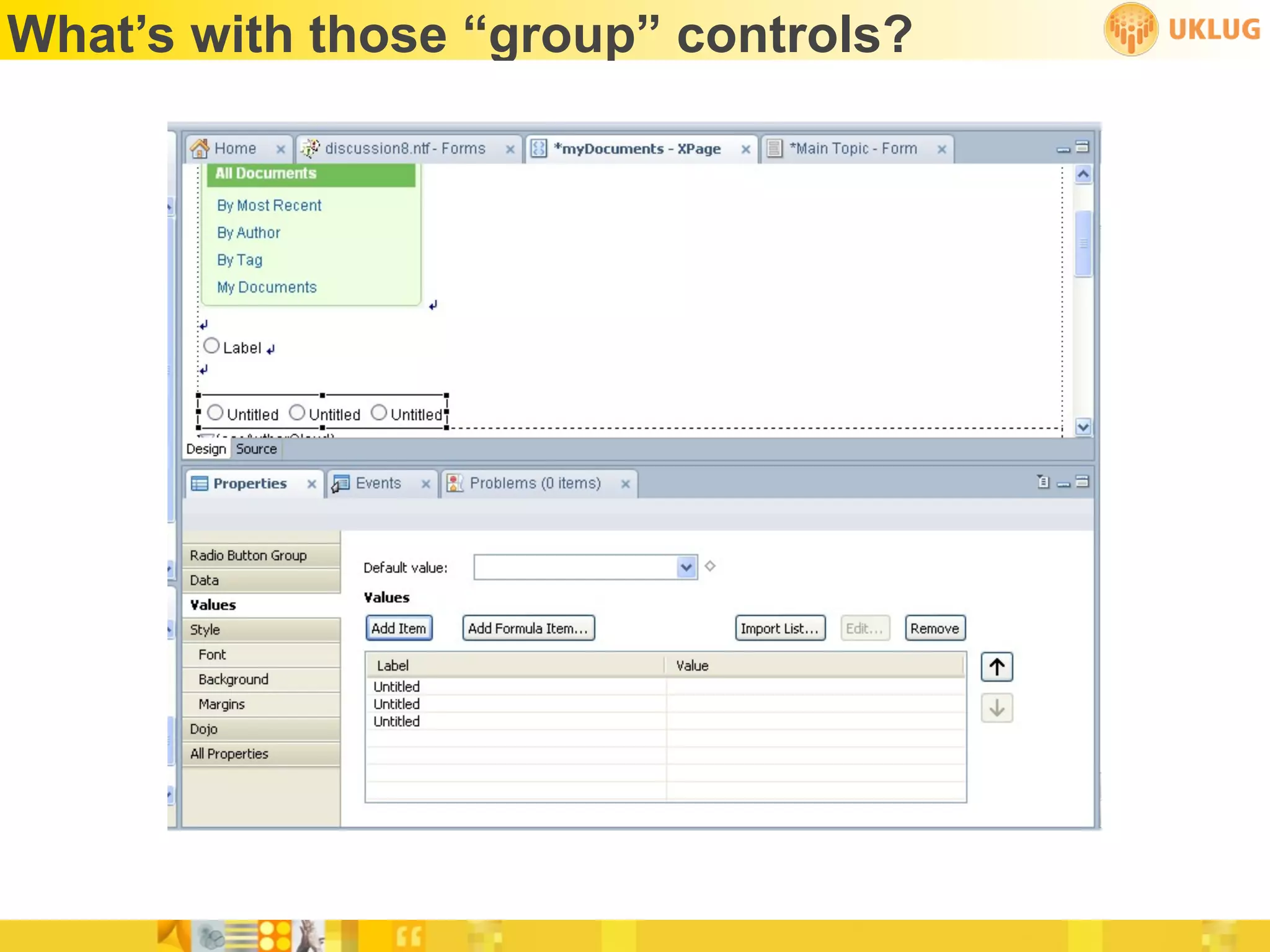
What’s with those “group” controls?
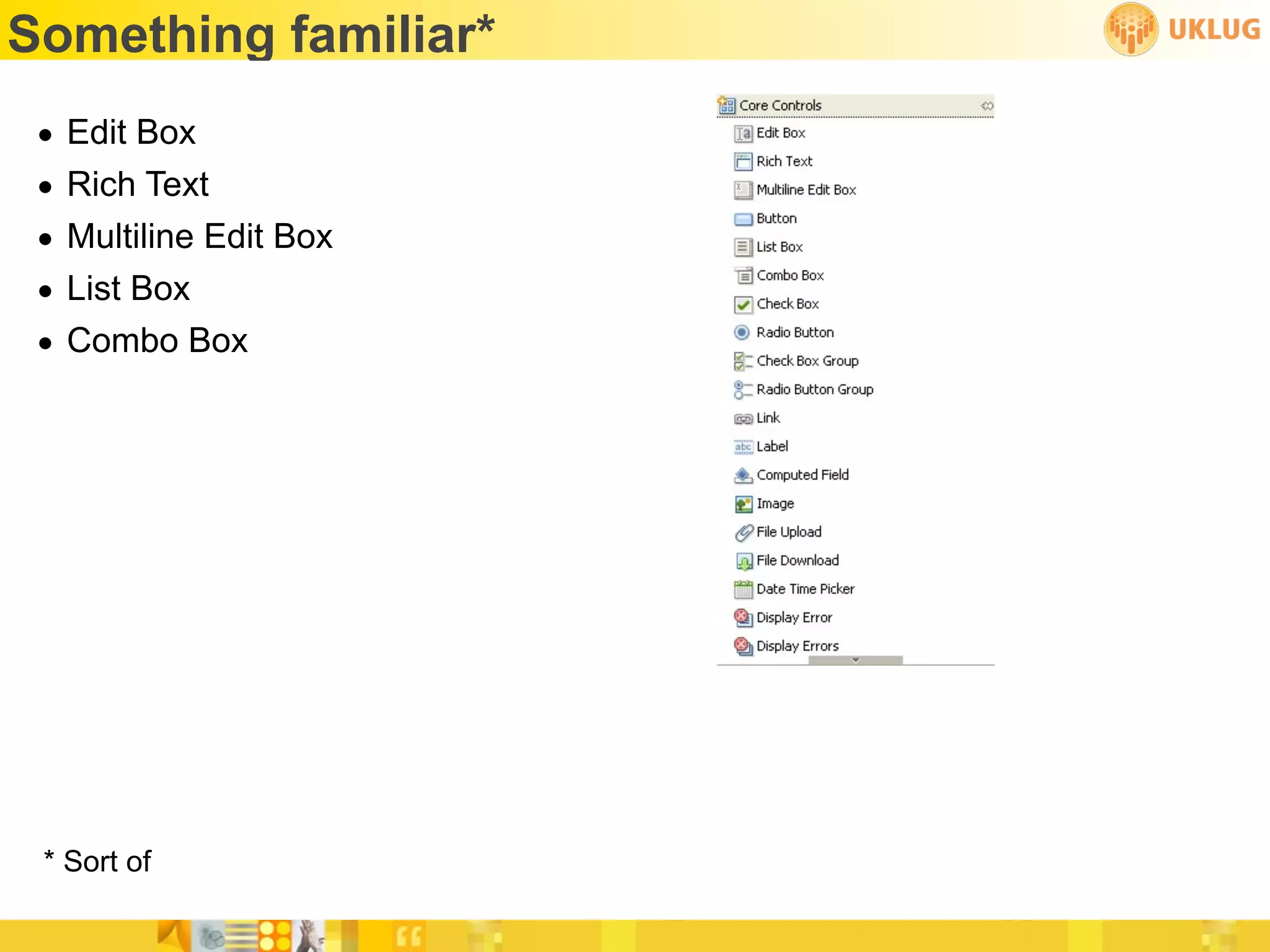
Something familiar*
 •   Edit Box
 •   Rich Text
 •   Multiline Edit Box
 •   List Box
 •   Combo Box


 * Sort of
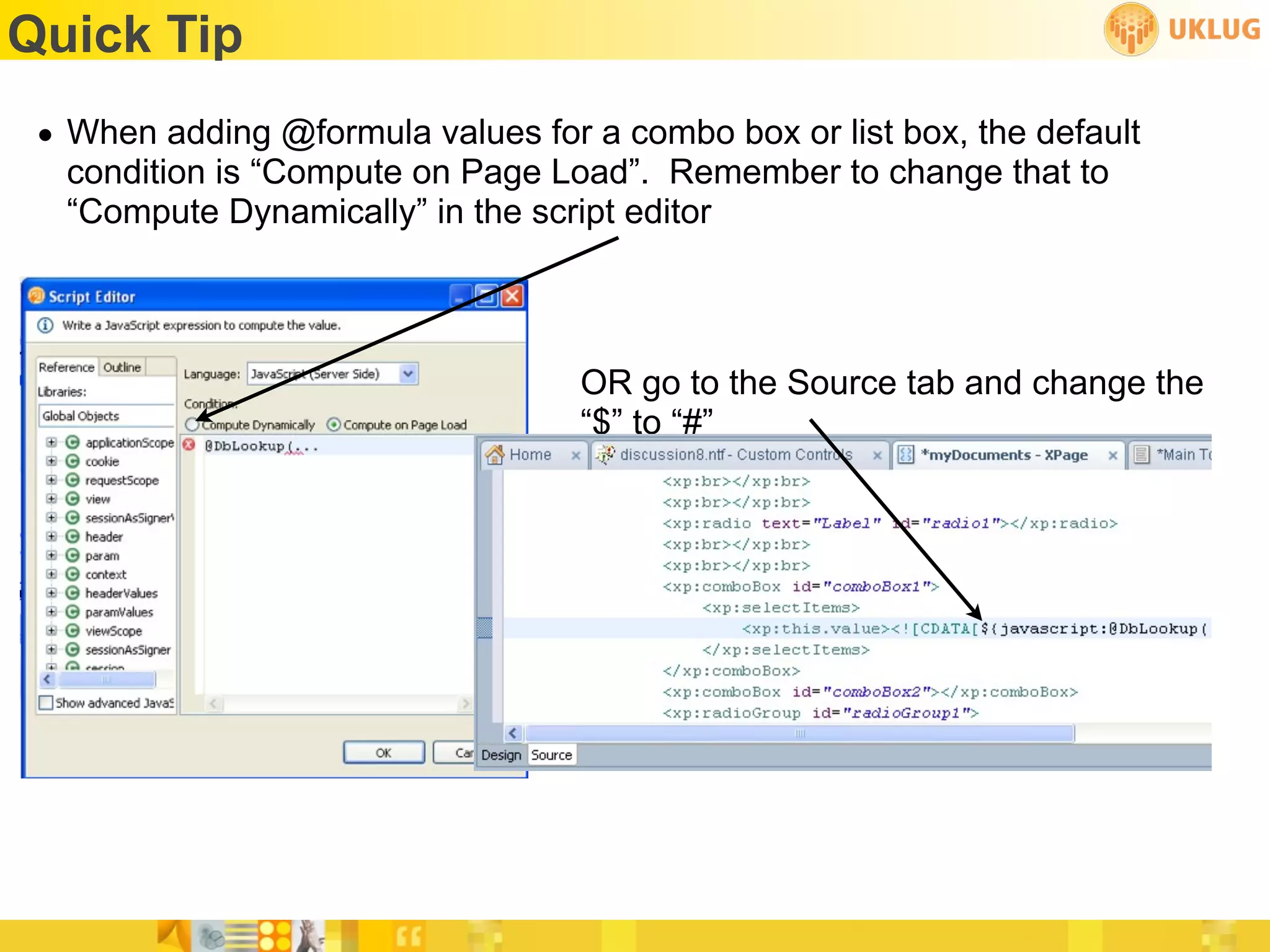
Quick Tip
 • When adding @formula values for a combo box or list box, the default
   condition is “Compute on Page Load”. Remember to change that to
   “Compute Dynamically” in the script editor


                                   OR go to the Source tab and change the
                                   “$” to “#”
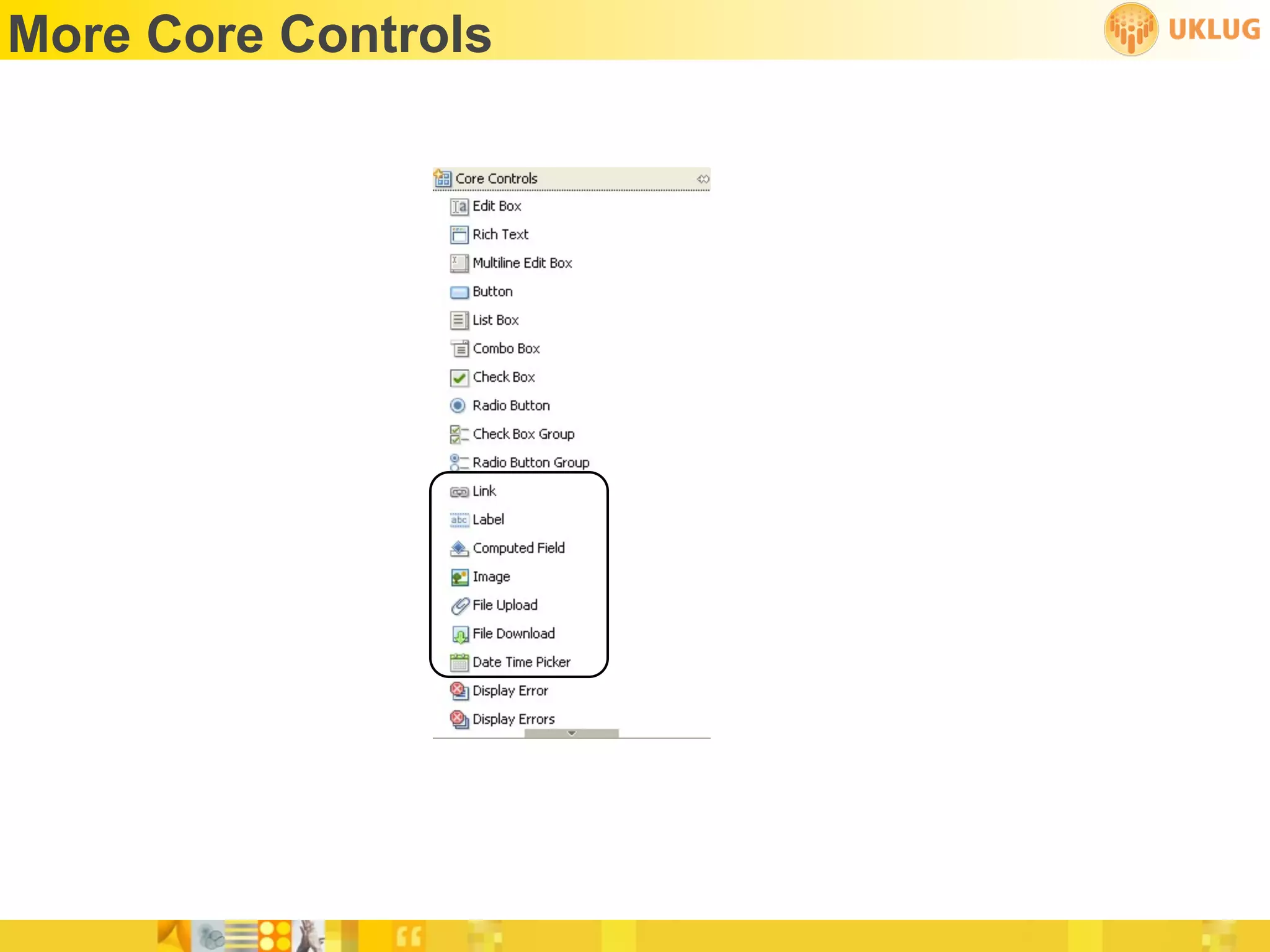
More Core Controls
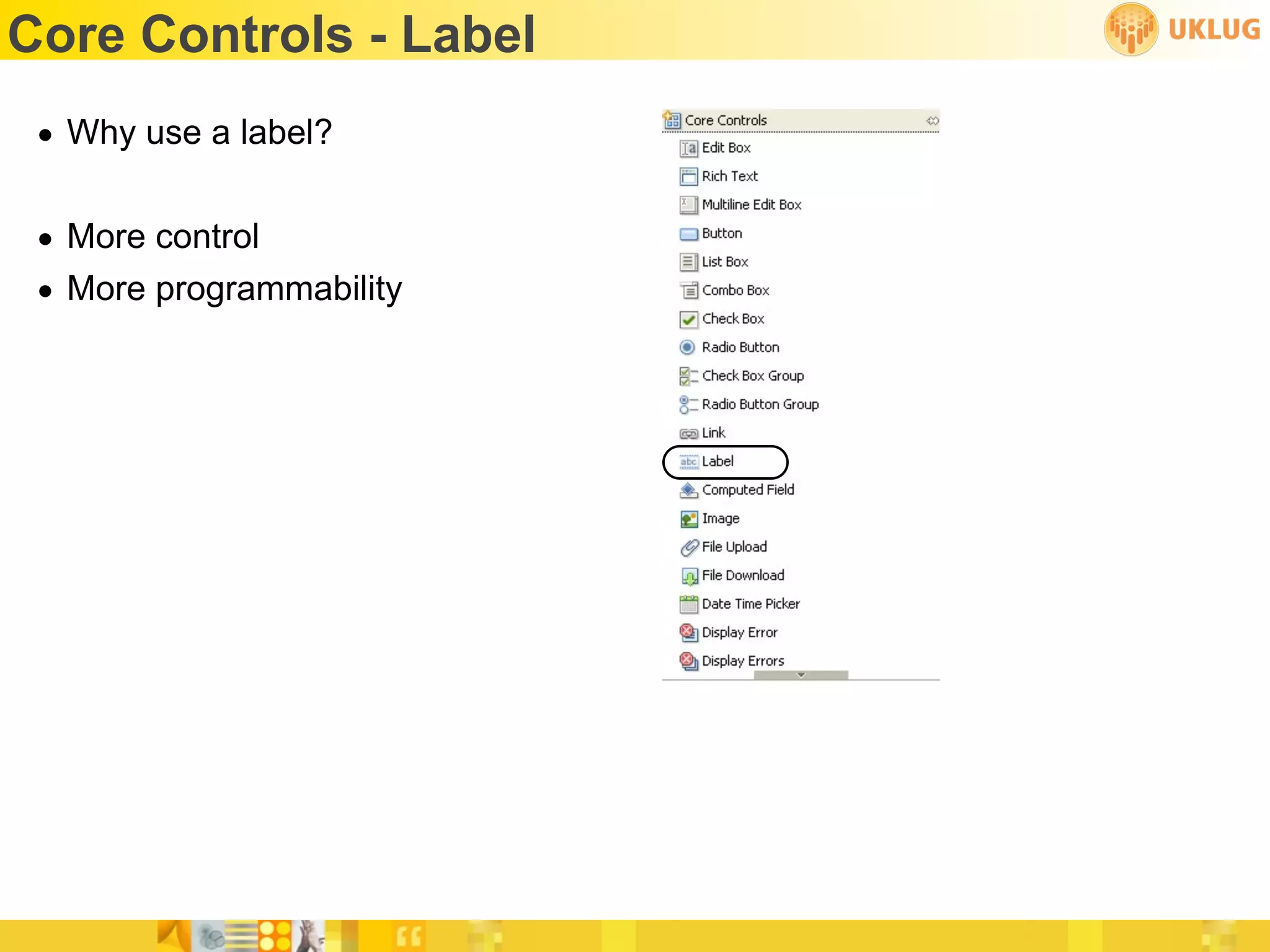
Core Controls - Label
 • Why use a label?

 • More control
 • More programmability
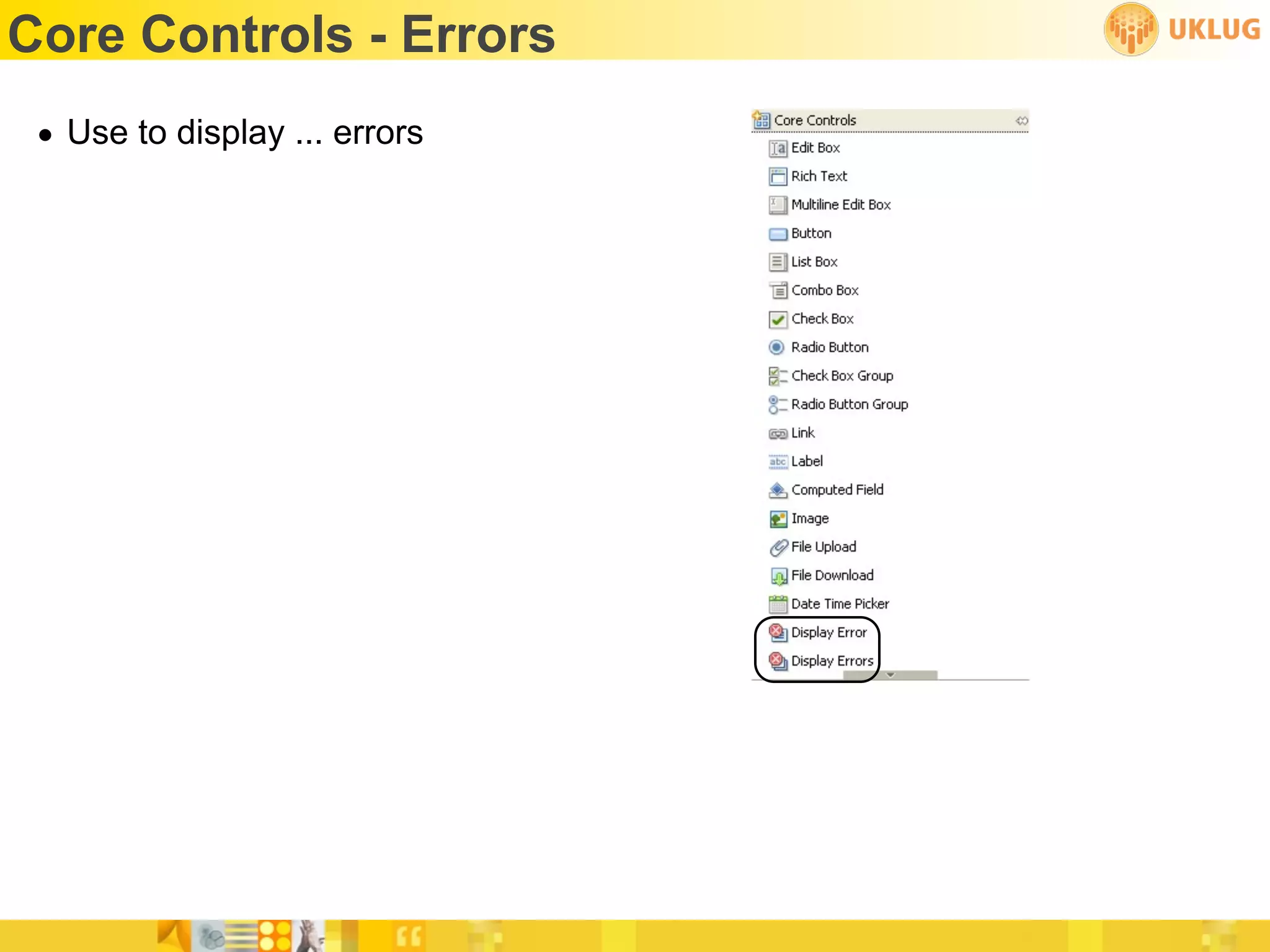
Core Controls - Errors
 • Use to display ... errors
Panel Control
 • Sort of, kind of, like a layer...
       on steroids
 • Or like an embedded view...
       on steroids
 • Or like if a layer and an embedded view had a baby
Repeat Controls
 • No traditional Notes Client equivalent
      and that’s a good thing

 • A repeat control allows you place controls inside it (like Edit boxes or
   computed values, but also more repeat controls!) that repeat on the
   page
Container Controls
 •   Include Page - allows you to include an Xpage on another Xpage
 •   Table - we all know about this one!
 •   View - kind of like an embedded view, but better
 •   Tabbed Panel - multiple panels with...wait for it...tabs!
 •   Section - we know about these, too
Custom Controls
 • Closest traditional equivalent are subforms
 • Create custom controls to hold other controls stored together
 • Can be a “create once, use multiple times for footers and headers, for
   example
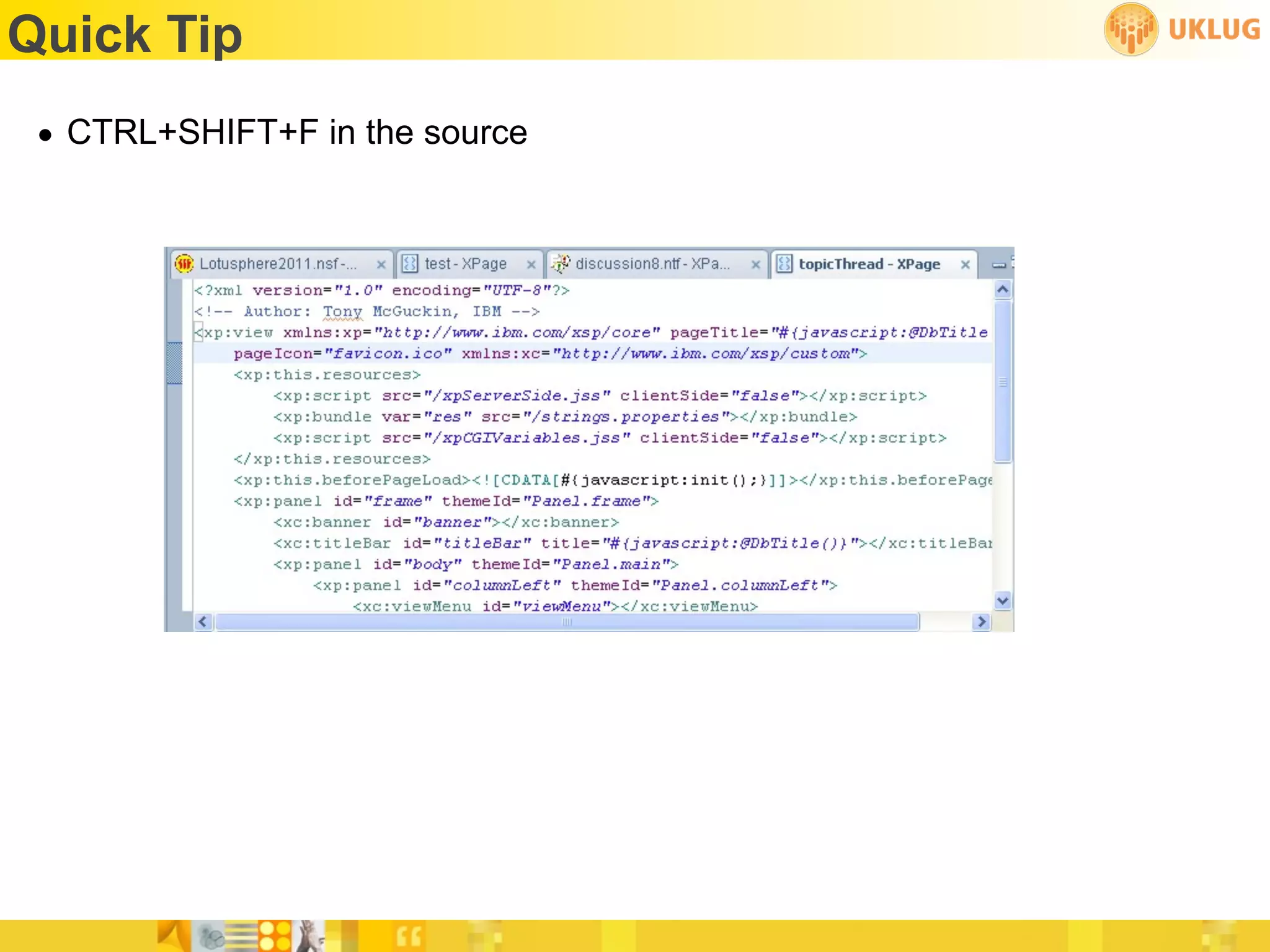
Quick Tip
 • CTRL+SHIFT+F in the source
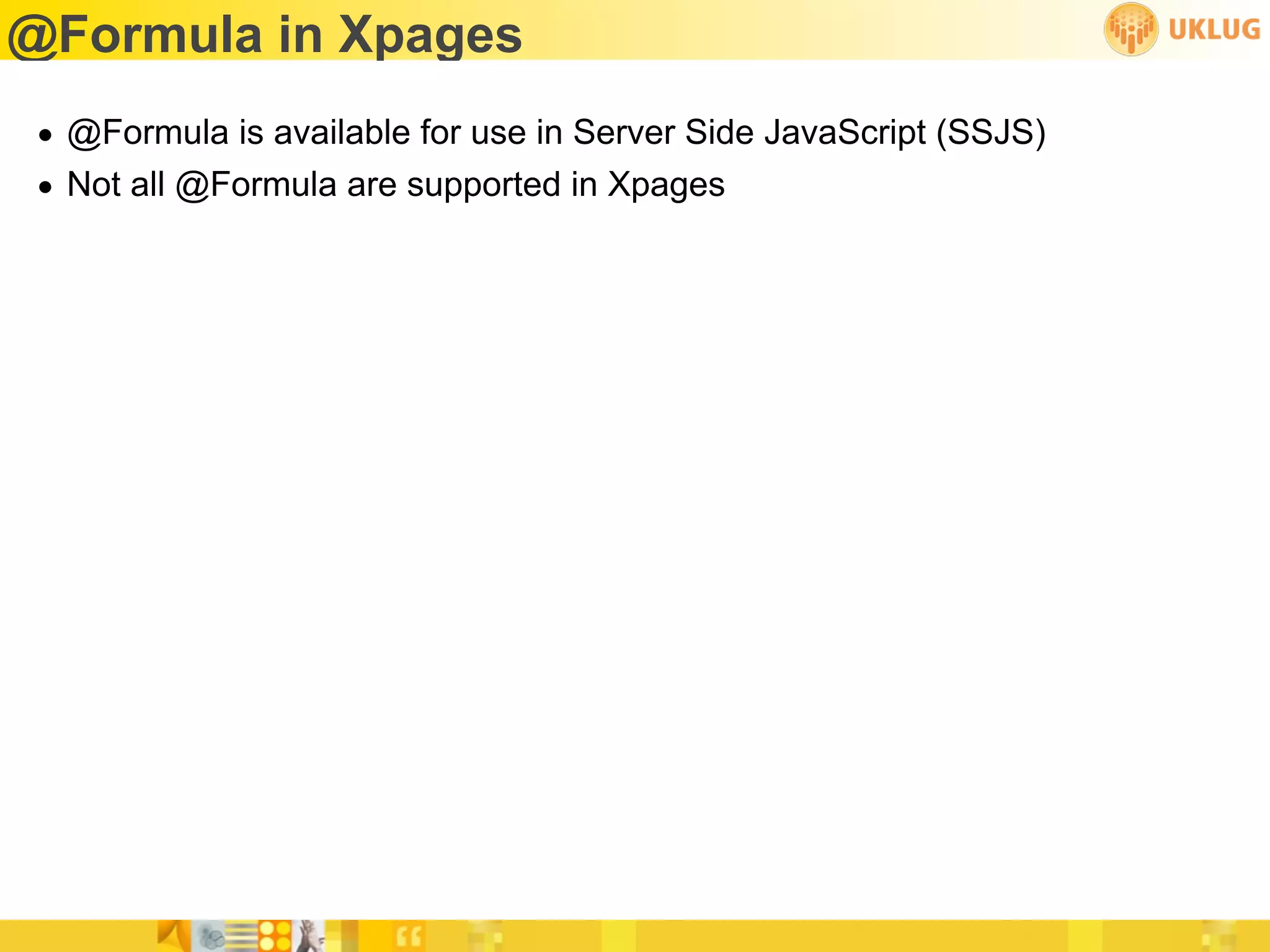
@Formula in Xpages
• @Formula is available for use in Server Side JavaScript (SSJS)
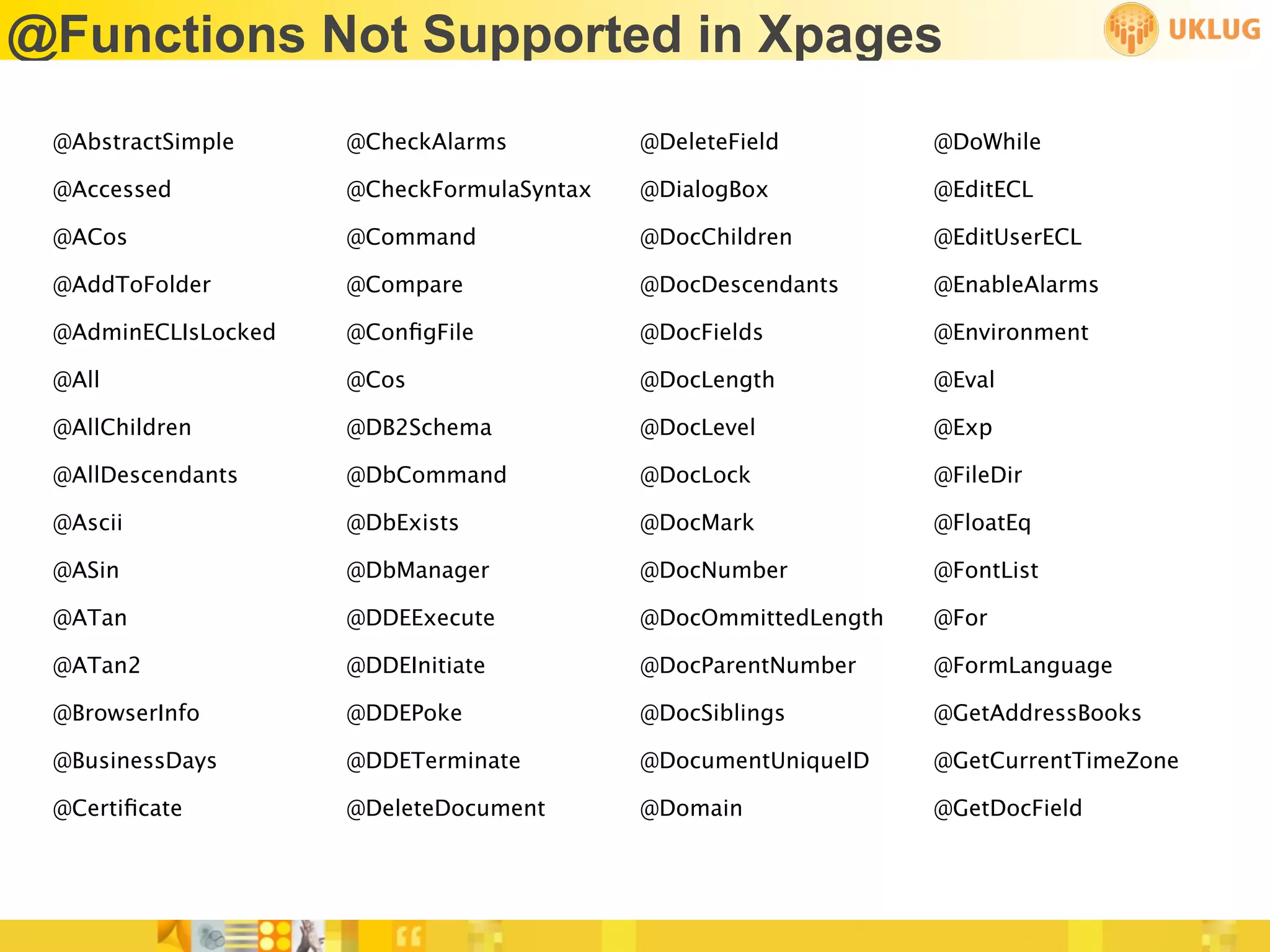
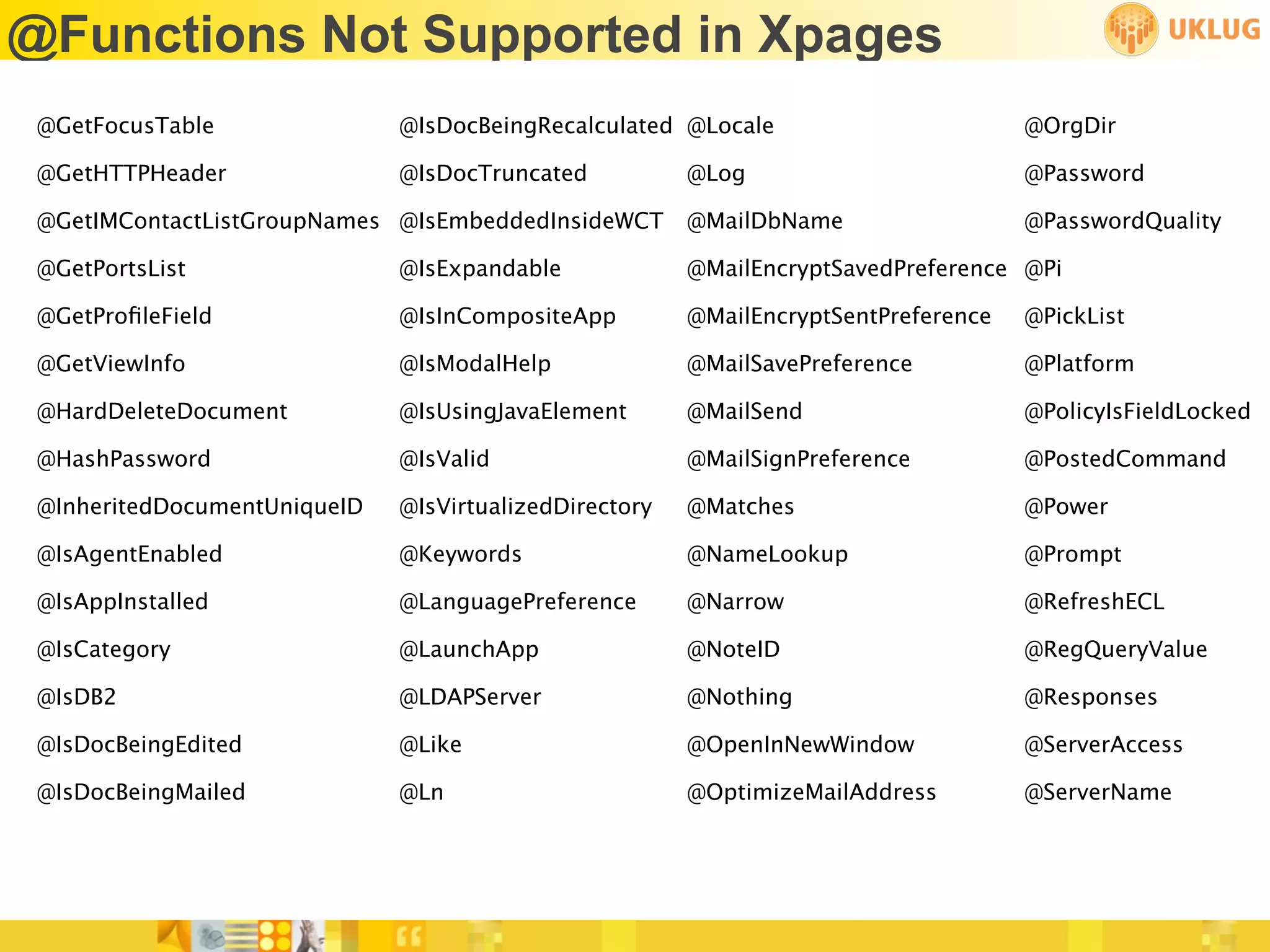
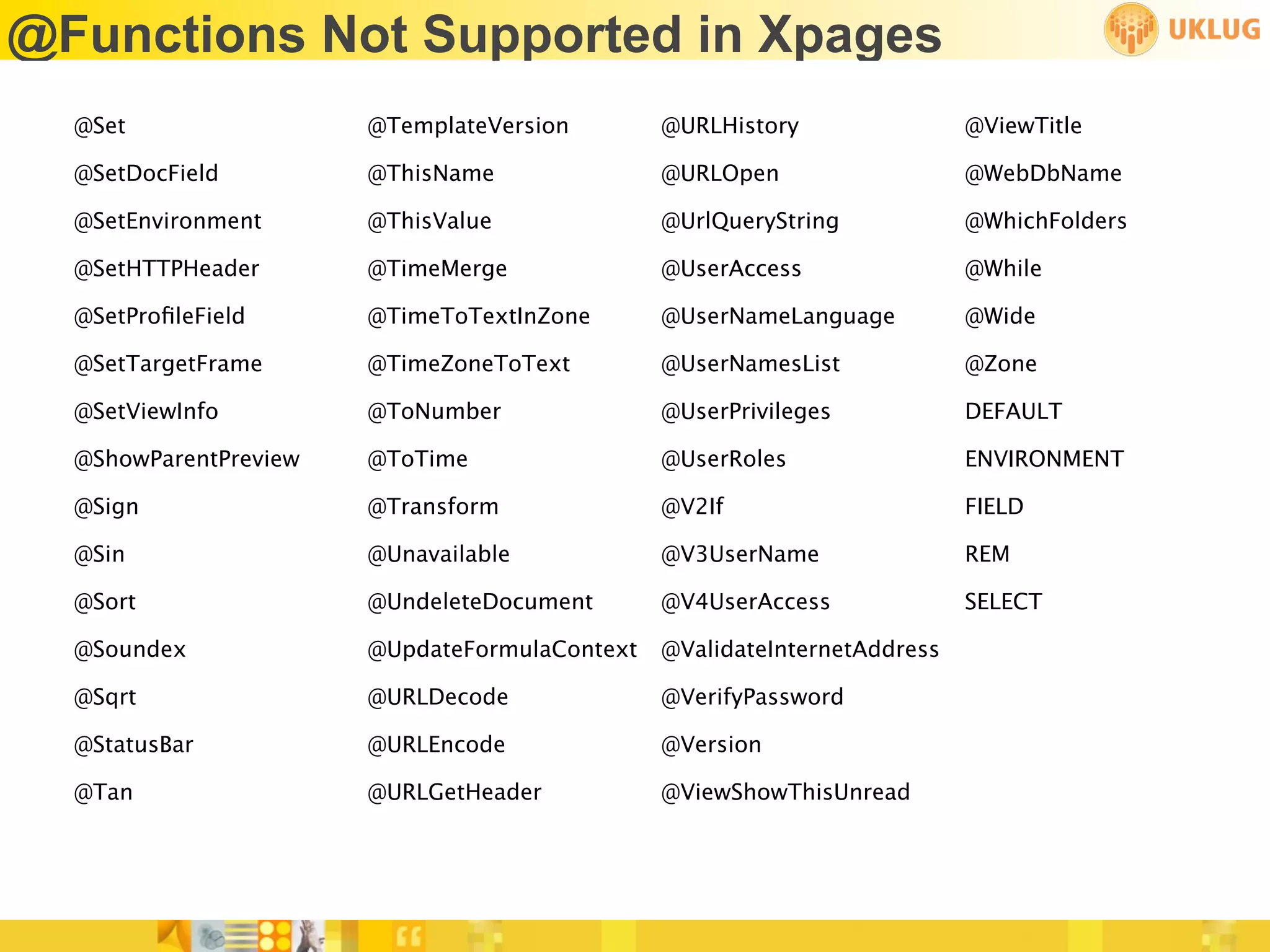
• Not all @Formula are supported in Xpages
@Functions Not Supported in Xpages
 @AbstractSimple     @CheckAlarms          @DeleteField         @DoWhile

 @Accessed           @CheckFormulaSyntax   @DialogBox           @EditECL

 @ACos               @Command              @DocChildren         @EditUserECL

 @AddToFolder        @Compare              @DocDescendants      @EnableAlarms

 @AdminECLIsLocked   @ConfigFile            @DocFields           @Environment

 @All                @Cos                  @DocLength           @Eval

 @AllChildren        @DB2Schema            @DocLevel            @Exp

 @AllDescendants     @DbCommand            @DocLock             @FileDir

 @Ascii              @DbExists             @DocMark             @FloatEq

 @ASin               @DbManager            @DocNumber           @FontList

 @ATan               @DDEExecute           @DocOmmittedLength   @For

 @ATan2              @DDEInitiate          @DocParentNumber     @FormLanguage

 @BrowserInfo        @DDEPoke              @DocSiblings         @GetAddressBooks

 @BusinessDays       @DDETerminate         @DocumentUniqueID    @GetCurrentTimeZone

 @Certificate         @DeleteDocument       @Domain              @GetDocField
@Functions Not Supported in Xpages
 @GetFocusTable               @IsDocBeingRecalculated @Locale                        @OrgDir

 @GetHTTPHeader               @IsDocTruncated           @Log                         @Password

 @GetIMContactListGroupNames @IsEmbeddedInsideWCT       @MailDbName                  @PasswordQuality

 @GetPortsList                @IsExpandable             @MailEncryptSavedPreference @Pi

 @GetProfileField              @IsInCompositeApp         @MailEncryptSentPreference   @PickList

 @GetViewInfo                 @IsModalHelp              @MailSavePreference          @Platform

 @HardDeleteDocument          @IsUsingJavaElement       @MailSend                    @PolicyIsFieldLocked

 @HashPassword                @IsValid                  @MailSignPreference          @PostedCommand

 @InheritedDocumentUniqueID   @IsVirtualizedDirectory   @Matches                     @Power

 @IsAgentEnabled              @Keywords                 @NameLookup                  @Prompt

 @IsAppInstalled              @LanguagePreference       @Narrow                      @RefreshECL

 @IsCategory                  @LaunchApp                @NoteID                      @RegQueryValue

 @IsDB2                       @LDAPServer               @Nothing                     @Responses

 @IsDocBeingEdited            @Like                     @OpenInNewWindow             @ServerAccess

 @IsDocBeingMailed            @Ln                       @OptimizeMailAddress         @ServerName
@Functions Not Supported in Xpages
  @Set                 @TemplateVersion        @URLHistory                @ViewTitle

  @SetDocField         @ThisName               @URLOpen                   @WebDbName

  @SetEnvironment      @ThisValue              @UrlQueryString            @WhichFolders

  @SetHTTPHeader       @TimeMerge              @UserAccess                @While

  @SetProfileField      @TimeToTextInZone       @UserNameLanguage          @Wide

  @SetTargetFrame      @TimeZoneToText         @UserNamesList             @Zone

  @SetViewInfo         @ToNumber               @UserPrivileges            DEFAULT

  @ShowParentPreview   @ToTime                 @UserRoles                 ENVIRONMENT

  @Sign                @Transform              @V2If                      FIELD

  @Sin                 @Unavailable            @V3UserName                REM

  @Sort                @UndeleteDocument       @V4UserAccess              SELECT

  @Soundex             @UpdateFormulaContext   @ValidateInternetAddress

  @Sqrt                @URLDecode              @VerifyPassword

  @StatusBar           @URLEncode              @Version

  @Tan                 @URLGetHeader           @ViewShowThisUnread
@Formula Syntax
• Three syntactic changes to use @Formula in Xpages:
  • Use commas rather than semicolons
  • Use exact case
           Example:
           var uname = @Name(“[CN]”, @UserName())
  • “null” should be used in place of 0 for formulas such as @Adjust
           Example:
           var aDate = @Adjust(@Created(), null, null, 5, null, null, null)
@Formula Help
@Formula Help
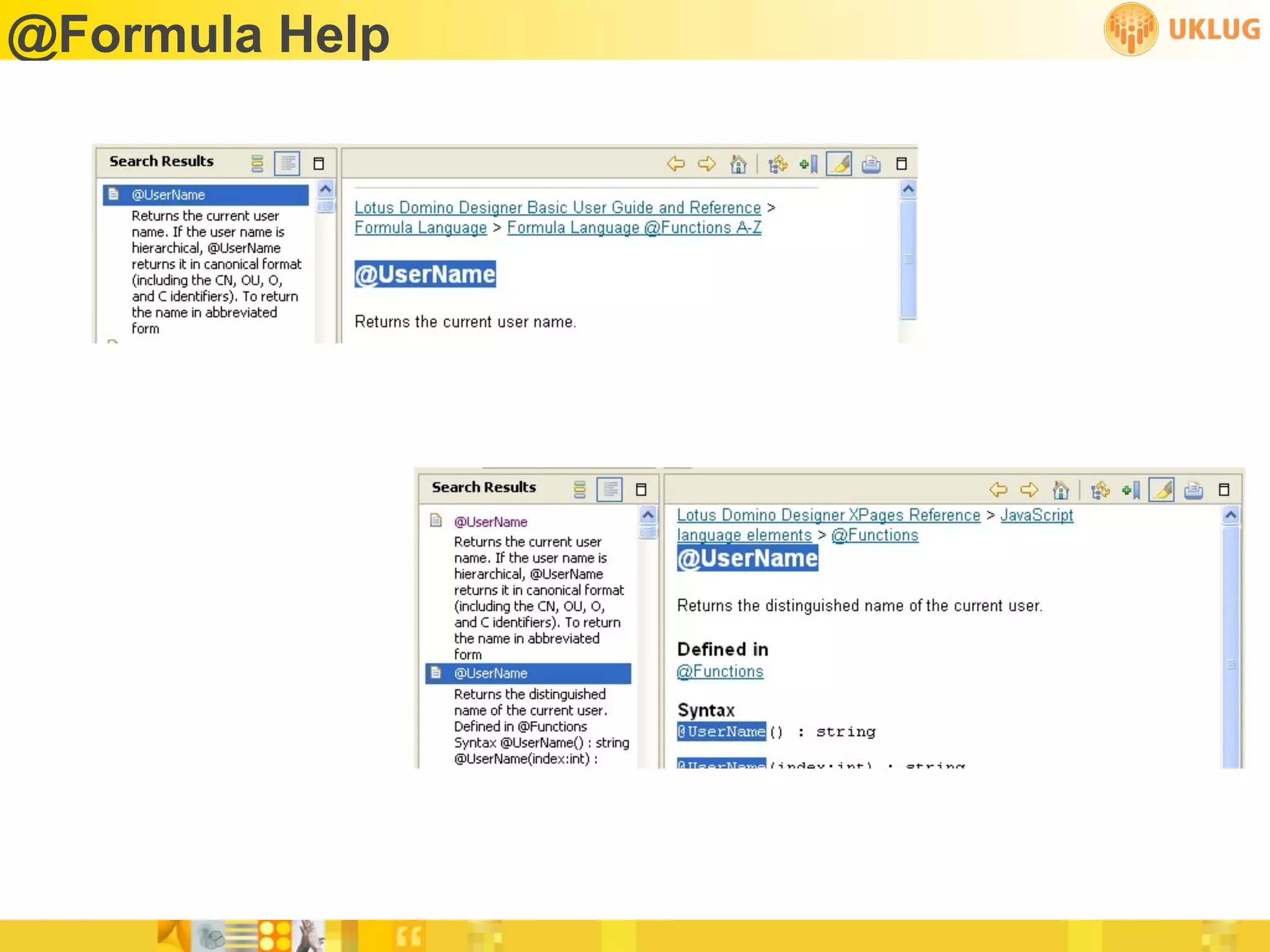
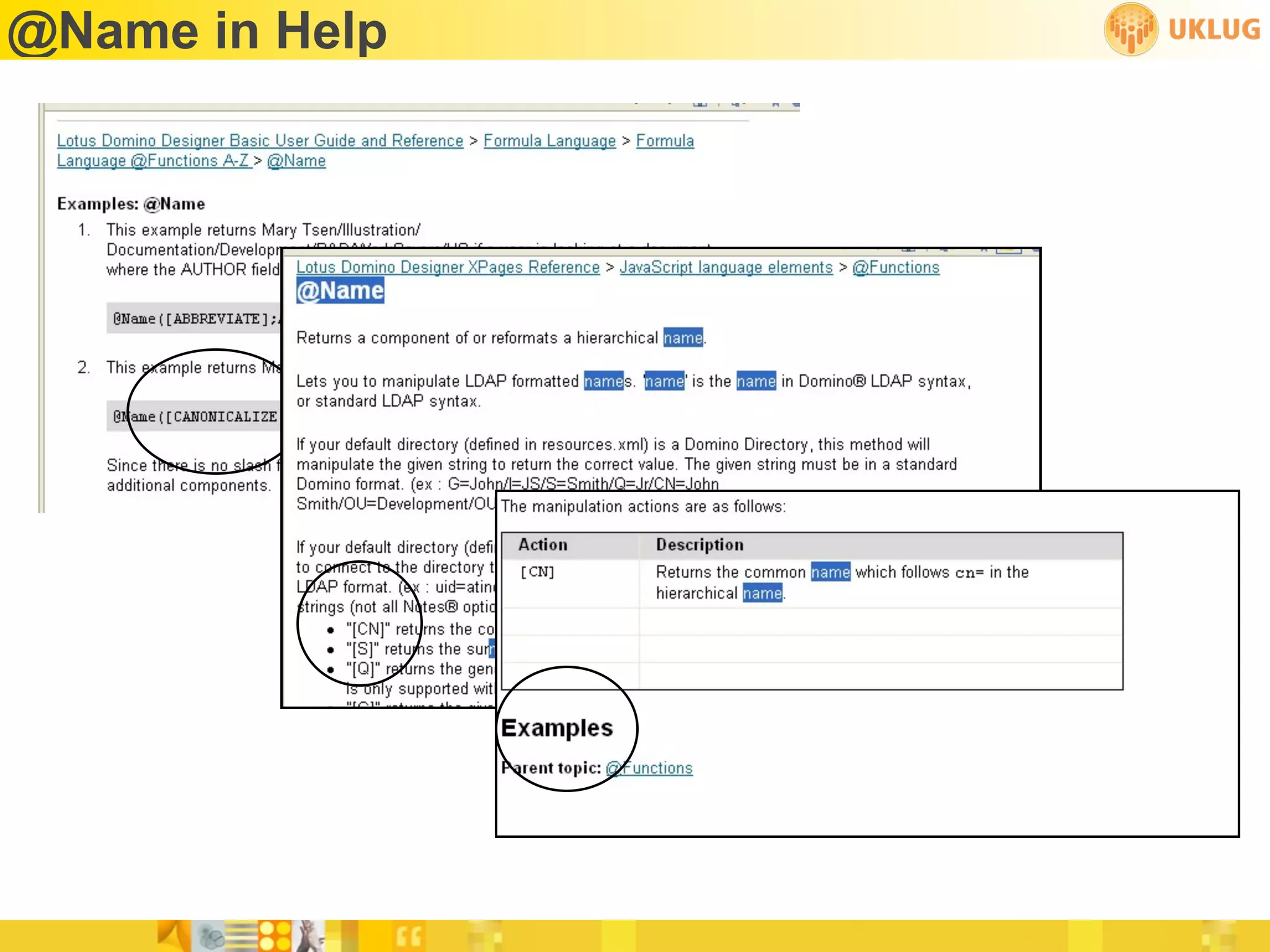
• Help file is not very helpful!
• @Name(“[CN]”, name) - needs those quotes!
• @UserName() - needs those parentheses!
@Name in Help
Server Side Javascript (SSJS)
 • Server side Javascript is not LotusScript
 • BUT it is close enough to fool you
      var someValue = entry.getColumnValues()[3]
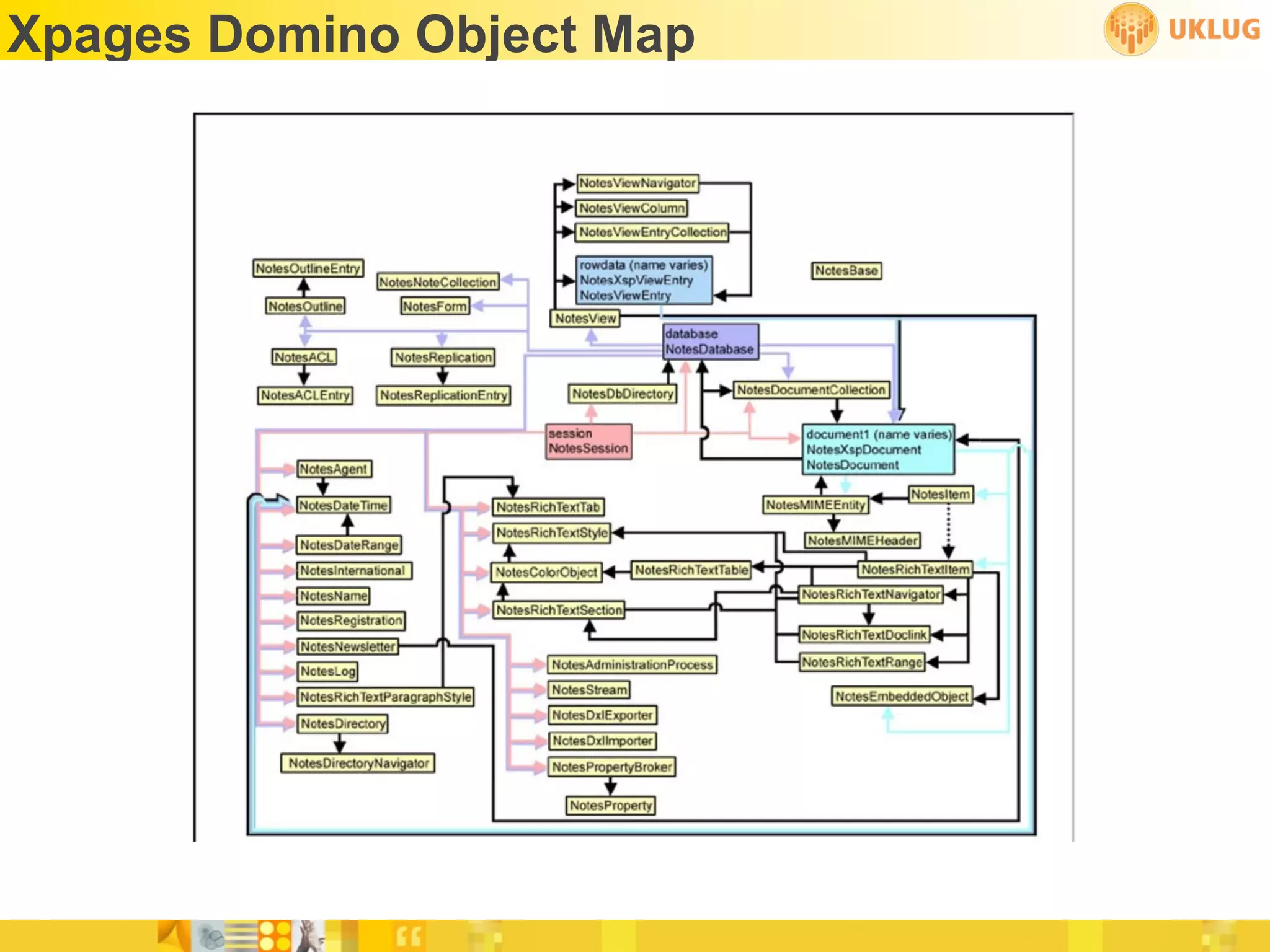
 • Get a map
      http://bit.ly/XpagesMap
 • Go green!
      http://bit.ly/Recycle1
      http://bit.ly/Recycle2
Xpages Domino Object Map
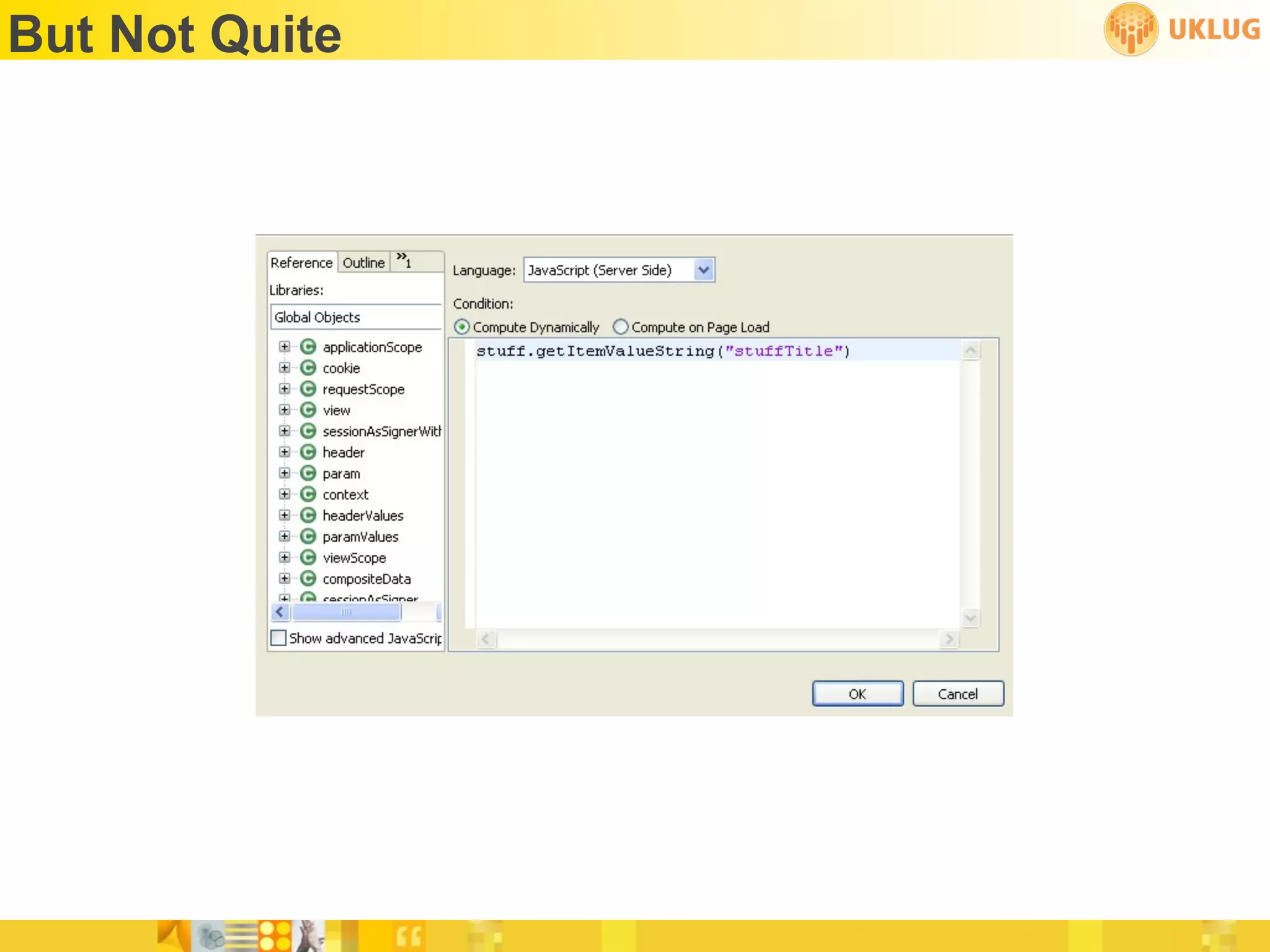
Close...
But Not Quite
Scoped Variables
 •   applicationScope
 •   sessionScope
 •   viewScope
 •   requestScope
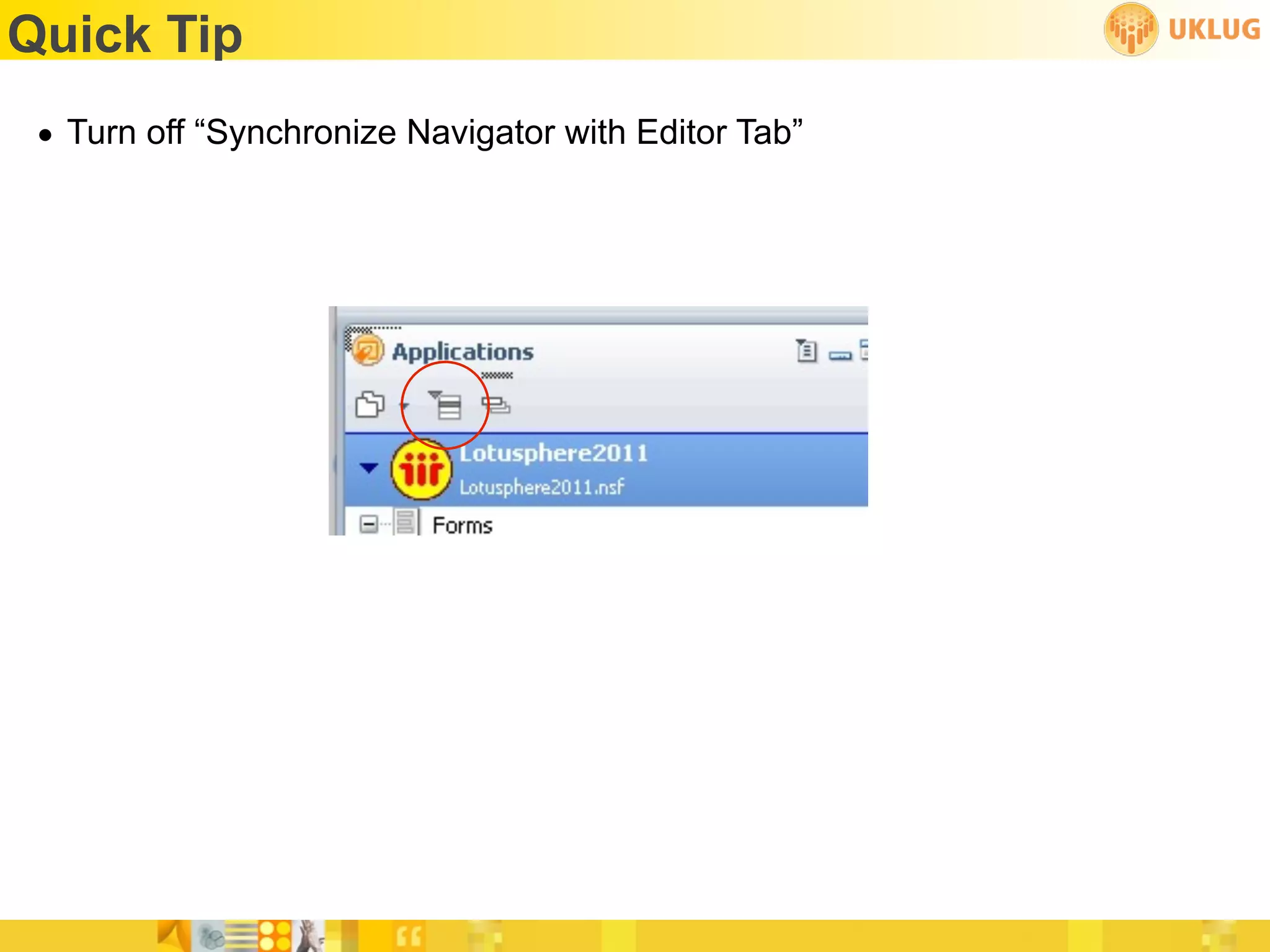
Quick Tip
 • Turn off “Synchronize Navigator with Editor Tab”
CSS and Themes
• Roll your own or
• Start with a framework*
  • http://bit.ly/XpageFramework
  • http://blueprintcss.org


  ✴Start with a framework
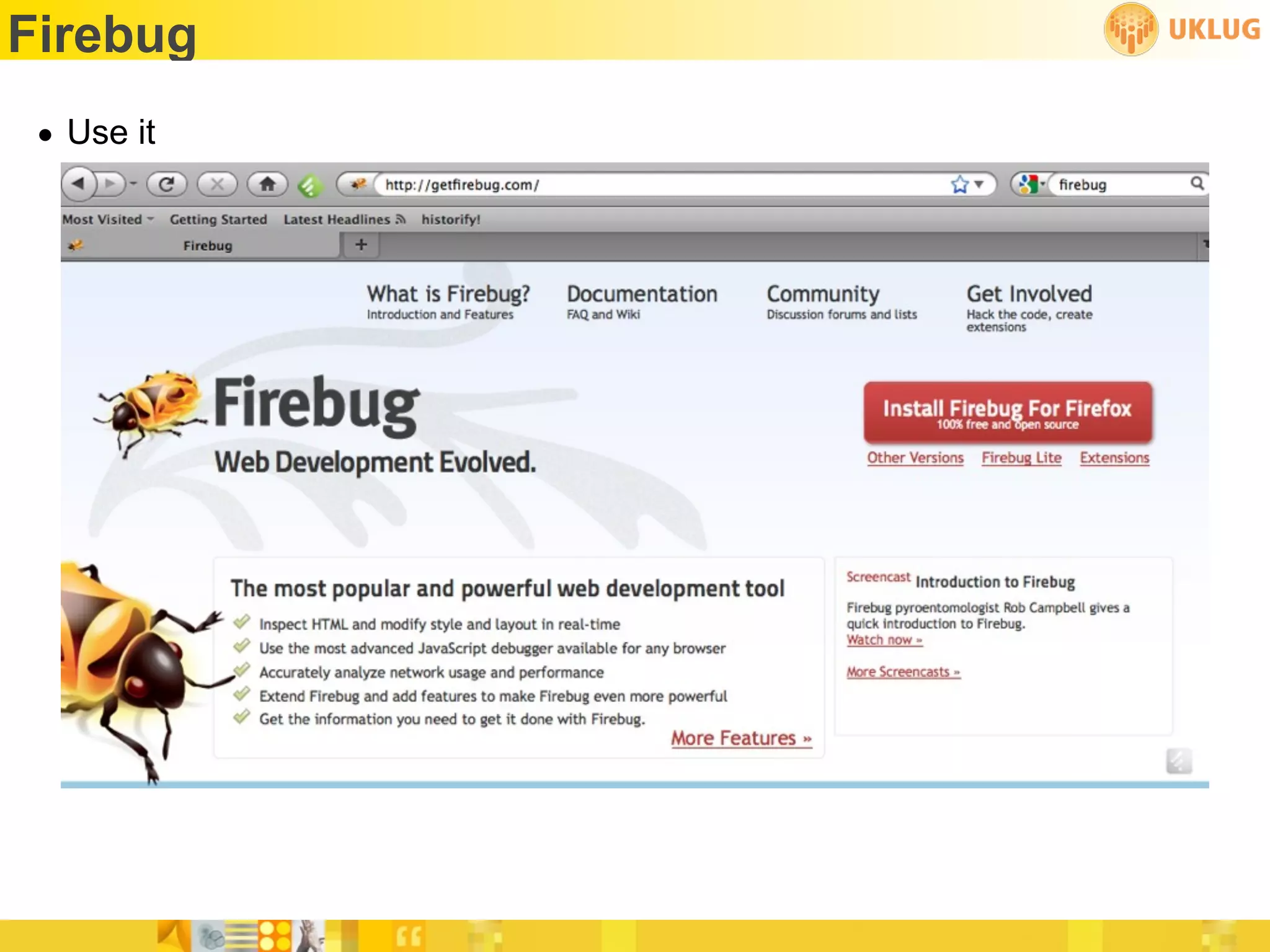
Firebug
 • Use it
Where To Get Help
 • http://www-10.lotus.com/ldd/ddwiki.nsf
 • http://www-10.lotus.com/ldd/ddwiki.nsf/dx/
   NotesDocumentCollection_sample_JavaScript_code_for_XPages
 • Help files not so helpful
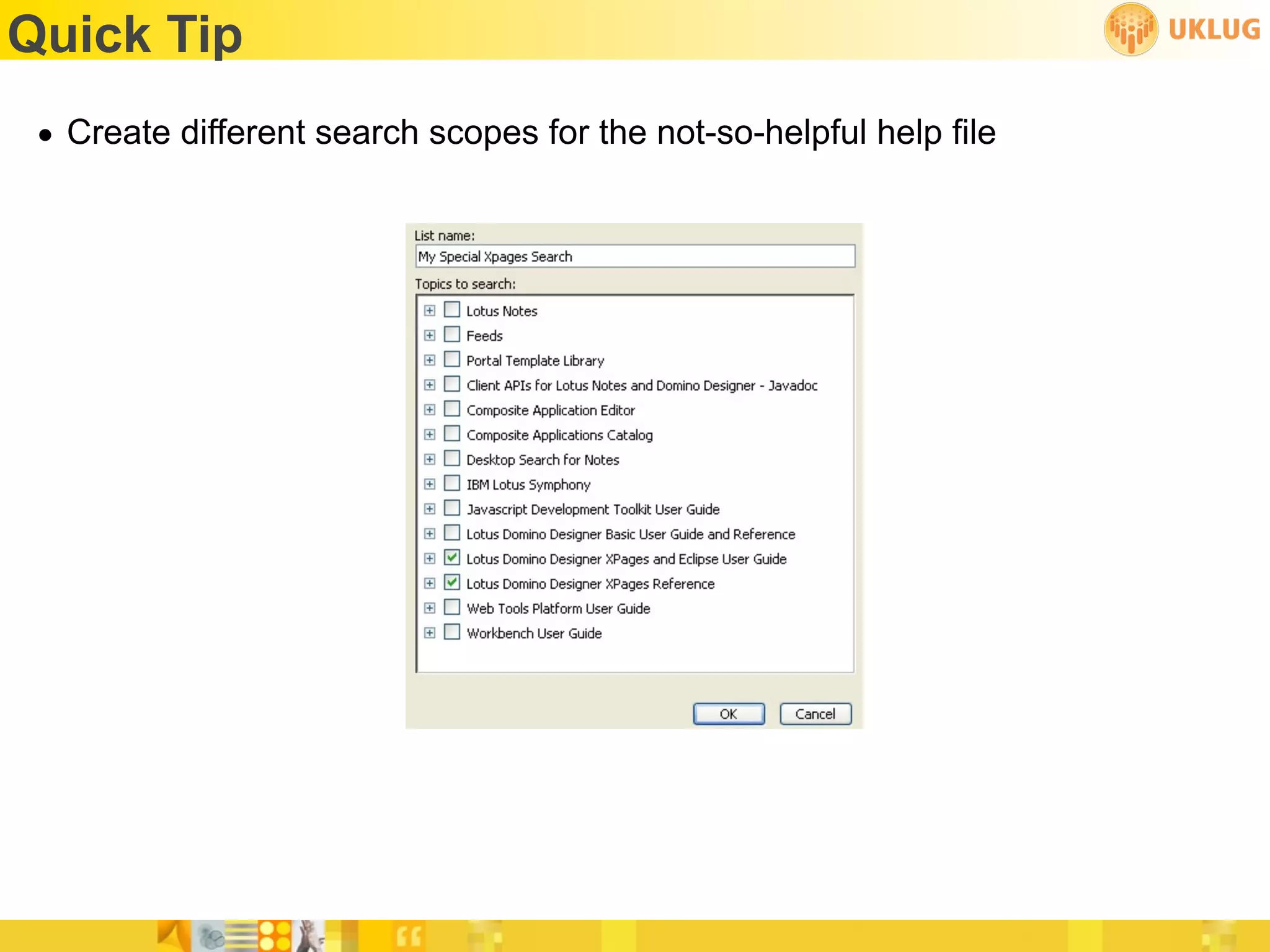
Quick Tip
 • Create different search scopes for the not-so-helpful help file
Learn Javascript and Java
 • Javascript
   • http://www.w3schools.com/js/default.asp
   • http://bit.ly/JavaScriptDefinitive
 • Java
   • http://bit.ly/HeadFirstJava
   • http://www.javavideotutes.com/
Test Server - Get One
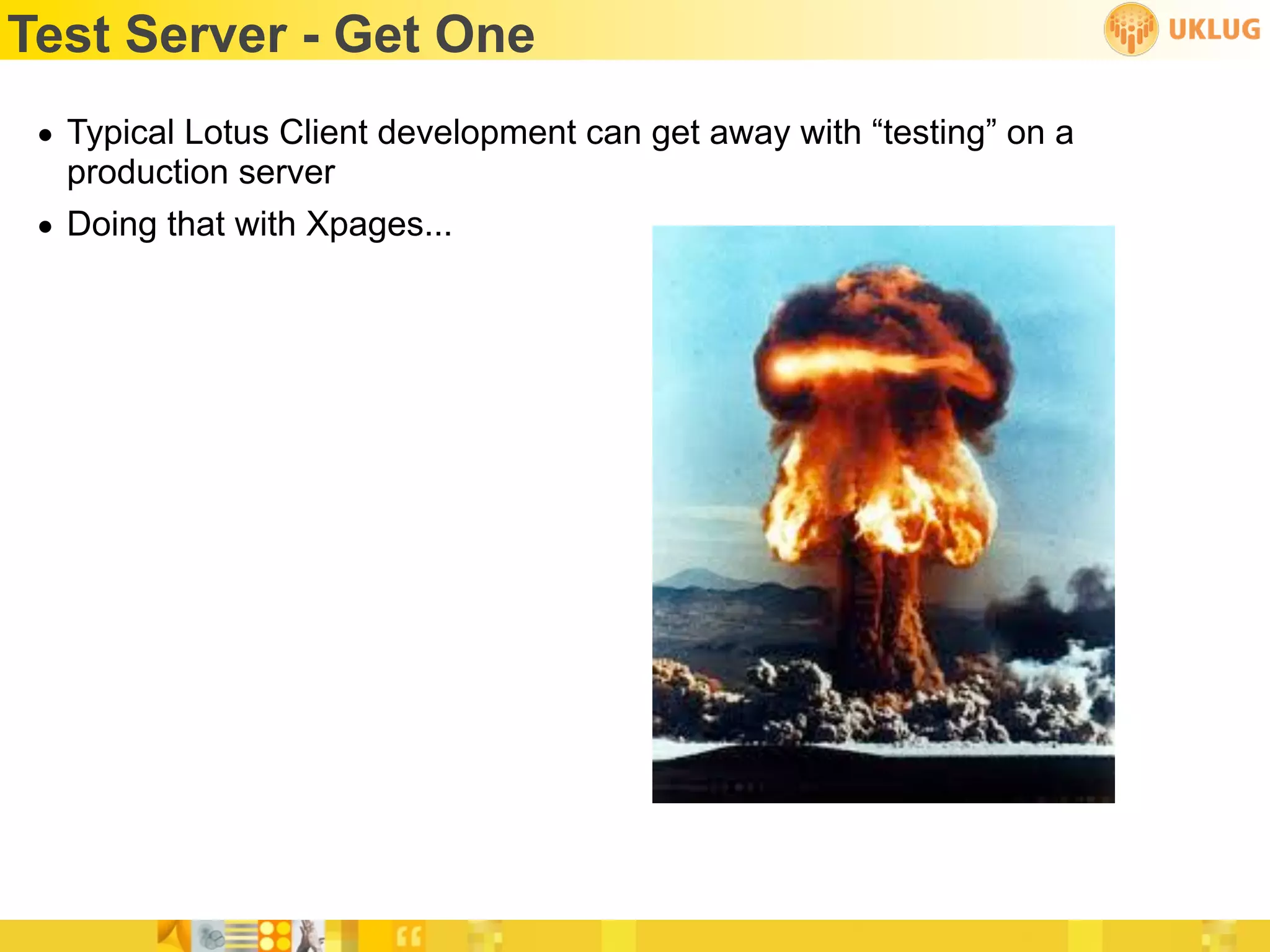
 • Typical Lotus Client development can get away with “testing” on a
   production server
 • Doing that with Xpages...
Sample Applications - Get Some
 • Download applications and dig through them to see how they were
   created
   • Frameworks on OpenNTF
   • Matt White and Tim Clark’s Show and Tell sample app
Quick Tip
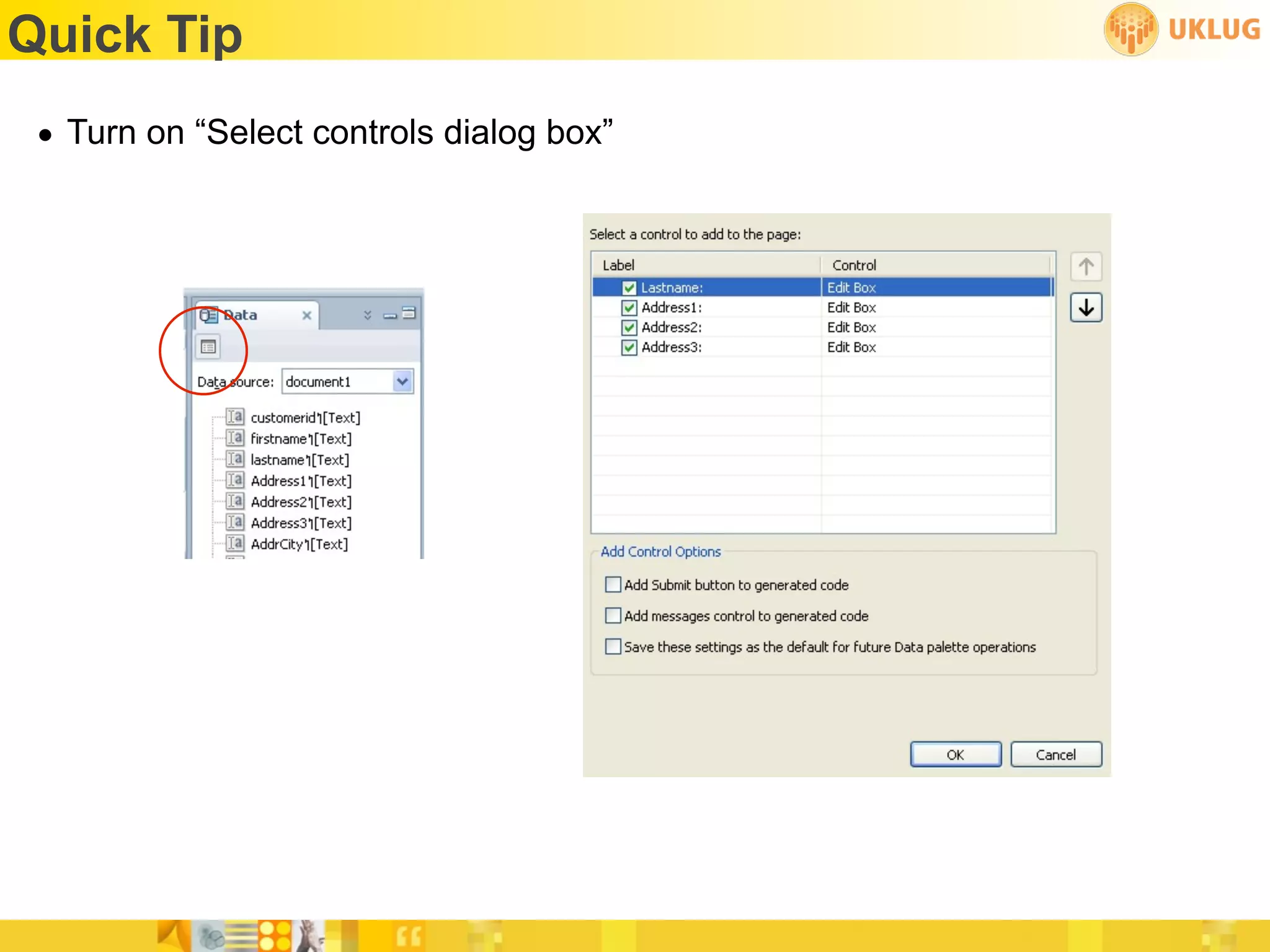
 • Turn on “Select controls dialog box”
Quick Tip
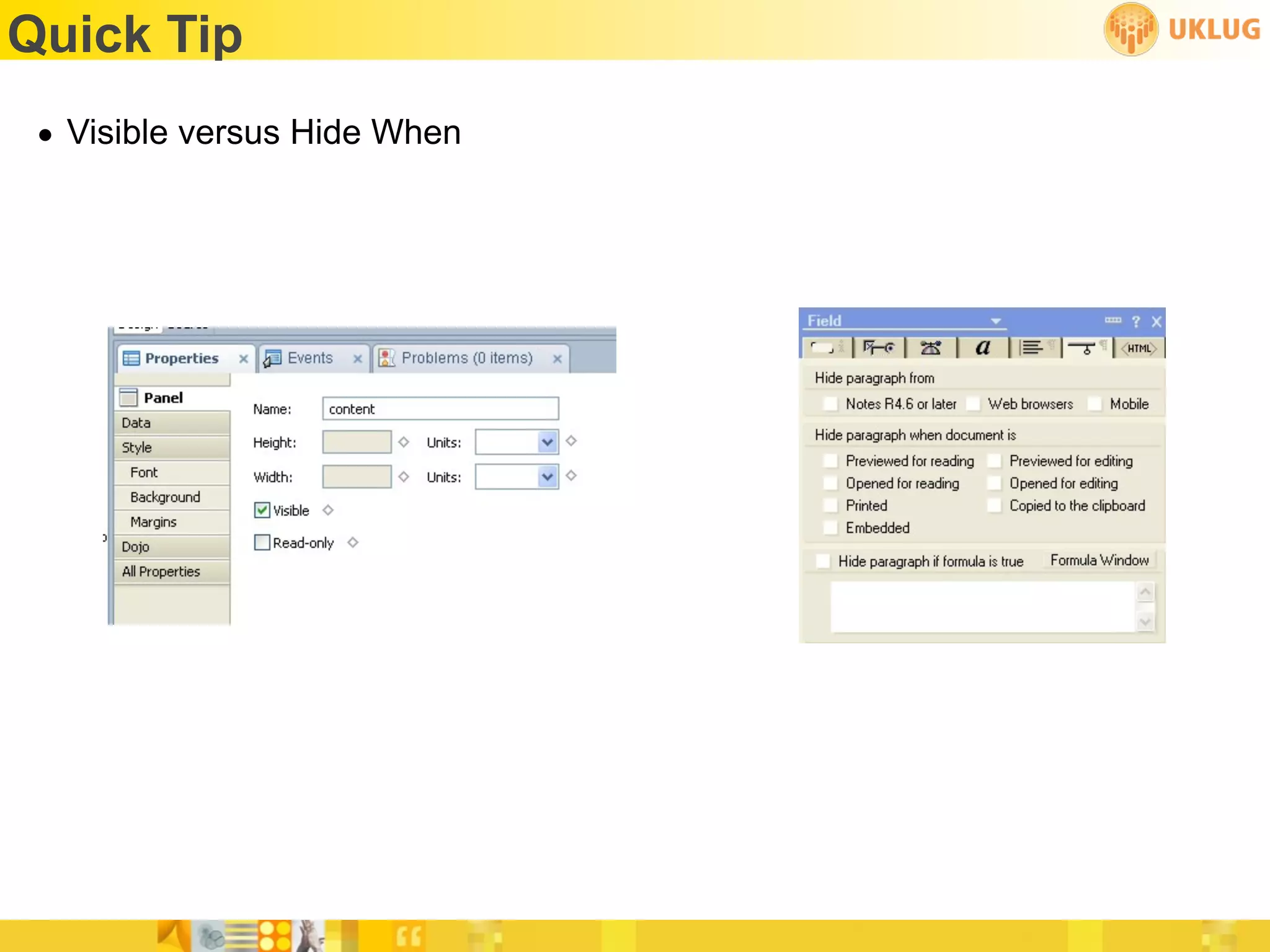
 • Visible versus Hide When
Quick Tip
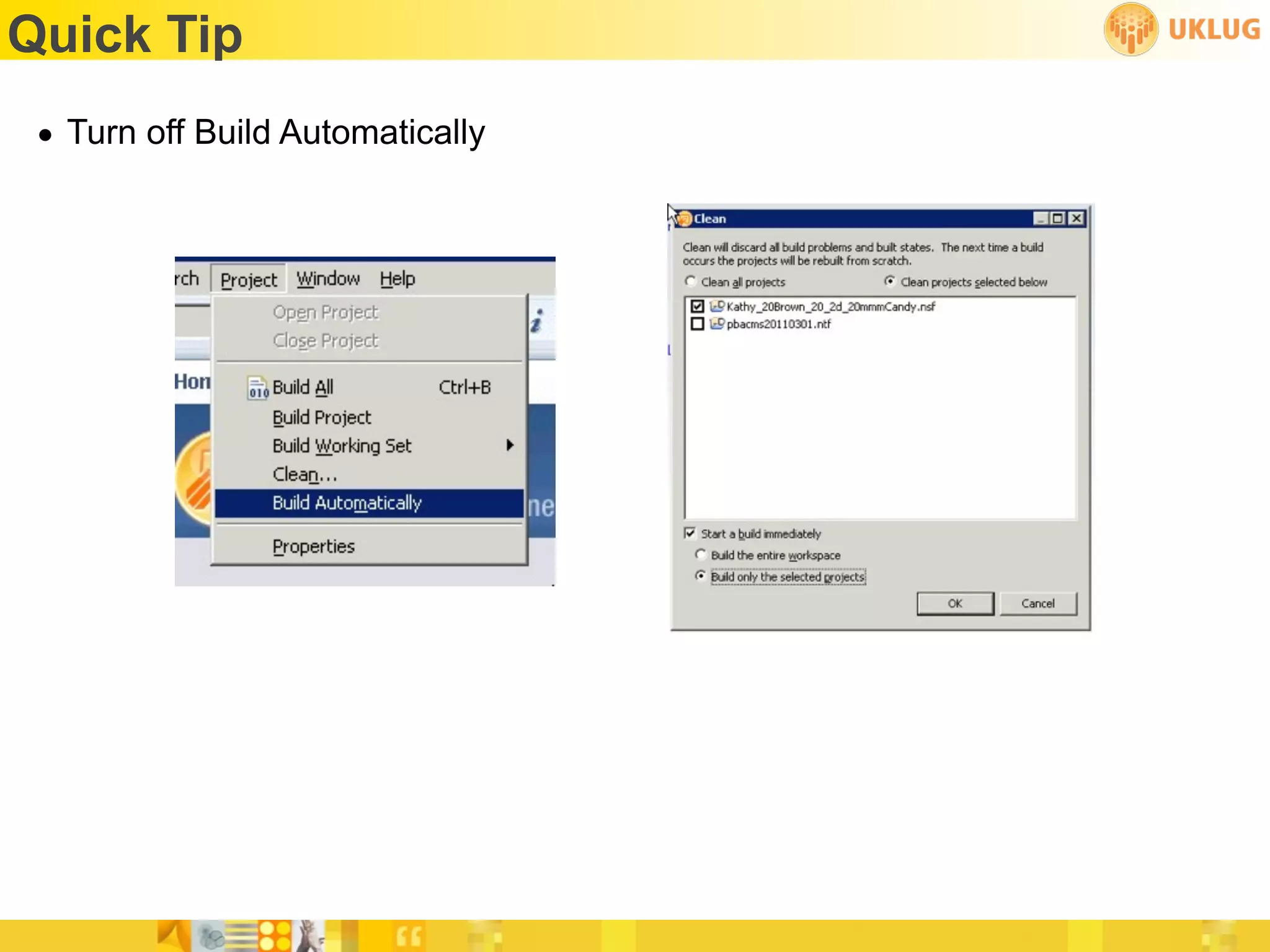
 • Turn off Build Automatically
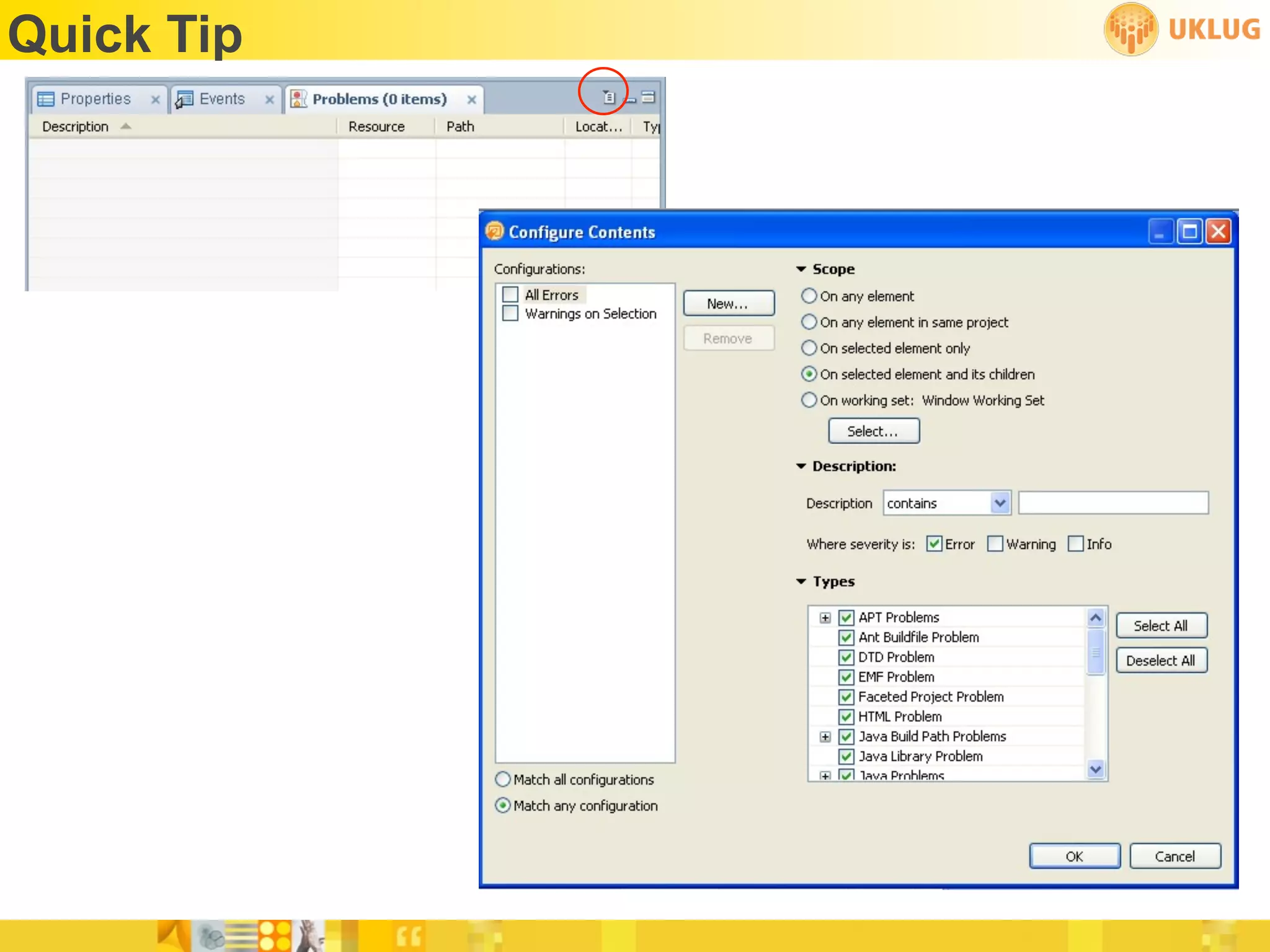
Quick Tip
Quick Tips
 • Upgrade whenever possible
 • Learn Eclipse
Resources
•   http://xpages101.net
•   http://notesin9.com
•   http://xpag.es/?cheatsheet
•   http://planetlotus.org
•   http://openntf.org
•   http://tlcc.com
•   http://ntf.gbs.com/nathan/escape.nsf/d6plinks/NTFN-8GP6RP
THANK YOU
• kathy@runningnotes.net
• @RunningKathy or @NotesDevTips
• http://runningnotes.net

Learning to run

  • 1.
    1 Learning To Run XPages for Lotus Notes Client Developers Presenter: Kathy Brown
  • 2.
    Who am I •Kathy Brown • Lotus Notes Developer, primarily for the Notes client, until recently • Co-author of the Lotus User Group Notes Developer Tips Newsletter • Speaker at Lotusphere and various LUGs • Twitter addict • Runner
  • 3.
    What this sessionis... • Tips and transitions for Notes client developers
  • 4.
    What this sessionis not... • A step-by-step how to • Best practices • Advanced topics
  • 5.
    Building Blocks • Forms • Views • Subforms • Framesets • Outlines • Pages
  • 6.
    Building Blocks • XPages • Core Controls • Container Controls • Custom Controls
  • 7.
    Separation of Dataand UI • Traditional Notes Dev • Forms combine data and UI • XPages • Separate data from UI • Create forms just as data holders, no need to prettify • Create views for lookups, no need to prettify (no need for dual sorting!)
  • 8.
    Customer Name Customer ID CustomerAddress Customer Purchases Customer Name Customer Address Widget ID Widget Name Widget Description Widget ID Widget Name Widget Description Widget Image
  • 9.
    Data Binding •Because data and UI are separate, we need to “bind” data to our elements • Xpage • Can define a domino document or view as a data source • Custom Controls and Container Controls like Panel • Can define a domino document or view as a data source • Repeat Controls and certain Core Controls • Use data binding
  • 10.
    Data Binding •Simple data binding • Select a source from a list, or add another source • Select an item to bind to • Example: select a document from the source and a field from that document to bind to • Javascript • Utilize the JavaScript editor to write Server Side Javascript (SSJS) • Example: database.getView(“movies”).getAllDocumentsByKey(genre); • Advanced • Use expression language, scoped variable, component parameter or custom code for data binding
  • 11.
  • 12.
    Quick Tip •Window --> Reset Perspective is your friend
  • 13.
    The Outline •Easily locate items on the Xpage • Drag & drop items to new locations
  • 14.
    Source • Easily changevalues or properties • See the Matrix
  • 15.
  • 16.
  • 17.
  • 18.
    What’s with those“group” controls?
  • 19.
    Something familiar* • Edit Box • Rich Text • Multiline Edit Box • List Box • Combo Box * Sort of
  • 20.
    Quick Tip •When adding @formula values for a combo box or list box, the default condition is “Compute on Page Load”. Remember to change that to “Compute Dynamically” in the script editor OR go to the Source tab and change the “$” to “#”
  • 21.
  • 22.
    Core Controls -Label • Why use a label? • More control • More programmability
  • 23.
    Core Controls -Errors • Use to display ... errors
  • 24.
    Panel Control •Sort of, kind of, like a layer... on steroids • Or like an embedded view... on steroids • Or like if a layer and an embedded view had a baby
  • 25.
    Repeat Controls •No traditional Notes Client equivalent and that’s a good thing • A repeat control allows you place controls inside it (like Edit boxes or computed values, but also more repeat controls!) that repeat on the page
  • 26.
    Container Controls • Include Page - allows you to include an Xpage on another Xpage • Table - we all know about this one! • View - kind of like an embedded view, but better • Tabbed Panel - multiple panels with...wait for it...tabs! • Section - we know about these, too
  • 27.
    Custom Controls •Closest traditional equivalent are subforms • Create custom controls to hold other controls stored together • Can be a “create once, use multiple times for footers and headers, for example
  • 28.
    Quick Tip •CTRL+SHIFT+F in the source
  • 29.
    @Formula in Xpages •@Formula is available for use in Server Side JavaScript (SSJS) • Not all @Formula are supported in Xpages
  • 30.
    @Functions Not Supportedin Xpages @AbstractSimple @CheckAlarms @DeleteField @DoWhile @Accessed @CheckFormulaSyntax @DialogBox @EditECL @ACos @Command @DocChildren @EditUserECL @AddToFolder @Compare @DocDescendants @EnableAlarms @AdminECLIsLocked @ConfigFile @DocFields @Environment @All @Cos @DocLength @Eval @AllChildren @DB2Schema @DocLevel @Exp @AllDescendants @DbCommand @DocLock @FileDir @Ascii @DbExists @DocMark @FloatEq @ASin @DbManager @DocNumber @FontList @ATan @DDEExecute @DocOmmittedLength @For @ATan2 @DDEInitiate @DocParentNumber @FormLanguage @BrowserInfo @DDEPoke @DocSiblings @GetAddressBooks @BusinessDays @DDETerminate @DocumentUniqueID @GetCurrentTimeZone @Certificate @DeleteDocument @Domain @GetDocField
  • 31.
    @Functions Not Supportedin Xpages @GetFocusTable @IsDocBeingRecalculated @Locale @OrgDir @GetHTTPHeader @IsDocTruncated @Log @Password @GetIMContactListGroupNames @IsEmbeddedInsideWCT @MailDbName @PasswordQuality @GetPortsList @IsExpandable @MailEncryptSavedPreference @Pi @GetProfileField @IsInCompositeApp @MailEncryptSentPreference @PickList @GetViewInfo @IsModalHelp @MailSavePreference @Platform @HardDeleteDocument @IsUsingJavaElement @MailSend @PolicyIsFieldLocked @HashPassword @IsValid @MailSignPreference @PostedCommand @InheritedDocumentUniqueID @IsVirtualizedDirectory @Matches @Power @IsAgentEnabled @Keywords @NameLookup @Prompt @IsAppInstalled @LanguagePreference @Narrow @RefreshECL @IsCategory @LaunchApp @NoteID @RegQueryValue @IsDB2 @LDAPServer @Nothing @Responses @IsDocBeingEdited @Like @OpenInNewWindow @ServerAccess @IsDocBeingMailed @Ln @OptimizeMailAddress @ServerName
  • 32.
    @Functions Not Supportedin Xpages @Set @TemplateVersion @URLHistory @ViewTitle @SetDocField @ThisName @URLOpen @WebDbName @SetEnvironment @ThisValue @UrlQueryString @WhichFolders @SetHTTPHeader @TimeMerge @UserAccess @While @SetProfileField @TimeToTextInZone @UserNameLanguage @Wide @SetTargetFrame @TimeZoneToText @UserNamesList @Zone @SetViewInfo @ToNumber @UserPrivileges DEFAULT @ShowParentPreview @ToTime @UserRoles ENVIRONMENT @Sign @Transform @V2If FIELD @Sin @Unavailable @V3UserName REM @Sort @UndeleteDocument @V4UserAccess SELECT @Soundex @UpdateFormulaContext @ValidateInternetAddress @Sqrt @URLDecode @VerifyPassword @StatusBar @URLEncode @Version @Tan @URLGetHeader @ViewShowThisUnread
  • 33.
    @Formula Syntax • Threesyntactic changes to use @Formula in Xpages: • Use commas rather than semicolons • Use exact case Example: var uname = @Name(“[CN]”, @UserName()) • “null” should be used in place of 0 for formulas such as @Adjust Example: var aDate = @Adjust(@Created(), null, null, 5, null, null, null)
  • 34.
  • 35.
    @Formula Help • Helpfile is not very helpful! • @Name(“[CN]”, name) - needs those quotes! • @UserName() - needs those parentheses!
  • 36.
  • 37.
    Server Side Javascript(SSJS) • Server side Javascript is not LotusScript • BUT it is close enough to fool you var someValue = entry.getColumnValues()[3] • Get a map http://bit.ly/XpagesMap • Go green! http://bit.ly/Recycle1 http://bit.ly/Recycle2
  • 38.
  • 39.
  • 40.
  • 41.
    Scoped Variables • applicationScope • sessionScope • viewScope • requestScope
  • 42.
    Quick Tip •Turn off “Synchronize Navigator with Editor Tab”
  • 43.
    CSS and Themes •Roll your own or • Start with a framework* • http://bit.ly/XpageFramework • http://blueprintcss.org ✴Start with a framework
  • 44.
  • 45.
    Where To GetHelp • http://www-10.lotus.com/ldd/ddwiki.nsf • http://www-10.lotus.com/ldd/ddwiki.nsf/dx/ NotesDocumentCollection_sample_JavaScript_code_for_XPages • Help files not so helpful
  • 46.
    Quick Tip •Create different search scopes for the not-so-helpful help file
  • 47.
    Learn Javascript andJava • Javascript • http://www.w3schools.com/js/default.asp • http://bit.ly/JavaScriptDefinitive • Java • http://bit.ly/HeadFirstJava • http://www.javavideotutes.com/
  • 48.
    Test Server -Get One • Typical Lotus Client development can get away with “testing” on a production server • Doing that with Xpages...
  • 49.
    Sample Applications -Get Some • Download applications and dig through them to see how they were created • Frameworks on OpenNTF • Matt White and Tim Clark’s Show and Tell sample app
  • 50.
    Quick Tip •Turn on “Select controls dialog box”
  • 51.
    Quick Tip •Visible versus Hide When
  • 52.
    Quick Tip •Turn off Build Automatically
  • 53.
  • 54.
    Quick Tips •Upgrade whenever possible • Learn Eclipse
  • 55.
    Resources • http://xpages101.net • http://notesin9.com • http://xpag.es/?cheatsheet • http://planetlotus.org • http://openntf.org • http://tlcc.com • http://ntf.gbs.com/nathan/escape.nsf/d6plinks/NTFN-8GP6RP
  • 56.
    THANK YOU • kathy@runningnotes.net •@RunningKathy or @NotesDevTips • http://runningnotes.net