Add-On Development:
 EE Expects that Every
Developer will do his Duty
          Paul Burdick, Lead Developer
                    solspace
   http://solspace.com/downloads/eeci2009/presentation.txt
Summary of Talk
•   What are Add-Ons?
    •   The Three Types of Add-Ons in EE
    •   Overview of Accessories in EE 2.x
•   Add-On Development Skills
•   Developing Add-Ons in ExpressionEngine
•   Writing Code
•   Debugging & Improving Performance
Summary of Talk
•   What are Add-Ons?
    •   The Three Types of Add-Ons in EE
    •   Overview of Accessories in EE 2.x
•   Add-On Development Skills
•   Developing Add-Ons in ExpressionEngine
•   Writing Code
•   Debugging & Improving Performance
I.
What are Add-Ons?
Three Types of Add-Ons in
      EE 1.x and 2.x

        • Extensions
        • Modules
        • Plugins
Extensions
• Extends the base functionality of
  ExpressionEngine

• Allows developers to interpose their own
  code into EE's codebase.

• Restrained by where hooks are placed in
  the code and what arguments are sent with
  the extension call
• More and more Third Party developers are
  adding hooks to their own code, allowing
  extensions for Third Party Add-Ons. Pretty
  darn cool.

• Typically no DB tables, but there are always
  exceptions

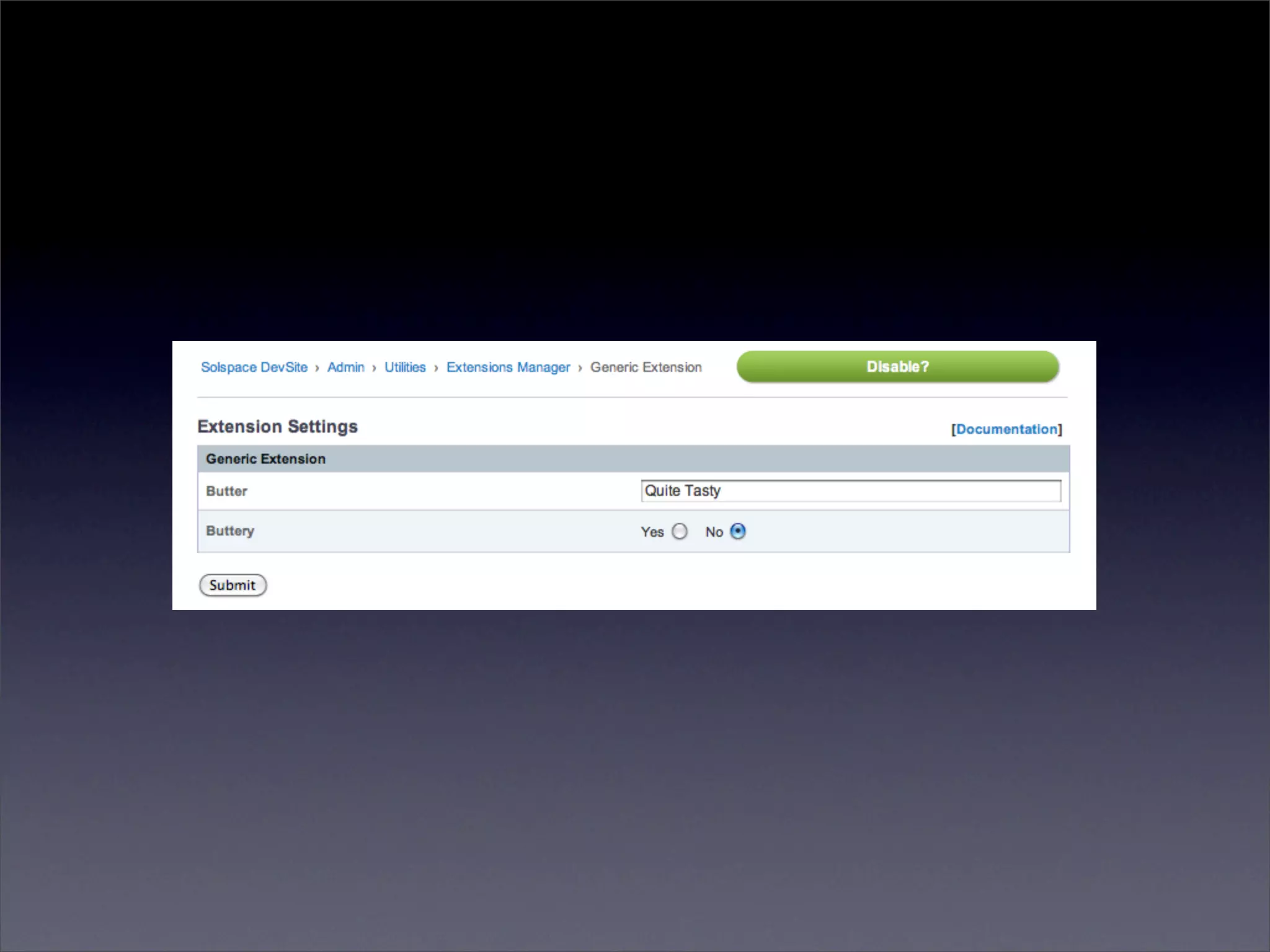
• Settings Form CP
function settings()
{
	   $settings = array();
	
	   $settings['butter']     = "Quite Tasty";
	   $settings['buttery']    = array('r', array('yes' => "yes", 'no' => "no"), 'no');
	
	   // Complex:
	   // [variable_name] => array(type, values, default value)
	   // variable_name => short name for setting and key for language file variable
	   // types:	   t - textarea
	   //	 	    	   r - radio buttons
	   //	 	    	   s - select
	   //	 	    	   ms - multiselect
	   //	 	    	   f - function calls
	   // values: can be array (r, s, ms), string (t), function name (f)
	   // default: name of array member, string, nothing
	   //
	   // Simple:
	   // [variable_name] => 'Butter'
	   // Text input, with 'Butter' as the default.
	
	   return $settings;
}
Modules
• The Mighty Workhorses of EE
• Complete and expansive Control Panels.
• Database Tables
• Template Tags
• Own extensions possible
Plugins
• No settings, no tables, no CP, no install
• Text manipulation either via Template Tags
  or Custom Fields

• Or, functionality "plugged" into your
  Templates.
Add-On Quantities @ devot-ee.com
            18 October 2009


                              Extensions:   170
                              Modules:      73
                              Plugins:      248
Examples of Extensions
•   Edit Tab AJAX - AJAX enabled search for
    Control Panel's Edit area

•   FieldFrame - Easily create new custom field
    types for ExpressionEngine.

•   LG Add Sitename - Site Label in upper left of
    your CP
Examples of Modules
•   Structure - Create Static and Listing pages,
    editable via a tree sitemap

•   Tag - Folksonomy functionality for Weblog and
    Gallery Entries

•   User - EE's Member Functionality in Templates
Examples of Plugins
•   EE Gravatar - Global Avatars for site members

•   Image Sizer - Resizes and caches images on the
    fly

•   Markdown - Markdown formatting in EE
    Custom Weblog Fields
Accessories
 in EE 2.0
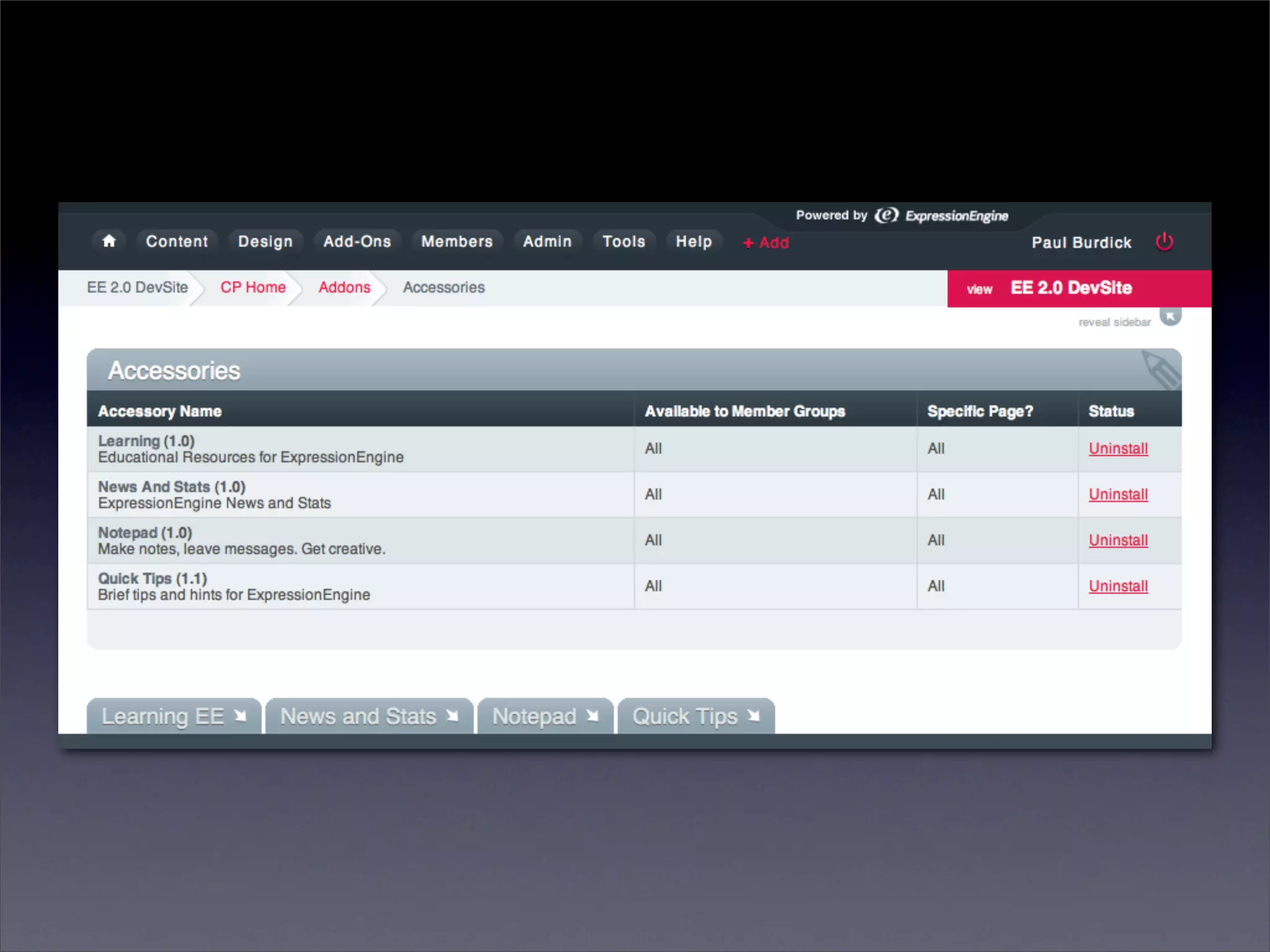
• Accessories provide tools, references, or
  abilities at the bottom of your EE Control
  Panel in ExpressionEngine 2.0

• No CP page for each Accessory
• Can have own DB tables
• View files! Lovely lovely View files!
II.
    Add-On
Development Skills
PHP
• Duh...
• PHP: Hypertext Preprocessor. You really
  have to love recursive acronyms.

• Server side programming language.
  Processed at runtime.

• No Compiling! Viewable Source!
• PHP files contain code, but they can also
  have HTML, JS, XML, et cetera inside them.

• Extremely widespread on hosting
  environments.
PHP Learning References

PHP Docs: http://php.net/manual/

W3C Tutorial: http://www.w3schools.com/PHP/php_intro.asp

Zend Tutorial: http://devzone.zend.com/article/627
SQL
• Required for advanced Add-On development
• Active Record only *helps* build queries
MySQL
•   Popular, open-source, relational database.

•   Simple to setup and administrate.

•   Fast for reading, decent for writing

•   Dominant on hosted environments
MySQL Learning References
 •   MySQL Docs: http://dev.mysql.com/doc/

 •   Buy a book. ( O'Reilly Books are well done )

 •   Learn JOINs

     •   http://www.informit.com/articles/article.aspx?
         p=30875&seqNum=5

     •   http://en.wikipedia.org/wiki/Join_(SQL)
HTML/CSS
View Files
•   Essentially HTML files with PHP inside for
    outputting data

•   Part of ExpressionEngine 2.0 by default

•   Available in ExpressionEngine1.x using Hermes
    or custom include code
<?php echo $this->view('header.html');?>
	
<h4 class="alertHeadingCenter"><?php echo $LANG->line('error');?></h4>

<div class='defaultCenter' >
	   <div class="box">
	   	    <strong><?=$error_message?></strong>
	   	    	   <br /><br />
	   	    <strong>
	   	    	   <a href='javascript:history.go(-1)'>&#171; <?=$LANG->line('back')?></a>
	   	    </strong>
	   </div>
</div>
	
<?php echo $this->view('footer.html'); ?>
User Interfaces
•   Build in static HTML, CSS, JS files before converting
    to View files.

•   Easier development.

•   Easier bug testing.

•   No need to create data variables/objects first.

•   UI developer does not need to understand PHP.
jQuery/JavaScript
• jQuery available in EE 1.x via an extension
  (not enabled by default)

• jQuery available in EE 2.x with no additional
  work

• Relatively easy to add other libraries or
  custom JS if need be.
global $EXT;

if ( ! isset($EXT->version_numbers['Cp_jquery']))
{
	   return $OUT->show_user_error('general', $LANG->line('cp_jquery_requred')));
}
III.
Developing Add-Ons
in ExpressionEngine
Never, Ever Just
 Start Coding!
Research
• Previous Approaches
• Required Features
• Alternative Approach in ExpressionEngine?
 •   Can this be done in EE in any other way?

 •   Is a Module required? Could an Extension do it?

 •   Could a Plugin output weblog data in the way you
     need?
Tell a Story
•   How will Person A do Task 1?

•   Question Previous Approaches.

    •   Is X Really the BEST way to do it?

    •   What Would Apple Do?

•   Eliminate Steps, Make Process Intuitive.

•   Follow your instincts.
Map Out Features
• Major
 •   Functionality required for module to serve
     its market/purpose
• Minor
 •   Not Necessarily Required.
 •   Features are cuttable for a 1.0 release.
• Icing
 •   For specific clients or users
 •   Think and consider them
Database Structure
• Tables for your Major and Minor Features
• Normalization: Eliminate Data Duplication
  • http://en.wikipedia.org/wiki/Database_normalization
• Indexes!
• Specific, Sensical Field Names
  • 'event_title' vs 'event'
  • 'event_short_name' vs 'name'
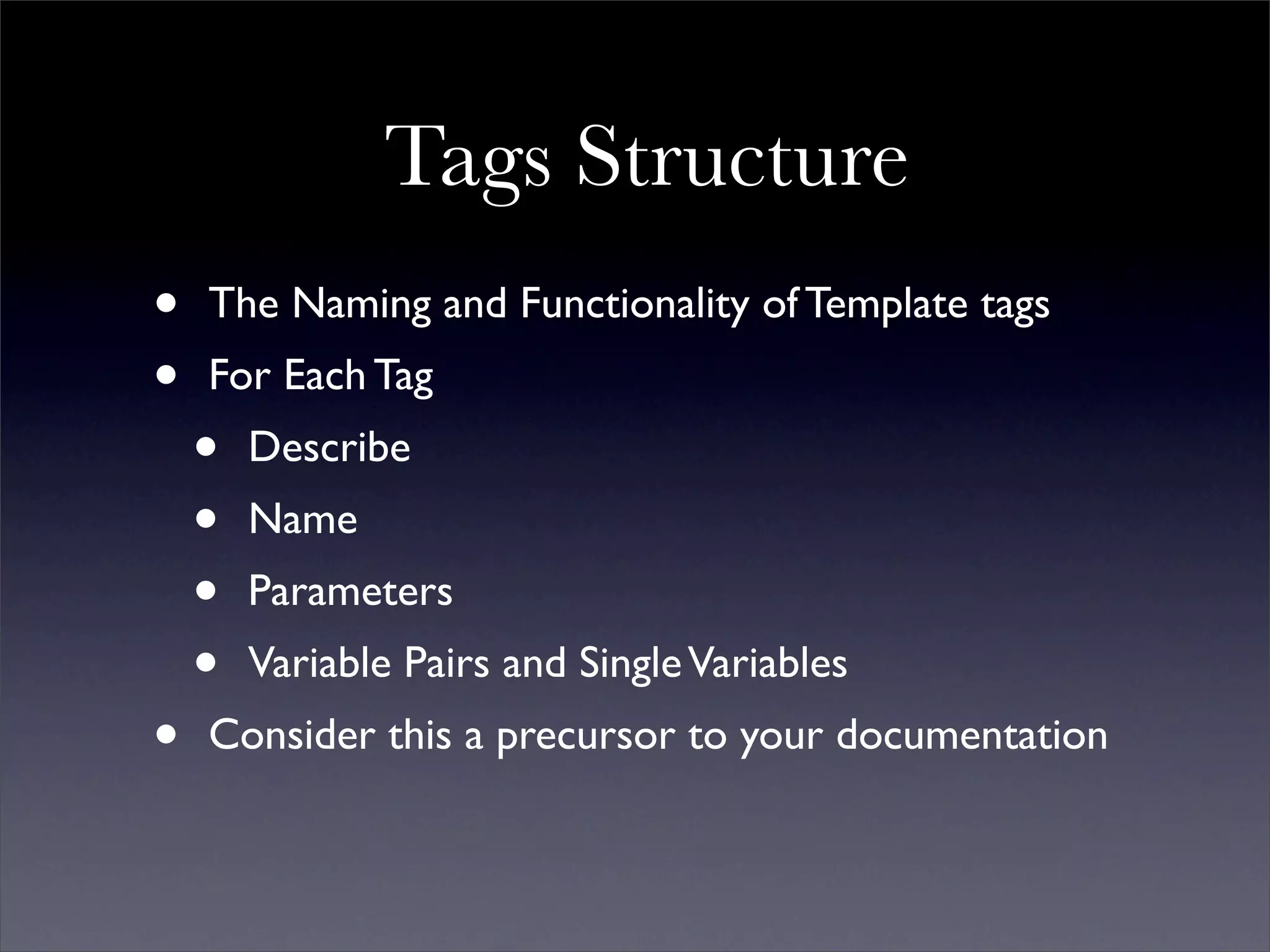
Tags Structure
•   The Naming and Functionality of Template tags
•   For Each Tag
    •   Describe
    •   Name
    •   Parameters
    •   Variable Pairs and Single Variables
•   Consider this a precursor to your documentation
Tags Structure: Describe

•   Descriptions for each Tag, Parameter, and Variable.
•   Explain what each one does.
Tags Structure: Tag Name

•   Simple and Obvious
•   No Abbreviations, No Ambiguity
    •   {exp:module:g_entries} vs
        {exp:module:gallery_entries}
Tags Structure: Parameters

•   Prefix?
    •   form:id="" or form_id=""
•   Use prefixes to break up parameters into
    "groups" of functionality.
    •   notify:admin_email=""
    •   notify:user_email=""
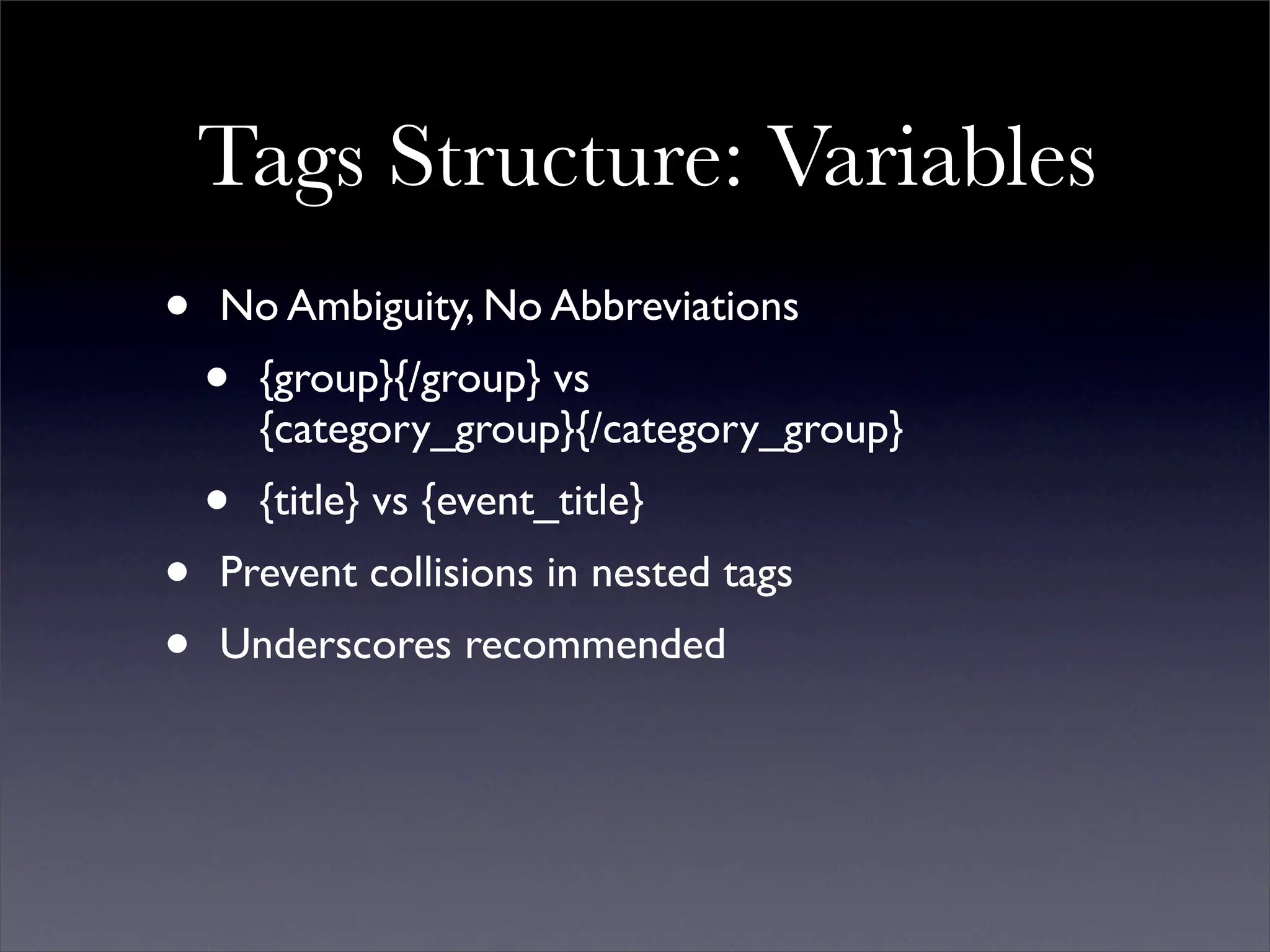
Tags Structure: Variables
•   No Ambiguity, No Abbreviations
    •   {group}{/group} vs
        {category_group}{/category_group}
    •   {title} vs {event_title}
•   Prevent collisions in nested tags
•   Underscores recommended
Tags Structure:
    Show to Other People

•   Get Feedback
•   Revise until the Spec feels solid.
Building a
Control Panel
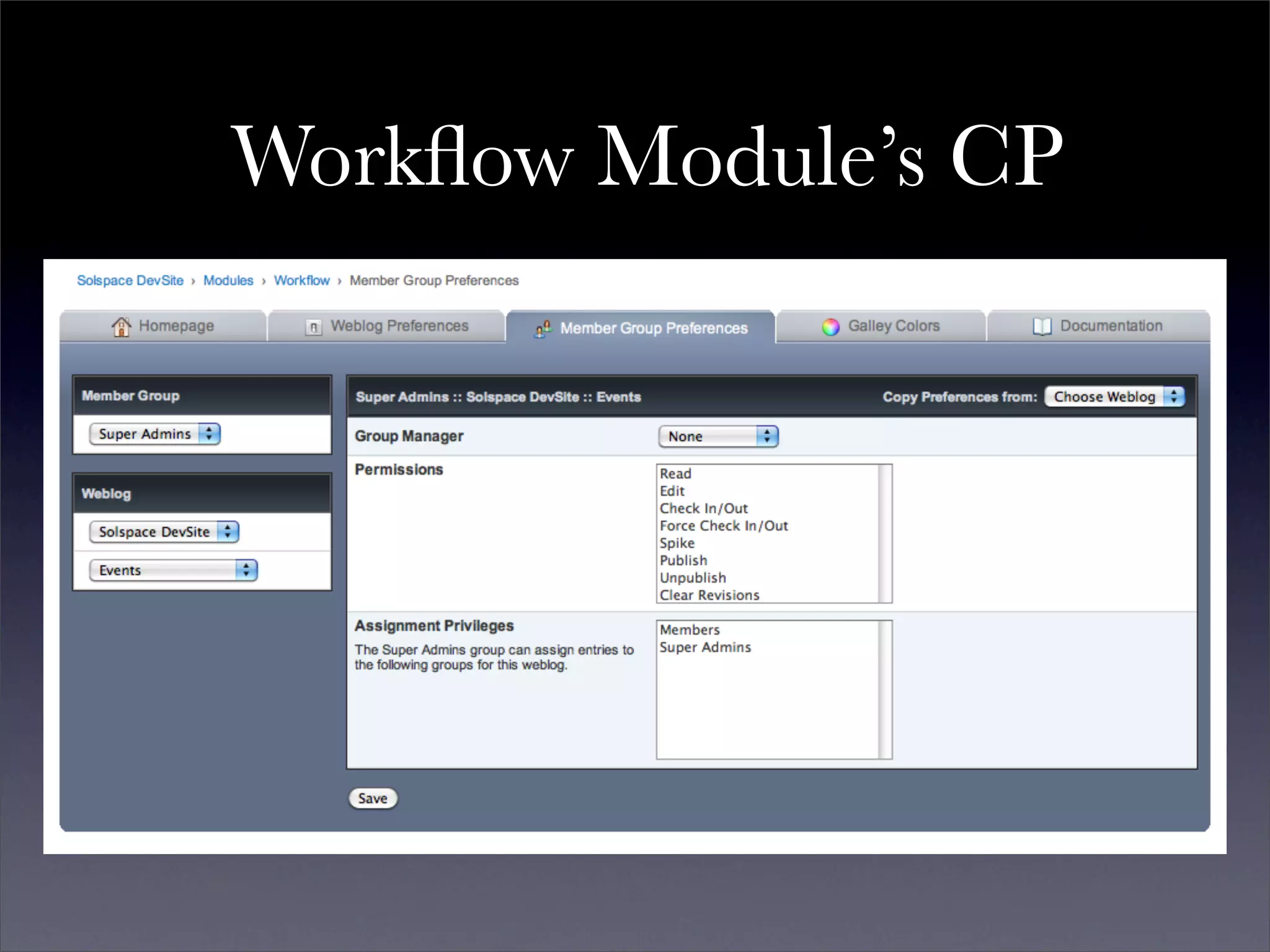
Workflow Module’s CP
Control Panel:
        Break Up into Sections
•   Data Adding, Deleting, and Manipulation
    •   Create/Modify/Delete Items
    •   Ex: Calendar, Wiki, Forum
    •   Build only one main interface
•   Preferences/Settings/Permissions
    •   Per Site, Per Weblog, Per Member Group, Per X
•   Actions
    •   Ex: Recount, Re-Cache, Clear Caches
•   Version Number and Documentation Link
KISS:
Keep It Simple, Stupid
Control Panel: Design
•   Build an HTML/CSS/JS mockup first
•   Put into a View file
•   PHP into HTML, Not HTML into PHP
    •   documentDOM in Hermes - Builds HTML in
        PHP, specifically form fields
•   Ignore IE6
    •   EE 2.x no longer supports it
    •   Solspace no longer supports it
    •   Neither should you.
Time Wasted on IE6
Making Software Support IE6   vs.   Upgrading Users
Time Wasted on IE6
Making Software Support IE6   vs.        Upgrading Users


            92%                     8%
Have Goals,
Even Milestones,
Never Deadlines
IV.
Writing Code
Follow the EllisLab
        Development Guidelines!

http://expressionengine.com/docs/development/guidelines/index.html
"Prolific and informative commenting
    using proper comment style"

 •   We want to know your thinking! Why this way?
 •   Expect people to learn from your code.
 •   Helps you understand your *own* logic
Sanitize and Escape Everything
•   Be Paranoid! Nothing is Immune! Constant
    Vigilance!

•   If you DID NOT set or get data yourself, assume
    it is tainted, even EE variables

•   If you DID set or get yourself, but not within ten
    lines of code, assume it is tainted.

•   Sanitize and Escape at the Query

•   No Security Exceptions for SuperAdmins
Abstraction

•   Use Twice, Write Once
•   Create Libraries!
•   Reduces Work and Mistakes
•   Purpose of Hermes
Simplify,
Simplify,
Simplify
Simplify: Reduce Code Work
 •   Do the Least Amount of Effort to produce results
 •   Bail Out First, Work Second
     •   Invalid variable type? Bail.
     •   No Permissions? Bail.
     •   Error? Bail.
 •   Don’t Do Serious Work Until You Know You Have
     Work To Do
Simplify: Reduce DB Work
•   Performing Multiple Queries are OK.
•   Validate, Check Pagination, Then Retrieve Data
Simplify: Models
•   Abstract common SELECTs into separate methods
•   INSERTs/UPDATEs for a DB Table in one method
•   Hermes has per Add-On model caching caching
    built into it.
•   Speaking of caching...
Per Page Load Caching
•   Use $SESS->cache
•       Suggested:
    •    $SESS->cache['modules']['module_name']['some_cache'] = array();

•   Alternative:
    •    $SESS->cache['Solspace']['module_name']['some_cache'] = array()

•   Try a Reference!
    •    $this->cache =& $SESS->cache['modules']['module_name'];
    •    $this->cache[‘some_cache’] = array();
Weblog Module Class
• Very powerful code, no need to write your own.
• Code was written so that it could be used elsewhere.
• Returns Results based on tag parameters
• You can modify $TMPL->tagparams!
require_once PATH_CORE.'core.typography'.EXT;
require_once PATH_MOD.'/weblog/mod.weblog'.EXT;

$TMPL->tagparams['entry_id']	   = '1|2|3|4';
$TMPL->tagparams['dynamic']	
                           	    = 'off';

$TMPL->tagdata	    = $TMPL->assign_relationship_data( $TMPL->tagdata );
$TMPL->var_single	 = array_merge( $TMPL->var_single, $TMPL->related_markers );

$weblog_object = new Weblog;

$weblog_object->fetch_custom_weblog_fields();
$weblog_object->fetch_custom_member_fields();
$weblog_object->fetch_pagination_data();
$weblog_object->create_pagination();
$weblog_object->build_sql_query();

if ($weblog_object->sql == '') return $this->return_data = $TMPL->no_results();

$weblog_object->query = $DB->query($weblog_object->sql);

if ($weblog_object->query->num_rows == 0) return $this->return_data = $TMPL->no_results();

$weblog_object->TYPE = new Typography;

$weblog_object->fetch_categories();
$weblog_object->parse_weblog_entries();
$weblog_object->add_pagination_data();

return $this->return_data = $weblog_object->return_data;
Provide Tools for Keeping
      Things Tidy
• Removal of Old Data.
• Removal of Old Caches
• Optimize Tables - Reduce DB Overhead
V.
   Debugging and
Improving Performance
Consider Performance
an Aspect of Add-On
     Debugging
Turn on PHP Debugging
• Insure Display Errors Setting is On in php.ini
• Error Reporting is E_ALL
• No PHP Errors! Ever!
• Remove All Deprecated PHP Functions.
Turn on SQL Queries
• Admin => System Preferences => Output and Debugging
• Queries appear on both CP and User side of EE
• Review Queries
  • Check the Add-On's CP
  • Extensions: Check areas of usage in CP
  • Check EVERY single tag in a Template.
• Eliminate Duplicates!
Turn on SQL Queries
• Are Certain Queries Necessary on EVERY load?
  • Settings/Preferences
  • Caching (Checks, Re-caching, Emptying)
  • Statistics
• Evaluate Queries for Performance
• Run in phpMyAdmin or similar
• Try Making the Query More Efficient
  • Add a WHERE clause on indexed field
  • Remove Extraneous JOINs when possible
Turn on SQL Queries
•   De-Normalization.
    •   Duplicating Data or Grouping It to Reduce Work
    •   http://en.wikipedia.org/wiki/Denormalization
    •   Best example? Statistics: Hit count.
    •   Abstract methods for data consistency (i.e. correct
        values)
• Learn About Optimizing MySQL
  • MySQL Performance Blog
  • http://mysqlperformanceblog.com
SuperSearch SQL Queries
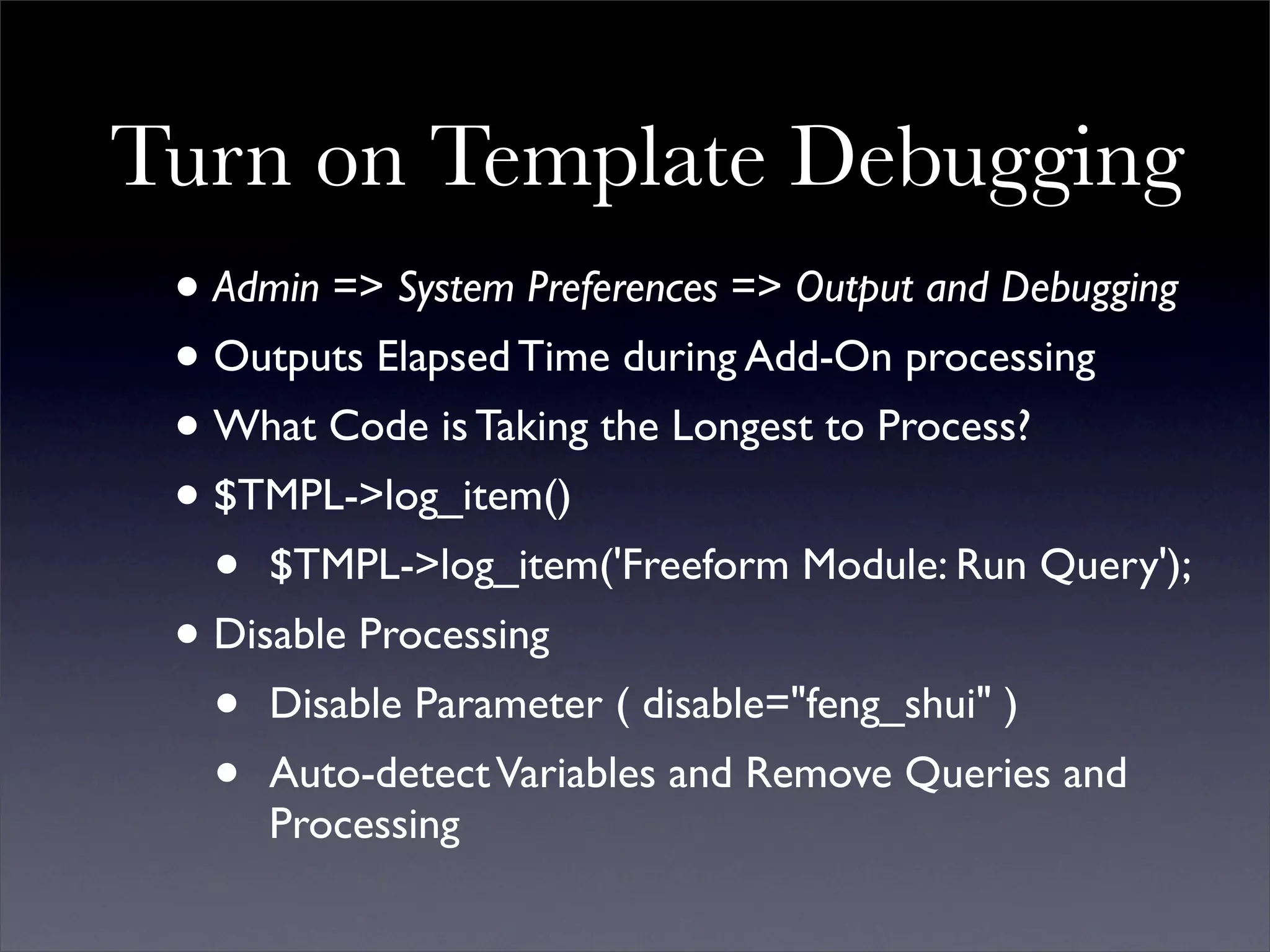
Turn on Template Debugging
 • Admin => System Preferences => Output and Debugging
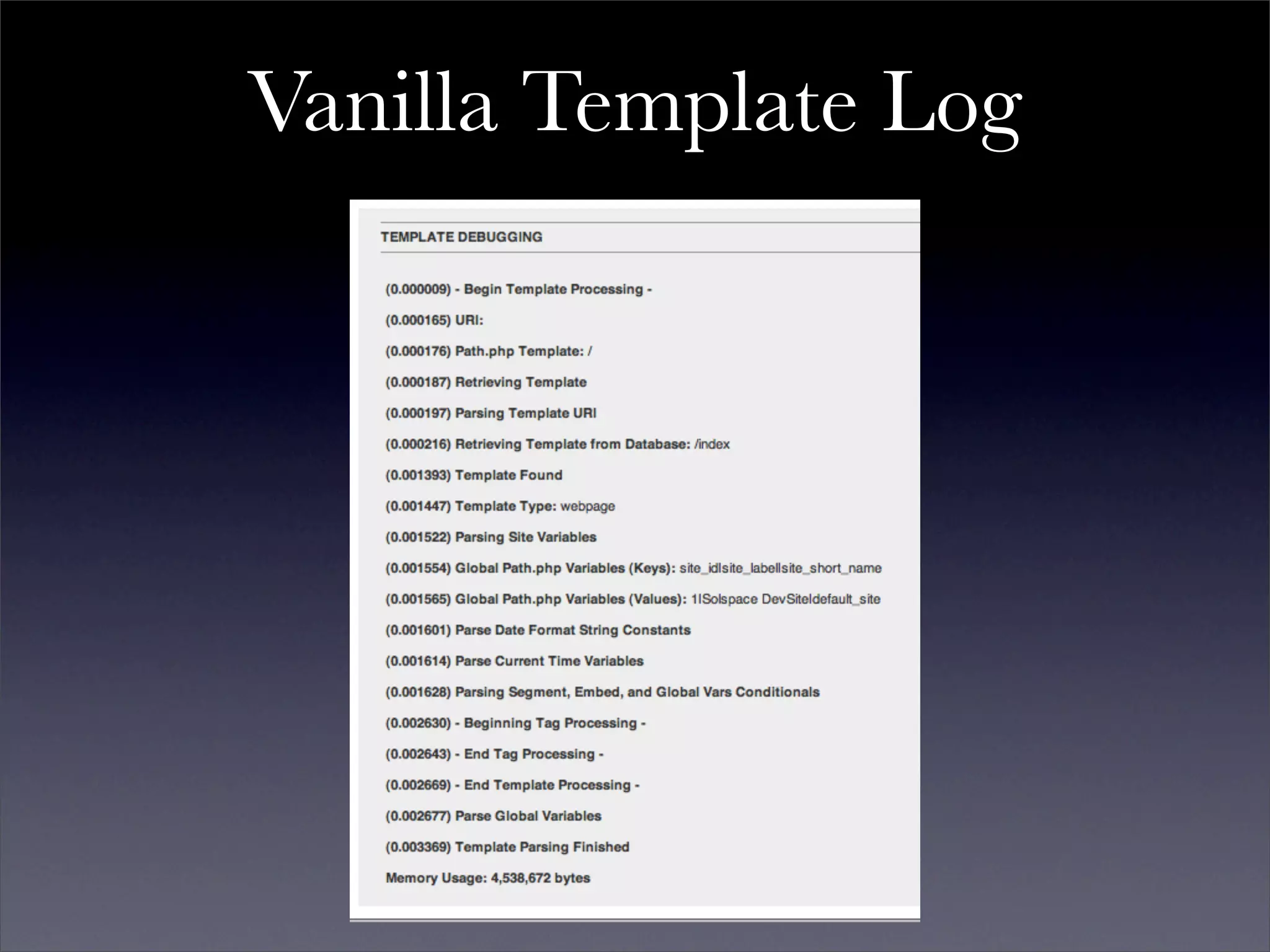
 • Outputs Elapsed Time during Add-On processing
 • What Code is Taking the Longest to Process?
 • $TMPL->log_item()
   • $TMPL->log_item('Freeform Module: Run Query');
 • Disable Processing
   • Disable Parameter ( disable="feng_shui" )
   • Auto-detect Variables and Remove Queries and
     Processing
Vanilla Template Log
SuperSearch Processing
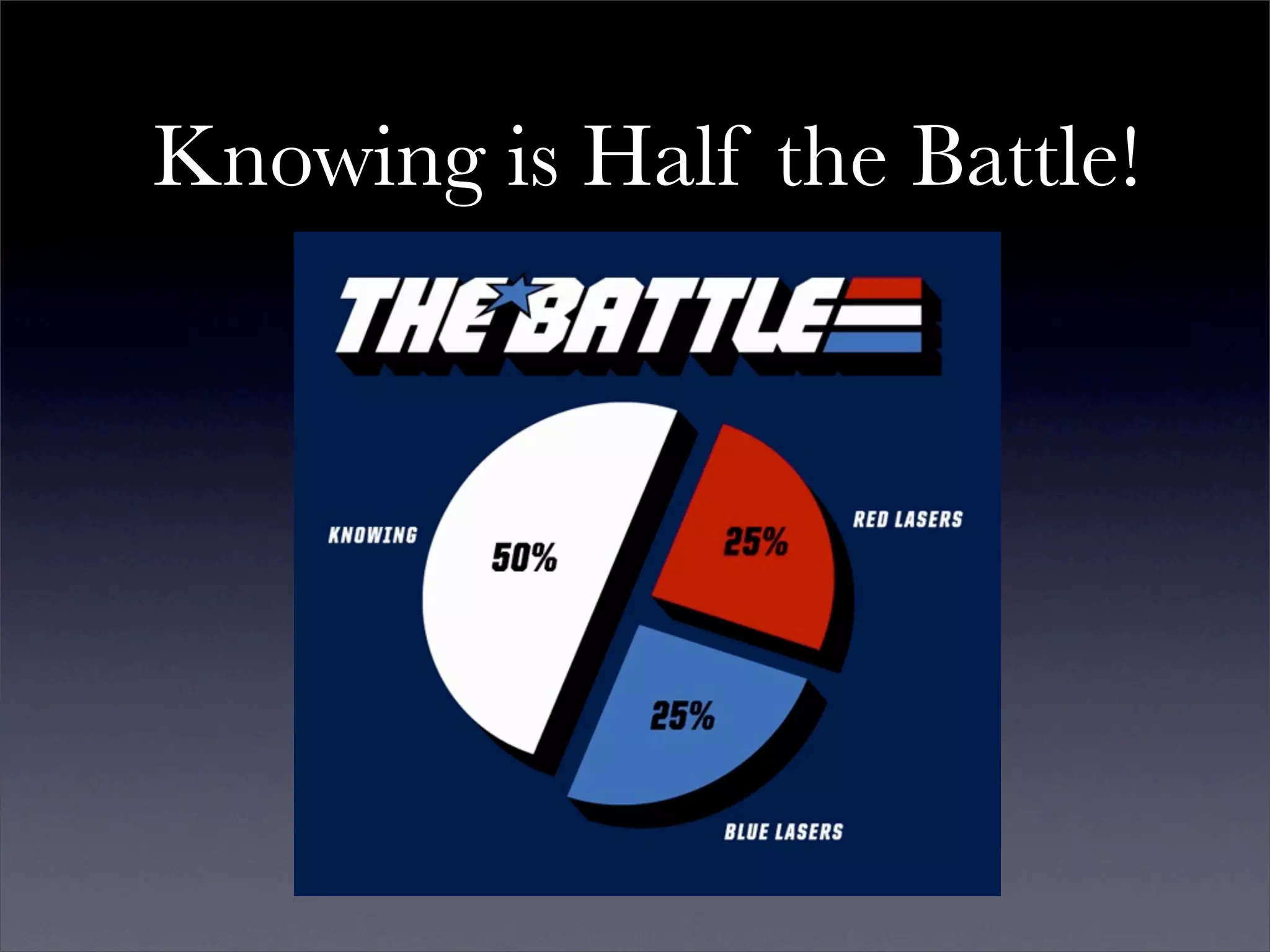
Knowing is Half the Battle!
Automated Actions
• Example: Caching or Retrieving Remote Data
• Can Seriously Slow Down an Add-On
• Try AJAX
Deprecated Code
• Consider using trigger_error()
• trigger_error('Favorites Module: The Favorites Count
  tag has been deprecated. Use the Entry Count tag
  instead');
• Don't Leave It Around Forever, Discontinue Support,
  Then Remove It
Ask for Help
• Plenty of EE, PHP, SQL Knowledge out there. Use it.
• Often just discussing a problem will lead to a solution.
V.
Presentation Over, So
      Let's Talk

presentation

  • 1.
    Add-On Development: EEExpects that Every Developer will do his Duty Paul Burdick, Lead Developer solspace http://solspace.com/downloads/eeci2009/presentation.txt
  • 2.
    Summary of Talk • What are Add-Ons? • The Three Types of Add-Ons in EE • Overview of Accessories in EE 2.x • Add-On Development Skills • Developing Add-Ons in ExpressionEngine • Writing Code • Debugging & Improving Performance
  • 3.
    Summary of Talk • What are Add-Ons? • The Three Types of Add-Ons in EE • Overview of Accessories in EE 2.x • Add-On Development Skills • Developing Add-Ons in ExpressionEngine • Writing Code • Debugging & Improving Performance
  • 4.
  • 5.
    Three Types ofAdd-Ons in EE 1.x and 2.x • Extensions • Modules • Plugins
  • 6.
  • 7.
    • Extends thebase functionality of ExpressionEngine • Allows developers to interpose their own code into EE's codebase. • Restrained by where hooks are placed in the code and what arguments are sent with the extension call
  • 8.
    • More andmore Third Party developers are adding hooks to their own code, allowing extensions for Third Party Add-Ons. Pretty darn cool. • Typically no DB tables, but there are always exceptions • Settings Form CP
  • 9.
    function settings() { $settings = array(); $settings['butter'] = "Quite Tasty"; $settings['buttery'] = array('r', array('yes' => "yes", 'no' => "no"), 'no'); // Complex: // [variable_name] => array(type, values, default value) // variable_name => short name for setting and key for language file variable // types: t - textarea // r - radio buttons // s - select // ms - multiselect // f - function calls // values: can be array (r, s, ms), string (t), function name (f) // default: name of array member, string, nothing // // Simple: // [variable_name] => 'Butter' // Text input, with 'Butter' as the default. return $settings; }
  • 11.
  • 12.
    • The MightyWorkhorses of EE • Complete and expansive Control Panels. • Database Tables • Template Tags • Own extensions possible
  • 13.
  • 14.
    • No settings,no tables, no CP, no install • Text manipulation either via Template Tags or Custom Fields • Or, functionality "plugged" into your Templates.
  • 15.
    Add-On Quantities @devot-ee.com 18 October 2009 Extensions: 170 Modules: 73 Plugins: 248
  • 16.
    Examples of Extensions • Edit Tab AJAX - AJAX enabled search for Control Panel's Edit area • FieldFrame - Easily create new custom field types for ExpressionEngine. • LG Add Sitename - Site Label in upper left of your CP
  • 17.
    Examples of Modules • Structure - Create Static and Listing pages, editable via a tree sitemap • Tag - Folksonomy functionality for Weblog and Gallery Entries • User - EE's Member Functionality in Templates
  • 18.
    Examples of Plugins • EE Gravatar - Global Avatars for site members • Image Sizer - Resizes and caches images on the fly • Markdown - Markdown formatting in EE Custom Weblog Fields
  • 19.
  • 20.
    • Accessories providetools, references, or abilities at the bottom of your EE Control Panel in ExpressionEngine 2.0 • No CP page for each Accessory • Can have own DB tables • View files! Lovely lovely View files!
  • 22.
    II. Add-On Development Skills
  • 23.
  • 24.
    • Duh... • PHP:Hypertext Preprocessor. You really have to love recursive acronyms. • Server side programming language. Processed at runtime. • No Compiling! Viewable Source!
  • 25.
    • PHP filescontain code, but they can also have HTML, JS, XML, et cetera inside them. • Extremely widespread on hosting environments.
  • 26.
    PHP Learning References PHPDocs: http://php.net/manual/ W3C Tutorial: http://www.w3schools.com/PHP/php_intro.asp Zend Tutorial: http://devzone.zend.com/article/627
  • 27.
  • 28.
    • Required foradvanced Add-On development • Active Record only *helps* build queries
  • 29.
    MySQL • Popular, open-source, relational database. • Simple to setup and administrate. • Fast for reading, decent for writing • Dominant on hosted environments
  • 30.
    MySQL Learning References • MySQL Docs: http://dev.mysql.com/doc/ • Buy a book. ( O'Reilly Books are well done ) • Learn JOINs • http://www.informit.com/articles/article.aspx? p=30875&seqNum=5 • http://en.wikipedia.org/wiki/Join_(SQL)
  • 31.
  • 32.
    View Files • Essentially HTML files with PHP inside for outputting data • Part of ExpressionEngine 2.0 by default • Available in ExpressionEngine1.x using Hermes or custom include code
  • 33.
    <?php echo $this->view('header.html');?> <h4class="alertHeadingCenter"><?php echo $LANG->line('error');?></h4> <div class='defaultCenter' > <div class="box"> <strong><?=$error_message?></strong> <br /><br /> <strong> <a href='javascript:history.go(-1)'>&#171; <?=$LANG->line('back')?></a> </strong> </div> </div> <?php echo $this->view('footer.html'); ?>
  • 34.
    User Interfaces • Build in static HTML, CSS, JS files before converting to View files. • Easier development. • Easier bug testing. • No need to create data variables/objects first. • UI developer does not need to understand PHP.
  • 35.
  • 36.
    • jQuery availablein EE 1.x via an extension (not enabled by default) • jQuery available in EE 2.x with no additional work • Relatively easy to add other libraries or custom JS if need be.
  • 37.
    global $EXT; if (! isset($EXT->version_numbers['Cp_jquery'])) { return $OUT->show_user_error('general', $LANG->line('cp_jquery_requred'))); }
  • 38.
  • 39.
    Never, Ever Just Start Coding!
  • 41.
    Research • Previous Approaches •Required Features • Alternative Approach in ExpressionEngine? • Can this be done in EE in any other way? • Is a Module required? Could an Extension do it? • Could a Plugin output weblog data in the way you need?
  • 42.
    Tell a Story • How will Person A do Task 1? • Question Previous Approaches. • Is X Really the BEST way to do it? • What Would Apple Do? • Eliminate Steps, Make Process Intuitive. • Follow your instincts.
  • 43.
    Map Out Features •Major • Functionality required for module to serve its market/purpose • Minor • Not Necessarily Required. • Features are cuttable for a 1.0 release. • Icing • For specific clients or users • Think and consider them
  • 44.
    Database Structure • Tablesfor your Major and Minor Features • Normalization: Eliminate Data Duplication • http://en.wikipedia.org/wiki/Database_normalization • Indexes! • Specific, Sensical Field Names • 'event_title' vs 'event' • 'event_short_name' vs 'name'
  • 45.
    Tags Structure • The Naming and Functionality of Template tags • For Each Tag • Describe • Name • Parameters • Variable Pairs and Single Variables • Consider this a precursor to your documentation
  • 46.
    Tags Structure: Describe • Descriptions for each Tag, Parameter, and Variable. • Explain what each one does.
  • 47.
    Tags Structure: TagName • Simple and Obvious • No Abbreviations, No Ambiguity • {exp:module:g_entries} vs {exp:module:gallery_entries}
  • 48.
    Tags Structure: Parameters • Prefix? • form:id="" or form_id="" • Use prefixes to break up parameters into "groups" of functionality. • notify:admin_email="" • notify:user_email=""
  • 49.
    Tags Structure: Variables • No Ambiguity, No Abbreviations • {group}{/group} vs {category_group}{/category_group} • {title} vs {event_title} • Prevent collisions in nested tags • Underscores recommended
  • 50.
    Tags Structure: Show to Other People • Get Feedback • Revise until the Spec feels solid.
  • 51.
  • 52.
  • 53.
    Control Panel: Break Up into Sections • Data Adding, Deleting, and Manipulation • Create/Modify/Delete Items • Ex: Calendar, Wiki, Forum • Build only one main interface • Preferences/Settings/Permissions • Per Site, Per Weblog, Per Member Group, Per X • Actions • Ex: Recount, Re-Cache, Clear Caches • Version Number and Documentation Link
  • 54.
  • 55.
    Control Panel: Design • Build an HTML/CSS/JS mockup first • Put into a View file • PHP into HTML, Not HTML into PHP • documentDOM in Hermes - Builds HTML in PHP, specifically form fields • Ignore IE6 • EE 2.x no longer supports it • Solspace no longer supports it • Neither should you.
  • 56.
    Time Wasted onIE6 Making Software Support IE6 vs. Upgrading Users
  • 57.
    Time Wasted onIE6 Making Software Support IE6 vs. Upgrading Users 92% 8%
  • 58.
  • 59.
  • 60.
    Follow the EllisLab Development Guidelines! http://expressionengine.com/docs/development/guidelines/index.html
  • 61.
    "Prolific and informativecommenting using proper comment style" • We want to know your thinking! Why this way? • Expect people to learn from your code. • Helps you understand your *own* logic
  • 62.
    Sanitize and EscapeEverything • Be Paranoid! Nothing is Immune! Constant Vigilance! • If you DID NOT set or get data yourself, assume it is tainted, even EE variables • If you DID set or get yourself, but not within ten lines of code, assume it is tainted. • Sanitize and Escape at the Query • No Security Exceptions for SuperAdmins
  • 63.
    Abstraction • Use Twice, Write Once • Create Libraries! • Reduces Work and Mistakes • Purpose of Hermes
  • 64.
  • 65.
    Simplify: Reduce CodeWork • Do the Least Amount of Effort to produce results • Bail Out First, Work Second • Invalid variable type? Bail. • No Permissions? Bail. • Error? Bail. • Don’t Do Serious Work Until You Know You Have Work To Do
  • 66.
    Simplify: Reduce DBWork • Performing Multiple Queries are OK. • Validate, Check Pagination, Then Retrieve Data
  • 67.
    Simplify: Models • Abstract common SELECTs into separate methods • INSERTs/UPDATEs for a DB Table in one method • Hermes has per Add-On model caching caching built into it. • Speaking of caching...
  • 68.
    Per Page LoadCaching • Use $SESS->cache • Suggested: • $SESS->cache['modules']['module_name']['some_cache'] = array(); • Alternative: • $SESS->cache['Solspace']['module_name']['some_cache'] = array() • Try a Reference! • $this->cache =& $SESS->cache['modules']['module_name']; • $this->cache[‘some_cache’] = array();
  • 69.
    Weblog Module Class •Very powerful code, no need to write your own. • Code was written so that it could be used elsewhere. • Returns Results based on tag parameters • You can modify $TMPL->tagparams!
  • 70.
    require_once PATH_CORE.'core.typography'.EXT; require_once PATH_MOD.'/weblog/mod.weblog'.EXT; $TMPL->tagparams['entry_id'] = '1|2|3|4'; $TMPL->tagparams['dynamic'] = 'off'; $TMPL->tagdata = $TMPL->assign_relationship_data( $TMPL->tagdata ); $TMPL->var_single = array_merge( $TMPL->var_single, $TMPL->related_markers ); $weblog_object = new Weblog; $weblog_object->fetch_custom_weblog_fields(); $weblog_object->fetch_custom_member_fields(); $weblog_object->fetch_pagination_data(); $weblog_object->create_pagination(); $weblog_object->build_sql_query(); if ($weblog_object->sql == '') return $this->return_data = $TMPL->no_results(); $weblog_object->query = $DB->query($weblog_object->sql); if ($weblog_object->query->num_rows == 0) return $this->return_data = $TMPL->no_results(); $weblog_object->TYPE = new Typography; $weblog_object->fetch_categories(); $weblog_object->parse_weblog_entries(); $weblog_object->add_pagination_data(); return $this->return_data = $weblog_object->return_data;
  • 71.
    Provide Tools forKeeping Things Tidy • Removal of Old Data. • Removal of Old Caches • Optimize Tables - Reduce DB Overhead
  • 72.
    V. Debugging and Improving Performance
  • 73.
    Consider Performance an Aspectof Add-On Debugging
  • 74.
    Turn on PHPDebugging • Insure Display Errors Setting is On in php.ini • Error Reporting is E_ALL • No PHP Errors! Ever! • Remove All Deprecated PHP Functions.
  • 75.
    Turn on SQLQueries • Admin => System Preferences => Output and Debugging • Queries appear on both CP and User side of EE • Review Queries • Check the Add-On's CP • Extensions: Check areas of usage in CP • Check EVERY single tag in a Template. • Eliminate Duplicates!
  • 76.
    Turn on SQLQueries • Are Certain Queries Necessary on EVERY load? • Settings/Preferences • Caching (Checks, Re-caching, Emptying) • Statistics • Evaluate Queries for Performance • Run in phpMyAdmin or similar • Try Making the Query More Efficient • Add a WHERE clause on indexed field • Remove Extraneous JOINs when possible
  • 77.
    Turn on SQLQueries • De-Normalization. • Duplicating Data or Grouping It to Reduce Work • http://en.wikipedia.org/wiki/Denormalization • Best example? Statistics: Hit count. • Abstract methods for data consistency (i.e. correct values) • Learn About Optimizing MySQL • MySQL Performance Blog • http://mysqlperformanceblog.com
  • 78.
  • 79.
    Turn on TemplateDebugging • Admin => System Preferences => Output and Debugging • Outputs Elapsed Time during Add-On processing • What Code is Taking the Longest to Process? • $TMPL->log_item() • $TMPL->log_item('Freeform Module: Run Query'); • Disable Processing • Disable Parameter ( disable="feng_shui" ) • Auto-detect Variables and Remove Queries and Processing
  • 80.
  • 81.
  • 82.
    Knowing is Halfthe Battle!
  • 83.
    Automated Actions • Example:Caching or Retrieving Remote Data • Can Seriously Slow Down an Add-On • Try AJAX
  • 84.
    Deprecated Code • Considerusing trigger_error() • trigger_error('Favorites Module: The Favorites Count tag has been deprecated. Use the Entry Count tag instead'); • Don't Leave It Around Forever, Discontinue Support, Then Remove It
  • 85.
    Ask for Help •Plenty of EE, PHP, SQL Knowledge out there. Use it. • Often just discussing a problem will lead to a solution.
  • 86.