Lotus Domino Security White and black box testing Ari Elias-Bachrach Casey Pike
Outline Why is This Necessary? Introduction to Domino Domino Commands Blackbox Whitebox Default Files Architecture
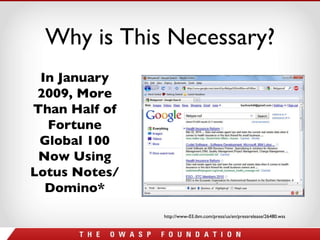
Why is This Necessary? In January 2009, More Than Half of Fortune Global 100 Now Using Lotus Notes/Domino* http://www-03.ibm.com/press/us/en/pressrelease/26480.wss
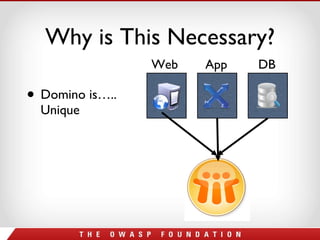
Why is This Necessary? Domino is….. Unique Web App DB
Why is This Necessary? Automated scanners seem to have a hard time with Domino apps Many “normal” attacks don’t work (SQL injection) There are many other attacks which will work Not a lot of good information out there
Outline Why is This Necessary? Introduction to Domino Domino Commands Blackbox Whitebox Default Files Architecture
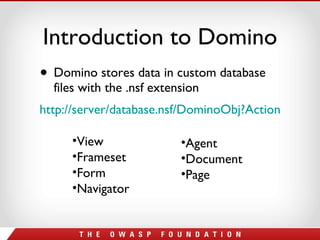
Introduction to Domino Domino stores data in custom database files with the .nsf extension http://server/database.nsf/DominoObj?Action   View Frameset Form Navigator Agent Document Page
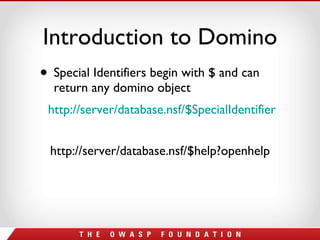
Introduction to Domino Special Identifiers begin with $ and can return any domino object http://server/database.nsf/$SpecialIdentifier http://server/database.nsf/$help?openhelp
Outline Why is This Necessary? Introduction to Domino Domino Commands Blackbox Whitebox Default Files Architecture
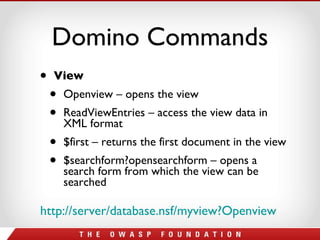
Domino Commands View Openview – opens the view ReadViewEntries – access the view data in XML format $first – returns the first document in the view $searchform?opensearchform – opens a search form from which the view can be searched http://server/database.nsf/myview?Openview
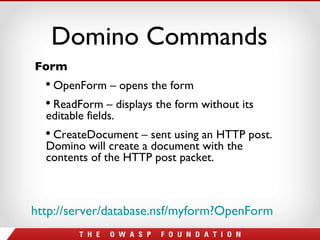
Domino Commands http://server/database.nsf/myform?OpenForm   Form OpenForm – opens the form ReadForm – displays the form without its editable fields. CreateDocument – sent using an HTTP post. Domino will create a document with the contents of the HTTP post packet.
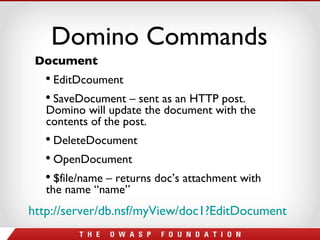
Domino Commands http://server/db.nsf/myView/doc1?EditDocument   Document EditDcoument SaveDocument – sent as an HTTP post. Domino will update the document with the contents of the post. DeleteDocument OpenDocument $file/name – returns doc’s attachment with the name “name”
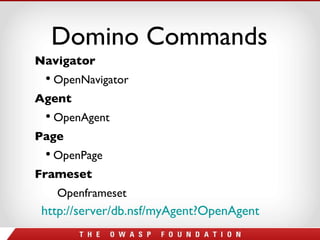
Domino Commands http://server/db.nsf/myAgent?OpenAgent   Navigator OpenNavigator Agent OpenAgent Page OpenPage Frameset Openframeset
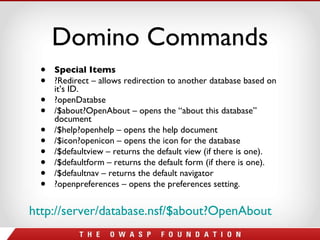
Domino Commands Special Items ?Redirect – allows redirection to another database based on it’s ID. ?openDatabse /$about?OpenAbout – opens the “about this database” document /$help?openhelp – opens the help document /$icon?openicon – opens the icon for the database /$defaultview – returns the default view (if there is one). /$defaultform – returns the default form (if there is one). /$defaultnav – returns the default navigator ?openpreferences – opens the preferences setting.  http://server/database.nsf/$about?OpenAbout
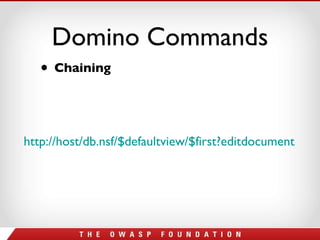
Domino Commands Chaining http://host/db.nsf/$defaultview/$first?editdocument
Pause for Questions
Outline Why is This Necessary? Introduction to Domino Domino Commands Blackbox Whitebox Default Files Architecture
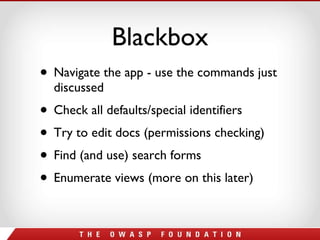
Blackbox Navigate the app - use the commands just discussed Check all defaults/special identifiers Try to edit docs (permissions checking) Find (and use) search forms Enumerate views (more on this later)
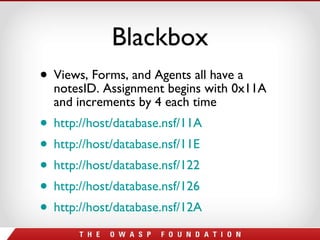
Blackbox Views, Forms, and Agents all have a notesID. Assignment begins with 0x11A and increments by 4 each time http://host/database.nsf/11A   http://host/database.nsf/11E http://host/database.nsf/122   http://host/database.nsf/126   http://host/database.nsf/12A
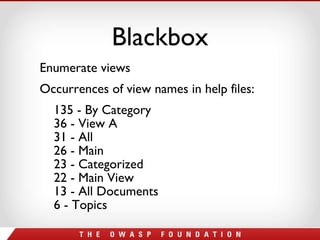
Blackbox Enumerate views Occurrences of view names in help files: 135 - By Category 36 - View A 31 - All 26 - Main 23 - Categorized 22 - Main View 13 - All Documents 6 - Topics
Outline Why is This Necessary? Introduction to Domino Domino Commands Blackbox Whitebox Default Files Architecture
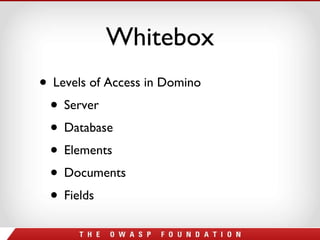
Whitebox Levels of Access in Domino Server Database Elements Documents Fields
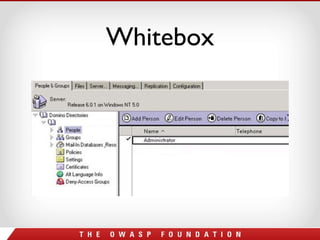
Whitebox Server access – Ask your administrator Server Doc Internet Site Doc Configuration Doc Person Docs – Internet passwords are secure
Whitebox
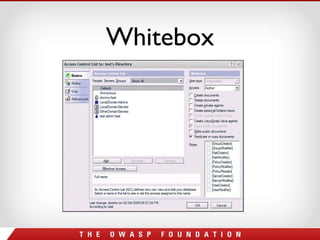
Whitebox Database access – ACLs for Web Access Editor – Create and edit docs Author – Create and edit own docs Reader – Read docs Depositor – Create docs No access – Be careful public documents
Whitebox ACL Mistakes Even though Anonymous is set to No Access, it is possible to overlook Read Public documents which will give access. Common App – Mail File* Do not overlook any setting
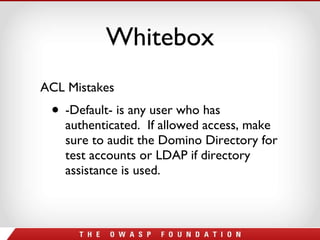
Whitebox ACL Mistakes -Default- is any user who has authenticated.  If allowed access, make sure to audit the Domino Directory for test accounts or LDAP if directory assistance is used.
Whitebox
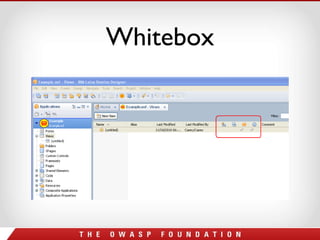
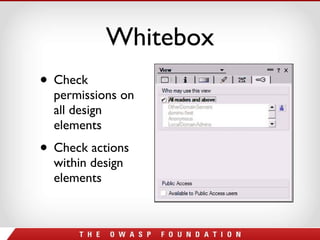
Whitebox Elements access – Check them ALL Forms, Views, Navigators, etc.  - If they are not used, hide them from the web. Security Tab – Set who can access the element based on ACL Allow public access
Whitebox
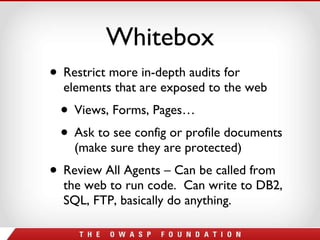
Whitebox Restrict more in-depth audits for elements that are exposed to the web Views, Forms, Pages… Ask to see config or profile documents (make sure they are protected) Review All Agents – Can be called from the web to run code.  Can write to DB2, SQL, FTP, basically do anything.
Whitebox Check permissions on all design elements Check actions within design elements
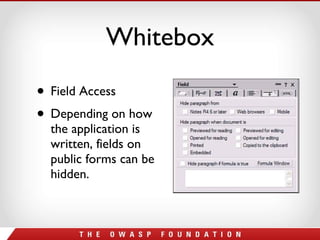
Whitebox Field Access Depending on how the application is written, fields on public forms can be hidden.
Outline Why is This Necessary? Introduction to Domino Domino Commands Blackbox Whitebox Default Files Architecture
Default Files Names.nsf – The most important database Log.nsf – Shows events on server WebAdmin.nsf – A web version of admin client Help Files – Should never be left on the server When upgrade a server, it could re-add databases you thought you deleted!!!
Where to Start? Talk to the Administrator – Learn about the different documents (server, config, internet site) of the NAB Learn the default ACL and how it is audited. Talk to the Developers – Its impossible to go through every element and to look at field security.  Establish security practices
Where to Start? Get a good tool Team Studio – Build Manager to write checks before a application is refreshed into production.  Preventive Security! DominoScan II – NGS Software AppDetectivePro – Application Security Inc. PowerTools and ScanEz – Admin Tools
Outline Why is This Necessary? Introduction to Domino Domino Commands Blackbox Whitebox Default Files Architecture
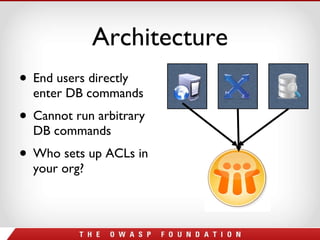
Architecture End users directly enter DB commands  Cannot run arbitrary DB commands Who sets up ACLs in your org?
Questions? Comments? Insults? [email_address] Twitter: @bachrach44 www.angelsofsecurity.com [email_address]   http://www.angelsofsecurity.com/domino.html

Domino testing presentation

  • 1.
    Lotus Domino SecurityWhite and black box testing Ari Elias-Bachrach Casey Pike
  • 2.
    Outline Why isThis Necessary? Introduction to Domino Domino Commands Blackbox Whitebox Default Files Architecture
  • 3.
    Outline Why isThis Necessary? Introduction to Domino Domino Commands Blackbox Whitebox Default Files Architecture
  • 4.
    Why is ThisNecessary? In January 2009, More Than Half of Fortune Global 100 Now Using Lotus Notes/Domino* http://www-03.ibm.com/press/us/en/pressrelease/26480.wss
  • 5.
    Why is ThisNecessary? Domino is….. Unique Web App DB
  • 6.
    Why is ThisNecessary? Automated scanners seem to have a hard time with Domino apps Many “normal” attacks don’t work (SQL injection) There are many other attacks which will work Not a lot of good information out there
  • 7.
    Outline Why isThis Necessary? Introduction to Domino Domino Commands Blackbox Whitebox Default Files Architecture
  • 8.
    Introduction to DominoDomino stores data in custom database files with the .nsf extension http://server/database.nsf/DominoObj?Action View Frameset Form Navigator Agent Document Page
  • 9.
    Introduction to DominoSpecial Identifiers begin with $ and can return any domino object http://server/database.nsf/$SpecialIdentifier http://server/database.nsf/$help?openhelp
  • 10.
    Outline Why isThis Necessary? Introduction to Domino Domino Commands Blackbox Whitebox Default Files Architecture
  • 11.
    Domino Commands ViewOpenview – opens the view ReadViewEntries – access the view data in XML format $first – returns the first document in the view $searchform?opensearchform – opens a search form from which the view can be searched http://server/database.nsf/myview?Openview
  • 12.
    Domino Commands http://server/database.nsf/myform?OpenForm Form OpenForm – opens the form ReadForm – displays the form without its editable fields. CreateDocument – sent using an HTTP post. Domino will create a document with the contents of the HTTP post packet.
  • 13.
    Domino Commands http://server/db.nsf/myView/doc1?EditDocument Document EditDcoument SaveDocument – sent as an HTTP post. Domino will update the document with the contents of the post. DeleteDocument OpenDocument $file/name – returns doc’s attachment with the name “name”
  • 14.
    Domino Commands http://server/db.nsf/myAgent?OpenAgent Navigator OpenNavigator Agent OpenAgent Page OpenPage Frameset Openframeset
  • 15.
    Domino Commands SpecialItems ?Redirect – allows redirection to another database based on it’s ID. ?openDatabse /$about?OpenAbout – opens the “about this database” document /$help?openhelp – opens the help document /$icon?openicon – opens the icon for the database /$defaultview – returns the default view (if there is one). /$defaultform – returns the default form (if there is one). /$defaultnav – returns the default navigator ?openpreferences – opens the preferences setting. http://server/database.nsf/$about?OpenAbout
  • 16.
    Domino Commands Chaininghttp://host/db.nsf/$defaultview/$first?editdocument
  • 17.
  • 18.
    Outline Why isThis Necessary? Introduction to Domino Domino Commands Blackbox Whitebox Default Files Architecture
  • 19.
    Blackbox Navigate theapp - use the commands just discussed Check all defaults/special identifiers Try to edit docs (permissions checking) Find (and use) search forms Enumerate views (more on this later)
  • 20.
    Blackbox Views, Forms,and Agents all have a notesID. Assignment begins with 0x11A and increments by 4 each time http://host/database.nsf/11A http://host/database.nsf/11E http://host/database.nsf/122 http://host/database.nsf/126 http://host/database.nsf/12A
  • 21.
    Blackbox Enumerate viewsOccurrences of view names in help files: 135 - By Category 36 - View A 31 - All 26 - Main 23 - Categorized 22 - Main View 13 - All Documents 6 - Topics
  • 22.
    Outline Why isThis Necessary? Introduction to Domino Domino Commands Blackbox Whitebox Default Files Architecture
  • 23.
    Whitebox Levels ofAccess in Domino Server Database Elements Documents Fields
  • 24.
    Whitebox Server access– Ask your administrator Server Doc Internet Site Doc Configuration Doc Person Docs – Internet passwords are secure
  • 25.
  • 26.
    Whitebox Database access– ACLs for Web Access Editor – Create and edit docs Author – Create and edit own docs Reader – Read docs Depositor – Create docs No access – Be careful public documents
  • 27.
    Whitebox ACL MistakesEven though Anonymous is set to No Access, it is possible to overlook Read Public documents which will give access. Common App – Mail File* Do not overlook any setting
  • 28.
    Whitebox ACL Mistakes-Default- is any user who has authenticated. If allowed access, make sure to audit the Domino Directory for test accounts or LDAP if directory assistance is used.
  • 29.
  • 30.
    Whitebox Elements access– Check them ALL Forms, Views, Navigators, etc. - If they are not used, hide them from the web. Security Tab – Set who can access the element based on ACL Allow public access
  • 31.
  • 32.
    Whitebox Restrict morein-depth audits for elements that are exposed to the web Views, Forms, Pages… Ask to see config or profile documents (make sure they are protected) Review All Agents – Can be called from the web to run code. Can write to DB2, SQL, FTP, basically do anything.
  • 33.
    Whitebox Check permissionson all design elements Check actions within design elements
  • 34.
    Whitebox Field AccessDepending on how the application is written, fields on public forms can be hidden.
  • 35.
    Outline Why isThis Necessary? Introduction to Domino Domino Commands Blackbox Whitebox Default Files Architecture
  • 36.
    Default Files Names.nsf– The most important database Log.nsf – Shows events on server WebAdmin.nsf – A web version of admin client Help Files – Should never be left on the server When upgrade a server, it could re-add databases you thought you deleted!!!
  • 37.
    Where to Start?Talk to the Administrator – Learn about the different documents (server, config, internet site) of the NAB Learn the default ACL and how it is audited. Talk to the Developers – Its impossible to go through every element and to look at field security. Establish security practices
  • 38.
    Where to Start?Get a good tool Team Studio – Build Manager to write checks before a application is refreshed into production. Preventive Security! DominoScan II – NGS Software AppDetectivePro – Application Security Inc. PowerTools and ScanEz – Admin Tools
  • 39.
    Outline Why isThis Necessary? Introduction to Domino Domino Commands Blackbox Whitebox Default Files Architecture
  • 40.
    Architecture End usersdirectly enter DB commands Cannot run arbitrary DB commands Who sets up ACLs in your org?
  • 41.
    Questions? Comments? Insults?[email_address] Twitter: @bachrach44 www.angelsofsecurity.com [email_address] http://www.angelsofsecurity.com/domino.html

Editor's Notes

  • #2 Ari is the security guy Casey is the Domino guy
  • #5 374,000 hits from filetype:nsf – these are domino databases directly accessible from the web
  • #6 Is Domino a web server, app server, or database server? The answer is it’s all three.
  • #9 That’s right – you access the domino DB directly through the URL. This is probably the right place to talk about what each of these items is
  • #21 This all assumed you have permissions….
  • #34 This slide needs to be finished - Casey
  • #37 Obviously you should check for all of these on a black or white box test