
Learn Ruby 2011
     Session 2
Our Sponsors
Flatsourcing, iSeatz, Koda, and Launchpad
Welcome Back
 Ready to learn some Ruby?
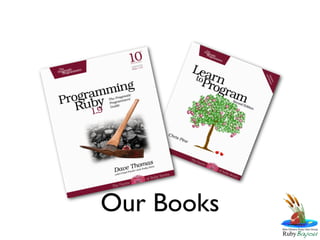
Our Books
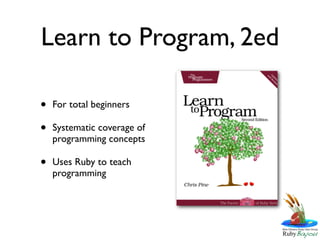
Learn to Program, 2ed

•   For total beginners

•   Systematic coverage of
    programming concepts

•   Uses Ruby to teach
    programming
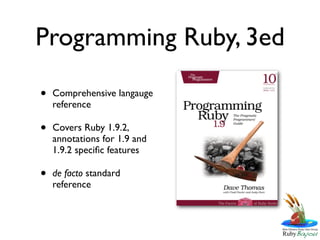
Programming Ruby, 3ed

•   Comprehensive langauge
    reference

•   Covers Ruby 1.9.2,
    annotations for 1.9 and
    1.9.2 specific features

•   de facto standard
    reference
Language Crashing
  Learning the basics in pieces
Objects vs Classes

• An Object is a discreet thing
• You can do things to Objects
• Classes tell you how to build Objects
• Classes in Ruby are also Objects
Objects vs Classes
• A Car is a Class
• My Car is an Object
• My Car has lots of things in common with
  other cars
• So, My Car is a Car
• But, Not every Car is My Car
Everything is an Object


• In Ruby everything is an object
• This means you can do things to everything
  you come across.
Everything has a Class

• Because everything is an Object, everything
  also has a class
• An Object’s class is often referred to as it’s
  Type
Duck Typing

• Ruby is Duck Typed
• This means that when you encounter an
  Object in Ruby, what you can do to it
  determines it’s type
• Ruby’s “Type Model” is concerned with
  what you can do with Objects
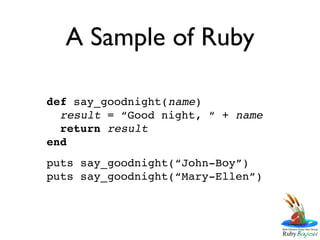
A Sample of Ruby

def say_goodnight(name)
  result = “Good night, “ + name
  return result
end
puts say_goodnight(“John-Boy”)
puts say_goodnight(“Mary-Ellen”)
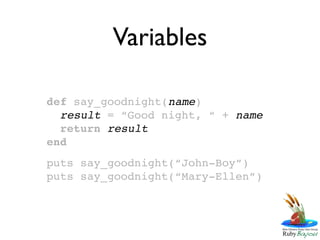
Variables

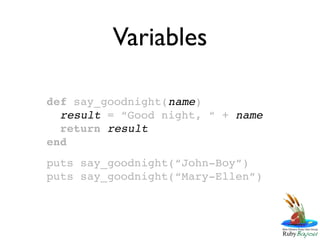
def say_goodnight(name)
  result = “Good night, “ + name
  return result
end
puts say_goodnight(“John-Boy”)
puts say_goodnight(“Mary-Ellen”)
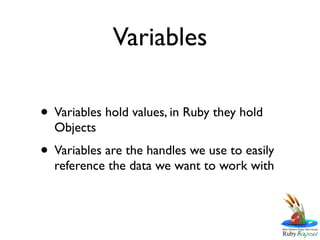
Variables

• Variables hold values, in Ruby they hold
  Objects
• Variables are the handles we use to easily
  reference the data we want to work with
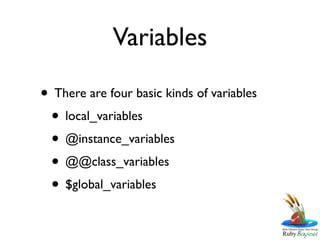
Variables

• There are four basic kinds of variables
 • local_variables
 • @instance_variables
 • @@class_variables
 • $global_variables
Variables

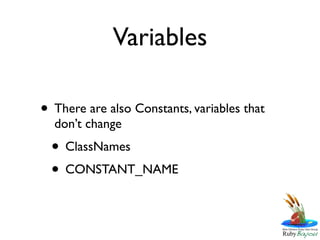
• There are also Constants, variables that
  don’t change
  • ClassNames
  • CONSTANT_NAME
Variables

def say_goodnight(name)
  result = “Good night, “ + name
  return result
end
puts say_goodnight(“John-Boy”)
puts say_goodnight(“Mary-Ellen”)
Strings

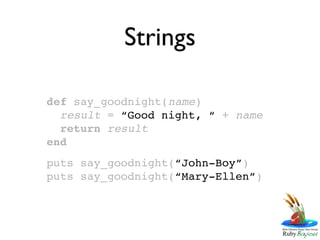
def say_goodnight(name)
  result = “Good night, “ + name
  return result
end
puts say_goodnight(“John-Boy”)
puts say_goodnight(“Mary-Ellen”)
Strings

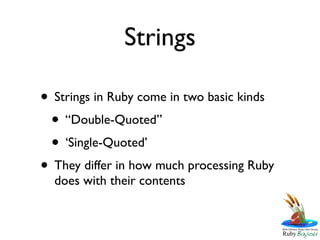
• Strings in Ruby come in two basic kinds
 • “Double-Quoted”
 • ‘Single-Quoted’
• They differ in how much processing Ruby
  does with their contents
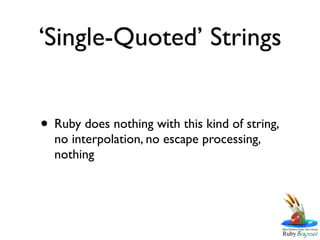
‘Single-Quoted’ Strings


• Ruby does nothing with this kind of string,
  no interpolation, no escape processing,
  nothing
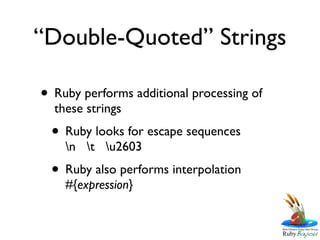
“Double-Quoted” Strings

• Ruby performs additional processing of
  these strings
 • Ruby looks for escape sequences
    n t u2603
 • Ruby also performs interpolation
    #{expression}
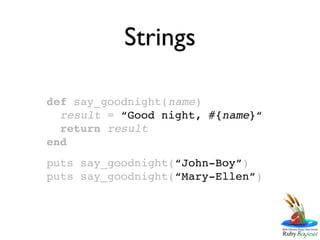
Strings

def say_goodnight(name)
  result = “Good night, #{name}“
  return result
end
puts say_goodnight(“John-Boy”)
puts say_goodnight(“Mary-Ellen”)
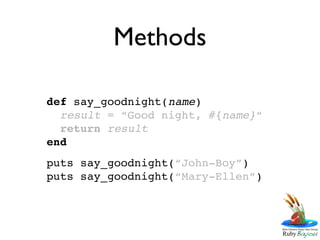
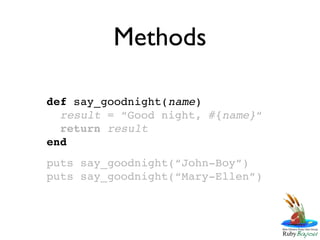
Methods

def say_goodnight(name)
  result = “Good night, #{name}“
  return result
end
puts say_goodnight(“John-Boy”)
puts say_goodnight(“Mary-Ellen”)
Methods

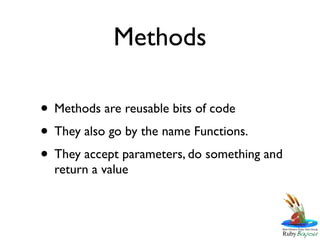
• Methods are reusable bits of code
• They also go by the name Functions.
• They accept parameters, do something and
  return a value
Methods


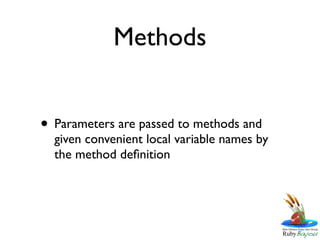
• Parameters are passed to methods and
  given convenient local variable names by
  the method definition
Methods

def say_goodnight(name)
  result = “Good night, #{name}“
  return result
end
puts say_goodnight(“John-Boy”)
puts say_goodnight(“Mary-Ellen”)
Methods


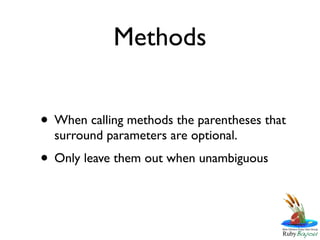
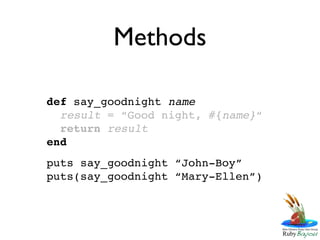
• When calling methods the parentheses that
  surround parameters are optional.
• Only leave them out when unambiguous
Methods

def say_goodnight name
  result = “Good night, #{name}“
  return result
end
puts say_goodnight “John-Boy”
puts(say_goodnight “Mary-Ellen”)
Methods

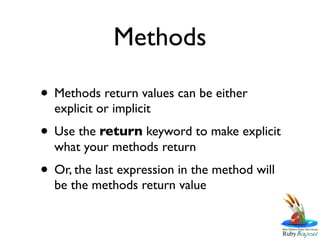
• Methods return values can be either
  explicit or implicit
• Use the return keyword to make explicit
  what your methods return
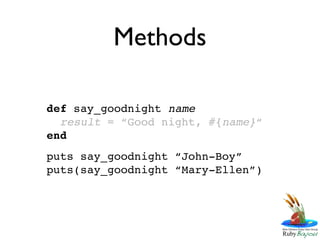
• Or, the last expression in the method will
  be the methods return value
Methods

def say_goodnight name
  result = “Good night, #{name}“
end
puts say_goodnight “John-Boy”
puts(say_goodnight “Mary-Ellen”)
Our Simplified Sample

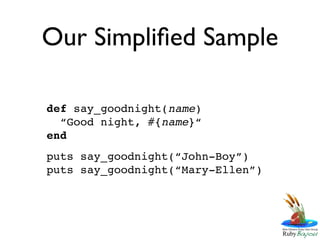
def say_goodnight(name)
  “Good night, #{name}“
end
puts say_goodnight(“John-Boy”)
puts say_goodnight(“Mary-Ellen”)
Reviewing

• Objects vs. Classes
• Duck Typing
• Variables
• Strings
• Methods
For Next Week
For the New to Programming
• Read Chapters 2, 3 & 4 in LtP
• Complete exercises for each chapter
For Everyone

• Read Chapter 2 in PR1.9
• Keep playing in IRB
Next Week

• Arrays & Hashes
• Symbols
• Control Structures
• Regular Expressions
• Blocks & Iterators

Learn Ruby 2011 - Session 2

  • 1.
  • 2.
  • 3.
    Welcome Back Readyto learn some Ruby?
  • 4.
  • 5.
    Learn to Program,2ed • For total beginners • Systematic coverage of programming concepts • Uses Ruby to teach programming
  • 6.
    Programming Ruby, 3ed • Comprehensive langauge reference • Covers Ruby 1.9.2, annotations for 1.9 and 1.9.2 specific features • de facto standard reference
  • 7.
    Language Crashing Learning the basics in pieces
  • 8.
    Objects vs Classes •An Object is a discreet thing • You can do things to Objects • Classes tell you how to build Objects • Classes in Ruby are also Objects
  • 9.
    Objects vs Classes •A Car is a Class • My Car is an Object • My Car has lots of things in common with other cars • So, My Car is a Car • But, Not every Car is My Car
  • 10.
    Everything is anObject • In Ruby everything is an object • This means you can do things to everything you come across.
  • 11.
    Everything has aClass • Because everything is an Object, everything also has a class • An Object’s class is often referred to as it’s Type
  • 12.
    Duck Typing • Rubyis Duck Typed • This means that when you encounter an Object in Ruby, what you can do to it determines it’s type • Ruby’s “Type Model” is concerned with what you can do with Objects
  • 13.
    A Sample ofRuby def say_goodnight(name) result = “Good night, “ + name return result end puts say_goodnight(“John-Boy”) puts say_goodnight(“Mary-Ellen”)
  • 14.
    Variables def say_goodnight(name) result = “Good night, “ + name return result end puts say_goodnight(“John-Boy”) puts say_goodnight(“Mary-Ellen”)
  • 15.
    Variables • Variables holdvalues, in Ruby they hold Objects • Variables are the handles we use to easily reference the data we want to work with
  • 16.
    Variables • There arefour basic kinds of variables • local_variables • @instance_variables • @@class_variables • $global_variables
  • 17.
    Variables • There arealso Constants, variables that don’t change • ClassNames • CONSTANT_NAME
  • 18.
    Variables def say_goodnight(name) result = “Good night, “ + name return result end puts say_goodnight(“John-Boy”) puts say_goodnight(“Mary-Ellen”)
  • 19.
    Strings def say_goodnight(name) result = “Good night, “ + name return result end puts say_goodnight(“John-Boy”) puts say_goodnight(“Mary-Ellen”)
  • 20.
    Strings • Strings inRuby come in two basic kinds • “Double-Quoted” • ‘Single-Quoted’ • They differ in how much processing Ruby does with their contents
  • 21.
    ‘Single-Quoted’ Strings • Rubydoes nothing with this kind of string, no interpolation, no escape processing, nothing
  • 22.
    “Double-Quoted” Strings • Rubyperforms additional processing of these strings • Ruby looks for escape sequences n t u2603 • Ruby also performs interpolation #{expression}
  • 23.
    Strings def say_goodnight(name) result = “Good night, #{name}“ return result end puts say_goodnight(“John-Boy”) puts say_goodnight(“Mary-Ellen”)
  • 24.
    Methods def say_goodnight(name) result = “Good night, #{name}“ return result end puts say_goodnight(“John-Boy”) puts say_goodnight(“Mary-Ellen”)
  • 25.
    Methods • Methods arereusable bits of code • They also go by the name Functions. • They accept parameters, do something and return a value
  • 26.
    Methods • Parameters arepassed to methods and given convenient local variable names by the method definition
  • 27.
    Methods def say_goodnight(name) result = “Good night, #{name}“ return result end puts say_goodnight(“John-Boy”) puts say_goodnight(“Mary-Ellen”)
  • 28.
    Methods • When callingmethods the parentheses that surround parameters are optional. • Only leave them out when unambiguous
  • 29.
    Methods def say_goodnight name result = “Good night, #{name}“ return result end puts say_goodnight “John-Boy” puts(say_goodnight “Mary-Ellen”)
  • 30.
    Methods • Methods returnvalues can be either explicit or implicit • Use the return keyword to make explicit what your methods return • Or, the last expression in the method will be the methods return value
  • 31.
    Methods def say_goodnight name result = “Good night, #{name}“ end puts say_goodnight “John-Boy” puts(say_goodnight “Mary-Ellen”)
  • 32.
    Our Simplified Sample defsay_goodnight(name) “Good night, #{name}“ end puts say_goodnight(“John-Boy”) puts say_goodnight(“Mary-Ellen”)
  • 33.
    Reviewing • Objects vs.Classes • Duck Typing • Variables • Strings • Methods
  • 34.
    For Next Week Forthe New to Programming • Read Chapters 2, 3 & 4 in LtP • Complete exercises for each chapter For Everyone • Read Chapter 2 in PR1.9 • Keep playing in IRB
  • 35.
    Next Week • Arrays& Hashes • Symbols • Control Structures • Regular Expressions • Blocks & Iterators