Leap ahead with 
Windows 10 
Akshay Dixit, Microsoft Consultant 
akshaydixit@live.com |akshaydixit.net
What is Windows 10. 
Windows 10 is an upcoming version of 
the Microsoft Windows operating system. 
Unveiled on September 30, 2014. 
Scheduled to be released in late 2015. 
6.4.9879 - November 12, 2014
New Additions 
Start Screen 
Universal Apps 
Continuum 
Task View & Search 
Cortana for Desktop 
NT kernel 10.0 
Notification Center
Start Screen 
 Windows 8 style start screen is gone. 
 Start Menu looks more familiar to windows 7 and XP 
 Touch Screen shall remain default for Touch Screens. 
 Live tiles on menu – quick glace- handy and resizable 
 Traditional programming list, jump lists, on hover. 
 Modern styled icons. 
 “This PC” is now called “Home” 
 All Apps Button, My Account Button, Power Buttons in Start Screen. 
 No learning curve for windows 7, XP or 8 users.
Application Environment 
 Apps now run in Windows. (say windows of windows) 
 Developers don’t need to develop for all platforms. 
 Dream of Universal Apps is now being realized. 
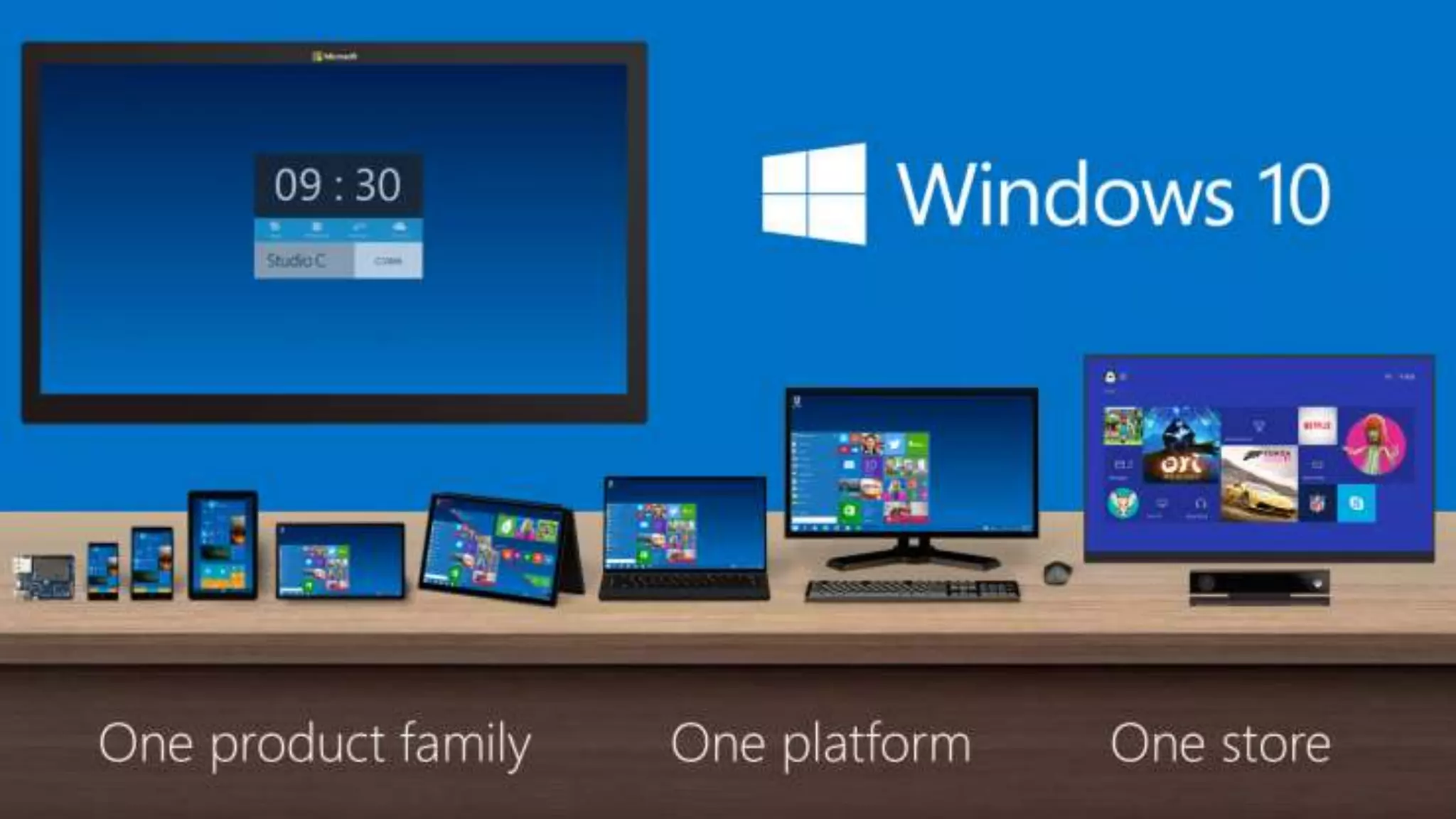
 Same apps will run on XBOX, Phone, Tablets, PCs, 
Datacenter and IOT 
 Thinner borders, Newer animations, Shadows. 
 Charms bar to be replaced by app menu. 
 Snap using Keyboard.
Multitasking 
 Task View Button 
 Virtual Desktop / Virtual Work Space for 
 >> Clutter Free 
 >> Visuals to demarcate between current desktop 
and VD. 
 Almighty Alt + Tab 
 Fast Snapping – Excellent for 4k Displays
Other features 
Selective Sync for OneDrive 
Notification center 
 Clear All with single swipe 
 Get all notifications under one hood 
Command Prompt gets refreshed. 
 Flexible Window 
 Keyboard Shortcuts are available
How to get started 
Installation 
Insider Program 
http://Insider.Microsoft.com/ 
Joining update Circle 
Feedback
Windows NT Kernel 10.0 
Mega Jump from 6.3 to 10. 
Hybrid - For all platform 
16 GB drive 
1 GB RAM 
1 GHZ Processor
Installation 
 Step 1: Join the Windows Insider program and download 
the Windows 10 ISO image 
 Step 2: If you are installing on a regular PC, Burn it to an 
optical disk or create a bootable USB flash drive. 
Otherwise, just attach the ISO image using the virtual 
machine software of your choice. 
 Step 3: Install it mostly by clicking the Next button.
Impact 
Home User 
Business User 
Power User 
Developer
Demo
Questions
Thank You

Leap ahead with windows 10

  • 1.
    Leap ahead with Windows 10 Akshay Dixit, Microsoft Consultant akshaydixit@live.com |akshaydixit.net
  • 2.
    What is Windows10. Windows 10 is an upcoming version of the Microsoft Windows operating system. Unveiled on September 30, 2014. Scheduled to be released in late 2015. 6.4.9879 - November 12, 2014
  • 4.
    New Additions StartScreen Universal Apps Continuum Task View & Search Cortana for Desktop NT kernel 10.0 Notification Center
  • 5.
    Start Screen Windows 8 style start screen is gone.  Start Menu looks more familiar to windows 7 and XP  Touch Screen shall remain default for Touch Screens.  Live tiles on menu – quick glace- handy and resizable  Traditional programming list, jump lists, on hover.  Modern styled icons.  “This PC” is now called “Home”  All Apps Button, My Account Button, Power Buttons in Start Screen.  No learning curve for windows 7, XP or 8 users.
  • 6.
    Application Environment Apps now run in Windows. (say windows of windows)  Developers don’t need to develop for all platforms.  Dream of Universal Apps is now being realized.  Same apps will run on XBOX, Phone, Tablets, PCs, Datacenter and IOT  Thinner borders, Newer animations, Shadows.  Charms bar to be replaced by app menu.  Snap using Keyboard.
  • 7.
    Multitasking  TaskView Button  Virtual Desktop / Virtual Work Space for  >> Clutter Free  >> Visuals to demarcate between current desktop and VD.  Almighty Alt + Tab  Fast Snapping – Excellent for 4k Displays
  • 8.
    Other features SelectiveSync for OneDrive Notification center  Clear All with single swipe  Get all notifications under one hood Command Prompt gets refreshed.  Flexible Window  Keyboard Shortcuts are available
  • 9.
    How to getstarted Installation Insider Program http://Insider.Microsoft.com/ Joining update Circle Feedback
  • 10.
    Windows NT Kernel10.0 Mega Jump from 6.3 to 10. Hybrid - For all platform 16 GB drive 1 GB RAM 1 GHZ Processor
  • 11.
    Installation  Step1: Join the Windows Insider program and download the Windows 10 ISO image  Step 2: If you are installing on a regular PC, Burn it to an optical disk or create a bootable USB flash drive. Otherwise, just attach the ISO image using the virtual machine software of your choice.  Step 3: Install it mostly by clicking the Next button.
  • 12.
    Impact Home User Business User Power User Developer
  • 13.
  • 14.
  • 15.