Library Orientation
Anthea Paulsen Elizabeth Moll
anthea.paulsen@uct.ac.za elizabeth.moll@uct.ac.za
021 650 1261 021 650 5691
This work is licensed under a Creative CommonsAttribution-NonCommercial 4.0 International License.
Course outcomes
•Staff introduction
•Overview of Library
•Library rules and privileges
Library
•How to navigate the library page
•Accessing from off campus
•Accessing self-help tools
•Interlibrary loans
Access Materials and
Help
•Finding books on Aleph
•Using Cardiff’s Index
•Using the e-Journal portal to
find articles
•Finding theses at UCT
Finding books, journals
and theses
•LexisNexis overview
•Juta overview
•SAFLII overview
Using SA Legal
Databases
•Westlaw overview
•HeinOnline overview
•LexisNexis Academic overview
Using Foreign Law
databases
Physical library
and
Electronic library
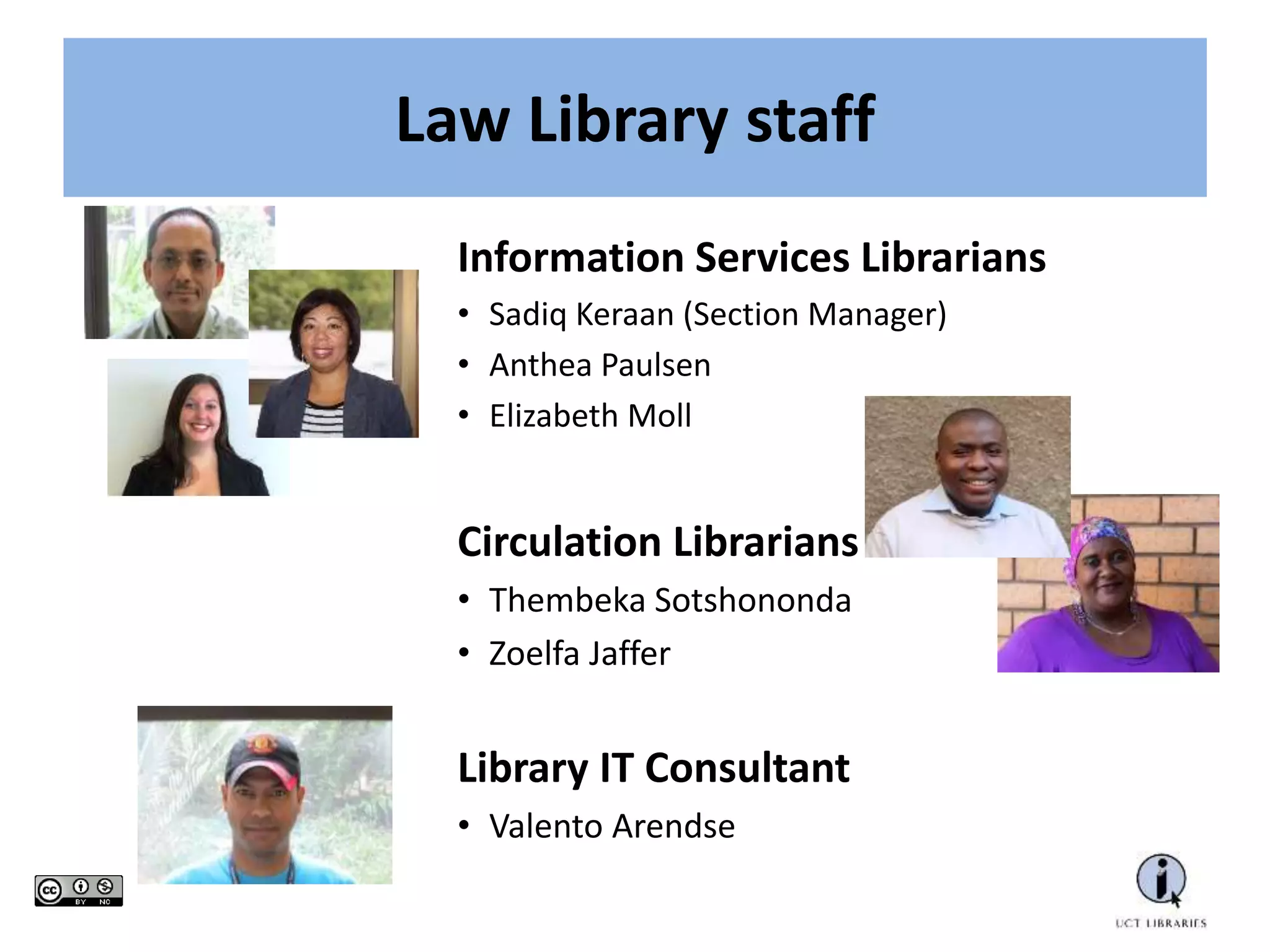
Law Library staff
Information Services Librarians
• Sadiq Keraan (Section Manager)
• Anthea Paulsen
• Elizabeth Moll
Circulation Librarians
• Thembeka Sotshononda
• Zoelfa Jaffer
Library IT Consultant
• Valento Arendse
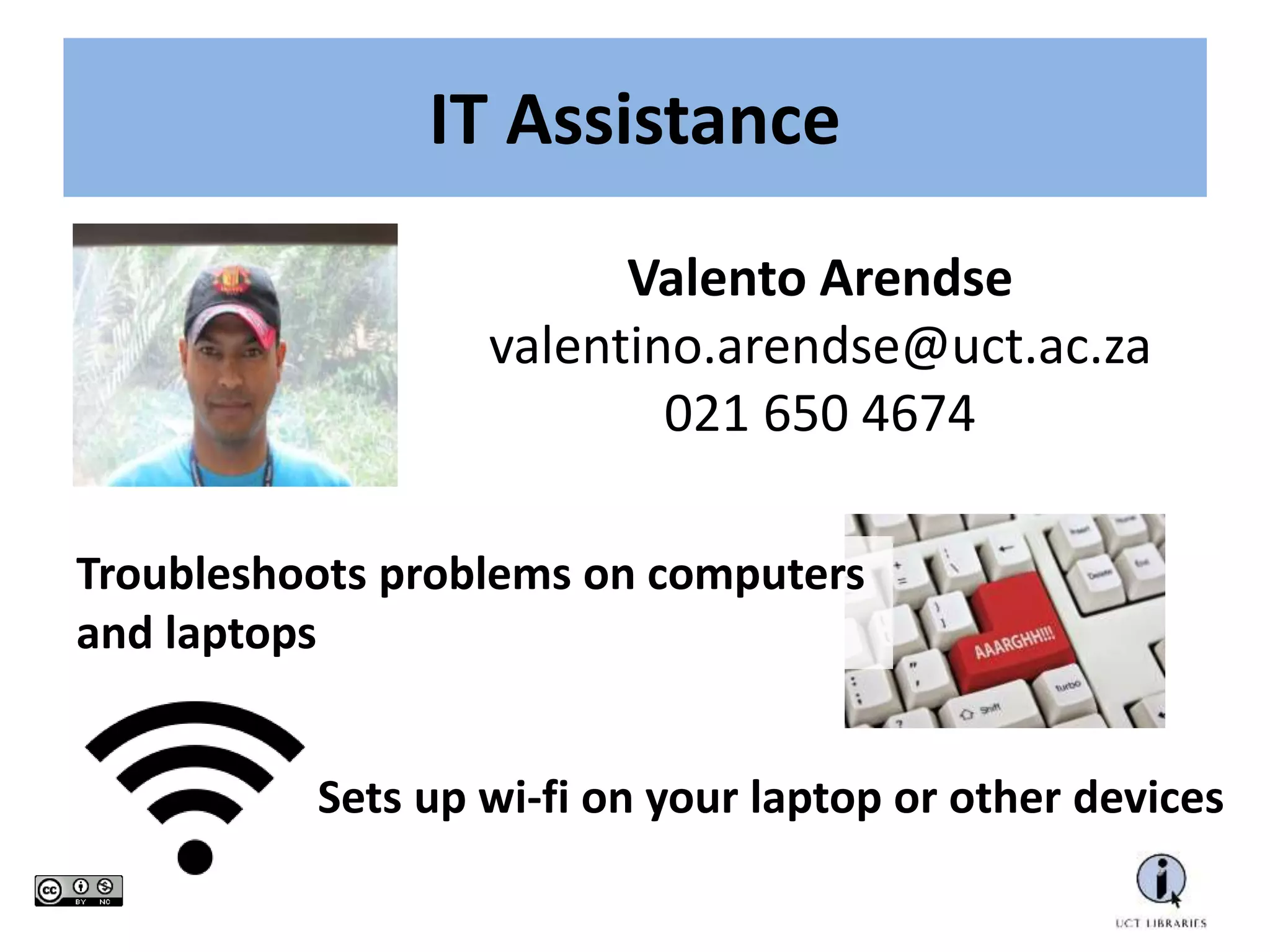
IT Assistance
Valento Arendse
valentino.arendse@uct.ac.za
021 650 4674
Troubleshoots problems on computers
and laptops
Sets up wi-fi on your laptop or other devices
NEED TO CHANGE YOUR PASSWORD?
Due to tighter security measures, our IT consultant can no
longer change passwords.
Solutions?
1. Please try to change your password yourself at
www.password.uct.ac.za.
2. If this fails, call the ICTS Helpdesk (021 650 4500)
3. If THAT fails, then see the ICTS Front Office (021 650 3032),
Computer Science building (opposite food court), upper campus.
Monday-Friday. 8am-4.30pm (Thursday closes 3.30pm)
3. Or photocopy your ID and student card, then certify and email
the copy to icts-helpdesk@uct.ac.za.
Term time
Mon-Thu: 8am-10pm
Fri: 8am-5pm
Sat: 9am-5pm
Examination period
Mon-Thu: 8am-11pm
Fri: 8am-5pm
Sat: 9am-5pm
Sun: 10am-5pm
Long vacation
Mon-Fri: 8.30am-5pm
Sat: 9am-12pm
Opening Hours
Library Access
Entry to the Library is by student card only
You need your card to:
Print, photocopy and scan Borrow materials from the library
What you will find in the library
Materials
• Books
• Journals
• Law Reports
• Reference Works
Facilities
• Study Spaces: Open, Group, Individual
• Postgraduate Research Commons
• Computers, Printing, Photocopying and Scanning
Circulation
Reference
and Law
Reports
Stairs Stairs
PG
Common
s
Training
Room
Print
Group
Study
Journals
Antiquarian
Collection
Open
Shelves
Books
Open
Shelves
Books
IT
Carrel
Carrel
Carrel
Short Loans Centre
GroupLegislation
Entrance
Print
Print
Top Floor (Level 2) Bottom Floor (Level 1)
Librarians
Security
Study Space
Study Space
Study Space
Study
Space
Work Space
Leisure
Where to find it in the library
Borrowing materials
Fines:
Short loan - R2 per item per hour
Regular loan - R2 per item per day
Lost material - R250.00 per item
Postgraduates: 12 books for 35 days
Short loan: 3 items for 3 hours or overnight use
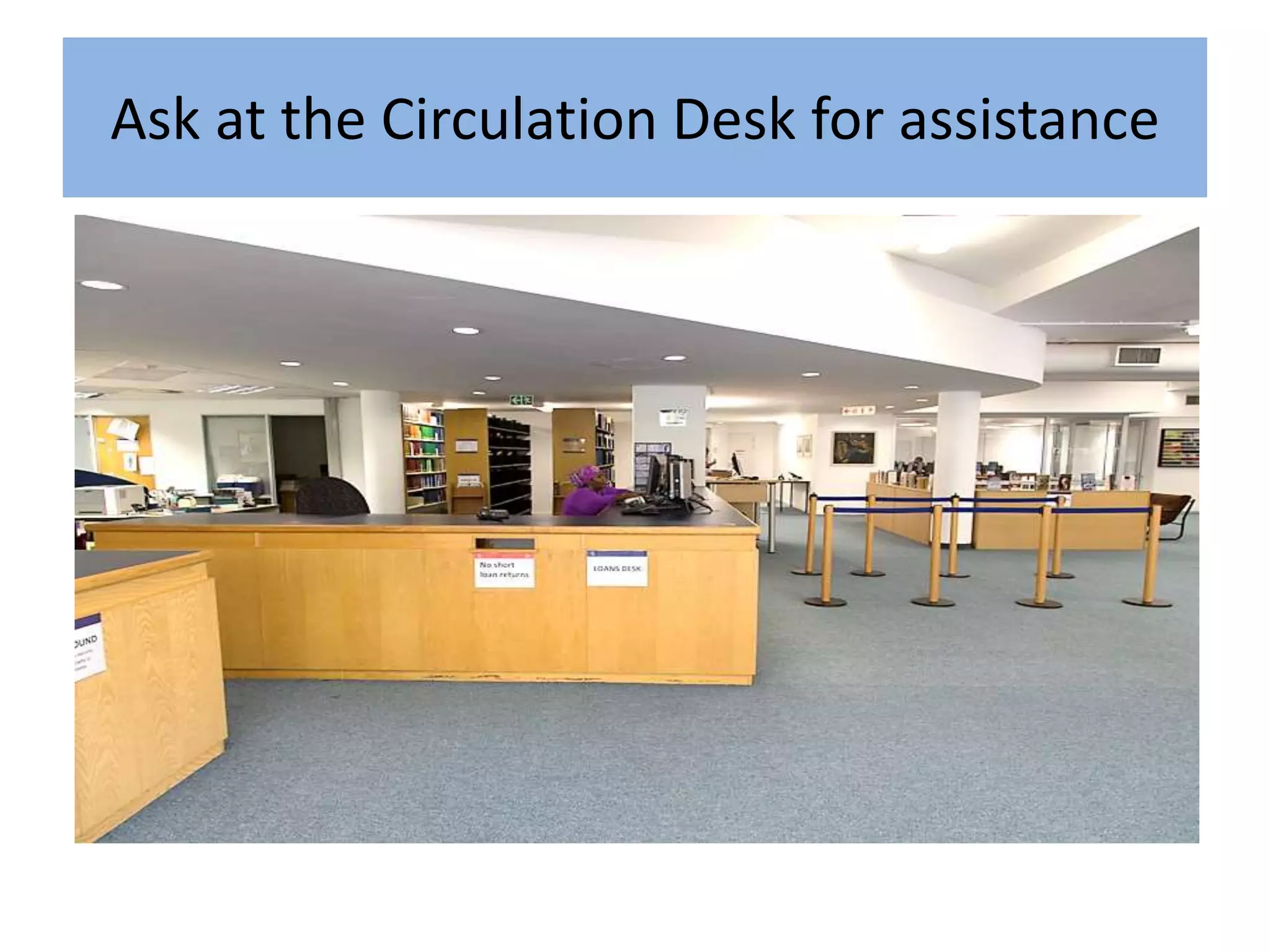
Ask at the Circulation Desk for assistance
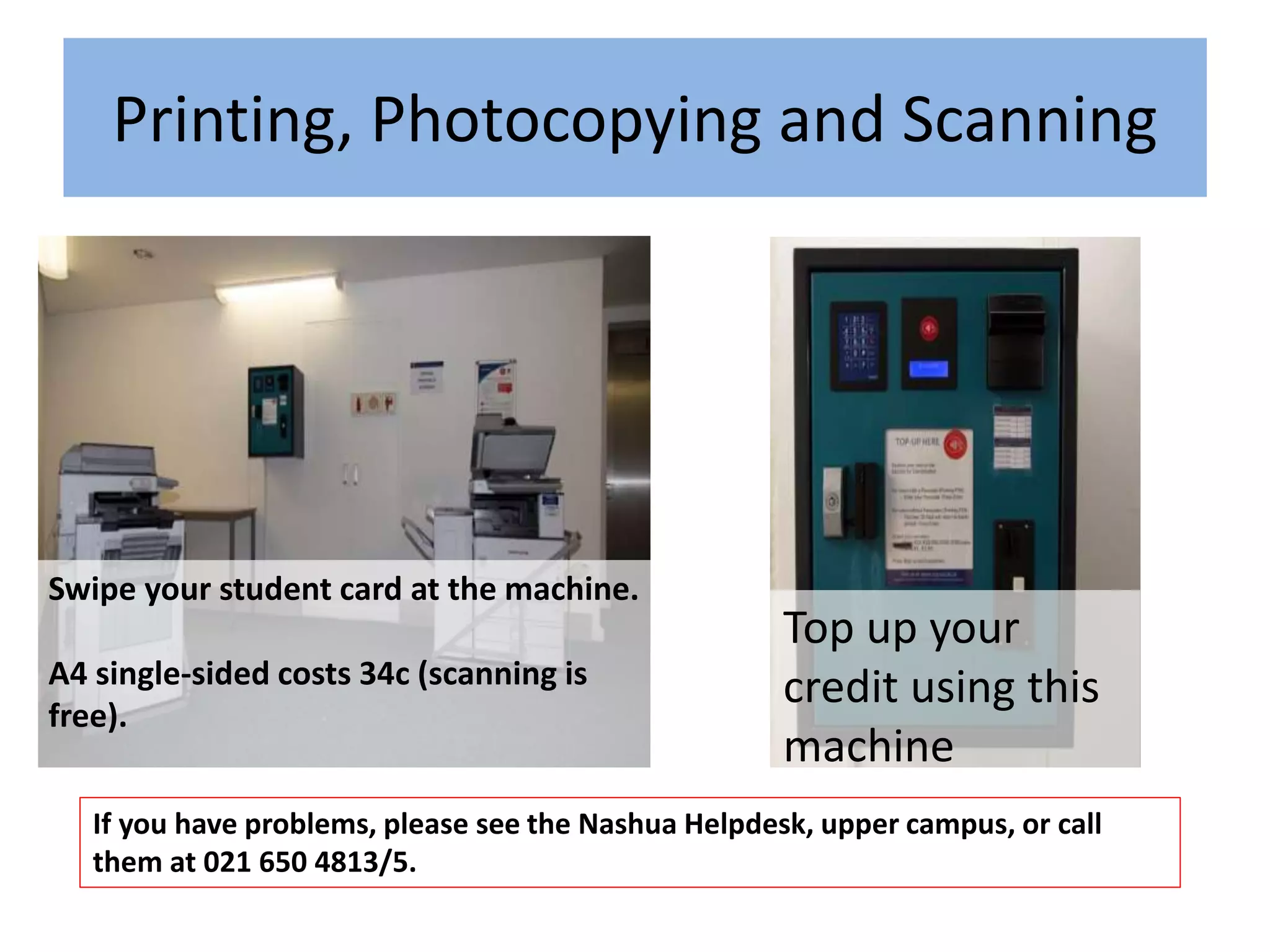
Swipe your student card at the machine.
A4 single-sided costs 34c (scanning is
free).
If you have problems, please see the Nashua Helpdesk, upper campus, or call
them at 021 650 4813/5.
Top up your
credit using this
machine
Printing, Photocopying and Scanning
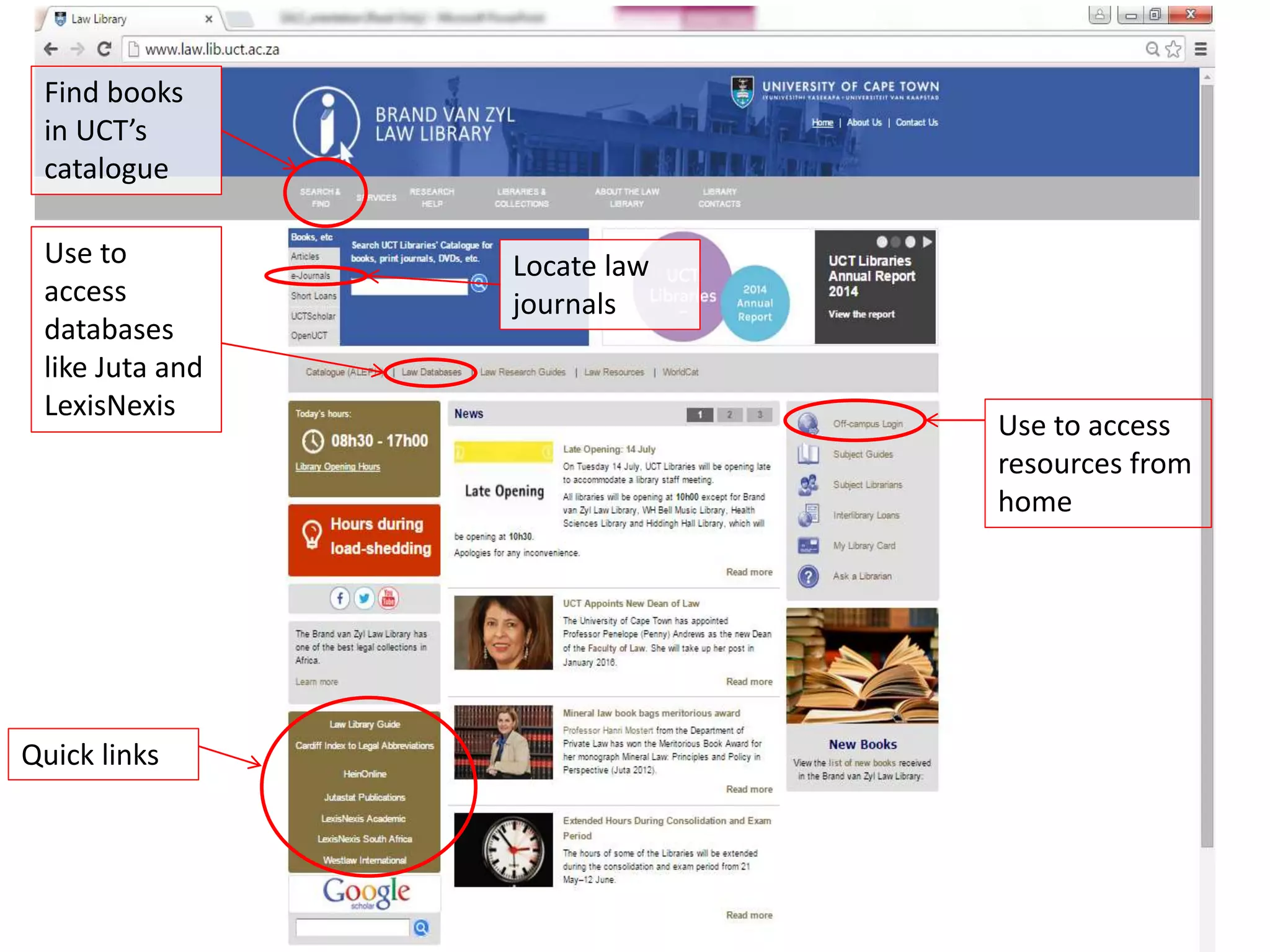
UCT Law Library Homepage www.law.lib.uct.ac.za
Starting Point for All Online Legal Research
Find books
in UCT’s
catalogue
Use to
access
databases
like Juta and
LexisNexis
Locate law
journals
Quick links
Use to access
resources from
home
Core SA Law Databases
Statutes, Cases, Journals
Core Foreign and International
Law Databases
Statutes, Cases, Treaties, Books, Journals,
Newspapers
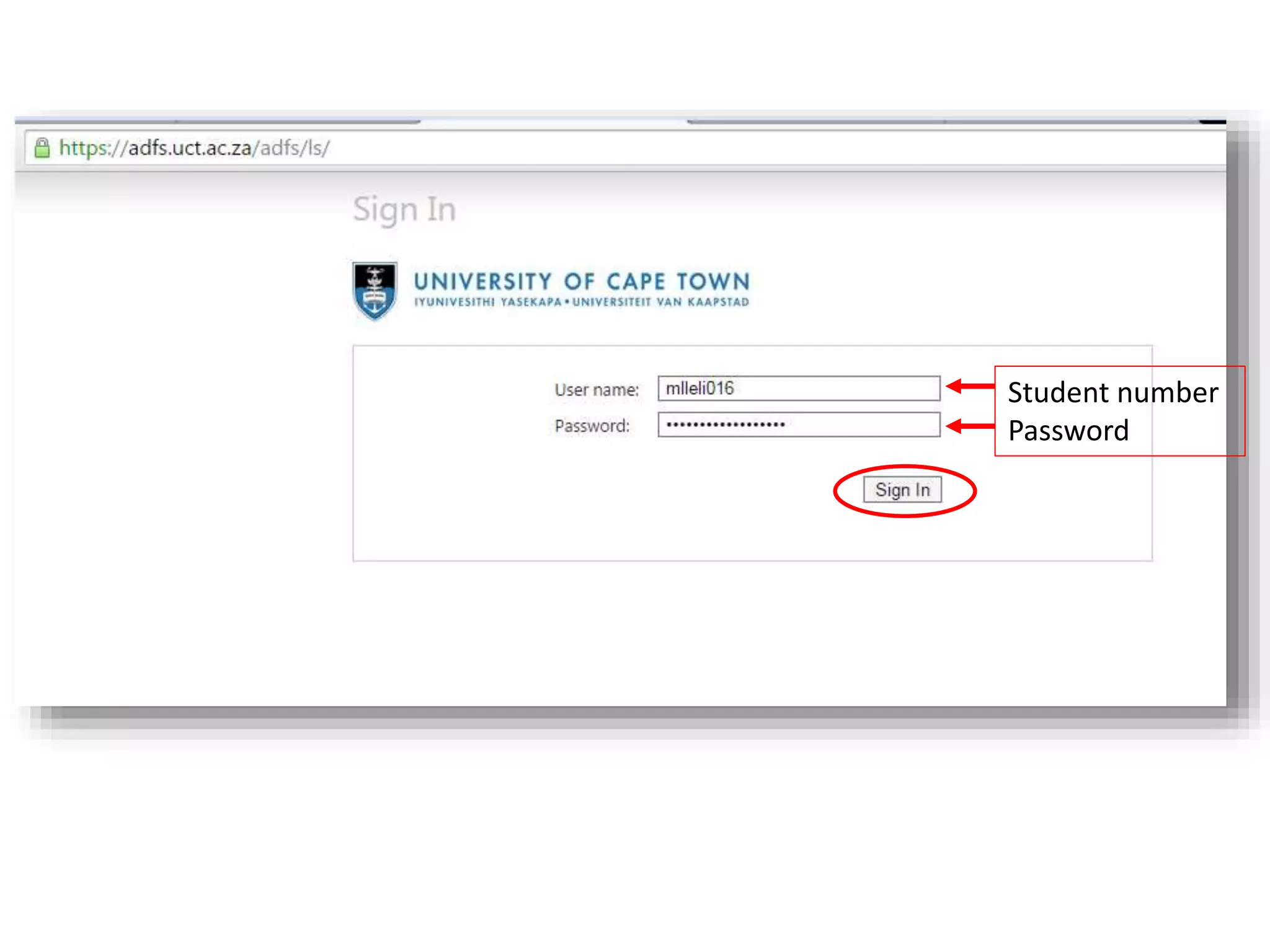
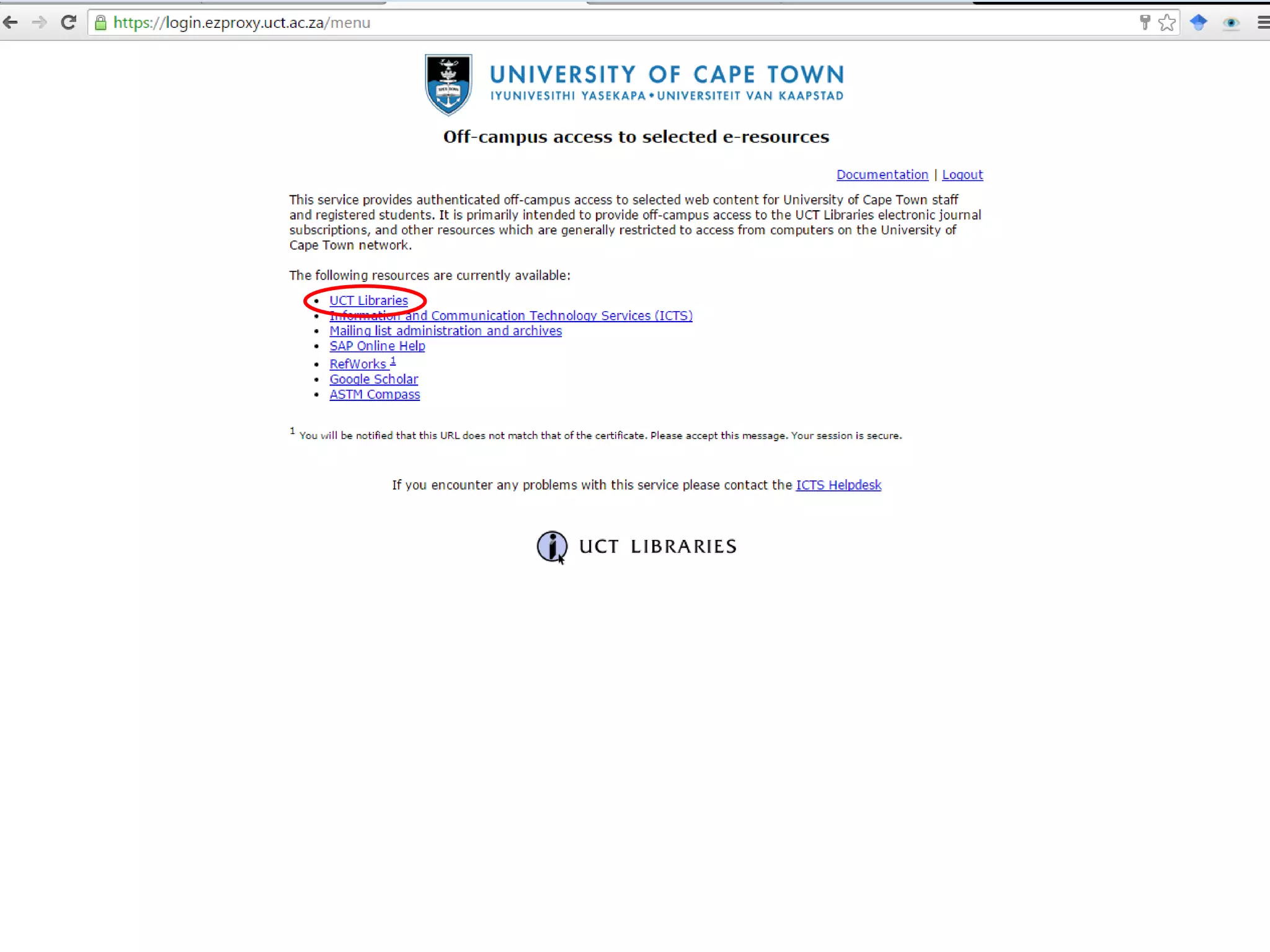
Off Campus Login
Student number
Password
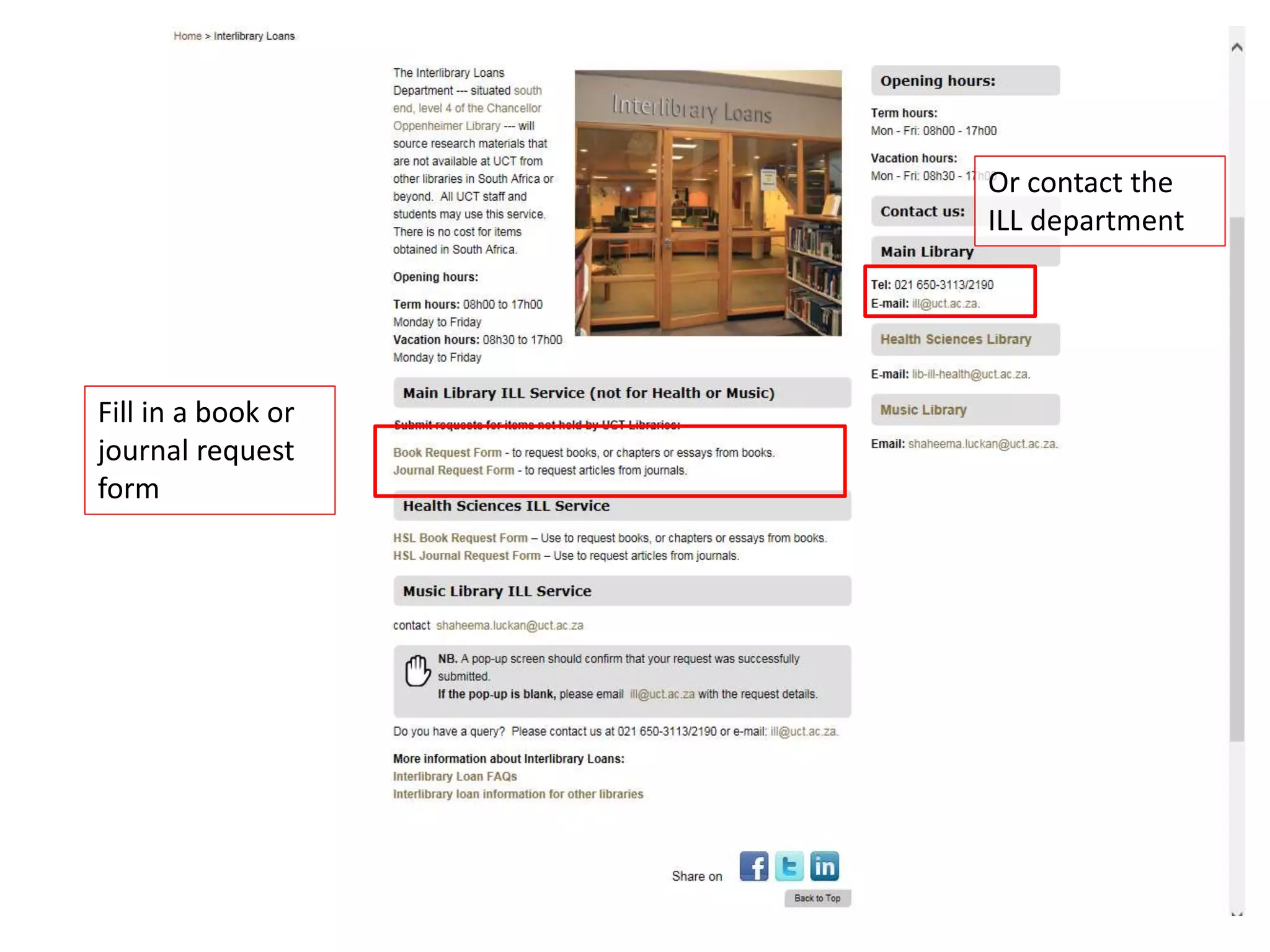
Interlibrary Loans
(for items not at UCT)
Fill in a book or
journal request
form
Or contact the
ILL department
Ask a Librarian
Use to post
questions to the
library instead of
coming into the
library to ask the
librarians
Type your own
question or see
if somebody
else has asked it
already (for a
quick answer!)
Aleph
• UCT Catalogue of books, journals that are in
the library
• Note down the shelf number of an item!
– Intellectual Property is usually shelved starting
with 346.048
You can see
whether a
book is in the
library here
This is the location
of the book – the
shelf number is
important
Finding Journals / Journal Articles
Article Citation Format:
Author Title (Year) Volume Journal Title Starting Page
Eg.
Kok, A. Is Law able to Transform Society (2010)
127 SALJ 59
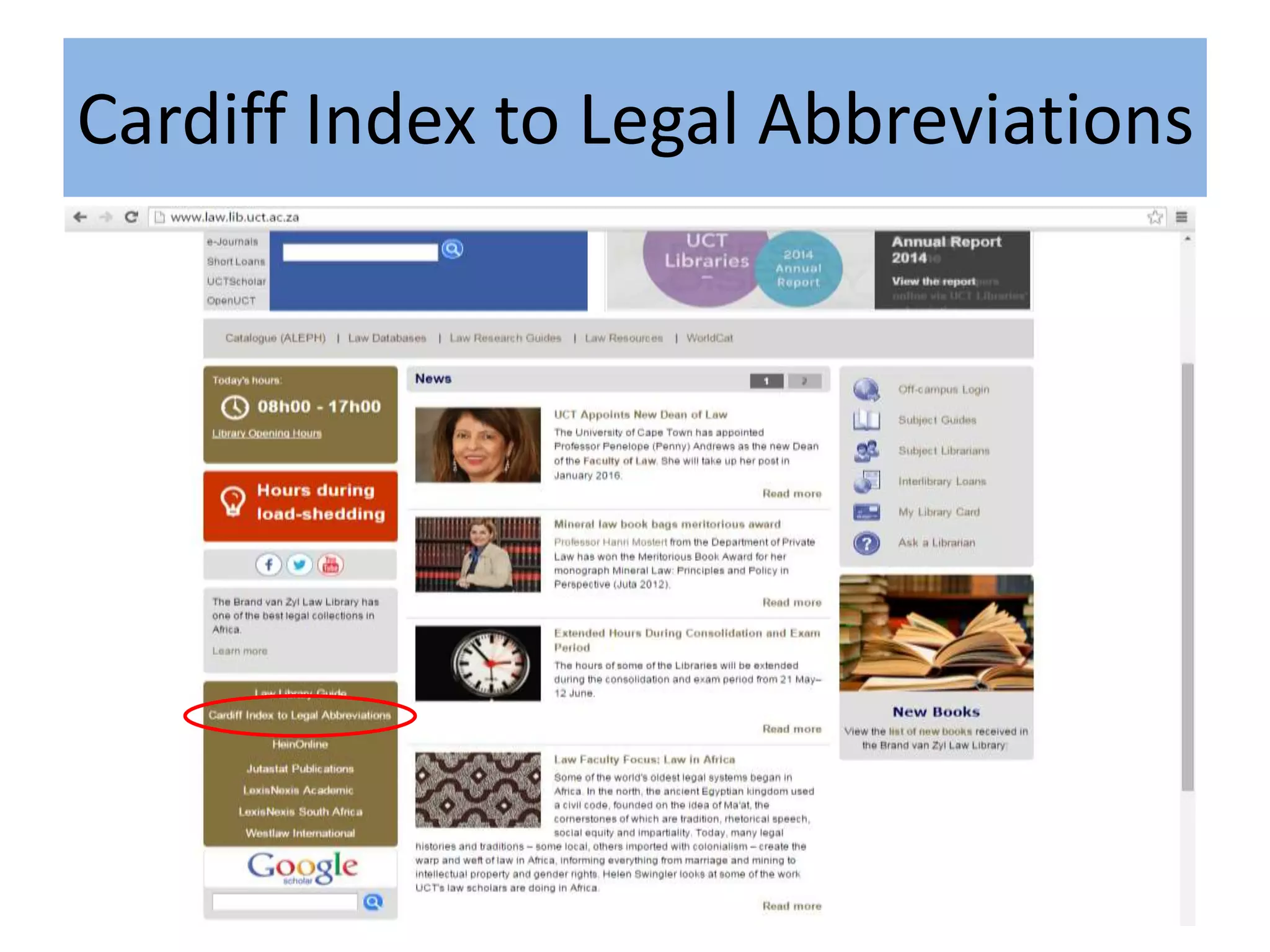
To find what ‘SALJ’ means – use Cardiff Index
Cardiff Index to Legal Abbreviations
Type in your abbreviation to get the full title
E-Journal Portal
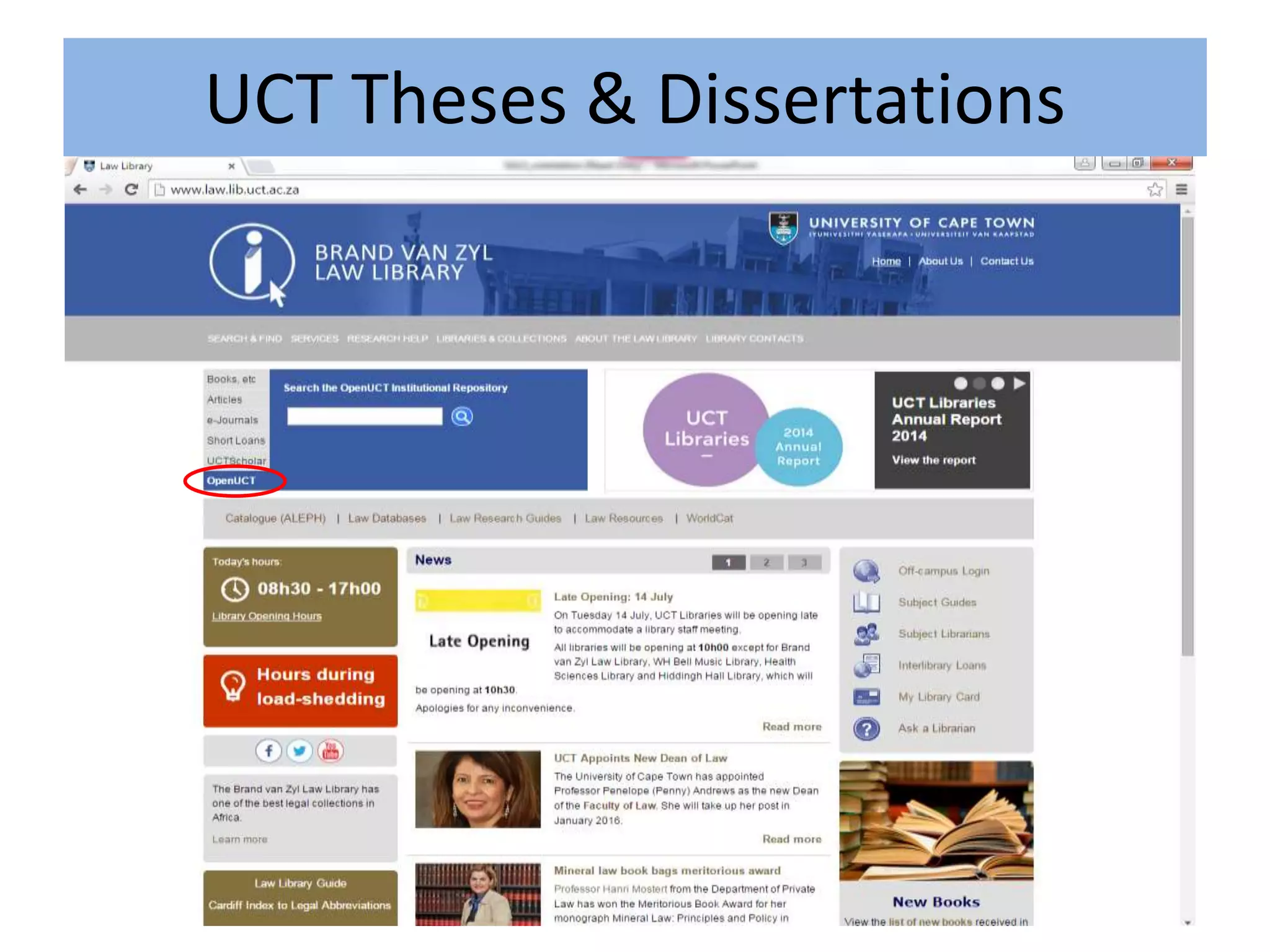
Sources for Theses
• Aleph (Catalogue) – not many left!
• University Institutional Repositories
– UCT’s one is: OpenUCT
• SA Cat – other South African Universities
UCT Theses & Dissertations
You can scroll
through the recent
submissions
Or browse by
author, topic or date
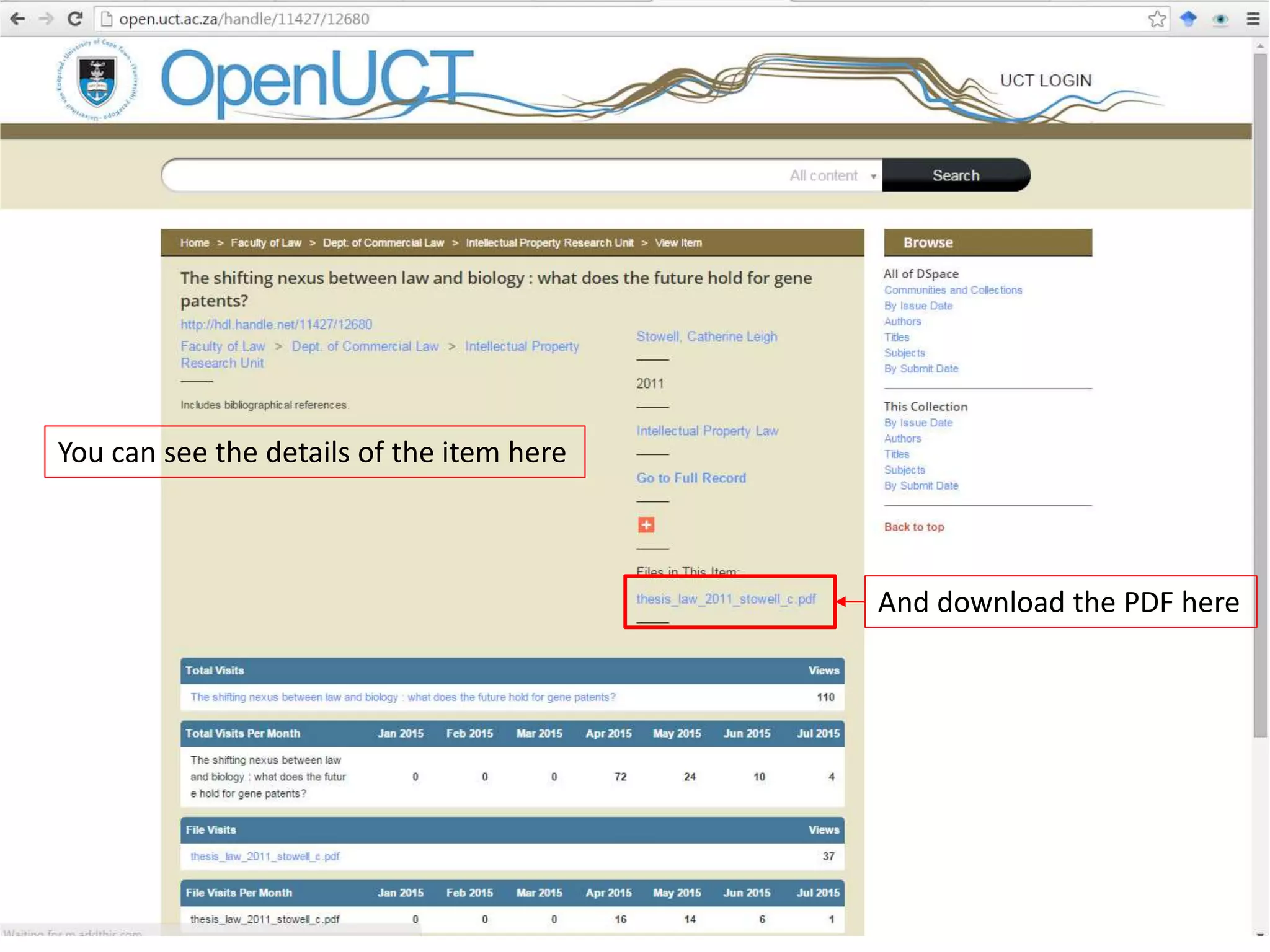
To view an item,
simply click on the
title
You can see the details of the item here
And download the PDF here
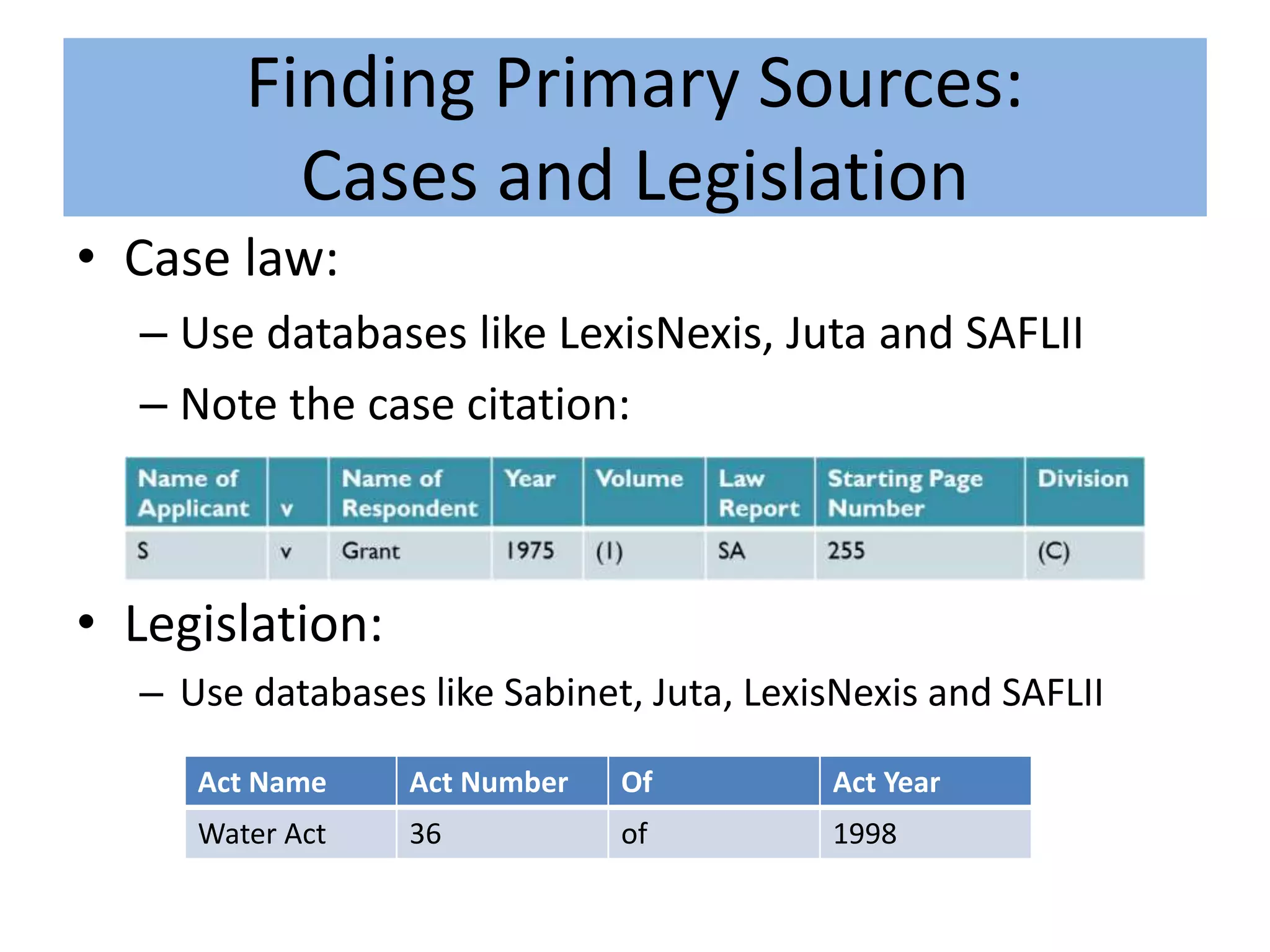
Finding Primary Sources:
Cases and Legislation
• Case law:
– Use databases like LexisNexis, Juta and SAFLII
– Note the case citation:
• Legislation:
– Use databases like Sabinet, Juta, LexisNexis and SAFLII
Act Name Act Number Of Act Year
Water Act 36 of 1998
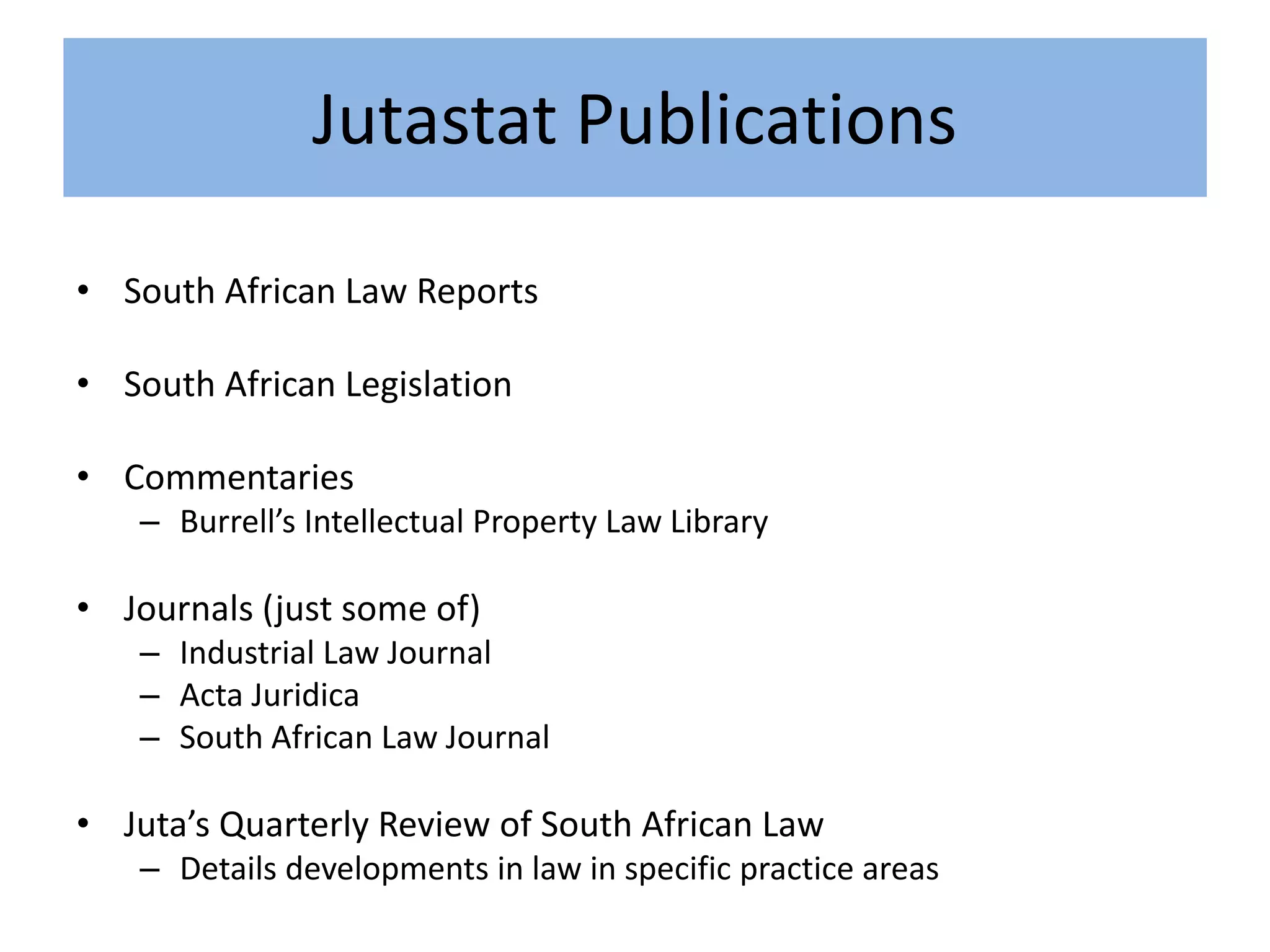
Jutastat Publications
• South African Law Reports
• South African Legislation
• Commentaries
– Burrell’s Intellectual Property Law Library
• Journals (just some of)
– Industrial Law Journal
– Acta Juridica
– South African Law Journal
• Juta’s Quarterly Review of South African Law
– Details developments in law in specific practice areas
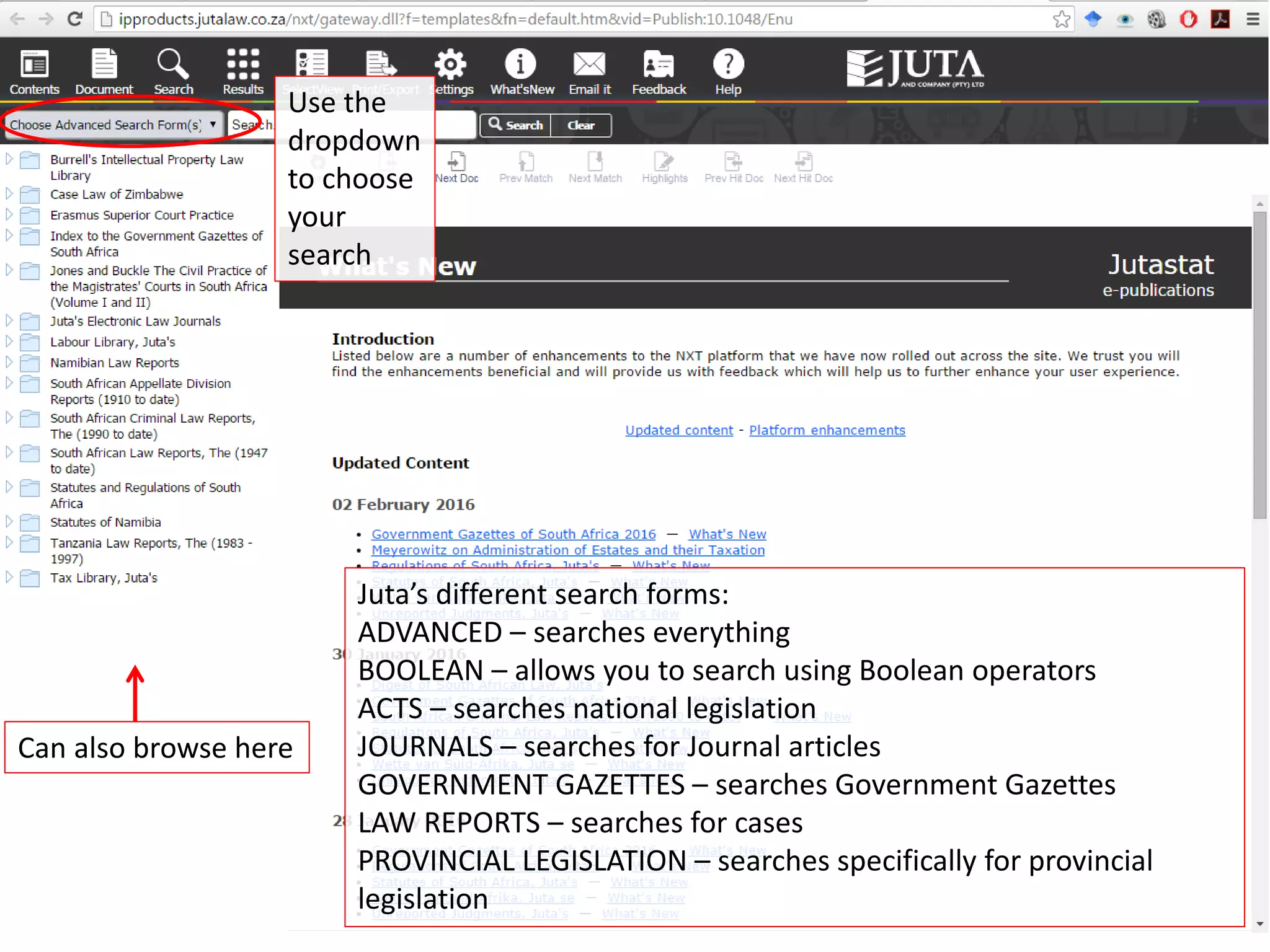
Use the
dropdown
to choose
your
search
Can also browse here
Juta’s different search forms:
ADVANCED – searches everything
BOOLEAN – allows you to search using Boolean operators
ACTS – searches national legislation
JOURNALS – searches for Journal articles
GOVERNMENT GAZETTES – searches Government Gazettes
LAW REPORTS – searches for cases
PROVINCIAL LEGISLATION – searches specifically for provincial
legislation
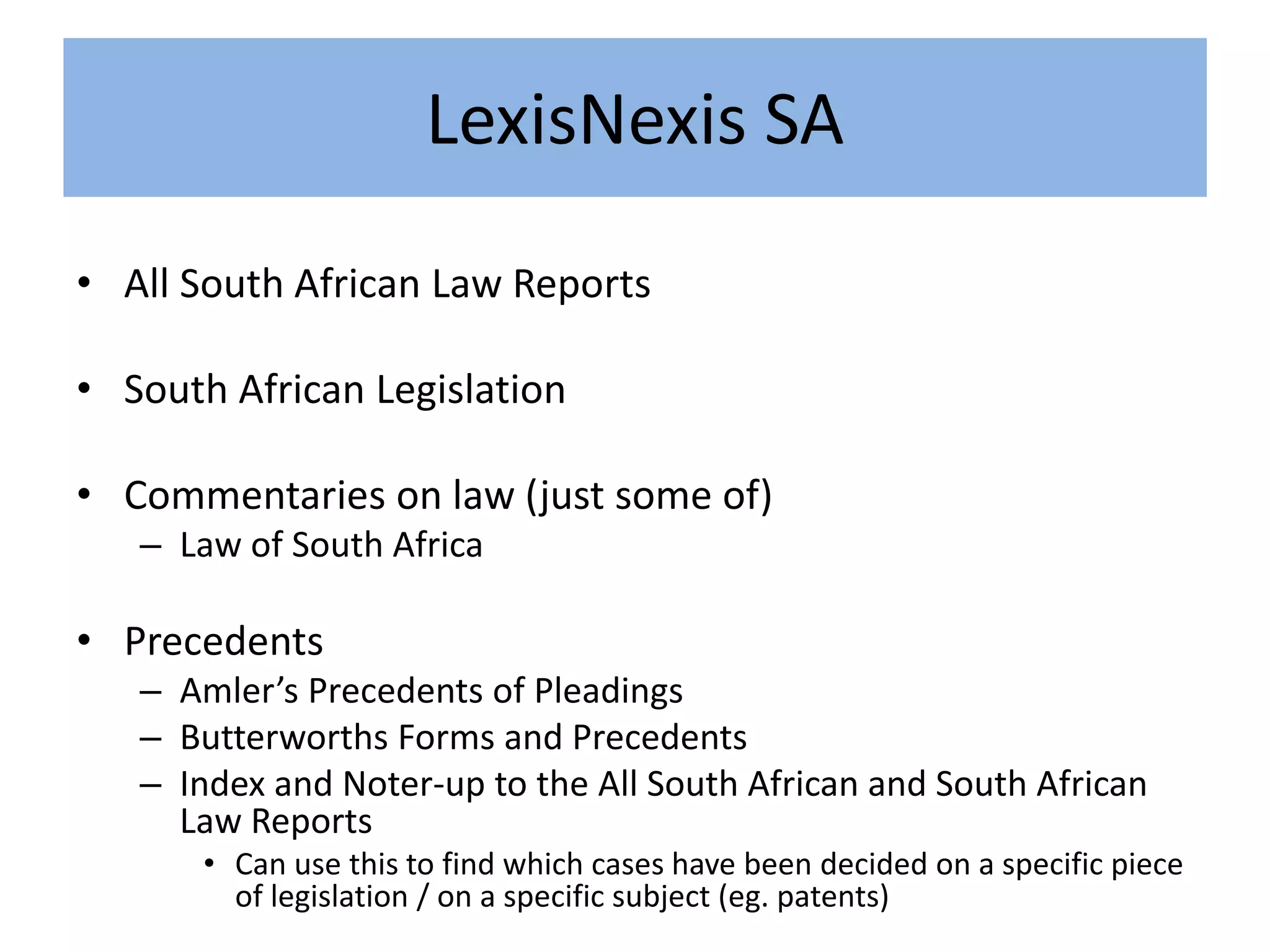
LexisNexis SA
• All South African Law Reports
• South African Legislation
• Commentaries on law (just some of)
– Law of South Africa
• Precedents
– Amler’s Precedents of Pleadings
– Butterworths Forms and Precedents
– Index and Noter-up to the All South African and South African
Law Reports
• Can use this to find which cases have been decided on a specific piece
of legislation / on a specific subject (eg. patents)
4 types of searches:
ADVANCED – searches across everything
LAW REPORT – specific case search
LEGISLATION – specific Acts search
GAZETTES ONLINE – specific
Government Gazette search
CiteIT and LawCite as a way to track
cases
• CiteIT is the tool for LexisNexis specifically –
another tool is LawCite which links to free legal
information around the world
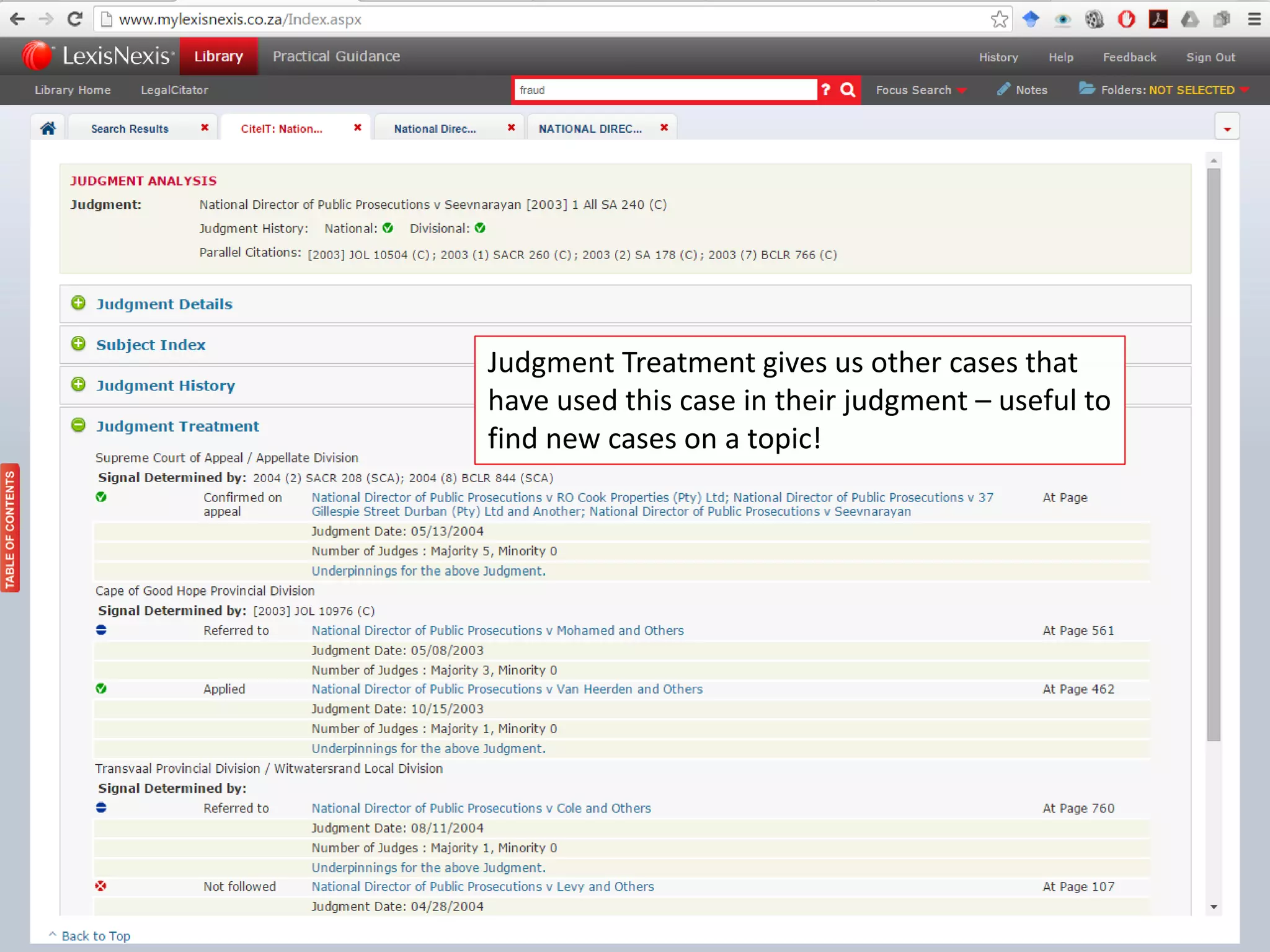
• This tracks how the cases are used in the
following way:
– Previous judgments of the same case
– Other cases applying / relying on this case
– Any applicable legal instruments applying to this case
– Subject analysis of case
To access what you want, click on the plus sign.
Judgment Treatment gives us other cases that
have used this case in their judgment – useful to
find new cases on a topic!
Legal Information Institutes
• These provide free access to Legal Information
• SAFLII is for Southern Africa
– Contains cases, legislation, open access journals
– Irrespective of where you work, you will always
have access to SAFLII!
• If looking for a specific country’s database –
use ‘WorldLII’
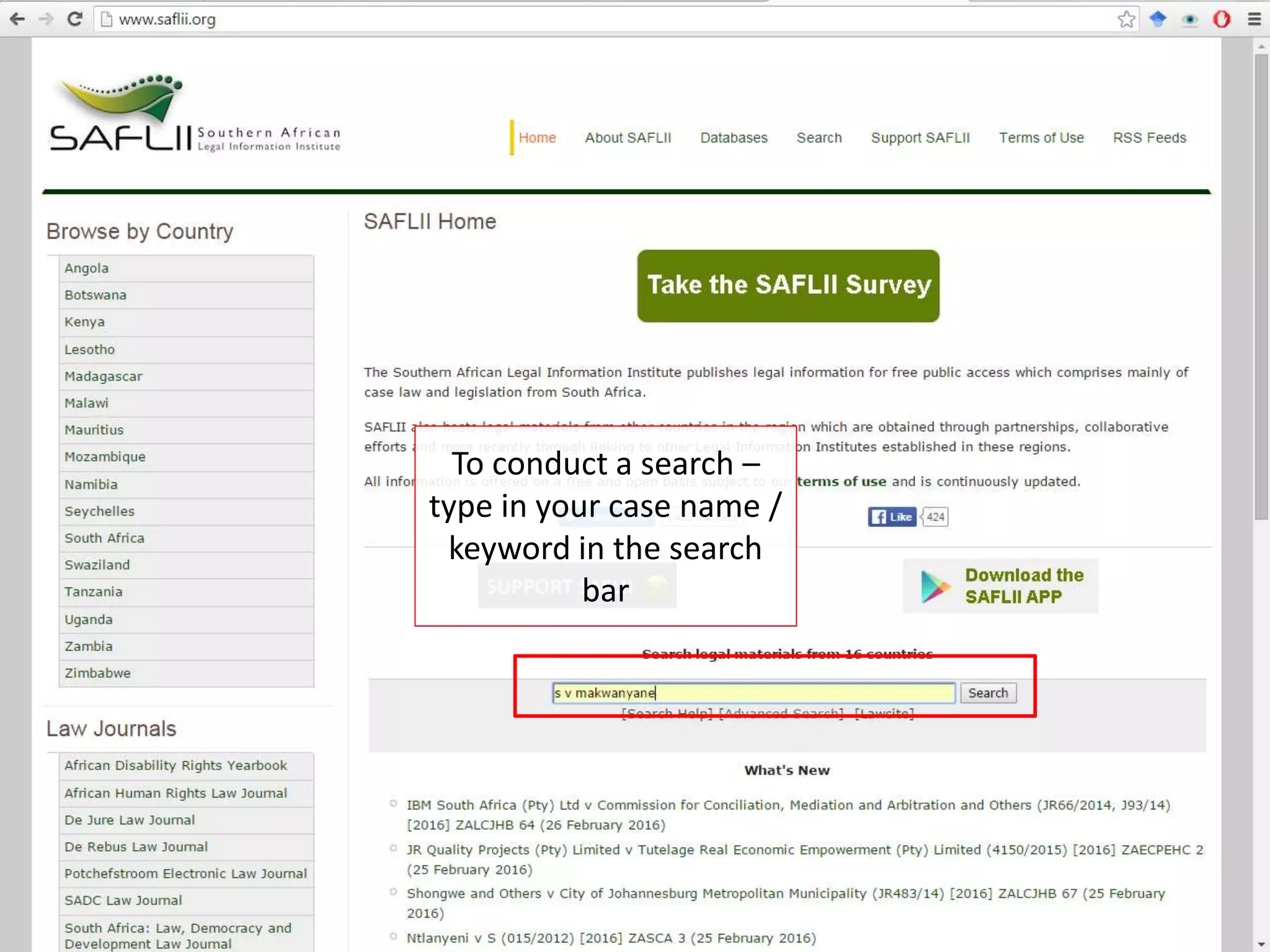
To conduct a search –
type in your case name /
keyword in the search
bar
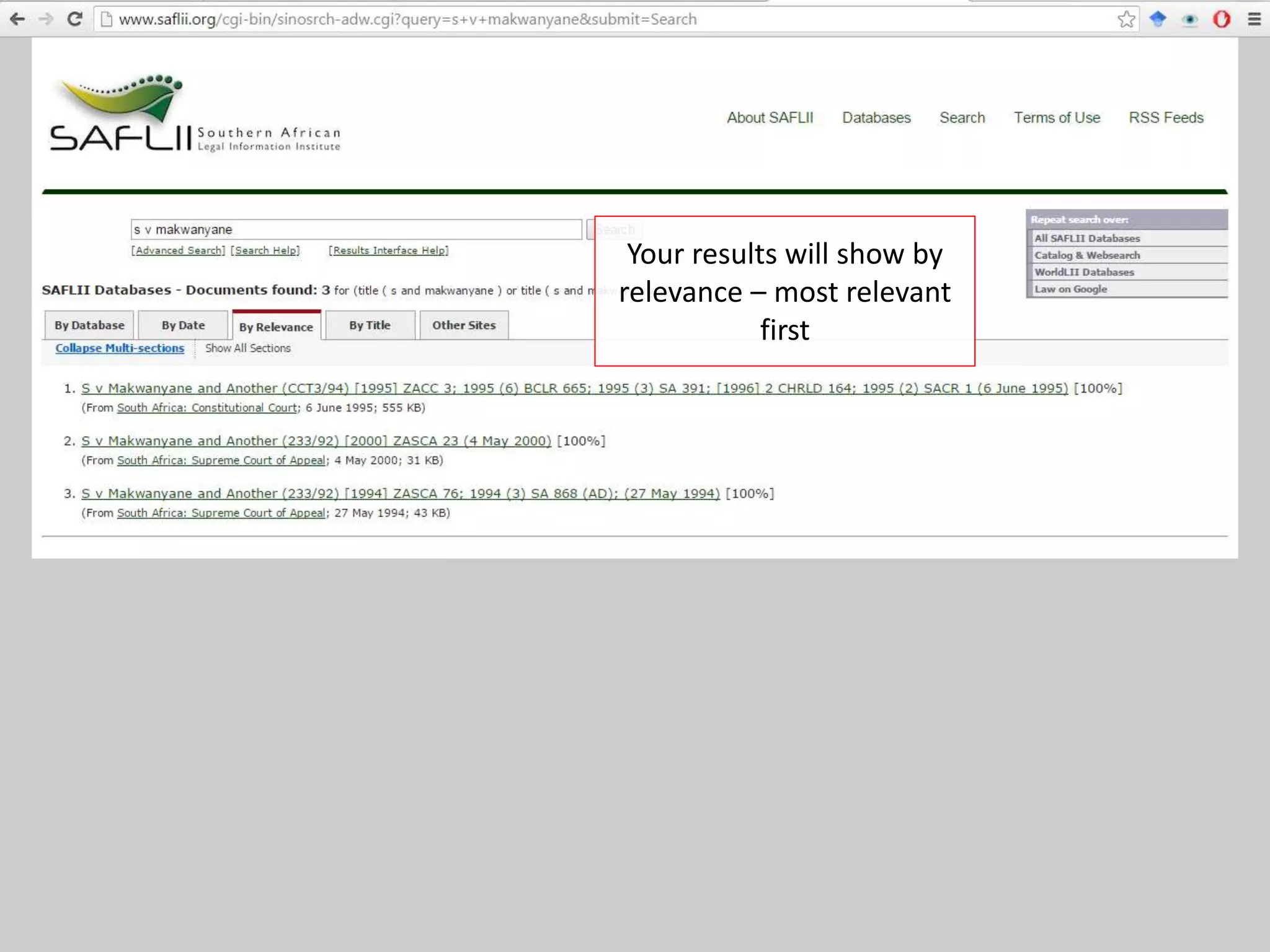
Your results will show by
relevance – most relevant
first
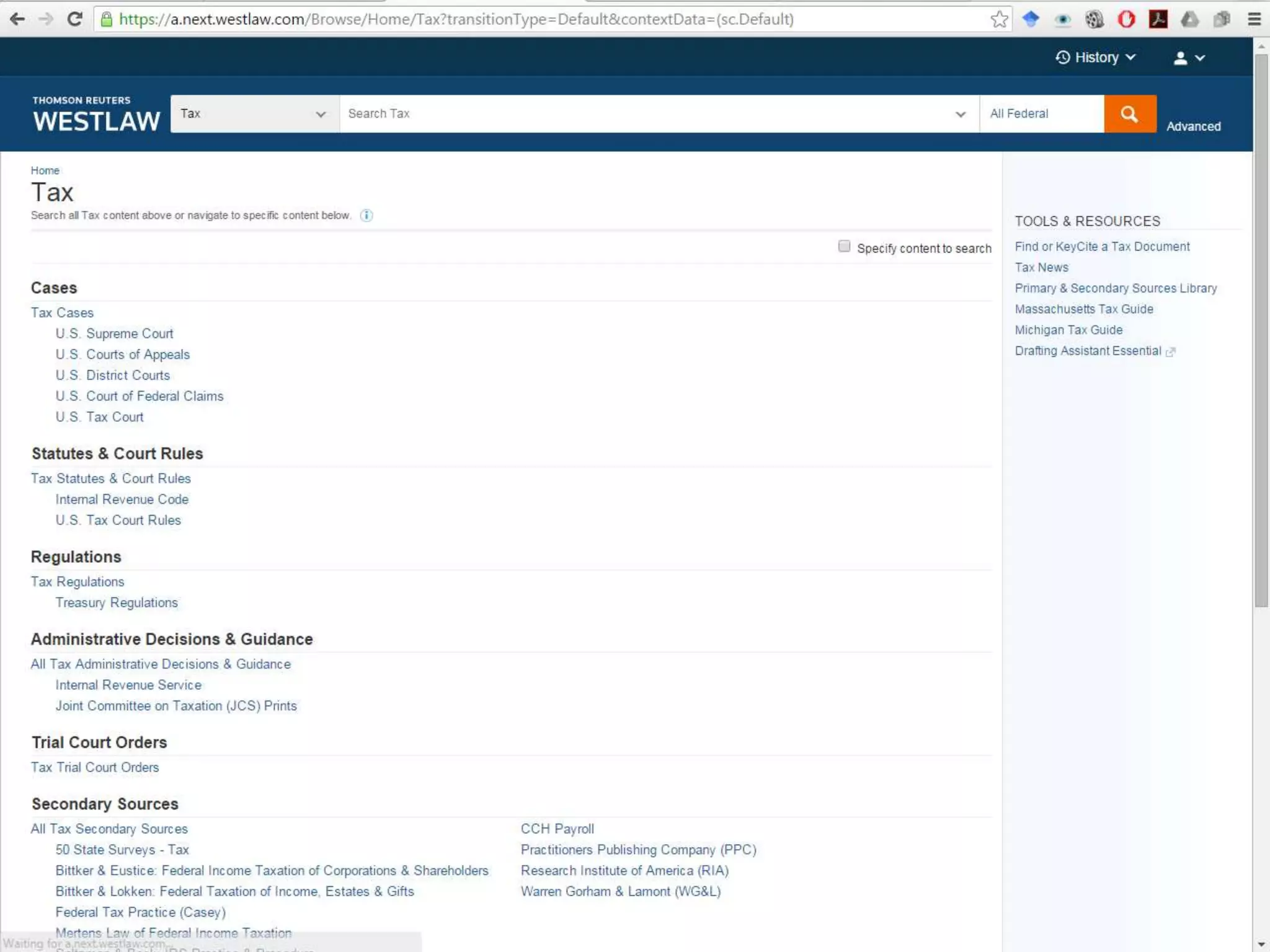
Westlaw International Materials
• Foreign Legal Resources (Cases, Legislation,
Treaties)
– European Union, Australia, United Kingdom (just
some jurisdictions)
• Journals
This is the US Materials page – to access it
click on the ‘Westlaw’ Logo
To get back to the ‘International Materials’ –
go back to the US Page and select
‘International Materials’ from the ‘All Content’
tab
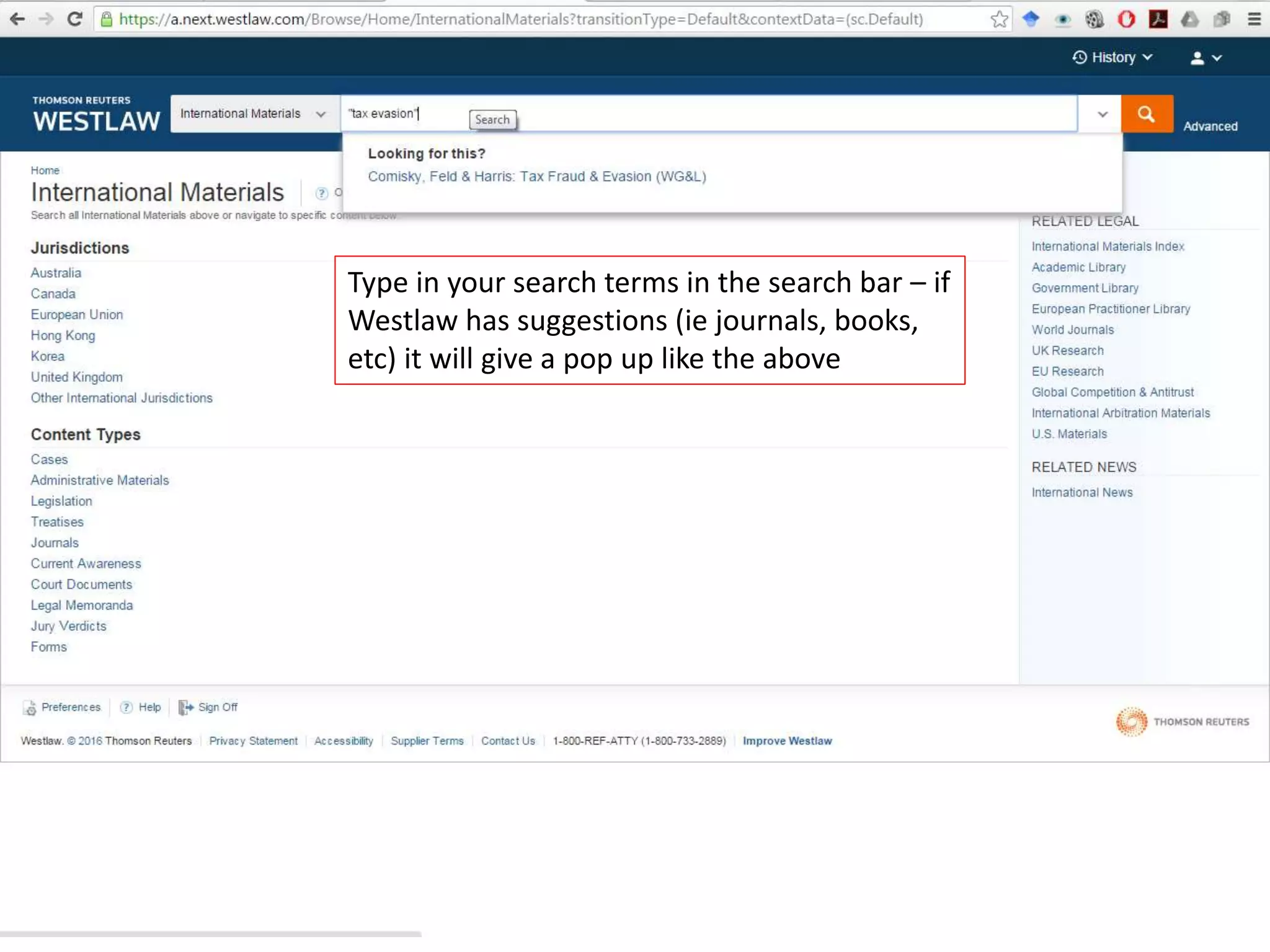
Type in your search terms in the search bar – if
Westlaw has suggestions (ie journals, books,
etc) it will give a pop up like the above
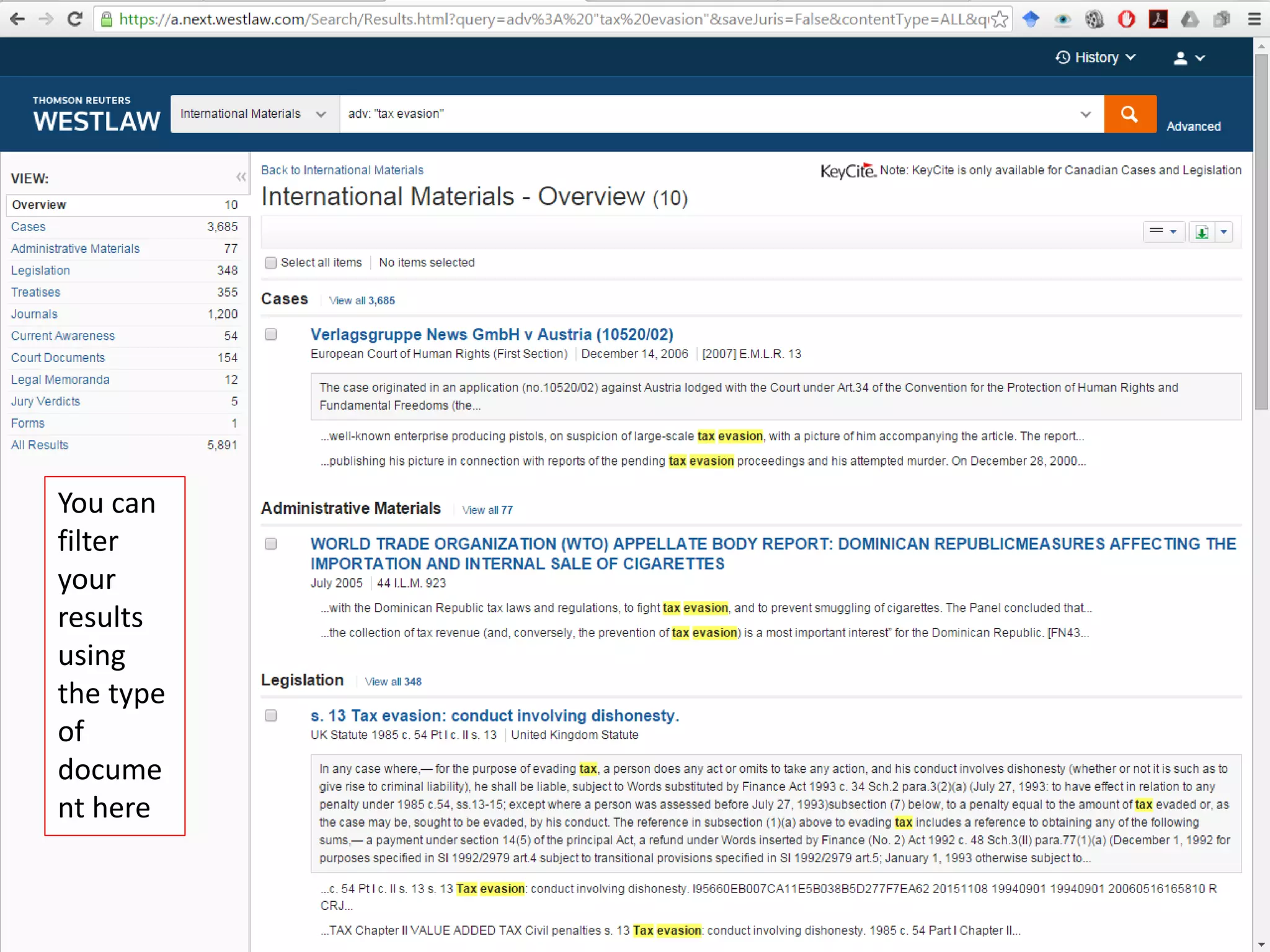
You can
filter
your
results
using
the type
of
docume
nt here
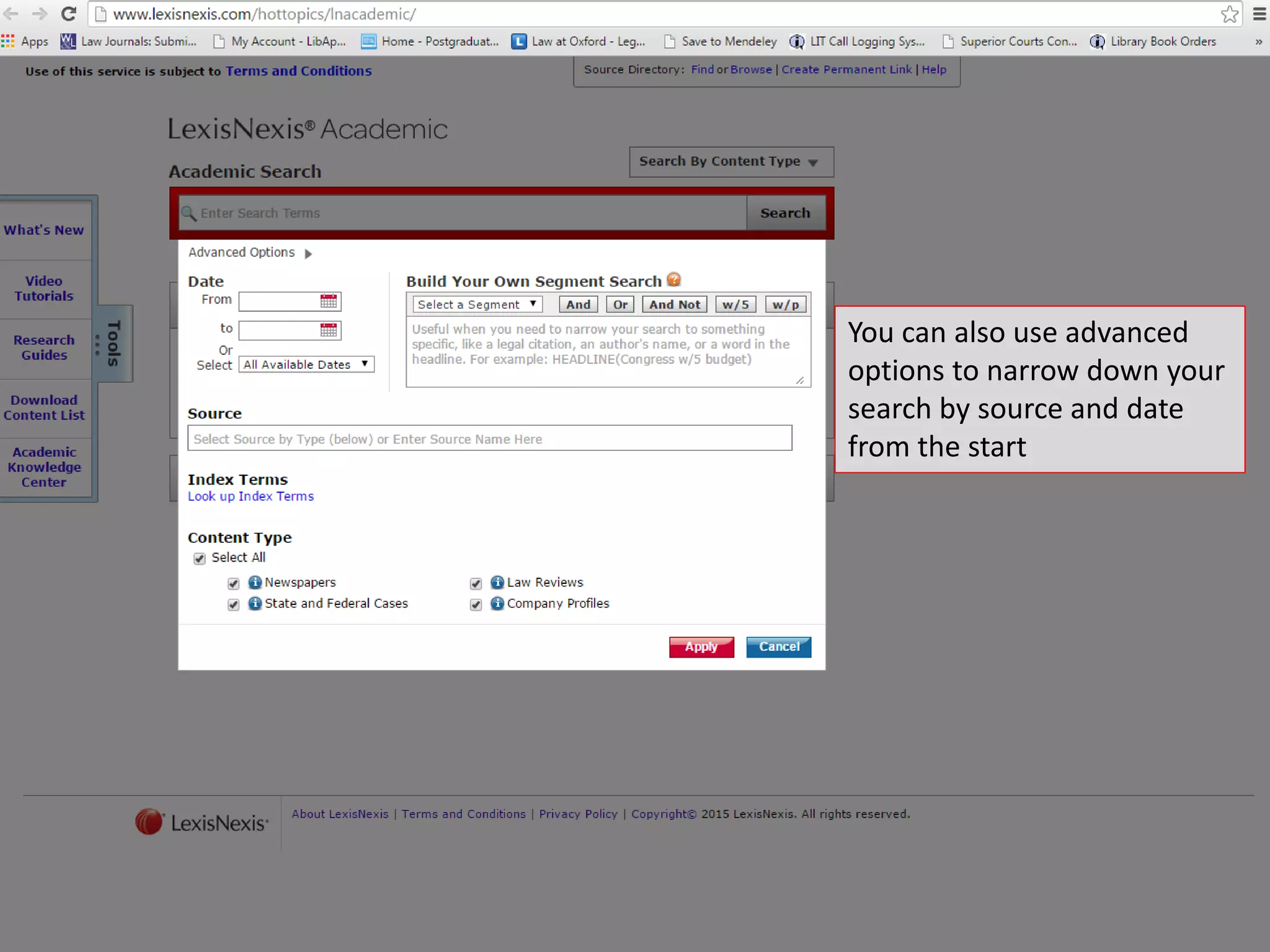
LexisNexis Academic
• News articles
• Cases, Legislation
• Company information
LexisNexis Academic provides you with:
• News Reports
• Legal Cases
• Legal Writings
• Company Information
Can search by Content
Type only
You can also use advanced
options to narrow down your
search by source and date
from the start
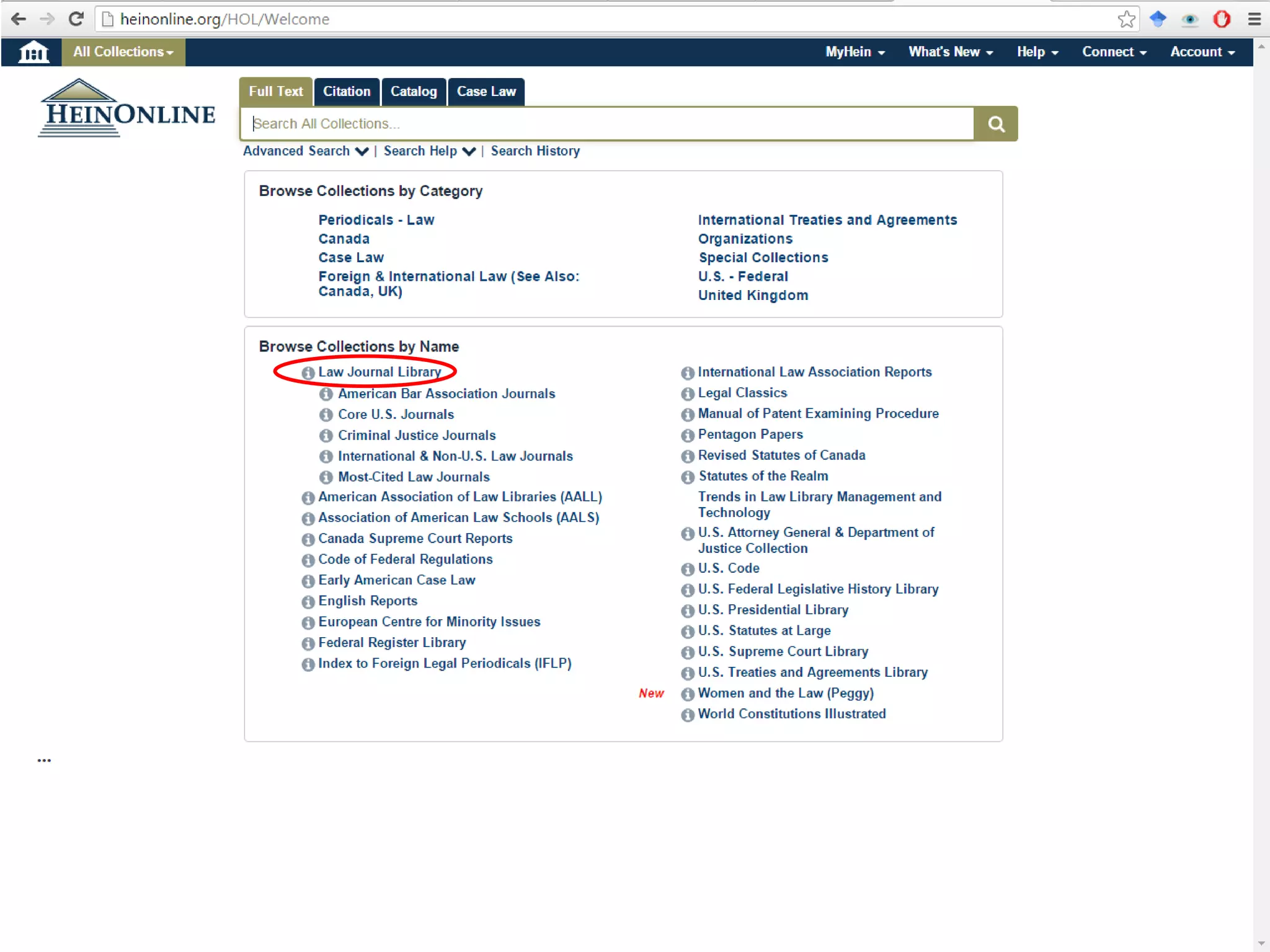
Heinonline
• Law Journals
• US Materials – Cases, Legislation
• Treaties
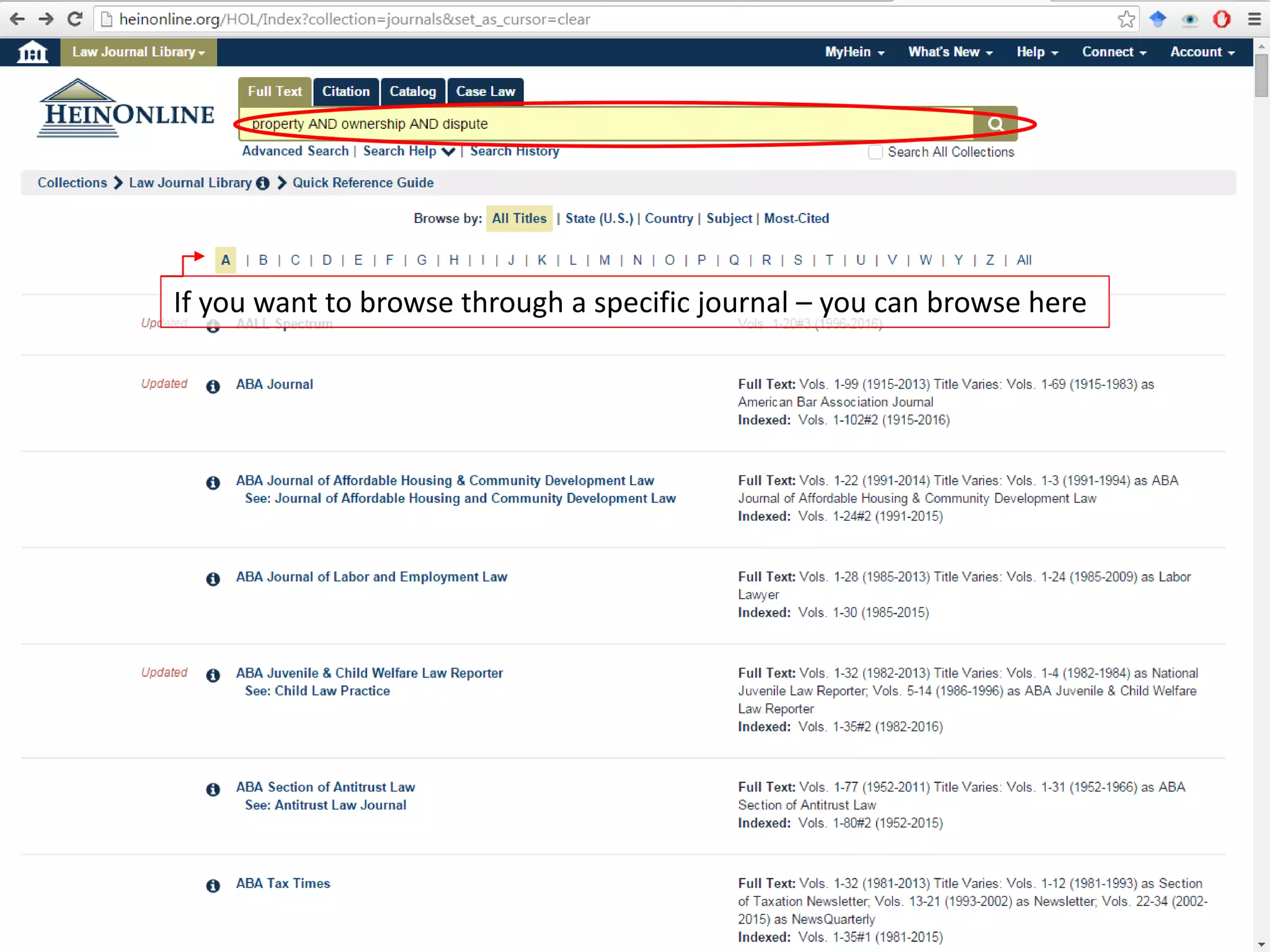
If you want to browse through a specific journal – you can browse here
Legal Research Guides
This guide will assist you with
basic research
For referencing and writing guides, access them here
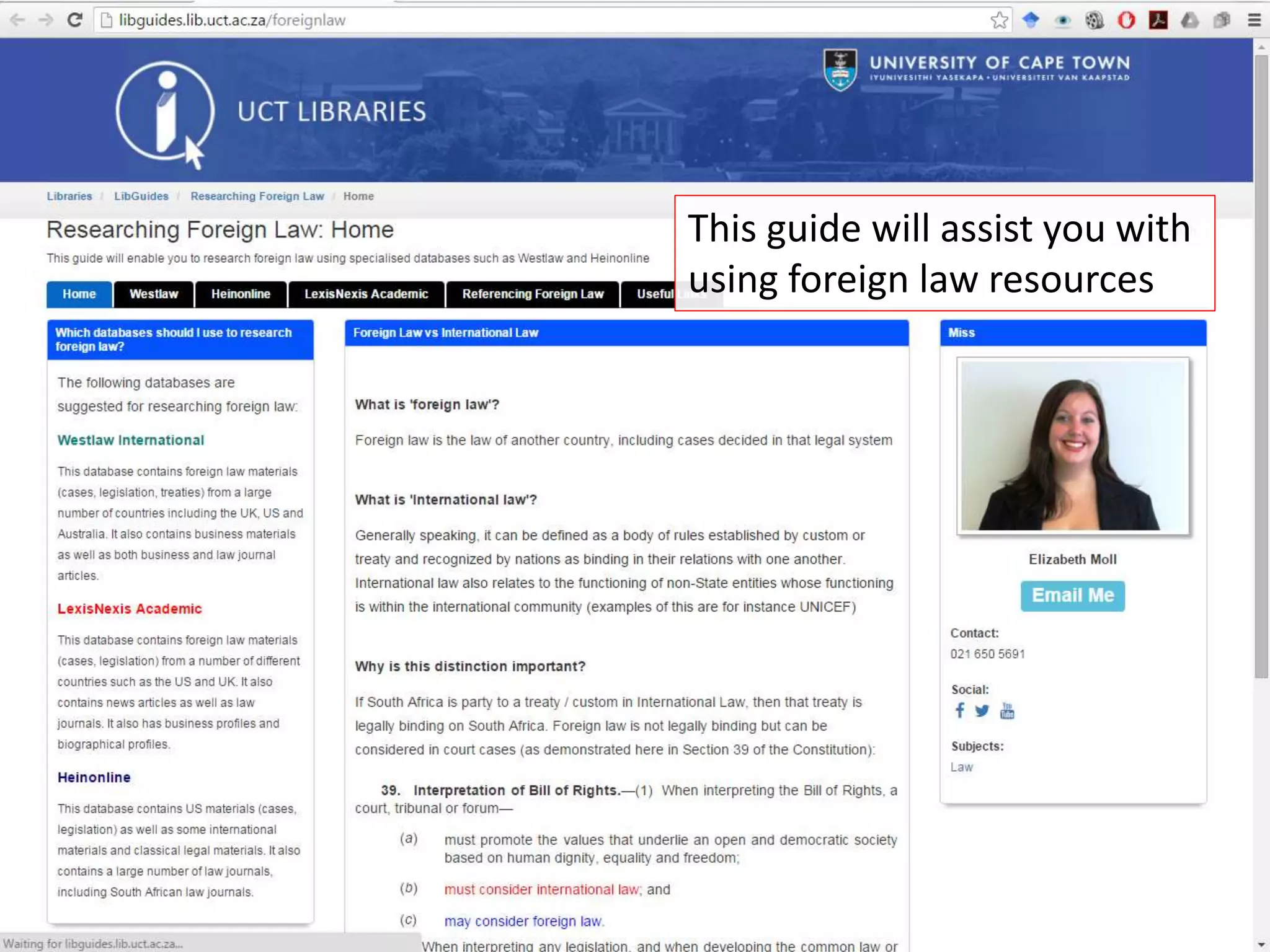
This guide will assist you with
using foreign law resources
Writing Centre
The Law Faculty’s Writing Centre is located on
level 2
Reference management tools
Programs that assist you in storing your citations,
managing your citations and then inserting citations in a
specific citation style while you write your assignment
There are a number of different
programs that can be used – the Library
currently supports the following:
We suggest this
one for Law!
Programs
downloadable
from ICTS
Website
• Use the Library’s Virtual Reference Service at: www.lib.law.uct.ac.za
• Email us:
• anthea.paulsen@uct.ac.za OR
elizabeth.moll@uct.ac.za
• Call us (021) 650-1261
(021) 650-5691
• Set up an appointment with us for a consultation
• Visit us in the Library! – Level 2, Kramer Building, Middle Campus 
Research Assistance
?
?
?
?
?
?
?
?
?
?
?
?
Thank you!

Law Library Orientation at UCT for Masters

  • 1.
    Library Orientation Anthea PaulsenElizabeth Moll anthea.paulsen@uct.ac.za elizabeth.moll@uct.ac.za 021 650 1261 021 650 5691 This work is licensed under a Creative CommonsAttribution-NonCommercial 4.0 International License.
  • 2.
    Course outcomes •Staff introduction •Overviewof Library •Library rules and privileges Library •How to navigate the library page •Accessing from off campus •Accessing self-help tools •Interlibrary loans Access Materials and Help •Finding books on Aleph •Using Cardiff’s Index •Using the e-Journal portal to find articles •Finding theses at UCT Finding books, journals and theses •LexisNexis overview •Juta overview •SAFLII overview Using SA Legal Databases •Westlaw overview •HeinOnline overview •LexisNexis Academic overview Using Foreign Law databases
  • 3.
  • 4.
    Law Library staff InformationServices Librarians • Sadiq Keraan (Section Manager) • Anthea Paulsen • Elizabeth Moll Circulation Librarians • Thembeka Sotshononda • Zoelfa Jaffer Library IT Consultant • Valento Arendse
  • 5.
    IT Assistance Valento Arendse valentino.arendse@uct.ac.za 021650 4674 Troubleshoots problems on computers and laptops Sets up wi-fi on your laptop or other devices
  • 6.
    NEED TO CHANGEYOUR PASSWORD? Due to tighter security measures, our IT consultant can no longer change passwords. Solutions? 1. Please try to change your password yourself at www.password.uct.ac.za. 2. If this fails, call the ICTS Helpdesk (021 650 4500) 3. If THAT fails, then see the ICTS Front Office (021 650 3032), Computer Science building (opposite food court), upper campus. Monday-Friday. 8am-4.30pm (Thursday closes 3.30pm) 3. Or photocopy your ID and student card, then certify and email the copy to icts-helpdesk@uct.ac.za.
  • 7.
    Term time Mon-Thu: 8am-10pm Fri:8am-5pm Sat: 9am-5pm Examination period Mon-Thu: 8am-11pm Fri: 8am-5pm Sat: 9am-5pm Sun: 10am-5pm Long vacation Mon-Fri: 8.30am-5pm Sat: 9am-12pm Opening Hours
  • 8.
    Library Access Entry tothe Library is by student card only You need your card to: Print, photocopy and scan Borrow materials from the library
  • 9.
    What you willfind in the library Materials • Books • Journals • Law Reports • Reference Works Facilities • Study Spaces: Open, Group, Individual • Postgraduate Research Commons • Computers, Printing, Photocopying and Scanning
  • 10.
    Circulation Reference and Law Reports Stairs Stairs PG Common s Training Room Print Group Study Journals Antiquarian Collection Open Shelves Books Open Shelves Books IT Carrel Carrel Carrel ShortLoans Centre GroupLegislation Entrance Print Print Top Floor (Level 2) Bottom Floor (Level 1) Librarians Security Study Space Study Space Study Space Study Space Work Space Leisure Where to find it in the library
  • 11.
    Borrowing materials Fines: Short loan- R2 per item per hour Regular loan - R2 per item per day Lost material - R250.00 per item Postgraduates: 12 books for 35 days Short loan: 3 items for 3 hours or overnight use
  • 12.
    Ask at theCirculation Desk for assistance
  • 13.
    Swipe your studentcard at the machine. A4 single-sided costs 34c (scanning is free). If you have problems, please see the Nashua Helpdesk, upper campus, or call them at 021 650 4813/5. Top up your credit using this machine Printing, Photocopying and Scanning
  • 14.
    UCT Law LibraryHomepage www.law.lib.uct.ac.za Starting Point for All Online Legal Research
  • 15.
    Find books in UCT’s catalogue Useto access databases like Juta and LexisNexis Locate law journals Quick links Use to access resources from home
  • 16.
    Core SA LawDatabases Statutes, Cases, Journals
  • 17.
    Core Foreign andInternational Law Databases Statutes, Cases, Treaties, Books, Journals, Newspapers
  • 18.
  • 19.
  • 22.
  • 23.
    Fill in abook or journal request form Or contact the ILL department
  • 24.
    Ask a Librarian Useto post questions to the library instead of coming into the library to ask the librarians
  • 25.
    Type your own questionor see if somebody else has asked it already (for a quick answer!)
  • 26.
    Aleph • UCT Catalogueof books, journals that are in the library • Note down the shelf number of an item! – Intellectual Property is usually shelved starting with 346.048
  • 29.
    You can see whethera book is in the library here This is the location of the book – the shelf number is important
  • 30.
    Finding Journals /Journal Articles Article Citation Format: Author Title (Year) Volume Journal Title Starting Page Eg. Kok, A. Is Law able to Transform Society (2010) 127 SALJ 59 To find what ‘SALJ’ means – use Cardiff Index
  • 31.
    Cardiff Index toLegal Abbreviations
  • 32.
    Type in yourabbreviation to get the full title
  • 34.
  • 36.
    Sources for Theses •Aleph (Catalogue) – not many left! • University Institutional Repositories – UCT’s one is: OpenUCT • SA Cat – other South African Universities
  • 37.
    UCT Theses &Dissertations
  • 39.
    You can scroll throughthe recent submissions Or browse by author, topic or date
  • 40.
    To view anitem, simply click on the title
  • 41.
    You can seethe details of the item here And download the PDF here
  • 42.
    Finding Primary Sources: Casesand Legislation • Case law: – Use databases like LexisNexis, Juta and SAFLII – Note the case citation: • Legislation: – Use databases like Sabinet, Juta, LexisNexis and SAFLII Act Name Act Number Of Act Year Water Act 36 of 1998
  • 43.
    Jutastat Publications • SouthAfrican Law Reports • South African Legislation • Commentaries – Burrell’s Intellectual Property Law Library • Journals (just some of) – Industrial Law Journal – Acta Juridica – South African Law Journal • Juta’s Quarterly Review of South African Law – Details developments in law in specific practice areas
  • 44.
    Use the dropdown to choose your search Canalso browse here Juta’s different search forms: ADVANCED – searches everything BOOLEAN – allows you to search using Boolean operators ACTS – searches national legislation JOURNALS – searches for Journal articles GOVERNMENT GAZETTES – searches Government Gazettes LAW REPORTS – searches for cases PROVINCIAL LEGISLATION – searches specifically for provincial legislation
  • 45.
    LexisNexis SA • AllSouth African Law Reports • South African Legislation • Commentaries on law (just some of) – Law of South Africa • Precedents – Amler’s Precedents of Pleadings – Butterworths Forms and Precedents – Index and Noter-up to the All South African and South African Law Reports • Can use this to find which cases have been decided on a specific piece of legislation / on a specific subject (eg. patents)
  • 46.
    4 types ofsearches: ADVANCED – searches across everything LAW REPORT – specific case search LEGISLATION – specific Acts search GAZETTES ONLINE – specific Government Gazette search
  • 47.
    CiteIT and LawCiteas a way to track cases • CiteIT is the tool for LexisNexis specifically – another tool is LawCite which links to free legal information around the world • This tracks how the cases are used in the following way: – Previous judgments of the same case – Other cases applying / relying on this case – Any applicable legal instruments applying to this case – Subject analysis of case
  • 48.
    To access whatyou want, click on the plus sign.
  • 49.
    Judgment Treatment givesus other cases that have used this case in their judgment – useful to find new cases on a topic!
  • 50.
    Legal Information Institutes •These provide free access to Legal Information • SAFLII is for Southern Africa – Contains cases, legislation, open access journals – Irrespective of where you work, you will always have access to SAFLII! • If looking for a specific country’s database – use ‘WorldLII’
  • 51.
    To conduct asearch – type in your case name / keyword in the search bar
  • 52.
    Your results willshow by relevance – most relevant first
  • 53.
    Westlaw International Materials •Foreign Legal Resources (Cases, Legislation, Treaties) – European Union, Australia, United Kingdom (just some jurisdictions) • Journals
  • 54.
    This is theUS Materials page – to access it click on the ‘Westlaw’ Logo
  • 56.
    To get backto the ‘International Materials’ – go back to the US Page and select ‘International Materials’ from the ‘All Content’ tab
  • 57.
    Type in yoursearch terms in the search bar – if Westlaw has suggestions (ie journals, books, etc) it will give a pop up like the above
  • 58.
  • 59.
    LexisNexis Academic • Newsarticles • Cases, Legislation • Company information
  • 60.
    LexisNexis Academic providesyou with: • News Reports • Legal Cases • Legal Writings • Company Information Can search by Content Type only
  • 61.
    You can alsouse advanced options to narrow down your search by source and date from the start
  • 63.
    Heinonline • Law Journals •US Materials – Cases, Legislation • Treaties
  • 65.
    If you wantto browse through a specific journal – you can browse here
  • 66.
  • 67.
    This guide willassist you with basic research For referencing and writing guides, access them here
  • 68.
    This guide willassist you with using foreign law resources
  • 69.
    Writing Centre The LawFaculty’s Writing Centre is located on level 2
  • 70.
    Reference management tools Programsthat assist you in storing your citations, managing your citations and then inserting citations in a specific citation style while you write your assignment There are a number of different programs that can be used – the Library currently supports the following: We suggest this one for Law! Programs downloadable from ICTS Website
  • 71.
    • Use theLibrary’s Virtual Reference Service at: www.lib.law.uct.ac.za • Email us: • anthea.paulsen@uct.ac.za OR elizabeth.moll@uct.ac.za • Call us (021) 650-1261 (021) 650-5691 • Set up an appointment with us for a consultation • Visit us in the Library! – Level 2, Kramer Building, Middle Campus  Research Assistance
  • 72.
  • 73.