The document provides an in-depth overview of Apache Kudu, a distributed, columnar database designed for structured, real-time data management, emphasizing its unique storage capabilities separate from HDFS and integration with tools like Spark and Impala. Key topics include Kudu's architecture, primary key design, transaction semantics, and performance considerations. Additionally, it discusses scaling limitations, data encoding and compression, as well as use cases for Kudu in various workloads.
Supriya is aBig Data Architect working in Big Data domain
for more than 8 years, helping organizations build Hadoop
based data lakes and data pipelines.
LinkedIn: https://www.linkedin.com/in/supriya-sahay-78629516/
About Author
3.
AGENDA
1. Kudu UseCase
2. What is Kudu?
3. Kudu Concepts
4. Cluster Roles
5. Scaling Limitations
6. Tablet Discovery
7. Tablet Structure
8. File Layout & Compactions
9. Primary Key Design
10. Timestamp
3Supriya Sahay (Big Data Architect)
11. Column Encoding
12. Column Compression
13. Transaction Semantics – Read & Write
14. Kudu Integration with Spark & Impala
15. Performance & Other Considerations
16. Partitioning – Range, Hash &
Advanced Partitioning
17. Performance Tuning : Administrator’s
View
18. Known Limitations
4.
WHAT IS KUDU?
•Apache Kudu is a distributed, columnar database for structured, real-time data.
• Kudu IS a storage engine for tables, NOT a SQL engine
• Kudu does not rely on or run on top of HDFS. Kudu can coexist with HDFS on the
same cluster.
• Provides for “point in time” queries.
• Schema on write.
• Kudu is written in C++ and provides C++, Java & Python (experimental) client APIs.
• Impala, Spark, Nifi, and Flume integrations are available. Hive integration is in
pipeline.
• As Kudu is not a SQL engine, JDBC and ODBC drivers will be dictated by the SQL
engine used in combination with Kudu.
4Supriya Sahay (Big Data Architect)
5.
KUDU USE CASE HDFS
OLAP workloads
Append-only file system
High-throughput, Best for huge
scans of large files.
HBase
OLTP-like workloads
Low-latency, Random reads and
writes or short scans
KUDU
Fast scans with random reads
and writes
Replaces Lambda architecture
Neither as fast as Parquet for
high-throughput sequential-
access nor as fast as Hbase for
low latency random access.
**HDFS or other Hadoop formats do
not have any provision for updating
individual records or efficient random
access.
5Supriya Sahay (Big Data Architect)
6.
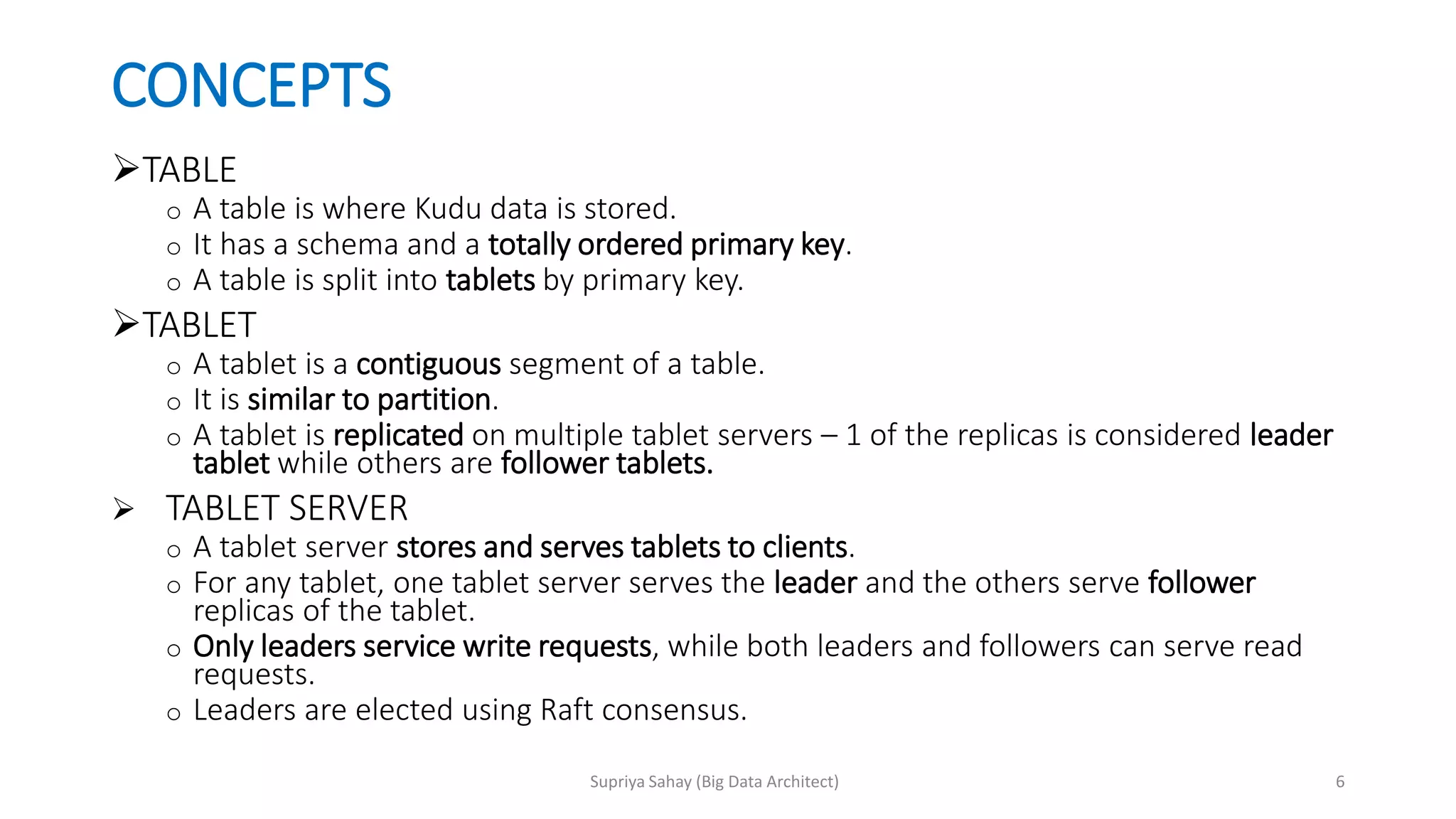
CONCEPTS
TABLE
o A tableis where Kudu data is stored.
o It has a schema and a totally ordered primary key.
o A table is split into tablets by primary key.
TABLET
o A tablet is a contiguous segment of a table.
o It is similar to partition.
o A tablet is replicated on multiple tablet servers – 1 of the replicas is considered leader
tablet while others are follower tablets.
TABLET SERVER
o A tablet server stores and serves tablets to clients.
o For any tablet, one tablet server serves the leader and the others serve follower
replicas of the tablet.
o Only leaders service write requests, while both leaders and followers can serve read
requests.
o Leaders are elected using Raft consensus.
6Supriya Sahay (Big Data Architect)
7.
CONCEPTS (contd.)
MASTER SERVER
oResponsible for metadata. Keeps track of all the tablets, tablet servers & catalog table.
o There is only 1 acting master (the leader).
o It also manages metadata operations for clients. The client sends all DDL requests to
the master. The master writes the metadata for the new table into catalog table and
creates tablets on tablet servers for the table.
o Master’s data is stored in a single tablet, replicated on follower masters.
o Tablet servers send heartbeat to the master at a set interval.
CATALOG TABLE
o Central location for metadata of Kudu.
o Stores information about tables and tablets.
o Only accessible to clients through master through metadata operations.
o Contains single partition/tablet.
7Supriya Sahay (Big Data Architect)
8.
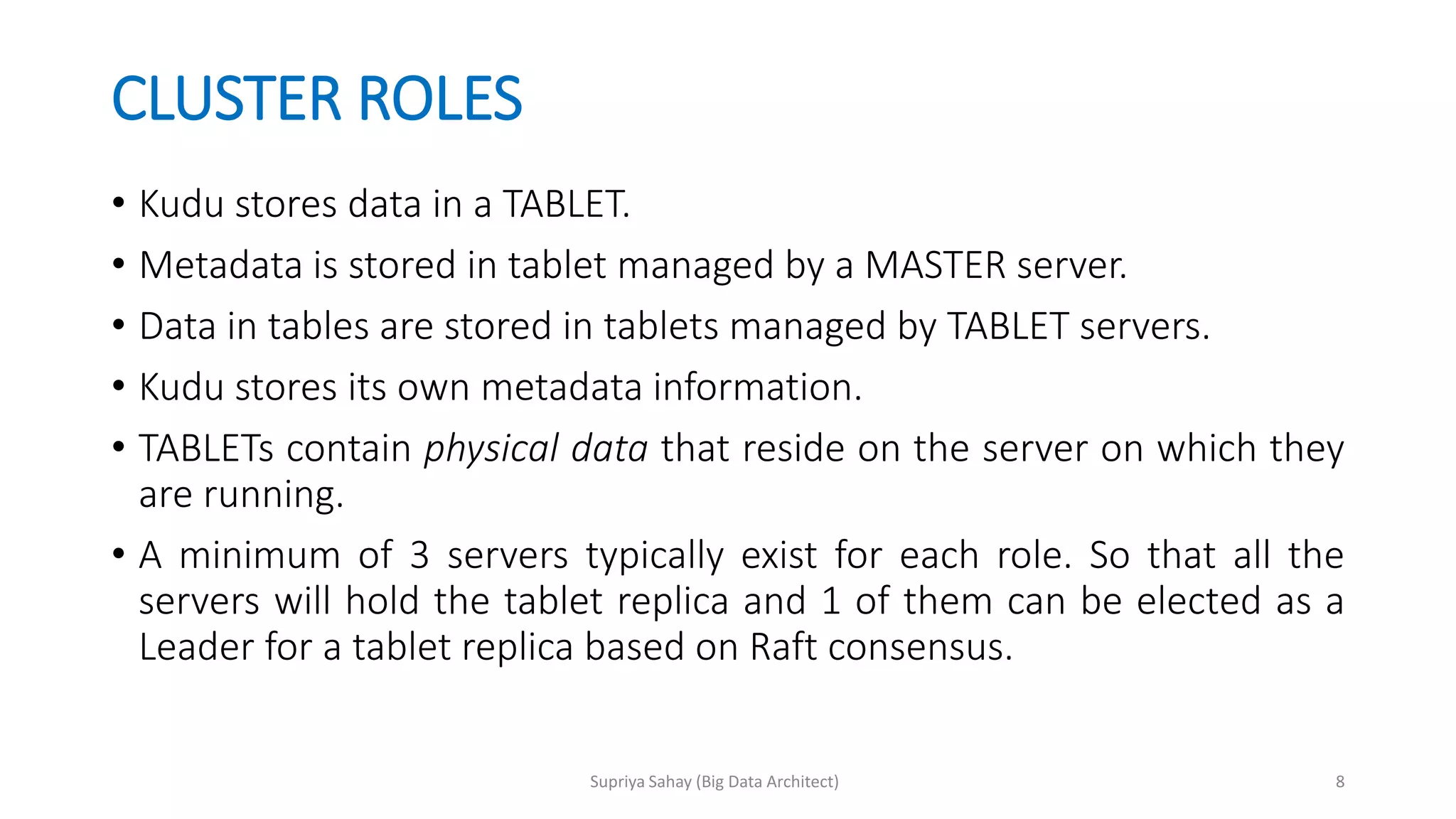
CLUSTER ROLES
• Kudustores data in a TABLET.
• Metadata is stored in tablet managed by a MASTER server.
• Data in tables are stored in tablets managed by TABLET servers.
• Kudu stores its own metadata information.
• TABLETs contain physical data that reside on the server on which they
are running.
• A minimum of 3 servers typically exist for each role. So that all the
servers will hold the tablet replica and 1 of them can be elected as a
Leader for a tablet replica based on Raft consensus.
8Supriya Sahay (Big Data Architect)
SCALING LIMITATIONS
• Fewerthan 100 tablet servers recommended.
• A maximum of 2,000 tablets per tablet server, post-replication, is
recommended.
• A maximum of 60 tablets per tablet server per table, post-replication,
is recommended.
• A maximum of 8 TB of data on disk per tablet server is recommended.
10Supriya Sahay (Big Data Architect)
FILE LAYOUT &COMPACTIONS
At a high level, each write (insert) operation follows below steps:
1. Writes are committed to a tablet’s Write Ahead Log (WAL)
2. Inserts are added to the MemRowSet
3. When the MemRowSet is full, it is flushed to disk and becomes
DiskRowSet.
4. 1 primary key exists in exactly 1 RowSet.
5. RowSets form disjoint sets of rows but the primary key intervals of
different RowSets may intersect.
13Supriya Sahay (Big Data Architect)
14.
FILE LAYOUT &COMPACTIONS (contd.)
MAJOR Compactions:
Applies updates stored in the
RedoDeltaFiles to the base data.
MINOR Compactions:
Does not include the base data.
Resulting file is itself a delta file.
UNDO Deltas:
Kudu keeps track of all the updates
applied to the base data and stores
them in an undo delta file.
This file is used for “point in time”
queries. By default, this file is
persisted for 15 mins.
Unmerged REDO deltas:
When modifications are too small to
provide benefits, they are kept aside
for a subsequent compaction.
14Supriya Sahay (Big Data Architect)
15.
PRIMARY KEY DESIGN
•Kudu requires that every table has a primary key defined
• PK enforces a uniqueness constraint and acts as the sole index by
which rows maybe efficiently updated or deleted.
• Primary key columns must be non-nullable, and cannot be a boolean,
float or double type.
• Once set during table creation, the set of columns in the primary key
cannot be altered.
• Kudu does not currently offer secondary indexes or uniqueness
constraints other than the primary key
15Supriya Sahay (Big Data Architect)
16.
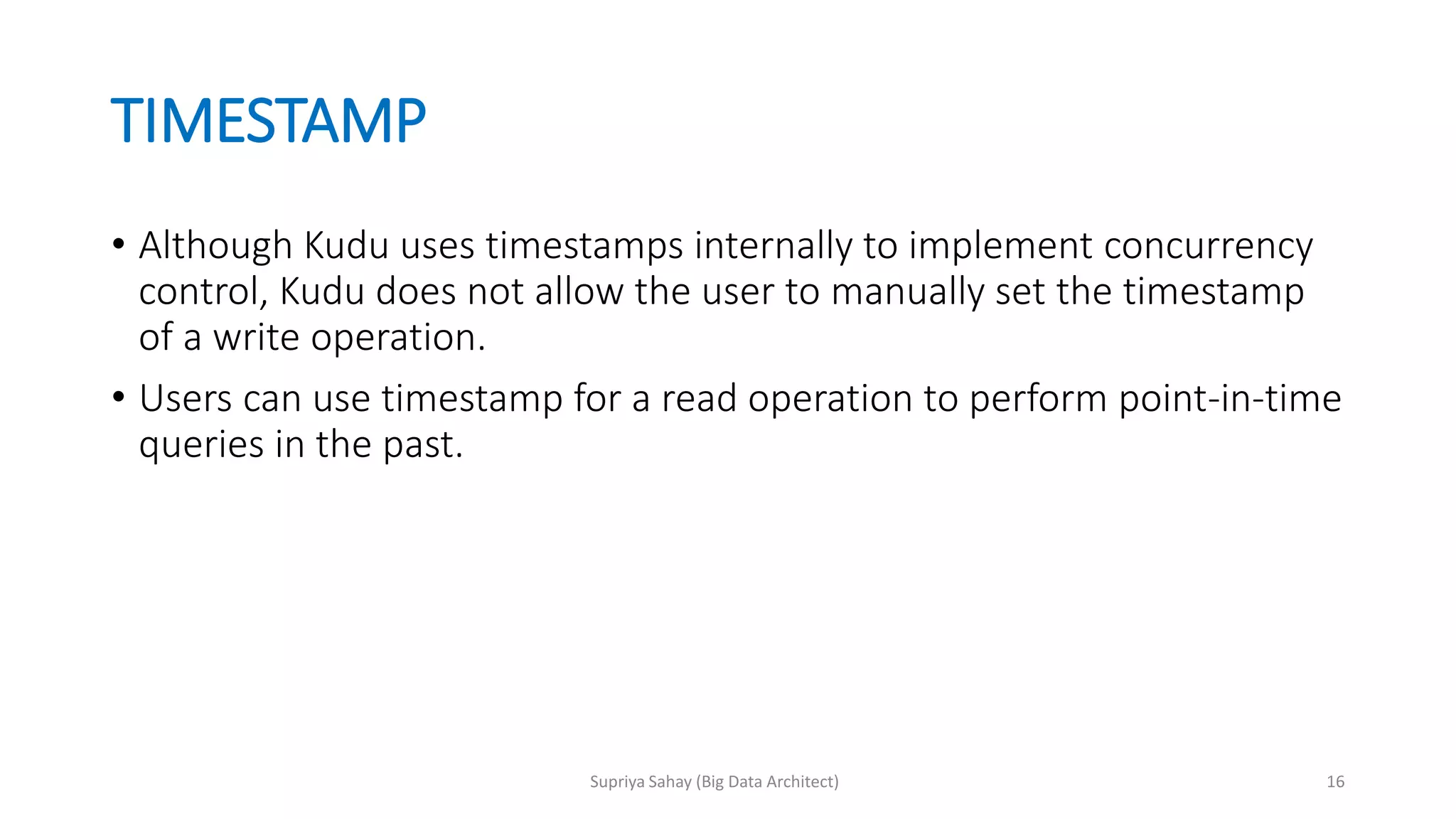
TIMESTAMP
• Although Kuduuses timestamps internally to implement concurrency
control, Kudu does not allow the user to manually set the timestamp
of a write operation.
• Users can use timestamp for a read operation to perform point-in-time
queries in the past.
16Supriya Sahay (Big Data Architect)
17.
COLUMN ENCODING
Encodings transformthe data to a smaller representation before compression is
applied on it. Encodings are data type specific.
Plain Encoding:
Stores data in its natural format. No reduction in data size.
Useful when CPU is bottleneck or data is pre-compressed.
Data Type Encoding Default
int8, int16, int32, int64 plain, bitshuffle, runlength bitshuffle
float, double, decimal plain, bitshuffle bitshuffle
boolean plain, run length run length
string, varchar plain, prefix, dictionary dictionary
17Supriya Sahay (Big Data Architect)
18.
COLUMN ENCODING (contd.)
Bitshuffle:
A block of values is rearranged to store the MSB (most significant bit) of every value, followed by 2nd MSB
of every value and so on.
Useful when columns have many repeated values or values change by small amounts when sorted by
primary key.
Run Length:
Stores the count of repeated values and the value itself.
Useful for columns with many consecutive repeated values when sorted by primary key.
Dictionary:
Builds a dictionary of unique set of values and each column value is encoded as its corresponding index
in the dictionary.. E.g., for 3 unique values – India, Britain & United States – India will be encoded 1,
Britain will be encoded 2, United States will be encoded 3. Instead of storing a long string, Kudu will store
only a number from 1 to 3.
Useful for columns with low cardinality
Prefix:
Common prefixes are compressed in consecutive column values.
Useful example: When a date field is stored as a string where the beginning of the field will change very
less (year) and the end of the field will change very often (day/time)
18Supriya Sahay (Big Data Architect)
19.
COLUMN COMPRESSION
• LZ4,Snappy and zlib are available compression codecs for per-column
compression.
• Bitshuffle-encoded columns are by default LZ4 compressed. Other
columns are stored uncompressed.
• LZ4 will give best read performance.
• Zlib compresses data to the smallest size, reads may be slower.
• Compression should be used when reducing storage space is more
important than raw scan performance.
19Supriya Sahay (Big Data Architect)
20.
TRANSACTION SEMANTICS
• Currently,Kudu does not offer any multi-row transactional APIs.
• Modifications within a single row are always executed atomically across
columns.
• Multi-tablet transactions are not yet supported
• Single-tablet write operations are supported
• Multi-tablet reads are supported
• Writes are not "committed" explicitly by the user. Instead, they are
committed automatically by the system, after completion.
• Scans are read operations that can traverse multiple tablets and can
perform time-travel reads (point in time reads).
• Impala scans are currently performed as READ_LATEST
20Supriya Sahay (Big Data Architect)
21.
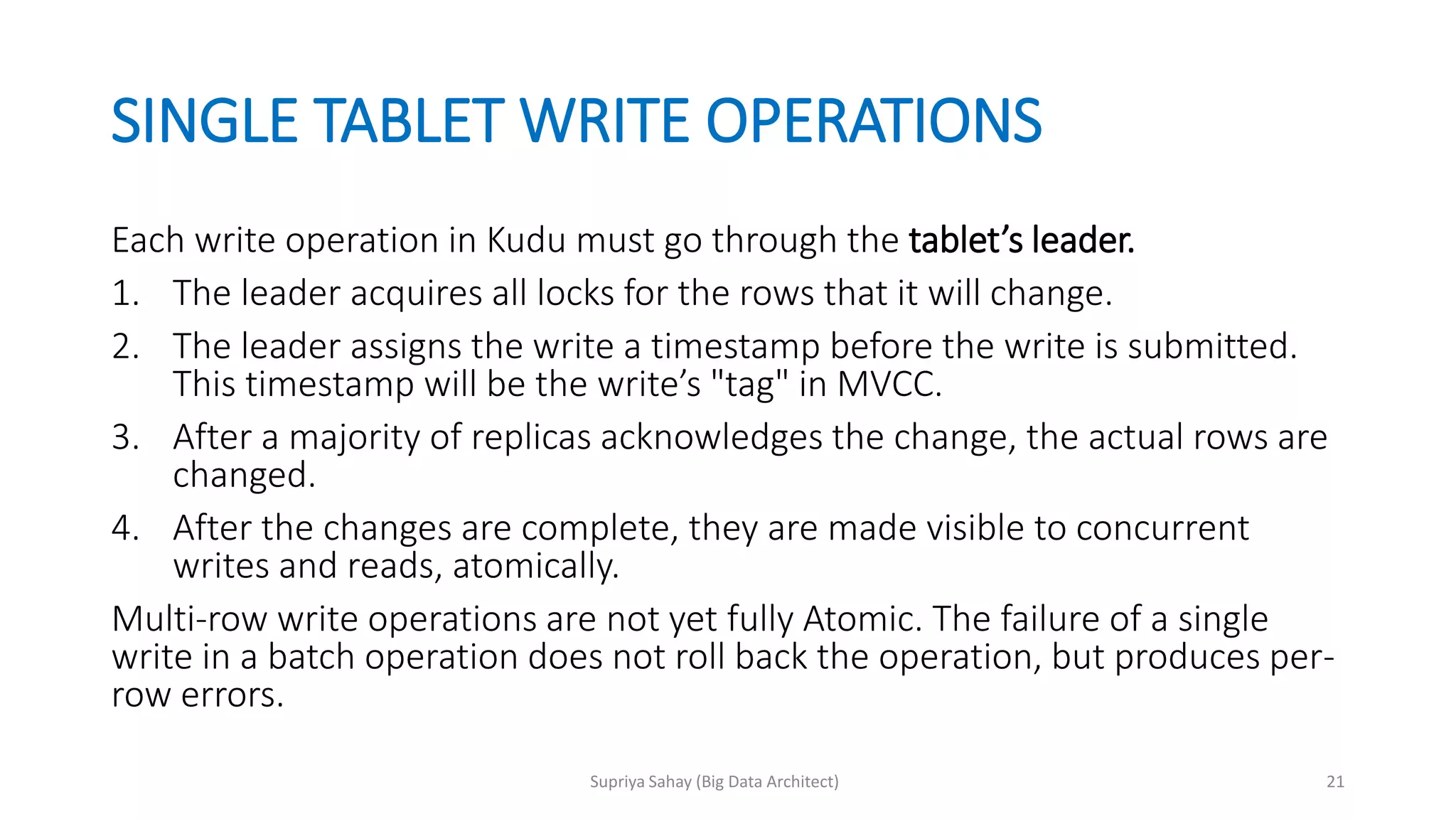
SINGLE TABLET WRITEOPERATIONS
Each write operation in Kudu must go through the tablet’s leader.
1. The leader acquires all locks for the rows that it will change.
2. The leader assigns the write a timestamp before the write is submitted.
This timestamp will be the write’s "tag" in MVCC.
3. After a majority of replicas acknowledges the change, the actual rows are
changed.
4. After the changes are complete, they are made visible to concurrent
writes and reads, atomically.
Multi-row write operations are not yet fully Atomic. The failure of a single
write in a batch operation does not roll back the operation, but produces per-
row errors.
21Supriya Sahay (Big Data Architect)
22.
READ OPERATIONS (SCANS)
•Read requests are serviced by both leaders & followers.
• Scans are read operations performed by clients that may span one or more
rows across one or more tablets.
• When a server receives a scan request, it takes a snapshot of the MVCC
state and then proceeds in one of two ways depending on the read mode:
1. READ_LATEST - Default read mode. The server proceeds with the read
immediately.
2. READ_AT_SNAPSHOT - The server waits until the timestamp provided is
'safe' (until all write operations that have a lower timestamp have
completed and are visible).
22Supriya Sahay (Big Data Architect)
23.
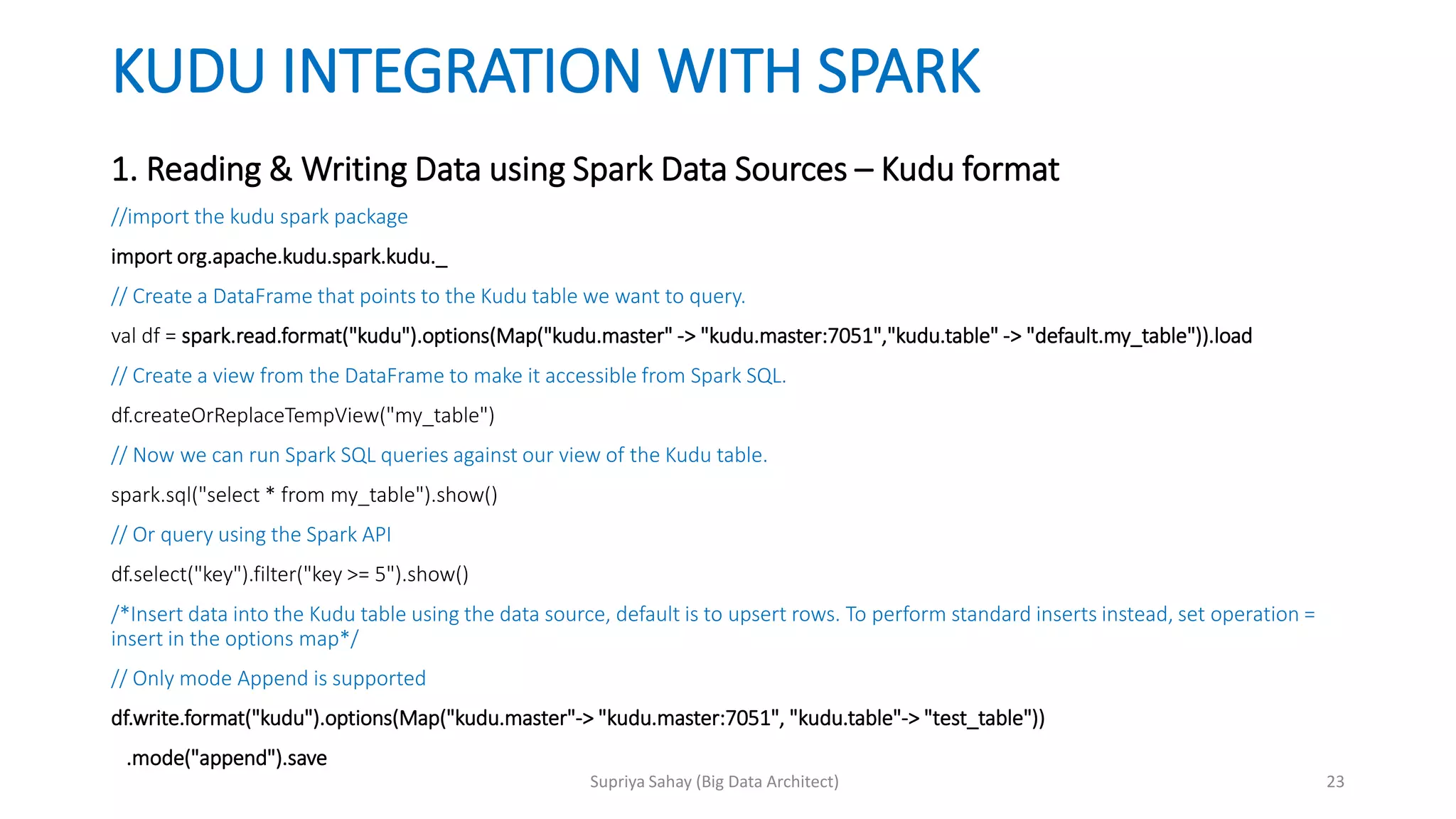
KUDU INTEGRATION WITHSPARK
1. Reading & Writing Data using Spark Data Sources – Kudu format
//import the kudu spark package
import org.apache.kudu.spark.kudu._
// Create a DataFrame that points to the Kudu table we want to query.
val df = spark.read.format("kudu").options(Map("kudu.master" -> "kudu.master:7051","kudu.table" -> "default.my_table")).load
// Create a view from the DataFrame to make it accessible from Spark SQL.
df.createOrReplaceTempView("my_table")
// Now we can run Spark SQL queries against our view of the Kudu table.
spark.sql("select * from my_table").show()
// Or query using the Spark API
df.select("key").filter("key >= 5").show()
/*Insert data into the Kudu table using the data source, default is to upsert rows. To perform standard inserts instead, set operation =
insert in the options map*/
// Only mode Append is supported
df.write.format("kudu").options(Map("kudu.master"-> "kudu.master:7051", "kudu.table"-> "test_table"))
.mode("append").save
23Supriya Sahay (Big Data Architect)
24.
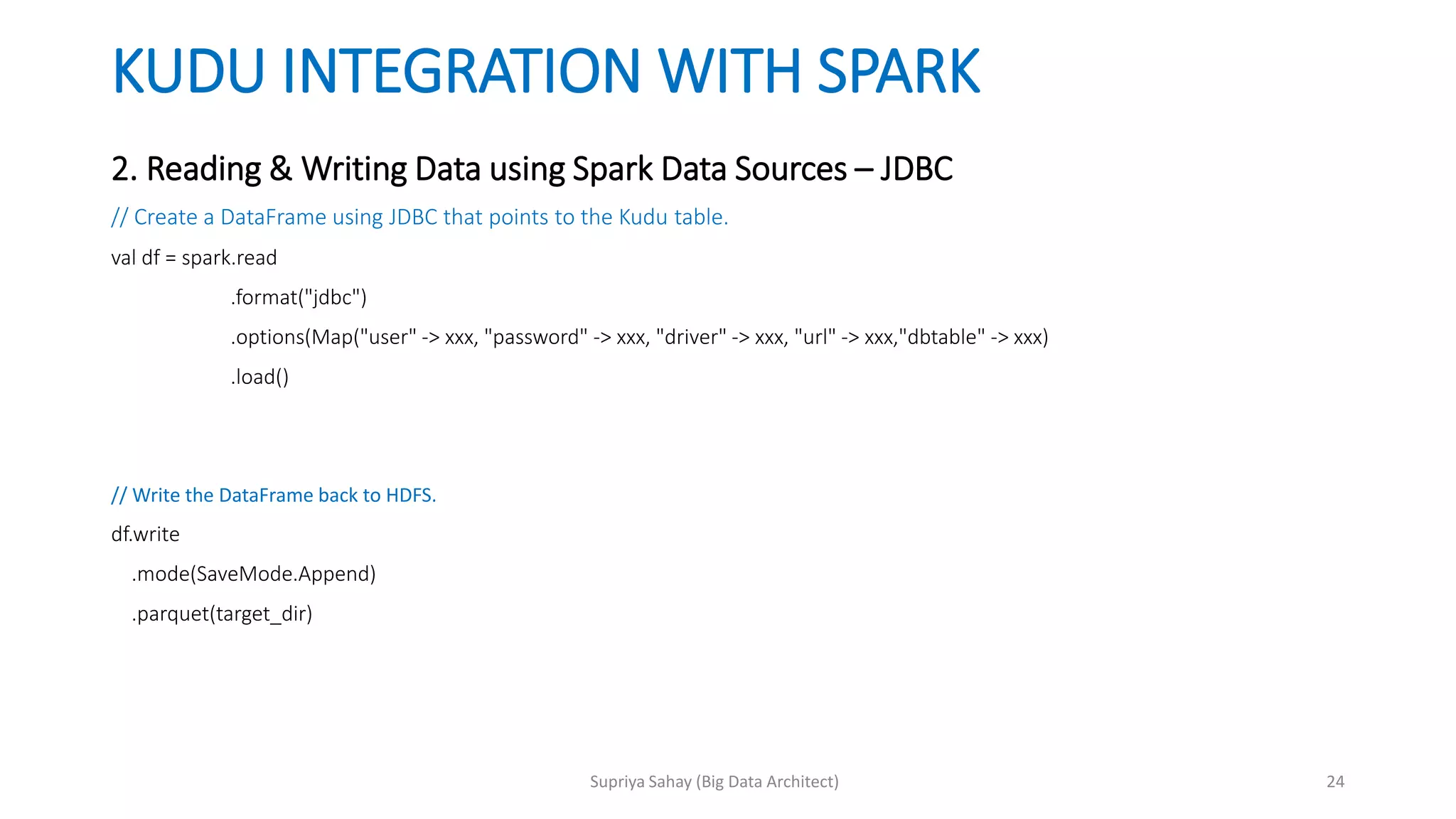
KUDU INTEGRATION WITHSPARK
2. Reading & Writing Data using Spark Data Sources – JDBC
// Create a DataFrame using JDBC that points to the Kudu table.
val df = spark.read
.format("jdbc")
.options(Map("user" -> xxx, "password" -> xxx, "driver" -> xxx, "url" -> xxx,"dbtable" -> xxx)
.load()
// Write the DataFrame back to HDFS.
df.write
.mode(SaveMode.Append)
.parquet(target_dir)
24Supriya Sahay (Big Data Architect)
25.
KUDU INTEGRATION WITHSPARK
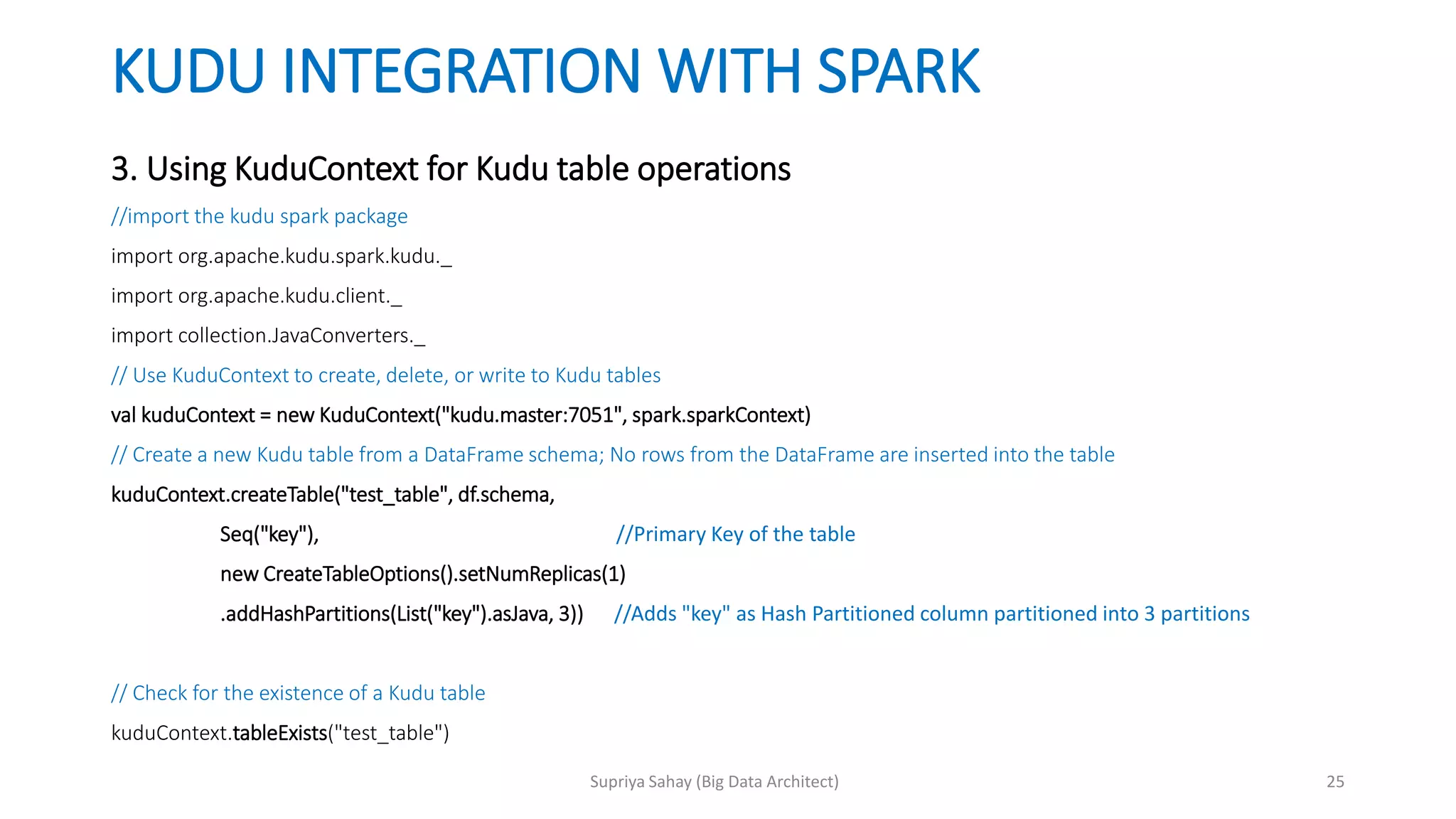
3. Using KuduContext for Kudu table operations
//import the kudu spark package
import org.apache.kudu.spark.kudu._
import org.apache.kudu.client._
import collection.JavaConverters._
// Use KuduContext to create, delete, or write to Kudu tables
val kuduContext = new KuduContext("kudu.master:7051", spark.sparkContext)
// Create a new Kudu table from a DataFrame schema; No rows from the DataFrame are inserted into the table
kuduContext.createTable("test_table", df.schema,
Seq("key"), //Primary Key of the table
new CreateTableOptions().setNumReplicas(1)
.addHashPartitions(List("key").asJava, 3)) //Adds "key" as Hash Partitioned column partitioned into 3 partitions
// Check for the existence of a Kudu table
kuduContext.tableExists("test_table")
25Supriya Sahay (Big Data Architect)
26.
KUDU INTEGRATION WITHSPARK
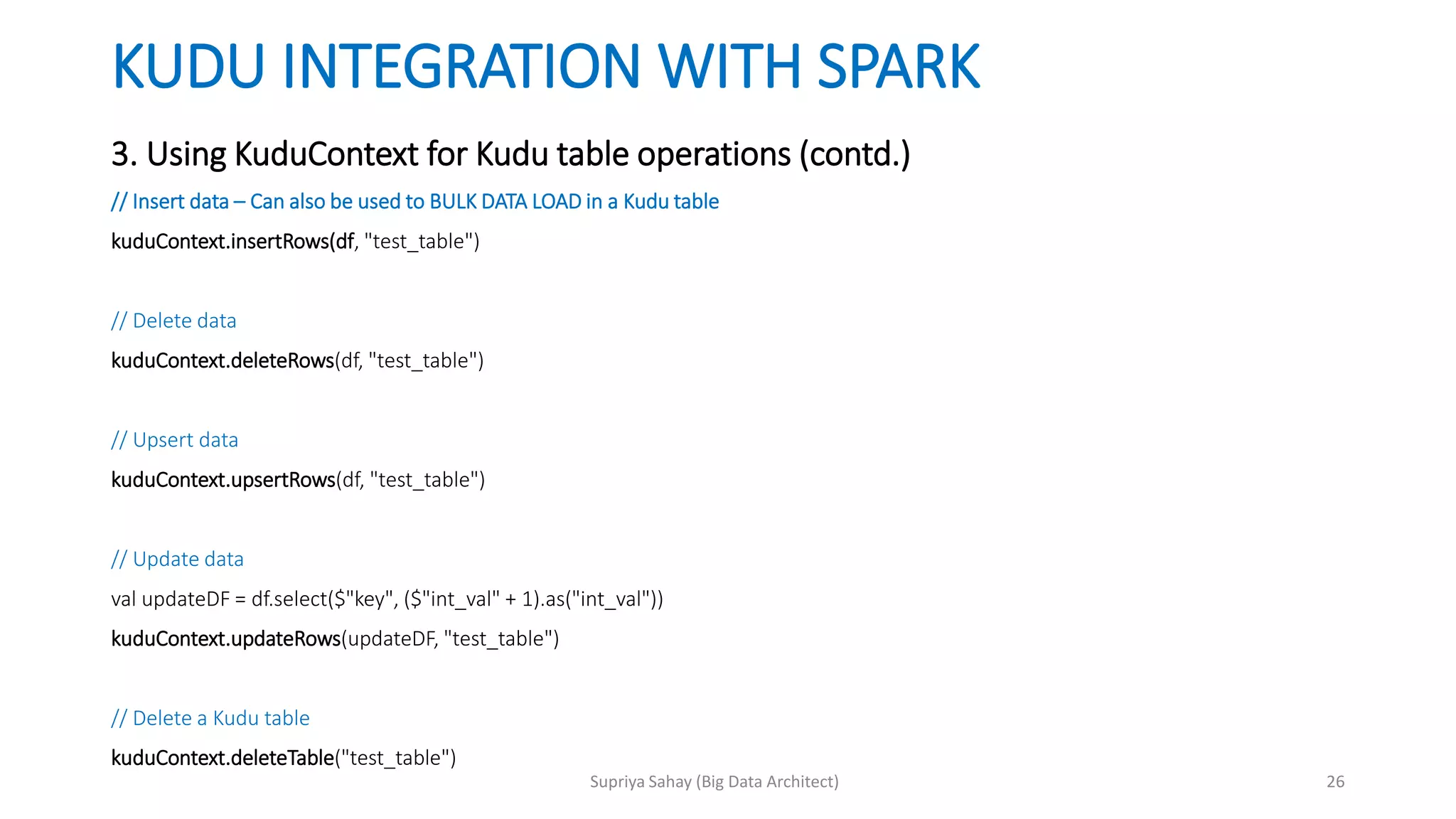
3. Using KuduContext for Kudu table operations (contd.)
// Insert data – Can also be used to BULK DATA LOAD in a Kudu table
kuduContext.insertRows(df, "test_table")
// Delete data
kuduContext.deleteRows(df, "test_table")
// Upsert data
kuduContext.upsertRows(df, "test_table")
// Update data
val updateDF = df.select($"key", ($"int_val" + 1).as("int_val"))
kuduContext.updateRows(updateDF, "test_table")
// Delete a Kudu table
kuduContext.deleteTable("test_table")
26Supriya Sahay (Big Data Architect)
27.
KUDU INTEGRATION WITHIMPALA
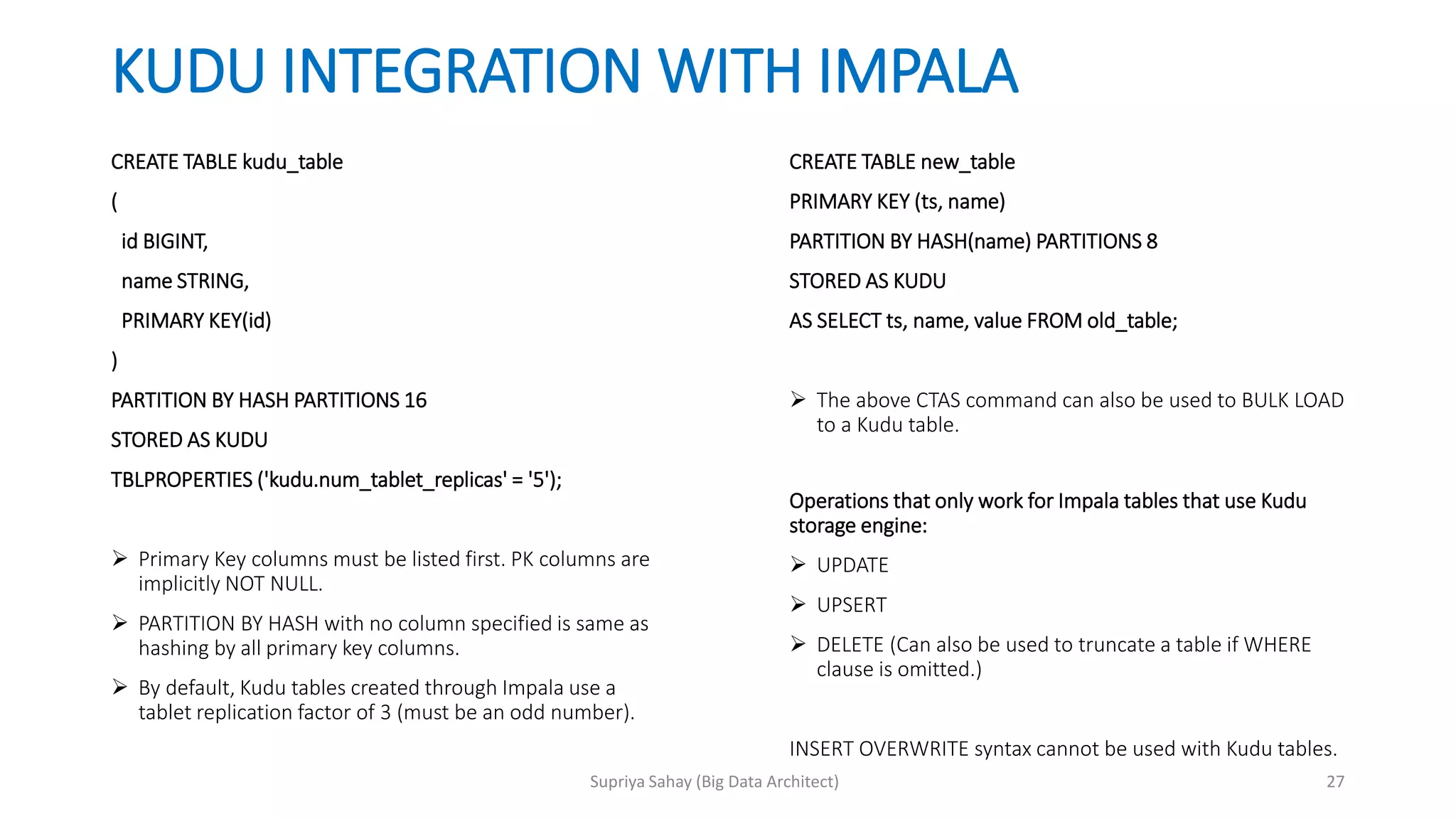
CREATE TABLE kudu_table
(
id BIGINT,
name STRING,
PRIMARY KEY(id)
)
PARTITION BY HASH PARTITIONS 16
STORED AS KUDU
TBLPROPERTIES ('kudu.num_tablet_replicas' = '5');
Primary Key columns must be listed first. PK columns are
implicitly NOT NULL.
PARTITION BY HASH with no column specified is same as
hashing by all primary key columns.
By default, Kudu tables created through Impala use a
tablet replication factor of 3 (must be an odd number).
CREATE TABLE new_table
PRIMARY KEY (ts, name)
PARTITION BY HASH(name) PARTITIONS 8
STORED AS KUDU
AS SELECT ts, name, value FROM old_table;
The above CTAS command can also be used to BULK LOAD
to a Kudu table.
Operations that only work for Impala tables that use Kudu
storage engine:
UPDATE
UPSERT
DELETE (Can also be used to truncate a table if WHERE
clause is omitted.)
INSERT OVERWRITE syntax cannot be used with Kudu tables.
27Supriya Sahay (Big Data Architect)
28.
PERFORMANCE & OTHERCONSIDERATIONS
SPARK:
<> and OR predicates are not pushed to Kudu, and will be evaluated by the Spark task. Only LIKE predicates
with a suffix wildcard are pushed to Kudu. This means LIKE "FOO%" will be pushed, but LIKE "FOO%BAR"
won't.
It is best to use Kudu table and column names in lower case.
Kudu table names containing upper case must be assigned an alternate name when registering as a
temporary table.
Kudu column names containing upper case must not be used with Spark SQL.
IMPALA:
If the WHERE clause of query contains comparisons with the operators =, <=, <, >, >=, BETWEEN, or IN, Kudu
evaluates the condition directly and only returns the relevant results.
For predicates !=, LIKE, or any other predicate type supported by Impala, Kudu does not evaluate the
predicates directly, but returns all results to Impala and relies on Impala to evaluate the remaining predicates
and filter the results accordingly.
Using SYNC_DDL is recommended to be used with all DDL queries. It makes sure to return the query only
when changes have been propagated to all Impala nodes. Without this option there could be a period of
inconsistency if you quickly connect to another node before the Impala catalog service has broadcasted
changes to all nodes.
28Supriya Sahay (Big Data Architect)
29.
PARTITIONING
Large tables canhave as many tablets as cores in the cluster.
For small tables, ensure that each tablet is at least 1 GB in size.
Kudu tables are horizontally partitioned into tablets according to the partition
schema.
Partitioning can only be defined on primary key columns.
A row is mapped to exactly 1 tablet based on the value of PK, random access
operations such as inserts or updates affect only a single tablet.
Kudu supports hash-partitioning & range-partitioning.
Tablets cannot be split or merged after table creation => No. of partitions specified
during table creation cannot be changed later. Except in cases where range
partition is added or deleted.
29Supriya Sahay (Big Data Architect)
30.
RANGE PARTITIONING
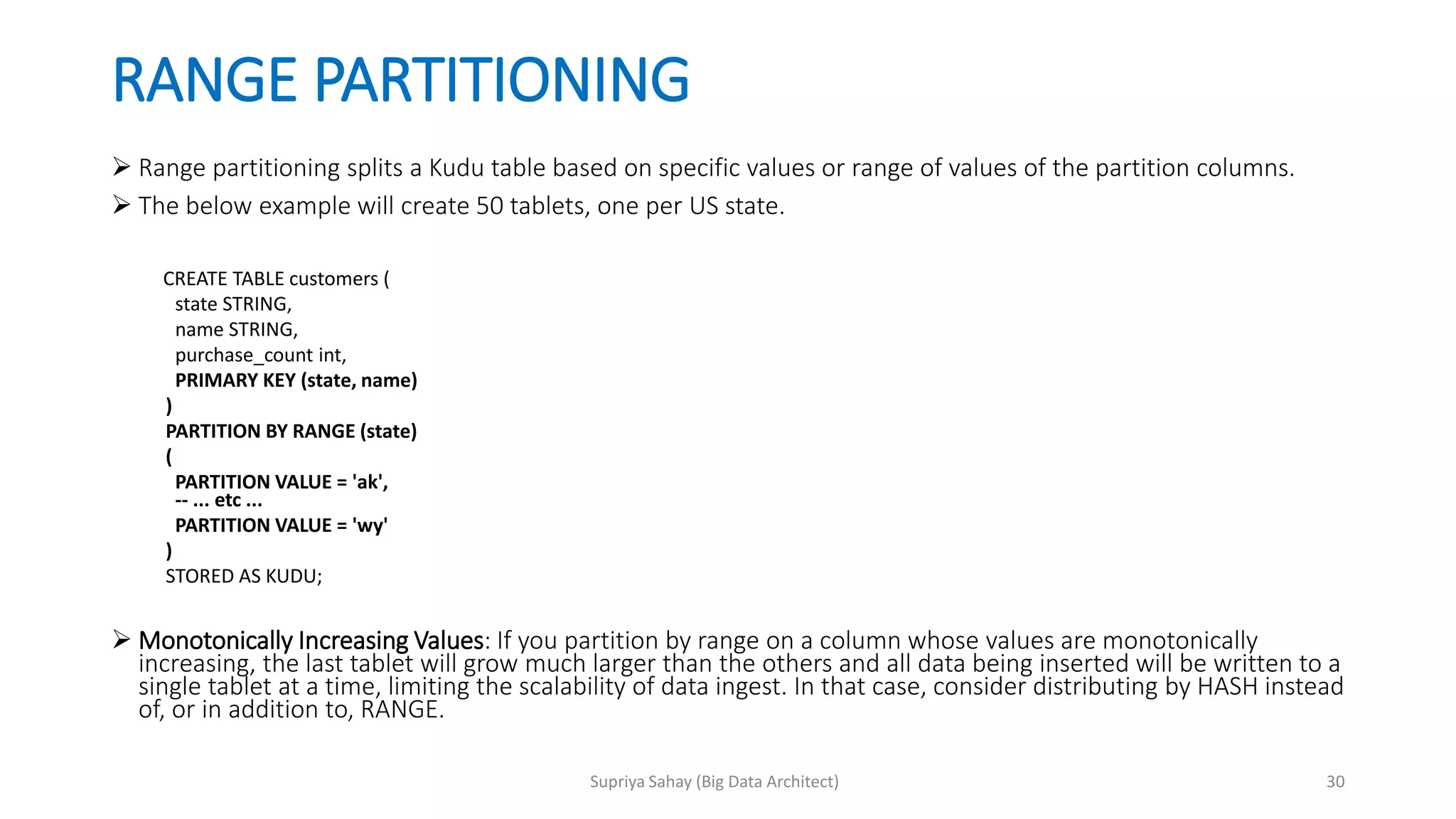
Rangepartitioning splits a Kudu table based on specific values or range of values of the partition columns.
The below example will create 50 tablets, one per US state.
CREATE TABLE customers (
state STRING,
name STRING,
purchase_count int,
PRIMARY KEY (state, name)
)
PARTITION BY RANGE (state)
(
PARTITION VALUE = 'ak',
-- ... etc ...
PARTITION VALUE = 'wy'
)
STORED AS KUDU;
Monotonically Increasing Values: If you partition by range on a column whose values are monotonically
increasing, the last tablet will grow much larger than the others and all data being inserted will be written to a
single tablet at a time, limiting the scalability of data ingest. In that case, consider distributing by HASH instead
of, or in addition to, RANGE.
30Supriya Sahay (Big Data Architect)
31.
HASH PARTITIONING
Hashpartitioning distributes data into a specific number of buckets by hashing on the specified columns.
The below example will create 16 tablets by hashing the id and sku columns.
CREATE TABLE cust_behavior (
id BIGINT,
sku STRING,
salary STRING,
edu_level INT,
usergender STRING,
city STRING,
last_purchase_price FLOAT,
last_purchase_date BIGINT,
PRIMARY KEY (id, sku)
)
PARTITION BY HASH (id, sku) PARTITIONS 16
STORED AS KUDU;
A query for a range of sku values on this table is likely to read all 16 tablets which is not optimal.
..
..
..
PRIMARY KEY (id, sku)
)
PARTITION BY HASH (id) PARTITIONS 4,
HASH (sku) PARTITIONS 4
STORED AS KUDU;
This example will create 16 partitions.
31Supriya Sahay (Big Data Architect)
32.
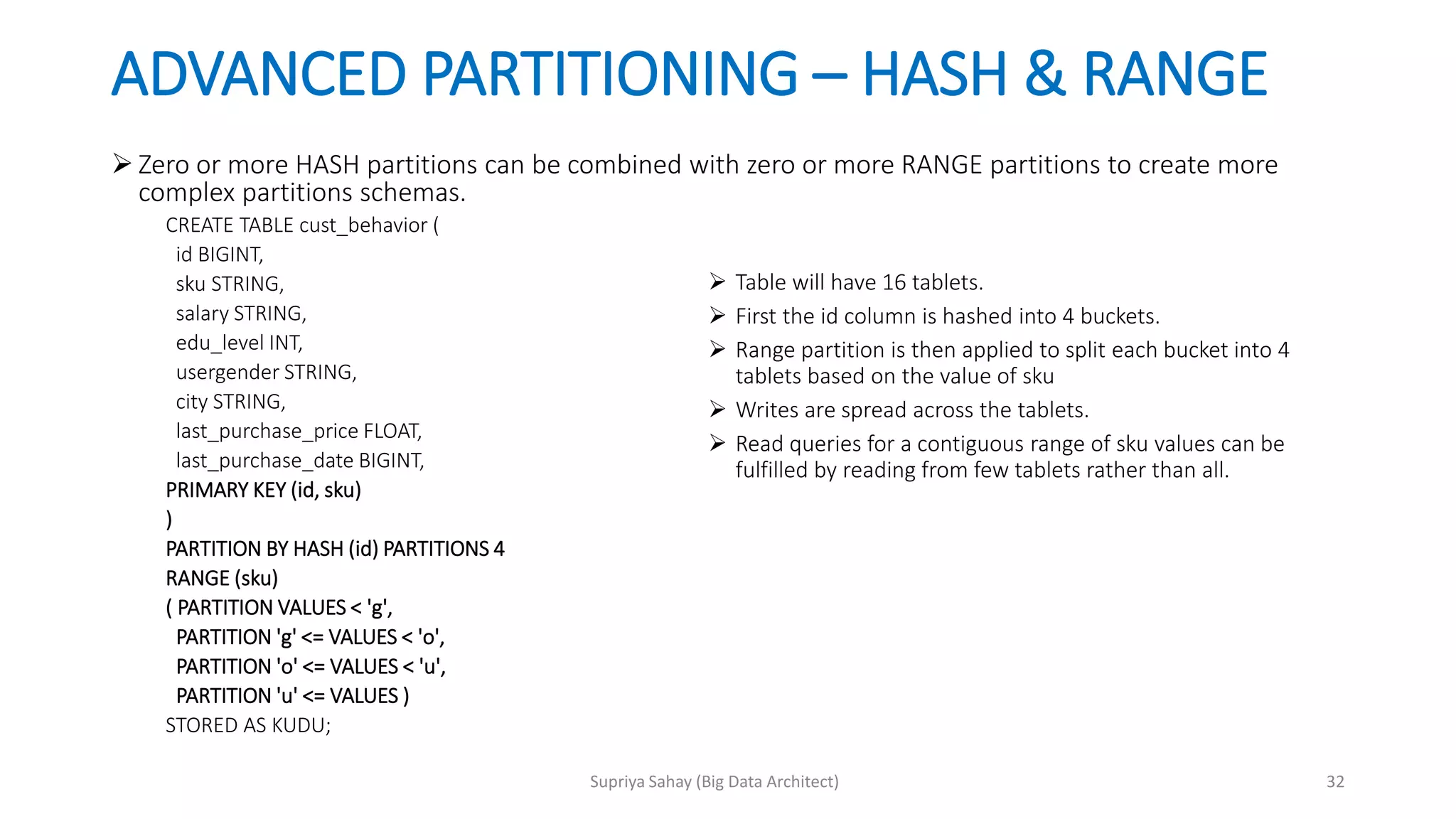
ADVANCED PARTITIONING –HASH & RANGE
Zero or more HASH partitions can be combined with zero or more RANGE partitions to create more
complex partitions schemas.
CREATE TABLE cust_behavior (
id BIGINT,
sku STRING,
salary STRING,
edu_level INT,
usergender STRING,
city STRING,
last_purchase_price FLOAT,
last_purchase_date BIGINT,
PRIMARY KEY (id, sku)
)
PARTITION BY HASH (id) PARTITIONS 4
RANGE (sku)
( PARTITION VALUES < 'g',
PARTITION 'g' <= VALUES < 'o',
PARTITION 'o' <= VALUES < 'u',
PARTITION 'u' <= VALUES )
STORED AS KUDU;
Table will have 16 tablets.
First the id column is hashed into 4 buckets.
Range partition is then applied to split each bucket into 4
tablets based on the value of sku
Writes are spread across the tablets.
Read queries for a contiguous range of sku values can be
fulfilled by reading from few tablets rather than all.
32Supriya Sahay (Big Data Architect)
33.
PERFORMANCE TUNING :ADMIN’S VIEW
There could be times when a performance bottleneck is on the server side
of Kudu rather than the client. In such cases, there are 2 primary areas of
focus for admins:
Kudu Memory Limits
Controlled via parameter --memory_limit_hard_bytes
Maintenance Manager Threads
Controlled via parameter --maintenance_manager_num_threads
These are background threads that perform tasks like flushing data from
memory to disks, compactions etc.. General recommendation is to start
with one-third the number of data drives on a tablet server and go upto
(number of disks – 1). Should be tested for given workloads. Default is 1.
33Supriya Sahay (Big Data Architect)
34.
KNOWN LIMITATIONS
Immutable PrimaryKeys: Kudu does not allow updating the primary key of a row after insertion.
Non-alterable Primary Key: Kudu does not allow altering the primary key columns after table
creation.
Non-alterable Partition Schema: Kudu does not allow altering the partition schema after table
creation.
Tablet Splitting: You currently cannot split or merge tablets after table creation. You must create the
appropriate number of tablets in the partition schema at table creation. As a workaround, you can
copy the contents of one table to another by using a CREATE TABLE AS SELECT statement or
creating an empty table and using an INSERT query with SELECT in the predicate to populate the
new table.
Does not support semi- structured data such as JSON
Data at rest encryption is not supported.
Data Backup functionality is not available. One strategy is to export the data to HDFS in Parquet
format using one of the integrations and ship it to another cluster; or use distcp with HDFS; or
Cloudera’s BDR tool. Another way is to parallely ingest data immediately into a 2nd data center,
which will also impact the write speed.
34Supriya Sahay (Big Data Architect)













![[DSC Europe 25] Vid Stimac - Policy Parsimony: Between Oversimplifying and Ov...](https://cdn.slidesharecdn.com/ss_thumbnails/eqlepagzqp2rhg3gbluh-dsc-stimac-251120-251205090438-059e7f54-thumbnail.jpg?width=640&height=640&fit=bounds)


![[DSC Europe 25] Jim Sterne - Adopting Generative AI Capabilities Into the Ent...](https://cdn.slidesharecdn.com/ss_thumbnails/sxhpofuorcagxsaulkmt-3-251204082258-7e66bc48-thumbnail.jpg?width=640&height=640&fit=bounds)
![[DSC Europe 25] Goran Obradovic - The Rise of Sovereign AI: Building the Regi...](https://cdn.slidesharecdn.com/ss_thumbnails/7nw2xxixrxqdxvrb5wca-6-251205085714-ab09a2ac-thumbnail.jpg?width=640&height=640&fit=bounds)


![[DSC Europe 25] Dusan Jovicic - AI Story: From on-prem to cloud and back agai...](https://cdn.slidesharecdn.com/ss_thumbnails/8kp49m6uq22ifnbwhfnk-2-251205085715-964d11a6-thumbnail.jpg?width=640&height=640&fit=bounds)
![[DSC Europe 25] Nikola Rajovic - Hardware Technologies Under the Hood: RISC-V...](https://cdn.slidesharecdn.com/ss_thumbnails/o2gptrmtoyqndgoshwgq-dsc2025-tenstorrent-rajovic-251205090438-814685f5-thumbnail.jpg?width=640&height=640&fit=bounds)
![[DSC Europe 25] Bogdan Daniel Maruneac - AI - It starts with you.pptx](https://cdn.slidesharecdn.com/ss_thumbnails/odov3snhrcqs9hx5ny2n-4-251205085715-f1daacfe-thumbnail.jpg?width=640&height=640&fit=bounds)

![[DSC Europe 25] Marija Vlajkovic & Andrea Radonjanin - Integration of AI tool...](https://cdn.slidesharecdn.com/ss_thumbnails/qf1jrglttoc3bm8s3aop-final-integration-of-ai-tools-251208151905-394f3a6a-thumbnail.jpg?width=640&height=640&fit=bounds)
