Kubernetes 架構與虛擬化之
差異
Senior Solution Architect Bean
Agenda
• Container connectiuon with Kubernetes
• Docker Virtualization
• VM Virtualization
• Comparison
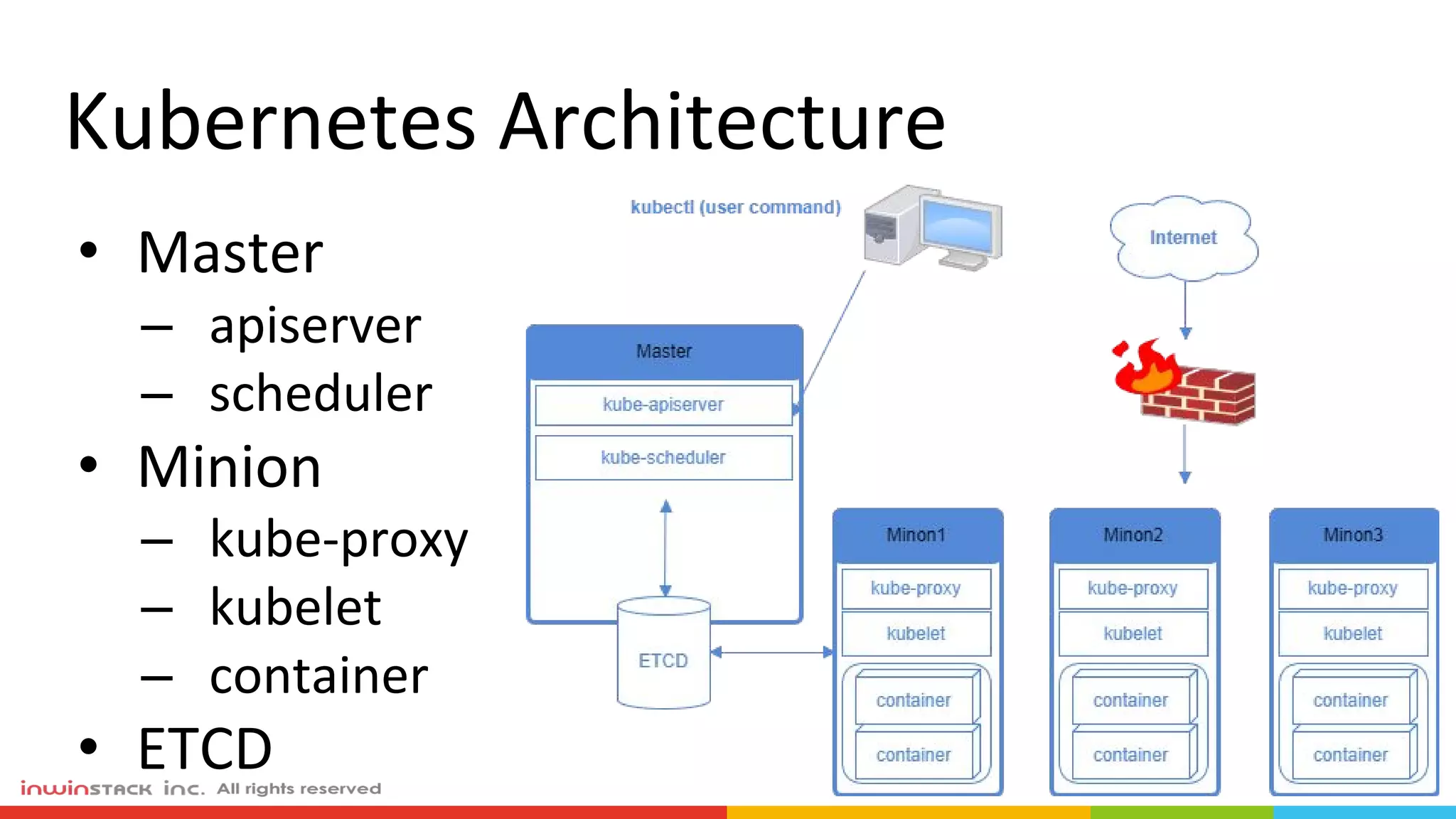
Kubernetes Architecture
• Master
– apiserver
– scheduler
• Minion
– kube-proxy
– kubelet
– container
• ETCD
Container = Docker ?
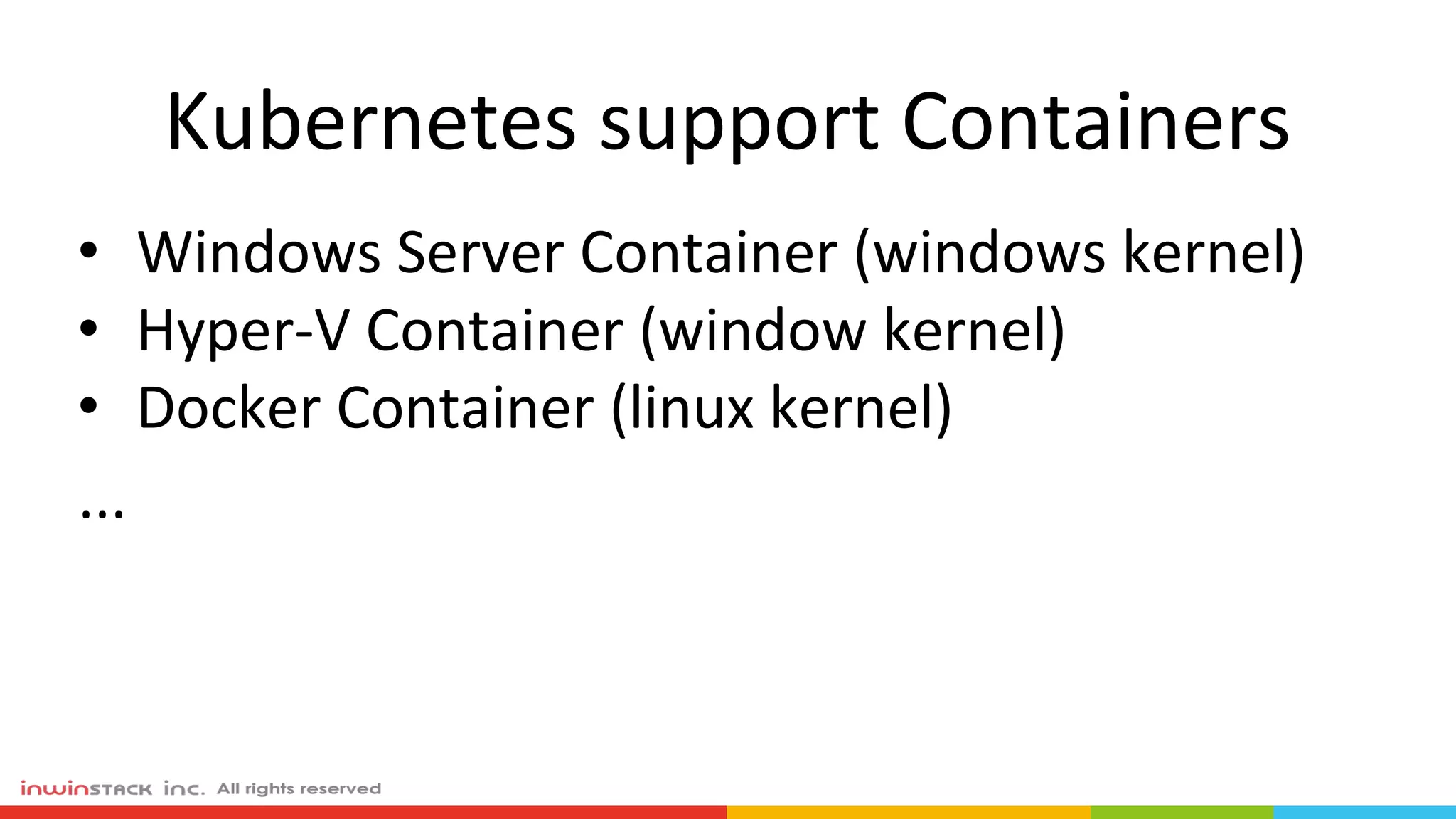
Kubernetes support Containers
• Windows Server Container (windows kernel)
• Hyper-V Container (window kernel)
• Docker Container (linux kernel)
...
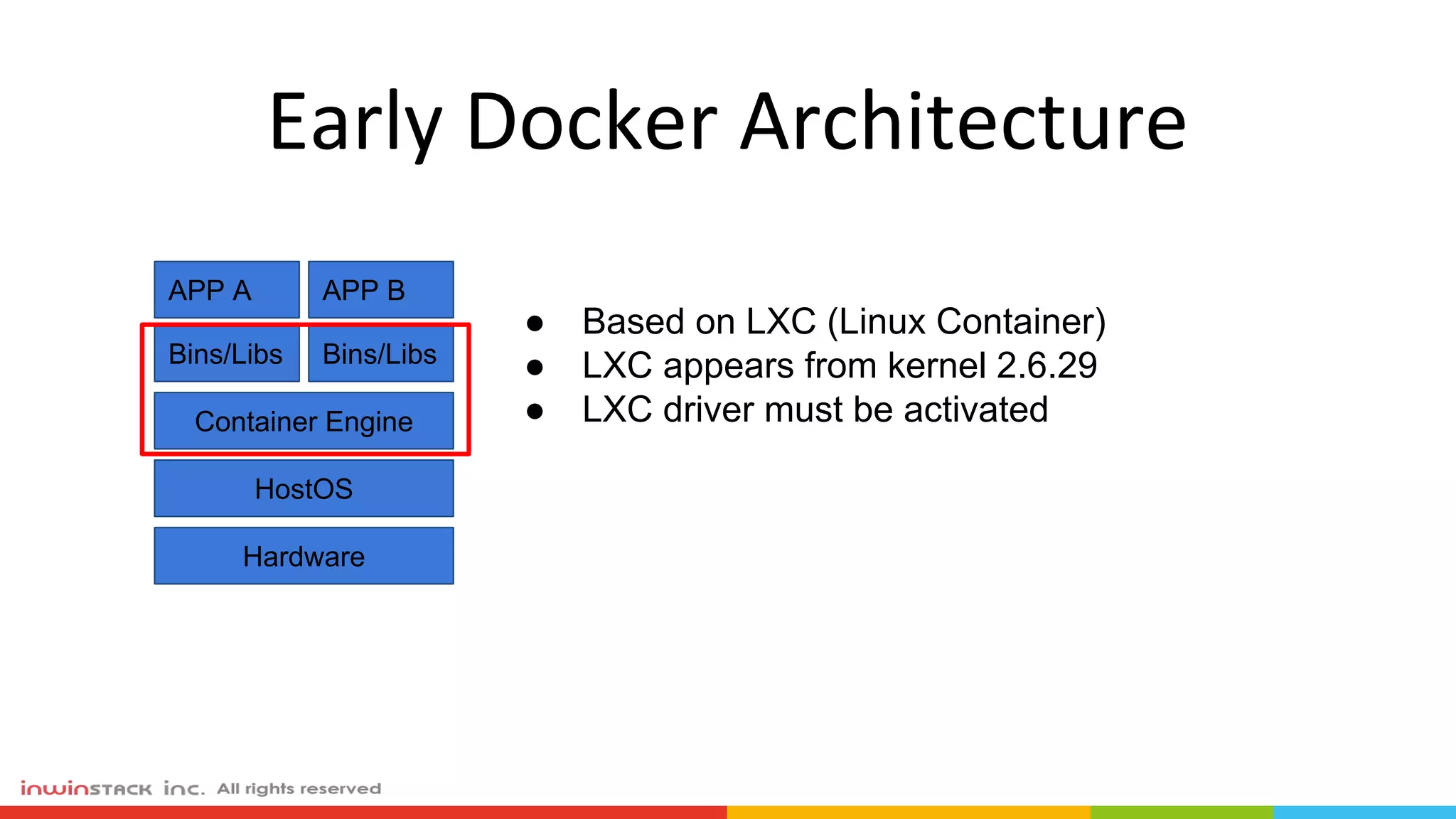
Early Docker Architecture
APP A
Bins/Libs
APP B
Bins/Libs
Container Engine
HostOS
Hardware
● Based on LXC (Linux Container)
● LXC appears from kernel 2.6.29
● LXC driver must be activated
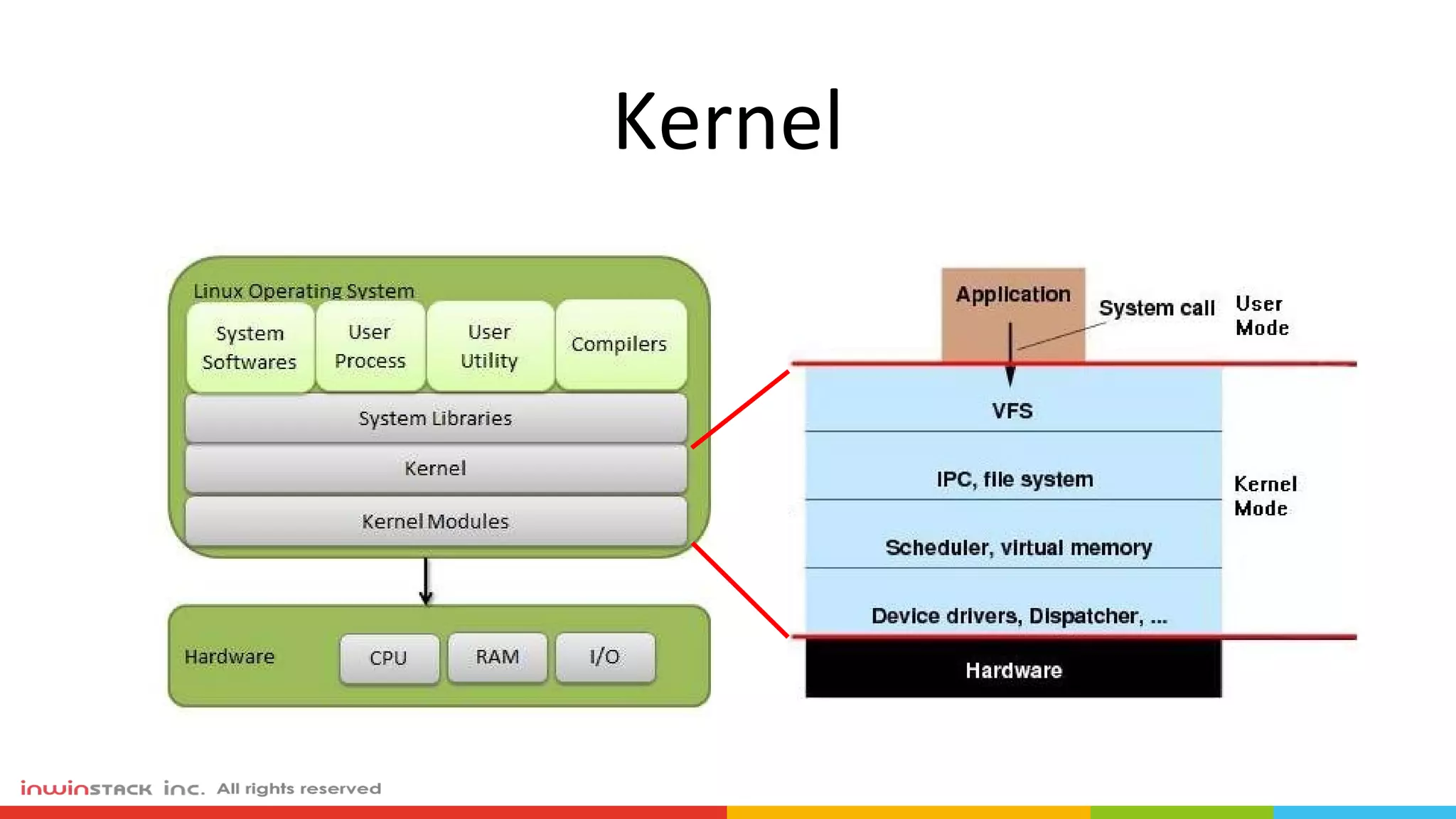
Kernel
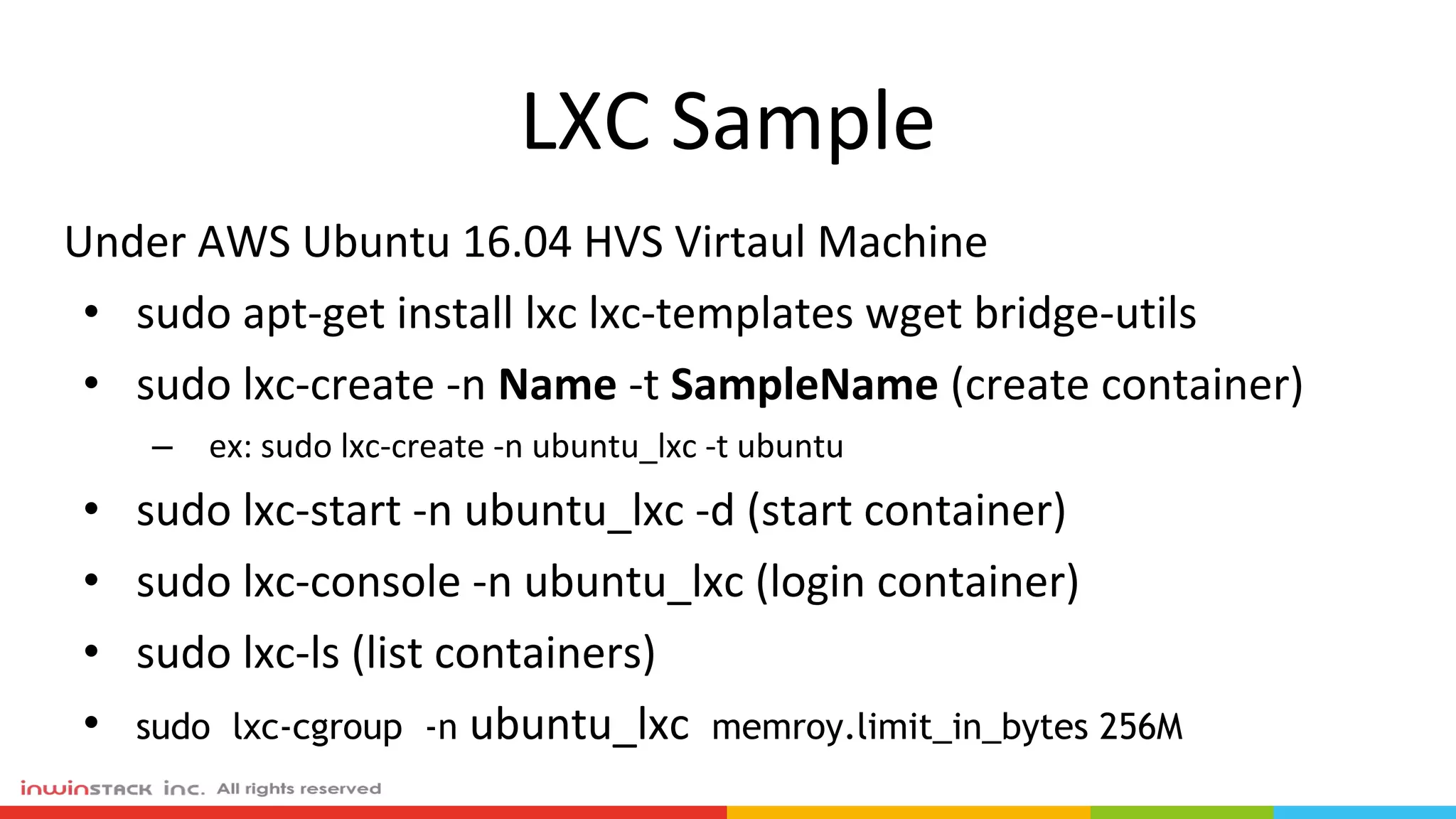
LXC Sample
Under AWS Ubuntu 16.04 HVS Virtaul Machine
• sudo apt-get install lxc lxc-templates wget bridge-utils
• sudo lxc-create -n Name -t SampleName (create container)
– ex: sudo lxc-create -n ubuntu_lxc -t ubuntu
• sudo lxc-start -n ubuntu_lxc -d (start container)
• sudo lxc-console -n ubuntu_lxc (login container)
• sudo lxc-ls (list containers)
• sudo lxc-cgroup -n ubuntu_lxc memroy.limit_in_bytes 256M
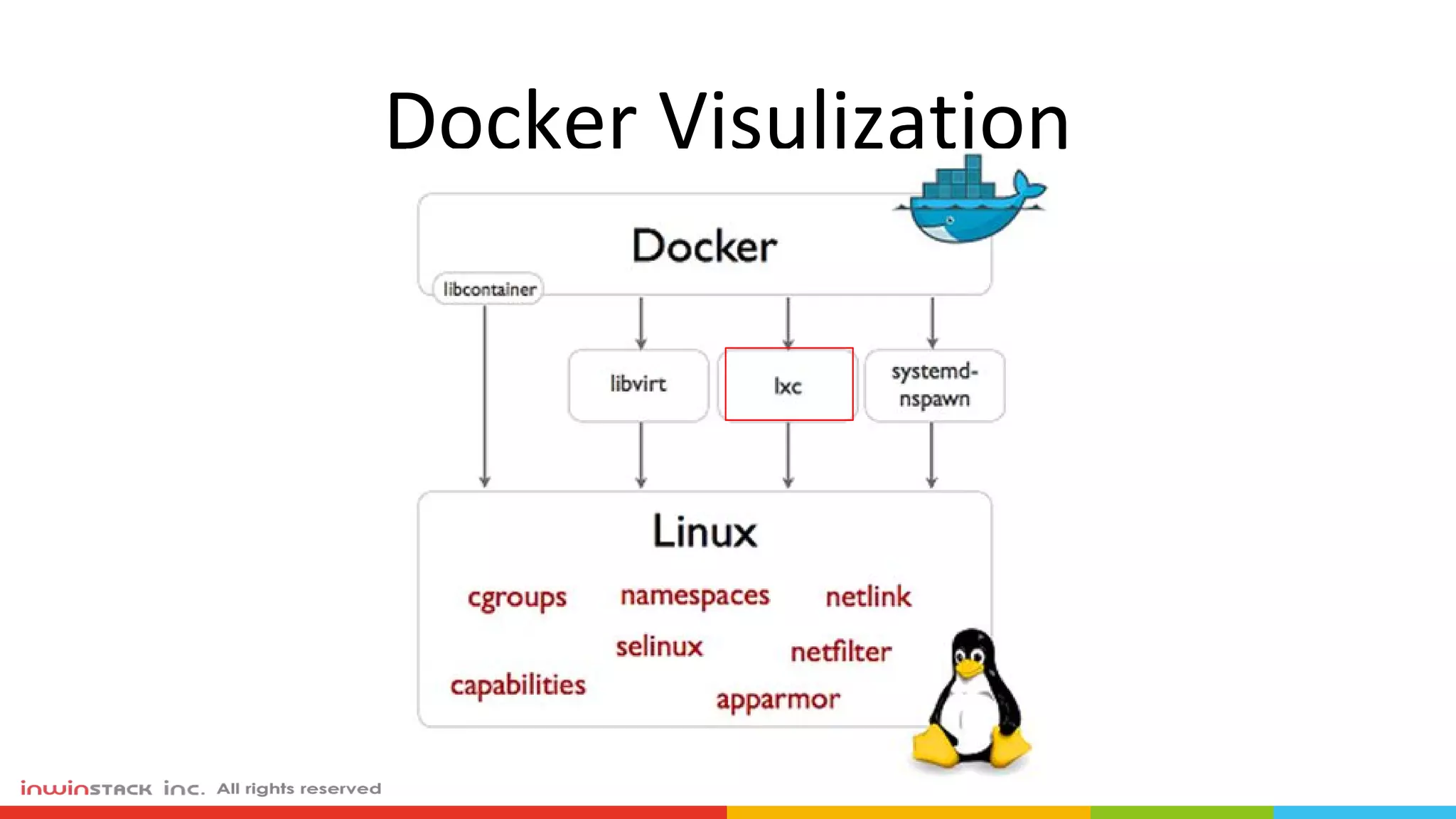
Docker Visulization
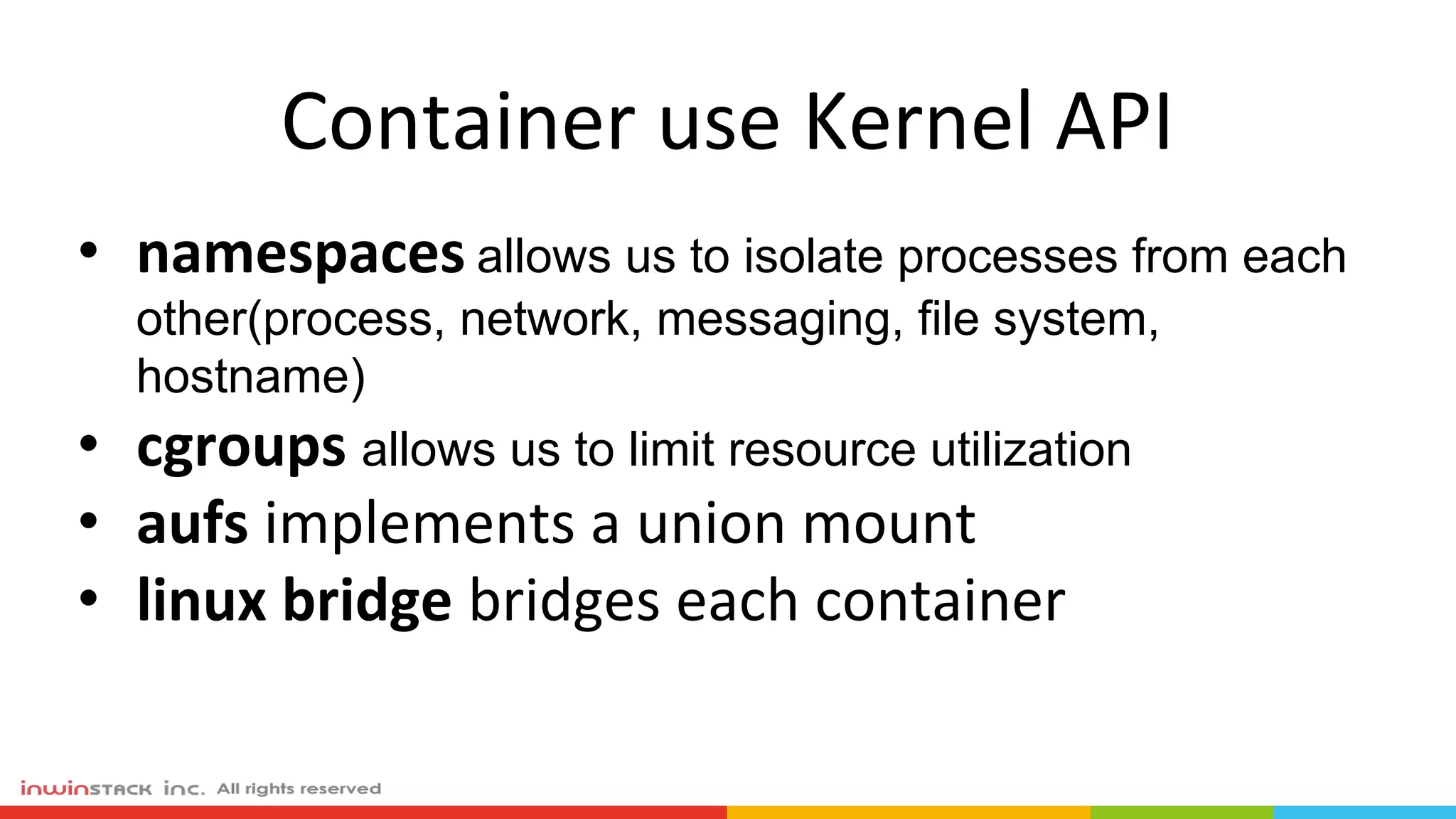
Container use Kernel API
• namespaces allows us to isolate processes from each
other(process, network, messaging, file system,
hostname)
• cgroups allows us to limit resource utilization
• aufs implements a union mount
• linux bridge bridges each container
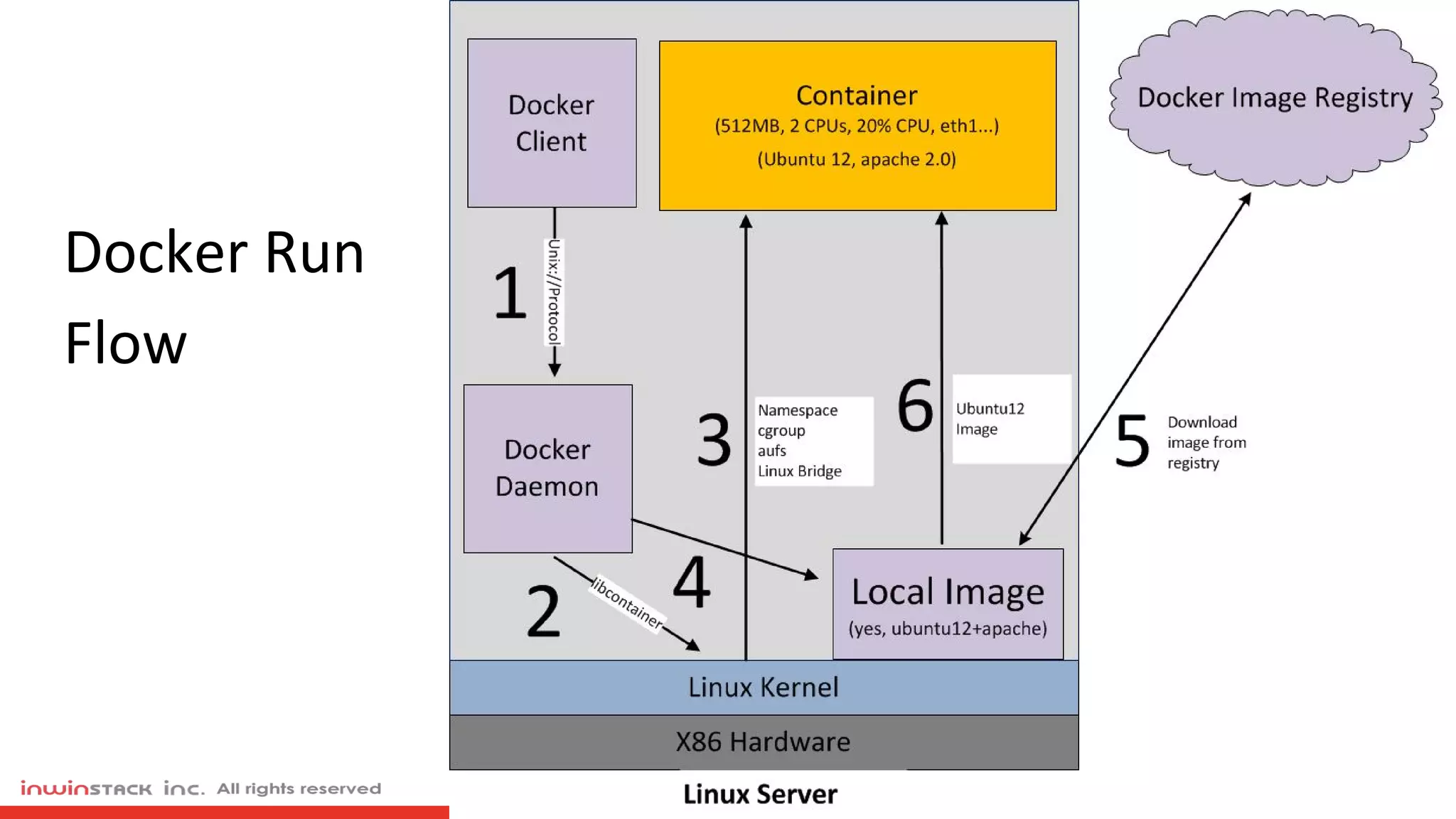
Docker Flow
Docker Run
Flow
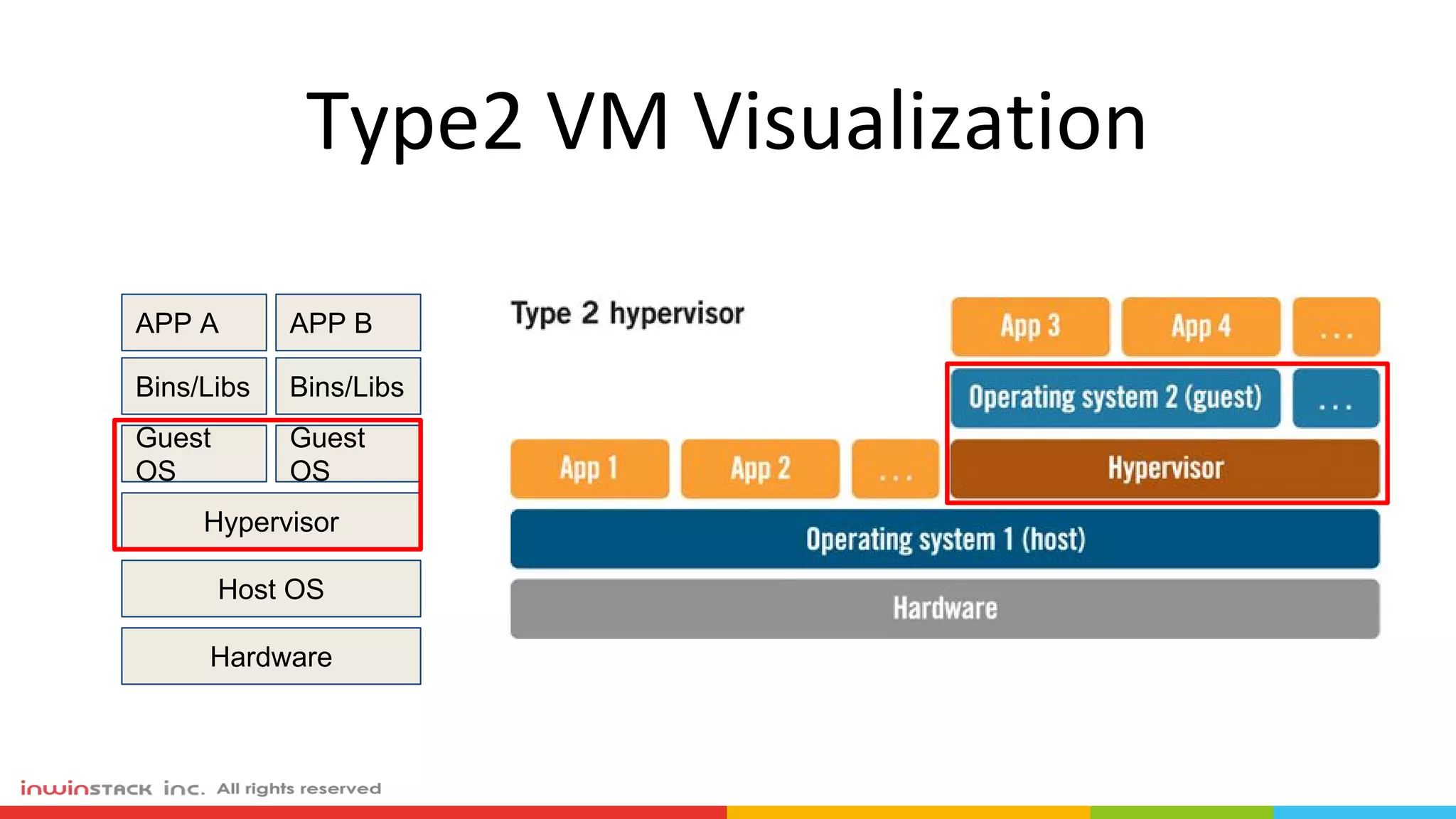
Type2 VM Visualization
APP A
Bins/Libs
APP B
Bins/Libs
Guest
OS
Hypervisor
Host OS
Guest
OS
Hardware
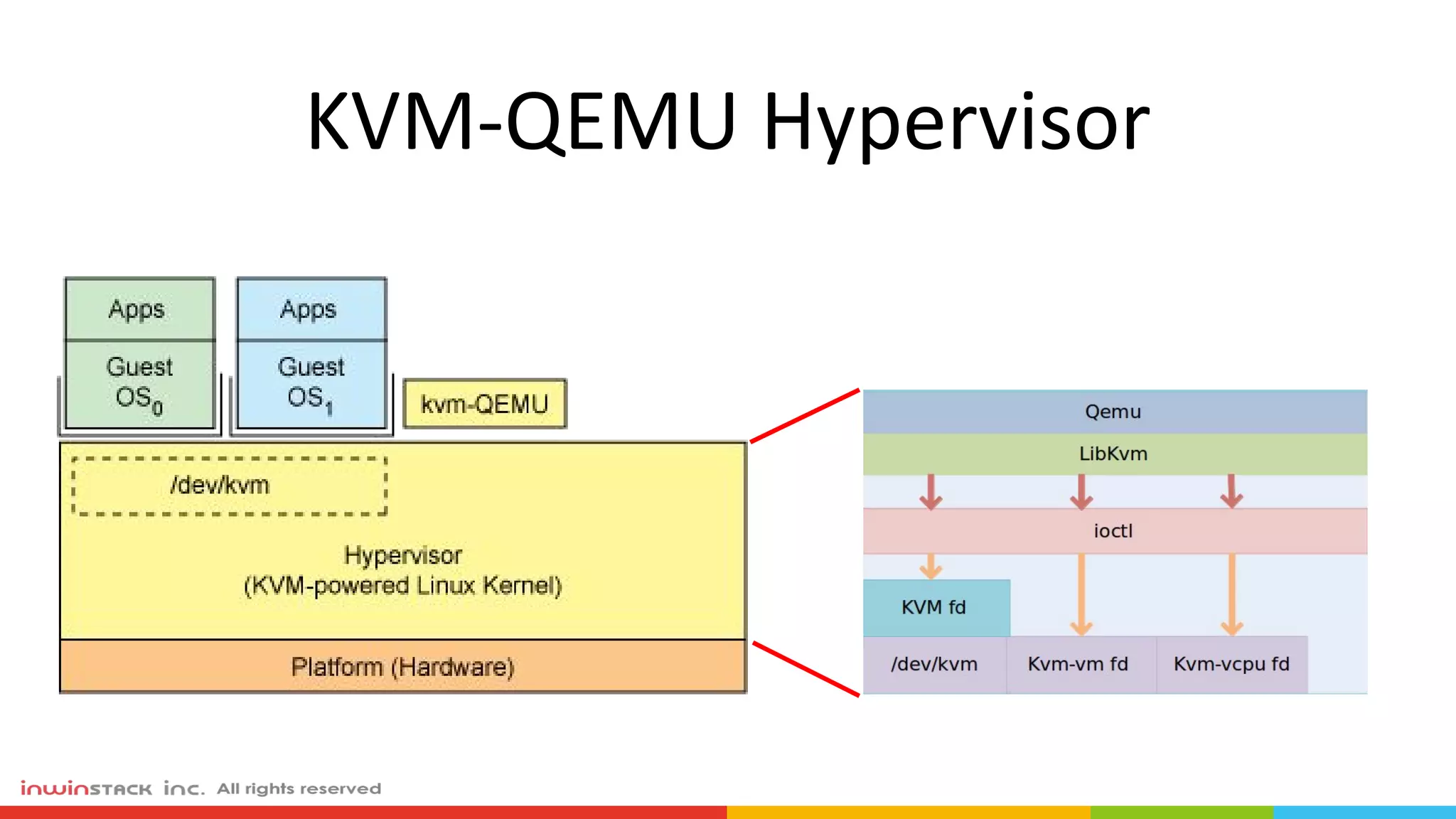
KVM-QEMU Hypervisor
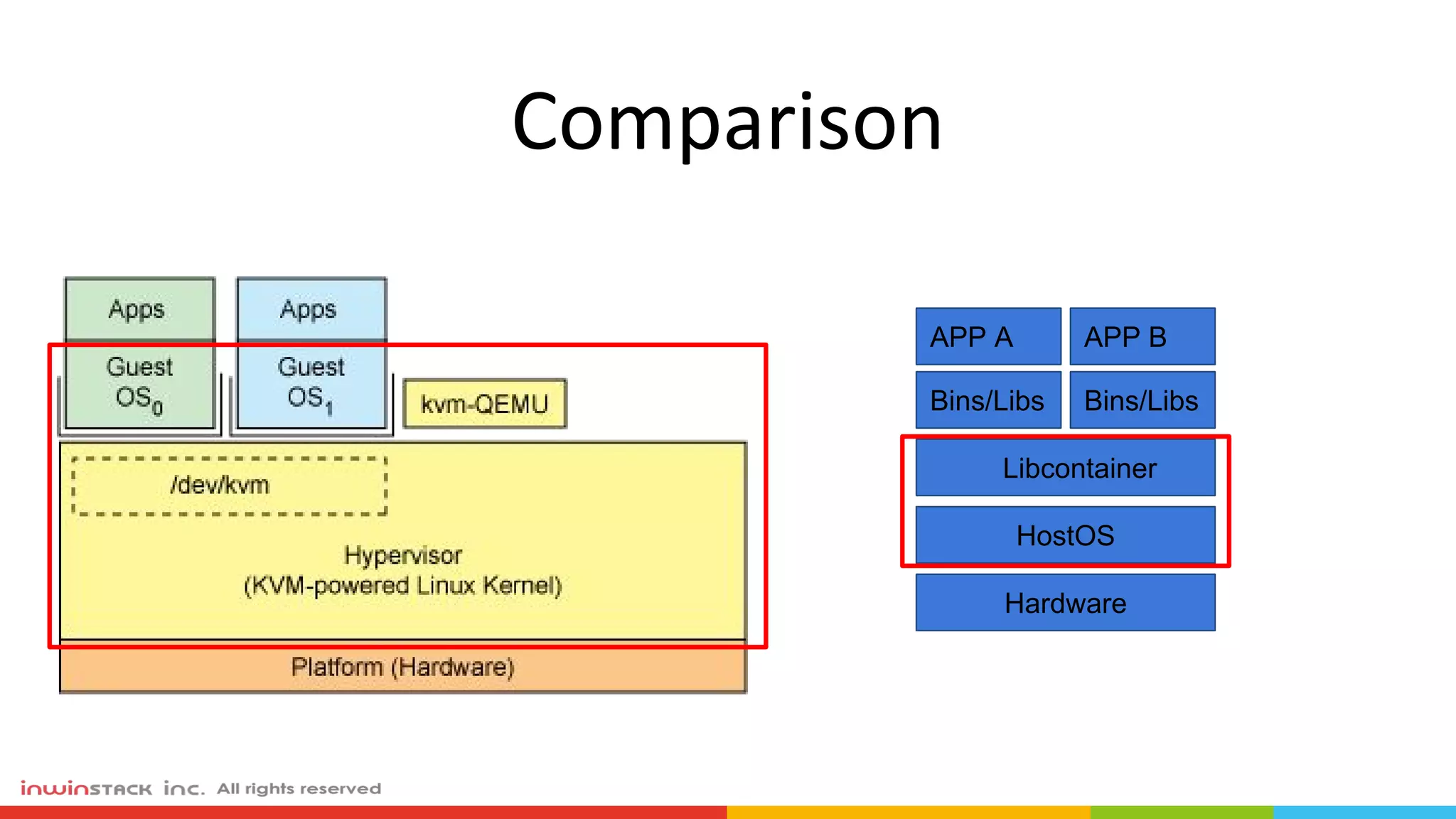
Comparison
APP A
Bins/Libs
APP B
Bins/Libs
Libcontainer
HostOS
Hardware
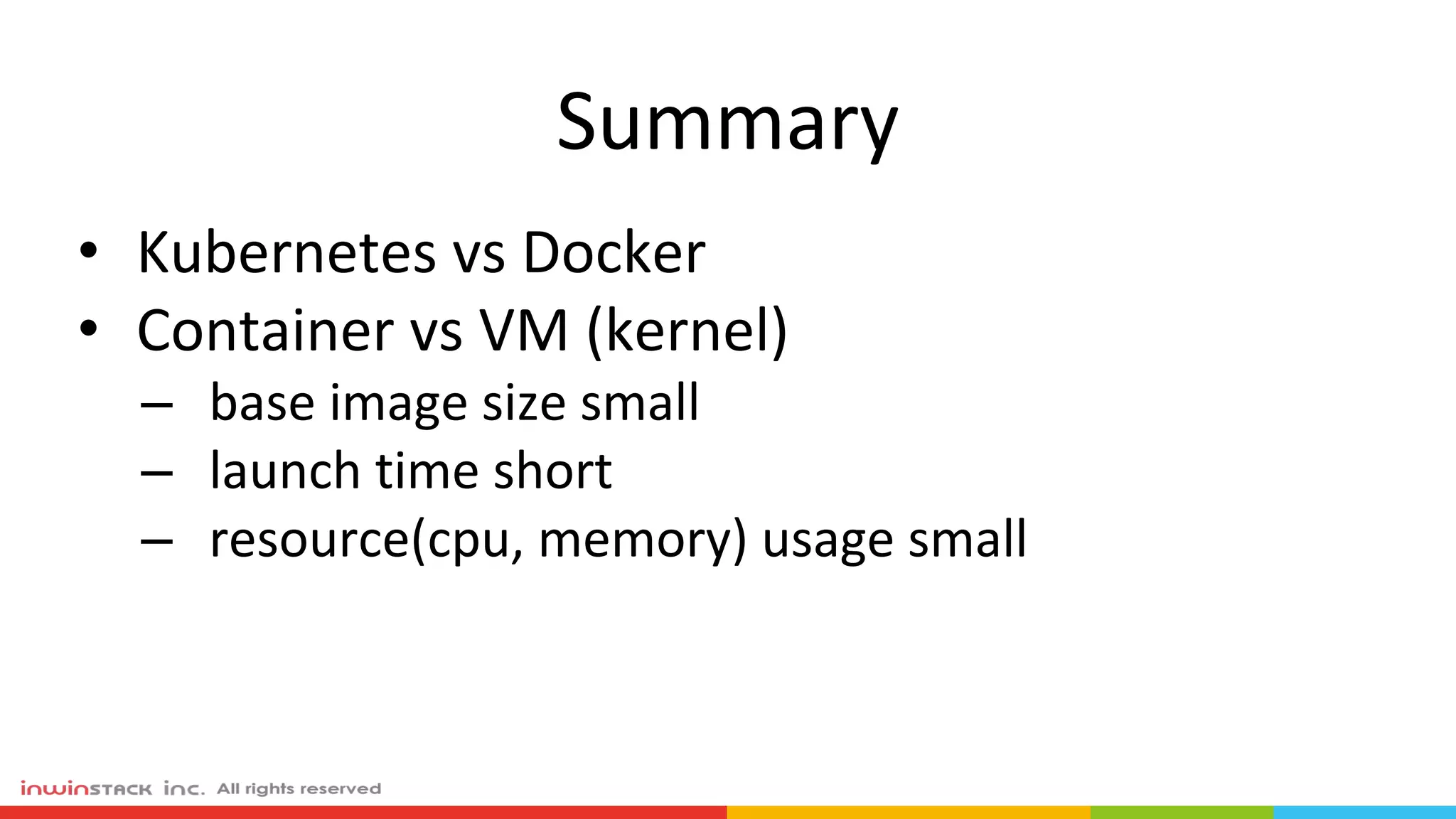
Summary
• Kubernetes vs Docker
• Container vs VM (kernel)
– base image size small
– launch time short
– resource(cpu, memory) usage small

Kubernetes 架構與虛擬化之差異