Download as PDF, PPTX


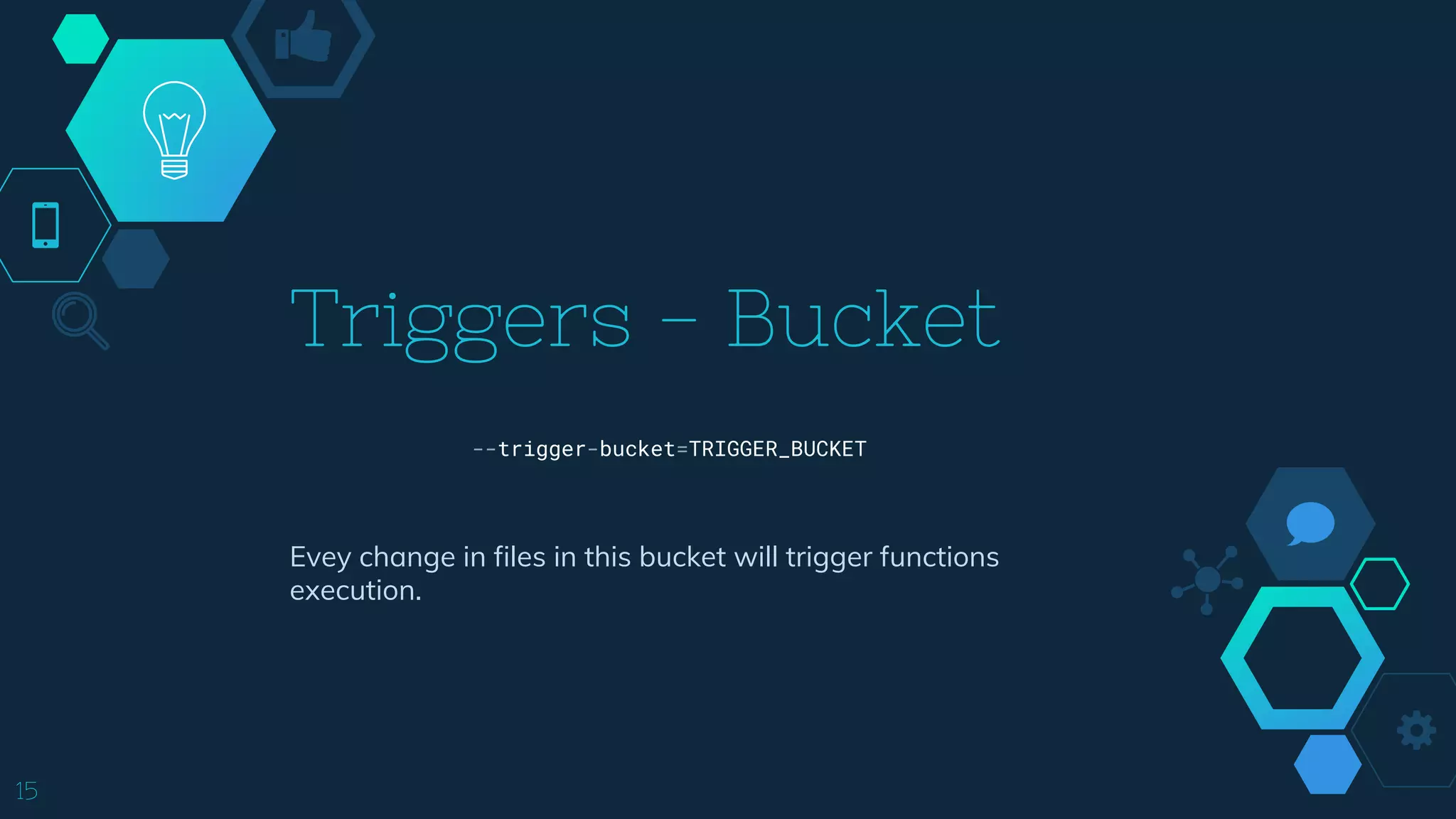
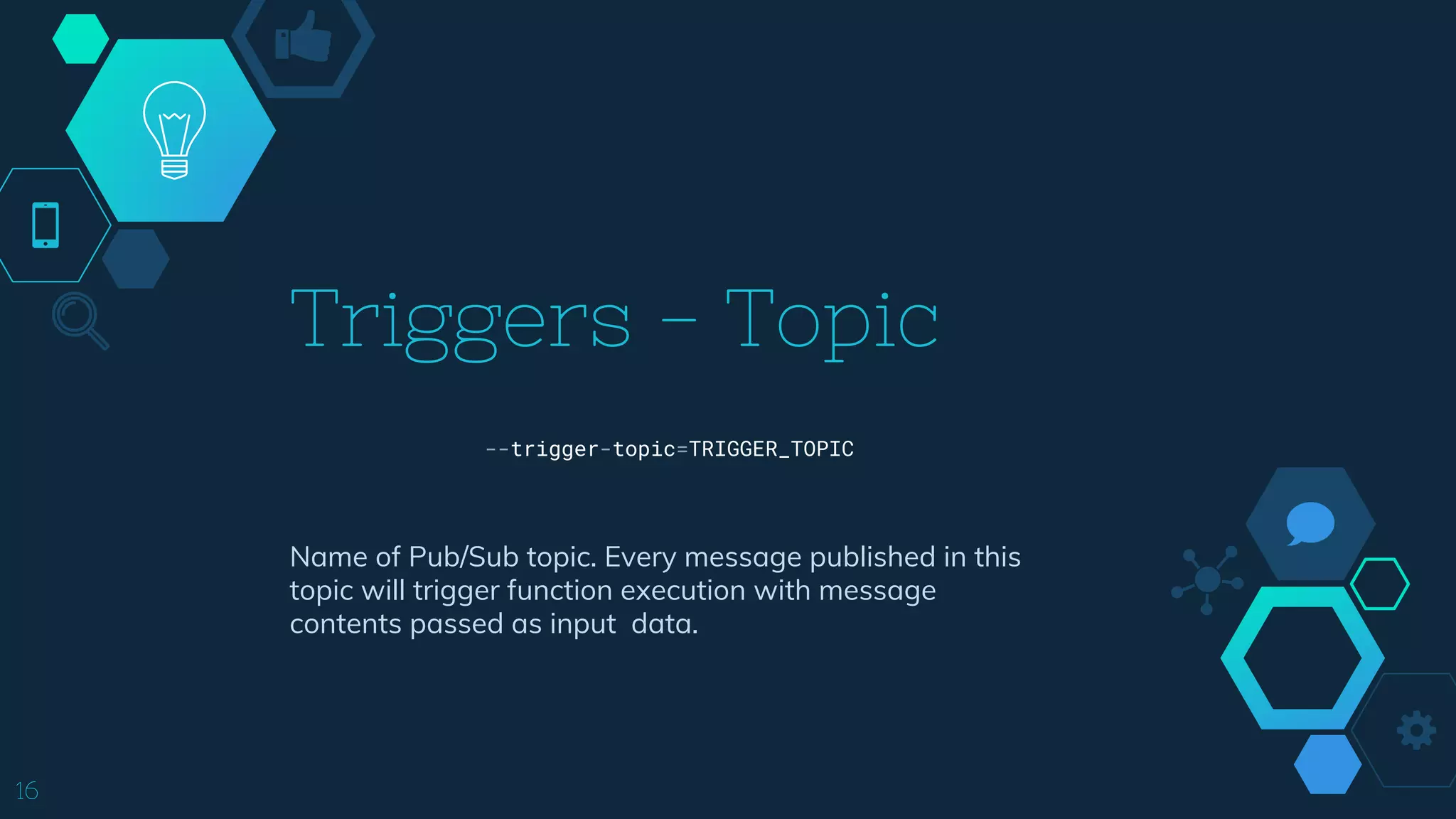
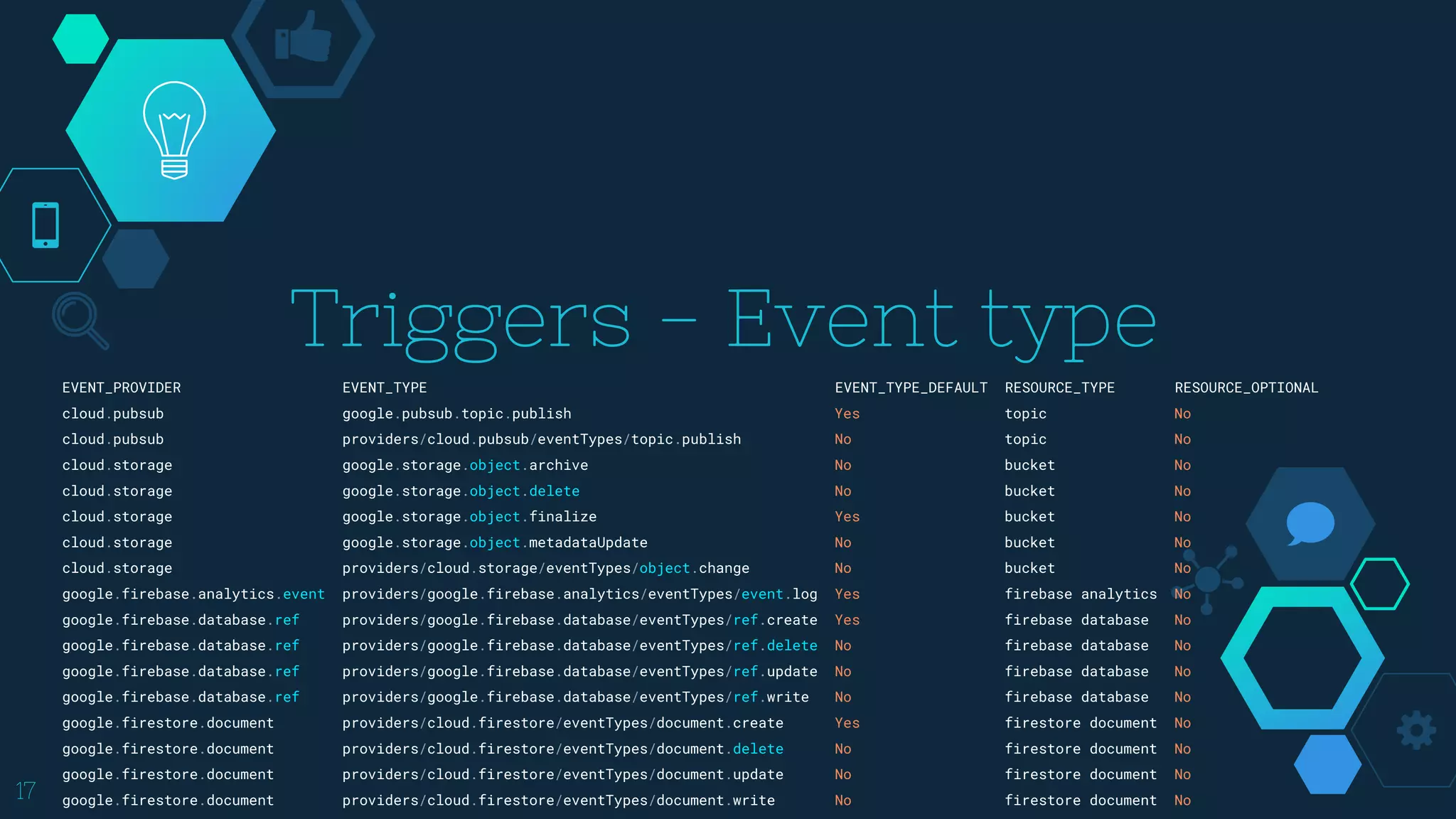
![gcloud functions
18
gcloud functions deploy (NAME : --region=REGION)
[--entry-point=ENTRY_POINT] [--memory=MEMORY] [--retry]
[--runtime=RUNTIME] [--source=SOURCE] [--stage-bucket=STAGE_BUCKET]
[--timeout=TIMEOUT] [--update-labels=[KEY=VALUE,...]]
[--clear-labels | --remove-labels=[KEY,...]]
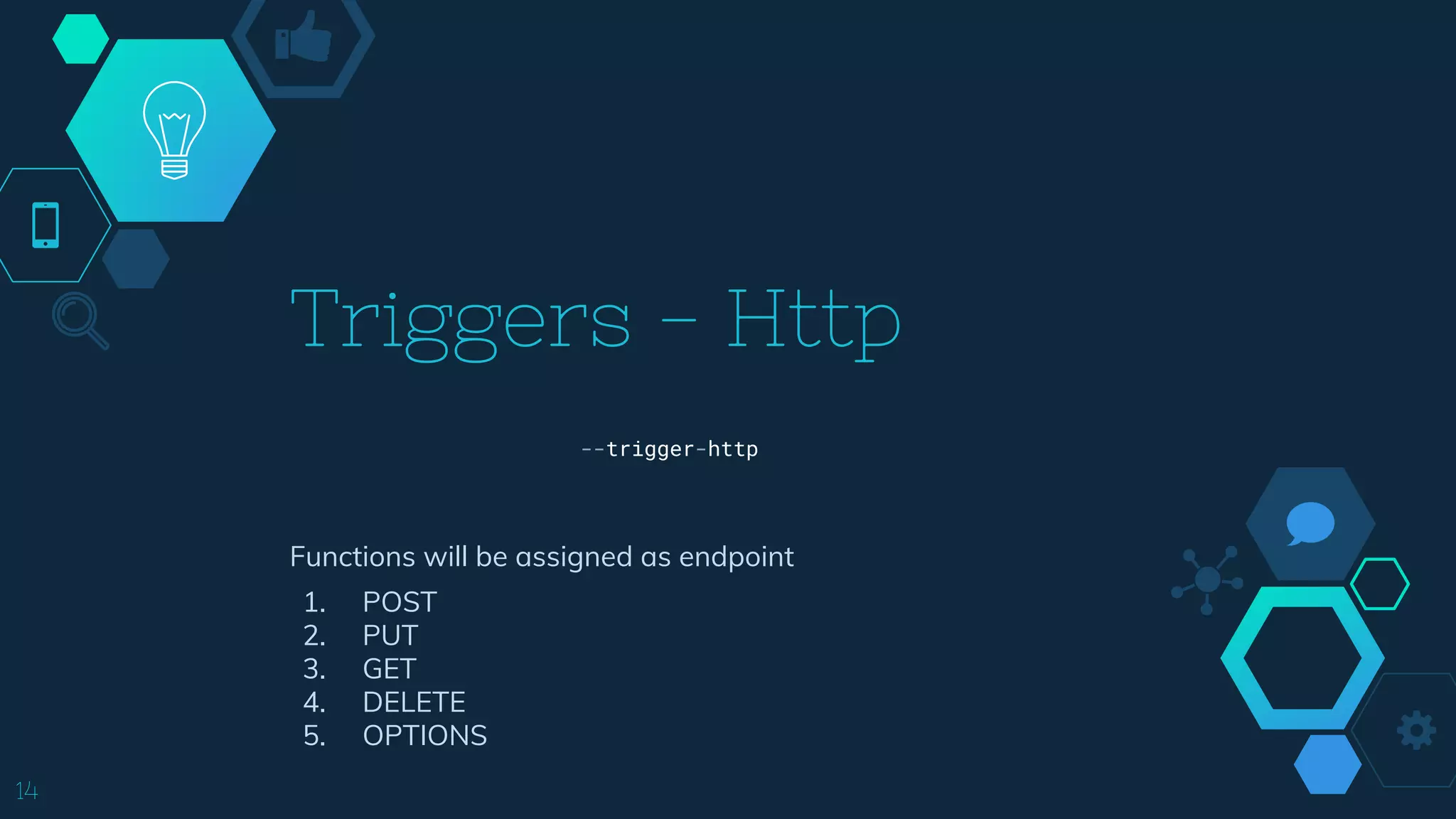
[--trigger-bucket=TRIGGER_BUCKET | --trigger-http
| --trigger-topic=TRIGGER_TOPIC
| --trigger-event=EVENT_TYPE --trigger-resource=RESOURCE]
[GCLOUD_WIDE_FLAG ...]](https://image.slidesharecdn.com/cloudnativeforum-googlecloudfunction-181129083553/75/Google-Cloud-Function-18-2048.jpg)
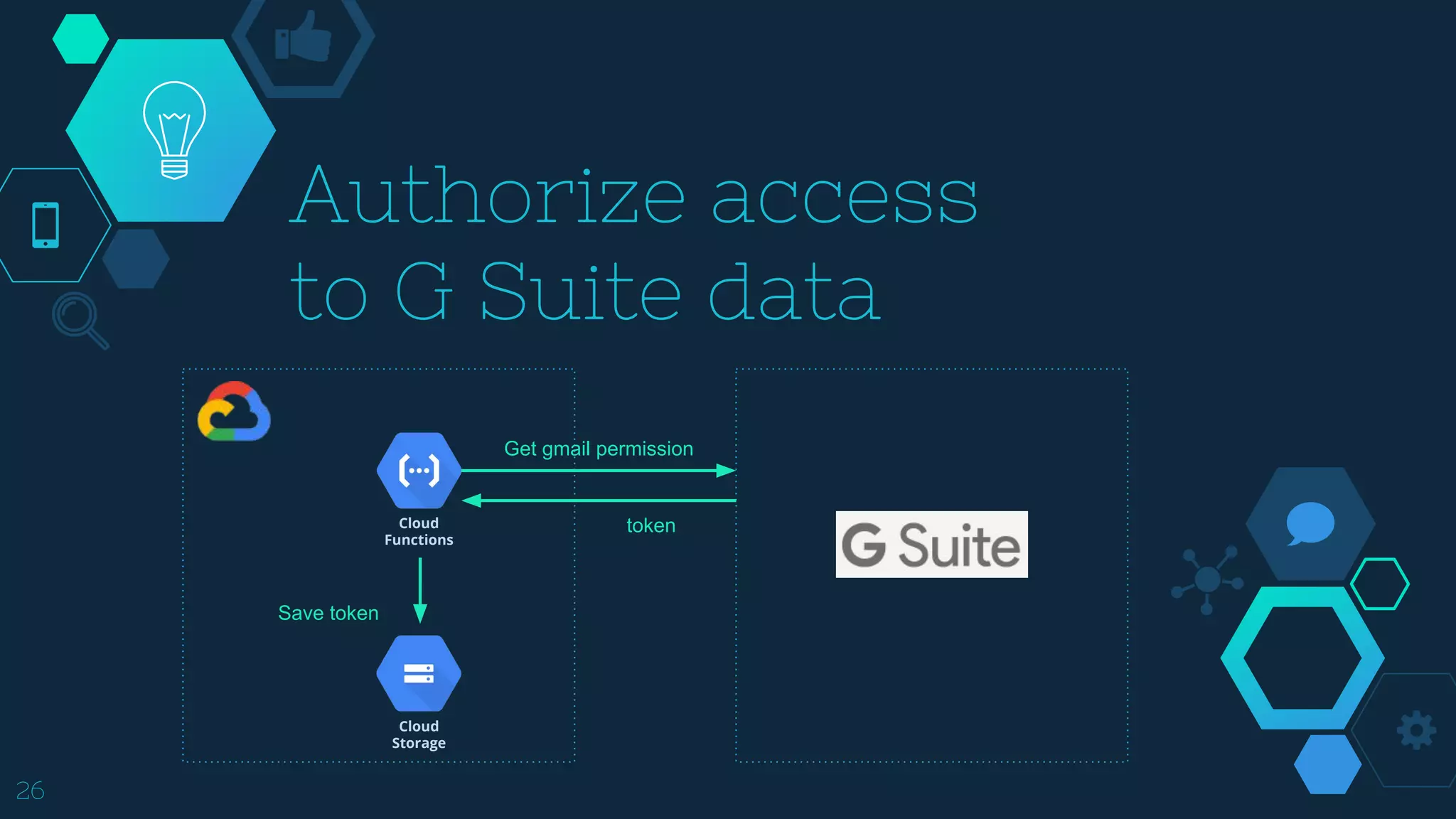
![27
exports.oauth2init = (req, res) => {
// Define OAuth2 scopes
const scopes = [
'https://www.googleapis.com/auth/gmail.readonly,
'https://www.googleapis.com/auth/spreadsheets',
'https://www.googleapis.com/auth/drive.file',
];
// Generate + redirect to OAuth2 consent form URL
const authUrl = oauth.client.generateAuthUrl({
access_type: 'offline',
scope: scopes,
prompt: 'consent' // Required in order to receive a refresh token every time
});
return res.redirect(authUrl);
};](https://image.slidesharecdn.com/cloudnativeforum-googlecloudfunction-181129083553/75/Google-Cloud-Function-27-2048.jpg)
![28
exports.oauth2callback = (req, res) => {
// Get authorization code from request
const code = req.query.code;
// OAuth2: Exchange authorization code for access token
return new Promise((resolve, reject) => {
oauth.client.getToken(code, (err, token) =>
(err ? reject(err) : resolve(token))
);
}).then((token) => {
// Get user email (to use as a Datastore key)
oauth.client.credentials = token;
return Promise.all([token, oauth.getEmailAddress()]);
})
.then(([token, emailAddress]) => {
// Store token in Datastore
return Promise.all([
emailAddress,
oauth.saveToken(emailAddress)
]);
})
.then(([emailAddress]) => {
// Respond to request
res.redirect(`/initWatch?emailAddress=${querystring.escape(emailAddress)}`);
})
.catch((err) => {
// Handle error
console.error(err);
res.status(500).send('Something went wrong; check the logs.');
});
};](https://image.slidesharecdn.com/cloudnativeforum-googlecloudfunction-181129083553/75/Google-Cloud-Function-28-2048.jpg)
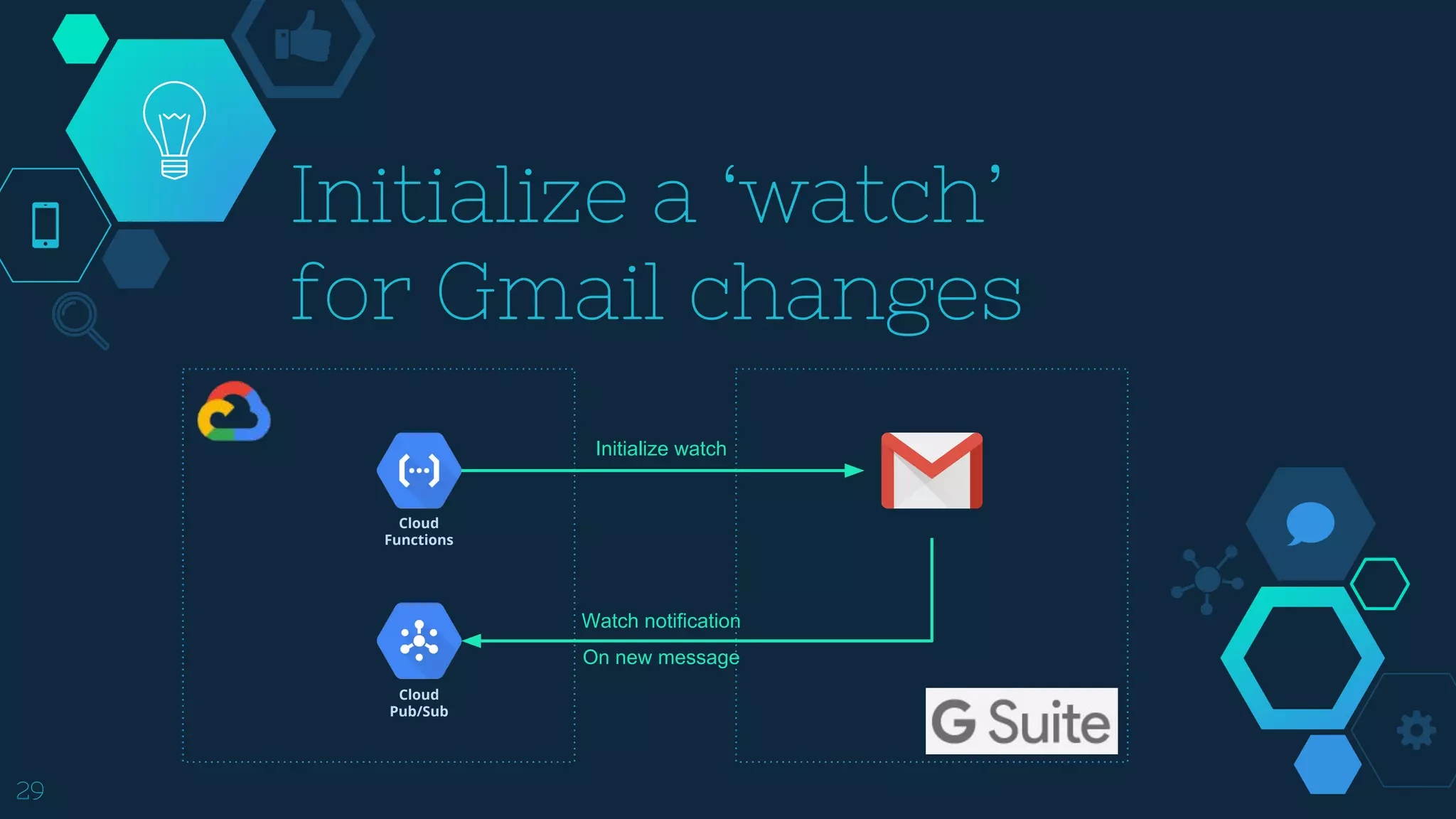
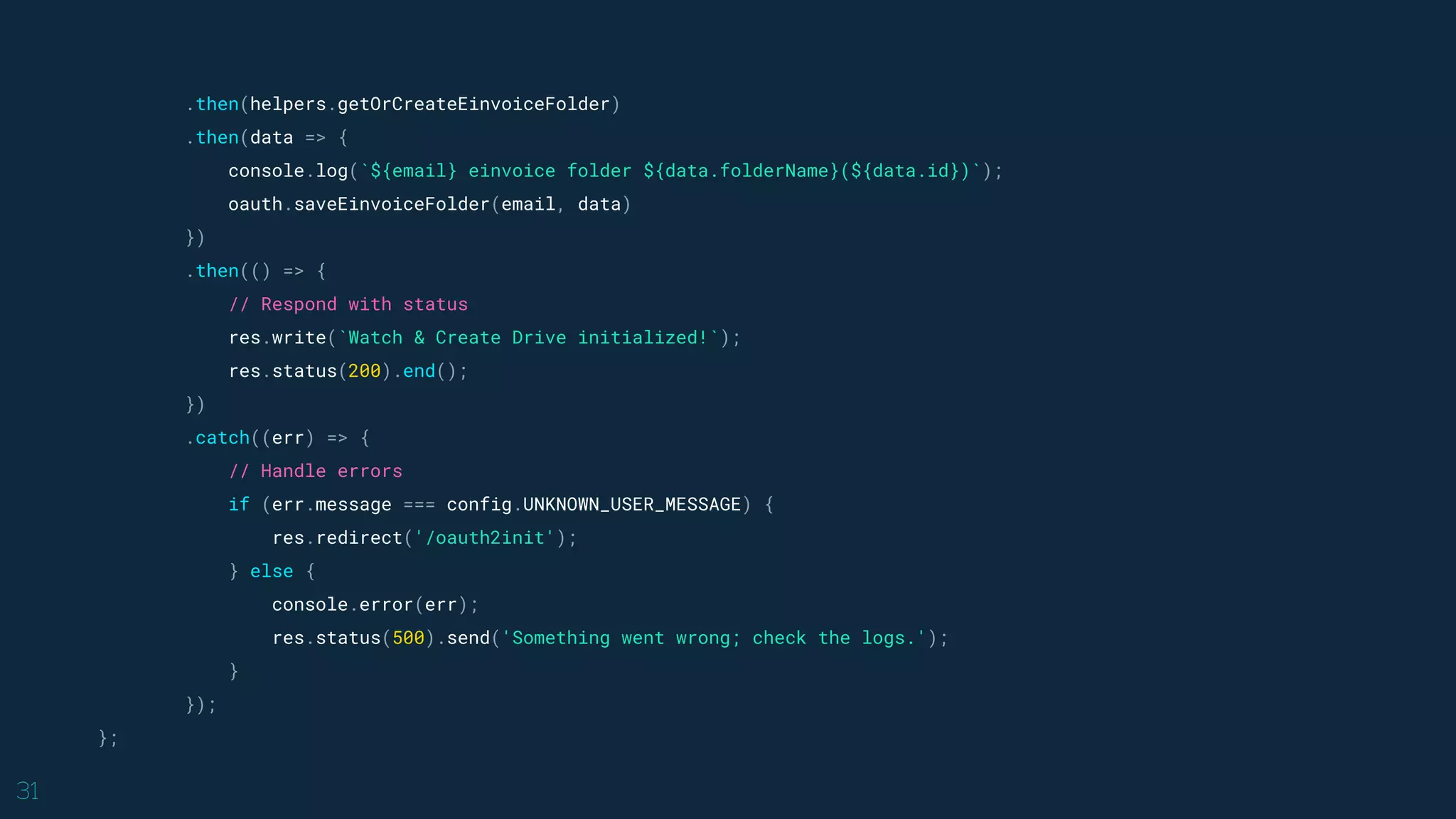
![30
exports.initWatch = (req, res) => {
// Require a valid email address
if (!req.query.emailAddress) {
return res.status(400).send('No emailAddress specified.');
}
const email = querystring.unescape(req.query.emailAddress);
if (!email.includes('@')) {
return res.status(400).send('Invalid emailAddress.');
}
// Retrieve the stored OAuth 2.0 access token
return oauth.fetchToken(email)
.then(() => {
// Initialize a watch
return pify(gmail.users.watch)({
auth: oauth.client,
userId: 'me',
resource: {
labelIds: ['INBOX'],
topicName: config.TOPIC_NAME
}
});
})](https://image.slidesharecdn.com/cloudnativeforum-googlecloudfunction-181129083553/75/Google-Cloud-Function-30-2048.jpg)
![33
{
"id": "166e11f5ace429e2",
"threadId": "166e11f5ace429e2",
"labelIds": [
"IMPORTANT",
"CATEGORY_UPDATES",
"INBOX"
],
"payload": {
"headers": [
{
"name": "From", "value": "einvoice@fia.gov.tw"
},
{
"name": "Subject", "value": "財政部電子發票整合服u200b務平台-消費發票彙整通知,手機條碼:/HO**BPQ(每週)"
},
],](https://image.slidesharecdn.com/cloudnativeforum-googlecloudfunction-181129083553/75/Google-Cloud-Function-33-2048.jpg)
![34
"parts": [
{
"partId": "1",
"mimeType": "application/octet-stream",
"filename": "093769936901.csv",
"headers": [
{
"name": "Content-Type", "value": "application/octet-stream; name=093769936901.csv"
},
{
"name": "Content-Transfer-Encoding", "value": "base64"
},
{
"name": "Content-Disposition", "value": "attachment; filename=093769936901.csv"
}
],
"body": {
"attachmentId": "ANGjdJ-fUlJcaxIJwF8oxUwagS5M…7MTGfdDvu", "size": 13737
}
}
]
},
}](https://image.slidesharecdn.com/cloudnativeforum-googlecloudfunction-181129083553/75/Google-Cloud-Function-34-2048.jpg)
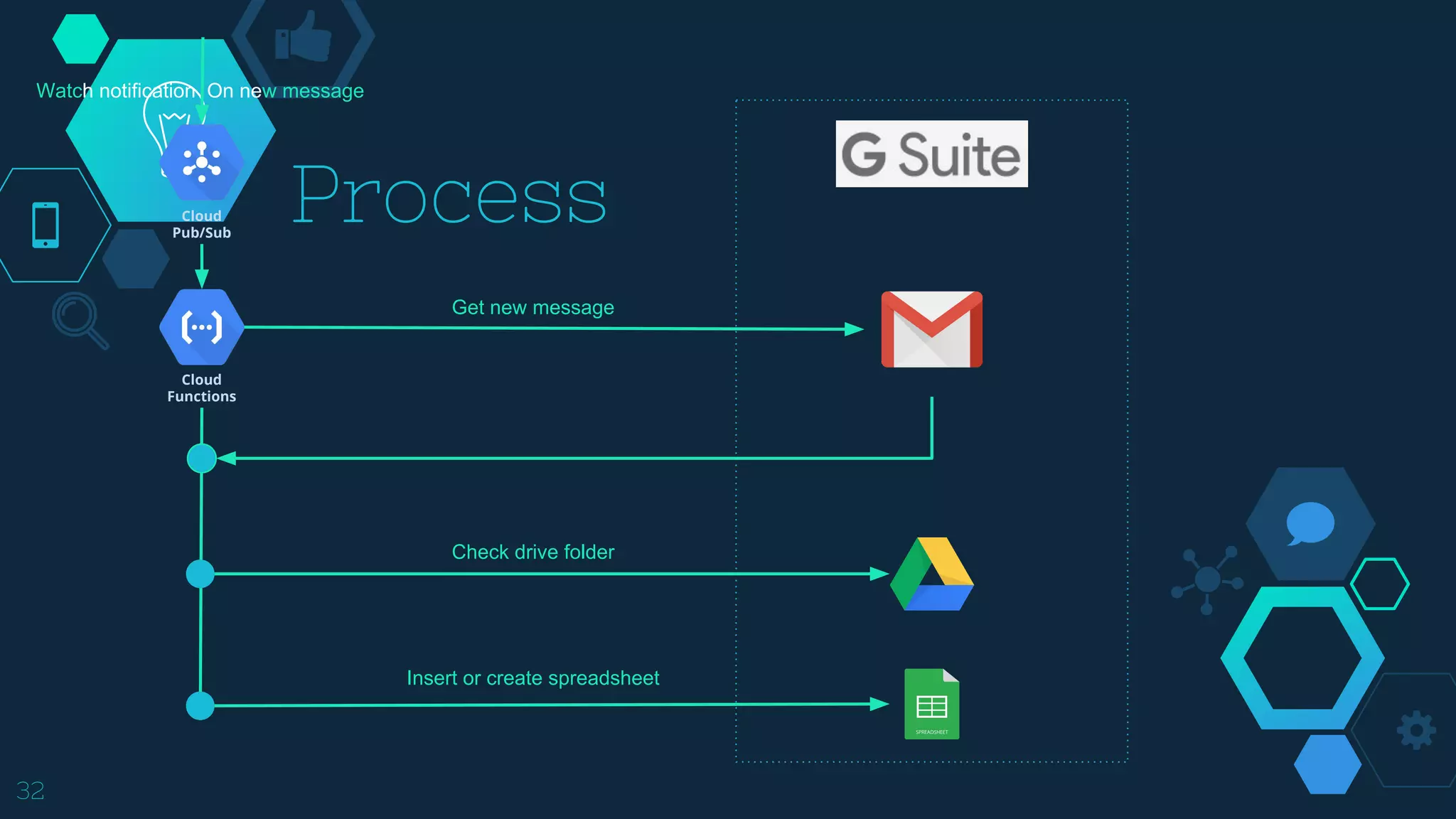
![35
exports.onNewMessage = (event) => {
// Parse the Pub/Sub message
const dataStr = Buffer.from(event.data, 'base64').toString('ascii');
const dataObj = JSON.parse(dataStr);
return oauth.fetchToken(dataObj.emailAddress)
.then(helpers.listMessageIds)
.then(res => helpers.getMessageById(res.messages[0].id)) // Most recent message
.then(msg => helpers.isValidEinvoiceFormat(msg))
.then(msg => Promise.all([msg, oauth.fetchEinvoiceFolder(dataObj.emailAddress), helpers.getAllCSV(msg)]))
.then(([msg, einvoice, csv]) => Promise.all([msg, einvoice, helpers.getCSVRows(csv)]))
.then(([msg, einvoice, [filename, rows]]) => Promise.all([msg, helpers.getOrCreateSpreadsheet(einvoice.id, filename), rows]))
.then(([msg, spreadsheetId, rows]) => Promise.all([msg, helpers.saveToSpreadsheet(spreadsheetId, rows)]))
.then(([msg]) => {
console.log(`onNewMessage(${msg.id}) done.`)
})
.catch((err) => {
// Handle unexpected errors
if (!err.message || err.message !== config.NO_LABEL_MATCH) {
console.error(err);
}
});
};](https://image.slidesharecdn.com/cloudnativeforum-googlecloudfunction-181129083553/75/Google-Cloud-Function-35-2048.jpg)

![“
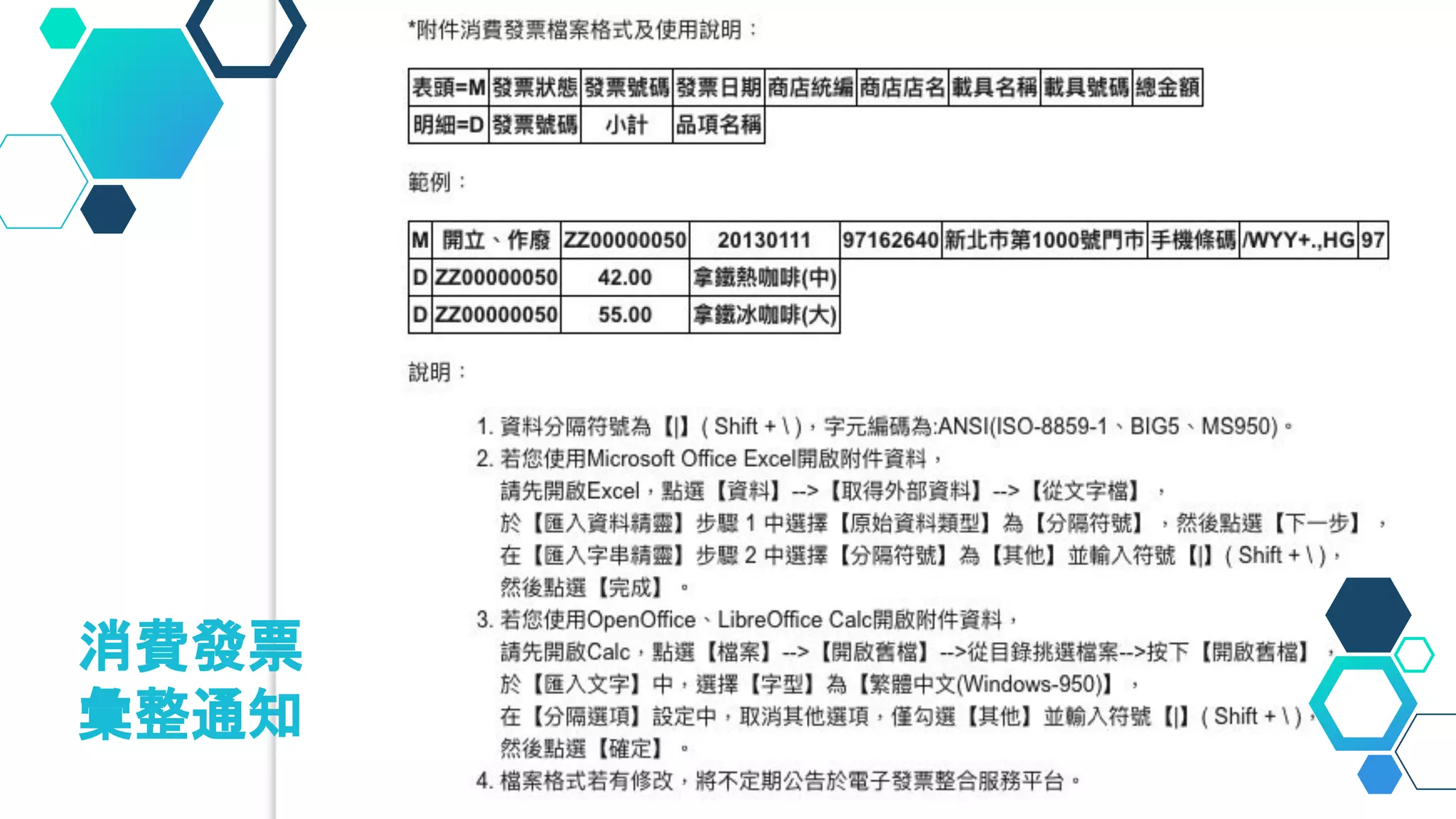
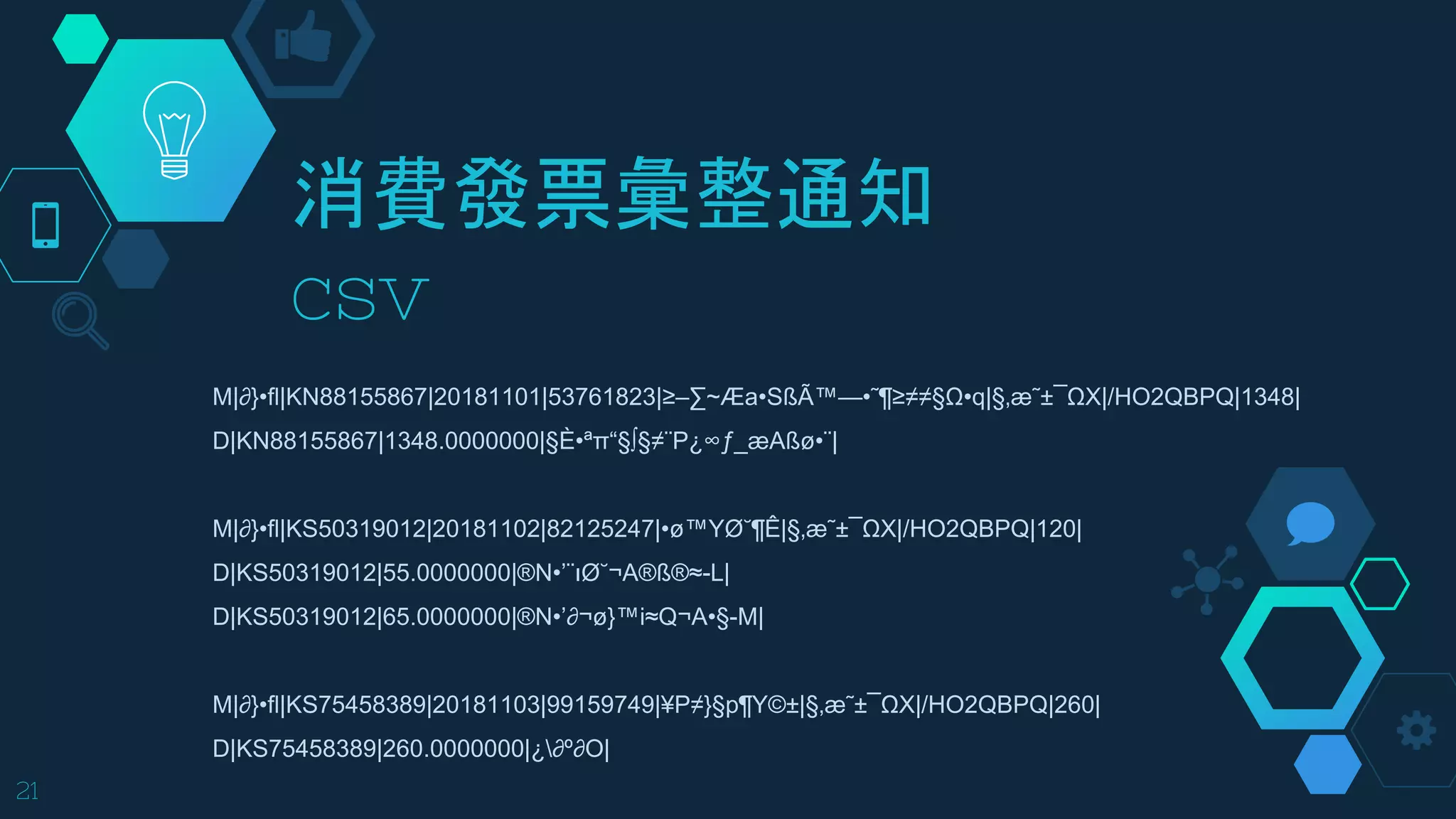
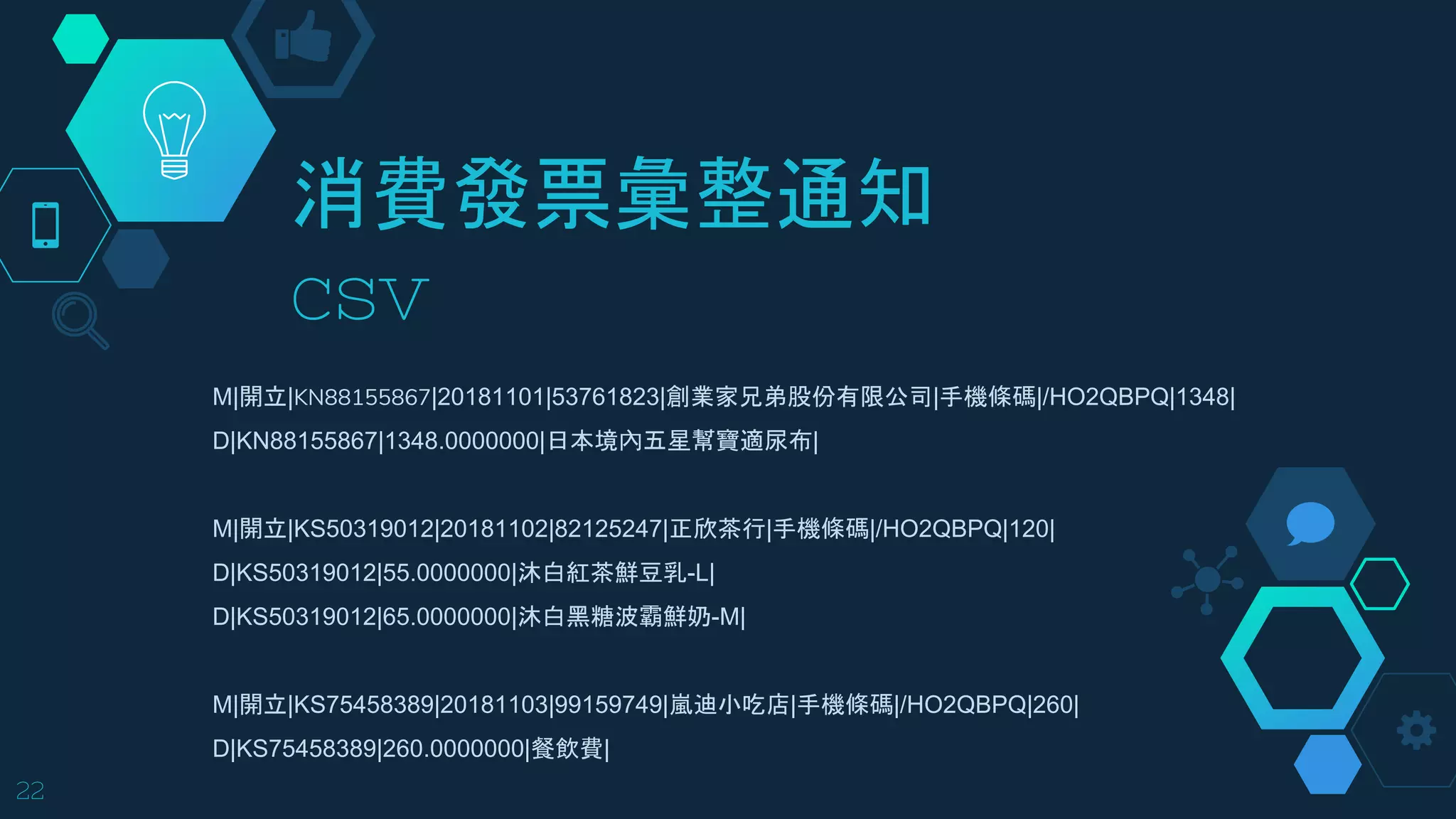
消費發票彙整通知附件為
ANSI(ISO-8859-1、BIG5、MS950) 編碼,需
要額外進行 decode
40
exports.getCSVRows = ([csv]) => {
// decode csv to big5 encoding
const text = iconv.decode(csv, 'Big5');
const rows = text.split('n').map(row => row.split('|'));
const filename = rows[0][3].substr(0, 6);
return new Promise(resolve => resolve([filename, rows]));
};](https://image.slidesharecdn.com/cloudnativeforum-googlecloudfunction-181129083553/75/Google-Cloud-Function-40-2048.jpg)
![“exports.isValidEinvoiceFormat = (msg) => {
return new Promise((resolve, reject) => {
const subject = msg.payload.headers.filter(h => h.name === 'Subject');
if (subject.length && subject[0].value.indexOf('財政部電子發票整合服 務平台-消費發票彙整通知,手機條碼 ') > -1) {
resolve(msg)
}
})
};
Custom message filter
41](https://image.slidesharecdn.com/cloudnativeforum-googlecloudfunction-181129083553/75/Google-Cloud-Function-41-2048.jpg)
![“
Custom message filter
42
exports.isValidEinvoiceFormat = (msg) => {
return new Promise((resolve, reject) => {
const from = msg.payload.headers.find(h => h.name === 'From');
if (["einvoice@fia.gov.tw"].indexOf(from.value) > -1) {
resolve(msg)
}
})
};](https://image.slidesharecdn.com/cloudnativeforum-googlecloudfunction-181129083553/75/Google-Cloud-Function-42-2048.jpg)
![“
44
pify(sheets.spreadsheets.batchUpdate)({
auth: oauth.client,
spreadsheetId,
resource: {
"requests": [
{
"autoResizeDimensions": {
"dimensions": {
"sheetId": 0,
"dimension": "COLUMNS",
"startIndex": 0,
"endIndex": 10
}
}
}
]
},
}).then((res) => {
console.log('saveToSpreadsheet done.')
})
Auto format](https://image.slidesharecdn.com/cloudnativeforum-googlecloudfunction-181129083553/75/Google-Cloud-Function-44-2048.jpg)


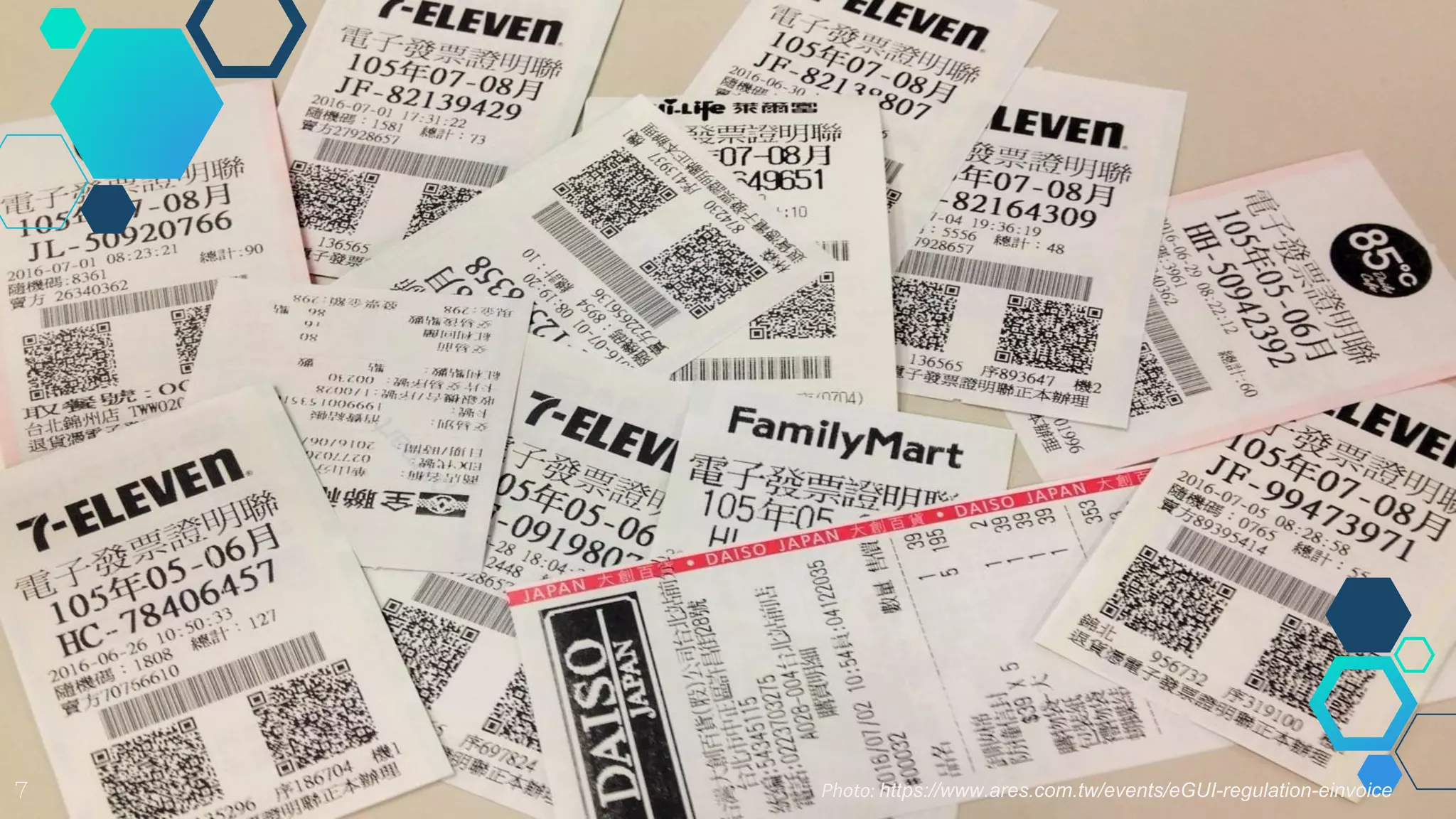
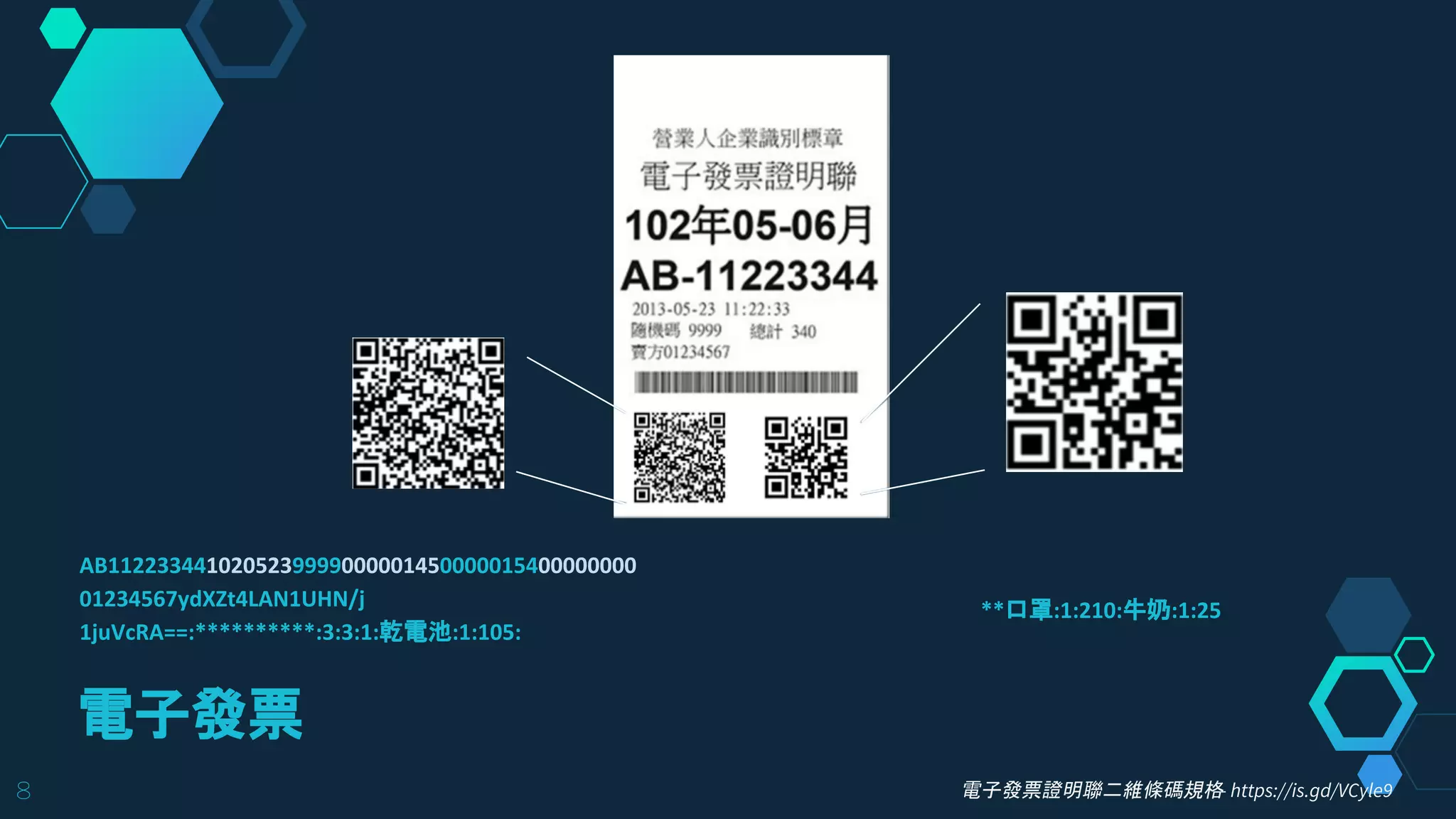
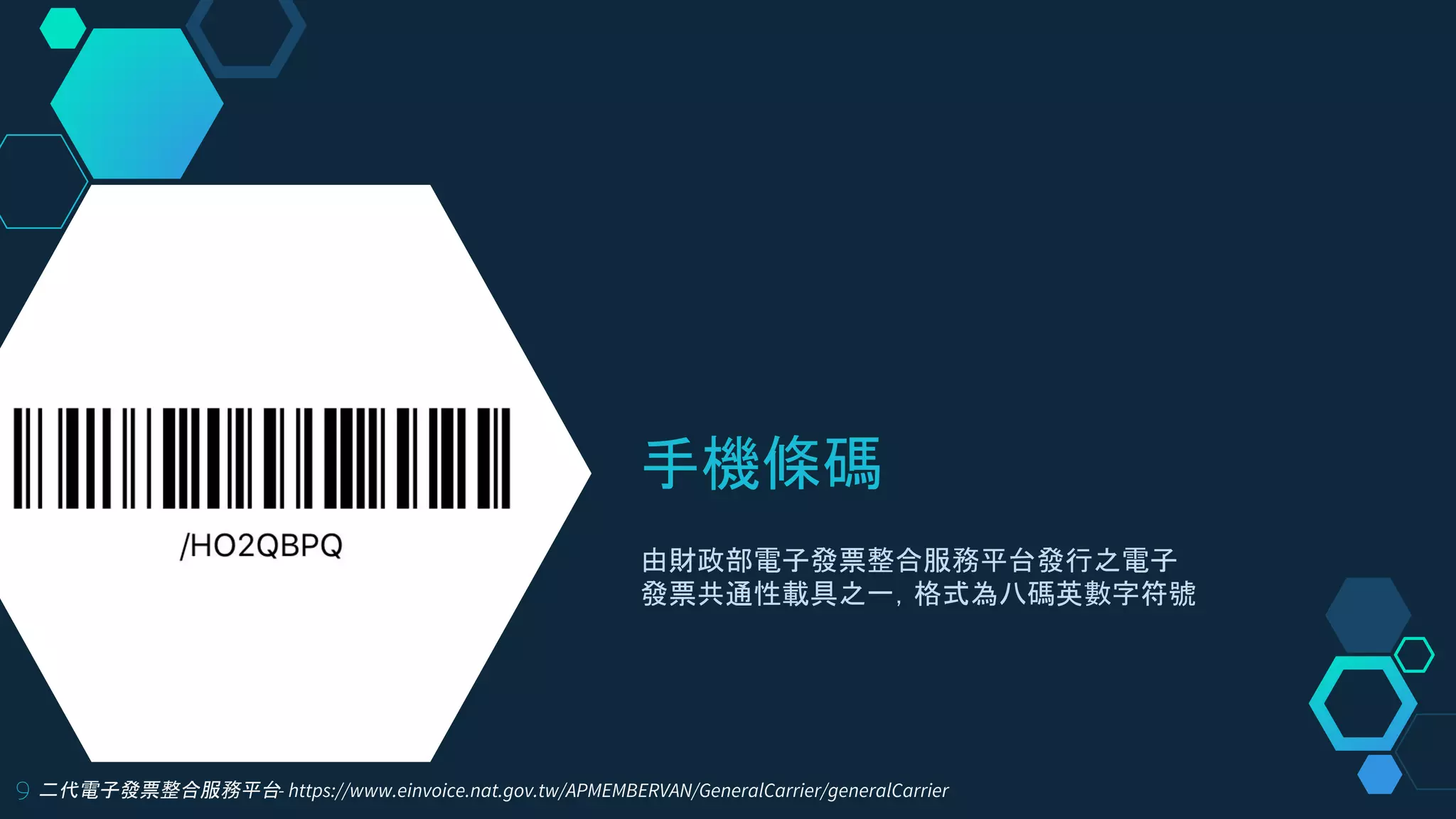
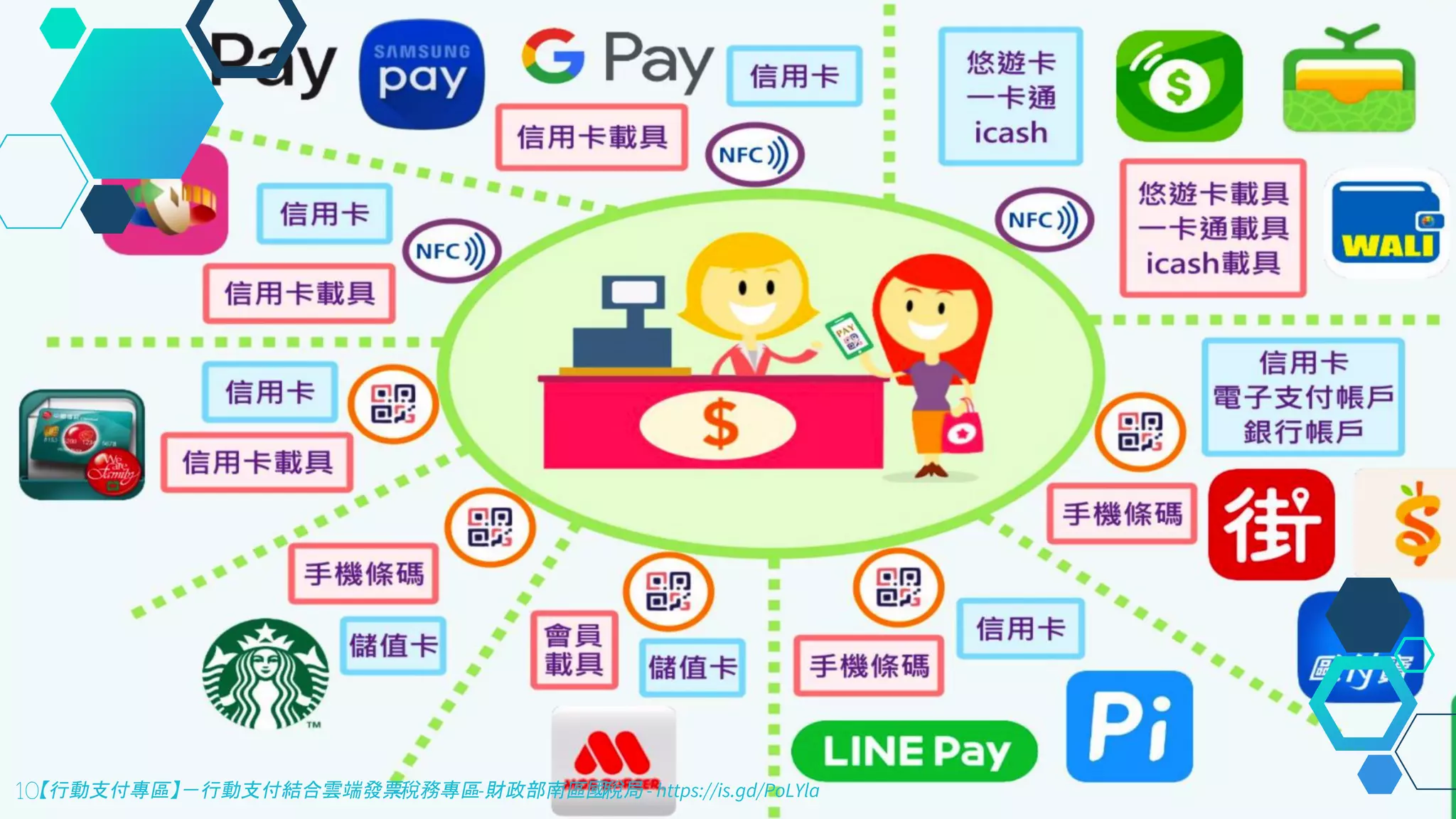
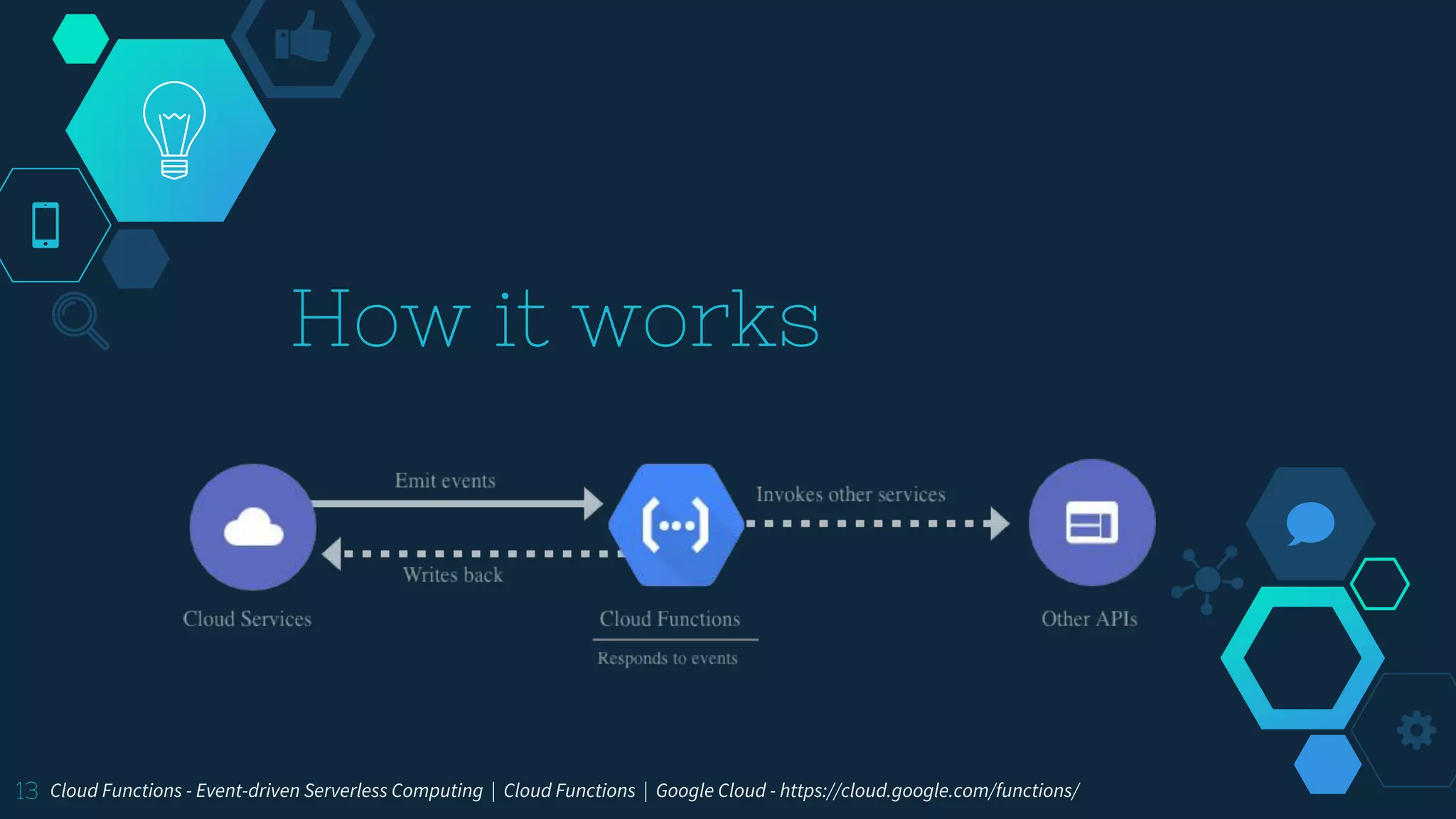
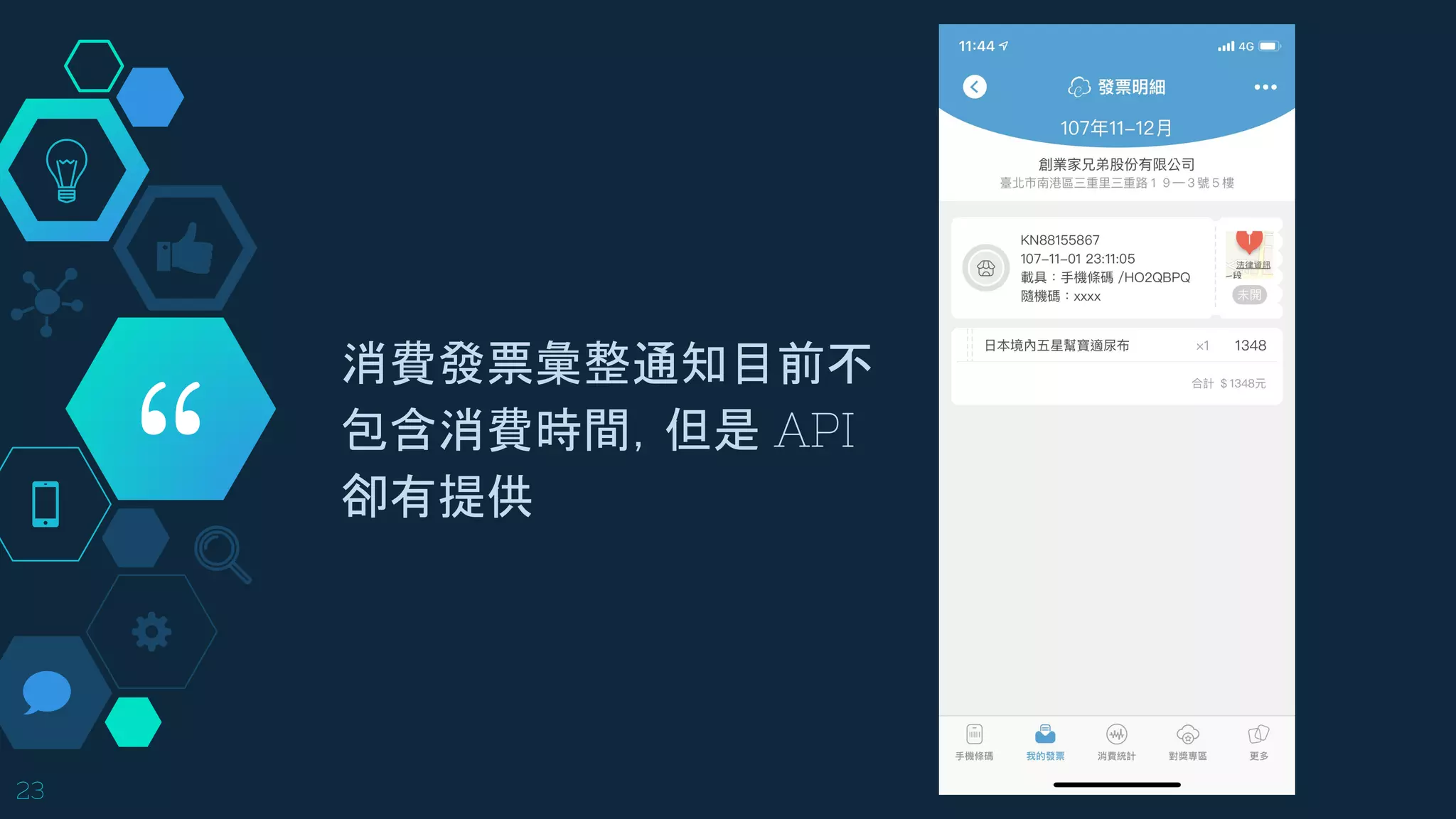
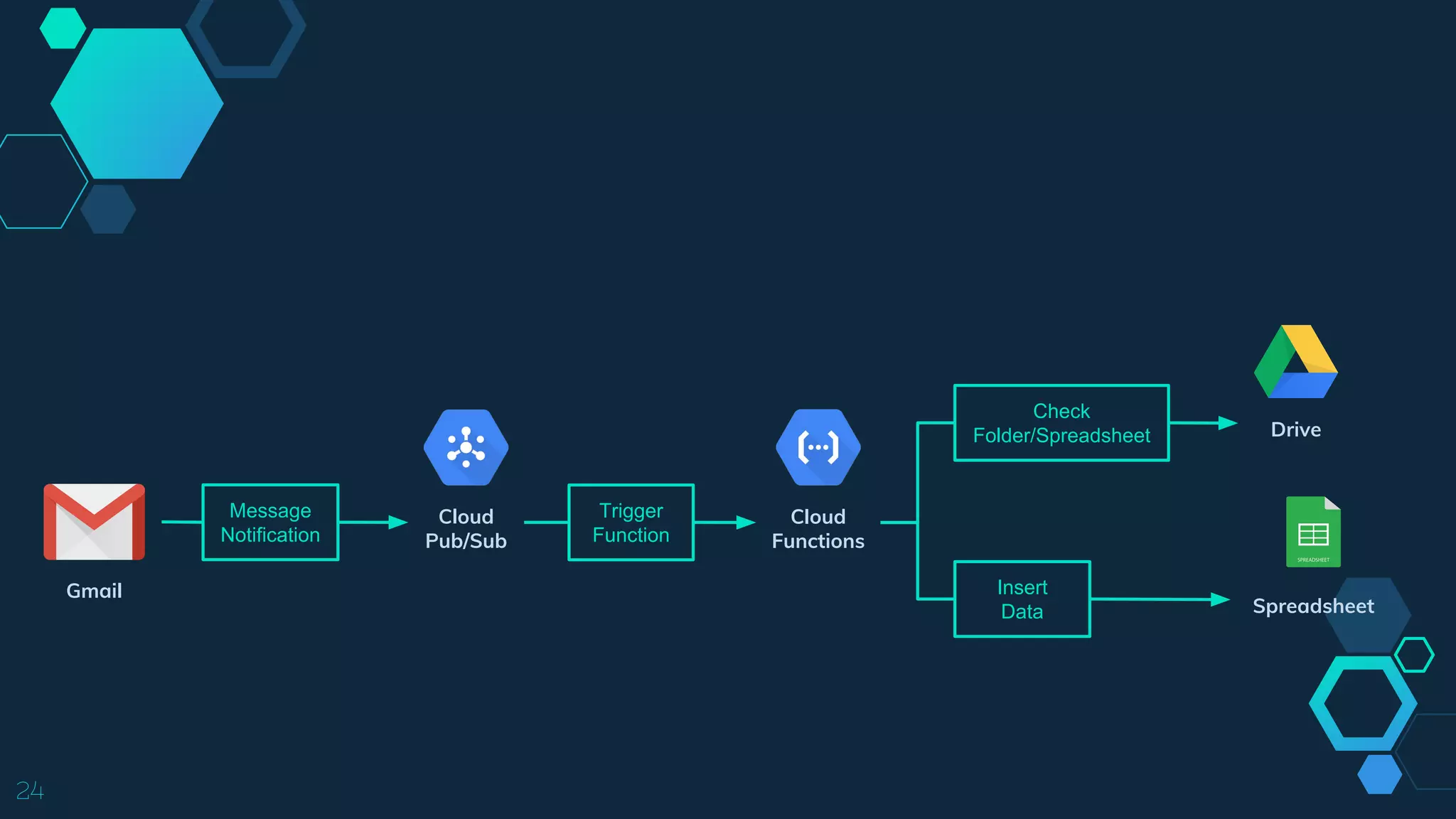
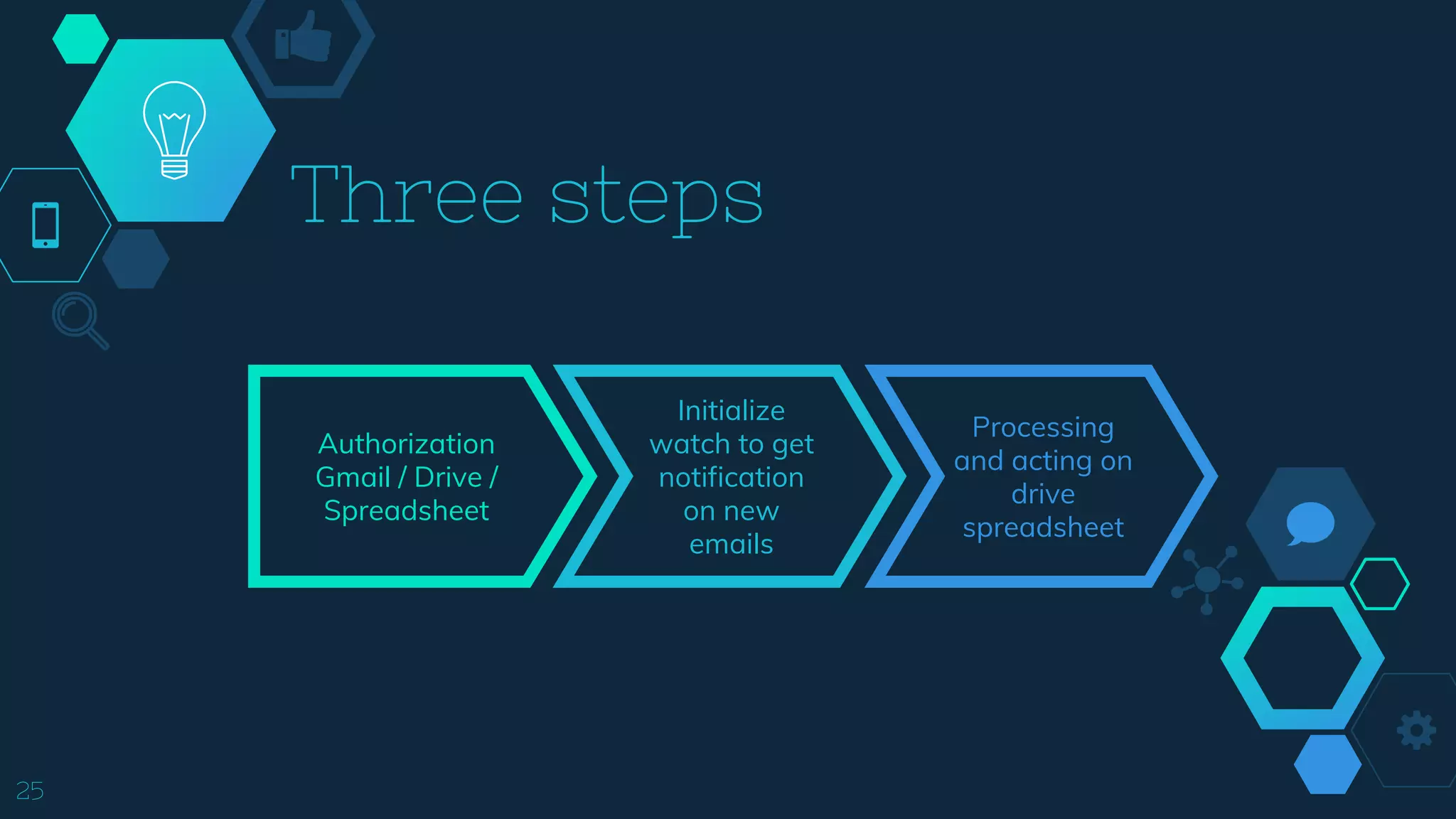
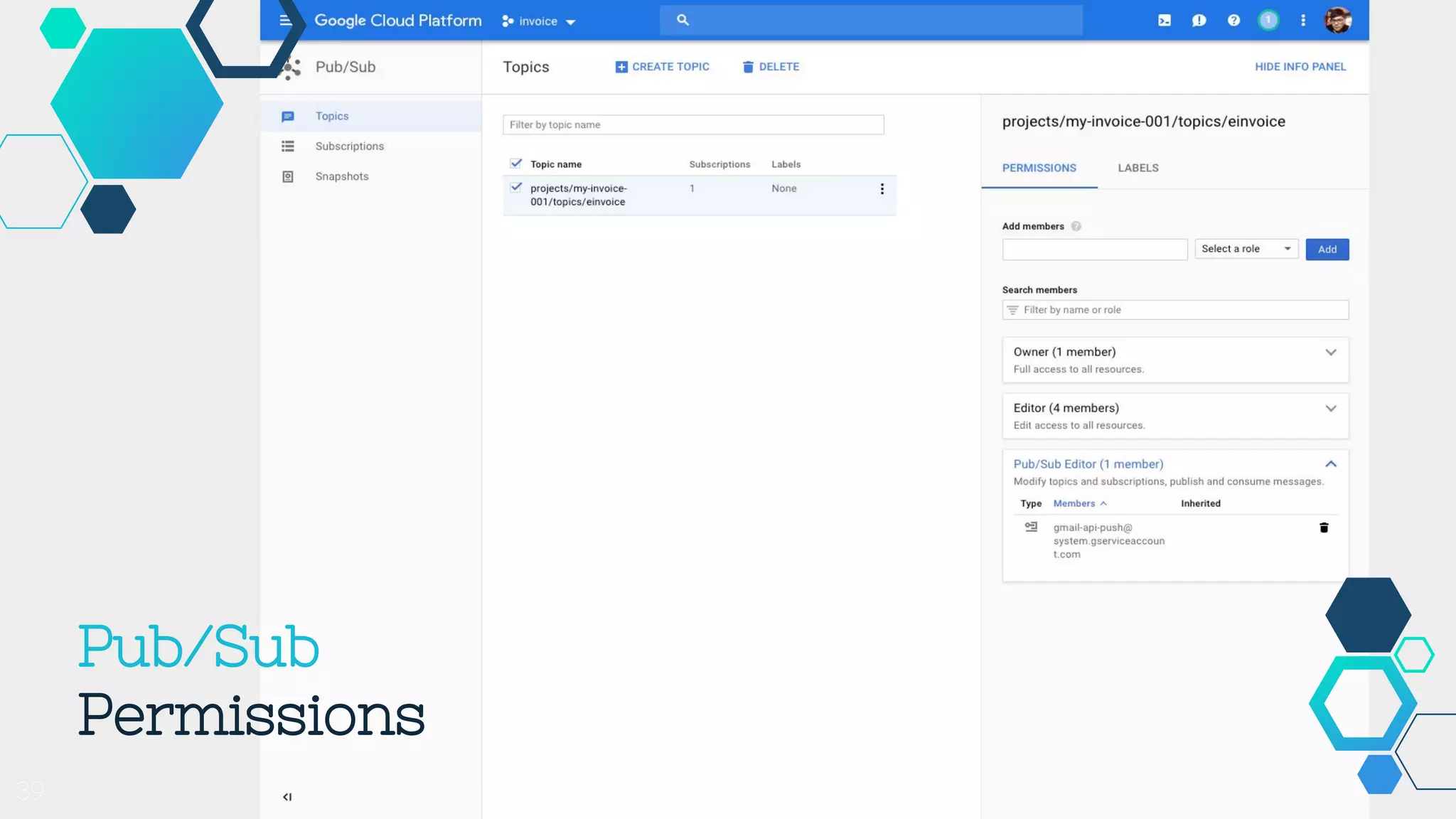
This document summarizes a presentation about electronic invoices and Google Cloud Functions. It discusses electronic invoices in Taiwan, how Google Cloud Functions work and can be used to process events like changes to files in Cloud Storage buckets or messages published to Pub/Sub topics. It also provides examples of using Cloud Functions to process electronic invoice notifications received via Gmail, extract data from the CSV attachments, and insert the data into a Google Sheet. The document concludes with some tips, like needing to decode the CSV attachments which use ANSI encoding, and how to set permissions for Cloud Pub/Sub.


![Data analysis and visualization with mongo db [mongodb world 2016]](https://cdn.slidesharecdn.com/ss_thumbnails/dataanalysisandvisualizationwithmongodbmongodbworld2016-160713161849-thumbnail.jpg?width=640&height=640&fit=bounds)


![Vibe Coding vs. Spec-Driven Development [Free Meetup]](https://cdn.slidesharecdn.com/ss_thumbnails/vibecodingvsspecdrivendevelopment-251209105622-43f455e7-thumbnail.jpg?width=640&height=640&fit=bounds)


