AD 2018. 2 AM
A New Disaster Just Began
Tobias Koprowski
|| @KoprowskiT ||
PLATINUM SPONSOR
GOLD SPONSORS
SILVER SPONSORS
BRONZE SPONSORS
2:00 am … in a dreams…
• Your best time for dreaming … is the best time for Disaster
• Your mobile phone ringing and ringing…
• And Your husband / wife say…….
2:15 am … in a car
• What’s happen with my server?
• When I made last backup?
• Where is my backup?
• Have I ever tried to restore?
− If yes – I hope that all in a team (about team soon) remember
about (me?)
− If not – who can help me NOW?
2:40 am … in a server room
• $#$$@$^^#^&^@!#
• Is Windows Server alive?
− YES (thanks all saints)
− or NOT (damn)
− who is responsible for it?
• Is my SQL Server alive?
− YES (why phones ringing)
− or NOT (…)
− why I’m responsible for it?
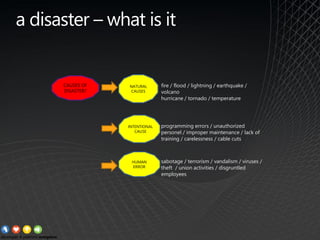
a disaster – what is it
CAUSES OF
DISASTER?
NATURAL
CAUSES
HUMAN
ERROR
INTENTIONAL
CAUSE
fire / flood / lightning / earthquake /
volcano
hurricane / tornado / temperature
sabotage / terrorism / vandalism / viruses /
theft / union activities / disgruntled
employees
programming errors / unauthorized
personel / improper maintenance / lack of
training / carelessness / cable cuts
http://shoutitforlife.com/wp-content/uploads/2012/09/The-Names-of-God.jpg
best practice for surviving disaster
ITS ONLY ONE:
BE PREPARED
best practice for surviving disaster
Backups (sql databases)
• about type of backup ( simple rm / full rm)
• about place for stored backup data
• about backup window
• about procedure used for backup
• about backup tools
• about backup of „backup logs”
• about estimated time for executing backup
• about REAL TIME of executing backup
IT’S ONLY ONE:
BE PREPARED
backup > extract from sop*
In the request, backup, should include the following information:
• Information about the operating system and application version for online
backup and installed updates for these components a file backup policy, in particular:
− a number of versions of a file stored
− the storage time of the next version of the file
− the frequency of execution of such incremental backups with the proposal of their
implementation
• Online Backup Policy
− the storage time of a full backup with storage time such an incremental backup
− the time of transaction log files
− the frequency of execution of a full backup with the proposal deadline for
its implementation
− the frequency of execution of the transaction log backup
• Information about trees directories / files that should be omitted
or included during backup tasks (include / exclude list)
• Number and type / model of physical processors,
• Does the node will use the connection to the SAN to implement backup
IT’S ONLY ONE:
BE PREPARED
backup (registry) > extract from sop*
This register contains information about a backup plan implemented.
Backup file space:
− number of versions of a file stored in a backup
− number of days that are kept more versions of a file
− number of versions of a file stored in the backup system after its removal from
client device
− number of days that will store the latest version of the deleted file from the client
device
− number of days that will be stored in the archive
The list of nodes defined in the system backup:
− Domain | Node name | IP address of the node
− The list of defined backup tasks (called schedule)
− name of the task (schedule) | execution time
− a period of at which the task is repeated
IT’S ONLY ONE:
BE PREPARED
SQL Server Backup Best Practices |
Posted on October 17, 2007 by Brent Ozar in SQL Server
> http://bit.ly/12oXm4h
➢ Never back up databases to local disk.
➢ Back up databases to a fileshare, then back the share up to tape.
➢ Cost justify the network share with lower licensing costs & simpler backups.
➢ Back up to a different SAN if possible.
➢ My sweet spot for the backup array is raid 10 SATA.
➢ Backup agents like NetBackup and Backup Exec mean giving up scheduling control.
➢ Do regular fire drill rebuilds and restores.
➢ Build a standalone restore testbed.
➢ Keep management informed on restore time estimates.
➢ Trust no one.
Best Practices by Brent Ozar
best practice for surviving disaster
Restore (sql databases)
• about type of backup ( simple rm / full rm)
• about place for stored backup data
• about the procedures of recovery
• about estimated time for recovery
• about REAL TIME for recovery
• about tools for recovery
• about Corporate Backup Manager
• about password for access to library
IT’S ONLY ONE:
BE PREPARED
restore > extract from sop*
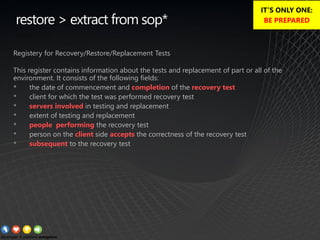
Registery for Recovery/Restore/Replacement Tests
This register contains information about the tests and replacement of part or all of the
environment. It consists of the following fields:
• the date of commencement and completion of the recovery test
• client for which the test was performed recovery test
• servers involved in testing and replacement
• extent of testing and replacement
• people performing the recovery test
• person on the client side accepts the correctness of the recovery test
• subsequent to the recovery test
IT’S ONLY ONE:
BE PREPARED
best practice for surviving disaster
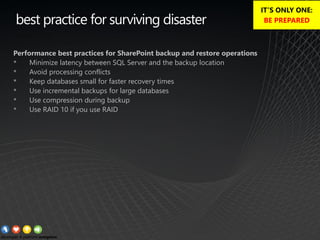
Performance best practices for SharePoint backup and restore operations
• Minimize latency between SQL Server and the backup location
• Avoid processing conflicts
• Keep databases small for faster recovery times
• Use incremental backups for large databases
• Use compression during backup
• Use RAID 10 if you use RAID
IT’S ONLY ONE:
BE PREPARED
best practice for surviving disaster
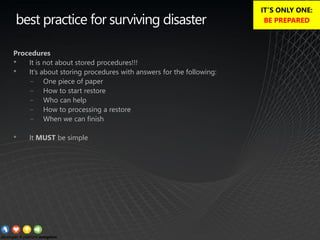
Procedures
• It is not about stored procedures!!!
• It’s about storing procedures with answers for the following:
− One piece of paper
− How to start restore
− Who can help
− How to processing a restore
− When we can finish
• It MUST be simple
IT’S ONLY ONE:
BE PREPARED
best practice for surviving disaster
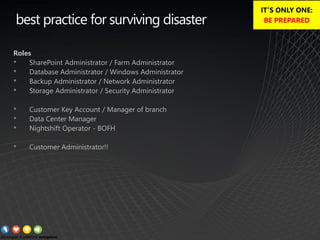
Roles
• SharePoint Administrator / Farm Administrator
• Database Administrator / Windows Administrator
• Backup Administrator / Network Administrator
• Storage Administrator / Security Administrator
• Customer Key Account / Manager of branch
• Data Center Manager
• Nightshift Operator - BOFH
• Customer Administrator!!
IT’S ONLY ONE:
BE PREPARED
best practice for surviving disaster
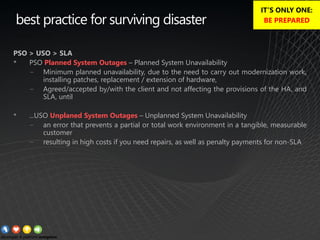
PSO > USO > SLA
• PSO Planned System Outages – Planned System Unavailability
− Minimum planned unavailability, due to the need to carry out modernization work,
installing patches, replacement / extension of hardware,
− Agreed/accepted by/with the client and not affecting the provisions of the HA, and
SLA, until
• ...USO Unplaned System Outages – Unplanned System Unavailability
− an error that prevents a partial or total work environment in a tangible, measurable
customer
− resulting in high costs if you need repairs, as well as penalty payments for non-SLA
IT’S ONLY ONE:
BE PREPARED
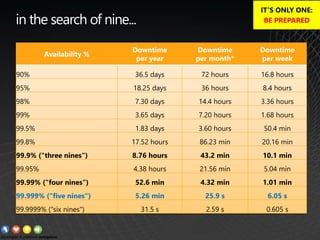
Availability %
Downtime
per year
Downtime
per month*
Downtime
per week
90% 36.5 days 72 hours 16.8 hours
95% 18.25 days 36 hours 8.4 hours
98% 7.30 days 14.4 hours 3.36 hours
99% 3.65 days 7.20 hours 1.68 hours
99.5% 1.83 days 3.60 hours 50.4 min
99.8% 17.52 hours 86.23 min 20.16 min
99.9% ("three nines") 8.76 hours 43.2 min 10.1 min
99.95% 4.38 hours 21.56 min 5.04 min
99.99% ("four nines") 52.6 min 4.32 min 1.01 min
99.999% ("five nines") 5.26 min 25.9 s 6.05 s
99.9999% ("six nines") 31.5 s 2.59 s 0.605 s
in the search of nine...
IT’S ONLY ONE:
BE PREPARED
pictures of the week
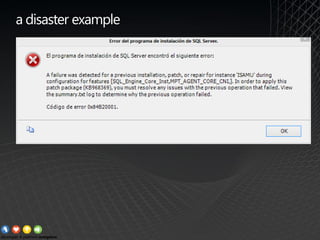
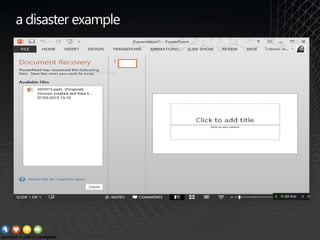
a disaster example
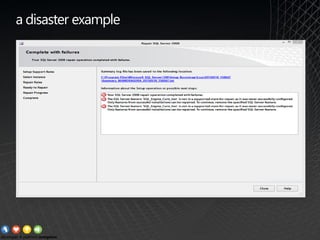
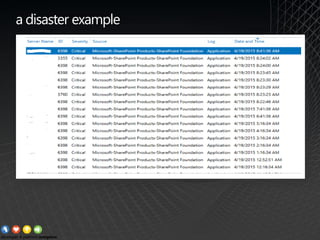
a disaster example
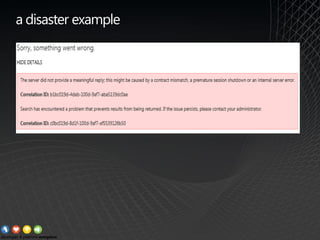
a disaster example
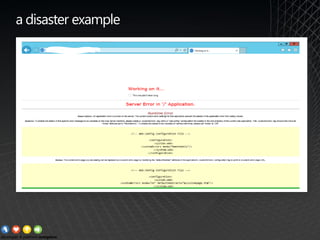
a disaster example
a disaster example
a disaster example
best practice for surviving disaster
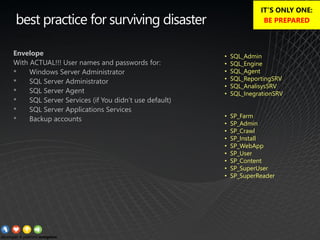
Envelope
With ACTUAL!!! User names and passwords for:
• Windows Server Administrator
• SQL Server Administrator
• SQL Server Agent
• SQL Server Services (if You didn’t use default)
• SQL Server Applications Services
• Backup accounts
• SQL_Admin
• SQL_Engine
• SQL_Agent
• SQL_ReportingSRV
• SQL_AnalisysSRV
• SQL_InegrationSRV
• SP_Farm
• SP_Admin
• SP_Crawl
• SP_Install
• SP_WebApp
• SP_User
• SP_Content
• SP_SuperUser
• SP_SuperReader
IT’S ONLY ONE:
BE PREPARED
best practice for surviving disaster
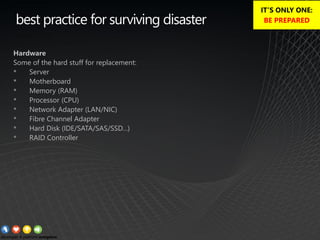
Hardware
Some of the hard stuff for replacement:
• Server
• Motherboard
• Memory (RAM)
• Processor (CPU)
• Network Adapter (LAN/NIC)
• Fibre Channel Adapter
• Hard Disk (IDE/SATA/SAS/SSD…)
• RAID Controller
IT’S ONLY ONE:
BE PREPARED
best practice for surviving disaster
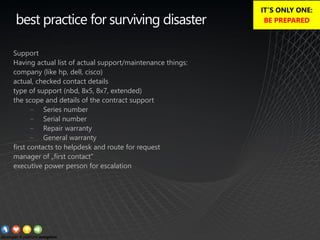
Support
Having actual list of actual support/maintenance things:
company (like hp, dell, cisco)
actual, checked contact details
type of support (nbd, 8x5, 8x7, extended)
the scope and details of the contract support
− Series number
− Serial number
− Repair warranty
− General warranty
first contacts to helpdesk and route for request
manager of „first contact”
executive power person for escalation
IT’S ONLY ONE:
BE PREPARED
best practice for surviving disaster
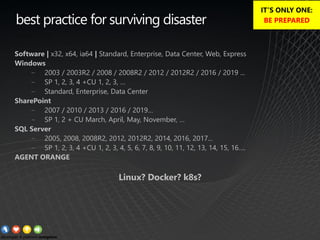
Software | x32, x64, ia64 | Standard, Enterprise, Data Center, Web, Express
Windows
− 2003 / 2003R2 / 2008 / 2008R2 / 2012 / 2012R2 / 2016 / 2019 ...
− SP 1, 2, 3, 4 +CU 1, 2, 3, …
− Standard, Enterprise, Data Center
SharePoint
− 2007 / 2010 / 2013 / 2016 / 2019…
− SP 1, 2 + CU March, April, May, November, …
SQL Server
− 2005, 2008, 2008R2, 2012, 2012R2, 2014, 2016, 2017...
− SP 1, 2, 3, 4 +CU 1, 2, 3, 4, 5, 6, 7, 8, 9, 10, 11, 12, 13, 14, 15, 16….
AGENT ORANGE
Linux? Docker? k8s?
IT’S ONLY ONE:
BE PREPARED
best practice for surviving disaster
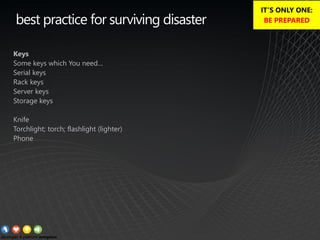
Keys
Some keys which You need…
Serial keys
Rack keys
Server keys
Storage keys
Knife
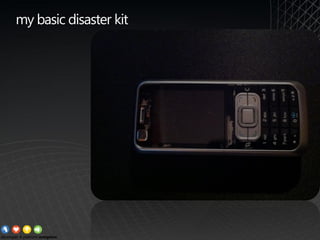
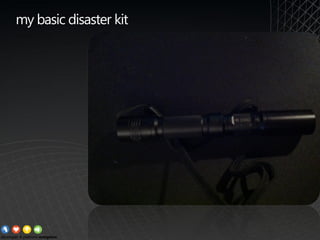
Torchlight; torch; flashlight (lighter)
Phone
IT’S ONLY ONE:
BE PREPARED
best practice for surviving disaster
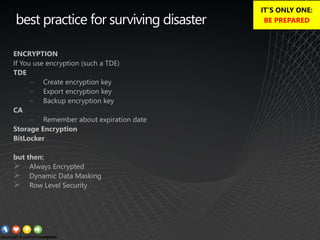
ENCRYPTION
If You use encryption (such a TDE)
TDE
− Create encryption key
− Export encryption key
− Backup encryption key
CA
− Remember about expiration date
Storage Encryption
BitLocker
but then:
➢ Always Encrypted
➢ Dynamic Data Masking
➢ Row Level Security
IT’S ONLY ONE:
BE PREPARED
best practice for surviving disaster
TEAM
You can work with disaster as:
Team Member
Team Leader
Last Samurai
IT’S ONLY ONE:
BE PREPARED
best practice for surviving disaster
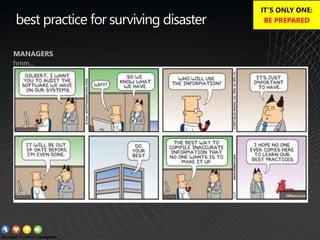
MANAGERS
hmm...
IT’S ONLY ONE:
BE PREPARED
somewhere in the cloud
best practice for surviving disaster
IT’S ONLY ONE:
BE PREPARED
best practice for surviving disaster
IT’S ONLY ONE:
BE PREPARED
best practice for surviving disaster
IT’S ONLY ONE:
BE PREPARED
best practice for surviving disaster
IT’S ONLY ONE:
BE PREPARED
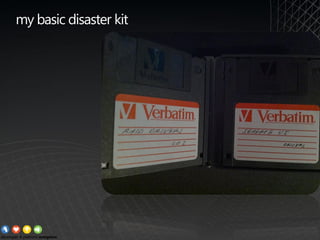
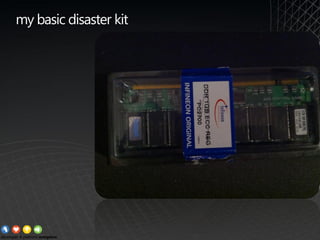
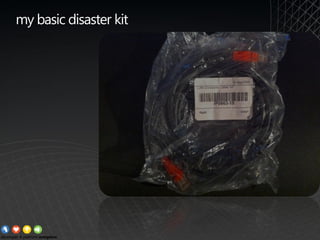
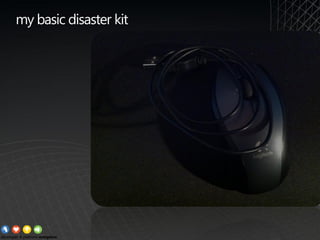
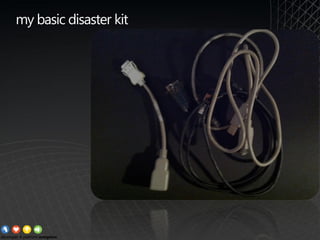
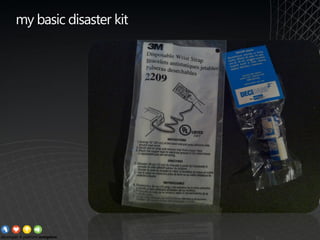
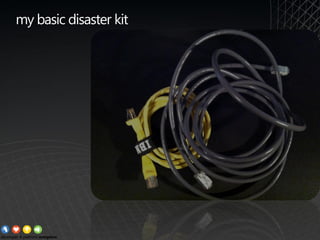
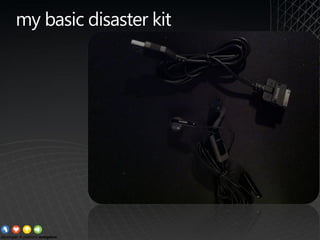
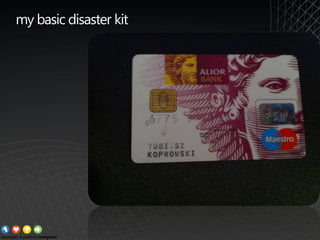
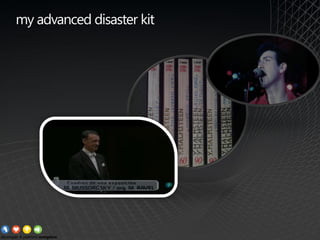
My Diasaster Survival Kit
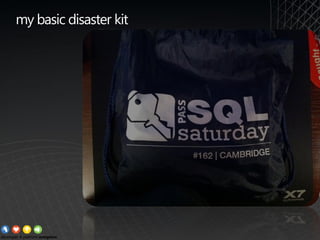
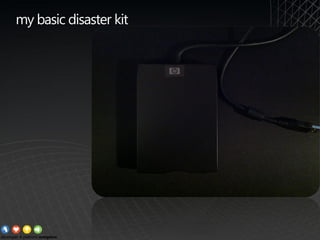
my basic disaster kit
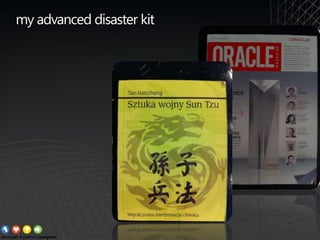
my advanced disaster kit
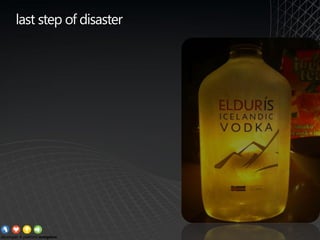
last step of disaster
best practice for surviving disaster
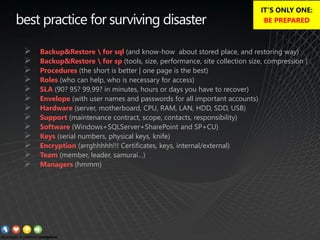
➢ Backup&Restore  for sql (and know-how about stored place, and restoring way)
➢ Backup&Restore  for sp (tools, size, performance, site collection size, compression )
➢ Procedures (the short is better | one page is the best)
➢ Roles (who can help, who is necessary for access)
➢ SLA (90? 95? 99,99? in minutes, hours or days you have to recover)
➢ Envelope (with user names and passwords for all important accounts)
➢ Hardware (server, motherboard, CPU, RAM, LAN, HDD, SDD, USB)
➢ Support (maintenance contract, scope, contacts, responsibility)
➢ Software (Windows+SQLServer+SharePoint and SP+CU)
➢ Keys (serial numbers, physical keys, knife)
➢ Encryption (arrghhhhh!!! Certificates, keys, internal/external)
➢ Team (member, leader, samurai…)
➢ Managers (hmmm)
IT’S ONLY ONE:
BE PREPARED
DON’T PANIC !!!
DON’T PANIC !!!
DON’T PANIC !!!
Please give us your
feedback:
https://www.surveymonkey.co.uk/r/Z2YTRNB

KoprowskiT_2AMaDisasterJustBeganAD2018

  • 1.
    AD 2018. 2AM A New Disaster Just Began Tobias Koprowski || @KoprowskiT ||
  • 2.
    PLATINUM SPONSOR GOLD SPONSORS SILVERSPONSORS BRONZE SPONSORS
  • 4.
    2:00 am …in a dreams… • Your best time for dreaming … is the best time for Disaster • Your mobile phone ringing and ringing… • And Your husband / wife say…….
  • 5.
    2:15 am …in a car • What’s happen with my server? • When I made last backup? • Where is my backup? • Have I ever tried to restore? − If yes – I hope that all in a team (about team soon) remember about (me?) − If not – who can help me NOW?
  • 6.
    2:40 am …in a server room • $#$$@$^^#^&^@!# • Is Windows Server alive? − YES (thanks all saints) − or NOT (damn) − who is responsible for it? • Is my SQL Server alive? − YES (why phones ringing) − or NOT (…) − why I’m responsible for it?
  • 7.
    a disaster –what is it CAUSES OF DISASTER? NATURAL CAUSES HUMAN ERROR INTENTIONAL CAUSE fire / flood / lightning / earthquake / volcano hurricane / tornado / temperature sabotage / terrorism / vandalism / viruses / theft / union activities / disgruntled employees programming errors / unauthorized personel / improper maintenance / lack of training / carelessness / cable cuts
  • 8.
  • 9.
    best practice forsurviving disaster ITS ONLY ONE: BE PREPARED
  • 10.
    best practice forsurviving disaster Backups (sql databases) • about type of backup ( simple rm / full rm) • about place for stored backup data • about backup window • about procedure used for backup • about backup tools • about backup of „backup logs” • about estimated time for executing backup • about REAL TIME of executing backup IT’S ONLY ONE: BE PREPARED
  • 11.
    backup > extractfrom sop* In the request, backup, should include the following information: • Information about the operating system and application version for online backup and installed updates for these components a file backup policy, in particular: − a number of versions of a file stored − the storage time of the next version of the file − the frequency of execution of such incremental backups with the proposal of their implementation • Online Backup Policy − the storage time of a full backup with storage time such an incremental backup − the time of transaction log files − the frequency of execution of a full backup with the proposal deadline for its implementation − the frequency of execution of the transaction log backup • Information about trees directories / files that should be omitted or included during backup tasks (include / exclude list) • Number and type / model of physical processors, • Does the node will use the connection to the SAN to implement backup IT’S ONLY ONE: BE PREPARED
  • 12.
    backup (registry) >extract from sop* This register contains information about a backup plan implemented. Backup file space: − number of versions of a file stored in a backup − number of days that are kept more versions of a file − number of versions of a file stored in the backup system after its removal from client device − number of days that will store the latest version of the deleted file from the client device − number of days that will be stored in the archive The list of nodes defined in the system backup: − Domain | Node name | IP address of the node − The list of defined backup tasks (called schedule) − name of the task (schedule) | execution time − a period of at which the task is repeated IT’S ONLY ONE: BE PREPARED
  • 13.
    SQL Server BackupBest Practices | Posted on October 17, 2007 by Brent Ozar in SQL Server > http://bit.ly/12oXm4h ➢ Never back up databases to local disk. ➢ Back up databases to a fileshare, then back the share up to tape. ➢ Cost justify the network share with lower licensing costs & simpler backups. ➢ Back up to a different SAN if possible. ➢ My sweet spot for the backup array is raid 10 SATA. ➢ Backup agents like NetBackup and Backup Exec mean giving up scheduling control. ➢ Do regular fire drill rebuilds and restores. ➢ Build a standalone restore testbed. ➢ Keep management informed on restore time estimates. ➢ Trust no one. Best Practices by Brent Ozar
  • 14.
    best practice forsurviving disaster Restore (sql databases) • about type of backup ( simple rm / full rm) • about place for stored backup data • about the procedures of recovery • about estimated time for recovery • about REAL TIME for recovery • about tools for recovery • about Corporate Backup Manager • about password for access to library IT’S ONLY ONE: BE PREPARED
  • 15.
    restore > extractfrom sop* Registery for Recovery/Restore/Replacement Tests This register contains information about the tests and replacement of part or all of the environment. It consists of the following fields: • the date of commencement and completion of the recovery test • client for which the test was performed recovery test • servers involved in testing and replacement • extent of testing and replacement • people performing the recovery test • person on the client side accepts the correctness of the recovery test • subsequent to the recovery test IT’S ONLY ONE: BE PREPARED
  • 16.
    best practice forsurviving disaster Performance best practices for SharePoint backup and restore operations • Minimize latency between SQL Server and the backup location • Avoid processing conflicts • Keep databases small for faster recovery times • Use incremental backups for large databases • Use compression during backup • Use RAID 10 if you use RAID IT’S ONLY ONE: BE PREPARED
  • 17.
    best practice forsurviving disaster Procedures • It is not about stored procedures!!! • It’s about storing procedures with answers for the following: − One piece of paper − How to start restore − Who can help − How to processing a restore − When we can finish • It MUST be simple IT’S ONLY ONE: BE PREPARED
  • 18.
    best practice forsurviving disaster Roles • SharePoint Administrator / Farm Administrator • Database Administrator / Windows Administrator • Backup Administrator / Network Administrator • Storage Administrator / Security Administrator • Customer Key Account / Manager of branch • Data Center Manager • Nightshift Operator - BOFH • Customer Administrator!! IT’S ONLY ONE: BE PREPARED
  • 19.
    best practice forsurviving disaster PSO > USO > SLA • PSO Planned System Outages – Planned System Unavailability − Minimum planned unavailability, due to the need to carry out modernization work, installing patches, replacement / extension of hardware, − Agreed/accepted by/with the client and not affecting the provisions of the HA, and SLA, until • ...USO Unplaned System Outages – Unplanned System Unavailability − an error that prevents a partial or total work environment in a tangible, measurable customer − resulting in high costs if you need repairs, as well as penalty payments for non-SLA IT’S ONLY ONE: BE PREPARED
  • 20.
    Availability % Downtime per year Downtime permonth* Downtime per week 90% 36.5 days 72 hours 16.8 hours 95% 18.25 days 36 hours 8.4 hours 98% 7.30 days 14.4 hours 3.36 hours 99% 3.65 days 7.20 hours 1.68 hours 99.5% 1.83 days 3.60 hours 50.4 min 99.8% 17.52 hours 86.23 min 20.16 min 99.9% ("three nines") 8.76 hours 43.2 min 10.1 min 99.95% 4.38 hours 21.56 min 5.04 min 99.99% ("four nines") 52.6 min 4.32 min 1.01 min 99.999% ("five nines") 5.26 min 25.9 s 6.05 s 99.9999% ("six nines") 31.5 s 2.59 s 0.605 s in the search of nine... IT’S ONLY ONE: BE PREPARED
  • 21.
  • 22.
  • 23.
  • 24.
  • 25.
  • 26.
  • 27.
  • 28.
    best practice forsurviving disaster Envelope With ACTUAL!!! User names and passwords for: • Windows Server Administrator • SQL Server Administrator • SQL Server Agent • SQL Server Services (if You didn’t use default) • SQL Server Applications Services • Backup accounts • SQL_Admin • SQL_Engine • SQL_Agent • SQL_ReportingSRV • SQL_AnalisysSRV • SQL_InegrationSRV • SP_Farm • SP_Admin • SP_Crawl • SP_Install • SP_WebApp • SP_User • SP_Content • SP_SuperUser • SP_SuperReader IT’S ONLY ONE: BE PREPARED
  • 29.
    best practice forsurviving disaster Hardware Some of the hard stuff for replacement: • Server • Motherboard • Memory (RAM) • Processor (CPU) • Network Adapter (LAN/NIC) • Fibre Channel Adapter • Hard Disk (IDE/SATA/SAS/SSD…) • RAID Controller IT’S ONLY ONE: BE PREPARED
  • 30.
    best practice forsurviving disaster Support Having actual list of actual support/maintenance things: company (like hp, dell, cisco) actual, checked contact details type of support (nbd, 8x5, 8x7, extended) the scope and details of the contract support − Series number − Serial number − Repair warranty − General warranty first contacts to helpdesk and route for request manager of „first contact” executive power person for escalation IT’S ONLY ONE: BE PREPARED
  • 31.
    best practice forsurviving disaster Software | x32, x64, ia64 | Standard, Enterprise, Data Center, Web, Express Windows − 2003 / 2003R2 / 2008 / 2008R2 / 2012 / 2012R2 / 2016 / 2019 ... − SP 1, 2, 3, 4 +CU 1, 2, 3, … − Standard, Enterprise, Data Center SharePoint − 2007 / 2010 / 2013 / 2016 / 2019… − SP 1, 2 + CU March, April, May, November, … SQL Server − 2005, 2008, 2008R2, 2012, 2012R2, 2014, 2016, 2017... − SP 1, 2, 3, 4 +CU 1, 2, 3, 4, 5, 6, 7, 8, 9, 10, 11, 12, 13, 14, 15, 16…. AGENT ORANGE Linux? Docker? k8s? IT’S ONLY ONE: BE PREPARED
  • 32.
    best practice forsurviving disaster Keys Some keys which You need… Serial keys Rack keys Server keys Storage keys Knife Torchlight; torch; flashlight (lighter) Phone IT’S ONLY ONE: BE PREPARED
  • 33.
    best practice forsurviving disaster ENCRYPTION If You use encryption (such a TDE) TDE − Create encryption key − Export encryption key − Backup encryption key CA − Remember about expiration date Storage Encryption BitLocker but then: ➢ Always Encrypted ➢ Dynamic Data Masking ➢ Row Level Security IT’S ONLY ONE: BE PREPARED
  • 34.
    best practice forsurviving disaster TEAM You can work with disaster as: Team Member Team Leader Last Samurai IT’S ONLY ONE: BE PREPARED
  • 35.
    best practice forsurviving disaster MANAGERS hmm... IT’S ONLY ONE: BE PREPARED
  • 36.
  • 37.
    best practice forsurviving disaster IT’S ONLY ONE: BE PREPARED
  • 38.
    best practice forsurviving disaster IT’S ONLY ONE: BE PREPARED
  • 39.
    best practice forsurviving disaster IT’S ONLY ONE: BE PREPARED
  • 40.
    best practice forsurviving disaster IT’S ONLY ONE: BE PREPARED
  • 41.
  • 42.
  • 43.
  • 44.
  • 45.
  • 46.
  • 47.
  • 48.
  • 49.
  • 50.
  • 51.
  • 52.
  • 53.
  • 54.
  • 55.
  • 56.
  • 57.
    last step ofdisaster
  • 58.
    best practice forsurviving disaster ➢ Backup&Restore for sql (and know-how about stored place, and restoring way) ➢ Backup&Restore for sp (tools, size, performance, site collection size, compression ) ➢ Procedures (the short is better | one page is the best) ➢ Roles (who can help, who is necessary for access) ➢ SLA (90? 95? 99,99? in minutes, hours or days you have to recover) ➢ Envelope (with user names and passwords for all important accounts) ➢ Hardware (server, motherboard, CPU, RAM, LAN, HDD, SDD, USB) ➢ Support (maintenance contract, scope, contacts, responsibility) ➢ Software (Windows+SQLServer+SharePoint and SP+CU) ➢ Keys (serial numbers, physical keys, knife) ➢ Encryption (arrghhhhh!!! Certificates, keys, internal/external) ➢ Team (member, leader, samurai…) ➢ Managers (hmmm) IT’S ONLY ONE: BE PREPARED
  • 59.
    DON’T PANIC !!! DON’TPANIC !!! DON’T PANIC !!!
  • 60.
    Please give usyour feedback: https://www.surveymonkey.co.uk/r/Z2YTRNB