SQLDay 2016
http://www.sqlsaturday.com/534/eventhome.aspx
2 AM. A Disaster just Began
Tobiasz Janusz Koprowski
SQLDay 2016
about me
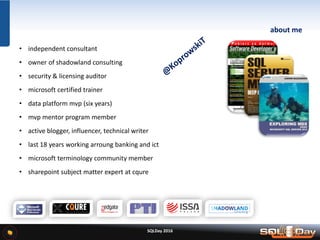
• independent consultant
• owner of shadowland consulting
• security & licensing auditor
• microsoft certified trainer
• data platform mvp (six years)
• mvp mentor program member
• active blogger, influencer, technical writer
• last 18 years working arroung banking and ict
• microsoft terminology community member
• sharepoint subject matter expert at cqure
SQLDay 2016
2:00 am … in a dreams…
• Your best time for dreaming … is the best time for Disaster
• Your mobile phone ringing and ringing…
• And Your husband / wife say…….
SQLDay 2016
2:15 am … in a car
• What’s happen with my server?
• When I made last backup?
• Where is my backup?
• Have I ever tried to restore?
• If yes – I hope that all in a team (about team soon) remember about (me?)
• If not – who can help me NOW?
SQLDay 2016
2:40 am … in a server room
• $#$$@$^^#^&^@!#
• Is Windows Server alive?
– YES (thanks all saints)
– or NOT (damn)
– who is responsible for it?
• Is my SQL Server alive?
– YES (why phones ringing)
– or NOT (…)
– why I’m responsible for it?
SQLDay 2016
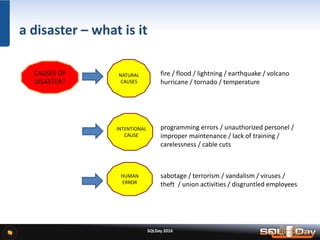
a disaster – what is it
CAUSES OF
DISASTER?
NATURAL
CAUSES
HUMAN
ERROR
INTENTIONAL
CAUSE
fire / flood / lightning / earthquake / volcano
hurricane / tornado / temperature
sabotage / terrorism / vandalism / viruses /
theft / union activities / disgruntled employees
programming errors / unauthorized personel /
improper maintenance / lack of training /
carelessness / cable cuts
SQLDay 2016
http://shoutitforlife.com/wp-content/uploads/2012/09/The-Names-of-God.jpg
SQLDay 2016
best practice for surviving disaster
ITS ONLY ONE:
BE PREPARED
SQLDay 2016
best practice for surviving disaster
Backups (sql databases)
• about type of backup ( simple rm / full rm)
• about place for stored backup data
• about backup window
• about procedure used for backup
• about backup tools
• about backup of „backup logs”
• about estimated time for executing backup
• about REAL TIME of executing backup
ITS ONLY ONE:
BE PREPARED
SQLDay 2016
backup > extract from sop*
In the request, backup, should include the following information:
• Information about the operating system and application version for online backup and
installed updates for these components a file backup policy, in particular:
– a number of versions of a file stored
– the storage time of the next version of the file
– the frequency of execution of such incremental backups with the proposal of their
implementation
• Online Backup Policy
– the storage time of a full backup with storage time such an incremental backup
– the time of transaction log files
– the frequency of execution of a full backup with the proposal deadline for
its implementation
– the frequency of execution of the transaction log backup
• Information about trees directories / files that should be omitted
or included during backup tasks (include / exclude list)
• Number and type / model of physical processors,
• Does the node will use the connection to the SAN to implement backup
ITS ONLY ONE:
BE PREPARED
SQLDay 2016
backup (registry) > extract from sop*
This register contains information about a backup plan implemented.
Backup file space:
– number of versions of a file stored in a backup
– number of days that are kept more versions of a file
– number of versions of a file stored in the backup system after its removal from client device
– number of days that will store the latest version of the deleted file from the client device
– number of days that will be stored in the archive
The list of nodes defined in the system backup:
– Domain | Node name | IP address of the node
– The list of defined backup tasks (called schedule)
– name of the task (schedule) | execution time
– a period of at which the task is repeated
ITS ONLY ONE:
BE PREPARED
SQLDay 2016
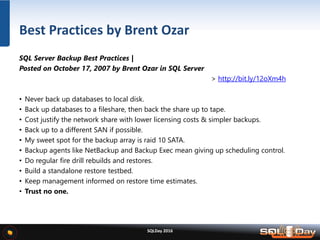
SQL Server Backup Best Practices |
Posted on October 17, 2007 by Brent Ozar in SQL Server
> http://bit.ly/12oXm4h
• Never back up databases to local disk.
• Back up databases to a fileshare, then back the share up to tape.
• Cost justify the network share with lower licensing costs & simpler backups.
• Back up to a different SAN if possible.
• My sweet spot for the backup array is raid 10 SATA.
• Backup agents like NetBackup and Backup Exec mean giving up scheduling control.
• Do regular fire drill rebuilds and restores.
• Build a standalone restore testbed.
• Keep management informed on restore time estimates.
• Trust no one.
Best Practices by Brent Ozar
SQLDay 2016
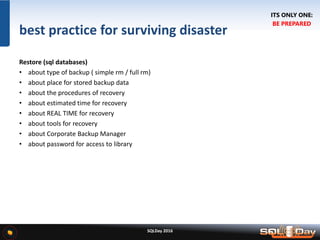
best practice for surviving disaster
Restore (sql databases)
• about type of backup ( simple rm / full rm)
• about place for stored backup data
• about the procedures of recovery
• about estimated time for recovery
• about REAL TIME for recovery
• about tools for recovery
• about Corporate Backup Manager
• about password for access to library
ITS ONLY ONE:
BE PREPARED
SQLDay 2016
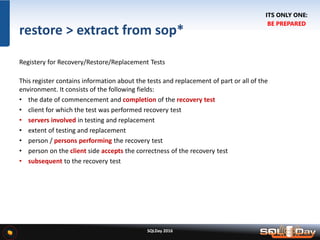
restore > extract from sop*
Registery for Recovery/Restore/Replacement Tests
This register contains information about the tests and replacement of part or all of the
environment. It consists of the following fields:
• the date of commencement and completion of the recovery test
• client for which the test was performed recovery test
• servers involved in testing and replacement
• extent of testing and replacement
• person / persons performing the recovery test
• person on the client side accepts the correctness of the recovery test
• subsequent to the recovery test
ITS ONLY ONE:
BE PREPARED
SQLDay 2016
best practice for surviving disaster
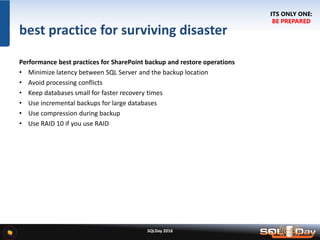
Performance best practices for SharePoint backup and restore operations
• Minimize latency between SQL Server and the backup location
• Avoid processing conflicts
• Keep databases small for faster recovery times
• Use incremental backups for large databases
• Use compression during backup
• Use RAID 10 if you use RAID
ITS ONLY ONE:
BE PREPARED
SQLDay 2016
best practice for surviving disaster
Configure SharePoint settings to improve backup or restore performance
• You can only configure file compression and log file settings in Windows PowerShell.
• If you use the Export-SPWeb Windows PowerShell cmdlet, you can use the
NoFileCompression parameter.
• When you use the Backup-SPFarm cmdlet, you can also use the BackupThreads parameter to
specify how many threads SharePoint 2013 will use during the backup process.
Consider site collection size when you determine the tools to use
• Up to15 GB
– Use the Backup-SPSite Windows PowerShell cmdlet. For more information, see Back up
site collections in SharePoint 2013.
• 15-100 GB
– Use a SharePoint 2013 tool, a SQL Server tool, or other database backup tool to protect
the content database that contains the site collection.
• Over 100 GB
– Use a differential backup solution, such as SQL Server 2008 R2 with SP1 or System Center
2012 - Data Pro
ITS ONLY ONE:
BE PREPARED
SQLDay 2016
best practice for surviving disaster
Backup & Restore (sharepoint farm)
• Quality assurance best practices to back up a SharePoint farm
• Ensure you have enough storage space
• Routinely test backup quality
• Back up ULS trace logs
• Store a copy of backup files off-site
• Procedural best practices to back up and restore SharePoint 2013
• Use FQDN server names
• Keep accurate records
• Have a recovery environment ready
• Schedule backup operations
• Use the SQL FILESTREAM provider with BLOB storage
ITS ONLY ONE:
BE PREPARED
SQLDay 2016
best practice for surviving disaster
Procedures
• It is not about stored procedures!!!
• It’s about storing procedures with answers for the following:
– One piece of paper
– How to start restore
– Who can help
– How to processing a restore
– When we can finish
• It MUST be simple
ITS ONLY ONE:
BE PREPARED
SQLDay 2016
best practice for surviving disaster
Roles
• SharePoint Administrator / Farm Administrator
• Database Administrator / Windows Administrator
• Backup Administrator / Network Administrator
• Storage Administrator / Security Administrator
• Customer Key Account / Manager of branch
• Data Center Manager
• Nightshift Operator - BOFH
• Customer Administrator!!
ITS ONLY ONE:
BE PREPARED
SQLDay 2016
best practice for surviving disaster
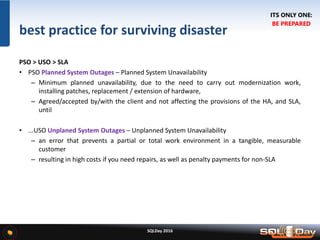
PSO > USO > SLA
• PSO Planned System Outages – Planned System Unavailability
– Minimum planned unavailability, due to the need to carry out modernization work,
installing patches, replacement / extension of hardware,
– Agreed/accepted by/with the client and not affecting the provisions of the HA, and SLA,
until
• ...USO Unplaned System Outages – Unplanned System Unavailability
– an error that prevents a partial or total work environment in a tangible, measurable
customer
– resulting in high costs if you need repairs, as well as penalty payments for non-SLA
ITS ONLY ONE:
BE PREPARED
SQLDay 2016
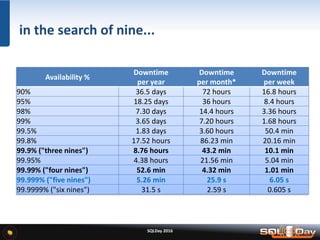
Availability %
Downtime
per year
Downtime
per month*
Downtime
per week
90% 36.5 days 72 hours 16.8 hours
95% 18.25 days 36 hours 8.4 hours
98% 7.30 days 14.4 hours 3.36 hours
99% 3.65 days 7.20 hours 1.68 hours
99.5% 1.83 days 3.60 hours 50.4 min
99.8% 17.52 hours 86.23 min 20.16 min
99.9% ("three nines") 8.76 hours 43.2 min 10.1 min
99.95% 4.38 hours 21.56 min 5.04 min
99.99% ("four nines") 52.6 min 4.32 min 1.01 min
99.999% ("five nines") 5.26 min 25.9 s 6.05 s
99.9999% ("six nines") 31.5 s 2.59 s 0.605 s
in the search of nine...
DEMO 1 | PICTURES OF THE WEEK
SQLDay 2016
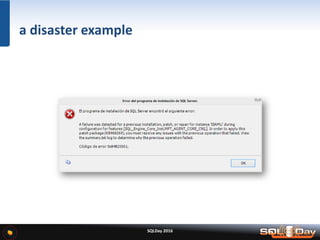
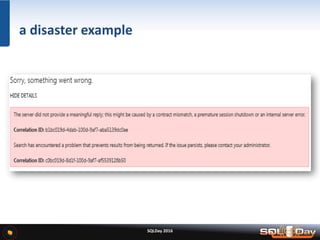
a disaster example
SQLDay 2016
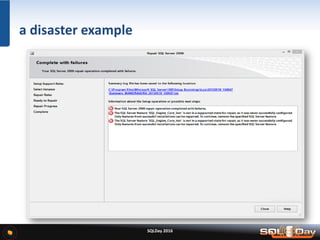
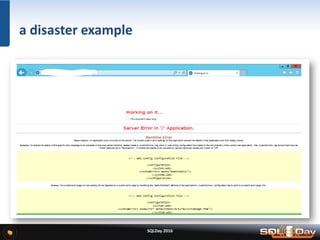
a disaster example
SQLDay 2016
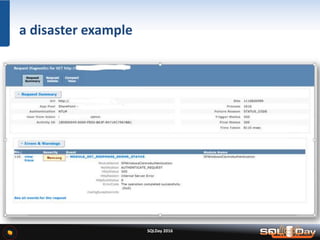
a disaster example
SQLDay 2016
a disaster example
SQLDay 2016
a disaster example
SQLDay 2016
a disaster example
SQLDay 2016
a disaster example
SQLDay 2016
a disaster example
SQLDay 2016
a disaster example
DEMO 2 SELECT…
SQLDay 2016
best practice for surviving disaster
Envelope
With ACTUAL!!! User names and passwords for:
• Windows Server Administrator
• SQL Server Administrator
• SQL Server Agent
• SQL Server Services (if You didn’t use default)
• SQL Server Applications Services
• Backup accounts
• SQL_Admin
• SQL_Engine
• SQL_Agent
• SQL_ReportingSRV
• SQL_AnalisysSRV
• SQL_InegrationSRV
• SP_Farm
• SP_Admin
• SP_Crawl
• SP_Install
• SP_WebApp
• SP_User
• SP_Content
• SP_SuperUser
• SP_SuperReader
ITS ONLY ONE:
BE PREPARED
SQLDay 2016
best practice for surviving disaster
Hardware
Some of the hard stuff for replacement:
• Server
• Motherboard
• Memory (RAM)
• Processor (CPU)
• Network Adapter (LAN/NIC)
• Fibre Channel Adapter
• Hard Disk (IDE/SATA/SAS/SSD…)
• RAID Controller
ITS ONLY ONE:
BE PREPARED
SQLDay 2016
best practice for surviving disaster
Support
Having actual list of actual support/maintenance things:
• company (like hp, dell, cisco)
• actual, checked contact details
• type of support (nbd, 8x5, 8x7, extended)
• the scope and details of the contract support
– Series number
– Serial number
– Repair warranty
– General warranty
• first contacts to helpdesk and route for request
• manager of „first contact”
• executive power person for escalation
ITS ONLY ONE:
BE PREPARED
SQLDay 2016
best practice for surviving disaster
Software | x32, x64, ia64 | Standard, Enterprise, Data Center, Web, Express
Windows
– 2003 / 2003R2 / 2008 / 2008R2 / 2012 / 2012R2 / 2016...
– SP 1, 2, 3, 4 +CU 1, 2, 3, …
– Standard, Enterprise, Data Center
SharePoint
– 2007 / 2010 / 2013 / 2016 …
– SP 1, 2 + CU March, April, May, November, …
SQL Server
– 2005, 2008, 2008R2, 2012, 2012R2, 2014 / 2016...
– SP 1, 2, 3, 4 +CU 1, 2, 3, 4, 5, 6, 7, 8, 9, 10, 11, 12, 13, 14, 15, 16….
AGENT ORANGE
ITS ONLY ONE:
BE PREPARED
SQLDay 2016
best practice for surviving disaster
Keys
Some keys which You need…
Serial keys
Rack keys
Server keys
Storage keys
Knife
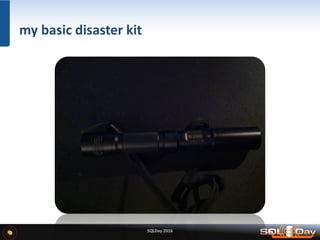
Torchlight; torch; flashlight (lighter)
Phone
ITS ONLY ONE:
BE PREPARED
SQLDay 2016
best practice for surviving disaster
ENCRYPTION
If You use encryption (such a TDE)
TDE
– Create encryption key
– Export encryption key
– Backup encryption key
CA
– Remember about expiration date
Always Encrypted
DDM
BitLocker
ITS ONLY ONE:
BE PREPARED
SQLDay 2016
best practice for surviving disaster
TEAM
You can work with disaster as:
Team Member
Team Leader
Last Samurai
ITS ONLY ONE:
BE PREPARED
SQLDay 2016
best practice for surviving disaster
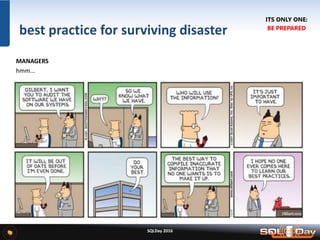
MANAGERS
hmm...
ITS ONLY ONE:
BE PREPARED
DEMO 3 | MY DISASTER SURVIVAL KIT
SQLDay 2016
SQLDay 2016
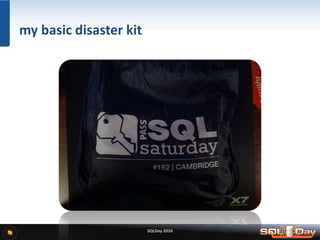
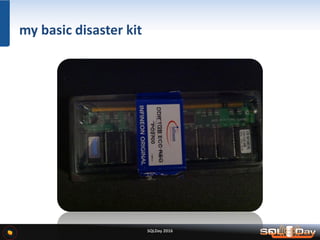
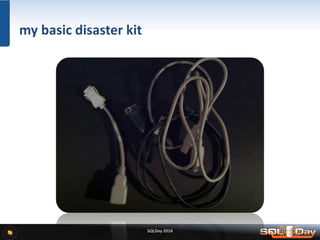
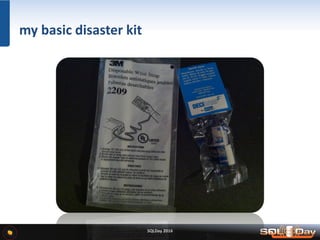
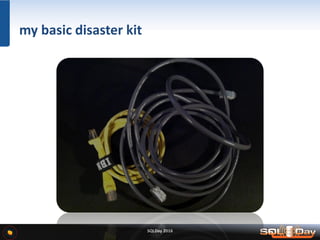
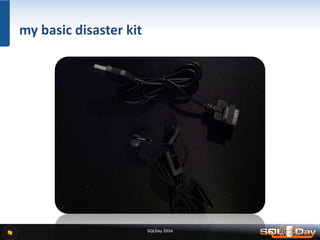
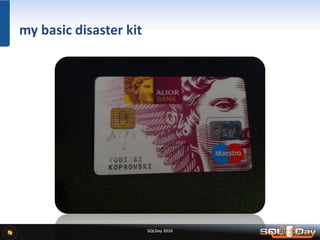
my basic disaster kit
SQLDay 2016
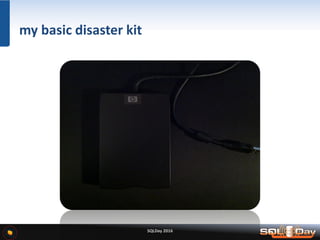
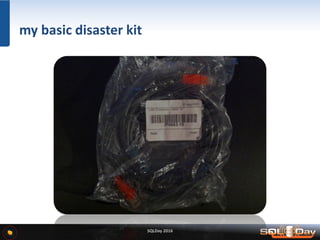
my basic disaster kit
SQLDay 2016
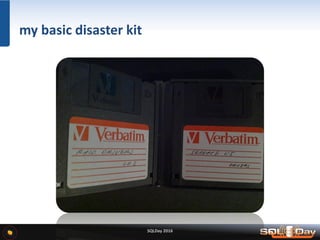
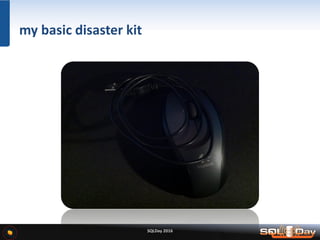
my basic disaster kit
SQLDay 2016
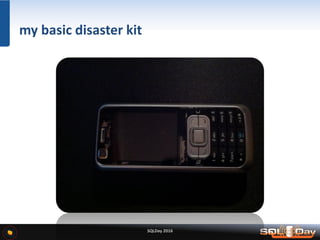
my basic disaster kit
SQLDay 2016
my basic disaster kit
SQLDay 2016
my basic disaster kit
SQLDay 2016
my basic disaster kit
SQLDay 2016
my basic disaster kit
SQLDay 2016
my basic disaster kit
SQLDay 2016
my basic disaster kit
SQLDay 2016
my basic disaster kit
SQLDay 2016
my basic disaster kit
SQLDay 2016
my basic disaster kit
SQLDay 2016
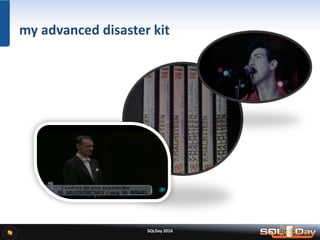
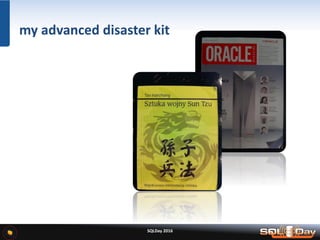
my advanced disaster kit
SQLDay 2016
my advanced disaster kit
SQLDay 2016
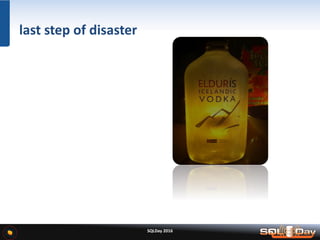
last step of disaster
SQLDay 2016
best practice for surviving disaster
• Backup&Restore  for sql (and know-how about stored place, and restoring way)
• Backup&Restore  for sp (tools, size, performance, site collection size, compression )
• Procedures (the short is better | one page is the best)
• Roles (who can help, who is necessary for access)
• SLA (90? 95? 99,99? in minutes, hours or days you have to recover)
• Envelope (with user names and passwords for all important accounts)
• Hardware (server, motherboard, CPU, RAM, LAN, HDD, SDD, USB)
• Support (maintenance contract, scope, contacts, responsibility)
• Software (Windows+SQLServer+SharePoint and SP+CU)
• Keys (serial numbers, physical keys, knife)
• Encryption (arrghhhhh!!! Certificates, keys, internal/external)
• Team (member, leader, samurai…)
• Managers (hmmm)
ITS ONLY ONE:
BE PREPARED
SQLDay 2016
DON’T PANIC !!!
DON’T PANIC !!!
DON’T PANIC !!!
SQLDay 2016
SQLDay 2016
after session
CONTACT:
• MAIL: KoprowskiT@windowslive.com
• SOCIAL MEDIA: facebook, twitter, linkedin, xing
SLIDES FROM SESSION:
• SQLDay WebSite
• SlideShare Profile: http://www.slideshare.net/Anorak
BLOGS:
• ITPRO Anorak’s Vision: http://itblogs.pl/notbeautifulanymore/ [PL/EN]
• Volume Licensing Specialites: http://koprowskit.eu/licensing/ [PL]
• My MVP Blog: http://koprowskit.eu/geek/ [EN/ES/PL]
SQLDay 2016
THANK YOU
AND DON’T FORGET ABOUT FEEDBACK
KoprowskiT_SQLDay2016_2AMaDisasterJustBegan

KoprowskiT_SQLDay2016_2AMaDisasterJustBegan

  • 2.
  • 3.
    2 AM. ADisaster just Began Tobiasz Janusz Koprowski
  • 5.
    SQLDay 2016 about me •independent consultant • owner of shadowland consulting • security & licensing auditor • microsoft certified trainer • data platform mvp (six years) • mvp mentor program member • active blogger, influencer, technical writer • last 18 years working arroung banking and ict • microsoft terminology community member • sharepoint subject matter expert at cqure
  • 6.
    SQLDay 2016 2:00 am… in a dreams… • Your best time for dreaming … is the best time for Disaster • Your mobile phone ringing and ringing… • And Your husband / wife say…….
  • 7.
    SQLDay 2016 2:15 am… in a car • What’s happen with my server? • When I made last backup? • Where is my backup? • Have I ever tried to restore? • If yes – I hope that all in a team (about team soon) remember about (me?) • If not – who can help me NOW?
  • 8.
    SQLDay 2016 2:40 am… in a server room • $#$$@$^^#^&^@!# • Is Windows Server alive? – YES (thanks all saints) – or NOT (damn) – who is responsible for it? • Is my SQL Server alive? – YES (why phones ringing) – or NOT (…) – why I’m responsible for it?
  • 9.
    SQLDay 2016 a disaster– what is it CAUSES OF DISASTER? NATURAL CAUSES HUMAN ERROR INTENTIONAL CAUSE fire / flood / lightning / earthquake / volcano hurricane / tornado / temperature sabotage / terrorism / vandalism / viruses / theft / union activities / disgruntled employees programming errors / unauthorized personel / improper maintenance / lack of training / carelessness / cable cuts
  • 10.
  • 11.
    SQLDay 2016 best practicefor surviving disaster ITS ONLY ONE: BE PREPARED
  • 12.
    SQLDay 2016 best practicefor surviving disaster Backups (sql databases) • about type of backup ( simple rm / full rm) • about place for stored backup data • about backup window • about procedure used for backup • about backup tools • about backup of „backup logs” • about estimated time for executing backup • about REAL TIME of executing backup ITS ONLY ONE: BE PREPARED
  • 13.
    SQLDay 2016 backup >extract from sop* In the request, backup, should include the following information: • Information about the operating system and application version for online backup and installed updates for these components a file backup policy, in particular: – a number of versions of a file stored – the storage time of the next version of the file – the frequency of execution of such incremental backups with the proposal of their implementation • Online Backup Policy – the storage time of a full backup with storage time such an incremental backup – the time of transaction log files – the frequency of execution of a full backup with the proposal deadline for its implementation – the frequency of execution of the transaction log backup • Information about trees directories / files that should be omitted or included during backup tasks (include / exclude list) • Number and type / model of physical processors, • Does the node will use the connection to the SAN to implement backup ITS ONLY ONE: BE PREPARED
  • 14.
    SQLDay 2016 backup (registry)> extract from sop* This register contains information about a backup plan implemented. Backup file space: – number of versions of a file stored in a backup – number of days that are kept more versions of a file – number of versions of a file stored in the backup system after its removal from client device – number of days that will store the latest version of the deleted file from the client device – number of days that will be stored in the archive The list of nodes defined in the system backup: – Domain | Node name | IP address of the node – The list of defined backup tasks (called schedule) – name of the task (schedule) | execution time – a period of at which the task is repeated ITS ONLY ONE: BE PREPARED
  • 15.
    SQLDay 2016 SQL ServerBackup Best Practices | Posted on October 17, 2007 by Brent Ozar in SQL Server > http://bit.ly/12oXm4h • Never back up databases to local disk. • Back up databases to a fileshare, then back the share up to tape. • Cost justify the network share with lower licensing costs & simpler backups. • Back up to a different SAN if possible. • My sweet spot for the backup array is raid 10 SATA. • Backup agents like NetBackup and Backup Exec mean giving up scheduling control. • Do regular fire drill rebuilds and restores. • Build a standalone restore testbed. • Keep management informed on restore time estimates. • Trust no one. Best Practices by Brent Ozar
  • 16.
    SQLDay 2016 best practicefor surviving disaster Restore (sql databases) • about type of backup ( simple rm / full rm) • about place for stored backup data • about the procedures of recovery • about estimated time for recovery • about REAL TIME for recovery • about tools for recovery • about Corporate Backup Manager • about password for access to library ITS ONLY ONE: BE PREPARED
  • 17.
    SQLDay 2016 restore >extract from sop* Registery for Recovery/Restore/Replacement Tests This register contains information about the tests and replacement of part or all of the environment. It consists of the following fields: • the date of commencement and completion of the recovery test • client for which the test was performed recovery test • servers involved in testing and replacement • extent of testing and replacement • person / persons performing the recovery test • person on the client side accepts the correctness of the recovery test • subsequent to the recovery test ITS ONLY ONE: BE PREPARED
  • 18.
    SQLDay 2016 best practicefor surviving disaster Performance best practices for SharePoint backup and restore operations • Minimize latency between SQL Server and the backup location • Avoid processing conflicts • Keep databases small for faster recovery times • Use incremental backups for large databases • Use compression during backup • Use RAID 10 if you use RAID ITS ONLY ONE: BE PREPARED
  • 19.
    SQLDay 2016 best practicefor surviving disaster Configure SharePoint settings to improve backup or restore performance • You can only configure file compression and log file settings in Windows PowerShell. • If you use the Export-SPWeb Windows PowerShell cmdlet, you can use the NoFileCompression parameter. • When you use the Backup-SPFarm cmdlet, you can also use the BackupThreads parameter to specify how many threads SharePoint 2013 will use during the backup process. Consider site collection size when you determine the tools to use • Up to15 GB – Use the Backup-SPSite Windows PowerShell cmdlet. For more information, see Back up site collections in SharePoint 2013. • 15-100 GB – Use a SharePoint 2013 tool, a SQL Server tool, or other database backup tool to protect the content database that contains the site collection. • Over 100 GB – Use a differential backup solution, such as SQL Server 2008 R2 with SP1 or System Center 2012 - Data Pro ITS ONLY ONE: BE PREPARED
  • 20.
    SQLDay 2016 best practicefor surviving disaster Backup & Restore (sharepoint farm) • Quality assurance best practices to back up a SharePoint farm • Ensure you have enough storage space • Routinely test backup quality • Back up ULS trace logs • Store a copy of backup files off-site • Procedural best practices to back up and restore SharePoint 2013 • Use FQDN server names • Keep accurate records • Have a recovery environment ready • Schedule backup operations • Use the SQL FILESTREAM provider with BLOB storage ITS ONLY ONE: BE PREPARED
  • 21.
    SQLDay 2016 best practicefor surviving disaster Procedures • It is not about stored procedures!!! • It’s about storing procedures with answers for the following: – One piece of paper – How to start restore – Who can help – How to processing a restore – When we can finish • It MUST be simple ITS ONLY ONE: BE PREPARED
  • 22.
    SQLDay 2016 best practicefor surviving disaster Roles • SharePoint Administrator / Farm Administrator • Database Administrator / Windows Administrator • Backup Administrator / Network Administrator • Storage Administrator / Security Administrator • Customer Key Account / Manager of branch • Data Center Manager • Nightshift Operator - BOFH • Customer Administrator!! ITS ONLY ONE: BE PREPARED
  • 23.
    SQLDay 2016 best practicefor surviving disaster PSO > USO > SLA • PSO Planned System Outages – Planned System Unavailability – Minimum planned unavailability, due to the need to carry out modernization work, installing patches, replacement / extension of hardware, – Agreed/accepted by/with the client and not affecting the provisions of the HA, and SLA, until • ...USO Unplaned System Outages – Unplanned System Unavailability – an error that prevents a partial or total work environment in a tangible, measurable customer – resulting in high costs if you need repairs, as well as penalty payments for non-SLA ITS ONLY ONE: BE PREPARED
  • 24.
    SQLDay 2016 Availability % Downtime peryear Downtime per month* Downtime per week 90% 36.5 days 72 hours 16.8 hours 95% 18.25 days 36 hours 8.4 hours 98% 7.30 days 14.4 hours 3.36 hours 99% 3.65 days 7.20 hours 1.68 hours 99.5% 1.83 days 3.60 hours 50.4 min 99.8% 17.52 hours 86.23 min 20.16 min 99.9% ("three nines") 8.76 hours 43.2 min 10.1 min 99.95% 4.38 hours 21.56 min 5.04 min 99.99% ("four nines") 52.6 min 4.32 min 1.01 min 99.999% ("five nines") 5.26 min 25.9 s 6.05 s 99.9999% ("six nines") 31.5 s 2.59 s 0.605 s in the search of nine...
  • 25.
    DEMO 1 |PICTURES OF THE WEEK
  • 26.
  • 27.
  • 28.
  • 29.
  • 30.
  • 31.
  • 32.
  • 33.
  • 34.
  • 35.
  • 36.
    SQLDay 2016 best practicefor surviving disaster Envelope With ACTUAL!!! User names and passwords for: • Windows Server Administrator • SQL Server Administrator • SQL Server Agent • SQL Server Services (if You didn’t use default) • SQL Server Applications Services • Backup accounts • SQL_Admin • SQL_Engine • SQL_Agent • SQL_ReportingSRV • SQL_AnalisysSRV • SQL_InegrationSRV • SP_Farm • SP_Admin • SP_Crawl • SP_Install • SP_WebApp • SP_User • SP_Content • SP_SuperUser • SP_SuperReader ITS ONLY ONE: BE PREPARED
  • 37.
    SQLDay 2016 best practicefor surviving disaster Hardware Some of the hard stuff for replacement: • Server • Motherboard • Memory (RAM) • Processor (CPU) • Network Adapter (LAN/NIC) • Fibre Channel Adapter • Hard Disk (IDE/SATA/SAS/SSD…) • RAID Controller ITS ONLY ONE: BE PREPARED
  • 38.
    SQLDay 2016 best practicefor surviving disaster Support Having actual list of actual support/maintenance things: • company (like hp, dell, cisco) • actual, checked contact details • type of support (nbd, 8x5, 8x7, extended) • the scope and details of the contract support – Series number – Serial number – Repair warranty – General warranty • first contacts to helpdesk and route for request • manager of „first contact” • executive power person for escalation ITS ONLY ONE: BE PREPARED
  • 39.
    SQLDay 2016 best practicefor surviving disaster Software | x32, x64, ia64 | Standard, Enterprise, Data Center, Web, Express Windows – 2003 / 2003R2 / 2008 / 2008R2 / 2012 / 2012R2 / 2016... – SP 1, 2, 3, 4 +CU 1, 2, 3, … – Standard, Enterprise, Data Center SharePoint – 2007 / 2010 / 2013 / 2016 … – SP 1, 2 + CU March, April, May, November, … SQL Server – 2005, 2008, 2008R2, 2012, 2012R2, 2014 / 2016... – SP 1, 2, 3, 4 +CU 1, 2, 3, 4, 5, 6, 7, 8, 9, 10, 11, 12, 13, 14, 15, 16…. AGENT ORANGE ITS ONLY ONE: BE PREPARED
  • 40.
    SQLDay 2016 best practicefor surviving disaster Keys Some keys which You need… Serial keys Rack keys Server keys Storage keys Knife Torchlight; torch; flashlight (lighter) Phone ITS ONLY ONE: BE PREPARED
  • 41.
    SQLDay 2016 best practicefor surviving disaster ENCRYPTION If You use encryption (such a TDE) TDE – Create encryption key – Export encryption key – Backup encryption key CA – Remember about expiration date Always Encrypted DDM BitLocker ITS ONLY ONE: BE PREPARED
  • 42.
    SQLDay 2016 best practicefor surviving disaster TEAM You can work with disaster as: Team Member Team Leader Last Samurai ITS ONLY ONE: BE PREPARED
  • 43.
    SQLDay 2016 best practicefor surviving disaster MANAGERS hmm... ITS ONLY ONE: BE PREPARED
  • 44.
    DEMO 3 |MY DISASTER SURVIVAL KIT SQLDay 2016
  • 45.
  • 46.
  • 47.
  • 48.
  • 49.
  • 50.
  • 51.
  • 52.
  • 53.
  • 54.
  • 55.
  • 56.
  • 57.
  • 58.
  • 59.
  • 60.
  • 61.
    SQLDay 2016 best practicefor surviving disaster • Backup&Restore for sql (and know-how about stored place, and restoring way) • Backup&Restore for sp (tools, size, performance, site collection size, compression ) • Procedures (the short is better | one page is the best) • Roles (who can help, who is necessary for access) • SLA (90? 95? 99,99? in minutes, hours or days you have to recover) • Envelope (with user names and passwords for all important accounts) • Hardware (server, motherboard, CPU, RAM, LAN, HDD, SDD, USB) • Support (maintenance contract, scope, contacts, responsibility) • Software (Windows+SQLServer+SharePoint and SP+CU) • Keys (serial numbers, physical keys, knife) • Encryption (arrghhhhh!!! Certificates, keys, internal/external) • Team (member, leader, samurai…) • Managers (hmmm) ITS ONLY ONE: BE PREPARED
  • 62.
    SQLDay 2016 DON’T PANIC!!! DON’T PANIC !!! DON’T PANIC !!!
  • 63.
  • 64.
    SQLDay 2016 after session CONTACT: •MAIL: KoprowskiT@windowslive.com • SOCIAL MEDIA: facebook, twitter, linkedin, xing SLIDES FROM SESSION: • SQLDay WebSite • SlideShare Profile: http://www.slideshare.net/Anorak BLOGS: • ITPRO Anorak’s Vision: http://itblogs.pl/notbeautifulanymore/ [PL/EN] • Volume Licensing Specialites: http://koprowskit.eu/licensing/ [PL] • My MVP Blog: http://koprowskit.eu/geek/ [EN/ES/PL]
  • 65.
    SQLDay 2016 THANK YOU ANDDON’T FORGET ABOUT FEEDBACK