/
Think Your Postgres Backups
And Disaster Recovery Are
Safe? Let's talk.
Payal Singh
Database Administrator
OmniTI
1
Who am I ?
DBA@OmniTI for the past 1.5 years
Interned @ OmniTI in summer of 2012
M.S. in Computer Science from UMBC
B.E. in Computer Science, Panjab University, India
Blog: http://penningpence.blogspot.com
Twitter: @pallureshu
Email: payal@omniti.com
2
Agenda
Need for different types of backups
Backups storage
Backups management
Automation
How to validate backups
External tools
3
Why multiple types of backups?
Recovery Point Objective (RPO)
Recovery Time Objective (RTO)
4
Types of Backups
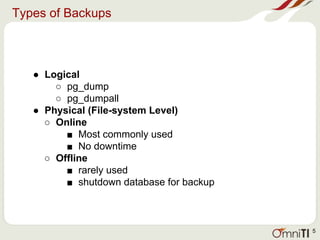
● Logical
○ pg_dump
○ pg_dumpall
● Physical (File-system Level)
○ Online
■ Most commonly used
■ No downtime
○ Offline
■ rarely used
■ shutdown database for backup
5
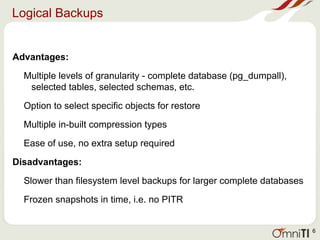
Logical Backups
Advantages:
Multiple levels of granularity - complete database (pg_dumpall),
selected tables, selected schemas, etc.
Option to select specific objects for restore
Multiple in-built compression types
Ease of use, no extra setup required
Disadvantages:
Slower than filesystem level backups for larger complete databases
Frozen snapshots in time, i.e. no PITR
6
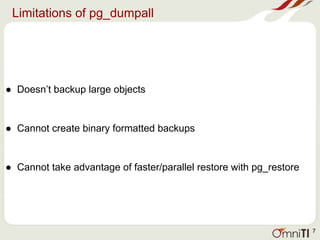
Limitations of pg_dumpall
● Doesn’t backup large objects
● Cannot create binary formatted backups
● Cannot take advantage of faster/parallel restore with pg_restore
7
Logical Backups Contd.
def take_dump():
try:
with open(config_file, 'r') as f:
for db in f:
if db.strip():
db = db.replace("n", "")
dump_command = pg_dump_path + " -U postgres -v -Fc -f " +
dump_file_path + db.split()[-1] + "_" + start_time + ".sql" + " " + db + " 2>>
" + dump_file_path + db.split()[-1] + "_" + start_time + ".log"
os.system(dump_command)
print('backup of ' + db.split()[-1] + ' completed successfully')
except:
print('ERROR: bash command did not execute properly')
8
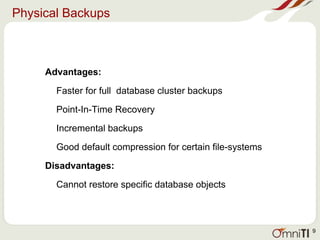
Physical Backups
Advantages:
Faster for full database cluster backups
Point-In-Time Recovery
Incremental backups
Good default compression for certain file-systems
Disadvantages:
Cannot restore specific database objects
9
Physical Backups Contd.
ZFS snapshots:
ZFS restore from snapshot
ZFS rollback to snapshot after failed upgrade or maintenance task
…
read_params "$@"
echo "read params done"
sanity_check
echo "sanity check done"
if [[ -z ${OFFLINE} ]]
then
postgres_start_backup
zfs_snap
postgres_stop_backup
else
zfs_snap
fi
backup
zfs_clear_snaps
rm ${LOCKFILE}
10
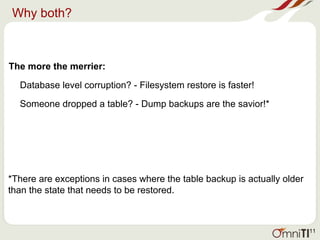
Why both?
The more the merrier:
Database level corruption? - Filesystem restore is faster!
Someone dropped a table? - Dump backups are the savior!*
*There are exceptions in cases where the table backup is actually older
than the state that needs to be restored.
11
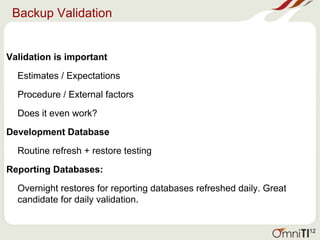
Backup Validation
Validation is important
Estimates / Expectations
Procedure / External factors
Does it even work?
Development Database
Routine refresh + restore testing
Reporting Databases:
Overnight restores for reporting databases refreshed daily. Great
candidate for daily validation.
12
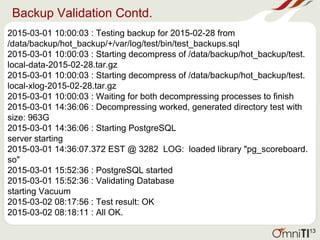
Backup Validation Contd.
2015-03-01 10:00:03 : Testing backup for 2015-02-28 from
/data/backup/hot_backup/+/var/log/test/bin/test_backups.sql
2015-03-01 10:00:03 : Starting decompress of /data/backup/hot_backup/test.
local-data-2015-02-28.tar.gz
2015-03-01 10:00:03 : Starting decompress of /data/backup/hot_backup/test.
local-xlog-2015-02-28.tar.gz
2015-03-01 10:00:03 : Waiting for both decompressing processes to finish
2015-03-01 14:36:06 : Decompressing worked, generated directory test with
size: 963G
2015-03-01 14:36:06 : Starting PostgreSQL
server starting
2015-03-01 14:36:07.372 EST @ 3282 LOG: loaded library "pg_scoreboard.
so"
2015-03-01 15:52:36 : PostgreSQL started
2015-03-01 15:52:36 : Validating Database
starting Vacuum
2015-03-02 08:17:56 : Test result: OK
2015-03-02 08:18:11 : All OK.
13
But how do I store these?
Retention Period
Security
Duration and Location
14
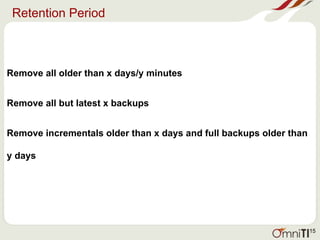
Retention Period
Remove all older than x days/y minutes
Remove all but latest x backups
Remove incrementals older than x days and full backups older than
y days
15
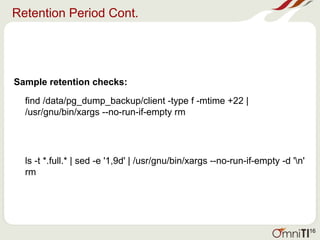
Retention Period Cont.
Sample retention checks:
find /data/pg_dump_backup/client -type f -mtime +22 |
/usr/gnu/bin/xargs --no-run-if-empty rm
ls -t *.full.* | sed -e '1,9d' | /usr/gnu/bin/xargs --no-run-if-empty -d 'n'
rm
16
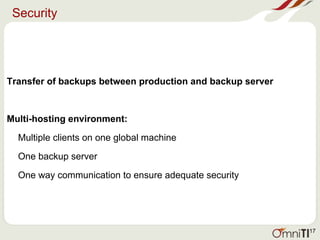
Security
Transfer of backups between production and backup server
Multi-hosting environment:
Multiple clients on one global machine
One backup server
One way communication to ensure adequate security
17
Off-server VS Off-site
Off-server - same datacentre but separate from production machine
Backup server residing locally
Off-site - Physically located away from production machines
Tapes
Amazon S3, etc.
18
Alerts
Alert on backup scripts/ cronjobs
• To detect errors within script, or change in system/user environments
• Immediate
• Cron emails
Alert on storage/retention:
• Error in retention logic/implementation
• Secondary/Delayed
• Cron’ned script, external monitoring
Alert on backup validation:
• On routine refreshes/ restores
19
S3 Backups
Ideal for long term backups:
• Cheap
• Ample space
• Transfer in parts, can pick up where you left off in case of errors
• Speed depends on bandwidth
Secure:
• Buckets , Users, Policies
Communication:
• AWS cli / s3cmd
• Access keys
• PGP encryption
20
S3 Backups Contd.
Sample Bucket Policy:
{
"Version": "2012-10-17",
"Id": "S3-Account-Permissions",
"Statement": [
{
"Sid": "1",
"Effect": "Allow",
"Principal": {
"AWS": "arn:aws:iam::928763567489:user/omniti_testing"
},
"Action": "s3:*",
"Resource": [
"arn:aws:s3:::omniti_testing",
"arn:aws:s3:::omniti_testing/*"
]
}
]
}
21
S3 Backups Contd.
Sample User Policy:
{
"Version": "2012-10-17",
"Statement": [
{
"Effect": "Allow",
"Action": "s3:*",
"Resource": [
"arn:aws:s3:::omniti_testing",
"arn:aws:s3:::omniti_testing/*"
]
}
]
}
22
S3 Backups Contd.
Basic steps:
check_lock()
take_dump()
gpg_encrypt()
s3_upload()
move_files()
cleanup()
23
S3 Backups Contd.
Sample check script placed on local machine:
latest_backup=$(/opt/python26/bin/s3cmd ls s3://omniti_client/ | awk {'print $1'} | sort -n | tail
-1)
today=$(/usr/gnu/bin/date --date=today "+%Y-%m-%d")
yesterday=$(/usr/gnu/bin/date --date=yesterday "+%Y-%m-%d")
if [ $yesterday -ne $latest_backup -a $today -ne $latest_backup ]
then
echo "Offsite Backups Missing for client" | mailx -s "Offsite Backup Missing for Client "
dba@omniti.com
24
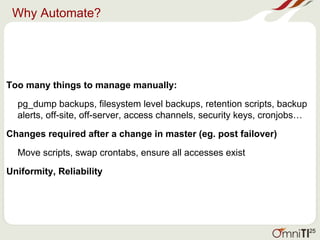
Why Automate?
Too many things to manage manually:
pg_dump backups, filesystem level backups, retention scripts, backup
alerts, off-site, off-server, access channels, security keys, cronjobs…
Changes required after a change in master (eg. post failover)
Move scripts, swap crontabs, ensure all accesses exist
Uniformity, Reliability
25
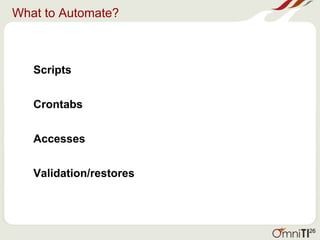
What to Automate?
Scripts
Crontabs
Accesses
Validation/restores
26
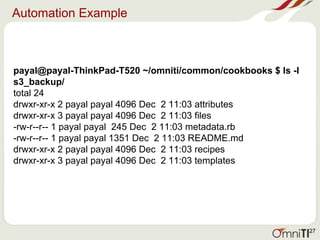
Automation Example
payal@payal-ThinkPad-T520 ~/omniti/common/cookbooks $ ls -l
s3_backup/
total 24
drwxr-xr-x 2 payal payal 4096 Dec 2 11:03 attributes
drwxr-xr-x 3 payal payal 4096 Dec 2 11:03 files
-rw-r--r-- 1 payal payal 245 Dec 2 11:03 metadata.rb
-rw-r--r-- 1 payal payal 1351 Dec 2 11:03 README.md
drwxr-xr-x 2 payal payal 4096 Dec 2 11:03 recipes
drwxr-xr-x 3 payal payal 4096 Dec 2 11:03 templates
27
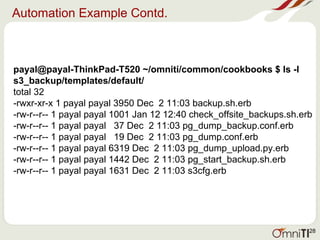
Automation Example Contd.
payal@payal-ThinkPad-T520 ~/omniti/common/cookbooks $ ls -l
s3_backup/templates/default/
total 32
-rwxr-xr-x 1 payal payal 3950 Dec 2 11:03 backup.sh.erb
-rw-r--r-- 1 payal payal 1001 Jan 12 12:40 check_offsite_backups.sh.erb
-rw-r--r-- 1 payal payal 37 Dec 2 11:03 pg_dump_backup.conf.erb
-rw-r--r-- 1 payal payal 19 Dec 2 11:03 pg_dump.conf.erb
-rw-r--r-- 1 payal payal 6319 Dec 2 11:03 pg_dump_upload.py.erb
-rw-r--r-- 1 payal payal 1442 Dec 2 11:03 pg_start_backup.sh.erb
-rw-r--r-- 1 payal payal 1631 Dec 2 11:03 s3cfg.erb
28
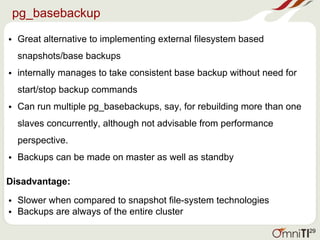
pg_basebackup
• Great alternative to implementing external filesystem based
snapshots/base backups
• internally manages to take consistent base backup without need for
start/stop backup commands
• Can run multiple pg_basebackups, say, for rebuilding more than one
slaves concurrently, although not advisable from performance
perspective.
• Backups can be made on master as well as standby
Disadvantage:
• Slower when compared to snapshot file-system technologies
• Backups are always of the entire cluster
29
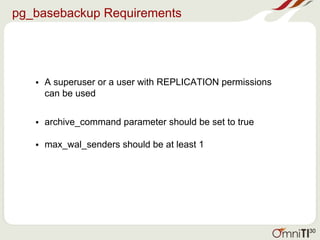
pg_basebackup Requirements
• A superuser or a user with REPLICATION permissions
can be used
• archive_command parameter should be set to true
• max_wal_senders should be at least 1
30
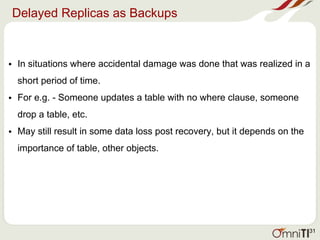
Delayed Replicas as Backups
• In situations where accidental damage was done that was realized in a
short period of time.
• For e.g. - Someone updates a table with no where clause, someone
drop a table, etc.
• May still result in some data loss post recovery, but it depends on the
importance of table, other objects.
31
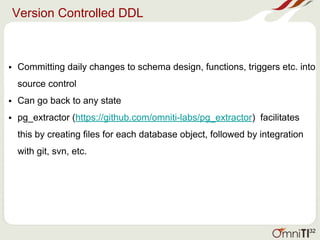
Version Controlled DDL
• Committing daily changes to schema design, functions, triggers etc. into
source control
• Can go back to any state
• pg_extractor (https://github.com/omniti-labs/pg_extractor) facilitates
this by creating files for each database object, followed by integration
with git, svn, etc.
32
Documentation
• Chart / table of backup information - types, locations, retention periods
• Steps/procedures to setup new machines
• Analysis/ estimation time for recovery
• Ways to recover
33
References
http://www.postgresql.org/docs/9.4/static
https://github.com/omniti-labs/omnipitr
http://docs.pgbarman.org
http://docs.chef.io/
https://github.com/omniti-labs/pgtreats
https://github.com/omniti-labs/pg_extractor
http://www.druva.com/blog/understanding-rpo-and-rto
http://evol-monkey.blogspot.co.uk/2013/08/postgresql-backup-
and-recovery.html
34
Questions?
35

Think_your_Postgres_backups_and_recovery_are_safe_lets_talk.pptx

  • 1.
    / Think Your PostgresBackups And Disaster Recovery Are Safe? Let's talk. Payal Singh Database Administrator OmniTI 1
  • 2.
    Who am I? DBA@OmniTI for the past 1.5 years Interned @ OmniTI in summer of 2012 M.S. in Computer Science from UMBC B.E. in Computer Science, Panjab University, India Blog: http://penningpence.blogspot.com Twitter: @pallureshu Email: payal@omniti.com 2
  • 3.
    Agenda Need for differenttypes of backups Backups storage Backups management Automation How to validate backups External tools 3
  • 4.
    Why multiple typesof backups? Recovery Point Objective (RPO) Recovery Time Objective (RTO) 4
  • 5.
    Types of Backups ●Logical ○ pg_dump ○ pg_dumpall ● Physical (File-system Level) ○ Online ■ Most commonly used ■ No downtime ○ Offline ■ rarely used ■ shutdown database for backup 5
  • 6.
    Logical Backups Advantages: Multiple levelsof granularity - complete database (pg_dumpall), selected tables, selected schemas, etc. Option to select specific objects for restore Multiple in-built compression types Ease of use, no extra setup required Disadvantages: Slower than filesystem level backups for larger complete databases Frozen snapshots in time, i.e. no PITR 6
  • 7.
    Limitations of pg_dumpall ●Doesn’t backup large objects ● Cannot create binary formatted backups ● Cannot take advantage of faster/parallel restore with pg_restore 7
  • 8.
    Logical Backups Contd. deftake_dump(): try: with open(config_file, 'r') as f: for db in f: if db.strip(): db = db.replace("n", "") dump_command = pg_dump_path + " -U postgres -v -Fc -f " + dump_file_path + db.split()[-1] + "_" + start_time + ".sql" + " " + db + " 2>> " + dump_file_path + db.split()[-1] + "_" + start_time + ".log" os.system(dump_command) print('backup of ' + db.split()[-1] + ' completed successfully') except: print('ERROR: bash command did not execute properly') 8
  • 9.
    Physical Backups Advantages: Faster forfull database cluster backups Point-In-Time Recovery Incremental backups Good default compression for certain file-systems Disadvantages: Cannot restore specific database objects 9
  • 10.
    Physical Backups Contd. ZFSsnapshots: ZFS restore from snapshot ZFS rollback to snapshot after failed upgrade or maintenance task … read_params "$@" echo "read params done" sanity_check echo "sanity check done" if [[ -z ${OFFLINE} ]] then postgres_start_backup zfs_snap postgres_stop_backup else zfs_snap fi backup zfs_clear_snaps rm ${LOCKFILE} 10
  • 11.
    Why both? The morethe merrier: Database level corruption? - Filesystem restore is faster! Someone dropped a table? - Dump backups are the savior!* *There are exceptions in cases where the table backup is actually older than the state that needs to be restored. 11
  • 12.
    Backup Validation Validation isimportant Estimates / Expectations Procedure / External factors Does it even work? Development Database Routine refresh + restore testing Reporting Databases: Overnight restores for reporting databases refreshed daily. Great candidate for daily validation. 12
  • 13.
    Backup Validation Contd. 2015-03-0110:00:03 : Testing backup for 2015-02-28 from /data/backup/hot_backup/+/var/log/test/bin/test_backups.sql 2015-03-01 10:00:03 : Starting decompress of /data/backup/hot_backup/test. local-data-2015-02-28.tar.gz 2015-03-01 10:00:03 : Starting decompress of /data/backup/hot_backup/test. local-xlog-2015-02-28.tar.gz 2015-03-01 10:00:03 : Waiting for both decompressing processes to finish 2015-03-01 14:36:06 : Decompressing worked, generated directory test with size: 963G 2015-03-01 14:36:06 : Starting PostgreSQL server starting 2015-03-01 14:36:07.372 EST @ 3282 LOG: loaded library "pg_scoreboard. so" 2015-03-01 15:52:36 : PostgreSQL started 2015-03-01 15:52:36 : Validating Database starting Vacuum 2015-03-02 08:17:56 : Test result: OK 2015-03-02 08:18:11 : All OK. 13
  • 14.
    But how doI store these? Retention Period Security Duration and Location 14
  • 15.
    Retention Period Remove allolder than x days/y minutes Remove all but latest x backups Remove incrementals older than x days and full backups older than y days 15
  • 16.
    Retention Period Cont. Sampleretention checks: find /data/pg_dump_backup/client -type f -mtime +22 | /usr/gnu/bin/xargs --no-run-if-empty rm ls -t *.full.* | sed -e '1,9d' | /usr/gnu/bin/xargs --no-run-if-empty -d 'n' rm 16
  • 17.
    Security Transfer of backupsbetween production and backup server Multi-hosting environment: Multiple clients on one global machine One backup server One way communication to ensure adequate security 17
  • 18.
    Off-server VS Off-site Off-server- same datacentre but separate from production machine Backup server residing locally Off-site - Physically located away from production machines Tapes Amazon S3, etc. 18
  • 19.
    Alerts Alert on backupscripts/ cronjobs • To detect errors within script, or change in system/user environments • Immediate • Cron emails Alert on storage/retention: • Error in retention logic/implementation • Secondary/Delayed • Cron’ned script, external monitoring Alert on backup validation: • On routine refreshes/ restores 19
  • 20.
    S3 Backups Ideal forlong term backups: • Cheap • Ample space • Transfer in parts, can pick up where you left off in case of errors • Speed depends on bandwidth Secure: • Buckets , Users, Policies Communication: • AWS cli / s3cmd • Access keys • PGP encryption 20
  • 21.
    S3 Backups Contd. SampleBucket Policy: { "Version": "2012-10-17", "Id": "S3-Account-Permissions", "Statement": [ { "Sid": "1", "Effect": "Allow", "Principal": { "AWS": "arn:aws:iam::928763567489:user/omniti_testing" }, "Action": "s3:*", "Resource": [ "arn:aws:s3:::omniti_testing", "arn:aws:s3:::omniti_testing/*" ] } ] } 21
  • 22.
    S3 Backups Contd. SampleUser Policy: { "Version": "2012-10-17", "Statement": [ { "Effect": "Allow", "Action": "s3:*", "Resource": [ "arn:aws:s3:::omniti_testing", "arn:aws:s3:::omniti_testing/*" ] } ] } 22
  • 23.
    S3 Backups Contd. Basicsteps: check_lock() take_dump() gpg_encrypt() s3_upload() move_files() cleanup() 23
  • 24.
    S3 Backups Contd. Samplecheck script placed on local machine: latest_backup=$(/opt/python26/bin/s3cmd ls s3://omniti_client/ | awk {'print $1'} | sort -n | tail -1) today=$(/usr/gnu/bin/date --date=today "+%Y-%m-%d") yesterday=$(/usr/gnu/bin/date --date=yesterday "+%Y-%m-%d") if [ $yesterday -ne $latest_backup -a $today -ne $latest_backup ] then echo "Offsite Backups Missing for client" | mailx -s "Offsite Backup Missing for Client " dba@omniti.com 24
  • 25.
    Why Automate? Too manythings to manage manually: pg_dump backups, filesystem level backups, retention scripts, backup alerts, off-site, off-server, access channels, security keys, cronjobs… Changes required after a change in master (eg. post failover) Move scripts, swap crontabs, ensure all accesses exist Uniformity, Reliability 25
  • 26.
  • 27.
    Automation Example payal@payal-ThinkPad-T520 ~/omniti/common/cookbooks$ ls -l s3_backup/ total 24 drwxr-xr-x 2 payal payal 4096 Dec 2 11:03 attributes drwxr-xr-x 3 payal payal 4096 Dec 2 11:03 files -rw-r--r-- 1 payal payal 245 Dec 2 11:03 metadata.rb -rw-r--r-- 1 payal payal 1351 Dec 2 11:03 README.md drwxr-xr-x 2 payal payal 4096 Dec 2 11:03 recipes drwxr-xr-x 3 payal payal 4096 Dec 2 11:03 templates 27
  • 28.
    Automation Example Contd. payal@payal-ThinkPad-T520~/omniti/common/cookbooks $ ls -l s3_backup/templates/default/ total 32 -rwxr-xr-x 1 payal payal 3950 Dec 2 11:03 backup.sh.erb -rw-r--r-- 1 payal payal 1001 Jan 12 12:40 check_offsite_backups.sh.erb -rw-r--r-- 1 payal payal 37 Dec 2 11:03 pg_dump_backup.conf.erb -rw-r--r-- 1 payal payal 19 Dec 2 11:03 pg_dump.conf.erb -rw-r--r-- 1 payal payal 6319 Dec 2 11:03 pg_dump_upload.py.erb -rw-r--r-- 1 payal payal 1442 Dec 2 11:03 pg_start_backup.sh.erb -rw-r--r-- 1 payal payal 1631 Dec 2 11:03 s3cfg.erb 28
  • 29.
    pg_basebackup • Great alternativeto implementing external filesystem based snapshots/base backups • internally manages to take consistent base backup without need for start/stop backup commands • Can run multiple pg_basebackups, say, for rebuilding more than one slaves concurrently, although not advisable from performance perspective. • Backups can be made on master as well as standby Disadvantage: • Slower when compared to snapshot file-system technologies • Backups are always of the entire cluster 29
  • 30.
    pg_basebackup Requirements • Asuperuser or a user with REPLICATION permissions can be used • archive_command parameter should be set to true • max_wal_senders should be at least 1 30
  • 31.
    Delayed Replicas asBackups • In situations where accidental damage was done that was realized in a short period of time. • For e.g. - Someone updates a table with no where clause, someone drop a table, etc. • May still result in some data loss post recovery, but it depends on the importance of table, other objects. 31
  • 32.
    Version Controlled DDL •Committing daily changes to schema design, functions, triggers etc. into source control • Can go back to any state • pg_extractor (https://github.com/omniti-labs/pg_extractor) facilitates this by creating files for each database object, followed by integration with git, svn, etc. 32
  • 33.
    Documentation • Chart /table of backup information - types, locations, retention periods • Steps/procedures to setup new machines • Analysis/ estimation time for recovery • Ways to recover 33
  • 34.
  • 35.