Welcome
• Keynote
         – Fiona Akhtar, Microsoft
• Act 1: Collaboration themes
         – Michael Gilronan, KMA
• Break
• Act 2: Insight and Productivity themes
         – David Goldstein, KMA
• Breakout #1: Platform/IT Pro Track (MPR A)
         – Chris McNulty, KMA
• Breakout #2: Developer Track (Boston Room)
         – Liz Hatch, KMA
• Breakout #3: Licensing Track (EBC)
         – Adrian duCille, KMA
                                                             (2)
Twitter hashtag:         Copyright 2009 © Knowledge Management Associates, LLC. All rights reserved.
                                               Twitterhashtag: #kmasp2010
Prologue: Key Questions We Will Address

• How can I use SharePoint 2010 to make my
  employees more collaborative?
         – Enhanced tools for content-based collaboration
         – SharePoint communities
         – More ways to access and share content


                                                          (3)
Twitter hashtag:      Copyright 2009 © Knowledge Management Associates, LLC. All rights reserved.
                                            Twitterhashtag: #kmasp2010
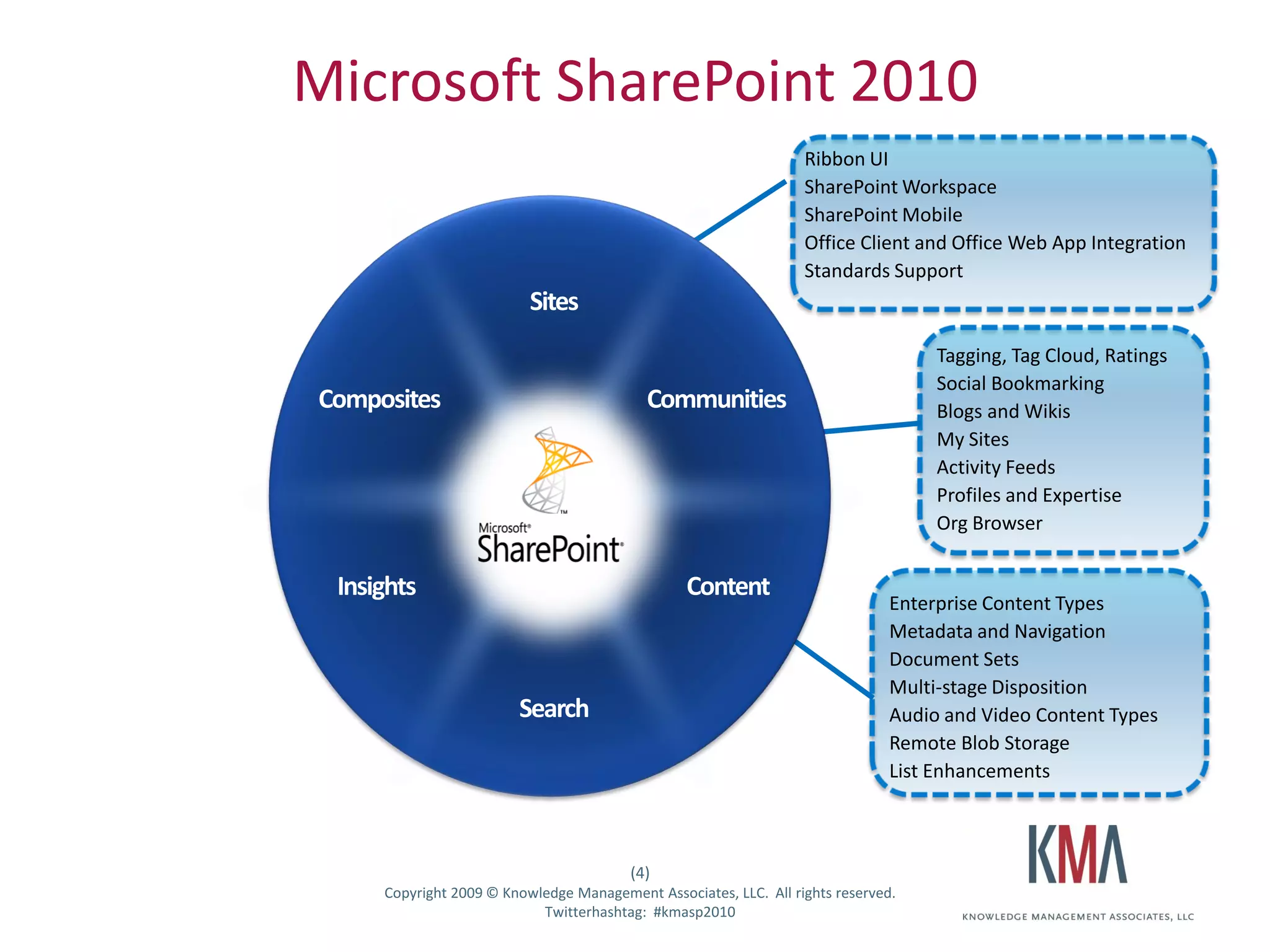
Microsoft SharePoint 2010
                                                                                   Ribbon UI
                                                                                   SharePoint Workspace
                                                                                   SharePoint Mobile
                                                                                   Office Client and Office Web App Integration
                                                                                   Standards Support


                                                                                                     Tagging, Tag Cloud, Ratings
                                                                                                     Social Bookmarking
                                                                                                     Blogs and Wikis
                                                                                                     My Sites
                                                                                                     Activity Feeds
                                                                                                     Profiles and Expertise
                                                                                                     Org Browser


                                                                                                Enterprise Content Types
                                                                                                Metadata and Navigation
                                                                                                Document Sets
                                                                                                Multi-stage Disposition
                                                                                                Audio and Video Content Types
                                                                                                Remote Blob Storage
                                                                                                List Enhancements


                                                          (4)
Twitter hashtag:      Copyright 2009 © Knowledge Management Associates, LLC. All rights reserved.
                                            Twitterhashtag: #kmasp2010
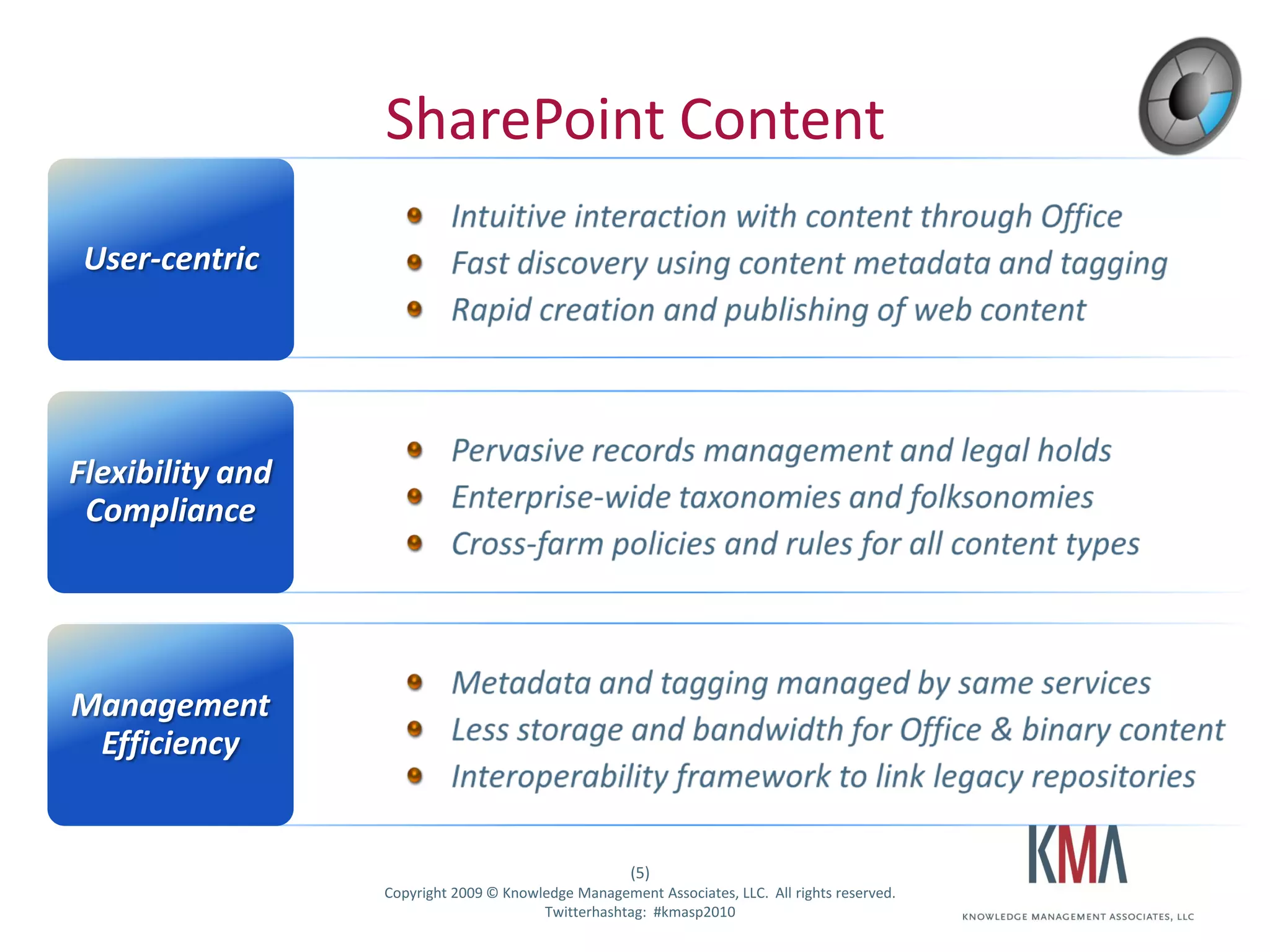
SharePoint Content

 User-centric


Flexibility and
 Compliance


Management
 Efficiency


                                                       (5)
Twitter hashtag:   Copyright 2009 © Knowledge Management Associates, LLC. All rights reserved.
                                         Twitterhashtag: #kmasp2010
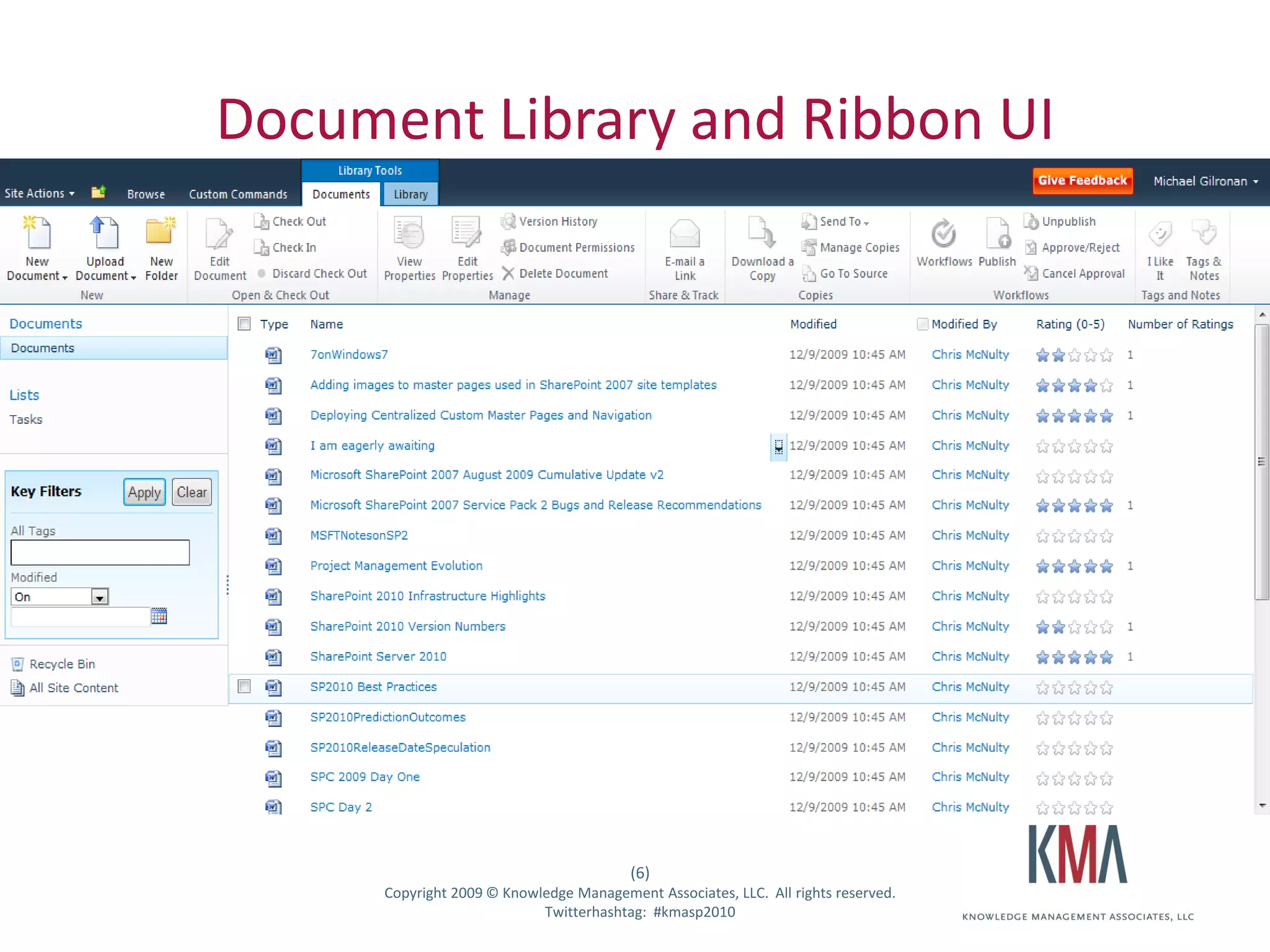
Document Library and Ribbon UI


                                                             (6)
Twitter hashtag:         Copyright 2009 © Knowledge Management Associates, LLC. All rights reserved.
                                               Twitterhashtag: #kmasp2010
Live Demo #1

• Enterprise Content Management capabilities


                                                       (7)
Twitter hashtag:   Copyright 2009 © Knowledge Management Associates, LLC. All rights reserved.
                                         Twitterhashtag: #kmasp2010
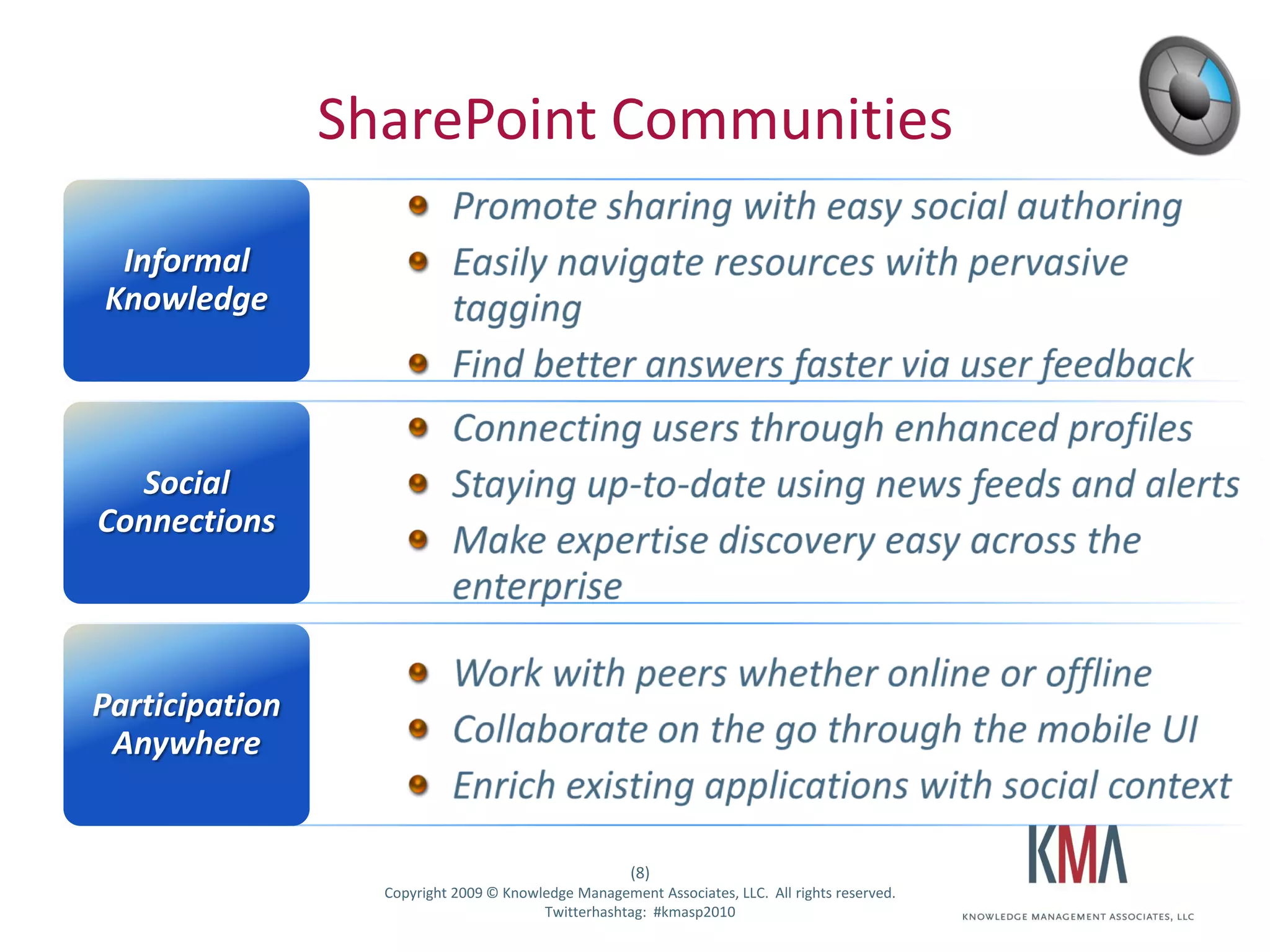
SharePoint Communities

     Informal
    Knowledge


      Social
   Connections


  Participation
   Anywhere


                                                         (8)
Twitter hashtag:     Copyright 2009 © Knowledge Management Associates, LLC. All rights reserved.
                                           Twitterhashtag: #kmasp2010
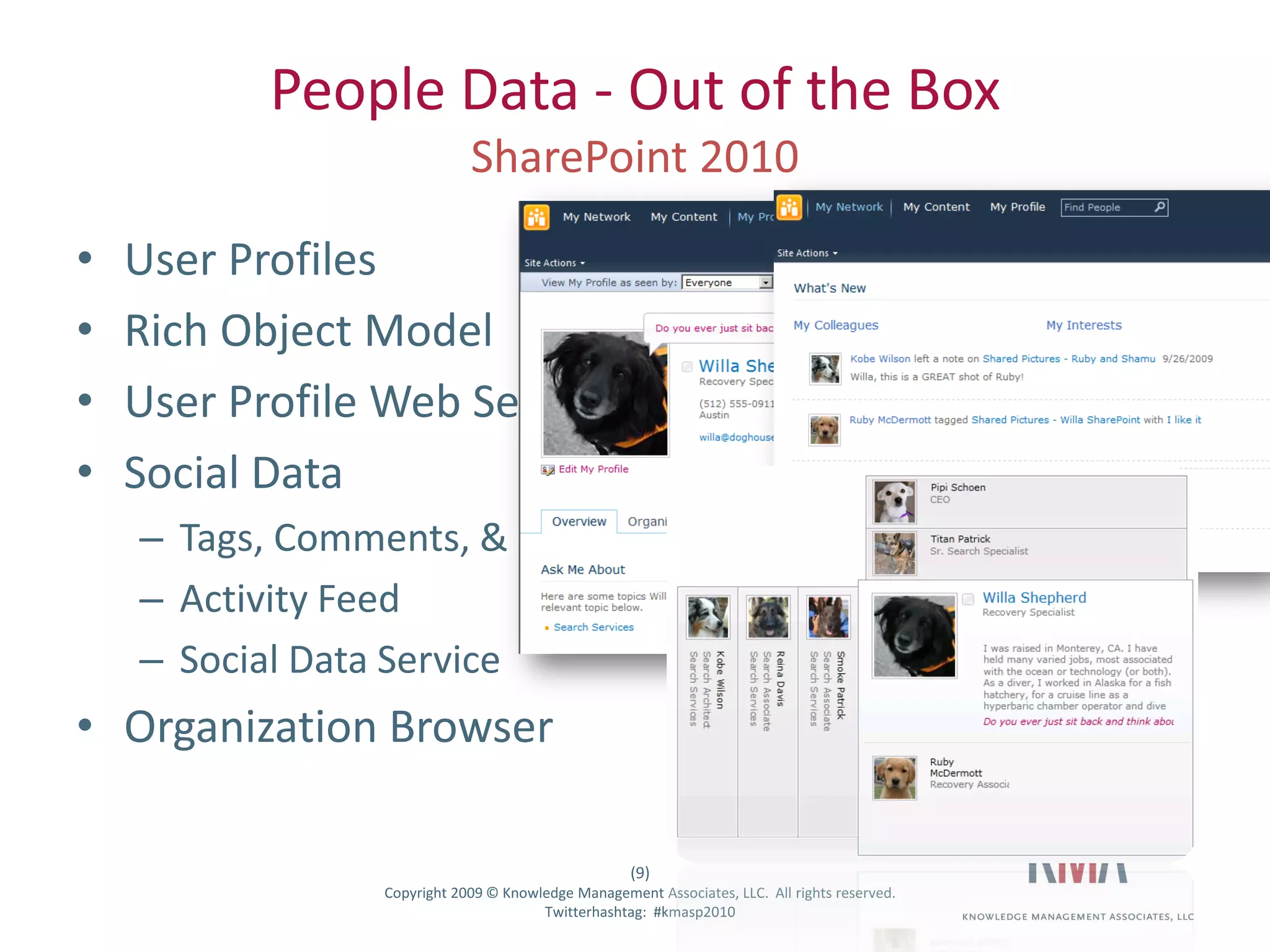
People Data - Out of the Box

•      User Profiles
•      Rich Object Model
•      User Profile Web Service
•      Social Data
         – Tags, Comments, & Rating
         – Activity Feed
         – Social Data Service
• Organization Browser

                                                           (9)
Twitter hashtag:       Copyright 2009 © Knowledge Management Associates, LLC. All rights reserved.
                                             Twitterhashtag: #kmasp2010
Live Demo #2
                   Communities – MySites,
                     profiles, tags, ratings


                                                          (10)
Twitter hashtag:       Copyright 2009 © Knowledge Management Associates, LLC. All rights reserved.
                                             Twitterhashtag: #kmasp2010
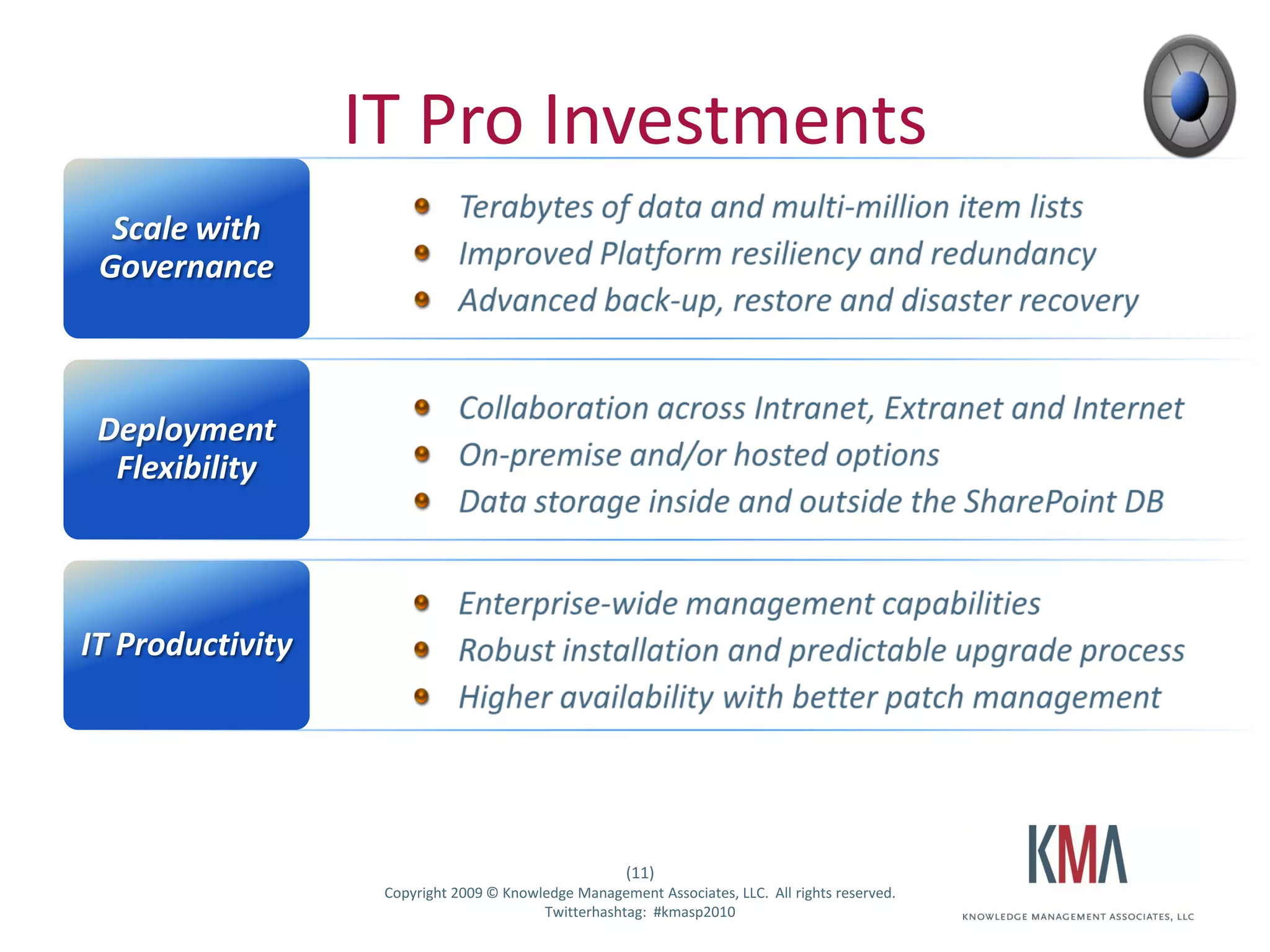
IT Pro Investments
    Scale with
   Governance


   Deployment
    Flexibility


IT Productivity


                                                       (11)
Twitter hashtag:    Copyright 2009 © Knowledge Management Associates, LLC. All rights reserved.
                                          Twitterhashtag: #kmasp2010
Live Demo #3

                   Offline experience with
                    SharePoint Workspace


                                                          (12)
Twitter hashtag:       Copyright 2009 © Knowledge Management Associates, LLC. All rights reserved.
                                             Twitterhashtag: #kmasp2010
BREAK!
Prologue: Key Questions We Will Address

• How can I use SharePoint 2010 to make my
  employees more insightful?
         – By exposing key data to them from data bases and line of
           business systems
         – By easily connecting this data to dashboards, maps,
           pictures, lists, …
• How can I use SharePoint 2010 to make productive?
         – By developing forms and workflows that automate key
           business processes


                                                         (14)
Twitter hashtag:      Copyright 2009 © Knowledge Management Associates, LLC. All rights reserved.
                                            Twitterhashtag: #kmasp2010
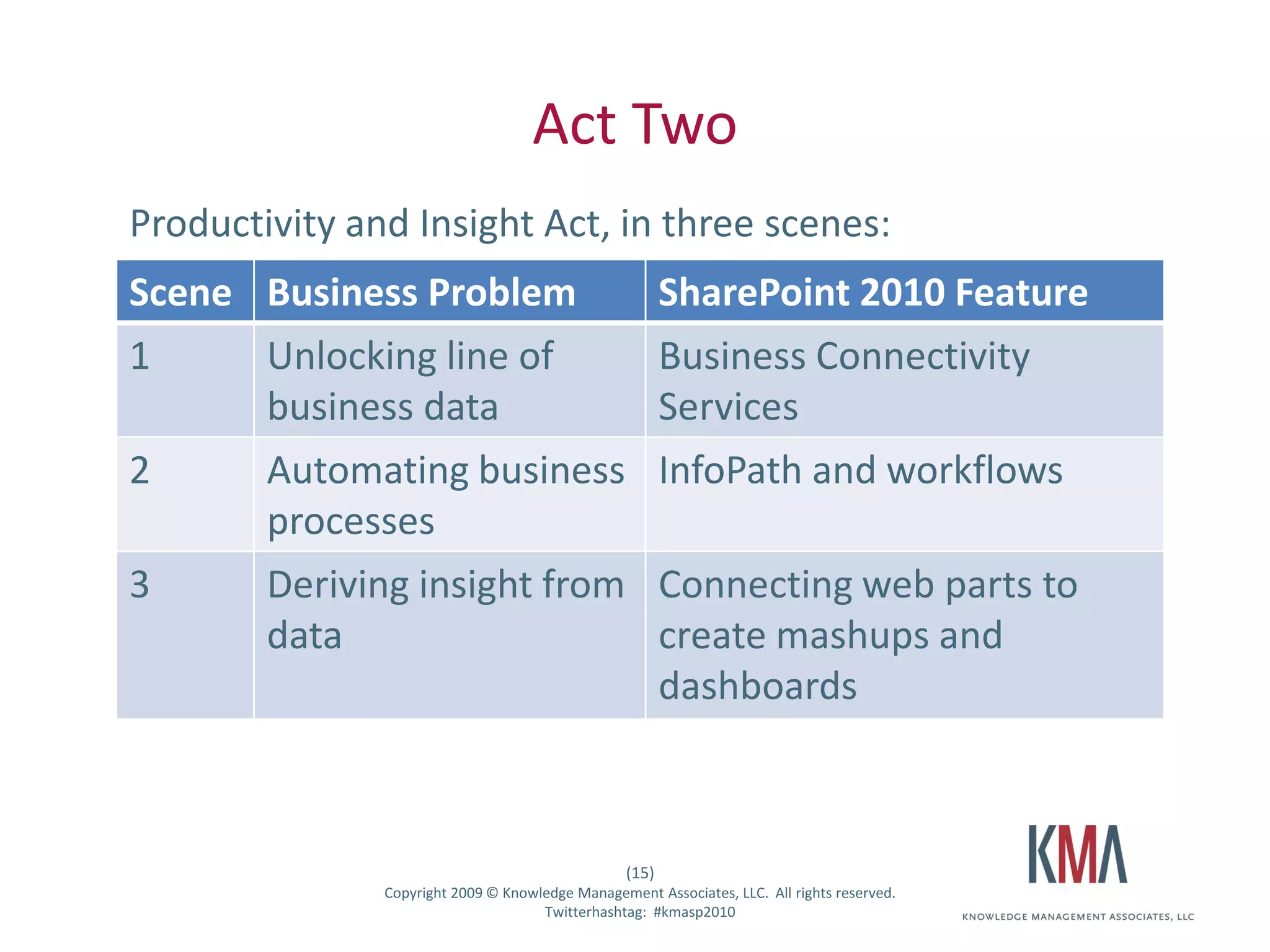
Act Two
        Productivity and Insight Act, in three scenes:
        Scene Business Problem                                   SharePoint 2010 Feature
        1     Unlocking line of                                  Business Connectivity
              business data                                      Services
        2     Automating business                                InfoPath and workflows
              processes
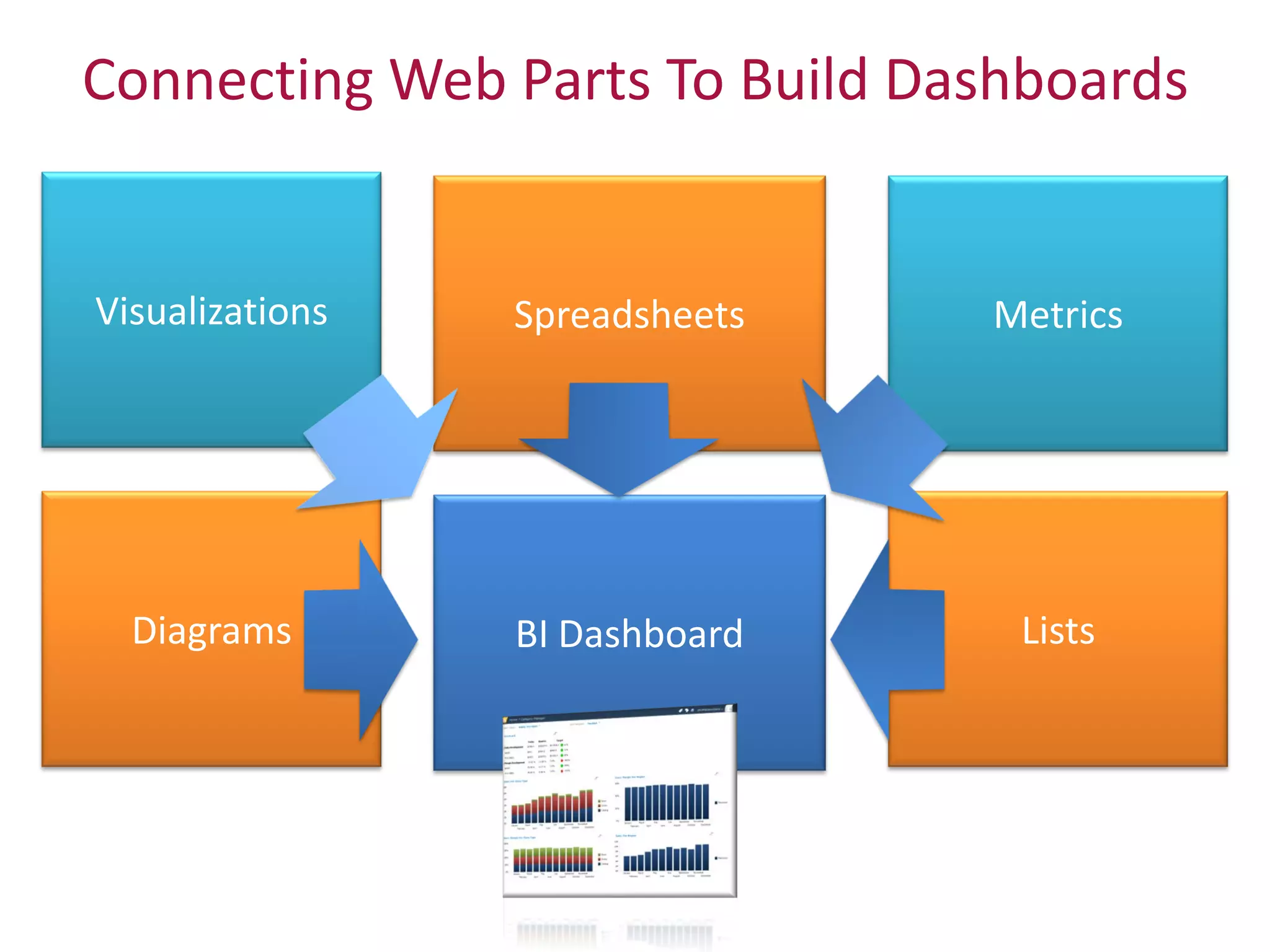
        3     Deriving insight from                              Connecting web parts to
              data                                               create mashups and
                                                                 dashboards


                                                          (15)
Twitter hashtag:       Copyright 2009 © Knowledge Management Associates, LLC. All rights reserved.
                                             Twitterhashtag: #kmasp2010
Act 2, Scene 1: Business Connectivity Services

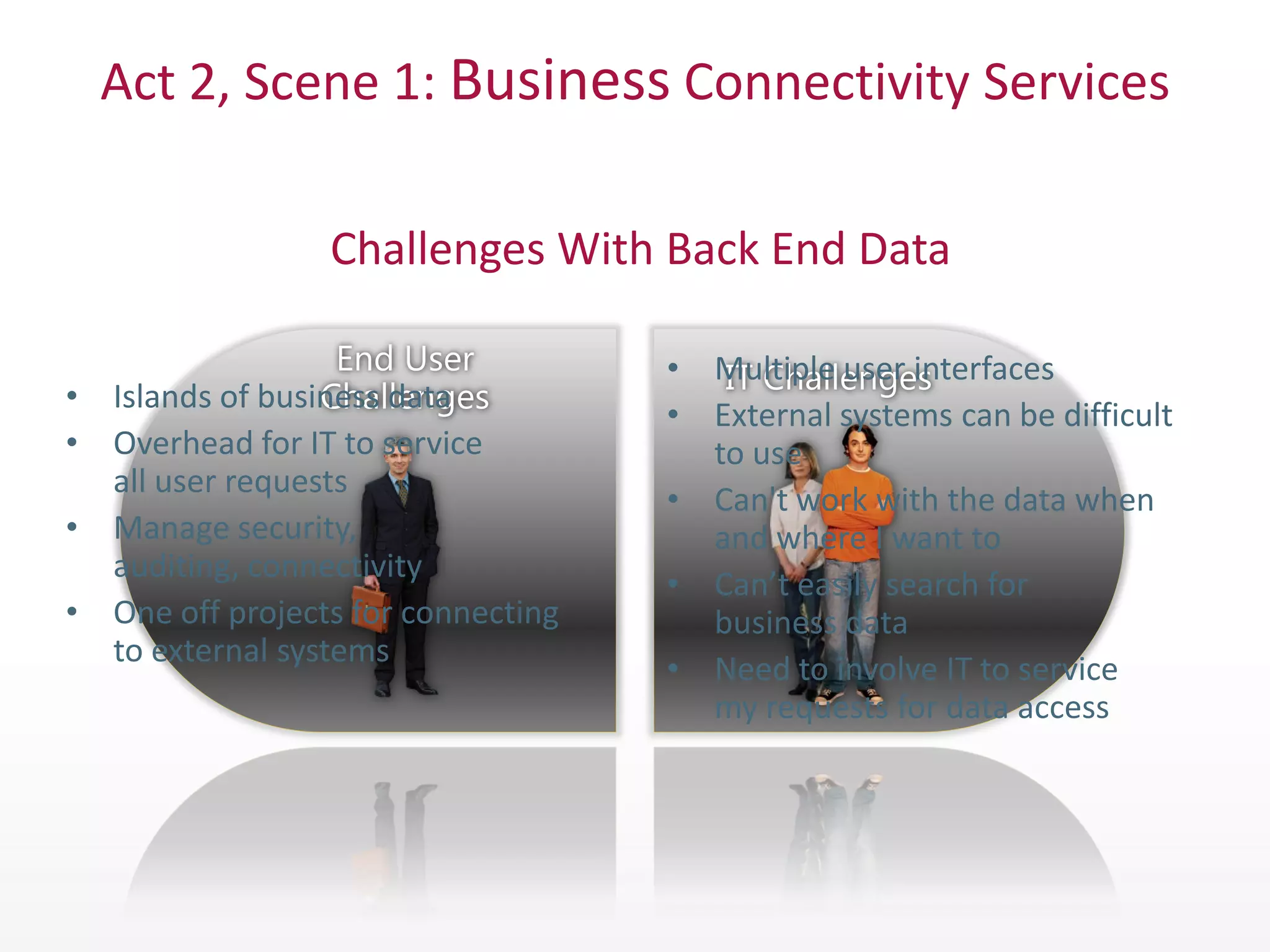
                 Challenges With Back End Data

                                    • Multiple user interfaces
• Islands of business data
                                    • External systems can be difficult
• Overhead for IT to service          to use
  all user requests
                                    • Can't work with the data when
• Manage security,                    and where I want to
  auditing, connectivity
                                    • Can’t easily search for
• One off projects for connecting     business data
  to external systems
                                    • Need to involve IT to service
                                      my requests for data access
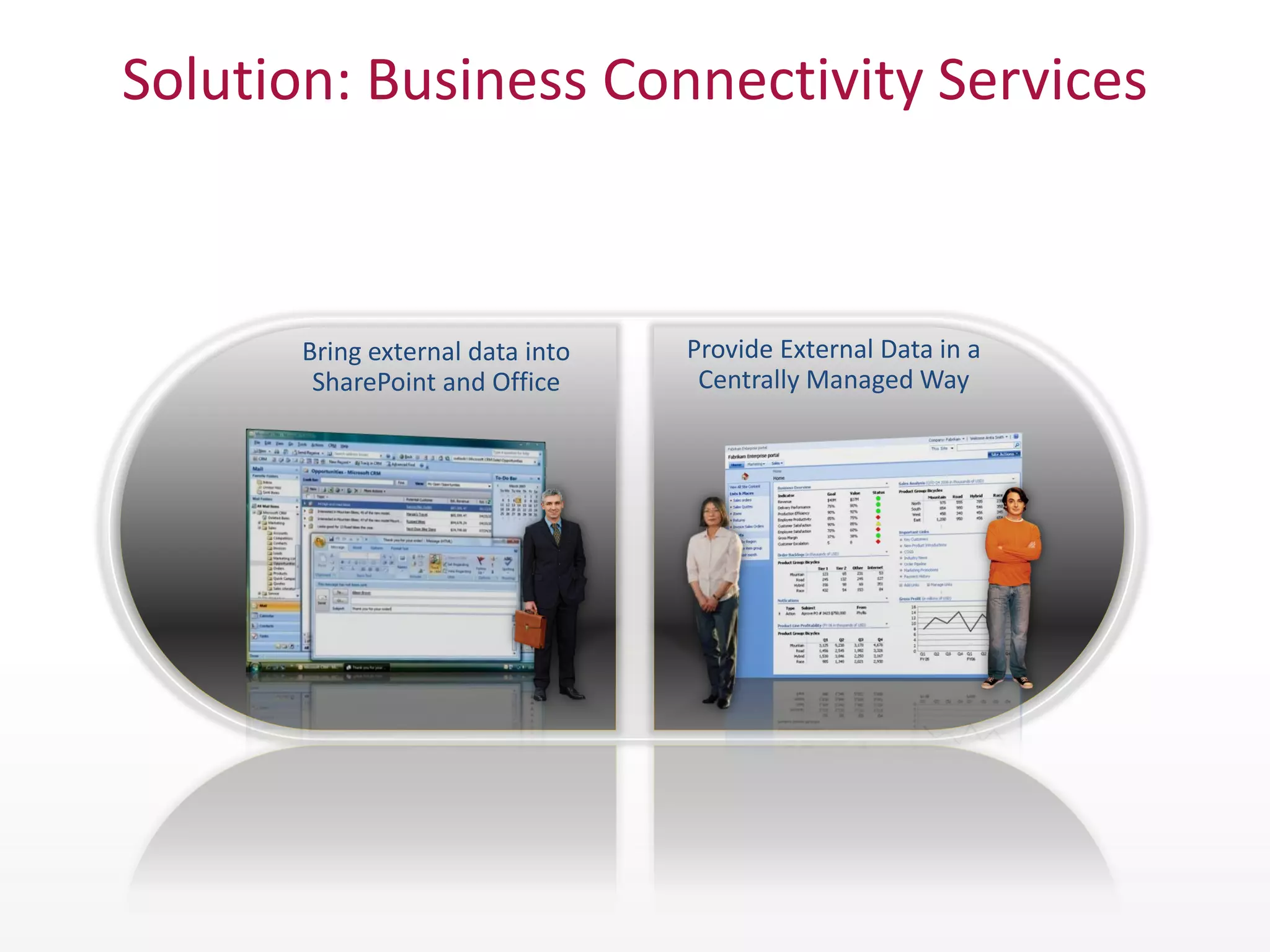
Solution: Business Connectivity Services


       Bring external data into   Provide External Data in a
        SharePoint and Office      Centrally Managed Way
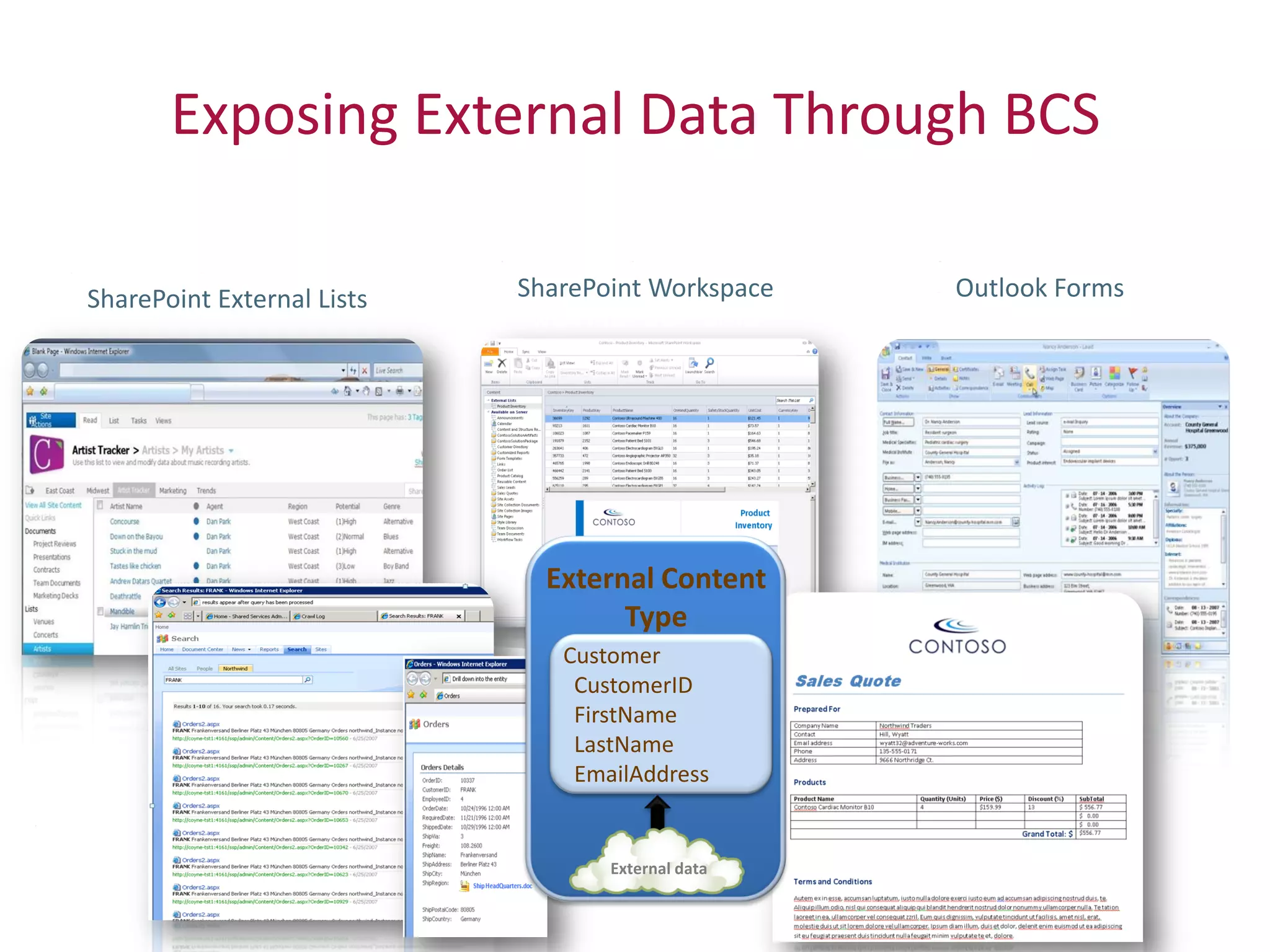
Exposing External Data Through BCS

SharePoint External Lists   SharePoint Workspace   Outlook Forms


                              External Content
                                    Type
                               Customer
                                CustomerID
                                FirstName
                                LastName
                                EmailAddress


                                   External data
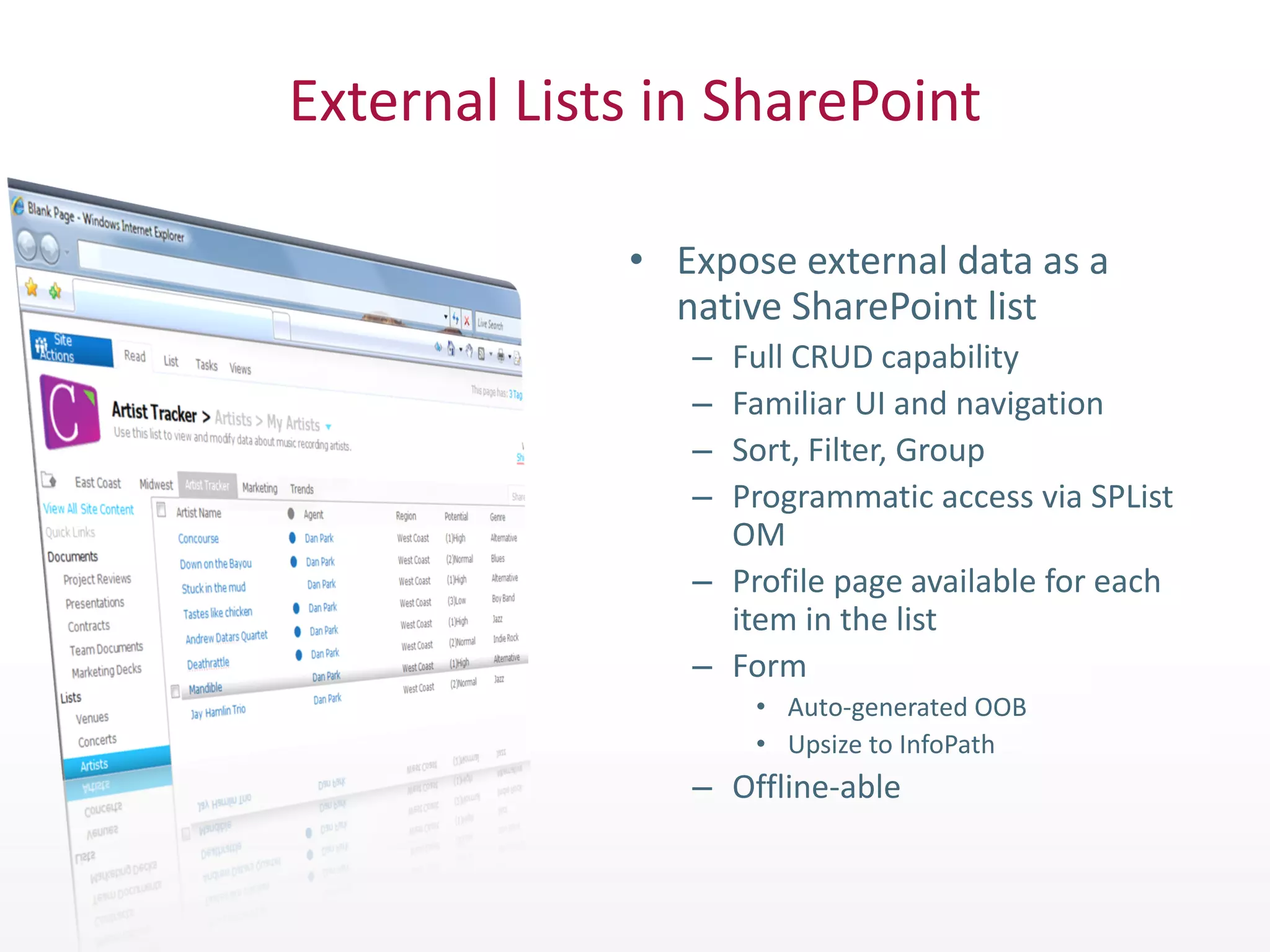
External Lists in SharePoint

             • Expose external data as a
               native SharePoint list
                – Full CRUD capability
                – Familiar UI and navigation
                – Sort, Filter, Group
                – Programmatic access via SPList
                  OM
                – Profile page available for each
                  item in the list
                – Form
                    • Auto-generated OOB
                    • Upsize to InfoPath
                – Offline-able
Business Connectivity Services Demo


                                                      (20)
Twitter hashtag:   Copyright 2009 © Knowledge Management Associates, LLC. All rights reserved.
                                         Twitterhashtag: #kmasp2010
Act 2, Scene 2: Improving Productivity
    Through Process Automation
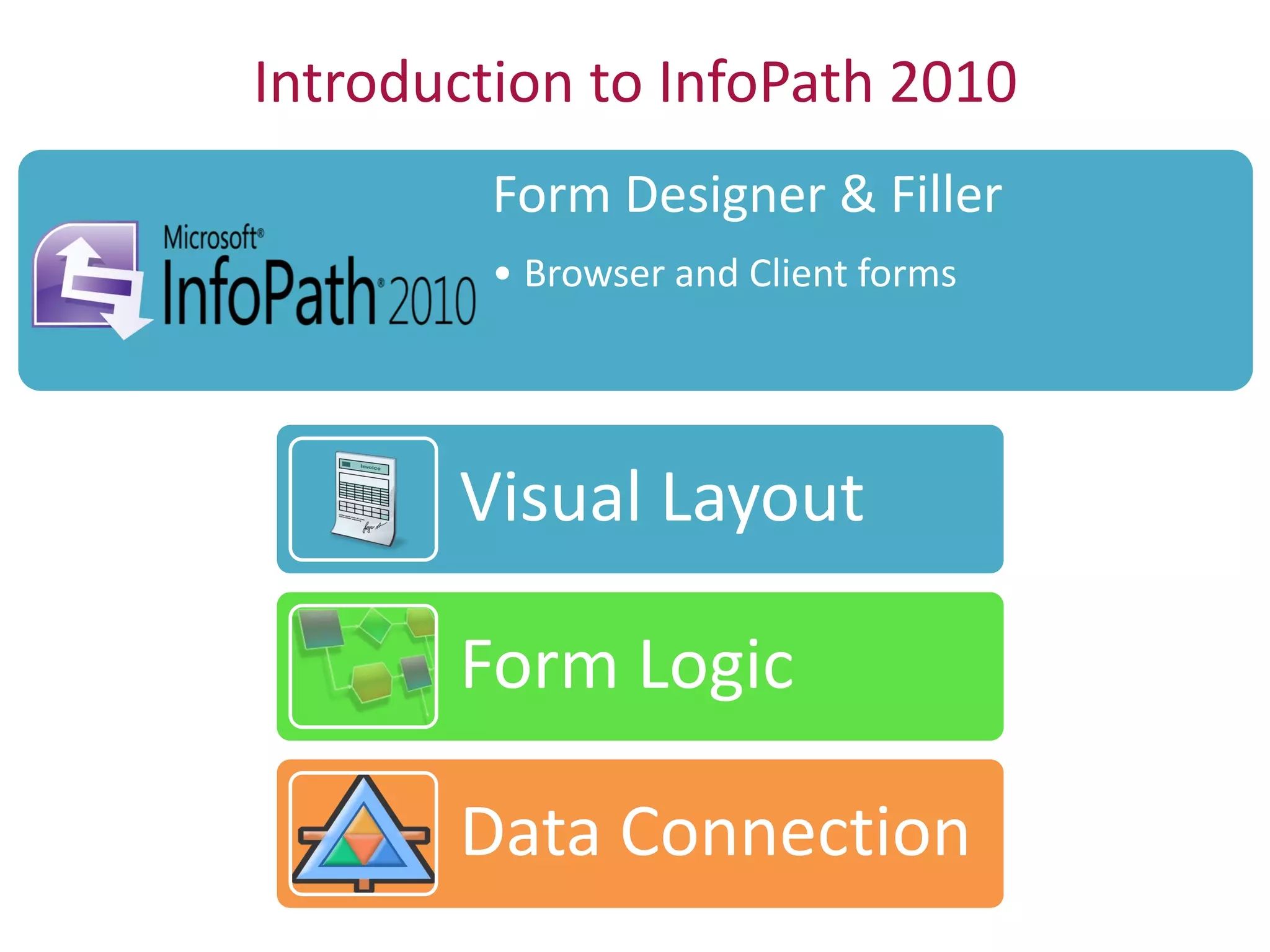
Introduction to InfoPath 2010
         Form Designer & Filler
         • Browser and Client forms


       Visual Layout

       Form Logic

       Data Connection
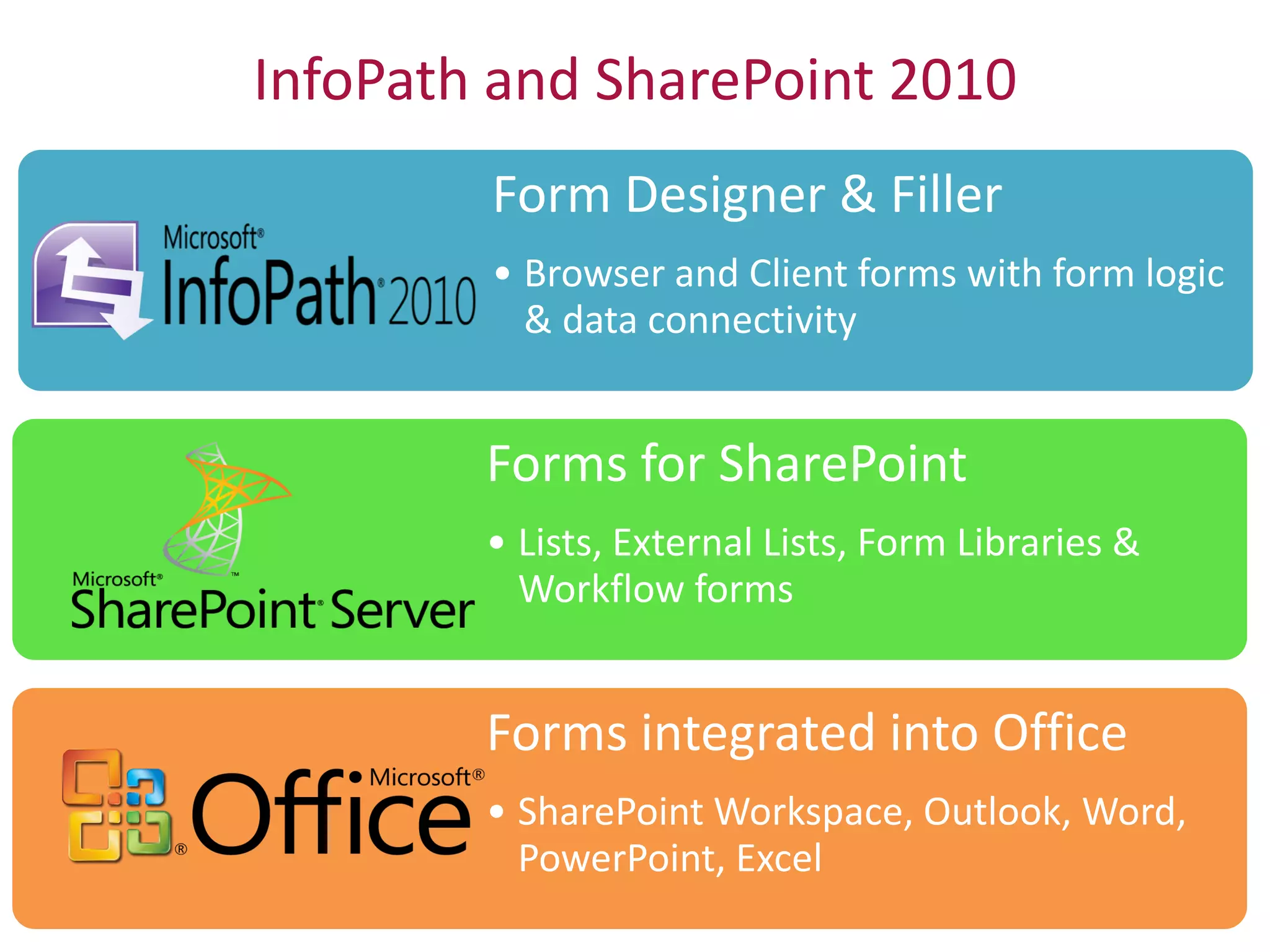
InfoPath and SharePoint 2010
        Form Designer & Filler
        • Browser and Client forms with form logic
          & data connectivity


        Forms for SharePoint
        • Lists, External Lists, Form Libraries &
          Workflow forms


        Forms integrated into Office
        • SharePoint Workspace, Outlook, Word,
          PowerPoint, Excel
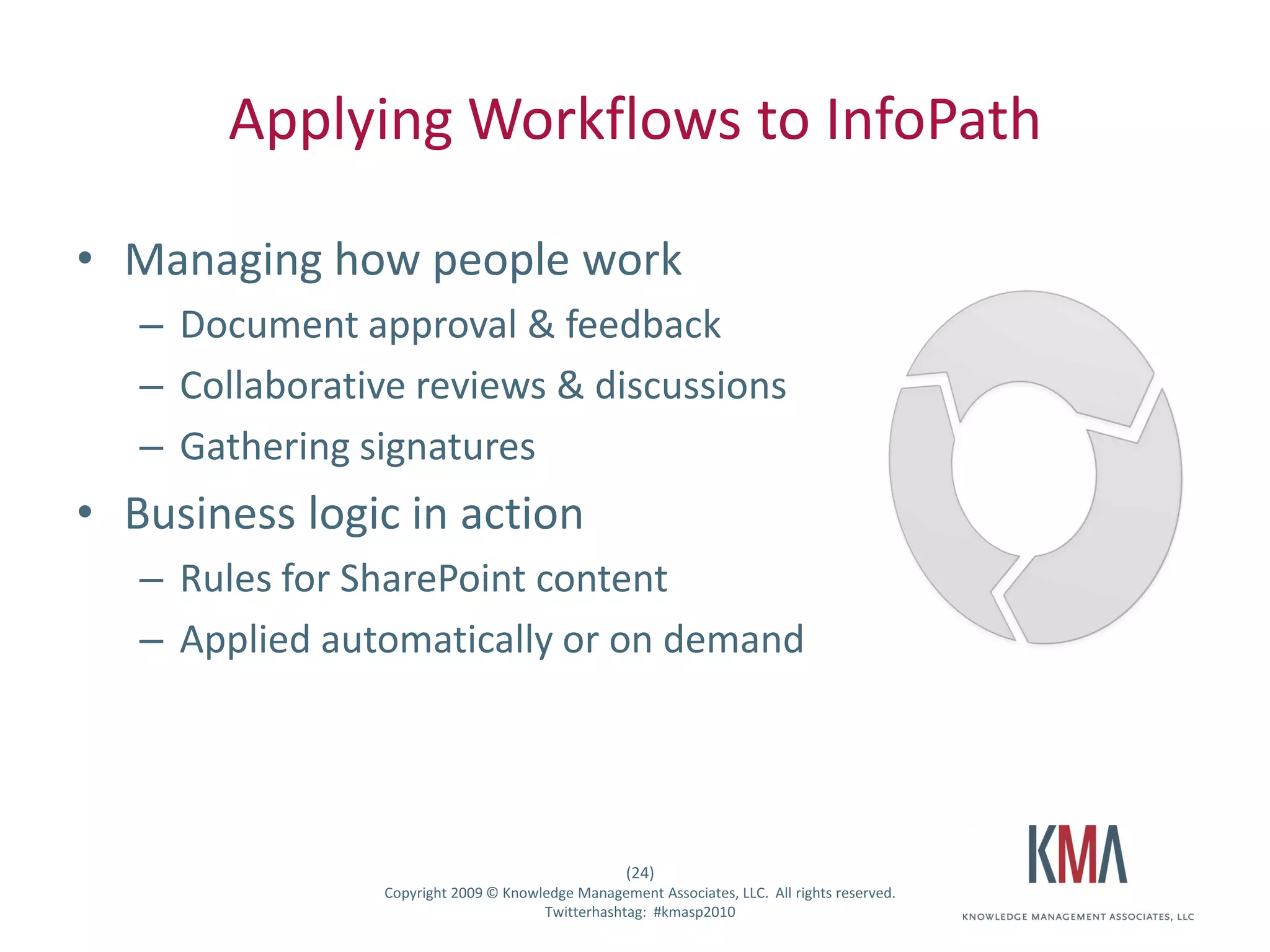
Applying Workflows to InfoPath

• Managing how people work
         – Document approval & feedback
         – Collaborative reviews & discussions
         – Gathering signatures
• Business logic in action
         – Rules for SharePoint content
         – Applied automatically or on demand


                                                           (24)
Twitter hashtag:        Copyright 2009 © Knowledge Management Associates, LLC. All rights reserved.
                                              Twitterhashtag: #kmasp2010
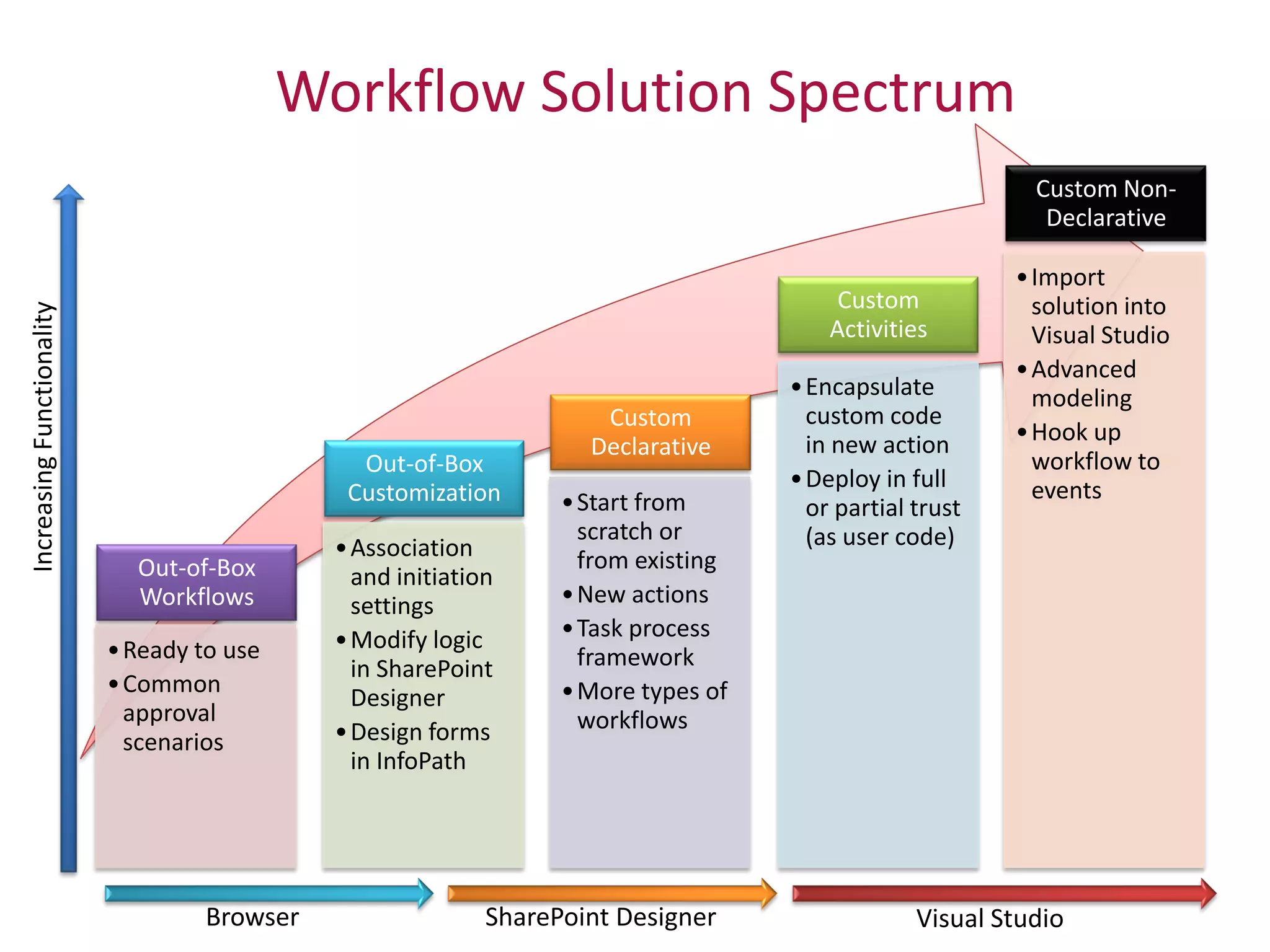
Workflow Solution Spectrum
                                                                              Custom Non-
                                                                               Declarative

                                                                             • Import
                                                             Custom            solution into
                                                            Activities         Visual Studio
                                                                             • Advanced
                                                        • Encapsulate          modeling
                                         Custom           custom code
                                                          in new action      • Hook up
                                        Declarative
                     Out-of-Box                                                workflow to
                                                        • Deploy in full       events
                    Customization     • Start from        or partial trust
                                        scratch or        (as user code)
                   • Association        from existing
  Out-of-Box         and initiation
  Workflows          settings         • New actions
                   • Modify logic     • Task process
• Ready to use                          framework
                     in SharePoint
• Common                              • More types of
                     Designer
  approval                              workflows
  scenarios        • Design forms
                     in InfoPath
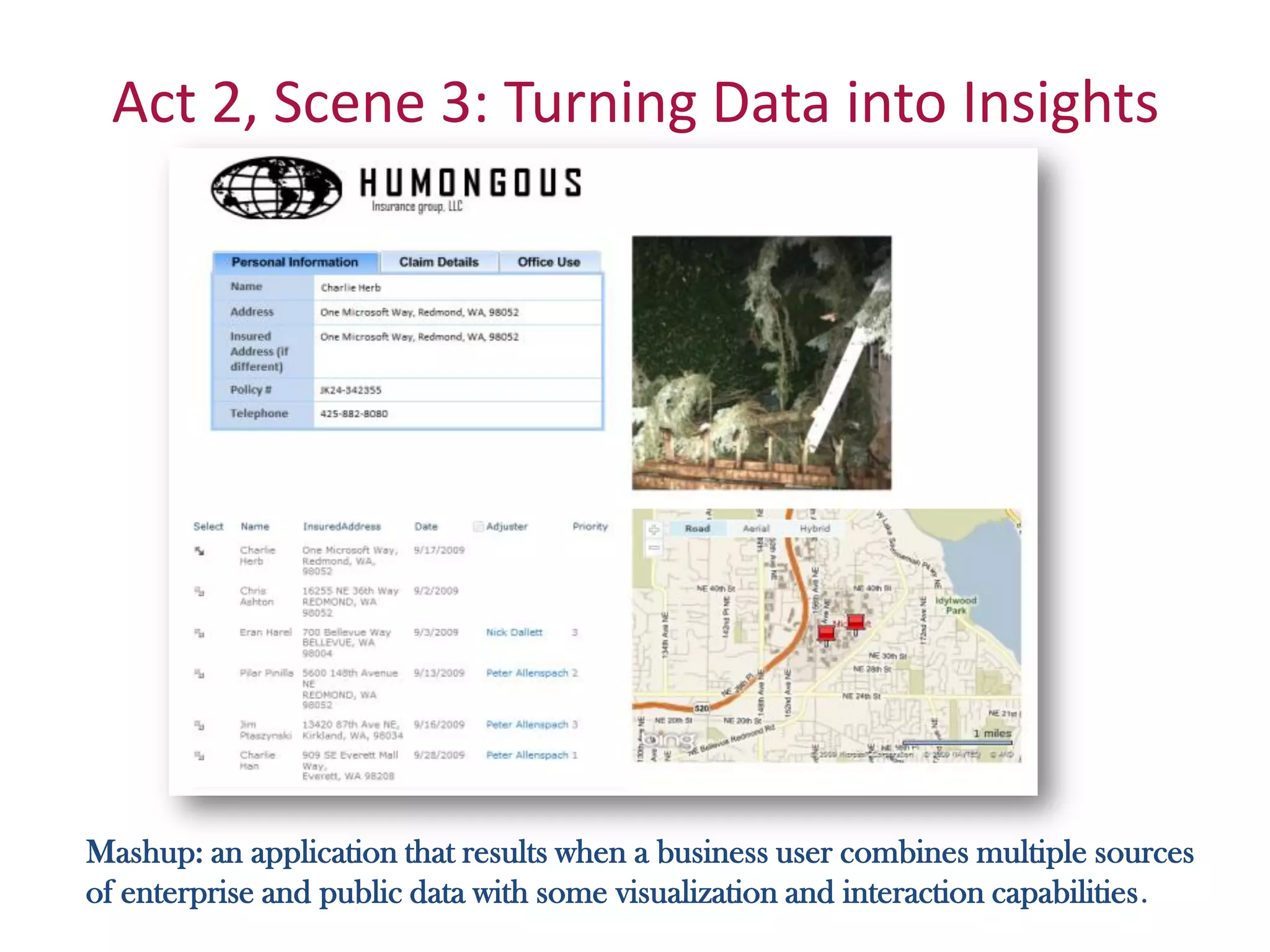
Act 2, Scene 3: Turning Data into Insights


Mashup: an application that results when a business user combines multiple sources
of enterprise and public data with some visualization and interaction capabilities.
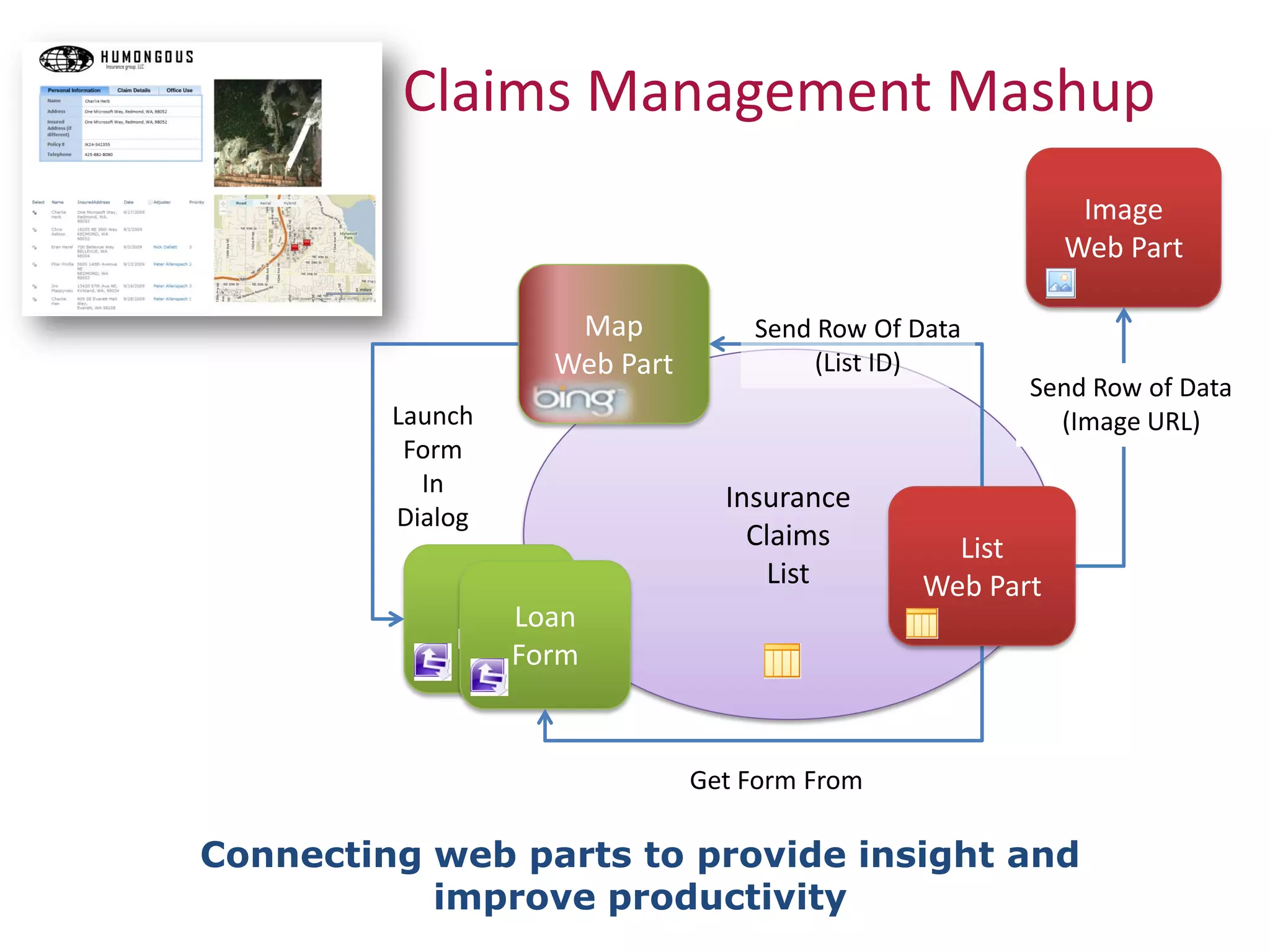
Claims Management Mashup
                                                           Image
                                                          Web Part

                    Map           Send Row Of Data
                   Web Part            (List ID)
                                                      Send Row of Data
         Launch                                         (Image URL)
          Form
           In
                                Insurance
         Dialog
                                  Claims         List
                                   List        Web Part
             LoanLoan
             FormForm


                              Get Form From

Connecting web parts to provide insight and
           improve productivity
Connecting Web Parts To Build Dashboards
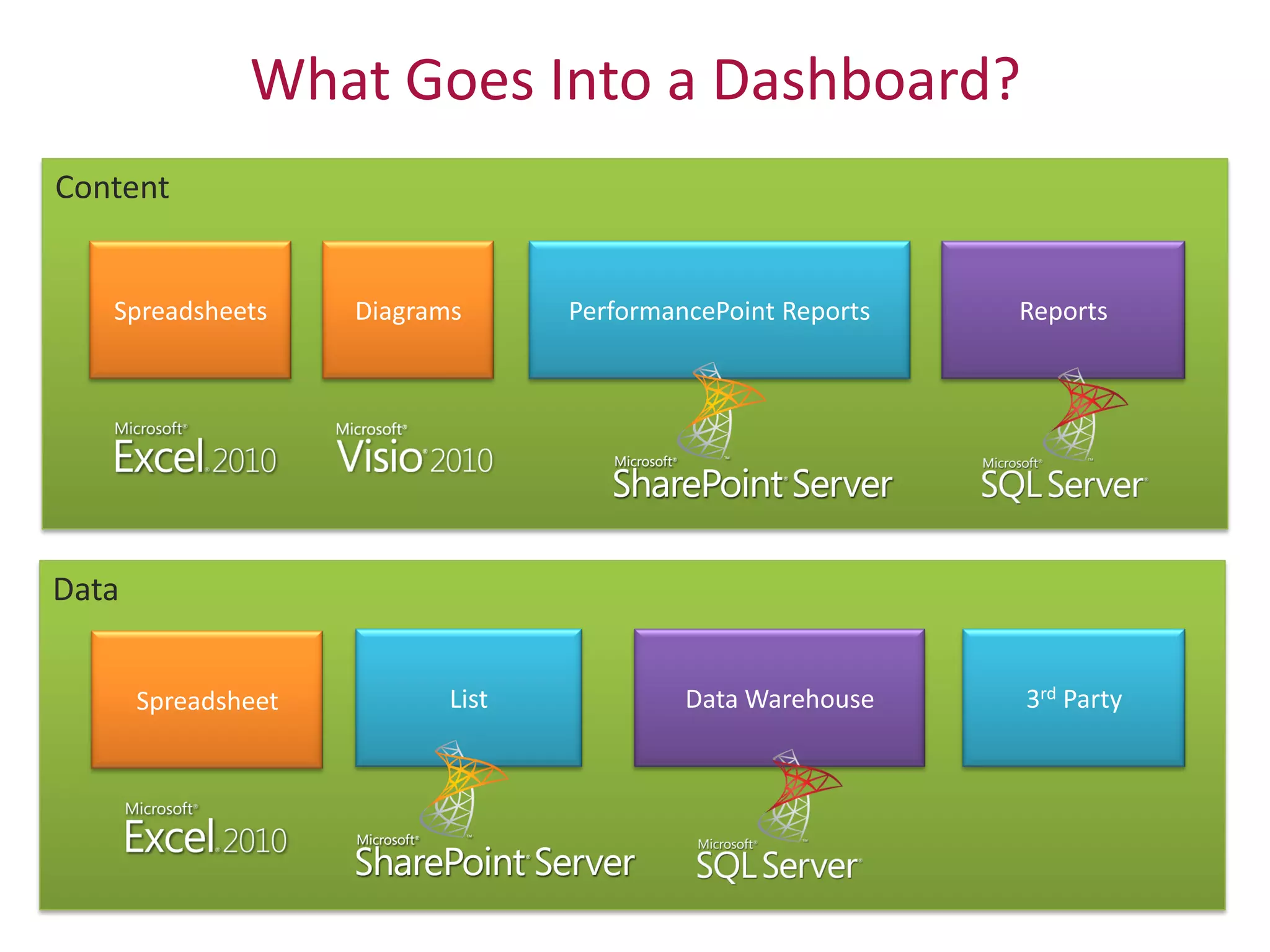
What Goes Into a Dashboard?
Content


Data
Business Intelligence Demo
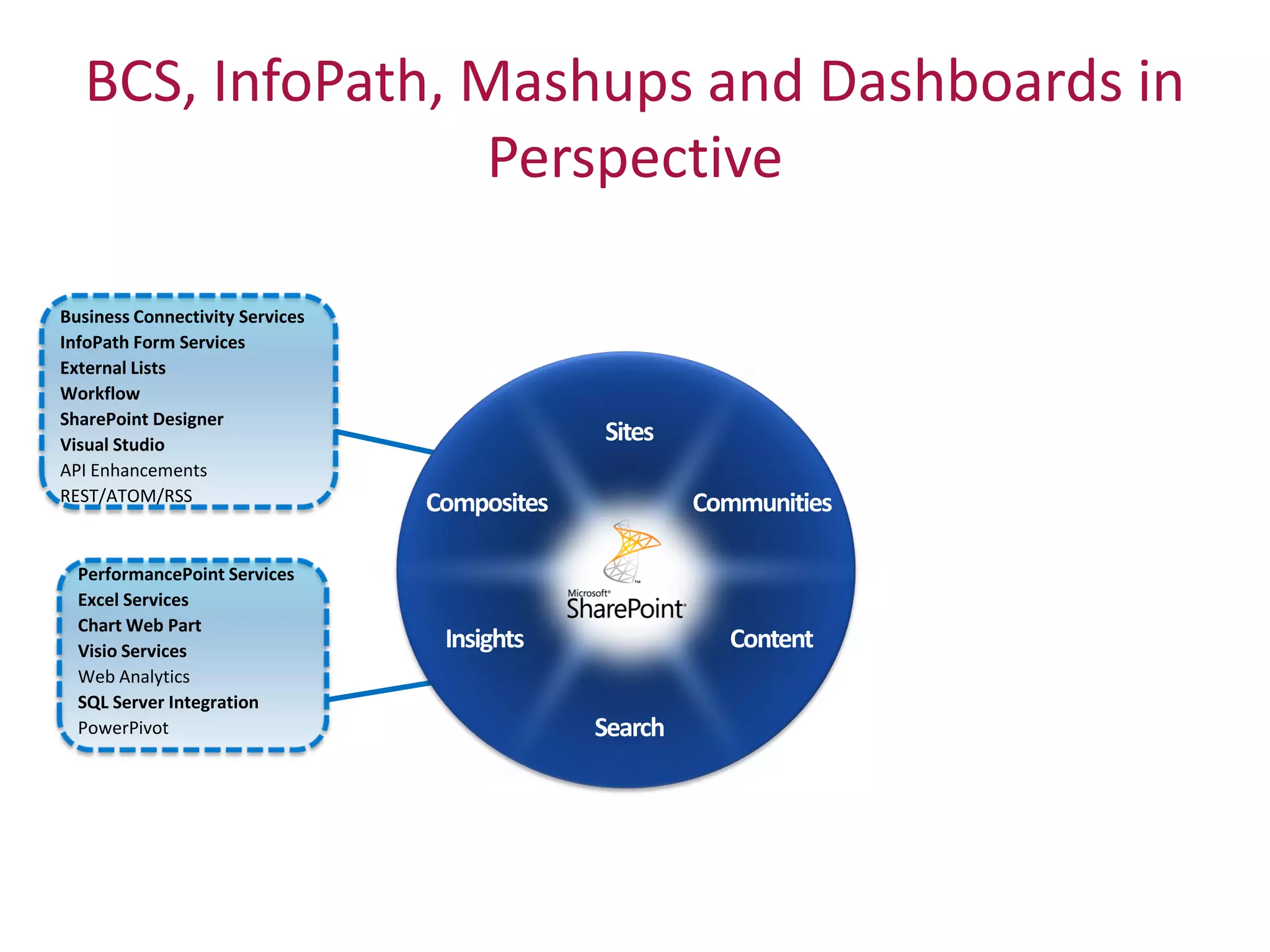
BCS, InfoPath, Mashups and Dashboards in
                   Perspective

Business Connectivity Services
InfoPath Form Services
External Lists
Workflow
SharePoint Designer
Visual Studio
API Enhancements
REST/ATOM/RSS


  PerformancePoint Services
  Excel Services
  Chart Web Part
  Visio Services
  Web Analytics
  SQL Server Integration
  PowerPivot
Resources
• From Microsoft:
   – Microsoft New England LIVE SharePoint Conference event: 1 Feb 2010
   – SharePoint 2010 site (including beta download):
     http://sharepoint2010.microsoft.com
   – SharePoint Team Blog: http://blogs.msdn.com/sharepoint/default.aspx

• From KMA:
   – January follow-up SP 2010 webcast (and others TBD)
   – Web: www.kma-llc.net (now powered by SharePoint!) with white
     papers, blogs, archived presentations, news, and events
   – Twitter: @KMALLC, @kmadavid, @mikegil, @cmcnulty2000,
     @aducille
   – SharePoint Deployment Planning Services (SDPS), now available for
     2010 planning
   – Follow-up e-mail with slide decks, prize winners
Calls to Action

• Start planning NOW:
   – 2010 planning under SDPS (subsidized by Microsoft)
   – KMA will supplement offering for attendees of this event
   – KMA “SharePoint Health Check” offer
• Training and Learning:
   – CompuWorks’ offer for SharePoint End User training
   – KMA and Microsoft events and webinars
• Volunteers? SharePoint Beta!!
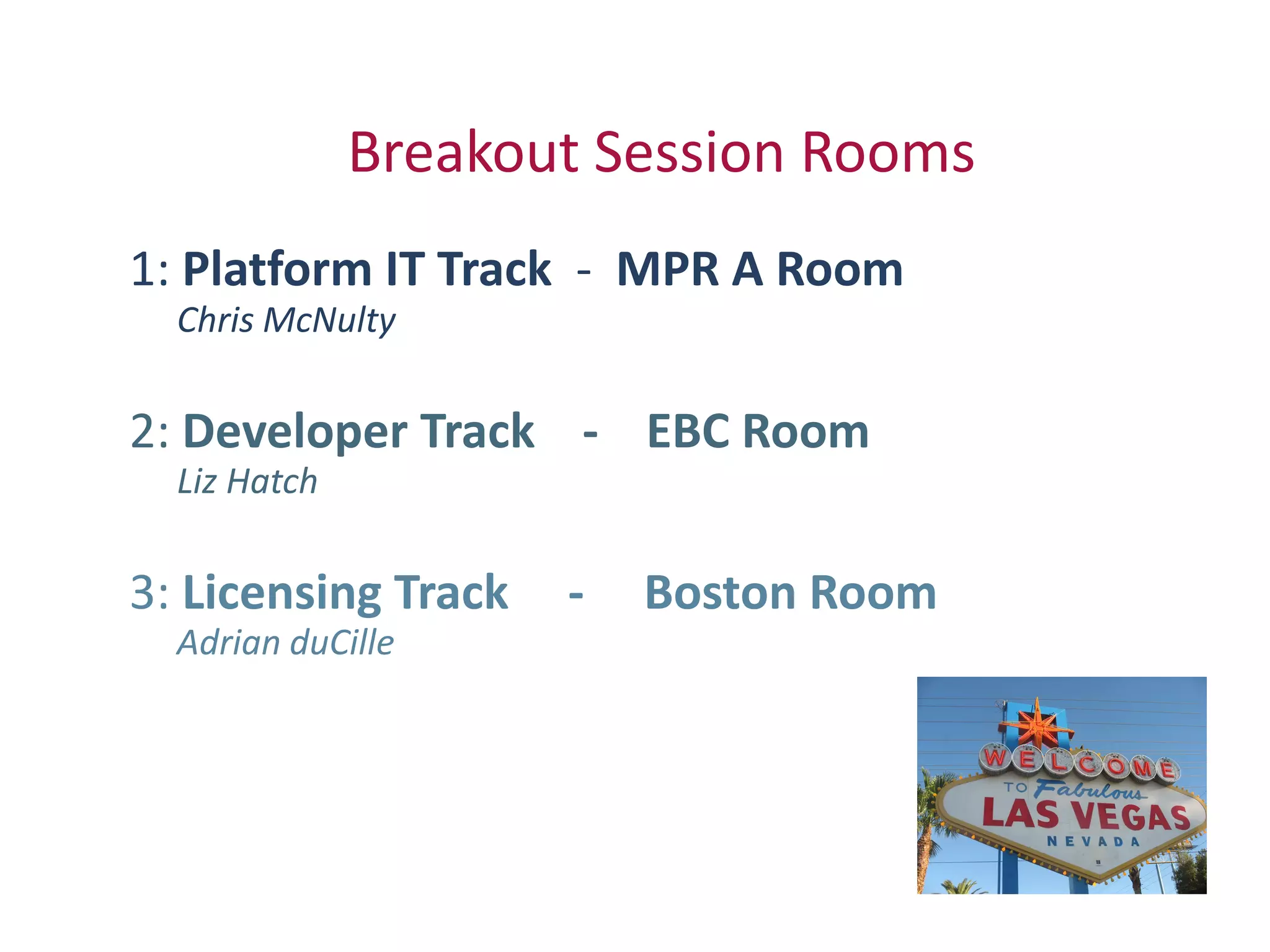
Breakout Session Rooms
1: Platform IT Track - MPR A Room
  Chris McNulty

2: Developer Track - EBC Room
  Liz Hatch

3: Licensing Track   -   Boston Room
  Adrian duCille
Thank you!
SharePoint 2010 –
IT Platform Overview
   Chris McNulty
Agenda
• Branding
• Infrastructure
• Early Guidance on Migration


                                                      (38)
Twitter hashtag:   Copyright 2009 © Knowledge Management Associates, LLC. All rights reserved.
                                         Twitterhashtag: #kmasp2010
Branding
• 2007: Extensive Customization Possible, requires CSS
  and SharePoint Designer
• 2010: Branding and Themes Directly From Browser


                                                      (39)
Twitter hashtag:   Copyright 2009 © Knowledge Management Associates, LLC. All rights reserved.
                                         Twitterhashtag: #kmasp2010
Demo
• Branding in Browser
• SharePoint Designer


                                                      (40)
Twitter hashtag:   Copyright 2009 © Knowledge Management Associates, LLC. All rights reserved.
                                         Twitterhashtag: #kmasp2010
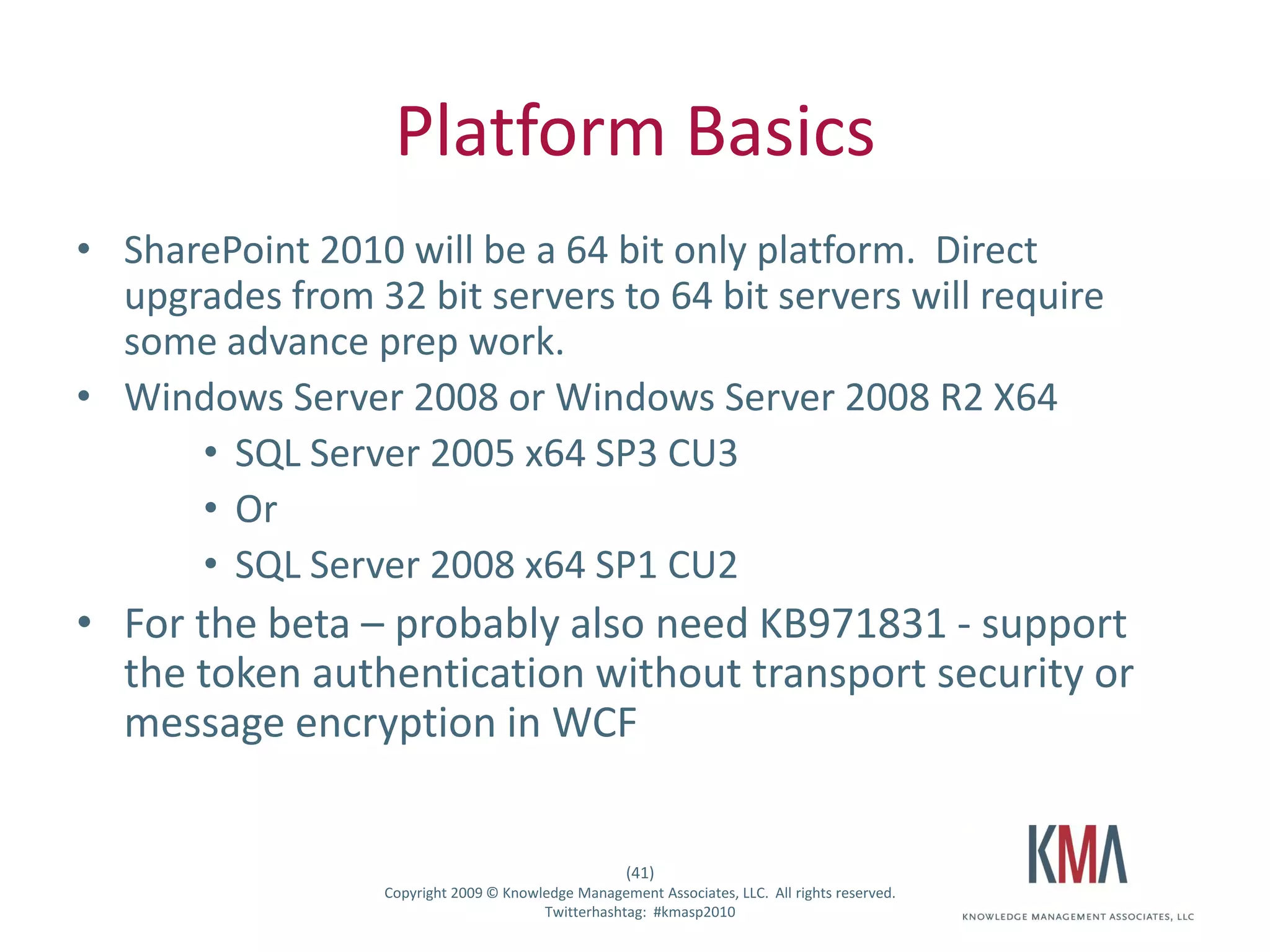
Platform Basics
• SharePoint 2010 will be a 64 bit only platform. Direct
  upgrades from 32 bit servers to 64 bit servers will require
  some advance prep work.
• Windows Server 2008 or Windows Server 2008 R2 X64
      • SQL Server 2005 x64 SP3 CU3
      • Or
      • SQL Server 2008 x64 SP1 CU2
• For the beta – probably also need KB971831 - support
  the token authentication without transport security or
  message encryption in WCF


                                                      (41)
Twitter hashtag:   Copyright 2009 © Knowledge Management Associates, LLC. All rights reserved.
                                         Twitterhashtag: #kmasp2010
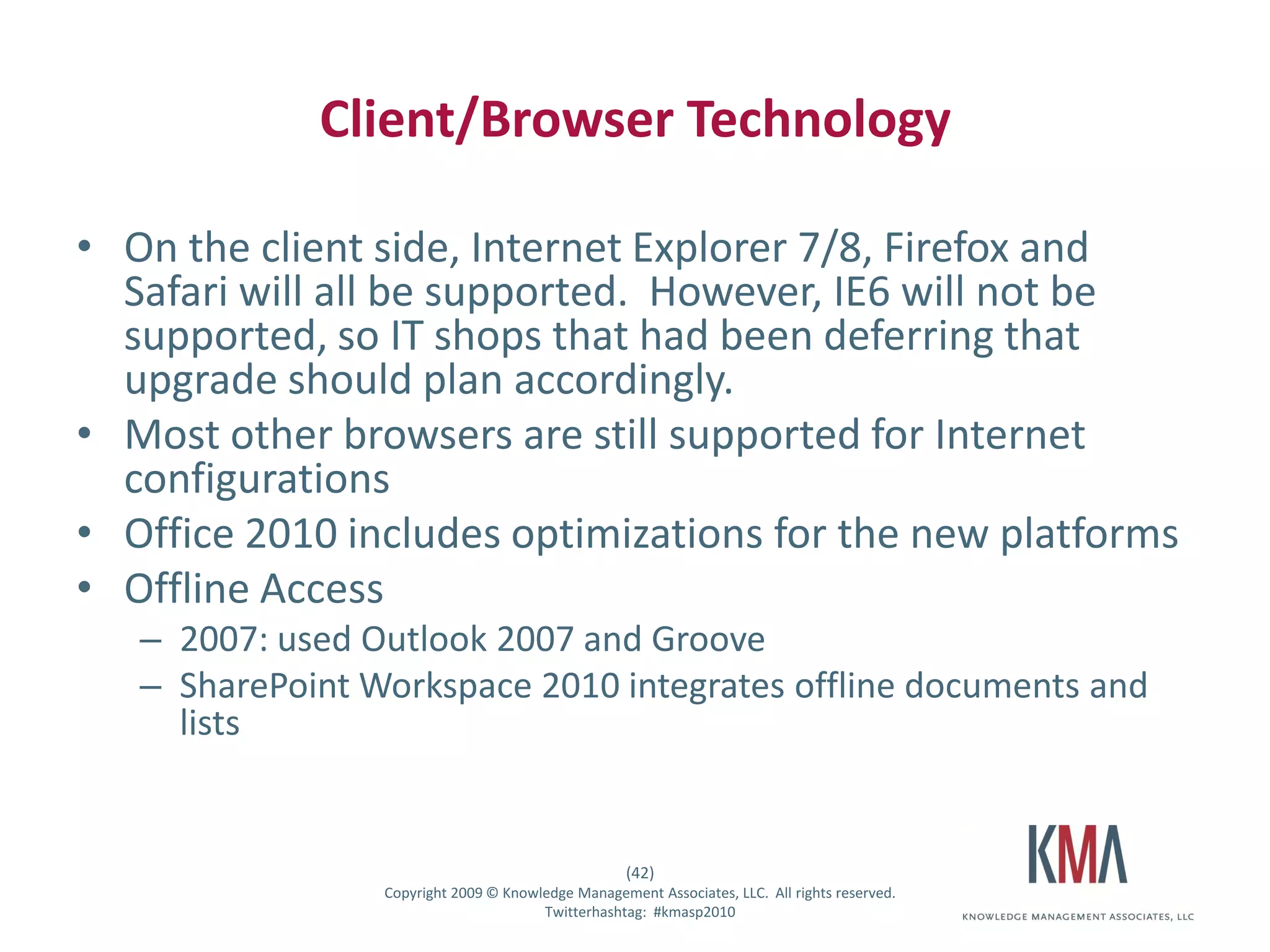
Client/Browser Technology

• On the client side, Internet Explorer 7/8, Firefox and
  Safari will all be supported. However, IE6 will not be
  supported, so IT shops that had been deferring that
  upgrade should plan accordingly.
• Most other browsers are still supported for Internet
  configurations
• Office 2010 includes optimizations for the new platforms
• Offline Access
         – 2007: used Outlook 2007 and Groove
         – SharePoint Workspace 2010 integrates offline documents and
           lists


                                                          (42)
Twitter hashtag:       Copyright 2009 © Knowledge Management Associates, LLC. All rights reserved.
                                             Twitterhashtag: #kmasp2010
Office Web Applications
• SharePoint 2010 will provide a server based version
  of most Office applications – Office Web Access, or
  “OWA”. [It's going to be hard to stop thinking only of
  web access to Exchange as “OWA”!]
• In part, this enables simultaneous multiuser editing
  of Office documents:
         – Excel in OWA, not client
         – Word/PowerPoint on client only if file opened from a
           shared document library
         – OneNote client or OWA
                                                         (43)
Twitter hashtag:      Copyright 2009 © Knowledge Management Associates, LLC. All rights reserved.
                                            Twitterhashtag: #kmasp2010
Shared Service Applications
• The 2007 Shared Services
  Provider has been broken up.
• Each of its elements is now a
  Shared Service Application
• Mix and match them singly or
  in groups, to match farm’s
  needs. [No need to deploy
  Visio Services if you don’t use
  it.]
• Crawl/index no longer a single
  server role


                                                         (44)
Twitter hashtag:      Copyright 2009 © Knowledge Management Associates, LLC. All rights reserved.
                                            Twitterhashtag: #kmasp2010
Managed Metadata Service
• Centralized shared hierarchies of tags and terms
  [taxonomy]
• Centralized governance of user-created keywords
  [folksonomy]
• Centralized sharing and publication of content types
  throughout the enterprise


                                                           (45)
Twitter hashtag:        Copyright 2009 © Knowledge Management Associates, LLC. All rights reserved.
                                              Twitterhashtag: #kmasp2010
Demo
• Central Administration
         – New Site Collection
         – Shared Service Application
         – Managed Metadata Service


                                                         (46)
Twitter hashtag:      Copyright 2009 © Knowledge Management Associates, LLC. All rights reserved.
                                            Twitterhashtag: #kmasp2010
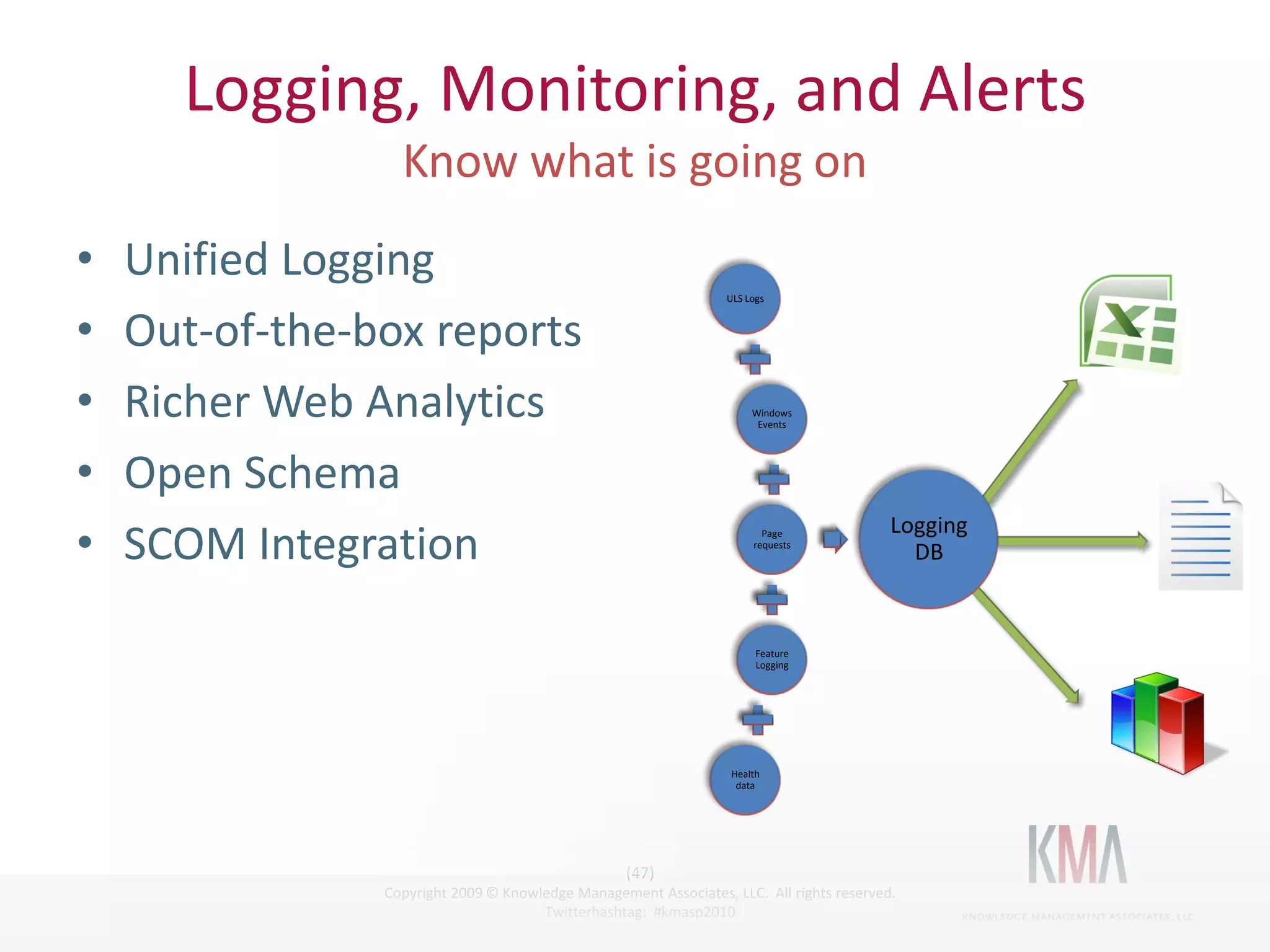
Logging, Monitoring, and Alerts

•      Unified Logging
                                                                           ULS Logs


•      Out-of-the-box reports
•      Richer Web Analytics                                                     Windows
                                                                                 Events


•      Open Schema
                                                                                                   Logging
•      SCOM Integration                                                           Page
                                                                                requests
                                                                                                     DB


                                                                                 Feature
                                                                                 Logging


                                                                           Health
                                                                            data


                                                            (47)
Twitter hashtag:         Copyright 2009 © Knowledge Management Associates, LLC. All rights reserved.
                                               Twitterhashtag: #kmasp2010
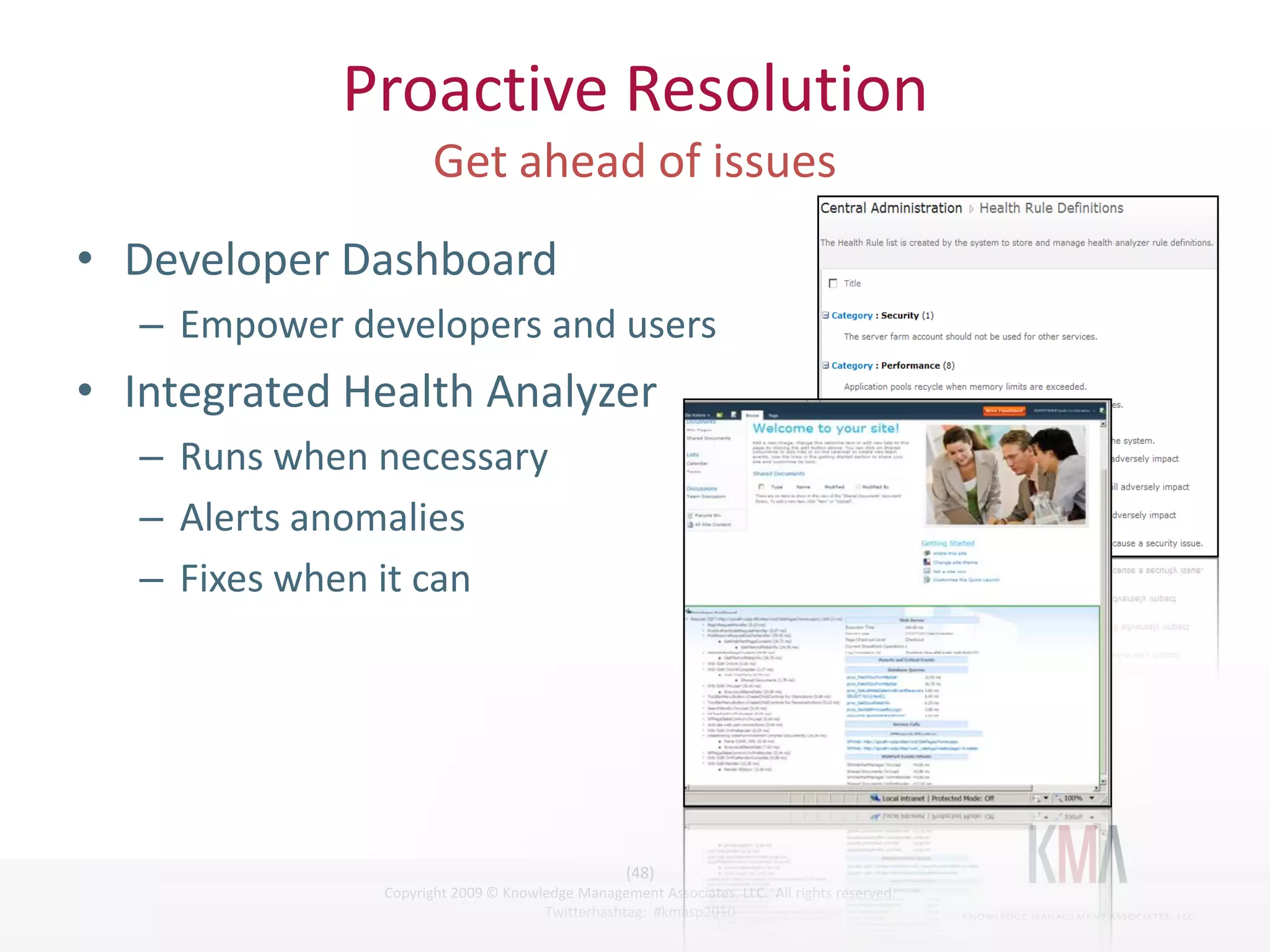
Proactive Resolution

• Developer Dashboard
         – Empower developers and users
• Integrated Health Analyzer
         – Runs when necessary
         – Alerts anomalies
         – Fixes when it can


                                                        (48)
Twitter hashtag:     Copyright 2009 © Knowledge Management Associates, LLC. All rights reserved.
                                           Twitterhashtag: #kmasp2010
Health and Monitoring Demo
• IT Management
         – Health Analyzer
         – Web Analytics
         – Developer Dashboard


                                                        (49)
Twitter hashtag:     Copyright 2009 © Knowledge Management Associates, LLC. All rights reserved.
                                           Twitterhashtag: #kmasp2010
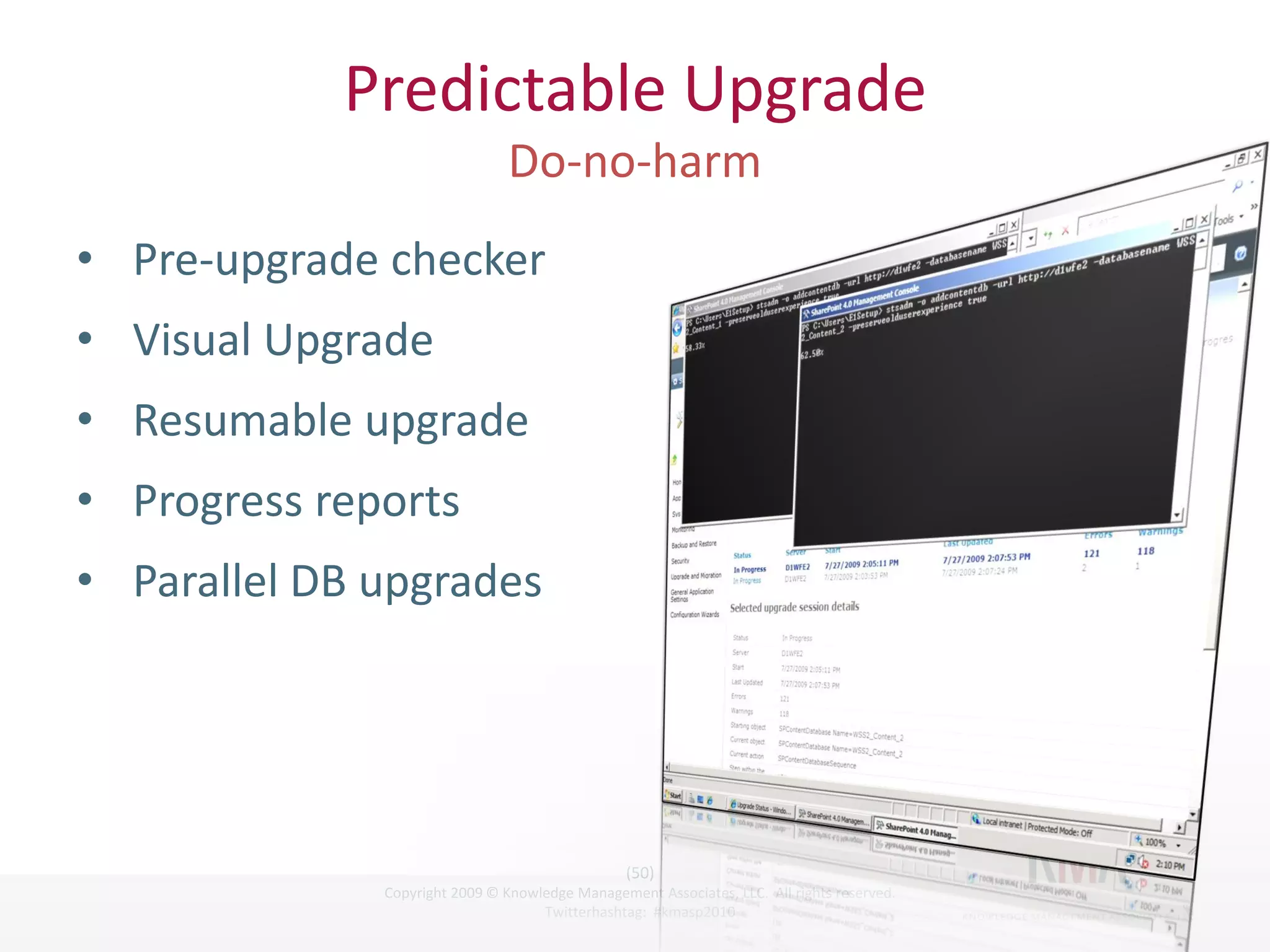
Predictable Upgrade

• Pre-upgrade checker
• Visual Upgrade
• Resumable upgrade
• Progress reports
• Parallel DB upgrades


                                                       (50)
Twitter hashtag:    Copyright 2009 © Knowledge Management Associates, LLC. All rights reserved.
                                          Twitterhashtag: #kmasp2010
Simplified Deployment and Predictable
               Upgrade
• demo


                                                      (51)
Twitter hashtag:   Copyright 2009 © Knowledge Management Associates, LLC. All rights reserved.
                                         Twitterhashtag: #kmasp2010
Thank you…
• Contact Details
         – Email cmcnulty at kma-llc dot net
         – Blog http://blogs.kma-llc.net/microknowledge
         – Twitter: http://twitter.com/cmcnulty2000
         – LinkedIn:http://www.linkedin.com/in/cmcnulty


                                                      (52)
Twitter hashtag:   Copyright 2009 © Knowledge Management Associates, LLC. All rights reserved.
                                         Twitterhashtag: #kmasp2010
Thank you!
SharePoint 2010
                   Developer Track

                                        Liz Hatch


                                                      (55)
Twitter hashtag:   Copyright 2009 © Knowledge Management Associates, LLC. All rights reserved.
                                         Twitterhashtag: #kmasp2010
Agenda
                   Breakout #2: Developer Track

                                  Visual Studio 2010

                             Developer Dashboard

                               Sandbox / Staging


                                                        (56)
Twitter hashtag:     Copyright 2009 © Knowledge Management Associates, LLC. All rights reserved.
                                           Twitterhashtag: #kmasp2010
What We Need to Know
• Details!
         – Development needs
         – Development approaches
         – Development process
• Major changes in what we need to code
         – For instance, field validation using custom field controls, custom
           forms, event receivers  built-in using InfoPath
• Microsoft’s Vision and SharePoint Architecture
         – Explicit / Implicit
         – Moving toward more open architecture


                                                           (57)
Twitter hashtag:        Copyright 2009 © Knowledge Management Associates, LLC. All rights reserved.
                                              Twitterhashtag: #kmasp2010
SP 2010 Application Lifecycle
• Microsoft Listened!
         – Community had already adopted Best-Practice approach independent
           of Microsoft
• SP 2007 Development
         – SharePoint Extensions were inflexible / not very useful
         – Windows class projects with 12 hive structure are commonly used
         – WSP Builder and setup.exe
• SP 2010 Development
         – Lots of project types including empty project
         – SharePoint Extensions are USEFUL
         – Built-in Solution Packaging


                                                            (58)
Twitter hashtag:         Copyright 2009 © Knowledge Management Associates, LLC. All rights reserved.
                                               Twitterhashtag: #kmasp2010
Web Parts
• SharePoint 2007
         – Stand-Alone Web Parts
                   • No WYSIWYG design available
                   • Can develop component hosted in web application, if design is
                     complex
                   • In some cases, can implement as user control hosted in web part
                     with serious limitations
• SharePoint 2010
         – Visual Web Parts
         – Stand-Alone Web Parts


                                                                  (59)
Twitter hashtag:               Copyright 2009 © Knowledge Management Associates, LLC. All rights reserved.
                                                     Twitterhashtag: #kmasp2010
Developer Dashboard
• Command Prompt / turn on by running batch file
         – STSADM or Windows PowerShell
         – Need to run with admin privileges
• In SharePoint, go to site settings to test dashboard
         –     Look for tiny icon in right margin
         –     Reload page
         –     Click on icon
         –     VOILA!


                                                              (60)
Twitter hashtag:           Copyright 2009 © Knowledge Management Associates, LLC. All rights reserved.
                                                 Twitterhashtag: #kmasp2010
Sandboxed Solutions
1. Enable the service “Microsoft SharePoint Foundation User
   Code Service”
2. Central Admin: Turn on in “Services on Server”
3. Deploy to Solution Gallery
4. Constraints of Sandboxed Solutions
         – Developer must be site collection admin
         – Web Part must be derived from System.Web.UI.WebControls.WebPart
           namespace, NOT SharePoint-based Web Part
         – No calls to web service, file I/O, limited access to SharePoint object
           model
         – Assemblies run under different process (SPUserCodeV4)
         – Cannot create Visual Web Part


                                                            (61)
Twitter hashtag:         Copyright 2009 © Knowledge Management Associates, LLC. All rights reserved.
                                               Twitterhashtag: #kmasp2010
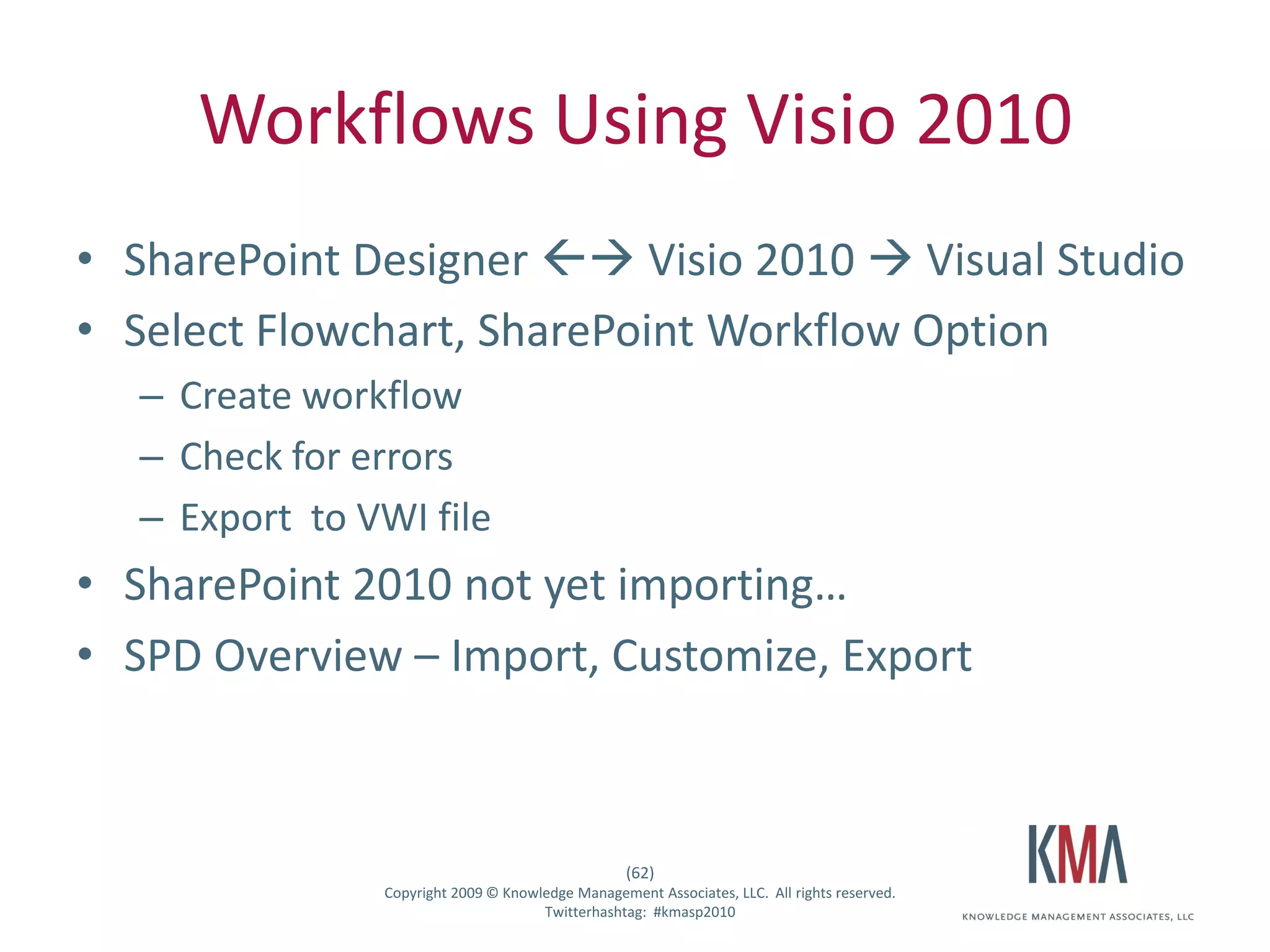
Workflows Using Visio 2010
• SharePoint Designer  Visio 2010  Visual Studio
• Select Flowchart, SharePoint Workflow Option
         – Create workflow
         – Check for errors
         – Export to VWI file
• SharePoint 2010 not yet importing…
• SPD Overview – Import, Customize, Export


                                                           (62)
Twitter hashtag:        Copyright 2009 © Knowledge Management Associates, LLC. All rights reserved.
                                              Twitterhashtag: #kmasp2010
December Seminar


• The SharePoint 2010 Preview
            December 17, 2009
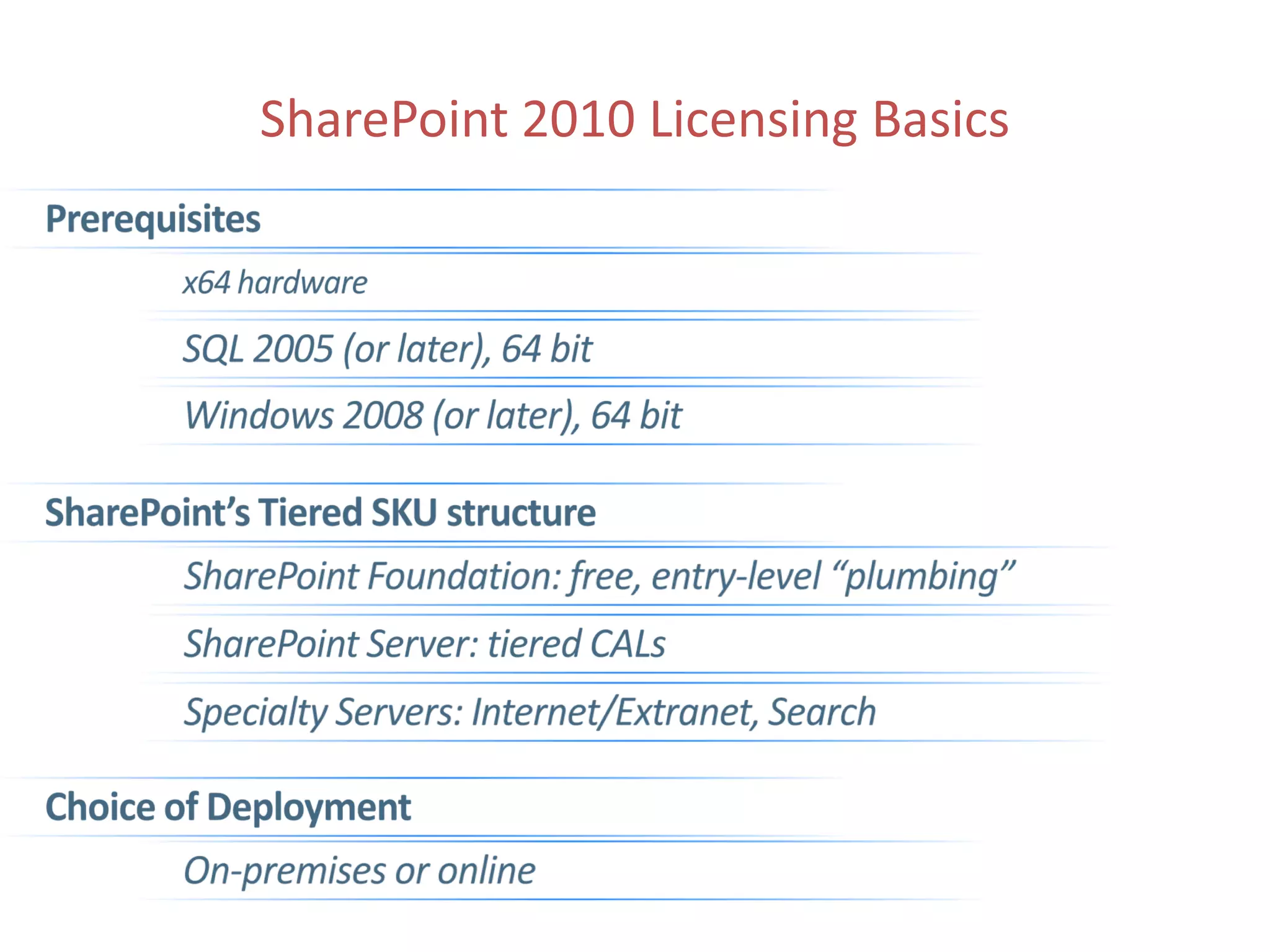
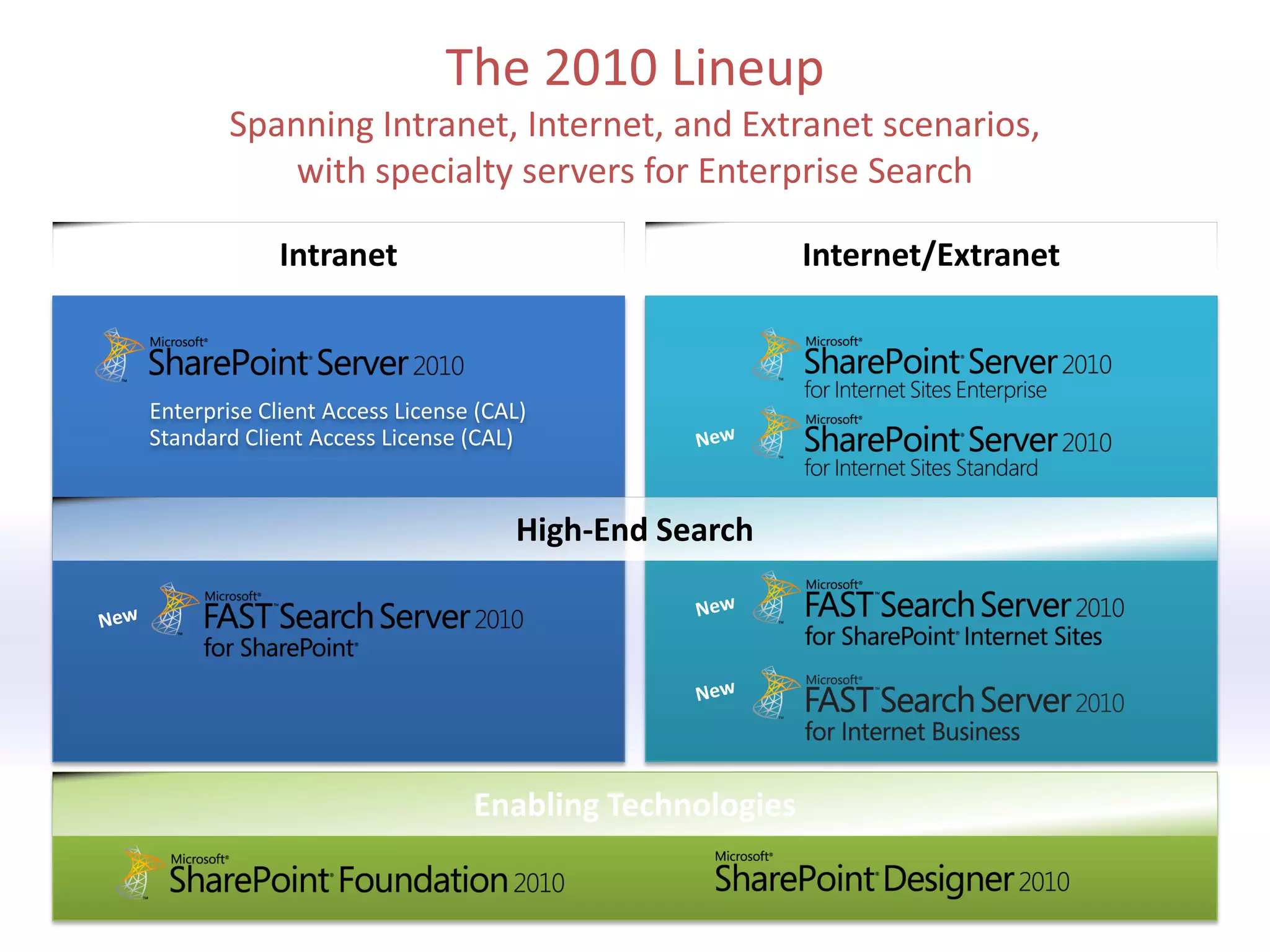
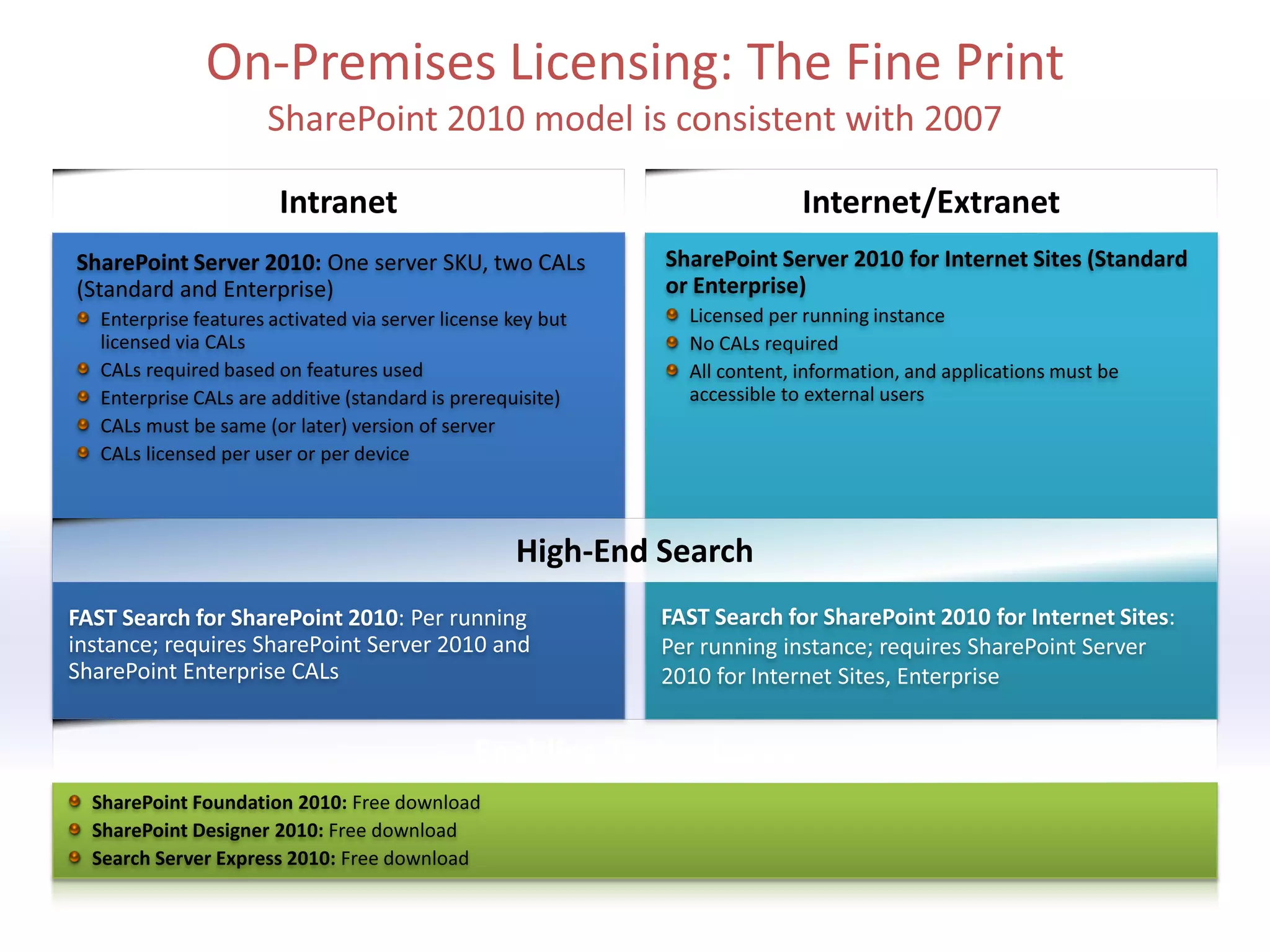
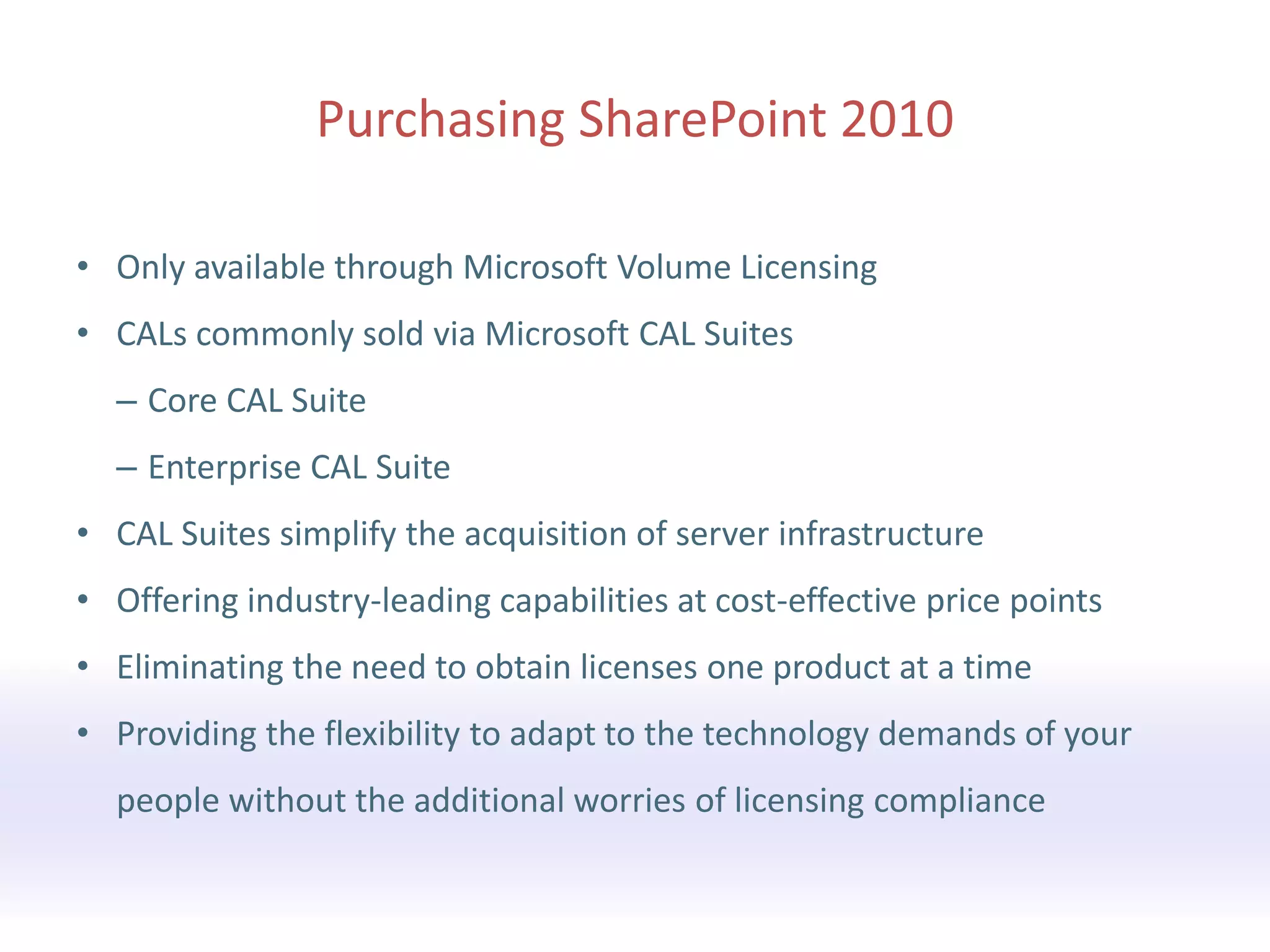
• Only available through Microsoft Volume Licensing
• CALs commonly sold via Microsoft CAL Suites
  – Core CAL Suite
  – Enterprise CAL Suite
• CAL Suites simplify the acquisition of server infrastructure
• Offering industry-leading capabilities at cost-effective price points
• Eliminating the need to obtain licenses one product at a time
• Providing the flexibility to adapt to the technology demands of your
  people without the additional worries of licensing compliance
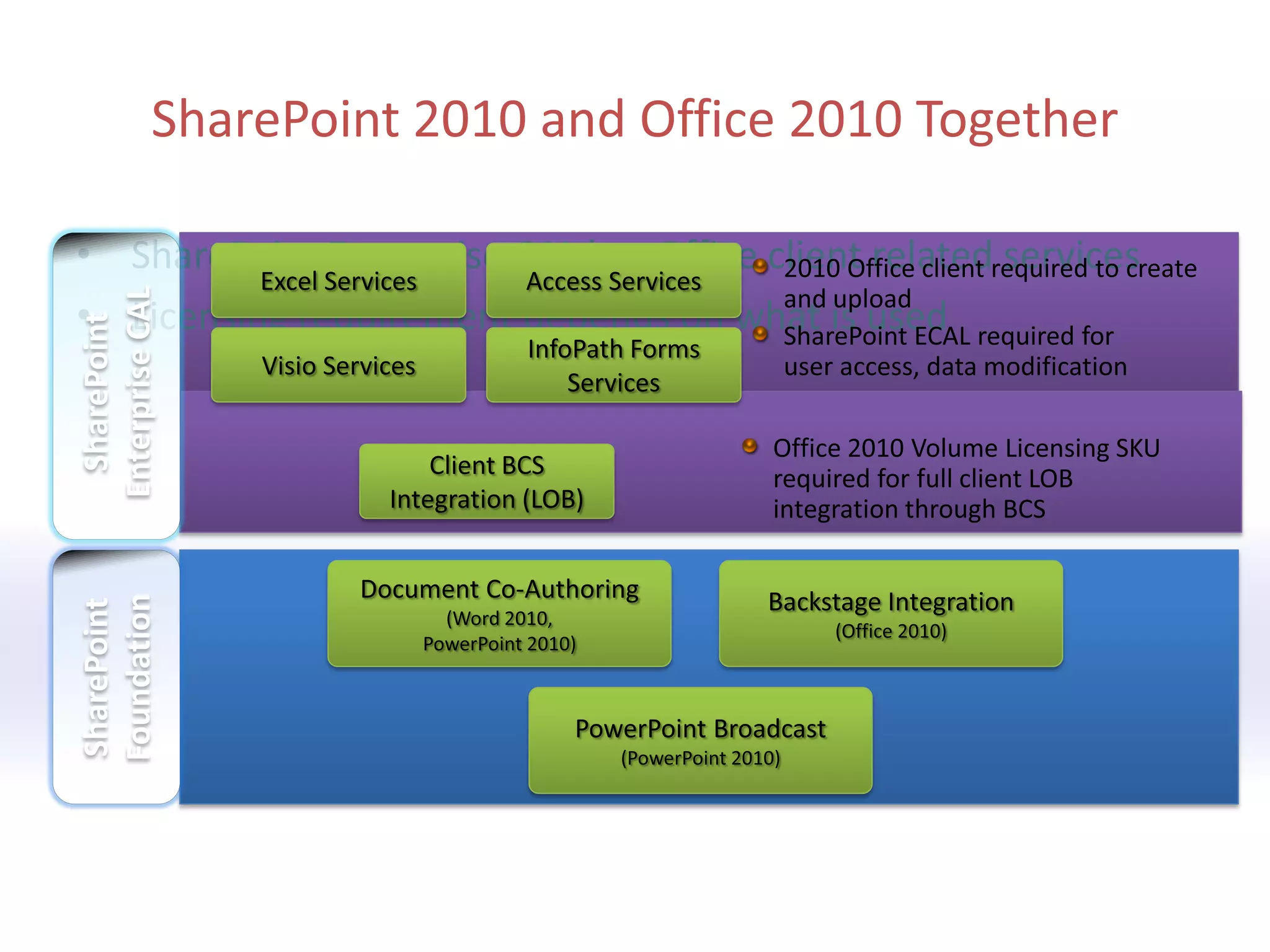
• SharePoint Enterprise CAL has Office client related services
• Licensing requirement depends on what is used
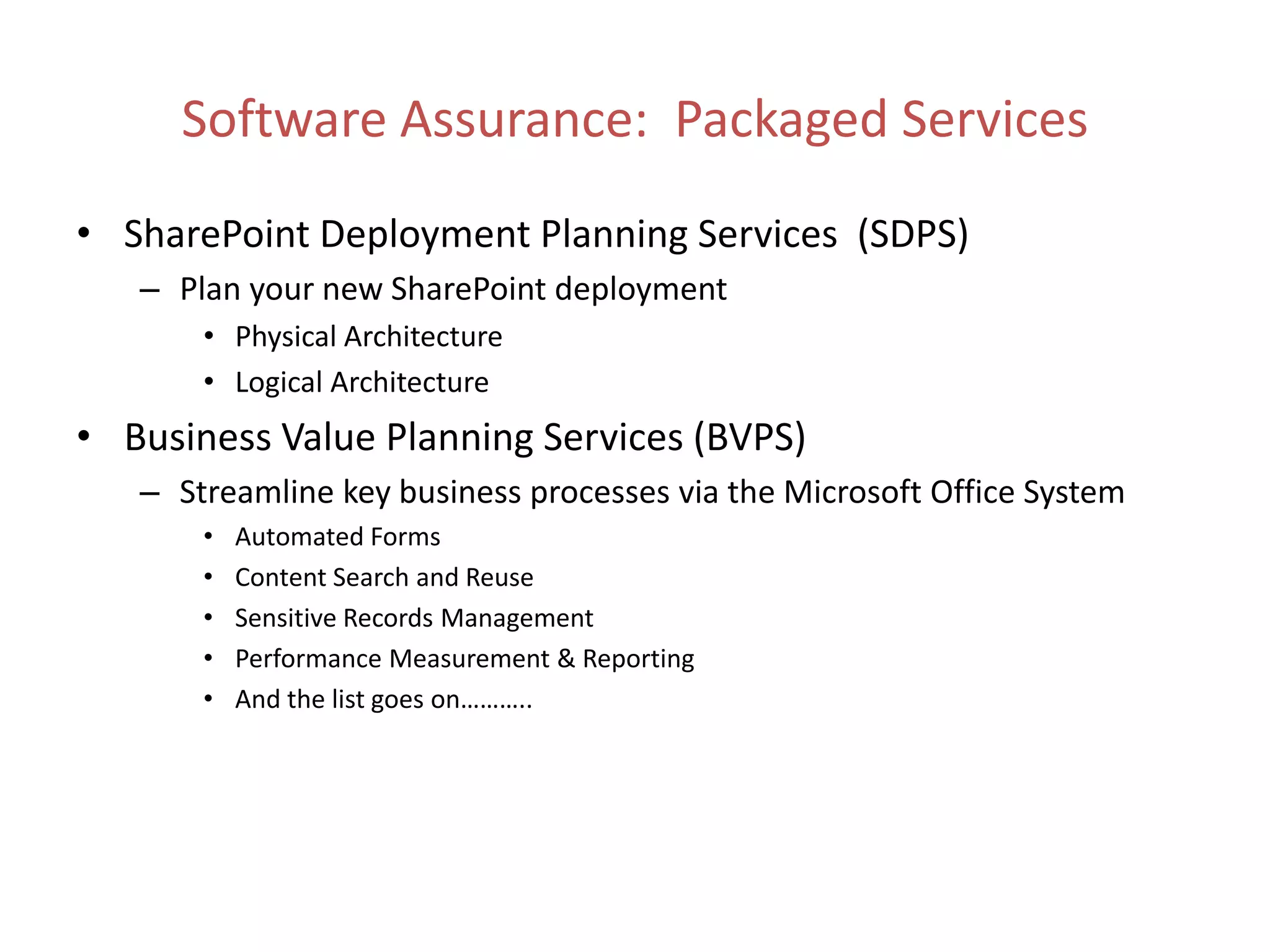
• SharePoint Deployment Planning Services (SDPS)
   – Plan your new SharePoint deployment
       • Physical Architecture
       • Logical Architecture
• Business Value Planning Services (BVPS)
   – Streamline key business processes via the Microsoft Office System
       •   Automated Forms
       •   Content Search and Reuse
       •   Sensitive Records Management
       •   Performance Measurement & Reporting
       •   And the list goes on………..

KMA SharePoint 2010 Preview Seminar Deck

  • 2.
    Welcome • Keynote – Fiona Akhtar, Microsoft • Act 1: Collaboration themes – Michael Gilronan, KMA • Break • Act 2: Insight and Productivity themes – David Goldstein, KMA • Breakout #1: Platform/IT Pro Track (MPR A) – Chris McNulty, KMA • Breakout #2: Developer Track (Boston Room) – Liz Hatch, KMA • Breakout #3: Licensing Track (EBC) – Adrian duCille, KMA (2) Twitter hashtag: Copyright 2009 © Knowledge Management Associates, LLC. All rights reserved. Twitterhashtag: #kmasp2010
  • 3.
    Prologue: Key QuestionsWe Will Address • How can I use SharePoint 2010 to make my employees more collaborative? – Enhanced tools for content-based collaboration – SharePoint communities – More ways to access and share content (3) Twitter hashtag: Copyright 2009 © Knowledge Management Associates, LLC. All rights reserved. Twitterhashtag: #kmasp2010
  • 4.
    Microsoft SharePoint 2010 Ribbon UI SharePoint Workspace SharePoint Mobile Office Client and Office Web App Integration Standards Support Tagging, Tag Cloud, Ratings Social Bookmarking Blogs and Wikis My Sites Activity Feeds Profiles and Expertise Org Browser Enterprise Content Types Metadata and Navigation Document Sets Multi-stage Disposition Audio and Video Content Types Remote Blob Storage List Enhancements (4) Twitter hashtag: Copyright 2009 © Knowledge Management Associates, LLC. All rights reserved. Twitterhashtag: #kmasp2010
  • 5.
    SharePoint Content User-centric Flexibilityand Compliance Management Efficiency (5) Twitter hashtag: Copyright 2009 © Knowledge Management Associates, LLC. All rights reserved. Twitterhashtag: #kmasp2010
  • 6.
    Document Library andRibbon UI (6) Twitter hashtag: Copyright 2009 © Knowledge Management Associates, LLC. All rights reserved. Twitterhashtag: #kmasp2010
  • 7.
    Live Demo #1 •Enterprise Content Management capabilities (7) Twitter hashtag: Copyright 2009 © Knowledge Management Associates, LLC. All rights reserved. Twitterhashtag: #kmasp2010
  • 8.
    SharePoint Communities Informal Knowledge Social Connections Participation Anywhere (8) Twitter hashtag: Copyright 2009 © Knowledge Management Associates, LLC. All rights reserved. Twitterhashtag: #kmasp2010
  • 9.
    People Data -Out of the Box • User Profiles • Rich Object Model • User Profile Web Service • Social Data – Tags, Comments, & Rating – Activity Feed – Social Data Service • Organization Browser (9) Twitter hashtag: Copyright 2009 © Knowledge Management Associates, LLC. All rights reserved. Twitterhashtag: #kmasp2010
  • 10.
    Live Demo #2 Communities – MySites, profiles, tags, ratings (10) Twitter hashtag: Copyright 2009 © Knowledge Management Associates, LLC. All rights reserved. Twitterhashtag: #kmasp2010
  • 11.
    IT Pro Investments Scale with Governance Deployment Flexibility IT Productivity (11) Twitter hashtag: Copyright 2009 © Knowledge Management Associates, LLC. All rights reserved. Twitterhashtag: #kmasp2010
  • 12.
    Live Demo #3 Offline experience with SharePoint Workspace (12) Twitter hashtag: Copyright 2009 © Knowledge Management Associates, LLC. All rights reserved. Twitterhashtag: #kmasp2010
  • 13.
  • 14.
    Prologue: Key QuestionsWe Will Address • How can I use SharePoint 2010 to make my employees more insightful? – By exposing key data to them from data bases and line of business systems – By easily connecting this data to dashboards, maps, pictures, lists, … • How can I use SharePoint 2010 to make productive? – By developing forms and workflows that automate key business processes (14) Twitter hashtag: Copyright 2009 © Knowledge Management Associates, LLC. All rights reserved. Twitterhashtag: #kmasp2010
  • 15.
    Act Two Productivity and Insight Act, in three scenes: Scene Business Problem SharePoint 2010 Feature 1 Unlocking line of Business Connectivity business data Services 2 Automating business InfoPath and workflows processes 3 Deriving insight from Connecting web parts to data create mashups and dashboards (15) Twitter hashtag: Copyright 2009 © Knowledge Management Associates, LLC. All rights reserved. Twitterhashtag: #kmasp2010
  • 16.
    Act 2, Scene1: Business Connectivity Services Challenges With Back End Data • Multiple user interfaces • Islands of business data • External systems can be difficult • Overhead for IT to service to use all user requests • Can't work with the data when • Manage security, and where I want to auditing, connectivity • Can’t easily search for • One off projects for connecting business data to external systems • Need to involve IT to service my requests for data access
  • 17.
    Solution: Business ConnectivityServices Bring external data into Provide External Data in a SharePoint and Office Centrally Managed Way
  • 18.
    Exposing External DataThrough BCS SharePoint External Lists SharePoint Workspace Outlook Forms External Content Type Customer CustomerID FirstName LastName EmailAddress External data
  • 19.
    External Lists inSharePoint • Expose external data as a native SharePoint list – Full CRUD capability – Familiar UI and navigation – Sort, Filter, Group – Programmatic access via SPList OM – Profile page available for each item in the list – Form • Auto-generated OOB • Upsize to InfoPath – Offline-able
  • 20.
    Business Connectivity ServicesDemo (20) Twitter hashtag: Copyright 2009 © Knowledge Management Associates, LLC. All rights reserved. Twitterhashtag: #kmasp2010
  • 21.
    Act 2, Scene2: Improving Productivity Through Process Automation
  • 22.
    Introduction to InfoPath2010 Form Designer & Filler • Browser and Client forms Visual Layout Form Logic Data Connection
  • 23.
    InfoPath and SharePoint2010 Form Designer & Filler • Browser and Client forms with form logic & data connectivity Forms for SharePoint • Lists, External Lists, Form Libraries & Workflow forms Forms integrated into Office • SharePoint Workspace, Outlook, Word, PowerPoint, Excel
  • 24.
    Applying Workflows toInfoPath • Managing how people work – Document approval & feedback – Collaborative reviews & discussions – Gathering signatures • Business logic in action – Rules for SharePoint content – Applied automatically or on demand (24) Twitter hashtag: Copyright 2009 © Knowledge Management Associates, LLC. All rights reserved. Twitterhashtag: #kmasp2010
  • 25.
    Workflow Solution Spectrum Custom Non- Declarative • Import Custom solution into Activities Visual Studio • Advanced • Encapsulate modeling Custom custom code in new action • Hook up Declarative Out-of-Box workflow to • Deploy in full events Customization • Start from or partial trust scratch or (as user code) • Association from existing Out-of-Box and initiation Workflows settings • New actions • Modify logic • Task process • Ready to use framework in SharePoint • Common • More types of Designer approval workflows scenarios • Design forms in InfoPath
  • 26.
    Act 2, Scene3: Turning Data into Insights Mashup: an application that results when a business user combines multiple sources of enterprise and public data with some visualization and interaction capabilities.
  • 27.
    Claims Management Mashup Image Web Part Map Send Row Of Data Web Part (List ID) Send Row of Data Launch (Image URL) Form In Insurance Dialog Claims List List Web Part LoanLoan FormForm Get Form From Connecting web parts to provide insight and improve productivity
  • 28.
    Connecting Web PartsTo Build Dashboards
  • 29.
    What Goes Intoa Dashboard? Content Data
  • 30.
  • 31.
    BCS, InfoPath, Mashupsand Dashboards in Perspective Business Connectivity Services InfoPath Form Services External Lists Workflow SharePoint Designer Visual Studio API Enhancements REST/ATOM/RSS PerformancePoint Services Excel Services Chart Web Part Visio Services Web Analytics SQL Server Integration PowerPivot
  • 32.
    Resources • From Microsoft: – Microsoft New England LIVE SharePoint Conference event: 1 Feb 2010 – SharePoint 2010 site (including beta download): http://sharepoint2010.microsoft.com – SharePoint Team Blog: http://blogs.msdn.com/sharepoint/default.aspx • From KMA: – January follow-up SP 2010 webcast (and others TBD) – Web: www.kma-llc.net (now powered by SharePoint!) with white papers, blogs, archived presentations, news, and events – Twitter: @KMALLC, @kmadavid, @mikegil, @cmcnulty2000, @aducille – SharePoint Deployment Planning Services (SDPS), now available for 2010 planning – Follow-up e-mail with slide decks, prize winners
  • 33.
    Calls to Action •Start planning NOW: – 2010 planning under SDPS (subsidized by Microsoft) – KMA will supplement offering for attendees of this event – KMA “SharePoint Health Check” offer • Training and Learning: – CompuWorks’ offer for SharePoint End User training – KMA and Microsoft events and webinars • Volunteers? SharePoint Beta!!
  • 34.
    Breakout Session Rooms 1:Platform IT Track - MPR A Room Chris McNulty 2: Developer Track - EBC Room Liz Hatch 3: Licensing Track - Boston Room Adrian duCille
  • 35.
  • 37.
    SharePoint 2010 – ITPlatform Overview Chris McNulty
  • 38.
    Agenda • Branding • Infrastructure •Early Guidance on Migration (38) Twitter hashtag: Copyright 2009 © Knowledge Management Associates, LLC. All rights reserved. Twitterhashtag: #kmasp2010
  • 39.
    Branding • 2007: ExtensiveCustomization Possible, requires CSS and SharePoint Designer • 2010: Branding and Themes Directly From Browser (39) Twitter hashtag: Copyright 2009 © Knowledge Management Associates, LLC. All rights reserved. Twitterhashtag: #kmasp2010
  • 40.
    Demo • Branding inBrowser • SharePoint Designer (40) Twitter hashtag: Copyright 2009 © Knowledge Management Associates, LLC. All rights reserved. Twitterhashtag: #kmasp2010
  • 41.
    Platform Basics • SharePoint2010 will be a 64 bit only platform. Direct upgrades from 32 bit servers to 64 bit servers will require some advance prep work. • Windows Server 2008 or Windows Server 2008 R2 X64 • SQL Server 2005 x64 SP3 CU3 • Or • SQL Server 2008 x64 SP1 CU2 • For the beta – probably also need KB971831 - support the token authentication without transport security or message encryption in WCF (41) Twitter hashtag: Copyright 2009 © Knowledge Management Associates, LLC. All rights reserved. Twitterhashtag: #kmasp2010
  • 42.
    Client/Browser Technology • Onthe client side, Internet Explorer 7/8, Firefox and Safari will all be supported. However, IE6 will not be supported, so IT shops that had been deferring that upgrade should plan accordingly. • Most other browsers are still supported for Internet configurations • Office 2010 includes optimizations for the new platforms • Offline Access – 2007: used Outlook 2007 and Groove – SharePoint Workspace 2010 integrates offline documents and lists (42) Twitter hashtag: Copyright 2009 © Knowledge Management Associates, LLC. All rights reserved. Twitterhashtag: #kmasp2010
  • 43.
    Office Web Applications •SharePoint 2010 will provide a server based version of most Office applications – Office Web Access, or “OWA”. [It's going to be hard to stop thinking only of web access to Exchange as “OWA”!] • In part, this enables simultaneous multiuser editing of Office documents: – Excel in OWA, not client – Word/PowerPoint on client only if file opened from a shared document library – OneNote client or OWA (43) Twitter hashtag: Copyright 2009 © Knowledge Management Associates, LLC. All rights reserved. Twitterhashtag: #kmasp2010
  • 44.
    Shared Service Applications •The 2007 Shared Services Provider has been broken up. • Each of its elements is now a Shared Service Application • Mix and match them singly or in groups, to match farm’s needs. [No need to deploy Visio Services if you don’t use it.] • Crawl/index no longer a single server role (44) Twitter hashtag: Copyright 2009 © Knowledge Management Associates, LLC. All rights reserved. Twitterhashtag: #kmasp2010
  • 45.
    Managed Metadata Service •Centralized shared hierarchies of tags and terms [taxonomy] • Centralized governance of user-created keywords [folksonomy] • Centralized sharing and publication of content types throughout the enterprise (45) Twitter hashtag: Copyright 2009 © Knowledge Management Associates, LLC. All rights reserved. Twitterhashtag: #kmasp2010
  • 46.
    Demo • Central Administration – New Site Collection – Shared Service Application – Managed Metadata Service (46) Twitter hashtag: Copyright 2009 © Knowledge Management Associates, LLC. All rights reserved. Twitterhashtag: #kmasp2010
  • 47.
    Logging, Monitoring, andAlerts • Unified Logging ULS Logs • Out-of-the-box reports • Richer Web Analytics Windows Events • Open Schema Logging • SCOM Integration Page requests DB Feature Logging Health data (47) Twitter hashtag: Copyright 2009 © Knowledge Management Associates, LLC. All rights reserved. Twitterhashtag: #kmasp2010
  • 48.
    Proactive Resolution • DeveloperDashboard – Empower developers and users • Integrated Health Analyzer – Runs when necessary – Alerts anomalies – Fixes when it can (48) Twitter hashtag: Copyright 2009 © Knowledge Management Associates, LLC. All rights reserved. Twitterhashtag: #kmasp2010
  • 49.
    Health and MonitoringDemo • IT Management – Health Analyzer – Web Analytics – Developer Dashboard (49) Twitter hashtag: Copyright 2009 © Knowledge Management Associates, LLC. All rights reserved. Twitterhashtag: #kmasp2010
  • 50.
    Predictable Upgrade • Pre-upgradechecker • Visual Upgrade • Resumable upgrade • Progress reports • Parallel DB upgrades (50) Twitter hashtag: Copyright 2009 © Knowledge Management Associates, LLC. All rights reserved. Twitterhashtag: #kmasp2010
  • 51.
    Simplified Deployment andPredictable Upgrade • demo (51) Twitter hashtag: Copyright 2009 © Knowledge Management Associates, LLC. All rights reserved. Twitterhashtag: #kmasp2010
  • 52.
    Thank you… • ContactDetails – Email cmcnulty at kma-llc dot net – Blog http://blogs.kma-llc.net/microknowledge – Twitter: http://twitter.com/cmcnulty2000 – LinkedIn:http://www.linkedin.com/in/cmcnulty (52) Twitter hashtag: Copyright 2009 © Knowledge Management Associates, LLC. All rights reserved. Twitterhashtag: #kmasp2010
  • 53.
  • 55.
    SharePoint 2010 Developer Track Liz Hatch (55) Twitter hashtag: Copyright 2009 © Knowledge Management Associates, LLC. All rights reserved. Twitterhashtag: #kmasp2010
  • 56.
    Agenda Breakout #2: Developer Track Visual Studio 2010 Developer Dashboard Sandbox / Staging (56) Twitter hashtag: Copyright 2009 © Knowledge Management Associates, LLC. All rights reserved. Twitterhashtag: #kmasp2010
  • 57.
    What We Needto Know • Details! – Development needs – Development approaches – Development process • Major changes in what we need to code – For instance, field validation using custom field controls, custom forms, event receivers  built-in using InfoPath • Microsoft’s Vision and SharePoint Architecture – Explicit / Implicit – Moving toward more open architecture (57) Twitter hashtag: Copyright 2009 © Knowledge Management Associates, LLC. All rights reserved. Twitterhashtag: #kmasp2010
  • 58.
    SP 2010 ApplicationLifecycle • Microsoft Listened! – Community had already adopted Best-Practice approach independent of Microsoft • SP 2007 Development – SharePoint Extensions were inflexible / not very useful – Windows class projects with 12 hive structure are commonly used – WSP Builder and setup.exe • SP 2010 Development – Lots of project types including empty project – SharePoint Extensions are USEFUL – Built-in Solution Packaging (58) Twitter hashtag: Copyright 2009 © Knowledge Management Associates, LLC. All rights reserved. Twitterhashtag: #kmasp2010
  • 59.
    Web Parts • SharePoint2007 – Stand-Alone Web Parts • No WYSIWYG design available • Can develop component hosted in web application, if design is complex • In some cases, can implement as user control hosted in web part with serious limitations • SharePoint 2010 – Visual Web Parts – Stand-Alone Web Parts (59) Twitter hashtag: Copyright 2009 © Knowledge Management Associates, LLC. All rights reserved. Twitterhashtag: #kmasp2010
  • 60.
    Developer Dashboard • CommandPrompt / turn on by running batch file – STSADM or Windows PowerShell – Need to run with admin privileges • In SharePoint, go to site settings to test dashboard – Look for tiny icon in right margin – Reload page – Click on icon – VOILA! (60) Twitter hashtag: Copyright 2009 © Knowledge Management Associates, LLC. All rights reserved. Twitterhashtag: #kmasp2010
  • 61.
    Sandboxed Solutions 1. Enablethe service “Microsoft SharePoint Foundation User Code Service” 2. Central Admin: Turn on in “Services on Server” 3. Deploy to Solution Gallery 4. Constraints of Sandboxed Solutions – Developer must be site collection admin – Web Part must be derived from System.Web.UI.WebControls.WebPart namespace, NOT SharePoint-based Web Part – No calls to web service, file I/O, limited access to SharePoint object model – Assemblies run under different process (SPUserCodeV4) – Cannot create Visual Web Part (61) Twitter hashtag: Copyright 2009 © Knowledge Management Associates, LLC. All rights reserved. Twitterhashtag: #kmasp2010
  • 62.
    Workflows Using Visio2010 • SharePoint Designer  Visio 2010  Visual Studio • Select Flowchart, SharePoint Workflow Option – Create workflow – Check for errors – Export to VWI file • SharePoint 2010 not yet importing… • SPD Overview – Import, Customize, Export (62) Twitter hashtag: Copyright 2009 © Knowledge Management Associates, LLC. All rights reserved. Twitterhashtag: #kmasp2010
  • 63.
    December Seminar • TheSharePoint 2010 Preview December 17, 2009
  • 68.
    • Only availablethrough Microsoft Volume Licensing • CALs commonly sold via Microsoft CAL Suites – Core CAL Suite – Enterprise CAL Suite • CAL Suites simplify the acquisition of server infrastructure • Offering industry-leading capabilities at cost-effective price points • Eliminating the need to obtain licenses one product at a time • Providing the flexibility to adapt to the technology demands of your people without the additional worries of licensing compliance
  • 69.
    • SharePoint EnterpriseCAL has Office client related services • Licensing requirement depends on what is used
  • 70.
    • SharePoint DeploymentPlanning Services (SDPS) – Plan your new SharePoint deployment • Physical Architecture • Logical Architecture • Business Value Planning Services (BVPS) – Streamline key business processes via the Microsoft Office System • Automated Forms • Content Search and Reuse • Sensitive Records Management • Performance Measurement & Reporting • And the list goes on………..