News in Websphere
  Portal & WCM
    Niklas Lindström
   Michael Broekman
Agenda

     IBM Web Experience Strategy and Focus Areas

     What's New?

     Focus Areas for later 2012 and into 2013


3
Agenda

     IBM Web Experience Strategy and Focus Areas

     What's New?

     Focus Areas for later 2012 and into 2013


4
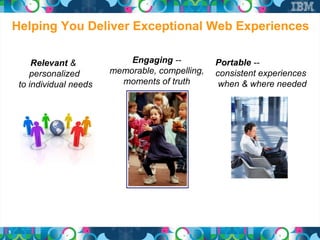
Helping You Deliver Exceptional Web Experiences

         Relevant &            Engaging --          Portable --
        personalized       memorable, compelling,   consistent experiences
     to individual needs     moments of truth        when & where needed


5
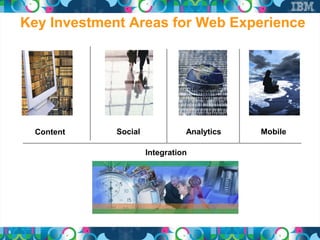
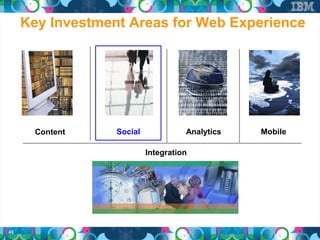
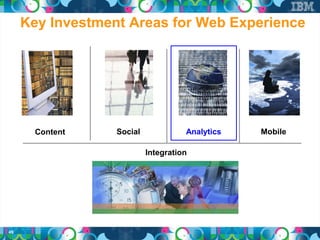
Key Investment Areas for Web Experience


      Content    Social             Analytics   Mobile

                          Integration


6
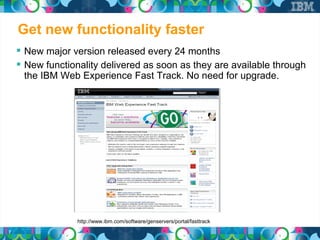
Get new functionality faster
     New major version released every 24 months
     New functionality delivered as soon as they are available through
     the IBM Web Experience Fast Track. No need for upgrade.


                  http://www.ibm.com/software/genservers/portal/fasttrack
7
Agenda


     IBM Web Experience Strategy and Focus Areas

     What's New?

     Focus Areas for later 2012 and into 2013


8
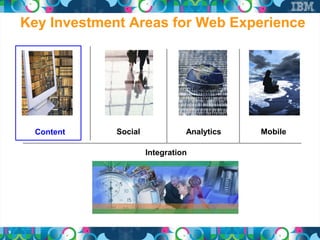
Key Investment Areas for Web Experience


      Content    Social             Analytics   Mobile

                          Integration


9
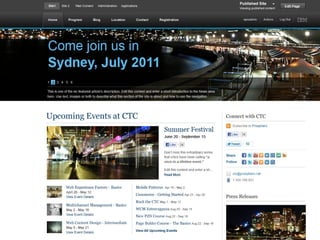
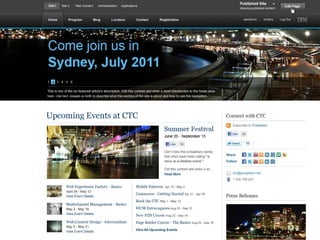
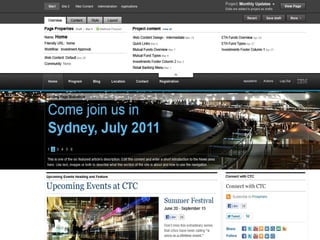
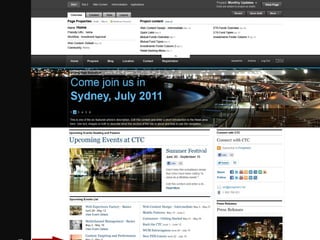
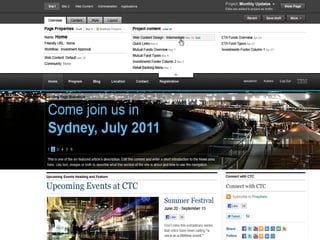
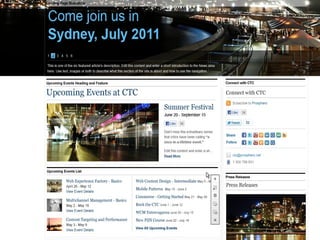
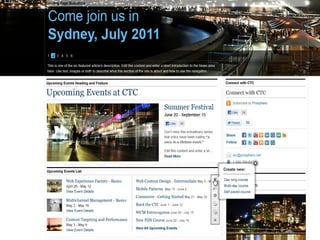
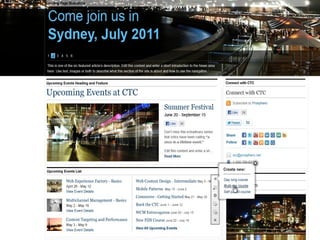
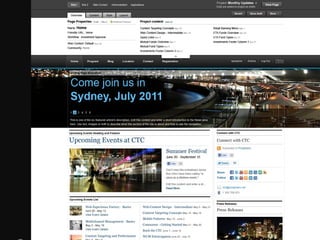
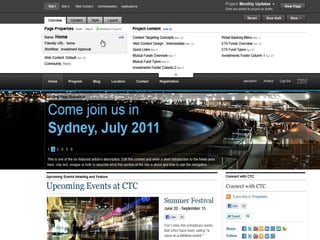
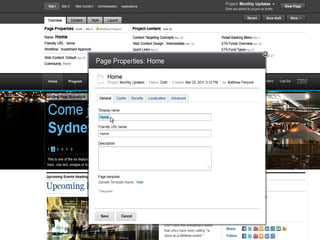
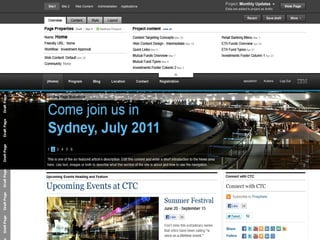
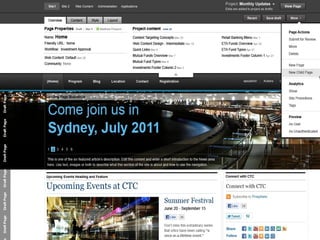
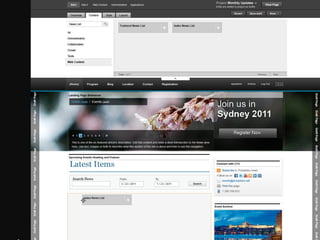
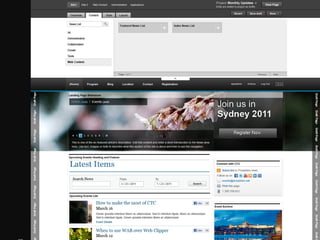
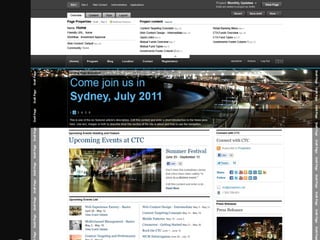
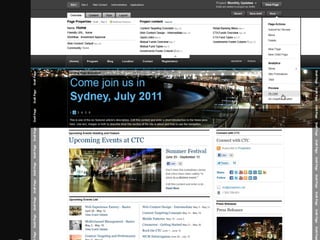
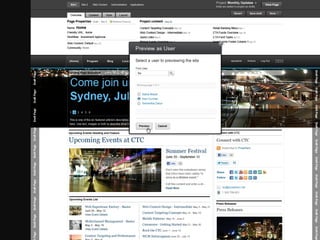
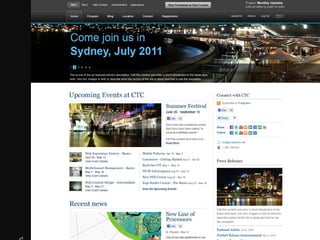
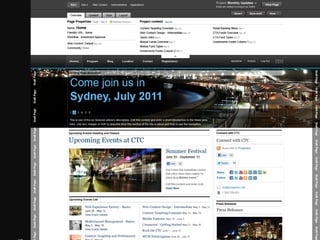
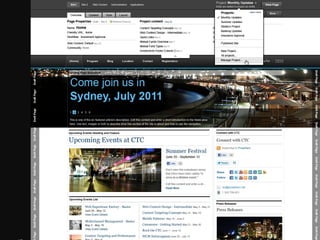
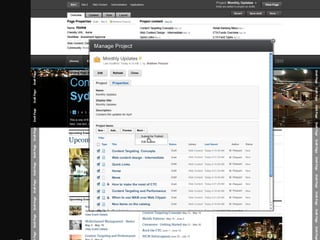
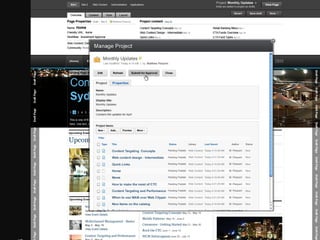
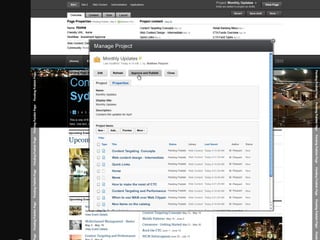
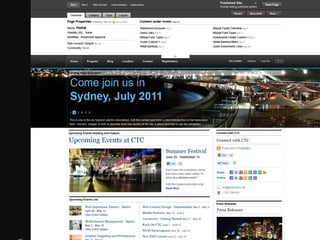
Matthew Opens the toolbar half way, which displays only the Status bar
Take out Ribbon
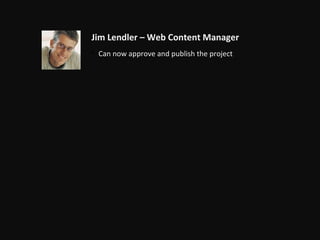
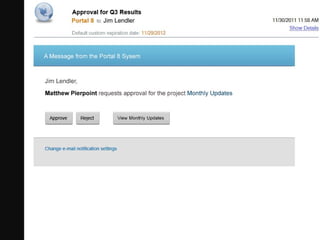
Jim Lendler – Web Content Manager
• Can now approve and publish the project
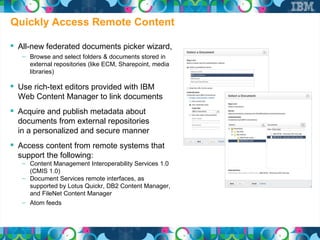
Quickly Access Remote Content

 All-new federated documents picker wizard,
   – Browse and select folders & documents stored in
     external repositories (like ECM, Sharepoint, media
     libraries)

 Use rich-text editors provided with IBM
  Web Content Manager to link documents
 Acquire and publish metadata about
  documents from external repositories
  in a personalized and secure manner
 Access content from remote systems that
  support the following:
   – Content Management Interoperability Services 1.0
     (CMIS 1.0)
   – Document Services remote interfaces, as
     supported by Lotus Quickr, DB2 Content Manager,
     and FileNet Content Manager
   – Atom feeds
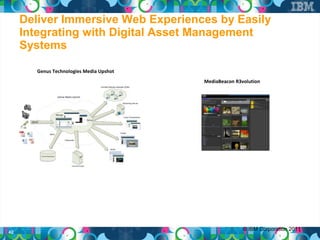
Deliver Immersive Web Experiences by Easily
     Integrating with Digital Asset Management
     Systems

        Genus Technologies Media Upshot
                                          MediaBeacon R3volution


                                                         © IBM Corporation 2011
42
Key Investment Areas for Web Experience


       Content    Social             Analytics   Mobile

                           Integration


43
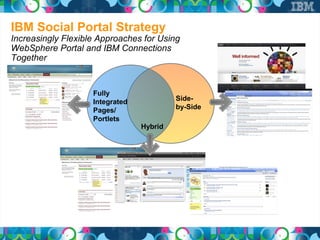
IBM Social Portal Strategy
Increasingly Flexible Approaches for Using
WebSphere Portal and IBM Connections
Together


                    Fully
                    Integrated            Side-
                    Pages/                by-Side
                    Portlets
                                 Hybrid
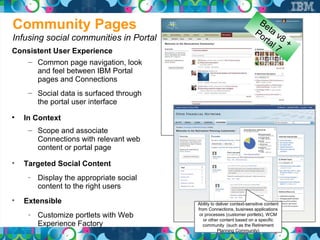
Community Pages                                                           Be
                                                                       Po ta v
Infusing social communities in Portal                                    rta 8 +
                                                                            l7
Consistent User Experience
   – Common page navigation, look
      and feel between IBM Portal
      pages and Connections
     – Social data is surfaced through
       the portal user interface

    In Context
     – Scope and associate
       Connections with relevant web
       content or portal page

    Targeted Social Content
     ­ Display the appropriate social
       content to the right users

    Extensible                           Ability to deliver context-sensitive content
                                         from Connections, business applications
     ­ Customize portlets with Web        or processes (customer portlets), WCM
                                            or other content based on a specific
       Experience Factory                   community (such as the Retirement
                                                     Planning Community)
Av
                                                               a il
New Licence Entitlements                                              No
                                                                           w


      All Websphere Portal v7 + v8 Licences
       – Except Websphere Portal Express licence
       – Entitlement to IBM Connections Profiles and Files


      Websphere Portal Extend
       – Entitlement to IBM Connections Profiles and Files
       – Entitlement to IBM Dashboard Framework


46
v8
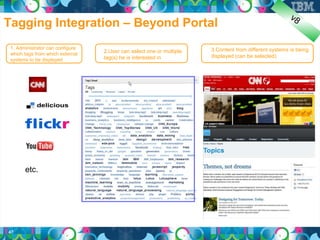
Tagging Integration – Beyond Portal
 1. Administrator can configure                                       3.Content from different systems is being
 which tags from which external
                                  2.User can select one or multiple
                                  tag(s) he is interested in          displayed (can be selected)
 systems to be displayed


       etc.


47
Av
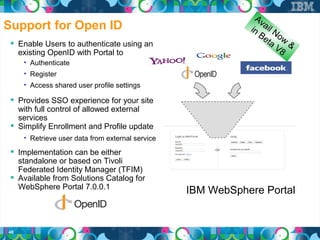
Support for Open ID                                           in ail N
                                                                 Be o w
                                                                   ta
  Enable Users to authenticate using an                              V8 &
     existing OpenID with Portal to
      • Authenticate
      • Register
      • Access shared user profile settings

  Provides SSO experience for your site
   with full control of allowed external
   services
  Simplify Enrollment and Profile update
      • Retrieve user data from external service

  Implementation can be either
   standalone or based on Tivoli
   Federated Identity Manager (TFIM)
  Available from Solutions Catalog for
   WebSphere Portal 7.0.0.1
                                                   IBM WebSphere Portal


48
Key Investment Areas for Web Experience


       Content    Social             Analytics   Mobile

                           Integration


49
Av
Web Analytics                                                    a il
                                                                        No
                                                                             w

  IBM partners with market-leading web analytics
     companies to support key use cases out of the
     box

  WebSphere Portal is instrumented out of the
     box
      • 35+ integration points with ability for customers to
        add additional metrics including logging for WCM
        content


50
Be
                                                                              ta
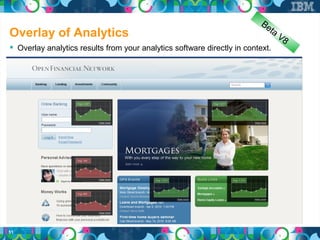
Overlay of Analytics                                                               V8
 Overlay analytics results from your analytics software directly in context.


51
Be
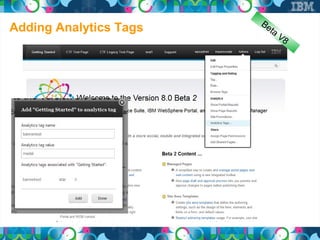
Adding Analytics Tags      ta
                                V8
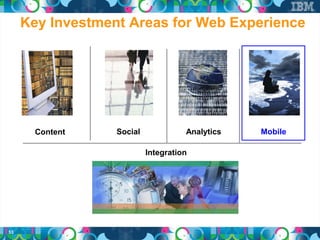
Key Investment Areas for Web Experience


       Content    Social             Analytics   Mobile

                           Integration


53
IBM Web Experience Mobile Strategy
 Web connected mobile devices are outgrowing PC's

 Three ways of developing mobile applications:
   – Native apps
   – HTML-based apps
   – Hybrid apps (browser based native app)


 Our focus have primarily been on HTML-based apps

 Mobile Support in Websphere Portal V8
   – Mobile Portal Accelerator (Transcode to virtually any device. Support for 8500+ devices.)
   – Mobile Theme (Support for highly capable devices such as Android, iOS and Blackberry
     devices)
   – Device segmentation through virtual portals
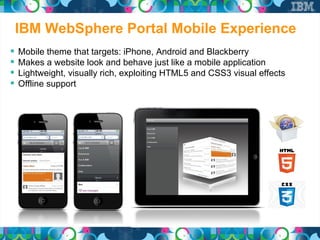
IBM WebSphere Portal Mobile Experience
   Mobile theme that targets: iPhone, Android and Blackberry
   Makes a website look and behave just like a mobile application
   Lightweight, visually rich, exploiting HTML5 and CSS3 visual effects
   Offline support
Mobile Strategy continued

 Mobile First!
   – IBM supported principle for web design

 IBM Worklight
   – Develop native, hybrid and web applications in one single
     development environment

 Support for responsive web design
   – Makes your site automatically adjust to a specific device
   – Single theme for all devices. No need for special mobile theme
Key Investment Areas for Web Experience


       Content    Social             Analytics   Mobile

                           Integration


57
Po
                                                                                                       r
                                                                                                   Be tal 7
   Sharepoint Integration                                                                            ta
                                                                                                         v8 +
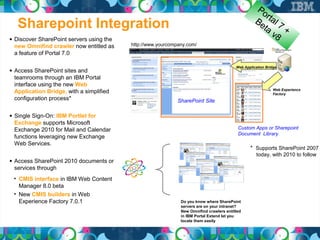
• Discover SharePoint servers using the
  new Omnifind crawler now entitled as    http://www.yourcompany.com/
                                          wps
  a feature of Portal 7.0

                                                                                         Web Application Bridge
• Access SharePoint sites and
  teamrooms through an IBM Portal
  interface using the new Web
                                                                                                             Web Experience
  Application Bridge, with a simplified                                                                      Factory
  configuration process*                                     SharePoint Site

• Single Sign-On: IBM Portlet for
  Exchange supports Microsoft
  Exchange 2010 for Mail and Calendar                                                     Custom Apps or Sharepoint
                                                                                          Document Library
  functions leveraging new Exchange
  Web Services.
                                                                                                * Supports SharePoint 2007
                                                                                                    today, with 2010 to follow
• Access SharePoint 2010 documents or
  services through
 • CMIS interface in IBM Web Content
   Manager 8.0 beta
 • New CMIS builders in Web
   Experience Factory 7.0.1                                   Do you know where SharePoint
                                                              servers are on your intranet?
                                                              New Omnifind crawlers entitled
                                                              in IBM Portal Extend let you
                                                              locate them easily
Av
WebSphere Portal / SAP Integrator                                        a il
                                                                                No
                                                                                     w
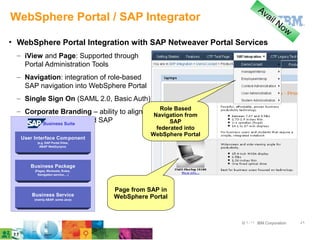
• WebSphere Portal Integration with SAP Netweaver Portal Services
  – iView and Page: Supported through
    Portal Administration Tools
  – Navigation: integration of role-based
    SAP navigation into WebSphere Portal
  – Single Sign On (SAML 2.0, Basic Auth)
                                                Role Based
  – Corporate Branding – ability to align     Navigation from
    WebSphere Suite and SAP
        Business
                 Portal                             SAP
                                               federated into
                                             WebSphere Portal
   User Interface Component
         (e.g. SAP Portal iView,
          ABAP WebDynpro)


      Business Package
        (Pages, Worksets, Roles,
          Navigation service,…)


                                   Page from SAP in
       Business Service            WebSphere Portal
        (mainly ABAP, some Java)


                                                                © ۲۰۱۱ IBM Corporation   ۵۹
Po
                                                                                       rta
Integration of IBM Experience Designer                                                       l8

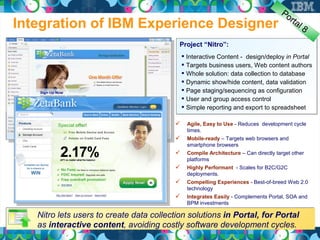
                                           Project “Nitro”:
                                              Interactive Content - design/deploy in Portal
                                              Targets business users, Web content authors
                                              Whole solution: data collection to database
                                              Dynamic show/hide content, data validation
                                              Page staging/sequencing as configuration
                                              User and group access control
                                              Simple reporting and export to spreadsheet

                                             Agile, Easy to Use - Reduces development cycle
                                              times.
                                             Mobile-ready – Targets web browsers and
                                              smartphone browsers
                                             Compile Architecture – Can directly target other
                                              platforms
                                             Highly Performant - Scales for B2C/G2C
                                              deployments.
                                             Compelling Experiences - Best-of-breed Web 2.0
                                              technology
                                             Integrates Easily - Complements Portal, SOA and
                                              BPM investments

   Nitro lets users to create data collection solutions in Portal, for Portal
   as interactive content, avoiding costly software development cycles.
Agenda


      IBM Web Experience Strategy and Focus Areas

      What's New?

      Focus Areas for later 2012 and into 2013


61
Focus Areas Moving Ahead
     ●
         Making the whole greater than the sum of its parts
         ●
             Enhanced analytics integration
         ●
             Enhanced social integration
         ●
             Commerce integration
     ●
         Empowering marketers
         ●
             Visual creation of segments and campaigns
         ●
             A/B & Multi-variate testing
         ●
             Enhanced micro-site creation features
         ●
             Enhanced rich media support
     ●
         Mobile, mobile, mobile
         ●
             Improved themes & responsive design
         ●
             Content authoring /approval from mobile devices
         ●
             Smart transformation of content for mobile devices


62
We have lots more to show but too little time!

  Please talk to us after this session or contact us below to
come and discuss the Exceptional Web Experience in greater
                        detail with you.

      Michael Broekman – Client Technical Professional
         – Email: mbroekman@se.ibm.com


      Niklas Lindström – Client Technical Professional
         – Email: niklas.lindstrom@se.ibm.com


 63

Nyheterna i Portal och Web content management version 8

  • 2.
    News in Websphere Portal & WCM Niklas Lindström Michael Broekman
  • 3.
    Agenda  IBM Web Experience Strategy and Focus Areas  What's New?  Focus Areas for later 2012 and into 2013 3
  • 4.
    Agenda  IBM Web Experience Strategy and Focus Areas  What's New?  Focus Areas for later 2012 and into 2013 4
  • 5.
    Helping You DeliverExceptional Web Experiences Relevant & Engaging -- Portable -- personalized memorable, compelling, consistent experiences to individual needs moments of truth when & where needed 5
  • 6.
    Key Investment Areasfor Web Experience Content Social Analytics Mobile Integration 6
  • 7.
    Get new functionalityfaster  New major version released every 24 months  New functionality delivered as soon as they are available through the IBM Web Experience Fast Track. No need for upgrade. http://www.ibm.com/software/genservers/portal/fasttrack 7
  • 8.
    Agenda  IBM Web Experience Strategy and Focus Areas  What's New?  Focus Areas for later 2012 and into 2013 8
  • 9.
    Key Investment Areasfor Web Experience Content Social Analytics Mobile Integration 9
  • 15.
    Matthew Opens thetoolbar half way, which displays only the Status bar
  • 27.
  • 37.
    Jim Lendler –Web Content Manager • Can now approve and publish the project
  • 41.
    Quickly Access RemoteContent  All-new federated documents picker wizard, – Browse and select folders & documents stored in external repositories (like ECM, Sharepoint, media libraries)  Use rich-text editors provided with IBM Web Content Manager to link documents  Acquire and publish metadata about documents from external repositories in a personalized and secure manner  Access content from remote systems that support the following: – Content Management Interoperability Services 1.0 (CMIS 1.0) – Document Services remote interfaces, as supported by Lotus Quickr, DB2 Content Manager, and FileNet Content Manager – Atom feeds
  • 42.
    Deliver Immersive WebExperiences by Easily Integrating with Digital Asset Management Systems Genus Technologies Media Upshot MediaBeacon R3volution © IBM Corporation 2011 42
  • 43.
    Key Investment Areasfor Web Experience Content Social Analytics Mobile Integration 43
  • 44.
    IBM Social PortalStrategy Increasingly Flexible Approaches for Using WebSphere Portal and IBM Connections Together Fully Integrated Side- Pages/ by-Side Portlets Hybrid
  • 45.
    Community Pages Be Po ta v Infusing social communities in Portal rta 8 + l7 Consistent User Experience – Common page navigation, look and feel between IBM Portal pages and Connections – Social data is surfaced through the portal user interface  In Context – Scope and associate Connections with relevant web content or portal page  Targeted Social Content ­ Display the appropriate social content to the right users  Extensible Ability to deliver context-sensitive content from Connections, business applications ­ Customize portlets with Web or processes (customer portlets), WCM or other content based on a specific Experience Factory community (such as the Retirement Planning Community)
  • 46.
    Av a il New Licence Entitlements No w  All Websphere Portal v7 + v8 Licences – Except Websphere Portal Express licence – Entitlement to IBM Connections Profiles and Files  Websphere Portal Extend – Entitlement to IBM Connections Profiles and Files – Entitlement to IBM Dashboard Framework 46
  • 47.
    v8 Tagging Integration –Beyond Portal 1. Administrator can configure 3.Content from different systems is being which tags from which external 2.User can select one or multiple tag(s) he is interested in displayed (can be selected) systems to be displayed etc. 47
  • 48.
    Av Support for OpenID in ail N Be o w ta  Enable Users to authenticate using an V8 & existing OpenID with Portal to • Authenticate • Register • Access shared user profile settings  Provides SSO experience for your site with full control of allowed external services  Simplify Enrollment and Profile update • Retrieve user data from external service  Implementation can be either standalone or based on Tivoli Federated Identity Manager (TFIM)  Available from Solutions Catalog for WebSphere Portal 7.0.0.1 IBM WebSphere Portal 48
  • 49.
    Key Investment Areasfor Web Experience Content Social Analytics Mobile Integration 49
  • 50.
    Av Web Analytics a il No w  IBM partners with market-leading web analytics companies to support key use cases out of the box  WebSphere Portal is instrumented out of the box • 35+ integration points with ability for customers to add additional metrics including logging for WCM content 50
  • 51.
    Be ta Overlay of Analytics V8  Overlay analytics results from your analytics software directly in context. 51
  • 52.
  • 53.
    Key Investment Areasfor Web Experience Content Social Analytics Mobile Integration 53
  • 54.
    IBM Web ExperienceMobile Strategy  Web connected mobile devices are outgrowing PC's  Three ways of developing mobile applications: – Native apps – HTML-based apps – Hybrid apps (browser based native app)  Our focus have primarily been on HTML-based apps  Mobile Support in Websphere Portal V8 – Mobile Portal Accelerator (Transcode to virtually any device. Support for 8500+ devices.) – Mobile Theme (Support for highly capable devices such as Android, iOS and Blackberry devices) – Device segmentation through virtual portals
  • 55.
    IBM WebSphere PortalMobile Experience  Mobile theme that targets: iPhone, Android and Blackberry  Makes a website look and behave just like a mobile application  Lightweight, visually rich, exploiting HTML5 and CSS3 visual effects  Offline support
  • 56.
    Mobile Strategy continued Mobile First! – IBM supported principle for web design  IBM Worklight – Develop native, hybrid and web applications in one single development environment  Support for responsive web design – Makes your site automatically adjust to a specific device – Single theme for all devices. No need for special mobile theme
  • 57.
    Key Investment Areasfor Web Experience Content Social Analytics Mobile Integration 57
  • 58.
    Po r Be tal 7 Sharepoint Integration ta v8 + • Discover SharePoint servers using the new Omnifind crawler now entitled as http://www.yourcompany.com/ wps a feature of Portal 7.0 Web Application Bridge • Access SharePoint sites and teamrooms through an IBM Portal interface using the new Web Web Experience Application Bridge, with a simplified Factory configuration process* SharePoint Site • Single Sign-On: IBM Portlet for Exchange supports Microsoft Exchange 2010 for Mail and Calendar Custom Apps or Sharepoint Document Library functions leveraging new Exchange Web Services. * Supports SharePoint 2007 today, with 2010 to follow • Access SharePoint 2010 documents or services through • CMIS interface in IBM Web Content Manager 8.0 beta • New CMIS builders in Web Experience Factory 7.0.1 Do you know where SharePoint servers are on your intranet? New Omnifind crawlers entitled in IBM Portal Extend let you locate them easily
  • 59.
    Av WebSphere Portal /SAP Integrator a il No w • WebSphere Portal Integration with SAP Netweaver Portal Services – iView and Page: Supported through Portal Administration Tools – Navigation: integration of role-based SAP navigation into WebSphere Portal – Single Sign On (SAML 2.0, Basic Auth) Role Based – Corporate Branding – ability to align Navigation from WebSphere Suite and SAP Business Portal SAP federated into WebSphere Portal User Interface Component (e.g. SAP Portal iView, ABAP WebDynpro) Business Package (Pages, Worksets, Roles, Navigation service,…) Page from SAP in Business Service WebSphere Portal (mainly ABAP, some Java) © ۲۰۱۱ IBM Corporation ۵۹
  • 60.
    Po rta Integration of IBM Experience Designer l8 Project “Nitro”:  Interactive Content - design/deploy in Portal  Targets business users, Web content authors  Whole solution: data collection to database  Dynamic show/hide content, data validation  Page staging/sequencing as configuration  User and group access control  Simple reporting and export to spreadsheet  Agile, Easy to Use - Reduces development cycle times.  Mobile-ready – Targets web browsers and smartphone browsers  Compile Architecture – Can directly target other platforms  Highly Performant - Scales for B2C/G2C deployments.  Compelling Experiences - Best-of-breed Web 2.0 technology  Integrates Easily - Complements Portal, SOA and BPM investments Nitro lets users to create data collection solutions in Portal, for Portal as interactive content, avoiding costly software development cycles.
  • 61.
    Agenda  IBM Web Experience Strategy and Focus Areas  What's New?  Focus Areas for later 2012 and into 2013 61
  • 62.
    Focus Areas MovingAhead ● Making the whole greater than the sum of its parts ● Enhanced analytics integration ● Enhanced social integration ● Commerce integration ● Empowering marketers ● Visual creation of segments and campaigns ● A/B & Multi-variate testing ● Enhanced micro-site creation features ● Enhanced rich media support ● Mobile, mobile, mobile ● Improved themes & responsive design ● Content authoring /approval from mobile devices ● Smart transformation of content for mobile devices 62
  • 63.
    We have lotsmore to show but too little time! Please talk to us after this session or contact us below to come and discuss the Exceptional Web Experience in greater detail with you. Michael Broekman – Client Technical Professional – Email: mbroekman@se.ibm.com Niklas Lindström – Client Technical Professional – Email: niklas.lindstrom@se.ibm.com 63