RAISING
GIFTED KIDS
IN A DIGITAL AGE
__________________________
GAGC PARENT DAY - MARCH 9, 2014
Dr. Angela Housand & Dr. Brian Housand
WHO ARE YOU?
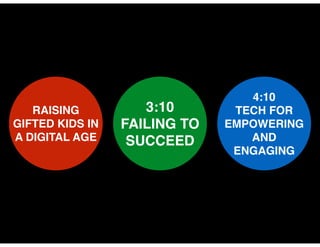
RAISING !
GIFTED KIDS IN
A DIGITAL AGE

3:10!
FAILING TO
SUCCEED

4:10!
TECH FOR
EMPOWERING
AND
ENGAGING
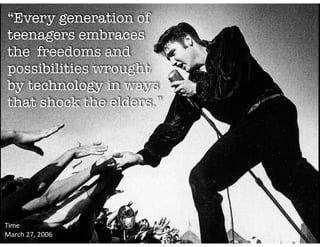
“Every generation of
teenagers embraces
the freedoms and
possibilities wrought
by technology in ways
that shock the elders.”

Time	
  	
  
March	
  27,	
  2006
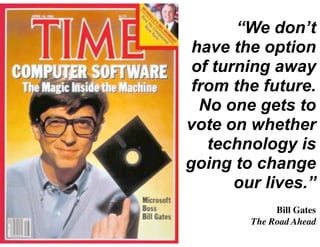
“We don’t
have the option
of turning away
from the future.
No one gets to
vote on whether
technology is
going to change
our lives.”
!


 Bill Gates 	
  
The Road Ahead
EF

2 THEIR
OWN
DEVICES
REALITY
3,339
BEST CASE
SCENARIO?
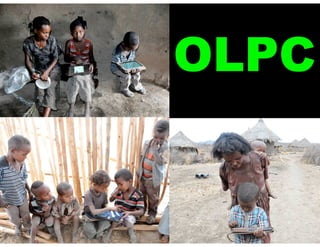
OLPC
The kids had completely customized the desktop—
so every kids’ tablet looked different.  We had
installed software to prevent them from doing that,
and the fact they worked around it was clearly

CREATIVITY
the kind of INQUIRY the kind of
DISCOVERY that we think is
the kind of

,


,

ESSENTIAL TO LEARNING
HAVE YOU
EVER SEEN
A 2 YEAR OLD
USE AN iPad?
DIGITAL
PARENTING
STYLE
PROTECT
AND LIMIT
Parents need to set boundaries to keep
children safe.
!

Digital media and technology are not
important for a child's healthy development.
PROTECT
Screen media needs to be balanced with
other activities.
!

Children are only one click away from a lot of
material that's inappropriate for them.
EMPOWER
Children can learn new things by using
online media.
!

Parents should offer guidance on how
to use the Internet for learning.
EMPOWER
AND ENGAGE
Children need to learn to navigate the digital
world and make choices for themselves.
!

Children can exercise their creativity by using
online media.

Show
Curiosity
I like that.
I don’t
like that.
House
Rules
“Show Me”
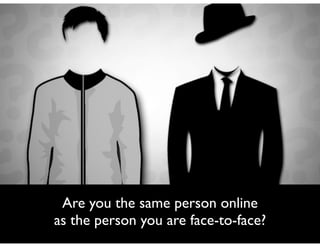
Are you the same person online	

as the person you are face-to-face?
Future Self
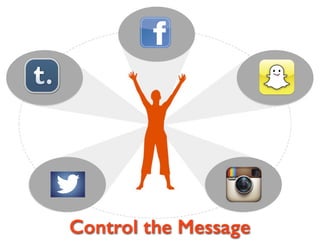
Control the Message
Why Control the
Message?

• College Admissions Officers & Committees
will search you	


• Potential Employers will search you	

• Friends (& non-friends) will search you	

• Your Competition will search you	

• Potential Boyfriend/Girlfriend will search you
© Angela Housand, 2013
Digital
Identity
Volume
The amount of information there is about
you on the internet
Relevancy
The usefulness of the information that exists
about you and how consistent that
information is with you you say you are and
what you claim to value
Purity
The amount of information that comes up in
an Internet search that is about you and not
someone with a similar name or similar
interests
Diversity
The mixture of information found when you
are searched online:	


•
•
•

Do you have a website?	

Are you found in real time content?	

Are there images and video of you?
Activity Time:
Online ID

© Angela Housand, 2013
Search Yourself

• With quotes around your name, search
yourself on Google,Yahoo!, and Bing	


• What did you find?
Search Yourself

You want to find:	


• Favorable entries about your work 	

• Flattering or neutral mentions of your
personal life
Activity Time:
Digital Footprint

© Angela Housand, 2013
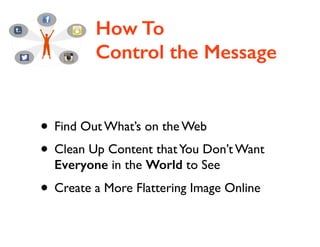
How To
Control the Message

• Find Out What’s on the Web	

• Clean Up Content that You Don’t Want
Everyone in the World to See	


• Create a More Flattering Image Online
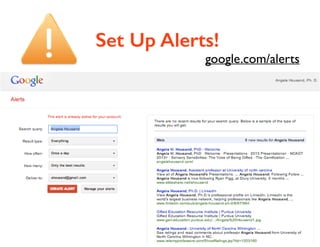
Set Up Alerts!

google.com/alerts
Remove Unflattering
Content
Start with what you have posted:	


• Delete any negative comments you’ve made	

• Delete inappropriate photos or videos	

• Check all sites!	

!

• Edit blog entries that are negative
Remove Unflattering
Content
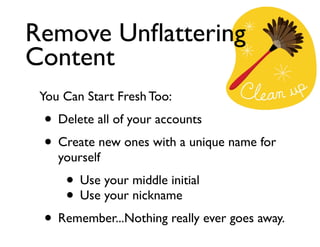
You Can Start Fresh Too:	


• Delete all of your accounts	

• Create new ones with a unique name for
yourself	


• Use your middle initial	

• Use your nickname	


• Remember...Nothing really ever goes away.
Remove Unflattering
Content
• Ask others to remove negative
content about you.	


• Remove “tags” from photos	

• Paid services:	

reputation.com	

internetreputation.com
Remove Unflattering
Content
Reset Privacy Settings:	


• Block groups or individuals from viewing
content that you would prefer to be
private	


• Manage our groups regularly and
remove unsupportive members
Other Message
Management Tips

• Avoid overly prolific status updates	

• Claim your domain name	

GoDaddy.com	


• Create a More Flattering Image Online
The BEST Way To
Control the Message
Create Favorable Content

• Set up a linkedin.com profile that is public	

• Get people to “endorse” you professionally	

• Update profiles regularly	

• Blog on a topic of interest	

• Contribute in positive ways to the online
community - and do so often!
“We may not be able to
prepare the future for
our children,
but at least we can
prepare our children
for the future.”
- Franklin D. Roosevelt

Kids and Tech

  • 1.
    RAISING GIFTED KIDS IN ADIGITAL AGE __________________________ GAGC PARENT DAY - MARCH 9, 2014 Dr. Angela Housand & Dr. Brian Housand
  • 2.
  • 3.
    RAISING ! GIFTED KIDSIN A DIGITAL AGE 3:10! FAILING TO SUCCEED 4:10! TECH FOR EMPOWERING AND ENGAGING
  • 4.
    “Every generation of teenagersembraces the freedoms and possibilities wrought by technology in ways that shock the elders.” Time     March  27,  2006
  • 5.
    “We don’t have theoption of turning away from the future. No one gets to vote on whether technology is going to change our lives.” ! Bill Gates   The Road Ahead
  • 7.
  • 8.
  • 9.
  • 12.
  • 14.
  • 15.
    The kids hadcompletely customized the desktop— so every kids’ tablet looked different.  We had installed software to prevent them from doing that, and the fact they worked around it was clearly CREATIVITY the kind of INQUIRY the kind of DISCOVERY that we think is the kind of , , ESSENTIAL TO LEARNING
  • 16.
    HAVE YOU EVER SEEN A2 YEAR OLD USE AN iPad?
  • 18.
  • 19.
    PROTECT AND LIMIT Parents needto set boundaries to keep children safe. ! Digital media and technology are not important for a child's healthy development.
  • 20.
    PROTECT Screen media needsto be balanced with other activities. ! Children are only one click away from a lot of material that's inappropriate for them.
  • 21.
    EMPOWER Children can learnnew things by using online media. ! Parents should offer guidance on how to use the Internet for learning.
  • 22.
    EMPOWER AND ENGAGE Children needto learn to navigate the digital world and make choices for themselves. ! Children can exercise their creativity by using online media.
  • 24.
  • 25.
    I like that. Idon’t like that.
  • 26.
  • 27.
  • 28.
    Are you thesame person online as the person you are face-to-face?
  • 31.
  • 33.
  • 35.
    Why Control the Message? •College Admissions Officers & Committees will search you • Potential Employers will search you • Friends (& non-friends) will search you • Your Competition will search you • Potential Boyfriend/Girlfriend will search you © Angela Housand, 2013
  • 37.
  • 38.
    Volume The amount ofinformation there is about you on the internet
  • 39.
    Relevancy The usefulness ofthe information that exists about you and how consistent that information is with you you say you are and what you claim to value
  • 40.
    Purity The amount ofinformation that comes up in an Internet search that is about you and not someone with a similar name or similar interests
  • 41.
    Diversity The mixture ofinformation found when you are searched online: • • • Do you have a website? Are you found in real time content? Are there images and video of you?
  • 42.
    Activity Time: Online ID ©Angela Housand, 2013
  • 43.
    Search Yourself • Withquotes around your name, search yourself on Google,Yahoo!, and Bing • What did you find?
  • 44.
    Search Yourself You wantto find: • Favorable entries about your work • Flattering or neutral mentions of your personal life
  • 45.
  • 46.
    How To Control theMessage • Find Out What’s on the Web • Clean Up Content that You Don’t Want Everyone in the World to See • Create a More Flattering Image Online
  • 47.
  • 48.
    Remove Unflattering Content Start withwhat you have posted: • Delete any negative comments you’ve made • Delete inappropriate photos or videos • Check all sites! ! • Edit blog entries that are negative
  • 51.
    Remove Unflattering Content You CanStart Fresh Too: • Delete all of your accounts • Create new ones with a unique name for yourself • Use your middle initial • Use your nickname • Remember...Nothing really ever goes away.
  • 52.
    Remove Unflattering Content • Askothers to remove negative content about you. • Remove “tags” from photos • Paid services: reputation.com internetreputation.com
  • 54.
    Remove Unflattering Content Reset PrivacySettings: • Block groups or individuals from viewing content that you would prefer to be private • Manage our groups regularly and remove unsupportive members
  • 55.
    Other Message Management Tips •Avoid overly prolific status updates • Claim your domain name GoDaddy.com • Create a More Flattering Image Online
  • 56.
    The BEST WayTo Control the Message Create Favorable Content • Set up a linkedin.com profile that is public • Get people to “endorse” you professionally • Update profiles regularly • Blog on a topic of interest • Contribute in positive ways to the online community - and do so often!
  • 57.
    “We may notbe able to prepare the future for our children, but at least we can prepare our children for the future.” - Franklin D. Roosevelt