Rafael Montesinos Muñoz
JSON TUTORIAL
HTTP://WWW.W3SCHOOLS.COM/
JSON Tutorial
2016
2
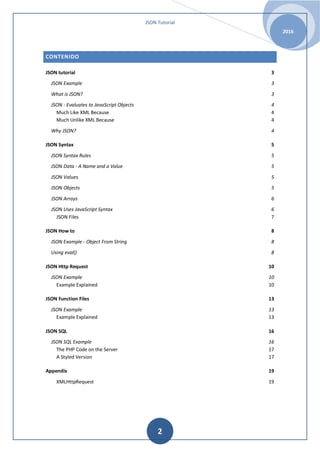
CONTENIDO
JSON tutorial 3
JSON Example 3
What is JSON? 3
JSON - Evaluates to JavaScript Objects 4
Much Like XML Because 4
Much Unlike XML Because 4
Why JSON? 4
JSON Syntax 5
JSON Syntax Rules 5
JSON Data - A Name and a Value 5
JSON Values 5
JSON Objects 5
JSON Arrays 6
JSON Uses JavaScript Syntax 6
JSON Files 7
JSON How to 8
JSON Example - Object From String 8
Using eval() 8
JSON Http Request 10
JSON Example 10
Example Explained 10
JSON Function Files 13
JSON Example 13
Example Explained 13
JSON SQL 16
JSON SQL Example 16
The PHP Code on the Server 17
A Styled Version 17
Appendix 19
XMLHttpRequest 19
JSON Tutorial
2016
3
JSON TUTORIAL
• JSON: JavaScript Object Notation.
• JSON is syntax for storing and exchanging data.
• JSON is an easier-to-use alternative to XML.
The following JSON example defines an employee’s object, with an array of 3 employee
records:
JSON EXAMPLE
{"employees":[
{"firstName":"John", "lastName":"Dee"},
{"firstName":"Anna", "lastName":"Smith"},
{"firstName":"Peter", "lastName":"Jones"}
]}
The following XML example also defines an employee’s object with 3 employee records:
<employees>
<employee>
<firstName>John</firstName> <lastName>Dee</lastName>
</employee>
<employee>
<firstName>Anna</firstName> <lastName>Smith</lastName>
</employee>
<employee>
<firstName>Peter</firstName> <lastName>Jones</lastName>
</employee>
</employees>
WHAT IS JSON?
• JSON stands for JavaScript Object Notation
• JSON is a lightweight data-interchange format
• JSON is language independent *
• JSON is "self-describing" and easy to understand
JSON uses JavaScript syntax, but the JSON format is text only, just like XML. Text can be read
and used as a data format by any programming language.
JSON Tutorial
2016
4
JSON - EVALUATES TO JAVASCRIPT OBJECTS
The JSON format is syntactically identical to the code for creating JavaScript objects.
Because of this similarity, instead of using a parser (like XML Dees), a JavaScript program
can use standard JavaScript functions to convert JSON data into native JavaScript objects.
MUCH LIKE XML BECAUSE
• Both JSON and XML are "self describing" (human readable)
• Both JSON and XML are hierarchical (values within values)
• Both JSON and XML can be parsed and used by lots of programming languages
• Both JSON and XML can be fetched with an XMLHttpRequest
MUCH UNLIKE XML BECAUSE
• JSON Deesn't use end tag
• JSON is shorter
• JSON is quicker to read and write
• JSON can use arrays
The biggest difference is:
XML has to be parsed with an XML parser. JSON can be parsed by a standard JavaScript
function.
WHY JSON?
For AJAX applications, JSON is faster and easier than XML:
Using XML
• Fetch an XML document
• Use the XML DOM to loop through the document
• Extract values and store in variables
Using JSON
• Fetch a JSON string
• JSON.Parse the JSON string
JSON Tutorial
2016
5
JSON SYNTAX
The JSON syntax is a subset of the JavaScript syntax.
JSON SYNTAX RULES
JSON syntax is derived from JavaScript object notation syntax:
• Data is in name/value pairs
• Data is separated by commas
• Curly braces hold objects
• Square brackets hold arrays
JSON DATA - A NAME AND A VALUE
JSON data is written as name/value pairs.
A name/value pair consists of a field name (in double quotes), followed by a colon, and
followed by a value:
"firstName":"John"
JSON names require double quotes. JavaScript names don't.
JSON VALUES
JSON values can be:
• A number (integer or floating point)
• A string (in double quotes)
• A Boolean (true or false)
• An array (in square brackets)
• An object (in curly braces)
• null
JSON OBJECTS
JSON objects are written inside curly braces.
Just like JavaScript, JSON objects can contain multiple name/values pairs:
{"firstName":"John", "lastName":"Dee"}
JSON Tutorial
2016
6
JSON ARRAYS
JSON arrays are written inside square brackets.
Just like JavaScript, a JSON array can contain multiple objects:
"employees":[
{"firstName":"John", "lastName":"Dee"},
{"firstName":"Anna", "lastName":"Smith"},
{"firstName":"Peter","lastName":"Jones"}
]
In the example above, the object "employees" is an array containing three objects. Each
object is a record of a person (with a first name and a last name).
JSON USES JAVASCRIPT SYNTAX
Because JSON syntax is derived from JavaScript object notation, very little extra software is
needed to work with JSON within JavaScript.
With JavaScript you can create an array of objects and assign data to it, like this:
var employees = [
{"firstName":"John", "lastName":"Dee"},
{"firstName":"Anna", "lastName":"Smith"},
{"firstName":"Peter","lastName": "Jones"}
];
The first entry in the JavaScript object array can be accessed like this:
// returns John Dee
employees[0].firstName + " " + employees[0].lastName;
It can also be accessed like this:
// returns John Dee
employees[0]["firstName"] + " " + employees[0]["lastName"];
Data can be modified like this:
employees[0].firstName = "Gilbert";
It can also be modified like this:
employees[0]["firstName"] = "Gilbert";
JSON Tutorial
2016
7
In the next chapter you will learn how to convert a JSON text to a JavaScript object.
JSON FILES
• The file type for JSON files is ".json"
• The MIME type for JSON text is "application/json"
JSON Tutorial
2016
8
JSON HOW TO
A common use of JSON is to read data from a web server, and display the data in a web
page.
For simplicity, this can be demonstrated by using a string as input (instead of a file).
JSON EXAMPLE - OBJECT FROM STRING
Create a JavaScript string containing JSON syntax:
var text = '{ "employees" : [' +
'{ "firstName":"John" , "lastName":"Doe" },' +
'{ "firstName":"Anna" , "lastName":"Smith" },' +
'{ "firstName":"Peter" , "lastName":"Jones" } ]}';
JSON syntax is a subset of JavaScript syntax.
The JavaScript function JSON.parse(text) can be used to convert a JSON text into a
JavaScript object:
var obj = JSON.parse(text);
Use the new JavaScript object in your page:
<p id="demo"></p>
<script>
document.getElementById("demo").innerHTML =
obj.employees[1].firstName + " " + obj.employees[1].lastName;
</script>
USING EVAL()
Older browsers without the support for the JavaScript function JSON.parse() can use the
eval() function to convert a JSON text into a JavaScript object:
var obj = eval ("(" + text + ")");
The eval() function can compile and execute any JavaScript. This represents a potential
security problem. Try to avoid it.
It is safer to use a JSON parser to convert a JSON text to a JavaScript object.
A JSON parser will recognize only JSON text and will not compile scripts.
In browsers that provide native JSON support, JSON parsers are also faster.
JSON Tutorial
2016
9
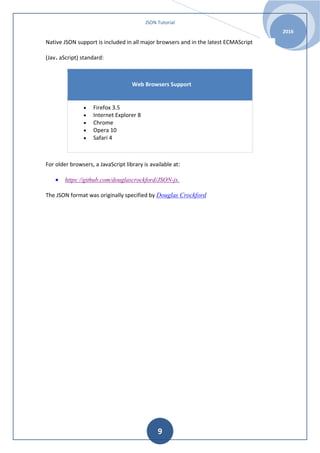
Native JSON support is included in all major browsers and in the latest ECMAScript
(Jav. aScript) standard:
Web Browsers Support
• Firefox 3.5
• Internet Explorer 8
• Chrome
• Opera 10
• Safari 4
For older browsers, a JavaScript library is available at:
• https://github.com/douglascrockford/JSON-js.
The JSON format was originally specified by Douglas Crockford
JSON Tutorial
2016
10
JSON HTTP REQUEST
A common use of JSON is to read data from a web server, and display the data in a web
page. This chapter will teach you, in 4 easy steps, how to read JSON data, using XMLHttp.
JSON EXAMPLE
This example reads a menu from myTutorials.txt, and displays the menu in a web page:
<div id="id01"></div>
<script>
var xmlhttp = new XMLHttpRequest();
var url = "myTutorials.txt";
xmlhttp.onreadystatechange = function() {
if (this.readyState == 4 && this.status == 200) {
var myArr = JSON.parse(this.responseText);
myFunction(myArr);
}
};
xmlhttp.open("GET", url, true);
xmlhttp.send();
function myFunction(arr) {
var out = "";
var i;
for(i = 0; i < arr.length; i++) {
out += '<a href="' + arr[i].url + '">' +
arr[i].display + '</a><br>';
}
document.getElementById("id01").innerHTML = out;
}
</script>
EXAMPLE EXPLAINED
CREATE AN ARRAY OF OBJECTS.
Use an array literal to declare an array of objects. Give each object two
properties: display and url. Name the array myArray:
var myArray = [
{
"display": "JavaScript Tutorial",
"url": "http://www.w3schools.com/js/default.asp"
JSON Tutorial
2016
11
},
{
"display": "HTML Tutorial",
"url": "http://www.w3schools.com/html/default.asp"
},
{
"display": "CSS Tutorial",
"url": "http://www.w3schools.com/css/default.asp"
}
]
CREATE A JAVASCRIPT FUNCTION TO DISPLAY THE ARRAY.
Create a function myFunction() that loops the array objects, and display the content as
HTML links:
function myFunction(arr) {
var out = "";
var i;
for(i = 0; i < arr.length; i++) {
out += '<a href="' + arr[i].url + '">' + arr[i].display
+ '</a><br>';
}
document.getElementById("id01").innerHTML = out;
}
Call myFunction() with myArray as argument:
myFunction(myArray);
CREATE A TEXT FILE
Put the array literal in a file named myTutorials.txt:
[
{
"display": "JavaScript Tutorial",
"url": "http://www.w3schools.com/js/default.asp"
},
{
"display": "HTML Tutorial",
"url": "http://www.w3schools.com/html/default.asp"
},
{
"display": "CSS Tutorial",
"url": "http://www.w3schools.com/css/default.asp"
}
]
JSON Tutorial
2016
12
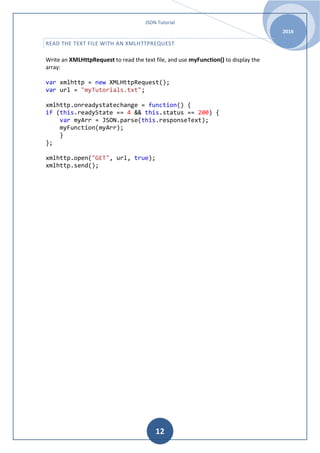
READ THE TEXT FILE WITH AN XMLHTTPREQUEST
Write an XMLHttpRequest to read the text file, and use myFunction() to display the
array:
var xmlhttp = new XMLHttpRequest();
var url = "myTutorials.txt";
xmlhttp.onreadystatechange = function() {
if (this.readyState == 4 && this.status == 200) {
var myArr = JSON.parse(this.responseText);
myFunction(myArr);
}
};
xmlhttp.open("GET", url, true);
xmlhttp.send();
JSON Tutorial
2016
13
JSON FUNCTION FILES
A common use of JSON is to read data from a web server, and display the data in a web
page. This chapter will teach you, in 4 easy steps, how to read JSON data, using function
files.
JSON EXAMPLE
This example reads a menu from myTutorials.js, and displays the menu in a web page:
<div id="id01"></div>
<script>
function myFunction(arr) {
var out = "";
var i;
for(i = 0; i<arr.length; i++) {
out += '<a href="' + arr[i].url + '">' + arr[i].display
+ '</a><br>';
}
document.getElementById("id01").innerHTML = out;
}
</script>
<script src="myTutorials.js"></script>
EXAMPLE EXPLAINED
CREATE AN ARRAY OF OBJECTS.
Use an array literal to declare an array of objects.
Give each object two properties: display and url.
Name the array myArray:
var myArray = [
{
"display": "JavaScript Tutorial",
"url": "http://www.w3schools.com/js/default.asp"
},
{
"display": "HTML Tutorial",
"url": "http://www.w3schools.com/html/default.asp"
},
JSON Tutorial
2016
14
{
"display": "CSS Tutorial",
"url": "http://www.w3schools.com/css/default.asp"
}
]
CREATE A JAVASCRIPT FUNCTION TO DISPLAY THE ARRAY.
Create a function myFunction() that loops the array objects, and display the content as
HTML links:
function myFunction(arr) {
var out = "";
var i;
for(i = 0; i < arr.length; i++) {
out += '<a href="' + arr[i].url + '">' + arr[i].display
+ '</a><br>';
}
document.getElementById("id01").innerHTML = out;
}
Call myFunction() with myArray as argument:
Example: myFunction(myArray);
USE AN ARRAY LITERAL AS THE ARGUMENT (INSTEAD OF THE ARRAY VARIABLE):
Call myFunction() with an array literal as argument:
myFunction([
{
"display": "JavaScript Tutorial",
"url": "http://www.w3schools.com/js/default.asp"
},
{
"display": "HTML Tutorial",
"url": "http://www.w3schools.com/html/default.asp"
},
{
"display": "CSS Tutorial",
"url": "http://www.w3schools.com/css/default.asp"
}
]);
PUT THE FUNCTION IN AN EXTERNAL JS FILE
Put the function in a file named myTutorials.js:
JSON Tutorial
2016
15
myFunction([
{
"display": "JavaScript Tutorial",
"url": "http://www.w3schools.com/js/default.asp"
},
{
"display": "HTML Tutorial",
"url": "http://www.w3schools.com/html/default.asp"
},
{
"display": "CSS Tutorial",
"url": "http://www.w3schools.com/css/default.asp"
}
]);
Add the external script to your page (instead of the function call):
<script src="myTutorials.js"></script>
JSON Tutorial
2016
16
JSON SQL
JSON SQL EXAMPLE
This example reads JSON data from a web server running PHP and MySQL:
<!DOCTYPE html>
<html>
<body>
<h1>Customers</h1>
<div id="id01"></div>
<script>
var xmlhttp = new XMLHttpRequest();
var url = "http://www.w3schools.com/js/customers_mysql.php";
xmlhttp.onreadystatechange=function() {
if (this.readyState == 4 && this.status == 200) {
myFunction(this.responseText);
}
}
xmlhttp.open("GET", url, true);
xmlhttp.send();
function myFunction(response) {
var arr = JSON.parse(response);
var i;
var out = "<table>";
for(i = 0; i < arr.length; i++) {
out += "<tr><td>" +
arr[i].Name +
"</td><td>" +
arr[i].City +
"</td><td>" +
arr[i].Country +
"</td></tr>";
}
out += "</table>";
document.getElementById("id01").innerHTML = out;
}
</script>
</body>
</html>
JSON Tutorial
2016
17
THE PHP CODE ON THE SERVER
This is the PHP code running on the server:
<?php
header("Access-Control-Allow-Origin: *");
header("Content-Type: application/json; charset=UTF-8");
$conn = new mysqli("myServer", "myUser", "myPassword",
"Northwind");
$result = $conn->query("SELECT CompanyName, City, Country FROM
Customers");
$outp = "[";
while($rs = $result->fetch_array(MYSQLI_ASSOC)) {
if ($outp != "[") {$outp .= ",";}
$outp .= '{"Name":"' . $rs["CompanyName"] . '",';
$outp .= '"City":"' . $rs["City"] . '",';
$outp .= '"Country":"'. $rs["Country"] . '"}';
}
$outp .="]";
$conn->close();
echo($outp);
?>
A STYLED VERSION
<!DOCTYPE html>
<html>
<head>
<style>
h1 {
border-bottom: 3px solid #cc9900;
color: #996600;
font-size: 30px;
}
table, th , td {
border: 1px solid grey;
border-collapse: collapse;
padding: 5px;
}
table tr:nth-child(odd) {
background-color: #f1f1f1;
}
table tr:nth-child(even) {
JSON Tutorial
2016
18
background-color: #ffffff;
}
</style>
</head>
<body>
<h1>Customers</h1>
<div id="id01"></div>
<script>
var xmlhttp = new XMLHttpRequest();
var url = "http://www.w3schools.com/js/customers_mysql.php";
xmlhttp.onreadystatechange=function() {
if (this.readyState == 4 && this.status == 200) {
myFunction(this.responseText);
}
}
xmlhttp.open("GET", url, true);
xmlhttp.send();
function myFunction(response) {
var arr = JSON.parse(response);
var i;
var out = "<table>";
for(i = 0; i < arr.length; i++) {
out += "<tr><td>" +
arr[i].Name +
"</td><td>" +
arr[i].City +
"</td><td>" +
arr[i].Country +
"</td></tr>";
}
out += "</table>";
document.getElementById("id01").innerHTML = out;
}
</script>
</body>
</html>
JSON Tutorial
2016
19
APPENDIX
XMLHTTPREQUEST
XMLHttpRequest (XHR) is an API in the form of an object whose methods transfer data
between a web browser and a web server. The object is provided by the browser's JavaScript
environment. Particularly, retrieval of data from XHR for the purpose of continually modifying
a loaded web page is the underlying concept of Ajax design. Despite the name, XHR can be
used with protocols other than HTTP and data can be in the form of not only XML, but also
JSON, HTML or plain text

Json tutorial, a beguiner guide

  • 1.
    Rafael Montesinos Muñoz JSONTUTORIAL HTTP://WWW.W3SCHOOLS.COM/
  • 2.
    JSON Tutorial 2016 2 CONTENIDO JSON tutorial3 JSON Example 3 What is JSON? 3 JSON - Evaluates to JavaScript Objects 4 Much Like XML Because 4 Much Unlike XML Because 4 Why JSON? 4 JSON Syntax 5 JSON Syntax Rules 5 JSON Data - A Name and a Value 5 JSON Values 5 JSON Objects 5 JSON Arrays 6 JSON Uses JavaScript Syntax 6 JSON Files 7 JSON How to 8 JSON Example - Object From String 8 Using eval() 8 JSON Http Request 10 JSON Example 10 Example Explained 10 JSON Function Files 13 JSON Example 13 Example Explained 13 JSON SQL 16 JSON SQL Example 16 The PHP Code on the Server 17 A Styled Version 17 Appendix 19 XMLHttpRequest 19
  • 3.
    JSON Tutorial 2016 3 JSON TUTORIAL •JSON: JavaScript Object Notation. • JSON is syntax for storing and exchanging data. • JSON is an easier-to-use alternative to XML. The following JSON example defines an employee’s object, with an array of 3 employee records: JSON EXAMPLE {"employees":[ {"firstName":"John", "lastName":"Dee"}, {"firstName":"Anna", "lastName":"Smith"}, {"firstName":"Peter", "lastName":"Jones"} ]} The following XML example also defines an employee’s object with 3 employee records: <employees> <employee> <firstName>John</firstName> <lastName>Dee</lastName> </employee> <employee> <firstName>Anna</firstName> <lastName>Smith</lastName> </employee> <employee> <firstName>Peter</firstName> <lastName>Jones</lastName> </employee> </employees> WHAT IS JSON? • JSON stands for JavaScript Object Notation • JSON is a lightweight data-interchange format • JSON is language independent * • JSON is "self-describing" and easy to understand JSON uses JavaScript syntax, but the JSON format is text only, just like XML. Text can be read and used as a data format by any programming language.
  • 4.
    JSON Tutorial 2016 4 JSON -EVALUATES TO JAVASCRIPT OBJECTS The JSON format is syntactically identical to the code for creating JavaScript objects. Because of this similarity, instead of using a parser (like XML Dees), a JavaScript program can use standard JavaScript functions to convert JSON data into native JavaScript objects. MUCH LIKE XML BECAUSE • Both JSON and XML are "self describing" (human readable) • Both JSON and XML are hierarchical (values within values) • Both JSON and XML can be parsed and used by lots of programming languages • Both JSON and XML can be fetched with an XMLHttpRequest MUCH UNLIKE XML BECAUSE • JSON Deesn't use end tag • JSON is shorter • JSON is quicker to read and write • JSON can use arrays The biggest difference is: XML has to be parsed with an XML parser. JSON can be parsed by a standard JavaScript function. WHY JSON? For AJAX applications, JSON is faster and easier than XML: Using XML • Fetch an XML document • Use the XML DOM to loop through the document • Extract values and store in variables Using JSON • Fetch a JSON string • JSON.Parse the JSON string
  • 5.
    JSON Tutorial 2016 5 JSON SYNTAX TheJSON syntax is a subset of the JavaScript syntax. JSON SYNTAX RULES JSON syntax is derived from JavaScript object notation syntax: • Data is in name/value pairs • Data is separated by commas • Curly braces hold objects • Square brackets hold arrays JSON DATA - A NAME AND A VALUE JSON data is written as name/value pairs. A name/value pair consists of a field name (in double quotes), followed by a colon, and followed by a value: "firstName":"John" JSON names require double quotes. JavaScript names don't. JSON VALUES JSON values can be: • A number (integer or floating point) • A string (in double quotes) • A Boolean (true or false) • An array (in square brackets) • An object (in curly braces) • null JSON OBJECTS JSON objects are written inside curly braces. Just like JavaScript, JSON objects can contain multiple name/values pairs: {"firstName":"John", "lastName":"Dee"}
  • 6.
    JSON Tutorial 2016 6 JSON ARRAYS JSONarrays are written inside square brackets. Just like JavaScript, a JSON array can contain multiple objects: "employees":[ {"firstName":"John", "lastName":"Dee"}, {"firstName":"Anna", "lastName":"Smith"}, {"firstName":"Peter","lastName":"Jones"} ] In the example above, the object "employees" is an array containing three objects. Each object is a record of a person (with a first name and a last name). JSON USES JAVASCRIPT SYNTAX Because JSON syntax is derived from JavaScript object notation, very little extra software is needed to work with JSON within JavaScript. With JavaScript you can create an array of objects and assign data to it, like this: var employees = [ {"firstName":"John", "lastName":"Dee"}, {"firstName":"Anna", "lastName":"Smith"}, {"firstName":"Peter","lastName": "Jones"} ]; The first entry in the JavaScript object array can be accessed like this: // returns John Dee employees[0].firstName + " " + employees[0].lastName; It can also be accessed like this: // returns John Dee employees[0]["firstName"] + " " + employees[0]["lastName"]; Data can be modified like this: employees[0].firstName = "Gilbert"; It can also be modified like this: employees[0]["firstName"] = "Gilbert";
  • 7.
    JSON Tutorial 2016 7 In thenext chapter you will learn how to convert a JSON text to a JavaScript object. JSON FILES • The file type for JSON files is ".json" • The MIME type for JSON text is "application/json"
  • 8.
    JSON Tutorial 2016 8 JSON HOWTO A common use of JSON is to read data from a web server, and display the data in a web page. For simplicity, this can be demonstrated by using a string as input (instead of a file). JSON EXAMPLE - OBJECT FROM STRING Create a JavaScript string containing JSON syntax: var text = '{ "employees" : [' + '{ "firstName":"John" , "lastName":"Doe" },' + '{ "firstName":"Anna" , "lastName":"Smith" },' + '{ "firstName":"Peter" , "lastName":"Jones" } ]}'; JSON syntax is a subset of JavaScript syntax. The JavaScript function JSON.parse(text) can be used to convert a JSON text into a JavaScript object: var obj = JSON.parse(text); Use the new JavaScript object in your page: <p id="demo"></p> <script> document.getElementById("demo").innerHTML = obj.employees[1].firstName + " " + obj.employees[1].lastName; </script> USING EVAL() Older browsers without the support for the JavaScript function JSON.parse() can use the eval() function to convert a JSON text into a JavaScript object: var obj = eval ("(" + text + ")"); The eval() function can compile and execute any JavaScript. This represents a potential security problem. Try to avoid it. It is safer to use a JSON parser to convert a JSON text to a JavaScript object. A JSON parser will recognize only JSON text and will not compile scripts. In browsers that provide native JSON support, JSON parsers are also faster.
  • 9.
    JSON Tutorial 2016 9 Native JSONsupport is included in all major browsers and in the latest ECMAScript (Jav. aScript) standard: Web Browsers Support • Firefox 3.5 • Internet Explorer 8 • Chrome • Opera 10 • Safari 4 For older browsers, a JavaScript library is available at: • https://github.com/douglascrockford/JSON-js. The JSON format was originally specified by Douglas Crockford
  • 10.
    JSON Tutorial 2016 10 JSON HTTPREQUEST A common use of JSON is to read data from a web server, and display the data in a web page. This chapter will teach you, in 4 easy steps, how to read JSON data, using XMLHttp. JSON EXAMPLE This example reads a menu from myTutorials.txt, and displays the menu in a web page: <div id="id01"></div> <script> var xmlhttp = new XMLHttpRequest(); var url = "myTutorials.txt"; xmlhttp.onreadystatechange = function() { if (this.readyState == 4 && this.status == 200) { var myArr = JSON.parse(this.responseText); myFunction(myArr); } }; xmlhttp.open("GET", url, true); xmlhttp.send(); function myFunction(arr) { var out = ""; var i; for(i = 0; i < arr.length; i++) { out += '<a href="' + arr[i].url + '">' + arr[i].display + '</a><br>'; } document.getElementById("id01").innerHTML = out; } </script> EXAMPLE EXPLAINED CREATE AN ARRAY OF OBJECTS. Use an array literal to declare an array of objects. Give each object two properties: display and url. Name the array myArray: var myArray = [ { "display": "JavaScript Tutorial", "url": "http://www.w3schools.com/js/default.asp"
  • 11.
    JSON Tutorial 2016 11 }, { "display": "HTMLTutorial", "url": "http://www.w3schools.com/html/default.asp" }, { "display": "CSS Tutorial", "url": "http://www.w3schools.com/css/default.asp" } ] CREATE A JAVASCRIPT FUNCTION TO DISPLAY THE ARRAY. Create a function myFunction() that loops the array objects, and display the content as HTML links: function myFunction(arr) { var out = ""; var i; for(i = 0; i < arr.length; i++) { out += '<a href="' + arr[i].url + '">' + arr[i].display + '</a><br>'; } document.getElementById("id01").innerHTML = out; } Call myFunction() with myArray as argument: myFunction(myArray); CREATE A TEXT FILE Put the array literal in a file named myTutorials.txt: [ { "display": "JavaScript Tutorial", "url": "http://www.w3schools.com/js/default.asp" }, { "display": "HTML Tutorial", "url": "http://www.w3schools.com/html/default.asp" }, { "display": "CSS Tutorial", "url": "http://www.w3schools.com/css/default.asp" } ]
  • 12.
    JSON Tutorial 2016 12 READ THETEXT FILE WITH AN XMLHTTPREQUEST Write an XMLHttpRequest to read the text file, and use myFunction() to display the array: var xmlhttp = new XMLHttpRequest(); var url = "myTutorials.txt"; xmlhttp.onreadystatechange = function() { if (this.readyState == 4 && this.status == 200) { var myArr = JSON.parse(this.responseText); myFunction(myArr); } }; xmlhttp.open("GET", url, true); xmlhttp.send();
  • 13.
    JSON Tutorial 2016 13 JSON FUNCTIONFILES A common use of JSON is to read data from a web server, and display the data in a web page. This chapter will teach you, in 4 easy steps, how to read JSON data, using function files. JSON EXAMPLE This example reads a menu from myTutorials.js, and displays the menu in a web page: <div id="id01"></div> <script> function myFunction(arr) { var out = ""; var i; for(i = 0; i<arr.length; i++) { out += '<a href="' + arr[i].url + '">' + arr[i].display + '</a><br>'; } document.getElementById("id01").innerHTML = out; } </script> <script src="myTutorials.js"></script> EXAMPLE EXPLAINED CREATE AN ARRAY OF OBJECTS. Use an array literal to declare an array of objects. Give each object two properties: display and url. Name the array myArray: var myArray = [ { "display": "JavaScript Tutorial", "url": "http://www.w3schools.com/js/default.asp" }, { "display": "HTML Tutorial", "url": "http://www.w3schools.com/html/default.asp" },
  • 14.
    JSON Tutorial 2016 14 { "display": "CSSTutorial", "url": "http://www.w3schools.com/css/default.asp" } ] CREATE A JAVASCRIPT FUNCTION TO DISPLAY THE ARRAY. Create a function myFunction() that loops the array objects, and display the content as HTML links: function myFunction(arr) { var out = ""; var i; for(i = 0; i < arr.length; i++) { out += '<a href="' + arr[i].url + '">' + arr[i].display + '</a><br>'; } document.getElementById("id01").innerHTML = out; } Call myFunction() with myArray as argument: Example: myFunction(myArray); USE AN ARRAY LITERAL AS THE ARGUMENT (INSTEAD OF THE ARRAY VARIABLE): Call myFunction() with an array literal as argument: myFunction([ { "display": "JavaScript Tutorial", "url": "http://www.w3schools.com/js/default.asp" }, { "display": "HTML Tutorial", "url": "http://www.w3schools.com/html/default.asp" }, { "display": "CSS Tutorial", "url": "http://www.w3schools.com/css/default.asp" } ]); PUT THE FUNCTION IN AN EXTERNAL JS FILE Put the function in a file named myTutorials.js:
  • 15.
    JSON Tutorial 2016 15 myFunction([ { "display": "JavaScriptTutorial", "url": "http://www.w3schools.com/js/default.asp" }, { "display": "HTML Tutorial", "url": "http://www.w3schools.com/html/default.asp" }, { "display": "CSS Tutorial", "url": "http://www.w3schools.com/css/default.asp" } ]); Add the external script to your page (instead of the function call): <script src="myTutorials.js"></script>
  • 16.
    JSON Tutorial 2016 16 JSON SQL JSONSQL EXAMPLE This example reads JSON data from a web server running PHP and MySQL: <!DOCTYPE html> <html> <body> <h1>Customers</h1> <div id="id01"></div> <script> var xmlhttp = new XMLHttpRequest(); var url = "http://www.w3schools.com/js/customers_mysql.php"; xmlhttp.onreadystatechange=function() { if (this.readyState == 4 && this.status == 200) { myFunction(this.responseText); } } xmlhttp.open("GET", url, true); xmlhttp.send(); function myFunction(response) { var arr = JSON.parse(response); var i; var out = "<table>"; for(i = 0; i < arr.length; i++) { out += "<tr><td>" + arr[i].Name + "</td><td>" + arr[i].City + "</td><td>" + arr[i].Country + "</td></tr>"; } out += "</table>"; document.getElementById("id01").innerHTML = out; } </script> </body> </html>
  • 17.
    JSON Tutorial 2016 17 THE PHPCODE ON THE SERVER This is the PHP code running on the server: <?php header("Access-Control-Allow-Origin: *"); header("Content-Type: application/json; charset=UTF-8"); $conn = new mysqli("myServer", "myUser", "myPassword", "Northwind"); $result = $conn->query("SELECT CompanyName, City, Country FROM Customers"); $outp = "["; while($rs = $result->fetch_array(MYSQLI_ASSOC)) { if ($outp != "[") {$outp .= ",";} $outp .= '{"Name":"' . $rs["CompanyName"] . '",'; $outp .= '"City":"' . $rs["City"] . '",'; $outp .= '"Country":"'. $rs["Country"] . '"}'; } $outp .="]"; $conn->close(); echo($outp); ?> A STYLED VERSION <!DOCTYPE html> <html> <head> <style> h1 { border-bottom: 3px solid #cc9900; color: #996600; font-size: 30px; } table, th , td { border: 1px solid grey; border-collapse: collapse; padding: 5px; } table tr:nth-child(odd) { background-color: #f1f1f1; } table tr:nth-child(even) {
  • 18.
    JSON Tutorial 2016 18 background-color: #ffffff; } </style> </head> <body> <h1>Customers</h1> <divid="id01"></div> <script> var xmlhttp = new XMLHttpRequest(); var url = "http://www.w3schools.com/js/customers_mysql.php"; xmlhttp.onreadystatechange=function() { if (this.readyState == 4 && this.status == 200) { myFunction(this.responseText); } } xmlhttp.open("GET", url, true); xmlhttp.send(); function myFunction(response) { var arr = JSON.parse(response); var i; var out = "<table>"; for(i = 0; i < arr.length; i++) { out += "<tr><td>" + arr[i].Name + "</td><td>" + arr[i].City + "</td><td>" + arr[i].Country + "</td></tr>"; } out += "</table>"; document.getElementById("id01").innerHTML = out; } </script> </body> </html>
  • 19.
    JSON Tutorial 2016 19 APPENDIX XMLHTTPREQUEST XMLHttpRequest (XHR)is an API in the form of an object whose methods transfer data between a web browser and a web server. The object is provided by the browser's JavaScript environment. Particularly, retrieval of data from XHR for the purpose of continually modifying a loaded web page is the underlying concept of Ajax design. Despite the name, XHR can be used with protocols other than HTTP and data can be in the form of not only XML, but also JSON, HTML or plain text