JSON
The x in Ajax
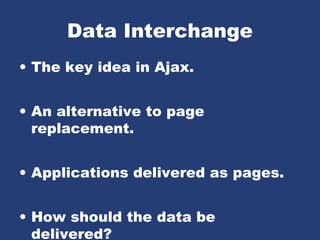
Data Interchange
• The key idea in Ajax.
• An alternative to page
replacement.
• Applications delivered as pages.
• How should the data be
delivered?
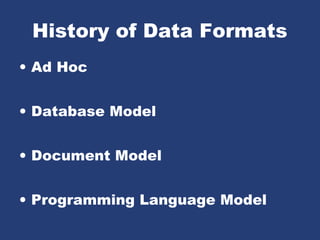
History of Data Formats
• Ad Hoc
• Database Model
• Document Model
• Programming Language Model
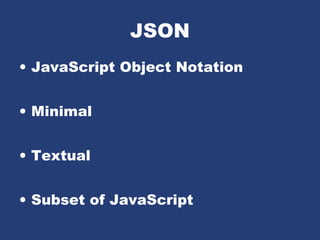
JSON
• JavaScript Object Notation
• Minimal
• Textual
• Subset of JavaScript
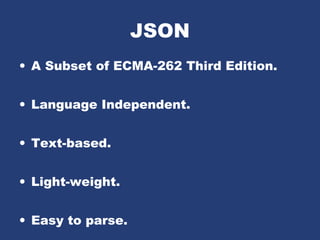
JSON
• A Subset of ECMA-262 Third Edition.
• Language Independent.
• Text-based.
• Light-weight.
• Easy to parse.
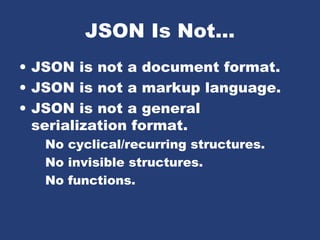
JSON Is Not...
• JSON is not a document format.
• JSON is not a markup language.
• JSON is not a general
serialization format.
No cyclical/recurring structures.
No invisible structures.
No functions.
History
• 1999 ECMAScript Third Edition
• 2001 State Software, Inc.
• 2002 JSON.org
• 2005 Ajax
• 2006 RFC 4627
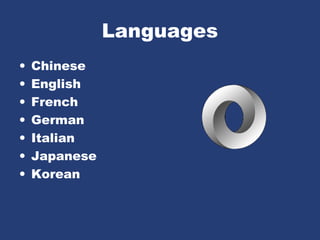
Languages
• Chinese
• English
• French
• German
• Italian
• Japanese
• Korean
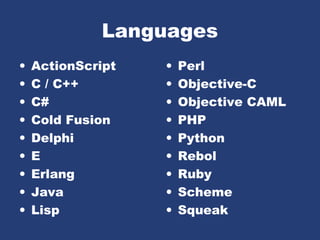
Languages
• ActionScript
• C / C++
• C#
• Cold Fusion
• Delphi
• E
• Erlang
• Java
• Lisp
• Perl
• Objective-C
• Objective CAML
• PHP
• Python
• Rebol
• Ruby
• Scheme
• Squeak
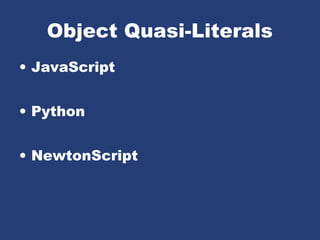
Object Quasi-Literals
• JavaScript
• Python
• NewtonScript
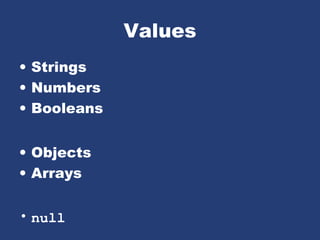
Values
• Strings
• Numbers
• Booleans
• Objects
• Arrays
• null
Value
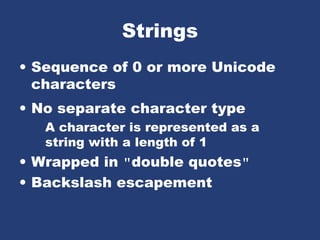
Strings
• Sequence of 0 or more Unicode
characters
• No separate character type
A character is represented as a
string with a length of 1
• Wrapped in "double quotes"
• Backslash escapement
String
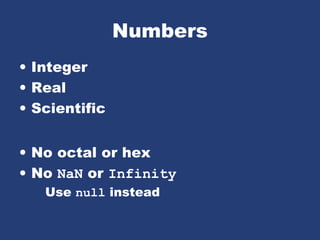
Numbers
• Integer
• Real
• Scientific
• No octal or hex
• No NaN or Infinity
Use null instead
Number
Booleans
• true
• false
null
• A value that isn't anything
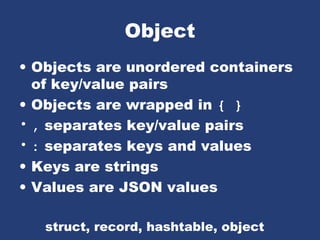
Object
• Objects are unordered containers
of key/value pairs
• Objects are wrapped in { }
• , separates key/value pairs
• : separates keys and values
• Keys are strings
• Values are JSON values
struct, record, hashtable, object
Object
Object
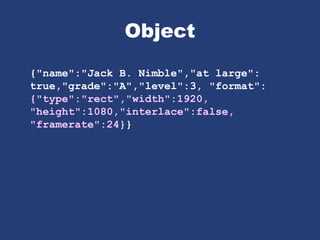
{"name":"Jack B. Nimble","at large":
true,"grade":"A","level":3, "format":
{"type":"rect","width":1920,
"height":1080,"interlace":false,
"framerate":24}}
Object
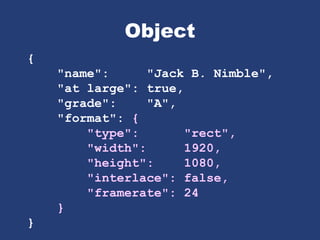
{
"name": "Jack B. Nimble",
"at large": true,
"grade": "A",
"format": {
"type": "rect",
"width": 1920,
"height": 1080,
"interlace": false,
"framerate": 24
}
}
Array
• Arrays are ordered sequences of
values
• Arrays are wrapped in []
• , separates values
• JSON does not talk about
indexing.
An implementation can start array
indexing at 0 or 1.
Array
Array
["Sunday", "Monday", "Tuesday",
"Wednesday", "Thursday",
"Friday", "Saturday"]
[
[0, -1, 0],
[1, 0, 0],
[0, 0, 1]
]
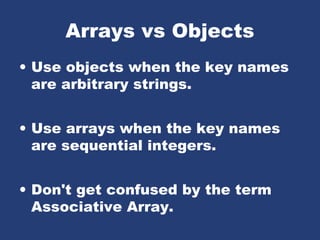
Arrays vs Objects
• Use objects when the key names
are arbitrary strings.
• Use arrays when the key names
are sequential integers.
• Don't get confused by the term
Associative Array.
MIME Media Type
application/json
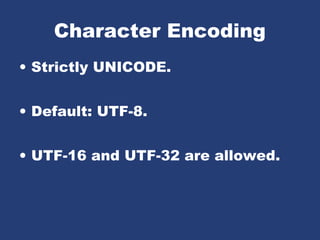
Character Encoding
• Strictly UNICODE.
• Default: UTF-8.
• UTF-16 and UTF-32 are allowed.
Versionless
• JSON has no version number.
• No revisions to the JSON
grammar are anticipated.
• JSON is very stable.
Rules
• A JSON decoder must accept all
well-formed JSON text.
• A JSON decoder may also accept
non-JSON text.
• A JSON encoder must only
produce well-formed JSON text.
• Be conservative in what you do,
be liberal in what you accept from
others.
Supersets
• YAML is a superset of JSON.
A YAML decoder is a JSON decoder.
• JavaScript is a superset of JSON.
A JavaScript compiler is a JSON
decoder.
• New programming languages
based on JSON.
JSON is the X in Ajax
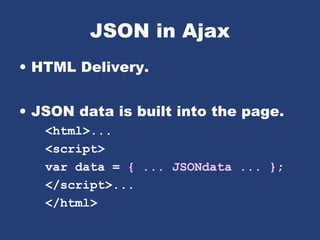
JSON in Ajax
• HTML Delivery.
• JSON data is built into the page.
<html>...
<script>
var data = { ... JSONdata ... };
</script>...
</html>
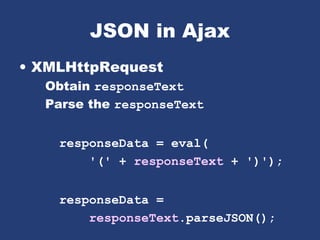
JSON in Ajax
• XMLHttpRequest
Obtain responseText
Parse the responseText
responseData = eval(
'(' + responseText + ')');
responseData =
responseText.parseJSON();
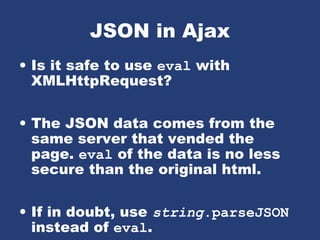
JSON in Ajax
• Is it safe to use eval with
XMLHttpRequest?
• The JSON data comes from the
same server that vended the
page. eval of the data is no less
secure than the original html.
• If in doubt, use string.parseJSON
instead of eval.
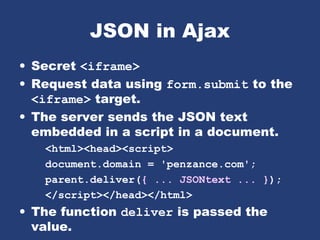
JSON in Ajax
• Secret <iframe>
• Request data using form.submit to the
<iframe> target.
• The server sends the JSON text
embedded in a script in a document.
<html><head><script>
document.domain = 'penzance.com';
parent.deliver({ ... JSONtext ... });
</script></head></html>
• The function deliver is passed the
value.
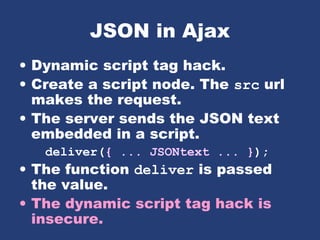
JSON in Ajax
• Dynamic script tag hack.
• Create a script node. The src url
makes the request.
• The server sends the JSON text
embedded in a script.
deliver({ ... JSONtext ... });
• The function deliver is passed
the value.
• The dynamic script tag hack is
insecure.
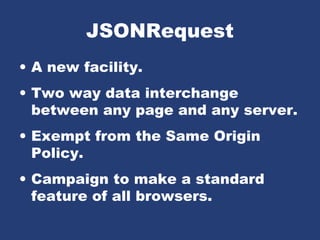
JSONRequest
• A new facility.
• Two way data interchange
between any page and any server.
• Exempt from the Same Origin
Policy.
• Campaign to make a standard
feature of all browsers.
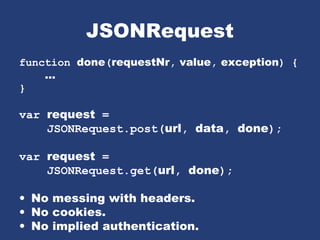
JSONRequest
function done(requestNr, value, exception) {
...
}
var request =
JSONRequest.post(url, data, done);
var request =
JSONRequest.get(url, done);
• No messing with headers.
• No cookies.
• No implied authentication.
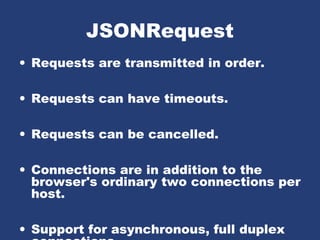
JSONRequest
• Requests are transmitted in order.
• Requests can have timeouts.
• Requests can be cancelled.
• Connections are in addition to the
browser's ordinary two connections per
host.
• Support for asynchronous, full duplex
JSONRequest
• Tell your favorite browser maker
I want JSONRequest!
http://www.JSON.org/JSONRequest.html
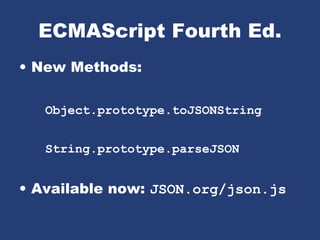
ECMAScript Fourth Ed.
• New Methods:
Object.prototype.toJSONString
String.prototype.parseJSON
• Available now: JSON.org/json.js
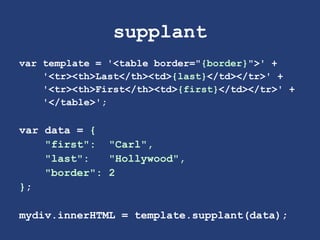
supplant
var template = '<table border="{border}">' +
'<tr><th>Last</th><td>{last}</td></tr>' +
'<tr><th>First</th><td>{first}</td></tr>' +
'</table>';
var data = {
"first": "Carl",
"last": "Hollywood",
"border": 2
};
mydiv.innerHTML = template.supplant(data);
supplant
String.prototype.supplant = function (o) {
return this.replace(/{([^{}]*)}/g,
function (a, b) {
var r = o[b];
return typeof r === 'string' ?
r : a;
}
);
};
JSONT
var rules = {
self:
'<svg><{closed} stroke="{color}" points="{points}" /></svg>',
closed: function (x) {return x ? 'polygon' : 'polyline';},
'points[*][*]': '{$} '
};
var data = {
"color": "blue",
"closed": true,
"points": [[10,10], [20,10], [20,20], [10,20]]
};
jsonT(data, rules)
<svg><polygon stroke="blue"
points="10 10 20 10 20 20 10 20 " /></svg>
http://goessner.net/articles/jsont/
function jsonT(self, rules) {
var T = {
output: false,
init: function () {
for (var rule in rules) if (rule.substr(0,4) != "self") rules["self." + rule] = rules[rule];
return this;
},
apply: function(expr) {
var trf = function (s) {
return s.replace(/{([A-Za-z0-9_$.[]'@()]+)}/g, function ($0, $1){
return T.processArg($1, expr);
})
}, x = expr.replace(/[[0-9]+]/g, "[*]"), res;
if (x in rules) {
if (typeof(rules[x]) == "string") res = trf(rules[x]);
else if (typeof(rules[x]) == "function") res = trf(rules[x](eval(expr)).toString());
} else res = T.eval(expr);
return res;
},
processArg: function (arg, parentExpr) {
var expand = function (a, e) {
return (e = a.replace(/^$/,e)).substr(0, 4) != "self" ? ("self." + e) : e;
}, res = "";
T.output = true;
if (arg.charAt(0) == "@") res = eval(arg.replace(/@([A-za-z0-9_]+)(([A-Za-z0-9_$.[]']+))/, function($0, $1, $2){
return "rules['self." + $1 + "'](" + expand($2,parentExpr) + ")";
}));
else if (arg != "$") res = T.apply(expand(arg, parentExpr));
else res = T.eval(parentExpr);
T.output = false;
return res;
},
eval: function (expr) {
var v = eval(expr), res = "";
if (typeof(v) != "undefined") {
if (v instanceof Array) {
for (var i = 0; i < v.length; i++) if (typeof(v[i]) != "undefined") res += T.apply(expr + "[" + i + "]");
} else if (typeof(v) == "object") {
for (var m in v) if (typeof(v[m]) != "undefined") res += T.apply(expr+"."+m);
} else if (T.output) res += v;
}
return res;
}
};
return T.init().apply("self");
}
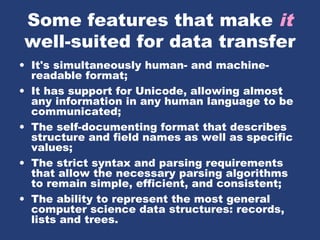
Some features that make it
well-suited for data transfer
• It's simultaneously human- and machine-
readable format;
• It has support for Unicode, allowing almost
any information in any human language to be
communicated;
• The self-documenting format that describes
structure and field names as well as specific
values;
• The strict syntax and parsing requirements
that allow the necessary parsing algorithms
to remain simple, efficient, and consistent;
• The ability to represent the most general
computer science data structures: records,
lists and trees.
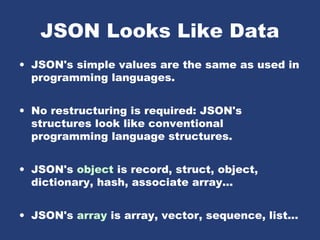
JSON Looks Like Data
• JSON's simple values are the same as used in
programming languages.
• No restructuring is required: JSON's
structures look like conventional
programming language structures.
• JSON's object is record, struct, object,
dictionary, hash, associate array...
• JSON's array is array, vector, sequence, list...
Arguments against JSON
• JSON Doesn't Have Namespaces.
• JSON Has No Validator.
• JSON Is Not Extensible.
• JSON Is Not XML.
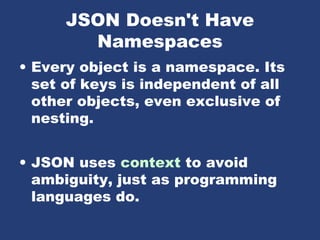
JSON Doesn't Have
Namespaces
• Every object is a namespace. Its
set of keys is independent of all
other objects, even exclusive of
nesting.
• JSON uses context to avoid
ambiguity, just as programming
languages do.
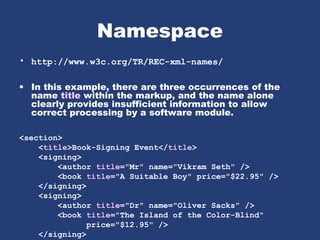
Namespace
• http://www.w3c.org/TR/REC-xml-names/
• In this example, there are three occurrences of the
name title within the markup, and the name alone
clearly provides insufficient information to allow
correct processing by a software module.
<section>
<title>Book-Signing Event</title>
<signing>
<author title="Mr" name="Vikram Seth" />
<book title="A Suitable Boy" price="$22.95" />
</signing>
<signing>
<author title="Dr" name="Oliver Sacks" />
<book title="The Island of the Color-Blind"
price="$12.95" />
</signing>
Namespace
{"section":
"title": "Book-Signing Event",
"signing": [
{
"author": { "title": "Mr", "name": "Vikram Seth" },
"book": { "title": "A Suitable Boy",
"price": "$22.95" }
}, {
"author": { "title": "Dr", "name": "Oliver Sacks" },
"book": { "title": "The Island of the Color-Blind",
"price": "$12.95" }
}
]
}}
• section.title
• section.signing[0].author.title
• section.signing[1].book.title
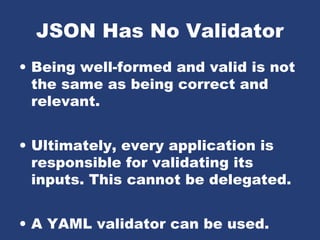
JSON Has No Validator
• Being well-formed and valid is not
the same as being correct and
relevant.
• Ultimately, every application is
responsible for validating its
inputs. This cannot be delegated.
• A YAML validator can be used.
JSON is Not Extensible
• It does not need to be.
• It can represent any non-recurrent
data structure as is.
• JSON is flexible. New fields can
be added to existing structures
without obsoleting existing
programs.
JSON Is Not XML
• objects
• arrays
• strings
• numbers
• booleans
• null
• element
• attribute
• attribute string
• content
• <![CDATA[ ]]>
• entities
• declarations
• schema
• stylesheets
• comments
• version
• namespace
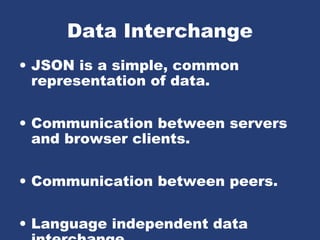
Data Interchange
• JSON is a simple, common
representation of data.
• Communication between servers
and browser clients.
• Communication between peers.
• Language independent data
Why the Name?
• XML is not a good data
interchange format, but it is a
document standard.
• Having a standard to refer to
eliminates a lot of squabbling.
Going Meta
• By adding one level of meta-
encoding, JSON can be made to
do the things that JSON can't do.
• Recurrent and recursive
structures.
• Values beyond the ordinary base
values.
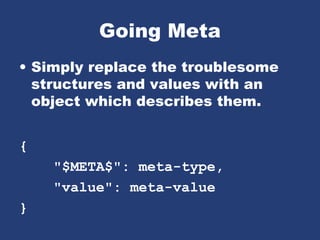
Going Meta
• Simply replace the troublesome
structures and values with an
object which describes them.
{
"$META$": meta-type,
"value": meta-value
}
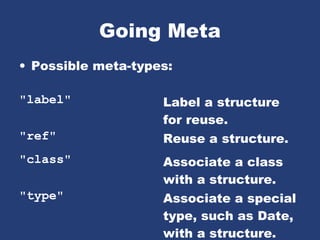
Going Meta
• Possible meta-types:
"label" Label a structure
for reuse.
"ref" Reuse a structure.
"class" Associate a class
with a structure.
"type" Associate a special
type, such as Date,
with a structure.
Browser Innovation
• During the Browser War,
innovation was driven by the
browser makers.
• In the Ajax Age, innovation is
being driven by application
developers.
• The browser makers are falling
behind.
The Mashup Security
Problem
• Mashups are an interesting new
way to build applications.
• Mashups do not work when any of
the modules or widgets contains
information that is private or
represents a connection which is
private.
The Mashup Security
Problem
• JavaScript and the DOM provide
completely inadequate levels of
security.
• Mashups require a security model
that provides cooperation under
mutual suspicion.
The Mashup Security
Solution
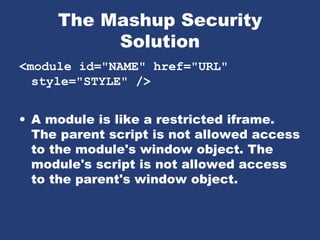
<module id="NAME" href="URL"
style="STYLE" />
• A module is like a restricted iframe.
The parent script is not allowed access
to the module's window object. The
module's script is not allowed access
to the parent's window object.
The Mashup Security
Solution
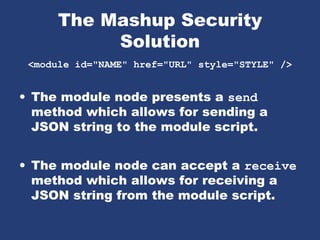
<module id="NAME" href="URL" style="STYLE" />
• The module node presents a send
method which allows for sending a
JSON string to the module script.
• The module node can accept a receive
method which allows for receiving a
JSON string from the module script.
The Mashup Security
Solution
<module id="NAME" href="URL" style="STYLE" />
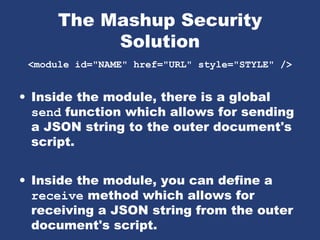
• Inside the module, there is a global
send function which allows for sending
a JSON string to the outer document's
script.
• Inside the module, you can define a
receive method which allows for
receiving a JSON string from the outer
document's script.
The Mashup Security
Solution
<module id="NAME" href="URL" style="STYLE" />
The Mashup Security
Solution
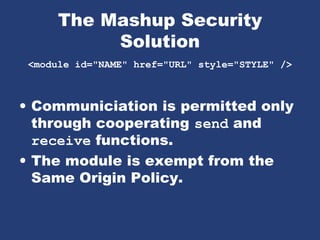
<module id="NAME" href="URL" style="STYLE" />
• Communiciation is permitted only
through cooperating send and
receive functions.
• The module is exempt from the
Same Origin Policy.
The Mashup Security
Solution
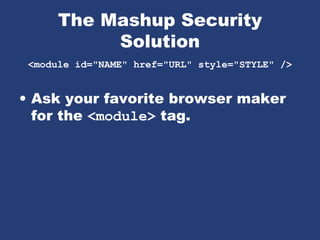
<module id="NAME" href="URL" style="STYLE" />
• Ask your favorite browser maker
for the <module> tag.

Json - ideal for data interchange

  • 1.
  • 2.
    Data Interchange • Thekey idea in Ajax. • An alternative to page replacement. • Applications delivered as pages. • How should the data be delivered?
  • 3.
    History of DataFormats • Ad Hoc • Database Model • Document Model • Programming Language Model
  • 4.
    JSON • JavaScript ObjectNotation • Minimal • Textual • Subset of JavaScript
  • 5.
    JSON • A Subsetof ECMA-262 Third Edition. • Language Independent. • Text-based. • Light-weight. • Easy to parse.
  • 6.
    JSON Is Not... •JSON is not a document format. • JSON is not a markup language. • JSON is not a general serialization format. No cyclical/recurring structures. No invisible structures. No functions.
  • 7.
    History • 1999 ECMAScriptThird Edition • 2001 State Software, Inc. • 2002 JSON.org • 2005 Ajax • 2006 RFC 4627
  • 8.
    Languages • Chinese • English •French • German • Italian • Japanese • Korean
  • 9.
    Languages • ActionScript • C/ C++ • C# • Cold Fusion • Delphi • E • Erlang • Java • Lisp • Perl • Objective-C • Objective CAML • PHP • Python • Rebol • Ruby • Scheme • Squeak
  • 10.
  • 11.
    Values • Strings • Numbers •Booleans • Objects • Arrays • null
  • 12.
  • 13.
    Strings • Sequence of0 or more Unicode characters • No separate character type A character is represented as a string with a length of 1 • Wrapped in "double quotes" • Backslash escapement
  • 14.
  • 15.
    Numbers • Integer • Real •Scientific • No octal or hex • No NaN or Infinity Use null instead
  • 16.
  • 17.
  • 18.
    null • A valuethat isn't anything
  • 19.
    Object • Objects areunordered containers of key/value pairs • Objects are wrapped in { } • , separates key/value pairs • : separates keys and values • Keys are strings • Values are JSON values struct, record, hashtable, object
  • 20.
  • 21.
    Object {"name":"Jack B. Nimble","atlarge": true,"grade":"A","level":3, "format": {"type":"rect","width":1920, "height":1080,"interlace":false, "framerate":24}}
  • 22.
    Object { "name": "Jack B.Nimble", "at large": true, "grade": "A", "format": { "type": "rect", "width": 1920, "height": 1080, "interlace": false, "framerate": 24 } }
  • 23.
    Array • Arrays areordered sequences of values • Arrays are wrapped in [] • , separates values • JSON does not talk about indexing. An implementation can start array indexing at 0 or 1.
  • 24.
  • 25.
    Array ["Sunday", "Monday", "Tuesday", "Wednesday","Thursday", "Friday", "Saturday"] [ [0, -1, 0], [1, 0, 0], [0, 0, 1] ]
  • 26.
    Arrays vs Objects •Use objects when the key names are arbitrary strings. • Use arrays when the key names are sequential integers. • Don't get confused by the term Associative Array.
  • 27.
  • 28.
    Character Encoding • StrictlyUNICODE. • Default: UTF-8. • UTF-16 and UTF-32 are allowed.
  • 29.
    Versionless • JSON hasno version number. • No revisions to the JSON grammar are anticipated. • JSON is very stable.
  • 30.
    Rules • A JSONdecoder must accept all well-formed JSON text. • A JSON decoder may also accept non-JSON text. • A JSON encoder must only produce well-formed JSON text. • Be conservative in what you do, be liberal in what you accept from others.
  • 31.
    Supersets • YAML isa superset of JSON. A YAML decoder is a JSON decoder. • JavaScript is a superset of JSON. A JavaScript compiler is a JSON decoder. • New programming languages based on JSON.
  • 32.
    JSON is theX in Ajax
  • 33.
    JSON in Ajax •HTML Delivery. • JSON data is built into the page. <html>... <script> var data = { ... JSONdata ... }; </script>... </html>
  • 34.
    JSON in Ajax •XMLHttpRequest Obtain responseText Parse the responseText responseData = eval( '(' + responseText + ')'); responseData = responseText.parseJSON();
  • 35.
    JSON in Ajax •Is it safe to use eval with XMLHttpRequest? • The JSON data comes from the same server that vended the page. eval of the data is no less secure than the original html. • If in doubt, use string.parseJSON instead of eval.
  • 36.
    JSON in Ajax •Secret <iframe> • Request data using form.submit to the <iframe> target. • The server sends the JSON text embedded in a script in a document. <html><head><script> document.domain = 'penzance.com'; parent.deliver({ ... JSONtext ... }); </script></head></html> • The function deliver is passed the value.
  • 37.
    JSON in Ajax •Dynamic script tag hack. • Create a script node. The src url makes the request. • The server sends the JSON text embedded in a script. deliver({ ... JSONtext ... }); • The function deliver is passed the value. • The dynamic script tag hack is insecure.
  • 38.
    JSONRequest • A newfacility. • Two way data interchange between any page and any server. • Exempt from the Same Origin Policy. • Campaign to make a standard feature of all browsers.
  • 39.
    JSONRequest function done(requestNr, value,exception) { ... } var request = JSONRequest.post(url, data, done); var request = JSONRequest.get(url, done); • No messing with headers. • No cookies. • No implied authentication.
  • 40.
    JSONRequest • Requests aretransmitted in order. • Requests can have timeouts. • Requests can be cancelled. • Connections are in addition to the browser's ordinary two connections per host. • Support for asynchronous, full duplex
  • 41.
    JSONRequest • Tell yourfavorite browser maker I want JSONRequest! http://www.JSON.org/JSONRequest.html
  • 42.
    ECMAScript Fourth Ed. •New Methods: Object.prototype.toJSONString String.prototype.parseJSON • Available now: JSON.org/json.js
  • 43.
    supplant var template ='<table border="{border}">' + '<tr><th>Last</th><td>{last}</td></tr>' + '<tr><th>First</th><td>{first}</td></tr>' + '</table>'; var data = { "first": "Carl", "last": "Hollywood", "border": 2 }; mydiv.innerHTML = template.supplant(data);
  • 44.
    supplant String.prototype.supplant = function(o) { return this.replace(/{([^{}]*)}/g, function (a, b) { var r = o[b]; return typeof r === 'string' ? r : a; } ); };
  • 45.
    JSONT var rules ={ self: '<svg><{closed} stroke="{color}" points="{points}" /></svg>', closed: function (x) {return x ? 'polygon' : 'polyline';}, 'points[*][*]': '{$} ' }; var data = { "color": "blue", "closed": true, "points": [[10,10], [20,10], [20,20], [10,20]] }; jsonT(data, rules) <svg><polygon stroke="blue" points="10 10 20 10 20 20 10 20 " /></svg>
  • 46.
    http://goessner.net/articles/jsont/ function jsonT(self, rules){ var T = { output: false, init: function () { for (var rule in rules) if (rule.substr(0,4) != "self") rules["self." + rule] = rules[rule]; return this; }, apply: function(expr) { var trf = function (s) { return s.replace(/{([A-Za-z0-9_$.[]'@()]+)}/g, function ($0, $1){ return T.processArg($1, expr); }) }, x = expr.replace(/[[0-9]+]/g, "[*]"), res; if (x in rules) { if (typeof(rules[x]) == "string") res = trf(rules[x]); else if (typeof(rules[x]) == "function") res = trf(rules[x](eval(expr)).toString()); } else res = T.eval(expr); return res; }, processArg: function (arg, parentExpr) { var expand = function (a, e) { return (e = a.replace(/^$/,e)).substr(0, 4) != "self" ? ("self." + e) : e; }, res = ""; T.output = true; if (arg.charAt(0) == "@") res = eval(arg.replace(/@([A-za-z0-9_]+)(([A-Za-z0-9_$.[]']+))/, function($0, $1, $2){ return "rules['self." + $1 + "'](" + expand($2,parentExpr) + ")"; })); else if (arg != "$") res = T.apply(expand(arg, parentExpr)); else res = T.eval(parentExpr); T.output = false; return res; }, eval: function (expr) { var v = eval(expr), res = ""; if (typeof(v) != "undefined") { if (v instanceof Array) { for (var i = 0; i < v.length; i++) if (typeof(v[i]) != "undefined") res += T.apply(expr + "[" + i + "]"); } else if (typeof(v) == "object") { for (var m in v) if (typeof(v[m]) != "undefined") res += T.apply(expr+"."+m); } else if (T.output) res += v; } return res; } }; return T.init().apply("self"); }
  • 47.
    Some features thatmake it well-suited for data transfer • It's simultaneously human- and machine- readable format; • It has support for Unicode, allowing almost any information in any human language to be communicated; • The self-documenting format that describes structure and field names as well as specific values; • The strict syntax and parsing requirements that allow the necessary parsing algorithms to remain simple, efficient, and consistent; • The ability to represent the most general computer science data structures: records, lists and trees.
  • 48.
    JSON Looks LikeData • JSON's simple values are the same as used in programming languages. • No restructuring is required: JSON's structures look like conventional programming language structures. • JSON's object is record, struct, object, dictionary, hash, associate array... • JSON's array is array, vector, sequence, list...
  • 49.
    Arguments against JSON •JSON Doesn't Have Namespaces. • JSON Has No Validator. • JSON Is Not Extensible. • JSON Is Not XML.
  • 50.
    JSON Doesn't Have Namespaces •Every object is a namespace. Its set of keys is independent of all other objects, even exclusive of nesting. • JSON uses context to avoid ambiguity, just as programming languages do.
  • 51.
    Namespace • http://www.w3c.org/TR/REC-xml-names/ • Inthis example, there are three occurrences of the name title within the markup, and the name alone clearly provides insufficient information to allow correct processing by a software module. <section> <title>Book-Signing Event</title> <signing> <author title="Mr" name="Vikram Seth" /> <book title="A Suitable Boy" price="$22.95" /> </signing> <signing> <author title="Dr" name="Oliver Sacks" /> <book title="The Island of the Color-Blind" price="$12.95" /> </signing>
  • 52.
    Namespace {"section": "title": "Book-Signing Event", "signing":[ { "author": { "title": "Mr", "name": "Vikram Seth" }, "book": { "title": "A Suitable Boy", "price": "$22.95" } }, { "author": { "title": "Dr", "name": "Oliver Sacks" }, "book": { "title": "The Island of the Color-Blind", "price": "$12.95" } } ] }} • section.title • section.signing[0].author.title • section.signing[1].book.title
  • 53.
    JSON Has NoValidator • Being well-formed and valid is not the same as being correct and relevant. • Ultimately, every application is responsible for validating its inputs. This cannot be delegated. • A YAML validator can be used.
  • 54.
    JSON is NotExtensible • It does not need to be. • It can represent any non-recurrent data structure as is. • JSON is flexible. New fields can be added to existing structures without obsoleting existing programs.
  • 55.
    JSON Is NotXML • objects • arrays • strings • numbers • booleans • null • element • attribute • attribute string • content • <![CDATA[ ]]> • entities • declarations • schema • stylesheets • comments • version • namespace
  • 56.
    Data Interchange • JSONis a simple, common representation of data. • Communication between servers and browser clients. • Communication between peers. • Language independent data
  • 57.
    Why the Name? •XML is not a good data interchange format, but it is a document standard. • Having a standard to refer to eliminates a lot of squabbling.
  • 58.
    Going Meta • Byadding one level of meta- encoding, JSON can be made to do the things that JSON can't do. • Recurrent and recursive structures. • Values beyond the ordinary base values.
  • 59.
    Going Meta • Simplyreplace the troublesome structures and values with an object which describes them. { "$META$": meta-type, "value": meta-value }
  • 60.
    Going Meta • Possiblemeta-types: "label" Label a structure for reuse. "ref" Reuse a structure. "class" Associate a class with a structure. "type" Associate a special type, such as Date, with a structure.
  • 61.
    Browser Innovation • Duringthe Browser War, innovation was driven by the browser makers. • In the Ajax Age, innovation is being driven by application developers. • The browser makers are falling behind.
  • 62.
    The Mashup Security Problem •Mashups are an interesting new way to build applications. • Mashups do not work when any of the modules or widgets contains information that is private or represents a connection which is private.
  • 63.
    The Mashup Security Problem •JavaScript and the DOM provide completely inadequate levels of security. • Mashups require a security model that provides cooperation under mutual suspicion.
  • 64.
    The Mashup Security Solution <moduleid="NAME" href="URL" style="STYLE" /> • A module is like a restricted iframe. The parent script is not allowed access to the module's window object. The module's script is not allowed access to the parent's window object.
  • 65.
    The Mashup Security Solution <moduleid="NAME" href="URL" style="STYLE" /> • The module node presents a send method which allows for sending a JSON string to the module script. • The module node can accept a receive method which allows for receiving a JSON string from the module script.
  • 66.
    The Mashup Security Solution <moduleid="NAME" href="URL" style="STYLE" /> • Inside the module, there is a global send function which allows for sending a JSON string to the outer document's script. • Inside the module, you can define a receive method which allows for receiving a JSON string from the outer document's script.
  • 67.
    The Mashup Security Solution <moduleid="NAME" href="URL" style="STYLE" />
  • 68.
    The Mashup Security Solution <moduleid="NAME" href="URL" style="STYLE" /> • Communiciation is permitted only through cooperating send and receive functions. • The module is exempt from the Same Origin Policy.
  • 69.
    The Mashup Security Solution <moduleid="NAME" href="URL" style="STYLE" /> • Ask your favorite browser maker for the <module> tag.