Unit-2
JSAON
JSON Introduction
• JSON: JavaScript Object Notation.
• JSON is a syntax for storing and exchanging
data.
• JSON is text, written with JavaScript object
notation.
Exchanging Data
• When exchanging data between a browser and a
server, the data can only be text.
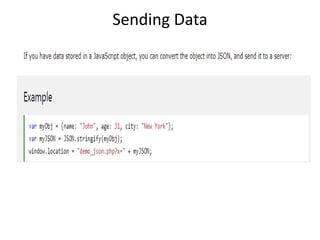
• JSON is text, and we can convert any JavaScript
object into JSON, and send JSON to the server.
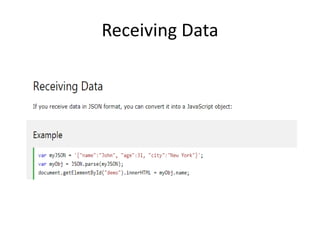
• We can also convert any JSON received from the
server into JavaScript objects.
• This way we can work with the data as JavaScript
objects, with no complicated parsing and
translations.
Sending Data
Receiving Data
JSON Syntax
• The JSON syntax is a subset of the JavaScript
syntax.
JSON Syntax Rules
JSON syntax is derived from JavaScript object
notation syntax:
• Data is in name/value pairs
• Data is separated by commas
• Curly braces hold objects
• Square brackets hold arrays
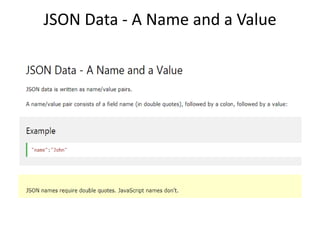
JSON Data - A Name and a Value
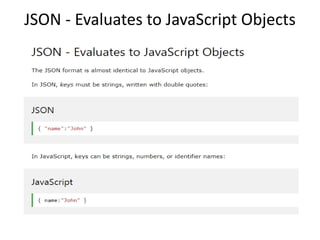
JSON - Evaluates to JavaScript Objects
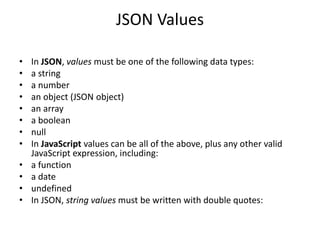
JSON Values
• In JSON, values must be one of the following data types:
• a string
• a number
• an object (JSON object)
• an array
• a boolean
• null
• In JavaScript values can be all of the above, plus any other valid
JavaScript expression, including:
• a function
• a date
• undefined
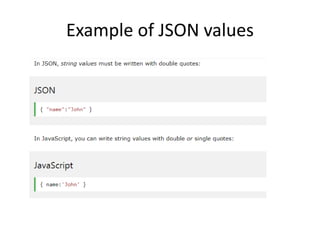
• In JSON, string values must be written with double quotes:
Example of JSON values
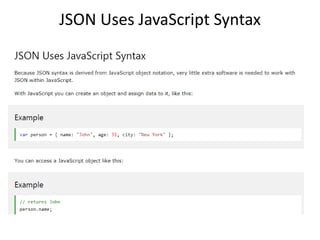
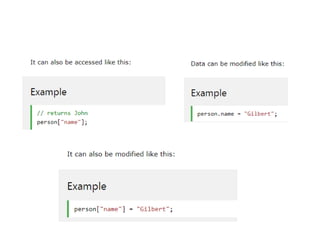
JSON Uses JavaScript Syntax
JSON vs XML
• Both JSON and XML can be used to receive
data from a web server
• XML is used for data storage
• XML is used for data transmission.
• XML and JSON are used extensive in
WebServices.
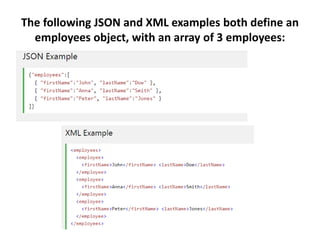
The following JSON and XML examples both define an
employees object, with an array of 3 employees:
JSON VS XML
JSON is Like XML Because
• Both JSON and XML are "self describing"
(human readable)
• Both JSON and XML are hierarchical (values
within values)
• Both JSON and XML can be parsed and used
by lots of programming languages
• Both JSON and XML can be fetched with an
XMLHttpRequest
JSON VS XML
JSON is Unlike XML Because
• JSON doesn't use end tag
• JSON is shorter
• JSON is quicker to read and write
• JSON can use arrays
JSON VS XML
The biggest difference is:
• XML has to be parsed with an XML parser.
JSON can be parsed by a standard JavaScript
function.
Why JSON is Better Than XML?
• XML is much more difficult to parse than
JSON.
• JSON is parsed into a ready-to-use JavaScript
object
JSON VS XML
For AJAX applications, JSON is faster and easier than
XML:
Using XML
• Fetch an XML document
• Use the XML DOM to loop through the document
• Extract values and store in variables
Using JSON
• Fetch a JSON string
• JSON.Parse the JSON string
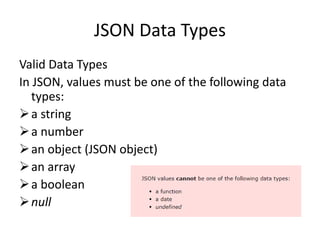
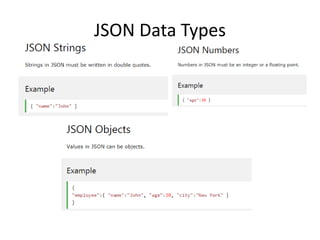
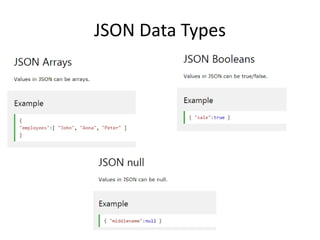
JSON Data Types
Valid Data Types
In JSON, values must be one of the following data
types:
a string
a number
an object (JSON object)
an array
a boolean
null
JSON Data Types
JSON Data Types
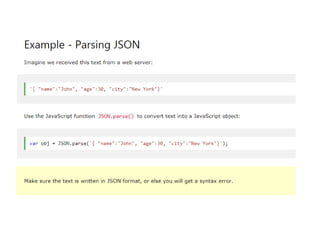
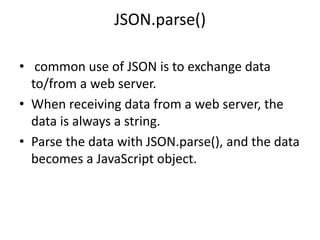
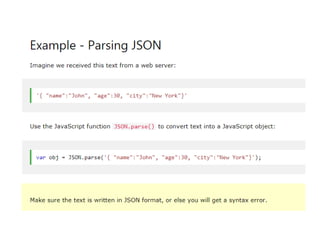
JSON.parse()
• A common use of JSON is to exchange data
to/from a web server.
• When receiving data from a web server, the
data is always a string.
• Parse the data with JSON.parse(), and the data
becomes a JavaScript object.
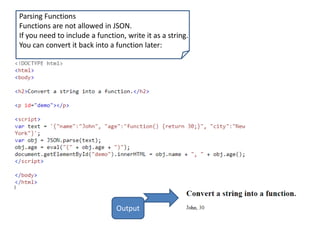
Parsing Functions
Functions are not allowed in JSON.
If you need to include a function, write it as a string.
You can convert it back into a function later:
Output
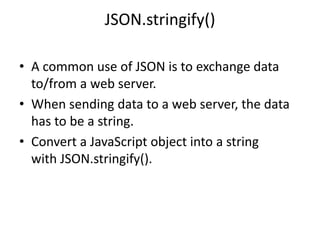
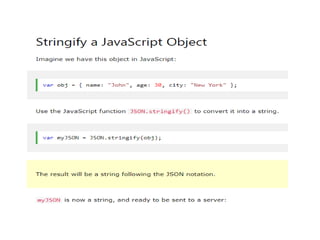
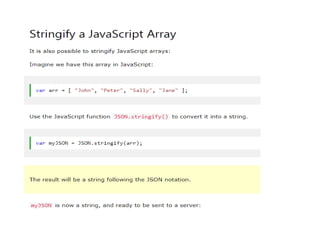
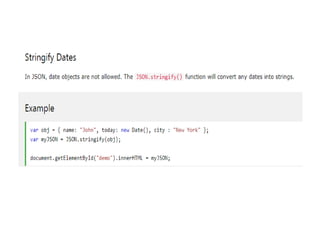
JSON.stringify()
• A common use of JSON is to exchange data
to/from a web server.
• When sending data to a web server, the data
has to be a string.
• Convert a JavaScript object into a string
with JSON.stringify().
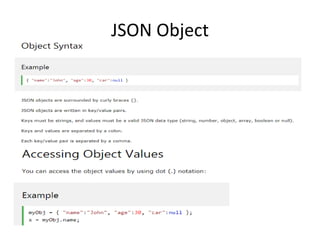
JSON Object
JSON Arrays
• Arrays in JSON are almost the same as arrays
in JavaScript.
• In JSON, array values must be of type string,
number, object, array, boolean or null.
• In JavaScript, array values can be all of the
above, plus any other valid JavaScript
expression, including functions, dates,
and undefined.
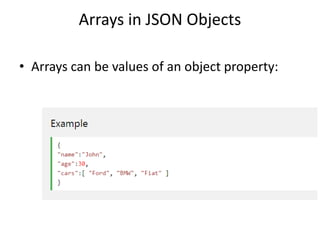
Arrays in JSON Objects
• Arrays can be values of an object property:
JSON Arrays
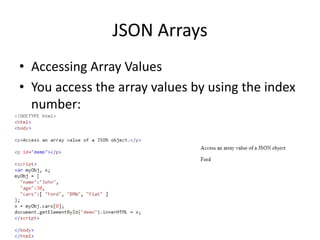
• Accessing Array Values
• You access the array values by using the index
number:
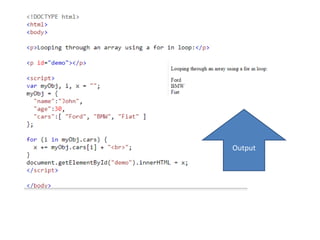
Output
JSON.parse()
• common use of JSON is to exchange data
to/from a web server.
• When receiving data from a web server, the
data is always a string.
• Parse the data with JSON.parse(), and the data
becomes a JavaScript object.
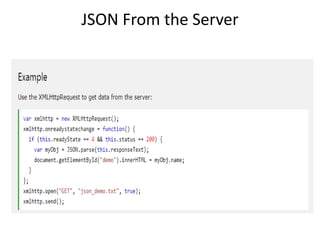
JSON From the Server
• You can request JSON from the server by using
an AJAX request
• As long as the response from the server is
written in JSON format, you can parse the
string into a JavaScript object.
JSON From the Server
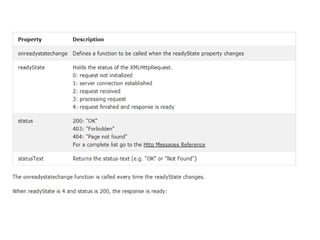
The onreadystatechange Property
• The readyState property holds the status of
the XMLHttpRequest.
• The onreadystatechange property defines a
function to be executed when the readyState
changes.
• The status property and
the statusText property holds the status of the
XMLHttpRequest object.
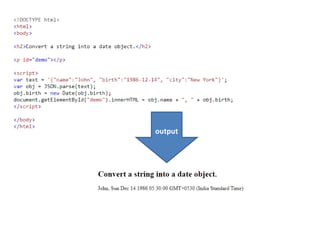
Parsing Dates
• Date objects are not allowed in JSON.
• If you need to include a date, write it as a
string.
• You can convert it back into a date object
later:
output
JSON Arrays

Unit-2.pptx

  • 1.
  • 2.
    JSON Introduction • JSON:JavaScript Object Notation. • JSON is a syntax for storing and exchanging data. • JSON is text, written with JavaScript object notation.
  • 3.
    Exchanging Data • Whenexchanging data between a browser and a server, the data can only be text. • JSON is text, and we can convert any JavaScript object into JSON, and send JSON to the server. • We can also convert any JSON received from the server into JavaScript objects. • This way we can work with the data as JavaScript objects, with no complicated parsing and translations.
  • 4.
  • 5.
  • 6.
    JSON Syntax • TheJSON syntax is a subset of the JavaScript syntax. JSON Syntax Rules JSON syntax is derived from JavaScript object notation syntax: • Data is in name/value pairs • Data is separated by commas • Curly braces hold objects • Square brackets hold arrays
  • 7.
    JSON Data -A Name and a Value
  • 8.
    JSON - Evaluatesto JavaScript Objects
  • 9.
    JSON Values • InJSON, values must be one of the following data types: • a string • a number • an object (JSON object) • an array • a boolean • null • In JavaScript values can be all of the above, plus any other valid JavaScript expression, including: • a function • a date • undefined • In JSON, string values must be written with double quotes:
  • 10.
  • 11.
  • 13.
    JSON vs XML •Both JSON and XML can be used to receive data from a web server • XML is used for data storage • XML is used for data transmission. • XML and JSON are used extensive in WebServices.
  • 14.
    The following JSONand XML examples both define an employees object, with an array of 3 employees:
  • 15.
    JSON VS XML JSONis Like XML Because • Both JSON and XML are "self describing" (human readable) • Both JSON and XML are hierarchical (values within values) • Both JSON and XML can be parsed and used by lots of programming languages • Both JSON and XML can be fetched with an XMLHttpRequest
  • 16.
    JSON VS XML JSONis Unlike XML Because • JSON doesn't use end tag • JSON is shorter • JSON is quicker to read and write • JSON can use arrays
  • 17.
    JSON VS XML Thebiggest difference is: • XML has to be parsed with an XML parser. JSON can be parsed by a standard JavaScript function.
  • 18.
    Why JSON isBetter Than XML? • XML is much more difficult to parse than JSON. • JSON is parsed into a ready-to-use JavaScript object
  • 19.
    JSON VS XML ForAJAX applications, JSON is faster and easier than XML: Using XML • Fetch an XML document • Use the XML DOM to loop through the document • Extract values and store in variables Using JSON • Fetch a JSON string • JSON.Parse the JSON string
  • 20.
    JSON Data Types ValidData Types In JSON, values must be one of the following data types: a string a number an object (JSON object) an array a boolean null
  • 21.
  • 22.
  • 23.
    JSON.parse() • A commonuse of JSON is to exchange data to/from a web server. • When receiving data from a web server, the data is always a string. • Parse the data with JSON.parse(), and the data becomes a JavaScript object.
  • 25.
    Parsing Functions Functions arenot allowed in JSON. If you need to include a function, write it as a string. You can convert it back into a function later: Output
  • 26.
    JSON.stringify() • A commonuse of JSON is to exchange data to/from a web server. • When sending data to a web server, the data has to be a string. • Convert a JavaScript object into a string with JSON.stringify().
  • 30.
  • 31.
    JSON Arrays • Arraysin JSON are almost the same as arrays in JavaScript. • In JSON, array values must be of type string, number, object, array, boolean or null. • In JavaScript, array values can be all of the above, plus any other valid JavaScript expression, including functions, dates, and undefined.
  • 32.
    Arrays in JSONObjects • Arrays can be values of an object property:
  • 33.
    JSON Arrays • AccessingArray Values • You access the array values by using the index number:
  • 34.
  • 36.
    JSON.parse() • common useof JSON is to exchange data to/from a web server. • When receiving data from a web server, the data is always a string. • Parse the data with JSON.parse(), and the data becomes a JavaScript object.
  • 38.
    JSON From theServer • You can request JSON from the server by using an AJAX request • As long as the response from the server is written in JSON format, you can parse the string into a JavaScript object.
  • 39.
  • 40.
    The onreadystatechange Property •The readyState property holds the status of the XMLHttpRequest. • The onreadystatechange property defines a function to be executed when the readyState changes. • The status property and the statusText property holds the status of the XMLHttpRequest object.
  • 42.
    Parsing Dates • Dateobjects are not allowed in JSON. • If you need to include a date, write it as a string. • You can convert it back into a date object later:
  • 43.
  • 44.