Introduction to
JSON (JavaScript
Object Notation)
Sang Shin
Java Technology Architect
Sun Microsystems, Inc.
sang.shin@sun.com
www.javapassion.com
Disclaimer & Acknowledgments
●   Even though Sang Shin is a full-time employee of
    Sun Microsystems, the contents here are created as
    his own personal endeavor and thus does not reflect
    any official stance of Sun Microsystems


                                                     2
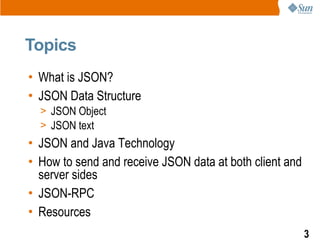
Topics
• What is JSON?
• JSON Data Structure
  > JSON Object
  > JSON text
• JSON and Java Technology
• How to send and receive JSON data at both client and
  server sides
• JSON-RPC
• Resources
                                                         3
What is & Why JSON?
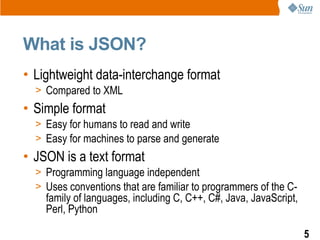
What is JSON?
• Lightweight data-interchange format
  > Compared to XML
• Simple format
  > Easy for humans to read and write
  > Easy for machines to parse and generate
• JSON is a text format
  > Programming language independent
  > Uses conventions that are familiar to programmers of the C-
    family of languages, including C, C++, C#, Java, JavaScript,
    Perl, Python

                                                                   5
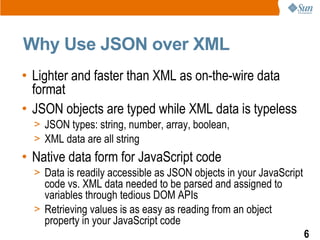
Why Use JSON over XML
• Lighter and faster than XML as on-the-wire data
  format
• JSON objects are typed while XML data is typeless
  > JSON types: string, number, array, boolean,
  > XML data are all string
• Native data form for JavaScript code
  > Data is readily accessible as JSON objects in your JavaScript
    code vs. XML data needed to be parsed and assigned to
    variables through tedious DOM APIs
  > Retrieving values is as easy as reading from an object
    property in your JavaScript code
                                                                    6
Where is JSON Used?
• Represent configuration information
• Implement communication protocols


                                        7
JSON Object
JSON Structures
• A collection of name/value pairs
  > In various languages, this is realized as an object, record,
    struct, dictionary, hash table, keyed list, or associative array
• An ordered list of values
  > In most languages, this is realized as an array, vector, list, or
    sequence
• These are universal data structures supported by
  most modern programming languages


                                                                        9
JSON Object Notation
• A JSON object is an unordered set of name/value
  pairs
• A JSON object begins with { (left brace) and ends
  with } (right brace)
• Each name is followed by : (colon) and the
  name/value pairs are separated by , (comma)


                                                      10
JSON and JavaScript
• JSON is a subset of the object literal notation of
  JavaScript
  > JSON can be used in the JavaScript language with no muss
    or fuss


                                                               11
Example: JSON Object
var myJSONObject = {"bindings": [
        {"ircEvent": "PRIVMSG", "method": "newURI", "regex": "^http://.*"},
        {"ircEvent": "PRIVMSG", "method": "deleteURI", "regex": "^delete.*"},
        {"ircEvent": "PRIVMSG", "method": "randomURI", "regex": "^random.*"}
      ]
   };
• In this example, a JSON JavaScript object is created
  containing a single member "bindings", which contains
  an array containing three objects, each containing
  "ircEvent", "method", and "regex" members
• Members can be retrieved using dot or subscript
  operators
   myJSONObject.bindings[0].method // "newURI"
                                                                            12
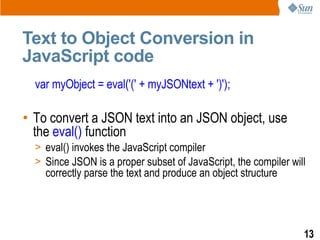
Text to Object Conversion in
JavaScript code
  var myObject = eval('(' + myJSONtext + ')');

• To convert a JSON text into an JSON object, use
  the eval() function
  > eval() invokes the JavaScript compiler
  > Since JSON is a proper subset of JavaScript, the compiler will
    correctly parse the text and produce an object structure


                                                                 13
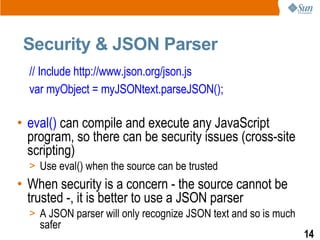
Security & JSON Parser
  // Include http://www.json.org/json.js
  var myObject = myJSONtext.parseJSON();

• eval() can compile and execute any JavaScript
  program, so there can be security issues (cross-site
  scripting)
  > Use eval() when the source can be trusted
• When security is a concern - the source cannot be
  trusted -, it is better to use a JSON parser
  > A JSON parser will only recognize JSON text and so is much
    safer
                                                                 14
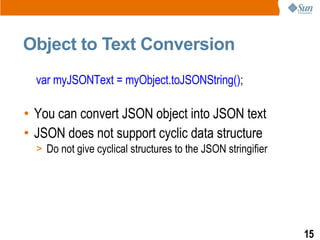
Object to Text Conversion
  var myJSONText = myObject.toJSONString();

• You can convert JSON object into JSON text
• JSON does not support cyclic data structure
  > Do not give cyclical structures to the JSON stringifier


                                                              15
JSON in Java
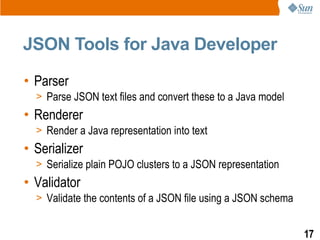
JSON Tools for Java Developer
• Parser
  > Parse JSON text files and convert these to a Java model
• Renderer
  > Render a Java representation into text
• Serializer
  > Serialize plain POJO clusters to a JSON representation
• Validator
  > Validate the contents of a JSON file using a JSON schema


                                                               17
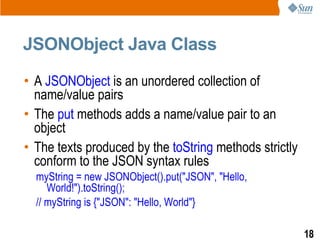
JSONObject Java Class
• A JSONObject is an unordered collection of
  name/value pairs
• The put methods adds a name/value pair to an
  object
• The texts produced by the toString methods strictly
  conform to the JSON syntax rules
  myString = new JSONObject().put("JSON", "Hello,
     World!").toString();
  // myString is {"JSON": "Hello, World"}

                                                        18
How to Send & Receive
JSON Data at Both
Client and Server Side
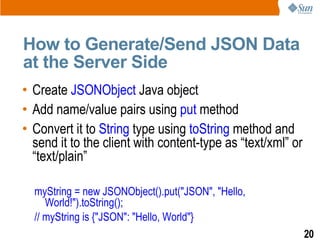
How to Generate/Send JSON Data
at the Server Side
• Create JSONObject Java object
• Add name/value pairs using put method
• Convert it to String type using toString method and
  send it to the client with content-type as “text/xml” or
  “text/plain”

  myString = new JSONObject().put("JSON", "Hello,
     World!").toString();
  // myString is {"JSON": "Hello, World"}
                                                             20
How to Receive JSON Data at the
Client Side
• JSON data is received as a string
• Calling eval() will generate JSON object in
  JavaScript code
  > var JSONdata = eval(req.responseText);
• Once you have JSON object, you can use . notation
  to access its properties
  > var name = JSONdata.name;
  > var address = JSONdata.addresses[3];
  > var streetname = JSONdata.addresses[3].street;
                                                      21
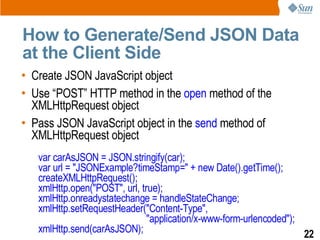
How to Generate/Send JSON Data
at the Client Side
• Create JSON JavaScript object
• Use “POST” HTTP method in the open method of the
  XMLHttpRequest object
• Pass JSON JavaScript object in the send method of
  XMLHttpRequest object
   var carAsJSON = JSON.stringify(car);
   var url = "JSONExample?timeStamp=" + new Date().getTime();
   createXMLHttpRequest();
   xmlHttp.open("POST", url, true);
   xmlHttp.onreadystatechange = handleStateChange;
   xmlHttp.setRequestHeader("Content-Type",
                               "application/x-www-form-urlencoded");
   xmlHttp.send(carAsJSON);                                          22
How to Receive JSON Data at the
Server Side
• Read the JSON data as a String type
• Create JSONObject Java object from the string
  String json = readJSONStringFromRequestBody(request);
  //Use the JSON-Java binding library to create a JSON object in Java
  JSONObject jsonObject = null;
  try {
          jsonObject = new JSONObject(json);
  }
  catch(ParseException pe) {
  }
                                                                        23
JSON-RPC &
JSON-RPC-Java
What is JSON-RPC? What is
JSON-RPC-Java?
• JSON-RPC is a simple remote procedure call
  protocol similar to XML-RPC although it uses the
  lightweight JSON format instead of XML
• JSON-RPC-Java is a Java implementation of the
  JSON-RPC protocol


                                                     25
Why JSON-RPC-Java?
• It allows you to transparently call server-side Java
  code from JavaScript with an included lightweight
  JSON-RPC JavaScript client
• It is designed to run in a Servlet container such as
  Tomcat and can be used with J2EE Application
  servers to allow calling of plain Java or EJB methods
  from within a JavaScript DHTML web application


                                                      26
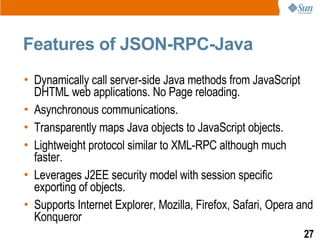
Features of JSON-RPC-Java
• Dynamically call server-side Java methods from JavaScript
  DHTML web applications. No Page reloading.
• Asynchronous communications.
• Transparently maps Java objects to JavaScript objects.
• Lightweight protocol similar to XML-RPC although much
  faster.
• Leverages J2EE security model with session specific
  exporting of objects.
• Supports Internet Explorer, Mozilla, Firefox, Safari, Opera and
  Konqueror
                                                              27
Resources
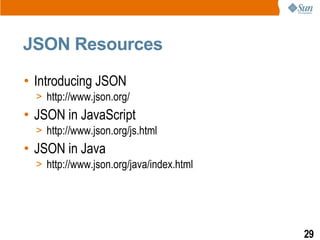
JSON Resources
• Introducing JSON
  > http://www.json.org/
• JSON in JavaScript
  > http://www.json.org/js.html
• JSON in Java
  > http://www.json.org/java/index.html


                                          29
Introduction to
JSON (JavaScript
Object Notation)
Sang Shin
Java Technology Architect
Sun Microsystems, Inc.
sang.shin@sun.com
www.javapassion.com

Json

  • 1.
    Introduction to JSON (JavaScript ObjectNotation) Sang Shin Java Technology Architect Sun Microsystems, Inc. sang.shin@sun.com www.javapassion.com
  • 2.
    Disclaimer & Acknowledgments ● Even though Sang Shin is a full-time employee of Sun Microsystems, the contents here are created as his own personal endeavor and thus does not reflect any official stance of Sun Microsystems 2
  • 3.
    Topics • What isJSON? • JSON Data Structure > JSON Object > JSON text • JSON and Java Technology • How to send and receive JSON data at both client and server sides • JSON-RPC • Resources 3
  • 4.
    What is &Why JSON?
  • 5.
    What is JSON? •Lightweight data-interchange format > Compared to XML • Simple format > Easy for humans to read and write > Easy for machines to parse and generate • JSON is a text format > Programming language independent > Uses conventions that are familiar to programmers of the C- family of languages, including C, C++, C#, Java, JavaScript, Perl, Python 5
  • 6.
    Why Use JSONover XML • Lighter and faster than XML as on-the-wire data format • JSON objects are typed while XML data is typeless > JSON types: string, number, array, boolean, > XML data are all string • Native data form for JavaScript code > Data is readily accessible as JSON objects in your JavaScript code vs. XML data needed to be parsed and assigned to variables through tedious DOM APIs > Retrieving values is as easy as reading from an object property in your JavaScript code 6
  • 7.
    Where is JSONUsed? • Represent configuration information • Implement communication protocols 7
  • 8.
  • 9.
    JSON Structures • Acollection of name/value pairs > In various languages, this is realized as an object, record, struct, dictionary, hash table, keyed list, or associative array • An ordered list of values > In most languages, this is realized as an array, vector, list, or sequence • These are universal data structures supported by most modern programming languages 9
  • 10.
    JSON Object Notation •A JSON object is an unordered set of name/value pairs • A JSON object begins with { (left brace) and ends with } (right brace) • Each name is followed by : (colon) and the name/value pairs are separated by , (comma) 10
  • 11.
    JSON and JavaScript •JSON is a subset of the object literal notation of JavaScript > JSON can be used in the JavaScript language with no muss or fuss 11
  • 12.
    Example: JSON Object varmyJSONObject = {"bindings": [ {"ircEvent": "PRIVMSG", "method": "newURI", "regex": "^http://.*"}, {"ircEvent": "PRIVMSG", "method": "deleteURI", "regex": "^delete.*"}, {"ircEvent": "PRIVMSG", "method": "randomURI", "regex": "^random.*"} ] }; • In this example, a JSON JavaScript object is created containing a single member "bindings", which contains an array containing three objects, each containing "ircEvent", "method", and "regex" members • Members can be retrieved using dot or subscript operators myJSONObject.bindings[0].method // "newURI" 12
  • 13.
    Text to ObjectConversion in JavaScript code var myObject = eval('(' + myJSONtext + ')'); • To convert a JSON text into an JSON object, use the eval() function > eval() invokes the JavaScript compiler > Since JSON is a proper subset of JavaScript, the compiler will correctly parse the text and produce an object structure 13
  • 14.
    Security & JSONParser // Include http://www.json.org/json.js var myObject = myJSONtext.parseJSON(); • eval() can compile and execute any JavaScript program, so there can be security issues (cross-site scripting) > Use eval() when the source can be trusted • When security is a concern - the source cannot be trusted -, it is better to use a JSON parser > A JSON parser will only recognize JSON text and so is much safer 14
  • 15.
    Object to TextConversion var myJSONText = myObject.toJSONString(); • You can convert JSON object into JSON text • JSON does not support cyclic data structure > Do not give cyclical structures to the JSON stringifier 15
  • 16.
  • 17.
    JSON Tools forJava Developer • Parser > Parse JSON text files and convert these to a Java model • Renderer > Render a Java representation into text • Serializer > Serialize plain POJO clusters to a JSON representation • Validator > Validate the contents of a JSON file using a JSON schema 17
  • 18.
    JSONObject Java Class •A JSONObject is an unordered collection of name/value pairs • The put methods adds a name/value pair to an object • The texts produced by the toString methods strictly conform to the JSON syntax rules myString = new JSONObject().put("JSON", "Hello, World!").toString(); // myString is {"JSON": "Hello, World"} 18
  • 19.
    How to Send& Receive JSON Data at Both Client and Server Side
  • 20.
    How to Generate/SendJSON Data at the Server Side • Create JSONObject Java object • Add name/value pairs using put method • Convert it to String type using toString method and send it to the client with content-type as “text/xml” or “text/plain” myString = new JSONObject().put("JSON", "Hello, World!").toString(); // myString is {"JSON": "Hello, World"} 20
  • 21.
    How to ReceiveJSON Data at the Client Side • JSON data is received as a string • Calling eval() will generate JSON object in JavaScript code > var JSONdata = eval(req.responseText); • Once you have JSON object, you can use . notation to access its properties > var name = JSONdata.name; > var address = JSONdata.addresses[3]; > var streetname = JSONdata.addresses[3].street; 21
  • 22.
    How to Generate/SendJSON Data at the Client Side • Create JSON JavaScript object • Use “POST” HTTP method in the open method of the XMLHttpRequest object • Pass JSON JavaScript object in the send method of XMLHttpRequest object var carAsJSON = JSON.stringify(car); var url = "JSONExample?timeStamp=" + new Date().getTime(); createXMLHttpRequest(); xmlHttp.open("POST", url, true); xmlHttp.onreadystatechange = handleStateChange; xmlHttp.setRequestHeader("Content-Type", "application/x-www-form-urlencoded"); xmlHttp.send(carAsJSON); 22
  • 23.
    How to ReceiveJSON Data at the Server Side • Read the JSON data as a String type • Create JSONObject Java object from the string String json = readJSONStringFromRequestBody(request); //Use the JSON-Java binding library to create a JSON object in Java JSONObject jsonObject = null; try { jsonObject = new JSONObject(json); } catch(ParseException pe) { } 23
  • 24.
  • 25.
    What is JSON-RPC?What is JSON-RPC-Java? • JSON-RPC is a simple remote procedure call protocol similar to XML-RPC although it uses the lightweight JSON format instead of XML • JSON-RPC-Java is a Java implementation of the JSON-RPC protocol 25
  • 26.
    Why JSON-RPC-Java? • Itallows you to transparently call server-side Java code from JavaScript with an included lightweight JSON-RPC JavaScript client • It is designed to run in a Servlet container such as Tomcat and can be used with J2EE Application servers to allow calling of plain Java or EJB methods from within a JavaScript DHTML web application 26
  • 27.
    Features of JSON-RPC-Java •Dynamically call server-side Java methods from JavaScript DHTML web applications. No Page reloading. • Asynchronous communications. • Transparently maps Java objects to JavaScript objects. • Lightweight protocol similar to XML-RPC although much faster. • Leverages J2EE security model with session specific exporting of objects. • Supports Internet Explorer, Mozilla, Firefox, Safari, Opera and Konqueror 27
  • 28.
  • 29.
    JSON Resources • IntroducingJSON > http://www.json.org/ • JSON in JavaScript > http://www.json.org/js.html • JSON in Java > http://www.json.org/java/index.html 29
  • 30.
    Introduction to JSON (JavaScript ObjectNotation) Sang Shin Java Technology Architect Sun Microsystems, Inc. sang.shin@sun.com www.javapassion.com