Windows to Linux: A developer's perspective: A short discussion of the advantages,  disadvantages and issues that arise when  introducing Linux into your systems. 7 th  April 2011 Andrew Webb
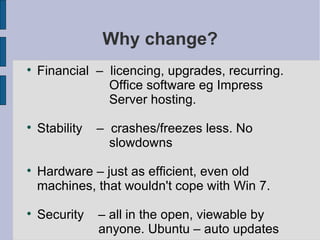
Why change? Financial  –  licencing, upgrades, recurring. Office software eg Impress Server hosting. Stability  –  crashes/freezes less. No slowdowns Hardware – just as efficient, even old  machines, that wouldn't cope with Win 7. Security  – all in the open, viewable by  anyone. Ubuntu – auto updates
Some Caveats The learning curve. Linux can be difficult. Concepts to be assimilated: files, permissions, command prompts. Equivalent programs.  Many Windows apps better, or have no Linux equivalent.  Hardware compatibility. Eg Ethernet cards.  Ask first!
Software Development Tools (Windows) You may already use: Some kind of IDE eg Visual Studio which incorporates debugging, compilation, linking, GUI design etc. Version control Bug tracking / issue reporting Detection of memory leaks Diff tools Unit testing frameworks, libraries etc
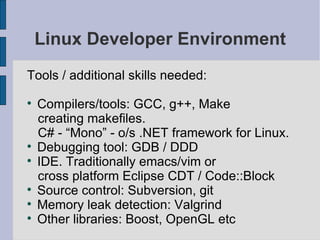
Linux Developer Environment Tools / additional skills needed: Compilers/tools: GCC, g++, Make creating makefiles.  C# - “Mono” - o/s .NET framework for Linux. Debugging tool: GDB / DDD IDE. Traditionally emacs/vim or cross platform Eclipse CDT / Code::Block Source control: Subversion, git Memory leak detection: Valgrind Other libraries: Boost, OpenGL etc
Source control in Linux using Subversion Subversion: easy set up, install, OS-agnostic. Requires following skills: - grasp of some linux commands, mv,  mkdir, ls, cd, file permissions. Svn also. - know how to edit text files in Linux (VIM=hard, Kate=easy) - Super-user (root) privileges (Win Admin.) - Use of the command line prompts. Windows use TortoiseSVN
Common Subversion Linux Commands Task Linux SVN Command Create repository   mkdir  /home/myrepo svnadmin create /home/myrepo Import directory into repository svn import /home/mycode  file:///home/myrepo -m  “ Initial Import” Check Out svn co file:///home/mystuff/myrepo mycode Check In svn ci Add new file svn add myfile.cpp Update working directory svn update (latest) svn update -r 3 (specific revision)
Where to place your Subversion repository The  file:///   protocol is used to denote a regular file system path. Network shares considered unsafe, unpredictable, subtle corruptions, etc. So use  server  not network share, so that path now becomes a proper URL like svc:/// or http:/// and no longer a file path “ Berkeley DB requires that the underlying file system implement strict POSIX locking semantics, … ability to map files directly into process memory. Almost no network file systems provide these features. ”
How to run your Subversion repository Create repository directory, initialize mkdir  /home/myrepo/ svnadmin create /home/myrepo/ Edit the svnserve.conf configuration file: anon-access = read auth-access = write Edit the password file  passwd : username1:password1  username2:password2  Start the server! svnserve -D -r -R /home/myrepo/ edit /etc/init.d/ script for re-boots.
Some other thoughts... To summarize:  in spite of learning curves, technical hurdles, benefits outweigh these. Take precautions: software that you cannot do without. One step at a time.  Make sure reasons are business-driven. Conduct thorough cost-benefit analysis, several years, vs not deploying.  Identify employees benefiting most – max cost benefit for minimum disruption.  Consider using outside help, problem done in 10 minutes, rather than 1 week.
Thanks for listening!

J+s

  • 1.
    Windows to Linux:A developer's perspective: A short discussion of the advantages, disadvantages and issues that arise when introducing Linux into your systems. 7 th April 2011 Andrew Webb
  • 2.
    Why change? Financial – licencing, upgrades, recurring. Office software eg Impress Server hosting. Stability – crashes/freezes less. No slowdowns Hardware – just as efficient, even old machines, that wouldn't cope with Win 7. Security – all in the open, viewable by anyone. Ubuntu – auto updates
  • 3.
    Some Caveats Thelearning curve. Linux can be difficult. Concepts to be assimilated: files, permissions, command prompts. Equivalent programs. Many Windows apps better, or have no Linux equivalent. Hardware compatibility. Eg Ethernet cards. Ask first!
  • 4.
    Software Development Tools(Windows) You may already use: Some kind of IDE eg Visual Studio which incorporates debugging, compilation, linking, GUI design etc. Version control Bug tracking / issue reporting Detection of memory leaks Diff tools Unit testing frameworks, libraries etc
  • 5.
    Linux Developer EnvironmentTools / additional skills needed: Compilers/tools: GCC, g++, Make creating makefiles. C# - “Mono” - o/s .NET framework for Linux. Debugging tool: GDB / DDD IDE. Traditionally emacs/vim or cross platform Eclipse CDT / Code::Block Source control: Subversion, git Memory leak detection: Valgrind Other libraries: Boost, OpenGL etc
  • 6.
    Source control inLinux using Subversion Subversion: easy set up, install, OS-agnostic. Requires following skills: - grasp of some linux commands, mv, mkdir, ls, cd, file permissions. Svn also. - know how to edit text files in Linux (VIM=hard, Kate=easy) - Super-user (root) privileges (Win Admin.) - Use of the command line prompts. Windows use TortoiseSVN
  • 7.
    Common Subversion LinuxCommands Task Linux SVN Command Create repository mkdir /home/myrepo svnadmin create /home/myrepo Import directory into repository svn import /home/mycode file:///home/myrepo -m “ Initial Import” Check Out svn co file:///home/mystuff/myrepo mycode Check In svn ci Add new file svn add myfile.cpp Update working directory svn update (latest) svn update -r 3 (specific revision)
  • 8.
    Where to placeyour Subversion repository The file:/// protocol is used to denote a regular file system path. Network shares considered unsafe, unpredictable, subtle corruptions, etc. So use server not network share, so that path now becomes a proper URL like svc:/// or http:/// and no longer a file path “ Berkeley DB requires that the underlying file system implement strict POSIX locking semantics, … ability to map files directly into process memory. Almost no network file systems provide these features. ”
  • 9.
    How to runyour Subversion repository Create repository directory, initialize mkdir /home/myrepo/ svnadmin create /home/myrepo/ Edit the svnserve.conf configuration file: anon-access = read auth-access = write Edit the password file passwd : username1:password1 username2:password2 Start the server! svnserve -D -r -R /home/myrepo/ edit /etc/init.d/ script for re-boots.
  • 10.
    Some other thoughts...To summarize: in spite of learning curves, technical hurdles, benefits outweigh these. Take precautions: software that you cannot do without. One step at a time. Make sure reasons are business-driven. Conduct thorough cost-benefit analysis, several years, vs not deploying. Identify employees benefiting most – max cost benefit for minimum disruption. Consider using outside help, problem done in 10 minutes, rather than 1 week.
  • 11.