Automating the deployment of FreeBSD & PC-BSD® systems


              AsiaBSDCon 2013

                   Kris Moore
              PC-BSD / iXsystems
                kris@pcbsd.org
The problem:
 You want to (quickly) deploy multiple
    FreeBSD or PC-BSD systems.
You like what you hear about this whole
              “ZFS” thing
There are currently two ways to accomplish
                   this:
Solution #1

●   Write your own installation scripts
●   Configure network booting by hand
●   Maintain as necessary
When to consider Solution #1:
●   You want to configure everything by hand
●   You are a FreeBSD God – Congrats!
When to not consider Solution #1:
●   Manual disk partitioning isn't your thing
●   You work for a living
Solution #2

●   Use the pc-thinclient utility included with
    PC-BSD & TrueOS
When to consider Solution #2:
●   You don't enjoy disk partitioning
●   You want to have a weekend
Defining some Terms
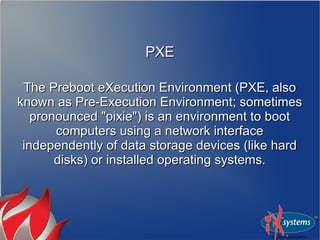
PXE

 The Preboot eXecution Environment (PXE, also
known as Pre-Execution Environment; sometimes
   pronounced "pixie") is an environment to boot
       computers using a network interface
 independently of data storage devices (like hard
       disks) or installed operating systems.
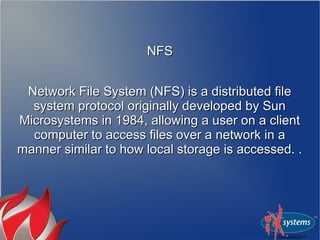
NFS


 Network File System (NFS) is a distributed file
  system protocol originally developed by Sun
Microsystems in 1984, allowing a user on a client
  computer to access files over a network in a
manner similar to how local storage is accessed. .
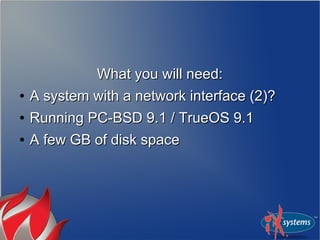
What you will need:
●   A system with a network interface (2)?
●   Running PC-BSD 9.1 / TrueOS 9.1
●   A few GB of disk space
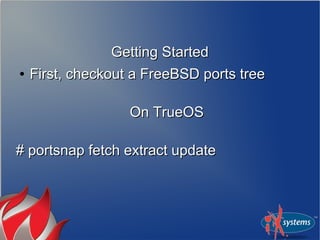
Getting Started
●   First, checkout a FreeBSD ports tree

                   On TrueOS

# portsnap fetch extract update
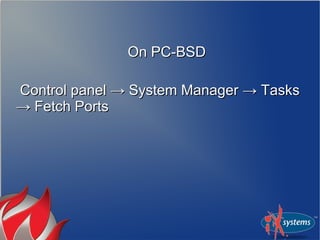
On PC-BSD

Control panel → System Manager → Tasks
→ Fetch Ports
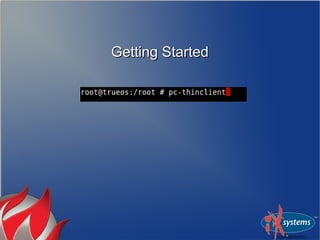
Getting Started
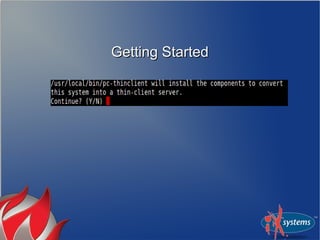
Getting Started
Getting Started


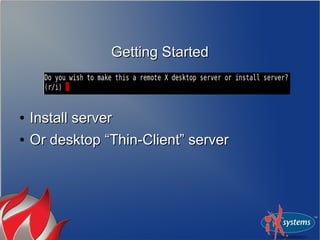
●   Install server
●   Or desktop “Thin-Client” server
Short Detour
What is Remote Desktop?

●   The thin-client utility can operate both
    install server or desktop server
●   Allows diskless clients to boot via PXE
●   Brings up GDM login on client
Why would you run Remote Desktop?

●   You have a bunch of low-end clients
●   You want to simplify backup, security and
    management
Why should you not run Remote Desktop?

●   You don't have a server with horsepower
●   You need sound support on the clients
Back to your previously scheduled
          presentation
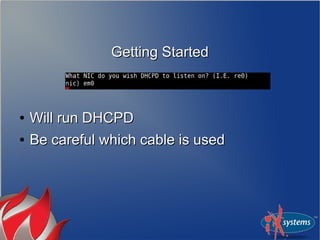
Getting Started


●   Will run DHCPD
●   Be careful which cable is used
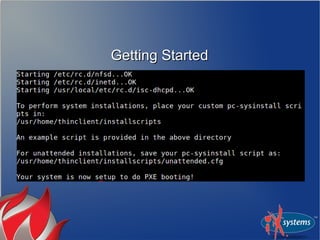
Getting Started
Getting started

●   You may now connect a client system
●   To PXE boot, you may need to check
    BIOS on client first
Its Demo time!
Customizing the install

●   Of course you will want your own
    installation options / archives, etc
●   It is possible to adjust entirely on server
    side
The two key directories:
●   /home/thinclient/installscripts
●   /home/thinclient/installarchive
              Client mounted as:
●   /installscripts
●   /installarchive
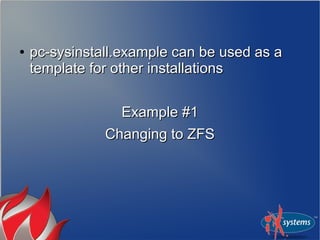
●   pc-sysinstall.example can be used as a
    template for other installations


                 Example #1
               Changing to ZFS
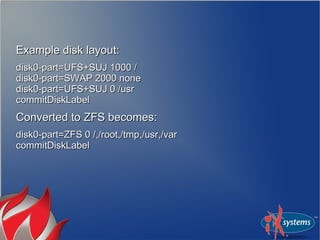
Example disk layout:
disk0-part=UFS+SUJ 1000 /
disk0-part=SWAP 2000 none
disk0-part=UFS+SUJ 0 /usr
commitDiskLabel
Converted to ZFS becomes:
disk0-part=ZFS 0 /,/root,/tmp,/usr,/var
commitDiskLabel
Example #2
Changing installation archive
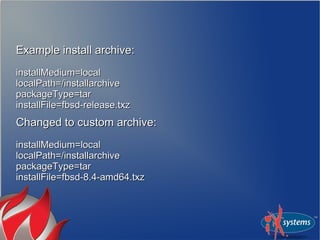
Example install archive:
installMedium=local
localPath=/installarchive
packageType=tar
installFile=fbsd-release.txz
Changed to custom archive:
installMedium=local
localPath=/installarchive
packageType=tar
installFile=fbsd-8.4-amd64.txz
Example #3
User Management
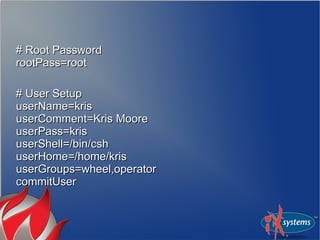
# Root Password
rootPass=root

# User Setup
userName=kris
userComment=Kris Moore
userPass=kris
userShell=/bin/csh
userHome=/home/kris
userGroups=wheel,operator
commitUser
Example #4
Advanced Commands
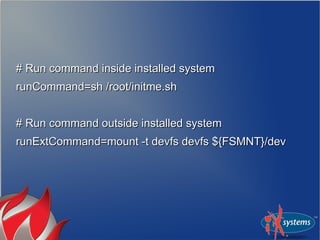
# Run command inside installed system
runCommand=sh /root/initme.sh


# Run command outside installed system
runExtCommand=mount -t devfs devfs ${FSMNT}/dev
Scalability

●   All CPU instructions are run on the client
●   Server is in essence a large “File Server”
●   Will be mostly disk IO / network speed
    dependent
Example #5
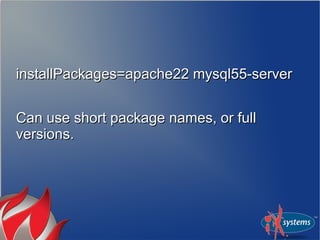
Packages, oh my!
installPackages=apache22 mysql55-server


Can use short package names, or full
versions.
Scalability

●   Default DHCP server is configured for 99
    clients
●   To adjust edit the file:
       ●   /usr/local/etc/dhcpd.conf
       ●   range 192.168.2.100 192.168.2.199;
Putting the Automated in “Fully Automated”
     File: /home/thinclient/installscripts/unattended.cfg
●   If config exists, the client will boot and
    begin installation after 30 seconds.
●   System will shutdown when finished
●   USE WITH CAUTION!!
Tips and Tricks

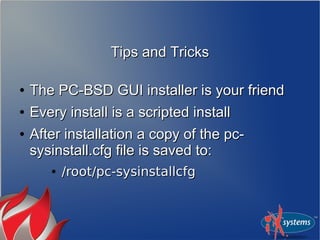
●   The PC-BSD GUI installer is your friend
●   Every install is a scripted install
●   After installation a copy of the pc-
    sysinstall.cfg file is saved to:
       ●   /root/pc-sysinstallcfg
Tips and Tricks

●   To greatly speed up installations, use ZFS
    mirrored drives, SSD, or even TMPFS
What's next?
●   Improvements to pc-sysinstall
       ●   Allows dist-file installation
       ●   PKGNG support
●   Faster setup of initial thin-client
    environment
Questions? Comments?


    wiki.pcbsd.org
    lists.pcbsd.org
  forums.pcbsd.org
Thank you!


www.slideshare.net/krispcbsd/asiabsd2013

Asiabsdcon2013

  • 1.
    Automating the deploymentof FreeBSD & PC-BSD® systems AsiaBSDCon 2013 Kris Moore PC-BSD / iXsystems kris@pcbsd.org
  • 2.
    The problem: Youwant to (quickly) deploy multiple FreeBSD or PC-BSD systems. You like what you hear about this whole “ZFS” thing
  • 3.
    There are currentlytwo ways to accomplish this:
  • 4.
    Solution #1 ● Write your own installation scripts ● Configure network booting by hand ● Maintain as necessary
  • 5.
    When to considerSolution #1: ● You want to configure everything by hand ● You are a FreeBSD God – Congrats!
  • 6.
    When to notconsider Solution #1: ● Manual disk partitioning isn't your thing ● You work for a living
  • 7.
    Solution #2 ● Use the pc-thinclient utility included with PC-BSD & TrueOS
  • 8.
    When to considerSolution #2: ● You don't enjoy disk partitioning ● You want to have a weekend
  • 9.
  • 10.
    PXE The PrebooteXecution Environment (PXE, also known as Pre-Execution Environment; sometimes pronounced "pixie") is an environment to boot computers using a network interface independently of data storage devices (like hard disks) or installed operating systems.
  • 11.
    NFS Network FileSystem (NFS) is a distributed file system protocol originally developed by Sun Microsystems in 1984, allowing a user on a client computer to access files over a network in a manner similar to how local storage is accessed. .
  • 12.
    What you willneed: ● A system with a network interface (2)? ● Running PC-BSD 9.1 / TrueOS 9.1 ● A few GB of disk space
  • 13.
    Getting Started ● First, checkout a FreeBSD ports tree On TrueOS # portsnap fetch extract update
  • 14.
    On PC-BSD Control panel→ System Manager → Tasks → Fetch Ports
  • 15.
  • 16.
  • 17.
    Getting Started ● Install server ● Or desktop “Thin-Client” server
  • 18.
  • 19.
    What is RemoteDesktop? ● The thin-client utility can operate both install server or desktop server ● Allows diskless clients to boot via PXE ● Brings up GDM login on client
  • 20.
    Why would yourun Remote Desktop? ● You have a bunch of low-end clients ● You want to simplify backup, security and management
  • 21.
    Why should younot run Remote Desktop? ● You don't have a server with horsepower ● You need sound support on the clients
  • 22.
    Back to yourpreviously scheduled presentation
  • 23.
    Getting Started ● Will run DHCPD ● Be careful which cable is used
  • 24.
  • 25.
    Getting started ● You may now connect a client system ● To PXE boot, you may need to check BIOS on client first
  • 26.
  • 27.
    Customizing the install ● Of course you will want your own installation options / archives, etc ● It is possible to adjust entirely on server side
  • 28.
    The two keydirectories: ● /home/thinclient/installscripts ● /home/thinclient/installarchive Client mounted as: ● /installscripts ● /installarchive
  • 29.
    pc-sysinstall.example can be used as a template for other installations Example #1 Changing to ZFS
  • 30.
    Example disk layout: disk0-part=UFS+SUJ1000 / disk0-part=SWAP 2000 none disk0-part=UFS+SUJ 0 /usr commitDiskLabel Converted to ZFS becomes: disk0-part=ZFS 0 /,/root,/tmp,/usr,/var commitDiskLabel
  • 31.
  • 32.
    Example install archive: installMedium=local localPath=/installarchive packageType=tar installFile=fbsd-release.txz Changedto custom archive: installMedium=local localPath=/installarchive packageType=tar installFile=fbsd-8.4-amd64.txz
  • 33.
  • 34.
    # Root Password rootPass=root #User Setup userName=kris userComment=Kris Moore userPass=kris userShell=/bin/csh userHome=/home/kris userGroups=wheel,operator commitUser
  • 35.
  • 36.
    # Run commandinside installed system runCommand=sh /root/initme.sh # Run command outside installed system runExtCommand=mount -t devfs devfs ${FSMNT}/dev
  • 37.
    Scalability ● All CPU instructions are run on the client ● Server is in essence a large “File Server” ● Will be mostly disk IO / network speed dependent
  • 38.
  • 39.
    installPackages=apache22 mysql55-server Can useshort package names, or full versions.
  • 40.
    Scalability ● Default DHCP server is configured for 99 clients ● To adjust edit the file: ● /usr/local/etc/dhcpd.conf ● range 192.168.2.100 192.168.2.199;
  • 41.
    Putting the Automatedin “Fully Automated” File: /home/thinclient/installscripts/unattended.cfg ● If config exists, the client will boot and begin installation after 30 seconds. ● System will shutdown when finished ● USE WITH CAUTION!!
  • 42.
    Tips and Tricks ● The PC-BSD GUI installer is your friend ● Every install is a scripted install ● After installation a copy of the pc- sysinstall.cfg file is saved to: ● /root/pc-sysinstallcfg
  • 43.
    Tips and Tricks ● To greatly speed up installations, use ZFS mirrored drives, SSD, or even TMPFS
  • 44.
    What's next? ● Improvements to pc-sysinstall ● Allows dist-file installation ● PKGNG support ● Faster setup of initial thin-client environment
  • 45.
    Questions? Comments? wiki.pcbsd.org lists.pcbsd.org forums.pcbsd.org
  • 46.