
SVN - Subversion Ranjan Kumar C-DAC Mumbai
Agenda Introduction Quick Start Checkout and Recovery Eclipse as a client References
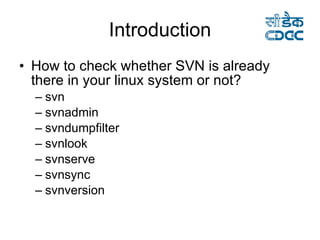
Introduction How to check whether SVN is already there in your linux system or not? svn svnadmin svndumpfilter svnlook svnserve svnsync svnversion
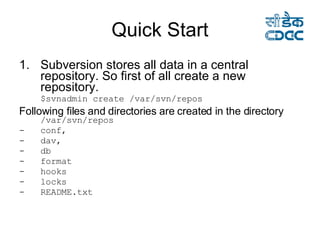
Quick Start Subversion stores all data in a central repository. So first of all create a new repository. $svnadmin create /var/svn/repos  Following files and directories are created in the directory   /var/svn/repos conf, dav, db format hooks locks README.txt
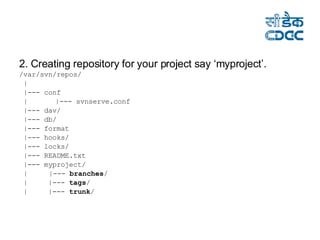
2. Creating repository for your project say ‘myproject’. /var/svn/repos/ | |--- conf  |   |--- svnserve.conf  |--- dav/  |--- db/  |--- format |--- hooks/  |--- locks/  |--- README.txt  |--- myproject/  |    |---  branches /  |  |---  tags /  |  |---  trunk /
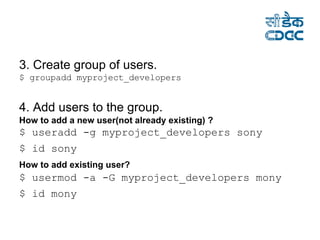
3. Create group of users. $ groupadd myproject_developers  4. Add users to the group. How to add a new user(not already existing) ? $ useradd -g myproject_developers sony  $ id sony   How to add existing user?   $ usermod -a -G myproject_developers mony  $ id mony
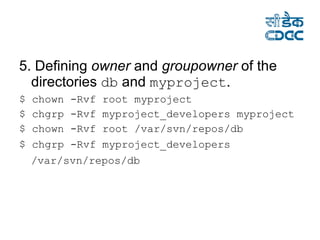
5. Defining  owner  and  groupowner  of the directories  db  and  myproject . $ chown -Rvf root myproject  $ chgrp -Rvf myproject_developers myproject $ chown -Rvf root /var/svn/repos/db  $ chgrp -Rvf myproject_developers /var/svn/repos/db
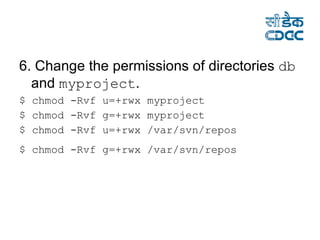
6. Change the permissions of directories  db  and  myproject . $ chmod -Rvf u=+rwx myproject  $ chmod -Rvf g=+rwx myproject  $ chmod -Rvf u=+rwx /var/svn/repos  $ chmod -Rvf g=+rwx /var/svn/repos
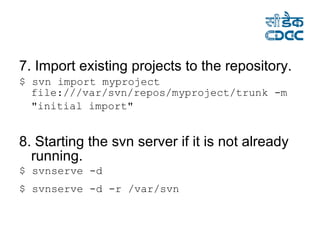
7. Import existing projects to the repository. $ svn import myproject file:///var/svn/repos/myproject/trunk -m "initial import"   8. Starting the svn server if it is not already running. $ svnserve -d  $ svnserve -d -r /var/svn
Now its all done.
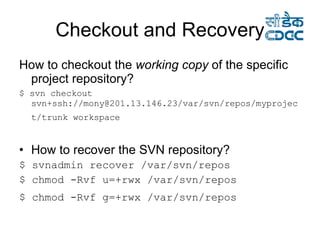
Checkout and Recovery How to checkout the  working copy  of the specific project repository? $ svn checkout svn+ssh://mony@201.13.146.23/var/svn/repos/myproject/trunk workspace   How to recover the SVN repository? $ svnadmin recover /var/svn/repos  $ chmod -Rvf u=+rwx /var/svn/repos $ chmod -Rvf g=+rwx /var/svn/repos
Eclipse as a client http:// subclipse.tigris.org/install.html
References Subversion book is available at:  http://svnbook.red-bean.com /  For more information about the Subversion project, visit:  http:// subversion.tigris.org   . For eclipse plugin for subversion:  http:// subclipse.tigris.org /  .  More Details http://ranjankumar.com/2008/09/26/svn-subversion /

Svn Subversion

  • 1.
    SVN - SubversionRanjan Kumar C-DAC Mumbai
  • 2.
    Agenda Introduction QuickStart Checkout and Recovery Eclipse as a client References
  • 3.
    Introduction How tocheck whether SVN is already there in your linux system or not? svn svnadmin svndumpfilter svnlook svnserve svnsync svnversion
  • 4.
    Quick Start Subversionstores all data in a central repository. So first of all create a new repository. $svnadmin create /var/svn/repos Following files and directories are created in the directory /var/svn/repos conf, dav, db format hooks locks README.txt
  • 5.
    2. Creating repositoryfor your project say ‘myproject’. /var/svn/repos/ | |--- conf | |--- svnserve.conf |--- dav/ |--- db/ |--- format |--- hooks/ |--- locks/ |--- README.txt |--- myproject/ | |--- branches / | |--- tags / | |--- trunk /
  • 6.
    3. Create groupof users. $ groupadd myproject_developers 4. Add users to the group. How to add a new user(not already existing) ? $ useradd -g myproject_developers sony $ id sony How to add existing user? $ usermod -a -G myproject_developers mony $ id mony
  • 7.
    5. Defining owner and groupowner of the directories db and myproject . $ chown -Rvf root myproject $ chgrp -Rvf myproject_developers myproject $ chown -Rvf root /var/svn/repos/db $ chgrp -Rvf myproject_developers /var/svn/repos/db
  • 8.
    6. Change thepermissions of directories db and myproject . $ chmod -Rvf u=+rwx myproject $ chmod -Rvf g=+rwx myproject $ chmod -Rvf u=+rwx /var/svn/repos $ chmod -Rvf g=+rwx /var/svn/repos
  • 9.
    7. Import existingprojects to the repository. $ svn import myproject file:///var/svn/repos/myproject/trunk -m "initial import" 8. Starting the svn server if it is not already running. $ svnserve -d $ svnserve -d -r /var/svn
  • 10.
  • 11.
    Checkout and RecoveryHow to checkout the working copy of the specific project repository? $ svn checkout svn+ssh://mony@201.13.146.23/var/svn/repos/myproject/trunk workspace How to recover the SVN repository? $ svnadmin recover /var/svn/repos $ chmod -Rvf u=+rwx /var/svn/repos $ chmod -Rvf g=+rwx /var/svn/repos
  • 12.
    Eclipse as aclient http:// subclipse.tigris.org/install.html
  • 13.
    References Subversion bookis available at: http://svnbook.red-bean.com / For more information about the Subversion project, visit: http:// subversion.tigris.org . For eclipse plugin for subversion: http:// subclipse.tigris.org / . More Details http://ranjankumar.com/2008/09/26/svn-subversion /