Journalism Curriculum Approaches Mindy McAdams University of Florida
The big 7  Web video  Audio Slideshows  Flash / interactives Databases Maps and graphics  HTML, CSS / CMS
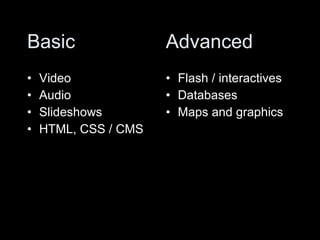
Basic Video  Audio Slideshows  HTML, CSS / CMS  Flash / interactives Databases Maps and graphics Advanced
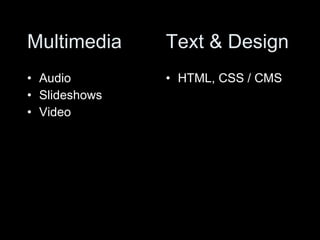
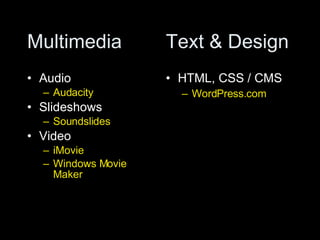
Multimedia Audio  Slideshows  Video  HTML, CSS / CMS Text & Design
Multimedia Audio  Audacity Slideshows  Soundslides Video  iMovie Windows Movie Maker HTML, CSS / CMS WordPress.com Text & Design
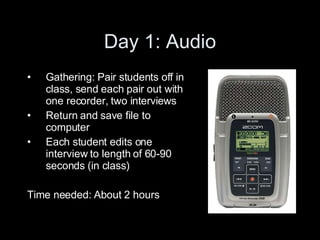
Day 1: Audio Gathering: Pair students off in class, send each pair out with one recorder, two interviews Return and save file to computer Each student edits one interview to length of 60-90 seconds (in class) Time needed: About 2 hours
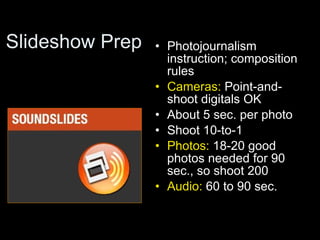
Slideshow Prep Photojournalism instruction; composition rules  Cameras:  Point-and-shoot digitals OK  About 5 sec. per photo Shoot 10-to-1 Photos:  18-20 good photos needed for 90 sec., so shoot 200  Audio:  60 to 90 sec.
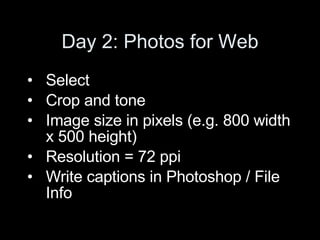
Day 2: Photos for Web Select  Crop and tone Image size in pixels (e.g. 800 width x 500 height) Resolution = 72 ppi  Write captions in Photoshop / File Info
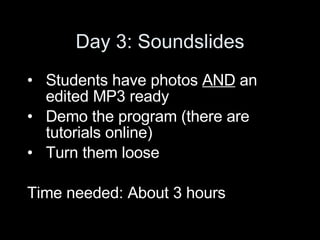
Day 3: Soundslides Students have photos  AND  an edited MP3 ready  Demo the program (there are tutorials online)  Turn them loose  Time needed: About 3 hours
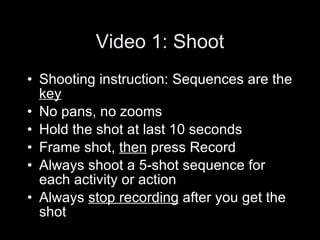
Video 1: Shoot Shooting instruction: Sequences are the  key   No pans, no zooms Hold the shot at last 10 seconds Frame shot,  then  press Record Always shoot a 5-shot sequence for each activity or action  Always  stop recording  after you get the shot
Video 1: Shoot Send students out to food court (in pairs) Each student shoots one sequence Return to class Review raw footage  immediately Assignment:  Shoot a sequence of a person doing something repetitive, interesting, using hands
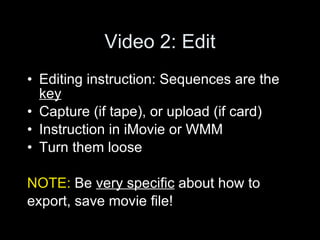
Video 2: Edit Editing instruction: Sequences are the  key   Capture (if tape), or upload (if card)  Instruction in iMovie or WMM Turn them loose NOTE:  Be  very specific  about how to  export, save movie file!
HTML, CSS / CMS Everyone go to  WordPress.com Click the big green button (create new blog)  Dashboard ( everything happens here ) Design > Themes ( change Theme ) Write ( Write Post ) Title  Post (main body)  Create a link  Add an image
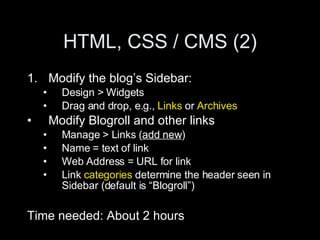
HTML, CSS / CMS (2) Modify the blog’s Sidebar: Design > Widgets Drag and drop, e.g.,  Links  or  Archives   Modify Blogroll and other links  Manage > Links ( add new ) Name = text of link Web Address = URL for link  Link  categories  determine the header seen in Sidebar (default is “Blogroll”) Time needed: About 2 hours
Time Needed Audio: 2-3 hours (plus  multitrack ) Web photo editing: 1-2 hours  Soundslides: 2-3 hours  Video shooting (intro): 3 hours  Video editing (intro): 3+ hours  Blog startup: 2 hours
Key Outcomes Show examples from live journalism sites -- to provide  context Whenever possible, have students produce a final product  immediately ,  during class Follow up with an assignment for next time that is only a  bit  more demanding Ensure that students’ first attempts  will   be  successful
Sounds like button-pushing? Minimize instruction time  Find or create online tutorials or instruction lists (assign these  prior  to class)  Design your  assignments  to produce real journalism out of the technology
Journalism Curriculum Approaches Mindy McAdams University of Florida Resource links: http://bit.ly/mm9

Journalism Curriculum Update

  • 1.
    Journalism Curriculum ApproachesMindy McAdams University of Florida
  • 2.
    The big 7 Web video Audio Slideshows Flash / interactives Databases Maps and graphics HTML, CSS / CMS
  • 3.
    Basic Video Audio Slideshows HTML, CSS / CMS Flash / interactives Databases Maps and graphics Advanced
  • 4.
    Multimedia Audio Slideshows Video HTML, CSS / CMS Text & Design
  • 5.
    Multimedia Audio Audacity Slideshows Soundslides Video iMovie Windows Movie Maker HTML, CSS / CMS WordPress.com Text & Design
  • 6.
    Day 1: AudioGathering: Pair students off in class, send each pair out with one recorder, two interviews Return and save file to computer Each student edits one interview to length of 60-90 seconds (in class) Time needed: About 2 hours
  • 7.
    Slideshow Prep Photojournalisminstruction; composition rules Cameras: Point-and-shoot digitals OK About 5 sec. per photo Shoot 10-to-1 Photos: 18-20 good photos needed for 90 sec., so shoot 200 Audio: 60 to 90 sec.
  • 8.
    Day 2: Photosfor Web Select Crop and tone Image size in pixels (e.g. 800 width x 500 height) Resolution = 72 ppi Write captions in Photoshop / File Info
  • 9.
    Day 3: SoundslidesStudents have photos AND an edited MP3 ready Demo the program (there are tutorials online) Turn them loose Time needed: About 3 hours
  • 10.
    Video 1: ShootShooting instruction: Sequences are the key No pans, no zooms Hold the shot at last 10 seconds Frame shot, then press Record Always shoot a 5-shot sequence for each activity or action Always stop recording after you get the shot
  • 11.
    Video 1: ShootSend students out to food court (in pairs) Each student shoots one sequence Return to class Review raw footage immediately Assignment: Shoot a sequence of a person doing something repetitive, interesting, using hands
  • 12.
    Video 2: EditEditing instruction: Sequences are the key Capture (if tape), or upload (if card) Instruction in iMovie or WMM Turn them loose NOTE: Be very specific about how to export, save movie file!
  • 13.
    HTML, CSS /CMS Everyone go to WordPress.com Click the big green button (create new blog) Dashboard ( everything happens here ) Design > Themes ( change Theme ) Write ( Write Post ) Title Post (main body) Create a link Add an image
  • 14.
    HTML, CSS /CMS (2) Modify the blog’s Sidebar: Design > Widgets Drag and drop, e.g., Links or Archives Modify Blogroll and other links Manage > Links ( add new ) Name = text of link Web Address = URL for link Link categories determine the header seen in Sidebar (default is “Blogroll”) Time needed: About 2 hours
  • 15.
    Time Needed Audio:2-3 hours (plus multitrack ) Web photo editing: 1-2 hours Soundslides: 2-3 hours Video shooting (intro): 3 hours Video editing (intro): 3+ hours Blog startup: 2 hours
  • 16.
    Key Outcomes Showexamples from live journalism sites -- to provide context Whenever possible, have students produce a final product immediately , during class Follow up with an assignment for next time that is only a bit more demanding Ensure that students’ first attempts will be successful
  • 17.
    Sounds like button-pushing?Minimize instruction time Find or create online tutorials or instruction lists (assign these prior to class) Design your assignments to produce real journalism out of the technology
  • 18.
    Journalism Curriculum ApproachesMindy McAdams University of Florida Resource links: http://bit.ly/mm9