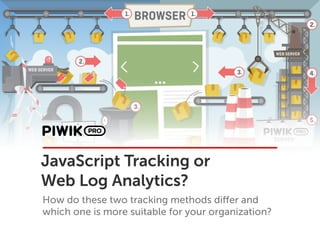
JavaScript Tracking or
Web Log Analytics?
How do these two tracking methods differ and
which one is more suitable for your organization?
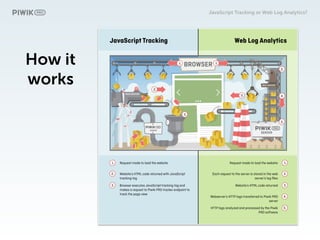
How it
works
JavaScript Tracking or Web Log Analytics?
Introduction to 

JavaScript Tracking
JavaScript Tracking or Web Log Analytics?
JavaScript Tracking
JS Tracking has earned recognition as the most
comprehensive tracking method and is valued for
delivering high-quality insights to users, but also for its
extensive customization capabilities.
JavaScript Tracking or Web Log Analytics?
Which web analytics vendors collect
data with JS Tracking?
JavaScript Tracking or Web Log Analytics?
JavaScript Tracking should be the default
choice because of its extensive
customizability, accuracy, and ease of
management.
JavaScript Tracking or Web Log Analytics?
Introduction to 

Web Log Analytics
JavaScript Tracking or Web Log Analytics?
Web Log Analytics
Web Analytics allows you to collect web server log
files and import them into your analytics platform for
viewing, analyzing, and reporting. It is recommended
for superior security and data protection.
JavaScript Tracking or Web Log Analytics?
Which web analytics vendors use
Web Log Analytics to collect data?
JavaScript Tracking or Web Log Analytics?
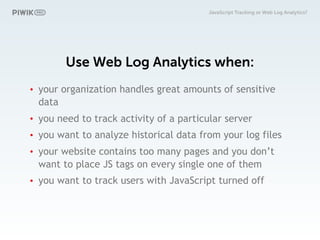
Use Web Log Analytics when:
• your organization handles great amounts of sensitive
data
• you need to track activity of a particular server
• you want to analyze historical data from your log files
• your website contains too many pages and you don’t
want to place JS tags on every single one of them
• you want to track users with JavaScript turned off
JavaScript Tracking or Web Log Analytics?
Let’s move to the differences
between JS Tracking and
Web Log Analytics
JavaScript Tracking or Web Log Analytics?
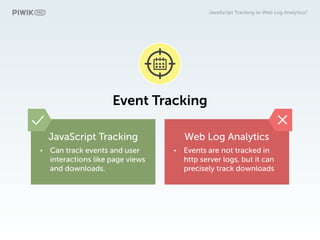
Event Tracking
JavaScript Tracking
• Can track events and user
interactions like page views
and downloads.
Web Log Analytics
• Events are not tracked in
http server logs, but it can
precisely track downloads
JavaScript Tracking or Web Log Analytics?
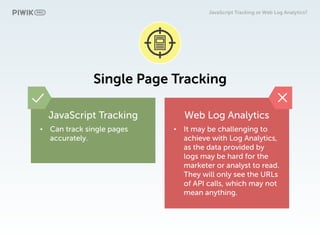
Single Page Tracking
JavaScript Tracking
• Can track single pages
accurately.
Web Log Analytics
• It may be challenging to
achieve with Log Analytics,
as the data provided by
logs may be hard for the
marketer or analyst to read.
They will only see the URLs
of API calls, which may not
mean anything.
JavaScript Tracking or Web Log Analytics?
Device Tracking
JavaScript Tracking
• Tracks page titles, browser
resolutions, and installed
plugins.
Web Log Analytics
• This is not the case with log
analytics, as the relevant
data is not available in the
server http log files.
JavaScript Tracking or Web Log Analytics?
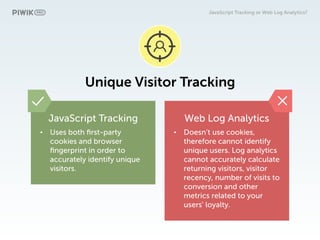
Unique Visitor Tracking
JavaScript Tracking
• Uses both first-party
cookies and browser
fingerprint in order to
accurately identify unique
visitors.
Web Log Analytics
• Doesn’t use cookies,
therefore cannot identify
unique users. Log analytics
cannot accurately calculate
returning visitors, visitor
recency, number of visits to
conversion and other
metrics related to your
users' loyalty.
JavaScript Tracking or Web Log Analytics?
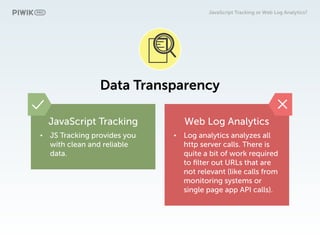
Data Transparency
JavaScript Tracking
• JS Tracking provides you
with clean and reliable
data.
Web Log Analytics
• Log analytics analyzes all
http server calls. There is
quite a bit of work required
to filter out URLs that are
not relevant (like calls from
monitoring systems or
single page app API calls).
JavaScript Tracking or Web Log Analytics?
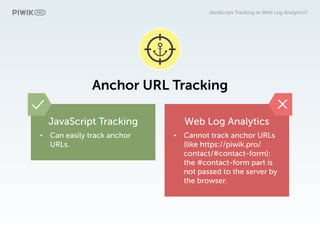
Anchor URL Tracking
JavaScript Tracking
• Can easily track anchor
URLs.
Web Log Analytics
• Cannot track anchor URLs
(like https://piwik.pro/
contact/#contact-form):
the #contact-form part is
not passed to the server by
the browser.
JavaScript Tracking or Web Log Analytics?
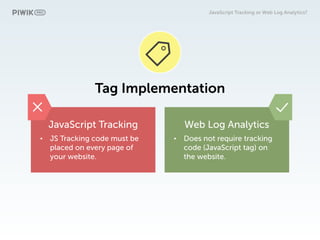
Tag Implementation
JavaScript Tracking
• JS Tracking code must be
placed on every page of
your website.
Web Log Analytics
• Does not require tracking
code (JavaScript tag) on
the website.
JavaScript Tracking or Web Log Analytics?
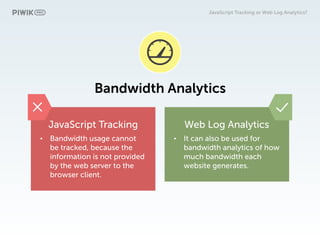
Bandwidth Analytics
JavaScript Tracking
• Bandwidth usage cannot
be tracked, because the
information is not provided
by the web server to the
browser client.
Web Log Analytics
• It can also be used for
bandwidth analytics of how
much bandwidth each
website generates.
JavaScript Tracking or Web Log Analytics?
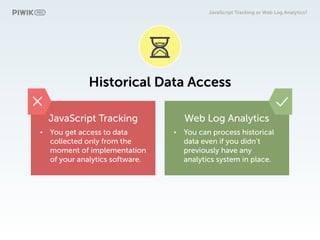
Historical Data Access
JavaScript Tracking
• You get access to data
collected only from the
moment of implementation
of your analytics software.
Web Log Analytics
• You can process historical
data even if you didn’t
previously have any
analytics system in place.
JavaScript Tracking or Web Log Analytics?
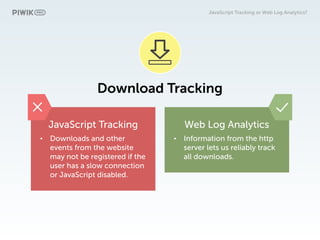
Download Tracking
JavaScript Tracking
• Downloads and other
events from the website
may not be registered if the
user has a slow connection
or JavaScript disabled.
Web Log Analytics
• Information from the http
server lets us reliably track
all downloads.
JavaScript Tracking or Web Log Analytics?
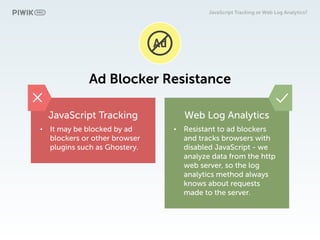
Ad Blocker Resistance
JavaScript Tracking
• It may be blocked by ad
blockers or other browser
plugins such as Ghostery.
Web Log Analytics
• Resistant to ad blockers
and tracks browsers with
disabled JavaScript - we
analyze data from the http
web server, so the log
analytics method always
knows about requests
made to the server.
JavaScript Tracking or Web Log Analytics?
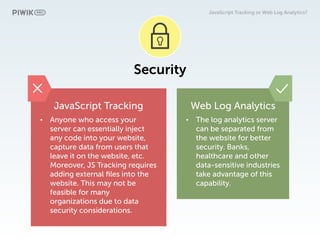
Security
JavaScript Tracking
• Anyone who access your
server can essentially inject
any code into your website,
capture data from users that
leave it on the website, etc.
Moreover, JS Tracking requires
adding external files into the
website. This may not be
feasible for many
organizations due to data
security considerations.
Web Log Analytics
• The log analytics server
can be separated from
the website for better
security. Banks,
healthcare and other
data-sensitive industries
take advantage of this
capability.
JavaScript Tracking or Web Log Analytics?
Note that both methods can be
customized to meet your particular
needs.
JavaScript Tracking or Web Log Analytics?
Our experts will be happy to provide you
with more details.
JavaScript Tracking or Web Log Analytics?
You can also review our concise
infographic comparing Web Log
Analytics and JS Tracking
JavaScript Tracking or Web Log Analytics?
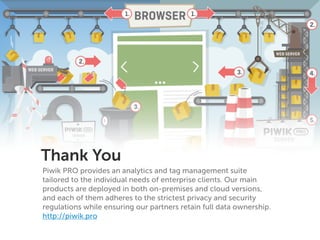
Thank You
Piwik PRO provides an analytics and tag management suite
tailored to the individual needs of enterprise clients. Our main
products are deployed in both on-premises and cloud versions,
and each of them adheres to the strictest privacy and security
regulations while ensuring our partners retain full data ownership.
http://piwik.pro

Javascript Tracking or Web Log Analytics?

  • 1.
    JavaScript Tracking or WebLog Analytics? How do these two tracking methods differ and which one is more suitable for your organization?
  • 2.
    How it works JavaScript Trackingor Web Log Analytics?
  • 3.
    Introduction to 
 JavaScriptTracking JavaScript Tracking or Web Log Analytics?
  • 4.
    JavaScript Tracking JS Trackinghas earned recognition as the most comprehensive tracking method and is valued for delivering high-quality insights to users, but also for its extensive customization capabilities. JavaScript Tracking or Web Log Analytics?
  • 5.
    Which web analyticsvendors collect data with JS Tracking? JavaScript Tracking or Web Log Analytics?
  • 6.
    JavaScript Tracking shouldbe the default choice because of its extensive customizability, accuracy, and ease of management. JavaScript Tracking or Web Log Analytics?
  • 7.
    Introduction to 
 WebLog Analytics JavaScript Tracking or Web Log Analytics?
  • 8.
    Web Log Analytics WebAnalytics allows you to collect web server log files and import them into your analytics platform for viewing, analyzing, and reporting. It is recommended for superior security and data protection. JavaScript Tracking or Web Log Analytics?
  • 9.
    Which web analyticsvendors use Web Log Analytics to collect data? JavaScript Tracking or Web Log Analytics?
  • 10.
    Use Web LogAnalytics when: • your organization handles great amounts of sensitive data • you need to track activity of a particular server • you want to analyze historical data from your log files • your website contains too many pages and you don’t want to place JS tags on every single one of them • you want to track users with JavaScript turned off JavaScript Tracking or Web Log Analytics?
  • 11.
    Let’s move tothe differences between JS Tracking and Web Log Analytics JavaScript Tracking or Web Log Analytics?
  • 12.
    Event Tracking JavaScript Tracking •Can track events and user interactions like page views and downloads. Web Log Analytics • Events are not tracked in http server logs, but it can precisely track downloads JavaScript Tracking or Web Log Analytics?
  • 13.
    Single Page Tracking JavaScriptTracking • Can track single pages accurately. Web Log Analytics • It may be challenging to achieve with Log Analytics, as the data provided by logs may be hard for the marketer or analyst to read. They will only see the URLs of API calls, which may not mean anything. JavaScript Tracking or Web Log Analytics?
  • 14.
    Device Tracking JavaScript Tracking •Tracks page titles, browser resolutions, and installed plugins. Web Log Analytics • This is not the case with log analytics, as the relevant data is not available in the server http log files. JavaScript Tracking or Web Log Analytics?
  • 15.
    Unique Visitor Tracking JavaScriptTracking • Uses both first-party cookies and browser fingerprint in order to accurately identify unique visitors. Web Log Analytics • Doesn’t use cookies, therefore cannot identify unique users. Log analytics cannot accurately calculate returning visitors, visitor recency, number of visits to conversion and other metrics related to your users' loyalty. JavaScript Tracking or Web Log Analytics?
  • 16.
    Data Transparency JavaScript Tracking •JS Tracking provides you with clean and reliable data. Web Log Analytics • Log analytics analyzes all http server calls. There is quite a bit of work required to filter out URLs that are not relevant (like calls from monitoring systems or single page app API calls). JavaScript Tracking or Web Log Analytics?
  • 17.
    Anchor URL Tracking JavaScriptTracking • Can easily track anchor URLs. Web Log Analytics • Cannot track anchor URLs (like https://piwik.pro/ contact/#contact-form): the #contact-form part is not passed to the server by the browser. JavaScript Tracking or Web Log Analytics?
  • 18.
    Tag Implementation JavaScript Tracking •JS Tracking code must be placed on every page of your website. Web Log Analytics • Does not require tracking code (JavaScript tag) on the website. JavaScript Tracking or Web Log Analytics?
  • 19.
    Bandwidth Analytics JavaScript Tracking •Bandwidth usage cannot be tracked, because the information is not provided by the web server to the browser client. Web Log Analytics • It can also be used for bandwidth analytics of how much bandwidth each website generates. JavaScript Tracking or Web Log Analytics?
  • 20.
    Historical Data Access JavaScriptTracking • You get access to data collected only from the moment of implementation of your analytics software. Web Log Analytics • You can process historical data even if you didn’t previously have any analytics system in place. JavaScript Tracking or Web Log Analytics?
  • 21.
    Download Tracking JavaScript Tracking •Downloads and other events from the website may not be registered if the user has a slow connection or JavaScript disabled. Web Log Analytics • Information from the http server lets us reliably track all downloads. JavaScript Tracking or Web Log Analytics?
  • 22.
    Ad Blocker Resistance JavaScriptTracking • It may be blocked by ad blockers or other browser plugins such as Ghostery. Web Log Analytics • Resistant to ad blockers and tracks browsers with disabled JavaScript - we analyze data from the http web server, so the log analytics method always knows about requests made to the server. JavaScript Tracking or Web Log Analytics?
  • 23.
    Security JavaScript Tracking • Anyonewho access your server can essentially inject any code into your website, capture data from users that leave it on the website, etc. Moreover, JS Tracking requires adding external files into the website. This may not be feasible for many organizations due to data security considerations. Web Log Analytics • The log analytics server can be separated from the website for better security. Banks, healthcare and other data-sensitive industries take advantage of this capability. JavaScript Tracking or Web Log Analytics?
  • 24.
    Note that bothmethods can be customized to meet your particular needs. JavaScript Tracking or Web Log Analytics?
  • 25.
    Our experts willbe happy to provide you with more details. JavaScript Tracking or Web Log Analytics?
  • 26.
    You can alsoreview our concise infographic comparing Web Log Analytics and JS Tracking JavaScript Tracking or Web Log Analytics?
  • 27.
    Thank You Piwik PROprovides an analytics and tag management suite tailored to the individual needs of enterprise clients. Our main products are deployed in both on-premises and cloud versions, and each of them adheres to the strictest privacy and security regulations while ensuring our partners retain full data ownership. http://piwik.pro