OPENNTF WEBINARS
January OpenNTF Webinar: 4D - Domino Docker Deep Dive
AGENDA
• Welcome – Howard Greenberg and Graham Acres
• Thomas Hampel, Director, HCL Product Management
• Daniel Nashed, HCL Lifetime Ambassador
• Q and A - All
ASKING QUESTIONS
• First Question – Will this be recorded?
• Yes, view on YouTube!!!
• https://www.youtube.com/user/OpenNTF
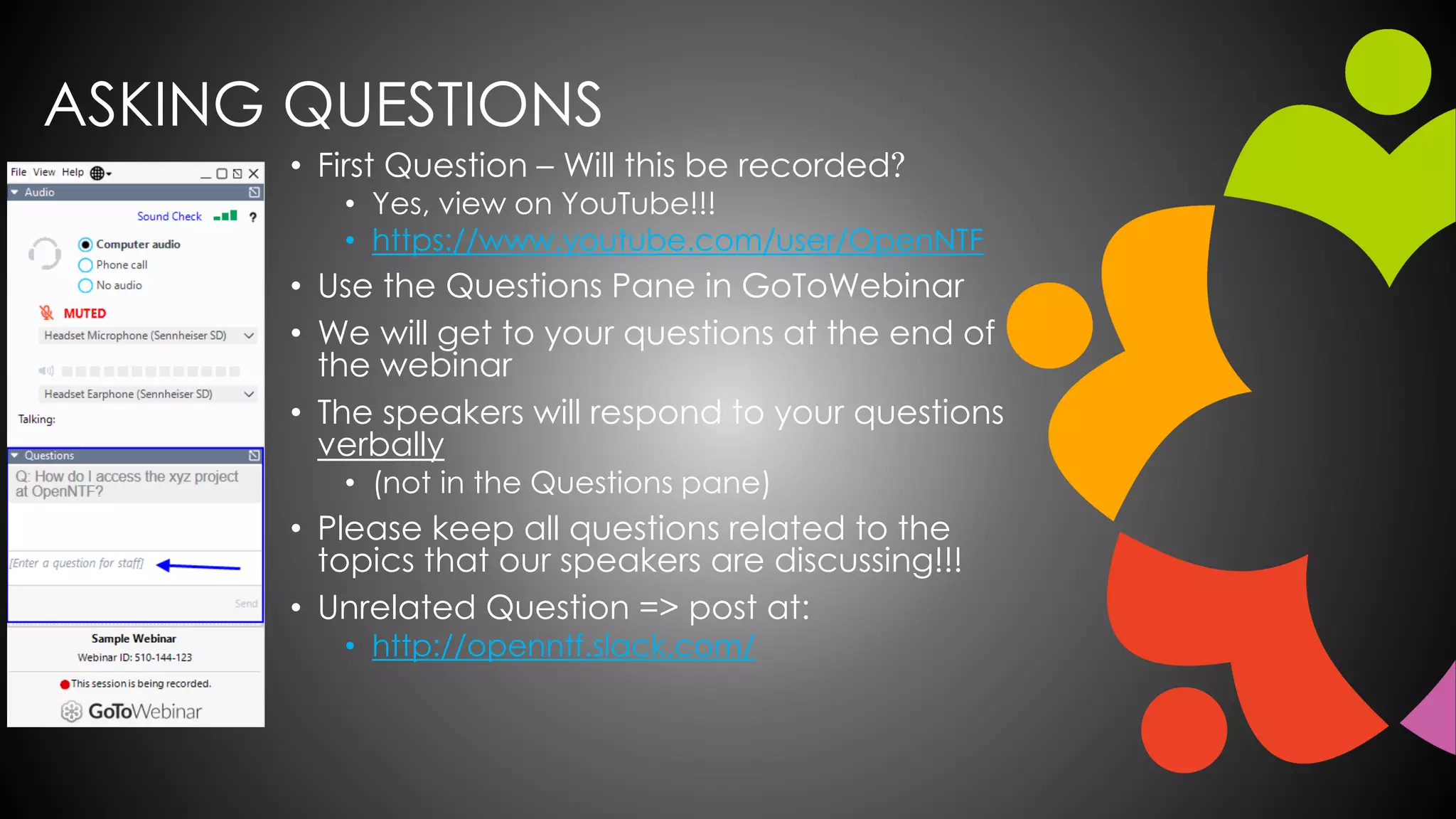
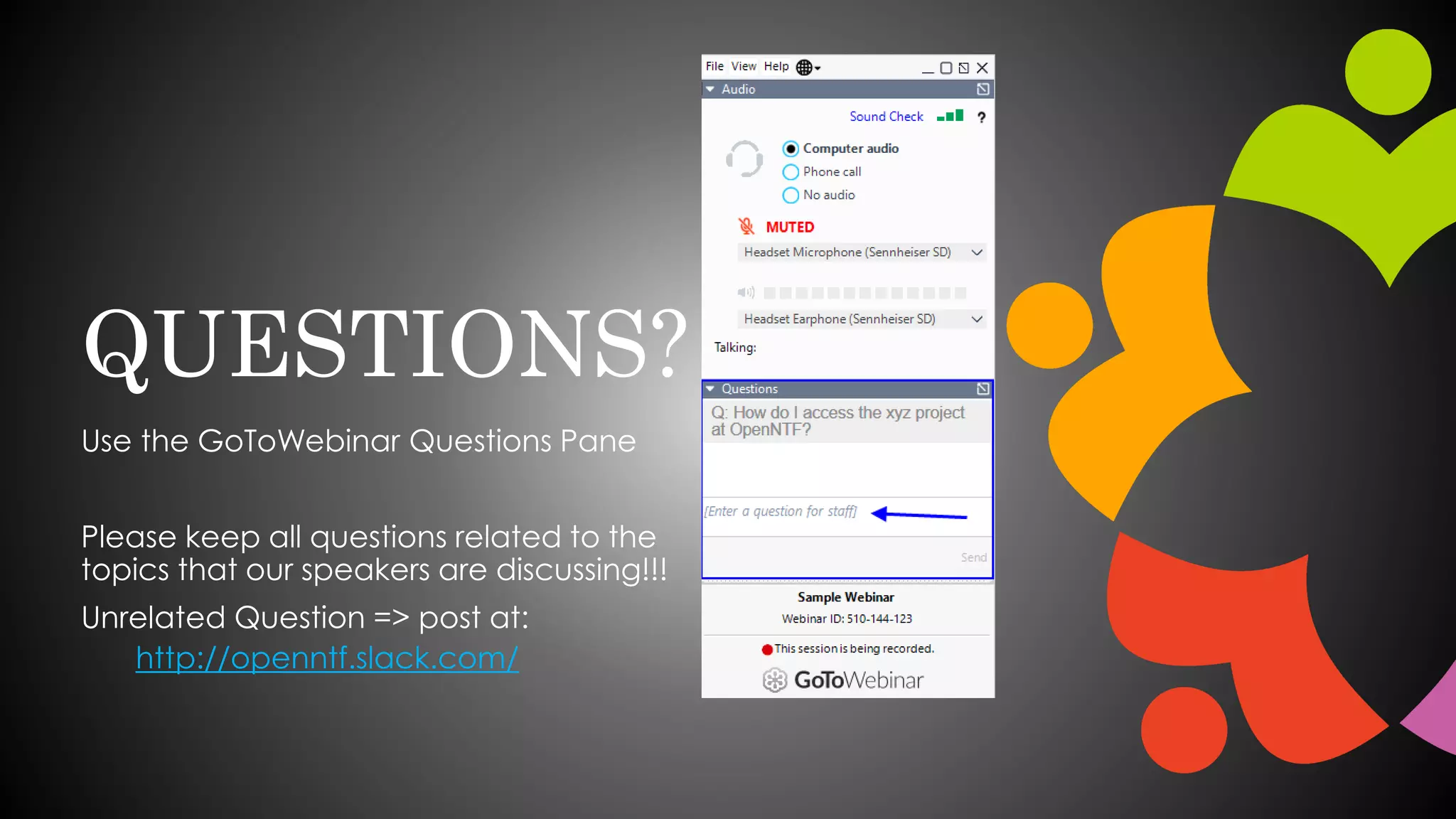
• Use the Questions Pane in GoToWebinar
• We will get to your questions at the end of
the webinar
• The speakers will respond to your questions
verbally
• (not in the Questions pane)
• Please keep all questions related to the
topics that our speakers are discussing!!!
• Unrelated Question => post at:
• http://openntf.slack.com/
THANKS TO THE OPENNTF SPONSORS
• HCL made a significant contribution to help our
organization
• Funds these webinars!
• Contests like Hackathons
• Running the organization
• Prominic donates all IT related services
• Cloud Hosting for OpenNTF
• Infrastructure management for HCL Domino and Atlassian
Servers
• System Administration for day-to-day operation
THIS IS OUR COMMUNITY
• Join us and get involved!
• We are all volunteers
• No effort is too small
• If your idea is bigger than you can do on your own, we
can connect you to a team to work on it
• Test or help or modify an existing project
• Write guides or documentation
• Add reviews on projects / stars on Snippets
NEXT WEBINAR
• February OpenNTF Webinar: Introduction to
Ansible for Newbies
• For Domino admins and developers who would
like to learn Ansible basics.
• Christoph Stoettener, HCL Ambassador
• Thursday, February 18, 2021 at 11:00 AM (New
York time)
• www.openntf.org/webinars
on Deep Dive
4D
Copyright © 2020 HCL Technologies Limited | www.hcltechsw.com 2
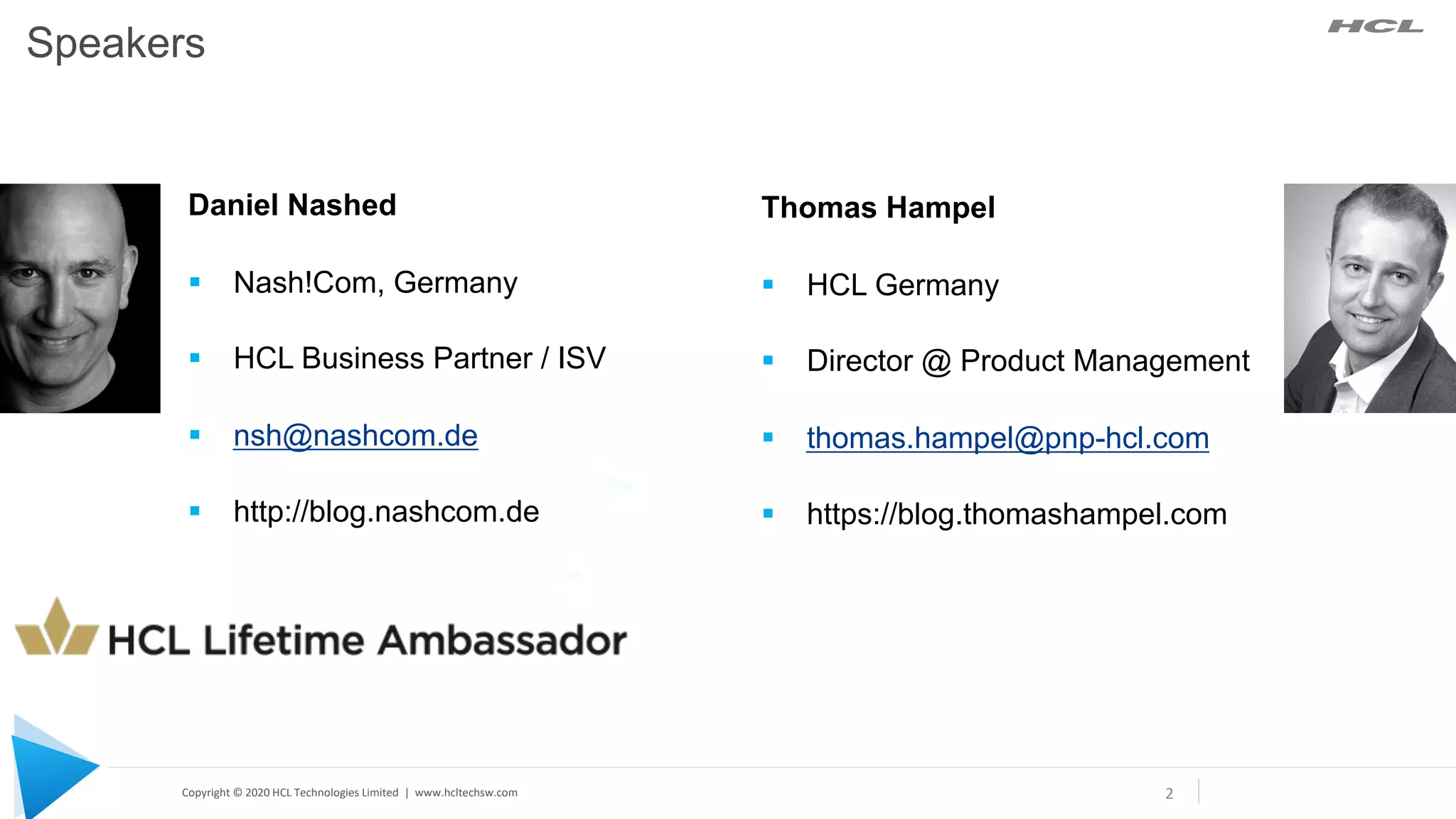
Daniel Nashed
§ Nash!Com, Germany
§ HCL Business Partner / ISV
§ nsh@nashcom.de
§ http://blog.nashcom.de
Thomas Hampel
§ HCL Germany
§ Director @ Product Management
§ thomas.hampel@pnp-hcl.com
§ https://blog.thomashampel.com
Speakers
Copyright © 2020 HCL Technologies Limited | www.hcltechsw.com
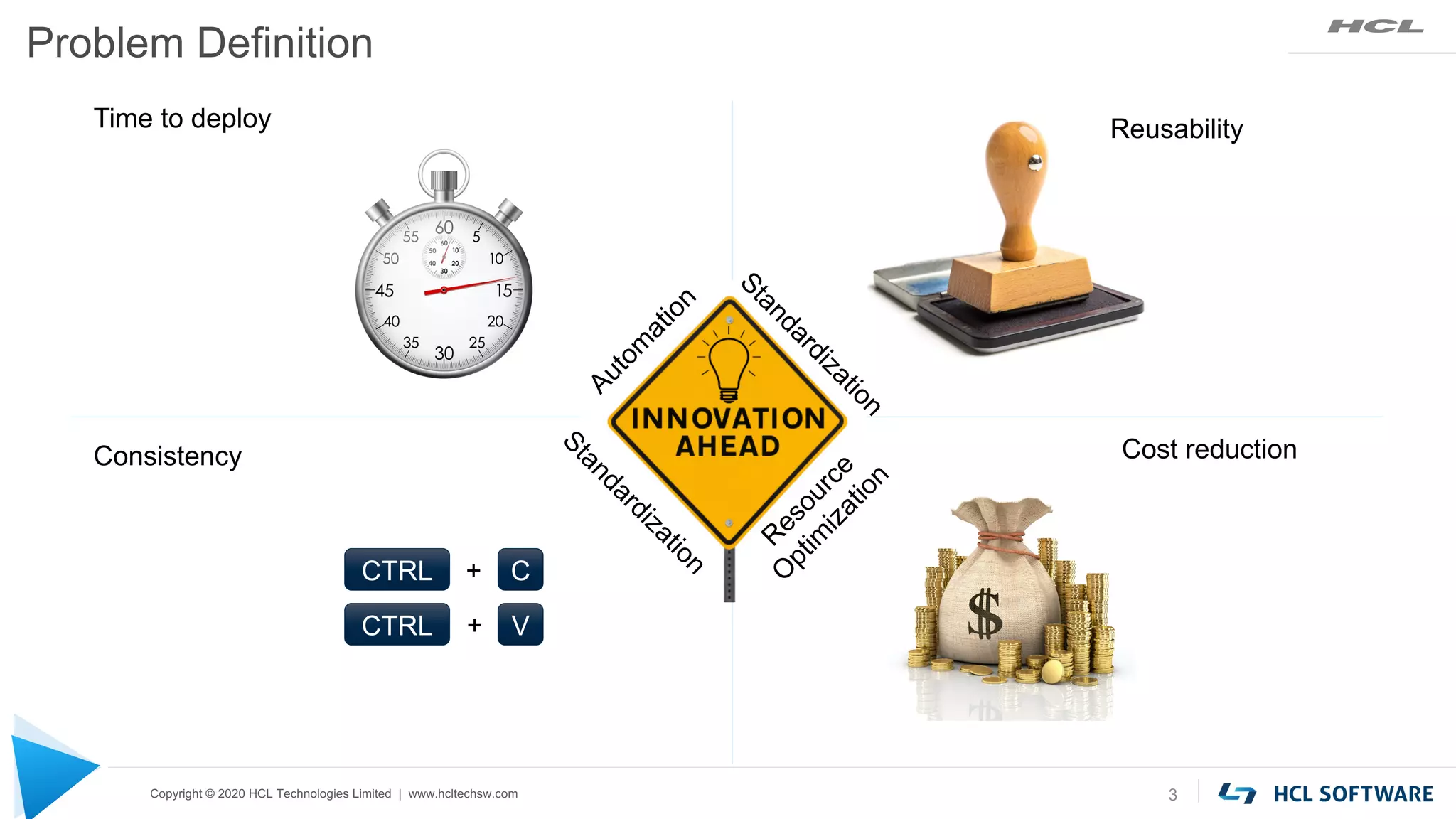
Problem Definition
3
Cost reduction
Reusability
Time to deploy
CTRL C
CTRL V
+
+
Consistency
A
u
t
o
m
a
t
i
o
n
R
e
s
o
u
r
c
e
O
p
t
i
m
i
z
a
t
i
o
n
S
t
a
n
d
a
r
d
i
z
a
t
i
o
n
S
t
a
n
d
a
r
d
i
z
a
t
i
o
n
Copyright © 2020 HCL Technologies Limited | www.hcltechsw.com
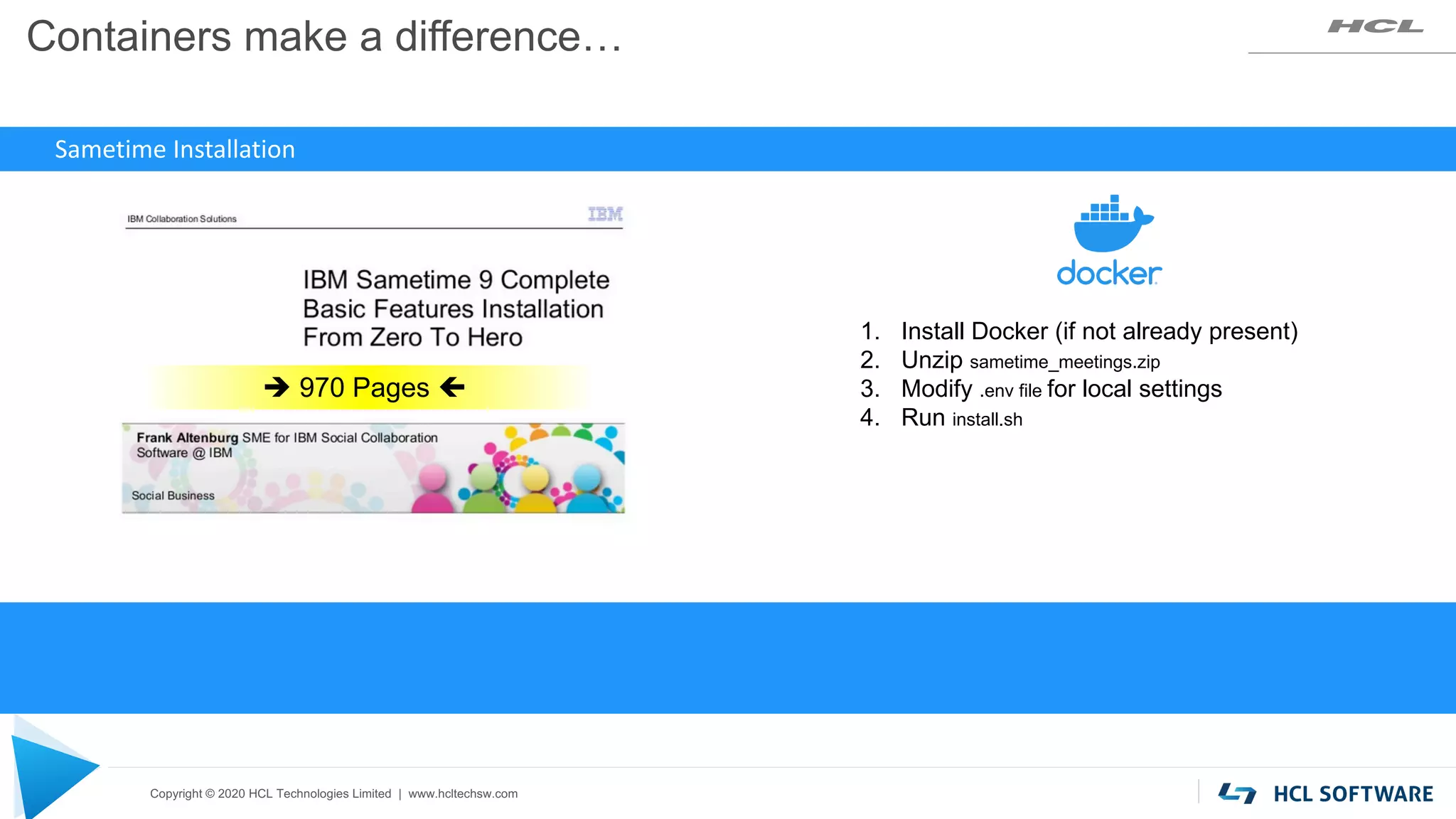
Containers make a difference…
1. Install Docker (if not already present)
2. Unzip sametime_meetings.zip
3. Modify .env file for local settings
4. Run install.sh
Sametime Installation
è 970 Pages ç
Copyright © 2020 HCL Technologies Limited | www.hcltechsw.com 5
Copyright © 2020 HCL Technologies Limited | www.hcltechsw.com
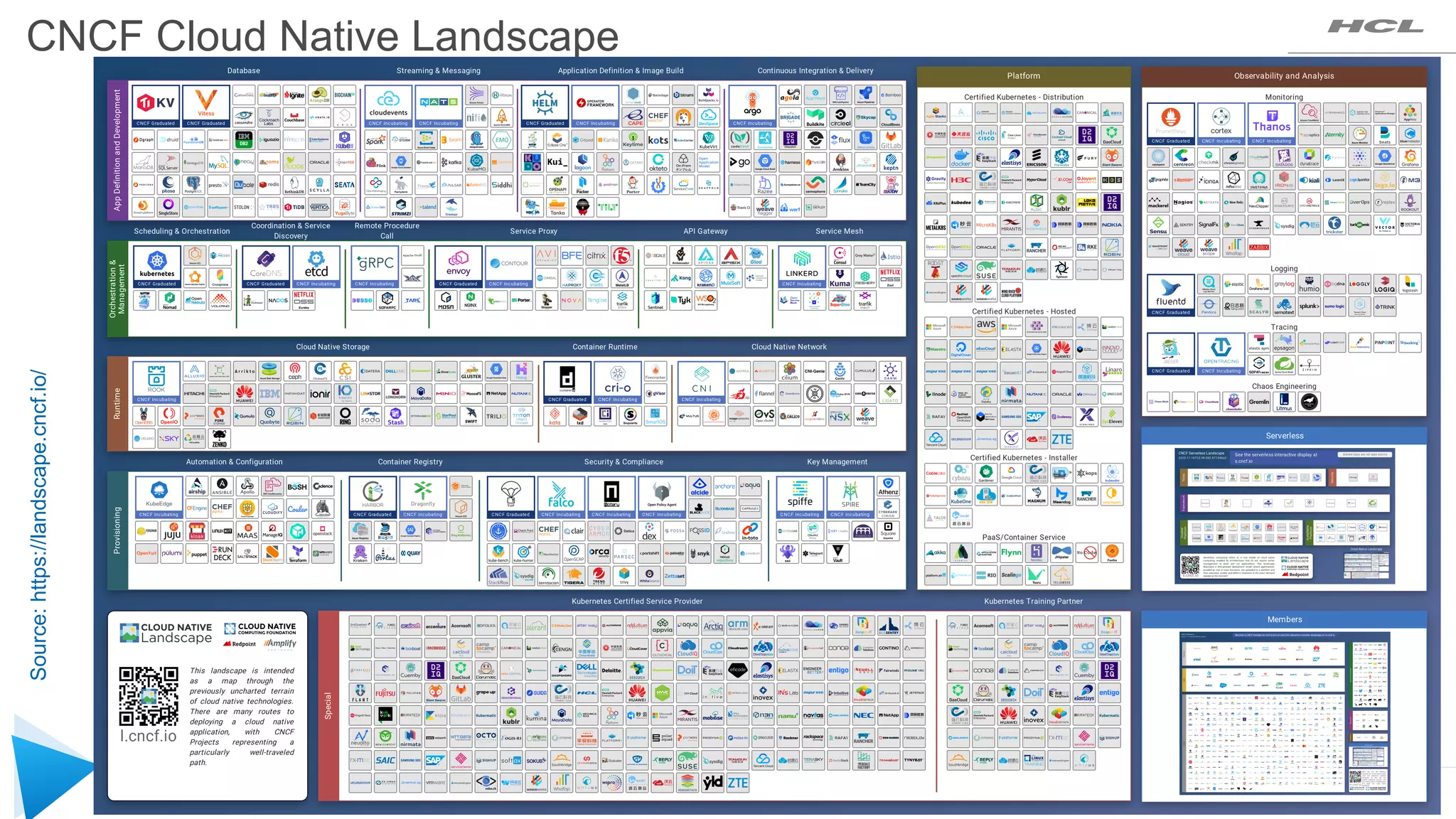
CNCF Cloud Native Landscape
Source:
https://landscape.cncf.io/
Copyright © 2020 HCL Technologies Limited | www.hcltechsw.com
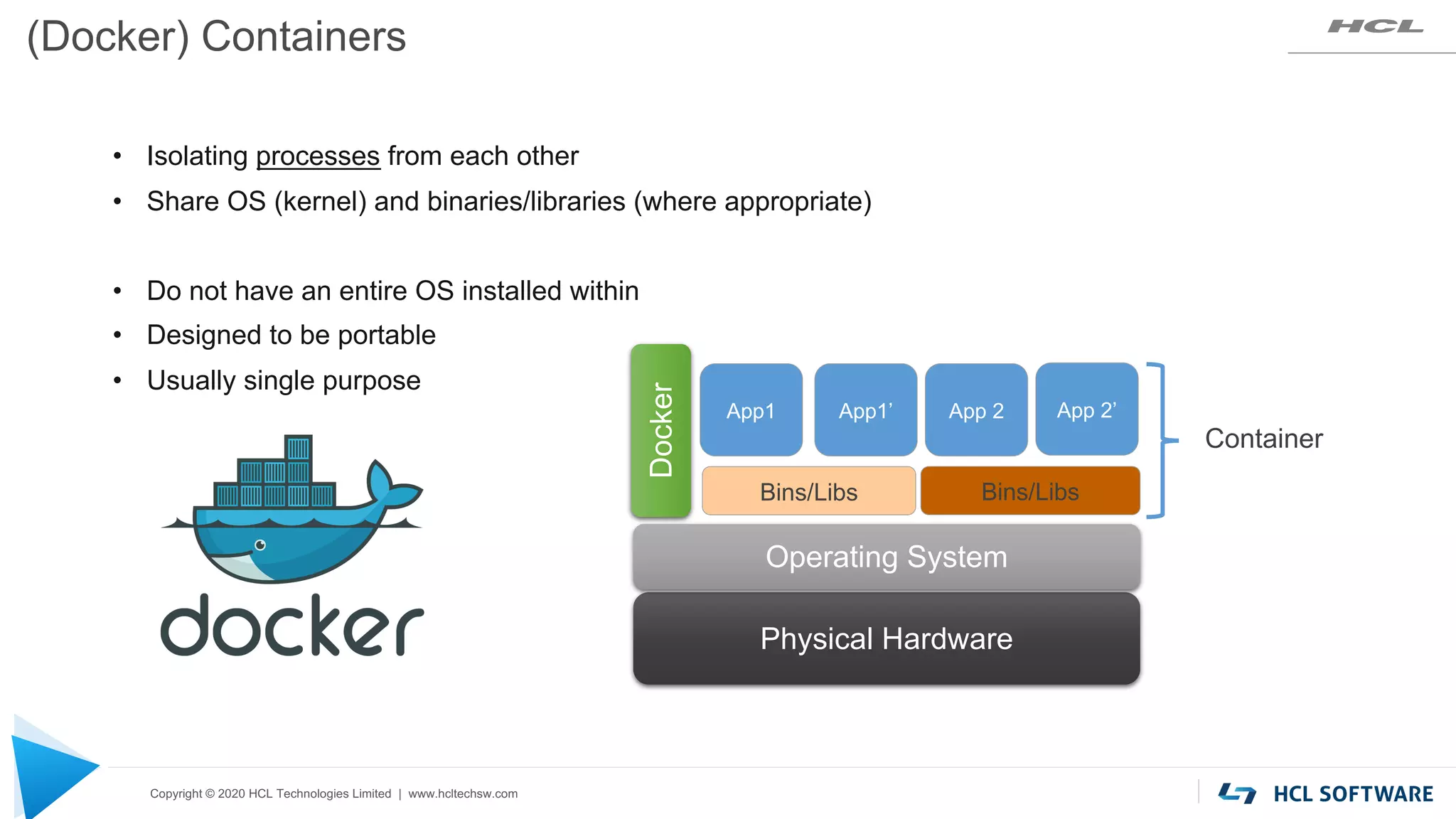
(Docker) Containers
• Isolating processes from each other
• Share OS (kernel) and binaries/libraries (where appropriate)
• Do not have an entire OS installed within
• Designed to be portable
• Usually single purpose
Physical Hardware
Operating System
Docker
Container
Bins/Libs Bins/Libs
App1 App1’ App 2 App 2’
Copyright © 2020 HCL Technologies Limited | www.hcltechsw.com
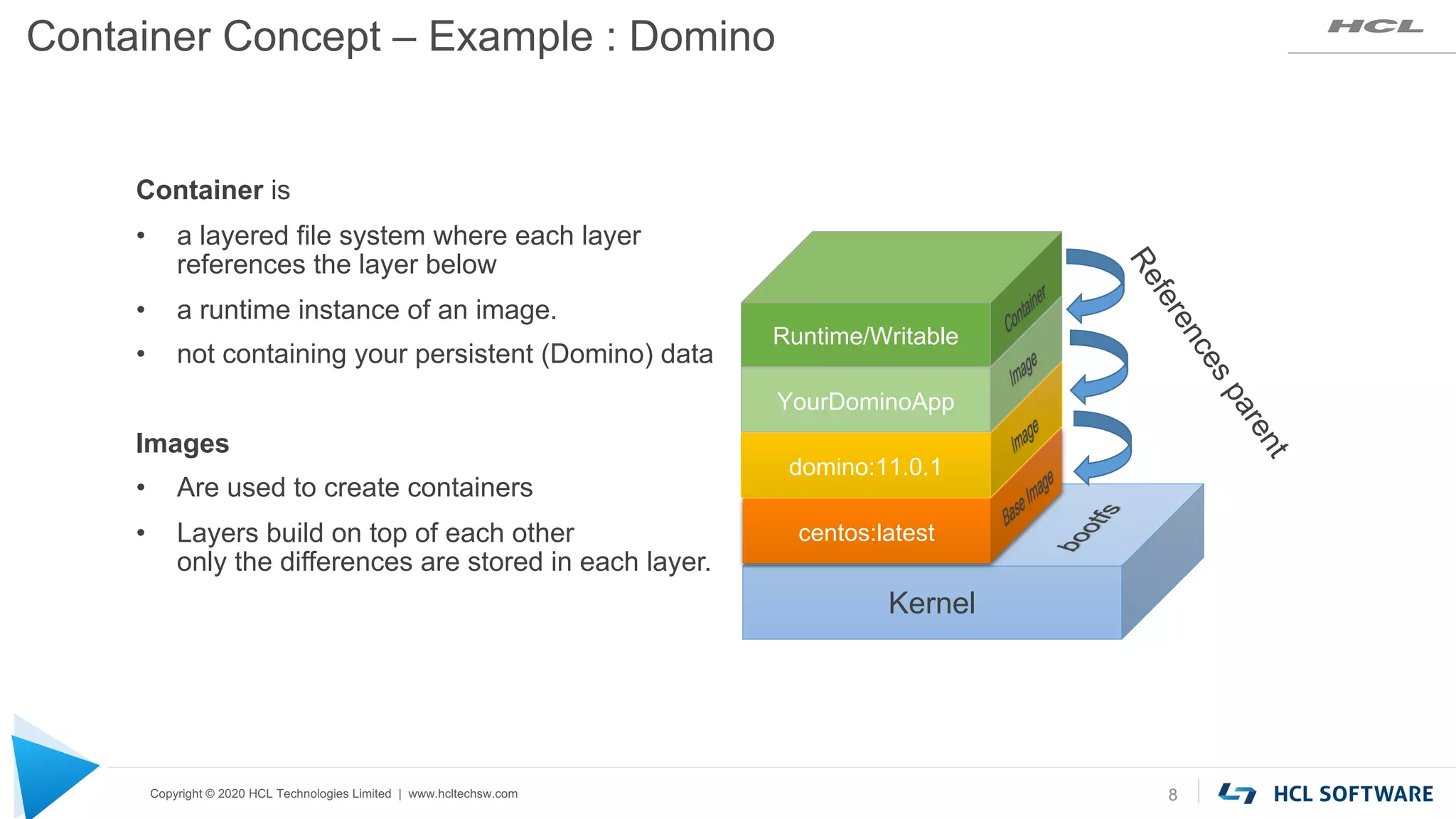
Container Concept – Example : Domino
8
Kernel
centos:latest
domino:11.0.1
YourDominoApp
Runtime/Writable
R
e
f
e
r
e
n
c
e
s
p
a
r
e
n
t
Container is
• a layered file system where each layer
references the layer below
• a runtime instance of an image.
• not containing your persistent (Domino) data
Images
• Are used to create containers
• Layers build on top of each other
only the differences are stored in each layer.
Copyright © 2020 HCL Technologies Limited | www.hcltechsw.com
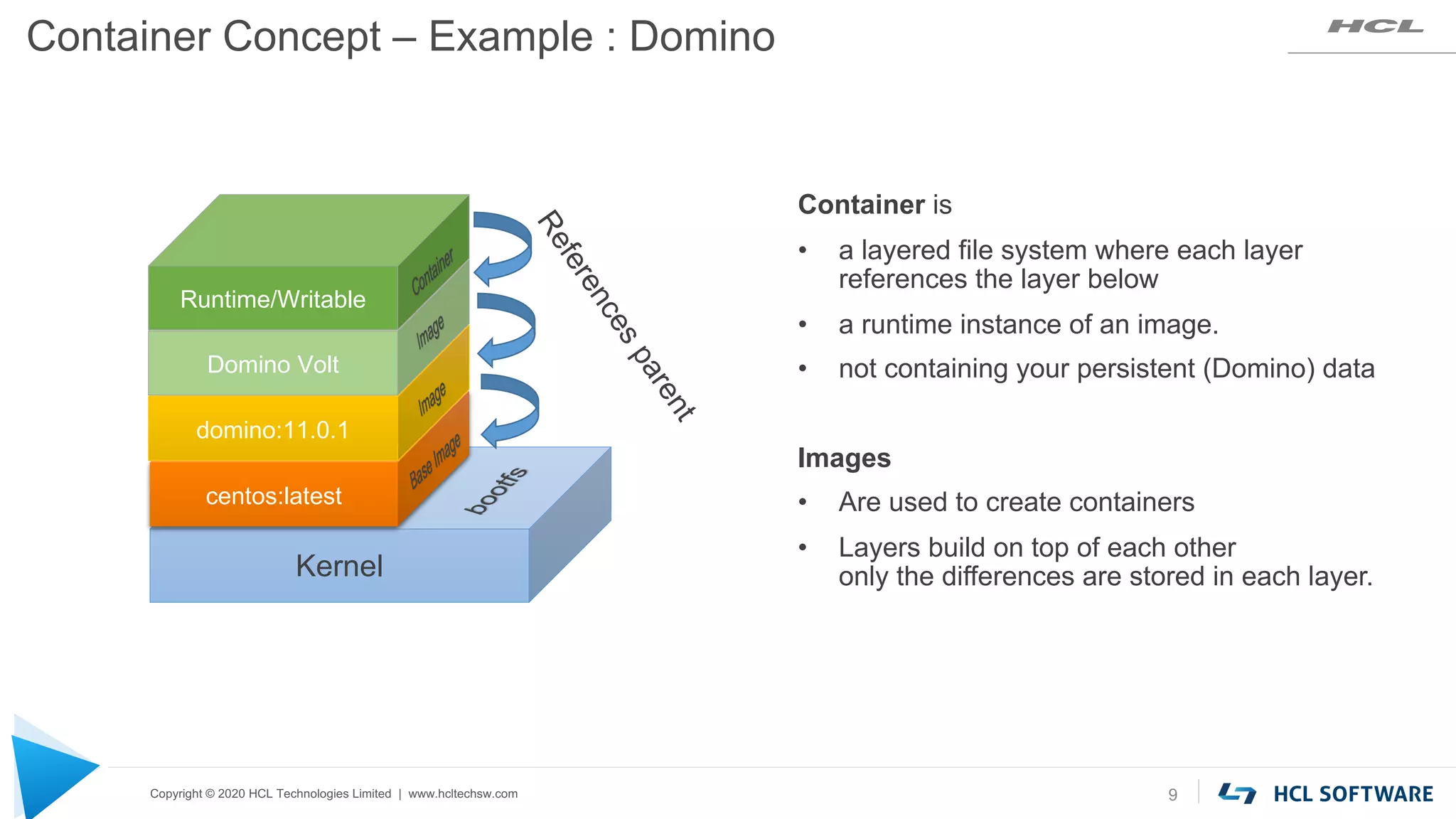
Container Concept – Example : Domino
9
Kernel
centos:latest
domino:11.0.1
Domino Volt
Runtime/Writable
R
e
f
e
r
e
n
c
e
s
p
a
r
e
n
t
Container is
• a layered file system where each layer
references the layer below
• a runtime instance of an image.
• not containing your persistent (Domino) data
Images
• Are used to create containers
• Layers build on top of each other
only the differences are stored in each layer.
Copyright © 2020 HCL Technologies Limited | www.hcltechsw.com
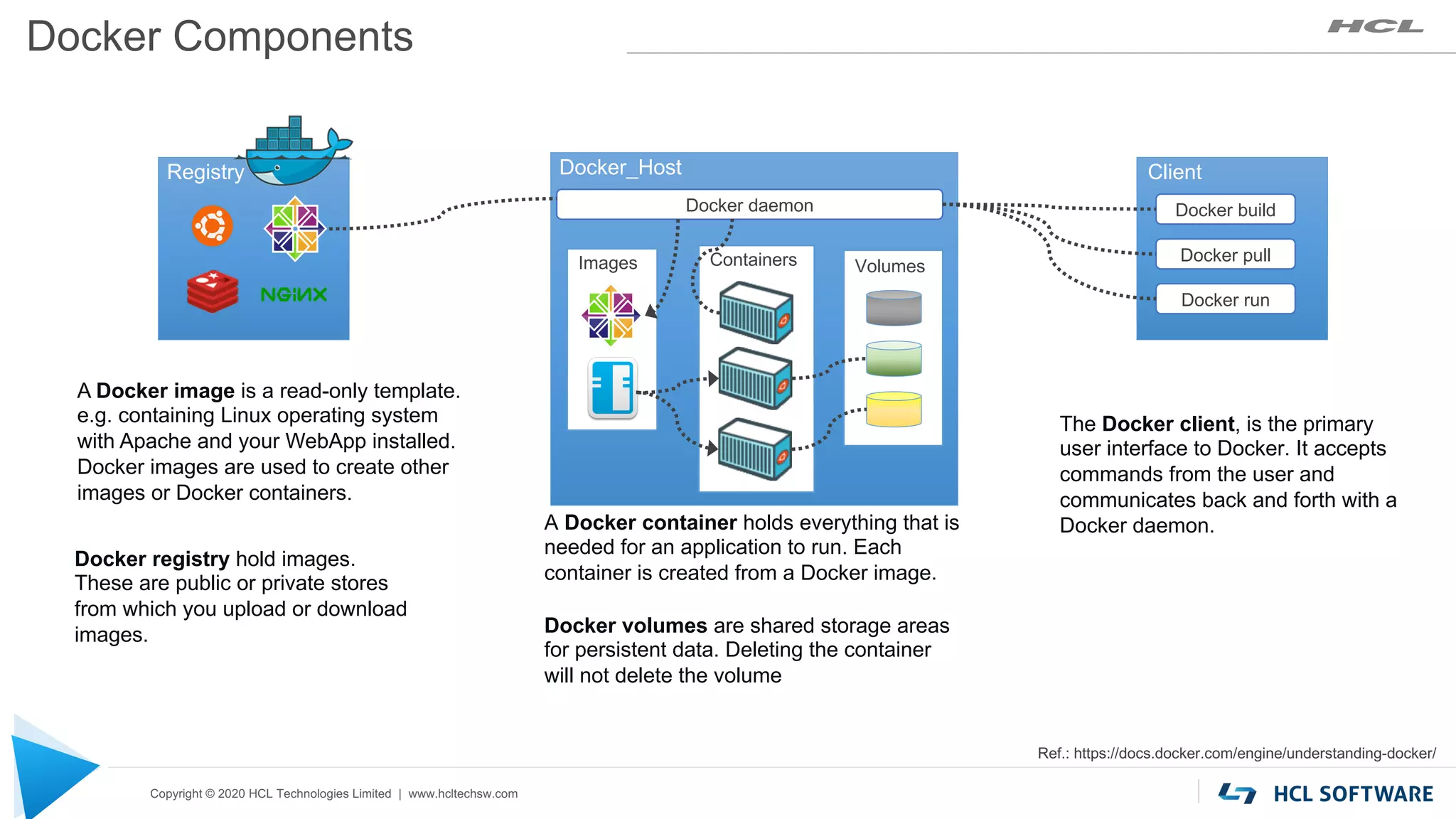
Docker Components
Registry
Docker registry hold images.
These are public or private stores
from which you upload or download
images.
Docker_Host
Docker daemon
Ref.: https://docs.docker.com/engine/understanding-docker/
A Docker image is a read-only template.
e.g. containing Linux operating system
with Apache and your WebApp installed.
Docker images are used to create other
images or Docker containers.
The Docker client, is the primary
user interface to Docker. It accepts
commands from the user and
communicates back and forth with a
Docker daemon.
Client
Docker build
Docker pull
Docker run
Images
A Docker container holds everything that is
needed for an application to run. Each
container is created from a Docker image.
Containers
Docker volumes are shared storage areas
for persistent data. Deleting the container
will not delete the volume
Volumes
Copyright © 2020 HCL Technologies Limited | www.hcltechsw.com
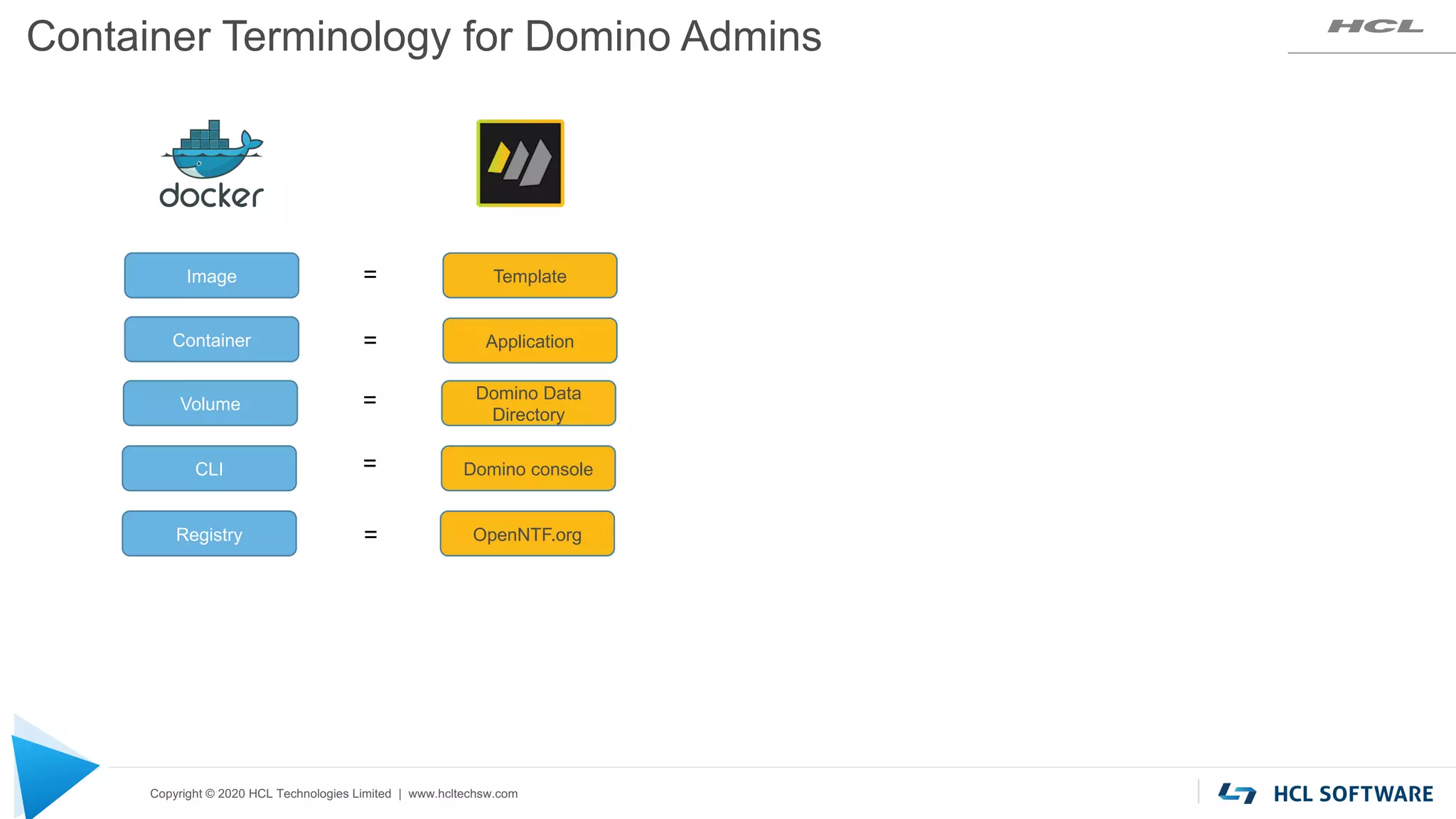
Image Template
Container Application
CLI Domino console
Volume
Domino Data
Directory
Container Terminology for Domino Admins
=
=
=
=
Registry OpenNTF.org
=
Copyright © 2020 HCL Technologies Limited | www.hcltechsw.com
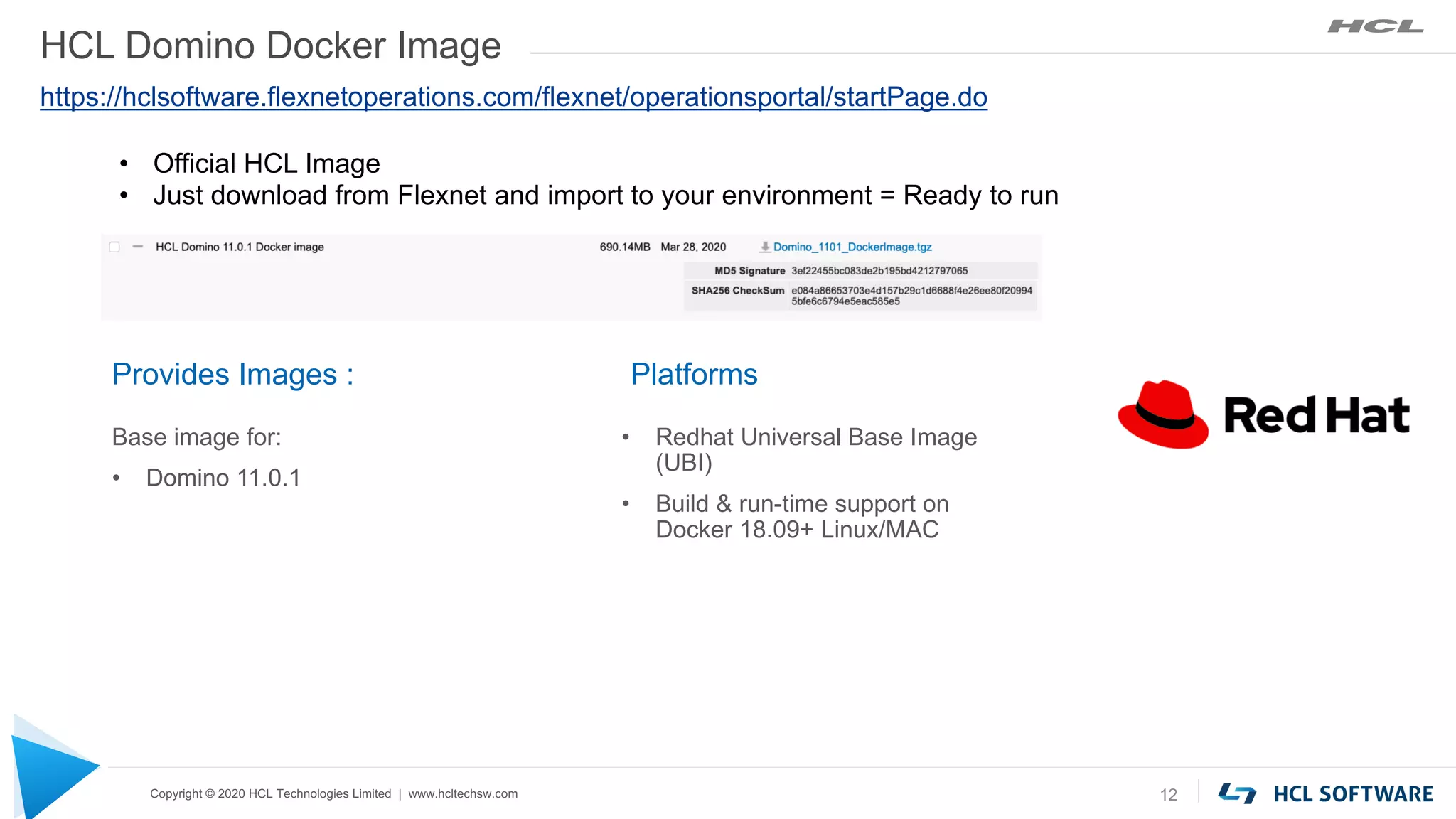
HCL Domino Docker Image
Platforms
• Redhat Universal Base Image
(UBI)
• Build & run-time support on
Docker 18.09+ Linux/MAC
12
Provides Images :
Base image for:
• Domino 11.0.1
https://hclsoftware.flexnetoperations.com/flexnet/operationsportal/startPage.do
• Official HCL Image
• Just download from Flexnet and import to your environment = Ready to run
Copyright © 2020 HCL Technologies Limited | www.hcltechsw.com
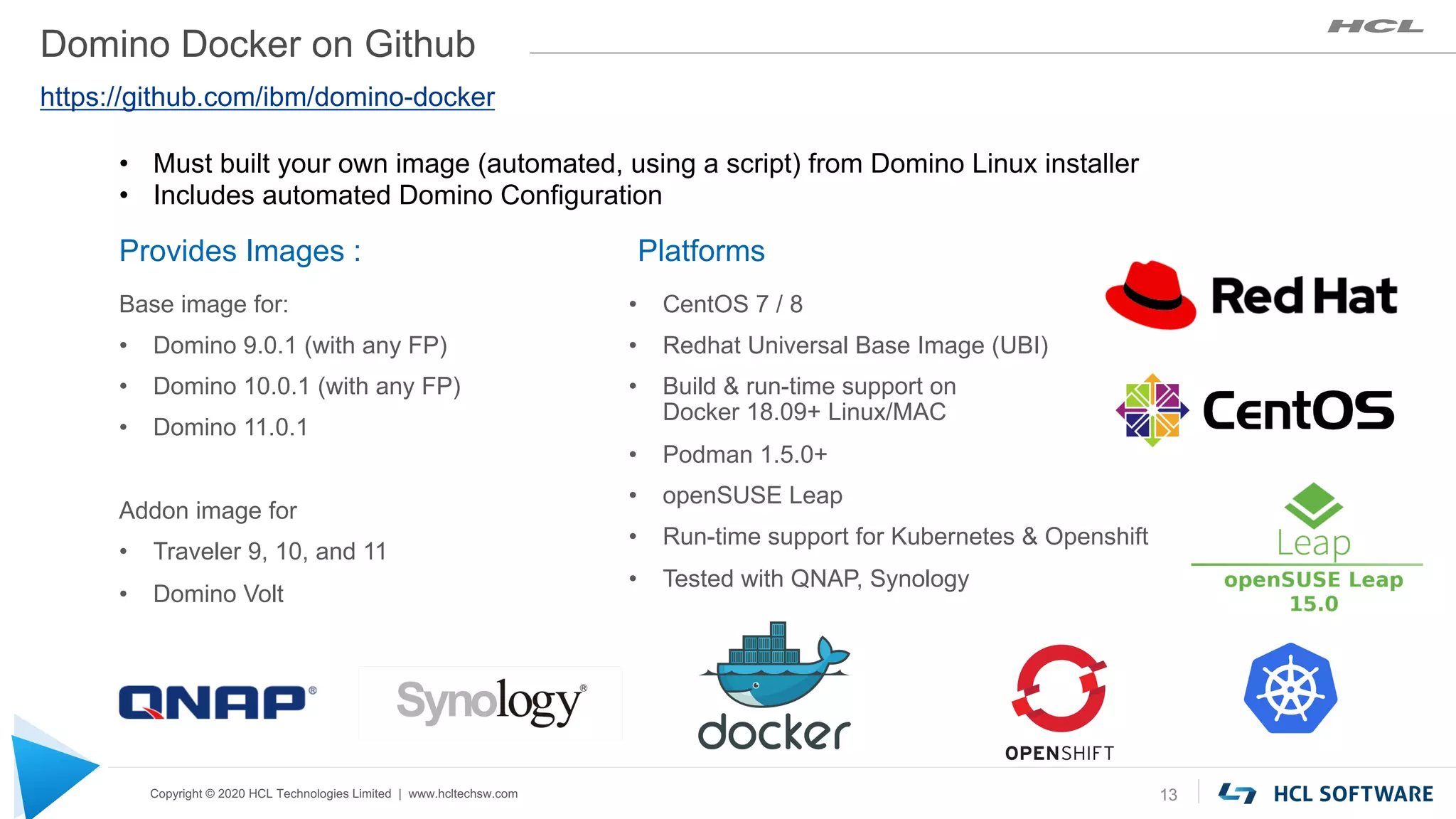
Domino Docker on Github
Platforms
• CentOS 7 / 8
• Redhat Universal Base Image (UBI)
• Build & run-time support on
Docker 18.09+ Linux/MAC
• Podman 1.5.0+
• openSUSE Leap
• Run-time support for Kubernetes & Openshift
• Tested with QNAP, Synology
13
Provides Images :
Base image for:
• Domino 9.0.1 (with any FP)
• Domino 10.0.1 (with any FP)
• Domino 11.0.1
Addon image for
• Traveler 9, 10, and 11
• Domino Volt
https://github.com/ibm/domino-docker
• Must built your own image (automated, using a script) from Domino Linux installer
• Includes automated Domino Configuration
Copyright © 2020 HCL Technologies Limited | www.hcltechsw.com
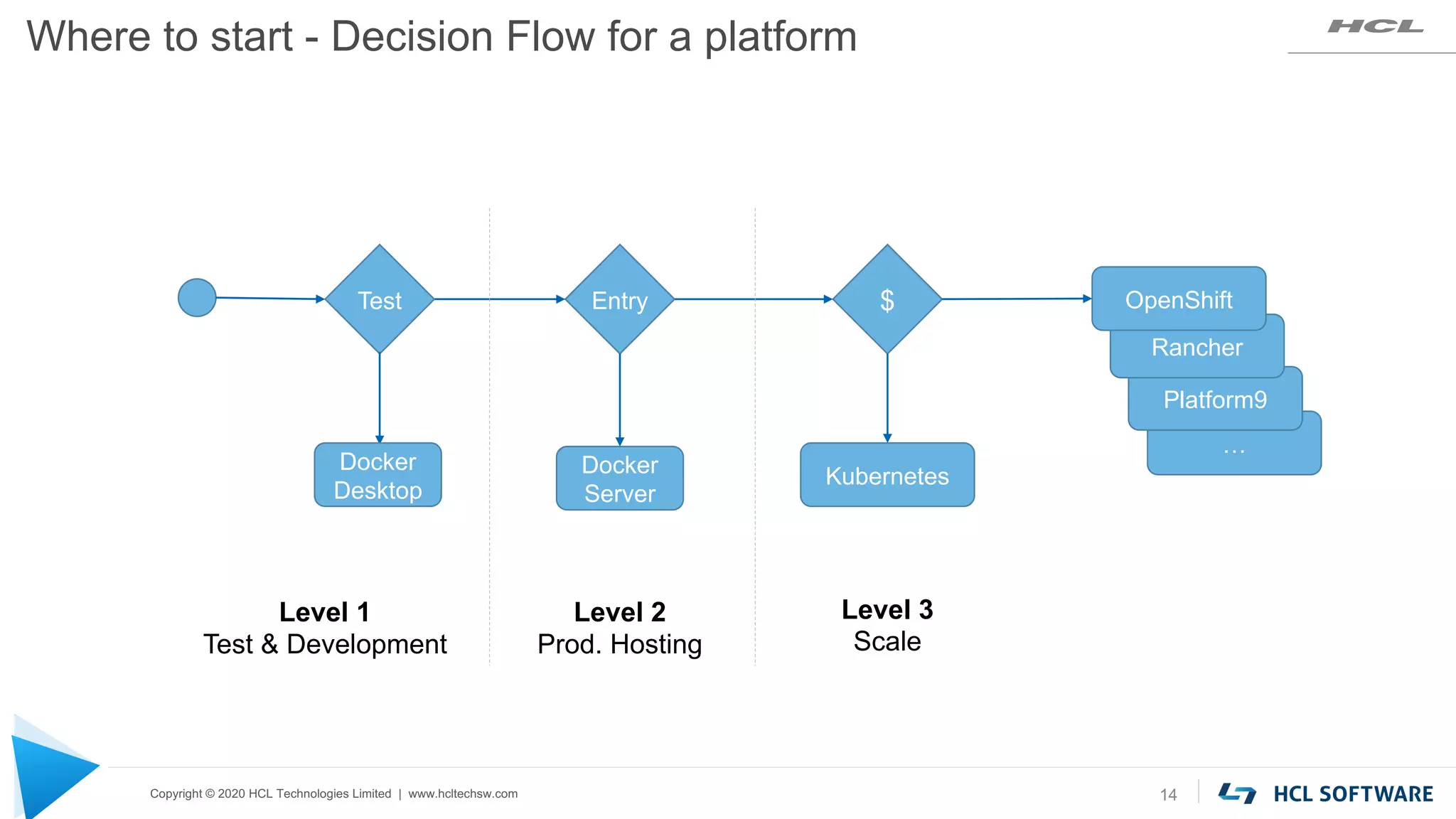
…
Platform9
Rancher
Where to start - Decision Flow for a platform
14
Docker
Server
Kubernetes
OpenShift
$
Entry
Test
Docker
Desktop
Level 1
Test & Development
Level 2
Prod. Hosting
Level 3
Scale
Copyright © 2020 HCL Technologies Limited | www.hcltechsw.com
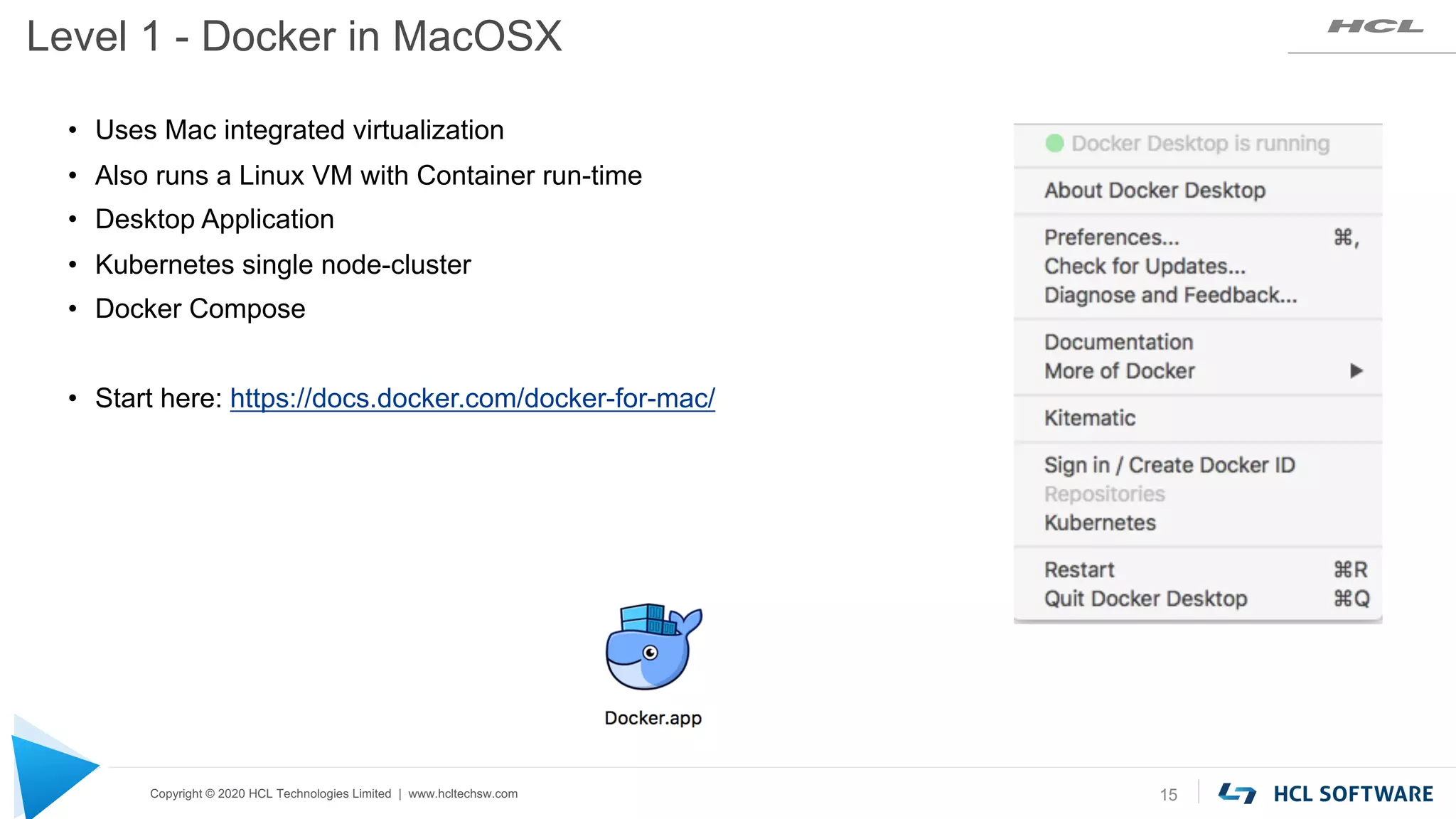
Level 1 - Docker in MacOSX
15
• Uses Mac integrated virtualization
• Also runs a Linux VM with Container run-time
• Desktop Application
• Kubernetes single node-cluster
• Docker Compose
• Start here: https://docs.docker.com/docker-for-mac/
Copyright © 2020 HCL Technologies Limited | www.hcltechsw.com
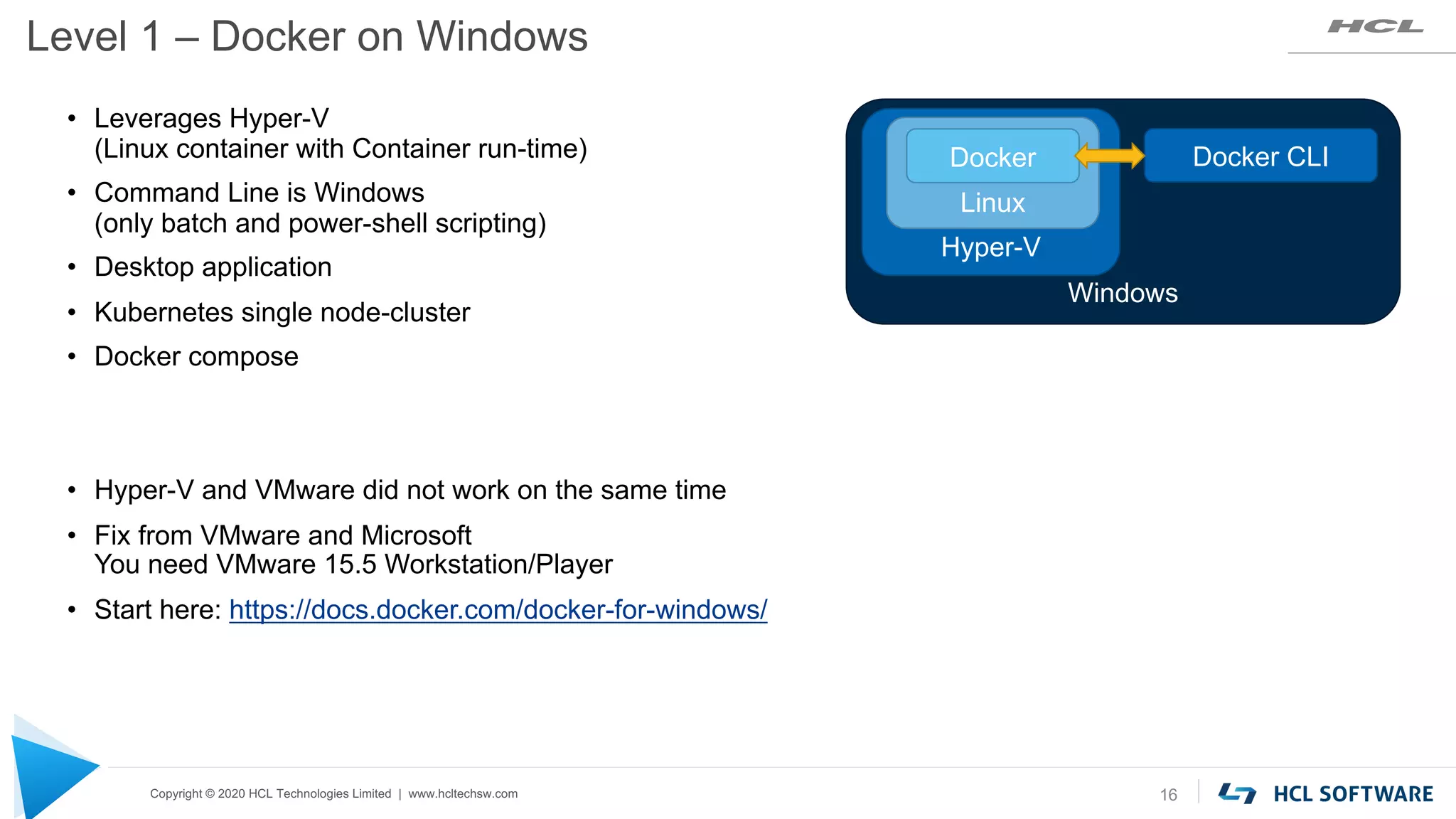
Level 1 – Docker on Windows
16
• Leverages Hyper-V
(Linux container with Container run-time)
• Command Line is Windows
(only batch and power-shell scripting)
• Desktop application
• Kubernetes single node-cluster
• Docker compose
• Hyper-V and VMware did not work on the same time
• Fix from VMware and Microsoft
You need VMware 15.5 Workstation/Player
• Start here: https://docs.docker.com/docker-for-windows/
Windows
Hyper-V
Linux
Docker Docker CLI
Copyright © 2020 HCL Technologies Limited | www.hcltechsw.com
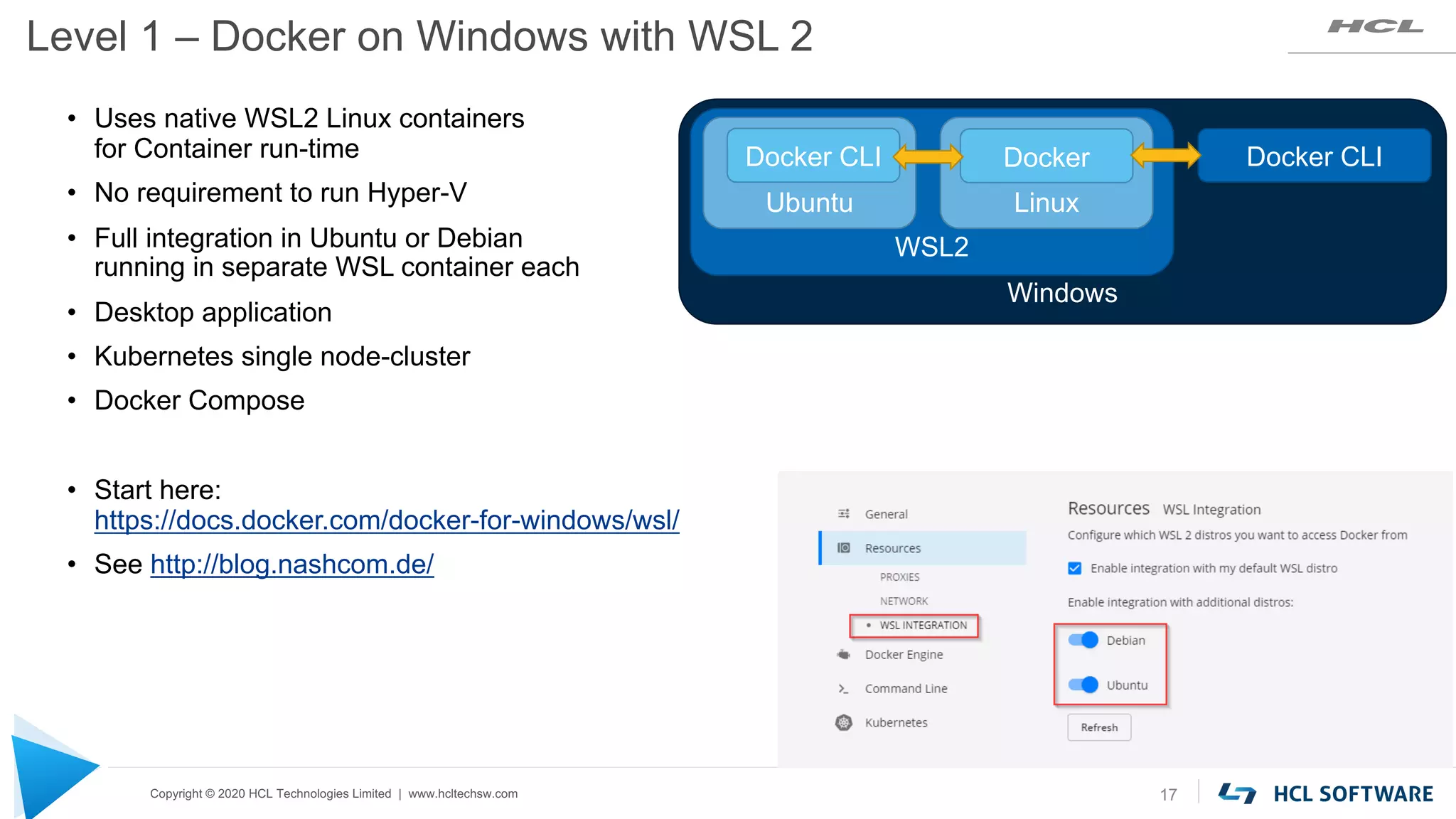
Level 1 – Docker on Windows with WSL 2
17
• Uses native WSL2 Linux containers
for Container run-time
• No requirement to run Hyper-V
• Full integration in Ubuntu or Debian
running in separate WSL container each
• Desktop application
• Kubernetes single node-cluster
• Docker Compose
• Start here:
https://docs.docker.com/docker-for-windows/wsl/
• See http://blog.nashcom.de/
Windows
WSL2
Linux
Docker Docker CLI
Ubuntu
Docker CLI
Copyright © 2020 HCL Technologies Limited | www.hcltechsw.com
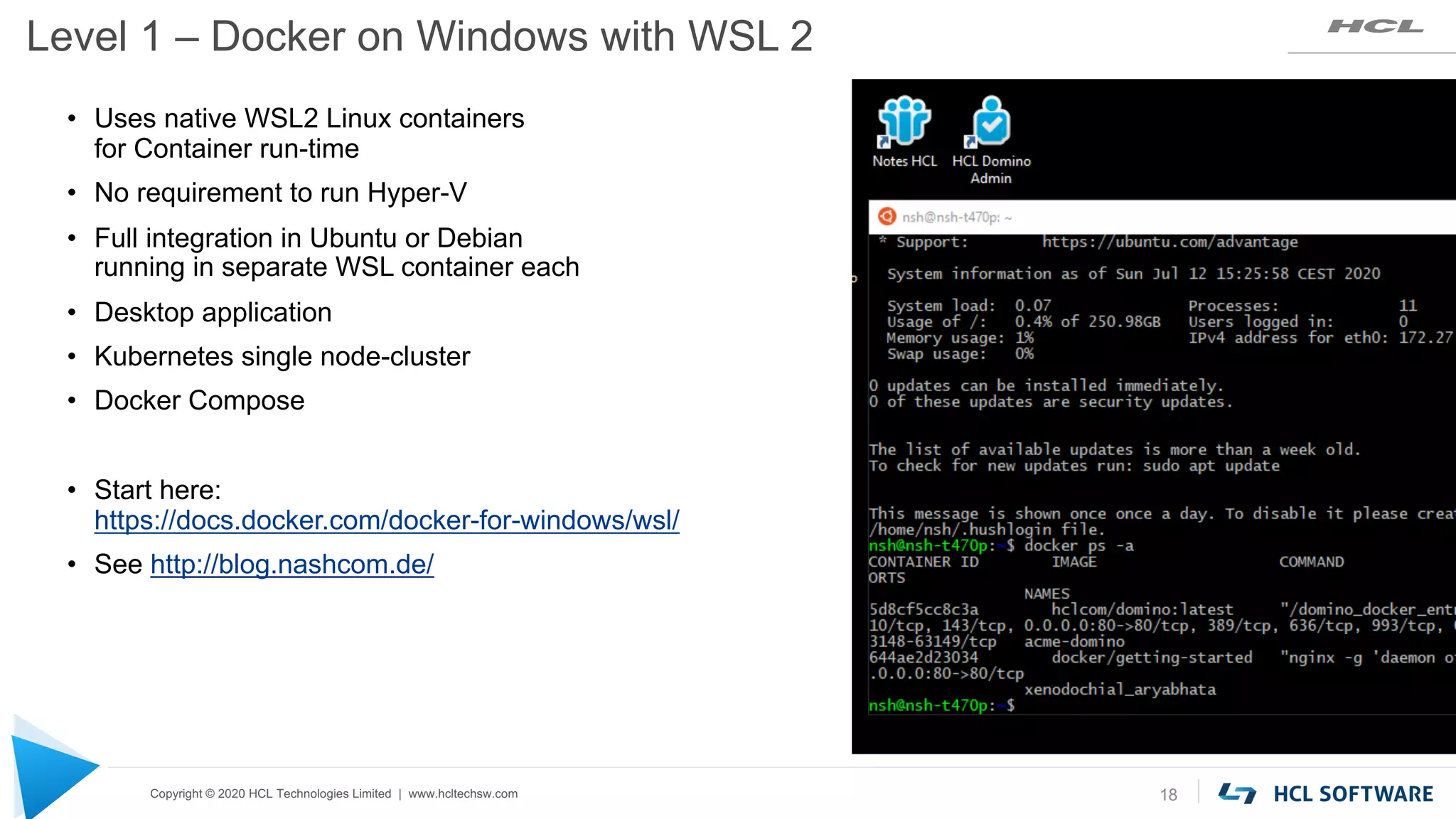
Level 1 – Docker on Windows with WSL 2
18
• Uses native WSL2 Linux containers
for Container run-time
• No requirement to run Hyper-V
• Full integration in Ubuntu or Debian
running in separate WSL container each
• Desktop application
• Kubernetes single node-cluster
• Docker Compose
• Start here:
https://docs.docker.com/docker-for-windows/wsl/
• See http://blog.nashcom.de/
Copyright © 2020 HCL Technologies Limited | www.hcltechsw.com
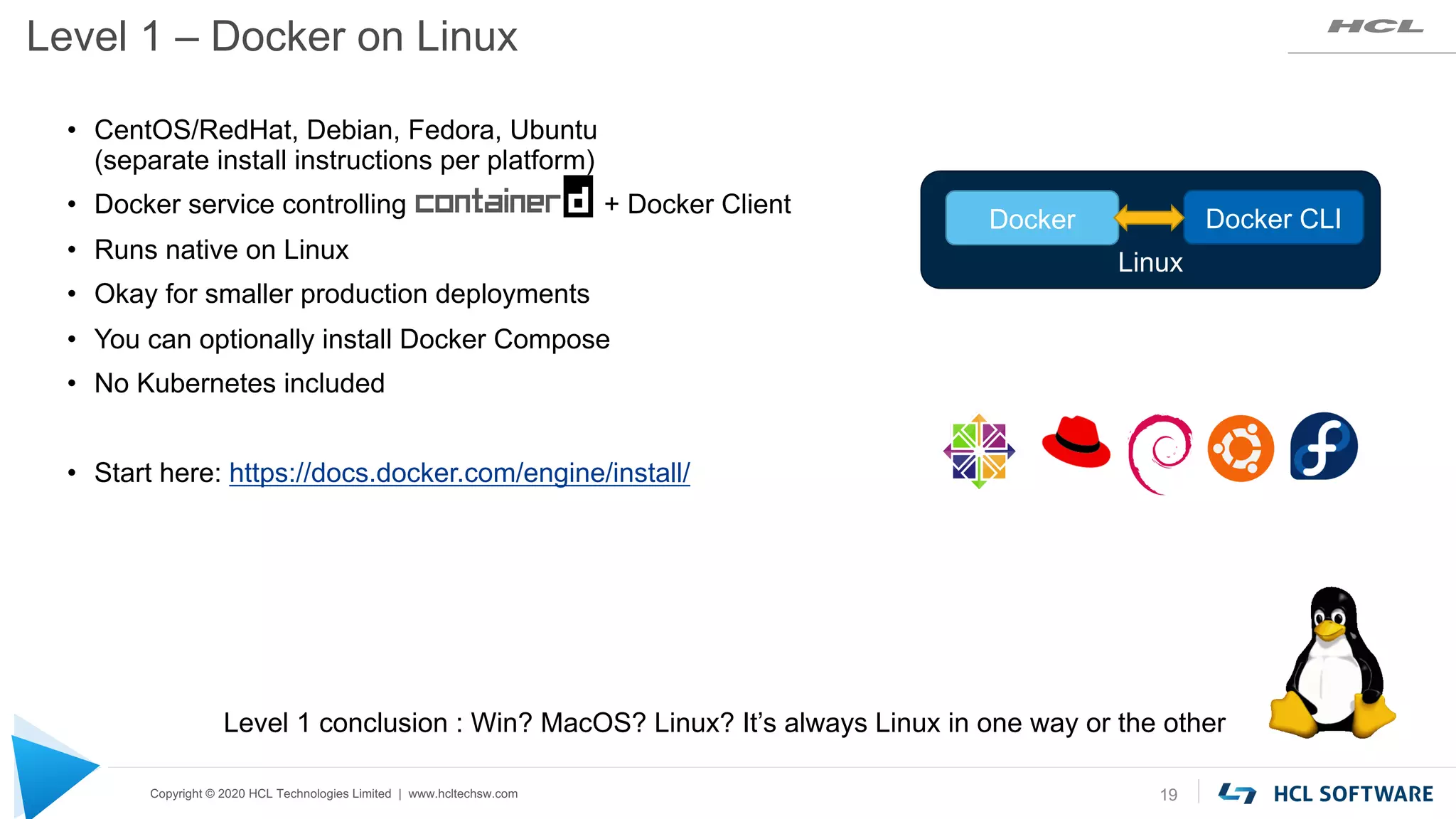
Level 1 – Docker on Linux
19
• CentOS/RedHat, Debian, Fedora, Ubuntu
(separate install instructions per platform)
• Docker service controlling + Docker Client
• Runs native on Linux
• Okay for smaller production deployments
• You can optionally install Docker Compose
• No Kubernetes included
• Start here: https://docs.docker.com/engine/install/
Level 1 conclusion : Win? MacOS? Linux? It’s always Linux in one way or the other
Linux
Docker Docker CLI
Copyright © 2020 HCL Technologies Limited | www.hcltechsw.com
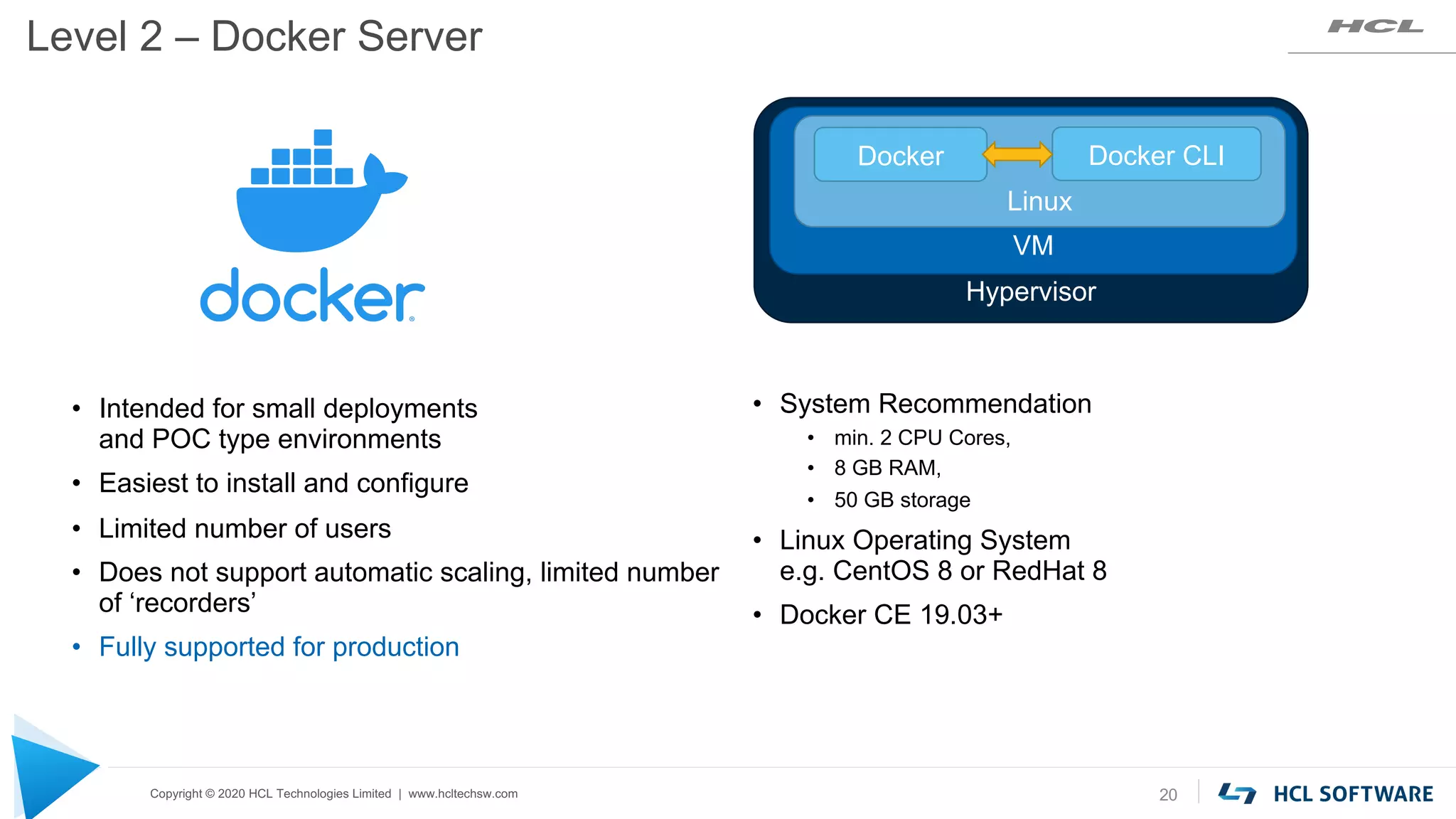
Level 2 – Docker Server
20
• System Recommendation
• min. 2 CPU Cores,
• 8 GB RAM,
• 50 GB storage
• Linux Operating System
e.g. CentOS 8 or RedHat 8
• Docker CE 19.03+
• Intended for small deployments
and POC type environments
• Easiest to install and configure
• Limited number of users
• Does not support automatic scaling, limited number
of ‘recorders’
• Fully supported for production
Hypervisor
VM
Linux
Docker Docker CLI
Copyright © 2020 HCL Technologies Limited | www.hcltechsw.com
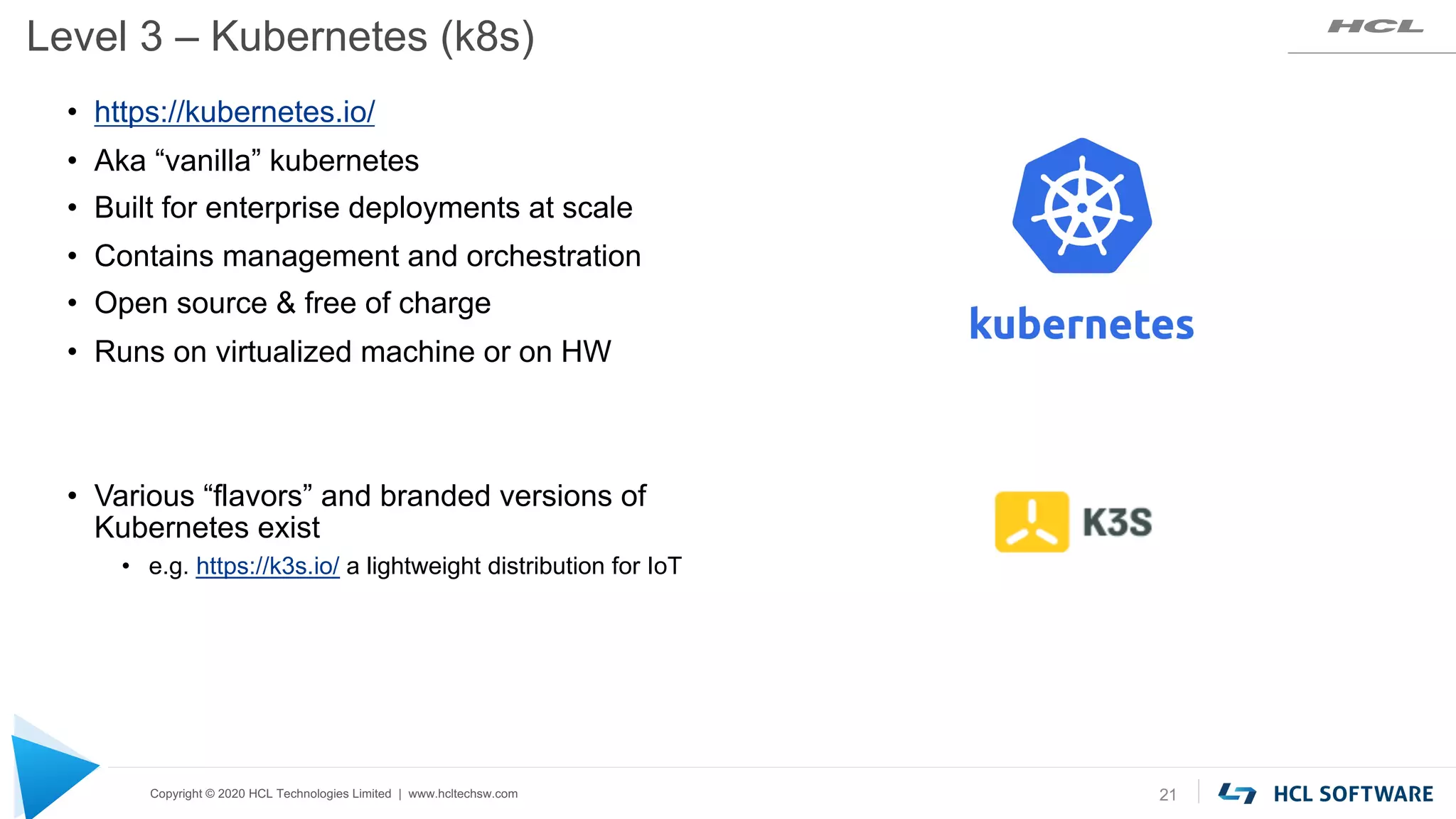
Level 3 – Kubernetes (k8s)
21
• https://kubernetes.io/
• Aka “vanilla” kubernetes
• Built for enterprise deployments at scale
• Contains management and orchestration
• Open source & free of charge
• Runs on virtualized machine or on HW
• Various “flavors” and branded versions of
Kubernetes exist
• e.g. https://k3s.io/ a lightweight distribution for IoT
Copyright © 2020 HCL Technologies Limited | www.hcltechsw.com
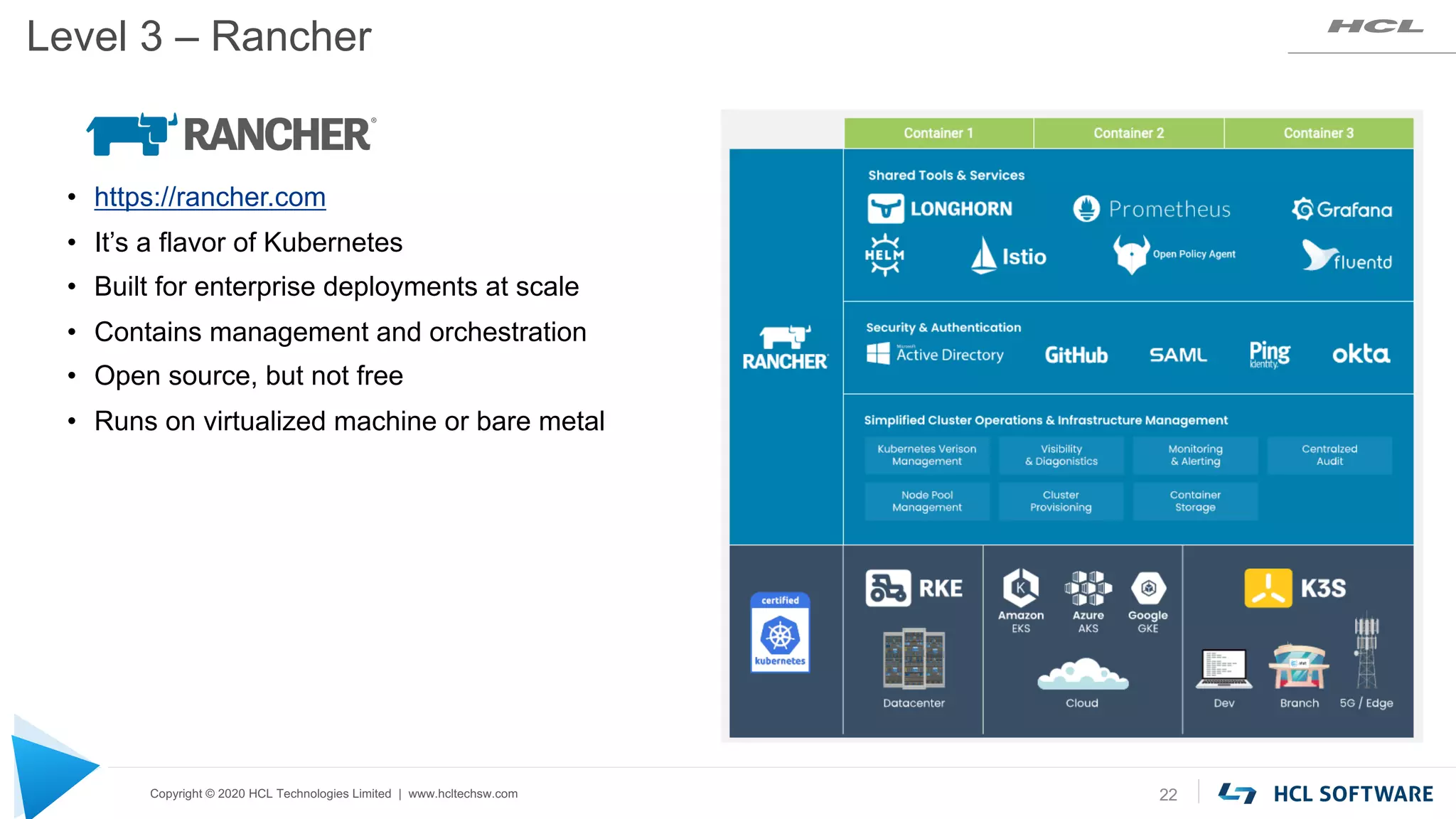
Level 3 – Rancher
22
• https://rancher.com
• It’s a flavor of Kubernetes
• Built for enterprise deployments at scale
• Contains management and orchestration
• Open source, but not free
• Runs on virtualized machine or bare metal
Copyright © 2020 HCL Technologies Limited | www.hcltechsw.com
Level 3 – OpenShift
23
https://www.openshift.com/
• It’s a flavor of Kubernetes
• Built for enterprise deployments at scale
• Contains management and orchestration
• Strong focus on security
• Commercial Product
• Community version : OKD https://www.okd.io/
• Runs on virtualized machine or bare metal
Copyright © 2020 HCL Technologies Limited | www.hcltechsw.com
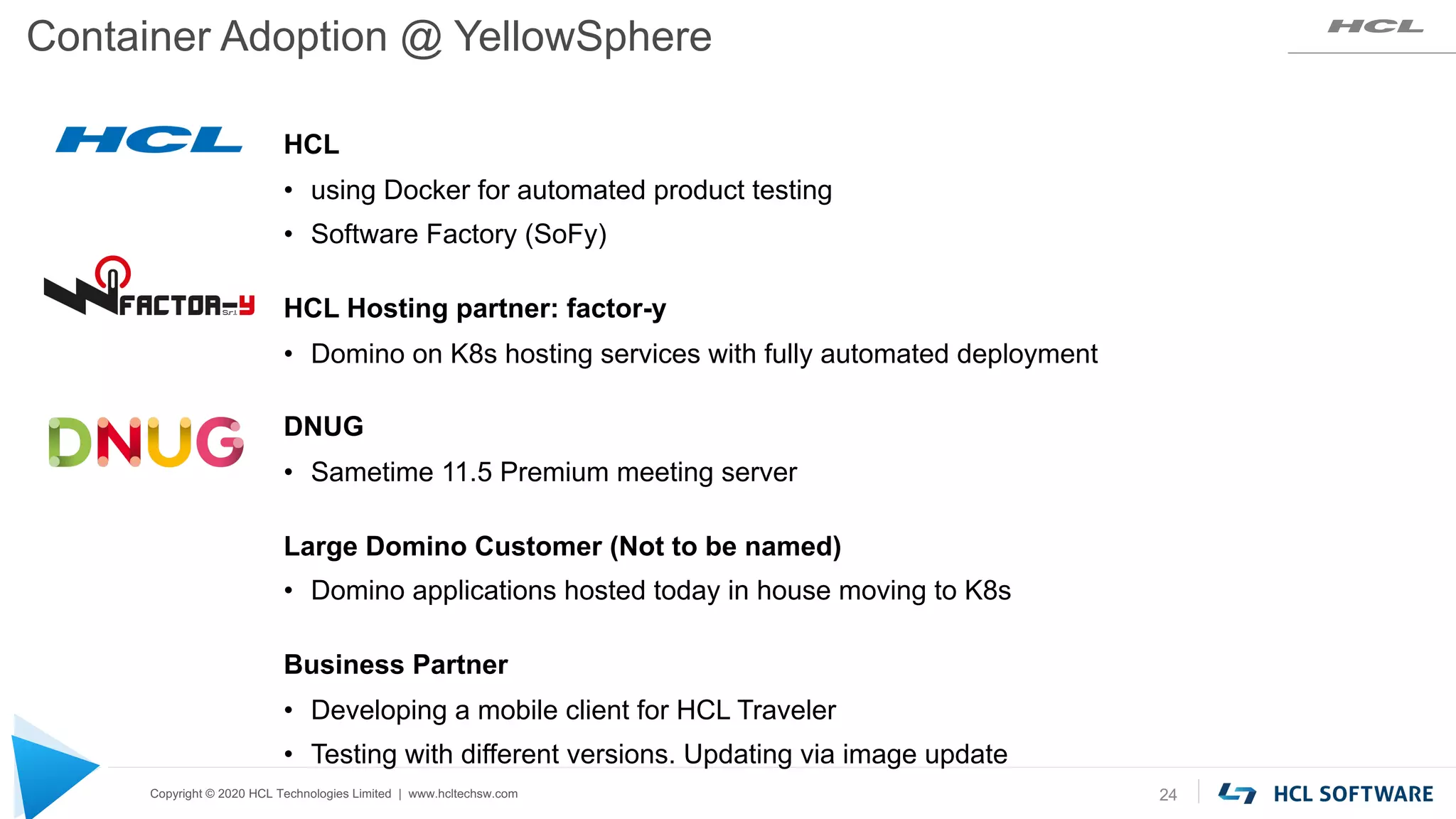
Container Adoption @ YellowSphere
24
HCL
• using Docker for automated product testing
• Software Factory (SoFy)
HCL Hosting partner: factor-y
• Domino on K8s hosting services with fully automated deployment
DNUG
• Sametime 11.5 Premium meeting server
Large Domino Customer (Not to be named)
• Domino applications hosted today in house moving to K8s
Business Partner
• Developing a mobile client for HCL Traveler
• Testing with different versions. Updating via image update
Copyright © 2020 HCL Technologies Limited | www.hcltechsw.com
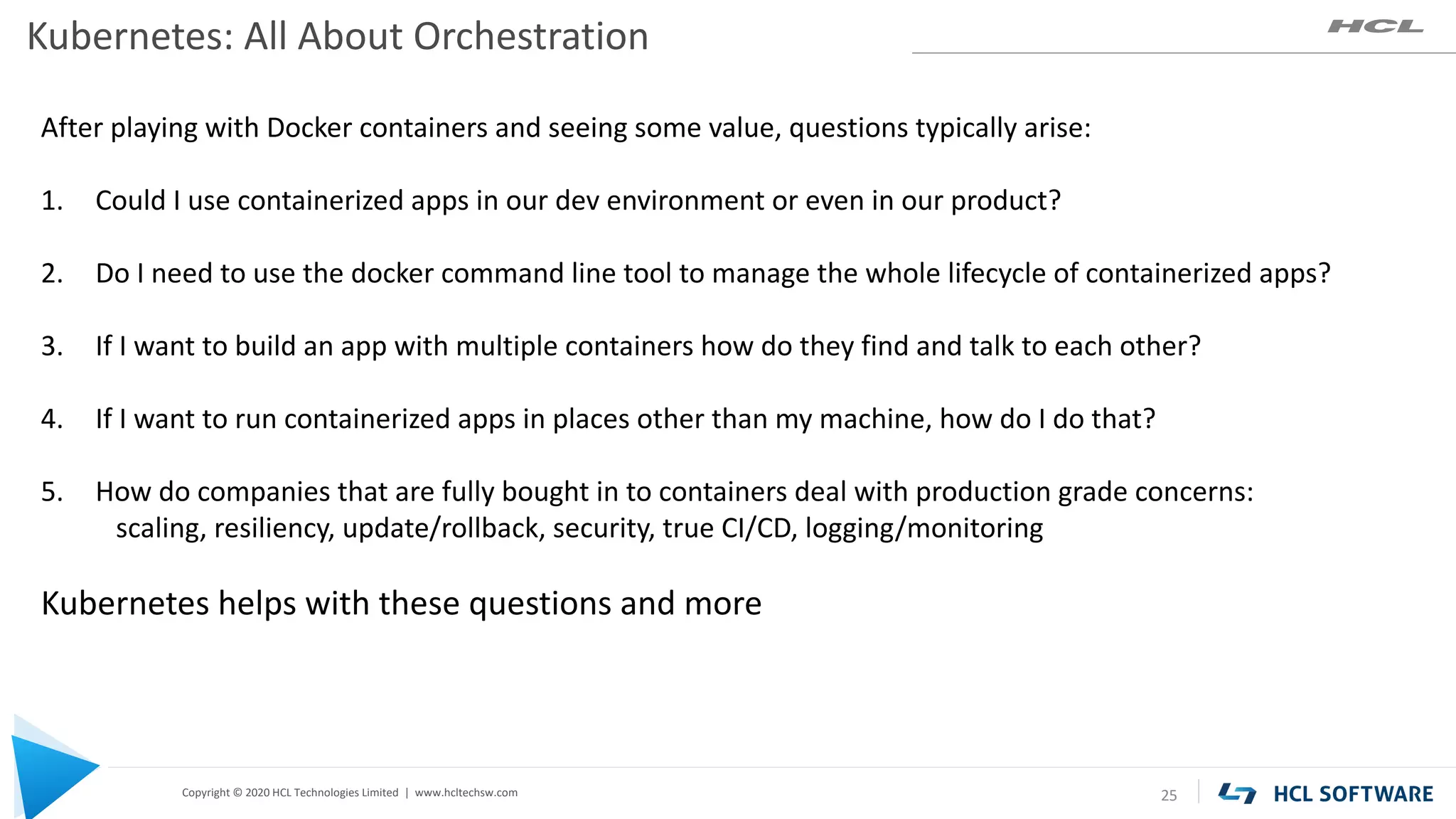
Kubernetes: All About Orchestration
25
After playing with Docker containers and seeing some value, questions typically arise:
1. Could I use containerized apps in our dev environment or even in our product?
2. Do I need to use the docker command line tool to manage the whole lifecycle of containerized apps?
3. If I want to build an app with multiple containers how do they find and talk to each other?
4. If I want to run containerized apps in places other than my machine, how do I do that?
5. How do companies that are fully bought in to containers deal with production grade concerns:
scaling, resiliency, update/rollback, security, true CI/CD, logging/monitoring
Kubernetes helps with these questions and more
Copyright © 2020 HCL Technologies Limited | www.hcltechsw.com
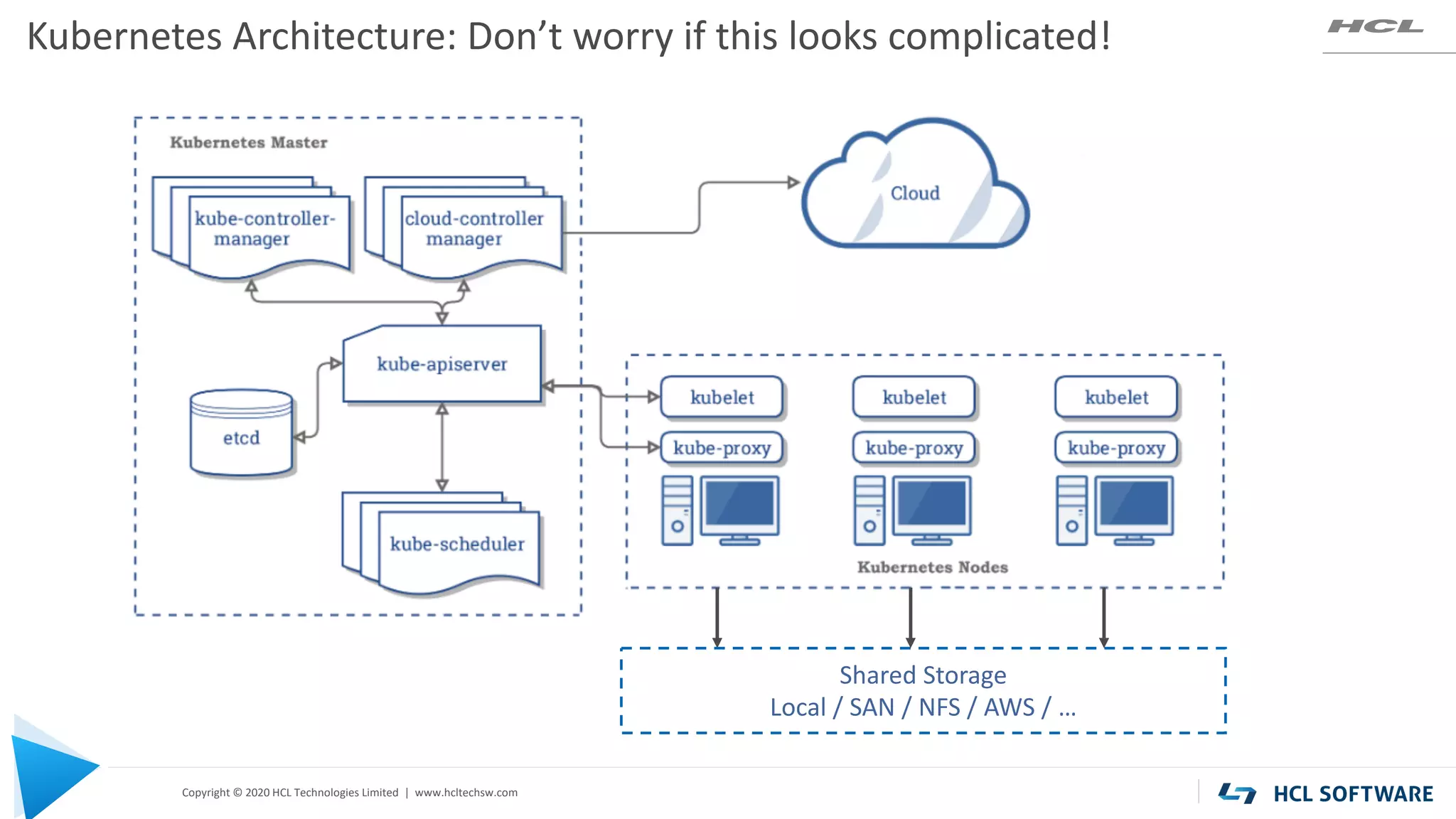
Kubernetes Architecture: Don’t worry if this looks complicated!
Shared Storage
Local / SAN / NFS / AWS / …
Copyright © 2020 HCL Technologies Limited | www.hcltechsw.com
Kubernetes for End Users
27
Most teams work with Kubernetes using a “declarative approach”:
• Basically “kubectl apply” + yaml
• This is how to tell Kubernetes what state you’d like the system to be in:
• Kubernetes is listening for changes and will try get/keep the system in the given state.
Understanding Kubernetes Objects:
Pod, Service, Namespace, Volume, Deployment, Ingress, others
Plenty of examples are just a web search away.
Easy to think you are struggling with a problem unique to your use case, but chances are
there is already a well known solution, and usually many solutions
Copyright © 2020 HCL Technologies Limited | www.hcltechsw.com
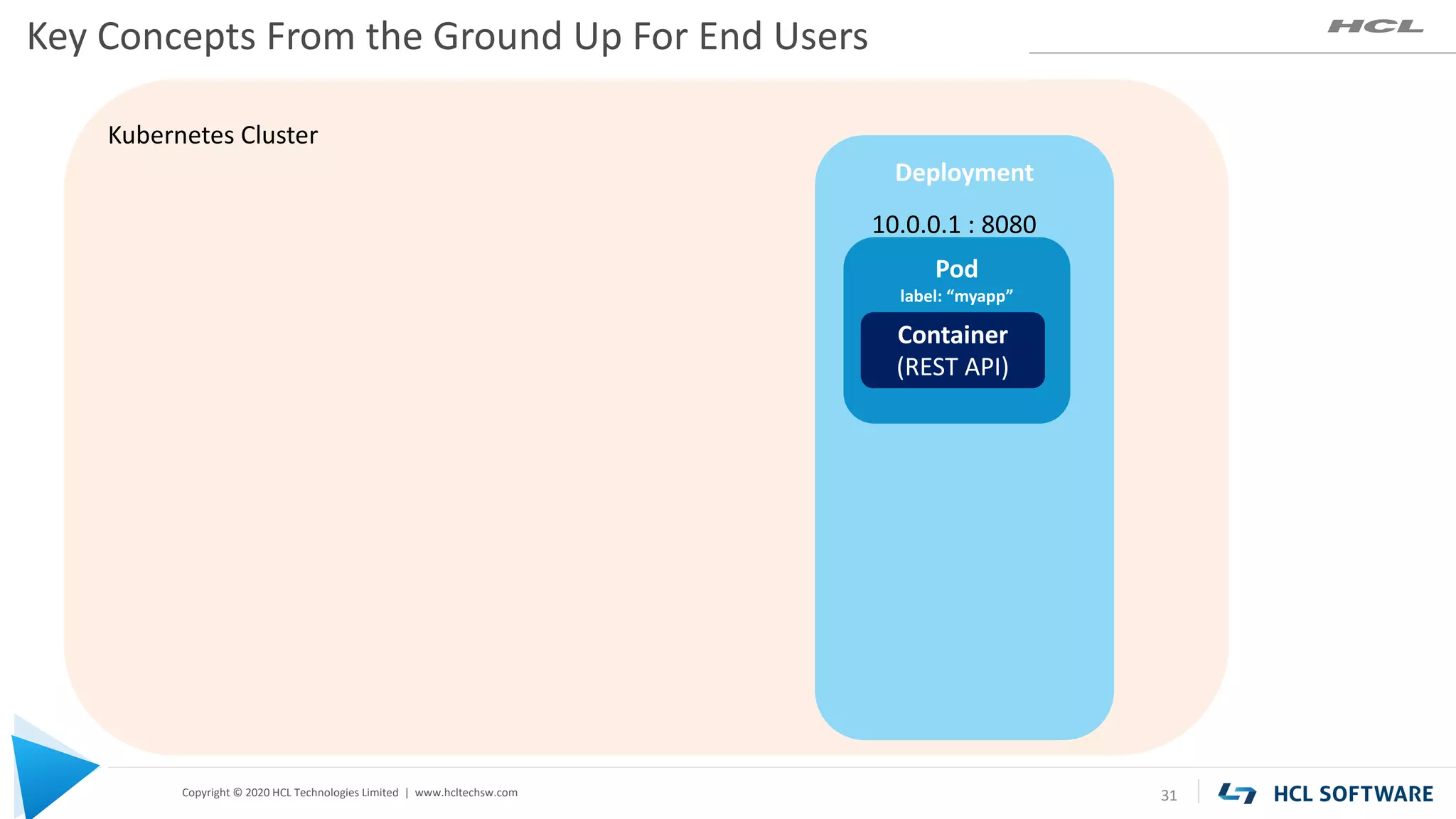
Kubernetes Cluster
Key Concepts From the Ground Up For End Users
28
Copyright © 2020 HCL Technologies Limited | www.hcltechsw.com
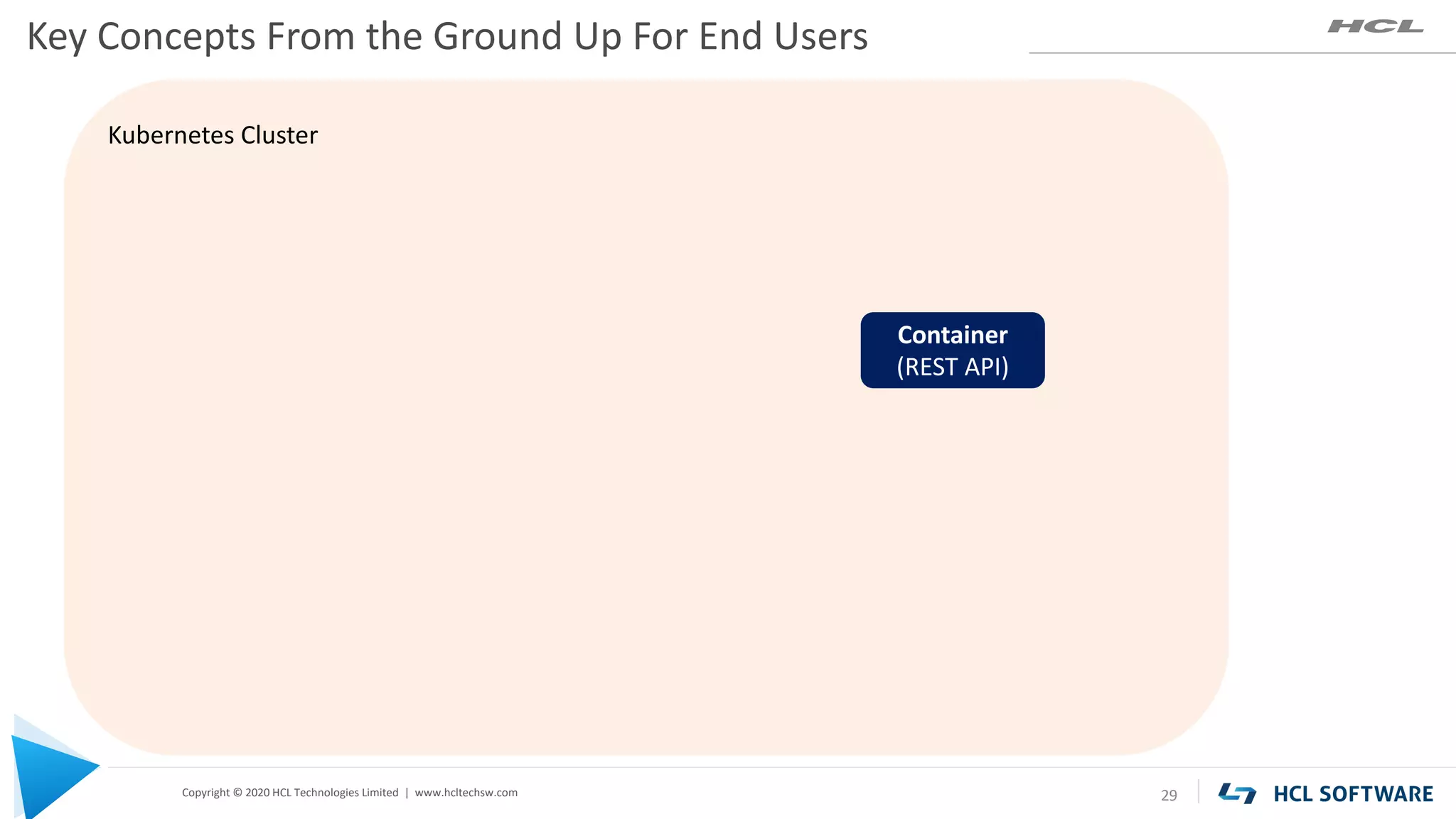
Kubernetes Cluster
Key Concepts From the Ground Up For End Users
29
Container
(REST API)
Copyright © 2020 HCL Technologies Limited | www.hcltechsw.com
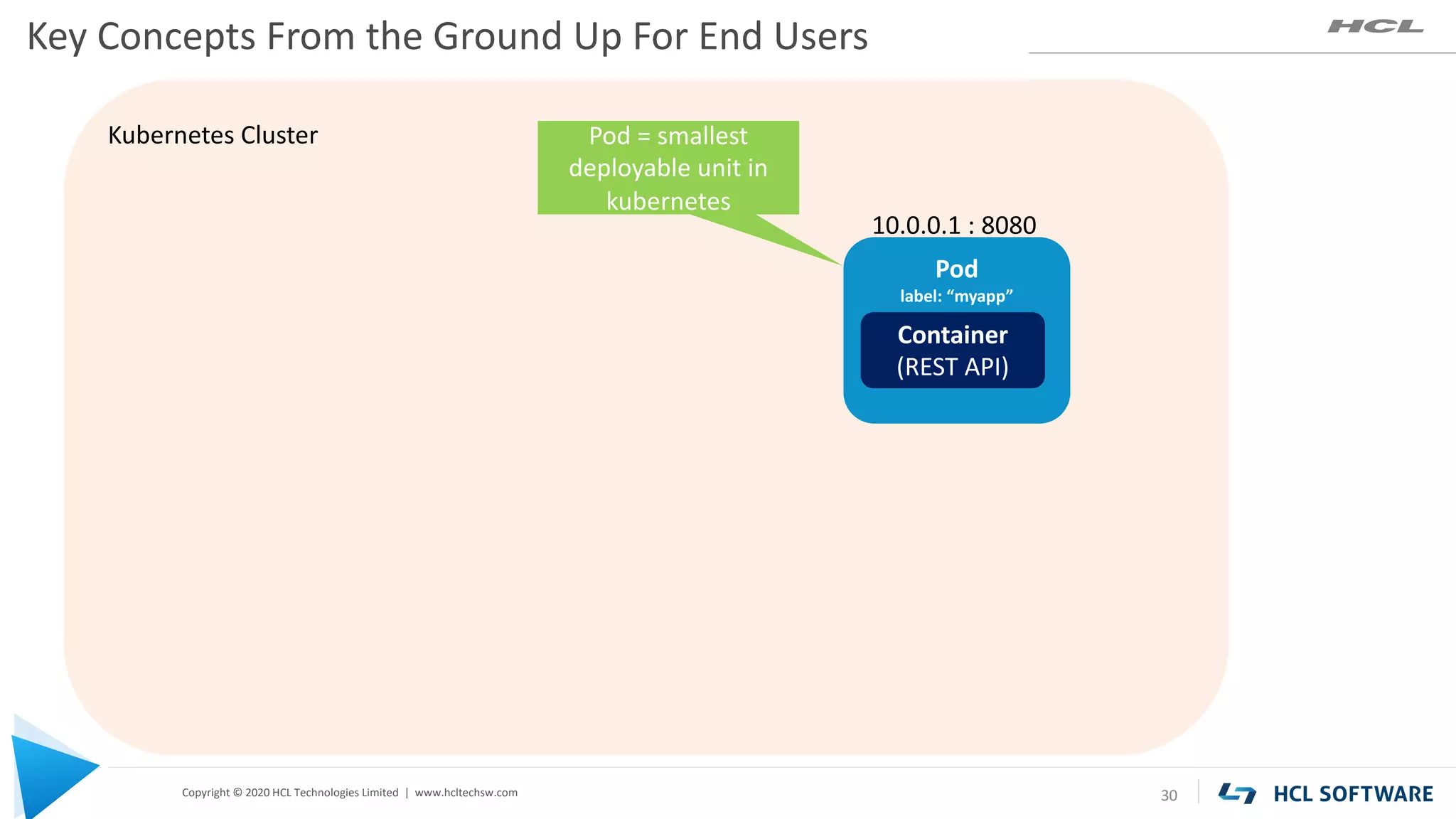
Kubernetes Cluster
Pod
label: “myapp”
Key Concepts From the Ground Up For End Users
30
Container
(REST API)
10.0.0.1 : 8080
Pod = smallest
deployable unit in
kubernetes
Copyright © 2020 HCL Technologies Limited | www.hcltechsw.com
Kubernetes Cluster
Deployment
Pod
label: “myapp”
Key Concepts From the Ground Up For End Users
31
Container
(REST API)
10.0.0.1 : 8080
Copyright © 2020 HCL Technologies Limited | www.hcltechsw.com
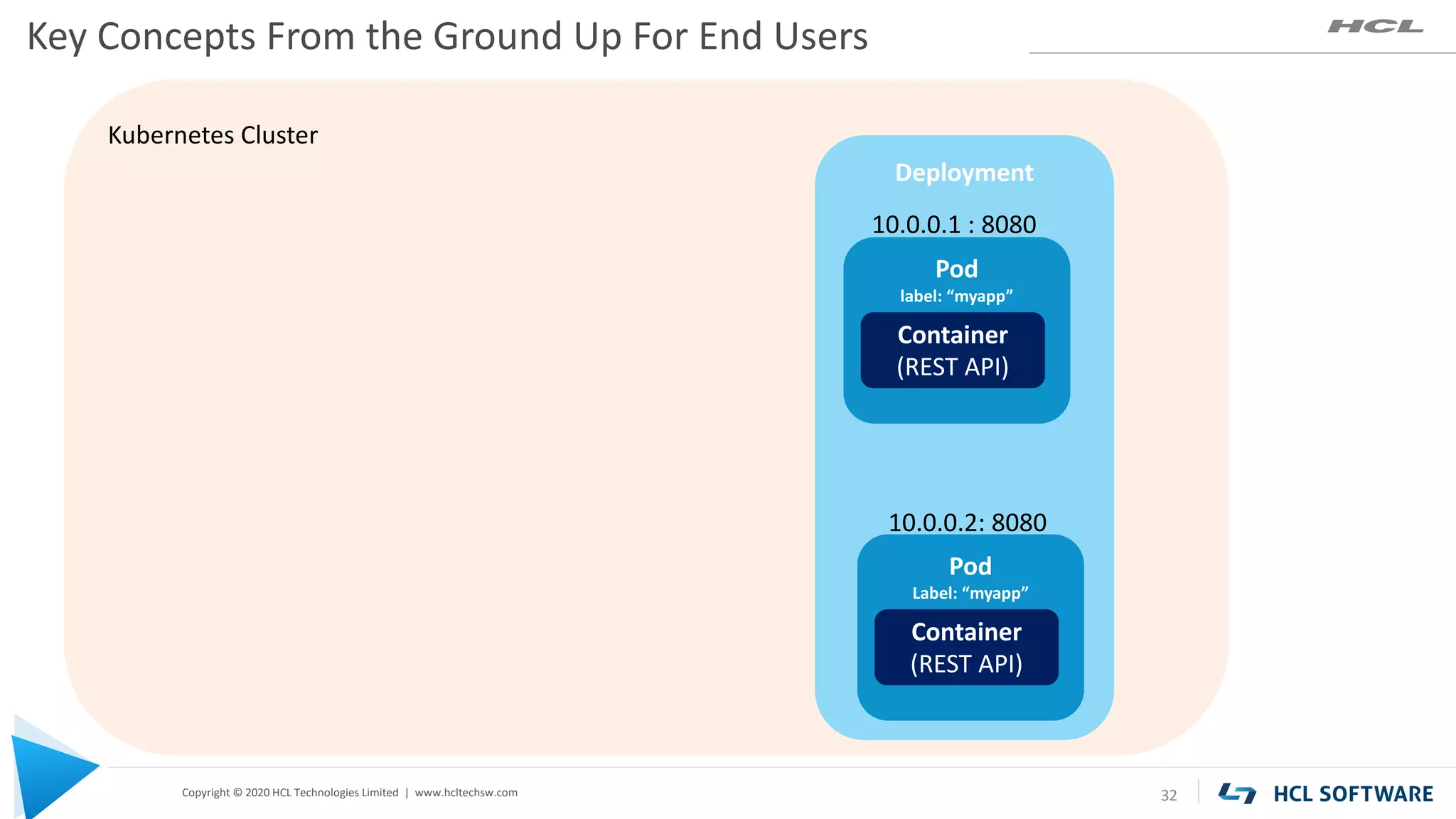
Kubernetes Cluster
Deployment
Pod
label: “myapp”
Key Concepts From the Ground Up For End Users
32
Container
(REST API)
Pod
Label: “myapp”
Container
(REST API)
10.0.0.1 : 8080
10.0.0.2: 8080
Copyright © 2020 HCL Technologies Limited | www.hcltechsw.com
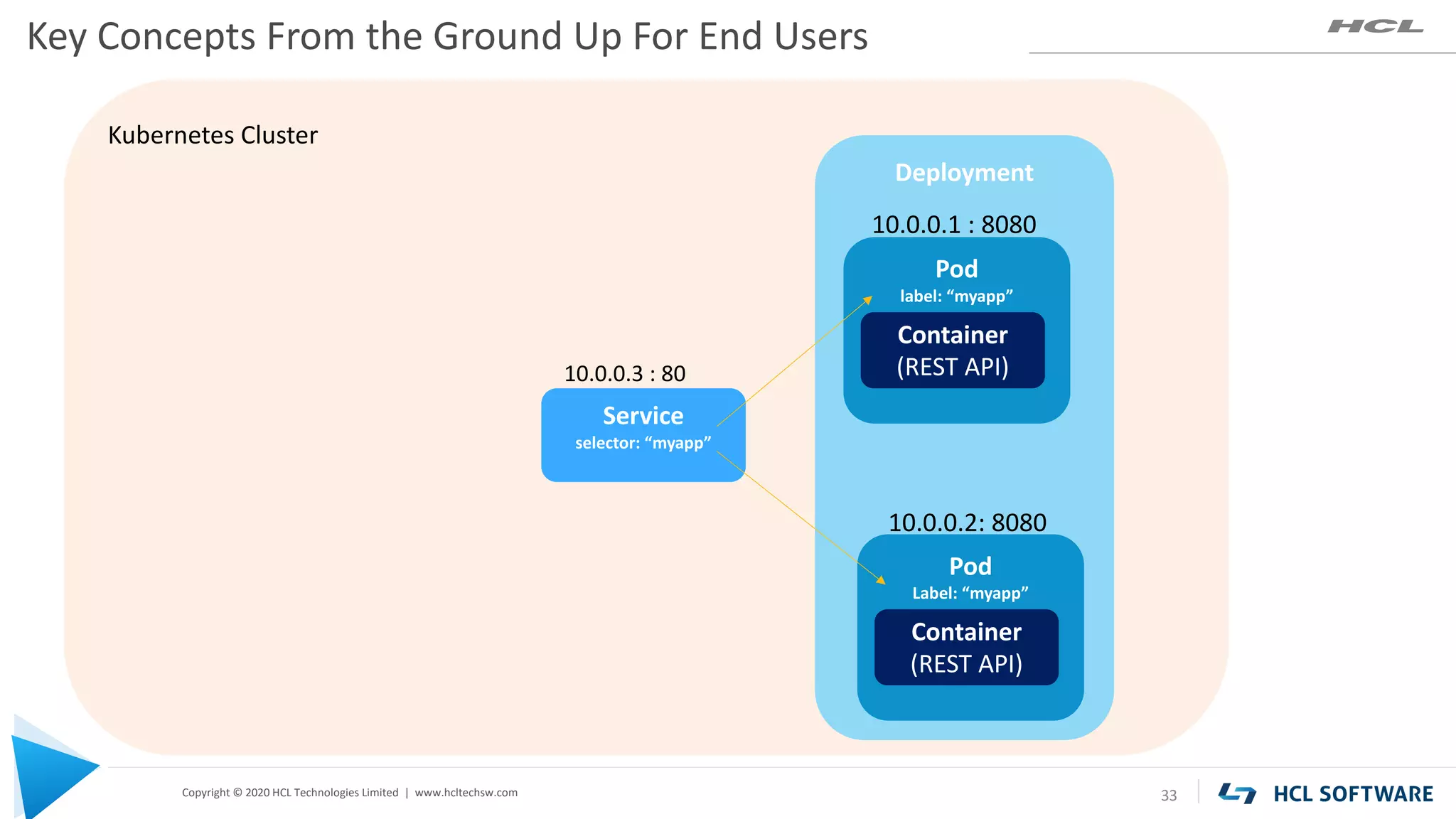
Kubernetes Cluster
Deployment
Pod
label: “myapp”
Key Concepts From the Ground Up For End Users
33
Container
(REST API)
Pod
Label: “myapp”
Container
(REST API)
10.0.0.1 : 8080
10.0.0.2: 8080
Service
selector: “myapp”
10.0.0.3 : 80
Copyright © 2020 HCL Technologies Limited | www.hcltechsw.com
Kubernetes Cluster
Deployment
Pod
label: “myapp”
Key Concepts From the Ground Up For End Users
34
Container
(REST API)
Pod
Label: “myapp”
Container
(REST API)
10.0.0.1 : 8080
10.0.0.2: 8080
Service
selector: “myapp”
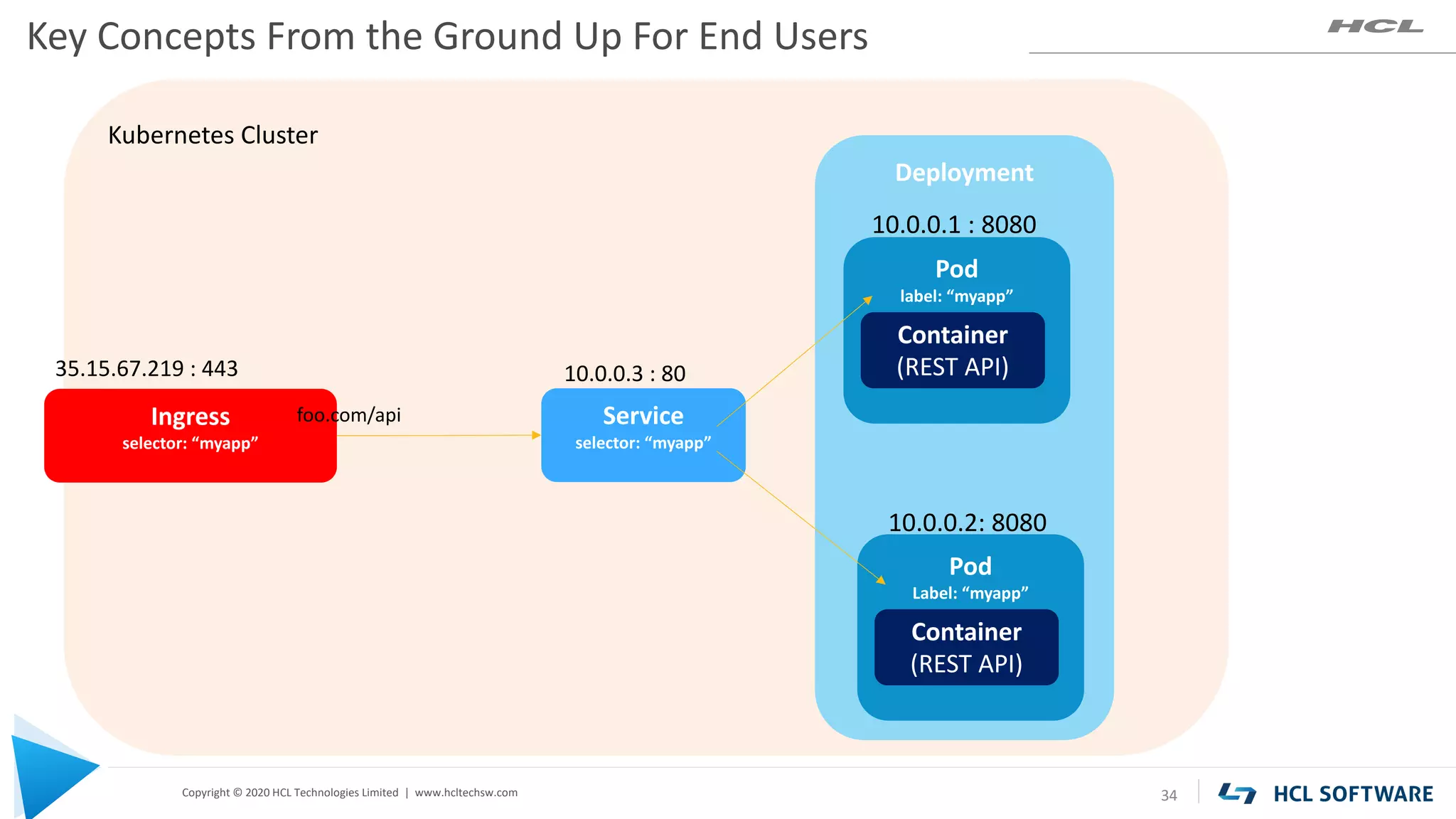
10.0.0.3 : 80
Ingress
selector: “myapp”
35.15.67.219 : 443
foo.com/api
Copyright © 2020 HCL Technologies Limited | www.hcltechsw.com
Kubernetes Cluster
Deployment
Pod
label: “myapp”
Key Concepts From the Ground Up For End Users
35
Container
(REST API)
Pod
Label: “myapp”
Container
(REST API)
10.0.0.1 : 8080
10.0.0.2: 8080
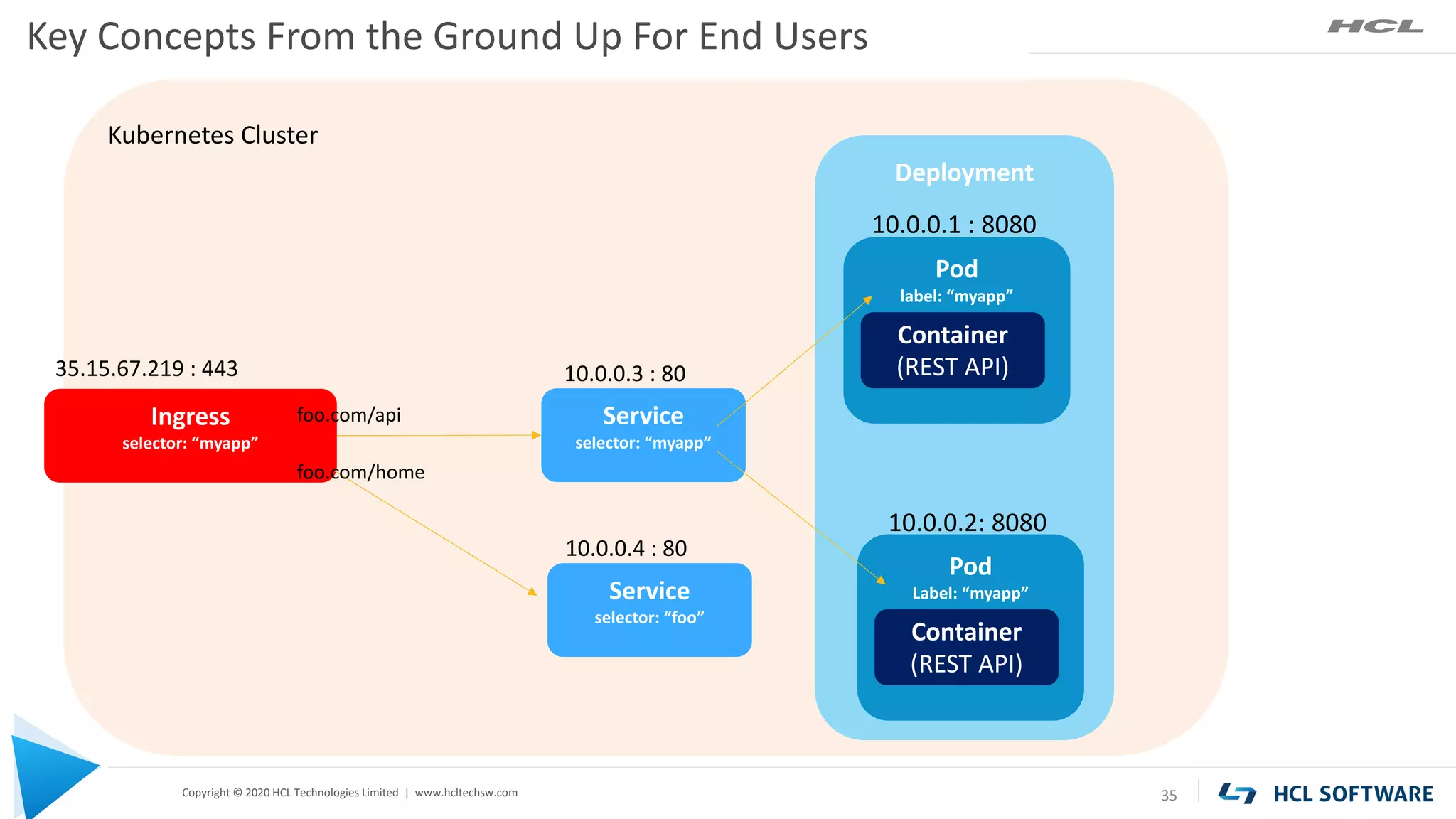
Service
selector: “myapp”
10.0.0.3 : 80
Ingress
selector: “myapp”
35.15.67.219 : 443
foo.com/api
foo.com/home
Service
selector: “foo”
10.0.0.4 : 80
Copyright © 2020 HCL Technologies Limited | www.hcltechsw.com
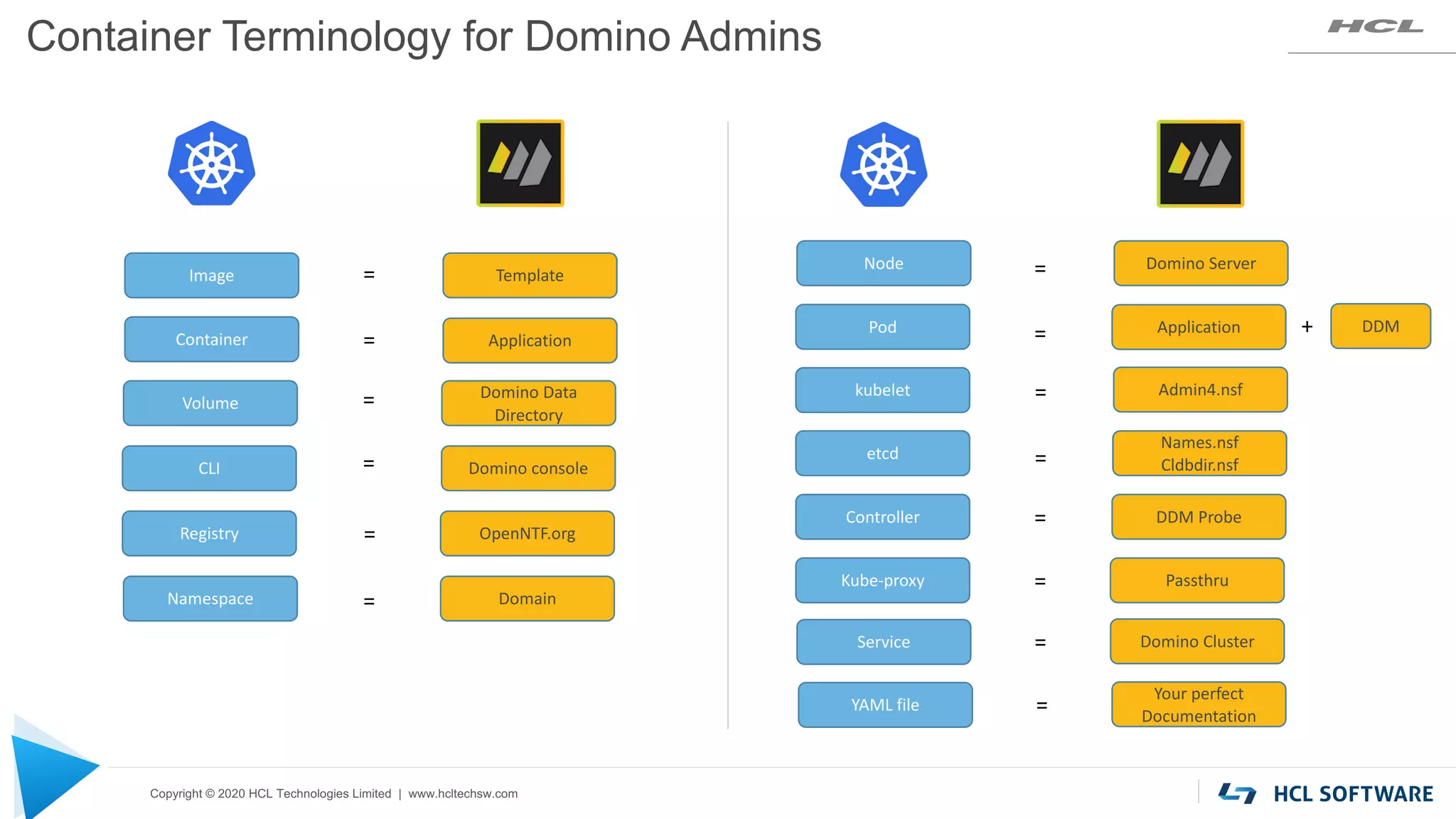
Image Template
Container Application
Node Domino Server
Pod
kubelet Admin4.nsf
etcd
Names.nsf
Cldbdir.nsf
CLI Domino console
Controller DDM Probe
Volume
Domino Data
Directory
=
=
=
=
Kube-proxy Passthru
=
Container Terminology for Domino Admins
Application DDM
=
=
=
=
=
+
Registry OpenNTF.org
=
Service Domino Cluster
=
YAML file
Your perfect
Documentation
=
Namespace Domain
=
Copyright © 2020 HCL Technologies Limited | www.hcltechsw.com
Gotcha’s
38
• It’s always Linux in one form or another
• It’s always Kubernetes in one flavor or another
• YAML replaces PDF
• The goal is not a container…
…it is to have a fully managed container
• Domino != microservices, but greatly benefits from k8s’
• Domino Admins vs. k8s Admins
• Have a completely different mindset
• Don’t speak the same language - communication requires translation/a dictionary
Copyright © 2020 HCL Technologies Limited | www.hcltechsw.com
Recommendations for Domino
39
Multiple Domino Servers
• TCP Port 1352 can only be used once per IP
• One IP address for each Domino server
• Port mapping in Notes Client using
connection documents
Licensing
• Production deployment of HCL Domino
requires a license
PVU / CEO / Express
High Availability
Kubernetes clusters do not replace Domino
Clusters
• Deploy Domino cluster nodes to different
kubernetes worker nodes
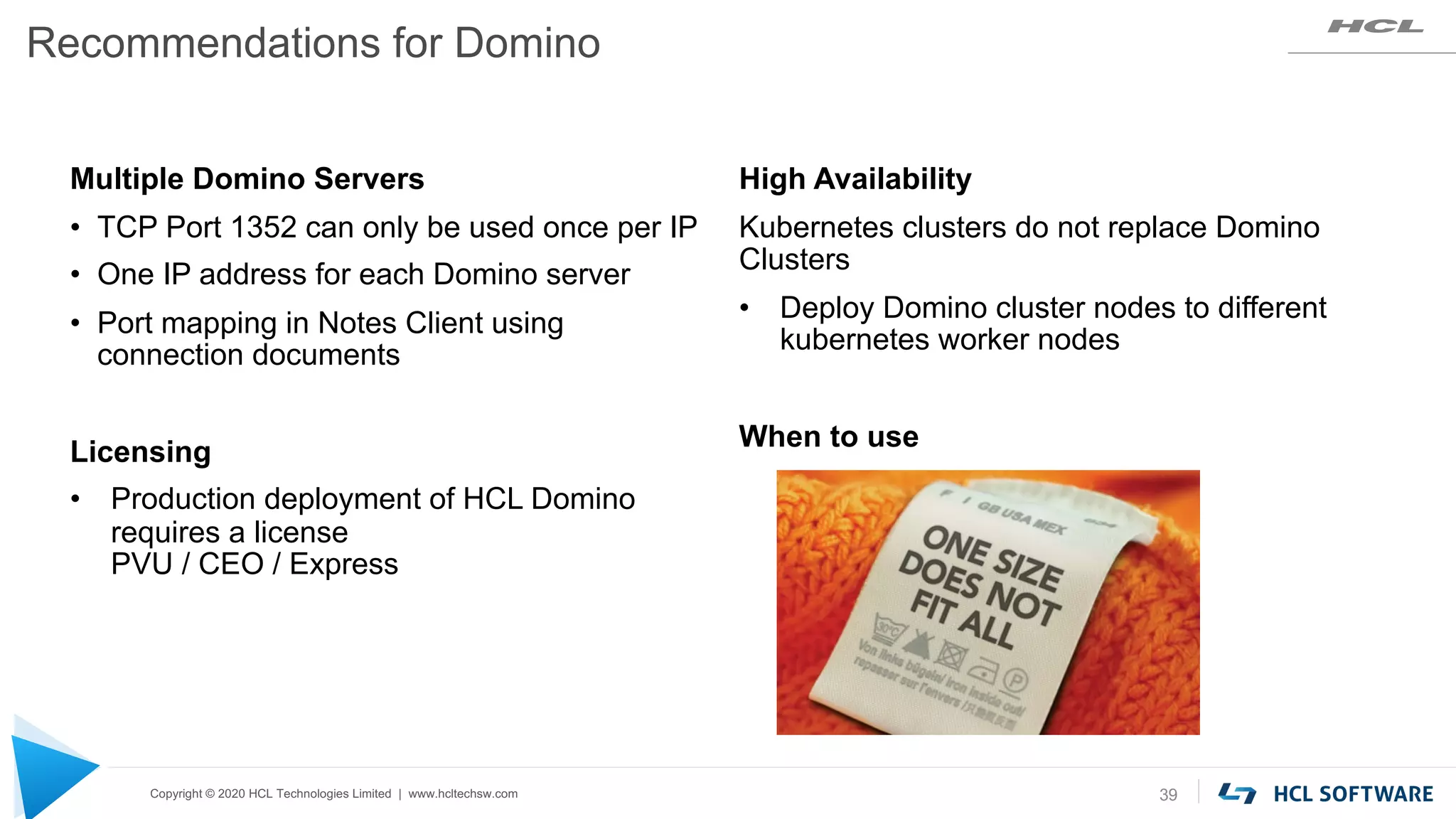
When to use
If your idea does not
already exist, create a
new idea and format
your idea like:
“As a <insert role>, I
would like to be able to
<insert action> in order
to <insert need>.”
• Where we gather and
prioritize your ideas
• Where we want you to
add, vote, comment on
and share as many ideas
as you like.
Create as many ideas
as you’d like, but
remember to keep
each idea, separate.
Do not create idea
that consist of more
than one request for
enhancement.
https://domino.ideas.aha.io/
1 2 3
Search the forum to
see if your idea already
exists.
Vote for any ideas and
add any additional
comments that you
may have related to
that idea.
And, please follow these three steps:
Questions & Keep the Ideas Coming – Domino Ideas Portal
$8.4 BILLION | 132,000+ IDEAPRENEURS | 44 COUNTRIES
Hands On Domino Docker
Daniel Nashed, Nash!Com
#dominoforever
About Daniel Nashed
 Nash!Com – HCL Business Partner
 Focus: Cross-Platform C-API, HCL Domino® Infrastructure,
Administration, Integration, Performance, Security,
Troubleshooting and HCL Traveler
 Author: Domino on Linux®/UNIX® Start Script
 Co-Author: Domino Docker Community GitHub Project
Docker Installation
What's going on with Docker?
 Docker was innovator but now other projects took the lead
 Also Kubernetes (K8s) stops supporting Docker
 The brand new Docker CE 20.10 & Docker Desktop 3.0 can't keep up with other projects
 Podman
 Has interesting new integration “Podman Play” allowing
to bridge configurations for K8s YML configurations
 Can be used as a almost 1:1 replacement for Docker functionality
 Podman is fully supported by our GitHub project – the command line is very similar
 But: Whatever software we use – it is all about IMAGES and CONTAINERS
Install Docker Community Edition 20.10
 Works better on CentOS 8 – Installs without hacks, Firewall fixed & easier to install
 New Docker installation script – works automatically
 curl -fsSL https://get.docker.com -o get-docker.sh
 chmod 755 get-docker.sh
 ./get-docker.sh
 Enable (auto start) and start the Docker Service
 systemctl enable --now docker
 Check configuration
 docker version  Installing Podman would be a single command:
yum install -y podman
Domino on Docker
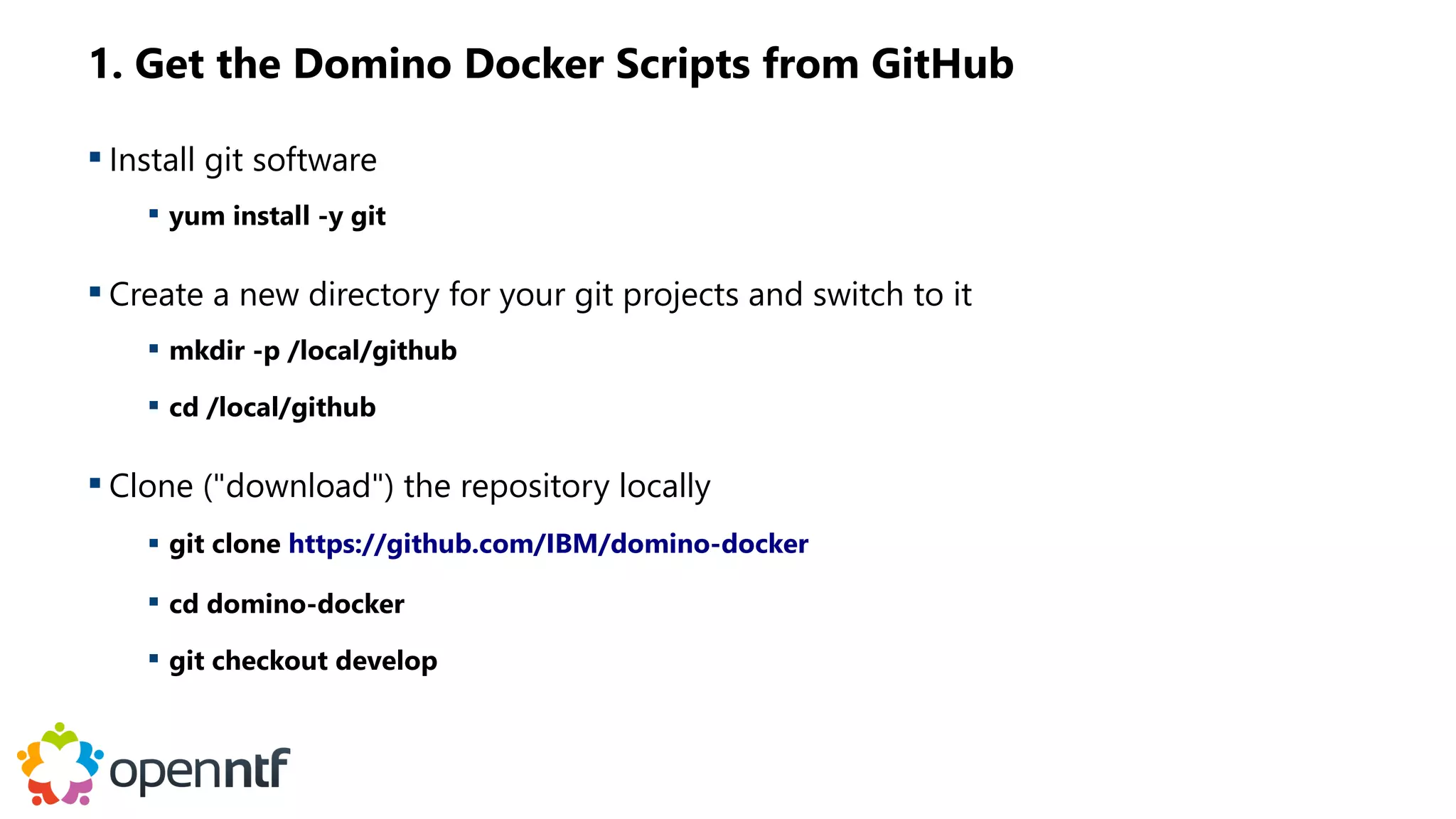
1. Get the Domino Docker Scripts from GitHub
 Install git software
 yum install -y git
 Create a new directory for your git projects and switch to it
 mkdir -p /local/github
 cd /local/github
 Clone ("download") the repository locally
 git clone https://github.com/IBM/domino-docker
 cd domino-docker
 git checkout develop
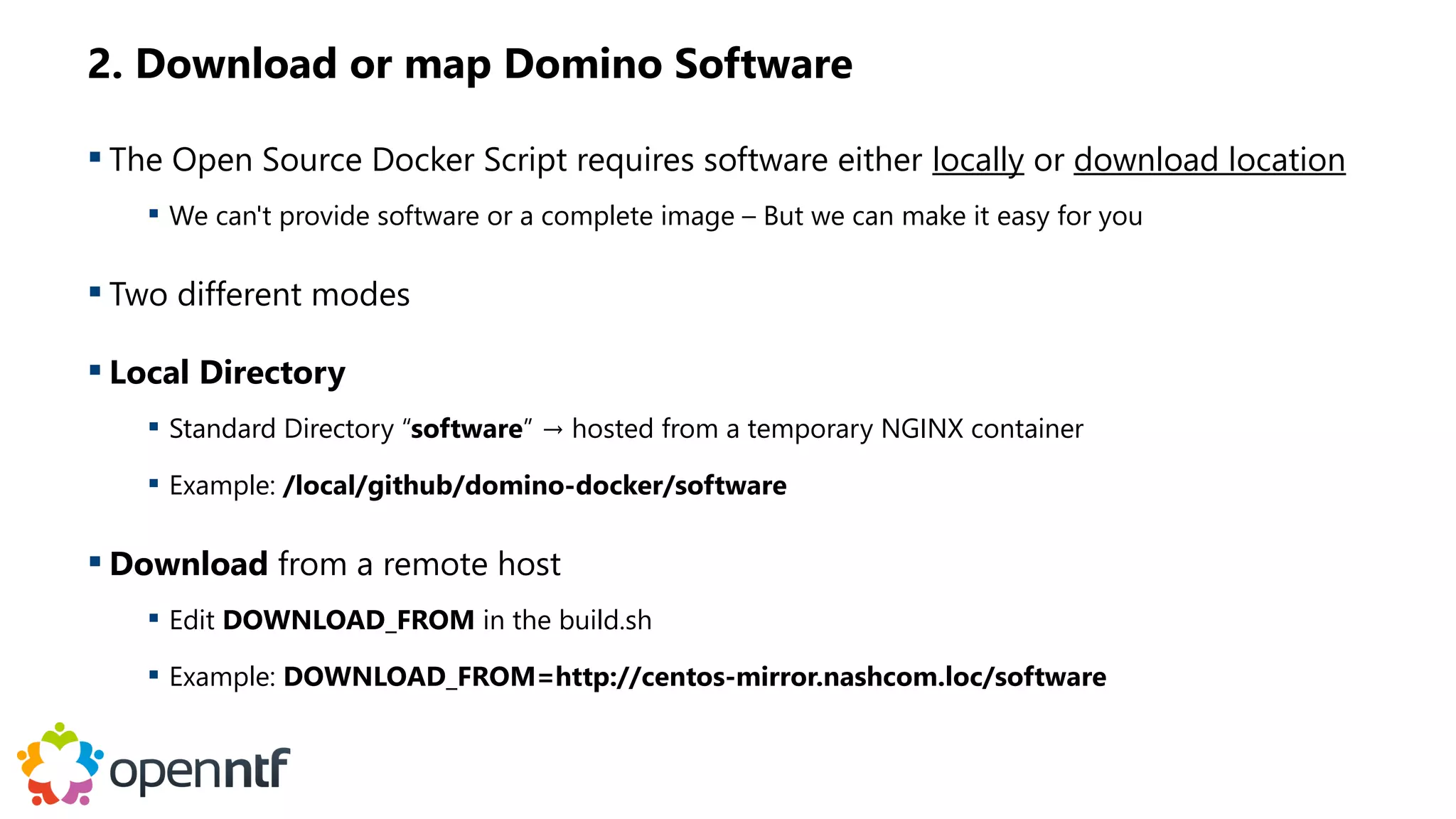
2. Download or map Domino Software
 The Open Source Docker Script requires software either locally or download location
 We can't provide software or a complete image – But we can make it easy for you
 Two different modes
 Local Directory
 Standard Directory “software” → hosted from a temporary NGINX container
 Example: /local/github/domino-docker/software
 Download from a remote host
 Edit DOWNLOAD_FROM in the build.sh
 Example: DOWNLOAD_FROM=http://centos-mirror.nashcom.loc/software
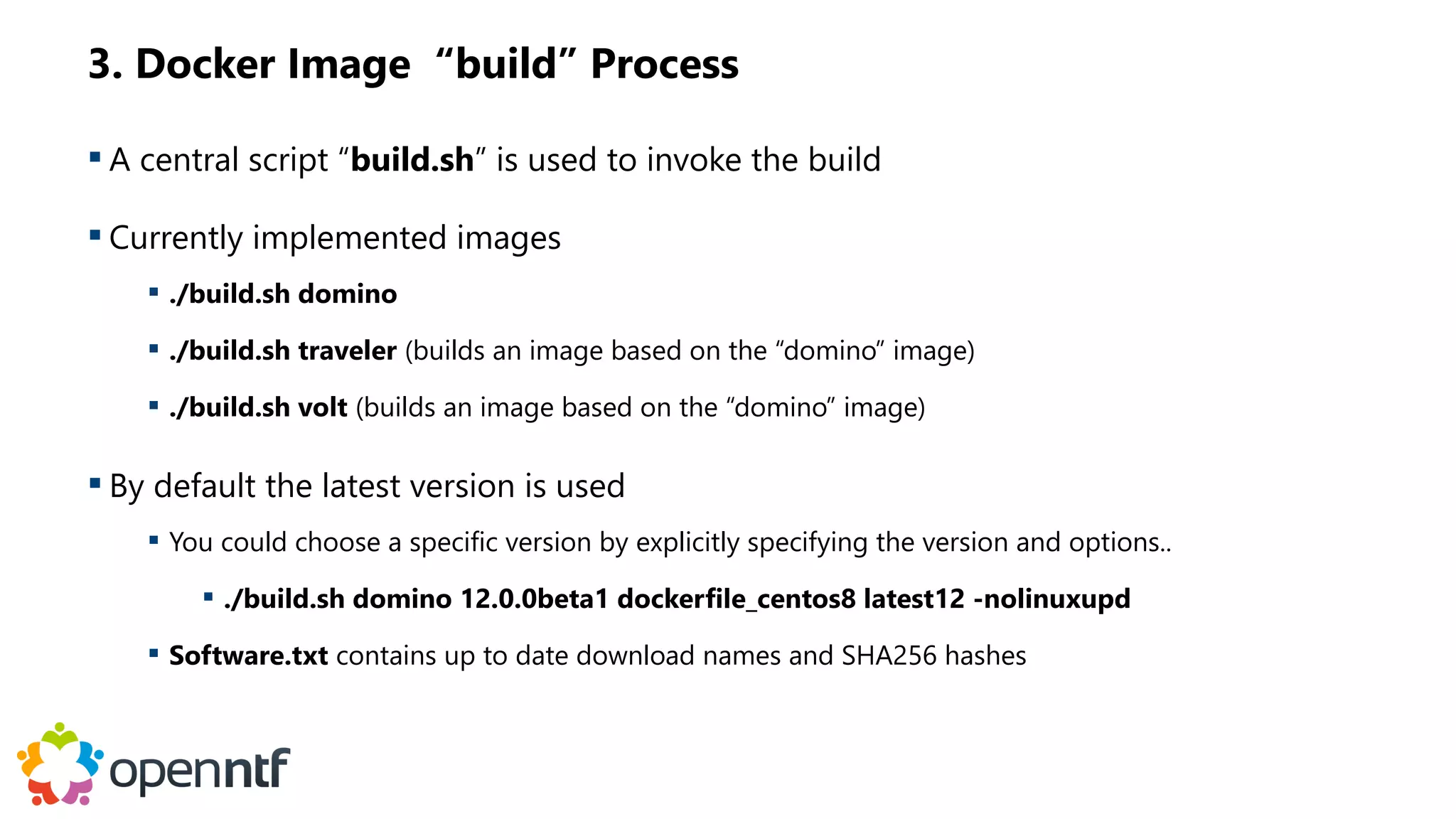
3. Docker Image “build” Process
 A central script “build.sh” is used to invoke the build
 Currently implemented images
 ./build.sh domino
 ./build.sh traveler (builds an image based on the “domino” image)
 ./build.sh volt (builds an image based on the “domino” image)
 By default the latest version is used
 You could choose a specific version by explicitly specifying the version and options..
 ./build.sh domino 12.0.0beta1 dockerfile_centos8 latest12 -nolinuxupd
 Software.txt contains up to date download names and SHA256 hashes
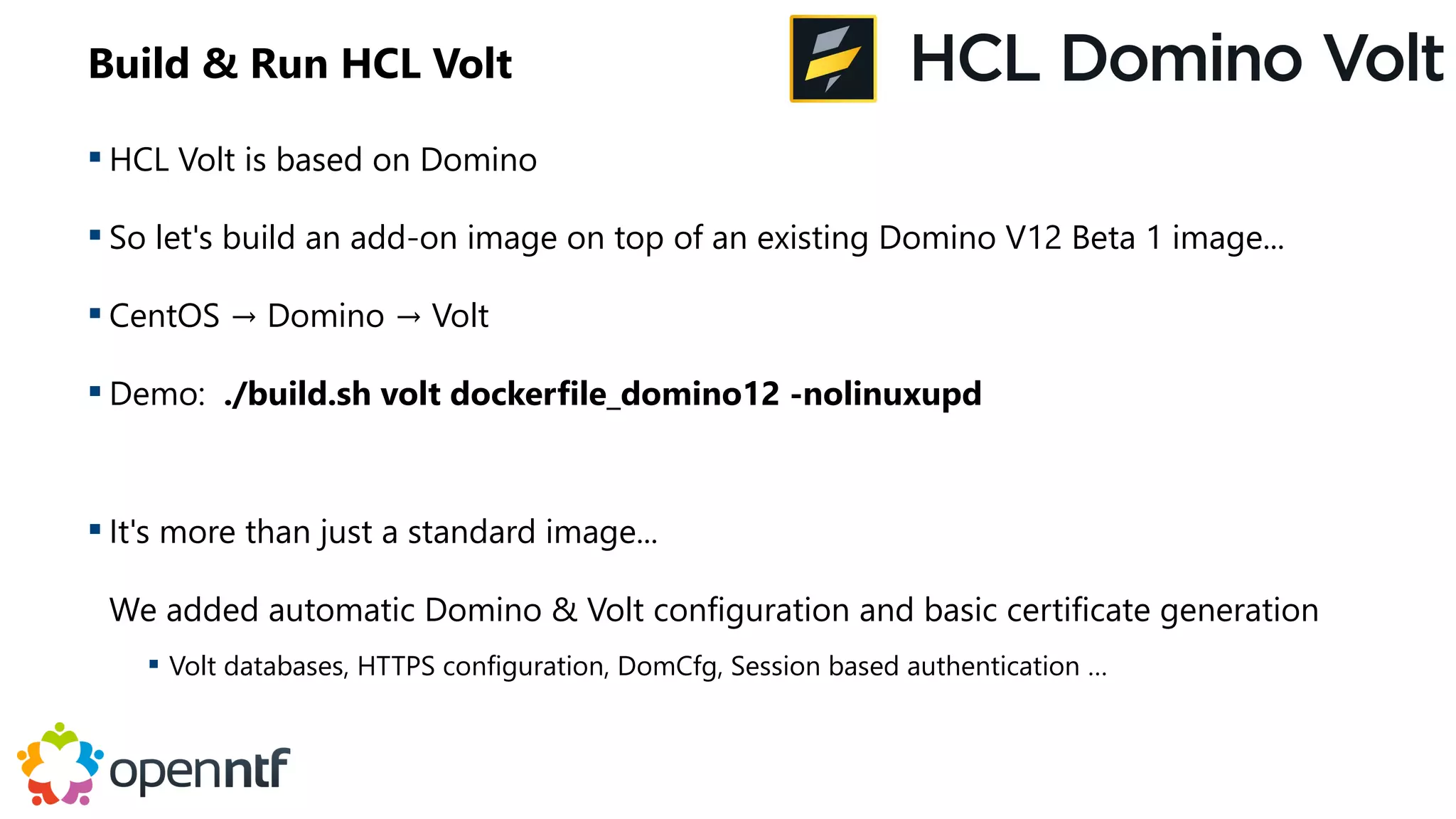
Build & Run HCL Volt
 HCL Volt is based on Domino
 So let's build an add-on image on top of an existing Domino V12 Beta 1 image...
 CentOS → Domino → Volt
 Demo: ./build.sh volt dockerfile_domino12 -nolinuxupd
 It's more than just a standard image...
We added automatic Domino & Volt configuration and basic certificate generation
 Volt databases, HTTPS configuration, DomCfg, Session based authentication …
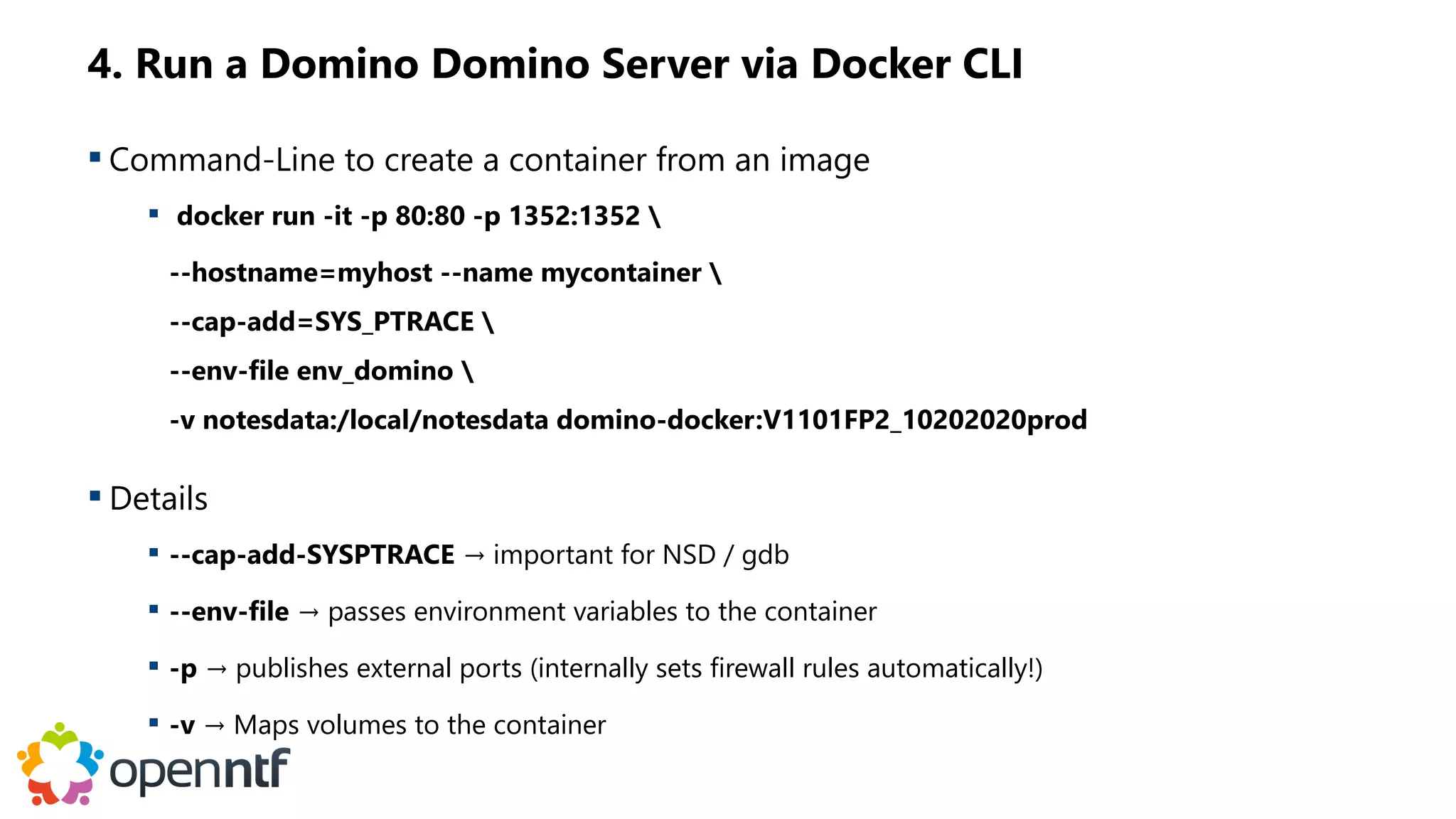
4. Run a Domino Domino Server via Docker CLI
 Command-Line to create a container from an image
 docker run -it -p 80:80 -p 1352:1352 
--hostname=myhost --name mycontainer 
--cap-add=SYS_PTRACE 
--env-file env_domino 
-v notesdata:/local/notesdata domino-docker:V1101FP2_10202020prod
 Details
 --cap-add-SYSPTRACE → important for NSD / gdb
 --env-file → passes environment variables to the container
 -p → publishes external ports (internally sets firewall rules automatically!)
 -v → Maps volumes to the container
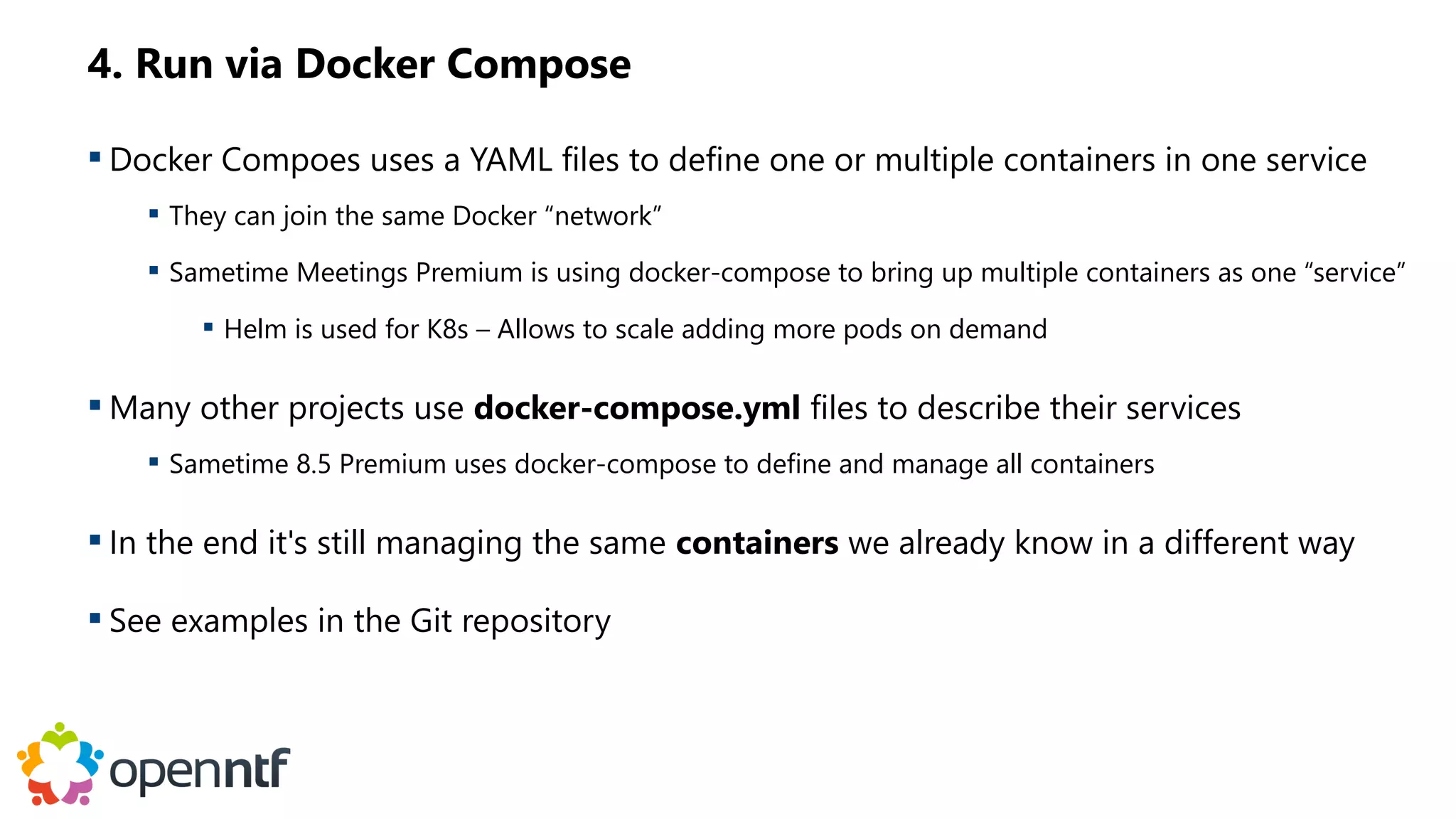
4. Run via Docker Compose
 Docker Compoes uses a YAML files to define one or multiple containers in one service
 They can join the same Docker “network”
 Sametime Meetings Premium is using docker-compose to bring up multiple containers as one “service”
 Helm is used for K8s – Allows to scale adding more pods on demand
 Many other projects use docker-compose.yml files to describe their services
 Sametime 8.5 Premium uses docker-compose to define and manage all containers
 In the end it's still managing the same containers we already know in a different way
 See examples in the Git repository
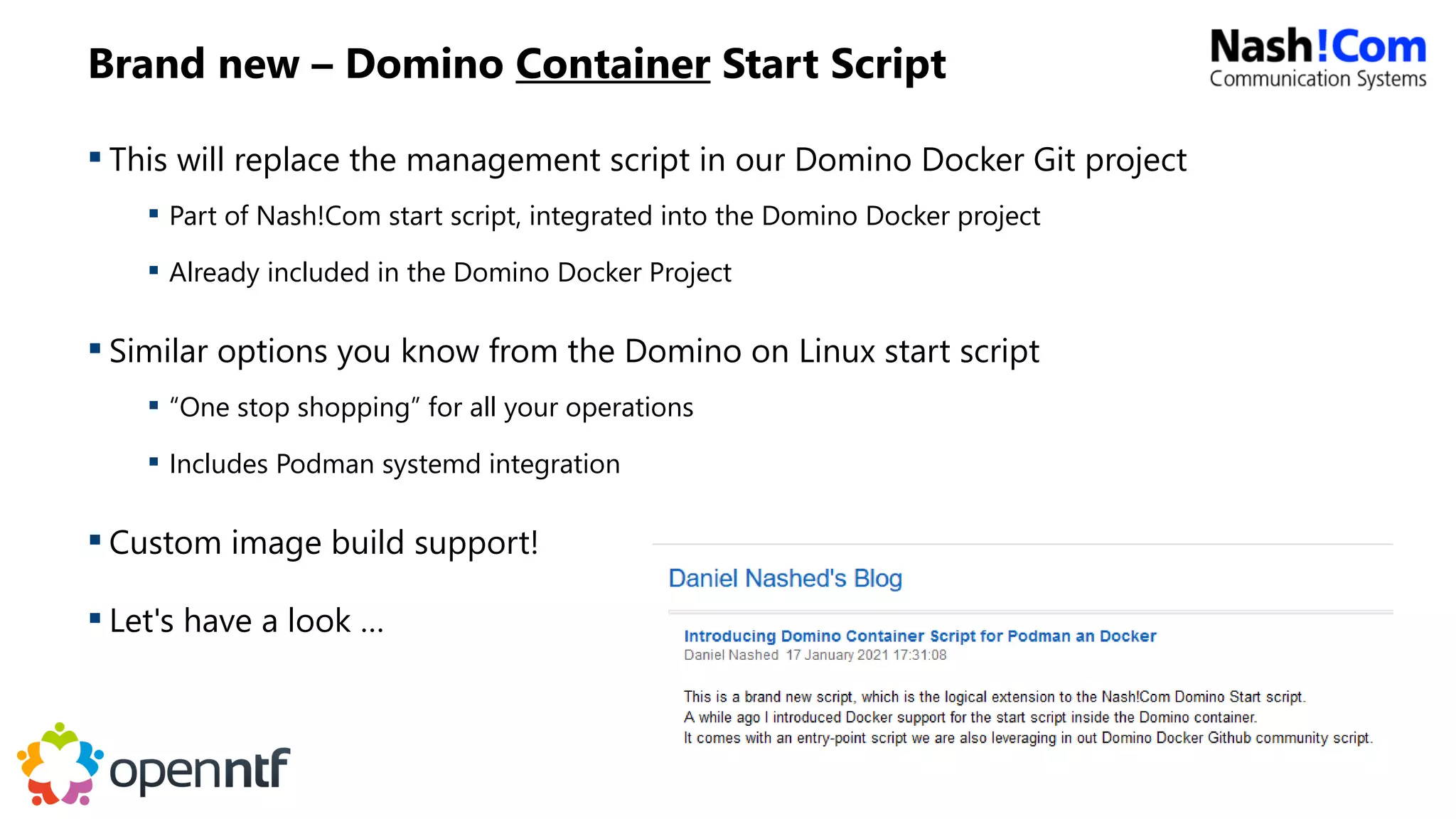
Brand new – Domino Container Start Script
 This will replace the management script in our Domino Docker Git project
 Part of Nash!Com start script, integrated into the Domino Docker project
 Already included in the Domino Docker Project
 Similar options you know from the Domino on Linux start script
 “One stop shopping” for all your operations
 Includes Podman systemd integration
 Custom image build support!
 Let's have a look …
Questions & Feedback ?!?
CentOS 8.x Stream
Stream
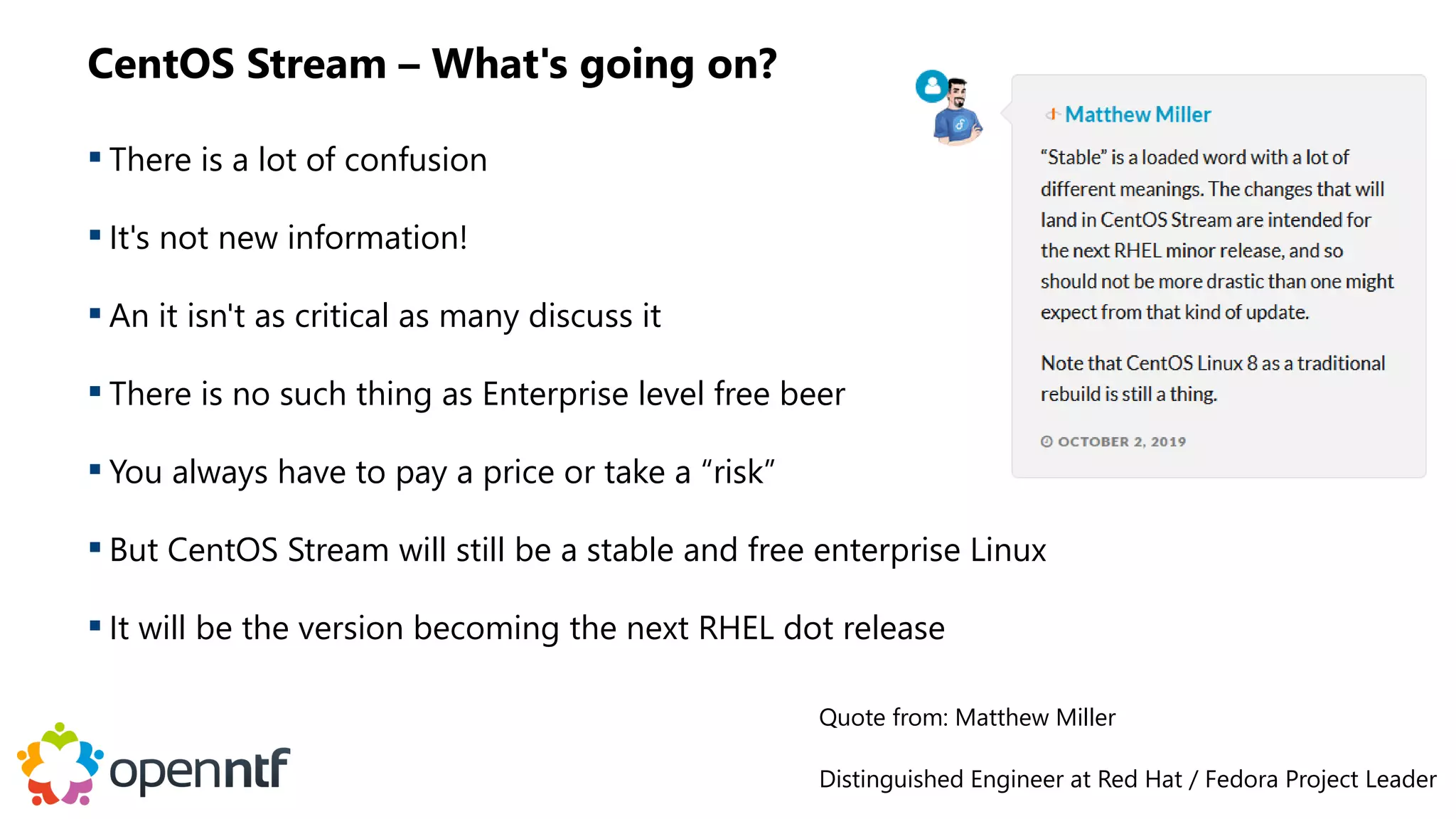
CentOS Stream – What's going on?
 There is a lot of confusion
 It's not new information!
 An it isn't as critical as many discuss it
 There is no such thing as Enterprise level free beer
 You always have to pay a price or take a “risk”
 But CentOS Stream will still be a stable and free enterprise Linux
 It will be the version becoming the next RHEL dot release
Quote from: Matthew Miller
Distinguished Engineer at Red Hat / Fedora Project Leader
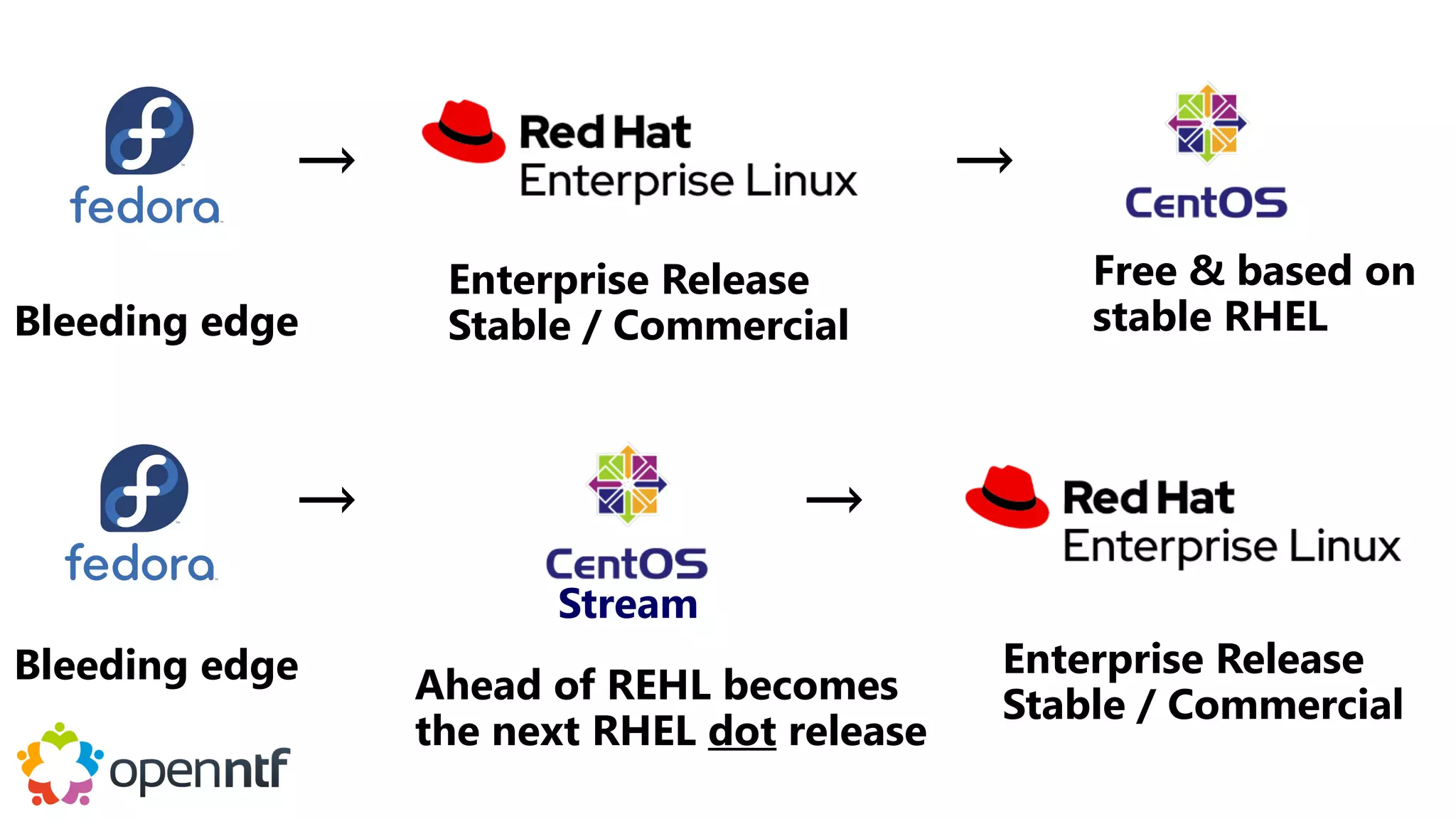
Stream
Bleeding edge
Free & based on
stable RHEL
Enterprise Release
Stable / Commercial
Ahead of REHL becomes
the next RHEL dot release
Enterprise Release
Stable / Commercial
→
Bleeding edge
→
→
→
Some important Technologies
Git
 A tool you should know today!
 Many software developers and companies use Git to manage their source code
 GitHub is a platform where you find most of the software projects
 We can't avoid them even they are owned by Microsoft
 Most important commands for using our Git project
 “git clone” – to clone a project
 “git checkout develop” – to switch to the develop branch of the project
 “git pull” – to update your local repo
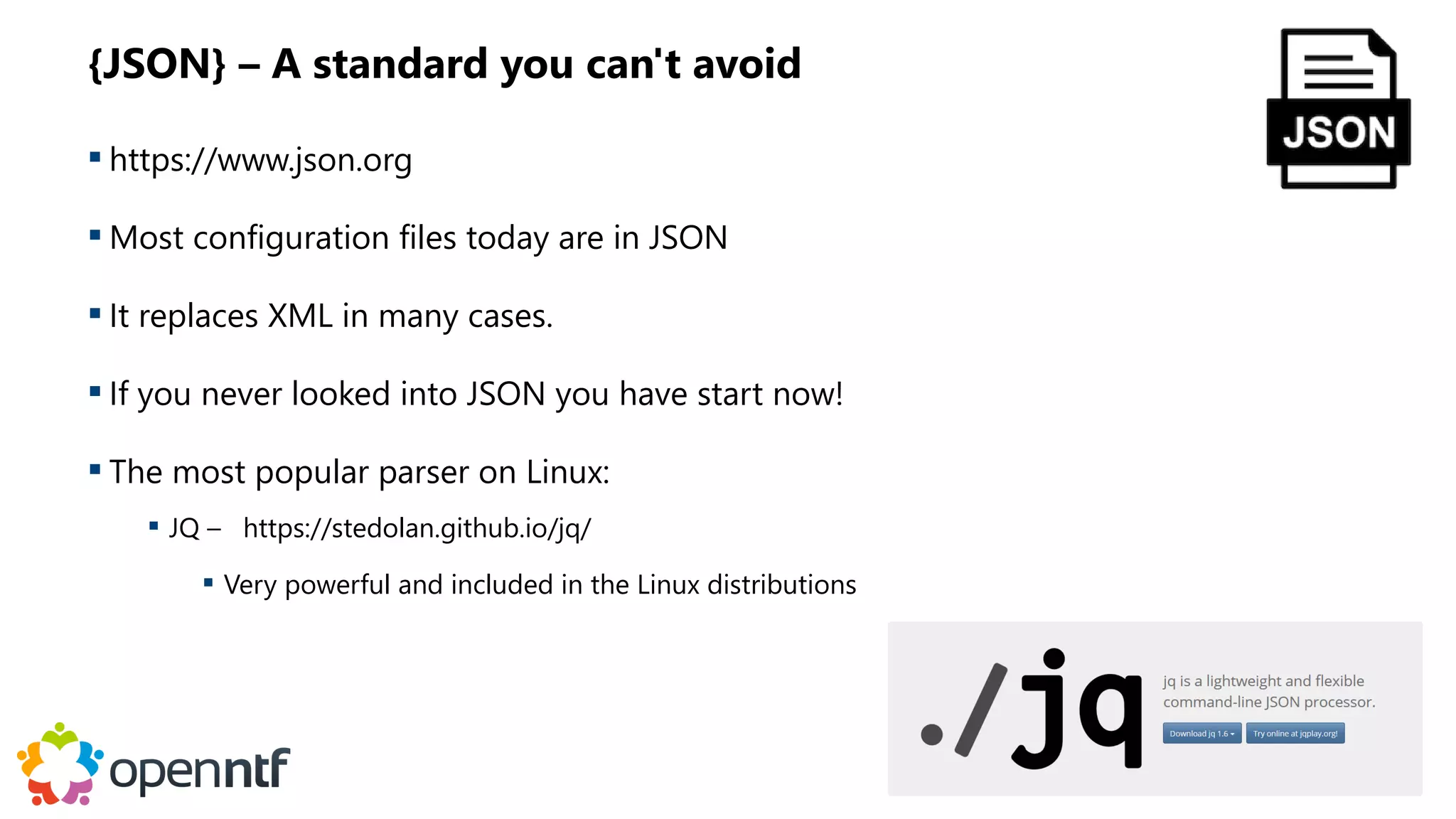
{JSON} – A standard you can't avoid
 https://www.json.org
 Most configuration files today are in JSON
 It replaces XML in many cases.
 If you never looked into JSON you have start now!
 The most popular parser on Linux:
 JQ – https://stedolan.github.io/jq/
 Very powerful and included in the Linux distributions
YAML – Another standard you can't avoid
 https://yaml.org/
 YAML / YML is often used in the container world to describe a configuration
 For example used in docker-compose and K8s configuration
 Very reduced & simplified format
 What homepage says:
 “YAML: YAML Ain't Markup Language”
 “What It Is: YAML is a human friendly data serialization standard for all programming languages.”
 Tool for Linux: https://mikefarah.gitbook.io/yq/
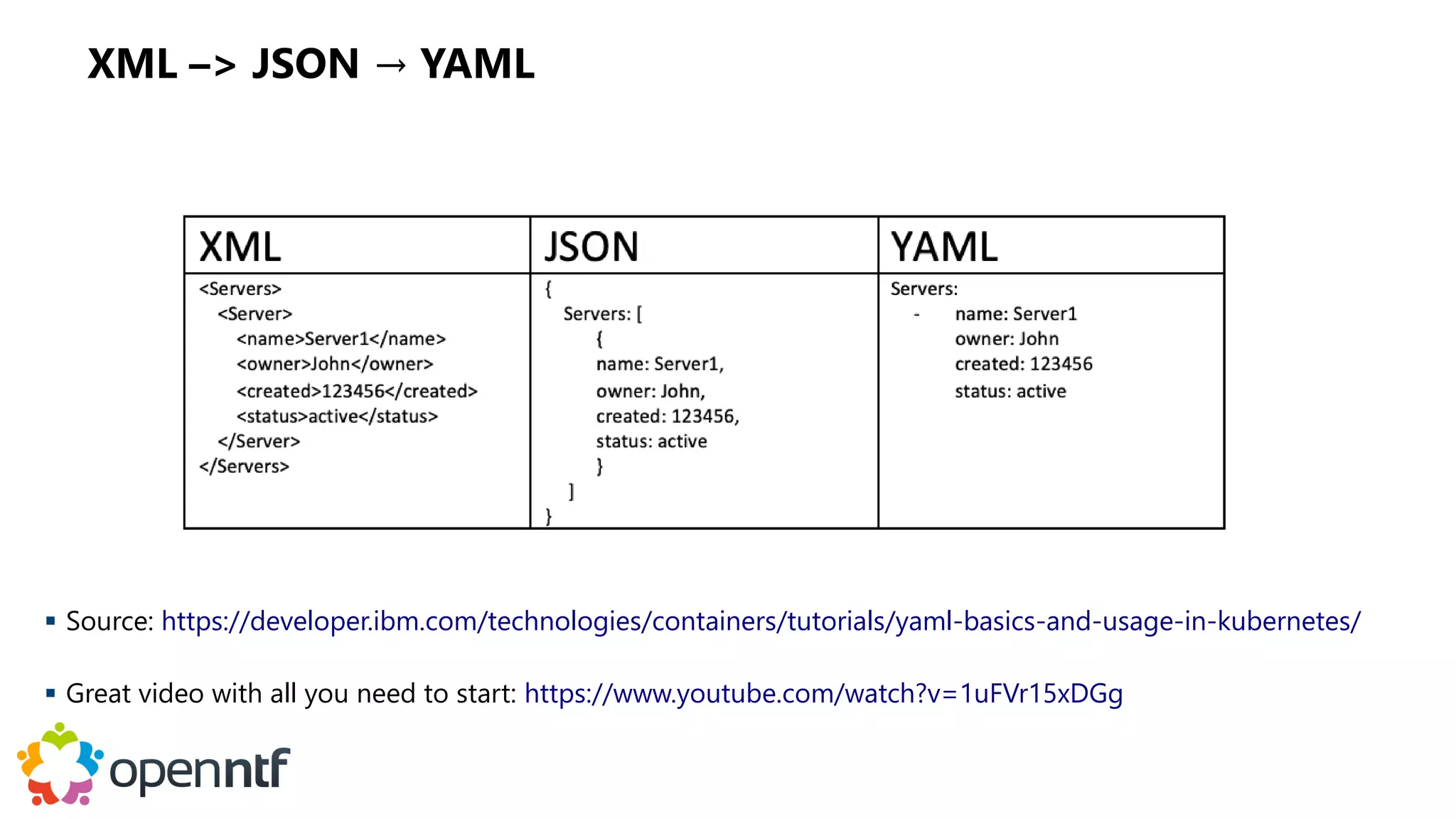
XML –> JSON → YAML
 Source: https://developer.ibm.com/technologies/containers/tutorials/yaml-basics-and-usage-in-kubernetes/
 Great video with all you need to start: https://www.youtube.com/watch?v=1uFVr15xDGg
Appendix: Docker Reference Information
Working with Docker
 Important commands
 docker images → lists all locally available images
 docker ps → shows all running containers
 docker ps -a → also shows stopped containers
 docker run → creates container from image and starts it
 docker start/stop → starts/stops existing containers
 docker inspect → shows detailed information for a container
 docker volume ls → lists existing volumes
 docker volume rm → removes a volume
 docker exec → executes a command inside a container
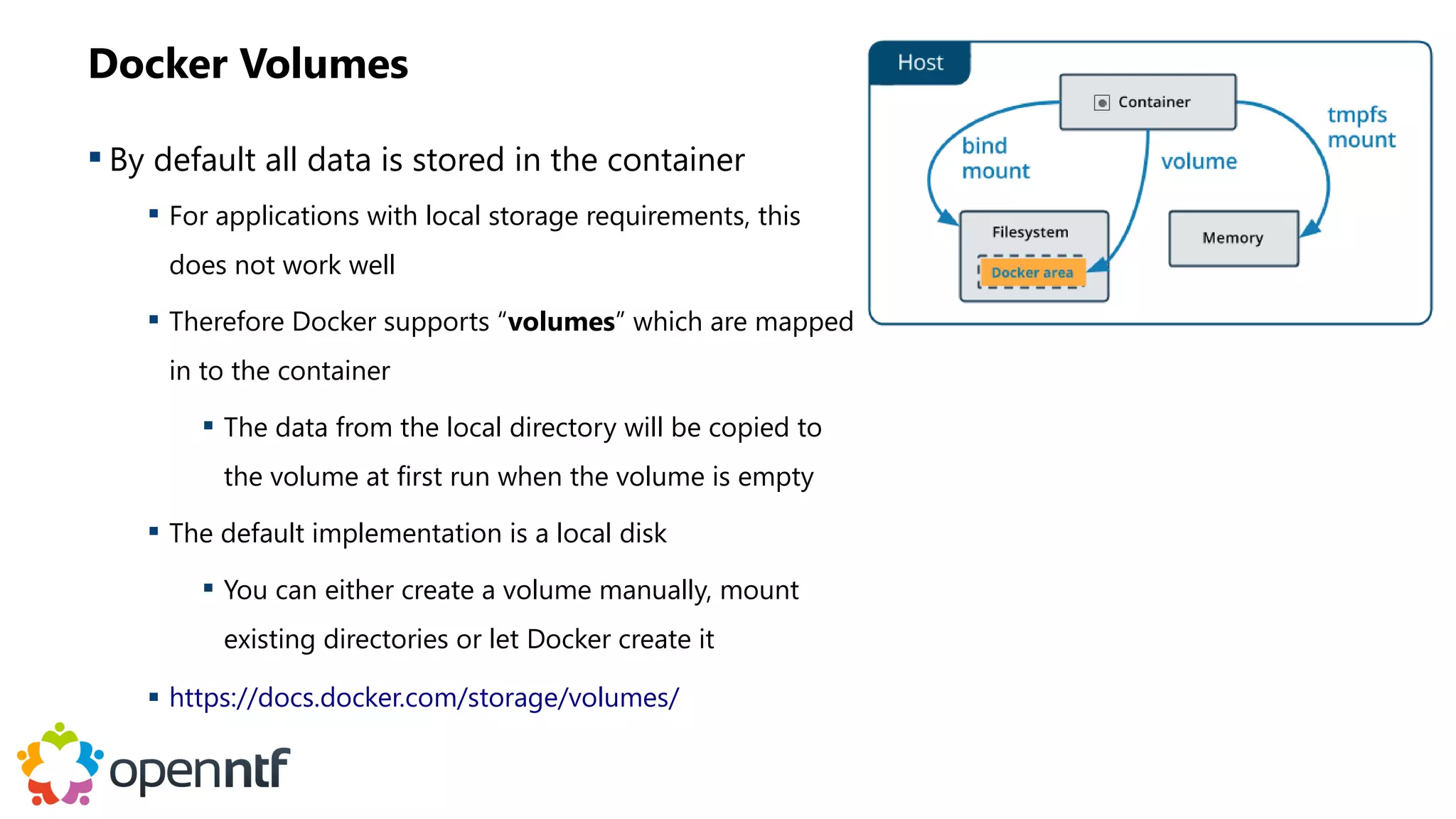
Docker Volumes
 By default all data is stored in the container
 For applications with local storage requirements, this
does not work well
 Therefore Docker supports “volumes” which are mapped
in to the container
 The data from the local directory will be copied to
the volume at first run when the volume is empty
 The default implementation is a local disk
 You can either create a volume manually, mount
existing directories or let Docker create it
 https://docs.docker.com/storage/volumes/
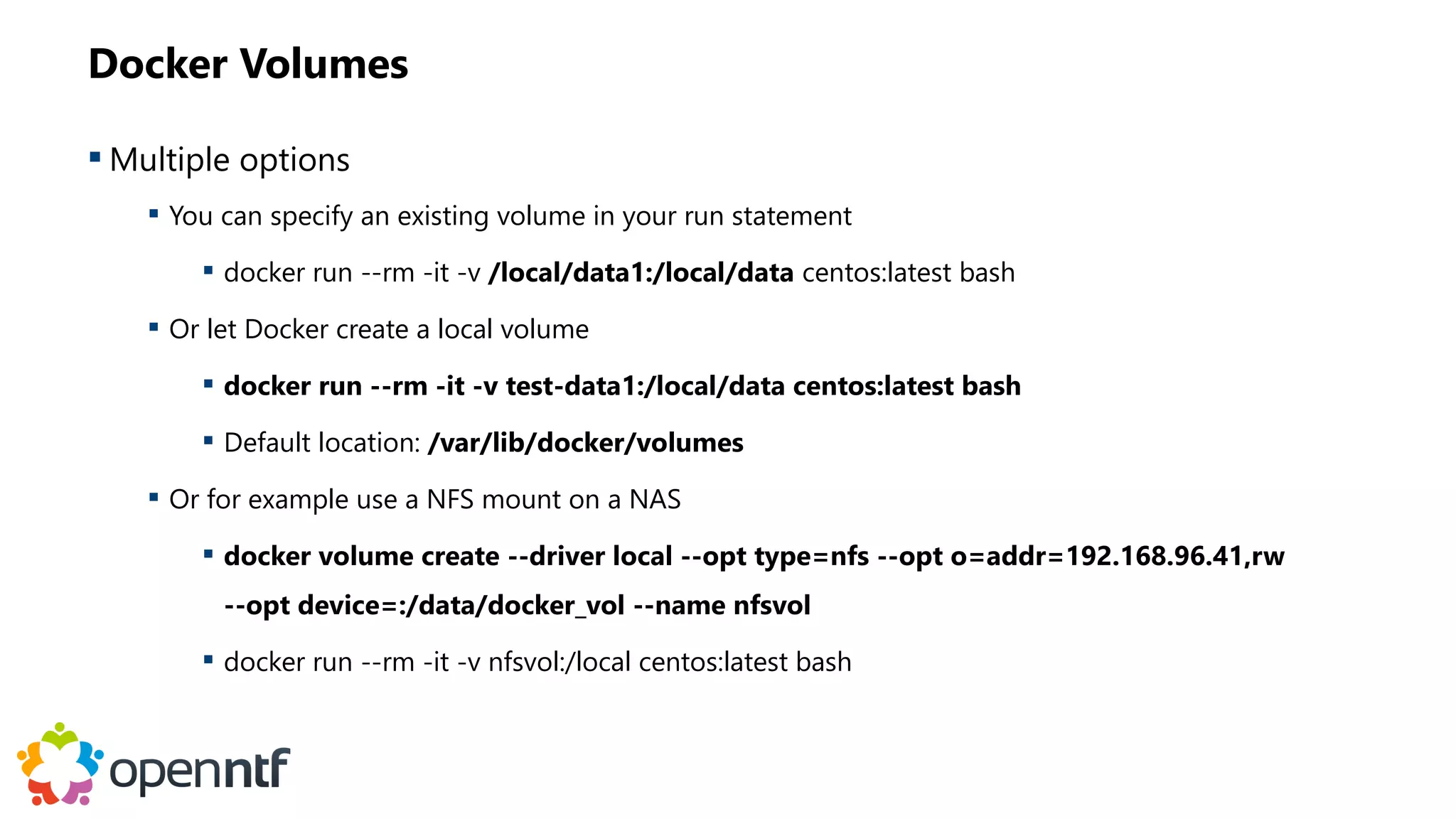
Docker Volumes
 Multiple options
 You can specify an existing volume in your run statement
 docker run --rm -it -v /local/data1:/local/data centos:latest bash
 Or let Docker create a local volume
 docker run --rm -it -v test-data1:/local/data centos:latest bash
 Default location: /var/lib/docker/volumes
 Or for example use a NFS mount on a NAS
 docker volume create --driver local --opt type=nfs --opt o=addr=192.168.96.41,rw
--opt device=:/data/docker_vol --name nfsvol
 docker run --rm -it -v nfsvol:/local centos:latest bash
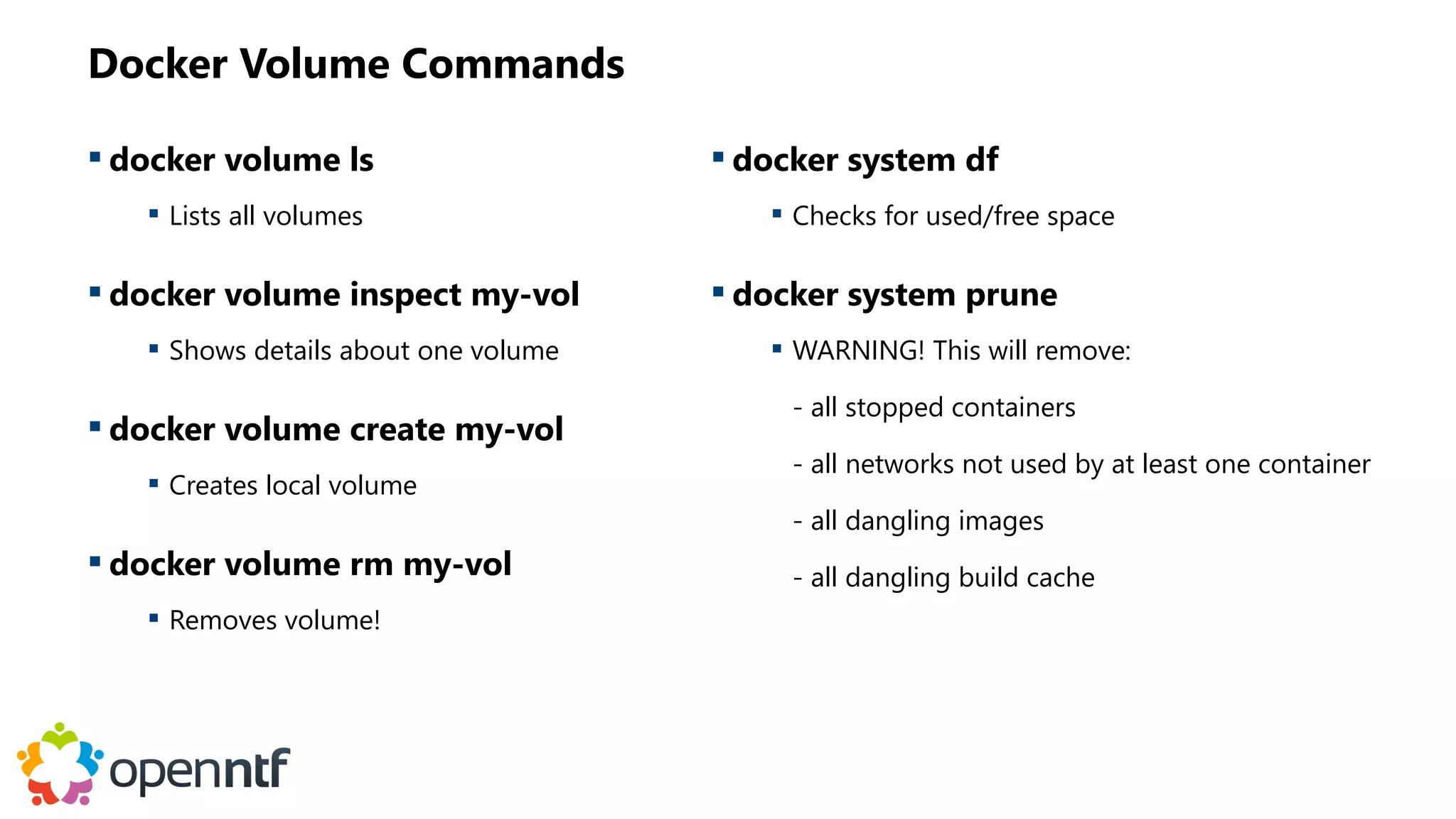
Docker Volume Commands
 docker volume ls
 Lists all volumes
 docker volume inspect my-vol
 Shows details about one volume
 docker volume create my-vol
 Creates local volume
 docker volume rm my-vol
 Removes volume!
 docker system df
 Checks for used/free space
 docker system prune
 WARNING! This will remove:
- all stopped containers
- all networks not used by at least one container
- all dangling images
- all dangling build cache
QUESTIONS?
Use the GoToWebinar Questions Pane
Please keep all questions related to the
topics that our speakers are discussing!!!
Unrelated Question => post at:
http://openntf.slack.com/

January OpenNTF Webinar: 4D - Domino Docker Deep Dive

  • 1.
    OPENNTF WEBINARS January OpenNTFWebinar: 4D - Domino Docker Deep Dive
  • 2.
    AGENDA • Welcome –Howard Greenberg and Graham Acres • Thomas Hampel, Director, HCL Product Management • Daniel Nashed, HCL Lifetime Ambassador • Q and A - All
  • 3.
    ASKING QUESTIONS • FirstQuestion – Will this be recorded? • Yes, view on YouTube!!! • https://www.youtube.com/user/OpenNTF • Use the Questions Pane in GoToWebinar • We will get to your questions at the end of the webinar • The speakers will respond to your questions verbally • (not in the Questions pane) • Please keep all questions related to the topics that our speakers are discussing!!! • Unrelated Question => post at: • http://openntf.slack.com/
  • 4.
    THANKS TO THEOPENNTF SPONSORS • HCL made a significant contribution to help our organization • Funds these webinars! • Contests like Hackathons • Running the organization • Prominic donates all IT related services • Cloud Hosting for OpenNTF • Infrastructure management for HCL Domino and Atlassian Servers • System Administration for day-to-day operation
  • 5.
    THIS IS OURCOMMUNITY • Join us and get involved! • We are all volunteers • No effort is too small • If your idea is bigger than you can do on your own, we can connect you to a team to work on it • Test or help or modify an existing project • Write guides or documentation • Add reviews on projects / stars on Snippets
  • 6.
    NEXT WEBINAR • FebruaryOpenNTF Webinar: Introduction to Ansible for Newbies • For Domino admins and developers who would like to learn Ansible basics. • Christoph Stoettener, HCL Ambassador • Thursday, February 18, 2021 at 11:00 AM (New York time) • www.openntf.org/webinars
  • 7.
  • 8.
    Copyright © 2020HCL Technologies Limited | www.hcltechsw.com 2 Daniel Nashed § Nash!Com, Germany § HCL Business Partner / ISV § nsh@nashcom.de § http://blog.nashcom.de Thomas Hampel § HCL Germany § Director @ Product Management § thomas.hampel@pnp-hcl.com § https://blog.thomashampel.com Speakers
  • 9.
    Copyright © 2020HCL Technologies Limited | www.hcltechsw.com Problem Definition 3 Cost reduction Reusability Time to deploy CTRL C CTRL V + + Consistency A u t o m a t i o n R e s o u r c e O p t i m i z a t i o n S t a n d a r d i z a t i o n S t a n d a r d i z a t i o n
  • 10.
    Copyright © 2020HCL Technologies Limited | www.hcltechsw.com Containers make a difference… 1. Install Docker (if not already present) 2. Unzip sametime_meetings.zip 3. Modify .env file for local settings 4. Run install.sh Sametime Installation è 970 Pages ç
  • 11.
    Copyright © 2020HCL Technologies Limited | www.hcltechsw.com 5
  • 12.
    Copyright © 2020HCL Technologies Limited | www.hcltechsw.com CNCF Cloud Native Landscape Source: https://landscape.cncf.io/
  • 13.
    Copyright © 2020HCL Technologies Limited | www.hcltechsw.com (Docker) Containers • Isolating processes from each other • Share OS (kernel) and binaries/libraries (where appropriate) • Do not have an entire OS installed within • Designed to be portable • Usually single purpose Physical Hardware Operating System Docker Container Bins/Libs Bins/Libs App1 App1’ App 2 App 2’
  • 14.
    Copyright © 2020HCL Technologies Limited | www.hcltechsw.com Container Concept – Example : Domino 8 Kernel centos:latest domino:11.0.1 YourDominoApp Runtime/Writable R e f e r e n c e s p a r e n t Container is • a layered file system where each layer references the layer below • a runtime instance of an image. • not containing your persistent (Domino) data Images • Are used to create containers • Layers build on top of each other only the differences are stored in each layer.
  • 15.
    Copyright © 2020HCL Technologies Limited | www.hcltechsw.com Container Concept – Example : Domino 9 Kernel centos:latest domino:11.0.1 Domino Volt Runtime/Writable R e f e r e n c e s p a r e n t Container is • a layered file system where each layer references the layer below • a runtime instance of an image. • not containing your persistent (Domino) data Images • Are used to create containers • Layers build on top of each other only the differences are stored in each layer.
  • 16.
    Copyright © 2020HCL Technologies Limited | www.hcltechsw.com Docker Components Registry Docker registry hold images. These are public or private stores from which you upload or download images. Docker_Host Docker daemon Ref.: https://docs.docker.com/engine/understanding-docker/ A Docker image is a read-only template. e.g. containing Linux operating system with Apache and your WebApp installed. Docker images are used to create other images or Docker containers. The Docker client, is the primary user interface to Docker. It accepts commands from the user and communicates back and forth with a Docker daemon. Client Docker build Docker pull Docker run Images A Docker container holds everything that is needed for an application to run. Each container is created from a Docker image. Containers Docker volumes are shared storage areas for persistent data. Deleting the container will not delete the volume Volumes
  • 17.
    Copyright © 2020HCL Technologies Limited | www.hcltechsw.com Image Template Container Application CLI Domino console Volume Domino Data Directory Container Terminology for Domino Admins = = = = Registry OpenNTF.org =
  • 18.
    Copyright © 2020HCL Technologies Limited | www.hcltechsw.com HCL Domino Docker Image Platforms • Redhat Universal Base Image (UBI) • Build & run-time support on Docker 18.09+ Linux/MAC 12 Provides Images : Base image for: • Domino 11.0.1 https://hclsoftware.flexnetoperations.com/flexnet/operationsportal/startPage.do • Official HCL Image • Just download from Flexnet and import to your environment = Ready to run
  • 19.
    Copyright © 2020HCL Technologies Limited | www.hcltechsw.com Domino Docker on Github Platforms • CentOS 7 / 8 • Redhat Universal Base Image (UBI) • Build & run-time support on Docker 18.09+ Linux/MAC • Podman 1.5.0+ • openSUSE Leap • Run-time support for Kubernetes & Openshift • Tested with QNAP, Synology 13 Provides Images : Base image for: • Domino 9.0.1 (with any FP) • Domino 10.0.1 (with any FP) • Domino 11.0.1 Addon image for • Traveler 9, 10, and 11 • Domino Volt https://github.com/ibm/domino-docker • Must built your own image (automated, using a script) from Domino Linux installer • Includes automated Domino Configuration
  • 20.
    Copyright © 2020HCL Technologies Limited | www.hcltechsw.com … Platform9 Rancher Where to start - Decision Flow for a platform 14 Docker Server Kubernetes OpenShift $ Entry Test Docker Desktop Level 1 Test & Development Level 2 Prod. Hosting Level 3 Scale
  • 21.
    Copyright © 2020HCL Technologies Limited | www.hcltechsw.com Level 1 - Docker in MacOSX 15 • Uses Mac integrated virtualization • Also runs a Linux VM with Container run-time • Desktop Application • Kubernetes single node-cluster • Docker Compose • Start here: https://docs.docker.com/docker-for-mac/
  • 22.
    Copyright © 2020HCL Technologies Limited | www.hcltechsw.com Level 1 – Docker on Windows 16 • Leverages Hyper-V (Linux container with Container run-time) • Command Line is Windows (only batch and power-shell scripting) • Desktop application • Kubernetes single node-cluster • Docker compose • Hyper-V and VMware did not work on the same time • Fix from VMware and Microsoft You need VMware 15.5 Workstation/Player • Start here: https://docs.docker.com/docker-for-windows/ Windows Hyper-V Linux Docker Docker CLI
  • 23.
    Copyright © 2020HCL Technologies Limited | www.hcltechsw.com Level 1 – Docker on Windows with WSL 2 17 • Uses native WSL2 Linux containers for Container run-time • No requirement to run Hyper-V • Full integration in Ubuntu or Debian running in separate WSL container each • Desktop application • Kubernetes single node-cluster • Docker Compose • Start here: https://docs.docker.com/docker-for-windows/wsl/ • See http://blog.nashcom.de/ Windows WSL2 Linux Docker Docker CLI Ubuntu Docker CLI
  • 24.
    Copyright © 2020HCL Technologies Limited | www.hcltechsw.com Level 1 – Docker on Windows with WSL 2 18 • Uses native WSL2 Linux containers for Container run-time • No requirement to run Hyper-V • Full integration in Ubuntu or Debian running in separate WSL container each • Desktop application • Kubernetes single node-cluster • Docker Compose • Start here: https://docs.docker.com/docker-for-windows/wsl/ • See http://blog.nashcom.de/
  • 25.
    Copyright © 2020HCL Technologies Limited | www.hcltechsw.com Level 1 – Docker on Linux 19 • CentOS/RedHat, Debian, Fedora, Ubuntu (separate install instructions per platform) • Docker service controlling + Docker Client • Runs native on Linux • Okay for smaller production deployments • You can optionally install Docker Compose • No Kubernetes included • Start here: https://docs.docker.com/engine/install/ Level 1 conclusion : Win? MacOS? Linux? It’s always Linux in one way or the other Linux Docker Docker CLI
  • 26.
    Copyright © 2020HCL Technologies Limited | www.hcltechsw.com Level 2 – Docker Server 20 • System Recommendation • min. 2 CPU Cores, • 8 GB RAM, • 50 GB storage • Linux Operating System e.g. CentOS 8 or RedHat 8 • Docker CE 19.03+ • Intended for small deployments and POC type environments • Easiest to install and configure • Limited number of users • Does not support automatic scaling, limited number of ‘recorders’ • Fully supported for production Hypervisor VM Linux Docker Docker CLI
  • 27.
    Copyright © 2020HCL Technologies Limited | www.hcltechsw.com Level 3 – Kubernetes (k8s) 21 • https://kubernetes.io/ • Aka “vanilla” kubernetes • Built for enterprise deployments at scale • Contains management and orchestration • Open source & free of charge • Runs on virtualized machine or on HW • Various “flavors” and branded versions of Kubernetes exist • e.g. https://k3s.io/ a lightweight distribution for IoT
  • 28.
    Copyright © 2020HCL Technologies Limited | www.hcltechsw.com Level 3 – Rancher 22 • https://rancher.com • It’s a flavor of Kubernetes • Built for enterprise deployments at scale • Contains management and orchestration • Open source, but not free • Runs on virtualized machine or bare metal
  • 29.
    Copyright © 2020HCL Technologies Limited | www.hcltechsw.com Level 3 – OpenShift 23 https://www.openshift.com/ • It’s a flavor of Kubernetes • Built for enterprise deployments at scale • Contains management and orchestration • Strong focus on security • Commercial Product • Community version : OKD https://www.okd.io/ • Runs on virtualized machine or bare metal
  • 30.
    Copyright © 2020HCL Technologies Limited | www.hcltechsw.com Container Adoption @ YellowSphere 24 HCL • using Docker for automated product testing • Software Factory (SoFy) HCL Hosting partner: factor-y • Domino on K8s hosting services with fully automated deployment DNUG • Sametime 11.5 Premium meeting server Large Domino Customer (Not to be named) • Domino applications hosted today in house moving to K8s Business Partner • Developing a mobile client for HCL Traveler • Testing with different versions. Updating via image update
  • 31.
    Copyright © 2020HCL Technologies Limited | www.hcltechsw.com Kubernetes: All About Orchestration 25 After playing with Docker containers and seeing some value, questions typically arise: 1. Could I use containerized apps in our dev environment or even in our product? 2. Do I need to use the docker command line tool to manage the whole lifecycle of containerized apps? 3. If I want to build an app with multiple containers how do they find and talk to each other? 4. If I want to run containerized apps in places other than my machine, how do I do that? 5. How do companies that are fully bought in to containers deal with production grade concerns: scaling, resiliency, update/rollback, security, true CI/CD, logging/monitoring Kubernetes helps with these questions and more
  • 32.
    Copyright © 2020HCL Technologies Limited | www.hcltechsw.com Kubernetes Architecture: Don’t worry if this looks complicated! Shared Storage Local / SAN / NFS / AWS / …
  • 33.
    Copyright © 2020HCL Technologies Limited | www.hcltechsw.com Kubernetes for End Users 27 Most teams work with Kubernetes using a “declarative approach”: • Basically “kubectl apply” + yaml • This is how to tell Kubernetes what state you’d like the system to be in: • Kubernetes is listening for changes and will try get/keep the system in the given state. Understanding Kubernetes Objects: Pod, Service, Namespace, Volume, Deployment, Ingress, others Plenty of examples are just a web search away. Easy to think you are struggling with a problem unique to your use case, but chances are there is already a well known solution, and usually many solutions
  • 34.
    Copyright © 2020HCL Technologies Limited | www.hcltechsw.com Kubernetes Cluster Key Concepts From the Ground Up For End Users 28
  • 35.
    Copyright © 2020HCL Technologies Limited | www.hcltechsw.com Kubernetes Cluster Key Concepts From the Ground Up For End Users 29 Container (REST API)
  • 36.
    Copyright © 2020HCL Technologies Limited | www.hcltechsw.com Kubernetes Cluster Pod label: “myapp” Key Concepts From the Ground Up For End Users 30 Container (REST API) 10.0.0.1 : 8080 Pod = smallest deployable unit in kubernetes
  • 37.
    Copyright © 2020HCL Technologies Limited | www.hcltechsw.com Kubernetes Cluster Deployment Pod label: “myapp” Key Concepts From the Ground Up For End Users 31 Container (REST API) 10.0.0.1 : 8080
  • 38.
    Copyright © 2020HCL Technologies Limited | www.hcltechsw.com Kubernetes Cluster Deployment Pod label: “myapp” Key Concepts From the Ground Up For End Users 32 Container (REST API) Pod Label: “myapp” Container (REST API) 10.0.0.1 : 8080 10.0.0.2: 8080
  • 39.
    Copyright © 2020HCL Technologies Limited | www.hcltechsw.com Kubernetes Cluster Deployment Pod label: “myapp” Key Concepts From the Ground Up For End Users 33 Container (REST API) Pod Label: “myapp” Container (REST API) 10.0.0.1 : 8080 10.0.0.2: 8080 Service selector: “myapp” 10.0.0.3 : 80
  • 40.
    Copyright © 2020HCL Technologies Limited | www.hcltechsw.com Kubernetes Cluster Deployment Pod label: “myapp” Key Concepts From the Ground Up For End Users 34 Container (REST API) Pod Label: “myapp” Container (REST API) 10.0.0.1 : 8080 10.0.0.2: 8080 Service selector: “myapp” 10.0.0.3 : 80 Ingress selector: “myapp” 35.15.67.219 : 443 foo.com/api
  • 41.
    Copyright © 2020HCL Technologies Limited | www.hcltechsw.com Kubernetes Cluster Deployment Pod label: “myapp” Key Concepts From the Ground Up For End Users 35 Container (REST API) Pod Label: “myapp” Container (REST API) 10.0.0.1 : 8080 10.0.0.2: 8080 Service selector: “myapp” 10.0.0.3 : 80 Ingress selector: “myapp” 35.15.67.219 : 443 foo.com/api foo.com/home Service selector: “foo” 10.0.0.4 : 80
  • 42.
    Copyright © 2020HCL Technologies Limited | www.hcltechsw.com Image Template Container Application Node Domino Server Pod kubelet Admin4.nsf etcd Names.nsf Cldbdir.nsf CLI Domino console Controller DDM Probe Volume Domino Data Directory = = = = Kube-proxy Passthru = Container Terminology for Domino Admins Application DDM = = = = = + Registry OpenNTF.org = Service Domino Cluster = YAML file Your perfect Documentation = Namespace Domain =
  • 43.
    Copyright © 2020HCL Technologies Limited | www.hcltechsw.com Gotcha’s 38 • It’s always Linux in one form or another • It’s always Kubernetes in one flavor or another • YAML replaces PDF • The goal is not a container… …it is to have a fully managed container • Domino != microservices, but greatly benefits from k8s’ • Domino Admins vs. k8s Admins • Have a completely different mindset • Don’t speak the same language - communication requires translation/a dictionary
  • 44.
    Copyright © 2020HCL Technologies Limited | www.hcltechsw.com Recommendations for Domino 39 Multiple Domino Servers • TCP Port 1352 can only be used once per IP • One IP address for each Domino server • Port mapping in Notes Client using connection documents Licensing • Production deployment of HCL Domino requires a license PVU / CEO / Express High Availability Kubernetes clusters do not replace Domino Clusters • Deploy Domino cluster nodes to different kubernetes worker nodes When to use
  • 45.
    If your ideadoes not already exist, create a new idea and format your idea like: “As a <insert role>, I would like to be able to <insert action> in order to <insert need>.” • Where we gather and prioritize your ideas • Where we want you to add, vote, comment on and share as many ideas as you like. Create as many ideas as you’d like, but remember to keep each idea, separate. Do not create idea that consist of more than one request for enhancement. https://domino.ideas.aha.io/ 1 2 3 Search the forum to see if your idea already exists. Vote for any ideas and add any additional comments that you may have related to that idea. And, please follow these three steps: Questions & Keep the Ideas Coming – Domino Ideas Portal
  • 46.
    $8.4 BILLION |132,000+ IDEAPRENEURS | 44 COUNTRIES
  • 47.
    Hands On DominoDocker Daniel Nashed, Nash!Com #dominoforever
  • 48.
    About Daniel Nashed Nash!Com – HCL Business Partner  Focus: Cross-Platform C-API, HCL Domino® Infrastructure, Administration, Integration, Performance, Security, Troubleshooting and HCL Traveler  Author: Domino on Linux®/UNIX® Start Script  Co-Author: Domino Docker Community GitHub Project
  • 49.
  • 50.
    What's going onwith Docker?  Docker was innovator but now other projects took the lead  Also Kubernetes (K8s) stops supporting Docker  The brand new Docker CE 20.10 & Docker Desktop 3.0 can't keep up with other projects  Podman  Has interesting new integration “Podman Play” allowing to bridge configurations for K8s YML configurations  Can be used as a almost 1:1 replacement for Docker functionality  Podman is fully supported by our GitHub project – the command line is very similar  But: Whatever software we use – it is all about IMAGES and CONTAINERS
  • 51.
    Install Docker CommunityEdition 20.10  Works better on CentOS 8 – Installs without hacks, Firewall fixed & easier to install  New Docker installation script – works automatically  curl -fsSL https://get.docker.com -o get-docker.sh  chmod 755 get-docker.sh  ./get-docker.sh  Enable (auto start) and start the Docker Service  systemctl enable --now docker  Check configuration  docker version  Installing Podman would be a single command: yum install -y podman
  • 52.
  • 53.
    1. Get theDomino Docker Scripts from GitHub  Install git software  yum install -y git  Create a new directory for your git projects and switch to it  mkdir -p /local/github  cd /local/github  Clone ("download") the repository locally  git clone https://github.com/IBM/domino-docker  cd domino-docker  git checkout develop
  • 54.
    2. Download ormap Domino Software  The Open Source Docker Script requires software either locally or download location  We can't provide software or a complete image – But we can make it easy for you  Two different modes  Local Directory  Standard Directory “software” → hosted from a temporary NGINX container  Example: /local/github/domino-docker/software  Download from a remote host  Edit DOWNLOAD_FROM in the build.sh  Example: DOWNLOAD_FROM=http://centos-mirror.nashcom.loc/software
  • 55.
    3. Docker Image“build” Process  A central script “build.sh” is used to invoke the build  Currently implemented images  ./build.sh domino  ./build.sh traveler (builds an image based on the “domino” image)  ./build.sh volt (builds an image based on the “domino” image)  By default the latest version is used  You could choose a specific version by explicitly specifying the version and options..  ./build.sh domino 12.0.0beta1 dockerfile_centos8 latest12 -nolinuxupd  Software.txt contains up to date download names and SHA256 hashes
  • 56.
    Build & RunHCL Volt  HCL Volt is based on Domino  So let's build an add-on image on top of an existing Domino V12 Beta 1 image...  CentOS → Domino → Volt  Demo: ./build.sh volt dockerfile_domino12 -nolinuxupd  It's more than just a standard image... We added automatic Domino & Volt configuration and basic certificate generation  Volt databases, HTTPS configuration, DomCfg, Session based authentication …
  • 57.
    4. Run aDomino Domino Server via Docker CLI  Command-Line to create a container from an image  docker run -it -p 80:80 -p 1352:1352 --hostname=myhost --name mycontainer --cap-add=SYS_PTRACE --env-file env_domino -v notesdata:/local/notesdata domino-docker:V1101FP2_10202020prod  Details  --cap-add-SYSPTRACE → important for NSD / gdb  --env-file → passes environment variables to the container  -p → publishes external ports (internally sets firewall rules automatically!)  -v → Maps volumes to the container
  • 58.
    4. Run viaDocker Compose  Docker Compoes uses a YAML files to define one or multiple containers in one service  They can join the same Docker “network”  Sametime Meetings Premium is using docker-compose to bring up multiple containers as one “service”  Helm is used for K8s – Allows to scale adding more pods on demand  Many other projects use docker-compose.yml files to describe their services  Sametime 8.5 Premium uses docker-compose to define and manage all containers  In the end it's still managing the same containers we already know in a different way  See examples in the Git repository
  • 59.
    Brand new –Domino Container Start Script  This will replace the management script in our Domino Docker Git project  Part of Nash!Com start script, integrated into the Domino Docker project  Already included in the Domino Docker Project  Similar options you know from the Domino on Linux start script  “One stop shopping” for all your operations  Includes Podman systemd integration  Custom image build support!  Let's have a look …
  • 60.
  • 61.
  • 62.
    CentOS Stream –What's going on?  There is a lot of confusion  It's not new information!  An it isn't as critical as many discuss it  There is no such thing as Enterprise level free beer  You always have to pay a price or take a “risk”  But CentOS Stream will still be a stable and free enterprise Linux  It will be the version becoming the next RHEL dot release Quote from: Matthew Miller Distinguished Engineer at Red Hat / Fedora Project Leader
  • 63.
    Stream Bleeding edge Free &based on stable RHEL Enterprise Release Stable / Commercial Ahead of REHL becomes the next RHEL dot release Enterprise Release Stable / Commercial → Bleeding edge → → →
  • 64.
  • 65.
    Git  A toolyou should know today!  Many software developers and companies use Git to manage their source code  GitHub is a platform where you find most of the software projects  We can't avoid them even they are owned by Microsoft  Most important commands for using our Git project  “git clone” – to clone a project  “git checkout develop” – to switch to the develop branch of the project  “git pull” – to update your local repo
  • 66.
    {JSON} – Astandard you can't avoid  https://www.json.org  Most configuration files today are in JSON  It replaces XML in many cases.  If you never looked into JSON you have start now!  The most popular parser on Linux:  JQ – https://stedolan.github.io/jq/  Very powerful and included in the Linux distributions
  • 67.
    YAML – Anotherstandard you can't avoid  https://yaml.org/  YAML / YML is often used in the container world to describe a configuration  For example used in docker-compose and K8s configuration  Very reduced & simplified format  What homepage says:  “YAML: YAML Ain't Markup Language”  “What It Is: YAML is a human friendly data serialization standard for all programming languages.”  Tool for Linux: https://mikefarah.gitbook.io/yq/
  • 68.
    XML –> JSON→ YAML  Source: https://developer.ibm.com/technologies/containers/tutorials/yaml-basics-and-usage-in-kubernetes/  Great video with all you need to start: https://www.youtube.com/watch?v=1uFVr15xDGg
  • 69.
  • 70.
    Working with Docker Important commands  docker images → lists all locally available images  docker ps → shows all running containers  docker ps -a → also shows stopped containers  docker run → creates container from image and starts it  docker start/stop → starts/stops existing containers  docker inspect → shows detailed information for a container  docker volume ls → lists existing volumes  docker volume rm → removes a volume  docker exec → executes a command inside a container
  • 71.
    Docker Volumes  Bydefault all data is stored in the container  For applications with local storage requirements, this does not work well  Therefore Docker supports “volumes” which are mapped in to the container  The data from the local directory will be copied to the volume at first run when the volume is empty  The default implementation is a local disk  You can either create a volume manually, mount existing directories or let Docker create it  https://docs.docker.com/storage/volumes/
  • 72.
    Docker Volumes  Multipleoptions  You can specify an existing volume in your run statement  docker run --rm -it -v /local/data1:/local/data centos:latest bash  Or let Docker create a local volume  docker run --rm -it -v test-data1:/local/data centos:latest bash  Default location: /var/lib/docker/volumes  Or for example use a NFS mount on a NAS  docker volume create --driver local --opt type=nfs --opt o=addr=192.168.96.41,rw --opt device=:/data/docker_vol --name nfsvol  docker run --rm -it -v nfsvol:/local centos:latest bash
  • 73.
    Docker Volume Commands docker volume ls  Lists all volumes  docker volume inspect my-vol  Shows details about one volume  docker volume create my-vol  Creates local volume  docker volume rm my-vol  Removes volume!  docker system df  Checks for used/free space  docker system prune  WARNING! This will remove: - all stopped containers - all networks not used by at least one container - all dangling images - all dangling build cache
  • 74.
    QUESTIONS? Use the GoToWebinarQuestions Pane Please keep all questions related to the topics that our speakers are discussing!!! Unrelated Question => post at: http://openntf.slack.com/