The Mobility Project
Alex Luddy
Purpose

• Fuel your ideas for using the Qt APIs from the
  Mobility project


                                                   1
Agenda

• Background

• Content Overview
  – Some examples

• Questions


                     2
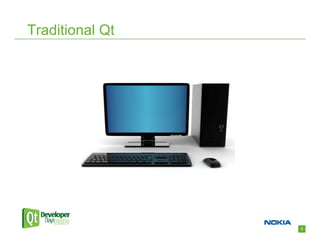
Traditional Qt


                 3
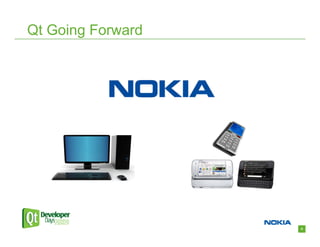
Qt Going Forward


                   4
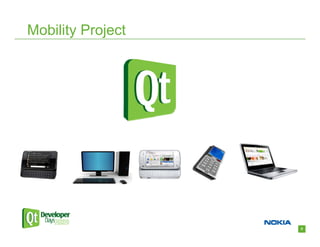
Mobility Project


                   5
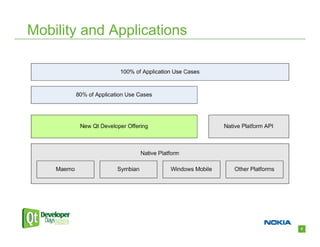
Mobility and Applications


                            6
Qt Mobility Details

• The Mobility project is creating Qt APIs

• APIs will have supported functional back-ends on
  all platforms where it makes sense

• Some APIs on Qt labs now


                                                     7
The Story of Bob the Developer

• Wants to make a mobile application

• Wants the application to be cross-platform


• A Web feed reader…


                                               8
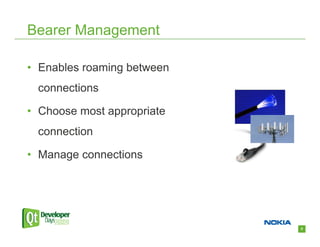
Bearer Management

• Enables roaming between
 connections

• Choose most appropriate
 connection

• Manage connections


                            9
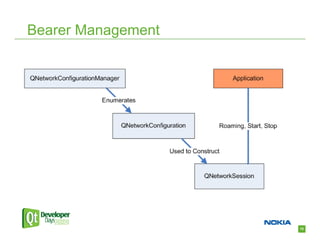
Bearer Management


                    10
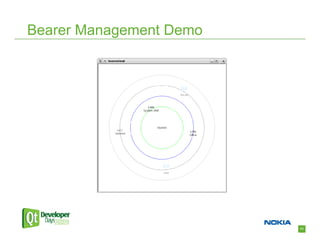
Bearer Management Demo


                         11
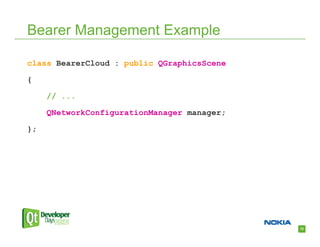
Bearer Management Example

class BearerCloud : public QGraphicsScene

{

     // ...

     QNetworkConfigurationManager manager;

};


                                             12
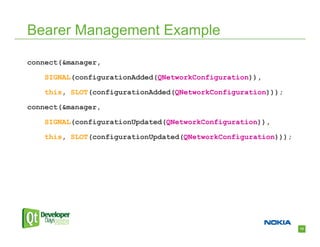
Bearer Management Example

connect(&manager,

    SIGNAL(configurationAdded(QNetworkConfiguration)),

    this, SLOT(configurationAdded(QNetworkConfiguration)));

connect(&manager,

    SIGNAL(configurationUpdated(QNetworkConfiguration)),

    this, SLOT(configurationUpdated(QNetworkConfiguration)));


                                                                13
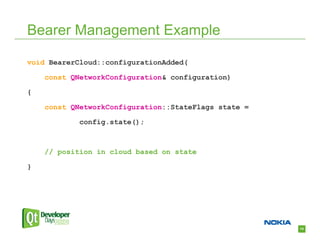
Bearer Management Example

void BearerCloud::configurationAdded(

    const QNetworkConfiguration& configuration)

{

    const QNetworkConfiguration::StateFlags state =

            config.state();


    // position in cloud based on state

}


                                                      14
Back to Bob

• Efficient Internet connection


• Web feed reader with contact interest
  information…


                                          15
Contacts

• Work with contact data

• Add custom data

• Introspect contact data

• Enumerate contact stores
  – Local and remote


                             16
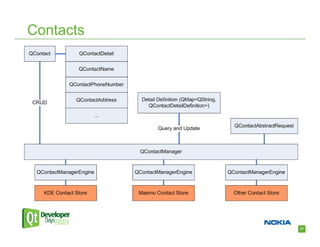
Contacts


           17
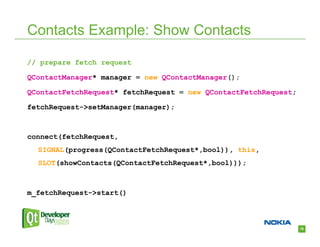
Contacts Example: Show Contacts

// prepare fetch request

QContactManager* manager = new QContactManager();

QContactFetchRequest* fetchRequest = new QContactFetchRequest;

fetchRequest->setManager(manager);


connect(fetchRequest,
  SIGNAL(progress(QContactFetchRequest*,bool)), this,
  SLOT(showContacts(QContactFetchRequest*,bool)));


m_fetchRequest->start()


                                                                 18
Contacts Example: Show Contacts

void Example::showContacts(QContactFetchRequest* request,
    bool appendOnly)

{

     QList<QContact> results = request->contacts();

     // handle append only case


     // access contacts for display

     for (int i = 0; i < results.size(); ++i) {

         QString display = results[i].displayLabel().label();

         // ...


                                                                19
Back to Bob

• Efficient Internet connection

• Access contact details
  – Add “interest” as custom data


• Web feed reader that can send messages to
  contacts about relevant information..


                                              20
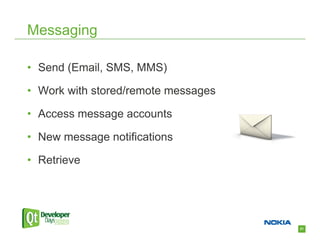
Messaging

• Send (Email, SMS, MMS)

• Work with stored/remote messages

• Access message accounts

• New message notifications

• Retrieve


                                     21
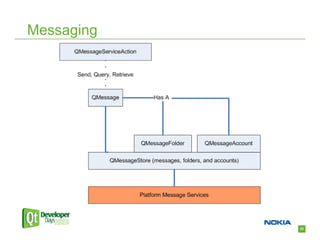
Messaging


            22
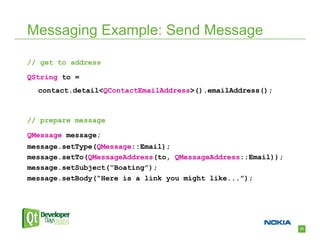
Messaging Example: Send Message

// get to address

QString to =
  contact.detail<QContactEmailAddress>().emailAddress();


// prepare message

QMessage message;
message.setType(QMessage::Email);
message.setTo(QMessageAddress(to, QMessageAddress::Email));
message.setSubject(“Boating”);
message.setBody(“Here is a link you might like...”);


                                                              23
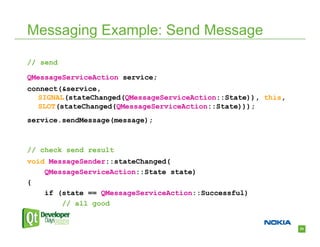
Messaging Example: Send Message

// send

QMessageServiceAction service;
connect(&service,
   SIGNAL(stateChanged(QMessageServiceAction::State)), this,
   SLOT(stateChanged(QMessageServiceAction::State)));
service.sendMessage(message);


// check send result
void MessageSender::stateChanged(
    QMessageServiceAction::State state)
{
    if (state == QMessageServiceAction::Successful)
        // all good


                                                               24
Back to Bob

• Efficient Internet connection

• Access contact details

• Send messages to contacts


• The “I am going to be late”
  application…


                                  25
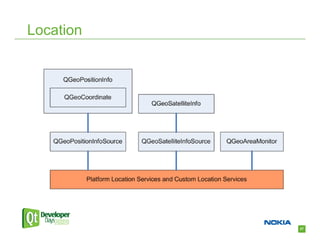
Location

• Where am I?
  – Stream location data

• Be notified when within range of a
  location

• Underlying location technology
  agnostic


                                       26
Location


           27
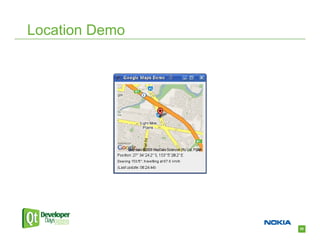
Location Demo


                28
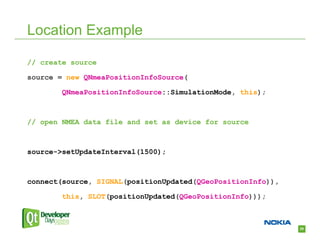
Location Example

// create source

source = new QNmeaPositionInfoSource(

        QNmeaPositionInfoSource::SimulationMode, this);


// open NMEA data file and set as device for source


source->setUpdateInterval(1500);


connect(source, SIGNAL(positionUpdated(QGeoPositionInfo)),

        this, SLOT(positionUpdated(QGeoPositionInfo)));


                                                             29
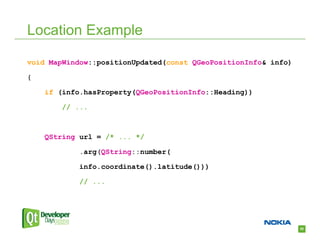
Location Example

void MapWindow::positionUpdated(const QGeoPositionInfo& info)

{

    if (info.hasProperty(QGeoPositionInfo::Heading))

        // ...


    QString url = /* ... */

            .arg(QString::number(

            info.coordinate().latitude()))

            // ...


                                                                30
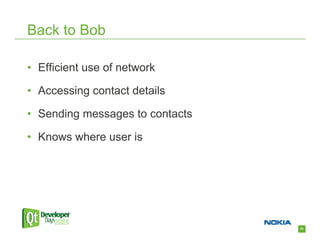
Back to Bob

• Efficient use of network

• Accessing contact details

• Sending messages to contacts

• Knows where user is


                                 31
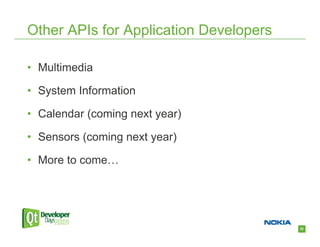
Other APIs for Application Developers

• Multimedia

• System Information

• Calendar (coming next year)

• Sensors (coming next year)

• More to come…


                                        32
System Developer APIs

• Use case is focused more on development of a
  system rather than an application

• Publish and subscribe

• Service framework


                                                 33
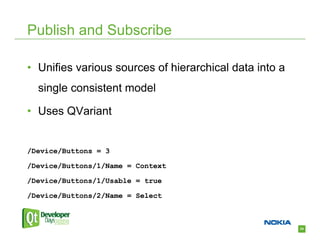
Publish and Subscribe

• Unifies various sources of hierarchical data into a
  single consistent model

• Uses QVariant


/Device/Buttons = 3

/Device/Buttons/1/Name = Context

/Device/Buttons/1/Usable = true

/Device/Buttons/2/Name = Select


                                                        34
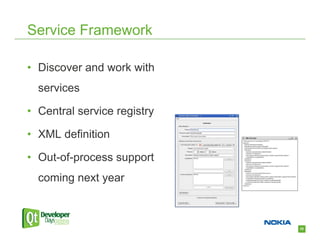
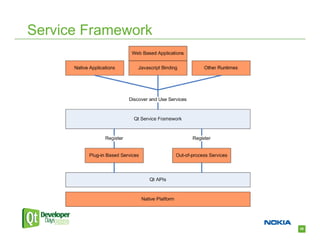
Service Framework

• Discover and work with
  services

• Central service registry

• XML definition

• Out-of-process support
  coming next year


                             35
Service Framework


                    36
Content Summary

• Bearer Management, Contacts, Messaging,
 Location, Multimedia, System Information,
 Publish and Subscribe, Service Framework

• …


                                             37
Summary

• Rich cross-platform applications

• Qt brilliant developer offering everywhere


                                               38
Questions

• http://labs.qt.nokia.com/page/Projects/QtMobility

• All API feedback appreciated


                                                      39

The Mobility Project

  • 1.
  • 2.
    Purpose • Fuel yourideas for using the Qt APIs from the Mobility project 1
  • 3.
    Agenda • Background • ContentOverview – Some examples • Questions 2
  • 4.
  • 5.
  • 6.
  • 7.
  • 8.
    Qt Mobility Details •The Mobility project is creating Qt APIs • APIs will have supported functional back-ends on all platforms where it makes sense • Some APIs on Qt labs now 7
  • 9.
    The Story ofBob the Developer • Wants to make a mobile application • Wants the application to be cross-platform • A Web feed reader… 8
  • 10.
    Bearer Management • Enablesroaming between connections • Choose most appropriate connection • Manage connections 9
  • 11.
  • 12.
  • 13.
    Bearer Management Example classBearerCloud : public QGraphicsScene { // ... QNetworkConfigurationManager manager; }; 12
  • 14.
    Bearer Management Example connect(&manager, SIGNAL(configurationAdded(QNetworkConfiguration)), this, SLOT(configurationAdded(QNetworkConfiguration))); connect(&manager, SIGNAL(configurationUpdated(QNetworkConfiguration)), this, SLOT(configurationUpdated(QNetworkConfiguration))); 13
  • 15.
    Bearer Management Example voidBearerCloud::configurationAdded( const QNetworkConfiguration& configuration) { const QNetworkConfiguration::StateFlags state = config.state(); // position in cloud based on state } 14
  • 16.
    Back to Bob •Efficient Internet connection • Web feed reader with contact interest information… 15
  • 17.
    Contacts • Work withcontact data • Add custom data • Introspect contact data • Enumerate contact stores – Local and remote 16
  • 18.
  • 19.
    Contacts Example: ShowContacts // prepare fetch request QContactManager* manager = new QContactManager(); QContactFetchRequest* fetchRequest = new QContactFetchRequest; fetchRequest->setManager(manager); connect(fetchRequest, SIGNAL(progress(QContactFetchRequest*,bool)), this, SLOT(showContacts(QContactFetchRequest*,bool))); m_fetchRequest->start() 18
  • 20.
    Contacts Example: ShowContacts void Example::showContacts(QContactFetchRequest* request, bool appendOnly) { QList<QContact> results = request->contacts(); // handle append only case // access contacts for display for (int i = 0; i < results.size(); ++i) { QString display = results[i].displayLabel().label(); // ... 19
  • 21.
    Back to Bob •Efficient Internet connection • Access contact details – Add “interest” as custom data • Web feed reader that can send messages to contacts about relevant information.. 20
  • 22.
    Messaging • Send (Email,SMS, MMS) • Work with stored/remote messages • Access message accounts • New message notifications • Retrieve 21
  • 23.
  • 24.
    Messaging Example: SendMessage // get to address QString to = contact.detail<QContactEmailAddress>().emailAddress(); // prepare message QMessage message; message.setType(QMessage::Email); message.setTo(QMessageAddress(to, QMessageAddress::Email)); message.setSubject(“Boating”); message.setBody(“Here is a link you might like...”); 23
  • 25.
    Messaging Example: SendMessage // send QMessageServiceAction service; connect(&service, SIGNAL(stateChanged(QMessageServiceAction::State)), this, SLOT(stateChanged(QMessageServiceAction::State))); service.sendMessage(message); // check send result void MessageSender::stateChanged( QMessageServiceAction::State state) { if (state == QMessageServiceAction::Successful) // all good 24
  • 26.
    Back to Bob •Efficient Internet connection • Access contact details • Send messages to contacts • The “I am going to be late” application… 25
  • 27.
    Location • Where amI? – Stream location data • Be notified when within range of a location • Underlying location technology agnostic 26
  • 28.
  • 29.
  • 30.
    Location Example // createsource source = new QNmeaPositionInfoSource( QNmeaPositionInfoSource::SimulationMode, this); // open NMEA data file and set as device for source source->setUpdateInterval(1500); connect(source, SIGNAL(positionUpdated(QGeoPositionInfo)), this, SLOT(positionUpdated(QGeoPositionInfo))); 29
  • 31.
    Location Example void MapWindow::positionUpdated(constQGeoPositionInfo& info) { if (info.hasProperty(QGeoPositionInfo::Heading)) // ... QString url = /* ... */ .arg(QString::number( info.coordinate().latitude())) // ... 30
  • 32.
    Back to Bob •Efficient use of network • Accessing contact details • Sending messages to contacts • Knows where user is 31
  • 33.
    Other APIs forApplication Developers • Multimedia • System Information • Calendar (coming next year) • Sensors (coming next year) • More to come… 32
  • 34.
    System Developer APIs •Use case is focused more on development of a system rather than an application • Publish and subscribe • Service framework 33
  • 35.
    Publish and Subscribe •Unifies various sources of hierarchical data into a single consistent model • Uses QVariant /Device/Buttons = 3 /Device/Buttons/1/Name = Context /Device/Buttons/1/Usable = true /Device/Buttons/2/Name = Select 34
  • 36.
    Service Framework • Discoverand work with services • Central service registry • XML definition • Out-of-process support coming next year 35
  • 37.
  • 38.
    Content Summary • BearerManagement, Contacts, Messaging, Location, Multimedia, System Information, Publish and Subscribe, Service Framework • … 37
  • 39.
    Summary • Rich cross-platformapplications • Qt brilliant developer offering everywhere 38
  • 40.