The Partner Business Org 
Nick Poirier 
Associate ISV Technical Evangelist
Safe Harbor 
Safe harbor statement under the Private Securities Litigation Reform Act of 1995: 
This presentation may contain forward-looking statements that involve risks, uncertainties, and assumptions. If any such uncertainties materialize or if any of 
the assumptions proves incorrect, the results of salesforce.com, inc. could differ materially from the results expressed or implied by the forward-looking 
statements we make. All statements other than statements of historical fact could be deemed forward-looking, including any projections of product or service 
availability, subscriber growth, earnings, revenues, or other financial items and any statements regarding strategies or plans of management for future 
operations, statements of belief, any statements concerning new, planned, or upgraded services or technology developments and customer contracts or use 
of our services. 
The risks and uncertainties referred to above include – but are not limited to – risks associated with developing and delivering new functionality for our service, 
new products and services, our new business model, our past operating losses, possible fluctuations in our operating results and rate of growth, interruptions 
or delays in our Web hosting, breach of our security measures, the outcome of any litigation, risks associated with completed and any possible mergers and 
acquisitions, the immature market in which we operate, our relatively limited operating history, our ability to expand, retain, and motivate our employees and 
manage our growth, new releases of our service and successful customer deployment, our limited history reselling non-salesforce.com products, and 
utilization and selling to larger enterprise customers. Further information on potential factors that could affect the financial results of salesforce.com, inc. is 
included in our annual report on Form 10-K for the most recent fiscal year and in our quarterly report on Form 10-Q for the most recent fiscal quarter. These 
documents and others containing important disclosures are available on the SEC Filings section of the Investor Information section of our Web site. 
Any unreleased services or features referenced in this or other presentations, press releases or public statements are not currently available and may not be 
delivered on time or at all. Customers who purchase our services should make the purchase decisions based upon features that are currently available. 
Salesforce.com, inc. assumes no obligation and does not intend to update these forward-looking statements.
Agenda 
• What is the Business Org? 
• Features of the Business Org 
• Who uses the Business Org? 
• Getting Access 
• Resources 
• Q&A
Nick Poirier 
Associate ISV Technical Evangelist
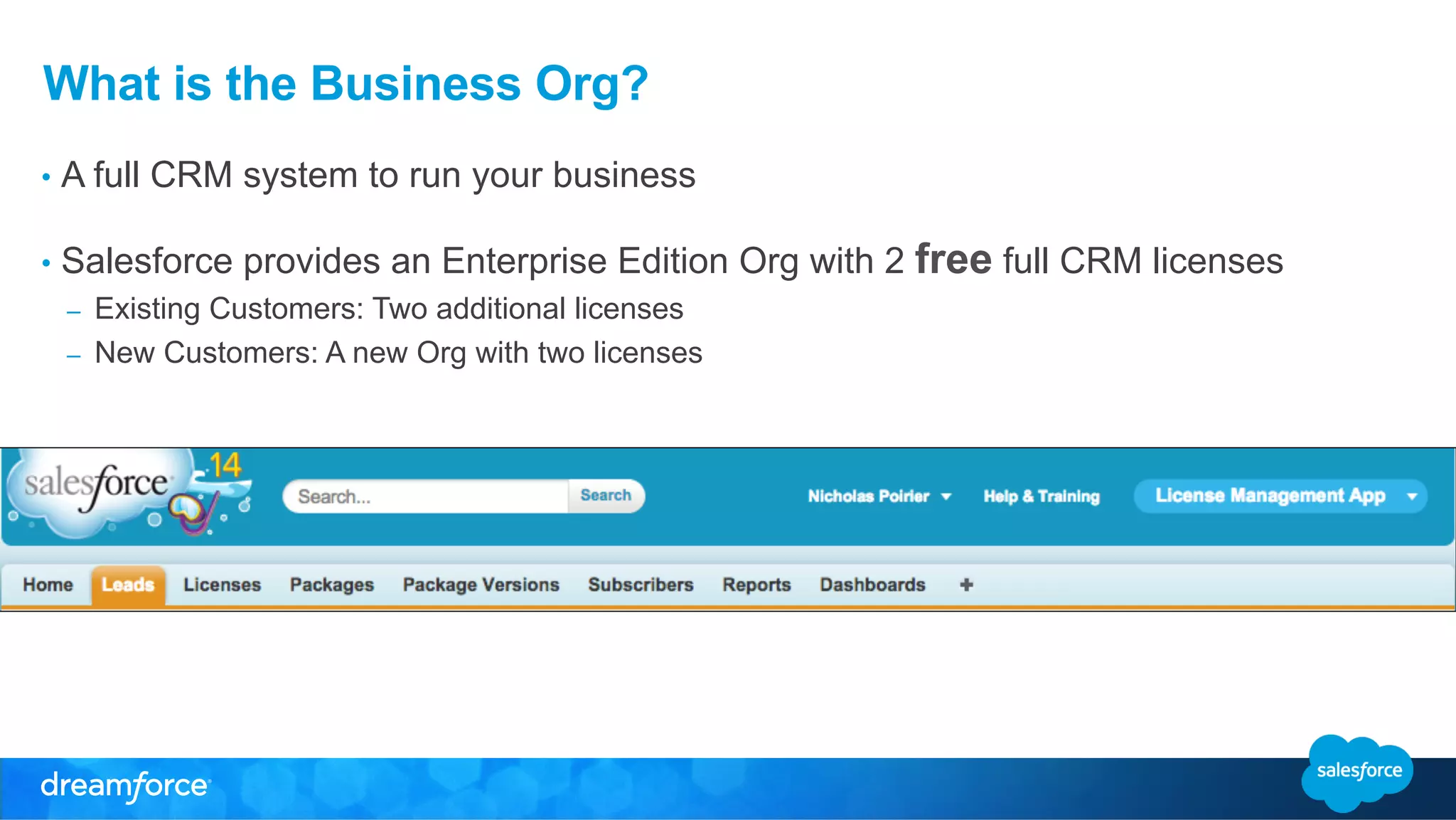
What is the Business Org? 
• A full CRM system to run your business 
• Salesforce provides an Enterprise Edition Org with 2 free full CRM licenses 
– Existing Customers: Two additional licenses 
– New Customers: A new Org with two licenses
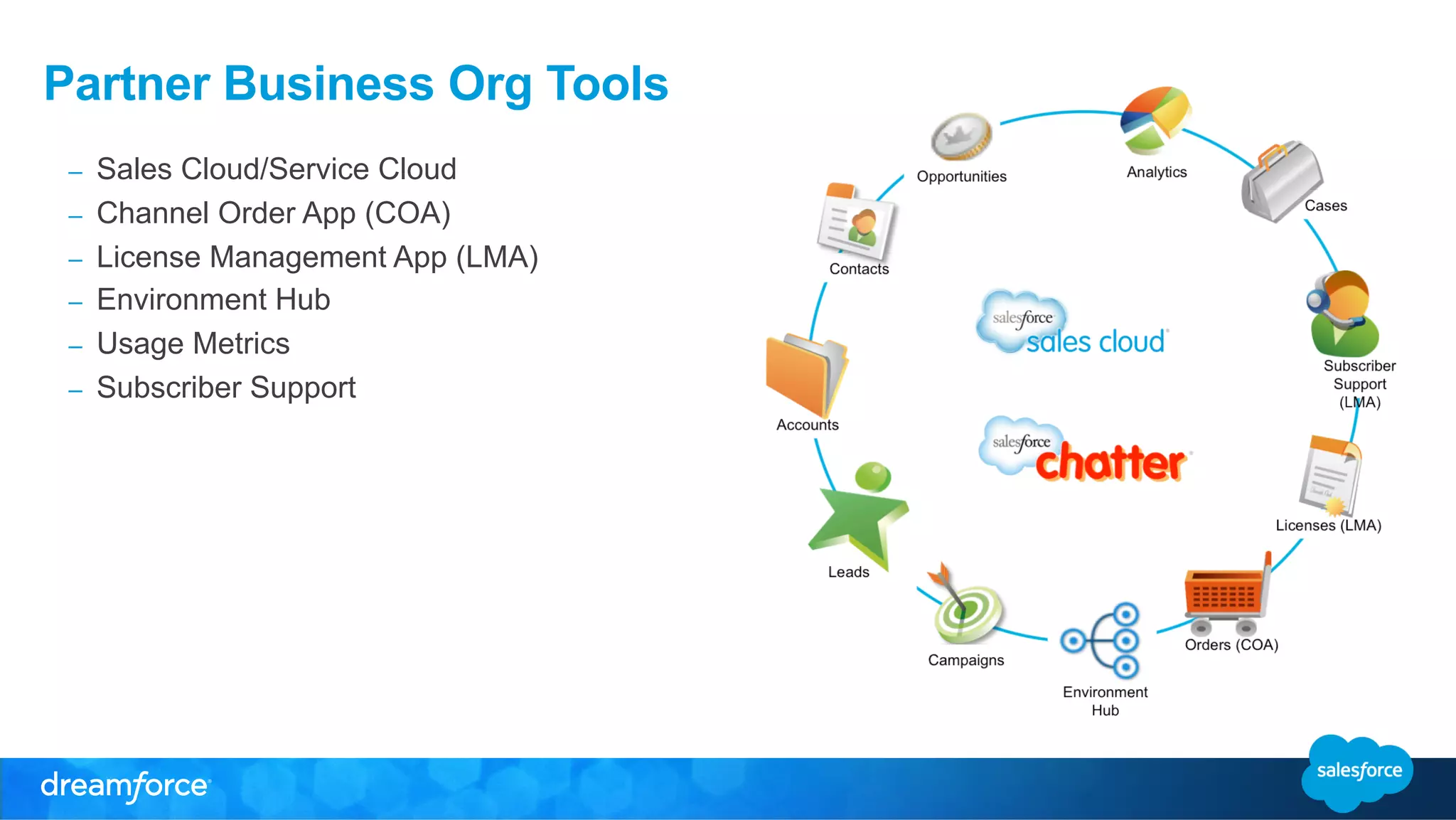
Partner Business Org Tools 
– Sales Cloud/Service Cloud 
– Channel Order App (COA) 
– License Management App (LMA) 
– Environment Hub 
– Usage Metrics 
– Subscriber Support
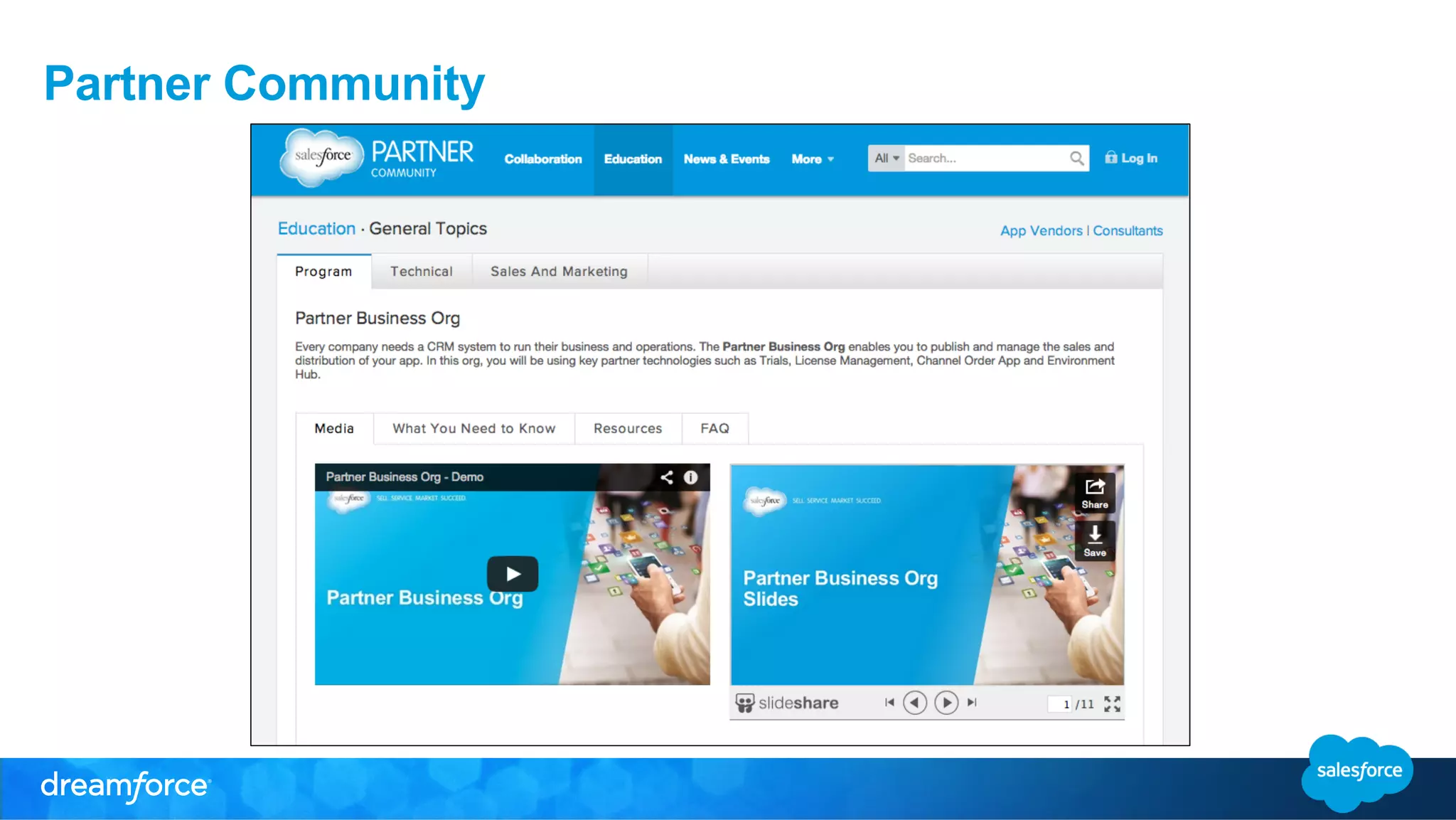
Partner Community
Business Org Features
Business Org Features 
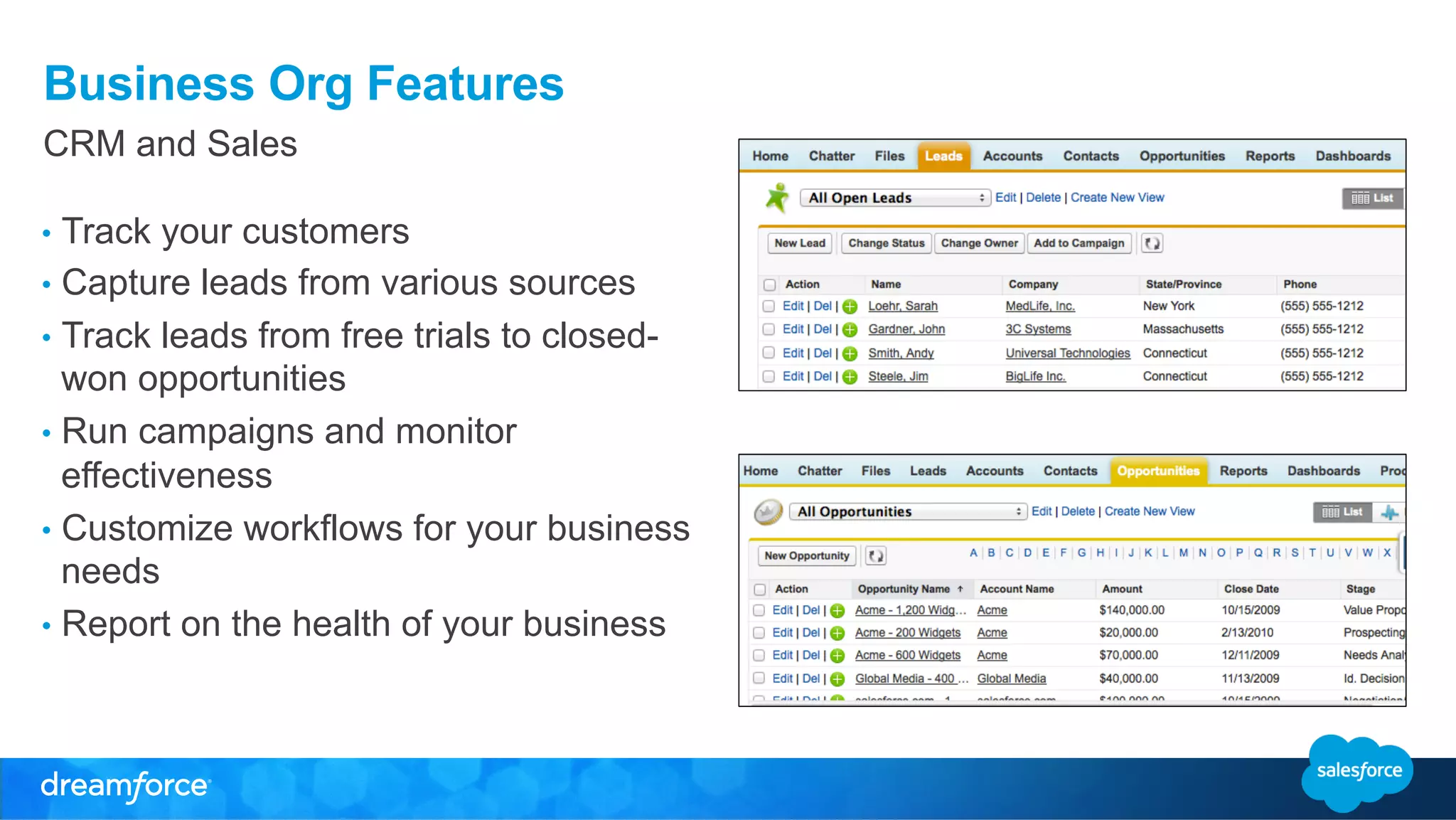
CRM and Sales 
• Track your customers 
• Capture leads from various sources 
• Track leads from free trials to closed-won 
opportunities 
• Run campaigns and monitor 
effectiveness 
• Customize workflows for your business 
needs 
• Report on the health of your business
Business Org Features 
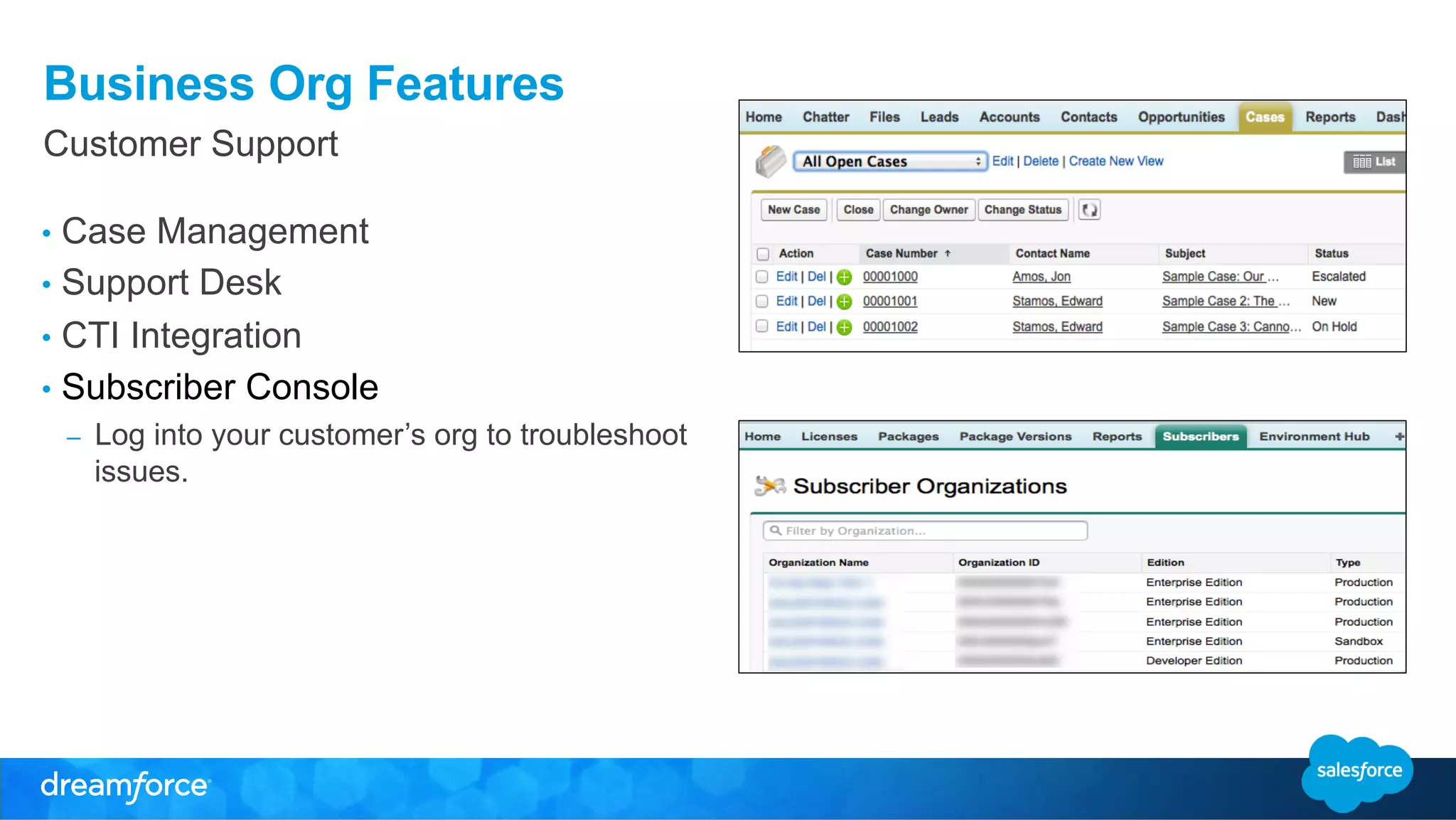
Customer Support 
• Case Management 
• Support Desk 
• CTI Integration 
• Subscriber Console 
– Log into your customer’s org to troubleshoot 
issues.
Business Org Features 
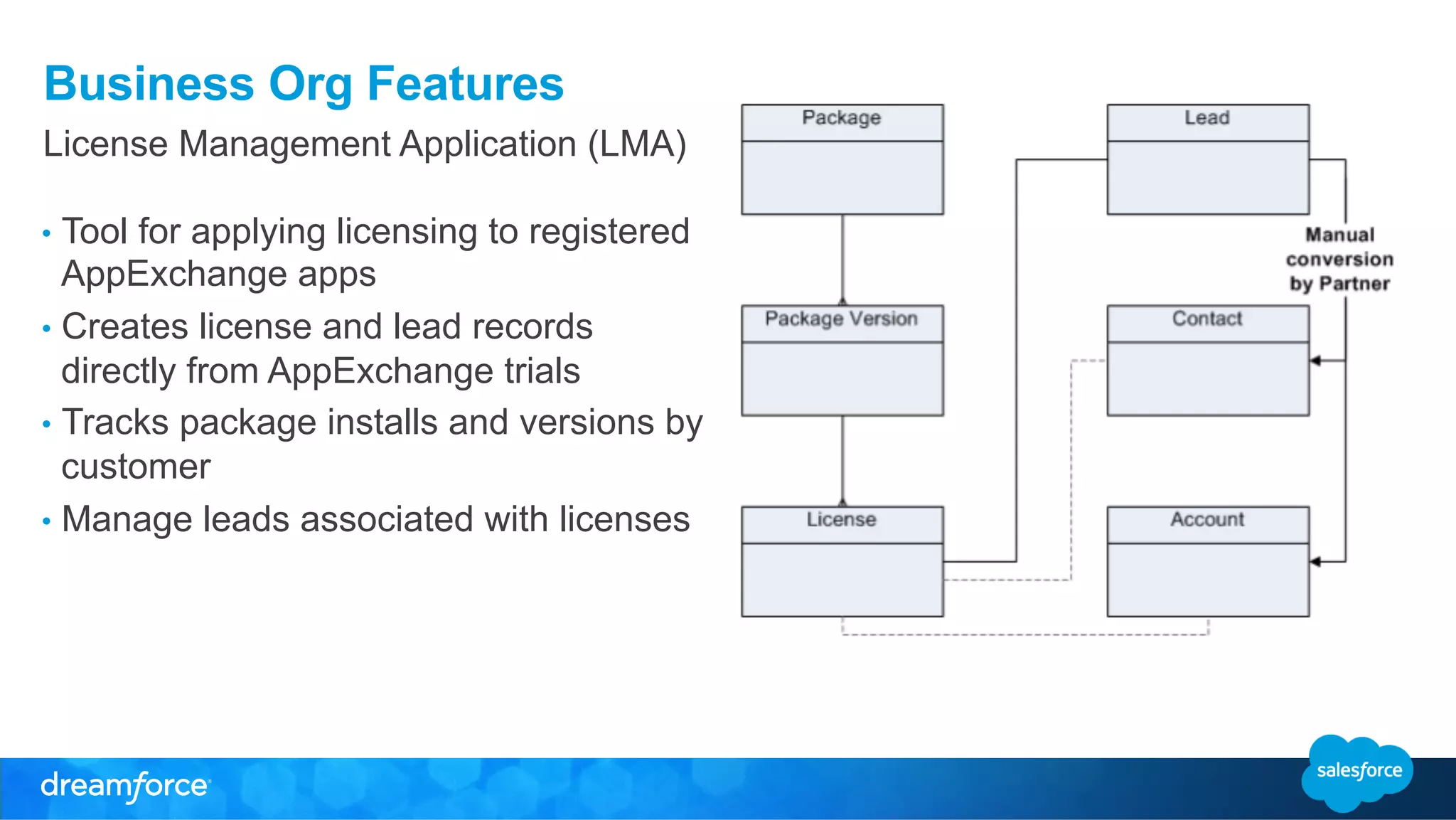
License Management Application (LMA) 
• Tool for applying licensing to registered 
AppExchange apps 
• Creates license and lead records 
directly from AppExchange trials 
• Tracks package installs and versions by 
customer 
• Manage leads associated with licenses
Business Org Features 
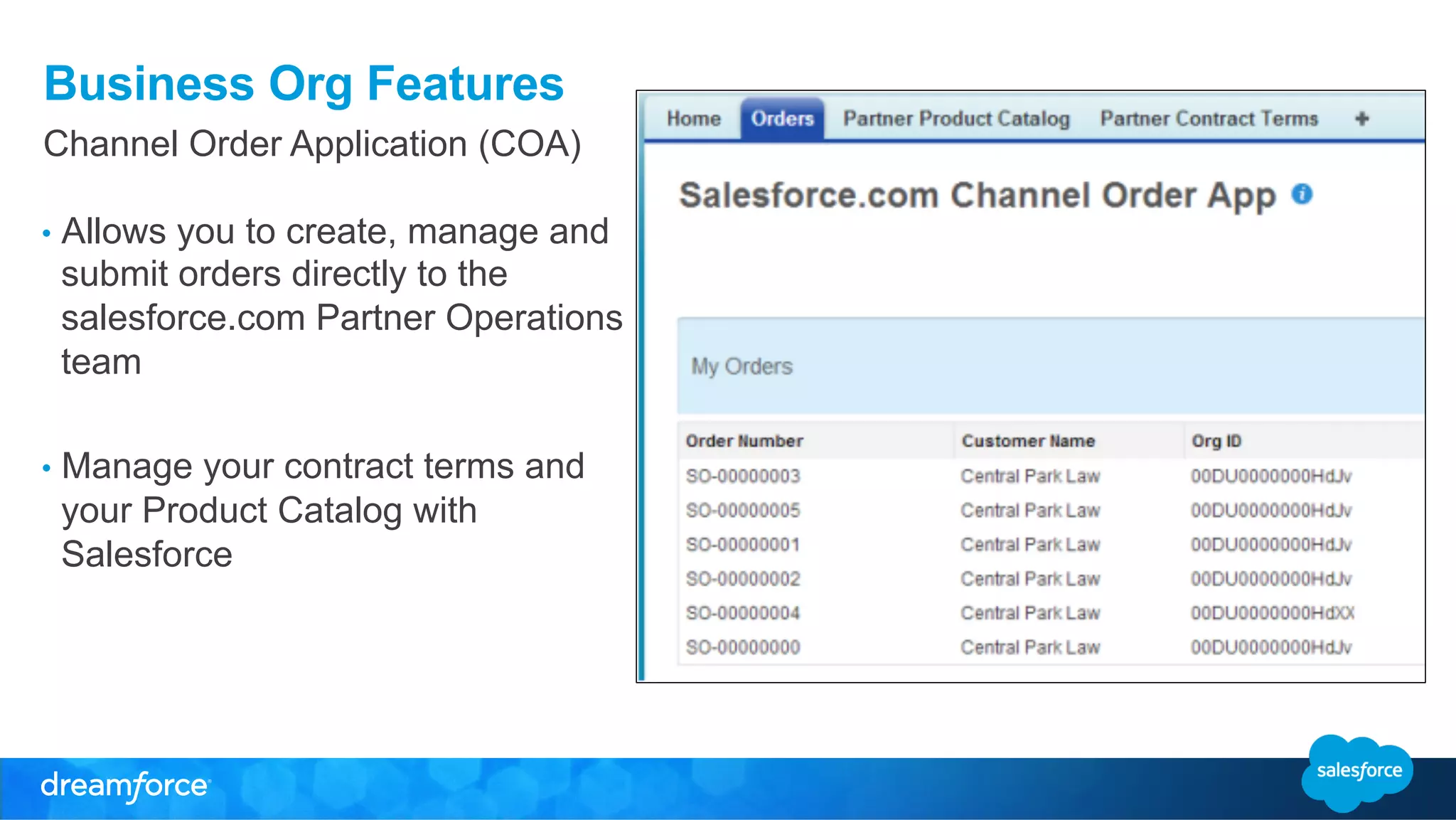
Channel Order Application (COA) 
• Allows you to create, manage and 
submit orders directly to the 
salesforce.com Partner Operations 
team 
• Manage your contract terms and 
your Product Catalog with 
Salesforce
Business Org Features 
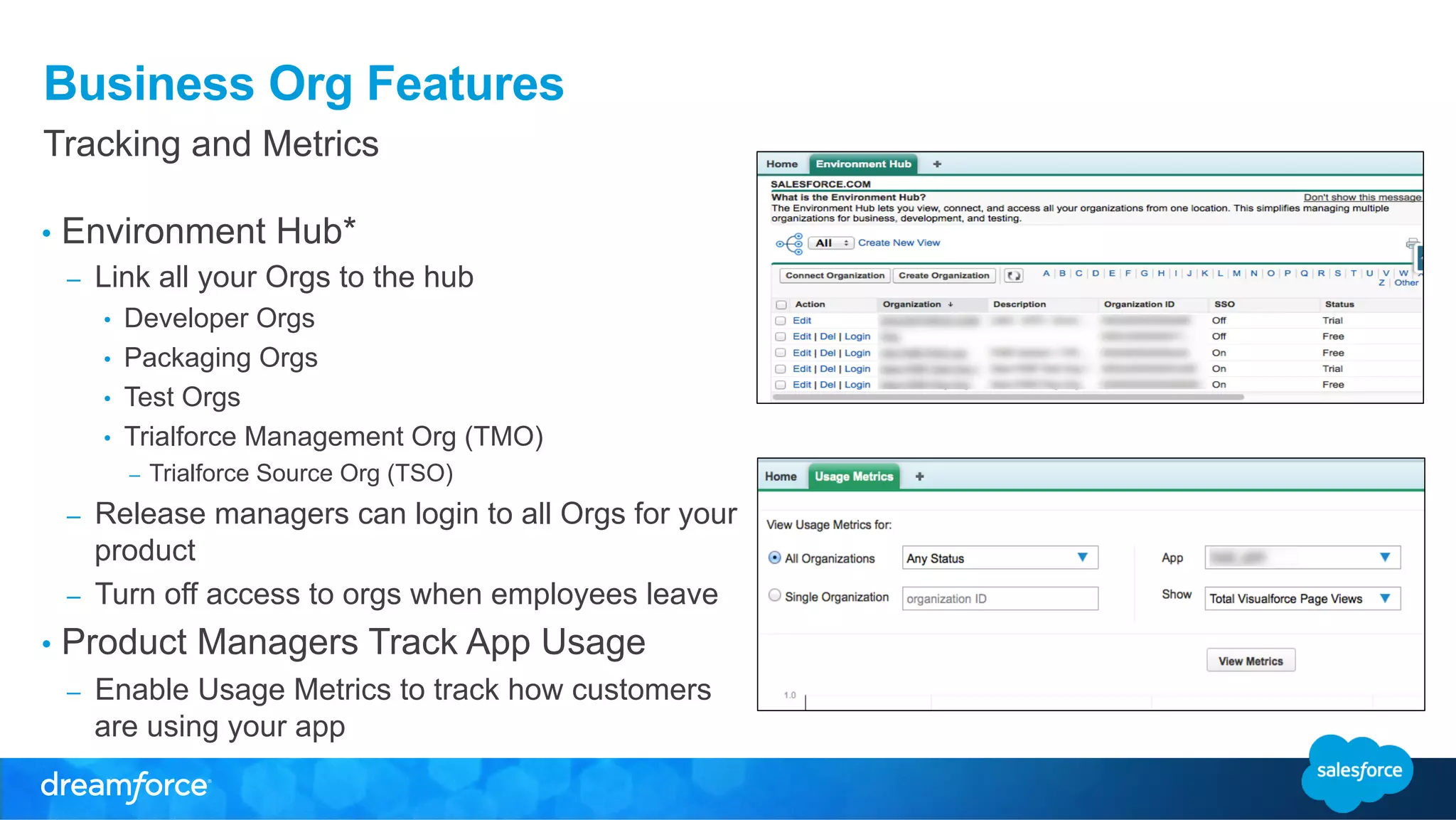
Tracking and Metrics 
• Environment Hub* 
– Link all your Orgs to the hub 
• Developer Orgs 
• Packaging Orgs 
• Test Orgs 
• Trialforce Management Org (TMO) 
– Trialforce Source Org (TSO) 
– Release managers can login to all Orgs for your 
product 
– Turn off access to orgs when employees leave 
• Product Managers Track App Usage 
– Enable Usage Metrics to track how customers 
are using your app
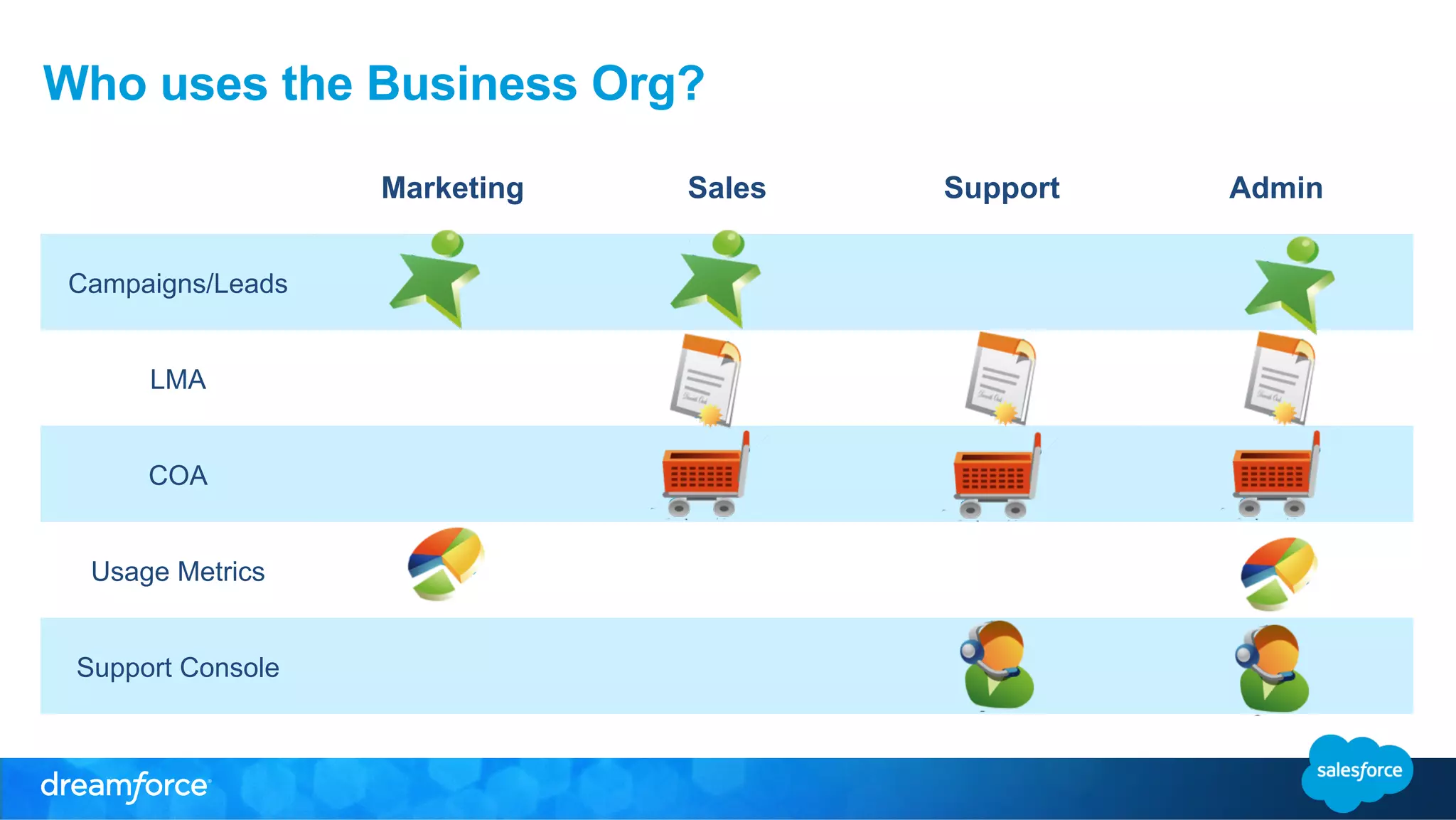
Who uses the Business Org? 
Marketing Sales Support Admin 
Campaigns/Leads 
LMA 
COA 
Usage Metrics 
Support Console
Setup and Access
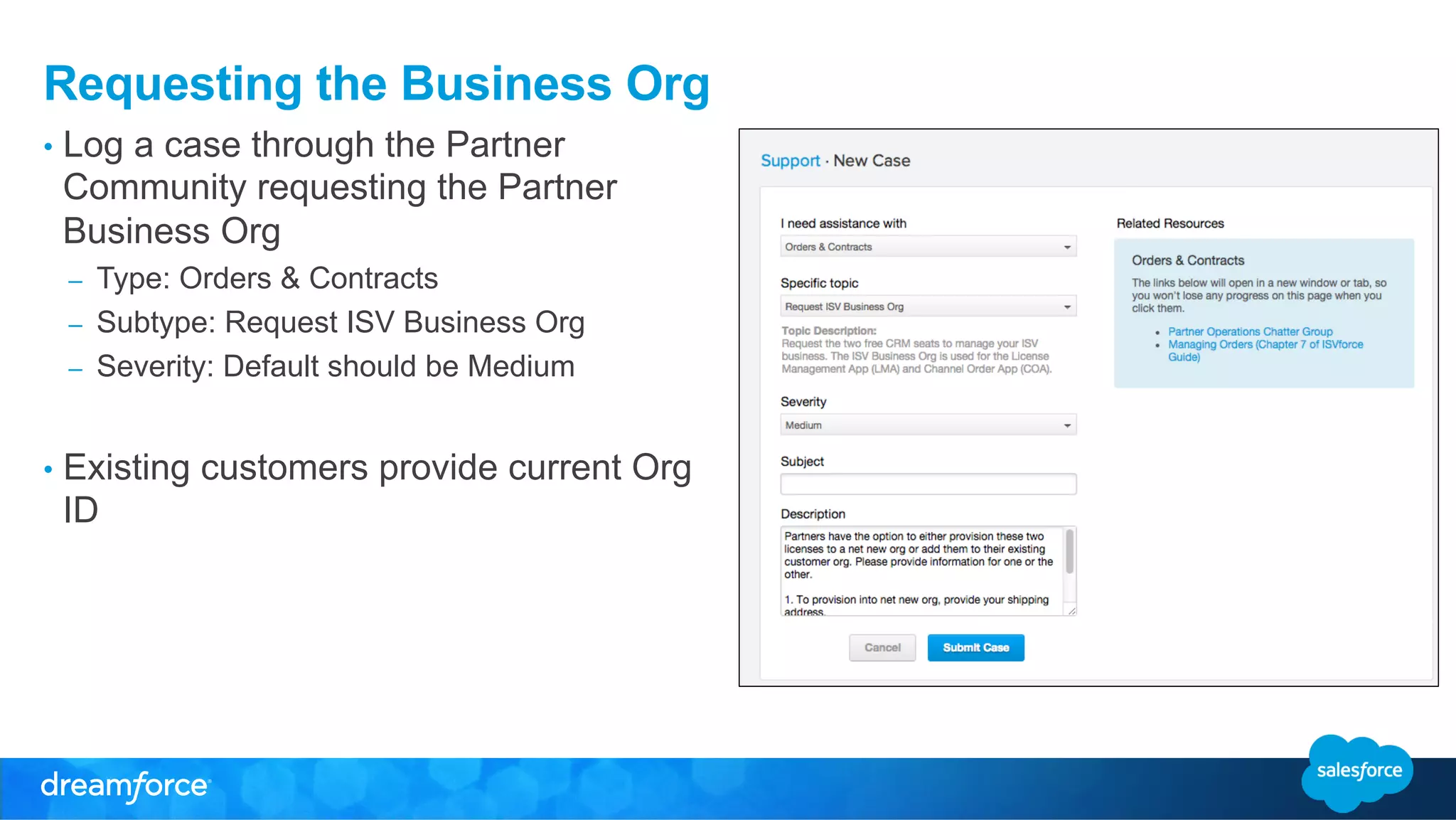
Requesting the Business Org 
• Log a case through the Partner 
Community requesting the Partner 
Business Org 
– Type: Orders & Contracts 
– Subtype: Request ISV Business Org 
– Severity: Default should be Medium 
• Existing customers provide current Org 
ID
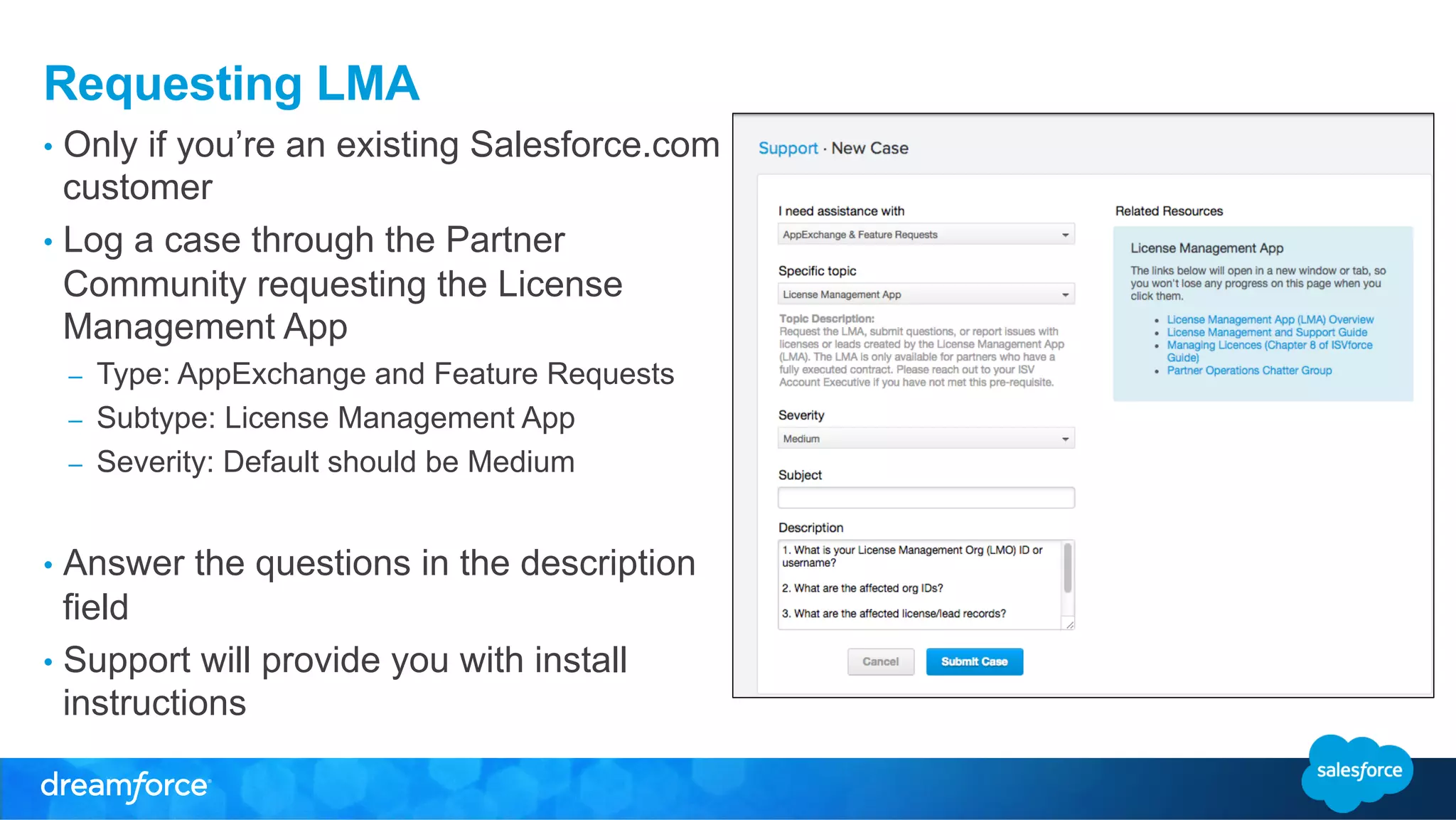
Requesting LMA 
• Only if you’re an existing Salesforce.com 
customer 
• Log a case through the Partner 
Community requesting the License 
Management App 
– Type: AppExchange and Feature Requests 
– Subtype: License Management App 
– Severity: Default should be Medium 
• Answer the questions in the description 
field 
• Support will provide you with install 
instructions
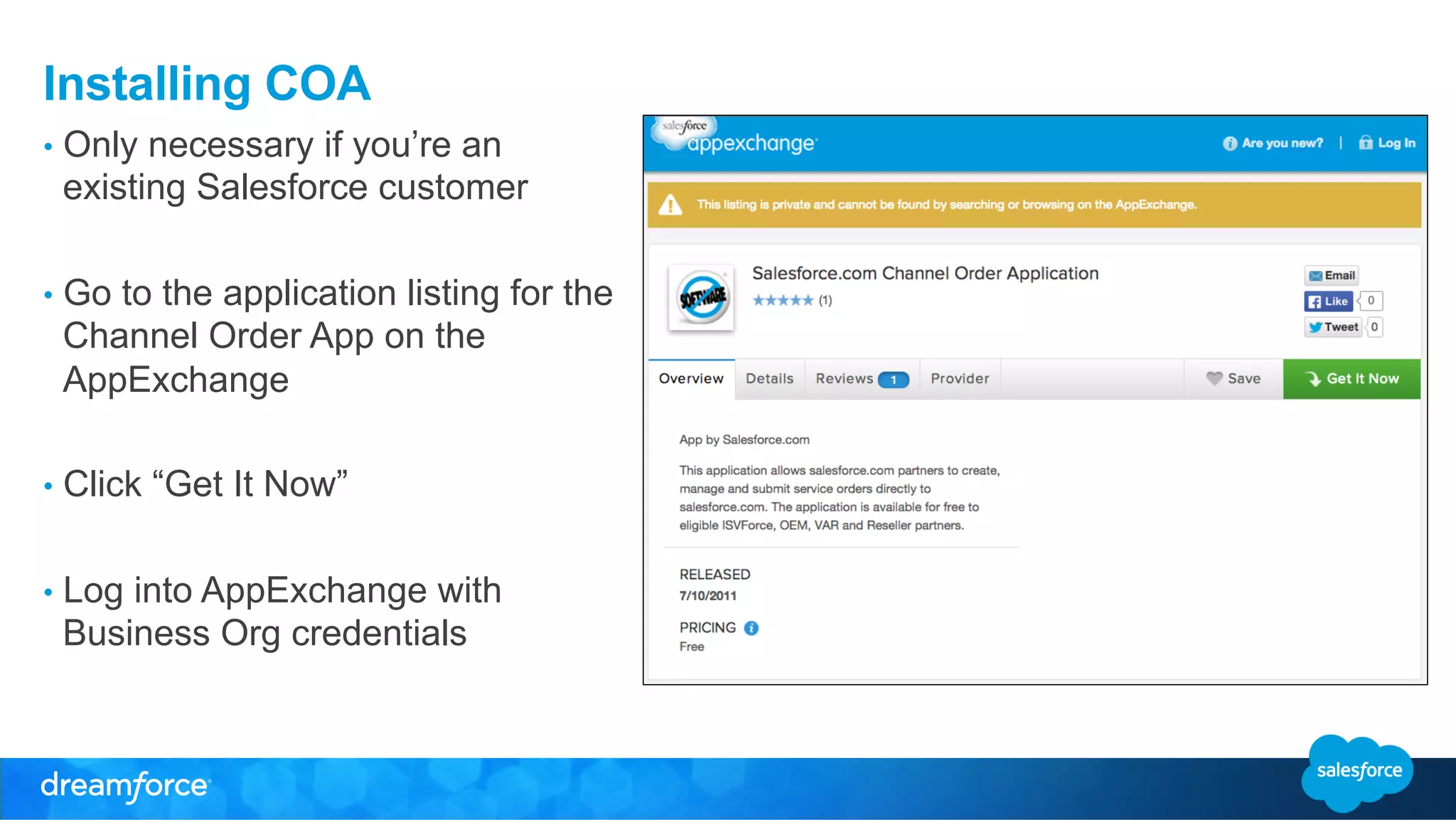
Installing COA 
• Only necessary if you’re an 
existing Salesforce customer 
• Go to the application listing for the 
Channel Order App on the 
AppExchange 
• Click “Get It Now” 
• Log into AppExchange with 
Business Org credentials
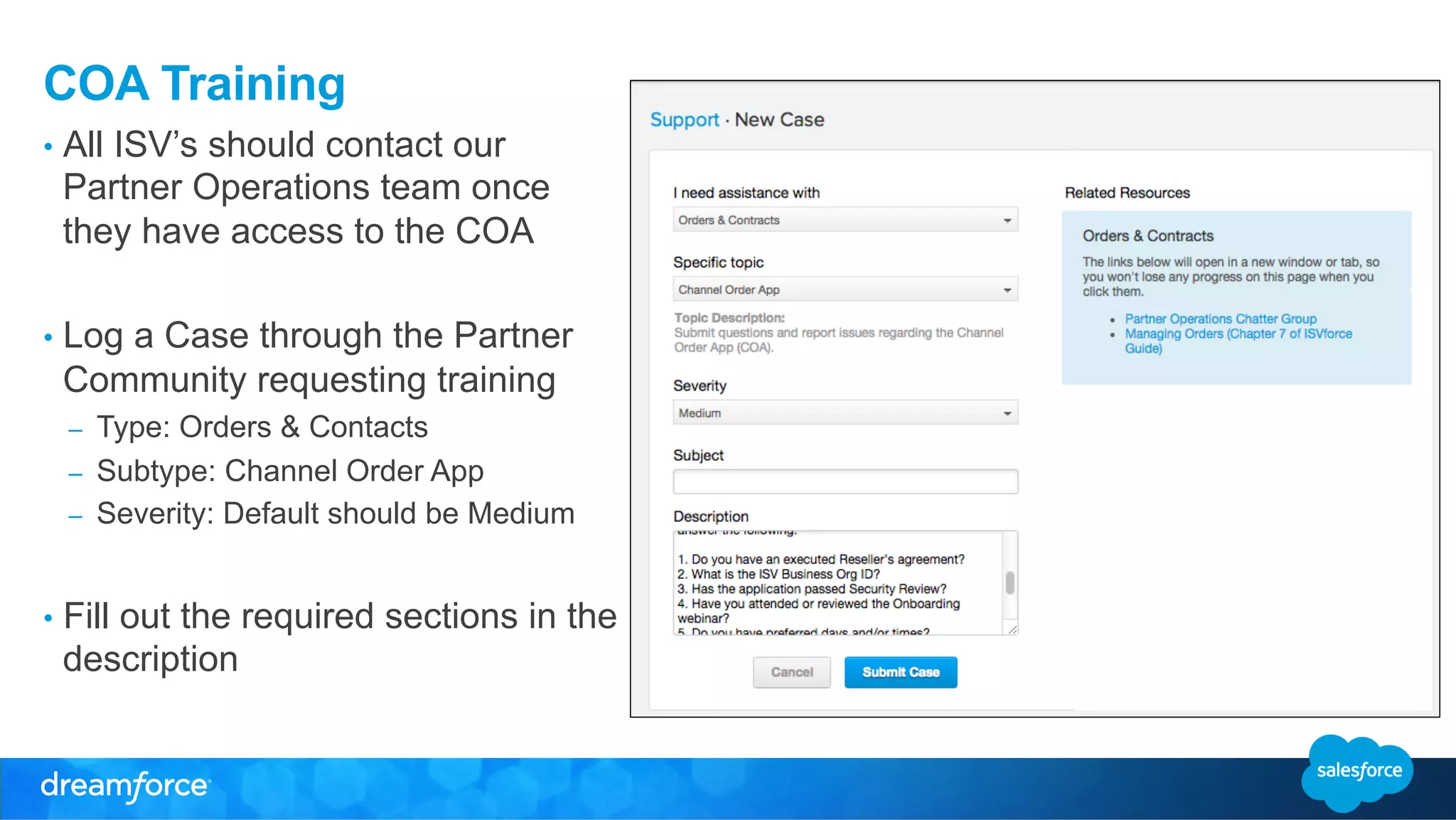
COA Training 
• All ISV’s should contact our 
Partner Operations team once 
they have access to the COA 
• Log a Case through the Partner 
Community requesting training 
– Type: Orders & Contacts 
– Subtype: Channel Order App 
– Severity: Default should be Medium 
• Fill out the required sections in the 
description
Tips and Best Practices 
• Automation is your friend 
– Can automatically create rich leads from trial signup 
• Customize your Org 
• Get Certified 
– Having a certified Salesforce administrator can supercharge your org
Additional Resources 
• Business Org Guide 
– http://p.force.com/bizorg 
• AppExchange and Distribution 
– http://p.force.com/distribute 
• The Winter ‘15 ISVForce Guide 
– http://p.force.com/guide 
• The Channel Order App 
– https://appexchange.salesforce.com/listingDetail?listingId=a0N300000055ailEAA
ISV Tech Talk: Partner Business Org (October 15, 2014)

ISV Tech Talk: Partner Business Org (October 15, 2014)

  • 1.
    The Partner BusinessOrg Nick Poirier Associate ISV Technical Evangelist
  • 2.
    Safe Harbor Safeharbor statement under the Private Securities Litigation Reform Act of 1995: This presentation may contain forward-looking statements that involve risks, uncertainties, and assumptions. If any such uncertainties materialize or if any of the assumptions proves incorrect, the results of salesforce.com, inc. could differ materially from the results expressed or implied by the forward-looking statements we make. All statements other than statements of historical fact could be deemed forward-looking, including any projections of product or service availability, subscriber growth, earnings, revenues, or other financial items and any statements regarding strategies or plans of management for future operations, statements of belief, any statements concerning new, planned, or upgraded services or technology developments and customer contracts or use of our services. The risks and uncertainties referred to above include – but are not limited to – risks associated with developing and delivering new functionality for our service, new products and services, our new business model, our past operating losses, possible fluctuations in our operating results and rate of growth, interruptions or delays in our Web hosting, breach of our security measures, the outcome of any litigation, risks associated with completed and any possible mergers and acquisitions, the immature market in which we operate, our relatively limited operating history, our ability to expand, retain, and motivate our employees and manage our growth, new releases of our service and successful customer deployment, our limited history reselling non-salesforce.com products, and utilization and selling to larger enterprise customers. Further information on potential factors that could affect the financial results of salesforce.com, inc. is included in our annual report on Form 10-K for the most recent fiscal year and in our quarterly report on Form 10-Q for the most recent fiscal quarter. These documents and others containing important disclosures are available on the SEC Filings section of the Investor Information section of our Web site. Any unreleased services or features referenced in this or other presentations, press releases or public statements are not currently available and may not be delivered on time or at all. Customers who purchase our services should make the purchase decisions based upon features that are currently available. Salesforce.com, inc. assumes no obligation and does not intend to update these forward-looking statements.
  • 3.
    Agenda • Whatis the Business Org? • Features of the Business Org • Who uses the Business Org? • Getting Access • Resources • Q&A
  • 4.
    Nick Poirier AssociateISV Technical Evangelist
  • 5.
    What is theBusiness Org? • A full CRM system to run your business • Salesforce provides an Enterprise Edition Org with 2 free full CRM licenses – Existing Customers: Two additional licenses – New Customers: A new Org with two licenses
  • 6.
    Partner Business OrgTools – Sales Cloud/Service Cloud – Channel Order App (COA) – License Management App (LMA) – Environment Hub – Usage Metrics – Subscriber Support
  • 7.
  • 8.
  • 9.
    Business Org Features CRM and Sales • Track your customers • Capture leads from various sources • Track leads from free trials to closed-won opportunities • Run campaigns and monitor effectiveness • Customize workflows for your business needs • Report on the health of your business
  • 10.
    Business Org Features Customer Support • Case Management • Support Desk • CTI Integration • Subscriber Console – Log into your customer’s org to troubleshoot issues.
  • 11.
    Business Org Features License Management Application (LMA) • Tool for applying licensing to registered AppExchange apps • Creates license and lead records directly from AppExchange trials • Tracks package installs and versions by customer • Manage leads associated with licenses
  • 12.
    Business Org Features Channel Order Application (COA) • Allows you to create, manage and submit orders directly to the salesforce.com Partner Operations team • Manage your contract terms and your Product Catalog with Salesforce
  • 13.
    Business Org Features Tracking and Metrics • Environment Hub* – Link all your Orgs to the hub • Developer Orgs • Packaging Orgs • Test Orgs • Trialforce Management Org (TMO) – Trialforce Source Org (TSO) – Release managers can login to all Orgs for your product – Turn off access to orgs when employees leave • Product Managers Track App Usage – Enable Usage Metrics to track how customers are using your app
  • 14.
    Who uses theBusiness Org? Marketing Sales Support Admin Campaigns/Leads LMA COA Usage Metrics Support Console
  • 15.
  • 16.
    Requesting the BusinessOrg • Log a case through the Partner Community requesting the Partner Business Org – Type: Orders & Contracts – Subtype: Request ISV Business Org – Severity: Default should be Medium • Existing customers provide current Org ID
  • 17.
    Requesting LMA •Only if you’re an existing Salesforce.com customer • Log a case through the Partner Community requesting the License Management App – Type: AppExchange and Feature Requests – Subtype: License Management App – Severity: Default should be Medium • Answer the questions in the description field • Support will provide you with install instructions
  • 18.
    Installing COA •Only necessary if you’re an existing Salesforce customer • Go to the application listing for the Channel Order App on the AppExchange • Click “Get It Now” • Log into AppExchange with Business Org credentials
  • 19.
    COA Training •All ISV’s should contact our Partner Operations team once they have access to the COA • Log a Case through the Partner Community requesting training – Type: Orders & Contacts – Subtype: Channel Order App – Severity: Default should be Medium • Fill out the required sections in the description
  • 20.
    Tips and BestPractices • Automation is your friend – Can automatically create rich leads from trial signup • Customize your Org • Get Certified – Having a certified Salesforce administrator can supercharge your org
  • 21.
    Additional Resources •Business Org Guide – http://p.force.com/bizorg • AppExchange and Distribution – http://p.force.com/distribute • The Winter ‘15 ISVForce Guide – http://p.force.com/guide • The Channel Order App – https://appexchange.salesforce.com/listingDetail?listingId=a0N300000055ailEAA