Gluster for Geeks:
Performance Tips &
Tricks

Jacob Shucart
August 25th, 2011
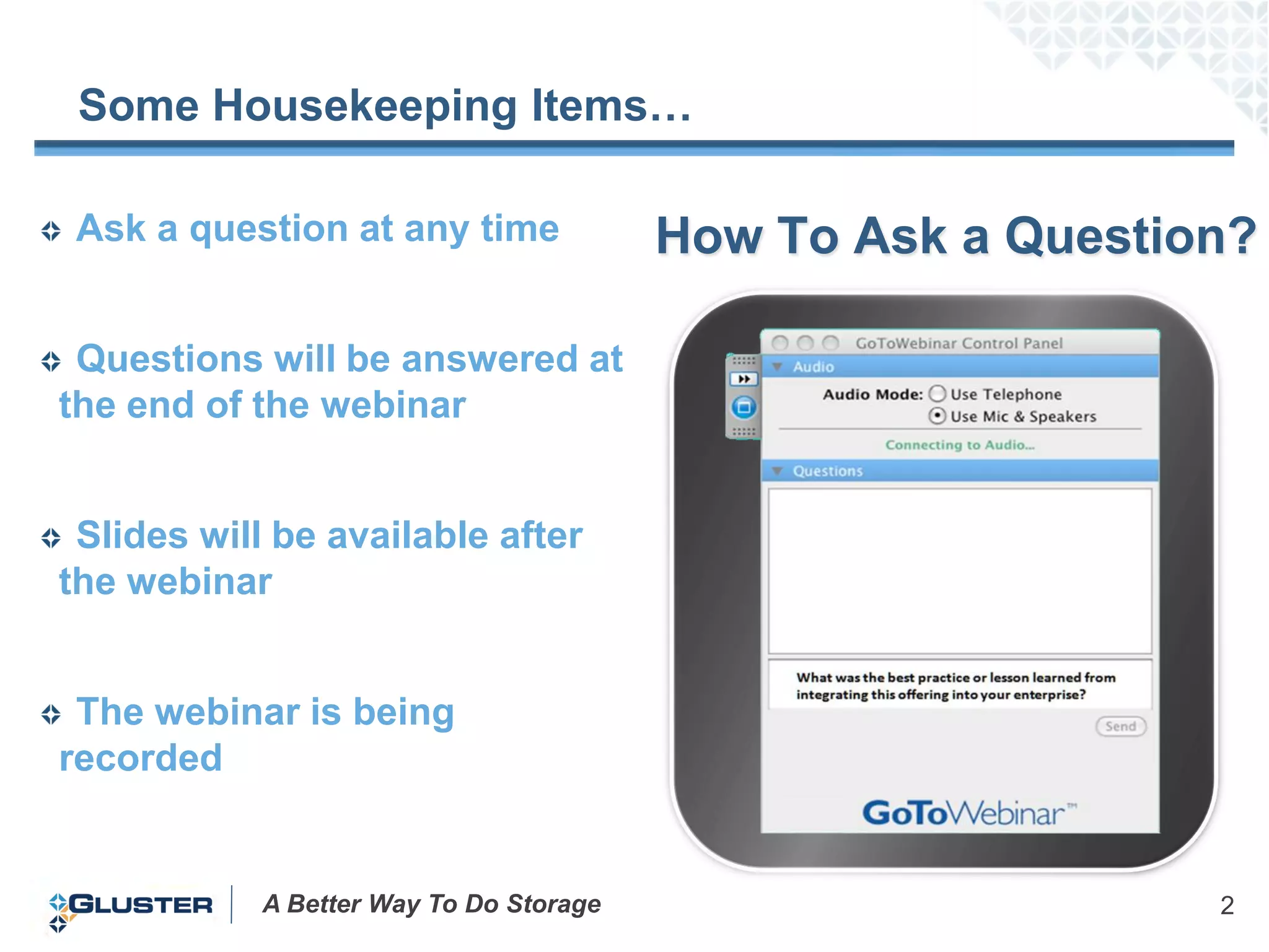
Some Housekeeping Items…

 Ask a question at any time              How To Ask a Question?

 Questions will be answered at
the end of the webinar


 Slides will be available after
the webinar


 The webinar is being
recorded


            A Better Way To Do Storage                       2
Gluster for Geeks

  The Gluster for Geeks webinar series is designed
 for technical audiences who are familiar with
 GlusterFS


  In this edition, “Performance tuning tips and tricks”
 we will discuss in detail the performance related
 considerations for a running a GlusterFS
 deployment


        A Better Way To Do Storage                    3
Topics

 Planning
 Configuration
 Implementing
 Tuning
 Benchmarking
 Top 5 Issues


         A Better Way To Do Storage   4
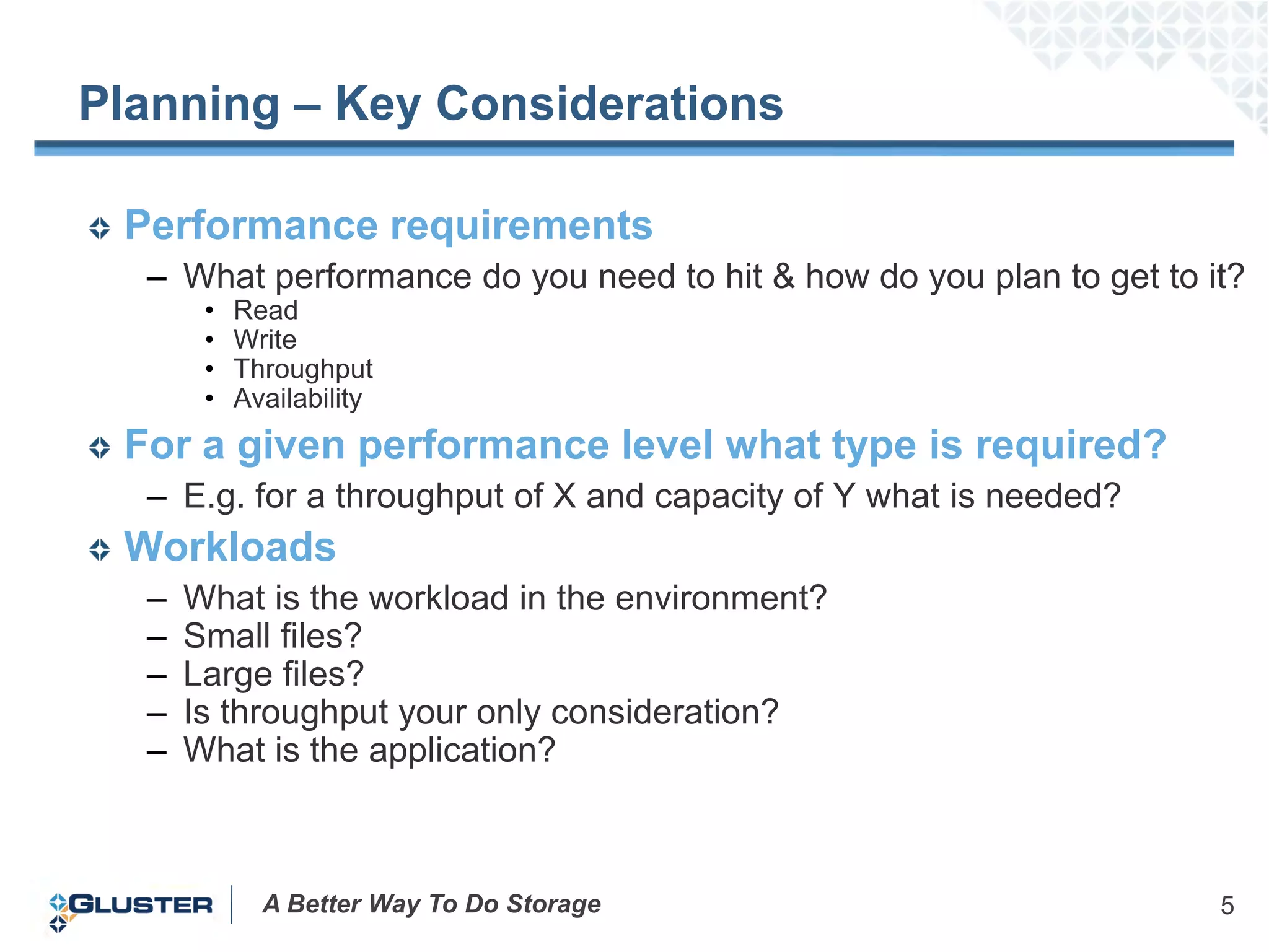
Planning – Key Considerations

 Performance requirements
  – What performance do you need to hit & how do you plan to get to it?
       •   Read
       •   Write
       •   Throughput
       •   Availability
 For a given performance level what type is required?
  – E.g. for a throughput of X and capacity of Y what is needed?
 Workloads
  –   What is the workload in the environment?
  –   Small files?
  –   Large files?
  –   Is throughput your only consideration?
  –   What is the application?


             A Better Way To Do Storage                              5
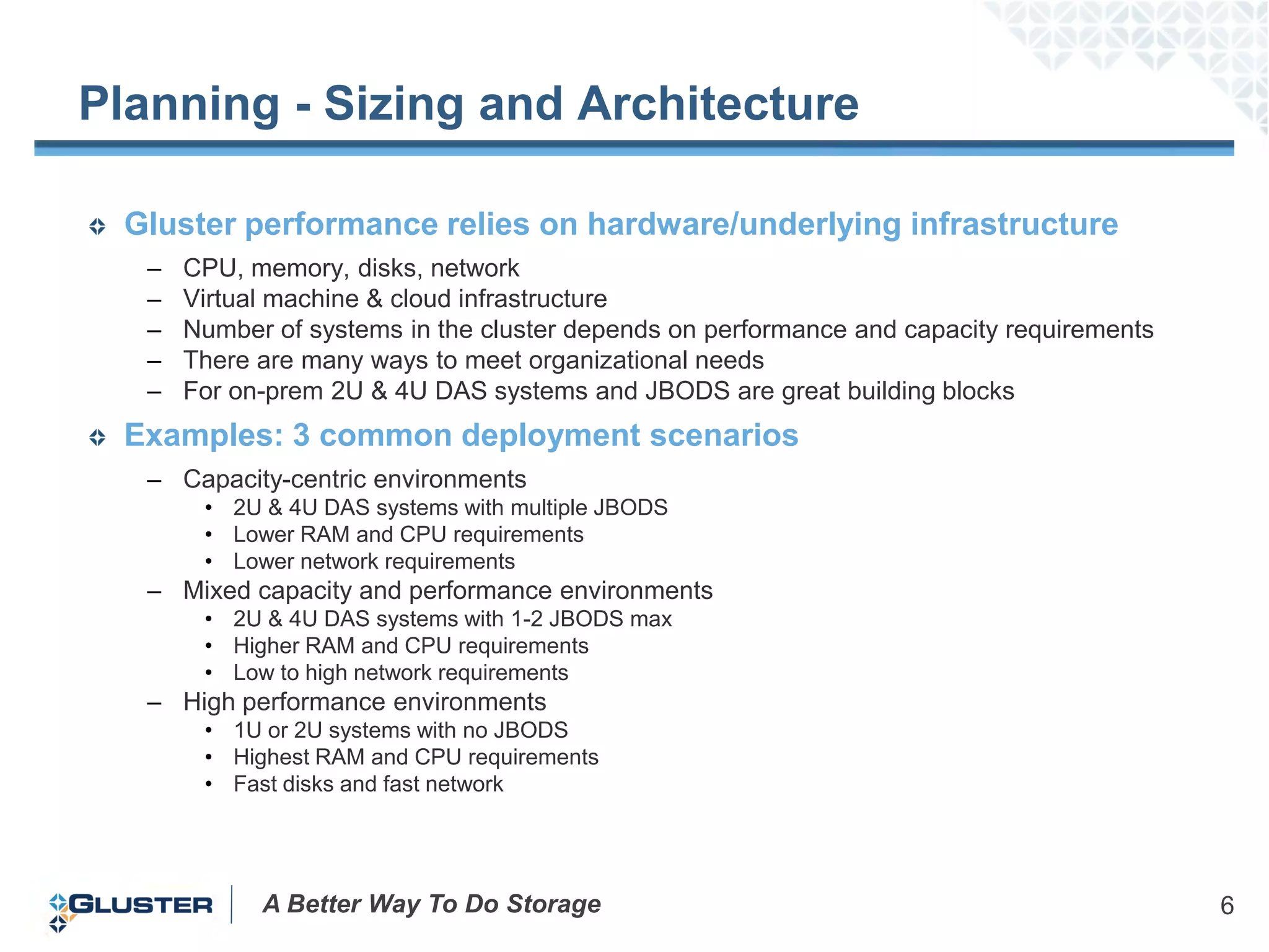
Planning - Sizing and Architecture

 Gluster performance relies on hardware/underlying infrastructure
  –   CPU, memory, disks, network
  –   Virtual machine & cloud infrastructure
  –   Number of systems in the cluster depends on performance and capacity requirements
  –   There are many ways to meet organizational needs
  –   For on-prem 2U & 4U DAS systems and JBODS are great building blocks
 Examples: 3 common deployment scenarios
  – Capacity-centric environments
       • 2U & 4U DAS systems with multiple JBODS
       • Lower RAM and CPU requirements
       • Lower network requirements
  – Mixed capacity and performance environments
       • 2U & 4U DAS systems with 1-2 JBODS max
       • Higher RAM and CPU requirements
       • Low to high network requirements
  – High performance environments
       • 1U or 2U systems with no JBODS
       • Highest RAM and CPU requirements
       • Fast disks and fast network


            A Better Way To Do Storage                                                    6
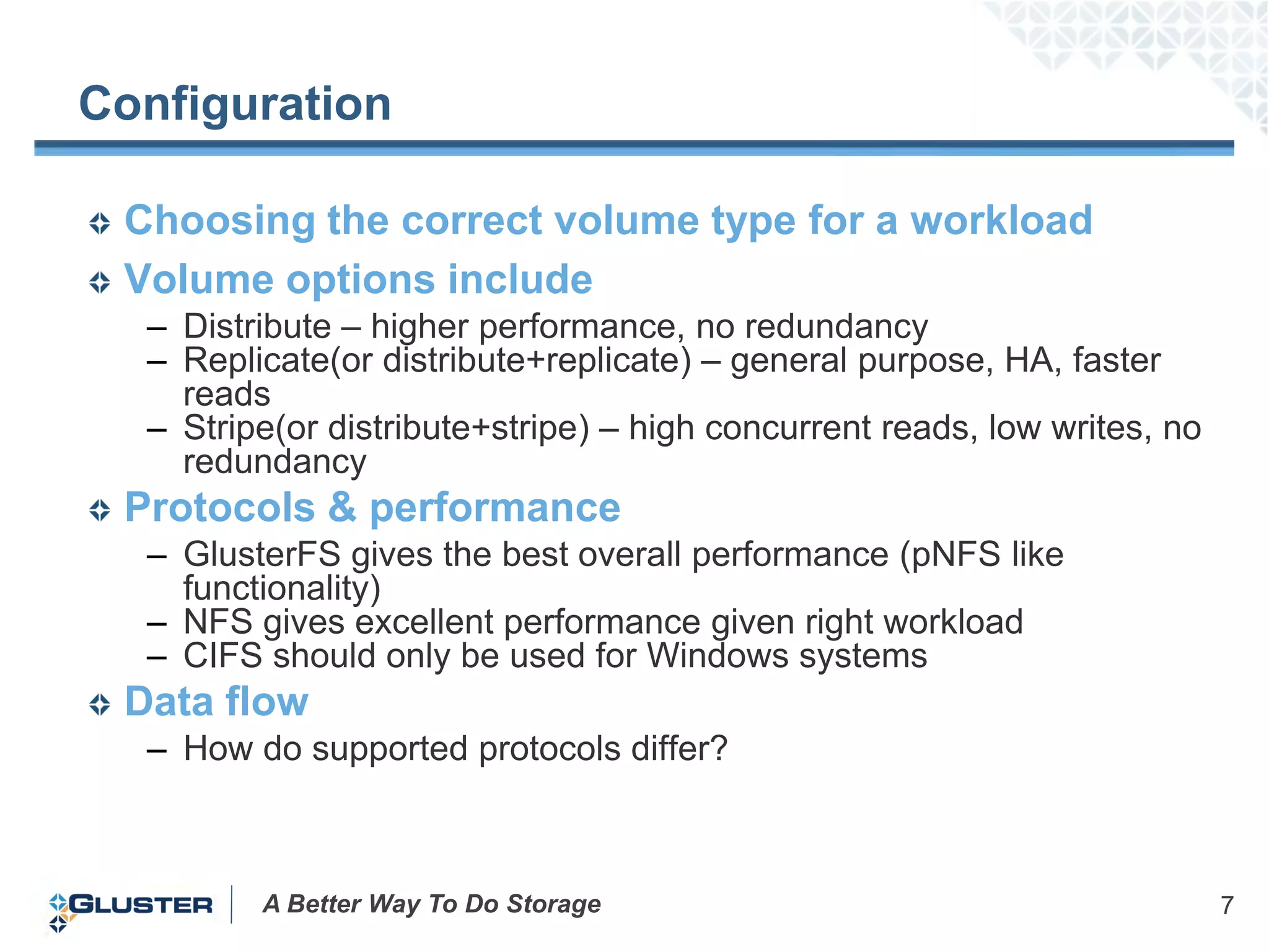
Configuration

 Choosing the correct volume type for a workload
 Volume options include
  – Distribute – higher performance, no redundancy
  – Replicate(or distribute+replicate) – general purpose, HA, faster
    reads
  – Stripe(or distribute+stripe) – high concurrent reads, low writes, no
    redundancy
 Protocols & performance
  – GlusterFS gives the best overall performance (pNFS like
    functionality)
  – NFS gives excellent performance given right workload
  – CIFS should only be used for Windows systems
 Data flow
  – How do supported protocols differ?


         A Better Way To Do Storage                                        7
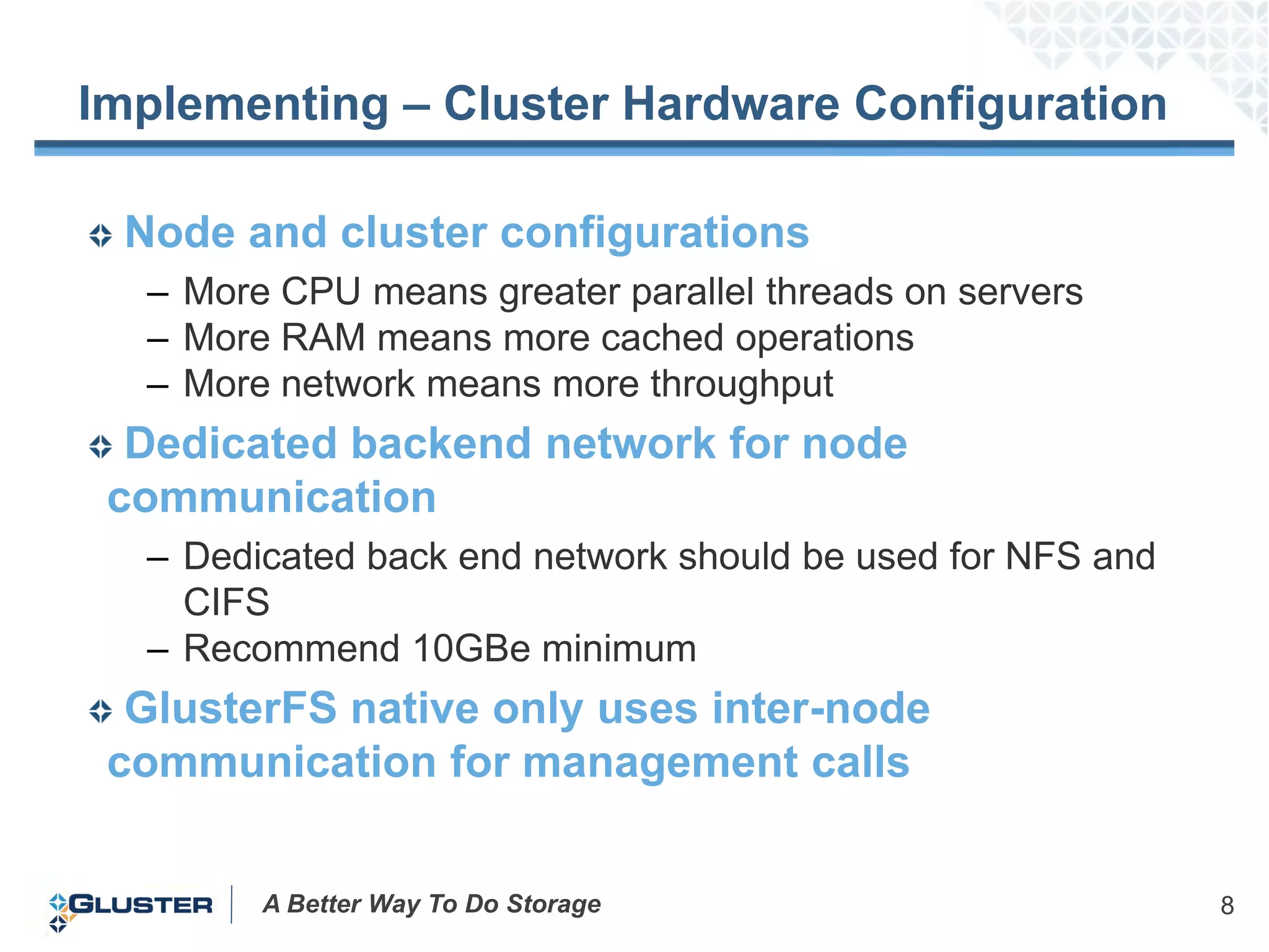
Implementing – Cluster Hardware Configuration

 Node and cluster configurations
  – More CPU means greater parallel threads on servers
  – More RAM means more cached operations
  – More network means more throughput
  Dedicated backend network for node
 communication
  – Dedicated back end network should be used for NFS and
    CIFS
  – Recommend 10GBe minimum
  GlusterFS native only uses inter-node
 communication for management calls


        A Better Way To Do Storage                          8
Implementing Gluster - Fundamentals

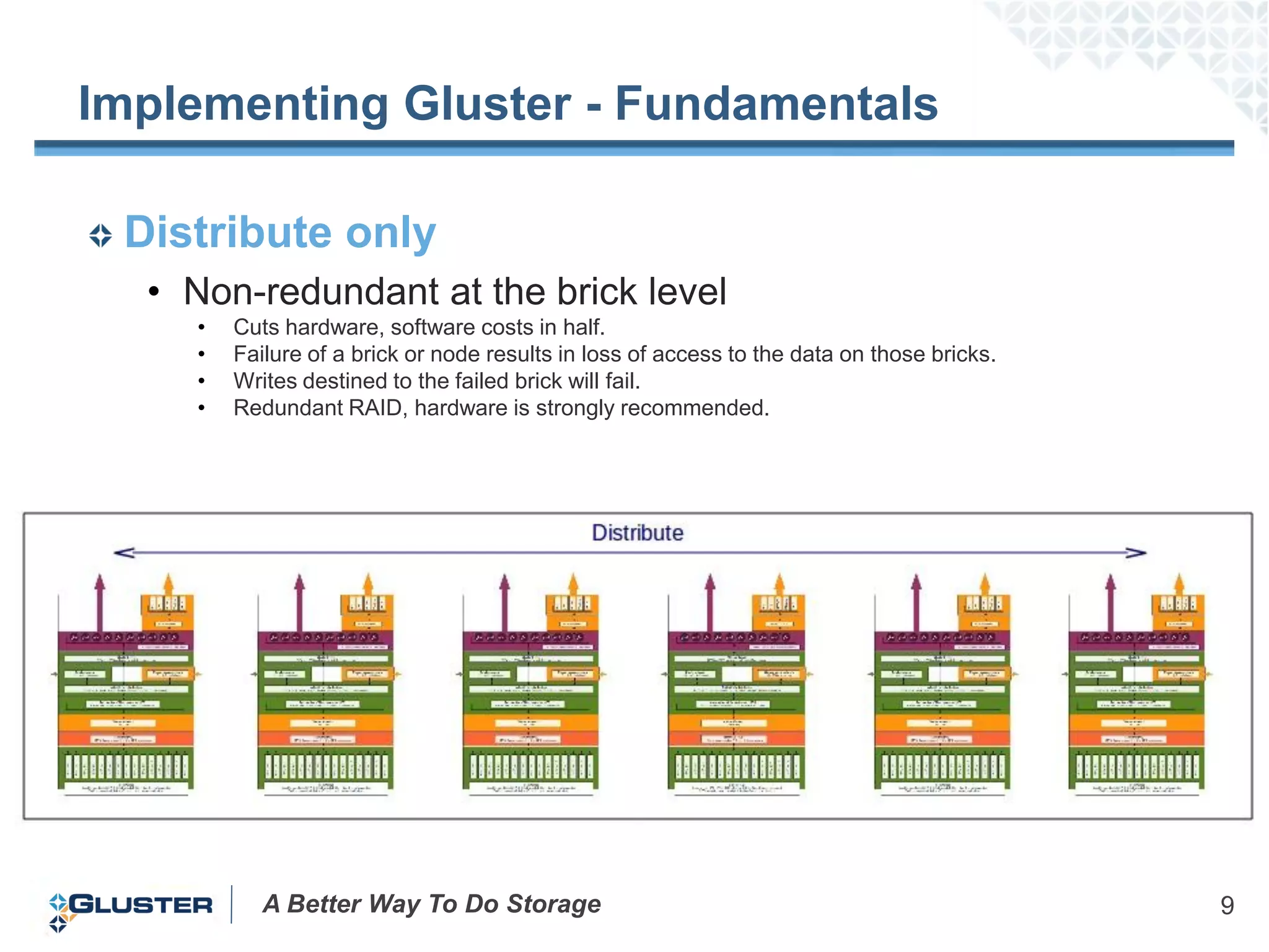
 Distribute only
  • Non-redundant at the brick level
    •   Cuts hardware, software costs in half.
    •   Failure of a brick or node results in loss of access to the data on those bricks.
    •   Writes destined to the failed brick will fail.
    •   Redundant RAID, hardware is strongly recommended.


           A Better Way To Do Storage                                                       9
Implementing Gluster - Fundamentals

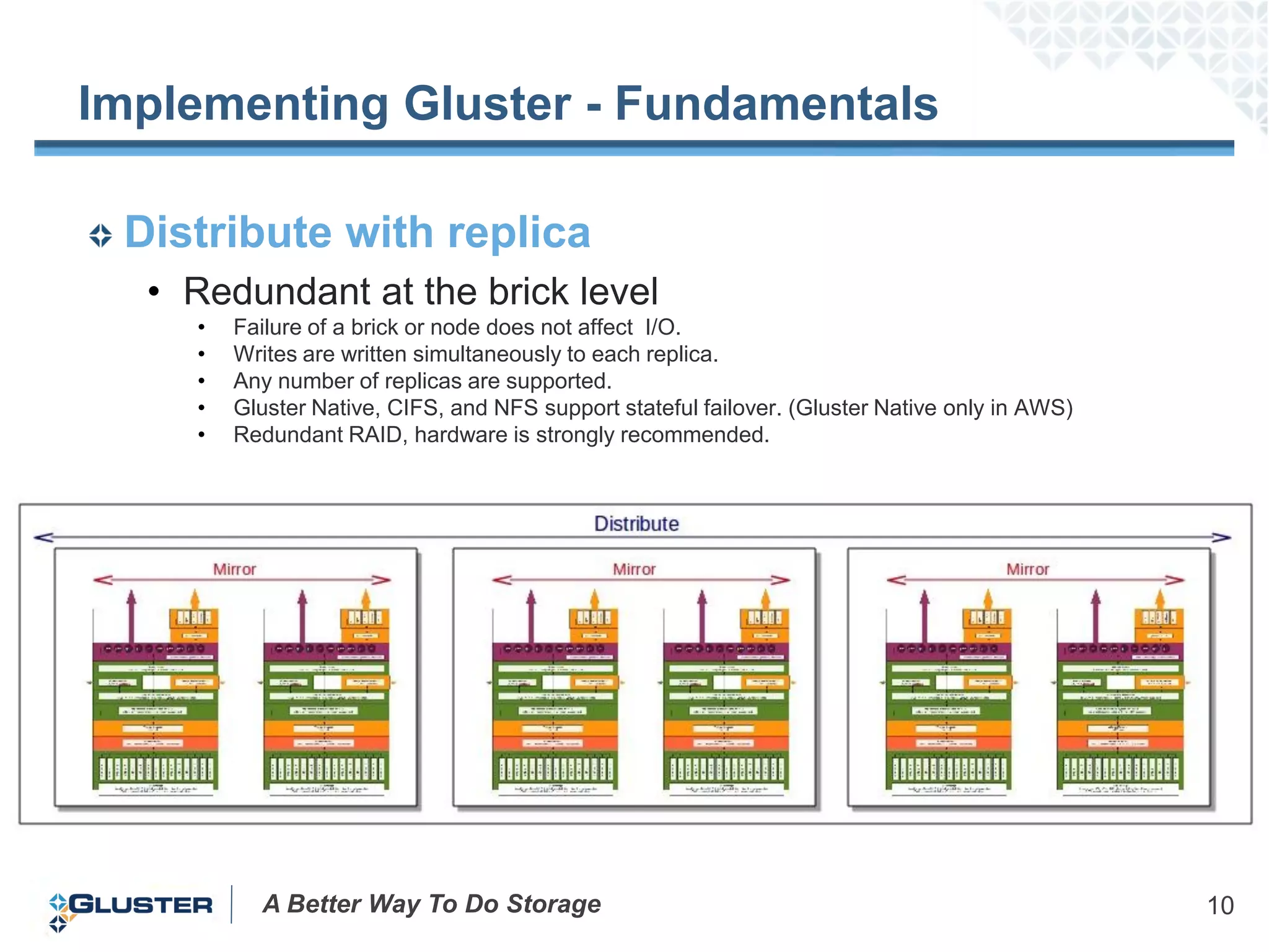
 Distribute with replica
  • Redundant at the brick level
    •   Failure of a brick or node does not affect I/O.
    •   Writes are written simultaneously to each replica.
    •   Any number of replicas are supported.
    •   Gluster Native, CIFS, and NFS support stateful failover. (Gluster Native only in AWS)
    •   Redundant RAID, hardware is strongly recommended.


          A Better Way To Do Storage                                                            10
Implementing Gluster - Fundamentals

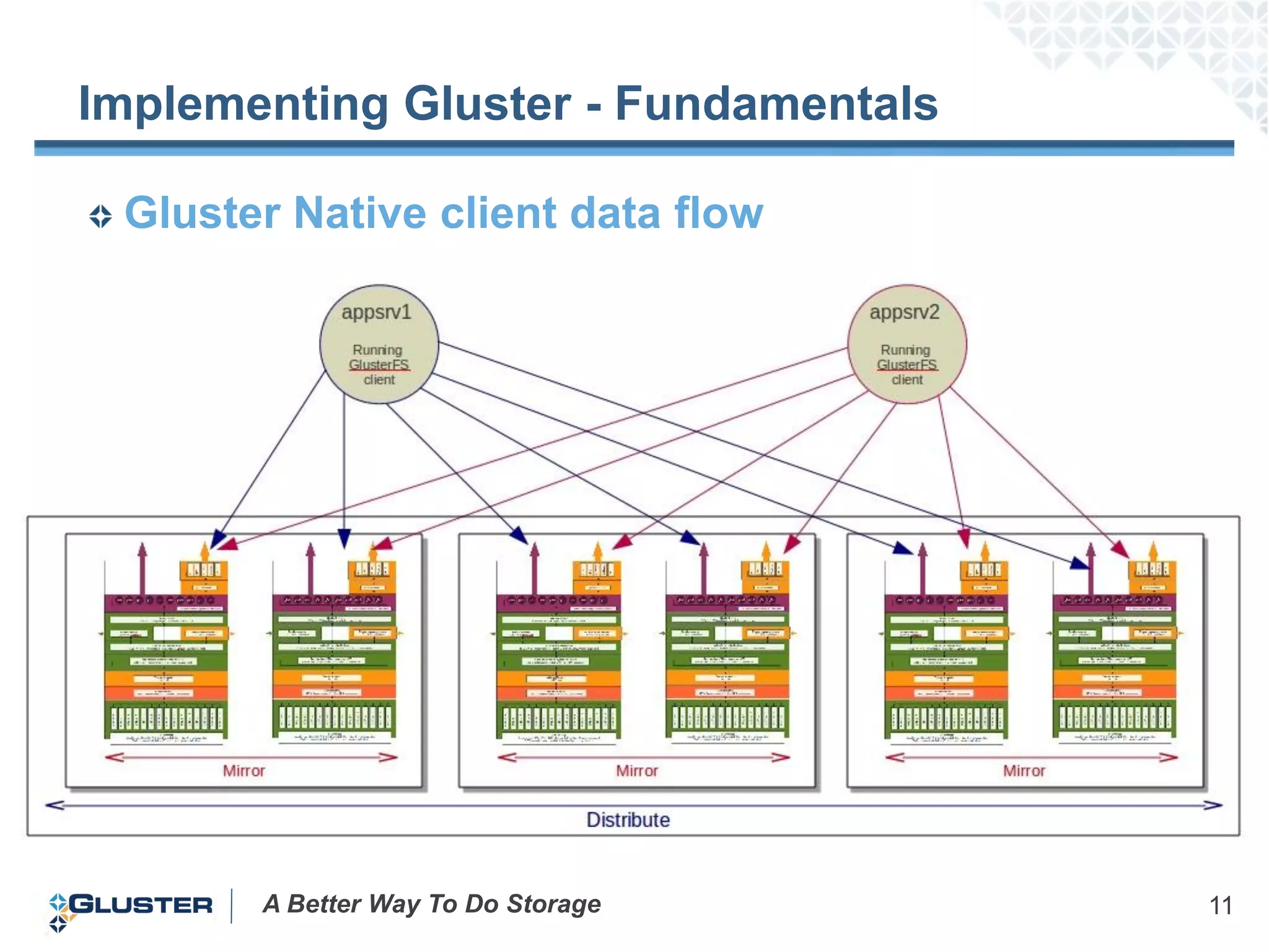
 Gluster Native client data flow


       A Better Way To Do Storage     11
Implementing Gluster - Fundamentals
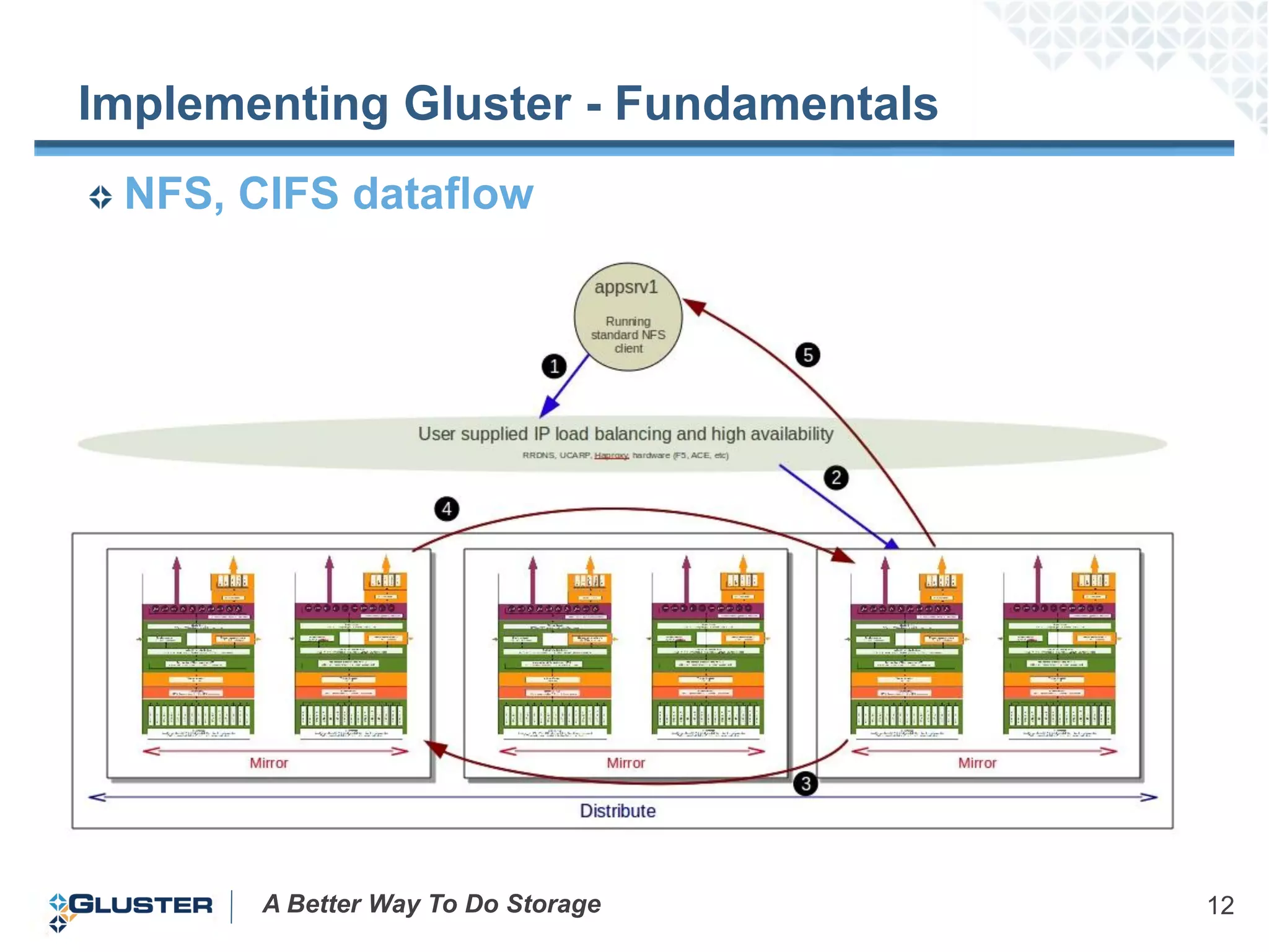
 NFS, CIFS dataflow


       A Better Way To Do Storage     12
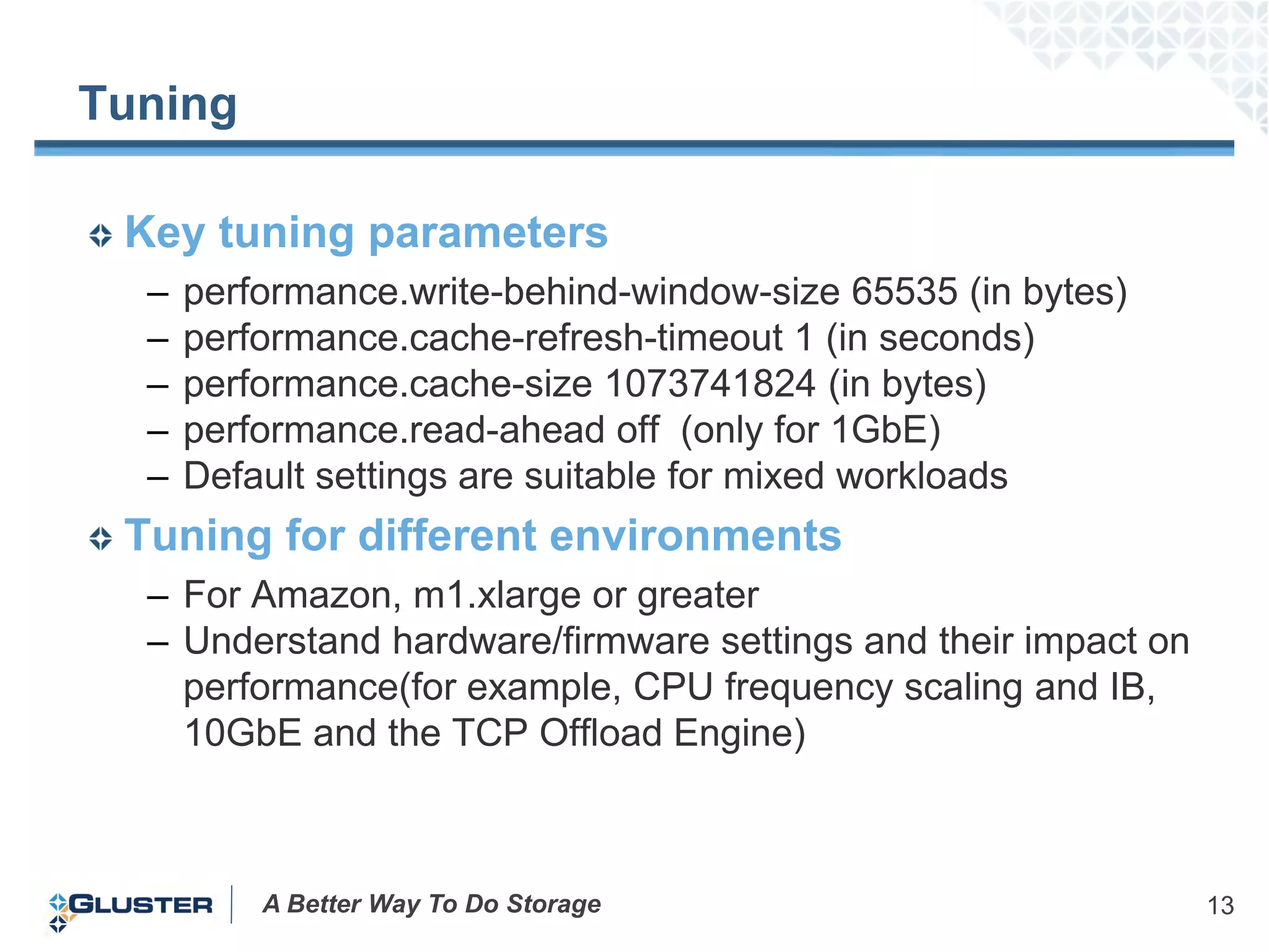
Tuning

 Key tuning parameters
  –   performance.write-behind-window-size 65535 (in bytes)
  –   performance.cache-refresh-timeout 1 (in seconds)
  –   performance.cache-size 1073741824 (in bytes)
  –   performance.read-ahead off (only for 1GbE)
  –   Default settings are suitable for mixed workloads
 Tuning for different environments
  – For Amazon, m1.xlarge or greater
  – Understand hardware/firmware settings and their impact on
    performance(for example, CPU frequency scaling and IB,
    10GbE and the TCP Offload Engine)


          A Better Way To Do Storage                            13
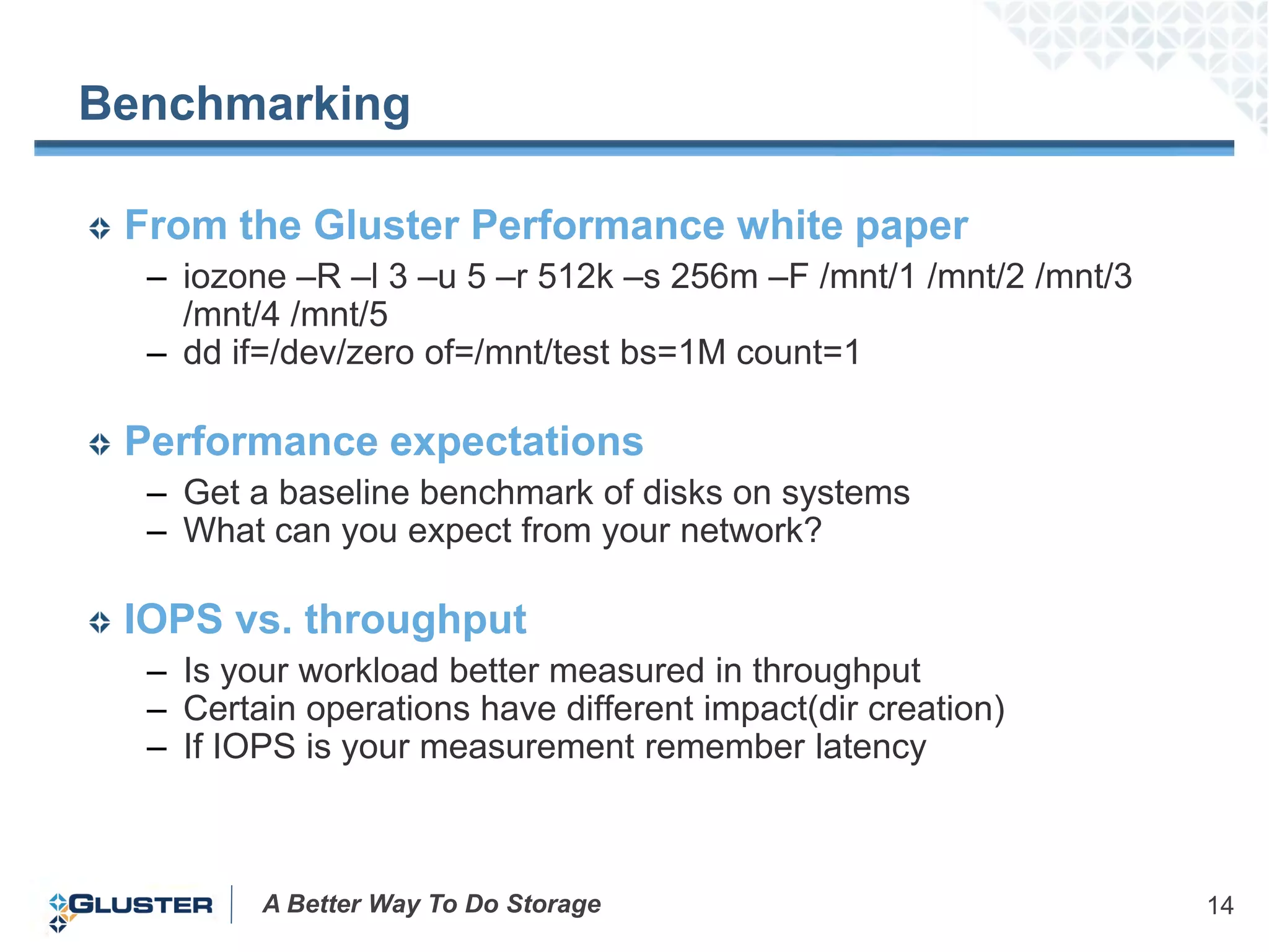
Benchmarking

 From the Gluster Performance white paper
  – iozone –R –l 3 –u 5 –r 512k –s 256m –F /mnt/1 /mnt/2 /mnt/3
    /mnt/4 /mnt/5
  – dd if=/dev/zero of=/mnt/test bs=1M count=1

 Performance expectations
  – Get a baseline benchmark of disks on systems
  – What can you expect from your network?

 IOPS vs. throughput
  – Is your workload better measured in throughput
  – Certain operations have different impact(dir creation)
  – If IOPS is your measurement remember latency


         A Better Way To Do Storage                               14
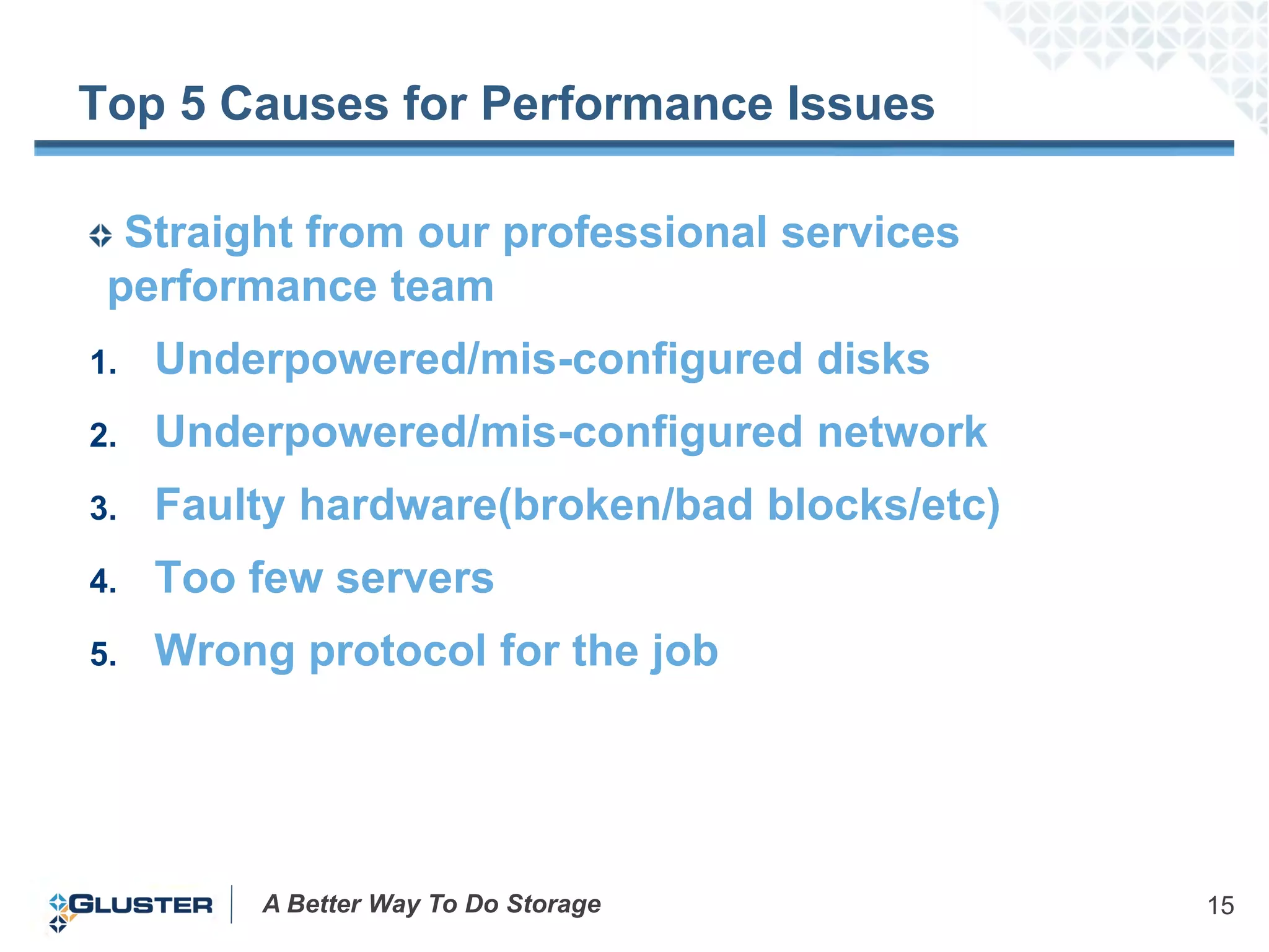
Top 5 Causes for Performance Issues

  Straight from our professional services
 performance team
1.   Underpowered/mis-configured disks
2.   Underpowered/mis-configured network
3.   Faulty hardware(broken/bad blocks/etc)
4.   Too few servers
5.   Wrong protocol for the job


         A Better Way To Do Storage           15
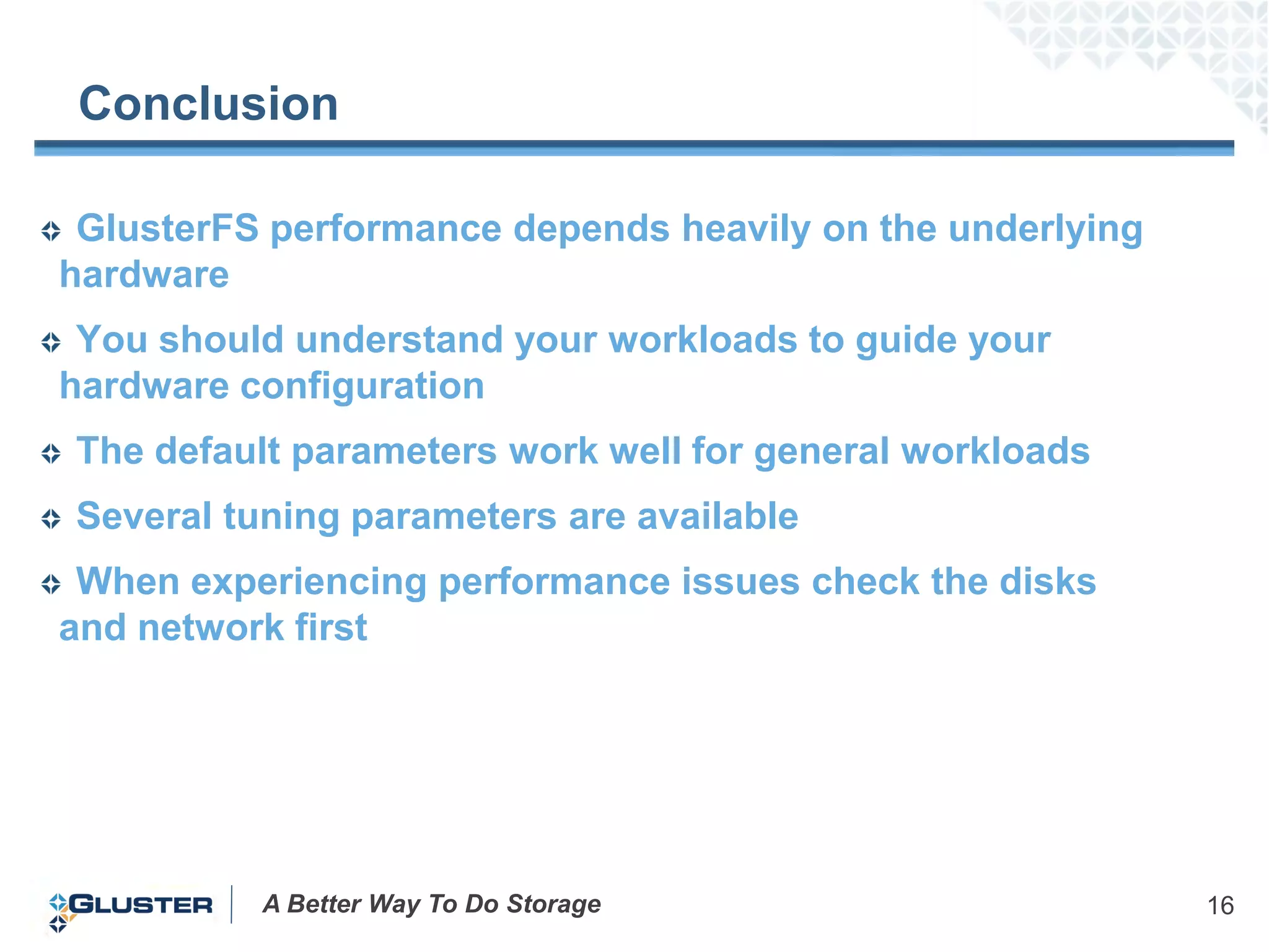
Conclusion

 GlusterFS performance depends heavily on the underlying
hardware
 You should understand your workloads to guide your
hardware configuration
The default parameters work well for general workloads
Several tuning parameters are available
 When experiencing performance issues check the disks
and network first


          A Better Way To Do Storage                       16
Polling Question

What should we talk about in next months Gluster
             Geeks Only webinar?
      A.    Setting up a basic Gluster cluster
                B.    Gluster Geo-Replication
           C.    Frequently Asked Questions
                     D.    Gluster Translators
                 E.       Other technical topics


           A Better Way To Do Storage              17
Questions & Resources

What are your performance questions?
 – Ask now using the Go-to-webinar questions panel

Helpful resources
 – Performance white paper posted here:
   http://www.gluster.com/products/resources/
 – Documentation: http://gluster.com/community/documentation
 – Questions?: http://community.gluster.org/


            A Better Way To Do Storage                         18

Gluster for Geeks: Performance Tuning Tips & Tricks

  • 1.
    Gluster for Geeks: PerformanceTips & Tricks Jacob Shucart August 25th, 2011
  • 2.
    Some Housekeeping Items… Ask a question at any time How To Ask a Question? Questions will be answered at the end of the webinar Slides will be available after the webinar The webinar is being recorded A Better Way To Do Storage 2
  • 3.
    Gluster for Geeks The Gluster for Geeks webinar series is designed for technical audiences who are familiar with GlusterFS In this edition, “Performance tuning tips and tricks” we will discuss in detail the performance related considerations for a running a GlusterFS deployment A Better Way To Do Storage 3
  • 4.
    Topics Planning Configuration Implementing Tuning Benchmarking Top 5 Issues A Better Way To Do Storage 4
  • 5.
    Planning – KeyConsiderations Performance requirements – What performance do you need to hit & how do you plan to get to it? • Read • Write • Throughput • Availability For a given performance level what type is required? – E.g. for a throughput of X and capacity of Y what is needed? Workloads – What is the workload in the environment? – Small files? – Large files? – Is throughput your only consideration? – What is the application? A Better Way To Do Storage 5
  • 6.
    Planning - Sizingand Architecture Gluster performance relies on hardware/underlying infrastructure – CPU, memory, disks, network – Virtual machine & cloud infrastructure – Number of systems in the cluster depends on performance and capacity requirements – There are many ways to meet organizational needs – For on-prem 2U & 4U DAS systems and JBODS are great building blocks Examples: 3 common deployment scenarios – Capacity-centric environments • 2U & 4U DAS systems with multiple JBODS • Lower RAM and CPU requirements • Lower network requirements – Mixed capacity and performance environments • 2U & 4U DAS systems with 1-2 JBODS max • Higher RAM and CPU requirements • Low to high network requirements – High performance environments • 1U or 2U systems with no JBODS • Highest RAM and CPU requirements • Fast disks and fast network A Better Way To Do Storage 6
  • 7.
    Configuration Choosing thecorrect volume type for a workload Volume options include – Distribute – higher performance, no redundancy – Replicate(or distribute+replicate) – general purpose, HA, faster reads – Stripe(or distribute+stripe) – high concurrent reads, low writes, no redundancy Protocols & performance – GlusterFS gives the best overall performance (pNFS like functionality) – NFS gives excellent performance given right workload – CIFS should only be used for Windows systems Data flow – How do supported protocols differ? A Better Way To Do Storage 7
  • 8.
    Implementing – ClusterHardware Configuration Node and cluster configurations – More CPU means greater parallel threads on servers – More RAM means more cached operations – More network means more throughput Dedicated backend network for node communication – Dedicated back end network should be used for NFS and CIFS – Recommend 10GBe minimum GlusterFS native only uses inter-node communication for management calls A Better Way To Do Storage 8
  • 9.
    Implementing Gluster -Fundamentals Distribute only • Non-redundant at the brick level • Cuts hardware, software costs in half. • Failure of a brick or node results in loss of access to the data on those bricks. • Writes destined to the failed brick will fail. • Redundant RAID, hardware is strongly recommended. A Better Way To Do Storage 9
  • 10.
    Implementing Gluster -Fundamentals Distribute with replica • Redundant at the brick level • Failure of a brick or node does not affect I/O. • Writes are written simultaneously to each replica. • Any number of replicas are supported. • Gluster Native, CIFS, and NFS support stateful failover. (Gluster Native only in AWS) • Redundant RAID, hardware is strongly recommended. A Better Way To Do Storage 10
  • 11.
    Implementing Gluster -Fundamentals Gluster Native client data flow A Better Way To Do Storage 11
  • 12.
    Implementing Gluster -Fundamentals NFS, CIFS dataflow A Better Way To Do Storage 12
  • 13.
    Tuning Key tuningparameters – performance.write-behind-window-size 65535 (in bytes) – performance.cache-refresh-timeout 1 (in seconds) – performance.cache-size 1073741824 (in bytes) – performance.read-ahead off (only for 1GbE) – Default settings are suitable for mixed workloads Tuning for different environments – For Amazon, m1.xlarge or greater – Understand hardware/firmware settings and their impact on performance(for example, CPU frequency scaling and IB, 10GbE and the TCP Offload Engine) A Better Way To Do Storage 13
  • 14.
    Benchmarking From theGluster Performance white paper – iozone –R –l 3 –u 5 –r 512k –s 256m –F /mnt/1 /mnt/2 /mnt/3 /mnt/4 /mnt/5 – dd if=/dev/zero of=/mnt/test bs=1M count=1 Performance expectations – Get a baseline benchmark of disks on systems – What can you expect from your network? IOPS vs. throughput – Is your workload better measured in throughput – Certain operations have different impact(dir creation) – If IOPS is your measurement remember latency A Better Way To Do Storage 14
  • 15.
    Top 5 Causesfor Performance Issues Straight from our professional services performance team 1. Underpowered/mis-configured disks 2. Underpowered/mis-configured network 3. Faulty hardware(broken/bad blocks/etc) 4. Too few servers 5. Wrong protocol for the job A Better Way To Do Storage 15
  • 16.
    Conclusion GlusterFS performancedepends heavily on the underlying hardware You should understand your workloads to guide your hardware configuration The default parameters work well for general workloads Several tuning parameters are available When experiencing performance issues check the disks and network first A Better Way To Do Storage 16
  • 17.
    Polling Question What shouldwe talk about in next months Gluster Geeks Only webinar? A. Setting up a basic Gluster cluster B. Gluster Geo-Replication C. Frequently Asked Questions D. Gluster Translators E. Other technical topics A Better Way To Do Storage 17
  • 18.
    Questions & Resources Whatare your performance questions? – Ask now using the Go-to-webinar questions panel Helpful resources – Performance white paper posted here: http://www.gluster.com/products/resources/ – Documentation: http://gluster.com/community/documentation – Questions?: http://community.gluster.org/ A Better Way To Do Storage 18