
Insight IP and Subnet
I – IPv4
II – Subnet
nghint@imt-soft.com 1
I – IPv4
nghint@imt-soft.com 2
nghint@imt-soft.com 3
Application
Presentation
Session
Transport
Network
Data link
Physical
IP – Internet Protocol
OSI
nghint@imt-soft.com 4
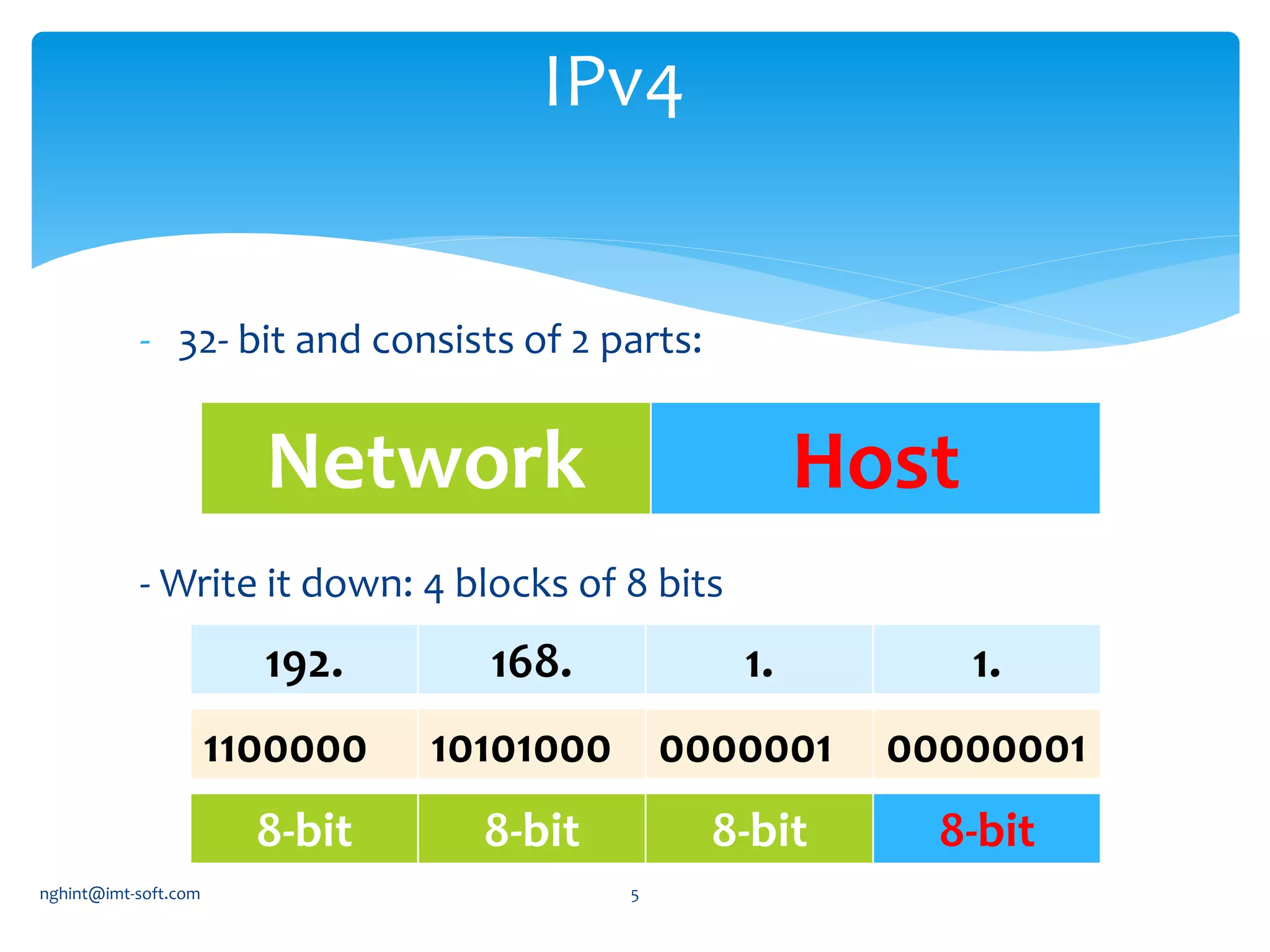
- 32- bit and consists of 2 parts:
- Write it down: 4 blocks of 8 bits
IPv4
Network Host
8-bit 8-bit 8-bit 8-bit
192. 168. 1. 1.
1100000 10101000 0000001 00000001
nghint@imt-soft.com 5
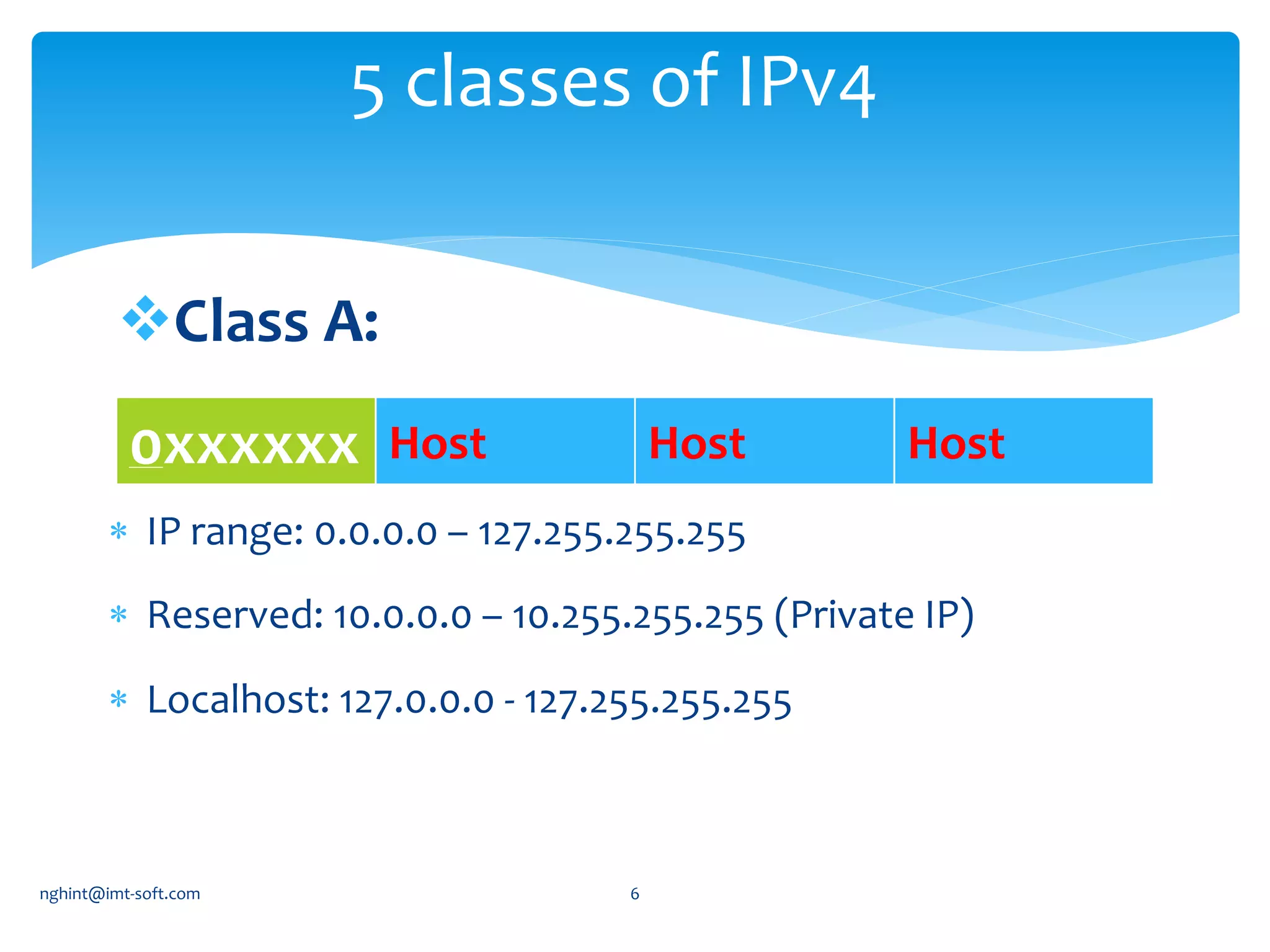
Class A:
5 classes of IPv4
0xxxxxx Host Host Host
 IP range: 0.0.0.0 – 127.255.255.255
 Reserved: 10.0.0.0 – 10.255.255.255 (Private IP)
 Localhost: 127.0.0.0 - 127.255.255.255
nghint@imt-soft.com 6
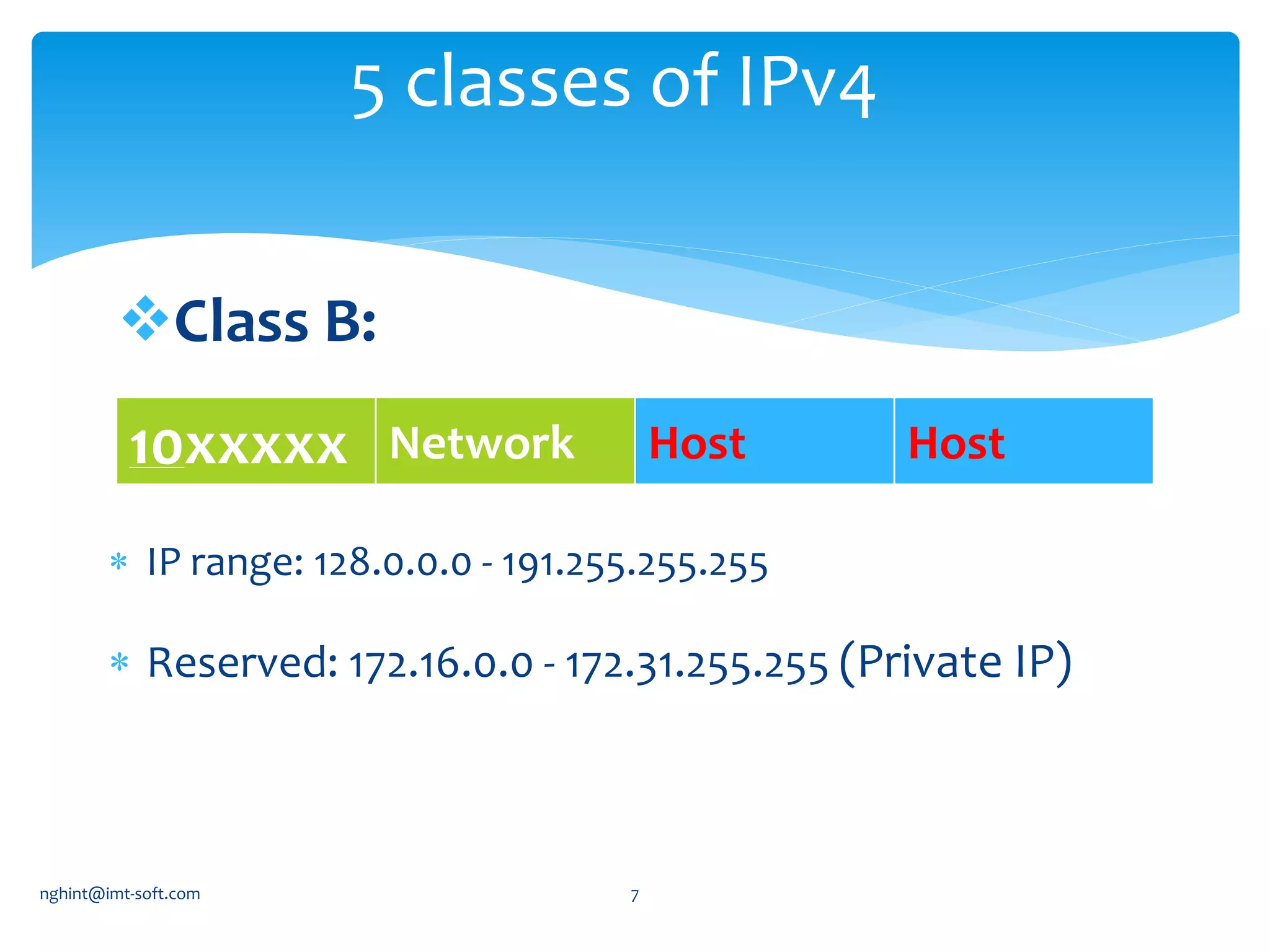
Class B:
5 classes of IPv4
10xxxxx Network Host Host
 IP range: 128.0.0.0 - 191.255.255.255
 Reserved: 172.16.0.0 - 172.31.255.255 (Private IP)
nghint@imt-soft.com 7
Class C:
5 classes of IPv4
110xxxx Network Network Host
 IP range: 192.0.0.0 - 223.255.255.255
 Reserved: 192.168.0.0 - 192.168.255.255 (Private IP)
nghint@imt-soft.com 8
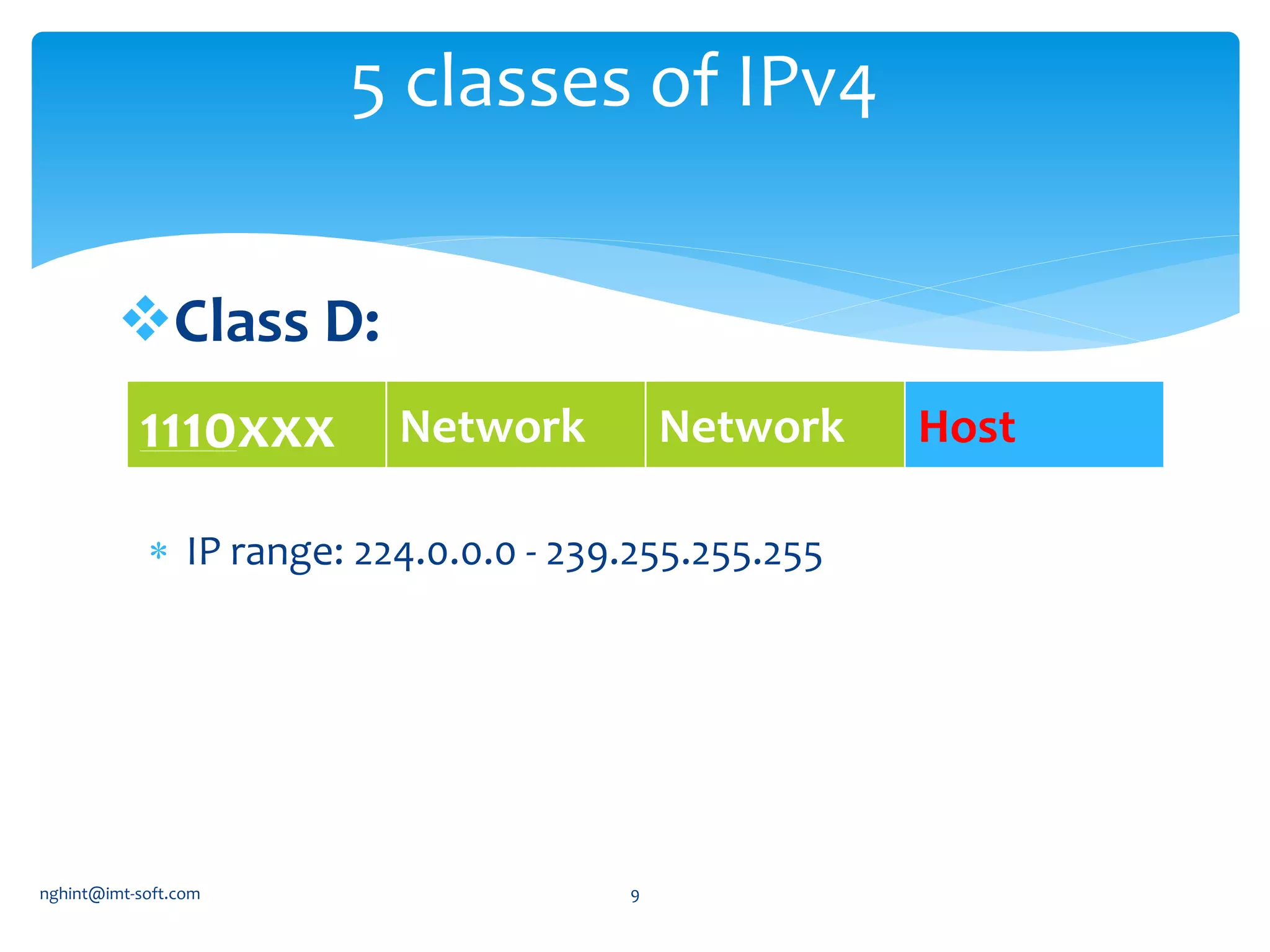
Class D:
5 classes of IPv4
 IP range: 224.0.0.0 - 239.255.255.255
1110xxx Network Network Host
nghint@imt-soft.com 9
Class E:
5 classes of IPv4
 IP range: 240.0.0.0 - 255.255.255.255
 http://tools.ietf.org/html/rfc6890
nghint@imt-soft.com 10
Write down start and end IP
addresses which use to assign
to PC for class A, B and C.
Challenge 1
nghint@imt-soft.com 11
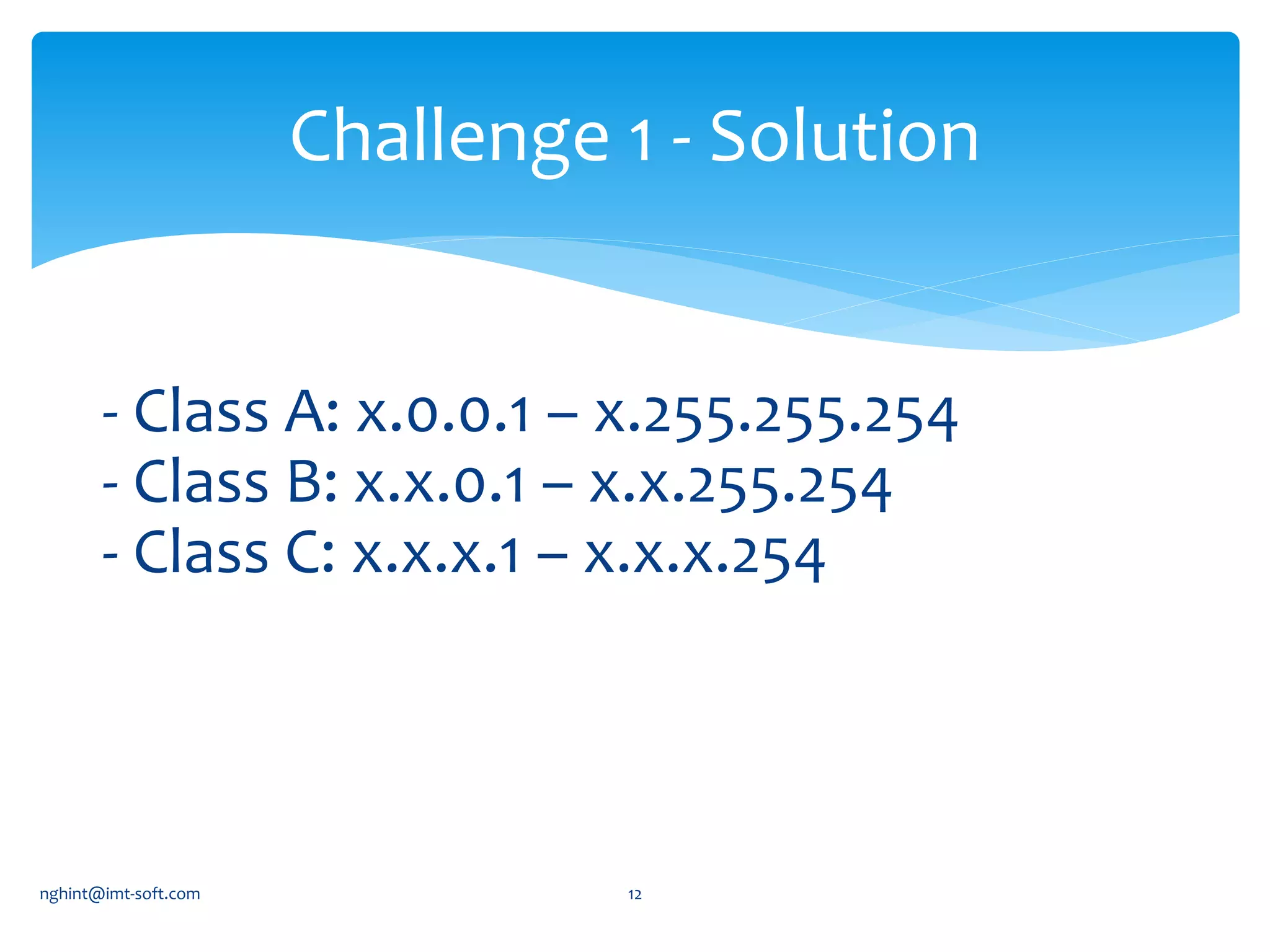
- Class A: x.0.0.1 – x.255.255.254
- Class B: x.x.0.1 – x.x.255.254
- Class C: x.x.x.1 – x.x.x.254
Challenge 1 - Solution
nghint@imt-soft.com 12
Network address: when we set all bit of our host part to 0.
-Class A: 0.0.0.0
- Class B: 128.0.0.0
- Class C: 192.0.0.0
Broadcast Address: when we set all bit of our host part to 1.
- Class A: 126.255.255.255
- Class B: 191.255.255.255
- Class C: 223.255.255.255
Network/Broadcast Address
nghint@imt-soft.com 13
II - SUBNET
nghint@imt-soft.com 14
How to plan IP for this network???
nghint@imt-soft.com 15
 Has 3 networks  need 2 more bits for Network part
IP Planning - Solution 1
VLMS: Variable Length Subnet Mask
XX Network address Broadcast Address
00 192.168.1.0 192.168.1.63
01 192.168.1.64 192.168.1.127
10 192.168.1.128 192.168.1.191
11 192.168.1.192 192.168.1.255
nghint@imt-soft.com 16
 60 hosts need 6 bits at host part (2^6 = 64)
192.168.1.0/26
 28 hosts need 5 bits at host part (2^5=32)
192.168.1.0/27
 2 router need 2 bits at host part (2^2 = 4)
192.168.1.0/30
IP Planning - Solution 2
VLMS: Variable Length Subnet Mask
nghint@imt-soft.com 17
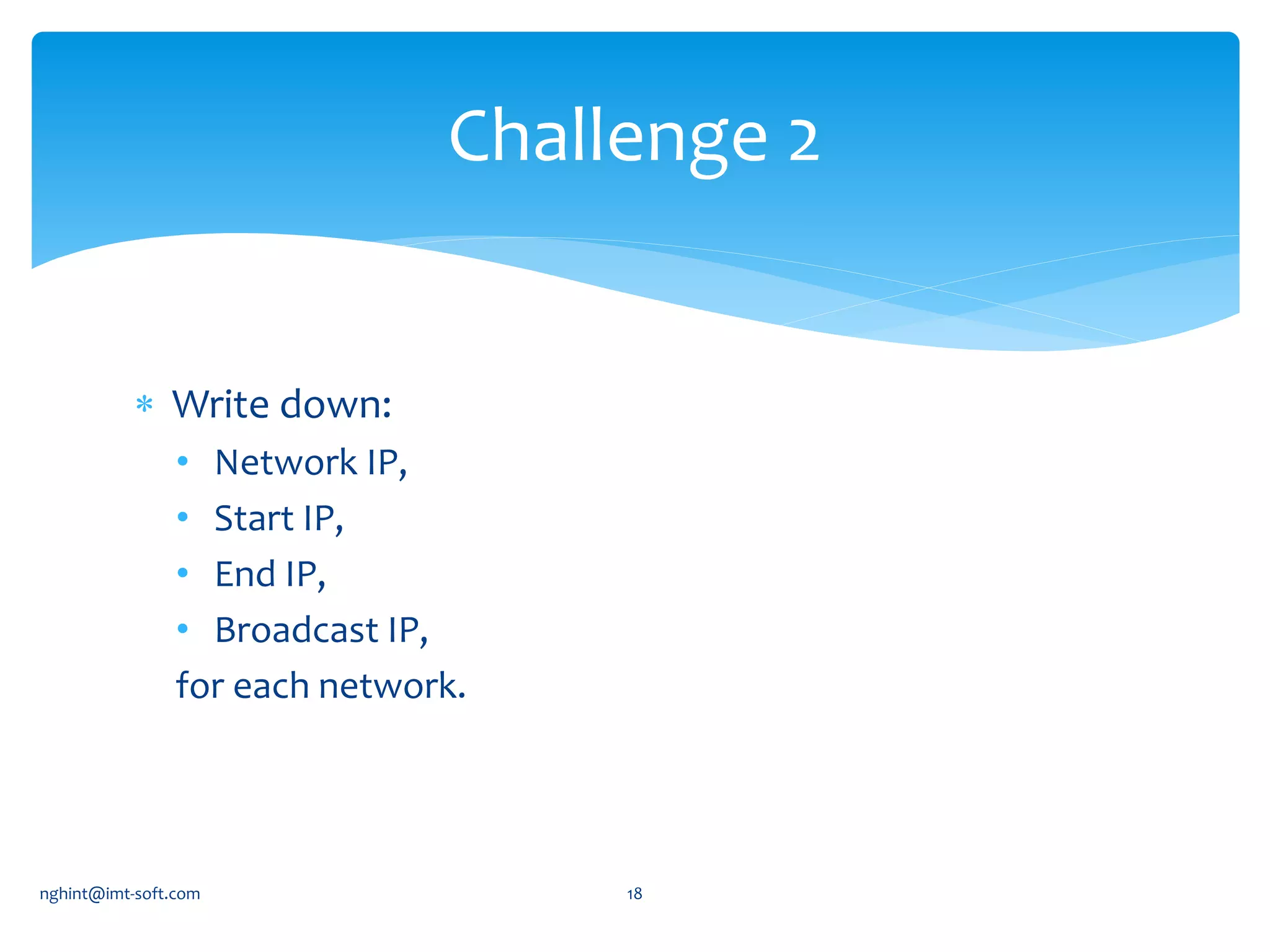
 Write down:
• Network IP,
• Start IP,
• End IP,
• Broadcast IP,
for each network.
Challenge 2
nghint@imt-soft.com 18
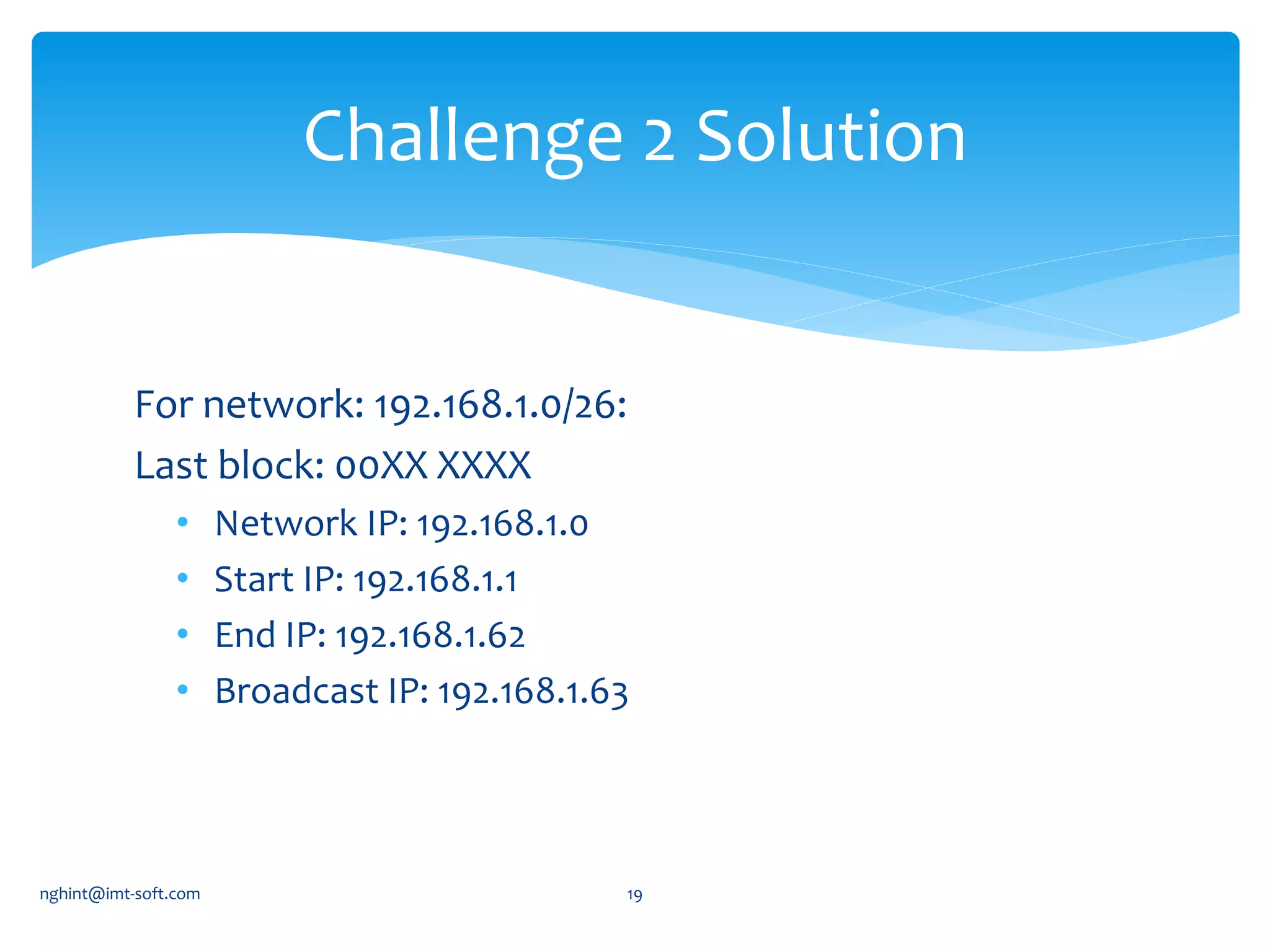
For network: 192.168.1.0/26:
Last block: 00XX XXXX
• Network IP: 192.168.1.0
• Start IP: 192.168.1.1
• End IP: 192.168.1.62
• Broadcast IP: 192.168.1.63
Challenge 2 Solution
nghint@imt-soft.com 19
nghint@imt-soft.com 20

IPand subnet

  • 1.
    Insight IP andSubnet I – IPv4 II – Subnet nghint@imt-soft.com 1
  • 2.
  • 3.
  • 4.
  • 5.
    - 32- bitand consists of 2 parts: - Write it down: 4 blocks of 8 bits IPv4 Network Host 8-bit 8-bit 8-bit 8-bit 192. 168. 1. 1. 1100000 10101000 0000001 00000001 nghint@imt-soft.com 5
  • 6.
    Class A: 5 classesof IPv4 0xxxxxx Host Host Host  IP range: 0.0.0.0 – 127.255.255.255  Reserved: 10.0.0.0 – 10.255.255.255 (Private IP)  Localhost: 127.0.0.0 - 127.255.255.255 nghint@imt-soft.com 6
  • 7.
    Class B: 5 classesof IPv4 10xxxxx Network Host Host  IP range: 128.0.0.0 - 191.255.255.255  Reserved: 172.16.0.0 - 172.31.255.255 (Private IP) nghint@imt-soft.com 7
  • 8.
    Class C: 5 classesof IPv4 110xxxx Network Network Host  IP range: 192.0.0.0 - 223.255.255.255  Reserved: 192.168.0.0 - 192.168.255.255 (Private IP) nghint@imt-soft.com 8
  • 9.
    Class D: 5 classesof IPv4  IP range: 224.0.0.0 - 239.255.255.255 1110xxx Network Network Host nghint@imt-soft.com 9
  • 10.
    Class E: 5 classesof IPv4  IP range: 240.0.0.0 - 255.255.255.255  http://tools.ietf.org/html/rfc6890 nghint@imt-soft.com 10
  • 11.
    Write down startand end IP addresses which use to assign to PC for class A, B and C. Challenge 1 nghint@imt-soft.com 11
  • 12.
    - Class A:x.0.0.1 – x.255.255.254 - Class B: x.x.0.1 – x.x.255.254 - Class C: x.x.x.1 – x.x.x.254 Challenge 1 - Solution nghint@imt-soft.com 12
  • 13.
    Network address: whenwe set all bit of our host part to 0. -Class A: 0.0.0.0 - Class B: 128.0.0.0 - Class C: 192.0.0.0 Broadcast Address: when we set all bit of our host part to 1. - Class A: 126.255.255.255 - Class B: 191.255.255.255 - Class C: 223.255.255.255 Network/Broadcast Address nghint@imt-soft.com 13
  • 14.
  • 15.
    How to planIP for this network??? nghint@imt-soft.com 15
  • 16.
     Has 3networks  need 2 more bits for Network part IP Planning - Solution 1 VLMS: Variable Length Subnet Mask XX Network address Broadcast Address 00 192.168.1.0 192.168.1.63 01 192.168.1.64 192.168.1.127 10 192.168.1.128 192.168.1.191 11 192.168.1.192 192.168.1.255 nghint@imt-soft.com 16
  • 17.
     60 hostsneed 6 bits at host part (2^6 = 64) 192.168.1.0/26  28 hosts need 5 bits at host part (2^5=32) 192.168.1.0/27  2 router need 2 bits at host part (2^2 = 4) 192.168.1.0/30 IP Planning - Solution 2 VLMS: Variable Length Subnet Mask nghint@imt-soft.com 17
  • 18.
     Write down: •Network IP, • Start IP, • End IP, • Broadcast IP, for each network. Challenge 2 nghint@imt-soft.com 18
  • 19.
    For network: 192.168.1.0/26: Lastblock: 00XX XXXX • Network IP: 192.168.1.0 • Start IP: 192.168.1.1 • End IP: 192.168.1.62 • Broadcast IP: 192.168.1.63 Challenge 2 Solution nghint@imt-soft.com 19
  • 20.

Editor's Notes

  • #4 1. First you write a letter. 2. You put the letter in an envelope. 3. You write your name and the name of the receiver on the envelope. 4. You put the envelope in the mailbox. 5. The content of the mailbox will go to the central processing office of the postal service. 6. Your envelope will be delivered to the receiver. 7. They open the envelope and read its contents.
  • #7 RFC1918 10.0.0.0 - 10.255.255.255 Localhost 127.0.0.0 - 127.255.255.255
  • #8 128.0.0.0 - 191.255.255.255 RFC1918 172.16.0.0 - 172.31.255.255
  • #9 192.0.0.0 - 223.255.255.255 RFC1918 192.168.0.0 - 192.168.255.255
  • #10 224.0.0.0 - 239.255.255.255 Multicast: 224.0.0.5 & 224.0.0.6: OSFP 224.0.0.9: RIP 224.0.0.10: EIGRP
  • #11 http://tools.ietf.org/html/rfc6890
  • #12 If we set all the bits to 0 in our “host” part then we have the network address. If we set all the bits to 1 we’ll have a broadcast IP address.
  • #13 - Class A: 0.0.0.1 – 126.255.255.254 - Class B: 128.0.0.1 – 191.255.255.254 - Class C: 192.0.0.1 – 223.255.255.254
  • #17 CIDR: Classless interdomain routing
  • #18 VLSM: Variable length subnet masks