The iPad for Teaching and Learning

                Dr. Iain Doherty
              Associate Professor
 Director eLearning Pedagogical Support Unit
 Centre for the Enhancement of Teaching and
                    Learning
              20th February 2012
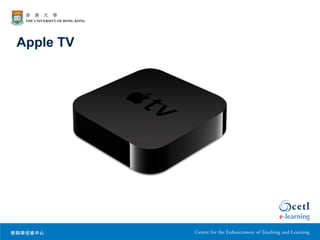
Apple TV
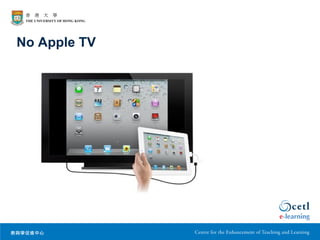
No Apple TV
The Educational Process

•   Intended learning outcomes and graduate attributes
•   Resources to enable students to engage in learning
•   Tasks and activities to help students to learn
•   Supports both built in and human
•   Assessment to determine whether learning has
    occurred and to provide feed forward
Technology & Teaching

• Using technologies purposefully in teaching and
  learning means being learning led and technology
  enabled
• The question to ask has to do with how technologies
  can support students in achieving the intended
  learning outcomes for any particular program / course
• In other words, what place does the iPad have in
  providing resources, engaging students in tasks /
  activities, providing supports and carrying out
  assessments / providing feed forward
Let’s Be Clear

• There is a lot of hype and a lot of subjectivity in
  claims made about the value of the iPad in education
• Only a limited number of the 200, 000 + applications
  are specifically educational
• Whether there is actual educational benefit still has
  to be shown through scholarly research
Doing Things Better

• Educational benefit can be conceived of in terms of
  improving student learning
• Educational benefit can also be conceived of in terms
  of enabling students to do things in the learning
  environment that would not otherwise be possible


    Murray, O. T., & Olcese, N. R. (2011). Teaching and Learning with iPads,
    Ready or Not? TechTrends, 55(6), 42-48. doi:10.1007/s11528-011-0540-6
Doing Things Better

• “Our study suggests that there is a paucity of applications
  that truly extend capability, much of what these
  application allow can be done with other devices, and this
  leads us to conclude that the current trajectory will not
  revolutionize teaching and learning. The lack of
  collaboration capabilities underlie this point, as do the
  overwhelming number of application that are simply drill
  and practice or focused on delivering content for
  consumption, not creation or re-use.
  Murray, O. T., & Olcese, N. R. (2011). Teaching and Learning with iPads,
  Ready or Not? TechTrends, 55(6), 42-48. doi:10.1007/s11528-011-0540-6
Might Still Make It

• “Contemporary ‘digital age’ university students in
  developed countries are familiar with social networking
  through Facebook, instant communication via Twitter and
  mobile technology through their smartphones. They
  compare these with university e-mail and e-learning
  systems, projected lecture slides and handwritten
  assessment tasks. They have expressed a desire for
  more varied forms of communication and more vibrant
  learning methods”
   Manuguerra, M., & Petocz, P. (2011). Promoting Student Engagement by Integrating
   New Technology into Tertiary Education: The Role of the iPad. Asian Social Science,
   7(11), 61-65. doi:10.5539/ass.v7n11p61
Might Still Make It

• The iPad may also become central in education in
  order to graduate students familiar with devices that
  will be used in the workplace:
   –   maintaining patient records
   –   accessing information instantly
   –   recording patient data at point of care
   –   presenting information to patients
Just Another Laptop?
• The form factor means that the iPad is more akin to
  a mobile phone that is carried everywhere i.e.
  integrated into a life / extension of self
• Interaction with the device is tactile and engaging
  giving a distinct User Interface Experience
• The iPad runs on code written specifically for the
  device which means fast boot up + processing
  speed + the battery life is good (about 10 hours)
• There are 200,000 + applications written specifically
  for the iPad


   http://www.ipadineducation.co.uk/iPad_in_Education/iPad_v_Netbook.html
Resources

•   E-Anatomy
•   ICD9 2012 Consult
•   Inkling Medical Books
•   Harrison’s Principles by Inkling
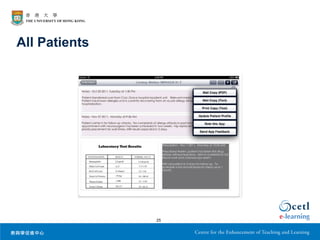
•   All Patients
E-Anatomy

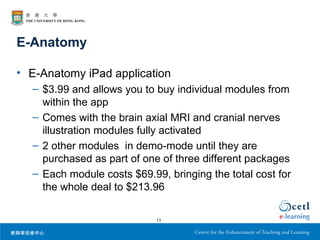
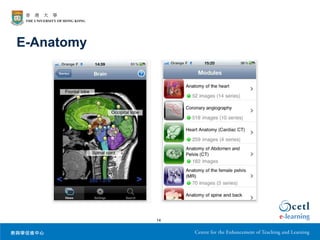
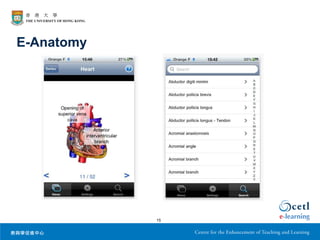
• E-Anatomy iPad application
  – $3.99 and allows you to buy individual modules from
    within the app
  – Comes with the brain axial MRI and cranial nerves
    illustration modules fully activated
  – 2 other modules in demo-mode until they are
    purchased as part of one of three different packages
  – Each module costs $69.99, bringing the total cost for
    the whole deal to $213.96

                            13
E-Anatomy


            14
E-Anatomy


            15
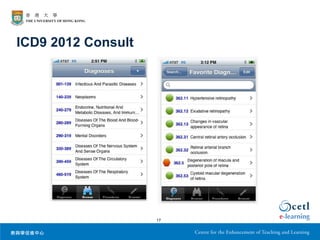
ICD9 2012 Consult


                    16
ICD9 2012 Consult


                    17
Inkling Medical Books

• Inkling is a textbook application that was built
  exclusively for the iPad platform and features
  “interactive textbooks” — basically, bringing
  textbooks alive.
• Once you download the free Inkling app, you are able
  to view various textbooks they offer
• Currently have 23 medical books with another dozen
  listed as being on the way


                          18
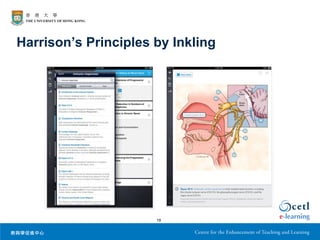
Harrison’s Principles by Inkling


                      19
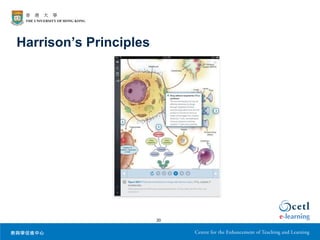
Harrison’s Principles


                        20
Harrison’s Principles by Inkling

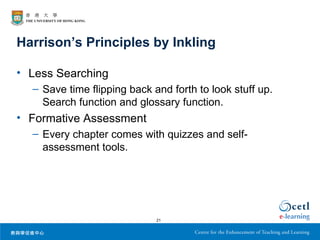
• Less Searching
  – Save time flipping back and forth to look stuff up.
    Search function and glossary function.
• Formative Assessment
  – Every chapter comes with quizzes and self-
    assessment tools.


                             21
Harrison’s Principles by Inkling

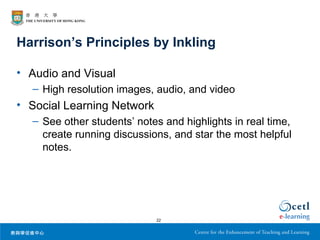
• Audio and Visual
  – High resolution images, audio, and video
• Social Learning Network
  – See other students’ notes and highlights in real time,
    create running discussions, and star the most helpful
    notes.


                            22
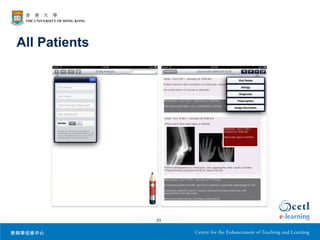
All Patients


               23
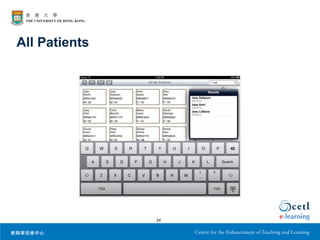
All Patients


               24
All Patients


               25
Activities

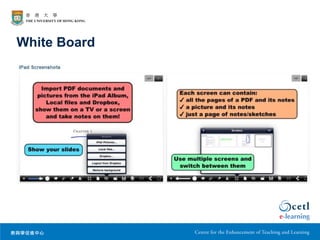
•   White Board – Classroom interactions
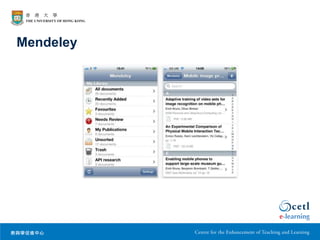
•   Mendeley Reference Manager- Complete readings
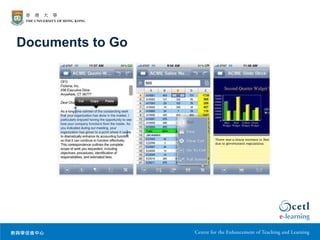
•   Documents to Go - Work on assignments
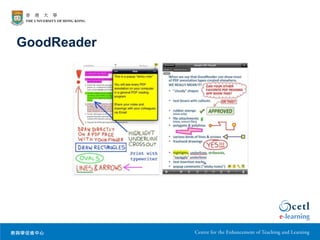
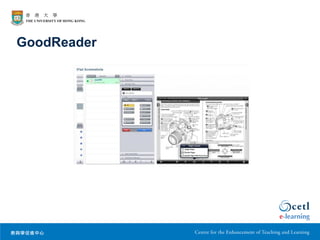
•   GoodReader – Read all document types
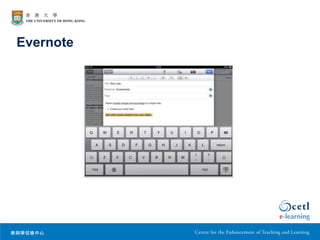
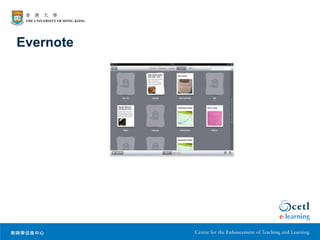
•   Evernote - Solve problems
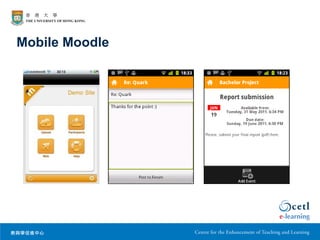
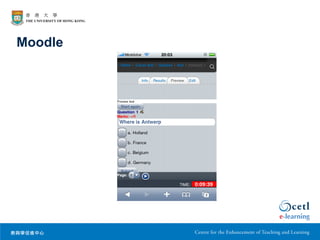
•   Moodle Mobile - Interactions
White Board
Mendeley
Documents to Go
GoodReader
GoodReader
Evernote
Evernote
Mobile Moodle
Supports

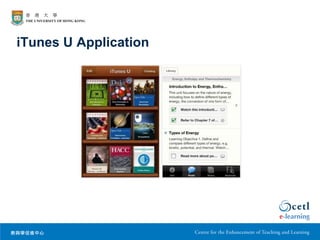
• iTunes U – Built in supports such as rubrics
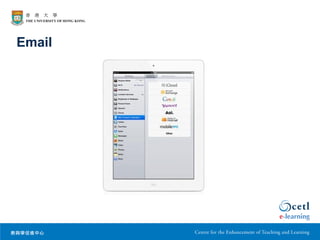
• Email – Personal asynchronous support
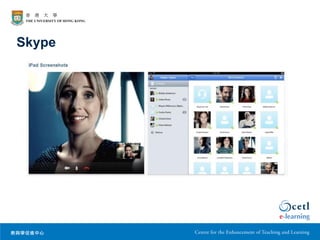
• Skype – Personal synchronous support
iTunes U Application
Skype
Email
Moodle
Assessment

• Dedicated applications & Moodle quizzes - Multiple
  choice, short answer
• Drop Box - Written assignments
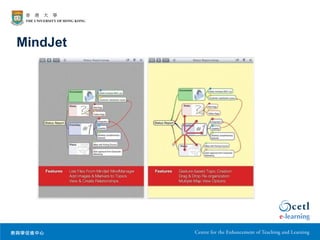
• MindJet - Problems / cases for formative and media
  rich PDF documents for summative
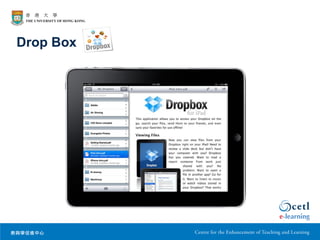
Drop Box
Drop Box

• The iPad does not have a file browser so no file
  browser functions e.g. folder creation are available.
• Drop Box application provides file browser
  functionality.
• Also gives a cloud based workflow.


                            42
MindJet
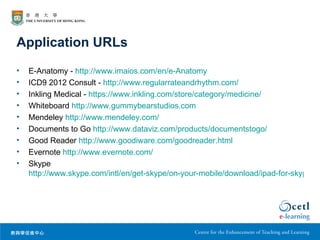
Application URLs
•   E-Anatomy - http://www.imaios.com/en/e-Anatomy
•   ICD9 2012 Consult - http://www.regularrateandrhythm.com/
•   Inkling Medical - https://www.inkling.com/store/category/medicine/
•   Whiteboard http://www.gummybearstudios.com
•   Mendeley http://www.mendeley.com/
•   Documents to Go http://www.dataviz.com/products/documentstogo/
•   Good Reader http://www.goodiware.com/goodreader.html
•   Evernote http://www.evernote.com/
•   Skype
    http://www.skype.com/intl/en/get-skype/on-your-mobile/download/ipad-for-skype/
Application URLs

• Dropbox http://www.dropbox.com
• MindJet http://www.mindjet.com

The iPad in Medicine

  • 1.
    The iPad forTeaching and Learning Dr. Iain Doherty Associate Professor Director eLearning Pedagogical Support Unit Centre for the Enhancement of Teaching and Learning 20th February 2012
  • 2.
  • 3.
  • 4.
    The Educational Process • Intended learning outcomes and graduate attributes • Resources to enable students to engage in learning • Tasks and activities to help students to learn • Supports both built in and human • Assessment to determine whether learning has occurred and to provide feed forward
  • 5.
    Technology & Teaching •Using technologies purposefully in teaching and learning means being learning led and technology enabled • The question to ask has to do with how technologies can support students in achieving the intended learning outcomes for any particular program / course • In other words, what place does the iPad have in providing resources, engaging students in tasks / activities, providing supports and carrying out assessments / providing feed forward
  • 6.
    Let’s Be Clear •There is a lot of hype and a lot of subjectivity in claims made about the value of the iPad in education • Only a limited number of the 200, 000 + applications are specifically educational • Whether there is actual educational benefit still has to be shown through scholarly research
  • 7.
    Doing Things Better •Educational benefit can be conceived of in terms of improving student learning • Educational benefit can also be conceived of in terms of enabling students to do things in the learning environment that would not otherwise be possible Murray, O. T., & Olcese, N. R. (2011). Teaching and Learning with iPads, Ready or Not? TechTrends, 55(6), 42-48. doi:10.1007/s11528-011-0540-6
  • 8.
    Doing Things Better •“Our study suggests that there is a paucity of applications that truly extend capability, much of what these application allow can be done with other devices, and this leads us to conclude that the current trajectory will not revolutionize teaching and learning. The lack of collaboration capabilities underlie this point, as do the overwhelming number of application that are simply drill and practice or focused on delivering content for consumption, not creation or re-use. Murray, O. T., & Olcese, N. R. (2011). Teaching and Learning with iPads, Ready or Not? TechTrends, 55(6), 42-48. doi:10.1007/s11528-011-0540-6
  • 9.
    Might Still MakeIt • “Contemporary ‘digital age’ university students in developed countries are familiar with social networking through Facebook, instant communication via Twitter and mobile technology through their smartphones. They compare these with university e-mail and e-learning systems, projected lecture slides and handwritten assessment tasks. They have expressed a desire for more varied forms of communication and more vibrant learning methods” Manuguerra, M., & Petocz, P. (2011). Promoting Student Engagement by Integrating New Technology into Tertiary Education: The Role of the iPad. Asian Social Science, 7(11), 61-65. doi:10.5539/ass.v7n11p61
  • 10.
    Might Still MakeIt • The iPad may also become central in education in order to graduate students familiar with devices that will be used in the workplace: – maintaining patient records – accessing information instantly – recording patient data at point of care – presenting information to patients
  • 11.
    Just Another Laptop? •The form factor means that the iPad is more akin to a mobile phone that is carried everywhere i.e. integrated into a life / extension of self • Interaction with the device is tactile and engaging giving a distinct User Interface Experience • The iPad runs on code written specifically for the device which means fast boot up + processing speed + the battery life is good (about 10 hours) • There are 200,000 + applications written specifically for the iPad http://www.ipadineducation.co.uk/iPad_in_Education/iPad_v_Netbook.html
  • 12.
    Resources • E-Anatomy • ICD9 2012 Consult • Inkling Medical Books • Harrison’s Principles by Inkling • All Patients
  • 13.
    E-Anatomy • E-Anatomy iPadapplication – $3.99 and allows you to buy individual modules from within the app – Comes with the brain axial MRI and cranial nerves illustration modules fully activated – 2 other modules in demo-mode until they are purchased as part of one of three different packages – Each module costs $69.99, bringing the total cost for the whole deal to $213.96 13
  • 14.
  • 15.
  • 16.
  • 17.
  • 18.
    Inkling Medical Books •Inkling is a textbook application that was built exclusively for the iPad platform and features “interactive textbooks” — basically, bringing textbooks alive. • Once you download the free Inkling app, you are able to view various textbooks they offer • Currently have 23 medical books with another dozen listed as being on the way 18
  • 19.
  • 20.
  • 21.
    Harrison’s Principles byInkling • Less Searching – Save time flipping back and forth to look stuff up. Search function and glossary function. • Formative Assessment – Every chapter comes with quizzes and self- assessment tools. 21
  • 22.
    Harrison’s Principles byInkling • Audio and Visual – High resolution images, audio, and video • Social Learning Network – See other students’ notes and highlights in real time, create running discussions, and star the most helpful notes. 22
  • 23.
  • 24.
  • 25.
  • 26.
    Activities • White Board – Classroom interactions • Mendeley Reference Manager- Complete readings • Documents to Go - Work on assignments • GoodReader – Read all document types • Evernote - Solve problems • Moodle Mobile - Interactions
  • 27.
  • 28.
  • 29.
  • 30.
  • 31.
  • 32.
  • 33.
  • 34.
  • 35.
    Supports • iTunes U– Built in supports such as rubrics • Email – Personal asynchronous support • Skype – Personal synchronous support
  • 36.
  • 37.
  • 38.
  • 39.
  • 40.
    Assessment • Dedicated applications& Moodle quizzes - Multiple choice, short answer • Drop Box - Written assignments • MindJet - Problems / cases for formative and media rich PDF documents for summative
  • 41.
  • 42.
    Drop Box • TheiPad does not have a file browser so no file browser functions e.g. folder creation are available. • Drop Box application provides file browser functionality. • Also gives a cloud based workflow. 42
  • 43.
  • 44.
    Application URLs • E-Anatomy - http://www.imaios.com/en/e-Anatomy • ICD9 2012 Consult - http://www.regularrateandrhythm.com/ • Inkling Medical - https://www.inkling.com/store/category/medicine/ • Whiteboard http://www.gummybearstudios.com • Mendeley http://www.mendeley.com/ • Documents to Go http://www.dataviz.com/products/documentstogo/ • Good Reader http://www.goodiware.com/goodreader.html • Evernote http://www.evernote.com/ • Skype http://www.skype.com/intl/en/get-skype/on-your-mobile/download/ipad-for-skype/
  • 45.
    Application URLs • Dropboxhttp://www.dropbox.com • MindJet http://www.mindjet.com