








Develop on iOS
Swift Lab Test
www.SwiftLabTest.com
Youku
By Bruno Delb
www.weibo.com/brunodelb
i.youku.com/brunodelb | www.weibo.com/brunodelb | blog.delb.cn
http://i.youku.com/brunoparis
Weibo
Officialsite
Introduction to Swift
Watch on
Youtube !
Watch on
Youku !
THE VARIABLES
Watch on
Youtube !
Watch on
Youku !
• In this lesson, you will learn to use the
variables in Swift.
• The semicolons (;) aren't mandatory at the
end of each instruction. However, you can
write several instructions on a same line. In
this case, the ";" will be mandatory to
separate the instructions.
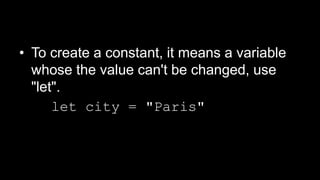
• To create a constant, it means a variable
whose the value can't be changed, use
"let".
let city = "Paris"
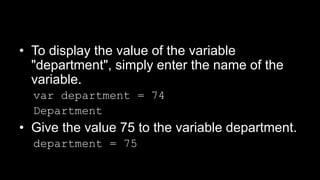
• To display the value of the variable
"department", simply enter the name of the
variable.
var department = 74
Department
• Give the value 75 to the variable department.
department = 75
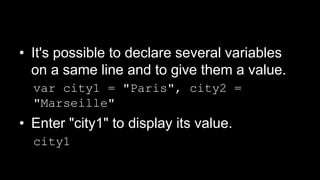
• It's possible to declare several variables
on a same line and to give them a value.
var city1 = "Paris", city2 =
"Marseille"
• Enter "city1" to display its value.
city1
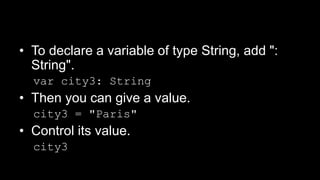
• To declare a variable of type String, add ":
String".
var city3: String
• Then you can give a value.
city3 = "Paris"
• Control its value.
city3
THE COMMENTS
Watch on
Youtube !
Watch on
Youku !
• In this lesson, you will learn the comments
in Swift.
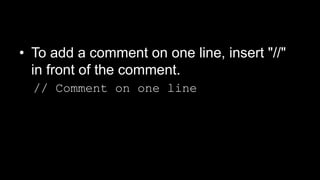
• To add a comment on one line, insert "//"
in front of the comment.
// Comment on one line
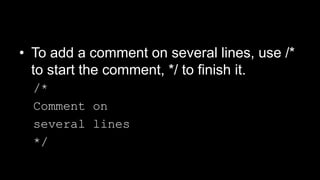
• To add a comment on several lines, use /*
to start the comment, */ to finish it.
/*
Comment on
several lines
*/
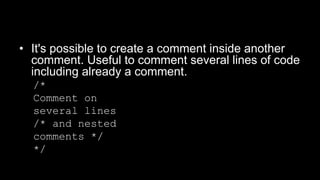
• It's possible to create a comment inside another
comment. Useful to comment several lines of code
including already a comment.
/*
Comment on
several lines
/* and nested
comments */
*/
THE INTEGERS
Watch on
Youtube !
Watch on
Youku !
• In this lesson, you will learn integers in
Swift.
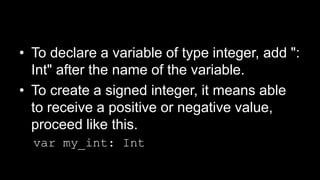
• To declare a variable of type integer, add ":
Int" after the name of the variable.
• To create a signed integer, it means able
to receive a positive or negative value,
proceed like this.
var my_int: Int
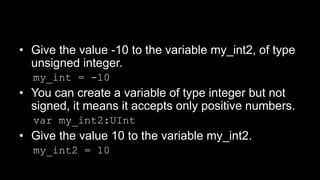
• Give the value -10 to the variable my_int2, of type
unsigned integer.
my_int = -10
• You can create a variable of type integer but not
signed, it means it accepts only positive numbers.
var my_int2:UInt
• Give the value 10 to the variable my_int2.
my_int2 = 10
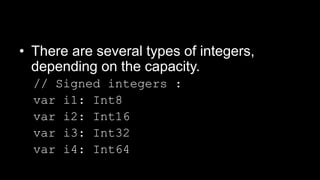
• There are several types of integers,
depending on the capacity.
// Signed integers :
var i1: Int8
var i2: Int16
var i3: Int32
var i4: Int64
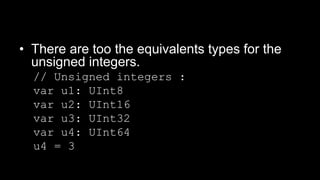
• There are too the equivalents types for the
unsigned integers.
// Unsigned integers :
var u1: UInt8
var u2: UInt16
var u3: UInt32
var u4: UInt64
u4 = 3
THE FLOATS AND THE BIG
VALUES
Watch on
Youtube !
Watch on
Youku !
• In this lesson, you will learn to use the
float numbers and big values in Swift.
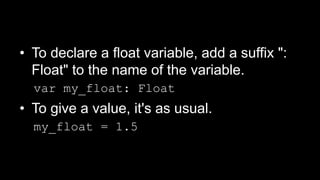
• To declare a float variable, add a suffix ":
Float" to the name of the variable.
var my_float: Float
• To give a value, it's as usual.
my_float = 1.5
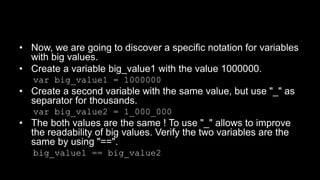
• Now, we are going to discover a specific notation for variables
with big values.
• Create a variable big_value1 with the value 1000000.
var big_value1 = 1000000
• Create a second variable with the same value, but use "_" as
separator for thousands.
var big_value2 = 1_000_000
• The both values are the same ! To use "_" allows to improve
the readability of big values. Verify the two variables are the
same by using "==".
big_value1 == big_value2
THE CONVERSION OF TYPE
Watch on
Youtube !
Watch on
Youku !
• In this lesson, you will study the
conversions of type in Swift.
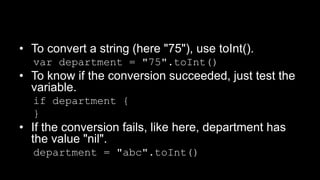
• To convert a string (here "75"), use toInt().
var department = "75".toInt()
• To know if the conversion succeeded, just test the
variable.
if department {
}
• If the conversion fails, like here, department has
the value "nil".
department = "abc".toInt()
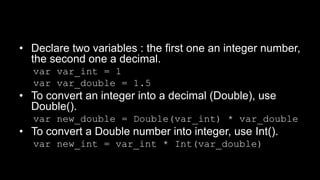
• Declare two variables : the first one an integer number,
the second one a decimal.
var var_int = 1
var var_double = 1.5
• To convert an integer into a decimal (Double), use
Double().
var new_double = Double(var_int) * var_double
• To convert a Double number into integer, use Int().
var new_int = var_int * Int(var_double)
THE ATTRIBUTION
Watch on
Youtube !
Watch on
Youku !
• In this lesson, you will learn the attribution
of value in Swift.
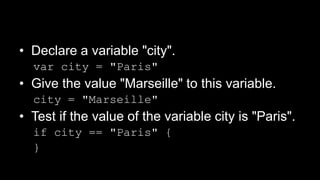
• Declare a variable "city".
var city = "Paris"
• Give the value "Marseille" to this variable.
city = "Marseille"
• Test if the value of the variable city is "Paris".
if city == "Paris" {
}
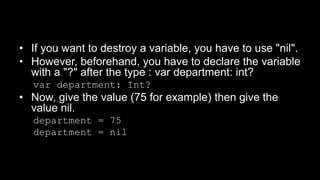
• If you want to destroy a variable, you have to use "nil".
• However, beforehand, you have to declare the variable
with a "?" after the type : var department: int?
var department: Int?
• Now, give the value (75 for example) then give the
value nil.
department = 75
department = nil
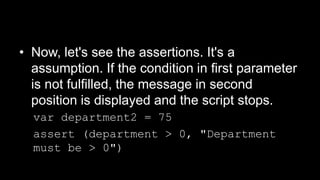
• Now, let's see the assertions. It's a
assumption. If the condition in first parameter
is not fulfilled, the message in second
position is displayed and the script stops.
var department2 = 75
assert (department > 0, "Department
must be > 0")
THE ARITHMETIC
OPERATORS
Watch on
Youtube !
Watch on
Youku !
• In this lesson, you will learn to use the
arithmetic operators in Swift.
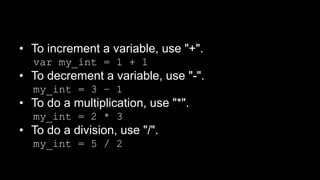
• To increment a variable, use "+".
var my_int = 1 + 1
• To decrement a variable, use "-".
my_int = 3 – 1
• To do a multiplication, use "*".
my_int = 2 * 3
• To do a division, use "/".
my_int = 5 / 2
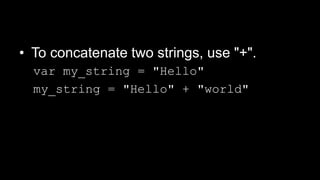
• To concatenate two strings, use "+".
var my_string = "Hello"
my_string = "Hello" + "world"
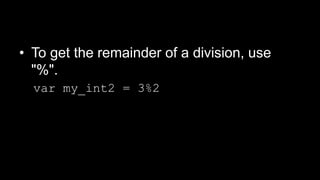
• To get the remainder of a division, use
"%".
var my_int2 = 3%2
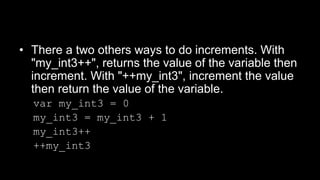
• There a two others ways to do increments. With
"my_int3++", returns the value of the variable then
increment. With "++my_int3", increment the value
then return the value of the variable.
var my_int3 = 0
my_int3 = my_int3 + 1
my_int3++
++my_int3
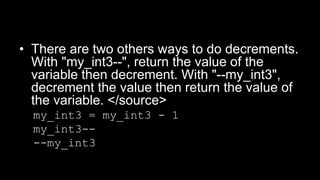
• There are two others ways to do decrements.
With "my_int3--", return the value of the
variable then decrement. With "--my_int3",
decrement the value then return the value of
the variable. </source>
my_int3 = my_int3 - 1
my_int3--
--my_int3
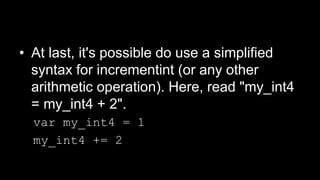
• At last, it's possible do use a simplified
syntax for incrementint (or any other
arithmetic operation). Here, read "my_int4
= my_int4 + 2".
var my_int4 = 1
my_int4 += 2
THE COMPARISION
Watch on
Youtube !
Watch on
Youku !
• In this lesson, you will learn to use the
comparision in Swift.
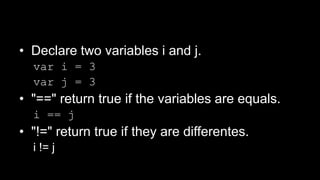
• Declare two variables i and j.
var i = 3
var j = 3
• "==" return true if the variables are equals.
i == j
• "!=" return true if they are differentes.
i != j
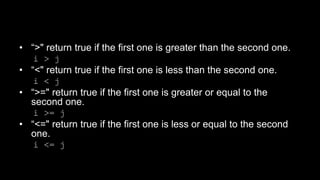
• “>" return true if the first one is greater than the second one.
i > j
• “<" return true if the first one is less than the second one.
i < j
• “>=" return true if the first one is greater or equal to the
second one.
i >= j
• “<=" return true if the first one is less or equal to the second
one.
i <= j
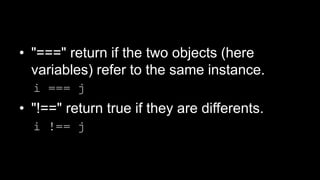
• "===" return if the two objects (here
variables) refer to the same instance.
i === j
• "!==" return true if they are differents.
i !== j
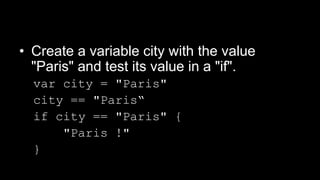
• Create a variable city with the value
"Paris" and test its value in a "if".
var city = "Paris"
city == "Paris“
if city == "Paris" {
"Paris !"
}
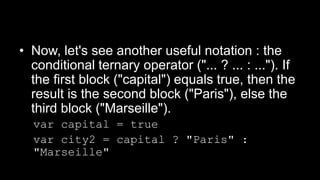
• Now, let's see another useful notation : the
conditional ternary operator ("... ? ... : ..."). If
the first block ("capital") equals true, then the
result is the second block ("Paris"), else the
third block ("Marseille").
var capital = true
var city2 = capital ? "Paris" :
"Marseille"
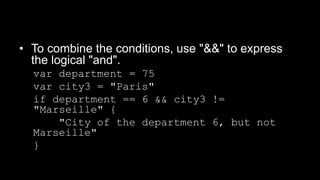
• To combine the conditions, use "&&" to express
the logical "and".
var department = 75
var city3 = "Paris"
if department == 6 && city3 !=
"Marseille" {
"City of the department 6, but not
Marseille"
}
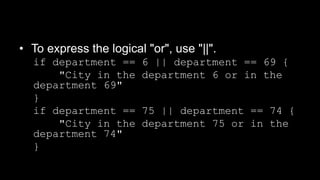
• To express the logical "or", use "||".
if department == 6 || department == 69 {
"City in the department 6 or in the
department 69"
}
if department == 75 || department == 74 {
"City in the department 75 or in the
department 74"
}
THE STRINGS (STRINGS)
Watch on
Youtube !
Watch on
Youku !
• In this lesson, you will learn to use the
strings in Swift.
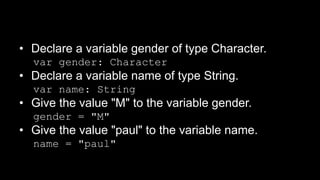
• Declare a variable gender of type Character.
var gender: Character
• Declare a variable name of type String.
var name: String
• Give the value "M" to the variable gender.
gender = "M"
• Give the value "paul" to the variable name.
name = "paul"
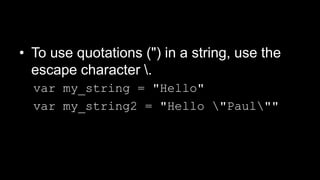
• To use quotations (") in a string, use the
escape character .
var my_string = "Hello"
var my_string2 = "Hello "Paul""
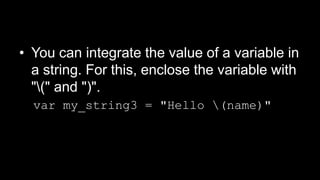
• You can integrate the value of a variable in
a string. For this, enclose the variable with
"(" and ")".
var my_string3 = "Hello (name)"
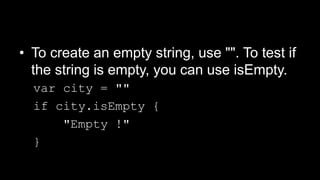
• To create an empty string, use "". To test if
the string is empty, you can use isEmpty.
var city = ""
if city.isEmpty {
"Empty !"
}
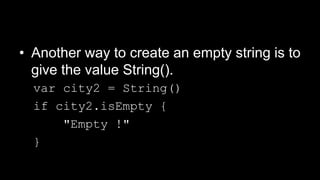
• Another way to create an empty string is to
give the value String().
var city2 = String()
if city2.isEmpty {
"Empty !"
}
THE HANDLING OF STRINGS
(STRINGS)
Watch on
Youtube !
Watch on
Youku !
• In this lesson, you will learn to handle
strings in Swift.
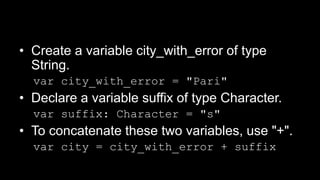
• Create a variable city_with_error of type
String.
var city_with_error = "Pari"
• Declare a variable suffix of type Character.
var suffix: Character = "s"
• To concatenate these two variables, use "+".
var city = city_with_error + suffix
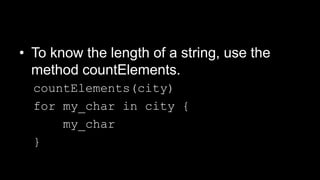
• To know the length of a string, use the
method countElements.
countElements(city)
for my_char in city {
my_char
}
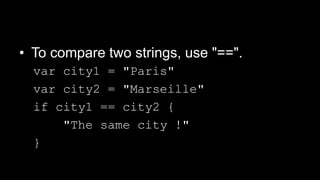
• To compare two strings, use "==".
var city1 = "Paris"
var city2 = "Marseille"
if city1 == city2 {
"The same city !"
}
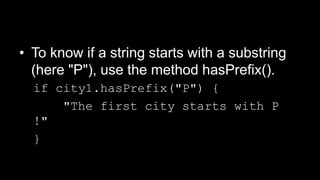
• To know if a string starts with a substring
(here "P"), use the method hasPrefix().
if city1.hasPrefix("P") {
"The first city starts with P
!"
}
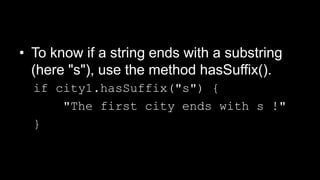
• To know if a string ends with a substring
(here "s"), use the method hasSuffix().
if city1.hasSuffix("s") {
"The first city ends with s !"
}
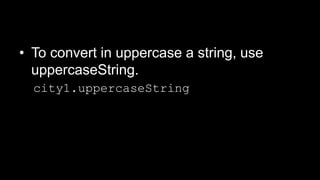
• To convert in uppercase a string, use
uppercaseString.
city1.uppercaseString
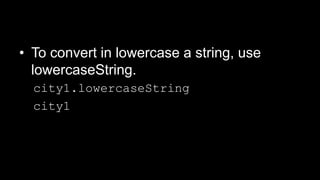
• To convert in lowercase a string, use
lowercaseString.
city1.lowercaseString
city1
THE ARRAYS
Watch on
Youtube !
Watch on
Youku !
• In this lesson, you will learn the arrays in
Swift.
• You have the choice between three
syntaxes to create an array.
var cities: Array<String>
var cities_1: String[]
var cities_2 = String[]()
• Create an array cities containing a list of
city names.
cities = ["Paris", "Lille", "Lyon"]
• Create a second array containing the
departments of these cities.
var department = [75, 59, 69]
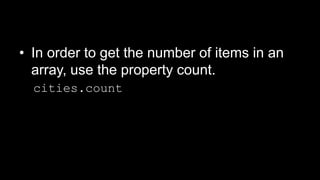
• In order to get the number of items in an
array, use the property count.
cities.count
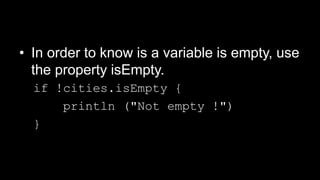
• In order to know is a variable is empty, use
the property isEmpty.
if !cities.isEmpty {
println ("Not empty !")
}
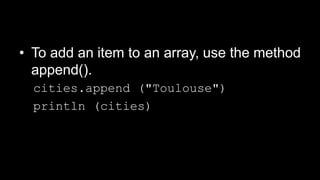
• To add an item to an array, use the method
append().
cities.append ("Toulouse")
println (cities)
• It's possible to add in one time several
items to an array. For this, use "+="
followed by an array containing the items
to add.
cities += ["Cannes", "Strasbourg"]
println (cities)
• To display the value of an item of the array
(0 here, it's the first item of the array), use
[].
cities [0]
• To modify an item of the array, proceed as
below.
cities [0] = "Nantes“
println (cities)
• You can modify in one time several items.
Here, we modify the items of index 1 to 3.
cities [1...3] = ["x", "y", "z"]
println (cities)
• To get a sub-array, ie an array containing a
suitof items from another array, use : [ .. ].
cities [1..3]
• To get the index of the last item, use
endIndex. To extract the items from an
index (here 1) to the end of an array,
proceed as below. Attention, the result
doesn't include the last item indexed
(endIndex).
cities [1..cities.endIndex]
• You can create a new array from a set of
items from another array.
Array (cities [1..3])
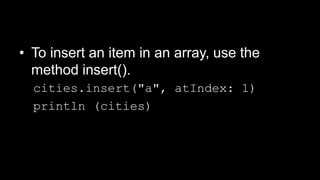
• To insert an item in an array, use the
method insert().
cities.insert("a", atIndex: 1)
println (cities)
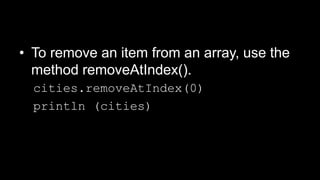
• To remove an item from an array, use the
method removeAtIndex().
cities.removeAtIndex(0)
println (cities)
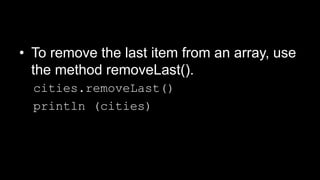
• To remove the last item from an array, use
the method removeLast().
cities.removeLast()
println (cities)
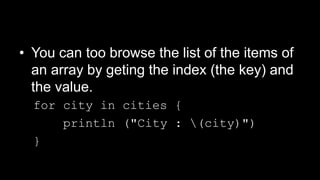
• You can too browse the list of the items of
an array by geting the index (the key) and
the value.
for city in cities {
println ("City : (city)")
}
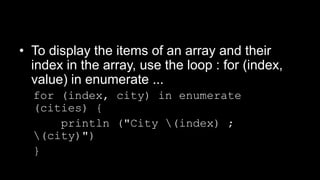
• To display the items of an array and their
index in the array, use the loop : for (index,
value) in enumerate ...
for (index, city) in enumerate
(cities) {
println ("City (index) ;
(city)")
}
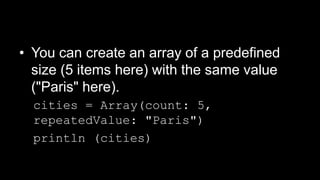
• You can create an array of a predefined
size (5 items here) with the same value
("Paris" here).
cities = Array(count: 5,
repeatedValue: "Paris")
println (cities)
• To merge two arrays, simply use the
concatenation with "+".
var cities1 = ["Paris",
"Marseille"]
var cities2 = ["Lyon", "Lille"]
cities = cities1 + cities2
println (cities)
THE DICTIONNARIES
Watch on
Youtube !
Watch on
Youku !
• In this lesson, you will study the
dictionnaries in Swift.
• Declare a variable cities2 of type Dictionary,
with as key a String and as value an Int.
var cities2: Dictionary<String, Int>
• Declare a dictionnary with the syntax ["key":
value].
var cities = ["Paris": 75, "Lille":
59]
println (cities)
• To change an item of the dictionnary,
specify the key between [] and attribute
the value.
cities ["Lyon"] = 69
println (cities)
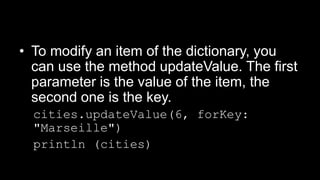
• To modify an item of the dictionary, you
can use the method updateValue. The first
parameter is the value of the item, the
second one is the key.
cities.updateValue(6, forKey:
"Marseille")
println (cities)
• You can create an array from an entry of a
dictionnary.
var department = cities
["Marseille"]
println (department)
• To remove an entry from a dictionnary, you
can attribute the value nil.
cities ["Marseille"] = nil
println (cities)
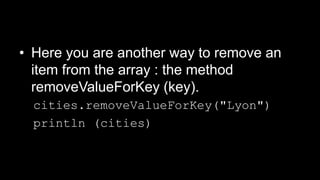
• Here you are another way to remove an
item from the array : the method
removeValueForKey (key).
cities.removeValueForKey("Lyon")
println (cities)
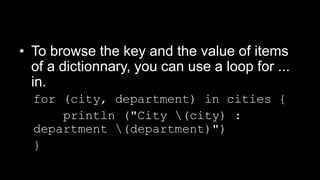
• To browse the key and the value of items
of a dictionnary, you can use a loop for ...
in.
for (city, department) in cities {
println ("City (city) :
department (department)")
}
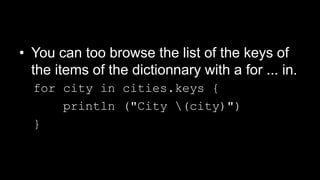
• You can too browse the list of the keys of
the items of the dictionnary with a for ... in.
for city in cities.keys {
println ("City (city)")
}
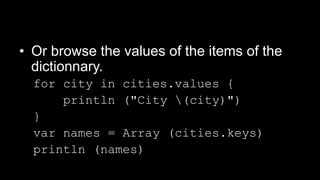
• Or browse the values of the items of the
dictionnary.
for city in cities.values {
println ("City (city)")
}
var names = Array (cities.keys)
println (names)
• To create an empty dictionnary, proceed like
this :
var cities = Dictionary<String, Int>
• To clean a dictionnary, you can attribute the
value [:].
cities = [:]
println (cities)
PROTOCOLS
Watch on
Youtube !
Watch on
Youku !
• In this lesson, you will study the protocols
in Swift.
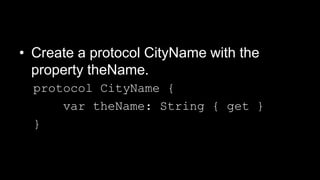
• Create a protocol CityName with the
property theName.
protocol CityName {
var theName: String { get }
}
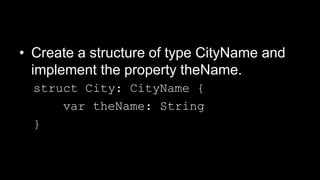
• Create a structure of type CityName and
implement the property theName.
struct City: CityName {
var theName: String
}
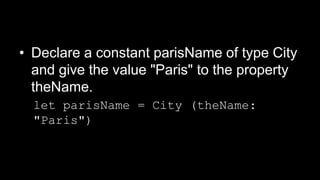
• Declare a constant parisName of type City
and give the value "Paris" to the property
theName.
let parisName = City (theName:
"Paris")
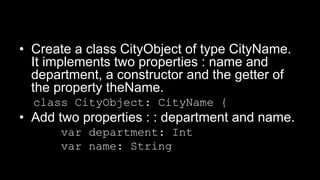
• Create a class CityObject of type CityName.
It implements two properties : name and
department, a constructor and the getter of
the property theName.
class CityObject: CityName {
• Add two properties : : department and name.
var department: Int
var name: String
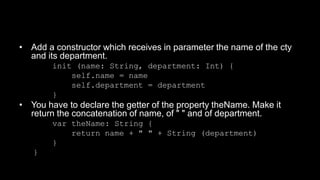
• Add a constructor which receives in parameter the name of the cty
and its department.
init (name: String, department: Int) {
self.name = name
self.department = department
}
• You have to declare the getter of the property theName. Make it
return the concatenation of name, of " " and of department.
var theName: String {
return name + " " + String (department)
}
}
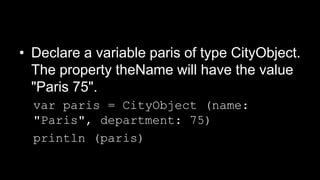
• Declare a variable paris of type CityObject.
The property theName will have the value
"Paris 75".
var paris = CityObject (name:
"Paris", department: 75)
println (paris)
THE GENETIC FUNCTIONS
Watch on
Youtube !
Watch on
Youku !
• In this lesson, you will study the generic
functions in Swift.
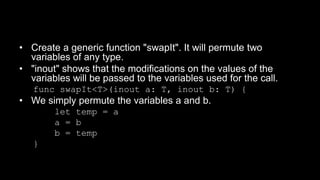
• Create a generic function "swapIt". It will permute two
variables of any type.
• "inout" shows that the modifications on the values of the
variables will be passed to the variables used for the call.
func swapIt<T>(inout a: T, inout b: T) {
• We simply permute the variables a and b.
let temp = a
a = b
b = temp
}
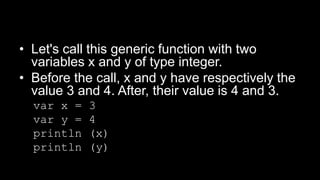
• Let's call this generic function with two
variables x and y of type integer.
• Before the call, x and y have respectively the
value 3 and 4. After, their value is 4 and 3.
var x = 3
var y = 4
println (x)
println (y)
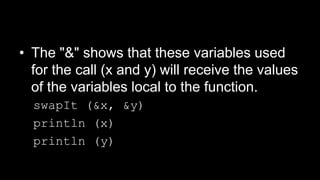
• The "&" shows that these variables used
for the call (x and y) will receive the values
of the variables local to the function.
swapIt (&x, &y)
println (x)
println (y)
THE GENERIC TYPES
Watch on
Youtube !
Watch on
Youku !
• In this lesson, you will study the generic
types in Swift.
• Create a generic type : Stack. It's a stack.
• Its shows that Stack will receive any type. <T> is the chosen type.
struct Stack<T> {
• This array will store the items.
var elements = T[]()
• The method push add a record to the array.
mutating func push(element: T) {
elements.append(element)
}
• The method pop returns the last value added to the stack and removes this item from the
array.
mutating func pop() -> T {
return elements.removeLast()
}
}
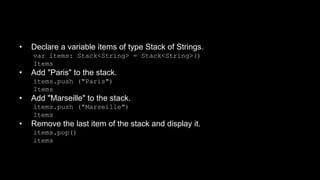
• Declare a variable items of type Stack of Strings.
var items: Stack<String> = Stack<String>()
Items
• Add "Paris" to the stack.
items.push ("Paris")
Items
• Add "Marseille" to the stack.
items.push ("Marseille")
Items
• Remove the last item of the stack and display it.
items.pop()
items
THE LOOPS
Watch on
Youtube !
Watch on
Youku !
• In this lesson, you will study the loops in
Swift.
• You can create a loop on an array and
read the value of each item.
• Create an array of Strings.
let citiesConstants = ["Paris": 75,
"Lille": 59]
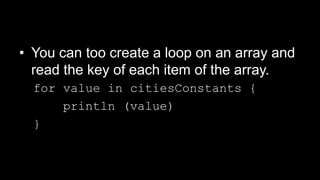
• You can too create a loop on an array and
read the key of each item of the array.
for value in citiesConstants {
println (value)
}
• Or you can create a loop on an interval of values.
var cities = ["Paris": 75, "Lille": 59]
for (key, value) in cities {
println ("(key) = (value)")
}
for i in -1..1 {
println (i)
}
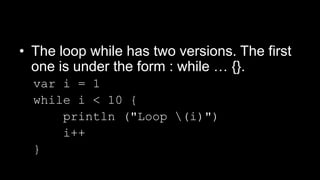
• The loop while has two versions. The first
one is under the form : while … {}.
var i = 1
while i < 10 {
println ("Loop (i)")
i++
}
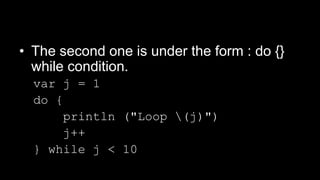
• The second one is under the form : do {}
while condition.
var j = 1
do {
println ("Loop (j)")
j++
} while j < 10
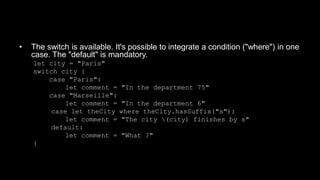
• The switch is available. It's possible to integrate a condition ("where") in one
case. The "default" is mandatory.
let city = "Paris"
switch city {
case "Paris":
let comment = "In the department 75"
case "Marseille":
let comment = "In the department 6"
case let theCity where theCity.hasSuffix("s"):
let comment = "The city (city) finishes by s"
default:
let comment = "What ?"
}
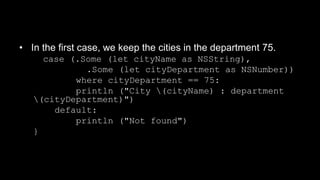
• In the first case, we keep the cities in the department 75.
case (.Some (let cityName as NSString),
.Some (let cityDepartment as NSNumber))
where cityDepartment == 75:
println ("City (cityName) : department
(cityDepartment)")
default:
println ("Not found")
}
THE FUNCTIONS
Watch on
Youtube !
Watch on
Youku !
• In this lesson, you will learn to use the
functions in Swift.
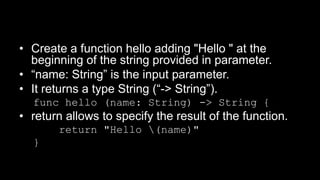
• Create a function hello adding "Hello " at the
beginning of the string provided in parameter.
• “name: String” is the input parameter.
• It returns a type String (“-> String”).
func hello (name: String) -> String {
• return allows to specify the result of the function.
return "Hello (name)"
}
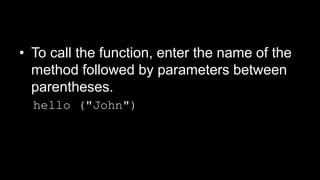
• To call the function, enter the name of the
method followed by parameters between
parentheses.
hello ("John")
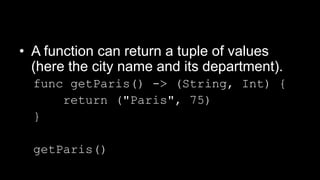
• A function can return a tuple of values
(here the city name and its department).
func getParis() -> (String, Int) {
return ("Paris", 75)
}
getParis()
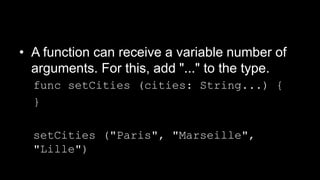
• A function can receive a variable number of
arguments. For this, add "..." to the type.
func setCities (cities: String...) {
}
setCities ("Paris", "Marseille",
"Lille")
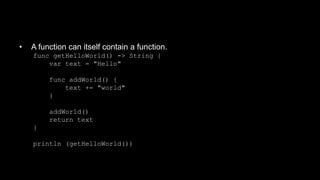
• A function can itself contain a function.
func getHelloWorld() -> String {
var text = "Hello"
func addWorld() {
text += "world"
}
addWorld()
return text
}
println (getHelloWorld())
THE CLASSES
Watch on
Youtube !
Watch on
Youku !
• In this lesson, you will learn to use the
classes in Swift.
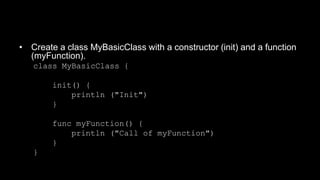
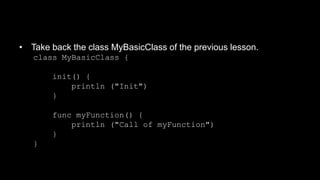
• Create a class MyBasicClass with a constructor (init) and a function
(myFunction).
class MyBasicClass {
init() {
println ("Init")
}
func myFunction() {
println ("Call of myFunction")
}
}
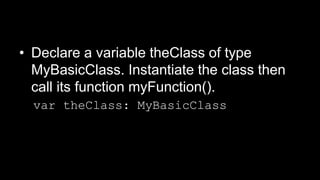
• Declare a variable theClass of type
MyBasicClass. Instantiate the class then
call its function myFunction().
var theClass: MyBasicClass
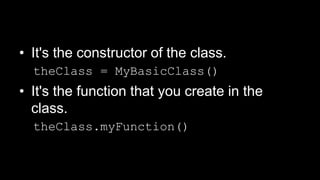
• It's the constructor of the class.
theClass = MyBasicClass()
• It's the function that you create in the
class.
theClass.myFunction()
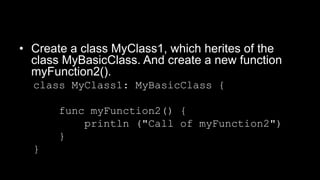
• Create a class MyClass1, which herites of the
class MyBasicClass. And create a new function
myFunction2().
class MyClass1: MyBasicClass {
func myFunction2() {
println ("Call of myFunction2")
}
}
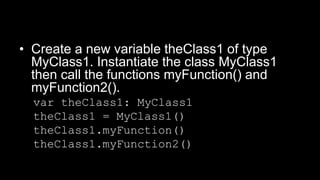
• Create a new variable theClass1 of type
MyClass1. Instantiate the class MyClass1
then call the functions myFunction() and
myFunction2().
var theClass1: MyClass1
theClass1 = MyClass1()
theClass1.myFunction()
theClass1.myFunction2()
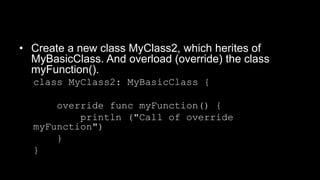
• Create a new class MyClass2, which herites of
MyBasicClass. And overload (override) the class
myFunction().
class MyClass2: MyBasicClass {
override func myFunction() {
println ("Call of override
myFunction")
}
}
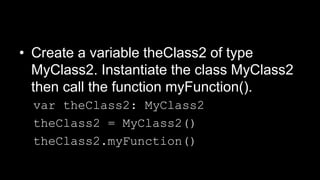
• Create a variable theClass2 of type
MyClass2. Instantiate the class MyClass2
then call the function myFunction().
var theClass2: MyClass2
theClass2 = MyClass2()
theClass2.myFunction()
• Take back the class MyBasicClass of the previous lesson.
class MyBasicClass {
init() {
println ("Init")
}
func myFunction() {
println ("Call of myFunction")
}
}
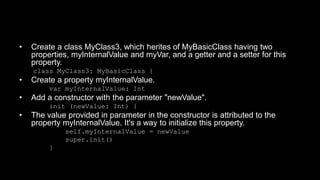
• Create a class MyClass3, which herites of MyBasicClass having two
properties, myInternalValue and myVar, and a getter and a setter for this
property.
class MyClass3: MyBasicClass {
• Create a property myInternalValue.
var myInternalValue: Int
• Add a constructor with the parameter "newValue".
init (newValue: Int) {
• The value provided in parameter in the constructor is attributed to the
property myInternalValue. It's a way to initialize this property.
self.myInternalValue = newValue
super.init()
}
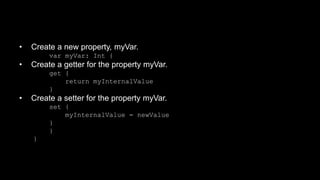
• Create a new property, myVar.
var myVar: Int {
• Create a getter for the property myVar.
get {
return myInternalValue
}
• Create a setter for the property myVar.
set {
myInternalValue = newValue
}
}
}
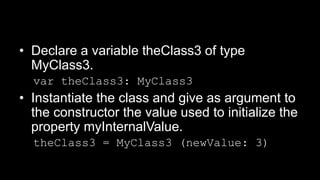
• Declare a variable theClass3 of type
MyClass3.
var theClass3: MyClass3
• Instantiate the class and give as argument to
the constructor the value used to initialize the
property myInternalValue.
theClass3 = MyClass3 (newValue: 3)
THE EXTENSIONS
Watch on
Youtube !
Watch on
Youku !
• In this lesson, you will learn to use the
extensions in Swift.
• Extend the type Array by addig a method getFirst().
• Specify that we want to extend the type Array.
extension Array {
• Create a function getFirst() returning any type (Any).
func getFirst() -> Any? {
• Return the first item of the array.
return self [0]
}
}
• Create an array theCities and call the
method getFirst().
var theCities = ["Paris",
"Marseille"]
println (theCities.getFirst())
• The first item of the array is displayed in
the console.
THE OVERLOAD OF
OPERATORS
Watch on
Youtube !
Watch on
Youku !
• In this lesson, you will learn to use the
overloads of operators in Swift.
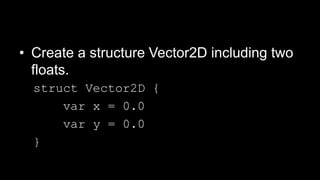
• Create a structure Vector2D including two
floats.
struct Vector2D {
var x = 0.0
var y = 0.0
}
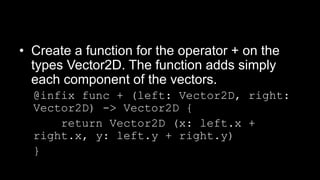
• Create a function for the operator + on the
types Vector2D. The function adds simply
each component of the vectors.
@infix func + (left: Vector2D, right:
Vector2D) -> Vector2D {
return Vector2D (x: left.x +
right.x, y: left.y + right.y)
}
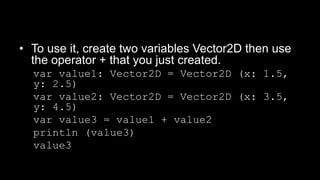
• To use it, create two variables Vector2D then use
the operator + that you just created.
var value1: Vector2D = Vector2D (x: 1.5,
y: 2.5)
var value2: Vector2D = Vector2D (x: 3.5,
y: 4.5)
var value3 = value1 + value2
println (value3)
value3
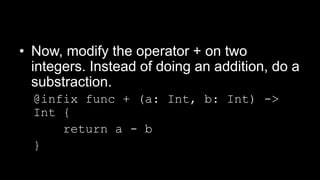
• Now, modify the operator + on two
integers. Instead of doing an addition, do a
substraction.
@infix func + (a: Int, b: Int) ->
Int {
return a - b
}
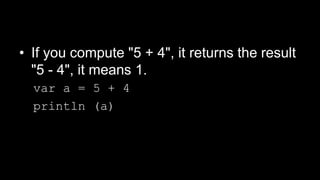
• If you compute "5 + 4", it returns the result
"5 - 4", it means 1.
var a = 5 + 4
println (a)
Follow me on my channel PengYooTV …
On my Youku channel
http://i.youku.com/brunoparis
Who am I ?
Bruno Delb (www.delb.cn),
Author of the first french book of development of Java mobile application (2002),
Consultant, project manager and developer of social & mobile applications,
let’s talk about your needs ...
And on Weibo :
http://www.weibo.com/brunodelb

Introduction to Swift (tutorial)

  • 1.
    Develop on iOS SwiftLab Test www.SwiftLabTest.com Youku By Bruno Delb www.weibo.com/brunodelb i.youku.com/brunodelb | www.weibo.com/brunodelb | blog.delb.cn http://i.youku.com/brunoparis Weibo Officialsite Introduction to Swift Watch on Youtube ! Watch on Youku !
  • 2.
  • 3.
    • In thislesson, you will learn to use the variables in Swift. • The semicolons (;) aren't mandatory at the end of each instruction. However, you can write several instructions on a same line. In this case, the ";" will be mandatory to separate the instructions.
  • 4.
    • To createa constant, it means a variable whose the value can't be changed, use "let". let city = "Paris"
  • 5.
    • To displaythe value of the variable "department", simply enter the name of the variable. var department = 74 Department • Give the value 75 to the variable department. department = 75
  • 6.
    • It's possibleto declare several variables on a same line and to give them a value. var city1 = "Paris", city2 = "Marseille" • Enter "city1" to display its value. city1
  • 7.
    • To declarea variable of type String, add ": String". var city3: String • Then you can give a value. city3 = "Paris" • Control its value. city3
  • 8.
  • 9.
    • In thislesson, you will learn the comments in Swift.
  • 10.
    • To adda comment on one line, insert "//" in front of the comment. // Comment on one line
  • 11.
    • To adda comment on several lines, use /* to start the comment, */ to finish it. /* Comment on several lines */
  • 12.
    • It's possibleto create a comment inside another comment. Useful to comment several lines of code including already a comment. /* Comment on several lines /* and nested comments */ */
  • 13.
  • 14.
    • In thislesson, you will learn integers in Swift.
  • 15.
    • To declarea variable of type integer, add ": Int" after the name of the variable. • To create a signed integer, it means able to receive a positive or negative value, proceed like this. var my_int: Int
  • 16.
    • Give thevalue -10 to the variable my_int2, of type unsigned integer. my_int = -10 • You can create a variable of type integer but not signed, it means it accepts only positive numbers. var my_int2:UInt • Give the value 10 to the variable my_int2. my_int2 = 10
  • 17.
    • There areseveral types of integers, depending on the capacity. // Signed integers : var i1: Int8 var i2: Int16 var i3: Int32 var i4: Int64
  • 18.
    • There aretoo the equivalents types for the unsigned integers. // Unsigned integers : var u1: UInt8 var u2: UInt16 var u3: UInt32 var u4: UInt64 u4 = 3
  • 19.
    THE FLOATS ANDTHE BIG VALUES Watch on Youtube ! Watch on Youku !
  • 20.
    • In thislesson, you will learn to use the float numbers and big values in Swift.
  • 21.
    • To declarea float variable, add a suffix ": Float" to the name of the variable. var my_float: Float • To give a value, it's as usual. my_float = 1.5
  • 22.
    • Now, weare going to discover a specific notation for variables with big values. • Create a variable big_value1 with the value 1000000. var big_value1 = 1000000 • Create a second variable with the same value, but use "_" as separator for thousands. var big_value2 = 1_000_000 • The both values are the same ! To use "_" allows to improve the readability of big values. Verify the two variables are the same by using "==". big_value1 == big_value2
  • 23.
    THE CONVERSION OFTYPE Watch on Youtube ! Watch on Youku !
  • 24.
    • In thislesson, you will study the conversions of type in Swift.
  • 25.
    • To converta string (here "75"), use toInt(). var department = "75".toInt() • To know if the conversion succeeded, just test the variable. if department { } • If the conversion fails, like here, department has the value "nil". department = "abc".toInt()
  • 26.
    • Declare twovariables : the first one an integer number, the second one a decimal. var var_int = 1 var var_double = 1.5 • To convert an integer into a decimal (Double), use Double(). var new_double = Double(var_int) * var_double • To convert a Double number into integer, use Int(). var new_int = var_int * Int(var_double)
  • 27.
  • 28.
    • In thislesson, you will learn the attribution of value in Swift.
  • 29.
    • Declare avariable "city". var city = "Paris" • Give the value "Marseille" to this variable. city = "Marseille" • Test if the value of the variable city is "Paris". if city == "Paris" { }
  • 30.
    • If youwant to destroy a variable, you have to use "nil". • However, beforehand, you have to declare the variable with a "?" after the type : var department: int? var department: Int? • Now, give the value (75 for example) then give the value nil. department = 75 department = nil
  • 31.
    • Now, let'ssee the assertions. It's a assumption. If the condition in first parameter is not fulfilled, the message in second position is displayed and the script stops. var department2 = 75 assert (department > 0, "Department must be > 0")
  • 32.
  • 33.
    • In thislesson, you will learn to use the arithmetic operators in Swift.
  • 34.
    • To incrementa variable, use "+". var my_int = 1 + 1 • To decrement a variable, use "-". my_int = 3 – 1 • To do a multiplication, use "*". my_int = 2 * 3 • To do a division, use "/". my_int = 5 / 2
  • 35.
    • To concatenatetwo strings, use "+". var my_string = "Hello" my_string = "Hello" + "world"
  • 36.
    • To getthe remainder of a division, use "%". var my_int2 = 3%2
  • 37.
    • There atwo others ways to do increments. With "my_int3++", returns the value of the variable then increment. With "++my_int3", increment the value then return the value of the variable. var my_int3 = 0 my_int3 = my_int3 + 1 my_int3++ ++my_int3
  • 38.
    • There aretwo others ways to do decrements. With "my_int3--", return the value of the variable then decrement. With "--my_int3", decrement the value then return the value of the variable. </source> my_int3 = my_int3 - 1 my_int3-- --my_int3
  • 39.
    • At last,it's possible do use a simplified syntax for incrementint (or any other arithmetic operation). Here, read "my_int4 = my_int4 + 2". var my_int4 = 1 my_int4 += 2
  • 40.
  • 41.
    • In thislesson, you will learn to use the comparision in Swift.
  • 42.
    • Declare twovariables i and j. var i = 3 var j = 3 • "==" return true if the variables are equals. i == j • "!=" return true if they are differentes. i != j
  • 43.
    • “>" returntrue if the first one is greater than the second one. i > j • “<" return true if the first one is less than the second one. i < j • “>=" return true if the first one is greater or equal to the second one. i >= j • “<=" return true if the first one is less or equal to the second one. i <= j
  • 44.
    • "===" returnif the two objects (here variables) refer to the same instance. i === j • "!==" return true if they are differents. i !== j
  • 45.
    • Create avariable city with the value "Paris" and test its value in a "if". var city = "Paris" city == "Paris“ if city == "Paris" { "Paris !" }
  • 46.
    • Now, let'ssee another useful notation : the conditional ternary operator ("... ? ... : ..."). If the first block ("capital") equals true, then the result is the second block ("Paris"), else the third block ("Marseille"). var capital = true var city2 = capital ? "Paris" : "Marseille"
  • 47.
    • To combinethe conditions, use "&&" to express the logical "and". var department = 75 var city3 = "Paris" if department == 6 && city3 != "Marseille" { "City of the department 6, but not Marseille" }
  • 48.
    • To expressthe logical "or", use "||". if department == 6 || department == 69 { "City in the department 6 or in the department 69" } if department == 75 || department == 74 { "City in the department 75 or in the department 74" }
  • 49.
    THE STRINGS (STRINGS) Watchon Youtube ! Watch on Youku !
  • 50.
    • In thislesson, you will learn to use the strings in Swift.
  • 51.
    • Declare avariable gender of type Character. var gender: Character • Declare a variable name of type String. var name: String • Give the value "M" to the variable gender. gender = "M" • Give the value "paul" to the variable name. name = "paul"
  • 52.
    • To usequotations (") in a string, use the escape character . var my_string = "Hello" var my_string2 = "Hello "Paul""
  • 53.
    • You canintegrate the value of a variable in a string. For this, enclose the variable with "(" and ")". var my_string3 = "Hello (name)"
  • 54.
    • To createan empty string, use "". To test if the string is empty, you can use isEmpty. var city = "" if city.isEmpty { "Empty !" }
  • 55.
    • Another wayto create an empty string is to give the value String(). var city2 = String() if city2.isEmpty { "Empty !" }
  • 56.
    THE HANDLING OFSTRINGS (STRINGS) Watch on Youtube ! Watch on Youku !
  • 57.
    • In thislesson, you will learn to handle strings in Swift.
  • 58.
    • Create avariable city_with_error of type String. var city_with_error = "Pari" • Declare a variable suffix of type Character. var suffix: Character = "s" • To concatenate these two variables, use "+". var city = city_with_error + suffix
  • 59.
    • To knowthe length of a string, use the method countElements. countElements(city) for my_char in city { my_char }
  • 60.
    • To comparetwo strings, use "==". var city1 = "Paris" var city2 = "Marseille" if city1 == city2 { "The same city !" }
  • 61.
    • To knowif a string starts with a substring (here "P"), use the method hasPrefix(). if city1.hasPrefix("P") { "The first city starts with P !" }
  • 62.
    • To knowif a string ends with a substring (here "s"), use the method hasSuffix(). if city1.hasSuffix("s") { "The first city ends with s !" }
  • 63.
    • To convertin uppercase a string, use uppercaseString. city1.uppercaseString
  • 64.
    • To convertin lowercase a string, use lowercaseString. city1.lowercaseString city1
  • 65.
    THE ARRAYS Watch on Youtube! Watch on Youku !
  • 66.
    • In thislesson, you will learn the arrays in Swift.
  • 67.
    • You havethe choice between three syntaxes to create an array. var cities: Array<String> var cities_1: String[] var cities_2 = String[]()
  • 68.
    • Create anarray cities containing a list of city names. cities = ["Paris", "Lille", "Lyon"] • Create a second array containing the departments of these cities. var department = [75, 59, 69]
  • 69.
    • In orderto get the number of items in an array, use the property count. cities.count
  • 70.
    • In orderto know is a variable is empty, use the property isEmpty. if !cities.isEmpty { println ("Not empty !") }
  • 71.
    • To addan item to an array, use the method append(). cities.append ("Toulouse") println (cities)
  • 72.
    • It's possibleto add in one time several items to an array. For this, use "+=" followed by an array containing the items to add. cities += ["Cannes", "Strasbourg"] println (cities)
  • 73.
    • To displaythe value of an item of the array (0 here, it's the first item of the array), use []. cities [0]
  • 74.
    • To modifyan item of the array, proceed as below. cities [0] = "Nantes“ println (cities)
  • 75.
    • You canmodify in one time several items. Here, we modify the items of index 1 to 3. cities [1...3] = ["x", "y", "z"] println (cities)
  • 76.
    • To geta sub-array, ie an array containing a suitof items from another array, use : [ .. ]. cities [1..3]
  • 77.
    • To getthe index of the last item, use endIndex. To extract the items from an index (here 1) to the end of an array, proceed as below. Attention, the result doesn't include the last item indexed (endIndex). cities [1..cities.endIndex]
  • 78.
    • You cancreate a new array from a set of items from another array. Array (cities [1..3])
  • 79.
    • To insertan item in an array, use the method insert(). cities.insert("a", atIndex: 1) println (cities)
  • 80.
    • To removean item from an array, use the method removeAtIndex(). cities.removeAtIndex(0) println (cities)
  • 81.
    • To removethe last item from an array, use the method removeLast(). cities.removeLast() println (cities)
  • 82.
    • You cantoo browse the list of the items of an array by geting the index (the key) and the value. for city in cities { println ("City : (city)") }
  • 83.
    • To displaythe items of an array and their index in the array, use the loop : for (index, value) in enumerate ... for (index, city) in enumerate (cities) { println ("City (index) ; (city)") }
  • 84.
    • You cancreate an array of a predefined size (5 items here) with the same value ("Paris" here). cities = Array(count: 5, repeatedValue: "Paris") println (cities)
  • 85.
    • To mergetwo arrays, simply use the concatenation with "+". var cities1 = ["Paris", "Marseille"] var cities2 = ["Lyon", "Lille"] cities = cities1 + cities2 println (cities)
  • 86.
  • 87.
    • In thislesson, you will study the dictionnaries in Swift.
  • 88.
    • Declare avariable cities2 of type Dictionary, with as key a String and as value an Int. var cities2: Dictionary<String, Int> • Declare a dictionnary with the syntax ["key": value]. var cities = ["Paris": 75, "Lille": 59] println (cities)
  • 89.
    • To changean item of the dictionnary, specify the key between [] and attribute the value. cities ["Lyon"] = 69 println (cities)
  • 90.
    • To modifyan item of the dictionary, you can use the method updateValue. The first parameter is the value of the item, the second one is the key. cities.updateValue(6, forKey: "Marseille") println (cities)
  • 91.
    • You cancreate an array from an entry of a dictionnary. var department = cities ["Marseille"] println (department)
  • 92.
    • To removean entry from a dictionnary, you can attribute the value nil. cities ["Marseille"] = nil println (cities)
  • 93.
    • Here youare another way to remove an item from the array : the method removeValueForKey (key). cities.removeValueForKey("Lyon") println (cities)
  • 94.
    • To browsethe key and the value of items of a dictionnary, you can use a loop for ... in. for (city, department) in cities { println ("City (city) : department (department)") }
  • 95.
    • You cantoo browse the list of the keys of the items of the dictionnary with a for ... in. for city in cities.keys { println ("City (city)") }
  • 96.
    • Or browsethe values of the items of the dictionnary. for city in cities.values { println ("City (city)") } var names = Array (cities.keys) println (names)
  • 97.
    • To createan empty dictionnary, proceed like this : var cities = Dictionary<String, Int> • To clean a dictionnary, you can attribute the value [:]. cities = [:] println (cities)
  • 98.
  • 99.
    • In thislesson, you will study the protocols in Swift.
  • 100.
    • Create aprotocol CityName with the property theName. protocol CityName { var theName: String { get } }
  • 101.
    • Create astructure of type CityName and implement the property theName. struct City: CityName { var theName: String }
  • 102.
    • Declare aconstant parisName of type City and give the value "Paris" to the property theName. let parisName = City (theName: "Paris")
  • 103.
    • Create aclass CityObject of type CityName. It implements two properties : name and department, a constructor and the getter of the property theName. class CityObject: CityName { • Add two properties : : department and name. var department: Int var name: String
  • 104.
    • Add aconstructor which receives in parameter the name of the cty and its department. init (name: String, department: Int) { self.name = name self.department = department } • You have to declare the getter of the property theName. Make it return the concatenation of name, of " " and of department. var theName: String { return name + " " + String (department) } }
  • 105.
    • Declare avariable paris of type CityObject. The property theName will have the value "Paris 75". var paris = CityObject (name: "Paris", department: 75) println (paris)
  • 106.
    THE GENETIC FUNCTIONS Watchon Youtube ! Watch on Youku !
  • 107.
    • In thislesson, you will study the generic functions in Swift.
  • 108.
    • Create ageneric function "swapIt". It will permute two variables of any type. • "inout" shows that the modifications on the values of the variables will be passed to the variables used for the call. func swapIt<T>(inout a: T, inout b: T) { • We simply permute the variables a and b. let temp = a a = b b = temp }
  • 109.
    • Let's callthis generic function with two variables x and y of type integer. • Before the call, x and y have respectively the value 3 and 4. After, their value is 4 and 3. var x = 3 var y = 4 println (x) println (y)
  • 110.
    • The "&"shows that these variables used for the call (x and y) will receive the values of the variables local to the function. swapIt (&x, &y) println (x) println (y)
  • 111.
    THE GENERIC TYPES Watchon Youtube ! Watch on Youku !
  • 112.
    • In thislesson, you will study the generic types in Swift.
  • 113.
    • Create ageneric type : Stack. It's a stack. • Its shows that Stack will receive any type. <T> is the chosen type. struct Stack<T> { • This array will store the items. var elements = T[]() • The method push add a record to the array. mutating func push(element: T) { elements.append(element) } • The method pop returns the last value added to the stack and removes this item from the array. mutating func pop() -> T { return elements.removeLast() } }
  • 114.
    • Declare avariable items of type Stack of Strings. var items: Stack<String> = Stack<String>() Items • Add "Paris" to the stack. items.push ("Paris") Items • Add "Marseille" to the stack. items.push ("Marseille") Items • Remove the last item of the stack and display it. items.pop() items
  • 115.
    THE LOOPS Watch on Youtube! Watch on Youku !
  • 116.
    • In thislesson, you will study the loops in Swift.
  • 117.
    • You cancreate a loop on an array and read the value of each item. • Create an array of Strings. let citiesConstants = ["Paris": 75, "Lille": 59]
  • 118.
    • You cantoo create a loop on an array and read the key of each item of the array. for value in citiesConstants { println (value) }
  • 119.
    • Or youcan create a loop on an interval of values. var cities = ["Paris": 75, "Lille": 59] for (key, value) in cities { println ("(key) = (value)") } for i in -1..1 { println (i) }
  • 120.
    • The loopwhile has two versions. The first one is under the form : while … {}. var i = 1 while i < 10 { println ("Loop (i)") i++ }
  • 121.
    • The secondone is under the form : do {} while condition. var j = 1 do { println ("Loop (j)") j++ } while j < 10
  • 122.
    • The switchis available. It's possible to integrate a condition ("where") in one case. The "default" is mandatory. let city = "Paris" switch city { case "Paris": let comment = "In the department 75" case "Marseille": let comment = "In the department 6" case let theCity where theCity.hasSuffix("s"): let comment = "The city (city) finishes by s" default: let comment = "What ?" }
  • 123.
    • In thefirst case, we keep the cities in the department 75. case (.Some (let cityName as NSString), .Some (let cityDepartment as NSNumber)) where cityDepartment == 75: println ("City (cityName) : department (cityDepartment)") default: println ("Not found") }
  • 124.
  • 125.
    • In thislesson, you will learn to use the functions in Swift.
  • 126.
    • Create afunction hello adding "Hello " at the beginning of the string provided in parameter. • “name: String” is the input parameter. • It returns a type String (“-> String”). func hello (name: String) -> String { • return allows to specify the result of the function. return "Hello (name)" }
  • 127.
    • To callthe function, enter the name of the method followed by parameters between parentheses. hello ("John")
  • 128.
    • A functioncan return a tuple of values (here the city name and its department). func getParis() -> (String, Int) { return ("Paris", 75) } getParis()
  • 129.
    • A functioncan receive a variable number of arguments. For this, add "..." to the type. func setCities (cities: String...) { } setCities ("Paris", "Marseille", "Lille")
  • 130.
    • A functioncan itself contain a function. func getHelloWorld() -> String { var text = "Hello" func addWorld() { text += "world" } addWorld() return text } println (getHelloWorld())
  • 131.
    THE CLASSES Watch on Youtube! Watch on Youku !
  • 132.
    • In thislesson, you will learn to use the classes in Swift.
  • 133.
    • Create aclass MyBasicClass with a constructor (init) and a function (myFunction). class MyBasicClass { init() { println ("Init") } func myFunction() { println ("Call of myFunction") } }
  • 134.
    • Declare avariable theClass of type MyBasicClass. Instantiate the class then call its function myFunction(). var theClass: MyBasicClass
  • 135.
    • It's theconstructor of the class. theClass = MyBasicClass() • It's the function that you create in the class. theClass.myFunction()
  • 136.
    • Create aclass MyClass1, which herites of the class MyBasicClass. And create a new function myFunction2(). class MyClass1: MyBasicClass { func myFunction2() { println ("Call of myFunction2") } }
  • 137.
    • Create anew variable theClass1 of type MyClass1. Instantiate the class MyClass1 then call the functions myFunction() and myFunction2(). var theClass1: MyClass1 theClass1 = MyClass1() theClass1.myFunction() theClass1.myFunction2()
  • 138.
    • Create anew class MyClass2, which herites of MyBasicClass. And overload (override) the class myFunction(). class MyClass2: MyBasicClass { override func myFunction() { println ("Call of override myFunction") } }
  • 139.
    • Create avariable theClass2 of type MyClass2. Instantiate the class MyClass2 then call the function myFunction(). var theClass2: MyClass2 theClass2 = MyClass2() theClass2.myFunction()
  • 140.
    • Take backthe class MyBasicClass of the previous lesson. class MyBasicClass { init() { println ("Init") } func myFunction() { println ("Call of myFunction") } }
  • 141.
    • Create aclass MyClass3, which herites of MyBasicClass having two properties, myInternalValue and myVar, and a getter and a setter for this property. class MyClass3: MyBasicClass { • Create a property myInternalValue. var myInternalValue: Int • Add a constructor with the parameter "newValue". init (newValue: Int) { • The value provided in parameter in the constructor is attributed to the property myInternalValue. It's a way to initialize this property. self.myInternalValue = newValue super.init() }
  • 142.
    • Create anew property, myVar. var myVar: Int { • Create a getter for the property myVar. get { return myInternalValue } • Create a setter for the property myVar. set { myInternalValue = newValue } } }
  • 143.
    • Declare avariable theClass3 of type MyClass3. var theClass3: MyClass3 • Instantiate the class and give as argument to the constructor the value used to initialize the property myInternalValue. theClass3 = MyClass3 (newValue: 3)
  • 144.
  • 145.
    • In thislesson, you will learn to use the extensions in Swift.
  • 146.
    • Extend thetype Array by addig a method getFirst(). • Specify that we want to extend the type Array. extension Array { • Create a function getFirst() returning any type (Any). func getFirst() -> Any? { • Return the first item of the array. return self [0] } }
  • 147.
    • Create anarray theCities and call the method getFirst(). var theCities = ["Paris", "Marseille"] println (theCities.getFirst()) • The first item of the array is displayed in the console.
  • 148.
    THE OVERLOAD OF OPERATORS Watchon Youtube ! Watch on Youku !
  • 149.
    • In thislesson, you will learn to use the overloads of operators in Swift.
  • 150.
    • Create astructure Vector2D including two floats. struct Vector2D { var x = 0.0 var y = 0.0 }
  • 151.
    • Create afunction for the operator + on the types Vector2D. The function adds simply each component of the vectors. @infix func + (left: Vector2D, right: Vector2D) -> Vector2D { return Vector2D (x: left.x + right.x, y: left.y + right.y) }
  • 152.
    • To useit, create two variables Vector2D then use the operator + that you just created. var value1: Vector2D = Vector2D (x: 1.5, y: 2.5) var value2: Vector2D = Vector2D (x: 3.5, y: 4.5) var value3 = value1 + value2 println (value3) value3
  • 153.
    • Now, modifythe operator + on two integers. Instead of doing an addition, do a substraction. @infix func + (a: Int, b: Int) -> Int { return a - b }
  • 154.
    • If youcompute "5 + 4", it returns the result "5 - 4", it means 1. var a = 5 + 4 println (a)
  • 155.
    Follow me onmy channel PengYooTV … On my Youku channel http://i.youku.com/brunoparis Who am I ? Bruno Delb (www.delb.cn), Author of the first french book of development of Java mobile application (2002), Consultant, project manager and developer of social & mobile applications, let’s talk about your needs ... And on Weibo : http://www.weibo.com/brunodelb