SWIFT Programming basics
Contents
 Variables
 Constants
 Using print statement
 Data Types
 Operators
Kanika Sharma
2
Variables
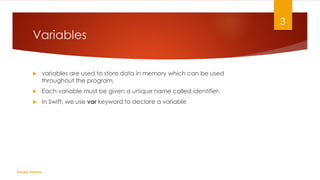
 variables are used to store data in memory which can be used
throughout the program.
 Each variable must be given a unique name called identifier.
 In Swift, we use var keyword to declare a variable
Kanika Sharma
3
Assigning values to variables
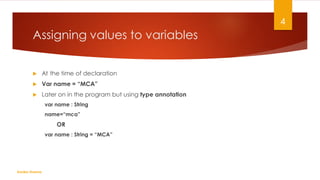
 At the time of declaration
 Var name = “MCA”
 Later on in the program but using type annotation
var name : String
name=“mca”
OR
var name : String = “MCA”
Kanika Sharma
4
Constants
 In Swift, we use let keyword to declare a variable
Kanika Sharma
5
Literal
 A literal is a value that appears directly in your source code.
 It can be a number, character, or a string etc. For e.g: "Hello, World" , 12,
23.0, "C" are simple example of literals.
 Literals are often used to initialize (assign values to) variables or constants.
Kanika Sharma
6
Types of Literal
 Integer Literal
 Binary Literals
 Represents binary value.
 Begins with 0b.
 Octal Literals
 Represents octal value.
 Begins with 0o.
 Hexadecimal Literals
 Represents hexadecimal value.
 Begins with 0x.
 Decimal Literals
 Represents decimal value.
 Begins with nothing. Everything you declare in integer literal is of type decimal.
Kanika Sharma
7
Types of Literal
 String Literal
 Character Literal
 Decimal
 Boolean
Kanika Sharma
8
Best practices for naming Variable &
Constants
 Choose a name that makes sense. For example, var name makes more sense
than var n.
 Use camelCase notation to declare a variable or a constant. Camel-case
notation starts with lowercase letter.
 You can also define variables and constants without labeling it. Not labeling
with name means you are not going to use it in the program.
 Use constants if you only need to set a value once and never need to change
it again during a program. However, if you do need to change it at a later
point, use variables.
 Constant and variable names cannot contain whitespace characters,
mathematical symbols, arrows, private-use (or invalid) Unicode code points, or
line- and box-drawing characters. Nor can they begin with a number,
although numbers may be included elsewhere within the name.
Kanika Sharma
9
Using print statement
 Printing to the screen using simple print() function
 Print(“hello”)
 Printing constants, variables and literals
 Print(45)
 Printing without a link break using terminator parameter
 print("Hello”, terminator: " ")
 print(“MCA")
 print(“Welcome")
Kanika Sharma
10
Using print statement
 Printing multiple items using single print function
 print(“Welcome to", 2020, “MCA", separator: " ")
 Printing multiple lines
 print("Hello, rMCA")
 Printing multiple lines using triple quotes
 print("""
 Hello,
 MCA
 """)
Kanika Sharma
11
Using print statement
 Printing variables using string interpolation
var a = 10
var b = 20
var c = a + b
print("sum of (a) and (b) is",c)
Kanika Sharma
12
Example on print
var a = 10print(a) // Value
print(111) //Literal
print("Welcome",terminator:" ")
print("MCA")
print("Bye")
print("welcome","MCA","in",2020, separator:" .")
print("Hello rMCA")
print(""“
I
Am
SWIFT
""")
Kanika Sharma
13
Data Types
 Swift offers a collection of built-in data types which are string, integer,
floating-point numbers, and Booleans.
Kanika Sharma
14
Integers(Int)
 Integers (Int) are whole numbers.
 Variable/Constant declared of integer type can store whole numbers both positive and
negative including zero with no fractional components .
 Default Value: 0
 Size: 32/64 bit depends on the platform type.
 Range: -2,147,483,648 to 2,147,483,647 (32 bit platform)
 -9223372036854775808 to 9223372036854775807 (64 bit platform
 There are many variants of Integer type.e.g. UInt, Int8, Int16 etc. The most common one you use
is of Int.
 If you have a requirement to specify the size/type of integer a variable/constant can hold, you
can store it more specifically using UInt, Int8, Int16 etc.
Kanika Sharma
15
Integers(Int8)
 Int8
 Variant of Integer type that can store both positive and negative small
numbers.
 Default Value: 0
 Size: 8 bit
 Range: -128 to 127
 You can also find out the highest and lowest value a type can store using
.min and .max .
Kanika Sharma
16
Integers(Uint)
 Variant of Integer type called UInt (Unsigned Integer) which can only store
unsigned numbers (positive or zero).
 Default Value: 0
 Size: 32/64 bit depends on the platform type.
 Range: 0 to 4294967295 (32 bit platform)
 0 to 18446744073709551615 (64 bit platform)
Kanika Sharma
17
Floating Point (Float)
 Variables or Constants declared of float type can store number with
decimal or fraction points.
 Floating-point numbers are numbers with a fractional component, such as
4.993, 0.5, and −234.99.
 Default Value: 0.0
 Size: 32 bit floating point number.
 Range: 1.2*10-38 to 3.4 * 1038 (~6 digits)
Kanika Sharma
18
Floating Point (Double)
 Variables / Constants declared of Double type also stores number with
decimal or fraction points as Float but larger decimal points than Float
supports.
 Default value : 0.0
 Size: 64-bit floating point number. (Therefore, a variable of type Double can
store number with decimal or fraction points larger than Float supports)
 Range: 2.3*10-308 to 1.7*10308 (~15 digits)
Kanika Sharma
19
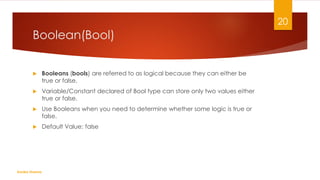
Boolean(Bool)
 Booleans (bools) are referred to as logical because they can either be
true or false.
 Variable/Constant declared of Bool type can store only two values either
true or false.
 Use Booleans when you need to determine whether some logic is true or
false.
 Default Value: false
Kanika Sharma
20
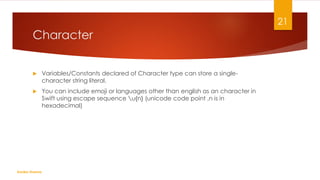
Character
 Variables/Constants declared of Character type can store a single-
character string literal.
 You can include emoji or languages other than english as an character in
Swift using escape sequence u{n} (unicode code point ,n is in
hexadecimal)
Kanika Sharma
21
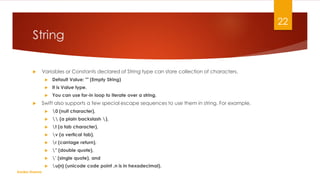
String
 Variables or Constants declared of String type can store collection of characters.
 Default Value: "" (Empty String)
 It is Value type.
 You can use for-in loop to iterate over a string.
 Swift also supports a few special escape sequences to use them in string. For example,
 0 (null character),
  (a plain backslash ),
 t (a tab character),
 v (a vertical tab),
 r (carriage return),
 " (double quote),
 ' (single quote), and
 u{n} (unicode code point ,n is in hexadecimal).
Kanika Sharma
22
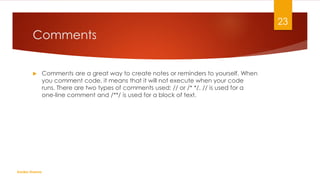
Comments
 Comments are a great way to create notes or reminders to yourself. When
you comment code, it means that it will not execute when your code
runs. There are two types of comments used: // or /* */. // is used for a
one-line comment and /**/ is used for a block of text.
Kanika Sharma
23

Variables and data types IN SWIFT

  • 1.
  • 2.
    Contents  Variables  Constants Using print statement  Data Types  Operators Kanika Sharma 2
  • 3.
    Variables  variables areused to store data in memory which can be used throughout the program.  Each variable must be given a unique name called identifier.  In Swift, we use var keyword to declare a variable Kanika Sharma 3
  • 4.
    Assigning values tovariables  At the time of declaration  Var name = “MCA”  Later on in the program but using type annotation var name : String name=“mca” OR var name : String = “MCA” Kanika Sharma 4
  • 5.
    Constants  In Swift,we use let keyword to declare a variable Kanika Sharma 5
  • 6.
    Literal  A literalis a value that appears directly in your source code.  It can be a number, character, or a string etc. For e.g: "Hello, World" , 12, 23.0, "C" are simple example of literals.  Literals are often used to initialize (assign values to) variables or constants. Kanika Sharma 6
  • 7.
    Types of Literal Integer Literal  Binary Literals  Represents binary value.  Begins with 0b.  Octal Literals  Represents octal value.  Begins with 0o.  Hexadecimal Literals  Represents hexadecimal value.  Begins with 0x.  Decimal Literals  Represents decimal value.  Begins with nothing. Everything you declare in integer literal is of type decimal. Kanika Sharma 7
  • 8.
    Types of Literal String Literal  Character Literal  Decimal  Boolean Kanika Sharma 8
  • 9.
    Best practices fornaming Variable & Constants  Choose a name that makes sense. For example, var name makes more sense than var n.  Use camelCase notation to declare a variable or a constant. Camel-case notation starts with lowercase letter.  You can also define variables and constants without labeling it. Not labeling with name means you are not going to use it in the program.  Use constants if you only need to set a value once and never need to change it again during a program. However, if you do need to change it at a later point, use variables.  Constant and variable names cannot contain whitespace characters, mathematical symbols, arrows, private-use (or invalid) Unicode code points, or line- and box-drawing characters. Nor can they begin with a number, although numbers may be included elsewhere within the name. Kanika Sharma 9
  • 10.
    Using print statement Printing to the screen using simple print() function  Print(“hello”)  Printing constants, variables and literals  Print(45)  Printing without a link break using terminator parameter  print("Hello”, terminator: " ")  print(“MCA")  print(“Welcome") Kanika Sharma 10
  • 11.
    Using print statement Printing multiple items using single print function  print(“Welcome to", 2020, “MCA", separator: " ")  Printing multiple lines  print("Hello, rMCA")  Printing multiple lines using triple quotes  print("""  Hello,  MCA  """) Kanika Sharma 11
  • 12.
    Using print statement Printing variables using string interpolation var a = 10 var b = 20 var c = a + b print("sum of (a) and (b) is",c) Kanika Sharma 12
  • 13.
    Example on print vara = 10print(a) // Value print(111) //Literal print("Welcome",terminator:" ") print("MCA") print("Bye") print("welcome","MCA","in",2020, separator:" .") print("Hello rMCA") print(""“ I Am SWIFT """) Kanika Sharma 13
  • 14.
    Data Types  Swiftoffers a collection of built-in data types which are string, integer, floating-point numbers, and Booleans. Kanika Sharma 14
  • 15.
    Integers(Int)  Integers (Int)are whole numbers.  Variable/Constant declared of integer type can store whole numbers both positive and negative including zero with no fractional components .  Default Value: 0  Size: 32/64 bit depends on the platform type.  Range: -2,147,483,648 to 2,147,483,647 (32 bit platform)  -9223372036854775808 to 9223372036854775807 (64 bit platform  There are many variants of Integer type.e.g. UInt, Int8, Int16 etc. The most common one you use is of Int.  If you have a requirement to specify the size/type of integer a variable/constant can hold, you can store it more specifically using UInt, Int8, Int16 etc. Kanika Sharma 15
  • 16.
    Integers(Int8)  Int8  Variantof Integer type that can store both positive and negative small numbers.  Default Value: 0  Size: 8 bit  Range: -128 to 127  You can also find out the highest and lowest value a type can store using .min and .max . Kanika Sharma 16
  • 17.
    Integers(Uint)  Variant ofInteger type called UInt (Unsigned Integer) which can only store unsigned numbers (positive or zero).  Default Value: 0  Size: 32/64 bit depends on the platform type.  Range: 0 to 4294967295 (32 bit platform)  0 to 18446744073709551615 (64 bit platform) Kanika Sharma 17
  • 18.
    Floating Point (Float) Variables or Constants declared of float type can store number with decimal or fraction points.  Floating-point numbers are numbers with a fractional component, such as 4.993, 0.5, and −234.99.  Default Value: 0.0  Size: 32 bit floating point number.  Range: 1.2*10-38 to 3.4 * 1038 (~6 digits) Kanika Sharma 18
  • 19.
    Floating Point (Double) Variables / Constants declared of Double type also stores number with decimal or fraction points as Float but larger decimal points than Float supports.  Default value : 0.0  Size: 64-bit floating point number. (Therefore, a variable of type Double can store number with decimal or fraction points larger than Float supports)  Range: 2.3*10-308 to 1.7*10308 (~15 digits) Kanika Sharma 19
  • 20.
    Boolean(Bool)  Booleans (bools)are referred to as logical because they can either be true or false.  Variable/Constant declared of Bool type can store only two values either true or false.  Use Booleans when you need to determine whether some logic is true or false.  Default Value: false Kanika Sharma 20
  • 21.
    Character  Variables/Constants declaredof Character type can store a single- character string literal.  You can include emoji or languages other than english as an character in Swift using escape sequence u{n} (unicode code point ,n is in hexadecimal) Kanika Sharma 21
  • 22.
    String  Variables orConstants declared of String type can store collection of characters.  Default Value: "" (Empty String)  It is Value type.  You can use for-in loop to iterate over a string.  Swift also supports a few special escape sequences to use them in string. For example,  0 (null character),  (a plain backslash ),  t (a tab character),  v (a vertical tab),  r (carriage return),  " (double quote),  ' (single quote), and  u{n} (unicode code point ,n is in hexadecimal). Kanika Sharma 22
  • 23.
    Comments  Comments area great way to create notes or reminders to yourself. When you comment code, it means that it will not execute when your code runs. There are two types of comments used: // or /* */. // is used for a one-line comment and /**/ is used for a block of text. Kanika Sharma 23