Salesforce
Lightning Bolt
cloud.analogy info@cloudanalogy.com +1(415)830-3899
You may have heard a lot of buzz about Lightning Bolts
listed on the Salesforce AppExchange. You might be
wondering what are they? How they are useful for How
businesses? can you use them with the Salesforce CRM
platform?
cloud.analogy info@cloudanalogy.com +1(415)830-3899
Salesforce introduced Lightning Bolt, the latest
innovation and framework in the Salesforce
platform, allows companies to create personalized
communities for their customers, partners, and
employees
cloud.analogy info@cloudanalogy.com +1(415)830-3899
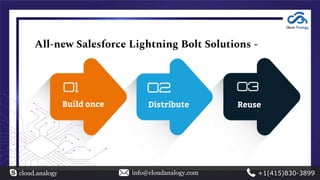
All-new Salesforce Lightning Bolt Solutions -
cloud.analogy info@cloudanalogy.com +1(415)830-3899
Build once Distribute Reuse
Salesforce Lightning Bolt
● Deploy and deliver a highly personalized community and build mobile-ready
portals rapidly.
● Create a customer-facing website that seamlessly integrates with Salesforce with
just a few clicks.
● Introduced innovative ways to improve customer experience and enhance user
engagement.
● Enables you to publish apps or flows without using
the Lightning Community Template.
cloud.analogy info@cloudanalogy.com +1(415)830-3899
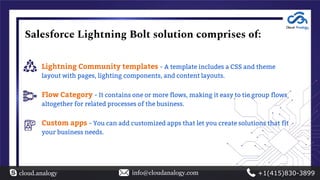
Salesforce Lightning Bolt solution comprises of:
Lightning Community templates - A template includes a CSS and theme
layout with pages, lighting components, and content layouts.
Flow Category - It contains one or more flows, making it easy to tie group flows
altogether for related processes of the business.
Custom apps - You can add customized apps that let you create solutions that fit
your business needs.
cloud.analogy info@cloudanalogy.com +1(415)830-3899
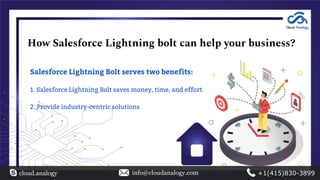
How Salesforce Lightning bolt can help your business?
Salesforce Lightning Bolt serves two benefits:
1. Salesforce Lightning Bolt saves money, time, and effort.
2. Provide industry-centric solutions
cloud.analogy info@cloudanalogy.com +1(415)830-3899
Take
customization
s to higher
level
Offer a consistent
and unified
experience
Focus on
automated process
and workflows
Create industry-
specific solutions
Easy
integration
using APIs
cloud.analogy info@cloudanalogy.com +1(415)830-3899
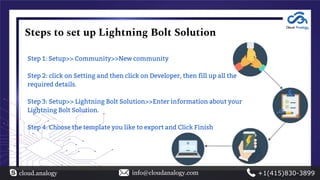
Steps to set up Lightning Bolt Solution
Step 1: Setup>> Community>>New community
Step 2: click on Setting and then click on Developer, then fill up all the
required details.
Step 3: Setup>> Lightning Bolt Solution>>Enter information about your
Lightning Bolt Solution.
Step 4: Choose the template you like to export and Click Finish
cloud.analogy info@cloudanalogy.com +1(415)830-3899
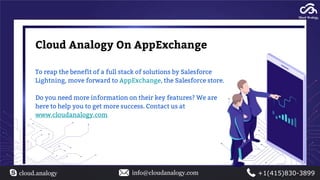
Cloud Analogy On AppExchange
To reap the benefit of a full stack of solutions by Salesforce
Lightning, move forward to AppExchange, the Salesforce store.
Do you need more information on their key features? We are
here to help you to get more success. Contact us at
www.cloudanalogy.com
cloud.analogy info@cloudanalogy.com +1(415)830-3899

Introduction to salesforce lightning bolt

  • 1.
  • 2.
    You may haveheard a lot of buzz about Lightning Bolts listed on the Salesforce AppExchange. You might be wondering what are they? How they are useful for How businesses? can you use them with the Salesforce CRM platform? cloud.analogy info@cloudanalogy.com +1(415)830-3899
  • 3.
    Salesforce introduced LightningBolt, the latest innovation and framework in the Salesforce platform, allows companies to create personalized communities for their customers, partners, and employees cloud.analogy info@cloudanalogy.com +1(415)830-3899
  • 4.
    All-new Salesforce LightningBolt Solutions - cloud.analogy info@cloudanalogy.com +1(415)830-3899 Build once Distribute Reuse
  • 5.
    Salesforce Lightning Bolt ●Deploy and deliver a highly personalized community and build mobile-ready portals rapidly. ● Create a customer-facing website that seamlessly integrates with Salesforce with just a few clicks. ● Introduced innovative ways to improve customer experience and enhance user engagement. ● Enables you to publish apps or flows without using the Lightning Community Template. cloud.analogy info@cloudanalogy.com +1(415)830-3899
  • 6.
    Salesforce Lightning Boltsolution comprises of: Lightning Community templates - A template includes a CSS and theme layout with pages, lighting components, and content layouts. Flow Category - It contains one or more flows, making it easy to tie group flows altogether for related processes of the business. Custom apps - You can add customized apps that let you create solutions that fit your business needs. cloud.analogy info@cloudanalogy.com +1(415)830-3899
  • 7.
    How Salesforce Lightningbolt can help your business? Salesforce Lightning Bolt serves two benefits: 1. Salesforce Lightning Bolt saves money, time, and effort. 2. Provide industry-centric solutions cloud.analogy info@cloudanalogy.com +1(415)830-3899
  • 8.
    Take customization s to higher level Offera consistent and unified experience Focus on automated process and workflows Create industry- specific solutions Easy integration using APIs cloud.analogy info@cloudanalogy.com +1(415)830-3899
  • 9.
    Steps to setup Lightning Bolt Solution Step 1: Setup>> Community>>New community Step 2: click on Setting and then click on Developer, then fill up all the required details. Step 3: Setup>> Lightning Bolt Solution>>Enter information about your Lightning Bolt Solution. Step 4: Choose the template you like to export and Click Finish cloud.analogy info@cloudanalogy.com +1(415)830-3899
  • 10.
    Cloud Analogy OnAppExchange To reap the benefit of a full stack of solutions by Salesforce Lightning, move forward to AppExchange, the Salesforce store. Do you need more information on their key features? We are here to help you to get more success. Contact us at www.cloudanalogy.com cloud.analogy info@cloudanalogy.com +1(415)830-3899
  • 11.