HubSpot & Slack
Integration
cloud.analogy info@cloudanalogy.com +1(415)830-3899
❏ Turn Slack messages into a HubSpot task or ticket.
❏ Use slash commands to search or post info from HubSpot.
❏ Get HubSpot notifications in Slack.
❏ Send Slack notifications through HubSpot workflow.
Benefits of HubSpot CRM And Slack Integration
cloud.analogy info@cloudanalogy.com +1(415)830-3899
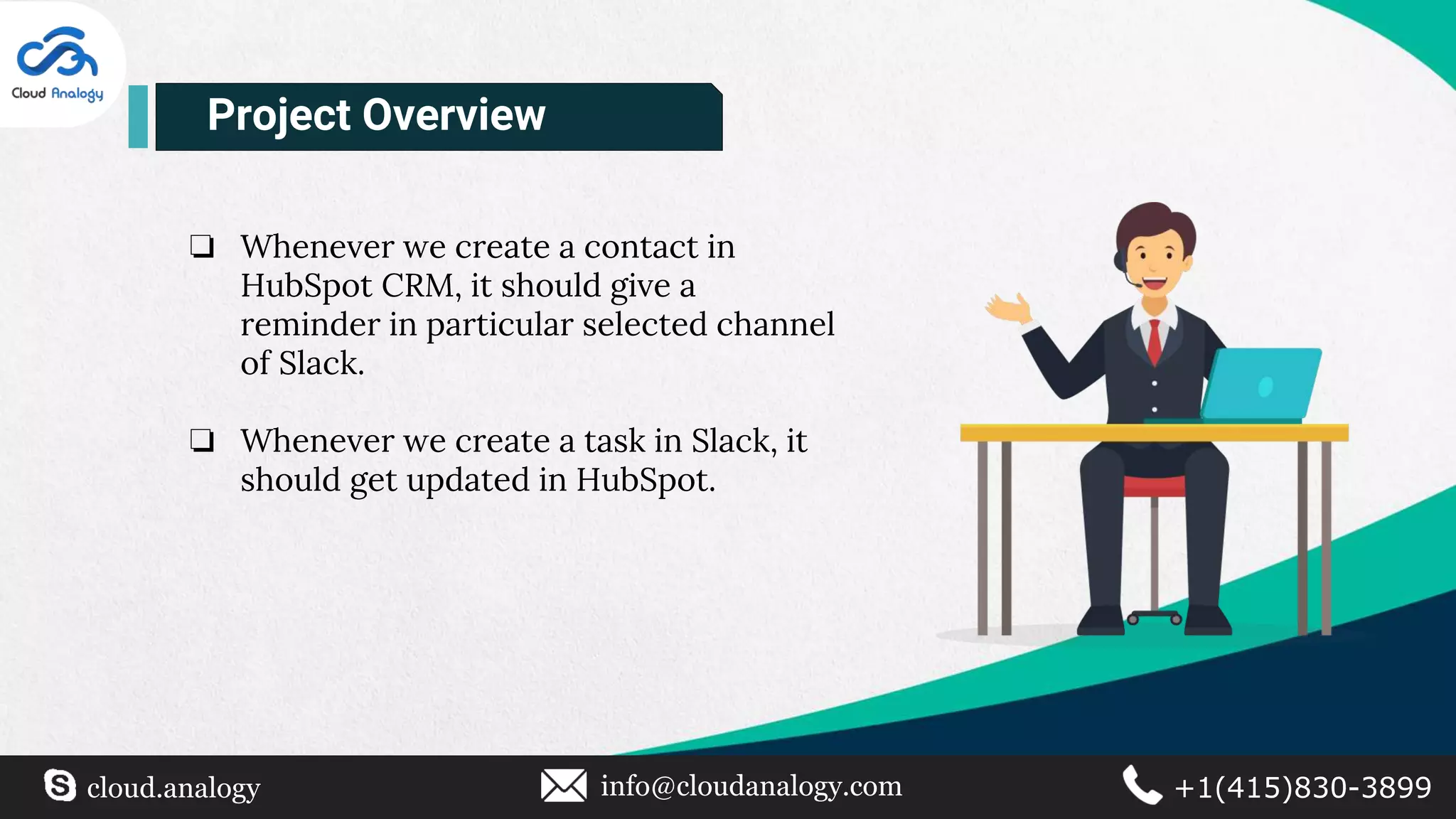
❏ Whenever we create a contact in
HubSpot CRM, it should give a
reminder in particular selected channel
of Slack.
❏ Whenever we create a task in Slack, it
should get updated in HubSpot.
Project Overview
cloud.analogy info@cloudanalogy.com +1(415)830-3899
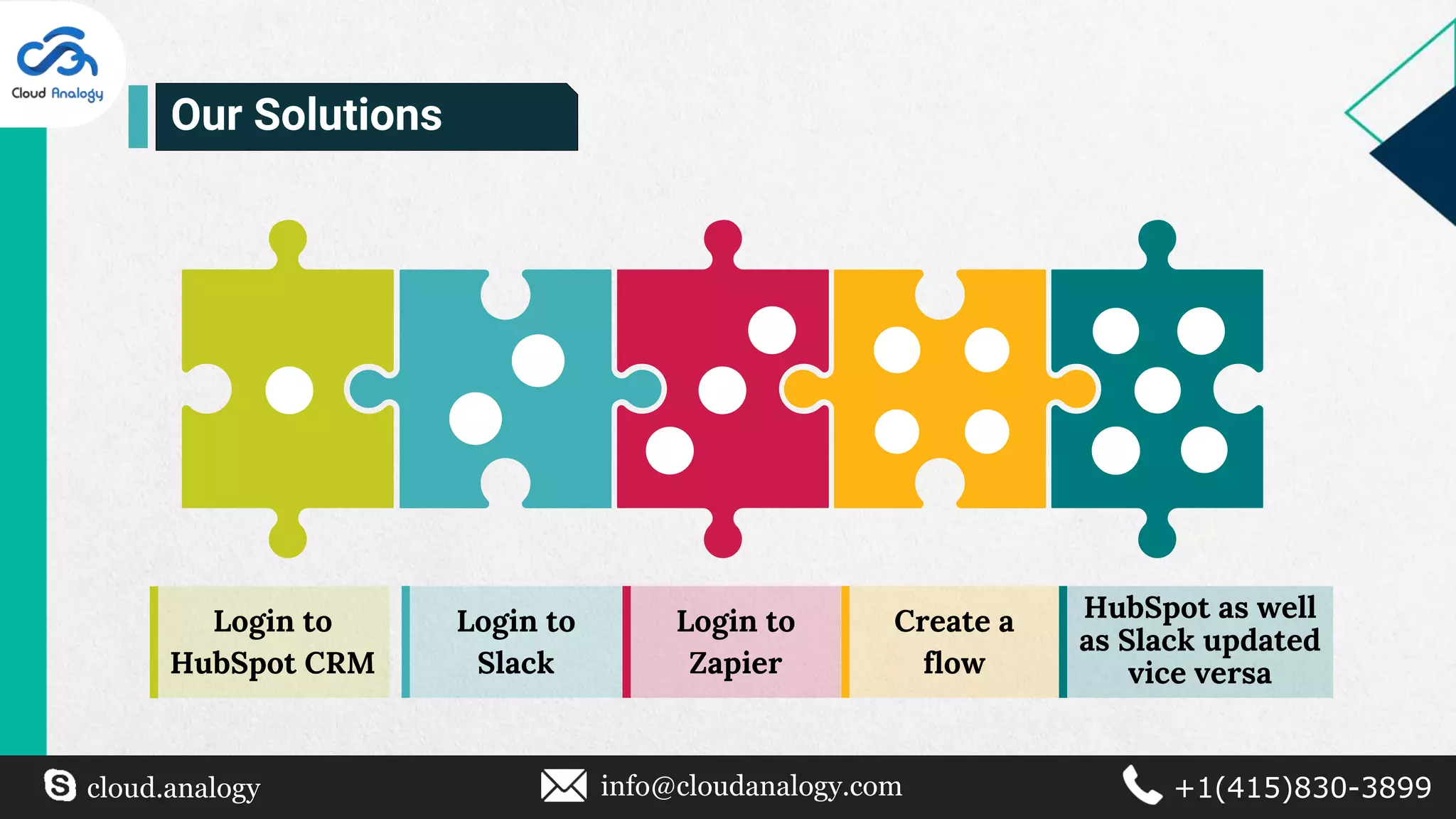
Login to
Slack
Login to
Zapier
Create a
flow
Login to
HubSpot CRM
HubSpot as well
as Slack updated
vice versa
Our Solutions
cloud.analogy info@cloudanalogy.com +1(415)830-3899
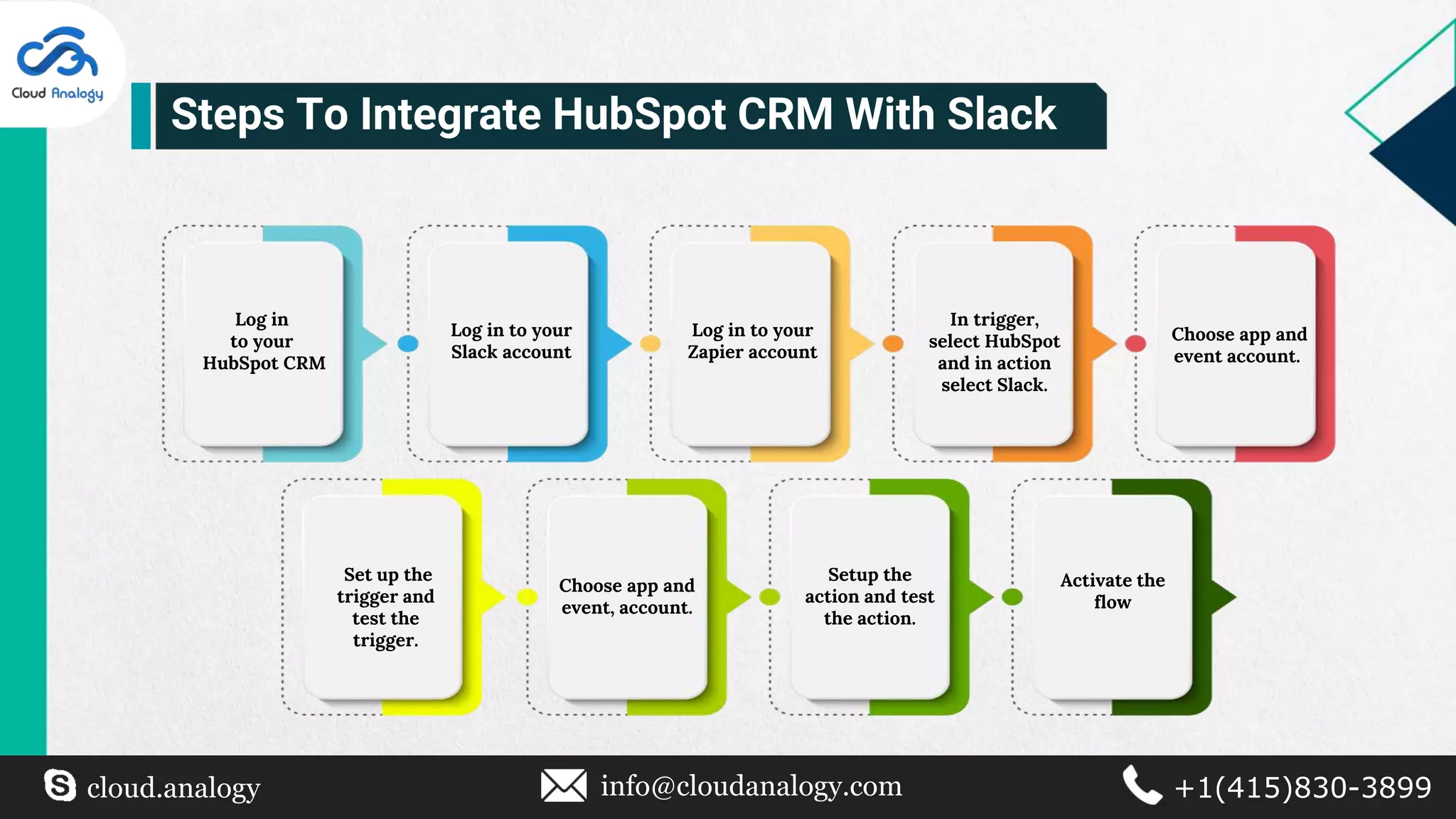
Log in
to your
HubSpot CRM
Log in to your
Slack account
Log in to your
Zapier account
Choose app and
event account.
Set up the
trigger and
test the
trigger.
In trigger,
select HubSpot
and in action
select Slack.
Choose app and
event, account.
Setup the
action and test
the action.
Activate the
flow
Steps To Integrate HubSpot CRM With Slack
cloud.analogy info@cloudanalogy.com +1(415)830-3899
Steps To Create A Flow And Sync
Data Between The Following
cloud.analogy info@cloudanalogy.com +1(415)830-3899
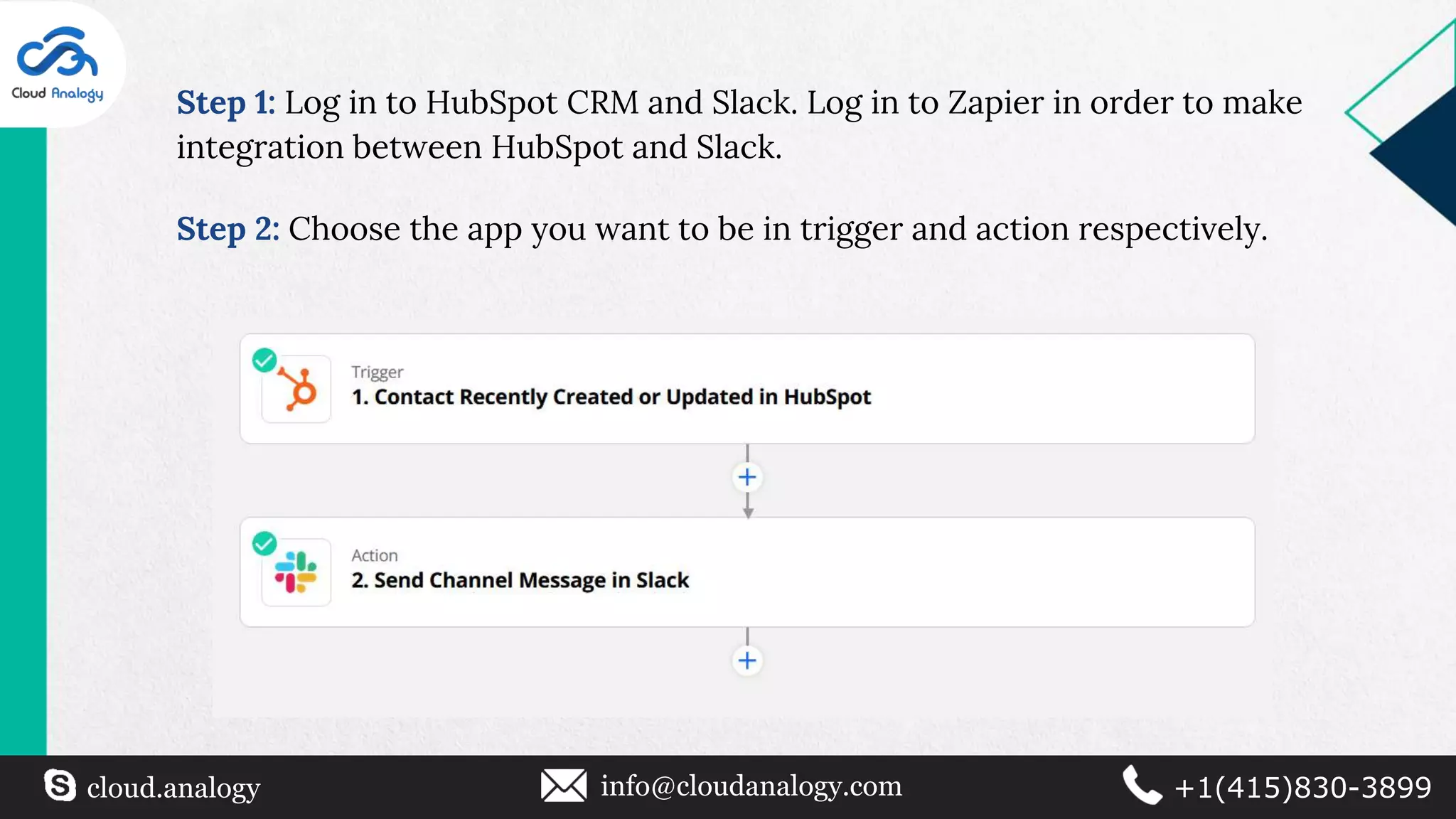
Step 1: Log in to HubSpot CRM and Slack. Log in to Zapier in order to make
integration between HubSpot and Slack.
Step 2: Choose the app you want to be in trigger and action respectively.
cloud.analogy info@cloudanalogy.com +1(415)830-3899
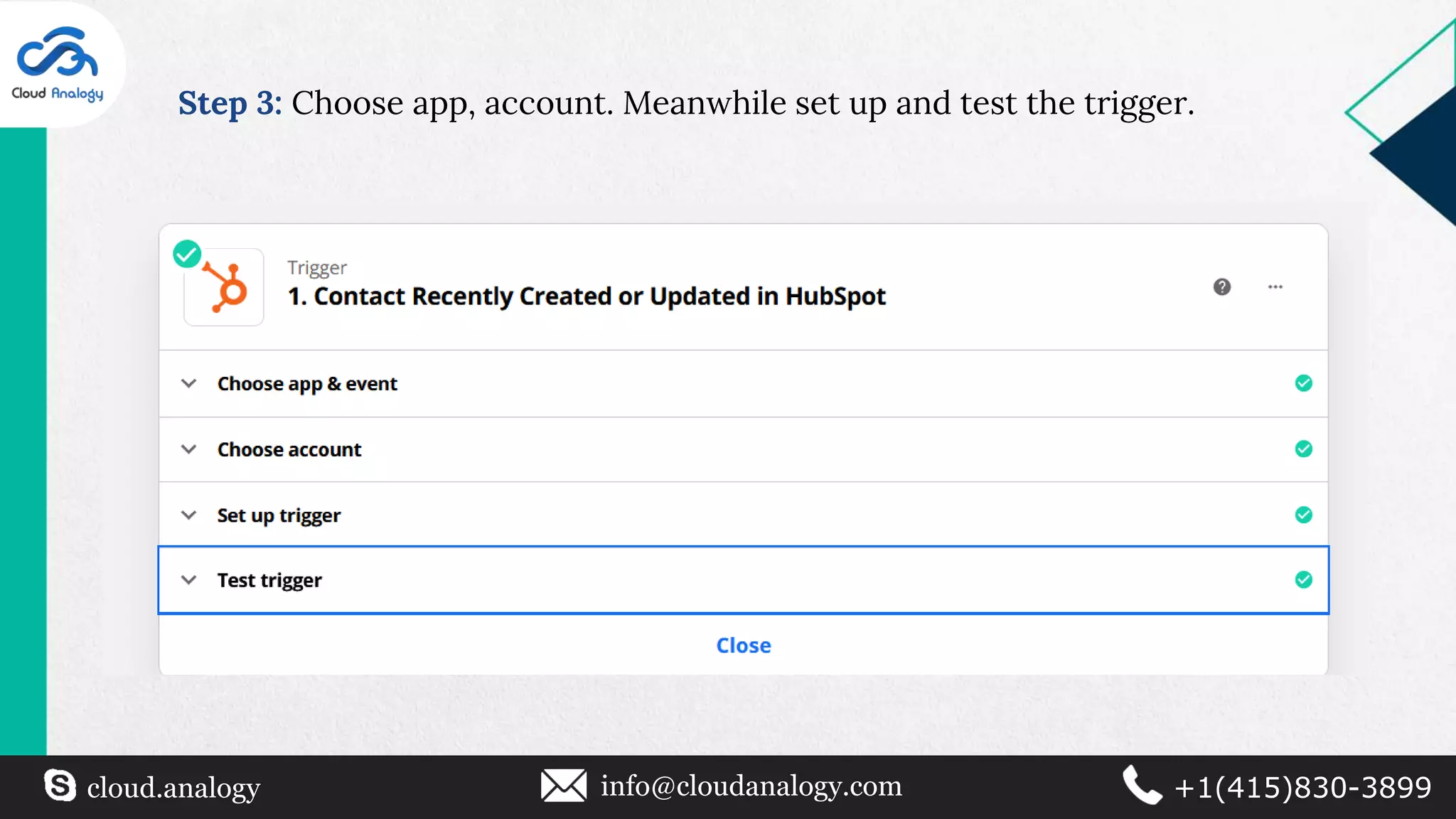
Step 3: Choose app, account. Meanwhile set up and test the trigger.
cloud.analogy info@cloudanalogy.com +1(415)830-3899
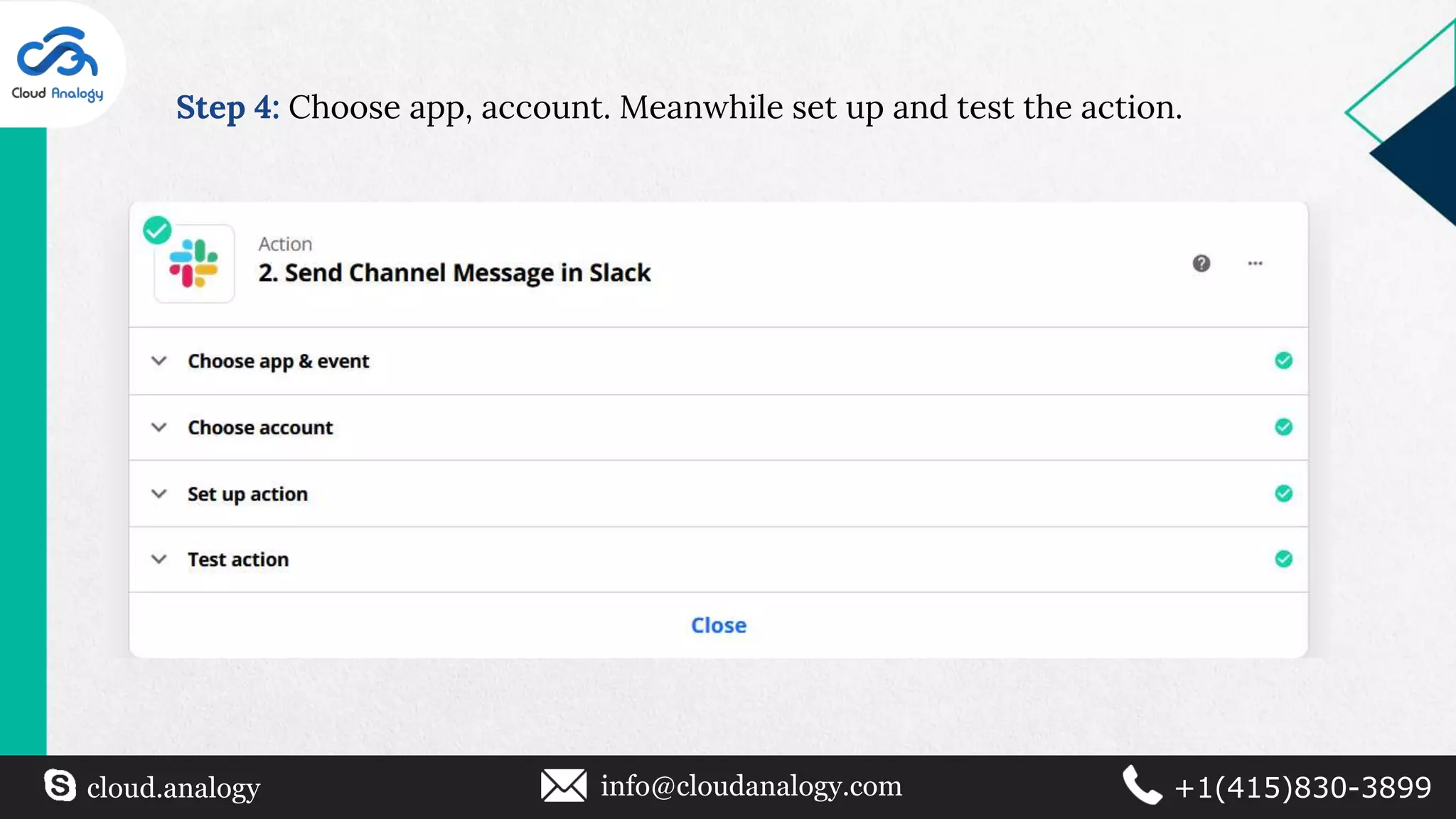
Step 4: Choose app, account. Meanwhile set up and test the action.
cloud.analogy info@cloudanalogy.com +1(415)830-3899
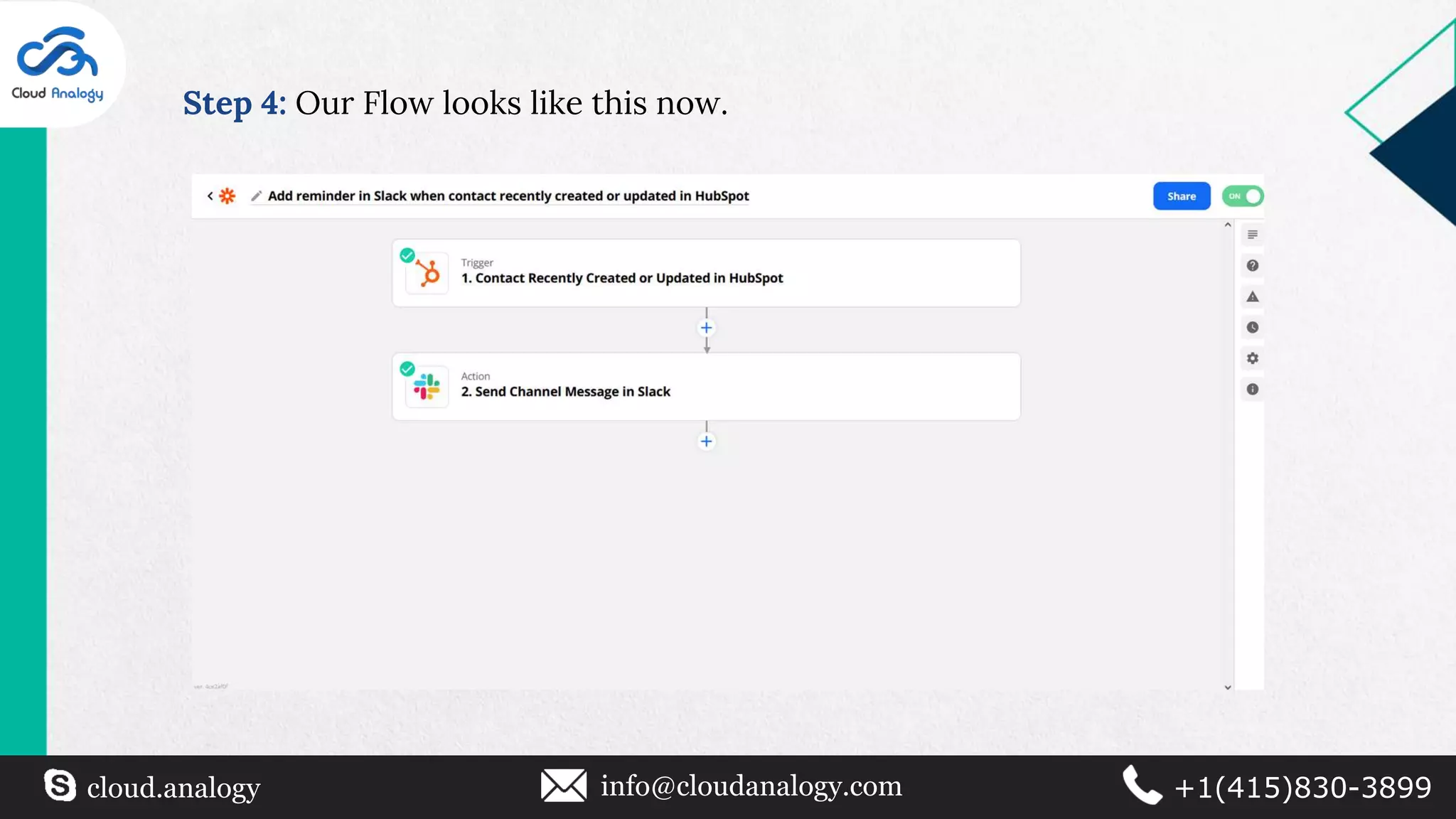
Step 4: Our Flow looks like this now.
cloud.analogy info@cloudanalogy.com +1(415)830-3899
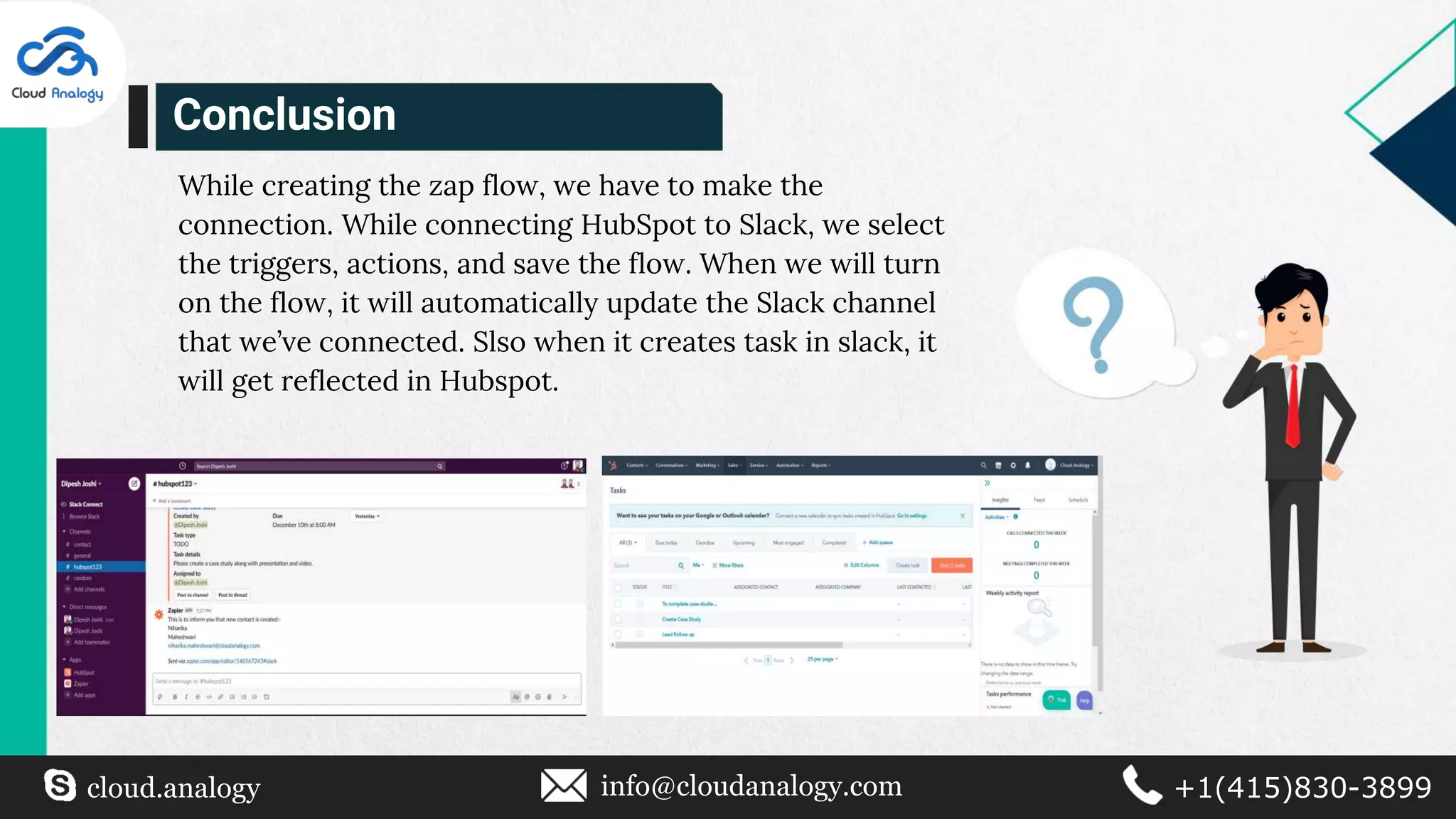
While creating the zap flow, we have to make the
connection. While connecting HubSpot to Slack, we select
the triggers, actions, and save the flow. When we will turn
on the flow, it will automatically update the Slack channel
that we’ve connected. Slso when it creates task in slack, it
will get reflected in Hubspot.
Conclusion
Thank You
cloud.analogy info@cloudanalogy.com +1(415)830-3899

HubSpot And Slack Integration

  • 1.
    HubSpot & Slack Integration cloud.analogyinfo@cloudanalogy.com +1(415)830-3899
  • 2.
    ❏ Turn Slackmessages into a HubSpot task or ticket. ❏ Use slash commands to search or post info from HubSpot. ❏ Get HubSpot notifications in Slack. ❏ Send Slack notifications through HubSpot workflow. Benefits of HubSpot CRM And Slack Integration cloud.analogy info@cloudanalogy.com +1(415)830-3899
  • 3.
    ❏ Whenever wecreate a contact in HubSpot CRM, it should give a reminder in particular selected channel of Slack. ❏ Whenever we create a task in Slack, it should get updated in HubSpot. Project Overview cloud.analogy info@cloudanalogy.com +1(415)830-3899
  • 4.
    Login to Slack Login to Zapier Createa flow Login to HubSpot CRM HubSpot as well as Slack updated vice versa Our Solutions cloud.analogy info@cloudanalogy.com +1(415)830-3899
  • 5.
    Log in to your HubSpotCRM Log in to your Slack account Log in to your Zapier account Choose app and event account. Set up the trigger and test the trigger. In trigger, select HubSpot and in action select Slack. Choose app and event, account. Setup the action and test the action. Activate the flow Steps To Integrate HubSpot CRM With Slack cloud.analogy info@cloudanalogy.com +1(415)830-3899
  • 6.
    Steps To CreateA Flow And Sync Data Between The Following cloud.analogy info@cloudanalogy.com +1(415)830-3899
  • 7.
    Step 1: Login to HubSpot CRM and Slack. Log in to Zapier in order to make integration between HubSpot and Slack. Step 2: Choose the app you want to be in trigger and action respectively. cloud.analogy info@cloudanalogy.com +1(415)830-3899
  • 8.
    Step 3: Chooseapp, account. Meanwhile set up and test the trigger. cloud.analogy info@cloudanalogy.com +1(415)830-3899
  • 9.
    Step 4: Chooseapp, account. Meanwhile set up and test the action. cloud.analogy info@cloudanalogy.com +1(415)830-3899
  • 10.
    Step 4: OurFlow looks like this now. cloud.analogy info@cloudanalogy.com +1(415)830-3899
  • 11.
    cloud.analogy info@cloudanalogy.com +1(415)830-3899 Whilecreating the zap flow, we have to make the connection. While connecting HubSpot to Slack, we select the triggers, actions, and save the flow. When we will turn on the flow, it will automatically update the Slack channel that we’ve connected. Slso when it creates task in slack, it will get reflected in Hubspot. Conclusion
  • 12.