


OAuth 2.0 for developers - the
technology you need but never
really learned
Mikkel Flindt Heisterberg
OnTime® by IntraVision
PLATINUM & CHAMPAGNE SPONSORS
GOLD SPONSORS
SILVER SPONSORS
BRONZE SPONSORS
Agenda
• The problem we are trying to solve
• Demo (OAuth for users i.e. almost real people)
• The flow…
• OAuth for administrators
• OAuth for developers i.e. real people
• Q&A
Mikkel Flindt Heisterberg
Twitter: @lekkim
E-mail: mfh@intravision.dk
http://lekkimworld.com
http://slideshare.net/lekkim
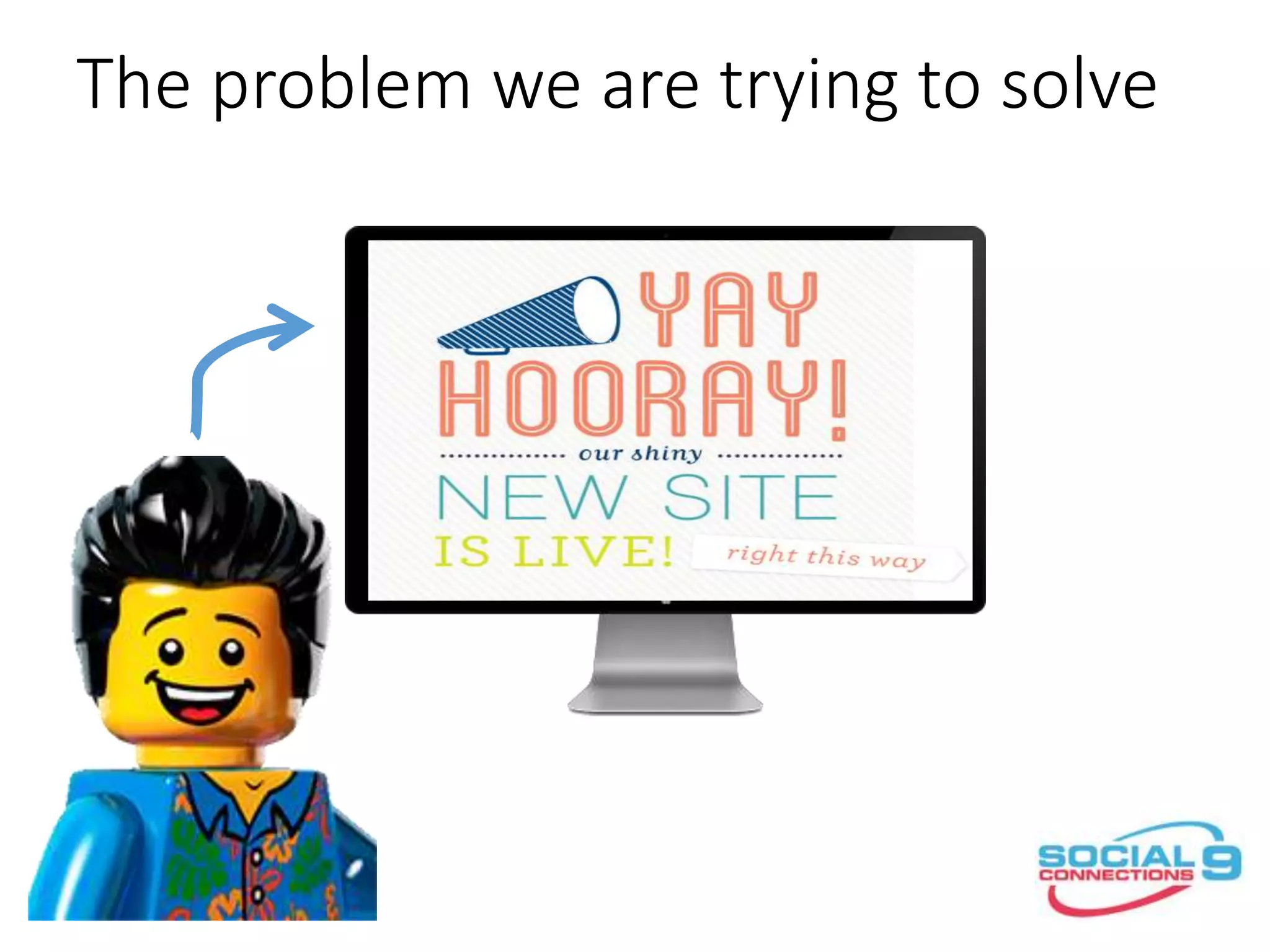
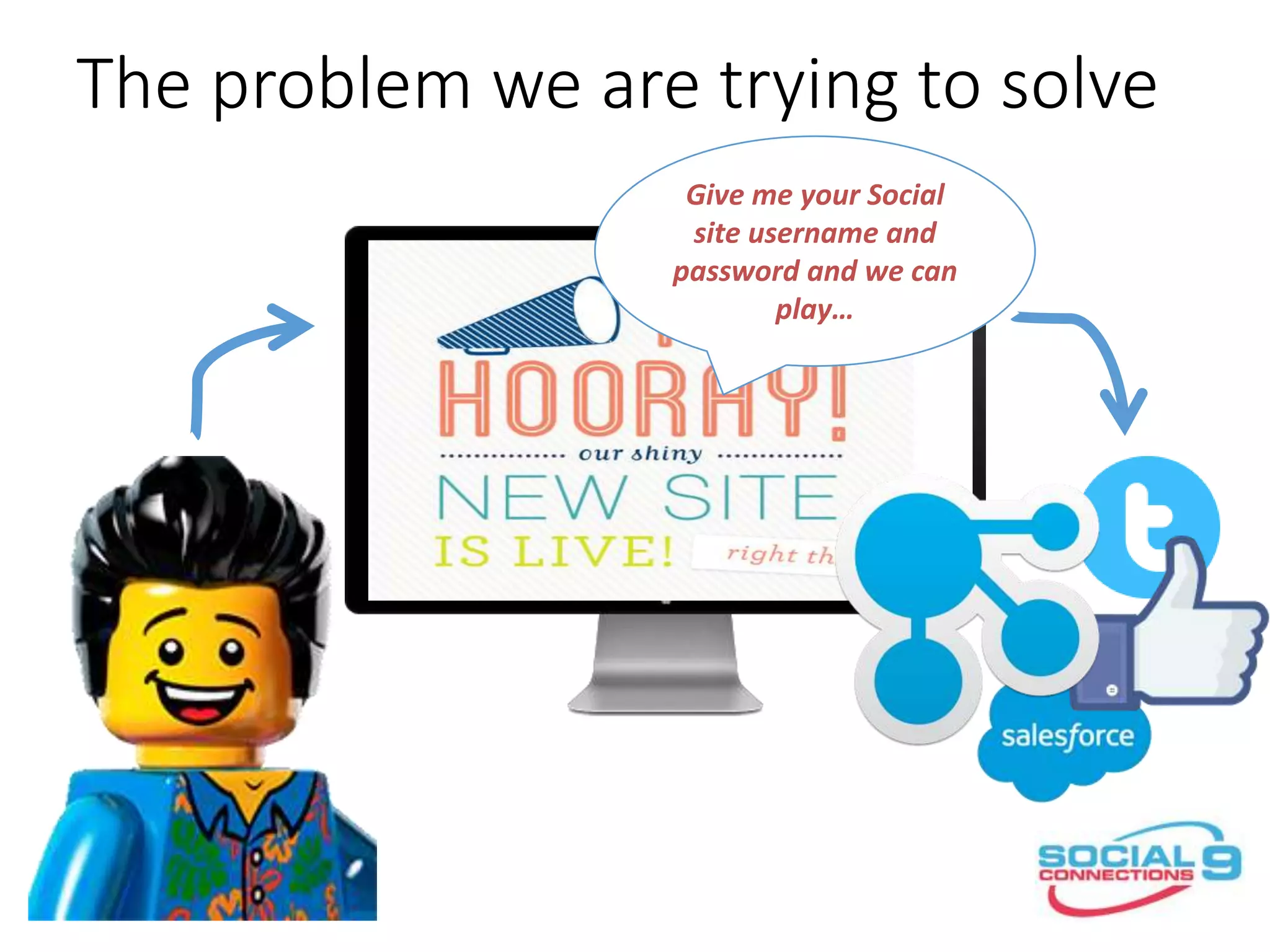
The problem we are trying to solve
Give me your Social
site username and
password and we can
play…
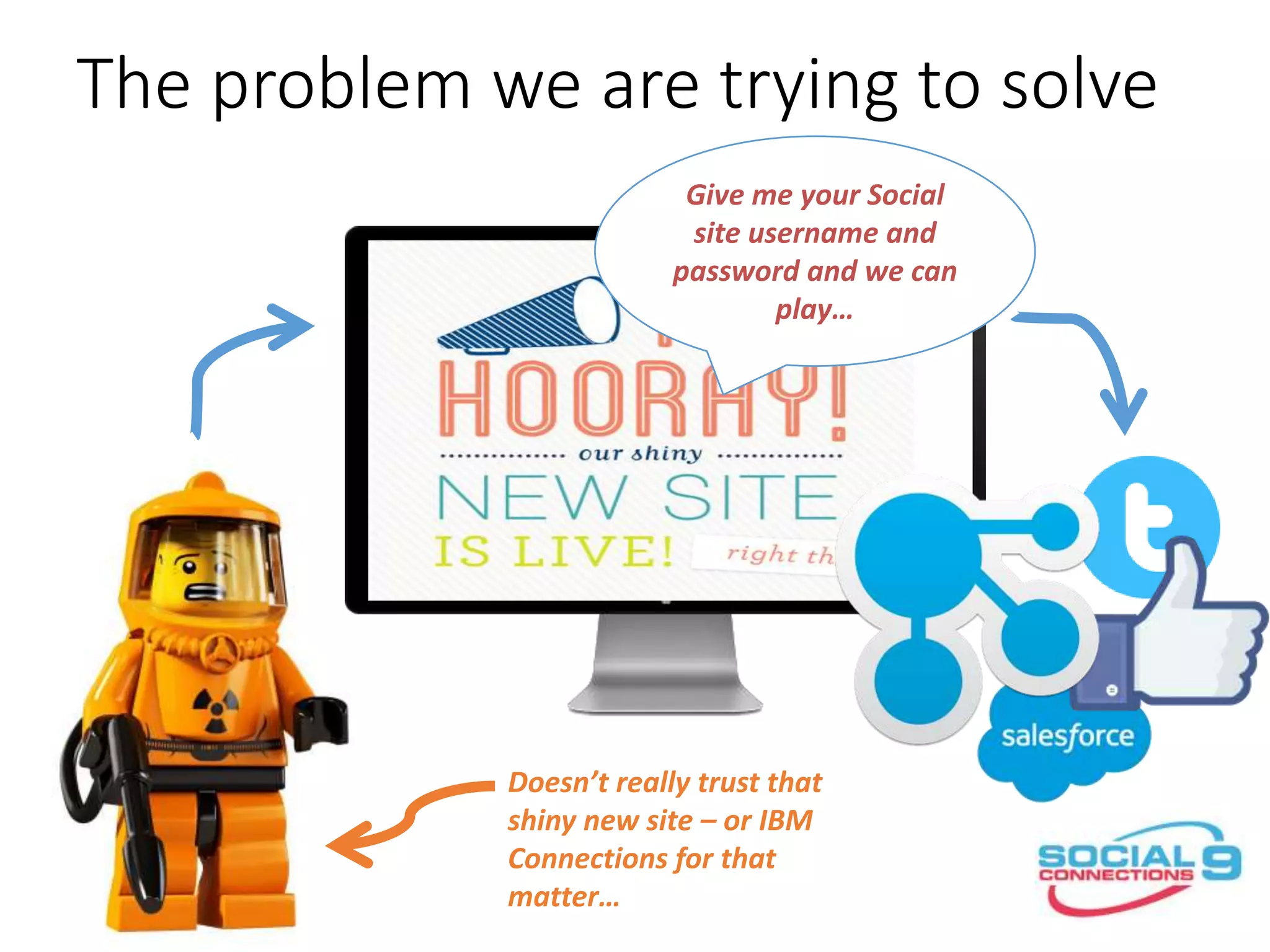
The problem we are trying to solve
Doesn’t really trust that
shiny new site – or IBM
Connections for that
matter…
Give me your Social
site username and
password and we can
play…
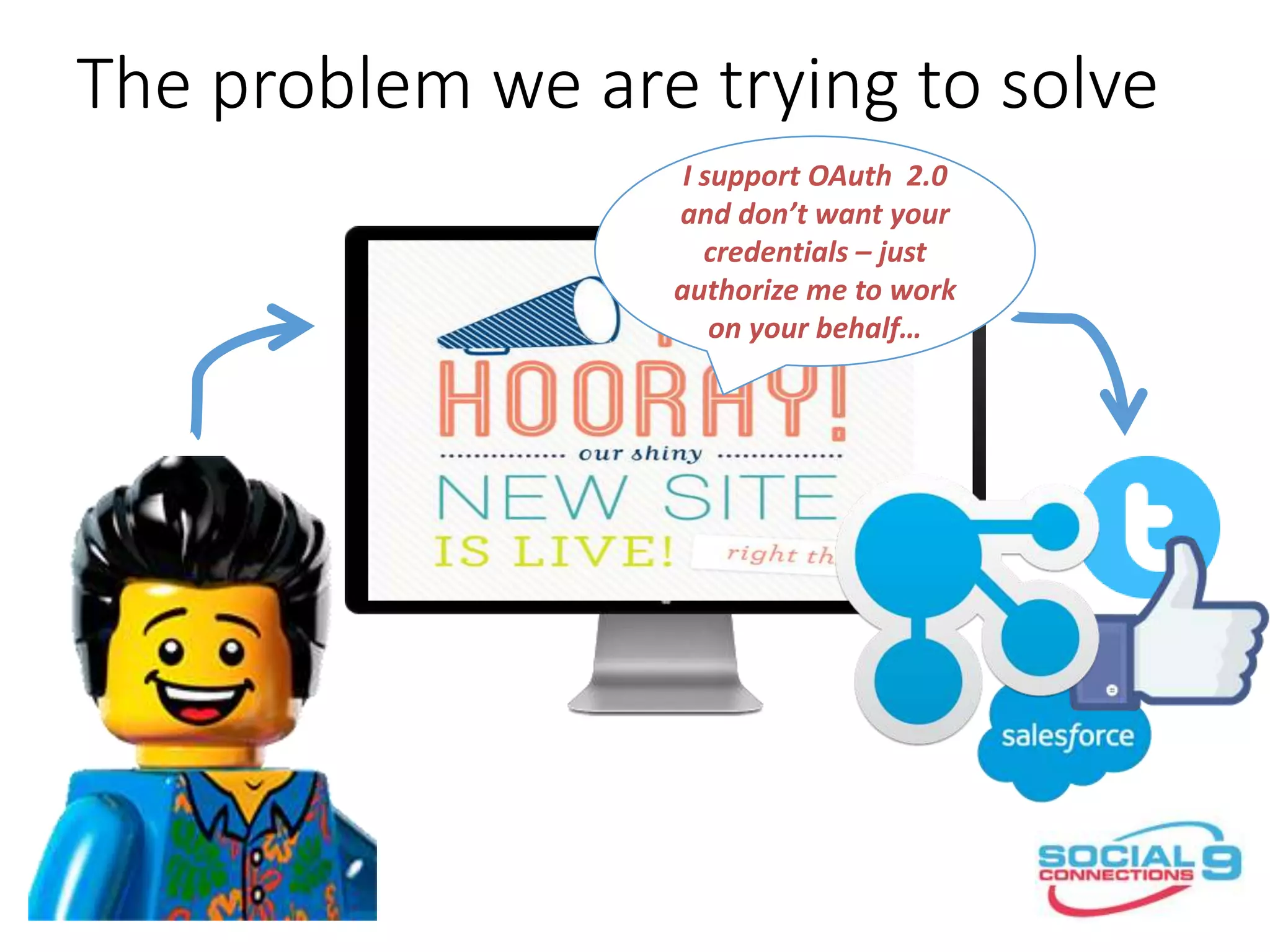
The problem we are trying to solve
I support OAuth 2.0
and don’t want your
credentials – just
authorize me to work
on your behalf…
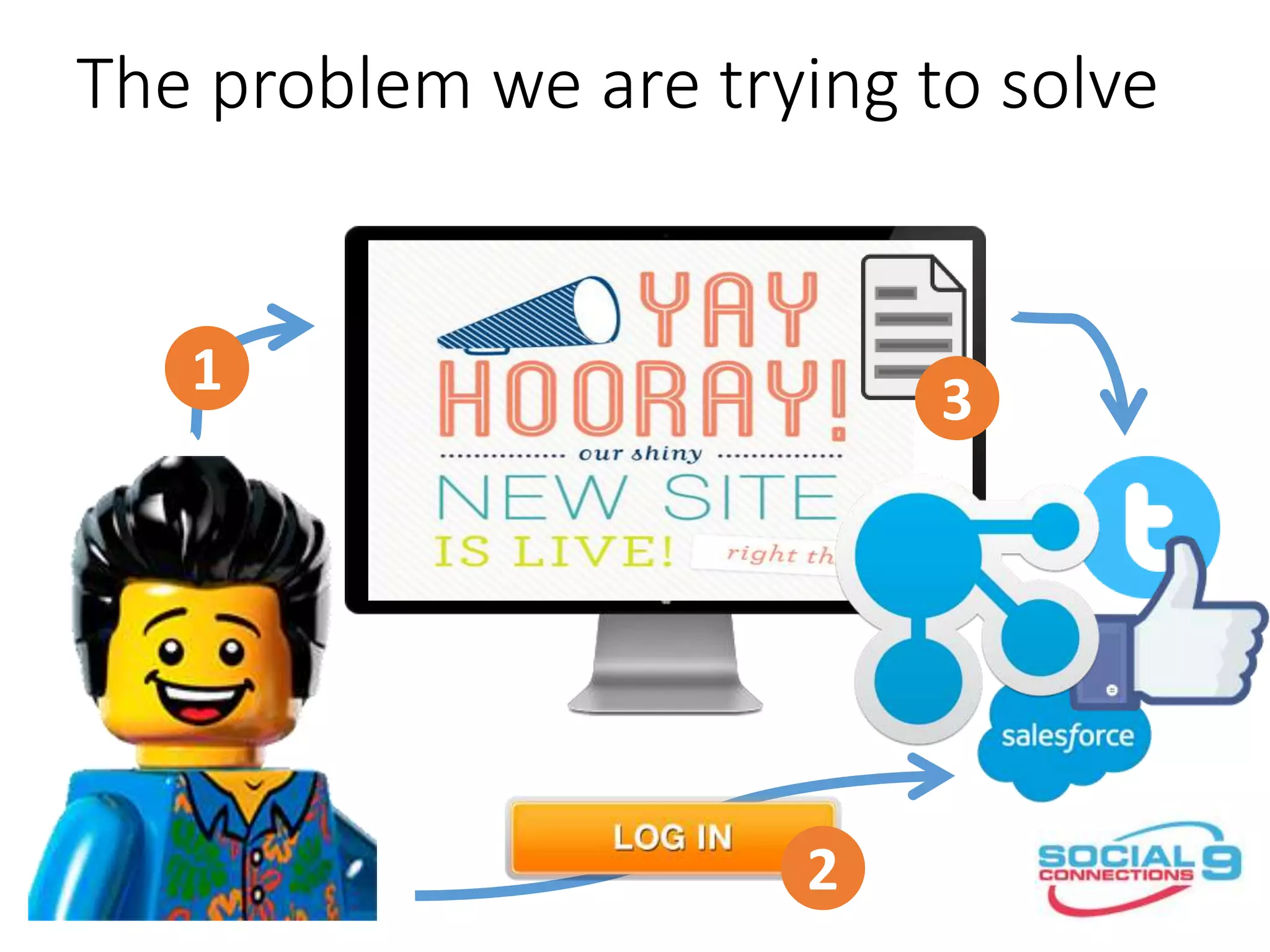
The problem we are trying to solve
1
2
3
it’s about letting a service
access user data without
knowing the users credentials...
- or without the user being there...
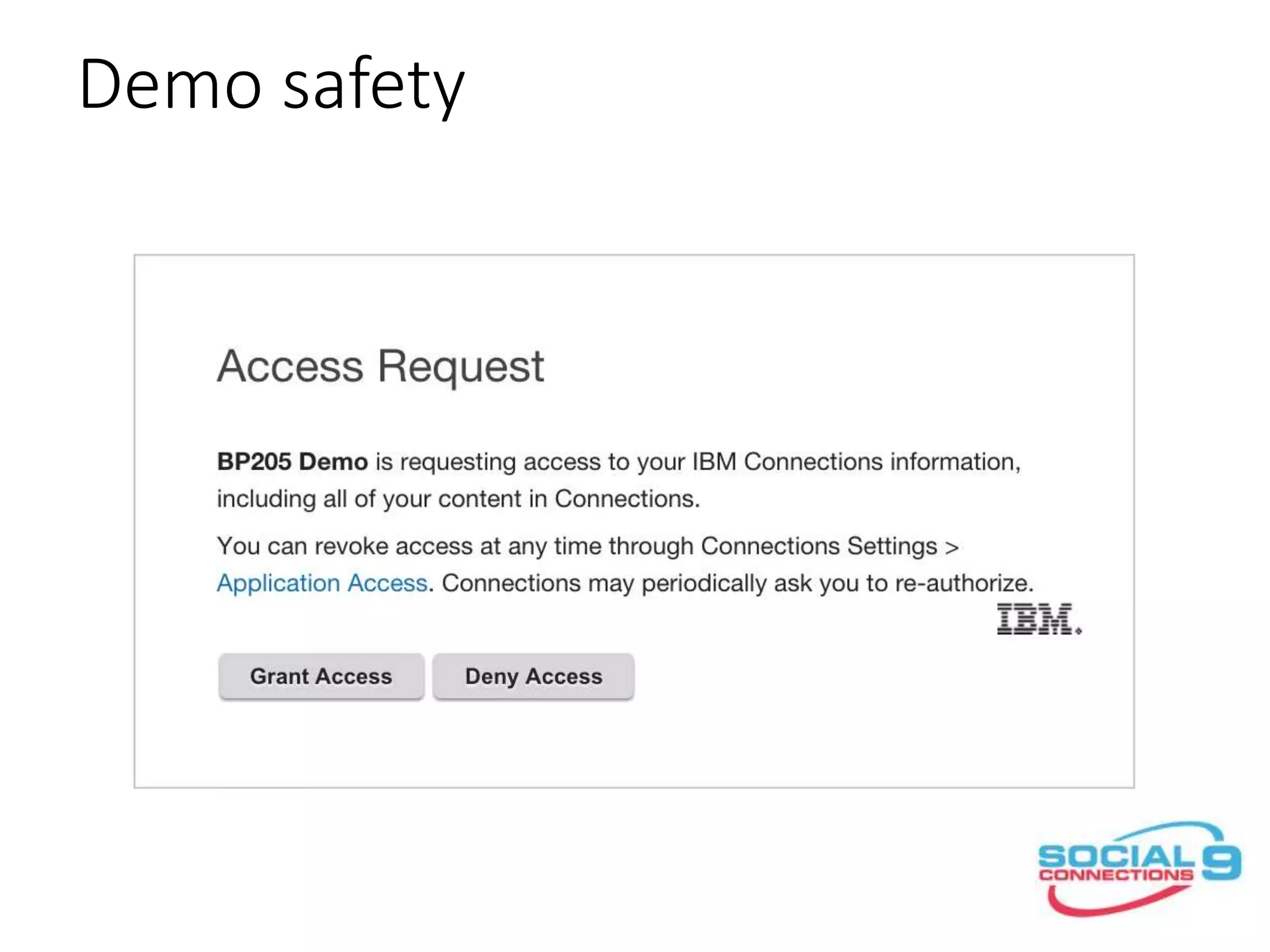
Demo safety
it’s not as simple as that
but almost...
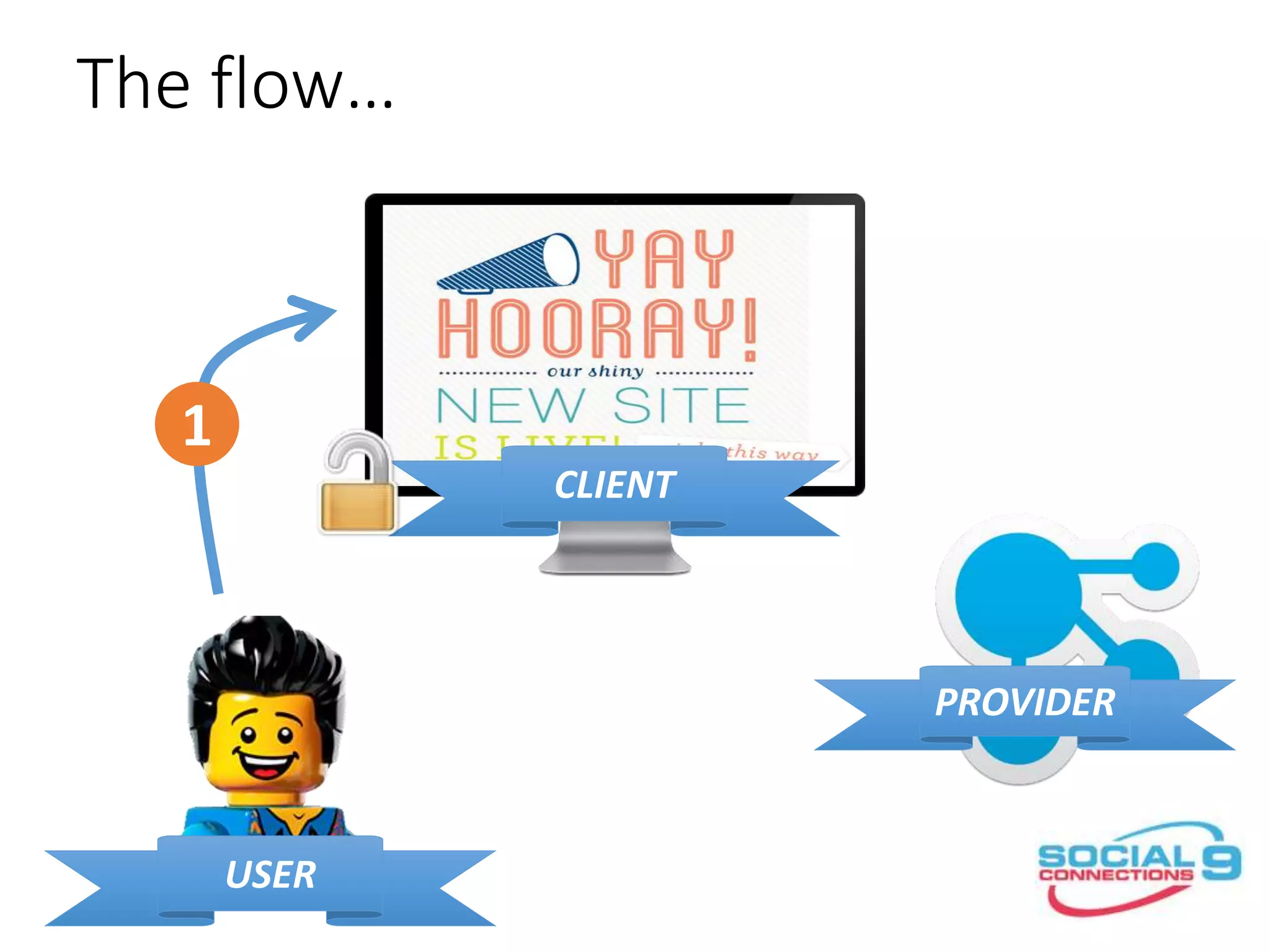
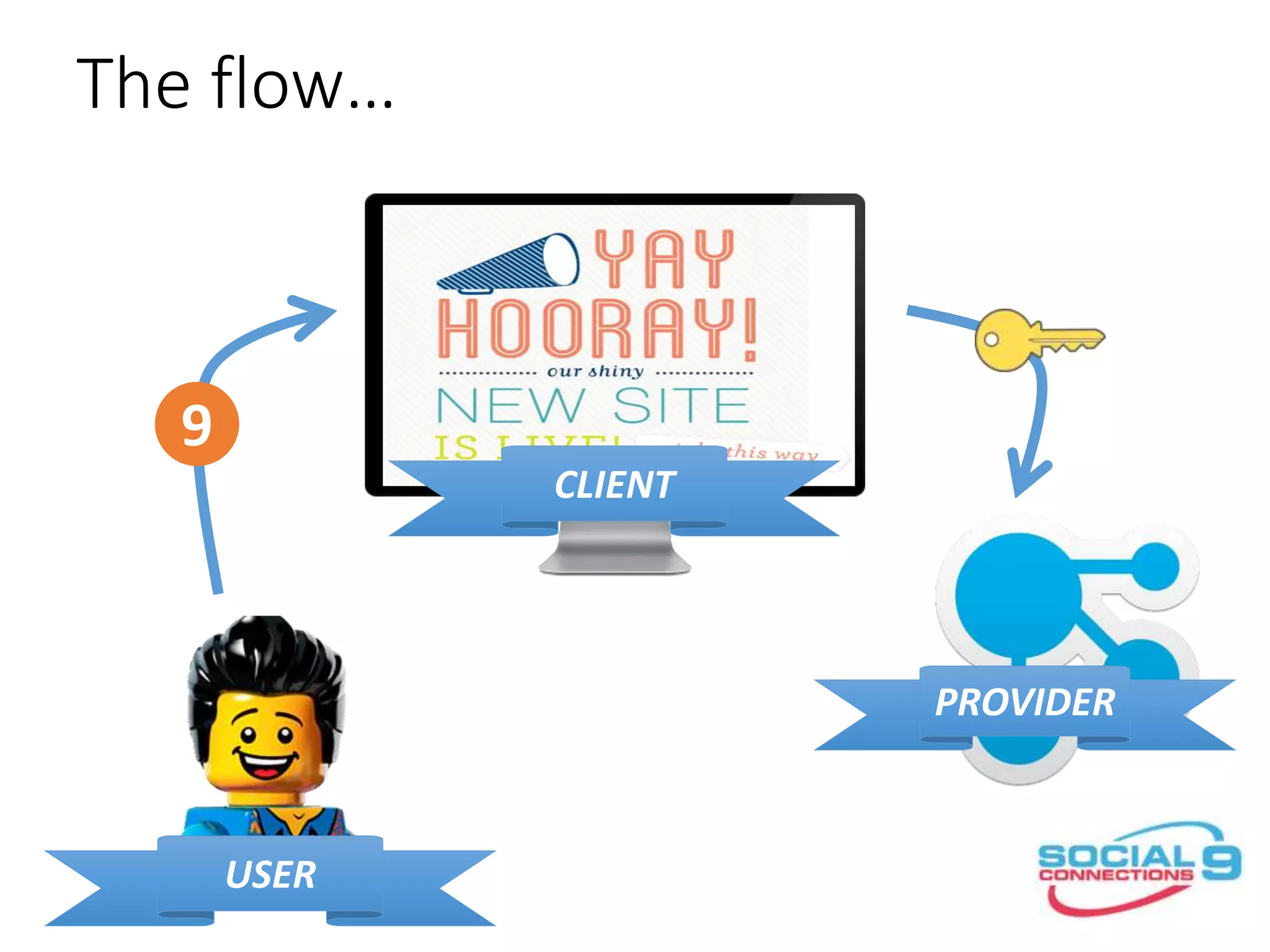
The flow…
CLIENT
PROVIDER
USER
1
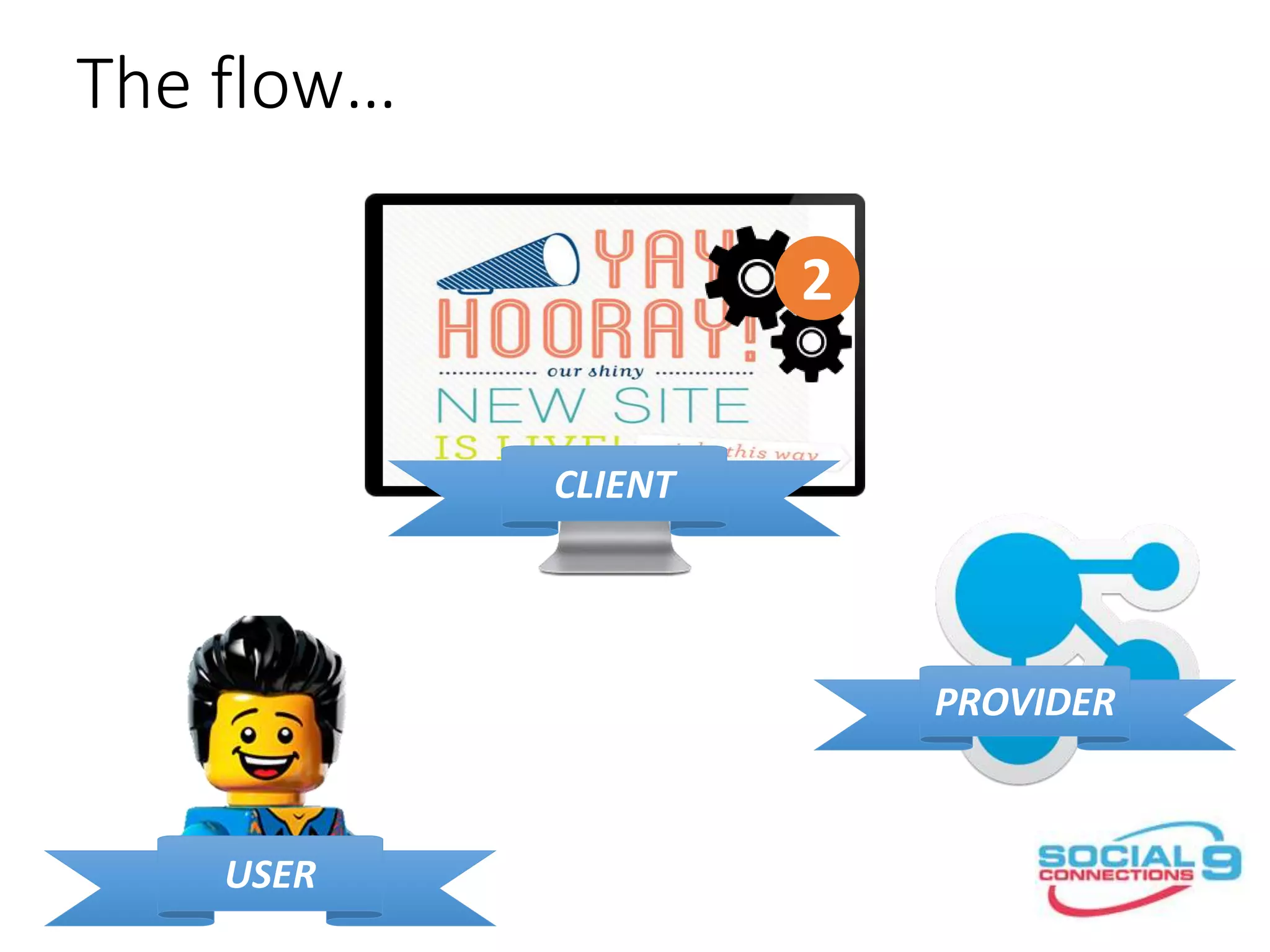
The flow…
CLIENT
PROVIDER
USER
2
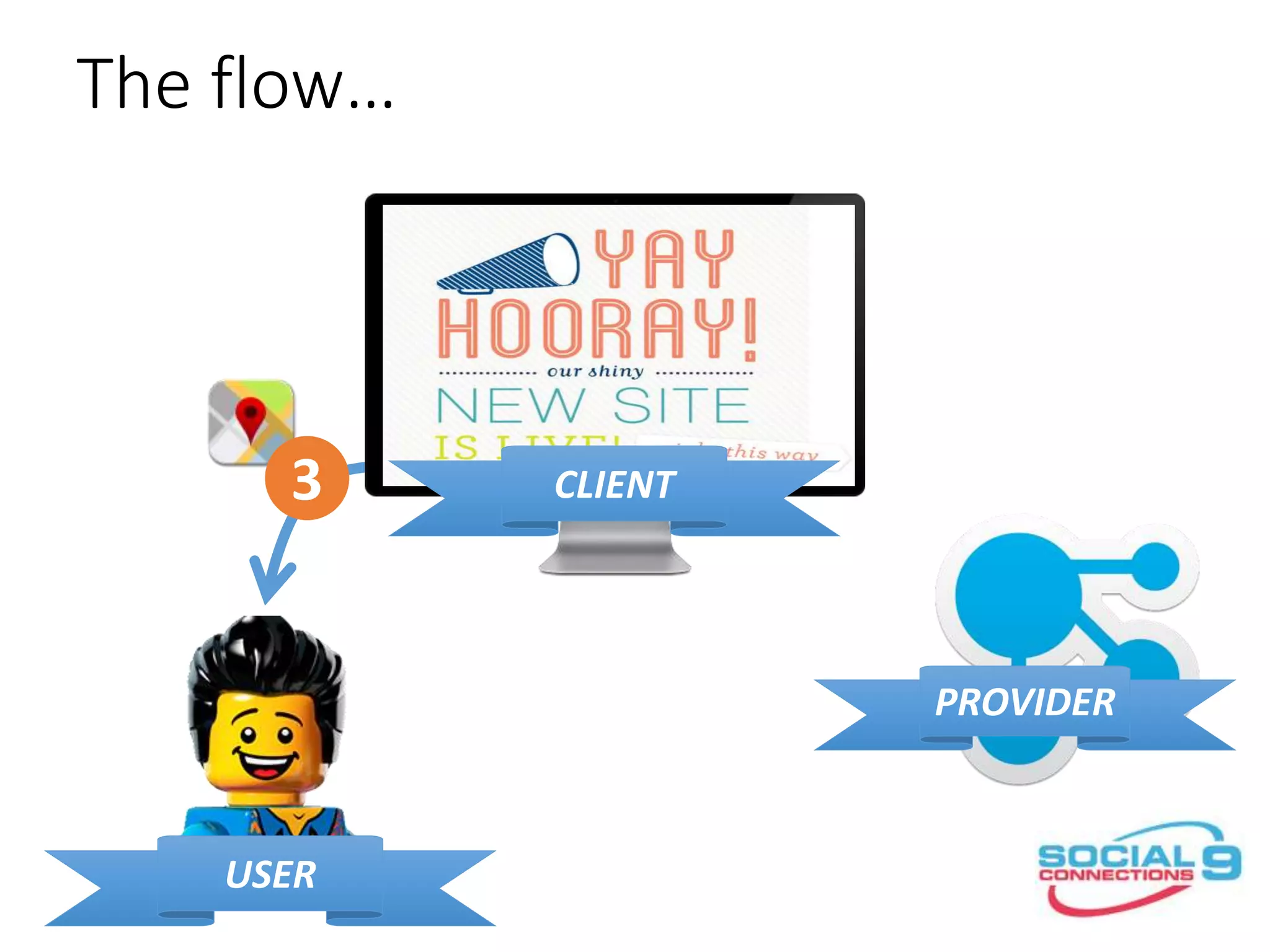
The flow…
CLIENT
PROVIDER
USER
3
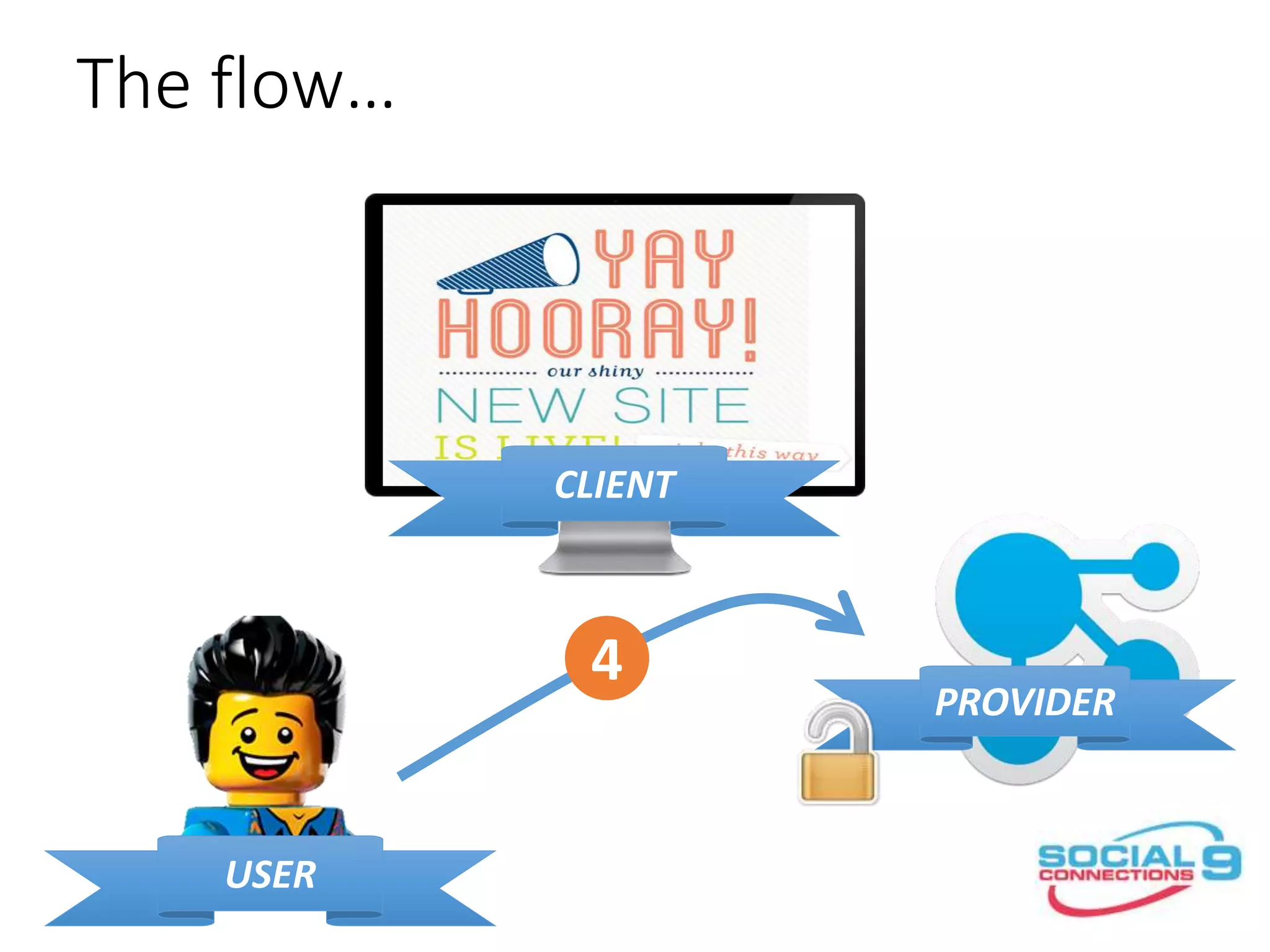
The flow…
CLIENT
PROVIDER
USER
4
The flow…
CLIENT
PROVIDER
USER
5
The flow…
CLIENT
PROVIDER
USER
6
The flow…
CLIENT
PROVIDER
USER
7
The flow…
CLIENT
PROVIDER
USER
8
The flow…
CLIENT
PROVIDER
USER
9
but less cartoony and with
real words this time...
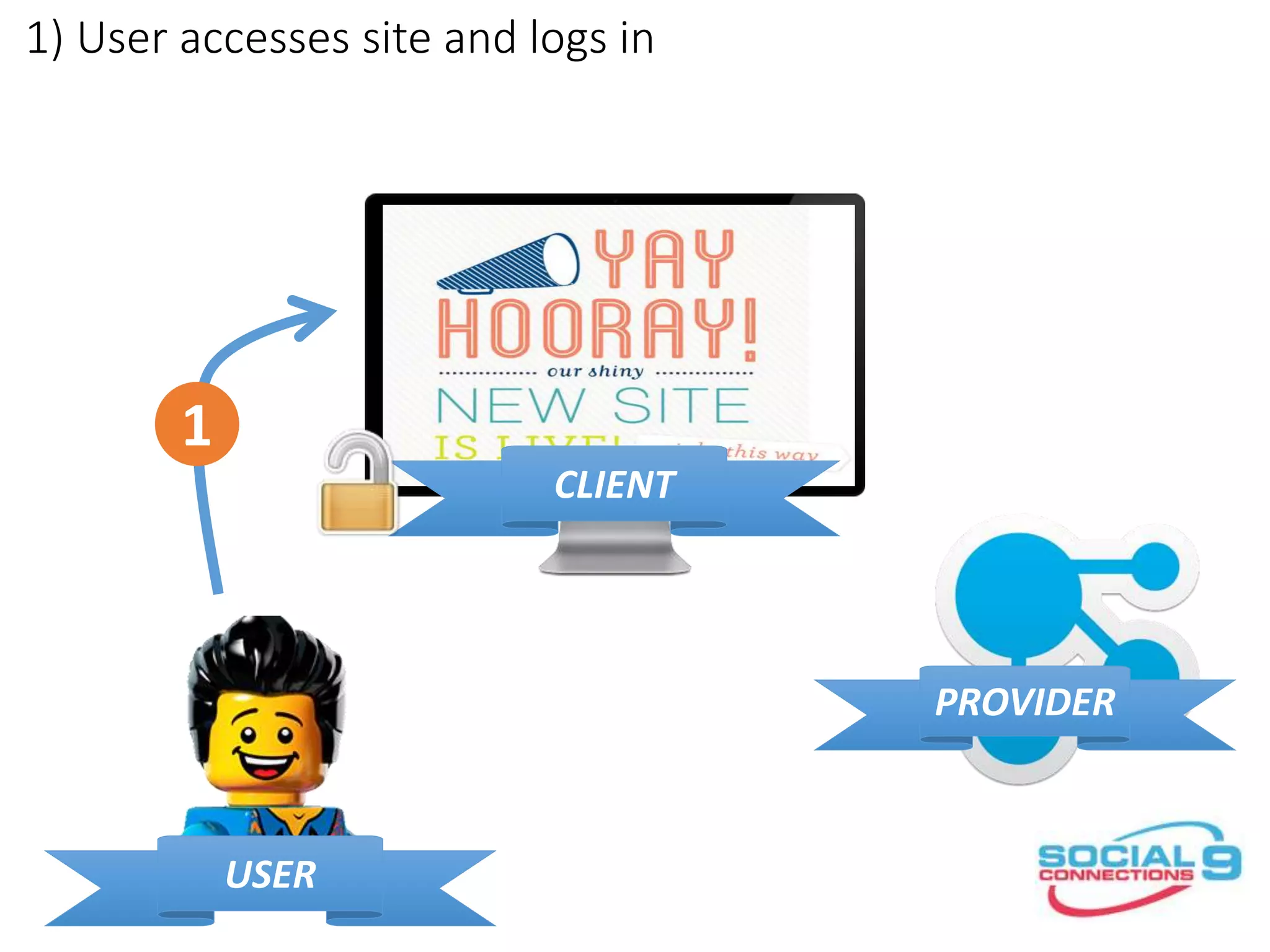
1) User accesses site and logs in
CLIENT
PROVIDER
USER
1
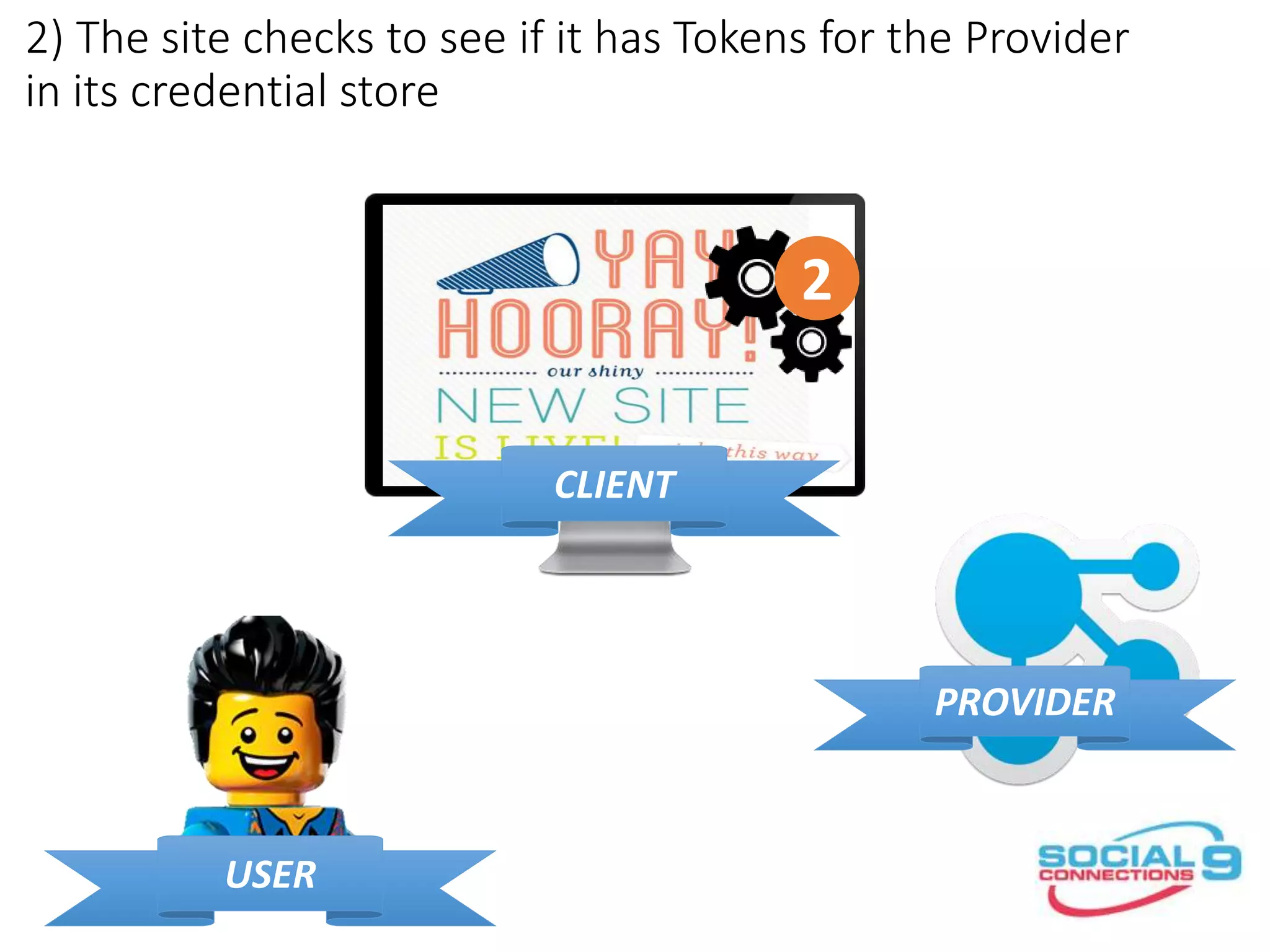
2) The site checks to see if it has Tokens for the Provider
in its credential store
CLIENT
PROVIDER
USER
2
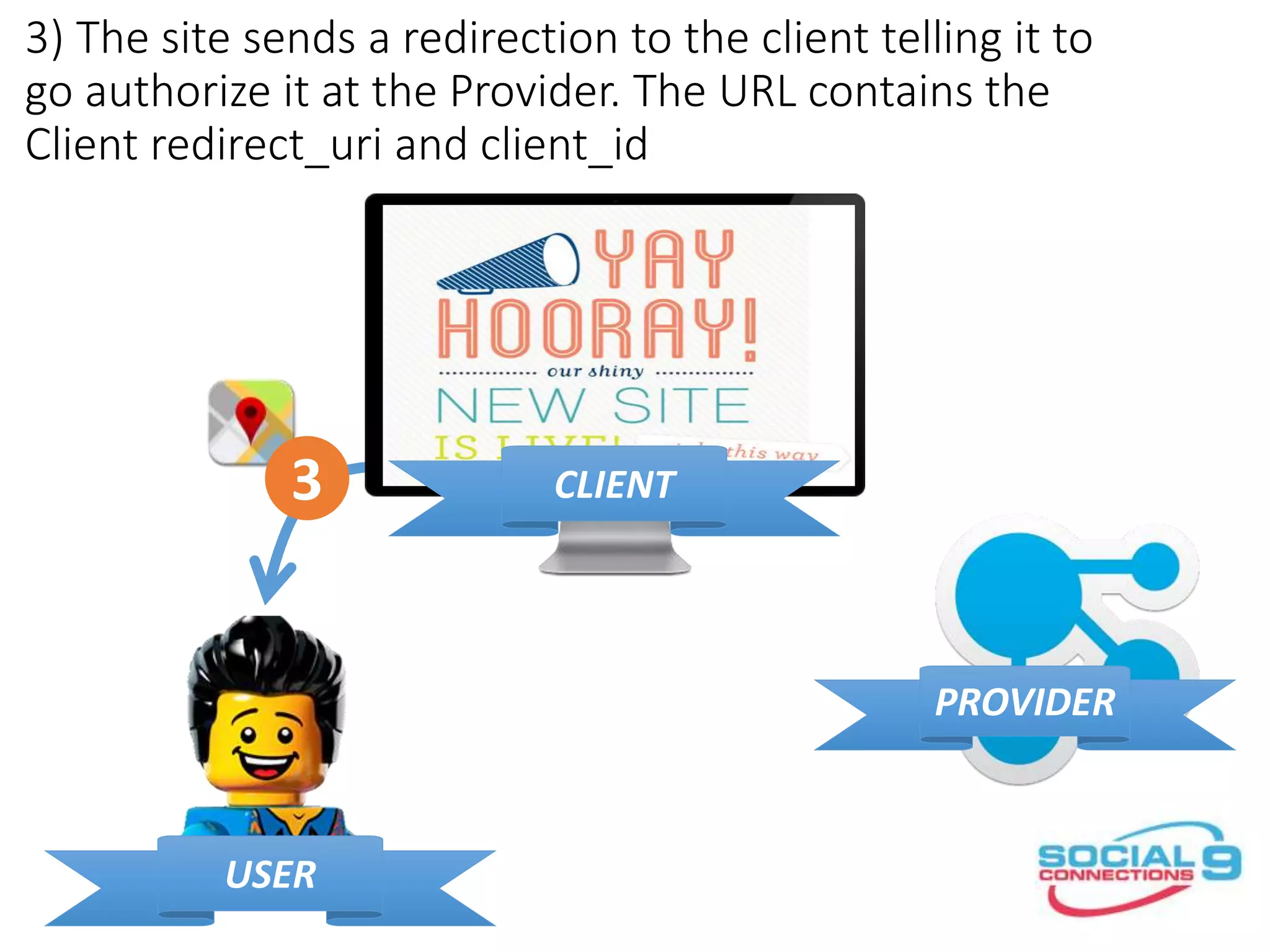
3) The site sends a redirection to the client telling it to
go authorize it at the Provider. The URL contains the
Client redirect_uri and client_id
CLIENT
PROVIDER
USER
3
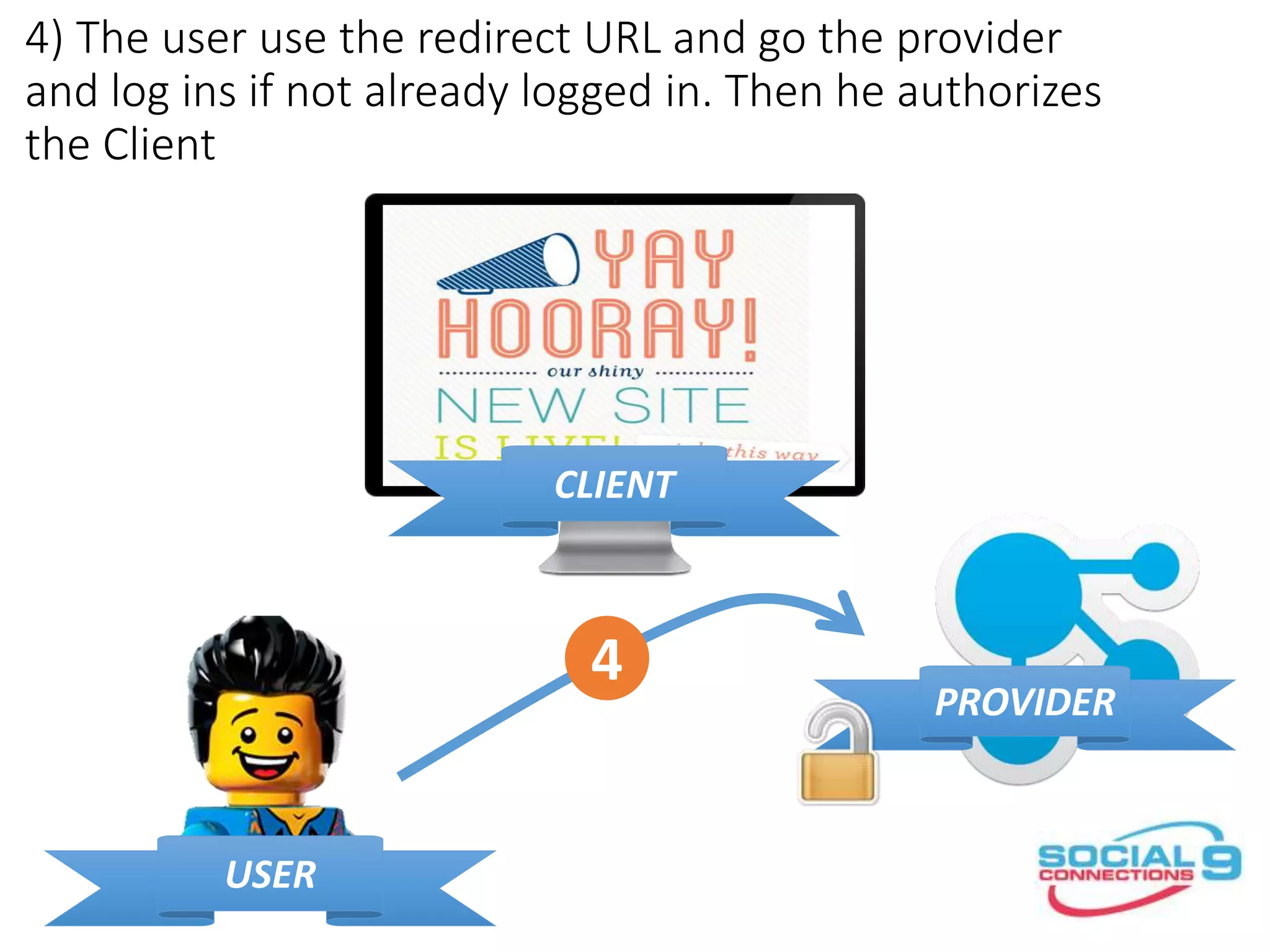
4) The user use the redirect URL and go the provider
and log ins if not already logged in. Then he authorizes
the Client
CLIENT
PROVIDER
USER
4
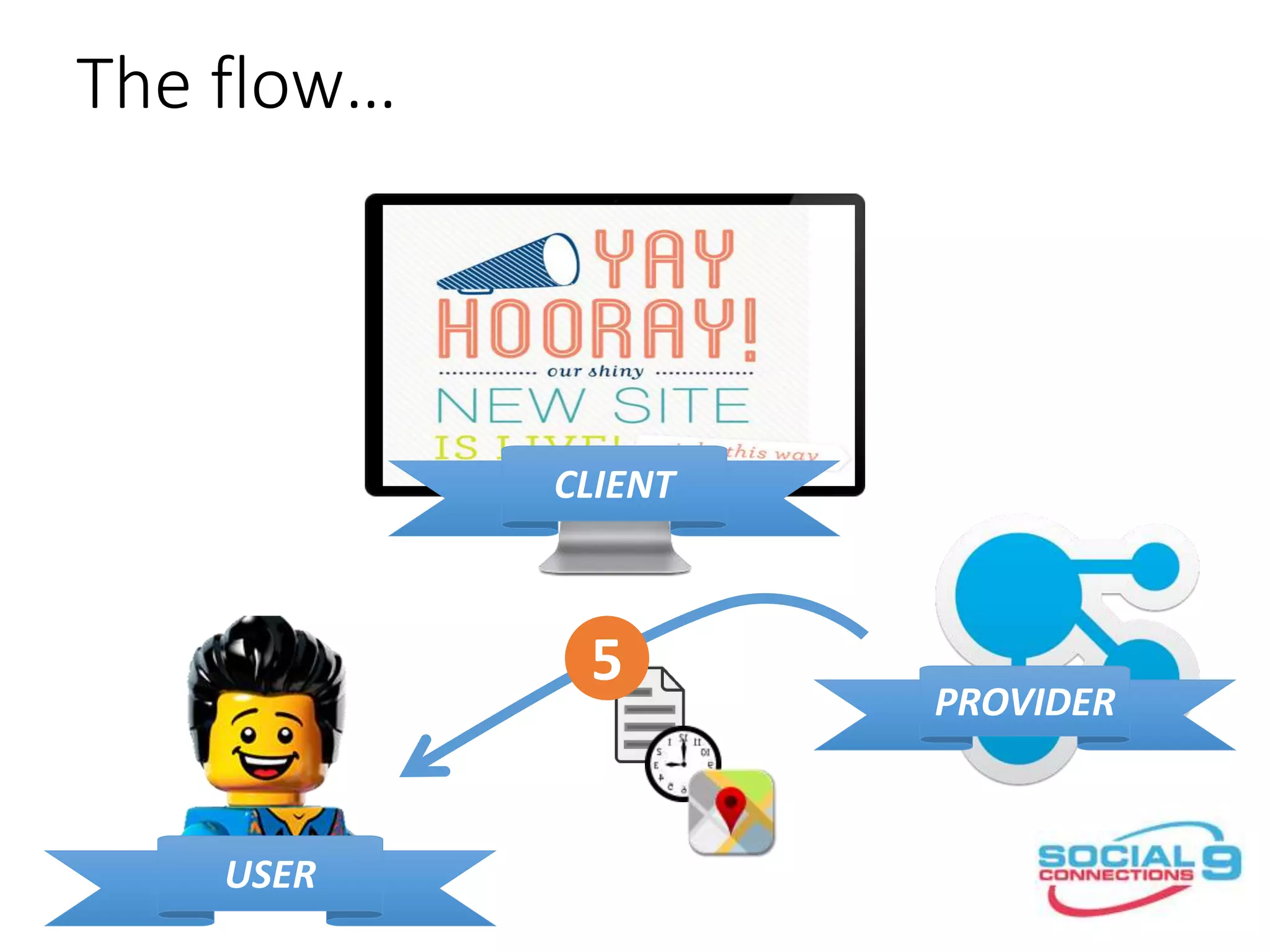
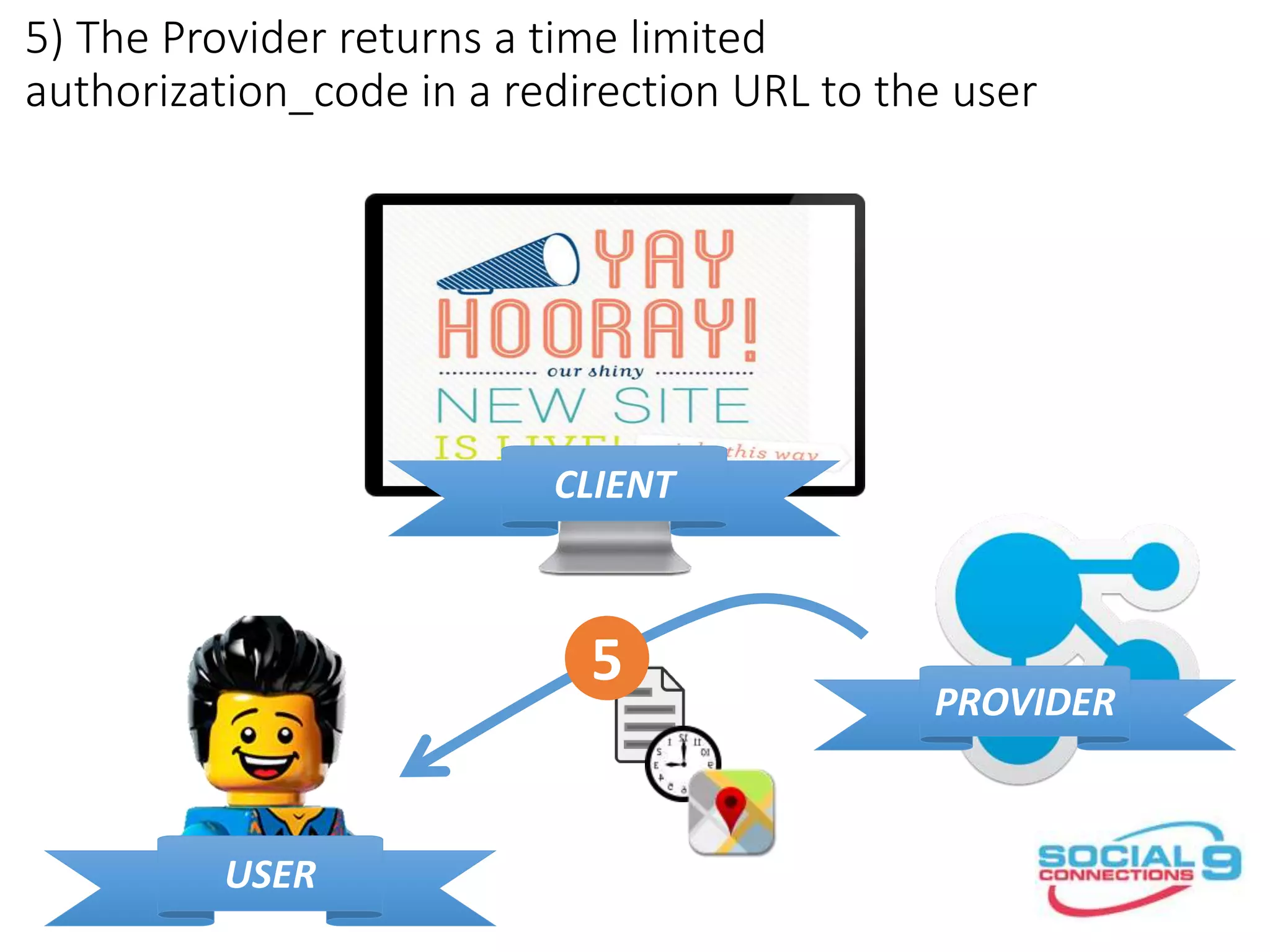
5) The Provider returns a time limited
authorization_code in a redirection URL to the user
CLIENT
PROVIDER
USER
5
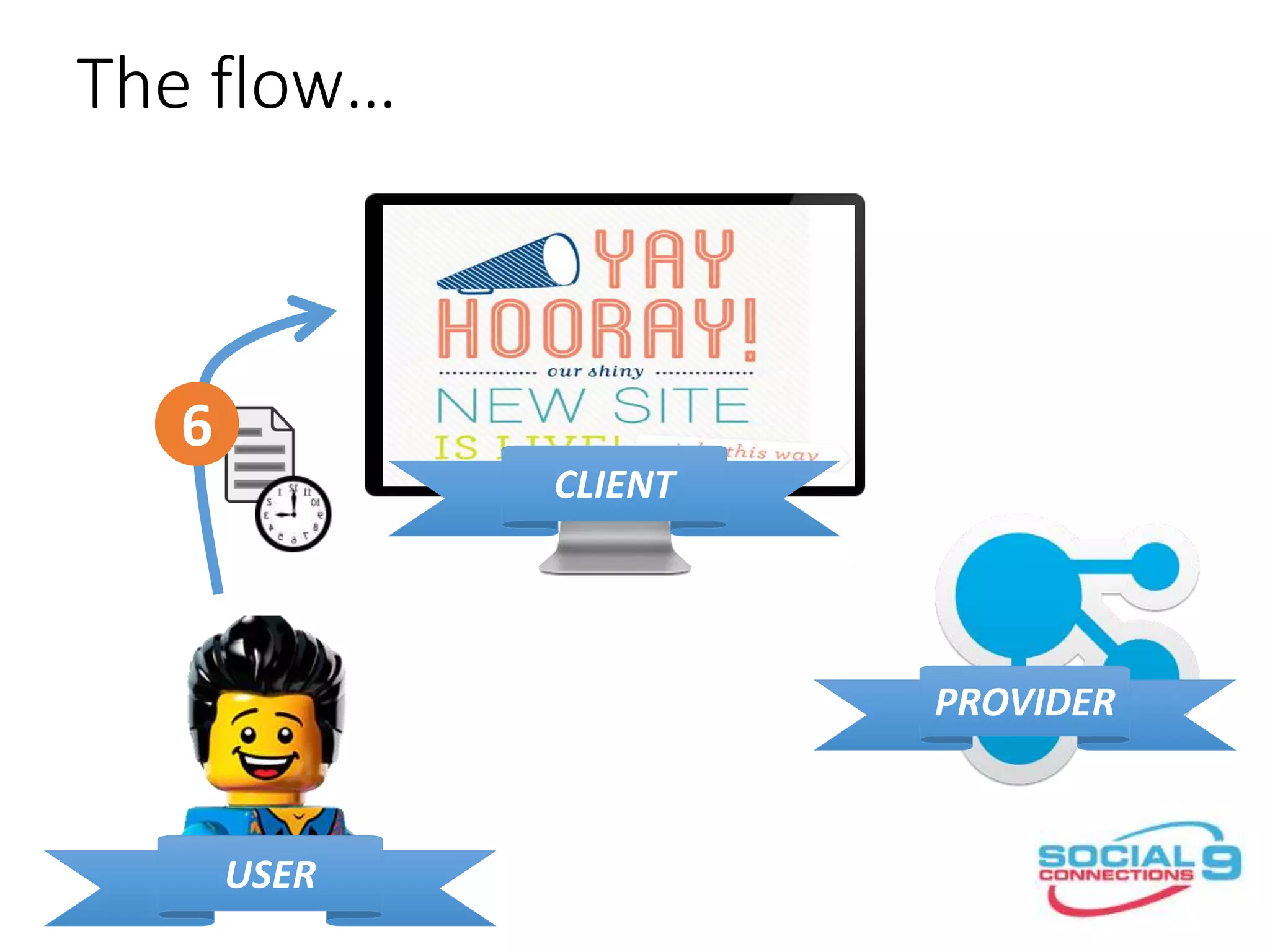
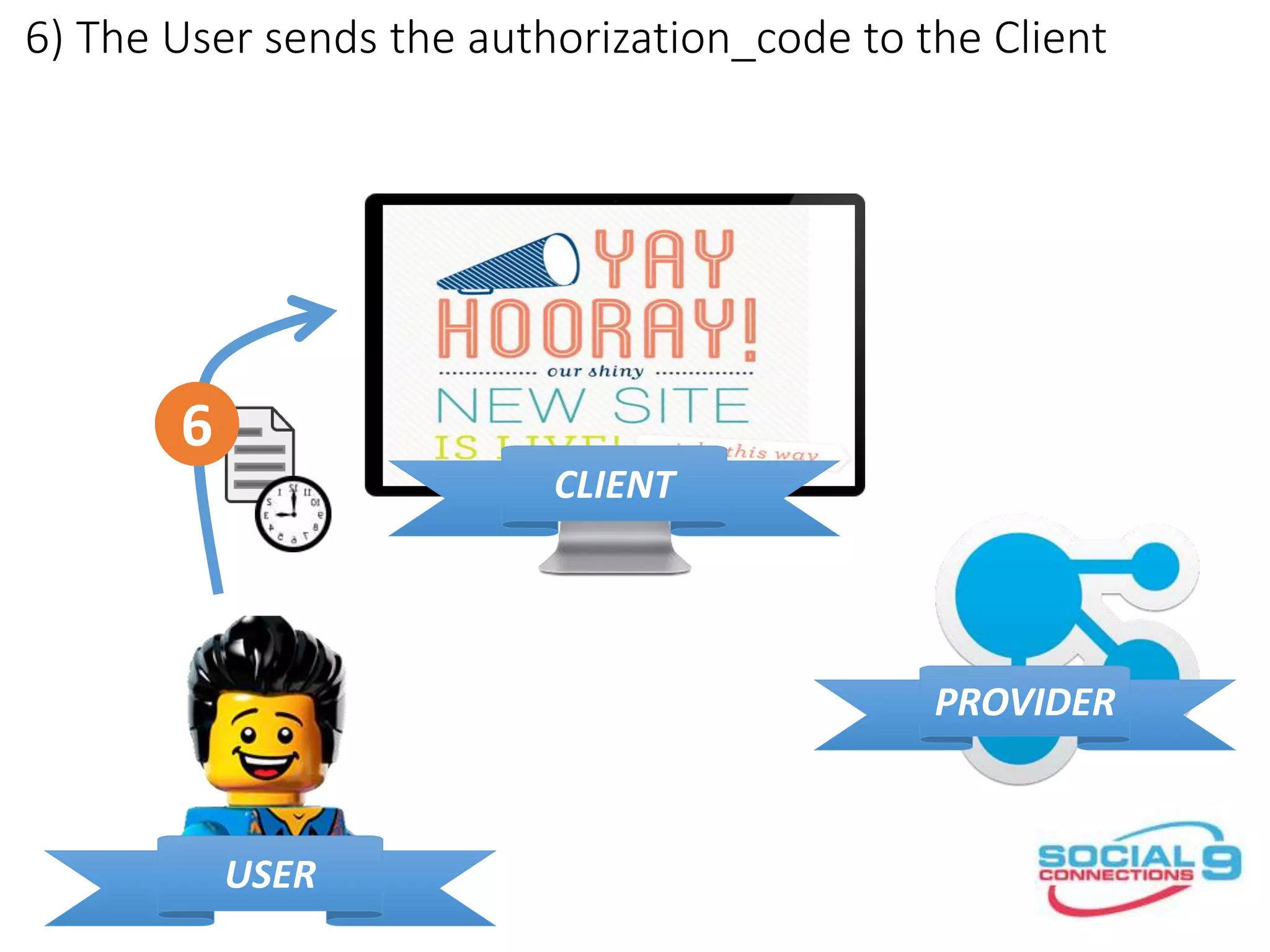
6) The User sends the authorization_code to the Client
CLIENT
PROVIDER
USER
6
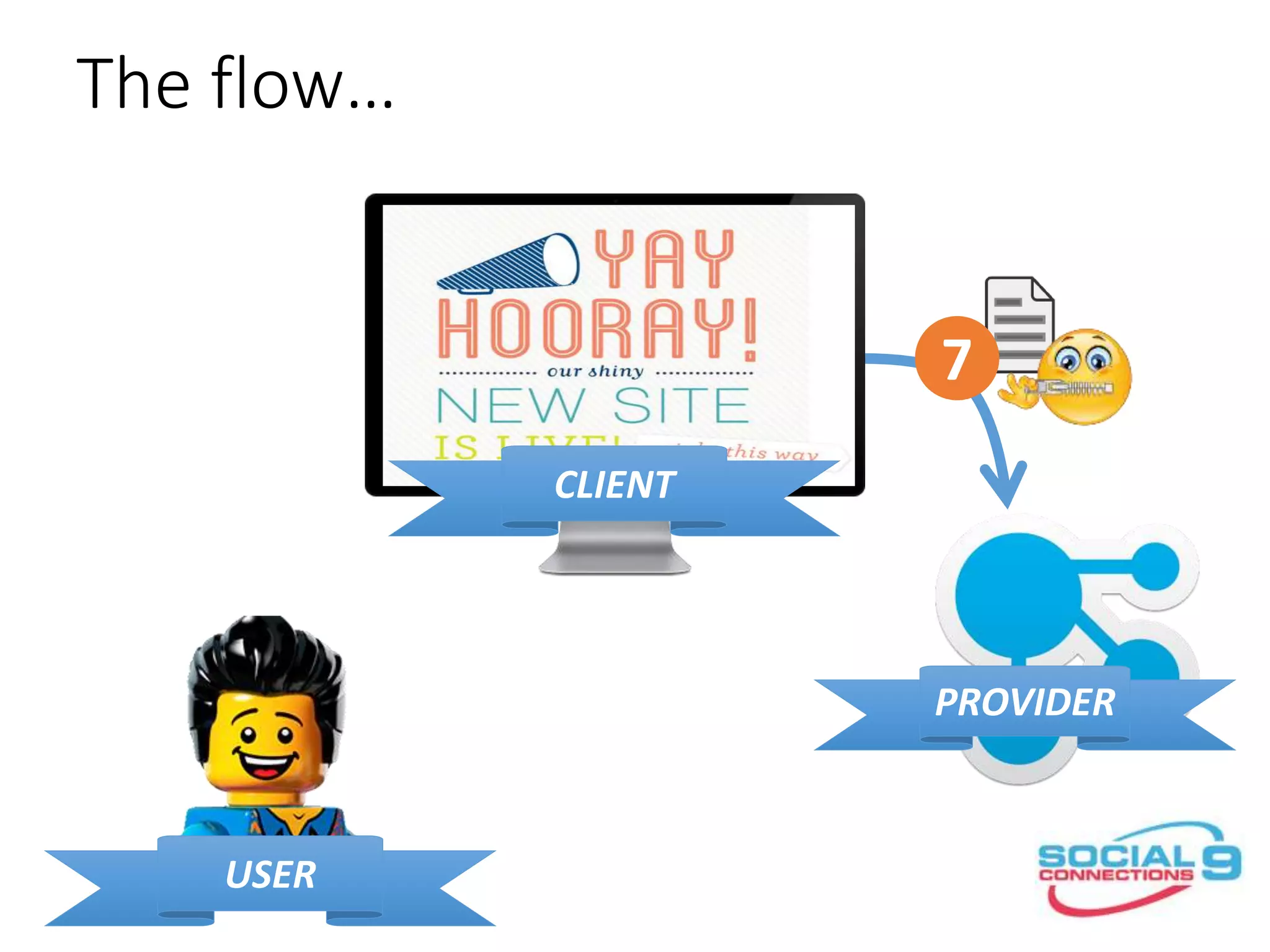
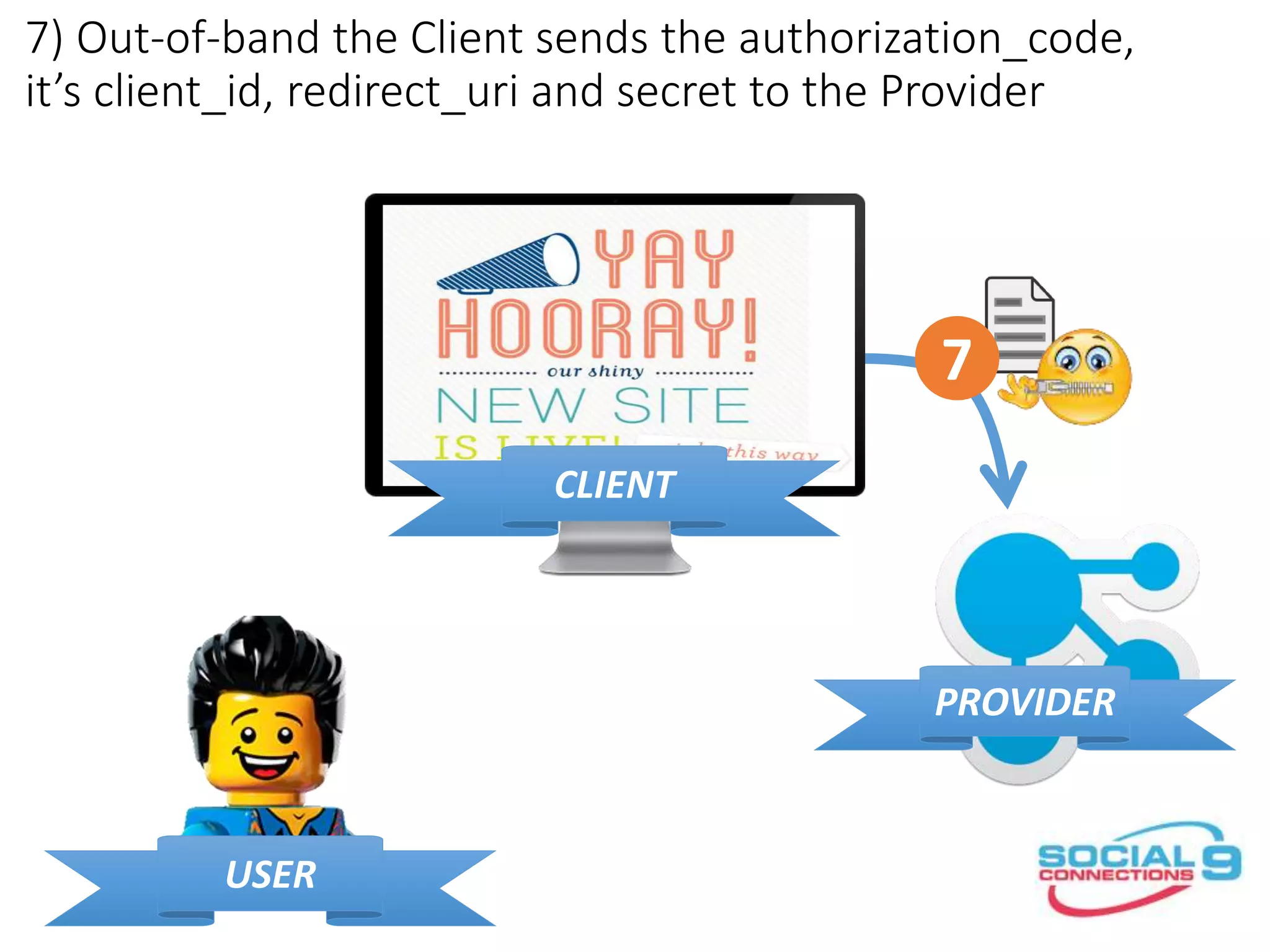
7) Out-of-band the Client sends the authorization_code,
it’s client_id, redirect_uri and secret to the Provider
CLIENT
PROVIDER
USER
7
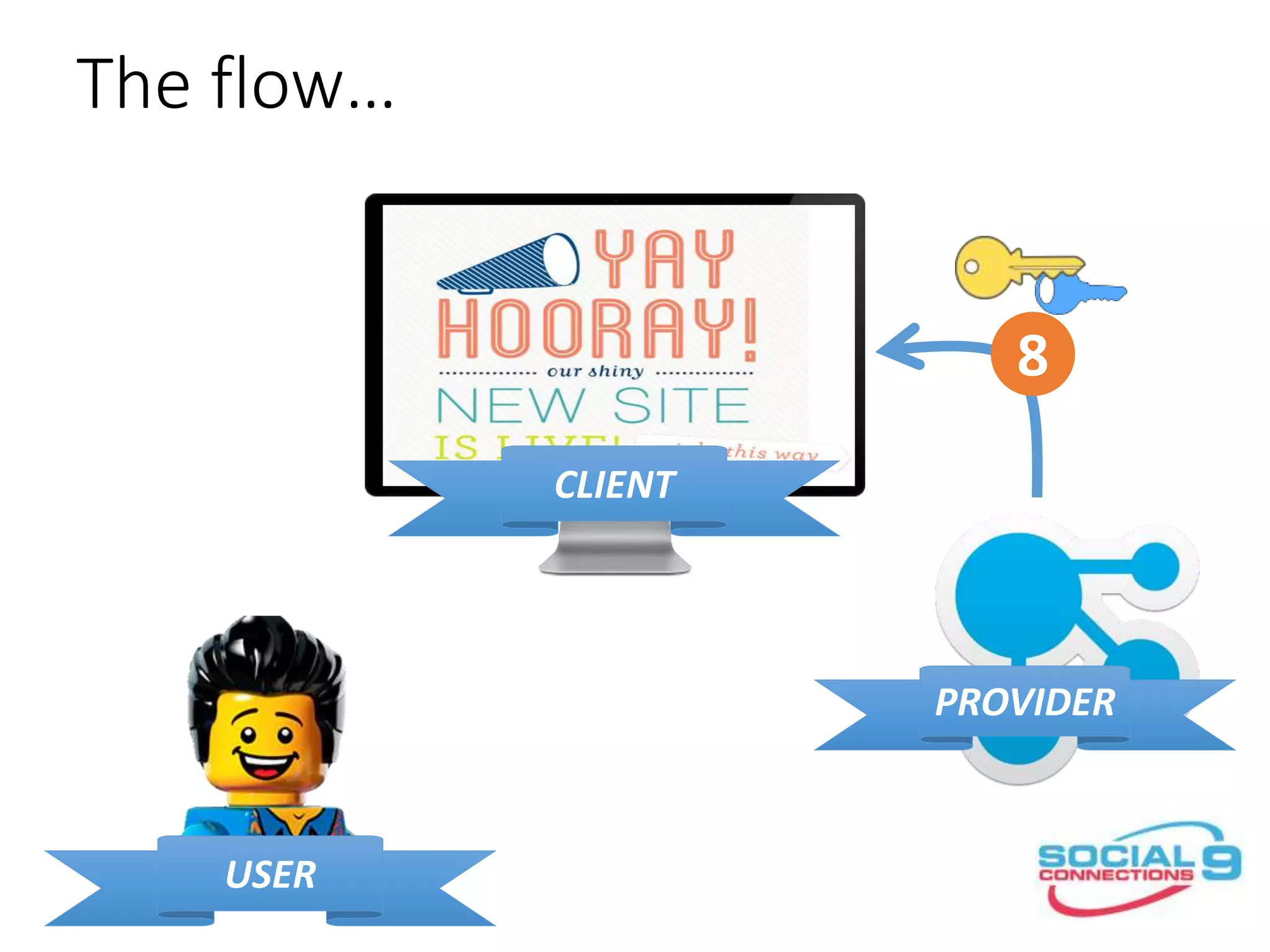
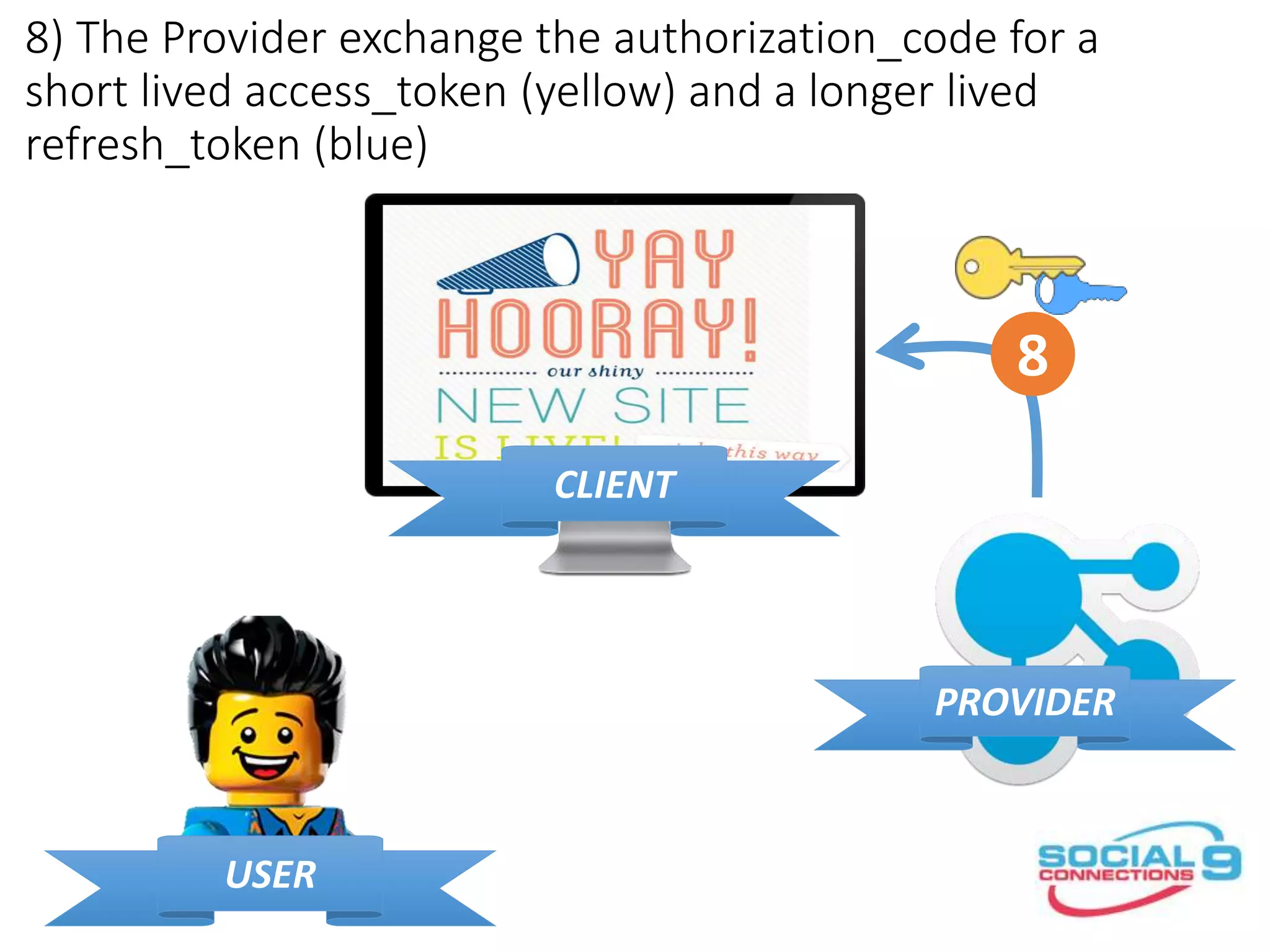
8) The Provider exchange the authorization_code for a
short lived access_token (yellow) and a longer lived
refresh_token (blue)
CLIENT
PROVIDER
USER
8
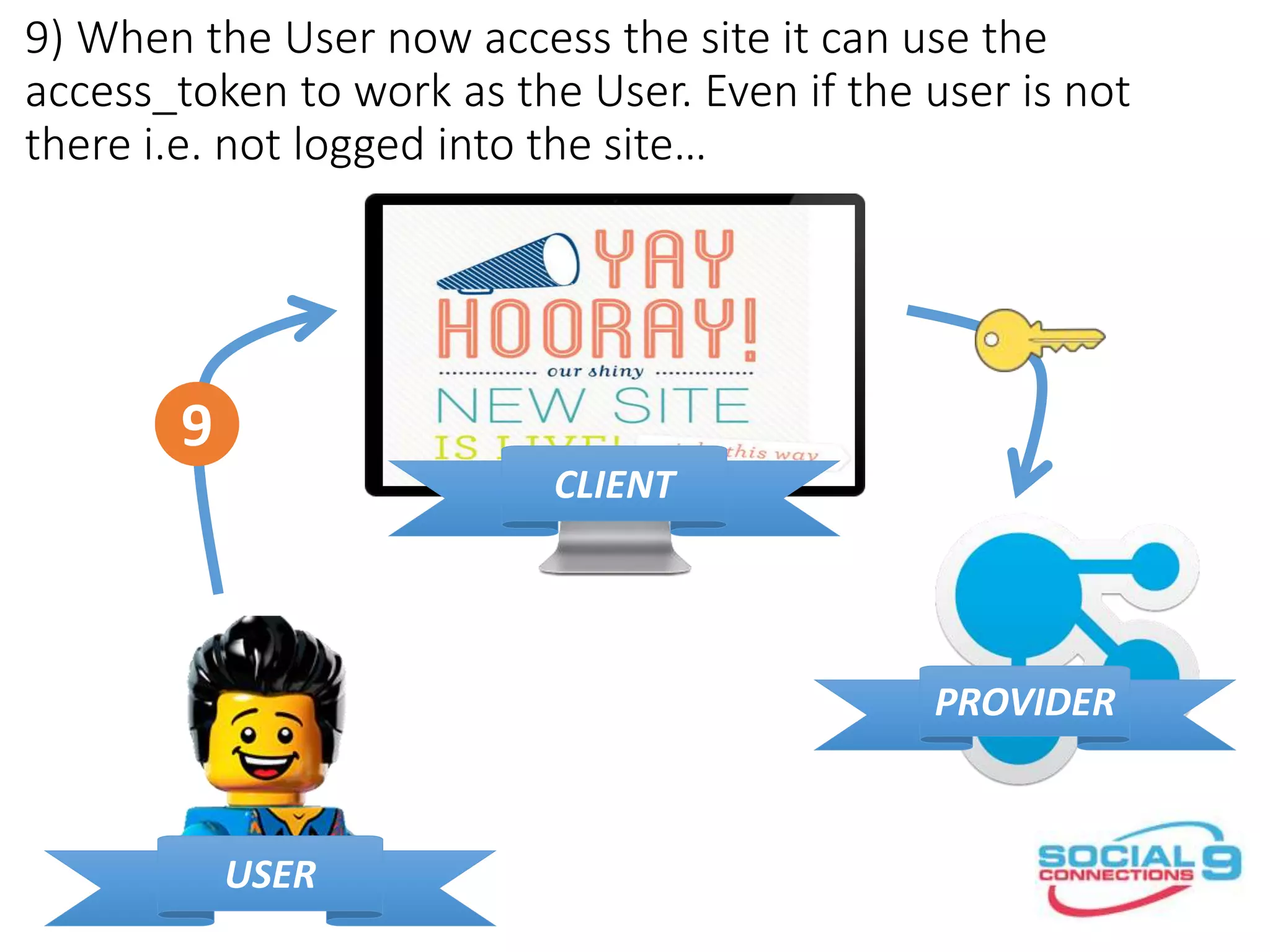
9) When the User now access the site it can use the
access_token to work as the User. Even if the user is not
there i.e. not logged into the site…
CLIENT
PROVIDER
USER
9
If not you should ask now…
WSADMIN
COMING UP
OAuth for administrators
•IBM Connections use the built in OAuth
provider from WebSphere Application
Server
•Administrators we responsible for
registering the app with the OAuth
provider
•You use – you guessed it – wsadmin
commands to do it…
OAuth for administrators
execfile(”oauthAdmin.py”)
OAuthApplicationRegistrationService.addApplication(
”myapp1”, ”My App1", "https://www.renovations.com/oauth/redirect")
OAuthApplicationRegistrationService.browseApplications()[{display_name=
My App1, client_id=myapp1, client_secret=xxxxxxxxxxxxxxxxxxxxxxxxxx,
redirect_uri=
https://www.renovations.com/oauth/redirect}]
OAuthApplicationRegistrationService.deleteApplication(”myapp1”)
The application with the id myapp1 was deleted successfully.
https://www-
01.ibm.com/support/knowledgecenter/SSYGQH_5.0.0/admin/admin/r_admin_co
mmon_oauth_manage_list.dita
I’M A
DEVELOPER
OAuth for developers
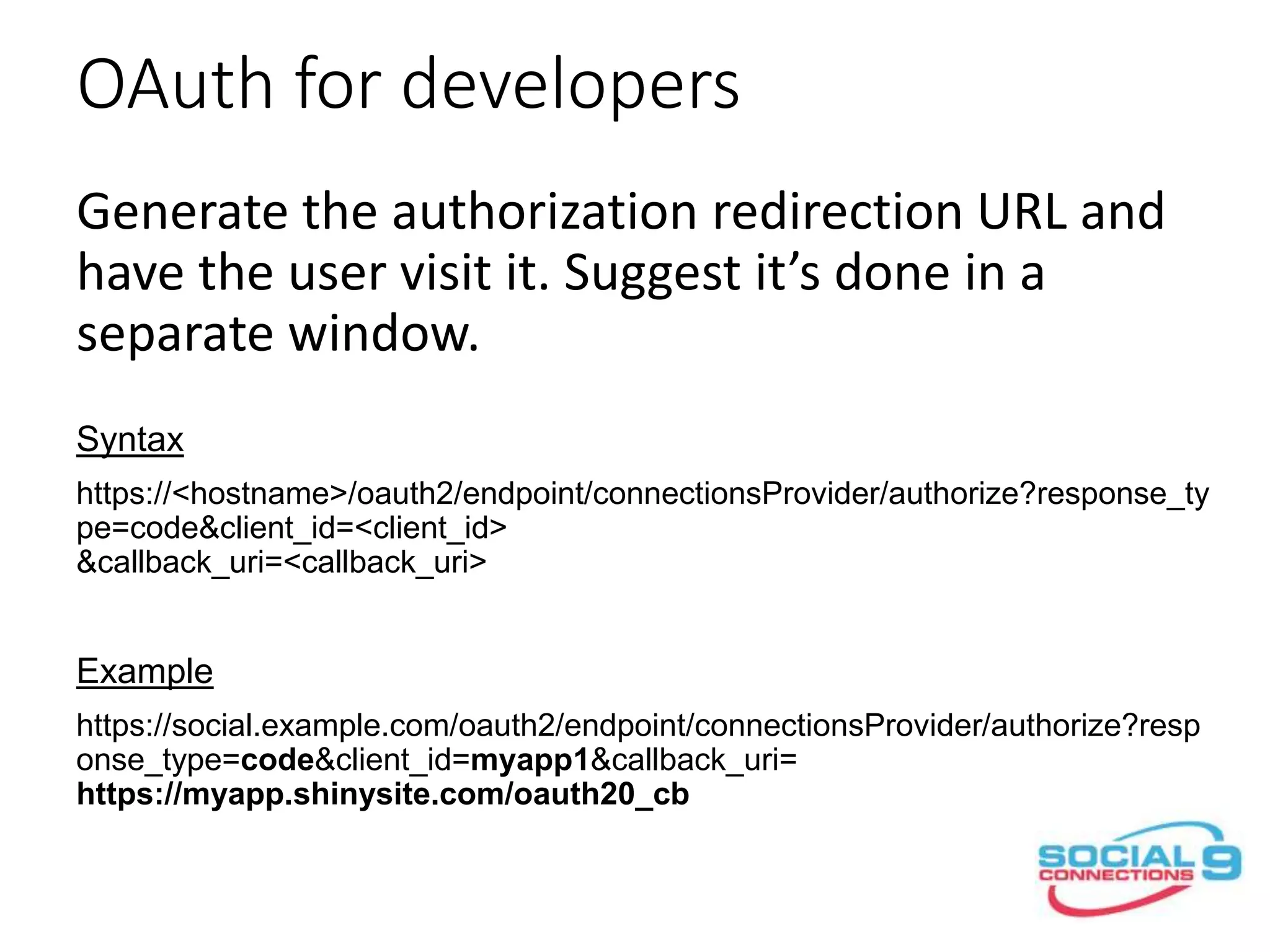
Generate the authorization redirection URL and
have the user visit it. Suggest it’s done in a
separate window.
Syntax
https://<hostname>/oauth2/endpoint/connectionsProvider/authorize?response_ty
pe=code&client_id=<client_id>
&callback_uri=<callback_uri>
Example
https://social.example.com/oauth2/endpoint/connectionsProvider/authorize?resp
onse_type=code&client_id=myapp1&callback_uri=
https://myapp.shinysite.com/oauth20_cb
OAuth for developers
Generate the authorization redirection URL and
have the user visit it. Suggest it’s done in a
separate window.
Syntax
https://<hostname>/oauth2/endpoint/connectionsProvider/authorize?response_ty
pe=code&client_id=<client_id>
&callback_uri=<callback_uri>
Example
https://social.example.com/oauth2/endpoint/connectionsProvider/authorize?resp
onse_type=code&client_id=myapp1&callback_uri=
https://myapp.shinysite.com/oauth20_cb
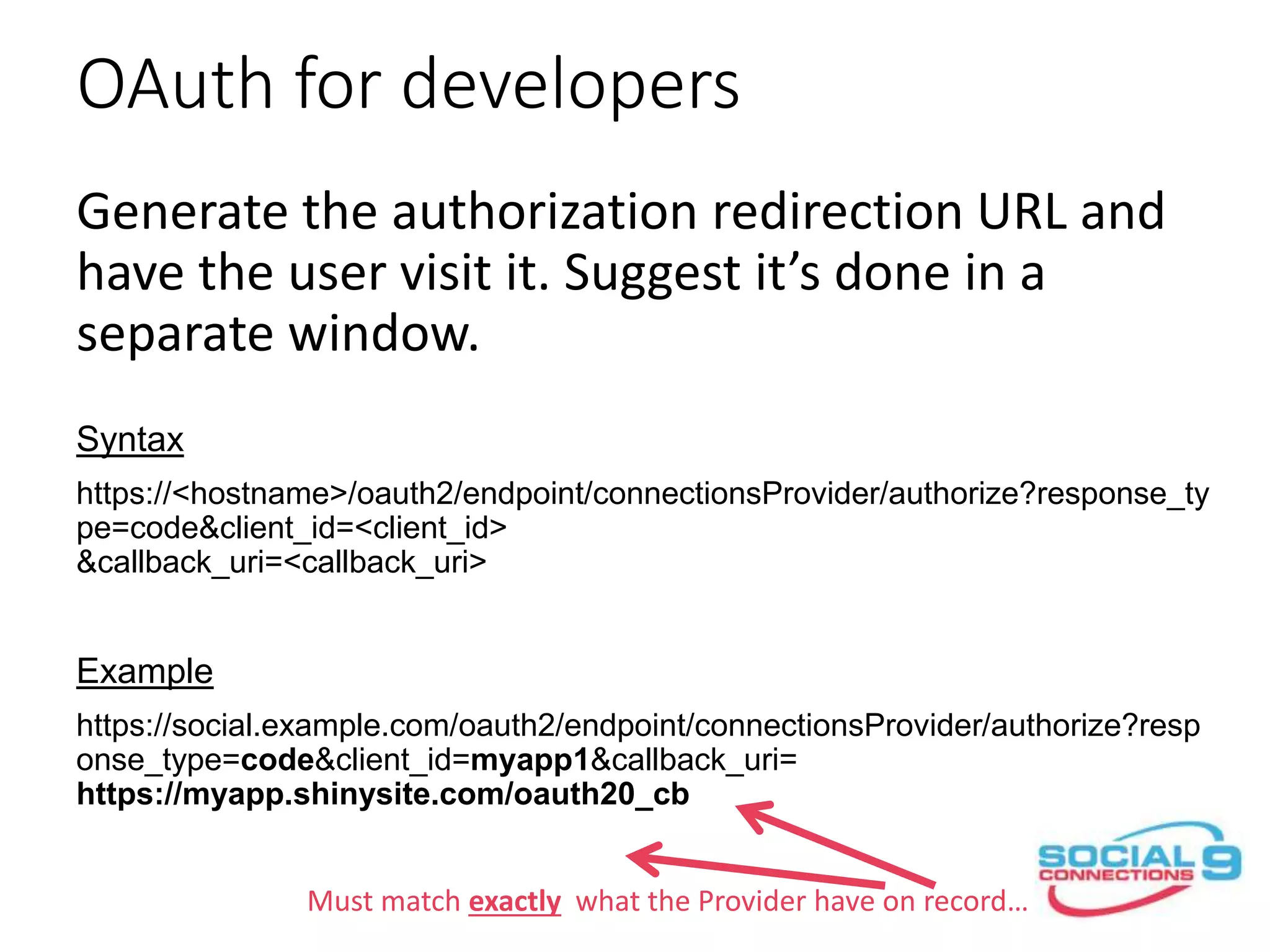
Must match exactly what the Provider have on record…
OAuth for developers
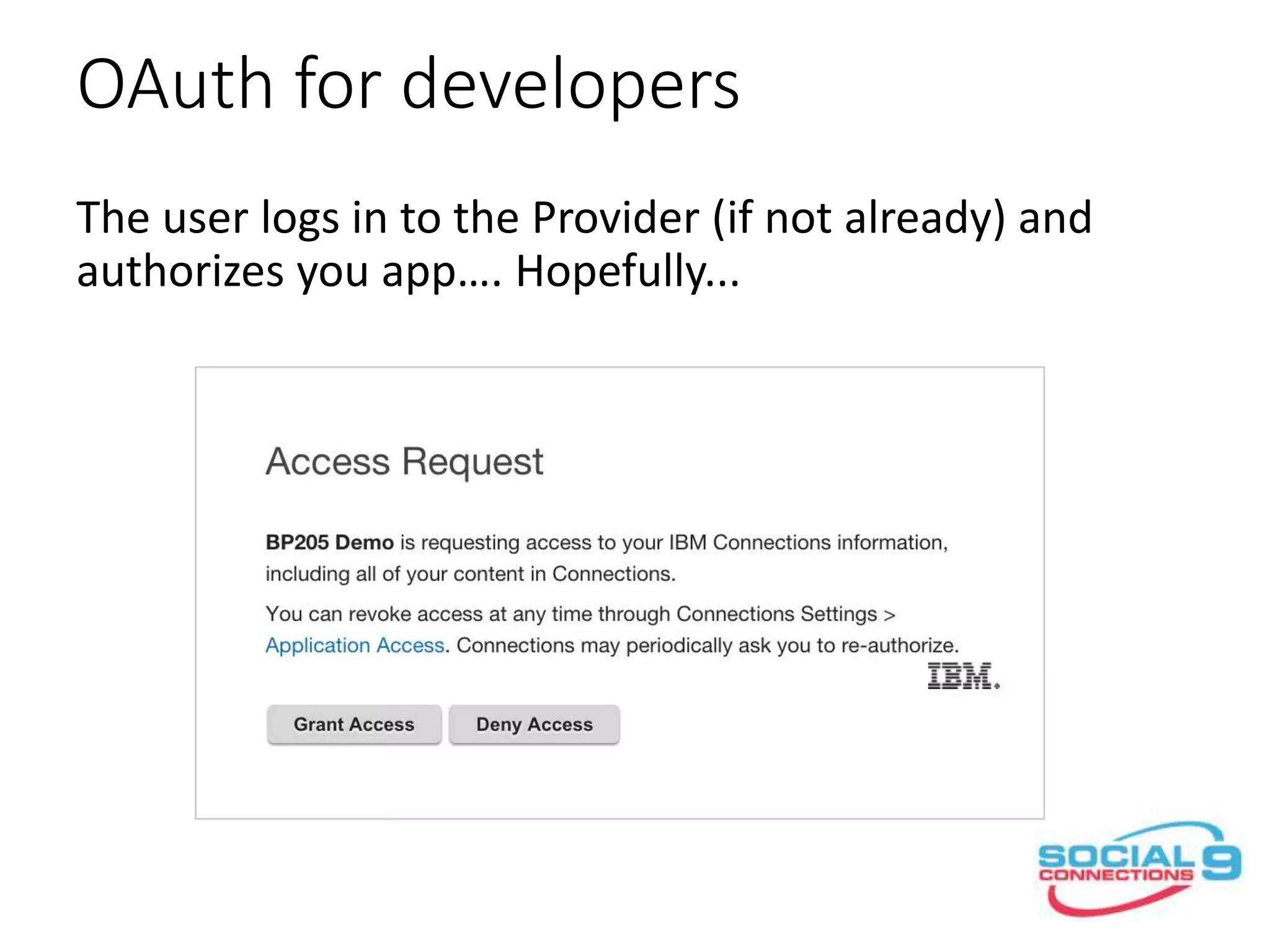
The user logs in to the Provider (if not already) and
authorizes you app…. Hopefully...
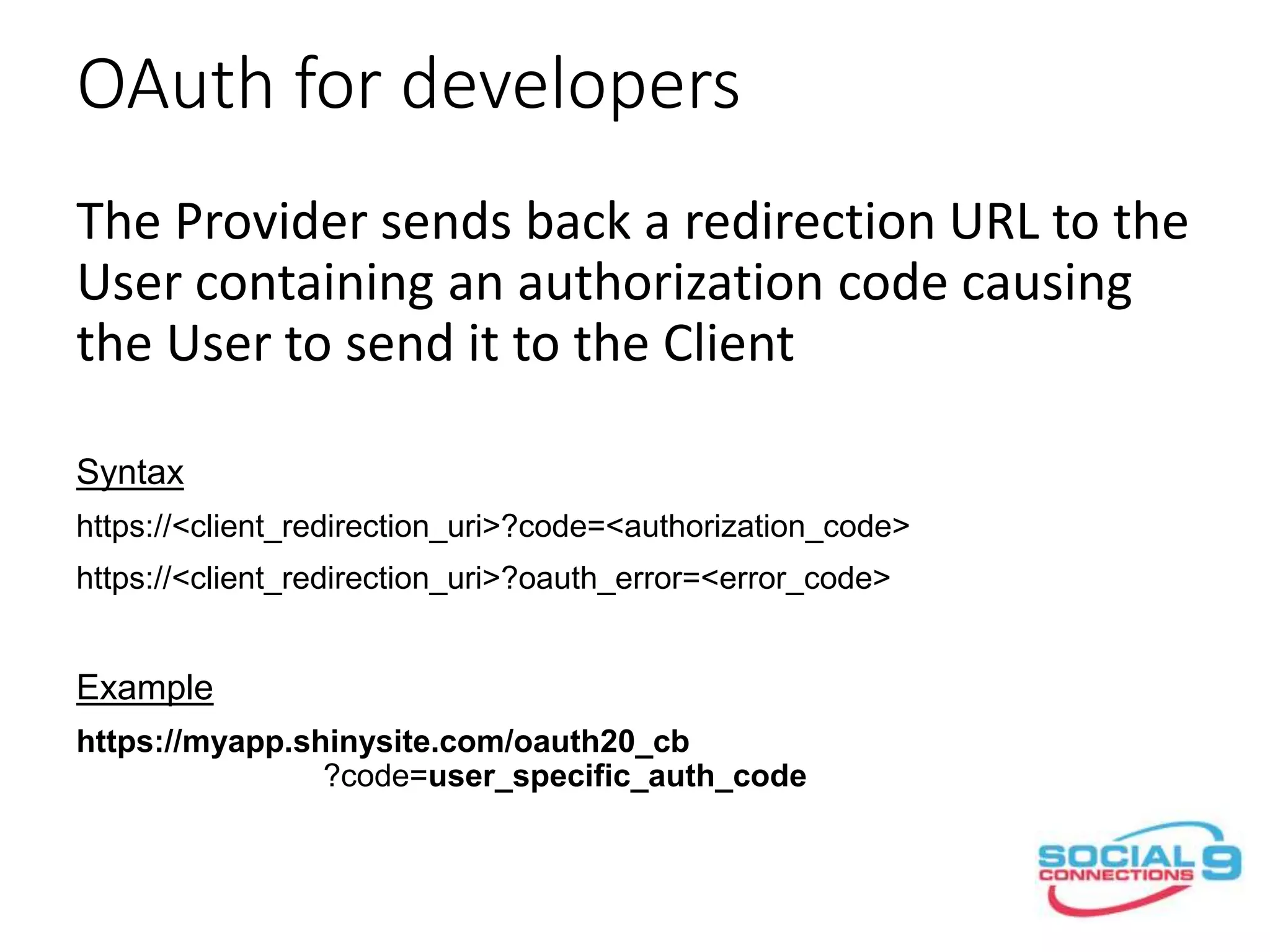
OAuth for developers
The Provider sends back a redirection URL to the
User containing an authorization code causing
the User to send it to the Client
Syntax
https://<client_redirection_uri>?code=<authorization_code>
https://<client_redirection_uri>?oauth_error=<error_code>
Example
https://myapp.shinysite.com/oauth20_cb
?code=user_specific_auth_code
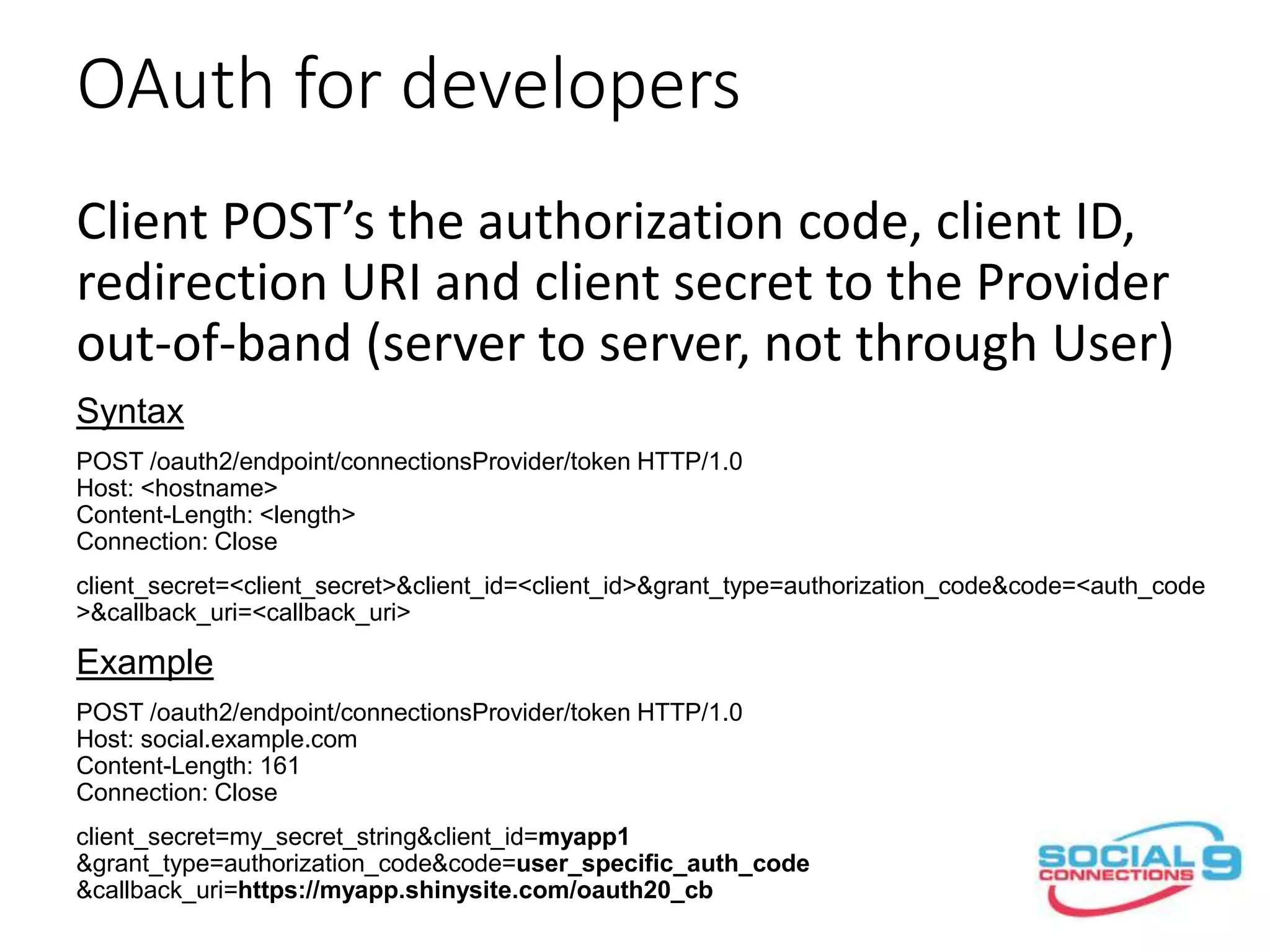
OAuth for developers
Client POST’s the authorization code, client ID,
redirection URI and client secret to the Provider
out-of-band (server to server, not through User)
Syntax
POST /oauth2/endpoint/connectionsProvider/token HTTP/1.0
Host: <hostname>
Content-Length: <length>
Connection: Close
client_secret=<client_secret>&client_id=<client_id>&grant_type=authorization_code&code=<auth_code
>&callback_uri=<callback_uri>
Example
POST /oauth2/endpoint/connectionsProvider/token HTTP/1.0
Host: social.example.com
Content-Length: 161
Connection: Close
client_secret=my_secret_string&client_id=myapp1
&grant_type=authorization_code&code=user_specific_auth_code
&callback_uri=https://myapp.shinysite.com/oauth20_cb
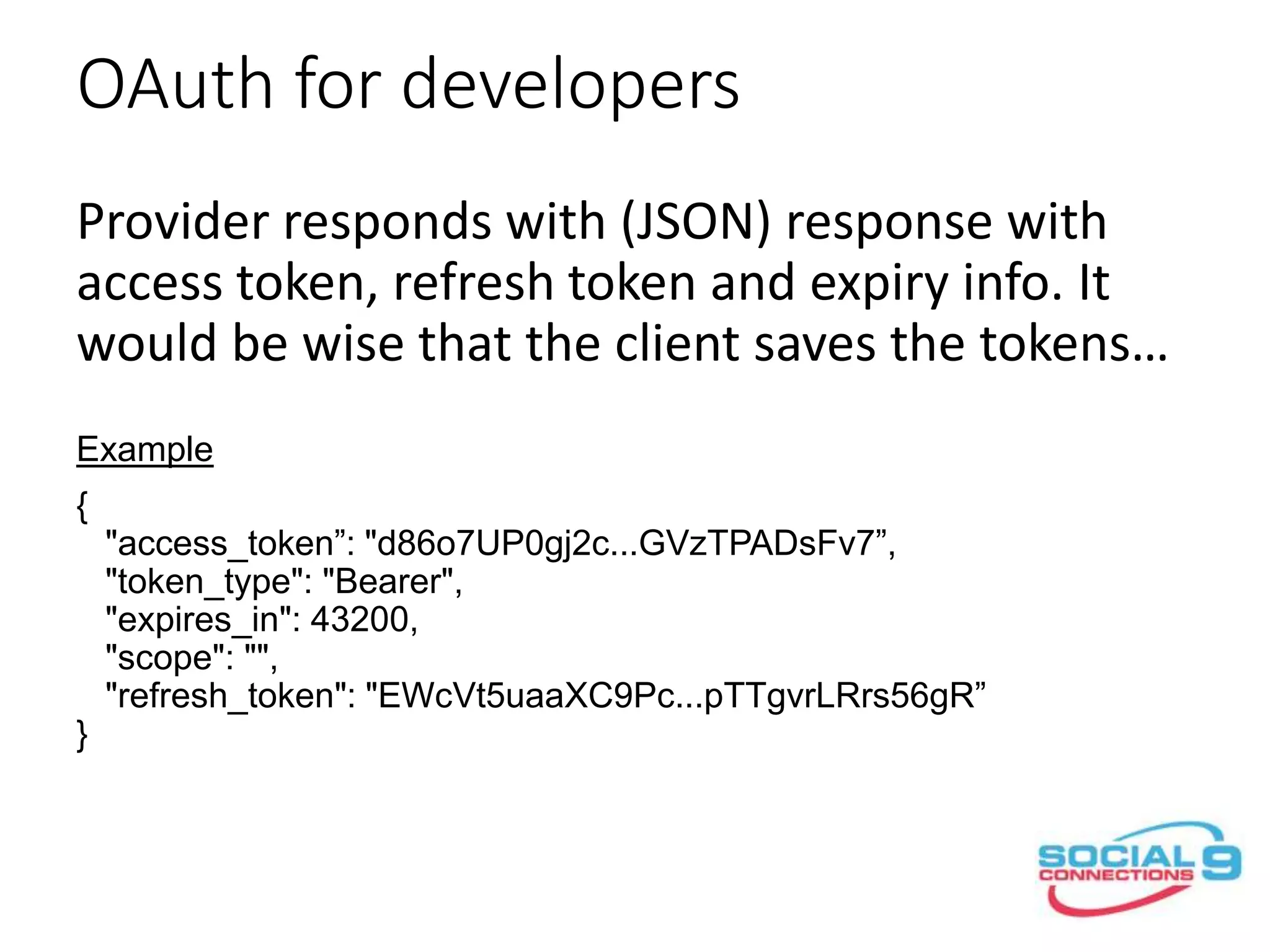
OAuth for developers
Provider responds with (JSON) response with
access token, refresh token and expiry info. It
would be wise that the client saves the tokens…
Example
{
"access_token”: "d86o7UP0gj2c...GVzTPADsFv7”,
"token_type": "Bearer",
"expires_in": 43200,
"scope": "",
"refresh_token": "EWcVt5uaaXC9Pc...pTTgvrLRrs56gR”
}
Response format is Provider specific i.e. IBM Connections Cloud
returns tokens in plain text format…
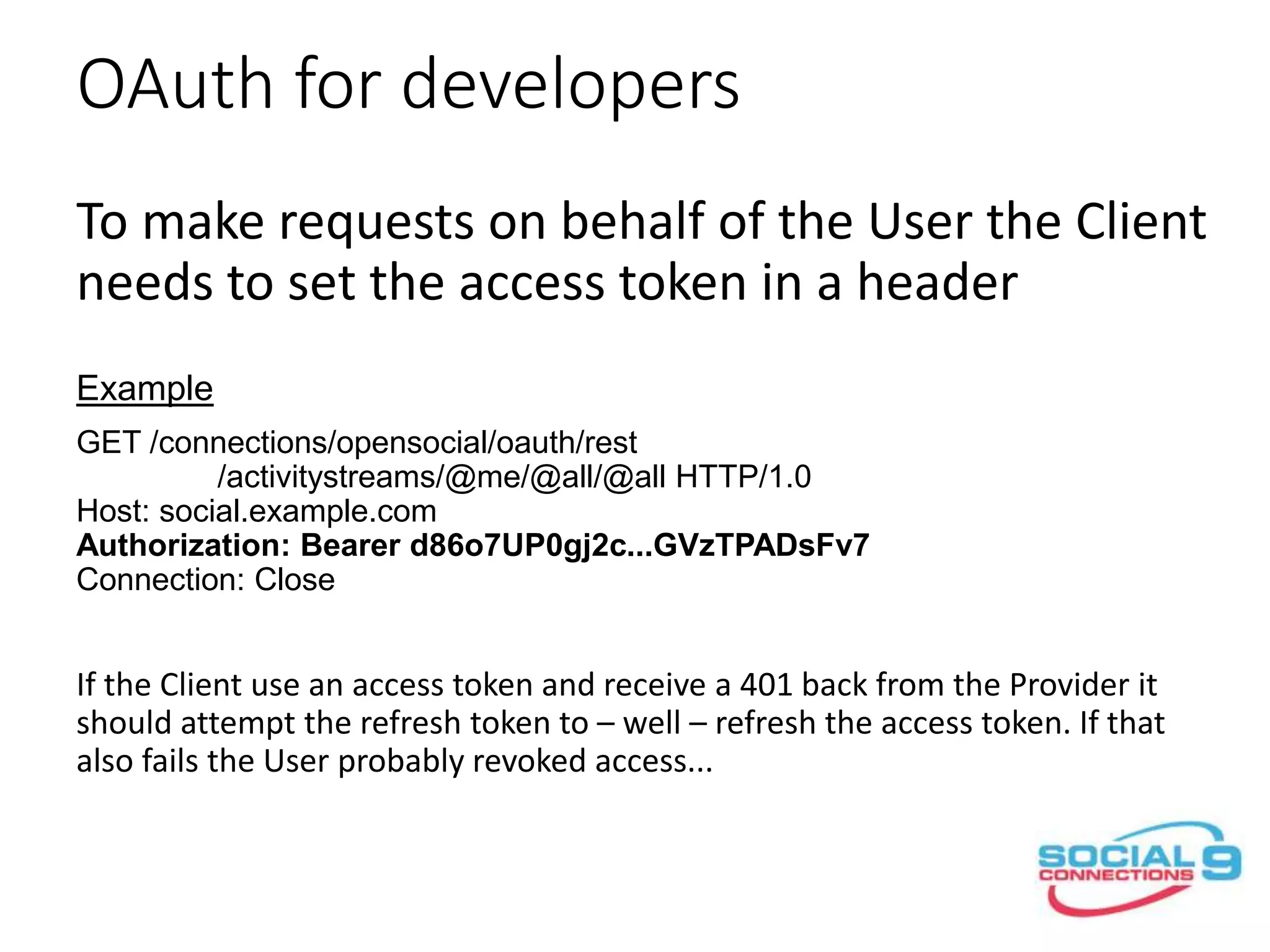
OAuth for developers
To make requests on behalf of the User the Client
needs to set the access token in an Authorization
header
Example
GET /connections/opensocial/oauth/rest
/activitystreams/@me/@all/@all HTTP/1.0
Host: social.example.com
Authorization: Bearer d86o7UP0gj2c...GVzTPADsFv7
Connection: Close
If the Client use an access token and receive a 401 back from the Provider it
should attempt to refresh the access token.
OAuth for developers
You can refresh the tokens i.e. if a call using the access token
returns a 401 from the Provider by using the refresh_token. If that
also fails the user probably revoked your authorization.
Syntax
POST /oauth2/endpoint/connectionsProvider/token HTTP/1.0
Host: <hostname>
Content-Length: <length>
Connection: Close
client_secret=<client_secret>&client_id=<client_id>&grant_type=refresh_token&refresh_token=<refresh_
token>
Example
POST /oauth2/endpoint/connectionsProvider/token HTTP/1.0
Host: social.example.com
Content-Length: 104
Connection: Close
client_secret=my_secret_string&client_id=myapp1
&grant_type=refresh_token&refresh_token=my_refresh_token
Mikkel Flindt Heisterberg
Twitter: @lekkim
E-mail: mfh@intravision.dk
http://lekkimworld.com
http://slideshare.net/lekkim

Introduction to OAuth

  • 1.
    OAuth 2.0 fordevelopers - the technology you need but never really learned Mikkel Flindt Heisterberg OnTime® by IntraVision
  • 2.
    PLATINUM & CHAMPAGNESPONSORS GOLD SPONSORS SILVER SPONSORS BRONZE SPONSORS
  • 3.
    Agenda • The problemwe are trying to solve • Demo (OAuth for users i.e. almost real people) • The flow… • OAuth for administrators • OAuth for developers i.e. real people • Q&A Mikkel Flindt Heisterberg Twitter: @lekkim E-mail: mfh@intravision.dk http://lekkimworld.com http://slideshare.net/lekkim
  • 4.
    The problem weare trying to solve
  • 5.
    The problem weare trying to solve Give me your Social site username and password and we can play…
  • 6.
    The problem weare trying to solve Doesn’t really trust that shiny new site – or IBM Connections for that matter… Give me your Social site username and password and we can play…
  • 7.
    The problem weare trying to solve I support OAuth 2.0 and don’t want your credentials – just authorize me to work on your behalf…
  • 8.
    The problem weare trying to solve 1 2 3
  • 9.
    it’s about lettinga service access user data without knowing the users credentials... - or without the user being there...
  • 11.
  • 12.
    it’s not assimple as that but almost...
  • 13.
  • 14.
  • 15.
  • 16.
  • 17.
  • 18.
  • 19.
  • 20.
  • 21.
  • 22.
    but less cartoonyand with real words this time...
  • 23.
    1) User accessessite and logs in CLIENT PROVIDER USER 1
  • 24.
    2) The sitechecks to see if it has Tokens for the Provider in its credential store CLIENT PROVIDER USER 2
  • 25.
    3) The sitesends a redirection to the client telling it to go authorize it at the Provider. The URL contains the Client redirect_uri and client_id CLIENT PROVIDER USER 3
  • 26.
    4) The useruse the redirect URL and go the provider and log ins if not already logged in. Then he authorizes the Client CLIENT PROVIDER USER 4
  • 27.
    5) The Providerreturns a time limited authorization_code in a redirection URL to the user CLIENT PROVIDER USER 5
  • 28.
    6) The Usersends the authorization_code to the Client CLIENT PROVIDER USER 6
  • 29.
    7) Out-of-band theClient sends the authorization_code, it’s client_id, redirect_uri and secret to the Provider CLIENT PROVIDER USER 7
  • 30.
    8) The Providerexchange the authorization_code for a short lived access_token (yellow) and a longer lived refresh_token (blue) CLIENT PROVIDER USER 8
  • 31.
    9) When theUser now access the site it can use the access_token to work as the User. Even if the user is not there i.e. not logged into the site… CLIENT PROVIDER USER 9
  • 32.
    If not youshould ask now…
  • 33.
  • 34.
    OAuth for administrators •IBMConnections use the built in OAuth provider from WebSphere Application Server •Administrators we responsible for registering the app with the OAuth provider •You use – you guessed it – wsadmin commands to do it…
  • 35.
    OAuth for administrators execfile(”oauthAdmin.py”) OAuthApplicationRegistrationService.addApplication( ”myapp1”,”My App1", "https://www.renovations.com/oauth/redirect") OAuthApplicationRegistrationService.browseApplications()[{display_name= My App1, client_id=myapp1, client_secret=xxxxxxxxxxxxxxxxxxxxxxxxxx, redirect_uri= https://www.renovations.com/oauth/redirect}] OAuthApplicationRegistrationService.deleteApplication(”myapp1”) The application with the id myapp1 was deleted successfully. https://www- 01.ibm.com/support/knowledgecenter/SSYGQH_5.0.0/admin/admin/r_admin_co mmon_oauth_manage_list.dita
  • 36.
  • 38.
    OAuth for developers Generatethe authorization redirection URL and have the user visit it. Suggest it’s done in a separate window. Syntax https://<hostname>/oauth2/endpoint/connectionsProvider/authorize?response_ty pe=code&client_id=<client_id> &callback_uri=<callback_uri> Example https://social.example.com/oauth2/endpoint/connectionsProvider/authorize?resp onse_type=code&client_id=myapp1&callback_uri= https://myapp.shinysite.com/oauth20_cb
  • 39.
    OAuth for developers Generatethe authorization redirection URL and have the user visit it. Suggest it’s done in a separate window. Syntax https://<hostname>/oauth2/endpoint/connectionsProvider/authorize?response_ty pe=code&client_id=<client_id> &callback_uri=<callback_uri> Example https://social.example.com/oauth2/endpoint/connectionsProvider/authorize?resp onse_type=code&client_id=myapp1&callback_uri= https://myapp.shinysite.com/oauth20_cb Must match exactly what the Provider have on record…
  • 40.
    OAuth for developers Theuser logs in to the Provider (if not already) and authorizes you app…. Hopefully...
  • 41.
    OAuth for developers TheProvider sends back a redirection URL to the User containing an authorization code causing the User to send it to the Client Syntax https://<client_redirection_uri>?code=<authorization_code> https://<client_redirection_uri>?oauth_error=<error_code> Example https://myapp.shinysite.com/oauth20_cb ?code=user_specific_auth_code
  • 42.
    OAuth for developers ClientPOST’s the authorization code, client ID, redirection URI and client secret to the Provider out-of-band (server to server, not through User) Syntax POST /oauth2/endpoint/connectionsProvider/token HTTP/1.0 Host: <hostname> Content-Length: <length> Connection: Close client_secret=<client_secret>&client_id=<client_id>&grant_type=authorization_code&code=<auth_code >&callback_uri=<callback_uri> Example POST /oauth2/endpoint/connectionsProvider/token HTTP/1.0 Host: social.example.com Content-Length: 161 Connection: Close client_secret=my_secret_string&client_id=myapp1 &grant_type=authorization_code&code=user_specific_auth_code &callback_uri=https://myapp.shinysite.com/oauth20_cb
  • 43.
    OAuth for developers Providerresponds with (JSON) response with access token, refresh token and expiry info. It would be wise that the client saves the tokens… Example { "access_token”: "d86o7UP0gj2c...GVzTPADsFv7”, "token_type": "Bearer", "expires_in": 43200, "scope": "", "refresh_token": "EWcVt5uaaXC9Pc...pTTgvrLRrs56gR” } Response format is Provider specific i.e. IBM Connections Cloud returns tokens in plain text format…
  • 44.
    OAuth for developers Tomake requests on behalf of the User the Client needs to set the access token in an Authorization header Example GET /connections/opensocial/oauth/rest /activitystreams/@me/@all/@all HTTP/1.0 Host: social.example.com Authorization: Bearer d86o7UP0gj2c...GVzTPADsFv7 Connection: Close If the Client use an access token and receive a 401 back from the Provider it should attempt to refresh the access token.
  • 45.
    OAuth for developers Youcan refresh the tokens i.e. if a call using the access token returns a 401 from the Provider by using the refresh_token. If that also fails the user probably revoked your authorization. Syntax POST /oauth2/endpoint/connectionsProvider/token HTTP/1.0 Host: <hostname> Content-Length: <length> Connection: Close client_secret=<client_secret>&client_id=<client_id>&grant_type=refresh_token&refresh_token=<refresh_ token> Example POST /oauth2/endpoint/connectionsProvider/token HTTP/1.0 Host: social.example.com Content-Length: 104 Connection: Close client_secret=my_secret_string&client_id=myapp1 &grant_type=refresh_token&refresh_token=my_refresh_token
  • 46.
    Mikkel Flindt Heisterberg Twitter:@lekkim E-mail: mfh@intravision.dk http://lekkimworld.com http://slideshare.net/lekkim