INTRODUCTIO
N TO
COMPUTING
School of Computer Studies and
Introduction to Computing
Intended Learning Outcomes
1. Identify the key roles of computing.
2. Articulate the role and importance of computing
profession in local and global communities.
Introduction to Computing
As an IT/CS student, what
system do you have in mind to
develop in the future related
to AI, IoT or robotics?
Introduction to Computing
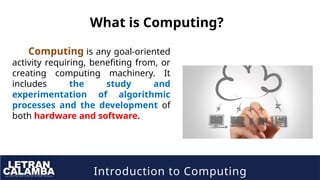
What is Computing?
Computing is any goal-oriented
activity requiring, benefiting from, or
creating computing machinery. It
includes the study and
experimentation of algorithmic
processes and the development of
both hardware and software.
Introduction to Computing
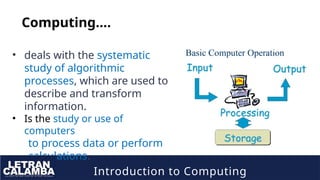
Computing….
• deals with the systematic
study of algorithmic
processes, which are used to
describe and transform
information.
• Is the study or use of
computers
to process data or perform
calculations.
Introduction to Computing
Importance of Computing
The Importance of Computer Technology in Everyday Life is
undeniable.
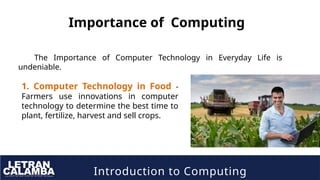
1. Computer Technology in Food -
Farmers use innovations in computer
technology to determine the best time to
plant, fertilize, harvest and sell crops.
Introduction to Computing
Importance of Computing
The Importance of Computer Technology in Everyday Life is
undeniable.
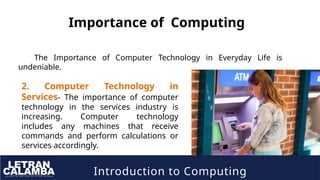
2. Computer Technology in
Services- The importance of computer
technology in the services industry is
increasing. Computer technology
includes any machines that receive
commands and perform calculations or
services accordingly.
Introduction to Computing
Importance of Computing
The Importance of Computer Technology in Everyday Life is
undeniable.
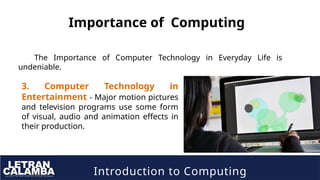
3. Computer Technology in
Entertainment - Major motion pictures
and television programs use some form
of visual, audio and animation effects in
their production.
Introduction to Computing
Importance of Computing
The Importance of Computer Technology in Everyday Life is
undeniable.
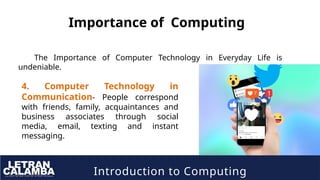
4. Computer Technology in
Communication- People correspond
with friends, family, acquaintances and
business associates through social
media, email, texting and instant
messaging.
Introduction to Computing
Importance of Computing
The Importance of Computer Technology in Everyday Life is
undeniable.
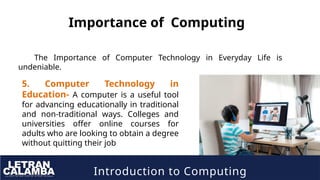
5. Computer Technology in
Education- A computer is a useful tool
for advancing educationally in traditional
and non-traditional ways. Colleges and
universities offer online courses for
adults who are looking to obtain a degree
without quitting their job
Introduction to Computing
Importance of Computing
The Importance of Computer Technology in Everyday Life is
undeniable.
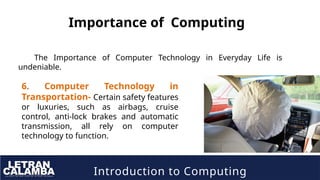
6. Computer Technology in
Transportation- Certain safety features
or luxuries, such as airbags, cruise
control, anti-lock brakes and automatic
transmission, all rely on computer
technology to function.
Introduction to Computing
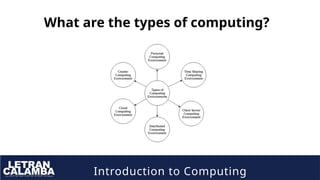
What are the types of computing?
A computer system uses many devices,
arranged in different ways to solve many
problems. This constitutes a computing
environment where many computers are
used to process and exchange information
to handle multiple issues.
Introduction to Computing
What are the types of computing?
Introduction to Computing
1. Personal Computing Environment
In the personal computing environment, there is a single computer
system. All the system processes are available on the computer and
executed there. The different devices that constitute a personal
computing environment are
• laptops,
• mobiles,
• printers,
• computer systems,
• scanners
• etc.
Introduction to Computing
2. Time Sharing Computing Environment
1. The time-sharing computing
environment allows multiple users
to share the system simultaneously.
2. Each user is provided a time slice
and the processor switches rapidly
among the users according to it.
Because of this, each user believes that
they are the only ones using the
system.
• Example
• UNIX server OS.
• Linux server OS.
• Windows NT server.
• Windows 2000 server.
Introduction to Computing
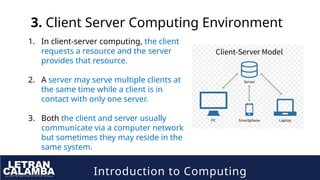
3. Client Server Computing Environment
1. In client-server computing, the client
requests a resource and the server
provides that resource.
2. A server may serve multiple clients at
the same time while a client is in
contact with only one server.
3. Both the client and server usually
communicate via a computer network
but sometimes they may reside in the
same system.
Introduction to Computing
4. Distributed Computing Environment
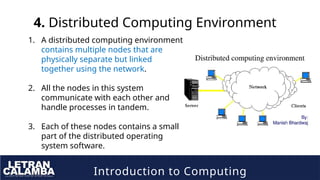
1. A distributed computing environment
contains multiple nodes that are
physically separate but linked
together using the network.
2. All the nodes in this system
communicate with each other and
handle processes in tandem.
3. Each of these nodes contains a small
part of the distributed operating
system software.
Introduction to Computing
5. Cloud Computing Environment
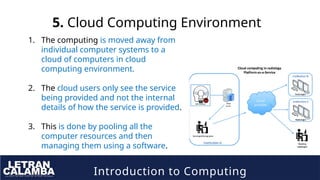
1. The computing is moved away from
individual computer systems to a
cloud of computers in cloud
computing environment.
2. The cloud users only see the service
being provided and not the internal
details of how the service is provided.
3. This is done by pooling all the
computer resources and then
managing them using a software.
Introduction to Computing
6. Cluster Computing Environment
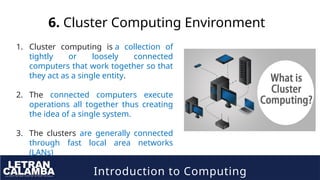
1. Cluster computing is a collection of
tightly or loosely connected
computers that work together so that
they act as a single entity.
2. The connected computers execute
operations all together thus creating
the idea of a single system.
3. The clusters are generally connected
through fast local area networks
(LANs)
Introduction to Computing
What Is the Purpose of the Computer?
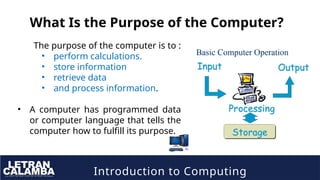
The purpose of the computer is to :
• perform calculations.
• store information
• retrieve data
• and process information.
• A computer has programmed data
or computer language that tells the
computer how to fulfill its purpose.
Introduction to Computing
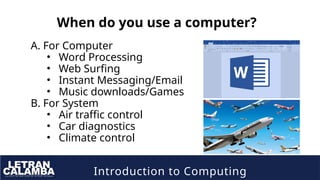
When do you use a computer?
A. For Computer
• Word Processing
• Web Surfing
• Instant Messaging/Email
• Music downloads/Games
B. For System
• Air traffic control
• Car diagnostics
• Climate control
Introduction to Computing
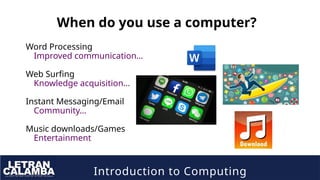
When do you use a computer?
Word Processing
Improved communication…
Web Surfing
Knowledge acquisition…
Instant Messaging/Email
Community…
Music downloads/Games
Entertainment
Introduction to Computing
What do you need in a computer?
• Word Processing
–WYSIWYG
–Attached to printer/Email
• Web Surfing
–Network connection
• Instant Messaging/Email
–Network connection
• Music downloads/Games
–Network connection
–Disk space
–CD/ROM ?RW
Introduction to Computing
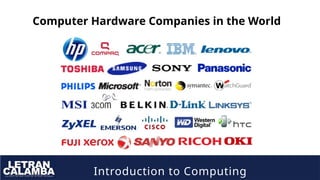
Computer Hardware Companies in the World
Introduction to Computing
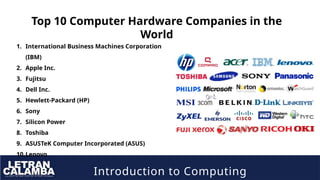
Top 10 Computer Hardware Companies in the
World
1. International Business Machines Corporation
(IBM)
2. Apple Inc.
3. Fujitsu
4. Dell Inc.
5. Hewlett-Packard (HP)
6. Sony
7. Silicon Power
8. Toshiba
9. ASUSTeK Computer Incorporated (ASUS)
10.Lenovo
Introduction to Computing
Assignment
1. International Business Machines Corporation (IBM)
2. Apple Inc.
3. Fujitsu
4. Dell Inc.
5. Hewlett-Packard (HP)
6. Sony
7. Silicon Power
8. Toshiba
9. ASUSTeK Computer Incorporated (ASUS)
10. Lenovo
Give at least 1 product of this companies.
Introduction to Computing
See you in the NEXT Lesson:

Introduction to Computing Lec-Lesson 1.pptx

  • 1.
  • 2.
    Introduction to Computing IntendedLearning Outcomes 1. Identify the key roles of computing. 2. Articulate the role and importance of computing profession in local and global communities.
  • 3.
    Introduction to Computing Asan IT/CS student, what system do you have in mind to develop in the future related to AI, IoT or robotics?
  • 4.
    Introduction to Computing Whatis Computing? Computing is any goal-oriented activity requiring, benefiting from, or creating computing machinery. It includes the study and experimentation of algorithmic processes and the development of both hardware and software.
  • 5.
    Introduction to Computing Computing…. •deals with the systematic study of algorithmic processes, which are used to describe and transform information. • Is the study or use of computers to process data or perform calculations.
  • 6.
    Introduction to Computing Importanceof Computing The Importance of Computer Technology in Everyday Life is undeniable. 1. Computer Technology in Food - Farmers use innovations in computer technology to determine the best time to plant, fertilize, harvest and sell crops.
  • 7.
    Introduction to Computing Importanceof Computing The Importance of Computer Technology in Everyday Life is undeniable. 2. Computer Technology in Services- The importance of computer technology in the services industry is increasing. Computer technology includes any machines that receive commands and perform calculations or services accordingly.
  • 8.
    Introduction to Computing Importanceof Computing The Importance of Computer Technology in Everyday Life is undeniable. 3. Computer Technology in Entertainment - Major motion pictures and television programs use some form of visual, audio and animation effects in their production.
  • 9.
    Introduction to Computing Importanceof Computing The Importance of Computer Technology in Everyday Life is undeniable. 4. Computer Technology in Communication- People correspond with friends, family, acquaintances and business associates through social media, email, texting and instant messaging.
  • 10.
    Introduction to Computing Importanceof Computing The Importance of Computer Technology in Everyday Life is undeniable. 5. Computer Technology in Education- A computer is a useful tool for advancing educationally in traditional and non-traditional ways. Colleges and universities offer online courses for adults who are looking to obtain a degree without quitting their job
  • 11.
    Introduction to Computing Importanceof Computing The Importance of Computer Technology in Everyday Life is undeniable. 6. Computer Technology in Transportation- Certain safety features or luxuries, such as airbags, cruise control, anti-lock brakes and automatic transmission, all rely on computer technology to function.
  • 13.
    Introduction to Computing Whatare the types of computing? A computer system uses many devices, arranged in different ways to solve many problems. This constitutes a computing environment where many computers are used to process and exchange information to handle multiple issues.
  • 14.
    Introduction to Computing Whatare the types of computing?
  • 15.
    Introduction to Computing 1.Personal Computing Environment In the personal computing environment, there is a single computer system. All the system processes are available on the computer and executed there. The different devices that constitute a personal computing environment are • laptops, • mobiles, • printers, • computer systems, • scanners • etc.
  • 16.
    Introduction to Computing 2.Time Sharing Computing Environment 1. The time-sharing computing environment allows multiple users to share the system simultaneously. 2. Each user is provided a time slice and the processor switches rapidly among the users according to it. Because of this, each user believes that they are the only ones using the system. • Example • UNIX server OS. • Linux server OS. • Windows NT server. • Windows 2000 server.
  • 17.
    Introduction to Computing 3.Client Server Computing Environment 1. In client-server computing, the client requests a resource and the server provides that resource. 2. A server may serve multiple clients at the same time while a client is in contact with only one server. 3. Both the client and server usually communicate via a computer network but sometimes they may reside in the same system.
  • 18.
    Introduction to Computing 4.Distributed Computing Environment 1. A distributed computing environment contains multiple nodes that are physically separate but linked together using the network. 2. All the nodes in this system communicate with each other and handle processes in tandem. 3. Each of these nodes contains a small part of the distributed operating system software.
  • 19.
    Introduction to Computing 5.Cloud Computing Environment 1. The computing is moved away from individual computer systems to a cloud of computers in cloud computing environment. 2. The cloud users only see the service being provided and not the internal details of how the service is provided. 3. This is done by pooling all the computer resources and then managing them using a software.
  • 20.
    Introduction to Computing 6.Cluster Computing Environment 1. Cluster computing is a collection of tightly or loosely connected computers that work together so that they act as a single entity. 2. The connected computers execute operations all together thus creating the idea of a single system. 3. The clusters are generally connected through fast local area networks (LANs)
  • 21.
    Introduction to Computing WhatIs the Purpose of the Computer? The purpose of the computer is to : • perform calculations. • store information • retrieve data • and process information. • A computer has programmed data or computer language that tells the computer how to fulfill its purpose.
  • 22.
    Introduction to Computing Whendo you use a computer? A. For Computer • Word Processing • Web Surfing • Instant Messaging/Email • Music downloads/Games B. For System • Air traffic control • Car diagnostics • Climate control
  • 23.
    Introduction to Computing Whendo you use a computer? Word Processing Improved communication… Web Surfing Knowledge acquisition… Instant Messaging/Email Community… Music downloads/Games Entertainment
  • 24.
    Introduction to Computing Whatdo you need in a computer? • Word Processing –WYSIWYG –Attached to printer/Email • Web Surfing –Network connection • Instant Messaging/Email –Network connection • Music downloads/Games –Network connection –Disk space –CD/ROM ?RW
  • 25.
    Introduction to Computing ComputerHardware Companies in the World
  • 26.
    Introduction to Computing Top10 Computer Hardware Companies in the World 1. International Business Machines Corporation (IBM) 2. Apple Inc. 3. Fujitsu 4. Dell Inc. 5. Hewlett-Packard (HP) 6. Sony 7. Silicon Power 8. Toshiba 9. ASUSTeK Computer Incorporated (ASUS) 10.Lenovo
  • 27.
    Introduction to Computing Assignment 1.International Business Machines Corporation (IBM) 2. Apple Inc. 3. Fujitsu 4. Dell Inc. 5. Hewlett-Packard (HP) 6. Sony 7. Silicon Power 8. Toshiba 9. ASUSTeK Computer Incorporated (ASUS) 10. Lenovo Give at least 1 product of this companies.
  • 28.
    Introduction to Computing Seeyou in the NEXT Lesson: