Welcome! 
Introducing…
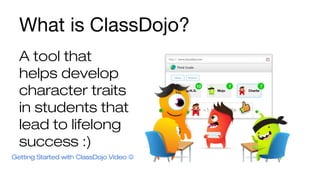
What is ClassDojo? 
A tool that 
helps develop 
character traits 
in students that 
lead to lifelong 
success :) 
Getting Started with ClassDojo Video 
How might ClassDojo help your 
team?
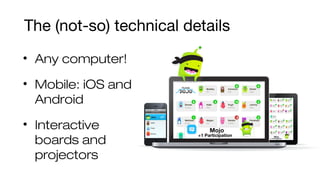
The (not-so) technical details 
• Any computer! 
• Mobile: iOS and 
Android 
• Interactive 
boards and 
projectors
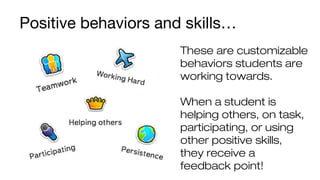
Positive behaviors and skills… 
These are customizable 
behaviors students are 
working towards. 
When a student is 
helping others, on task, 
participating, or using 
other positive skills, 
they receive a 
feedback point!
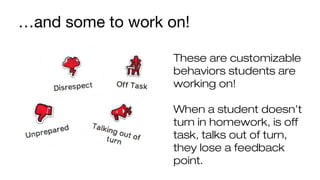
…and some to work on! 
These are customizable 
behaviors students are 
working on! 
When a student doesn’t 
turn in homework, is off 
task, talks out of turn, 
they lose a feedback 
point.
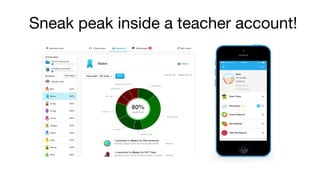
Sneak peak inside a teacher account!
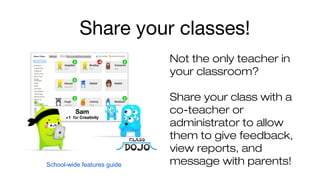
Share your classes! 
Not the only teacher in 
your classroom? 
Share your class with a 
co-teacher or 
administrator to allow 
them to give feedback, 
view reports, and 
School-wide features guide message with parents!
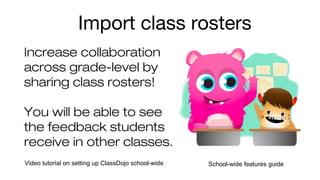
Import class rosters 
Increase collaboration 
across grade-level by 
sharing class rosters! 
You will be able to see 
the feedback students 
receive in other classes. 
Video tutorial on setting up ClassDojo school-wide School-wide features guide
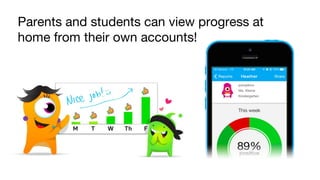
Parents and students can view progress at 
home from their own accounts!
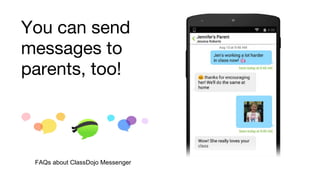
You can send 
messages to 
parents, too! 
FAQs about ClassDojo Messenger
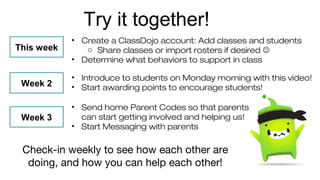
Try it together! 
• Create a ClassDojo account: Add classes and students 
o Share classes or import rosters if desired  
• Determine what behaviors to support in class 
This week 
Week 2 
Week 3 
• Introduce to students on Monday morning with this video! 
• Start awarding points to encourage students! 
• Send home Parent Codes so that parents 
can start getting involved and helping us! 
• Start Messaging with parents 
Check-in weekly to see how each other are 
doing, and how you can help each other!
Questions? Ask away! 
Teacher resources just for you 

Introduction to ClassDojo

  • 1.
  • 2.
    What is ClassDojo? A tool that helps develop character traits in students that lead to lifelong success :) Getting Started with ClassDojo Video 
  • 3.
    How might ClassDojohelp your team?
  • 4.
    The (not-so) technicaldetails • Any computer! • Mobile: iOS and Android • Interactive boards and projectors
  • 5.
    Positive behaviors andskills… These are customizable behaviors students are working towards. When a student is helping others, on task, participating, or using other positive skills, they receive a feedback point!
  • 6.
    …and some towork on! These are customizable behaviors students are working on! When a student doesn’t turn in homework, is off task, talks out of turn, they lose a feedback point.
  • 7.
    Sneak peak insidea teacher account!
  • 8.
    Share your classes! Not the only teacher in your classroom? Share your class with a co-teacher or administrator to allow them to give feedback, view reports, and School-wide features guide message with parents!
  • 9.
    Import class rosters Increase collaboration across grade-level by sharing class rosters! You will be able to see the feedback students receive in other classes. Video tutorial on setting up ClassDojo school-wide School-wide features guide
  • 10.
    Parents and studentscan view progress at home from their own accounts!
  • 11.
    You can send messages to parents, too! FAQs about ClassDojo Messenger
  • 12.
    Try it together! • Create a ClassDojo account: Add classes and students o Share classes or import rosters if desired  • Determine what behaviors to support in class This week Week 2 Week 3 • Introduce to students on Monday morning with this video! • Start awarding points to encourage students! • Send home Parent Codes so that parents can start getting involved and helping us! • Start Messaging with parents Check-in weekly to see how each other are doing, and how you can help each other!
  • 13.
    Questions? Ask away! Teacher resources just for you 