Computer Vision
Introduction
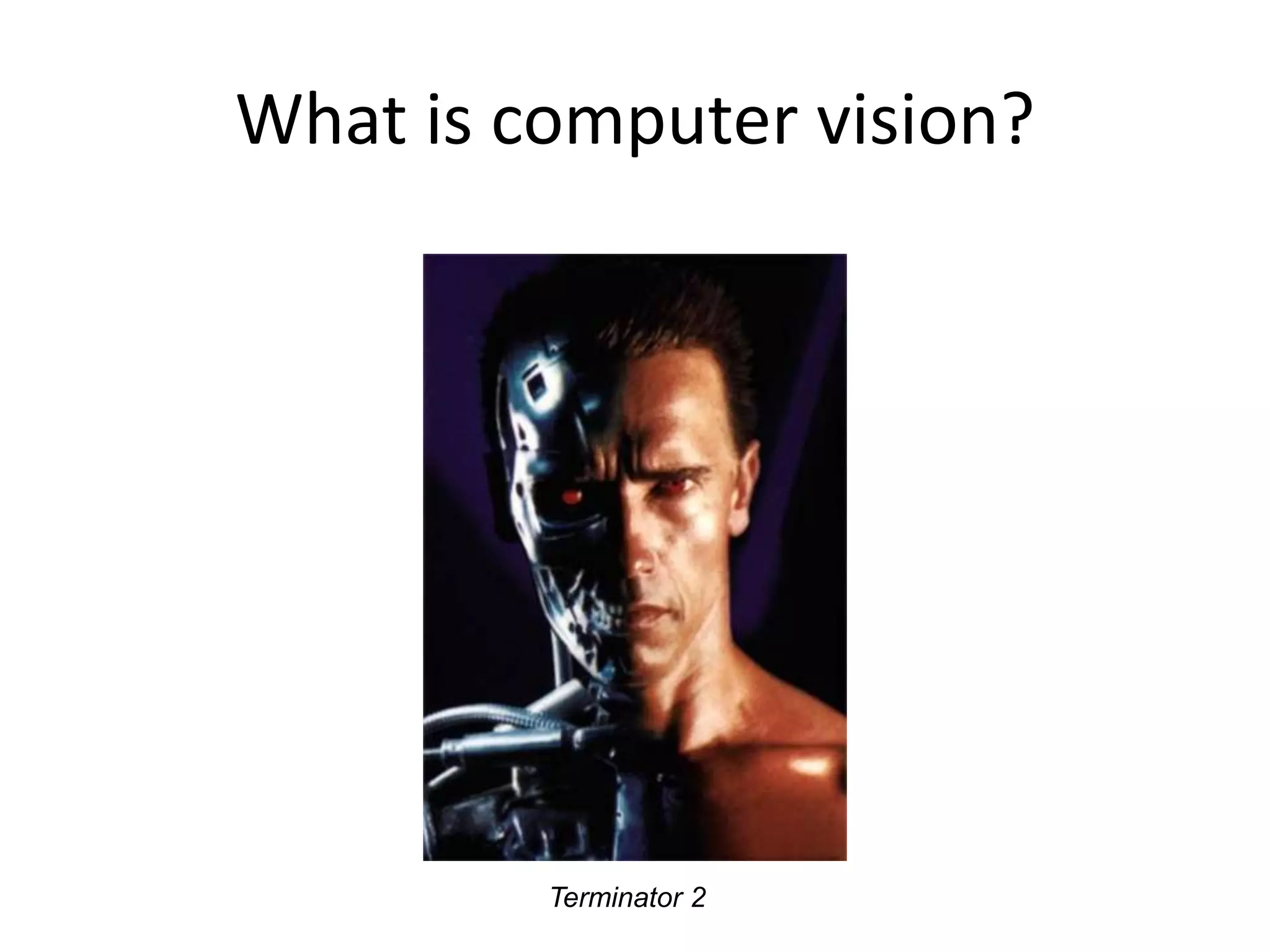
What is computer vision?
Terminator 2
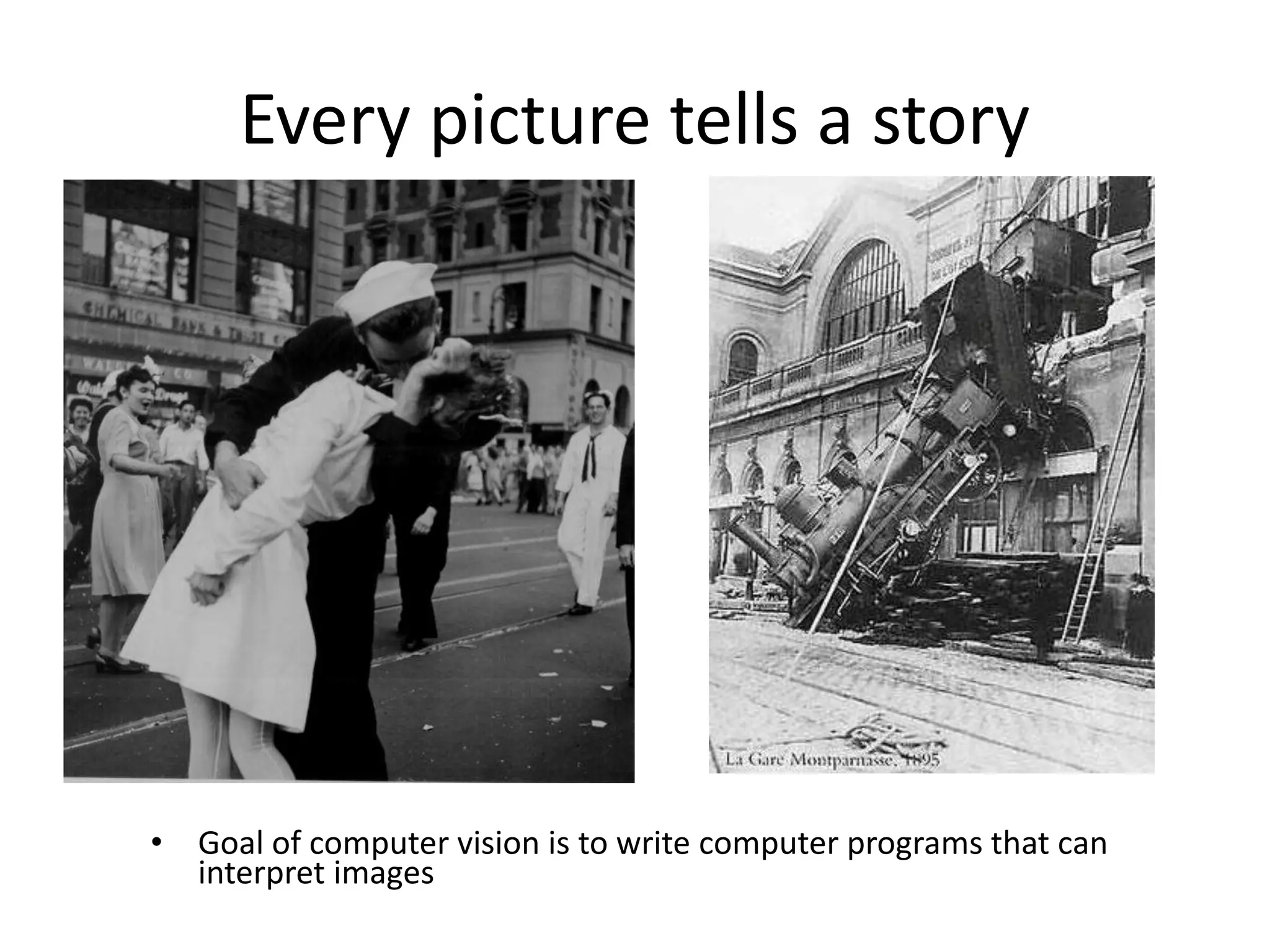
Every picture tells a story
• Goal of computer vision is to write computer programs that can
interpret images
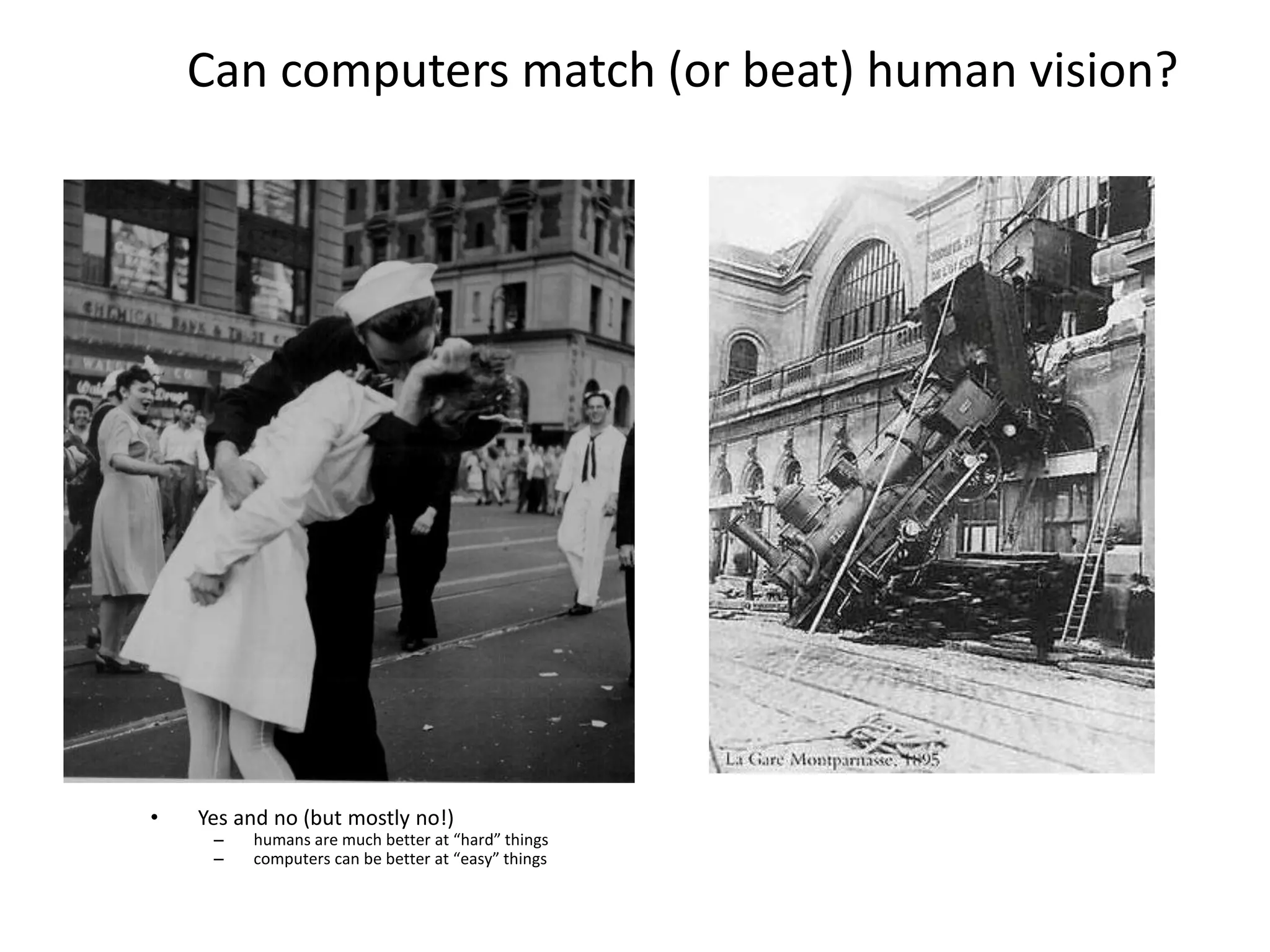
Can computers match (or beat) human vision?
• Yes and no (but mostly no!)
– humans are much better at “hard” things
– computers can be better at “easy” things
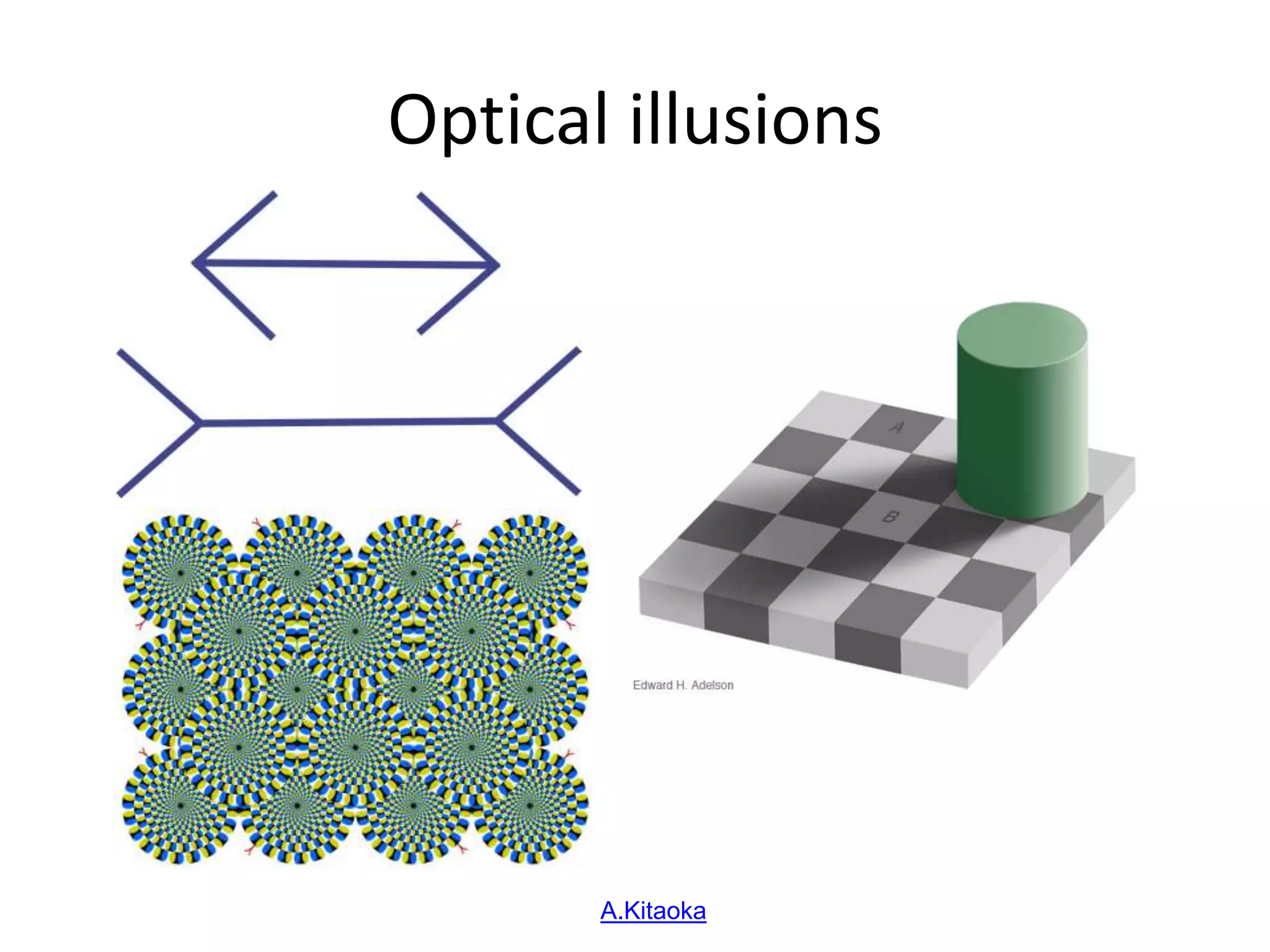
Optical illusions
Copyright A.Kitaoka 2003
Why is computer vision difficult?
• Inverse problem
• Ill-posed
• High-dimensional data
• Noise
• Variation
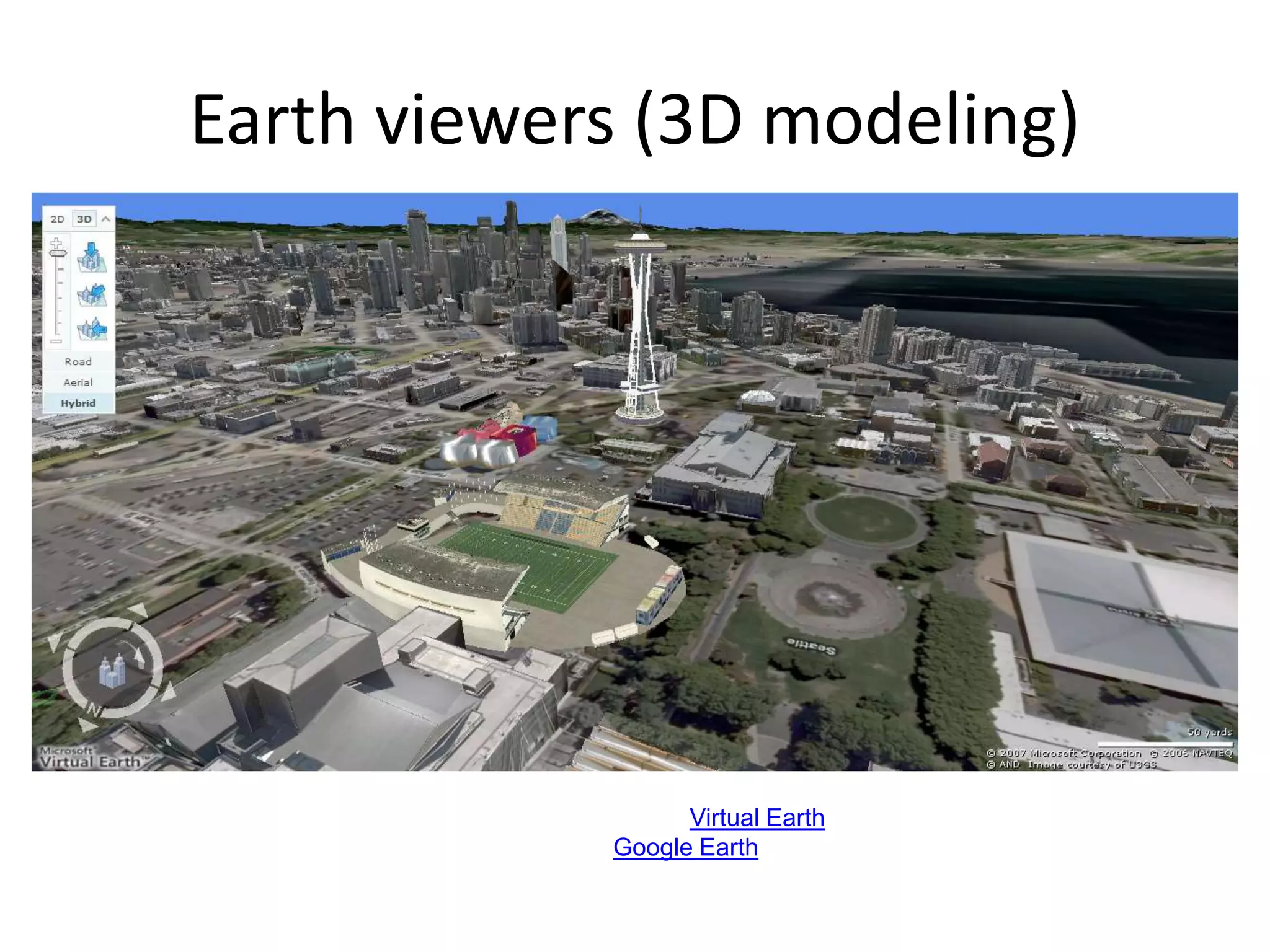
Earth viewers (3D modeling)
Image from Microsoft’s Virtual Earth
(see also: Google Earth)
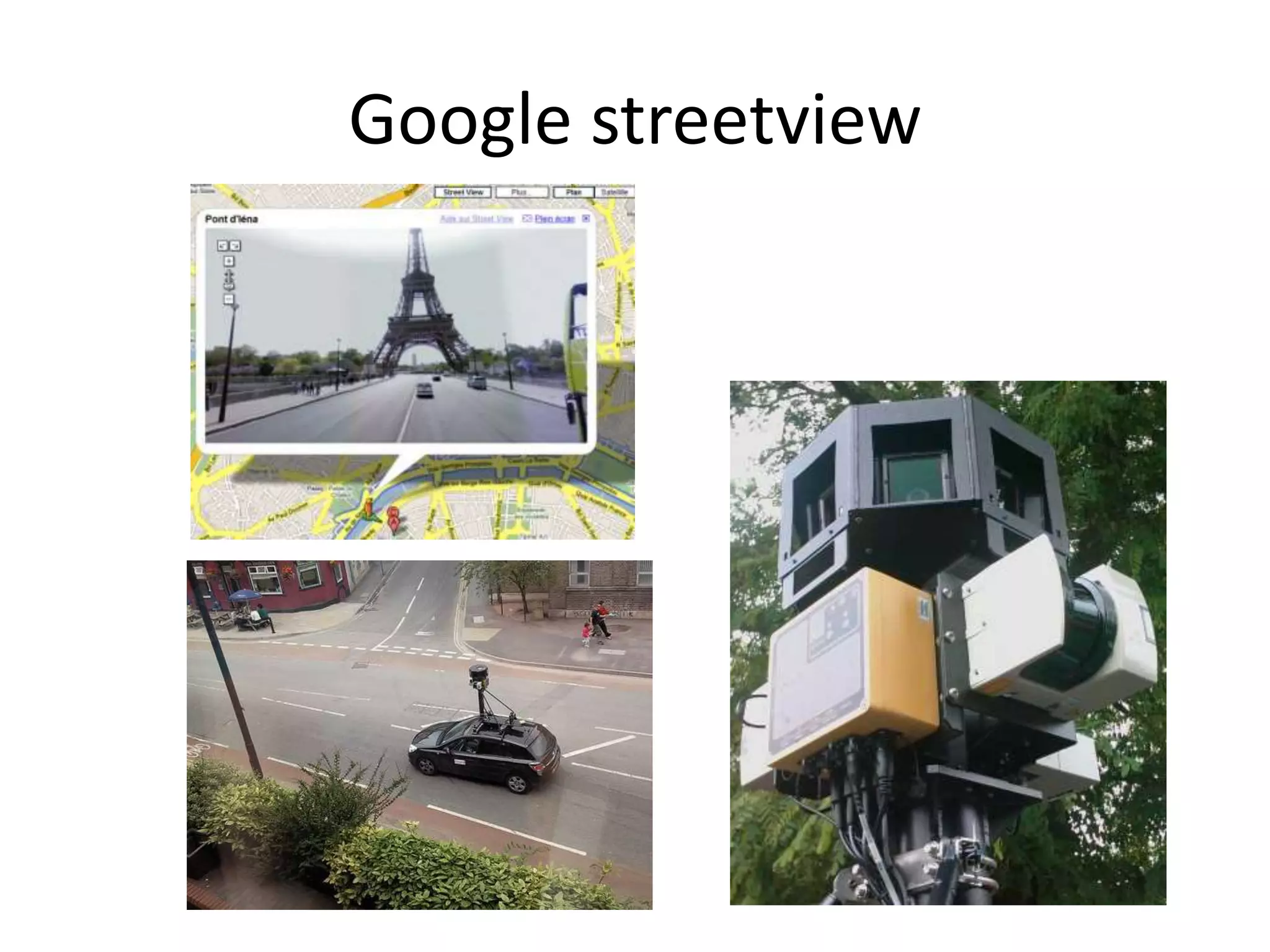
Google streetview
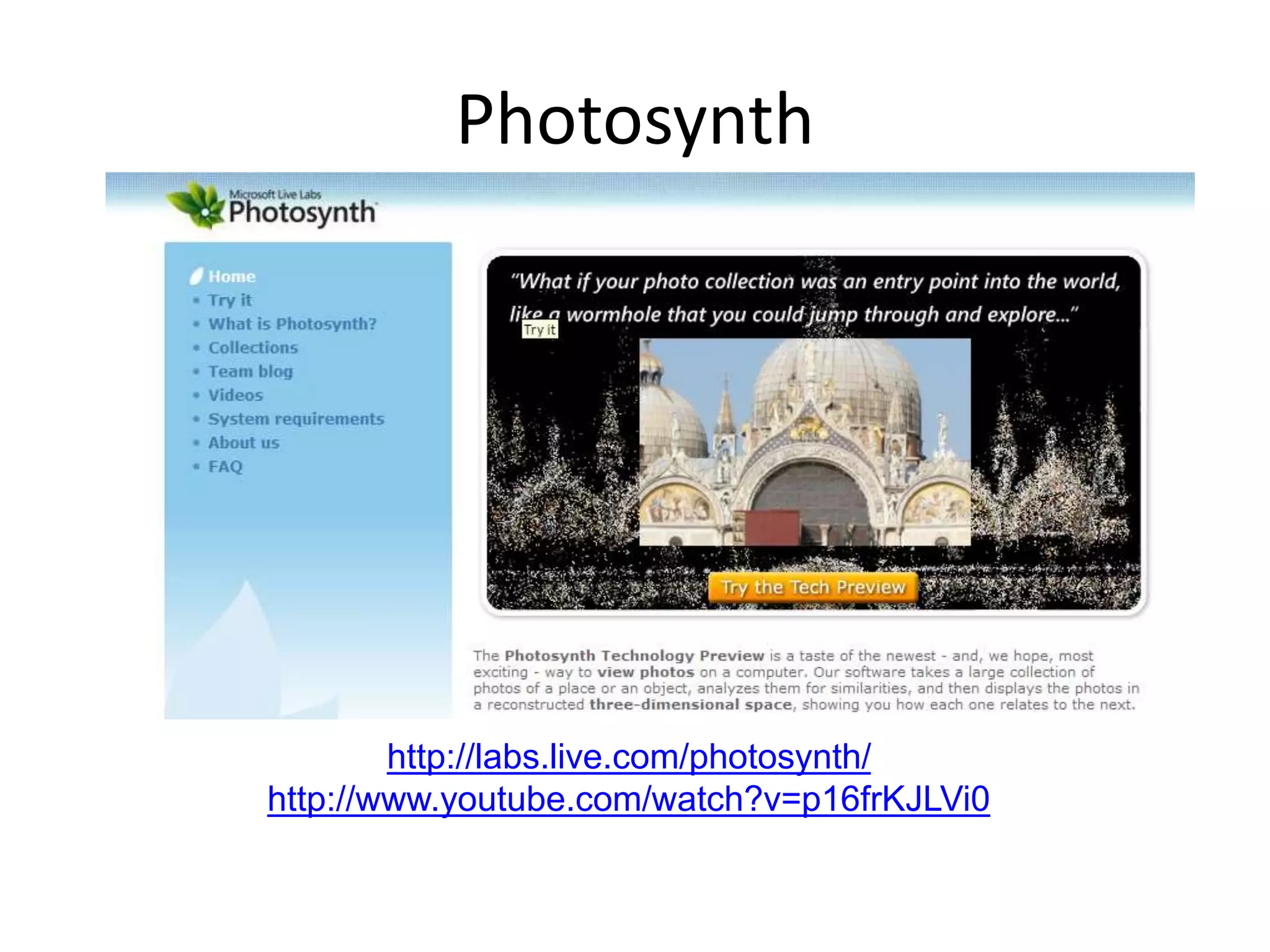
Photosynth
http://labs.live.com/photosynth/
http://www.youtube.com/watch?v=p16frKJLVi0
by Noah Snavely, Steve Seitz, and Rick Szeliski
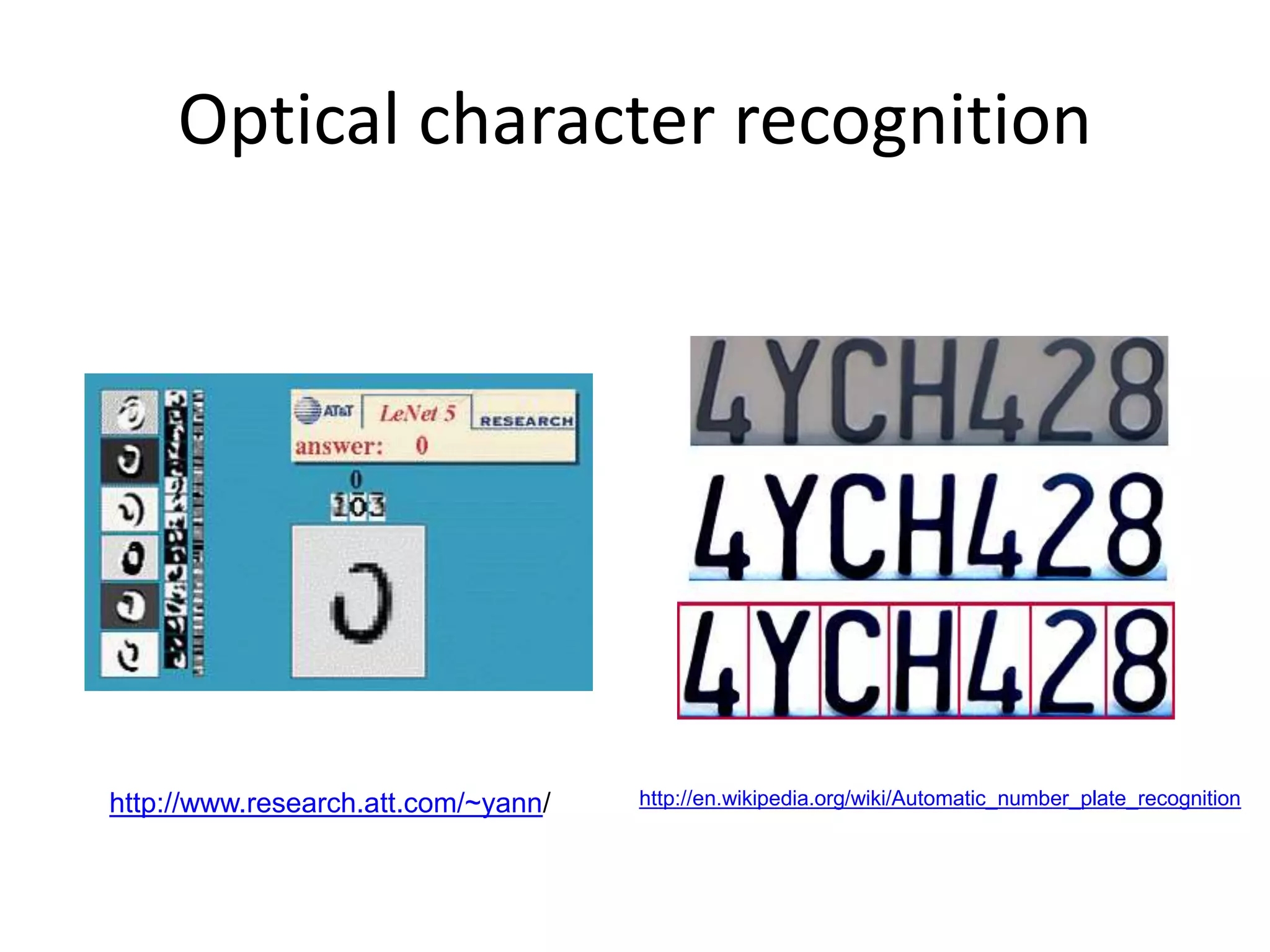
Optical character recognition
Digit recognition, AT&T labs
http://www.research.att.com/~yann/
Technology to convert scanned docs to text
• If you have a scanner, it probably came with OCR software
License plate readers
http://en.wikipedia.org/wiki/Automatic_number_plate_recognition
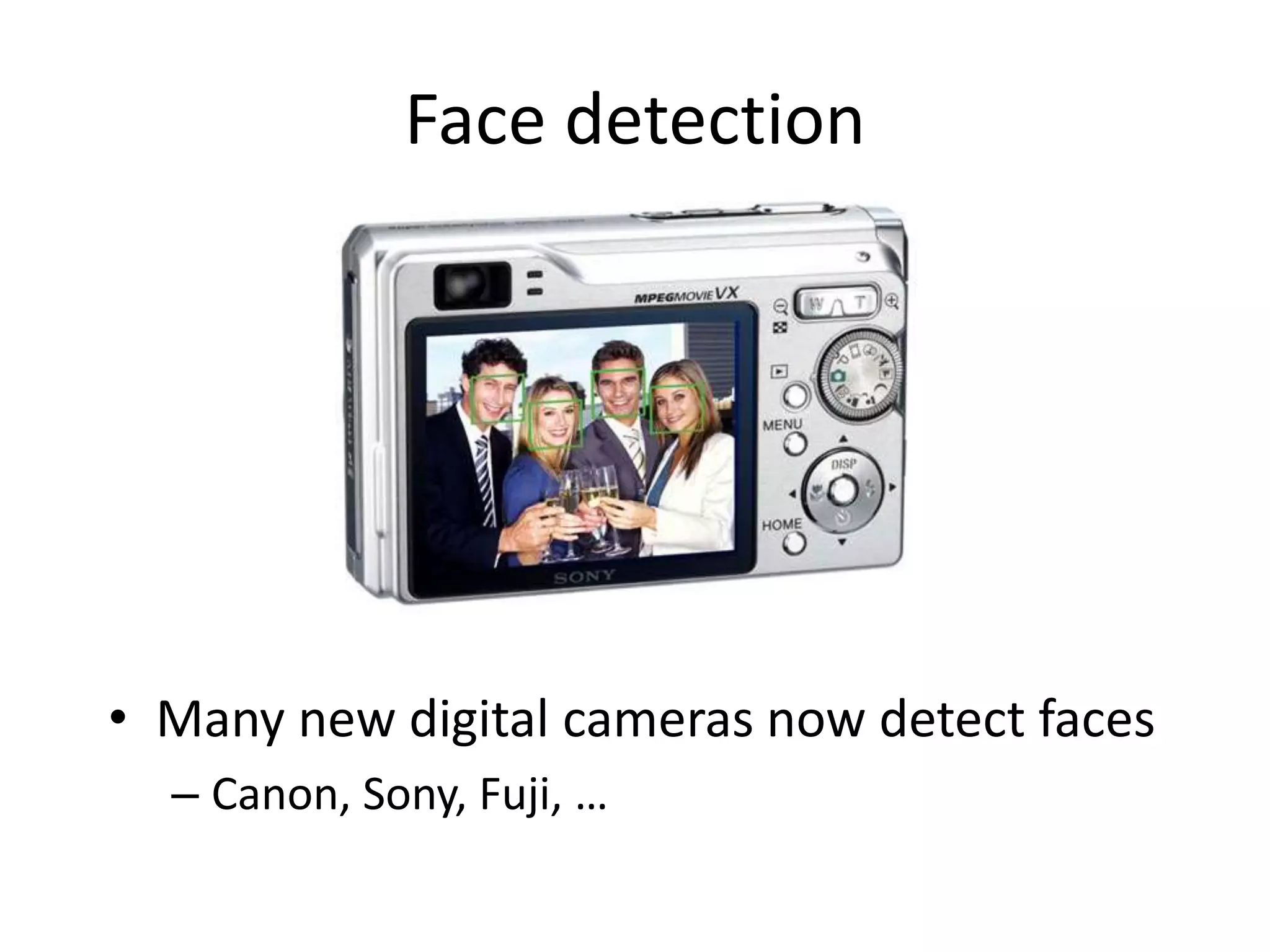
Face detection
• Many new digital cameras now detect faces
– Canon, Sony, Fuji, …
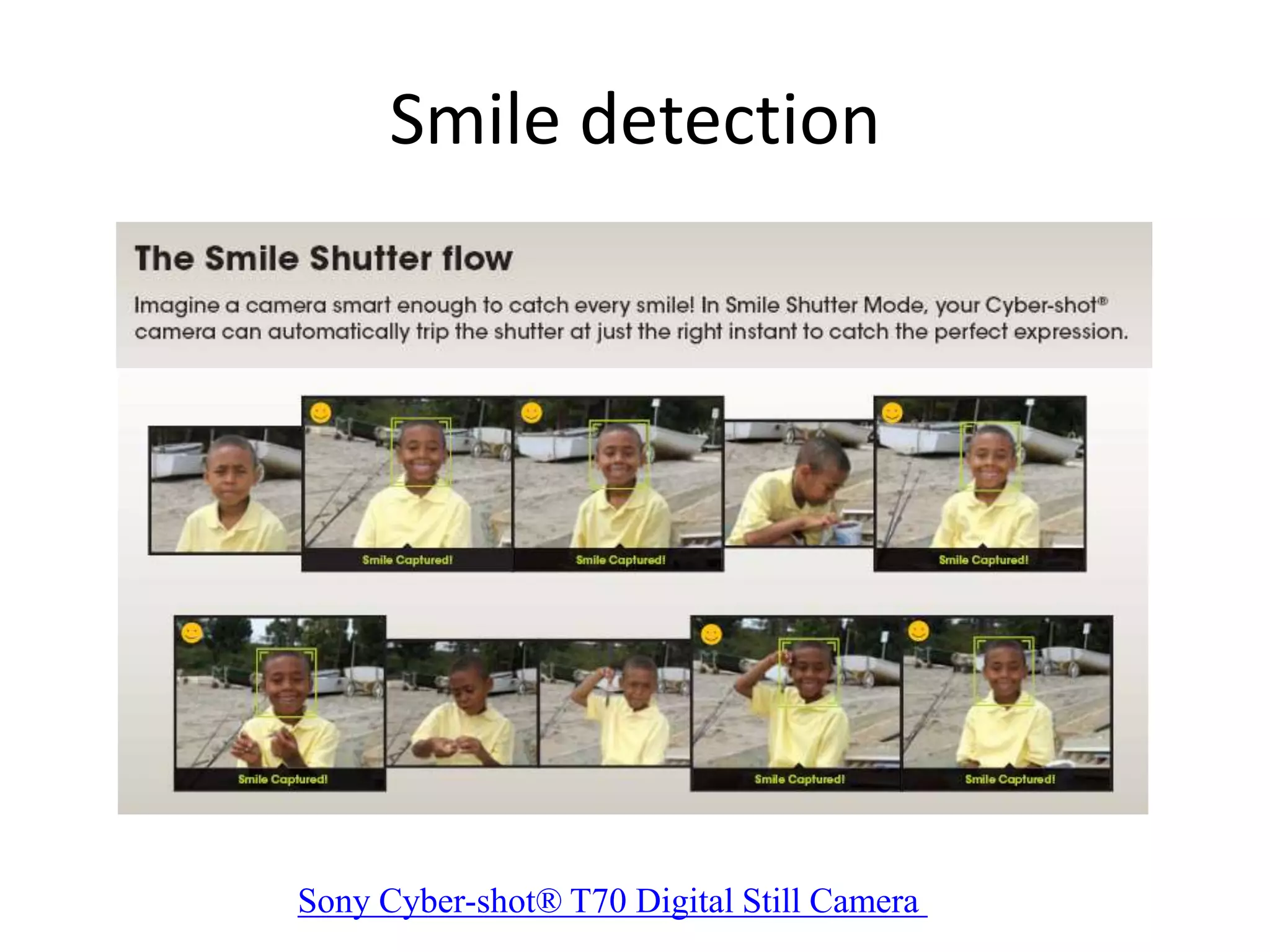
Smile detection
Sony Cyber-shot® T70 Digital Still Camera
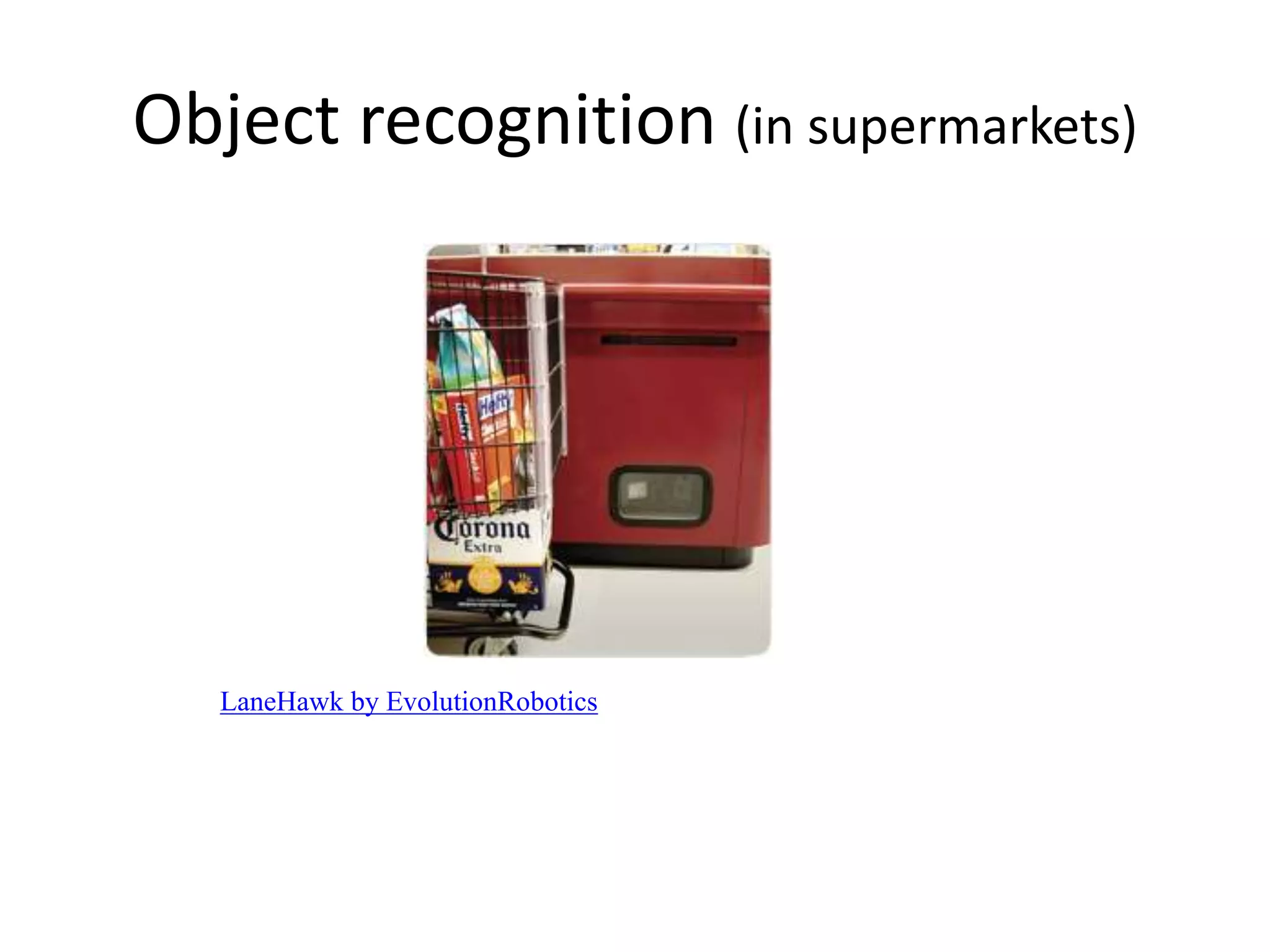
Object recognition (in supermarkets)
LaneHawk by EvolutionRobotics
“A smart camera is flush-mounted in the checkout lane, continuously watching
for items. When an item is detected and recognized, the cashier verifies the
quantity of items that were found under the basket, and continues to close the
transaction. The item can remain under the basket, and with LaneHawk,you are
assured to get paid for it… “
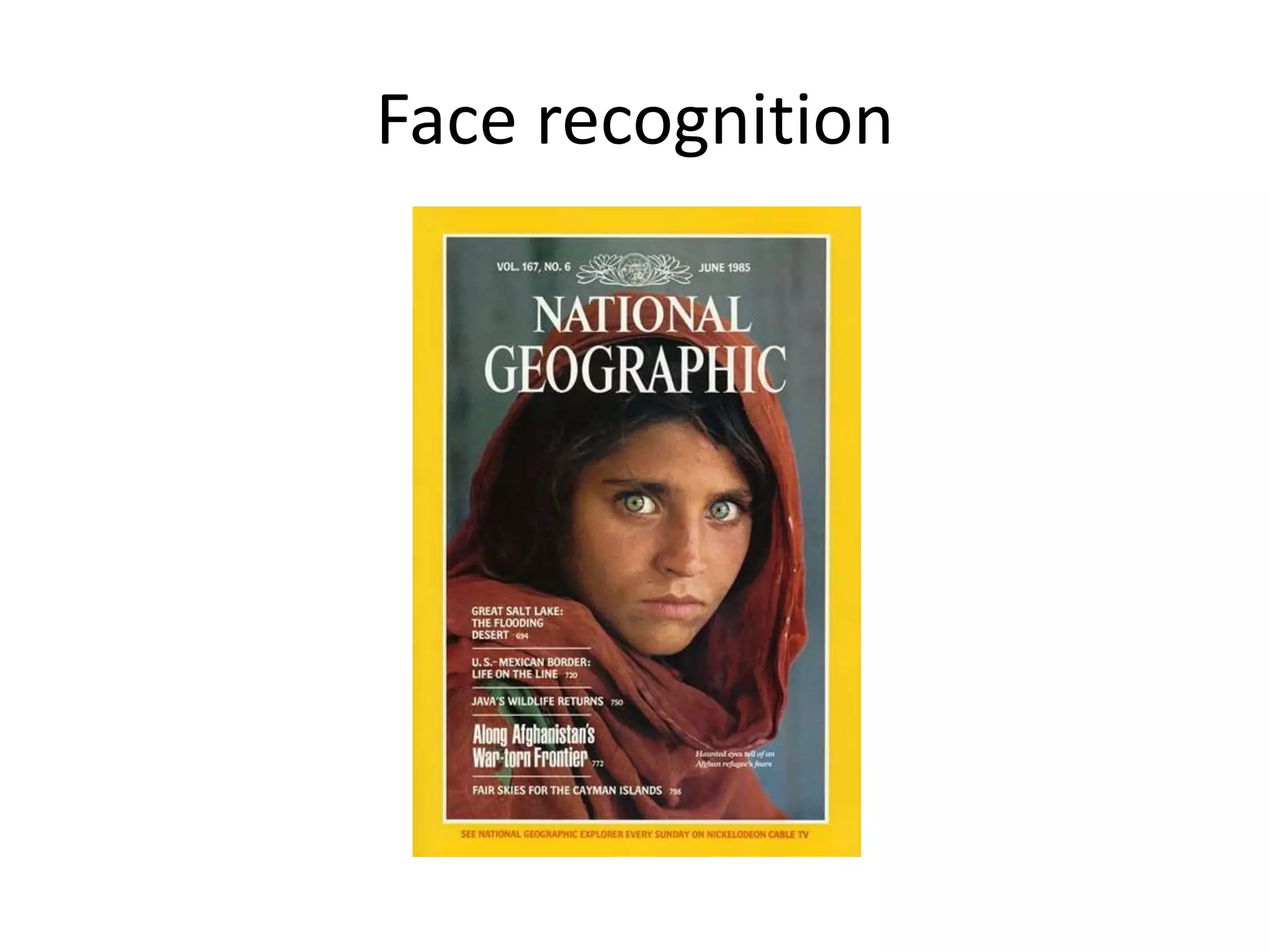
Face recognition
Who is she?
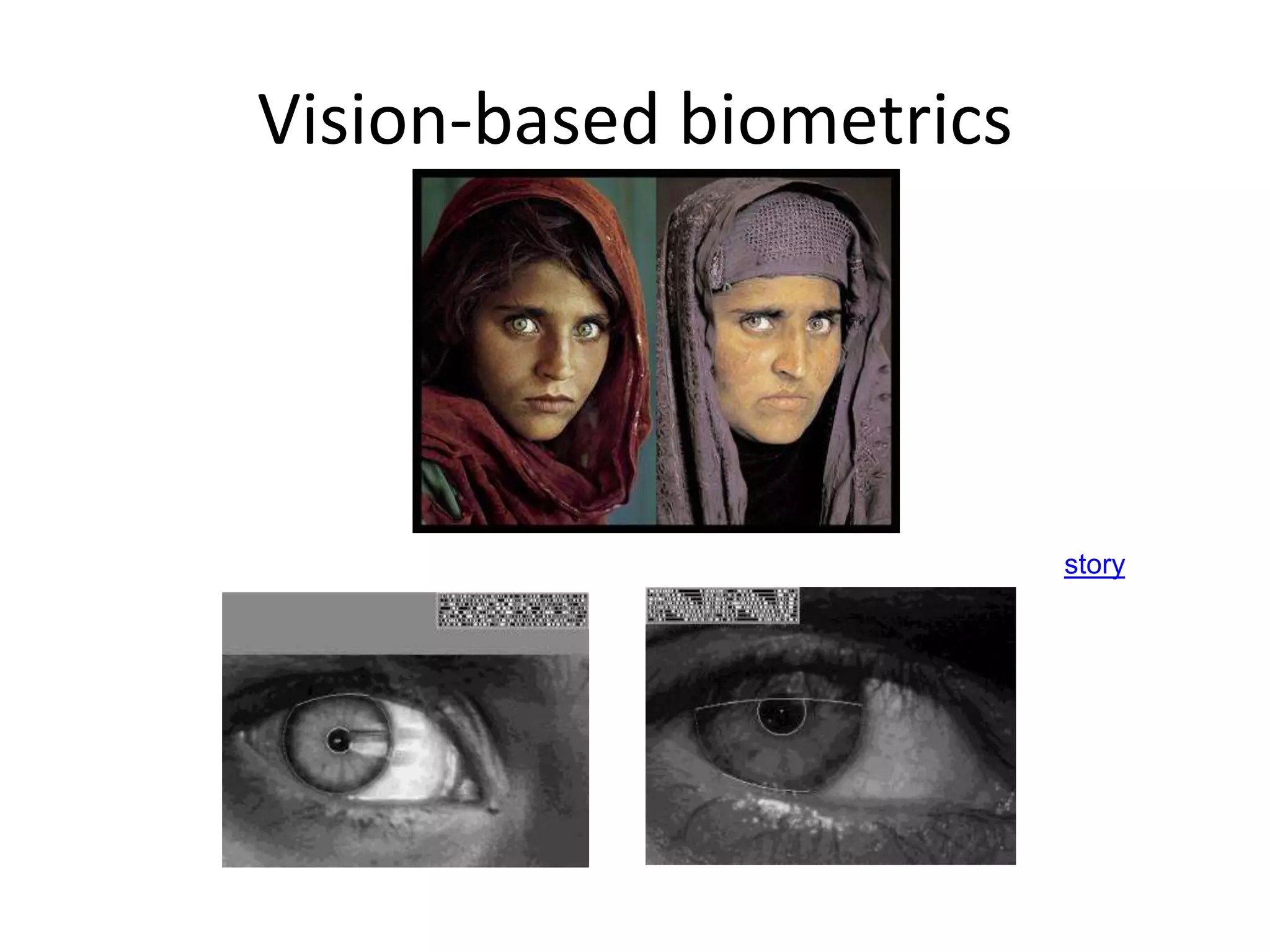
Vision-based biometrics
“How the Afghan Girl was Identified by Her Iris Patterns” Read the story
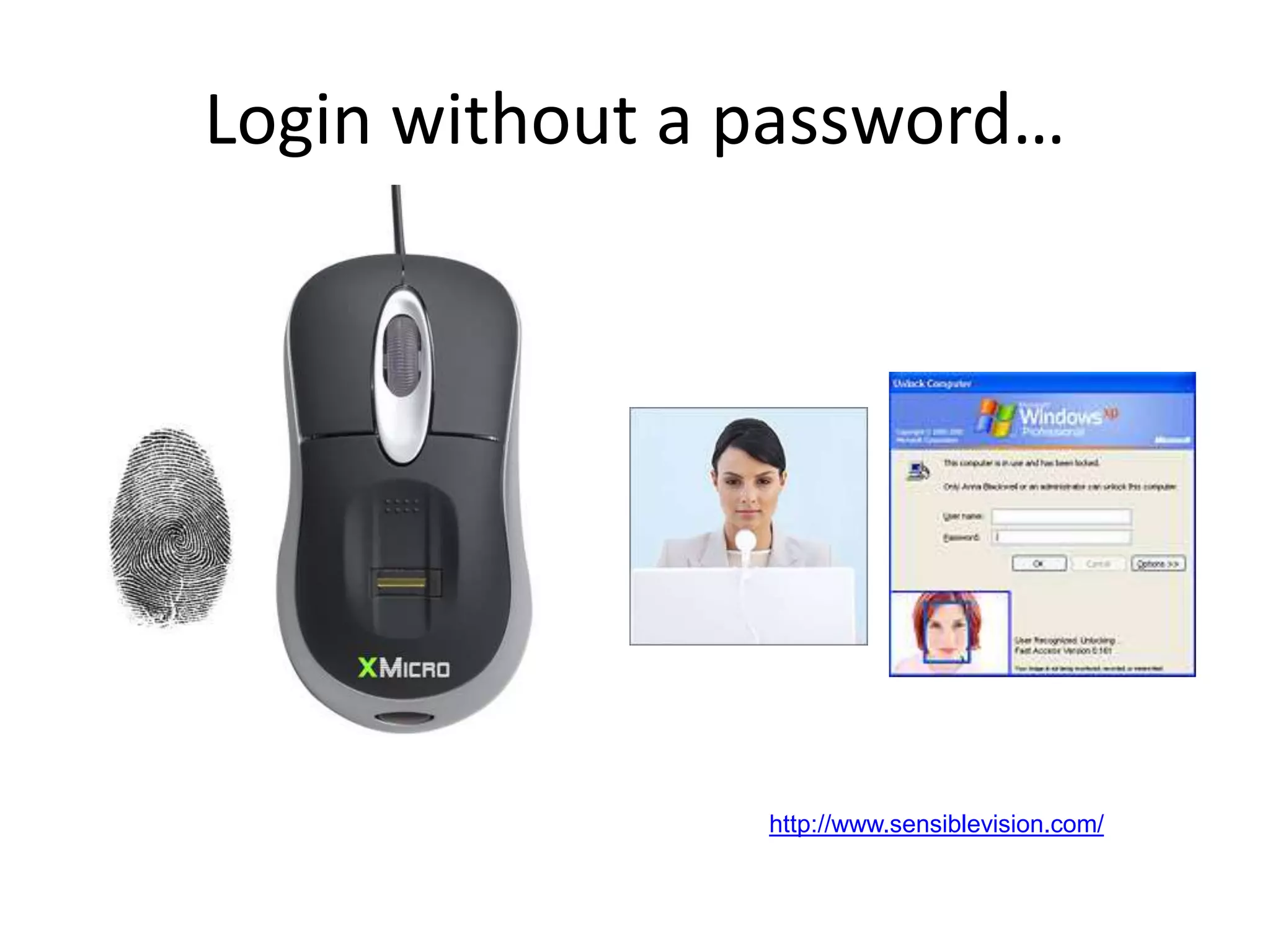
Login without a password…
Fingerprint scanners on
many new laptops,
other devices
Face recognition systems now
beginning to appear more widely
http://www.sensiblevision.com/
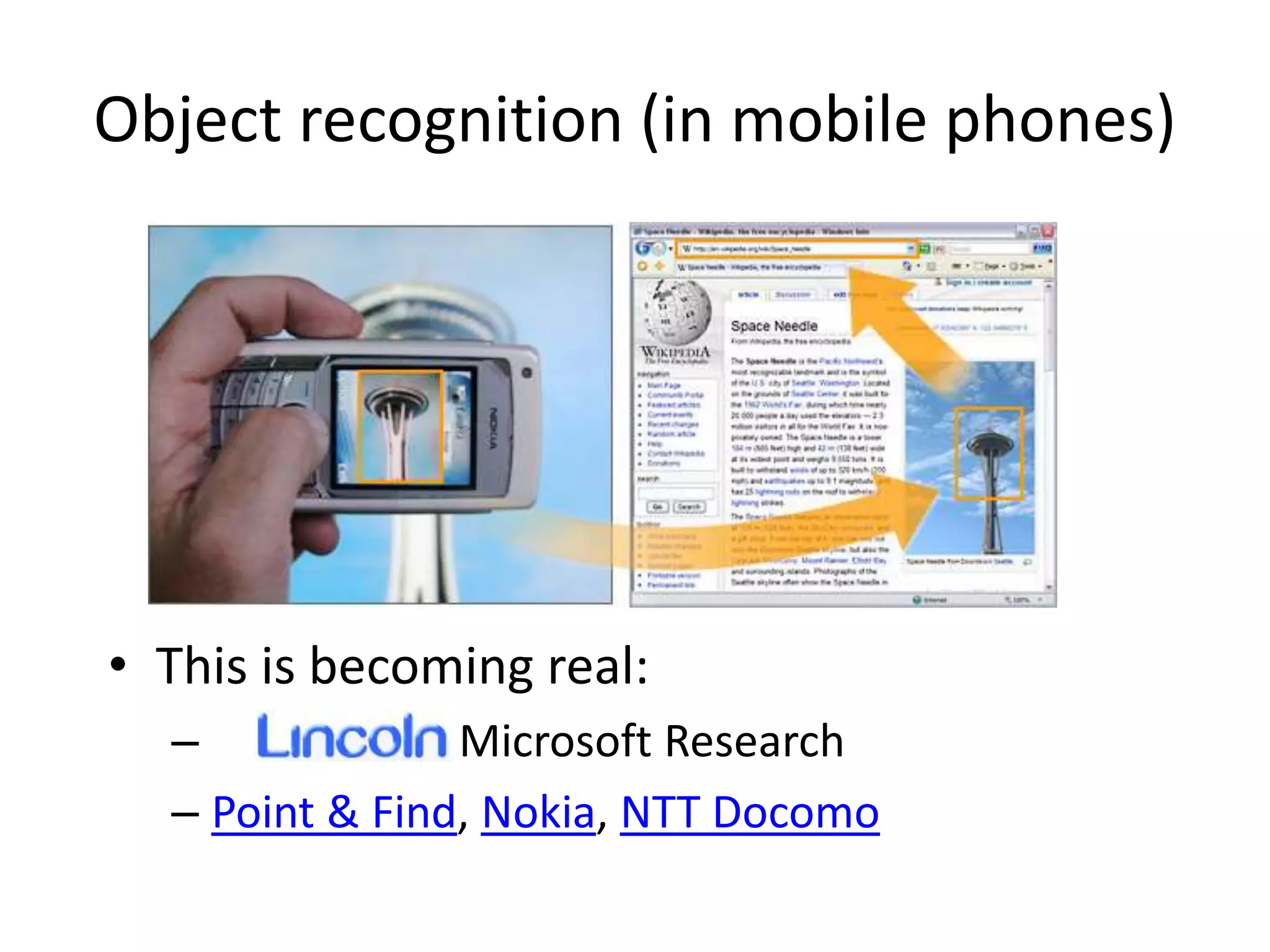
Object recognition (in mobile phones)
• This is becoming real:
– Microsoft Research
– Point & Find, Nokia, NTT Docomo
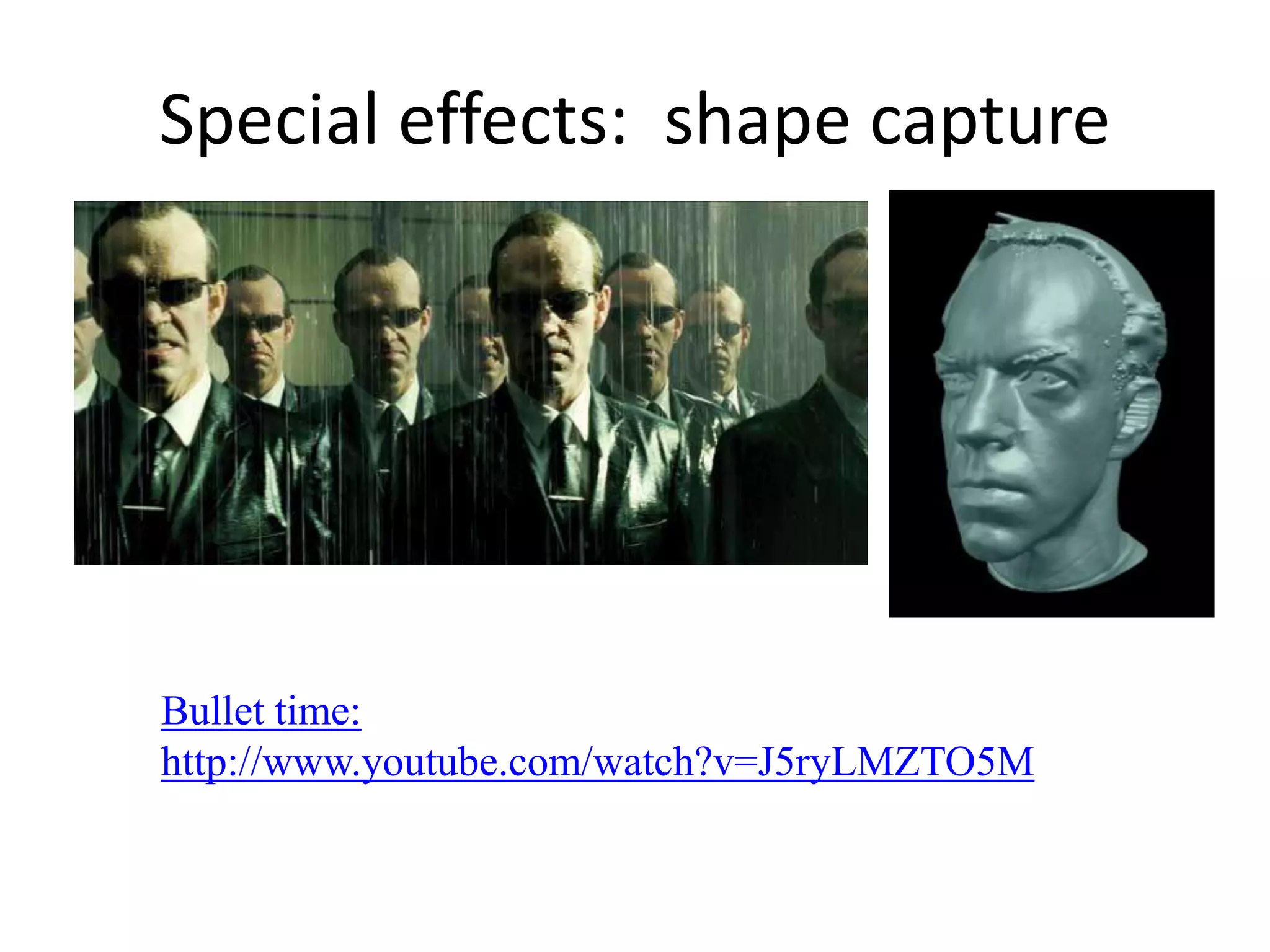
The Matrix movies, ESC Entertainment, XYZRGB, NRC
Special effects: shape capture
Bullet time:
http://www.youtube.com/watch?v=J5ryLMZTO5M
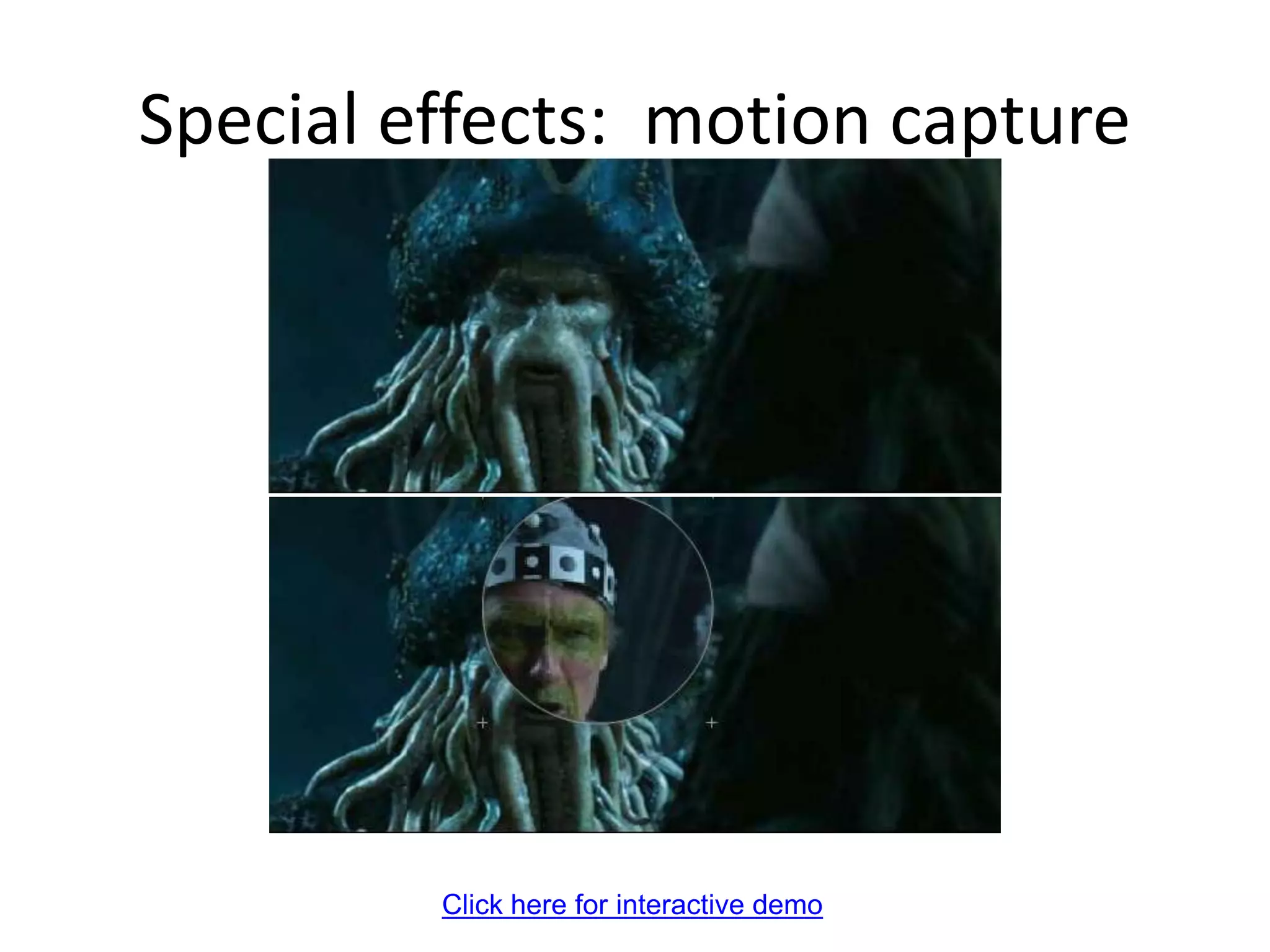
Pirates of the Carribean, Industrial Light and Magic
Click here for interactive demo
Special effects: motion capture
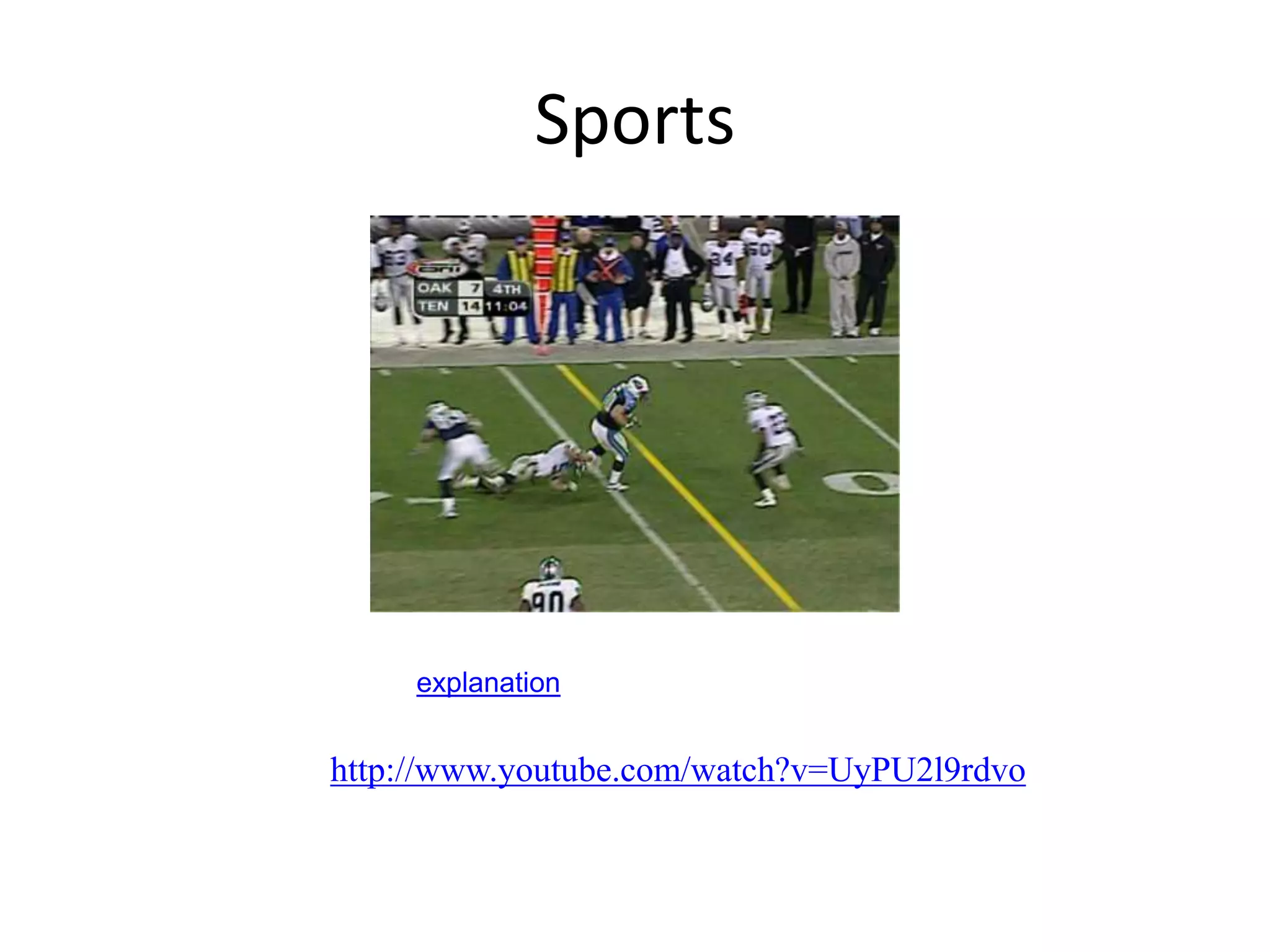
Sports
Sportvision first down line
Nice explanation on www.howstuffworks.com
http://www.youtube.com/watch?v=UyPU2l9rdvo
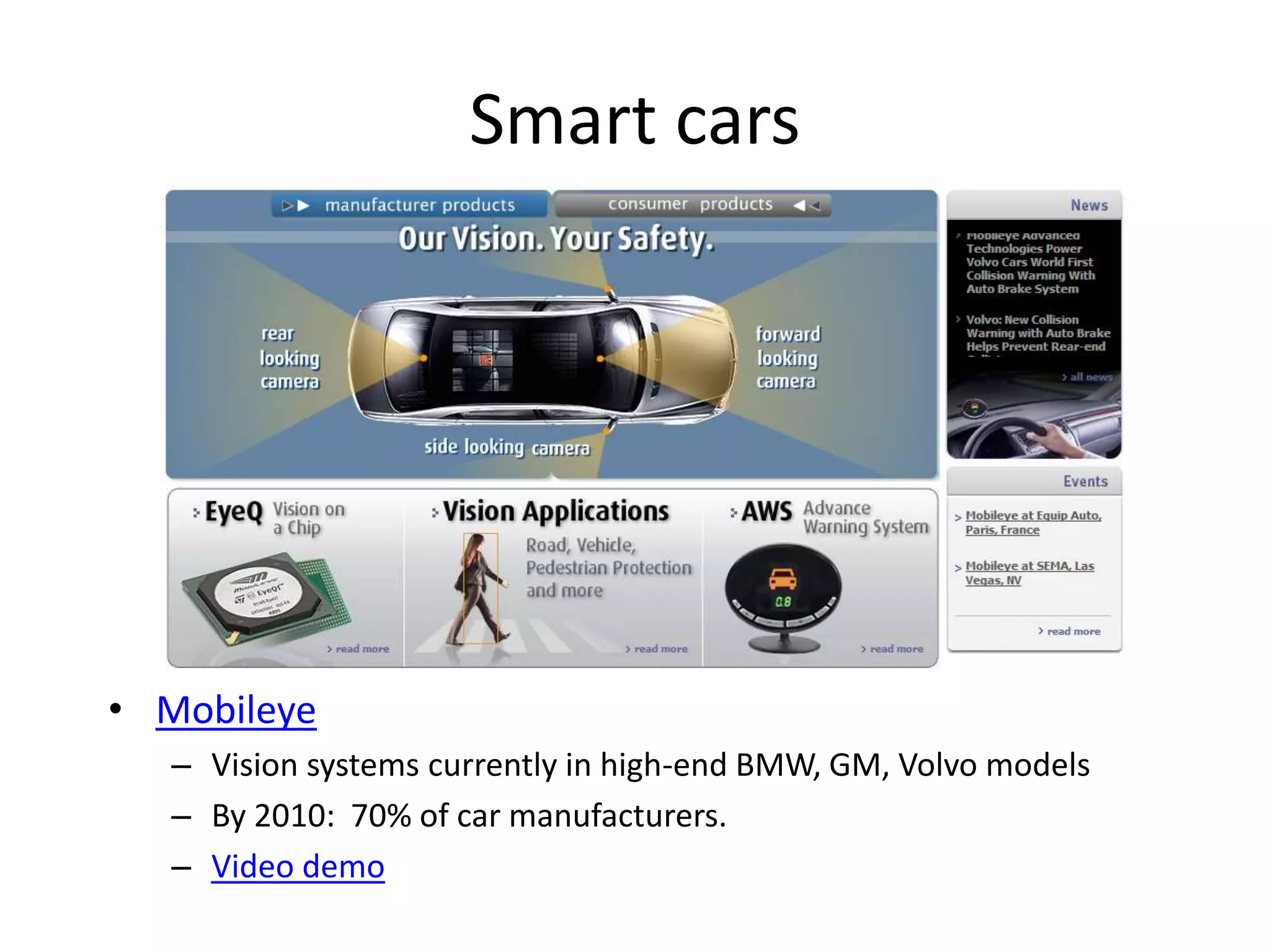
Smart cars
• Mobileye
– Vision systems currently in high-end BMW, GM, Volvo models
– By 2010: 70% of car manufacturers.
– Video demo
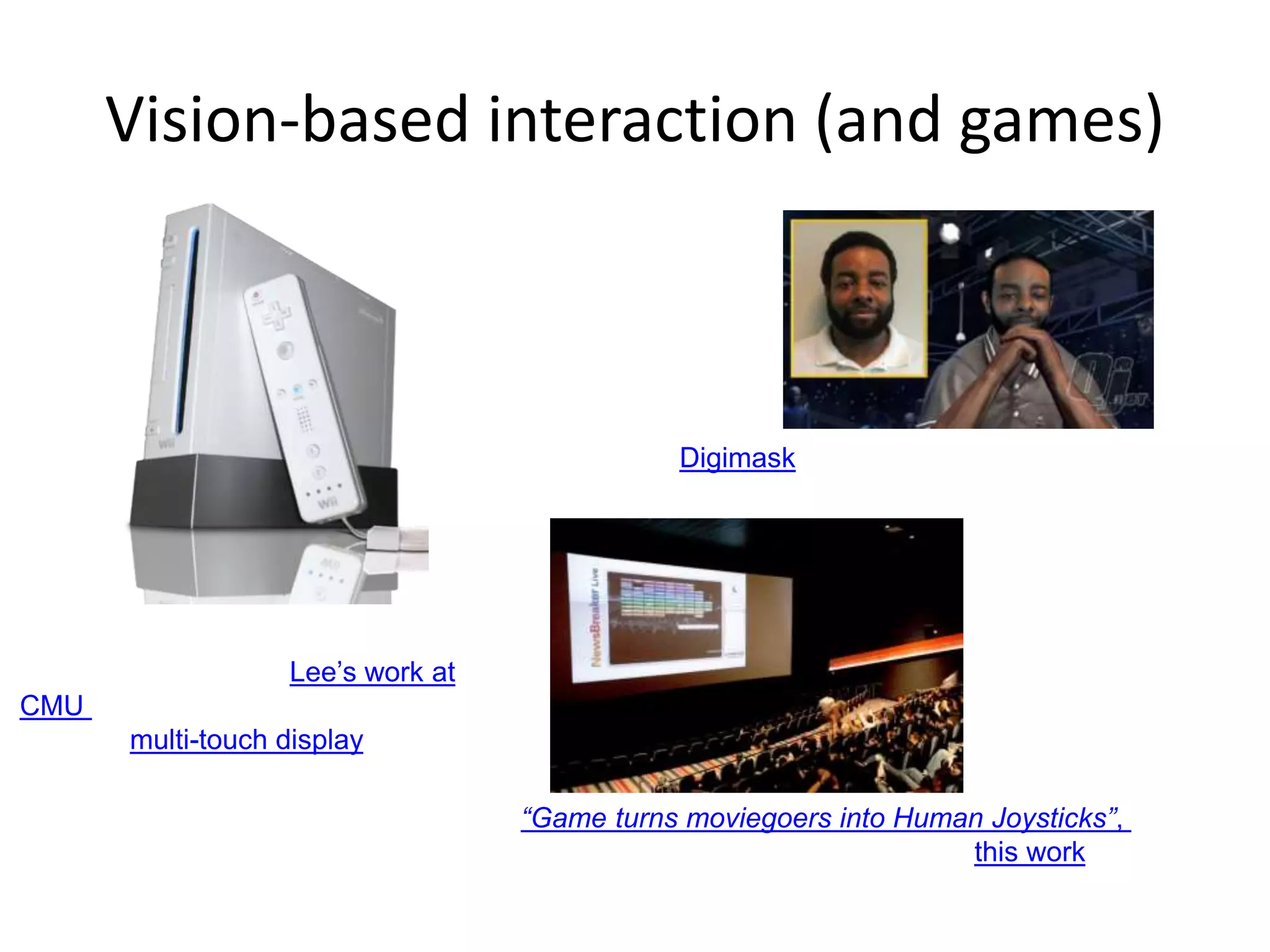
Vision-based interaction (and games)
Nintendo Wii has camera-based IR
tracking built in. See Lee’s work at
CMU on clever tricks on using it to
create a multi-touch display!
Digimask: put your face on a 3D avatar.
“Game turns moviegoers into Human Joysticks”, CNET
Camera tracking a crowd, based on this work.
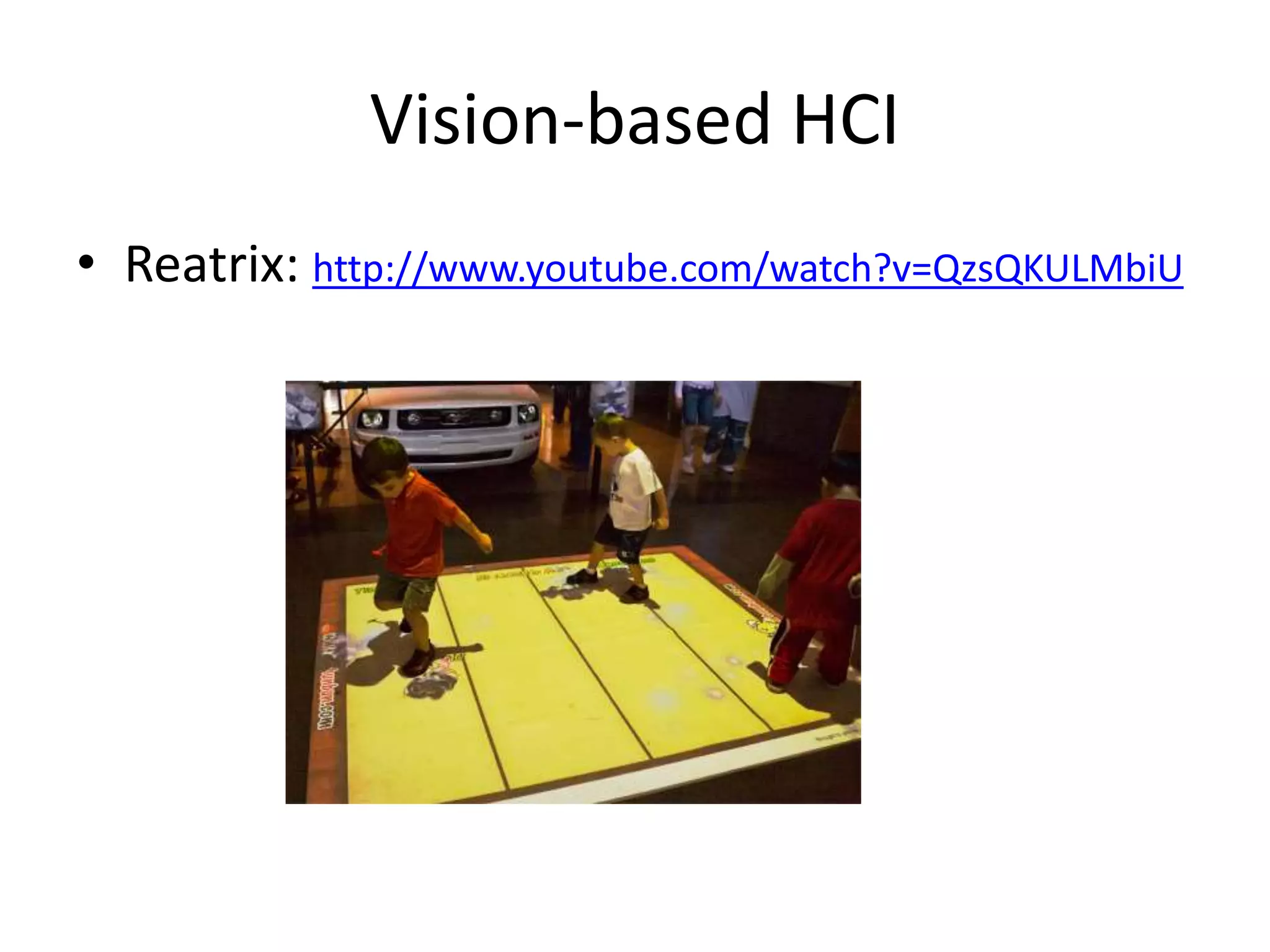
Vision-based HCI
• Reatrix: http://www.youtube.com/watch?v=QzsQKULMbiU
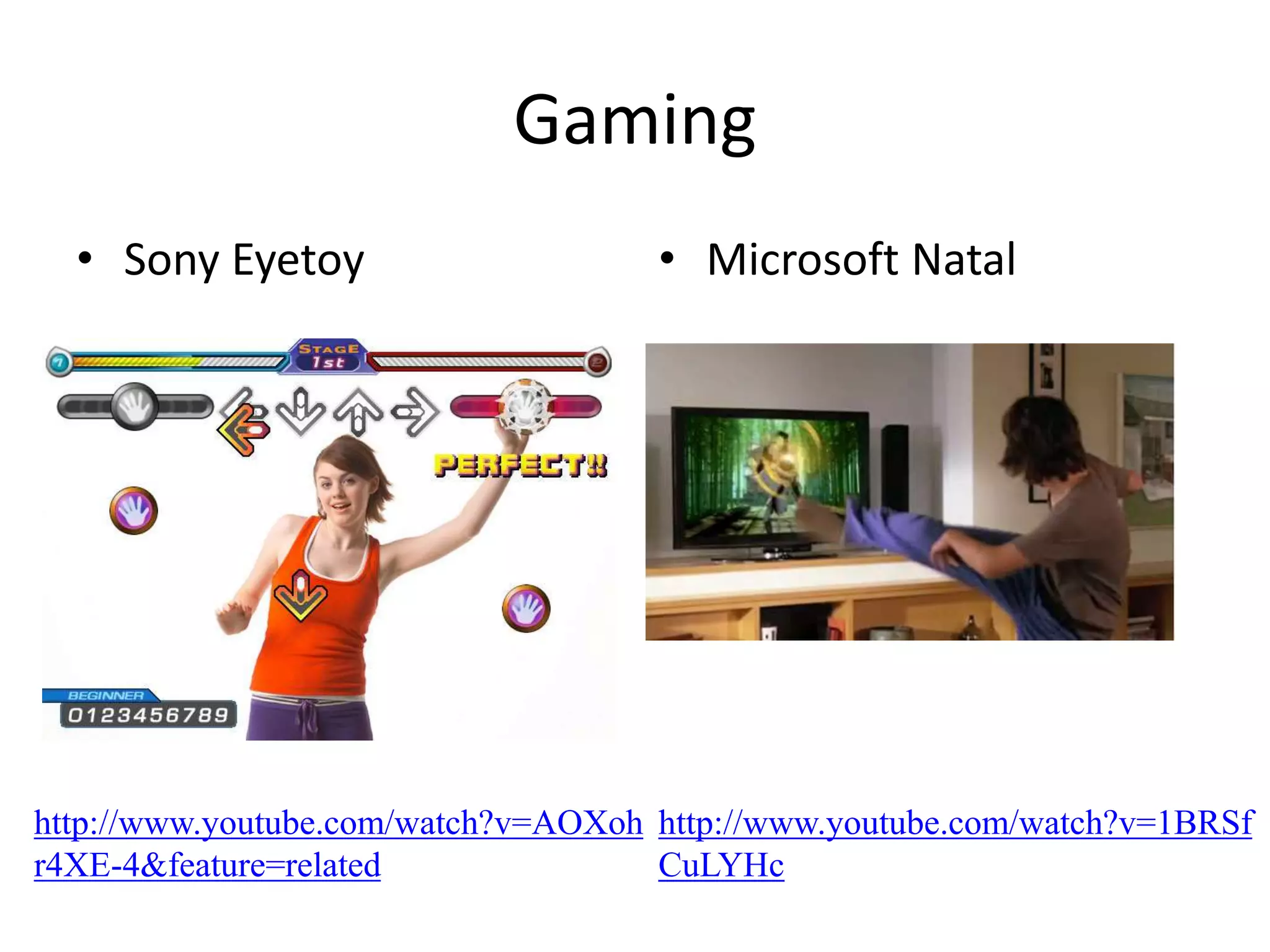
Gaming
• Sony Eyetoy • Microsoft Natal
http://www.youtube.com/watch?v=AOXoh
r4XE-4&feature=related
http://www.youtube.com/watch?v=1BRSf
CuLYHc
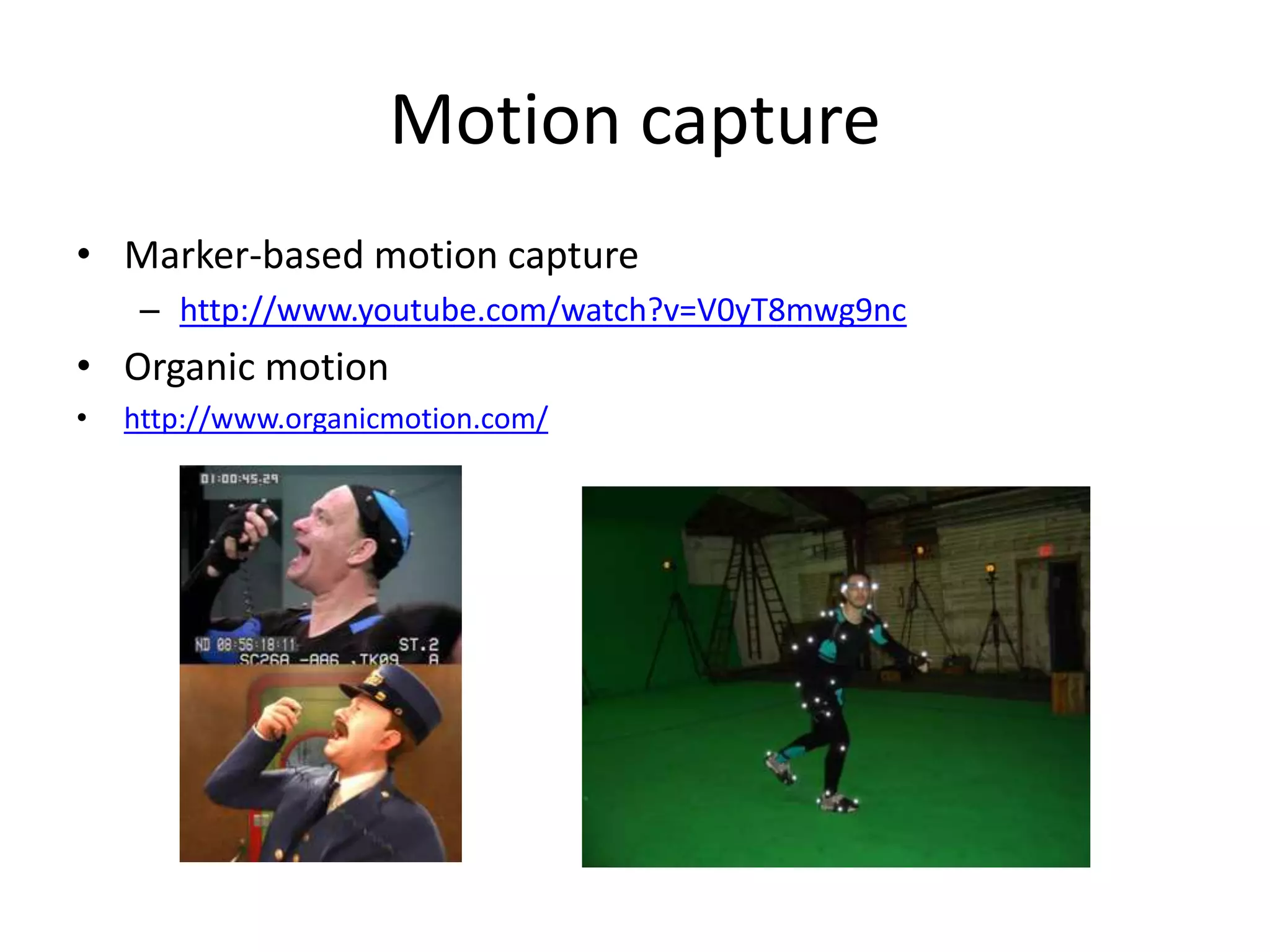
Motion capture
• Marker-based motion capture
– http://www.youtube.com/watch?v=V0yT8mwg9nc
• Organic motion
• http://www.organicmotion.com/
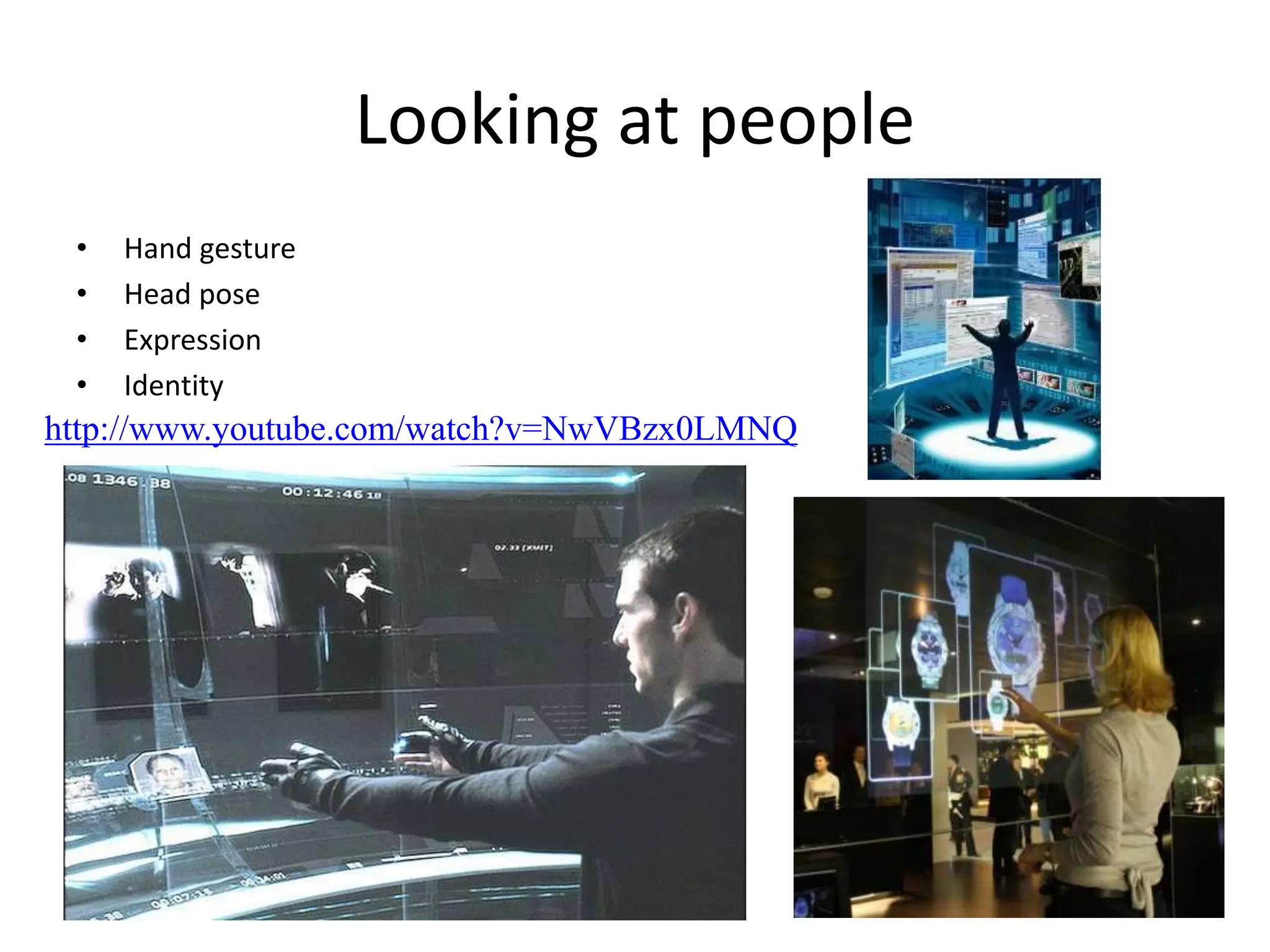
Looking at people
• Hand gesture
• Head pose
• Expression
• Identity
http://www.youtube.com/watch?v=NwVBzx0LMNQ
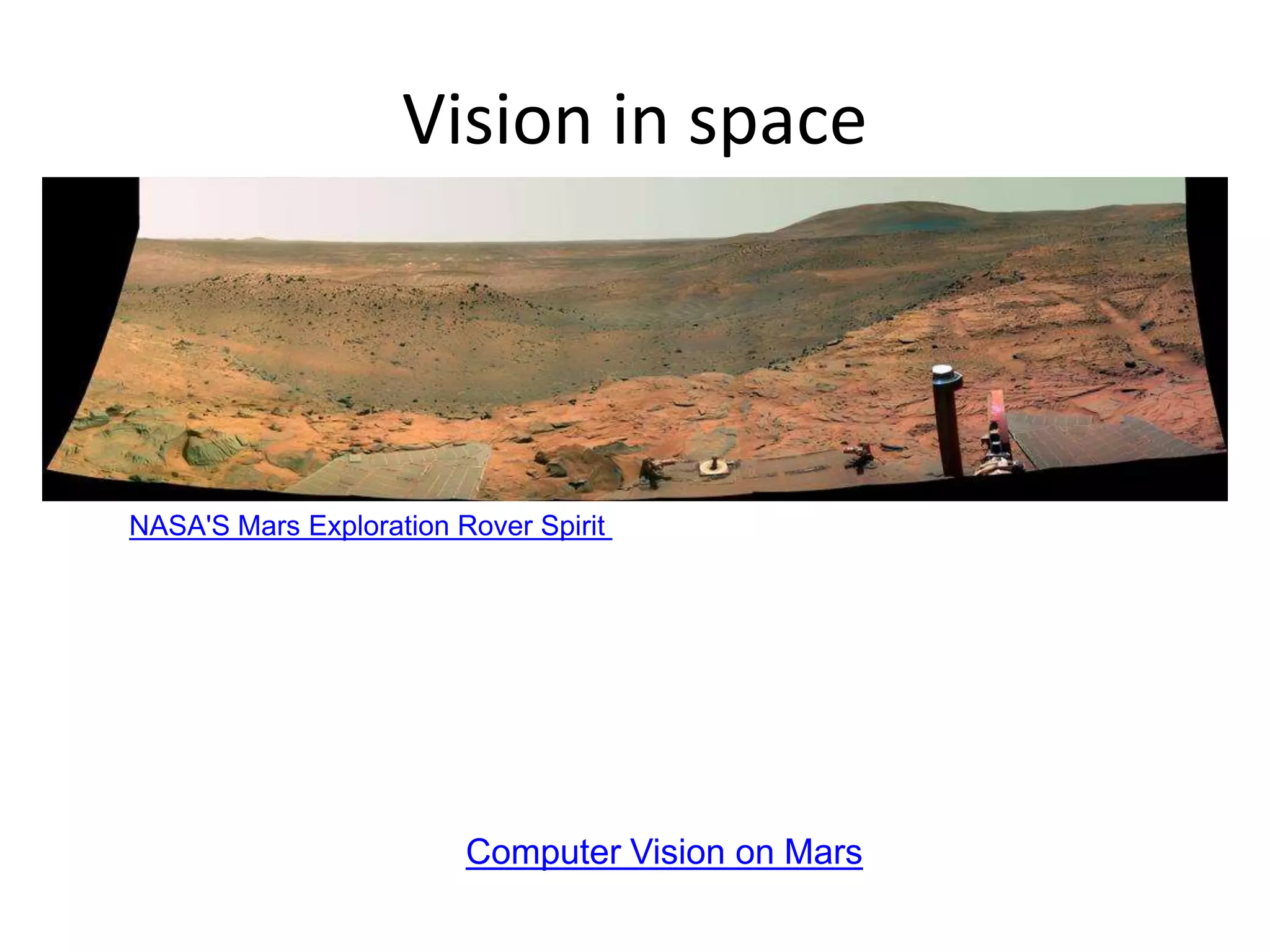
Vision in space
Vision systems (JPL) used for several tasks
• Panorama stitching
• 3D terrain modeling
• Obstacle detection, position tracking
• For more, read “Computer Vision on Mars” by Matthies et al.
NASA'S Mars Exploration Rover Spirit captured this westward view from atop
a low plateau where Spirit spent the closing months of 2007.
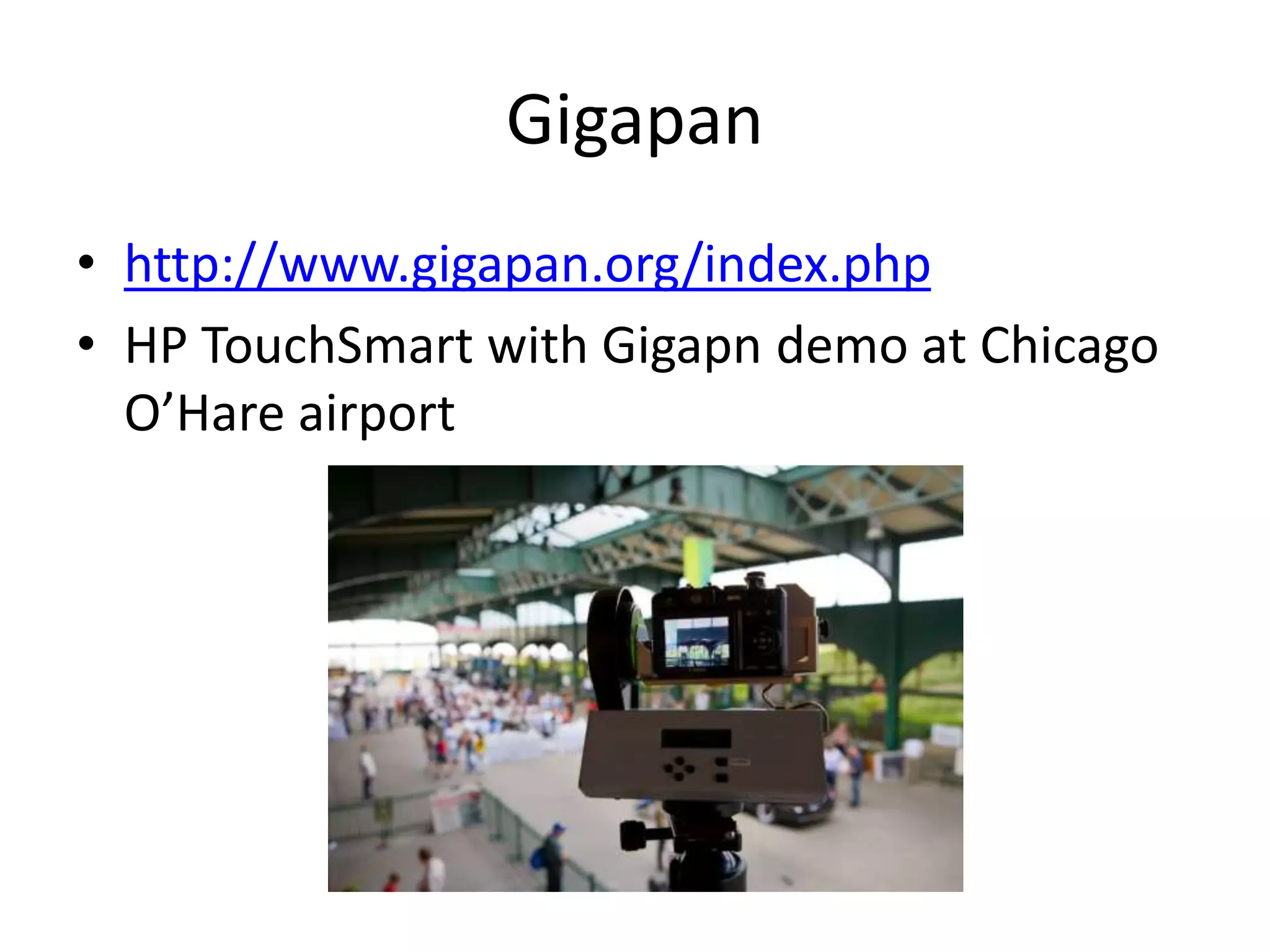
Gigapan
• http://www.gigapan.org/index.php
• HP TouchSmart with Gigapn demo at Chicago
O’Hare airport
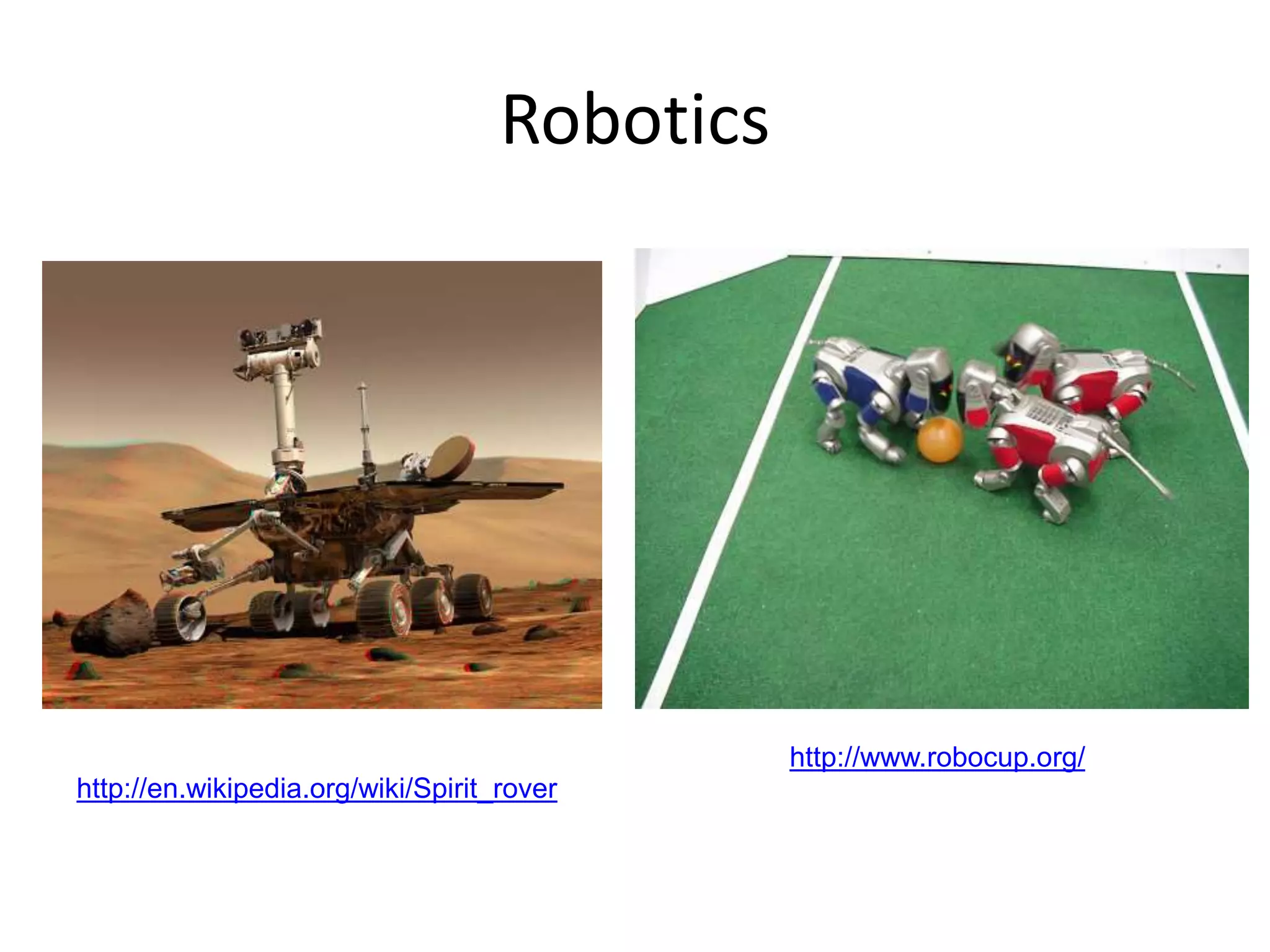
Robotics
http://www.robocup.org/NASA’s Mars Spirit Rover
http://en.wikipedia.org/wiki/Spirit_rover
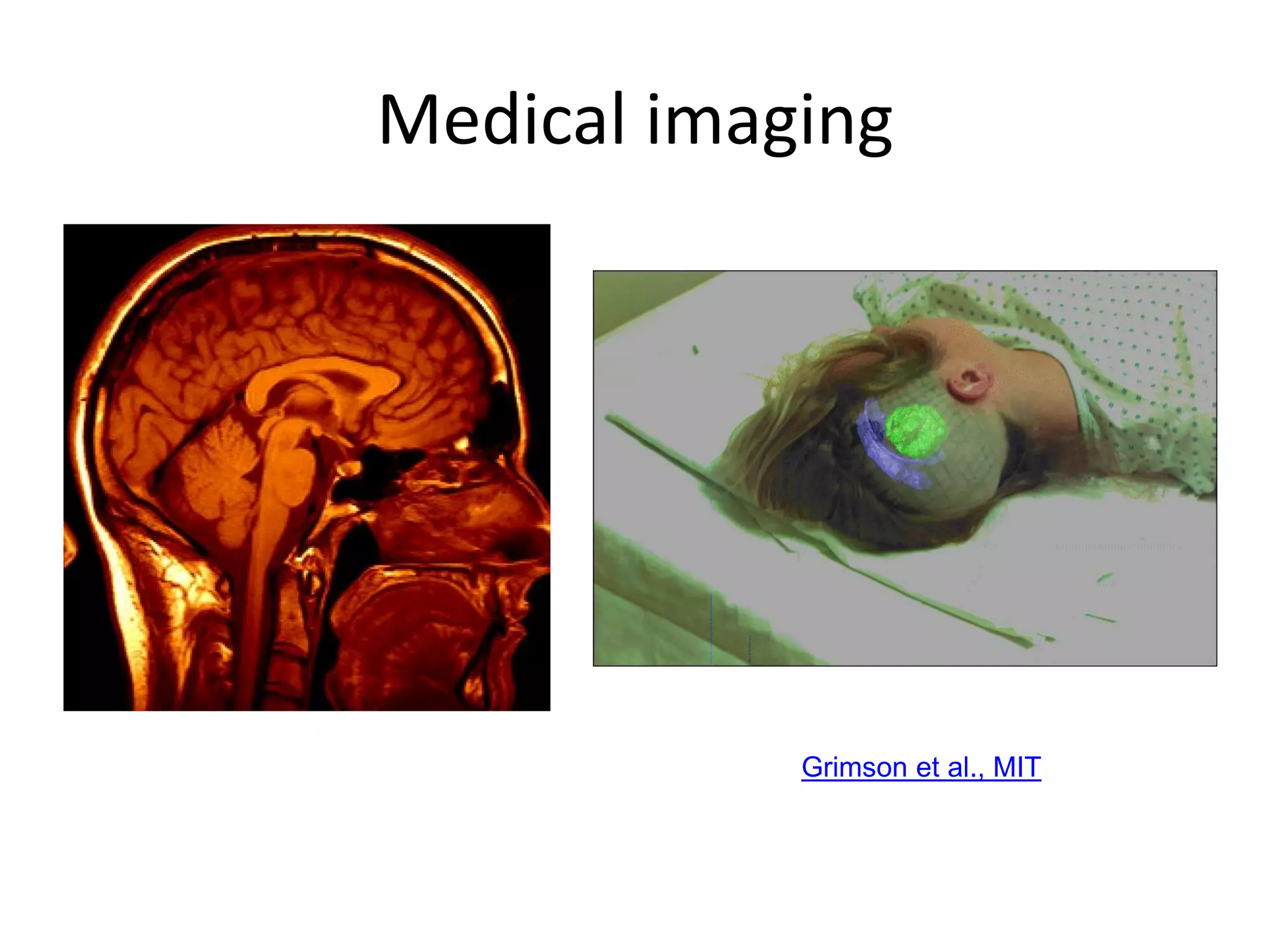
Medical imaging
Image guided surgery
Grimson et al., MIT
3D imaging
MRI, CT
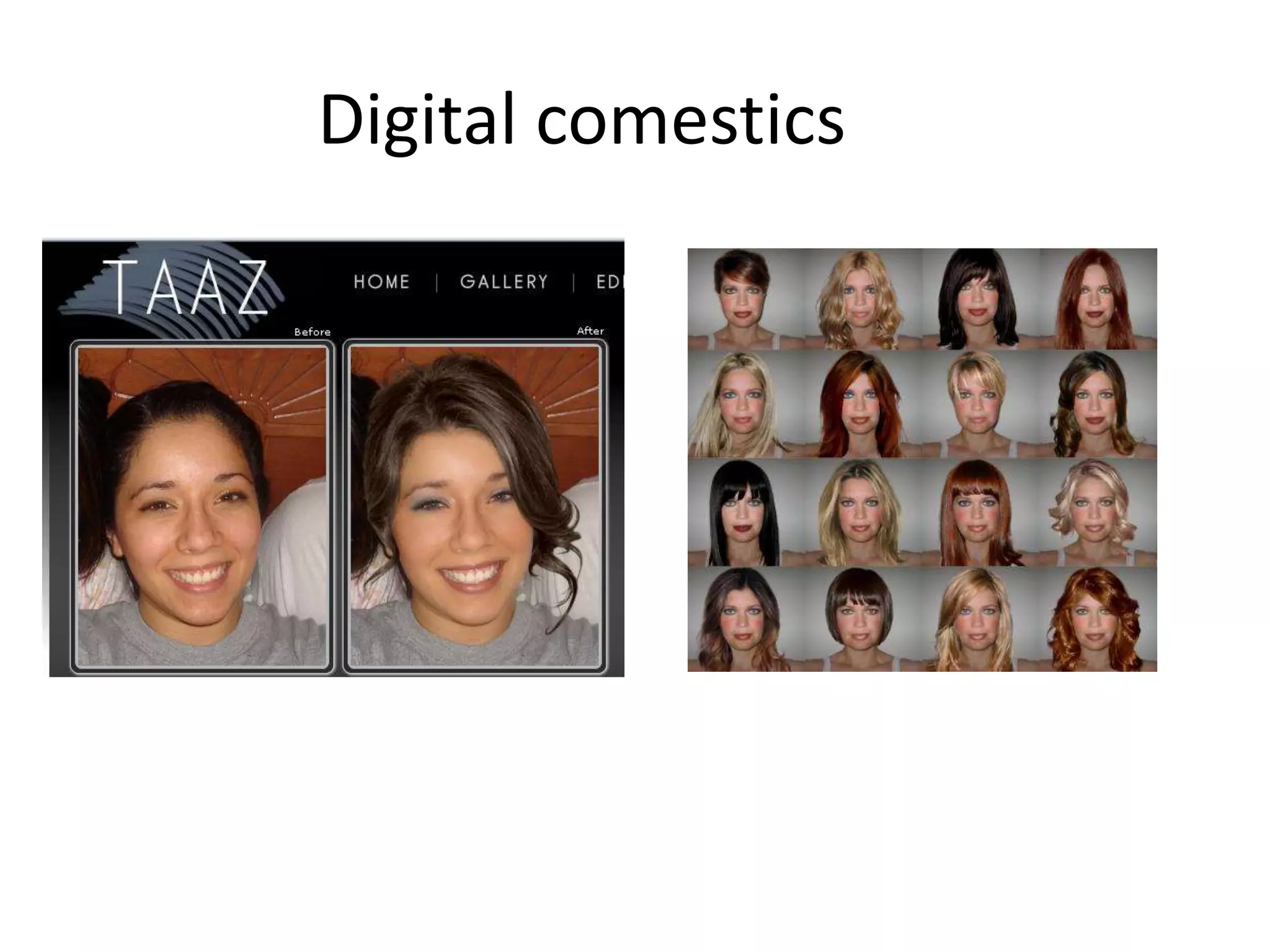
Digital comestics
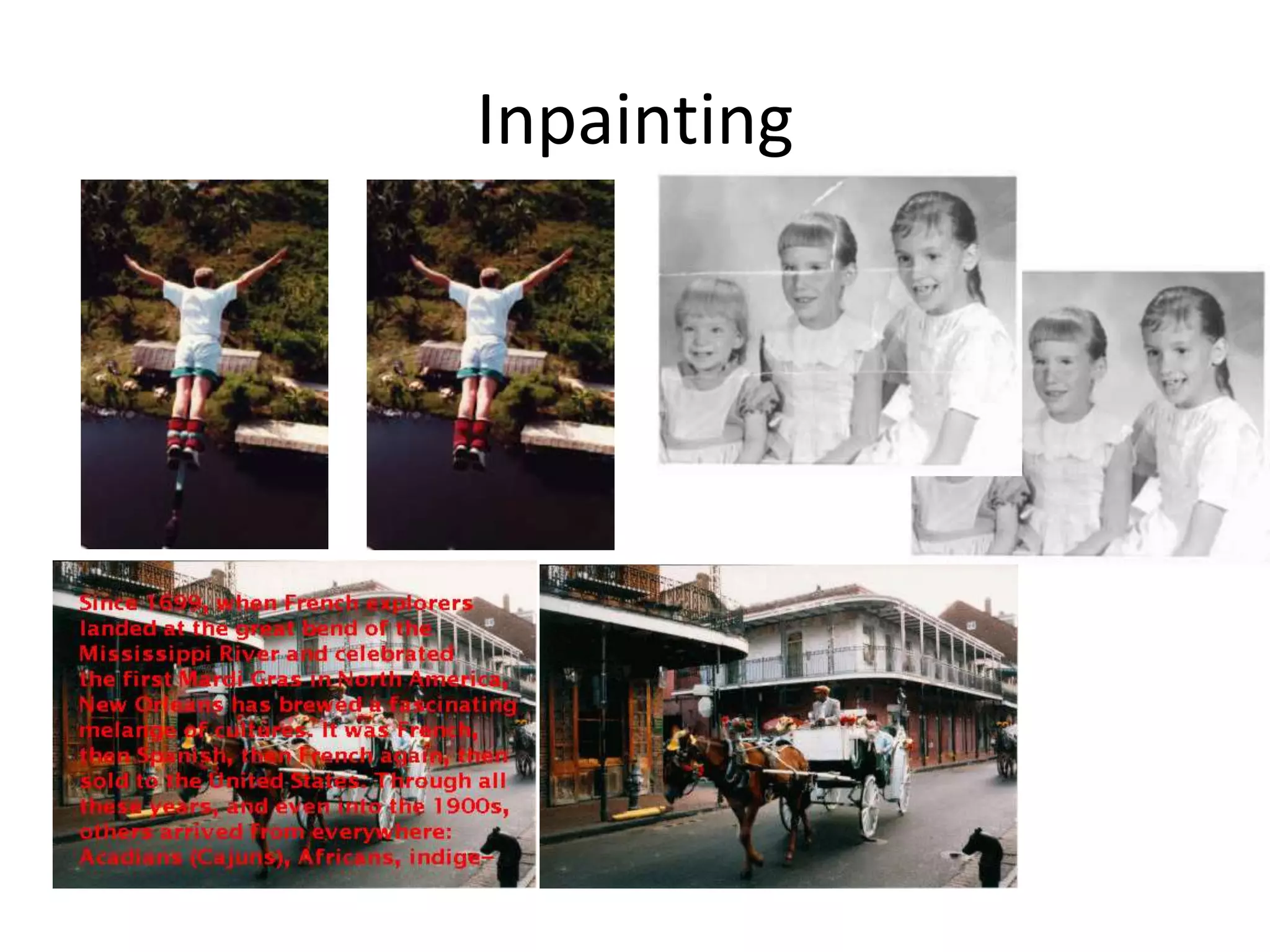
Inpainting
Bertalmio et al. SIGGRAPH 00
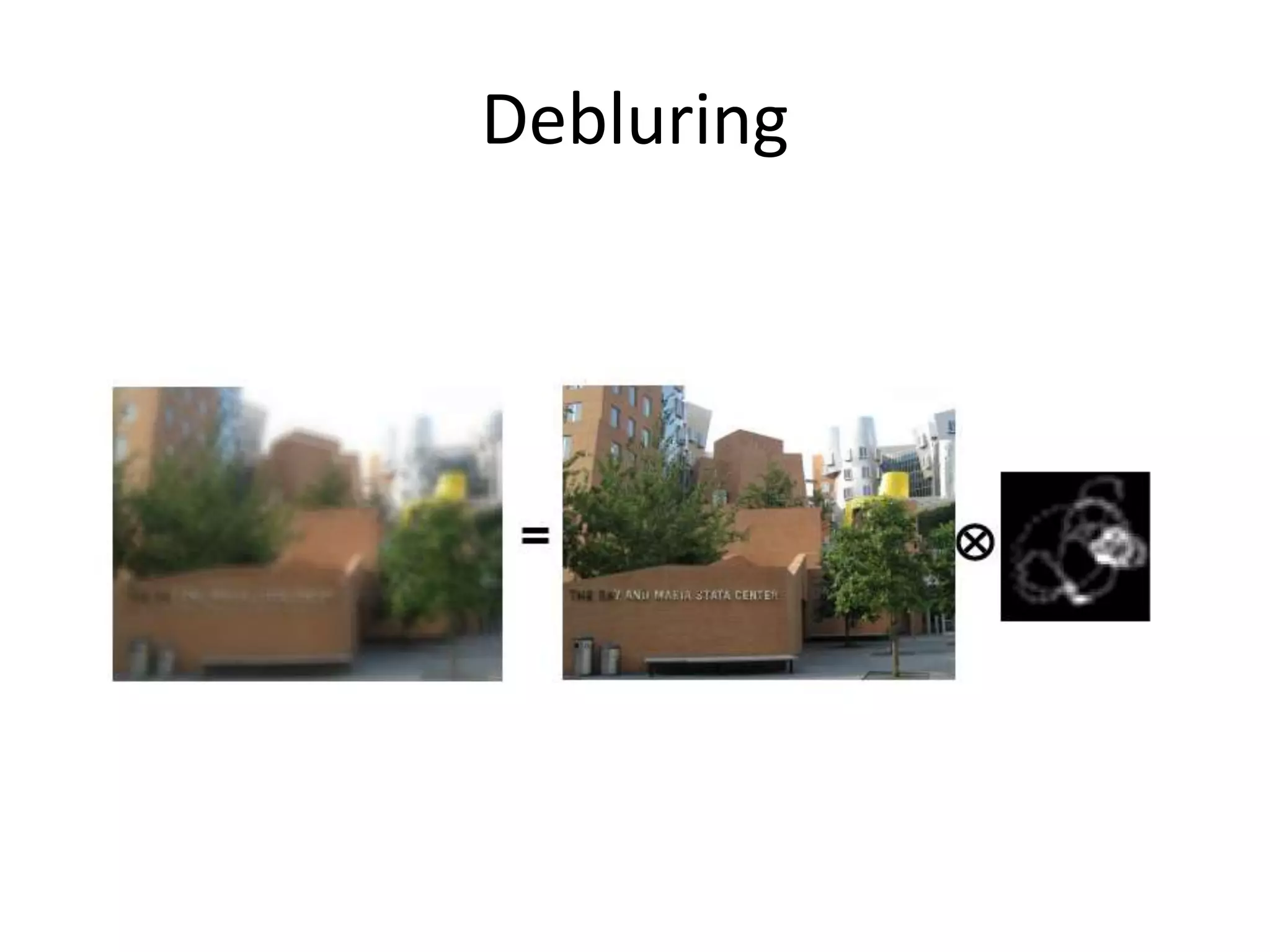
Debluring
Fergus et al. SIGGRAPH 06
Digital photo albums
• Picasa, Flickr, Photobucket, etc.
• Categorization
• Tagging
• Search
Computational photography
• Image acquisition
• Hardware/software
• Optics
• Shuttle speed
• Novel sensors
• Multiple camera
• Multiple shots
• Multi flash
• Applications: high dynamic range imaging, super resolution,
photomontage, panorama moasicing, debluring, light field,
camera projector system…
Image and video search
• Google
• YouTubes
• Microsoft
• Yahoo
Current state of the art
• You just saw examples of current systems.
– Many of these are less than 5 years old
• This is a very active research area, and rapidly changing
– Many new applications in the next 5 years
• To learn more about vision applications and companies
– David Lowe maintains an excellent overview of
vision companies
• http://www.cs.ubc.ca/spider/lowe/vision.html
• Confluence of vision, graphics, learning,
sensing and signal processing
Software and hardware
• Algorithms: processing images and videos
• Camera: acquiring images/videos
• Embedded system
Topics
• Image formation: camera model, camera calibration,
radiometry, color, shading
• Early vision: stereopsis, structure from motion, illumination,
reflectance, shape from X, texture
• Mid-level vision: segmentation, grouping, Kalman filter,
particle filter, shape representation
• High-level vision: correspondence, matching, object
detection, object recognition, visual tracking
• Recent topics: image and video retrieval, internet vision
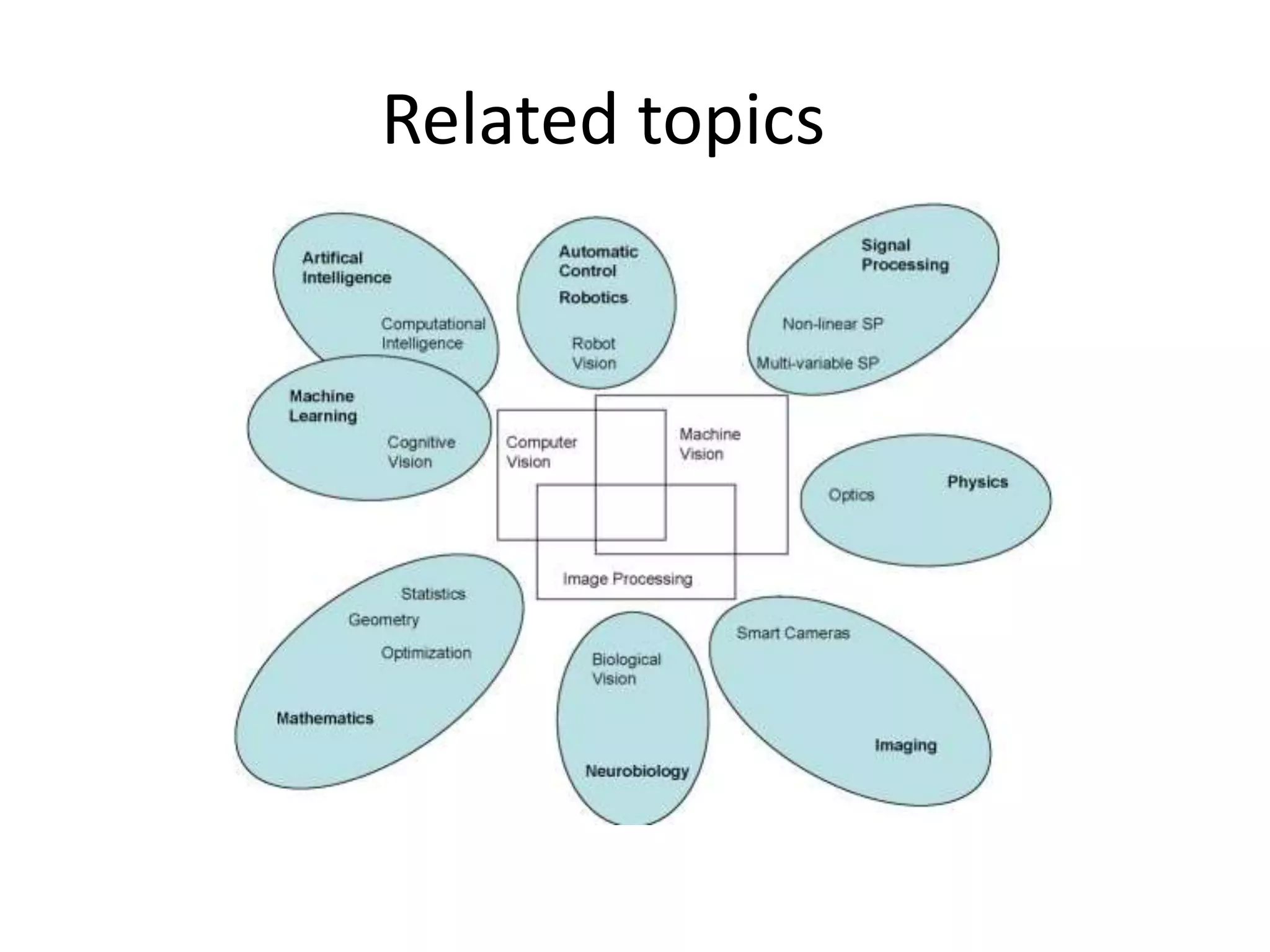
Related topics
Textbooks and references
• Textbook
– Computer Vision: A Modern Approach, David Forsyth and Jean Ponce
– Computer Vision: Algorithms and Applications (draft), Richard Szeliski
• Reference for background study:
– Introductory Techniques for 3-D Computer Vision, Emanuele Trucco and Alessandro
Verri
– Multiple View Geometry in Computer Vision, Richard Hartley and Andrew Zisserman
– An Invitation to 3-D Vision by Yi Ma, Stefano Soatto, and Jana Kosecka
– Robot Vision, Berthold Horn
– Learning OpenCV: Computer Vision with OpenCV Library, Gary Bradski and Adrian
Kaehler
• Reading assignments will be from the text and additional material that will
be handed out or made available on the web page
• All lecture slides will be available on the course website
http://faculty.ucmerced.edu/mhyang/course/cse274/index.htm
Grading
• Based on projects
• No midterm or final
• 20% Homework
• 40% Programming assignments
• 40% Term project
Project 1: features
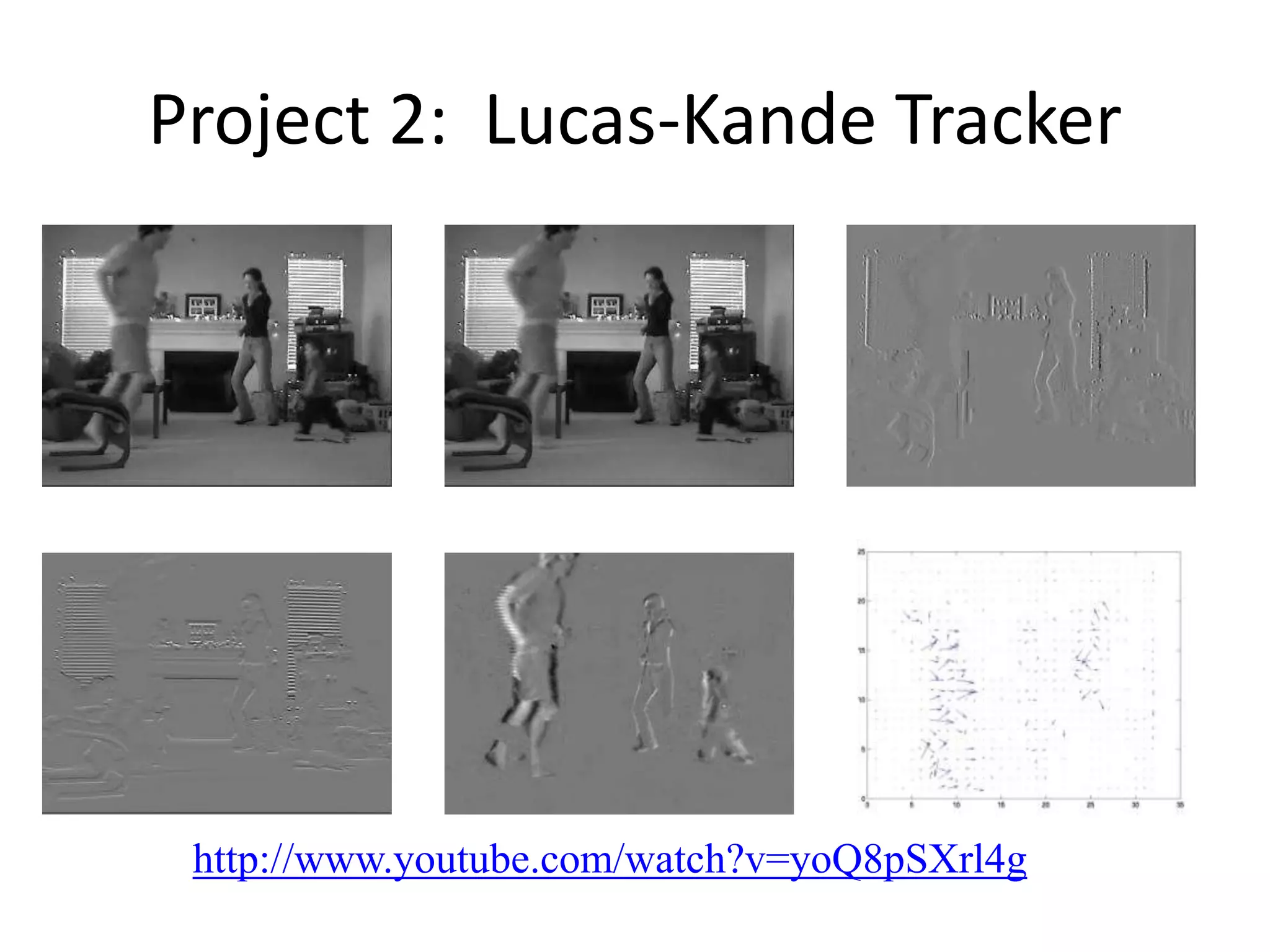
Project 2: Lucas-Kande Tracker
http://www.youtube.com/watch?v=yoQ8pSXrl4g
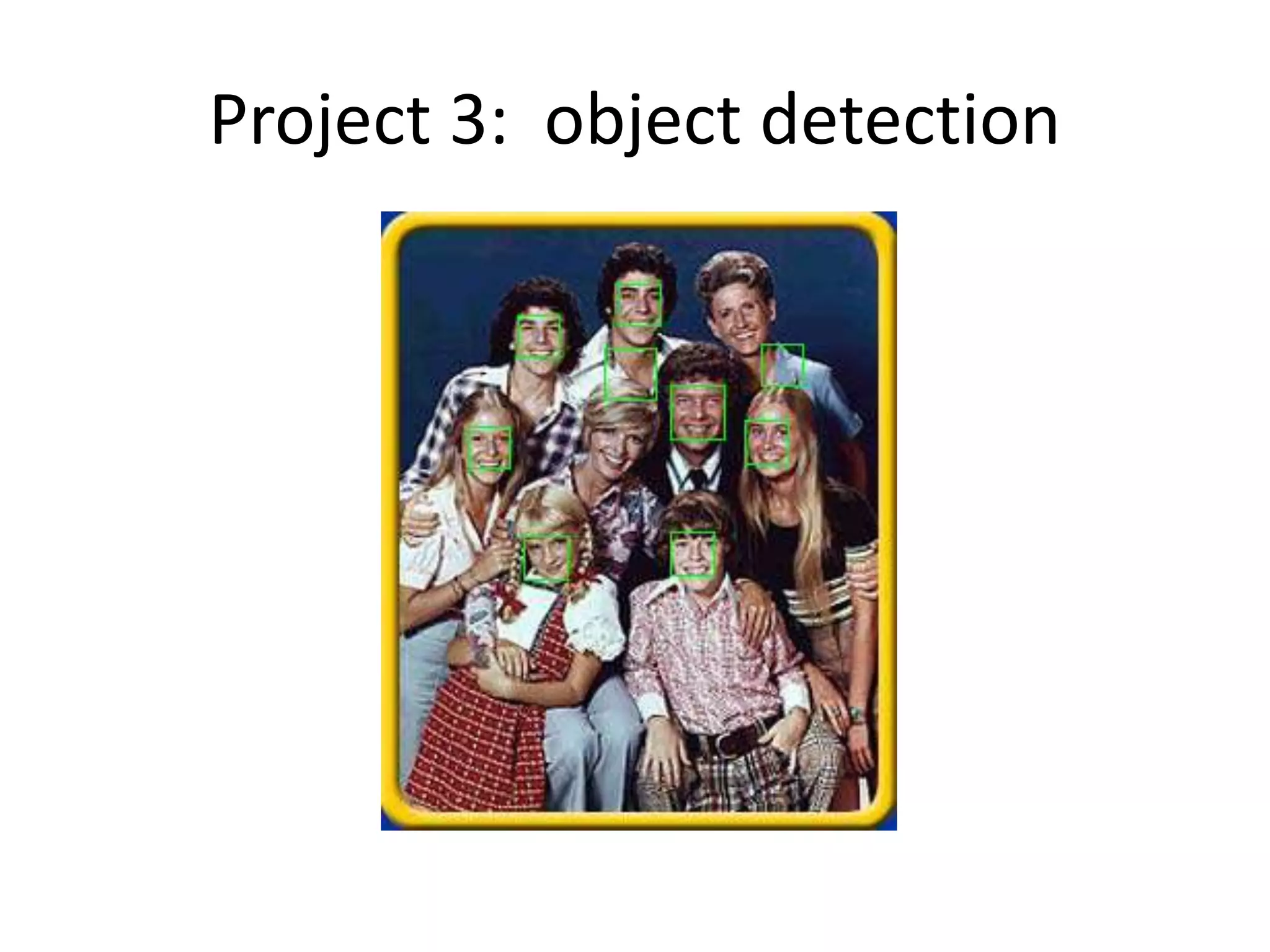
Project 3: object detection

Introduction

  • 1.
  • 2.
    What is computervision? Terminator 2
  • 3.
    Every picture tellsa story • Goal of computer vision is to write computer programs that can interpret images
  • 4.
    Can computers match(or beat) human vision? • Yes and no (but mostly no!) – humans are much better at “hard” things – computers can be better at “easy” things
  • 5.
  • 6.
    Why is computervision difficult? • Inverse problem • Ill-posed • High-dimensional data • Noise • Variation
  • 7.
    Earth viewers (3Dmodeling) Image from Microsoft’s Virtual Earth (see also: Google Earth)
  • 8.
  • 9.
  • 10.
    Optical character recognition Digitrecognition, AT&T labs http://www.research.att.com/~yann/ Technology to convert scanned docs to text • If you have a scanner, it probably came with OCR software License plate readers http://en.wikipedia.org/wiki/Automatic_number_plate_recognition
  • 11.
    Face detection • Manynew digital cameras now detect faces – Canon, Sony, Fuji, …
  • 12.
    Smile detection Sony Cyber-shot®T70 Digital Still Camera
  • 13.
    Object recognition (insupermarkets) LaneHawk by EvolutionRobotics “A smart camera is flush-mounted in the checkout lane, continuously watching for items. When an item is detected and recognized, the cashier verifies the quantity of items that were found under the basket, and continues to close the transaction. The item can remain under the basket, and with LaneHawk,you are assured to get paid for it… “
  • 14.
  • 15.
    Vision-based biometrics “How theAfghan Girl was Identified by Her Iris Patterns” Read the story
  • 16.
    Login without apassword… Fingerprint scanners on many new laptops, other devices Face recognition systems now beginning to appear more widely http://www.sensiblevision.com/
  • 17.
    Object recognition (inmobile phones) • This is becoming real: – Microsoft Research – Point & Find, Nokia, NTT Docomo
  • 18.
    The Matrix movies,ESC Entertainment, XYZRGB, NRC Special effects: shape capture Bullet time: http://www.youtube.com/watch?v=J5ryLMZTO5M
  • 19.
    Pirates of theCarribean, Industrial Light and Magic Click here for interactive demo Special effects: motion capture
  • 20.
    Sports Sportvision first downline Nice explanation on www.howstuffworks.com http://www.youtube.com/watch?v=UyPU2l9rdvo
  • 21.
    Smart cars • Mobileye –Vision systems currently in high-end BMW, GM, Volvo models – By 2010: 70% of car manufacturers. – Video demo
  • 22.
    Vision-based interaction (andgames) Nintendo Wii has camera-based IR tracking built in. See Lee’s work at CMU on clever tricks on using it to create a multi-touch display! Digimask: put your face on a 3D avatar. “Game turns moviegoers into Human Joysticks”, CNET Camera tracking a crowd, based on this work.
  • 23.
    Vision-based HCI • Reatrix:http://www.youtube.com/watch?v=QzsQKULMbiU
  • 24.
    Gaming • Sony Eyetoy• Microsoft Natal http://www.youtube.com/watch?v=AOXoh r4XE-4&feature=related http://www.youtube.com/watch?v=1BRSf CuLYHc
  • 25.
    Motion capture • Marker-basedmotion capture – http://www.youtube.com/watch?v=V0yT8mwg9nc • Organic motion • http://www.organicmotion.com/
  • 26.
    Looking at people •Hand gesture • Head pose • Expression • Identity http://www.youtube.com/watch?v=NwVBzx0LMNQ
  • 27.
    Vision in space Visionsystems (JPL) used for several tasks • Panorama stitching • 3D terrain modeling • Obstacle detection, position tracking • For more, read “Computer Vision on Mars” by Matthies et al. NASA'S Mars Exploration Rover Spirit captured this westward view from atop a low plateau where Spirit spent the closing months of 2007.
  • 28.
    Gigapan • http://www.gigapan.org/index.php • HPTouchSmart with Gigapn demo at Chicago O’Hare airport
  • 29.
    Robotics http://www.robocup.org/NASA’s Mars SpiritRover http://en.wikipedia.org/wiki/Spirit_rover
  • 30.
    Medical imaging Image guidedsurgery Grimson et al., MIT 3D imaging MRI, CT
  • 31.
  • 32.
  • 33.
  • 34.
    Digital photo albums •Picasa, Flickr, Photobucket, etc. • Categorization • Tagging • Search
  • 35.
    Computational photography • Imageacquisition • Hardware/software • Optics • Shuttle speed • Novel sensors • Multiple camera • Multiple shots • Multi flash • Applications: high dynamic range imaging, super resolution, photomontage, panorama moasicing, debluring, light field, camera projector system…
  • 36.
    Image and videosearch • Google • YouTubes • Microsoft • Yahoo
  • 37.
    Current state ofthe art • You just saw examples of current systems. – Many of these are less than 5 years old • This is a very active research area, and rapidly changing – Many new applications in the next 5 years • To learn more about vision applications and companies – David Lowe maintains an excellent overview of vision companies • http://www.cs.ubc.ca/spider/lowe/vision.html • Confluence of vision, graphics, learning, sensing and signal processing
  • 38.
    Software and hardware •Algorithms: processing images and videos • Camera: acquiring images/videos • Embedded system
  • 39.
    Topics • Image formation:camera model, camera calibration, radiometry, color, shading • Early vision: stereopsis, structure from motion, illumination, reflectance, shape from X, texture • Mid-level vision: segmentation, grouping, Kalman filter, particle filter, shape representation • High-level vision: correspondence, matching, object detection, object recognition, visual tracking • Recent topics: image and video retrieval, internet vision
  • 40.
  • 41.
    Textbooks and references •Textbook – Computer Vision: A Modern Approach, David Forsyth and Jean Ponce – Computer Vision: Algorithms and Applications (draft), Richard Szeliski • Reference for background study: – Introductory Techniques for 3-D Computer Vision, Emanuele Trucco and Alessandro Verri – Multiple View Geometry in Computer Vision, Richard Hartley and Andrew Zisserman – An Invitation to 3-D Vision by Yi Ma, Stefano Soatto, and Jana Kosecka – Robot Vision, Berthold Horn – Learning OpenCV: Computer Vision with OpenCV Library, Gary Bradski and Adrian Kaehler • Reading assignments will be from the text and additional material that will be handed out or made available on the web page • All lecture slides will be available on the course website http://faculty.ucmerced.edu/mhyang/course/cse274/index.htm
  • 42.
    Grading • Based onprojects • No midterm or final • 20% Homework • 40% Programming assignments • 40% Term project
  • 43.
  • 44.
    Project 2: Lucas-KandeTracker http://www.youtube.com/watch?v=yoQ8pSXrl4g
  • 45.