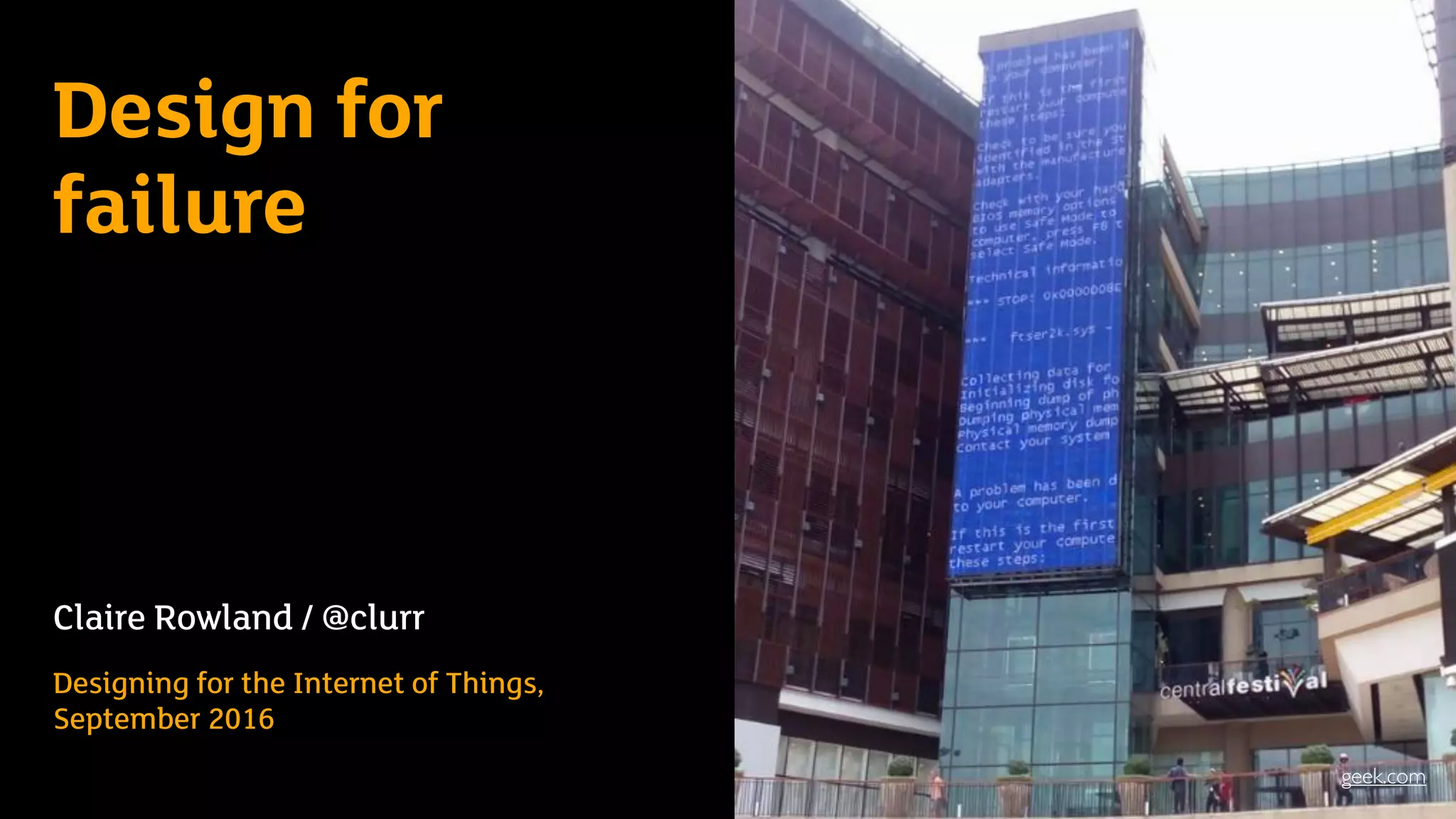
Design for
failure
Claire Rowland / @clurr
Designing for the Internet of Things,
September 2016
geek.com
•Product/UX strategy consultant
•Specialising in IoT, particularly
connected home/energy
management
•Lead author of Designing Connected
Products
Me…
FAILThe internet loves a
Who Wants to be a Millionaire, image via ranker.com
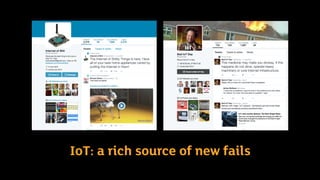
IoT: a rich source of new fails
3 questions for today
• Why is failure an issue for connected products?
• In what ways can connected products fail?
• What can designers and product developers do to
mitigate this?
3 questions for today
• Why is failure an issue for connected
products?
• In what ways can connected products fail?
• What can designers and product owners
do to mitigate this?
Why is failure an issue for connected
products?
We’re putting computing power, machine learning,
sensing, actuation and connectivity into ever more
objects and systems in the physical world
autonomoustractor.com
grenzebach.com sjm.com august.com
Worst of both worlds!
Hardware
Physical
breakage
Software
Always in
beta!
In what ways can connected
products fail?
3 questions for today
• Why is failure an issue for connected
products?
• In what ways can connected products fail?
• What can designers and product owners
do to mitigate this?
• Device issues
• Network/service
issues
• Business issues
• User issues
• ‘Real world’ issues
knowyourmeme.com
Device issues
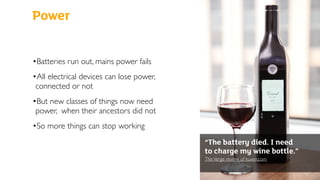
Power
•Batteries run out, mains power fails
•All electrical devices can lose power,
connected or not
•But new classes of things now need
power, when their ancestors did not
•So more things can stop working
“The battery died. I need
to charge my wine bottle.”
TheVerge review of kuvee.com

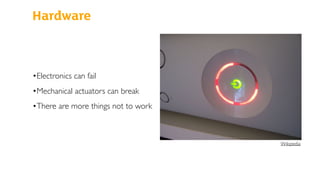
Hardware
•Electronics can fail
•Mechanical actuators can break
•There are more things not to work
Wikipedia
Sensor failures and glitches
engadget.com theatlantic.com
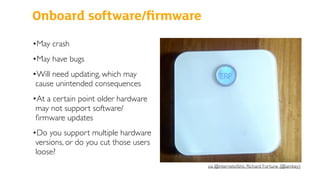
Onboard software/firmware
•May crash
•May have bugs
•Will need updating, which may
cause unintended consequences
•At a certain point older hardware
may not support software/
firmware updates
•Do you support multiple hardware
versions, or do you cut those users
loose?
via @internetofshit, Richard Fortune (@iamkey)

Network/service issues
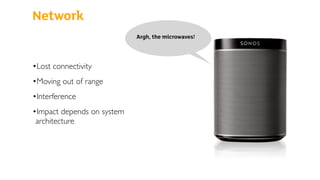
Network
•Lost connectivity
•Moving out of range
•Interference
•Impact depends on system
architecture
Argh, the microwaves!
Inappropriate
delays for context
of use
•Devices can be slow to join the
network
•Messages passing between devices/
cloud services are subject to latency
•Battery powered devices may only
check into the network
intermittently
……………………………………………..
“Oh never mind”
[ding dong]
Nicolas Calderone via macsources.com
Online service
outages
“We are experiencing some
minor difficulties with a 3rd
party server.”
petnet.com
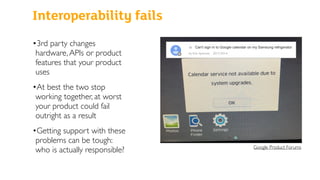
Interoperability fails
•3rd party changes
hardware,APIs or product
features that your product
uses
•At best the two stop
working together, at worst
your product could fail
outright as a result
•Getting support with these
problems can be tough:
who is actually responsible? Google Product Forums
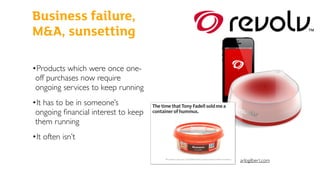
Business issues
•Products which were once one-
off purchases now require
ongoing services to keep running
•It has to be in someone’s
ongoing financial interest to keep
them running
•It often isn’t
Business failure,
M&A, sunsetting
arlogilbert.com
User issues
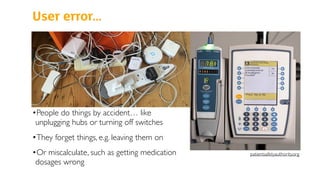
User error…
•People do things by accident… like
unplugging hubs or turning off switches
•They forget things, e.g. leaving them on
•Or miscalculate, such as getting medication
dosages wrong
patientsafetyauthority.org
…recklessness,
or deliberate
subversion
latimes.com
Real world context issues
Failure to
respond to
changes in
circumstances
thenextweb.com
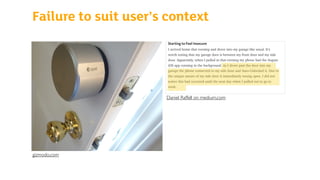
Failure to suit user’s context
Daniel Raffell on medium.com
gizmodo.com
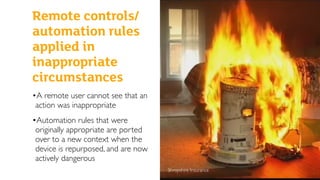
Remote controls/
automation rules
applied in
inappropriate
circumstances
Shropshire Insurance
•A remote user cannot see that an
action was inappropriate
•Automation rules that were
originally appropriate are ported
over to a new context when the
device is repurposed, and are now
actively dangerous
What can we do to mitigate
possible failures?
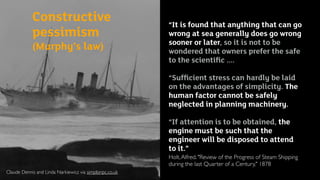
Claude Dennis and Linda Narkiewicz via simplonpc.co.uk
Constructive
pessimism 

(Murphy’s law)
“It is found that anything that can go
wrong at sea generally does go wrong
sooner or later, so it is not to be
wondered that owners prefer the safe
to the scientific ....
“Sufficient stress can hardly be laid
on the advantages of simplicity. The
human factor cannot be safely
neglected in planning machinery.
“If attention is to be obtained, the
engine must be such that the
engineer will be disposed to attend
to it.”
Holt,Alfred. "Review of the Progress of Steam Shipping
during the last Quarter of a Century," 1878
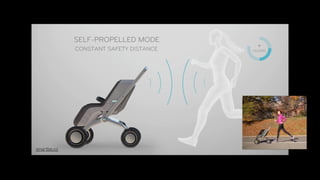
Product value must outweigh
potential risks
smartbe.co
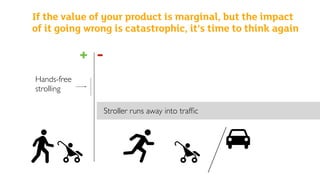
If the value of your product is marginal, but the impact
of it going wrong is catastrophic, it’s time to think again
+ -
Hands-free
strolling
Stroller runs away into traffic
Architect the system to tolerate
lost connectivity
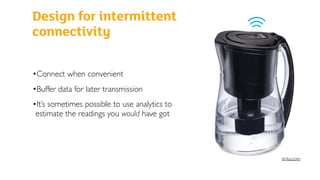
Design for intermittent
connectivity
•Connect when convenient
•Buffer data for later transmission
•It’s sometimes possible to use analytics to
estimate the readings you would have got
brita.com
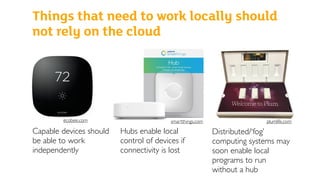
Things that need to work locally should
not rely on the cloud
Capable devices should
be able to work
independently
Hubs enable local
control of devices if
connectivity is lost
Distributed/‘fog’
computing systems may
soon enable local
programs to run
without a hub
ecobee.com smartthings.com plumlife.com
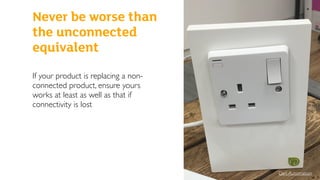
Never be worse than the
unconnected equivalent
If your product is replacing a non-
connected product, ensure yours
works at least as well as that if
connectivity is lost
Den Automation
Never be worse than
the unconnected
equivalent
Default to a safe state
http://medicalfuturist.com/living-with-an-artificial-pancreas/
Default to a safe state
If it’s not possible to
retain basic
functionality in event
of failure, always
default to a safe state
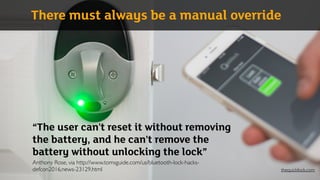
“The user can't reset it without removing
the battery, and he can't remove the
battery without unlocking the lock”

Anthony Rose, via http://www.tomsguide.com/us/bluetooth-lock-hacks-
defcon2016,news-23129.html
There must always be a manual override
thequicklock.com
Keep the user informed
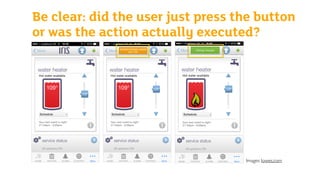
Be clear: did the user just press the button
or was the action actually executed?
Images: lowes.com
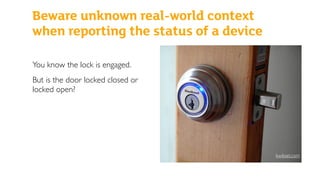
Beware unknown real-world context
when reporting the status of a device
You know the lock is engaged.
But is the door locked closed or
locked open?
kwikset.com
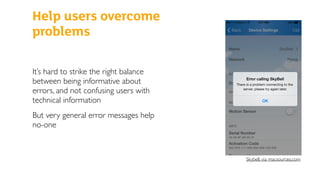
Help users overcome
problems
It’s hard to strike the right balance
between being informative about
errors, and not confusing users with
technical information
But very general error messages help
no-one
Skybell, via macsources.com
Minimise the risk of user errors
and allow for recovery
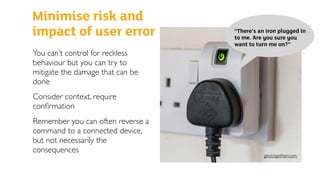
Minimise risk and
impact of user error
You can’t control for reckless
behaviour but you can try to
mitigate the damage that can be
done
Consider context, require
confirmation
Remember you can often reverse a
command to a connected device,
but not necessarily the
consequences
“There’s an iron plugged in
to me. Are you sure you
want to turn me on?”
geotogether.com
Really understand the context of
use
Will your bright idea
break in the real world?
nest.com
•User research and testing in context is vital
•Regulations are boring but important
Marcus Mark Ramos via channelnewsasia.com
Make it worth someone’s while
to keep the service running
Mitigating business
failure
In the event that you can't support
your product anymore, try to make
sure it’s at least worth someone else’s
time
e.g. Source code and money in escrow
variety.com
If something does go wrong, be
helpful and sensitive
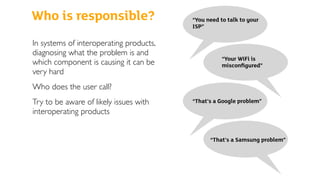
Who is responsible?
In systems of interoperating products,
diagnosing what the problem is and
which component is causing it can be
very hard
Who does the user call?
Try to be aware of likely issues with
interoperating products
“You need to talk to your
ISP”
“Your WiFi is
misconfigured”
“That’s a Google problem”
“That’s a Samsung problem”
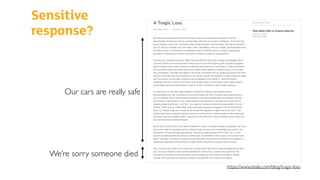
Sensitive
response?
https://www.tesla.com/blog/tragic-loss
Our cars are really safe
We’re sorry someone died
In summary…
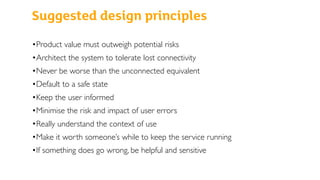
Suggested design principles
•Product value must outweigh potential risks
•Architect the system to tolerate lost connectivity
•Never be worse than the unconnected equivalent
•Default to a safe state
•Keep the user informed
•Minimise the risk and impact of user errors
•Really understand the context of use
•Make it worth someone’s while to keep the service running
•If something does go wrong, be helpful and sensitive
Create products
that prevent and
mitigate real
world failures
jpl.nasa.gov
up.com
phyn.com
And also:
Thank you!
Claire Rowland 

@clurr / claire@clairerowland.com
Hat tips for references and crowdsourced examples to Stacey Higginbotham’s IoT Podcast, @internetofshit,
@badiotday, Fabien Marry,Alastair Somerville, Bryan Rieger, Stephanie Rieger, Chris Holgate ,Rob Whiting, Simon
Frost,Valkyrie Savage,Toby Jaffey, Ben Hardill, Julian Bleecker, Nik Martelaro, Scott Minneman, Leah Buechley,
Carla Diana,Tom Igoe,Vadim Kravtchenko,Tod E Kurt, Liz Goodman, Josh Bloom, Scott Smith.
“This is more than a UX book; it covers all of the critical design
and technology issues around making great connected products.”
David Rose. Author: Enchanted Objects

“As a grizzled veteran of several campaigns within the matter-
battle of the Internet ofThings, I was pleasantly surprised to find
the number of times this book made me pause, think, and rethink
my own work (and that of others).A very valuable addition to the
canon of design thinking in this emerging area.”
Matt Jones. Google


“Whether you’re an IoT pro or just getting started designing
connected products, this comprehensive book has something for
everyone, from examinations of different network protocols all the
way up to value propositions and considerations for hardware,
software, and services.This book takes a clear-eyed look at IoT
from all angles.”
Dan Saffer. Mayfield Robotics

Design for failure in the IoT: what could possibly go wrong?

  • 1.
    Design for failure Claire Rowland/ @clurr Designing for the Internet of Things, September 2016 geek.com
  • 2.
    •Product/UX strategy consultant •Specialisingin IoT, particularly connected home/energy management •Lead author of Designing Connected Products Me…
  • 3.
    FAILThe internet lovesa Who Wants to be a Millionaire, image via ranker.com
  • 4.
    IoT: a richsource of new fails
  • 5.
    3 questions fortoday • Why is failure an issue for connected products? • In what ways can connected products fail? • What can designers and product developers do to mitigate this?
  • 6.
    3 questions fortoday • Why is failure an issue for connected products? • In what ways can connected products fail? • What can designers and product owners do to mitigate this? Why is failure an issue for connected products?
  • 7.
    We’re putting computingpower, machine learning, sensing, actuation and connectivity into ever more objects and systems in the physical world autonomoustractor.com grenzebach.com sjm.com august.com
  • 8.
    Worst of bothworlds! Hardware Physical breakage Software Always in beta!
  • 9.
    In what wayscan connected products fail?
  • 10.
    3 questions fortoday • Why is failure an issue for connected products? • In what ways can connected products fail? • What can designers and product owners do to mitigate this? • Device issues • Network/service issues • Business issues • User issues • ‘Real world’ issues knowyourmeme.com
  • 11.
  • 12.
    Power •Batteries run out,mains power fails •All electrical devices can lose power, connected or not •But new classes of things now need power, when their ancestors did not •So more things can stop working “The battery died. I need to charge my wine bottle.” TheVerge review of kuvee.com

  • 13.
    Hardware •Electronics can fail •Mechanicalactuators can break •There are more things not to work Wikipedia
  • 14.
    Sensor failures andglitches engadget.com theatlantic.com
  • 15.
    Onboard software/firmware •May crash •Mayhave bugs •Will need updating, which may cause unintended consequences •At a certain point older hardware may not support software/ firmware updates •Do you support multiple hardware versions, or do you cut those users loose? via @internetofshit, Richard Fortune (@iamkey)
  • 16.
  • 17.
    Network •Lost connectivity •Moving outof range •Interference •Impact depends on system architecture Argh, the microwaves!
  • 18.
    Inappropriate delays for context ofuse •Devices can be slow to join the network •Messages passing between devices/ cloud services are subject to latency •Battery powered devices may only check into the network intermittently …………………………………………….. “Oh never mind” [ding dong] Nicolas Calderone via macsources.com
  • 19.
    Online service outages “We areexperiencing some minor difficulties with a 3rd party server.” petnet.com
  • 20.
    Interoperability fails •3rd partychanges hardware,APIs or product features that your product uses •At best the two stop working together, at worst your product could fail outright as a result •Getting support with these problems can be tough: who is actually responsible? Google Product Forums
  • 21.
  • 22.
    •Products which wereonce one- off purchases now require ongoing services to keep running •It has to be in someone’s ongoing financial interest to keep them running •It often isn’t Business failure, M&A, sunsetting arlogilbert.com
  • 23.
  • 24.
    User error… •People dothings by accident… like unplugging hubs or turning off switches •They forget things, e.g. leaving them on •Or miscalculate, such as getting medication dosages wrong patientsafetyauthority.org
  • 25.
  • 26.
  • 27.
    Failure to respond to changesin circumstances thenextweb.com
  • 28.
    Failure to suituser’s context Daniel Raffell on medium.com gizmodo.com
  • 29.
    Remote controls/ automation rules appliedin inappropriate circumstances Shropshire Insurance •A remote user cannot see that an action was inappropriate •Automation rules that were originally appropriate are ported over to a new context when the device is repurposed, and are now actively dangerous
  • 30.
    What can wedo to mitigate possible failures?
  • 31.
    Claude Dennis andLinda Narkiewicz via simplonpc.co.uk Constructive pessimism 
 (Murphy’s law) “It is found that anything that can go wrong at sea generally does go wrong sooner or later, so it is not to be wondered that owners prefer the safe to the scientific .... “Sufficient stress can hardly be laid on the advantages of simplicity. The human factor cannot be safely neglected in planning machinery. “If attention is to be obtained, the engine must be such that the engineer will be disposed to attend to it.” Holt,Alfred. "Review of the Progress of Steam Shipping during the last Quarter of a Century," 1878
  • 32.
    Product value mustoutweigh potential risks
  • 33.
  • 34.
    If the valueof your product is marginal, but the impact of it going wrong is catastrophic, it’s time to think again + - Hands-free strolling Stroller runs away into traffic
  • 35.
    Architect the systemto tolerate lost connectivity
  • 36.
    Design for intermittent connectivity •Connectwhen convenient •Buffer data for later transmission •It’s sometimes possible to use analytics to estimate the readings you would have got brita.com
  • 37.
    Things that needto work locally should not rely on the cloud Capable devices should be able to work independently Hubs enable local control of devices if connectivity is lost Distributed/‘fog’ computing systems may soon enable local programs to run without a hub ecobee.com smartthings.com plumlife.com
  • 38.
    Never be worsethan the unconnected equivalent
  • 39.
    If your productis replacing a non- connected product, ensure yours works at least as well as that if connectivity is lost Den Automation Never be worse than the unconnected equivalent
  • 40.
    Default to asafe state
  • 41.
    http://medicalfuturist.com/living-with-an-artificial-pancreas/ Default to asafe state If it’s not possible to retain basic functionality in event of failure, always default to a safe state
  • 42.
    “The user can'treset it without removing the battery, and he can't remove the battery without unlocking the lock”
 Anthony Rose, via http://www.tomsguide.com/us/bluetooth-lock-hacks- defcon2016,news-23129.html There must always be a manual override thequicklock.com
  • 43.
    Keep the userinformed
  • 44.
    Be clear: didthe user just press the button or was the action actually executed? Images: lowes.com
  • 45.
    Beware unknown real-worldcontext when reporting the status of a device You know the lock is engaged. But is the door locked closed or locked open? kwikset.com
  • 46.
    Help users overcome problems It’shard to strike the right balance between being informative about errors, and not confusing users with technical information But very general error messages help no-one Skybell, via macsources.com
  • 47.
    Minimise the riskof user errors and allow for recovery
  • 48.
    Minimise risk and impactof user error You can’t control for reckless behaviour but you can try to mitigate the damage that can be done Consider context, require confirmation Remember you can often reverse a command to a connected device, but not necessarily the consequences “There’s an iron plugged in to me. Are you sure you want to turn me on?” geotogether.com
  • 49.
    Really understand thecontext of use
  • 50.
    Will your brightidea break in the real world? nest.com
  • 51.
    •User research andtesting in context is vital •Regulations are boring but important Marcus Mark Ramos via channelnewsasia.com
  • 52.
    Make it worthsomeone’s while to keep the service running
  • 53.
    Mitigating business failure In theevent that you can't support your product anymore, try to make sure it’s at least worth someone else’s time e.g. Source code and money in escrow variety.com
  • 54.
    If something doesgo wrong, be helpful and sensitive
  • 55.
    Who is responsible? Insystems of interoperating products, diagnosing what the problem is and which component is causing it can be very hard Who does the user call? Try to be aware of likely issues with interoperating products “You need to talk to your ISP” “Your WiFi is misconfigured” “That’s a Google problem” “That’s a Samsung problem”
  • 56.
  • 57.
  • 58.
    Suggested design principles •Productvalue must outweigh potential risks •Architect the system to tolerate lost connectivity •Never be worse than the unconnected equivalent •Default to a safe state •Keep the user informed •Minimise the risk and impact of user errors •Really understand the context of use •Make it worth someone’s while to keep the service running •If something does go wrong, be helpful and sensitive
  • 59.
    Create products that preventand mitigate real world failures jpl.nasa.gov up.com phyn.com And also:
  • 60.
    Thank you! Claire Rowland
 @clurr / claire@clairerowland.com Hat tips for references and crowdsourced examples to Stacey Higginbotham’s IoT Podcast, @internetofshit, @badiotday, Fabien Marry,Alastair Somerville, Bryan Rieger, Stephanie Rieger, Chris Holgate ,Rob Whiting, Simon Frost,Valkyrie Savage,Toby Jaffey, Ben Hardill, Julian Bleecker, Nik Martelaro, Scott Minneman, Leah Buechley, Carla Diana,Tom Igoe,Vadim Kravtchenko,Tod E Kurt, Liz Goodman, Josh Bloom, Scott Smith.
  • 61.
    “This is morethan a UX book; it covers all of the critical design and technology issues around making great connected products.” David Rose. Author: Enchanted Objects
 “As a grizzled veteran of several campaigns within the matter- battle of the Internet ofThings, I was pleasantly surprised to find the number of times this book made me pause, think, and rethink my own work (and that of others).A very valuable addition to the canon of design thinking in this emerging area.” Matt Jones. Google 
 “Whether you’re an IoT pro or just getting started designing connected products, this comprehensive book has something for everyone, from examinations of different network protocols all the way up to value propositions and considerations for hardware, software, and services.This book takes a clear-eyed look at IoT from all angles.” Dan Saffer. Mayfield Robotics