http://www.slideshare.net/chadmairn


                        @cmairn
For an extremely large list of Google
       apps and services visit:

http://en.wikipedia.org/wiki/List_of_Google_products


                        or

         http://www.google.com/options/
We will briefly cover …
If we have time …
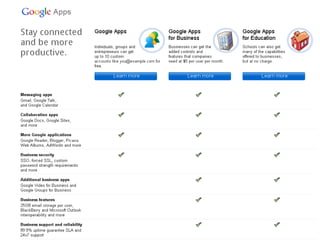
Using the free version of Google Apps you
can have up to 10 custom user accounts.
Getting Started
+1 personalization on non-Google sites allows Google to tailor content and
ads to you across the Web, based on your Google profile, +1
activity, and social connections. Google does this without sharing your
information with outside websites. (Source: http://goo.gl/gA1x0)
After signed in to Google you will see a
toolbar near the top of your Web browser.
Earth View is now in Google Maps!
• Fly to any place in the world.

• See 3D buildings, imagery, and terrain.

• Find cities, places, and local businesses.

• Explore the Moon, Mars, the sky, oceans, and historical imagery.


                                               Source: http://www.google.com/earth
Find local businesses, view maps
and get driving directions.
Quick Google
Earth/Maps demo

      3D trees
3D Baseball Stadium
     Showcase
       Gallery
 Finding Directions
 Embedding Maps
... searches the full text of books and magazines that Google has
scanned, converted to text using optical character recognition, and
stored in its digital database.


                                                       Source: http://goo.gl/UcoAj
… gives you one number for all your
phones, voicemail as easy as email, free US long
distance, low rates on international calls, and many
calling features.


                                    Source: http://goo.gl/dMN6W
An example: a “free” SMS Reference
                                     Service

1. Get a free Google Voice number.

2. Promote this number.

3. Use free GVMax web service to send notifications via Instant Messaging
   (XMPP/GoogleTalk), emails, Prowl and Howl
   notifications, Twitter, HttpPost and SMS.
Quick Google
Books/Voice demo

  Searching Books
  Adding Favorites
Explore Google Voice
Blogger is a blog-publishing
 service that allows private or
  multi-user blogs with time-
stamped entries. It was created
by Pyra Labs, which was bought
      by Google in 2003.


                       Source: http://goo.gl/o5i2
2.


1.


          3.
4.


5.
http://feed2js.org/
Easily drag and drop gadgets!
Explore your settings/themes
•   Easy to setup
•   Quick searching
•   Can integrate Google Docs, Sites and more
•   Can share calendars with others
•   Syncs with Microsoft Outlook , Apple's iCal, etc.
•   Works on many mobile devices
Multiple calendars
Color-code events. You can send certain events to certain people.
•   Documents, presentations, spreadsheets, forms, drawings, etc.
•   Collaborate online
•   Can chat with others while working on a document
•   Backup important papers – if you trust Google.
•   Mobile access to your files
Quick demo using
documents and forms
•   Centralize documents, presentations, and other items
•   Collaborate with others
•   Works on any operating system
•   Security controls
Quick demo creating
   a Google Site
http://bit.ly/googleplusinfo
Google + has …
     Circles
    Streams
    Profiles
     Photos
   Hangouts
   Messenger
     Sparks
    Mobile
   +1 button
Source: http://goo.gl/NwvmZ
Collaboration
Other notable services and tools …


                            et cetera …
Important!
   Google’s New Privacy Policy

https://www.google.com/intl/en/policies/
Google Dashboard helps you answer
the question: 'What information does
      Google have about me?'
Stay informed!
Virtual Petting Zoo


       Let’s
     Hangout!


   gplus.to/chadmairn
http://www.slideshare.net/chadmairn


                  @cmairn
             Go800 enabled! Text CMAIRN to 46800 to call.
Contact Information


                  Let’s
                Hangout!


               gplus.to/chadmairn

Introducing Google Apps

  • 2.
  • 5.
    For an extremelylarge list of Google apps and services visit: http://en.wikipedia.org/wiki/List_of_Google_products or http://www.google.com/options/
  • 6.
    We will brieflycover …
  • 7.
    If we havetime …
  • 9.
    Using the freeversion of Google Apps you can have up to 10 custom user accounts.
  • 10.
  • 12.
    +1 personalization onnon-Google sites allows Google to tailor content and ads to you across the Web, based on your Google profile, +1 activity, and social connections. Google does this without sharing your information with outside websites. (Source: http://goo.gl/gA1x0)
  • 13.
    After signed into Google you will see a toolbar near the top of your Web browser.
  • 14.
    Earth View isnow in Google Maps!
  • 15.
    • Fly toany place in the world. • See 3D buildings, imagery, and terrain. • Find cities, places, and local businesses. • Explore the Moon, Mars, the sky, oceans, and historical imagery. Source: http://www.google.com/earth
  • 16.
    Find local businesses,view maps and get driving directions.
  • 17.
    Quick Google Earth/Maps demo 3D trees 3D Baseball Stadium Showcase Gallery Finding Directions Embedding Maps
  • 18.
    ... searches thefull text of books and magazines that Google has scanned, converted to text using optical character recognition, and stored in its digital database. Source: http://goo.gl/UcoAj
  • 20.
    … gives youone number for all your phones, voicemail as easy as email, free US long distance, low rates on international calls, and many calling features. Source: http://goo.gl/dMN6W
  • 21.
    An example: a“free” SMS Reference Service 1. Get a free Google Voice number. 2. Promote this number. 3. Use free GVMax web service to send notifications via Instant Messaging (XMPP/GoogleTalk), emails, Prowl and Howl notifications, Twitter, HttpPost and SMS.
  • 22.
    Quick Google Books/Voice demo Searching Books Adding Favorites Explore Google Voice
  • 23.
    Blogger is ablog-publishing service that allows private or multi-user blogs with time- stamped entries. It was created by Pyra Labs, which was bought by Google in 2003. Source: http://goo.gl/o5i2
  • 24.
  • 25.
  • 26.
  • 27.
    Easily drag anddrop gadgets!
  • 29.
  • 32.
    Easy to setup • Quick searching • Can integrate Google Docs, Sites and more • Can share calendars with others • Syncs with Microsoft Outlook , Apple's iCal, etc. • Works on many mobile devices
  • 33.
  • 34.
    Color-code events. Youcan send certain events to certain people.
  • 36.
    Documents, presentations, spreadsheets, forms, drawings, etc. • Collaborate online • Can chat with others while working on a document • Backup important papers – if you trust Google. • Mobile access to your files
  • 37.
  • 38.
    Centralize documents, presentations, and other items • Collaborate with others • Works on any operating system • Security controls
  • 39.
    Quick demo creating a Google Site
  • 40.
  • 41.
    Google + has… Circles Streams Profiles Photos Hangouts Messenger Sparks Mobile +1 button
  • 42.
  • 44.
  • 45.
    Other notable servicesand tools … et cetera …
  • 46.
    Important! Google’s New Privacy Policy https://www.google.com/intl/en/policies/
  • 48.
    Google Dashboard helpsyou answer the question: 'What information does Google have about me?'
  • 51.
  • 52.
    Virtual Petting Zoo Let’s Hangout! gplus.to/chadmairn
  • 53.
    http://www.slideshare.net/chadmairn @cmairn Go800 enabled! Text CMAIRN to 46800 to call.
  • 54.
    Contact Information Let’s Hangout! gplus.to/chadmairn