INTRO TO FORTH
DAVID JOHNSON
WHY FORTH?
• Low-level language especially suited for embedded devices
• Interactive environment
• Minimalist design
STACK – WHAT IS A STACK?
• Data is added on top of the stack and removed from the top
• Used for function parameters and local variables
• Used for parsing nested expression (e.g., with parentheses)
• Used for depth first search and other algorithms
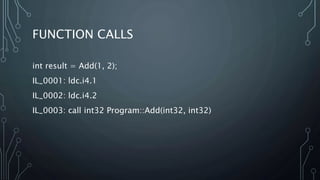
FUNCTION CALLS
int result = Add(1, 2);
IL_0001: ldc.i4.1
IL_0002: ldc.i4.2
IL_0003: call int32 Program::Add(int32, int32)
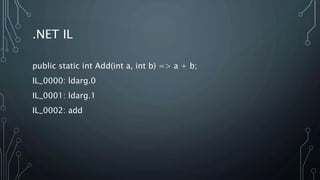
.NET IL
public static int Add(int a, int b) => a + b;
IL_0000: ldarg.0
IL_0001: ldarg.1
IL_0002: add
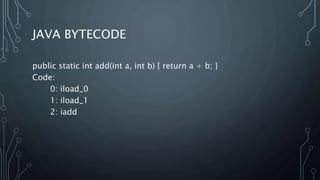
JAVA BYTECODE
public static int add(int a, int b) { return a + b; }
Code:
0: iload_0
1: iload_1
2: iadd
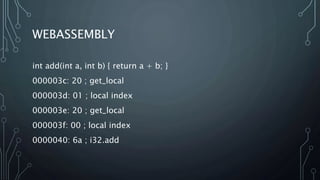
WEBASSEMBLY
int add(int a, int b) { return a + b; }
000003c: 20 ; get_local
000003d: 01 ; local index
000003e: 20 ; get_local
000003f: 00 ; local index
0000040: 6a ; i32.add
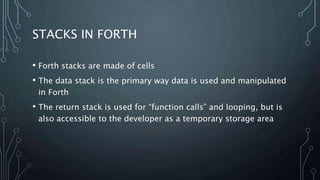
STACKS IN FORTH
• Forth stacks are made of cells
• The data stack is the primary way data is used and manipulated
in Forth
• The return stack is used for “function calls” and looping, but is
also accessible to the developer as a temporary storage area
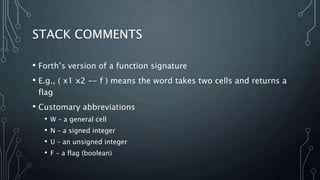
STACK COMMENTS
• Forth’s version of a function signature
• E.g., ( x1 x2 -- f ) means the word takes two cells and returns a
flag
• Customary abbreviations
• W – a general cell
• N – a signed integer
• U – an unsigned integer
• F – a flag (boolean)
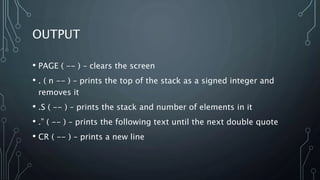
OUTPUT
• PAGE ( -- ) – clears the screen
• . ( n -- ) – prints the top of the stack as a signed integer and
removes it
• .S ( -- ) – prints the stack and number of elements in it
• .” ( -- ) – prints the following text until the next double quote
• CR ( -- ) – prints a new line
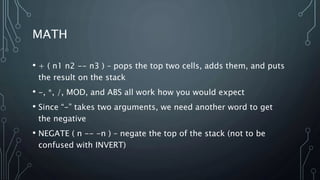
MATH
• + ( n1 n2 -- n3 ) – pops the top two cells, adds them, and puts
the result on the stack
• -, *, /, MOD, and ABS all work how you would expect
• Since “-” takes two arguments, we need another word to get
the negative
• NEGATE ( n -- -n ) – negate the top of the stack (not to be
confused with INVERT)
COMPARISON
• = ( w1 w2 – f ) – compares the top two cells and leaves a “true”
flag on the stack if they are equal. Leaves a “false” flag
otherwise.
• <> ( w1 w2 – f ) – compares the top two cells and leaves a
“true” flag on the stack if they are not equal. Leaves a “false”
flag otherwise.
• <, <=, >, and >= ( n1 n2 -- f )
LOGIC
• true is -1 (all bits set), unlike most languages which use 1
• However, any non-zero flag is treated as “truthy” by IF and
other standard words
• INVERT ( f -- !f ) – invert all bits of the flag (not to be confused
with NEGATE)
• AND, OR, and XOR ( w1 w2 -- w3 )
• LSHIFT, RSHIFT ( w1 u -- w2 ) – left shift w1 by u bits
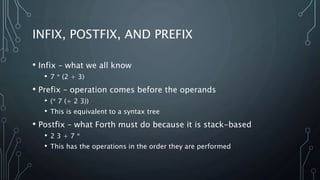
INFIX, POSTFIX, AND PREFIX
• Infix – what we all know
• 7 * (2 + 3)
• Prefix – operation comes before the operands
• (* 7 (+ 2 3))
• This is equivalent to a syntax tree
• Postfix – what Forth must do because it is stack-based
• 2 3 + 7 *
• This has the operations in the order they are performed
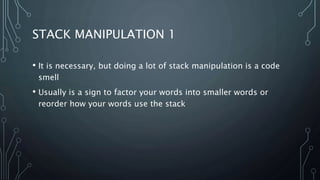
STACK MANIPULATION 1
• It is necessary, but doing a lot of stack manipulation is a code
smell
• Usually is a sign to factor your words into smaller words or
reorder how your words use the stack
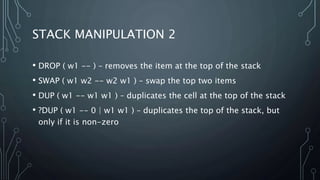
STACK MANIPULATION 2
• DROP ( w1 -- ) – removes the item at the top of the stack
• SWAP ( w1 w2 -- w2 w1 ) – swap the top two items
• DUP ( w1 -- w1 w1 ) – duplicates the cell at the top of the stack
• ?DUP ( w1 -- 0 | w1 w1 ) – duplicates the top of the stack, but
only if it is non-zero
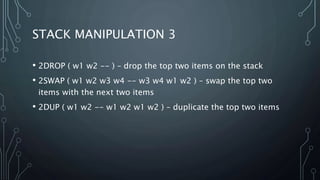
STACK MANIPULATION 3
• 2DROP ( w1 w2 -- ) – drop the top two items on the stack
• 2SWAP ( w1 w2 w3 w4 -- w3 w4 w1 w2 ) – swap the top two
items with the next two items
• 2DUP ( w1 w2 -- w1 w2 w1 w2 ) – duplicate the top two items
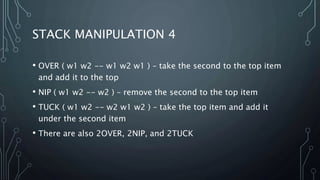
STACK MANIPULATION 4
• OVER ( w1 w2 -- w1 w2 w1 ) – take the second to the top item
and add it to the top
• NIP ( w1 w2 -- w2 ) – remove the second to the top item
• TUCK ( w1 w2 -- w2 w1 w2 ) – take the top item and add it
under the second item
• There are also 2OVER, 2NIP, and 2TUCK
CREATING WORDS
: word-name ( stack comment here )
word-1 word-2 … word-n ;
REDEFINING WORDS
• This is really useful in interactive mode, but might not behave
the way you expect
• Every time you redefine a word, you get a brand new version of
the word
• Existing words will still use the old version of the word
DEFERRED WORDS
• Used to define words and then change behavior later, like
callbacks
• DEFER word-name – defines word-name as a word that can
point to a word that is defined later
• ‘ my-word-name IS word-name – sets word-name to point to
my-word-name
CONTROL STRUCTURES
• Must be used inside of a word definition, not in interactive
mode
• IF/ELSE/ENDIF
• CASE
• ?DO LOOP
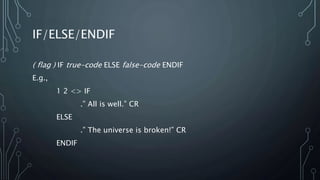
IF/ELSE/ENDIF
( flag ) IF true-code ELSE false-code ENDIF
E.g.,
1 2 <> IF
.” All is well.” CR
ELSE
.” The universe is broken!” CR
ENDIF
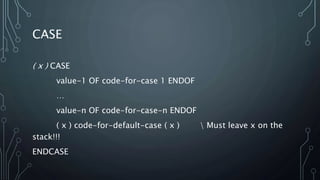
CASE
( x ) CASE
value-1 OF code-for-case 1 ENDOF
…
value-n OF code-for-case-n ENDOF
( x ) code-for-default-case ( x )  Must leave x on the
stack!!!
ENDCASE
?DO LOOP
• ( end start ) ?DO loop-body LOOP
• Runs loop-body for [start, end)
• I ( -- n ) – puts the current loop index on the stack
VARIABLES
• variable var-name – declare variable
• var-name is now a word that puts the address of the variable
on the stack
• @ ( addr – n ) - puts contents of variable on the stack
• ! ( value addr -- ) – stores value in variable
• ? ( addr -- ) – outputs variable directly (equivalent to @ . )
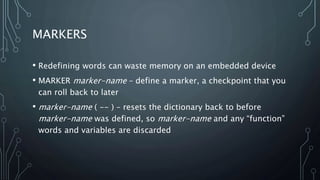
MARKERS
• Redefining words can waste memory on an embedded device
• MARKER marker-name – define a marker, a checkpoint that you
can roll back to later
• marker-name ( -- ) – resets the dictionary back to before
marker-name was defined, so marker-name and any “function”
words and variables are discarded
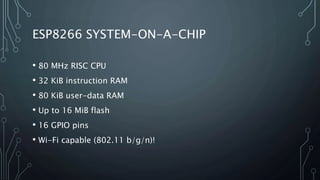
ESP8266 SYSTEM-ON-A-CHIP
• 80 MHz RISC CPU
• 32 KiB instruction RAM
• 80 KiB user-data RAM
• Up to 16 MiB flash
• 16 GPIO pins
• Wi-Fi capable (802.11 b/g/n)!
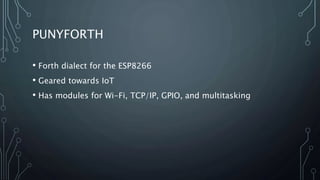
PUNYFORTH
• Forth dialect for the ESP8266
• Geared towards IoT
• Has modules for Wi-Fi, TCP/IP, GPIO, and multitasking
DEMO(S)?
• Morse code
• Music program
LINKS
• Github repo:
• Gforth: https://www.gnu.org/software/gforth/
• Punyforth: https://github.com/zeroflag/punyforth
• ESP8266: https://en.wikipedia.org/wiki/ESP8266
• CoolTerm: http://freeware.the-meiers.org/
LINKS - CONTINUED
• LICEcap: https://www.cockos.com/licecap/
• ILspy: https://github.com/icsharpcode/ILSpy
• javap:
https://docs.oracle.com/javase/7/docs/technotes/tools/windo
ws/javap.html
• WasmExplorer: https://mbebenita.github.io/WasmExplorer/
• WABT (wasm2wat and wat2wasm):
https://github.com/WebAssembly/wabt

Intro to Forth - 2018/09/13 ACM Greenville

  • 1.
  • 2.
    WHY FORTH? • Low-levellanguage especially suited for embedded devices • Interactive environment • Minimalist design
  • 3.
    STACK – WHATIS A STACK? • Data is added on top of the stack and removed from the top • Used for function parameters and local variables • Used for parsing nested expression (e.g., with parentheses) • Used for depth first search and other algorithms
  • 4.
    FUNCTION CALLS int result= Add(1, 2); IL_0001: ldc.i4.1 IL_0002: ldc.i4.2 IL_0003: call int32 Program::Add(int32, int32)
  • 5.
    .NET IL public staticint Add(int a, int b) => a + b; IL_0000: ldarg.0 IL_0001: ldarg.1 IL_0002: add
  • 6.
    JAVA BYTECODE public staticint add(int a, int b) { return a + b; } Code: 0: iload_0 1: iload_1 2: iadd
  • 7.
    WEBASSEMBLY int add(int a,int b) { return a + b; } 000003c: 20 ; get_local 000003d: 01 ; local index 000003e: 20 ; get_local 000003f: 00 ; local index 0000040: 6a ; i32.add
  • 8.
    STACKS IN FORTH •Forth stacks are made of cells • The data stack is the primary way data is used and manipulated in Forth • The return stack is used for “function calls” and looping, but is also accessible to the developer as a temporary storage area
  • 9.
    STACK COMMENTS • Forth’sversion of a function signature • E.g., ( x1 x2 -- f ) means the word takes two cells and returns a flag • Customary abbreviations • W – a general cell • N – a signed integer • U – an unsigned integer • F – a flag (boolean)
  • 10.
    OUTPUT • PAGE (-- ) – clears the screen • . ( n -- ) – prints the top of the stack as a signed integer and removes it • .S ( -- ) – prints the stack and number of elements in it • .” ( -- ) – prints the following text until the next double quote • CR ( -- ) – prints a new line
  • 12.
    MATH • + (n1 n2 -- n3 ) – pops the top two cells, adds them, and puts the result on the stack • -, *, /, MOD, and ABS all work how you would expect • Since “-” takes two arguments, we need another word to get the negative • NEGATE ( n -- -n ) – negate the top of the stack (not to be confused with INVERT)
  • 14.
    COMPARISON • = (w1 w2 – f ) – compares the top two cells and leaves a “true” flag on the stack if they are equal. Leaves a “false” flag otherwise. • <> ( w1 w2 – f ) – compares the top two cells and leaves a “true” flag on the stack if they are not equal. Leaves a “false” flag otherwise. • <, <=, >, and >= ( n1 n2 -- f )
  • 16.
    LOGIC • true is-1 (all bits set), unlike most languages which use 1 • However, any non-zero flag is treated as “truthy” by IF and other standard words • INVERT ( f -- !f ) – invert all bits of the flag (not to be confused with NEGATE) • AND, OR, and XOR ( w1 w2 -- w3 ) • LSHIFT, RSHIFT ( w1 u -- w2 ) – left shift w1 by u bits
  • 18.
    INFIX, POSTFIX, ANDPREFIX • Infix – what we all know • 7 * (2 + 3) • Prefix – operation comes before the operands • (* 7 (+ 2 3)) • This is equivalent to a syntax tree • Postfix – what Forth must do because it is stack-based • 2 3 + 7 * • This has the operations in the order they are performed
  • 19.
    STACK MANIPULATION 1 •It is necessary, but doing a lot of stack manipulation is a code smell • Usually is a sign to factor your words into smaller words or reorder how your words use the stack
  • 20.
    STACK MANIPULATION 2 •DROP ( w1 -- ) – removes the item at the top of the stack • SWAP ( w1 w2 -- w2 w1 ) – swap the top two items • DUP ( w1 -- w1 w1 ) – duplicates the cell at the top of the stack • ?DUP ( w1 -- 0 | w1 w1 ) – duplicates the top of the stack, but only if it is non-zero
  • 22.
    STACK MANIPULATION 3 •2DROP ( w1 w2 -- ) – drop the top two items on the stack • 2SWAP ( w1 w2 w3 w4 -- w3 w4 w1 w2 ) – swap the top two items with the next two items • 2DUP ( w1 w2 -- w1 w2 w1 w2 ) – duplicate the top two items
  • 24.
    STACK MANIPULATION 4 •OVER ( w1 w2 -- w1 w2 w1 ) – take the second to the top item and add it to the top • NIP ( w1 w2 -- w2 ) – remove the second to the top item • TUCK ( w1 w2 -- w2 w1 w2 ) – take the top item and add it under the second item • There are also 2OVER, 2NIP, and 2TUCK
  • 26.
    CREATING WORDS : word-name( stack comment here ) word-1 word-2 … word-n ;
  • 28.
    REDEFINING WORDS • Thisis really useful in interactive mode, but might not behave the way you expect • Every time you redefine a word, you get a brand new version of the word • Existing words will still use the old version of the word
  • 30.
    DEFERRED WORDS • Usedto define words and then change behavior later, like callbacks • DEFER word-name – defines word-name as a word that can point to a word that is defined later • ‘ my-word-name IS word-name – sets word-name to point to my-word-name
  • 32.
    CONTROL STRUCTURES • Mustbe used inside of a word definition, not in interactive mode • IF/ELSE/ENDIF • CASE • ?DO LOOP
  • 33.
    IF/ELSE/ENDIF ( flag )IF true-code ELSE false-code ENDIF E.g., 1 2 <> IF .” All is well.” CR ELSE .” The universe is broken!” CR ENDIF
  • 35.
    CASE ( x )CASE value-1 OF code-for-case 1 ENDOF … value-n OF code-for-case-n ENDOF ( x ) code-for-default-case ( x ) Must leave x on the stack!!! ENDCASE
  • 37.
    ?DO LOOP • (end start ) ?DO loop-body LOOP • Runs loop-body for [start, end) • I ( -- n ) – puts the current loop index on the stack
  • 39.
    VARIABLES • variable var-name– declare variable • var-name is now a word that puts the address of the variable on the stack • @ ( addr – n ) - puts contents of variable on the stack • ! ( value addr -- ) – stores value in variable • ? ( addr -- ) – outputs variable directly (equivalent to @ . )
  • 41.
    MARKERS • Redefining wordscan waste memory on an embedded device • MARKER marker-name – define a marker, a checkpoint that you can roll back to later • marker-name ( -- ) – resets the dictionary back to before marker-name was defined, so marker-name and any “function” words and variables are discarded
  • 43.
    ESP8266 SYSTEM-ON-A-CHIP • 80MHz RISC CPU • 32 KiB instruction RAM • 80 KiB user-data RAM • Up to 16 MiB flash • 16 GPIO pins • Wi-Fi capable (802.11 b/g/n)!
  • 44.
    PUNYFORTH • Forth dialectfor the ESP8266 • Geared towards IoT • Has modules for Wi-Fi, TCP/IP, GPIO, and multitasking
  • 45.
  • 46.
    LINKS • Github repo: •Gforth: https://www.gnu.org/software/gforth/ • Punyforth: https://github.com/zeroflag/punyforth • ESP8266: https://en.wikipedia.org/wiki/ESP8266 • CoolTerm: http://freeware.the-meiers.org/
  • 47.
    LINKS - CONTINUED •LICEcap: https://www.cockos.com/licecap/ • ILspy: https://github.com/icsharpcode/ILSpy • javap: https://docs.oracle.com/javase/7/docs/technotes/tools/windo ws/javap.html • WasmExplorer: https://mbebenita.github.io/WasmExplorer/ • WABT (wasm2wat and wat2wasm): https://github.com/WebAssembly/wabt