

By:Mohamed Essam
Flask
Flask
What Flask is ?
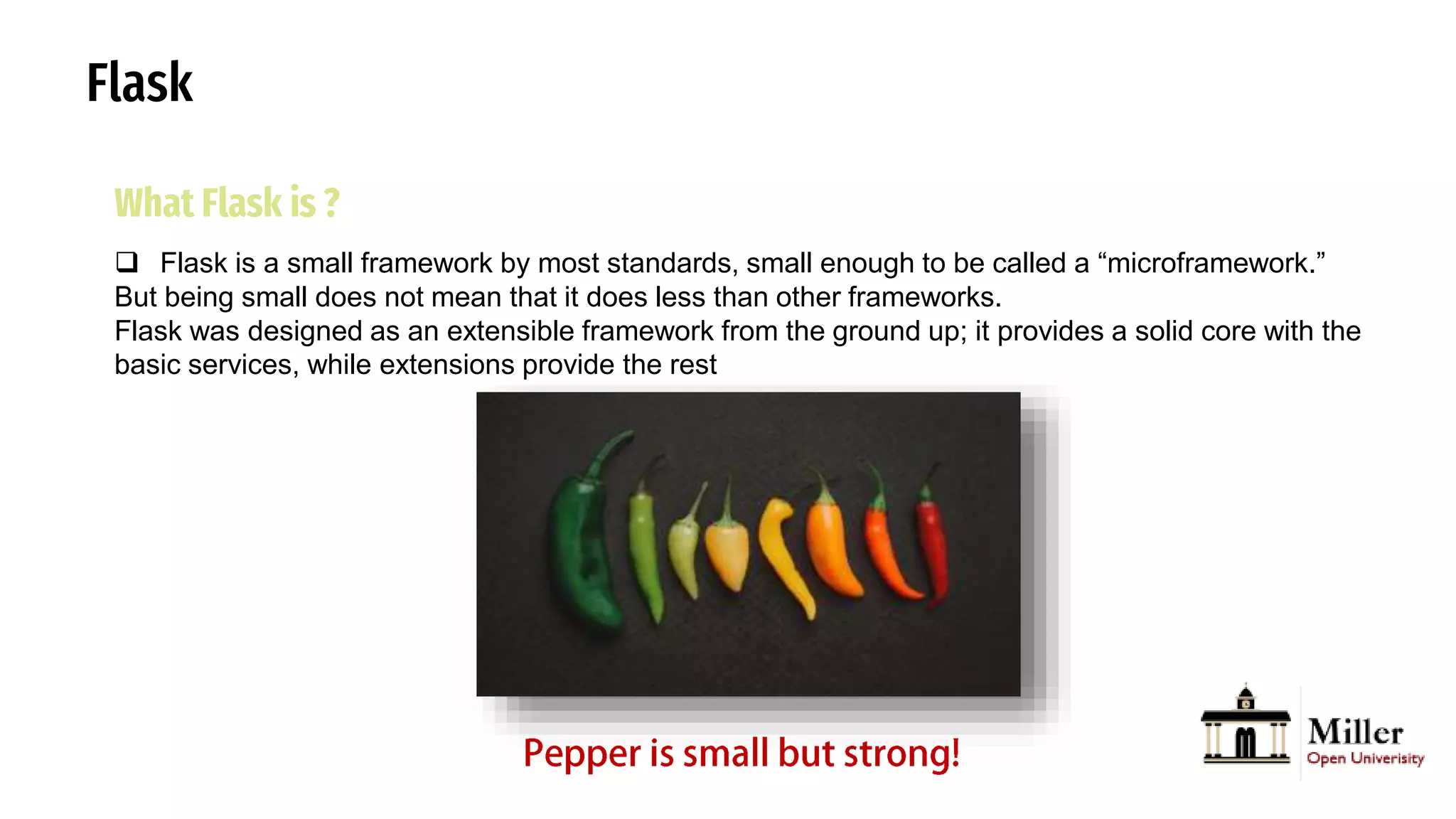
 Flask is a small framework by most standards, small enough to be called a “microframework.”
But being small does not mean that it does less than other frameworks.
Flask was designed as an extensible framework from the ground up; it provides a solid core with the
basic services, while extensions provide the rest
Flask
Flask
What Flask is ?
 Flask is a web application framework written in Python. It is developed by Armin Ronacher, who
leads an international group of Python enthusiasts named Pocco.
 Flask is based on the Werkzeug WSGI toolkit and Jinja2 template engine. Both are Pocco
projects.
 WSGI is a specification for a universal interface between the web server and the web
applications, It is a WSGI toolkit, which implements requests, response objects, and other utility
functions. This enables building a web framework on top of it.
 The Flask framework uses Werkzeug as one of its bases.
 Jinja2 is a popular templating engine for Python. A web templating system combines a template
with a certain data source to render dynamic web pages.
Flask
What Flask is ?
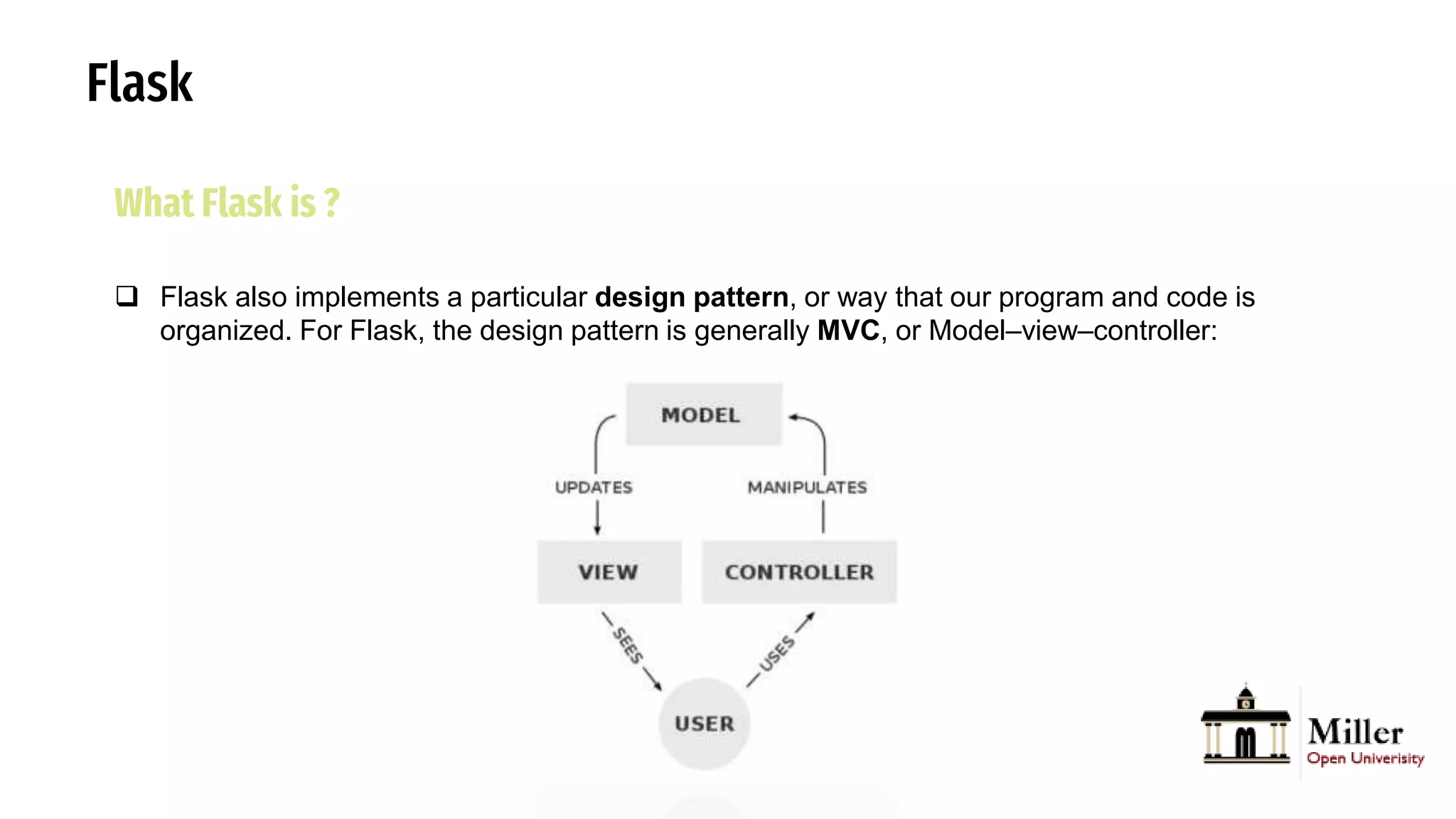
 Flask also implements a particular design pattern, or way that our program and code is
organized. For Flask, the design pattern is generally MVC, or Model–view–controller:
Flask
What Flask is ?
 Flask also implements a particular design pattern, or way that our program and code is
organized. For Flask, the design pattern is generally MVC, or Model–view–controller:
 The controller is our logic and code that manages our application overall, given user input. In
Flask, this will be our Python code.
The view is the user interface, like the HTML and CSS that the user will see and interact with.
The model is our application’s data, such as a SQL database or CSV file.
Flask
Install Flask in this environment
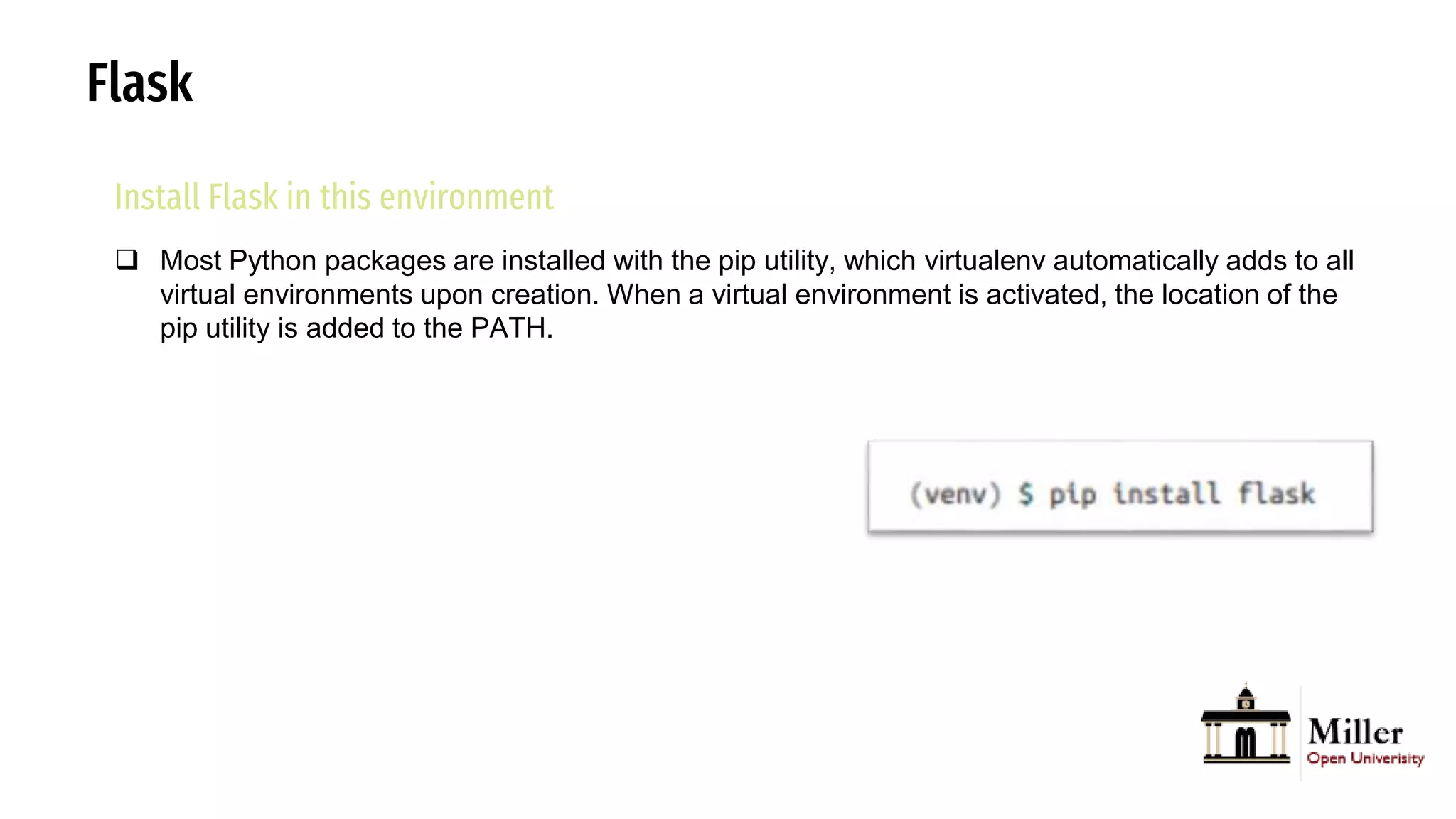
 Most Python packages are installed with the pip utility, which virtualenv automatically adds to all
virtual environments upon creation. When a virtual environment is activated, the location of the
pip utility is added to the PATH.
Flask
Install Flask in this environment
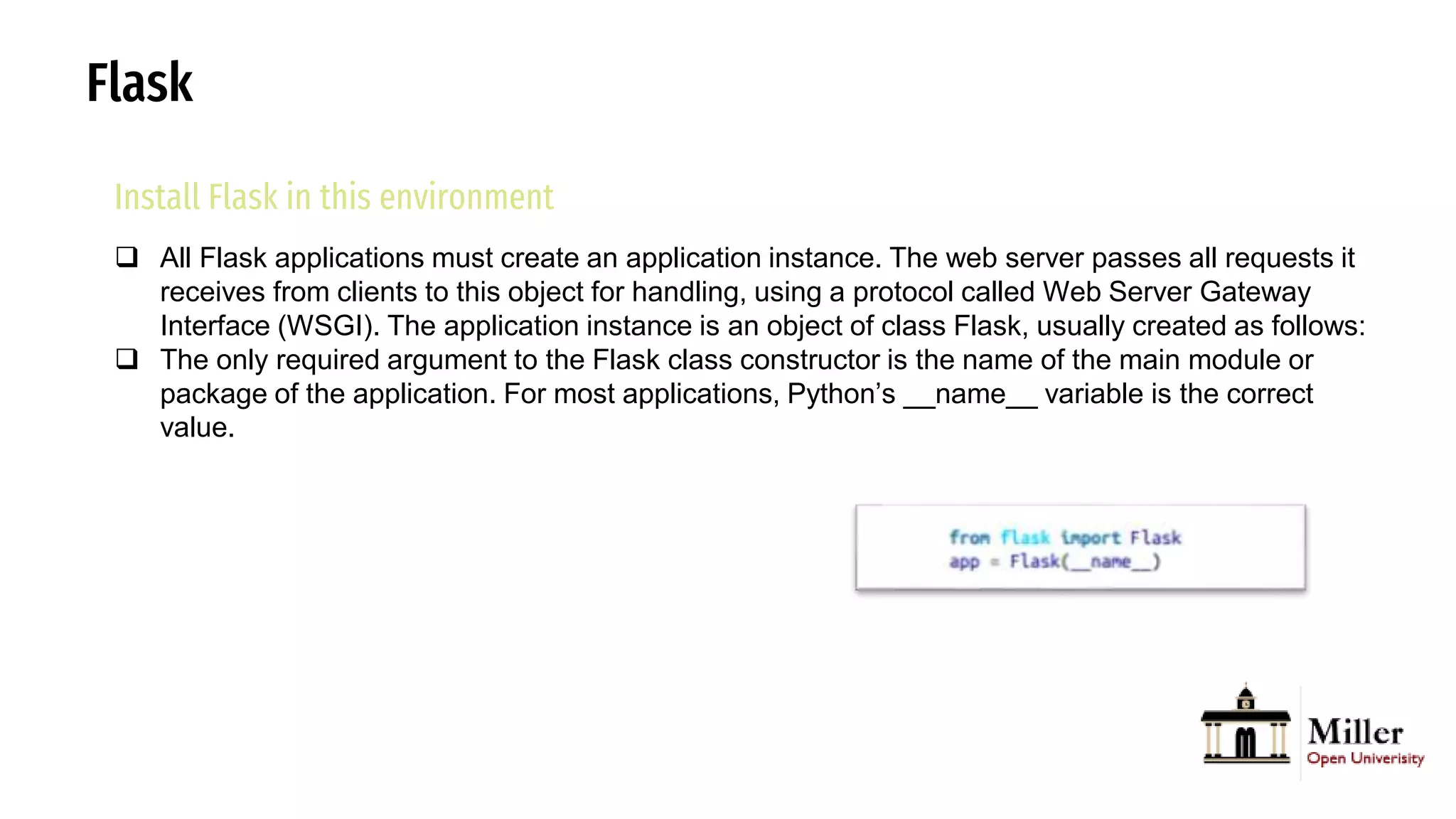
 All Flask applications must create an application instance. The web server passes all requests it
receives from clients to this object for handling, using a protocol called Web Server Gateway
Interface (WSGI). The application instance is an object of class Flask, usually created as follows:
 The only required argument to the Flask class constructor is the name of the main module or
package of the application. For most applications, Python’s __name__ variable is the correct
value.
Flask
Install Flask in this environment
 All Flask applications must create an application instance. The web server passes all requests it
receives from clients to this object for handling, using a protocol called Web Server Gateway
Interface (WSGI). The application instance is an object of class Flask, usually created as follows:
 The only required argument to the Flask class constructor is the name of the main module or
package of the application. For most applications, Python’s __name__ variable is the correct
value.
Flask
Install Flask in this environment
 All Flask applications must create an application instance. The web server passes all requests it
receives from clients to this object for handling, using a protocol called Web Server Gateway
Interface (WSGI). The application instance is an object of class Flask, usually created as follows:
 The only required argument to the Flask class constructor is the name of the main module or
package of the application. For most applications, Python’s __name__ variable is the correct
value.
Flask
Routes and View Functions
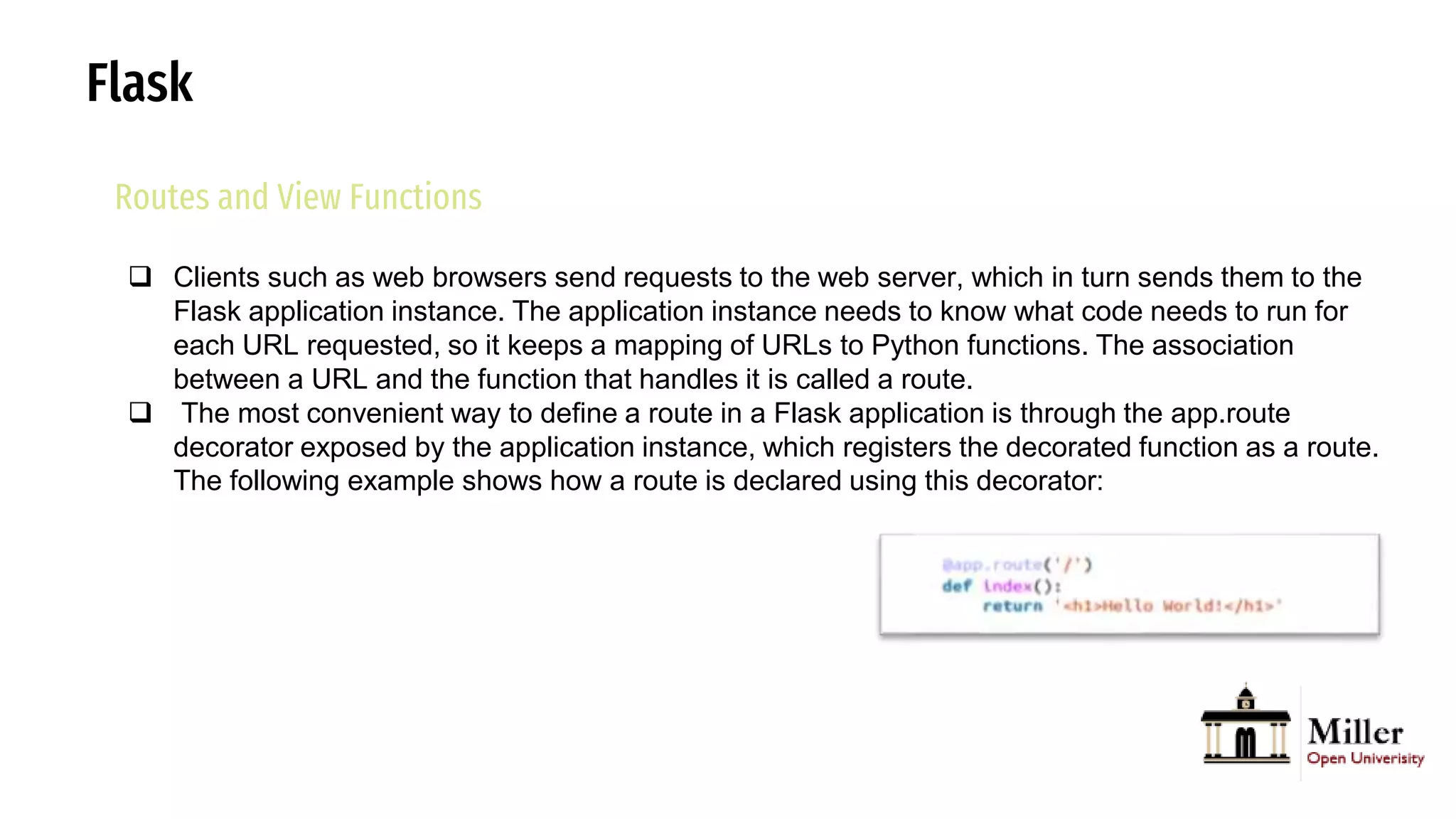
 Clients such as web browsers send requests to the web server, which in turn sends them to the
Flask application instance. The application instance needs to know what code needs to run for
each URL requested, so it keeps a mapping of URLs to Python functions. The association
between a URL and the function that handles it is called a route.
 The most convenient way to define a route in a Flask application is through the app.route
decorator exposed by the application instance, which registers the decorated function as a route.
The following example shows how a route is declared using this decorator:
Flask
Routes and View Functions
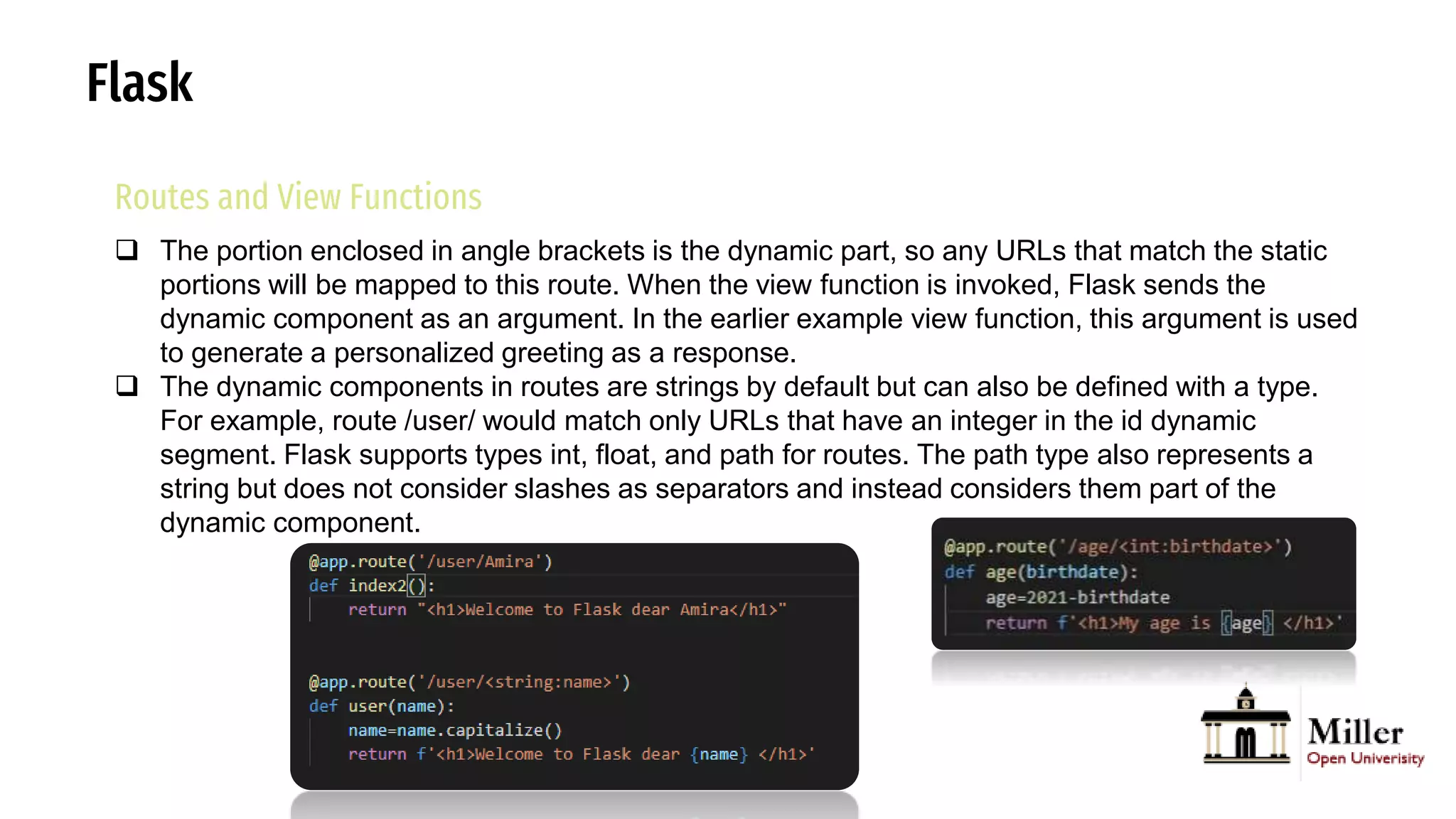
 The portion enclosed in angle brackets is the dynamic part, so any URLs that match the static
portions will be mapped to this route. When the view function is invoked, Flask sends the
dynamic component as an argument. In the earlier example view function, this argument is used
to generate a personalized greeting as a response.
 The dynamic components in routes are strings by default but can also be defined with a type.
For example, route /user/ would match only URLs that have an integer in the id dynamic
segment. Flask supports types int, float, and path for routes. The path type also represents a
string but does not consider slashes as separators and instead considers them part of the
dynamic component.
Flask
Server Startup
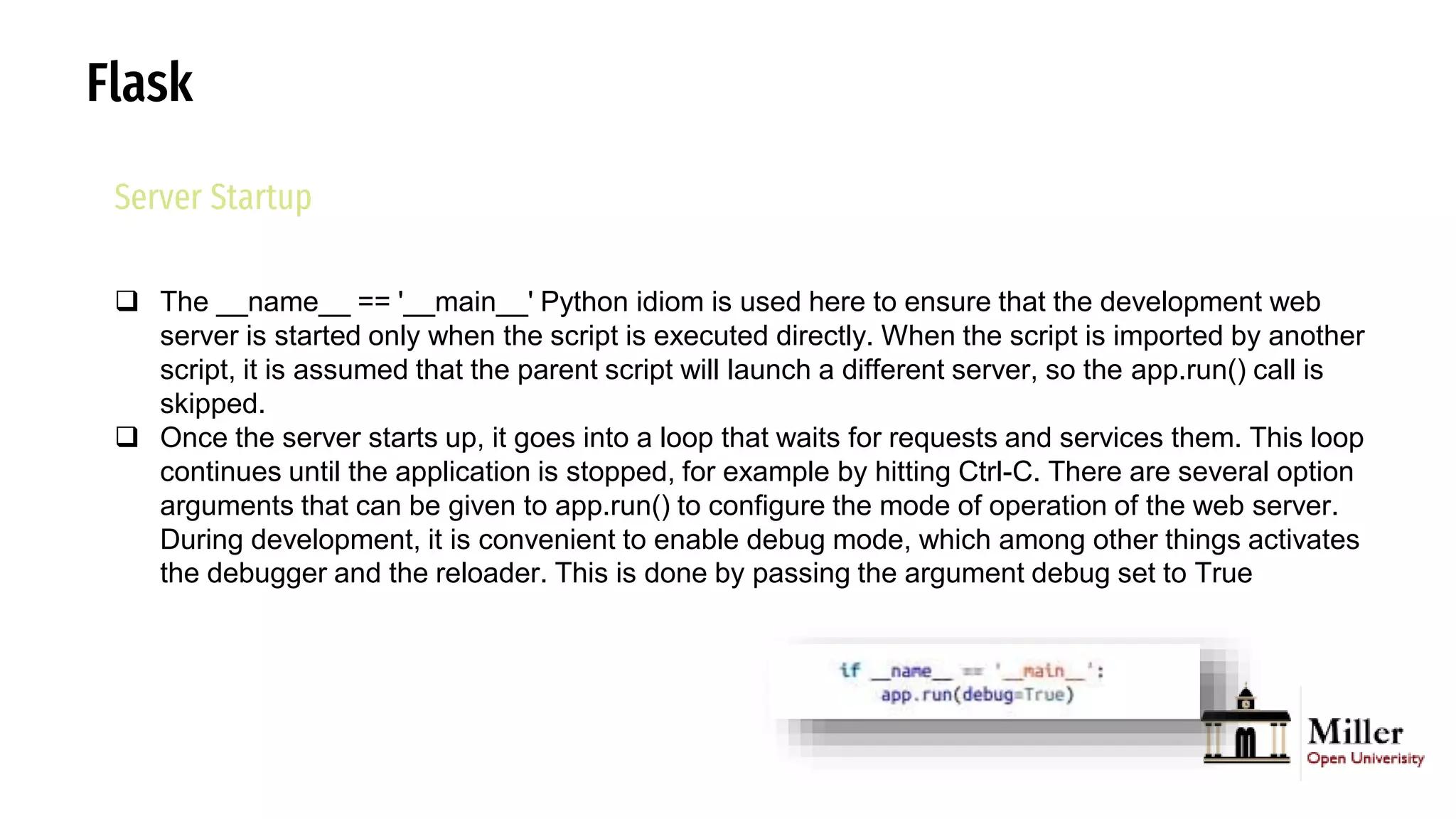
 The __name__ == '__main__' Python idiom is used here to ensure that the development web
server is started only when the script is executed directly. When the script is imported by another
script, it is assumed that the parent script will launch a different server, so the app.run() call is
skipped.
 Once the server starts up, it goes into a loop that waits for requests and services them. This loop
continues until the application is stopped, for example by hitting Ctrl-C. There are several option
arguments that can be given to app.run() to configure the mode of operation of the web server.
During development, it is convenient to enable debug mode, which among other things activates
the debugger and the reloader. This is done by passing the argument debug set to True
Flask
Responses
 When Flask invokes a view function, it expects its return value to be the response to the request.
In most cases the response is a simple string that is sent back to the client as an HTML page.
 But the HTTP protocol requires more than a string as a response to a request. A very important
part of the HTTP response is the status code, which Flask by default sets to 200, the code that
indicates that the request was carried out successfully.
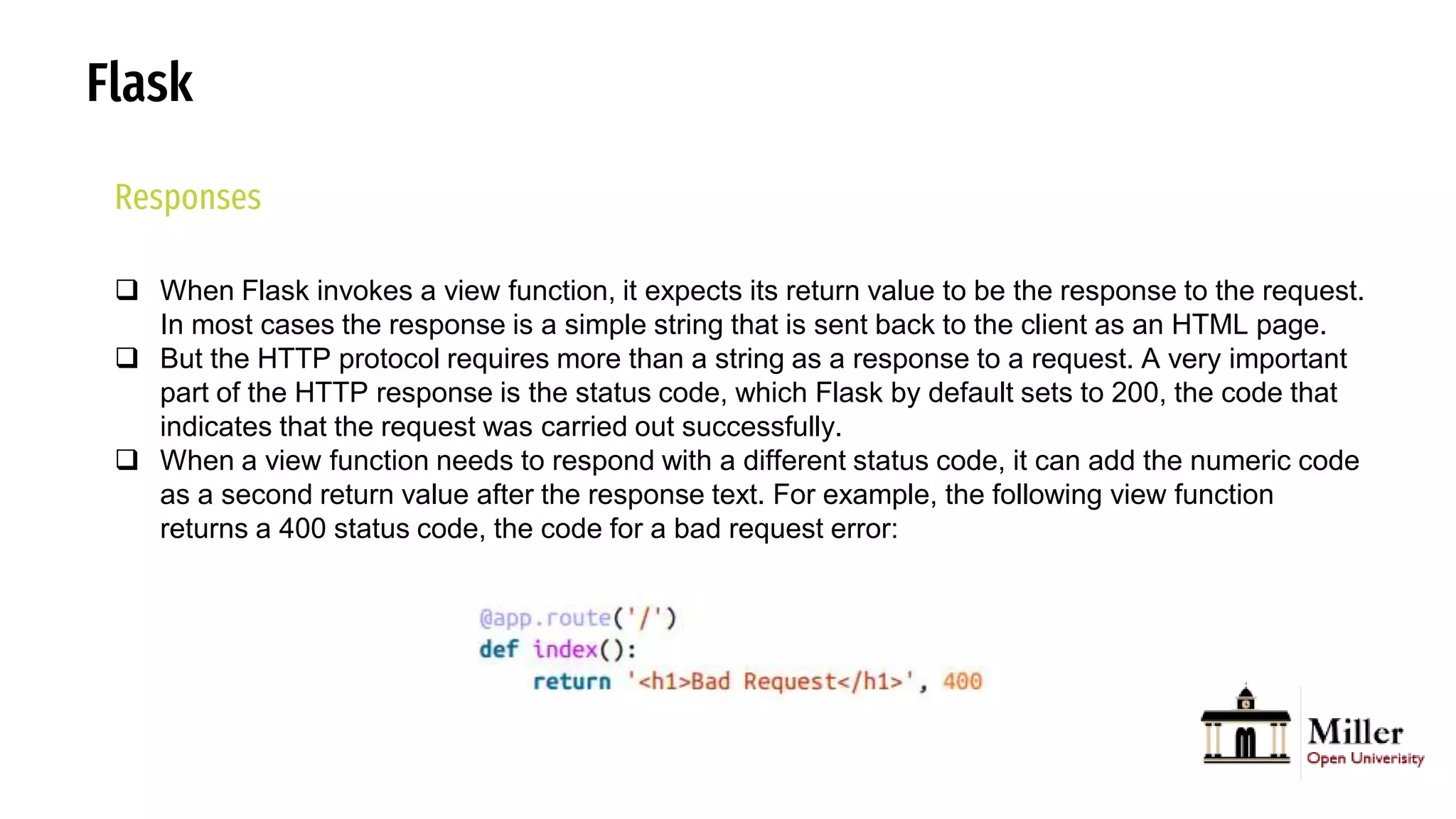
 When a view function needs to respond with a different status code, it can add the numeric code
as a second return value after the response text. For example, the following view function
returns a 400 status code, the code for a bad request error:
Flask
Responses-HTTP
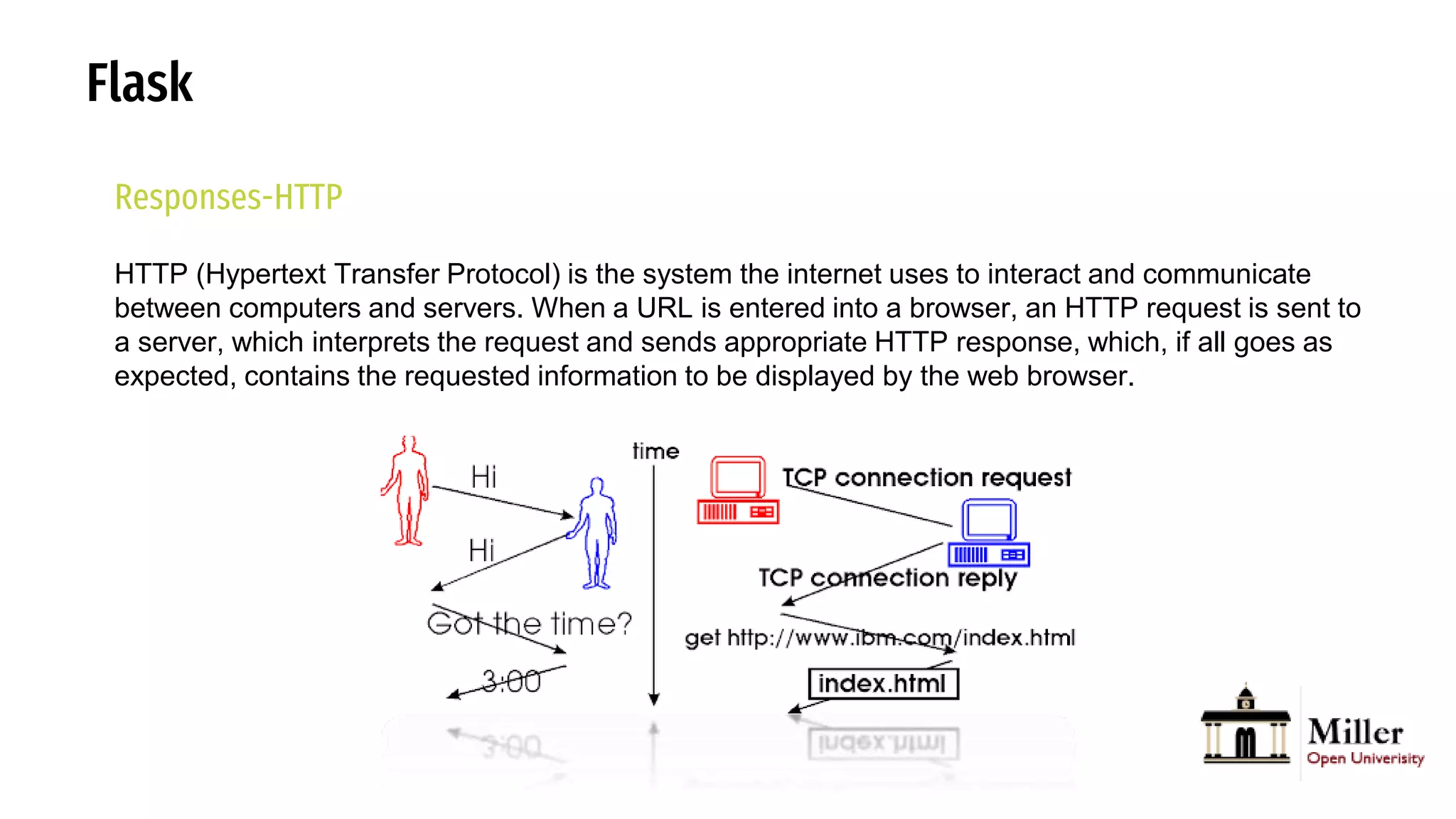
HTTP (Hypertext Transfer Protocol) is the system the internet uses to interact and communicate
between computers and servers. When a URL is entered into a browser, an HTTP request is sent to
a server, which interprets the request and sends appropriate HTTP response, which, if all goes as
expected, contains the requested information to be displayed by the web browser.
Flask
Responses
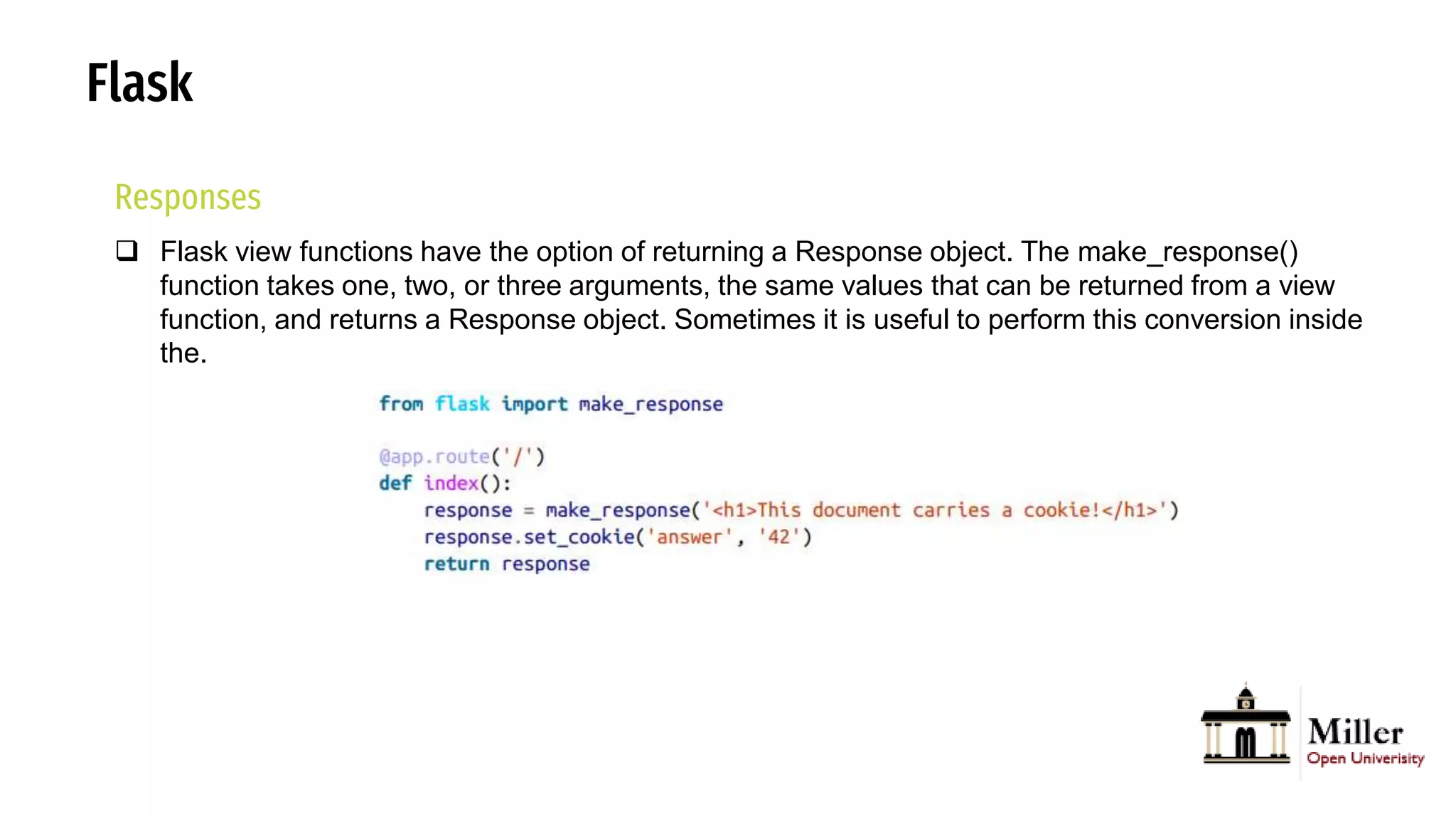
 Flask view functions have the option of returning a Response object. The make_response()
function takes one, two, or three arguments, the same values that can be returned from a view
function, and returns a Response object. Sometimes it is useful to perform this conversion inside
the.
Flask
Responses
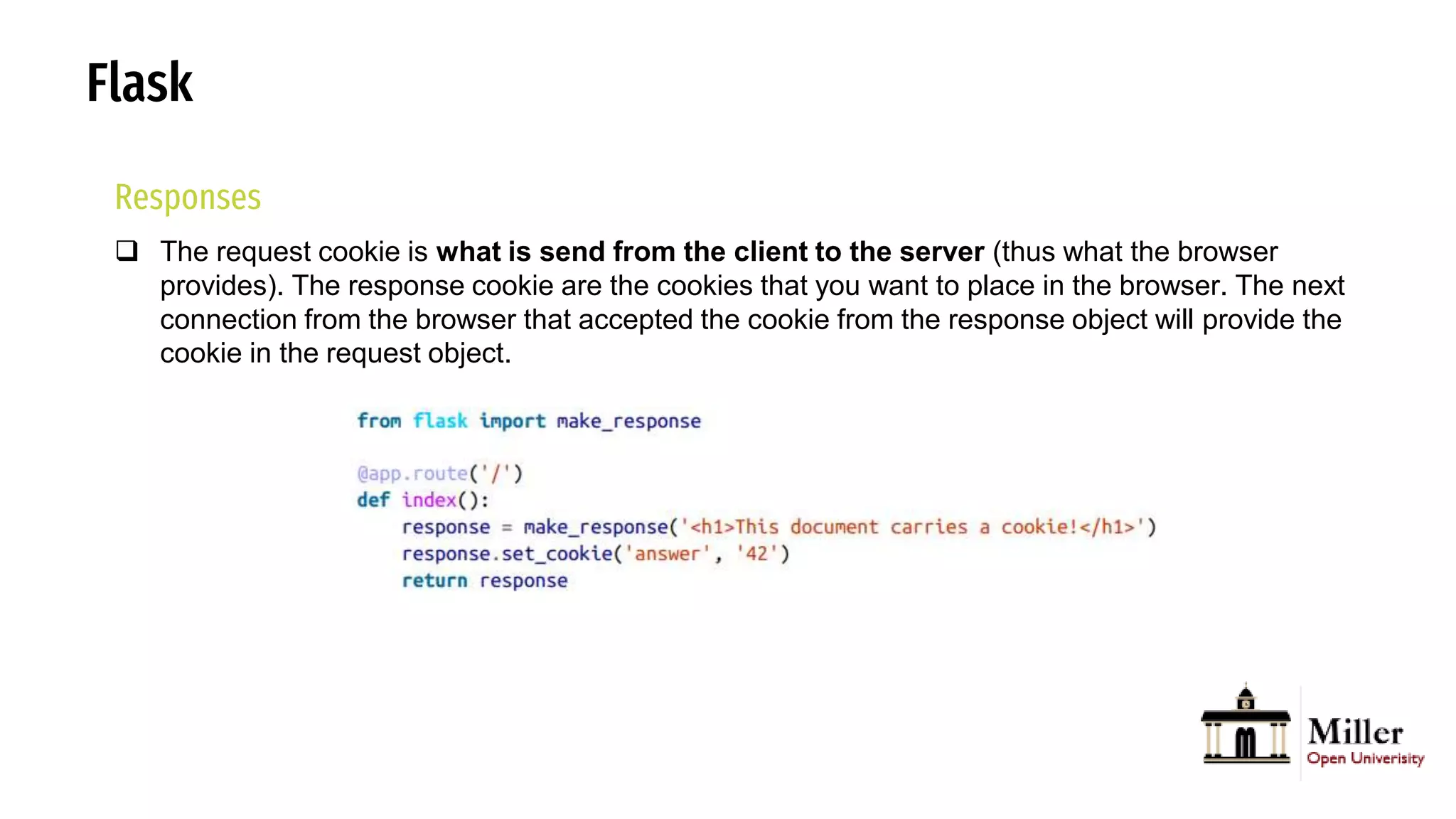
 The request cookie is what is send from the client to the server (thus what the browser
provides). The response cookie are the cookies that you want to place in the browser. The next
connection from the browser that accepted the cookie from the response object will provide the
cookie in the request object.
Flask
Responses
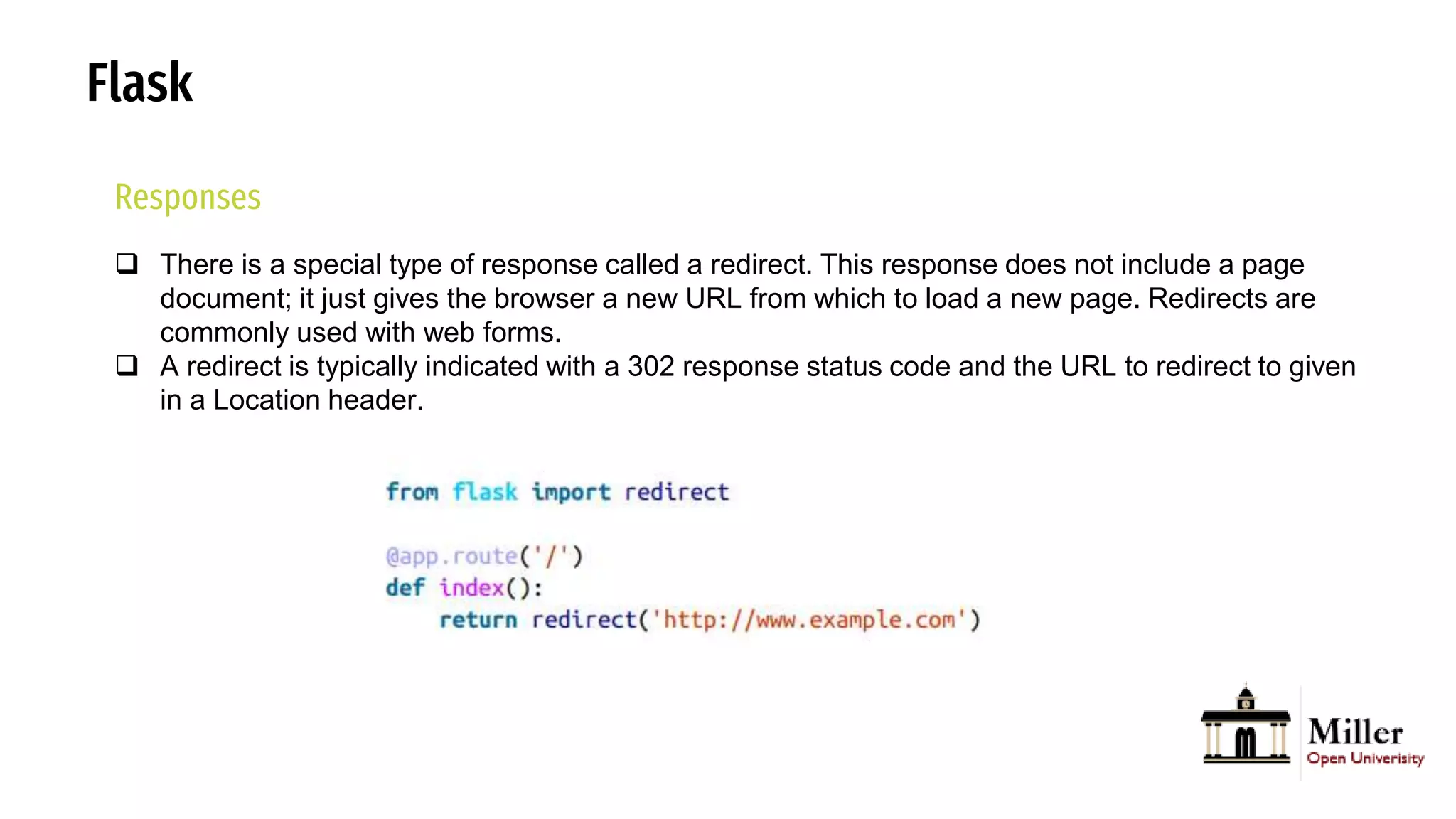
 There is a special type of response called a redirect. This response does not include a page
document; it just gives the browser a new URL from which to load a new page. Redirects are
commonly used with web forms.
 A redirect is typically indicated with a 302 response status code and the URL to redirect to given
in a Location header.
Flask
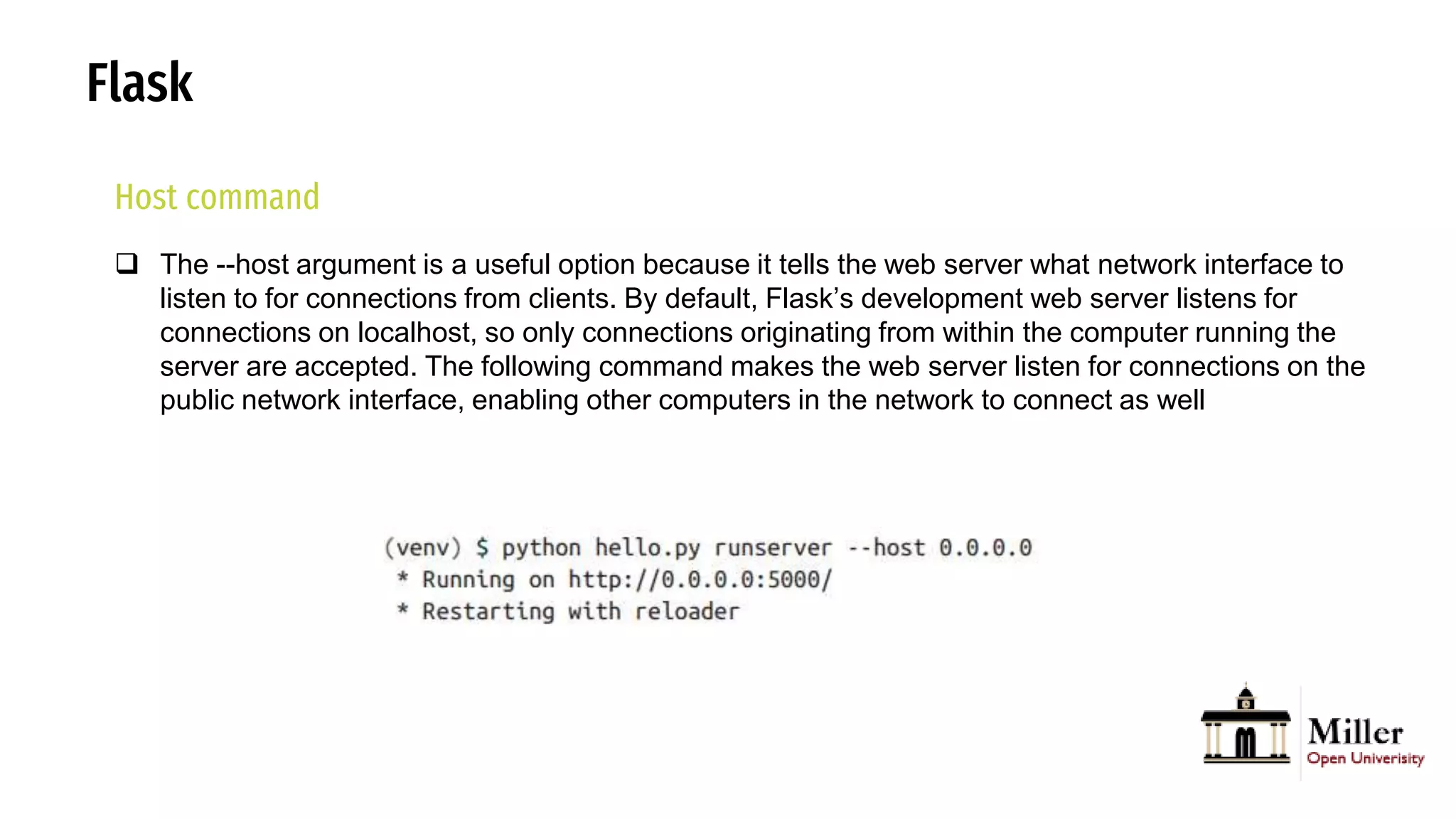
Host command
 The --host argument is a useful option because it tells the web server what network interface to
listen to for connections from clients. By default, Flask’s development web server listens for
connections on localhost, so only connections originating from within the computer running the
server are accepted. The following command makes the web server listen for connections on the
public network interface, enabling other computers in the network to connect as well
Flask
Templating Language
 A template is a file that contains the text of a response, with placeholder variables for the
dynamic parts that will be known only in the context of a request. The process that replaces the
variables with actual values and returns a final response string is called rendering. For the task
of rendering templates, Flask uses a powerful template engine called Jinja2.
Flask
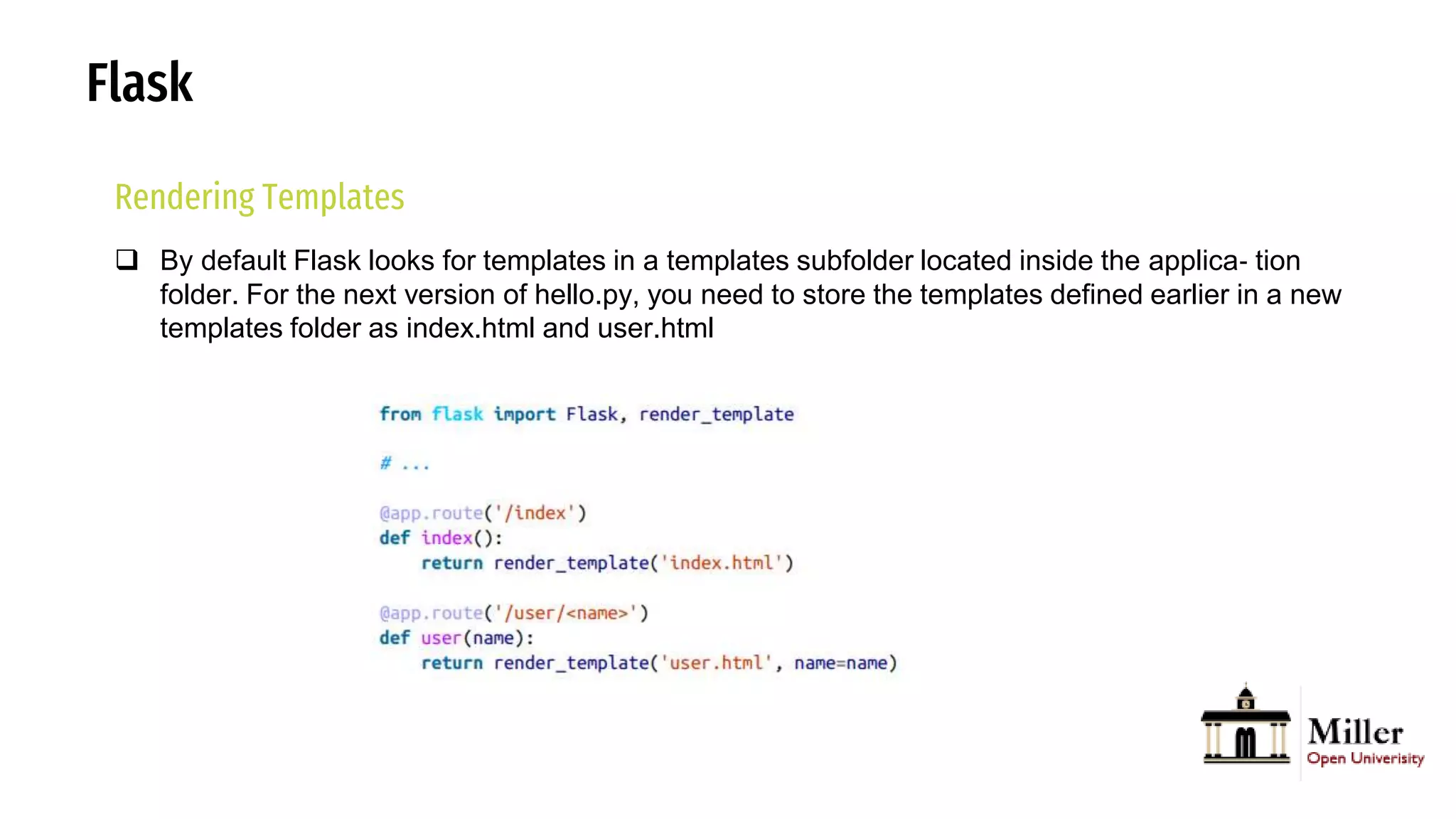
Rendering Templates
 By default Flask looks for templates in a templates subfolder located inside the applica‐ tion
folder. For the next version of hello.py, you need to store the templates defined earlier in a new
templates folder as index.html and user.html
Flask
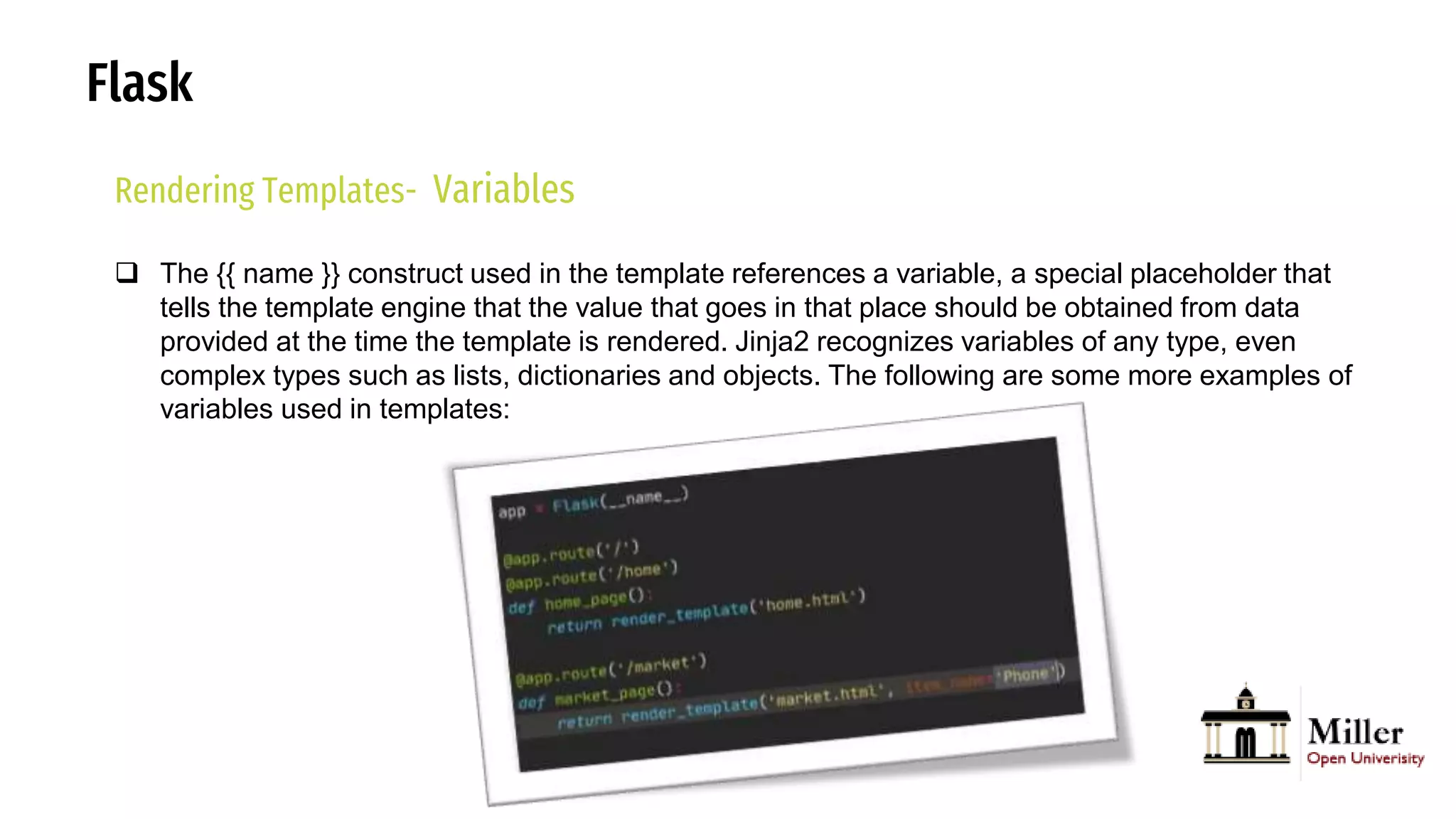
Rendering Templates- Variables
 The {{ name }} construct used in the template references a variable, a special placeholder that
tells the template engine that the value that goes in that place should be obtained from data
provided at the time the template is rendered. Jinja2 recognizes variables of any type, even
complex types such as lists, dictionaries and objects. The following are some more examples of
variables used in templates:
Flask
Rendering Templates- Control Structures
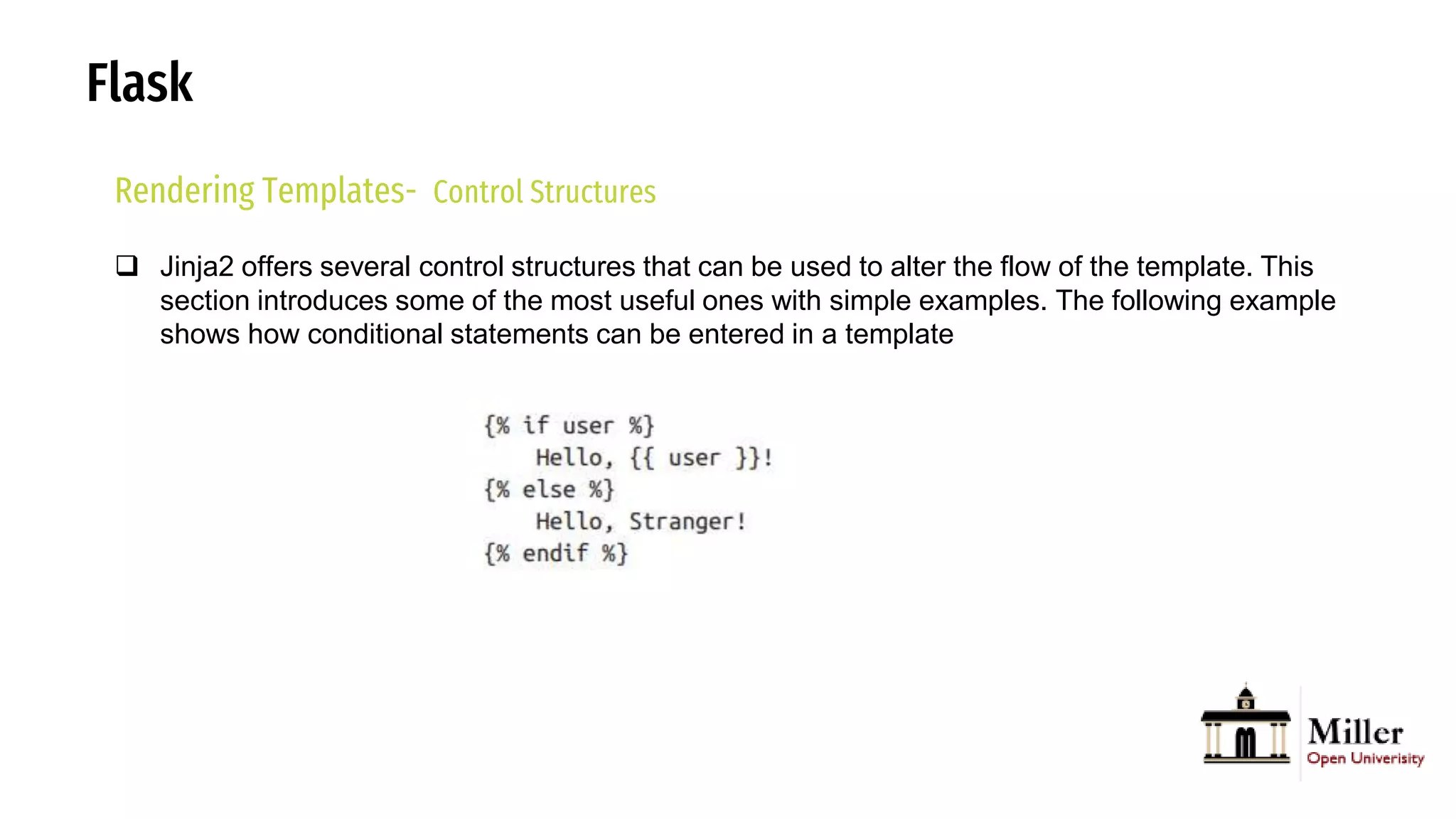
 Jinja2 offers several control structures that can be used to alter the flow of the template. This
section introduces some of the most useful ones with simple examples. The following example
shows how conditional statements can be entered in a template
Flask
Rendering Templates- Control Structures
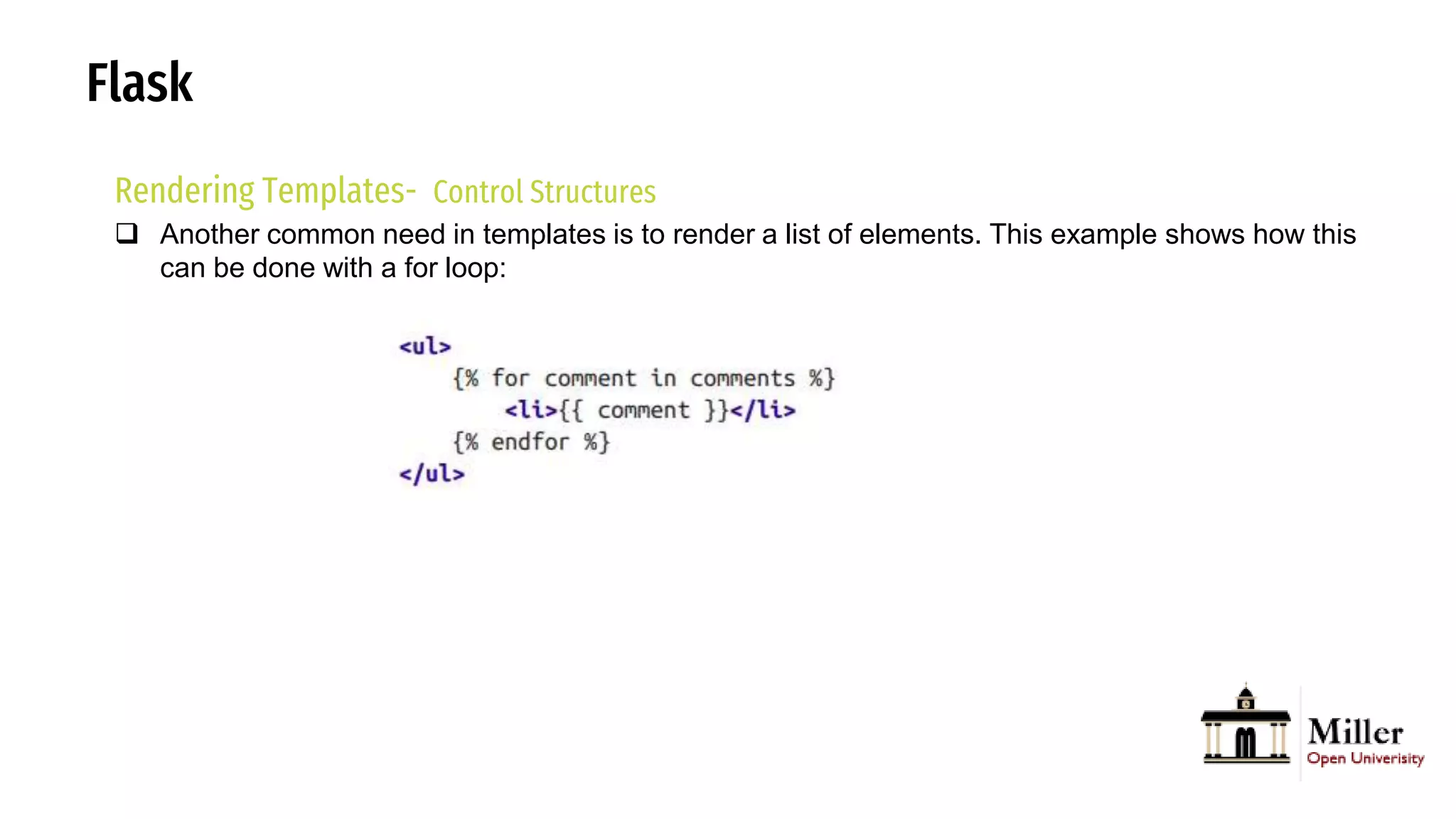
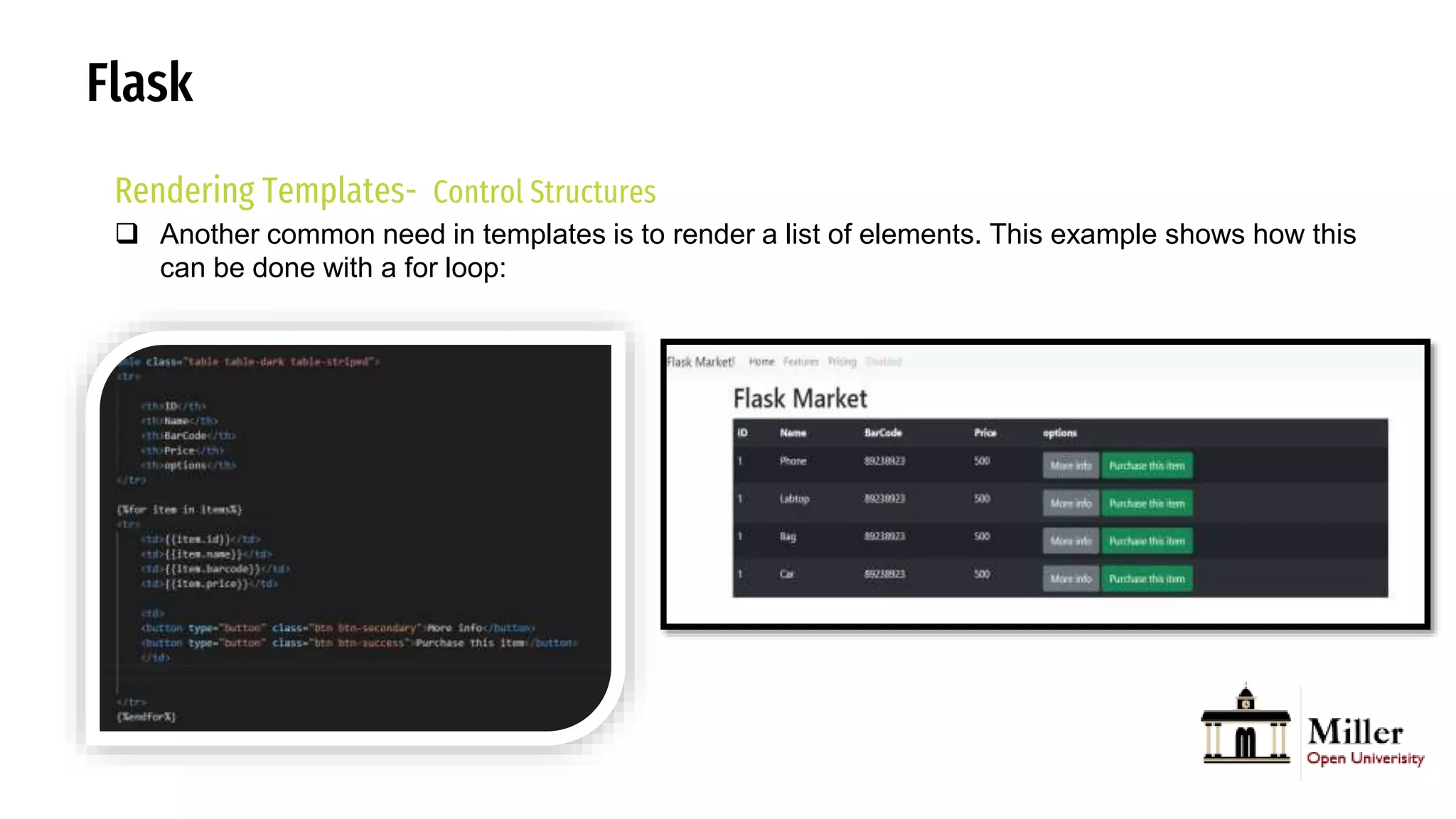
 Another common need in templates is to render a list of elements. This example shows how this
can be done with a for loop:
Flask
Rendering Templates- Control Structures
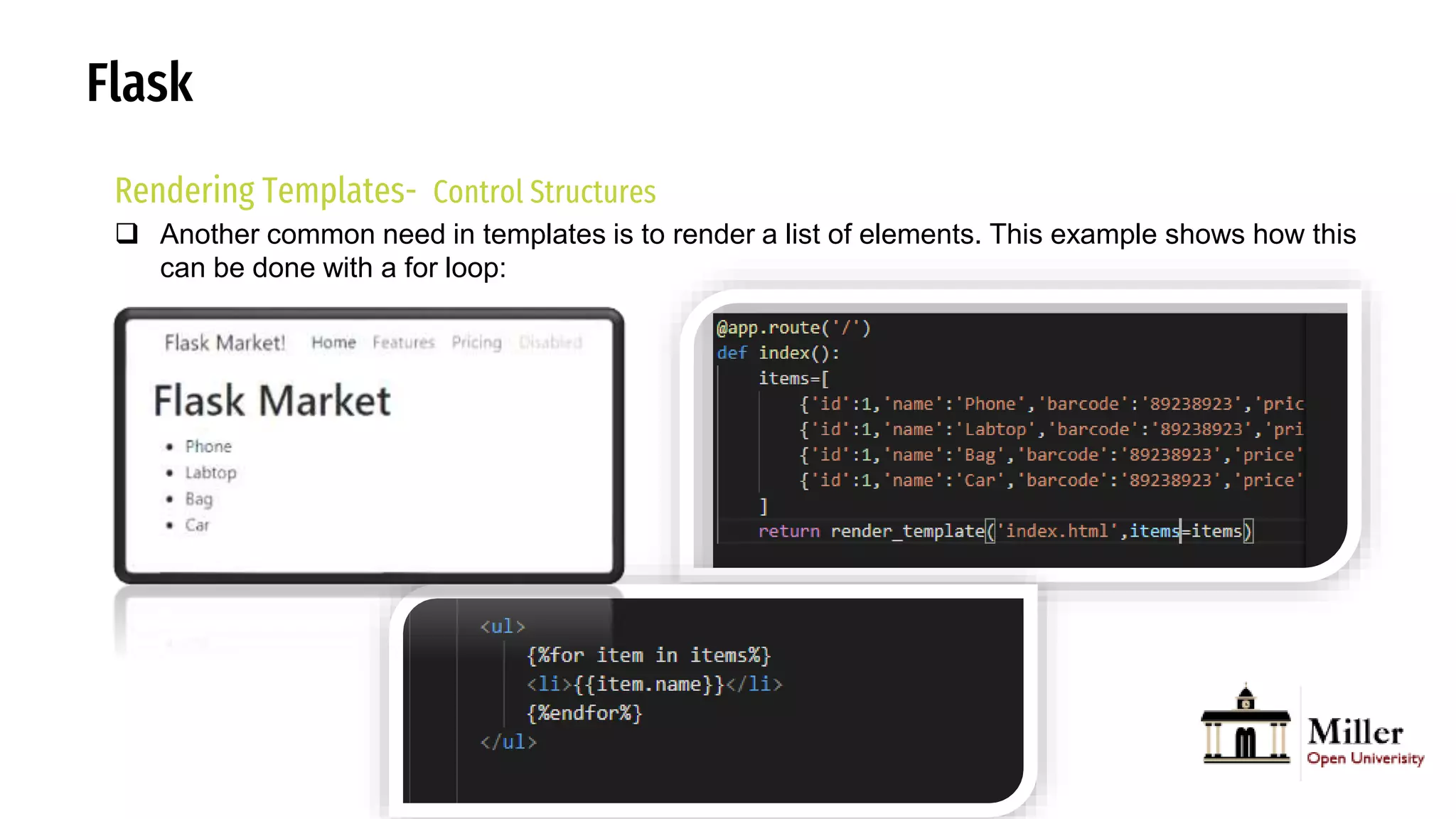
 Another common need in templates is to render a list of elements. This example shows how this
can be done with a for loop:
Flask
Rendering Templates- Control Structures
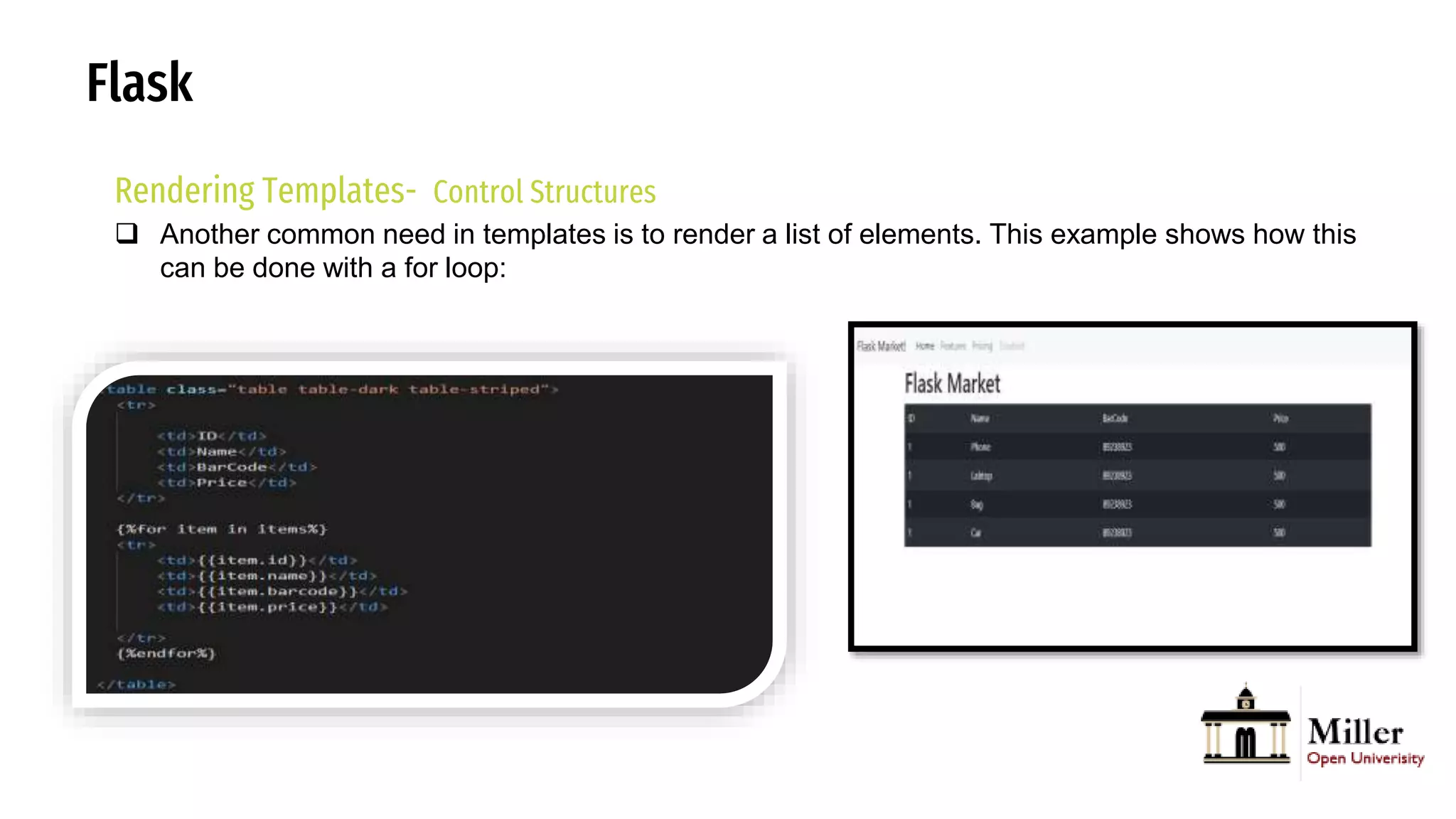
 Another common need in templates is to render a list of elements. This example shows how this
can be done with a for loop:
Flask
Rendering Templates- Control Structures
 Another common need in templates is to render a list of elements. This example shows how this
can be done with a for loop:
Flask
Static Files
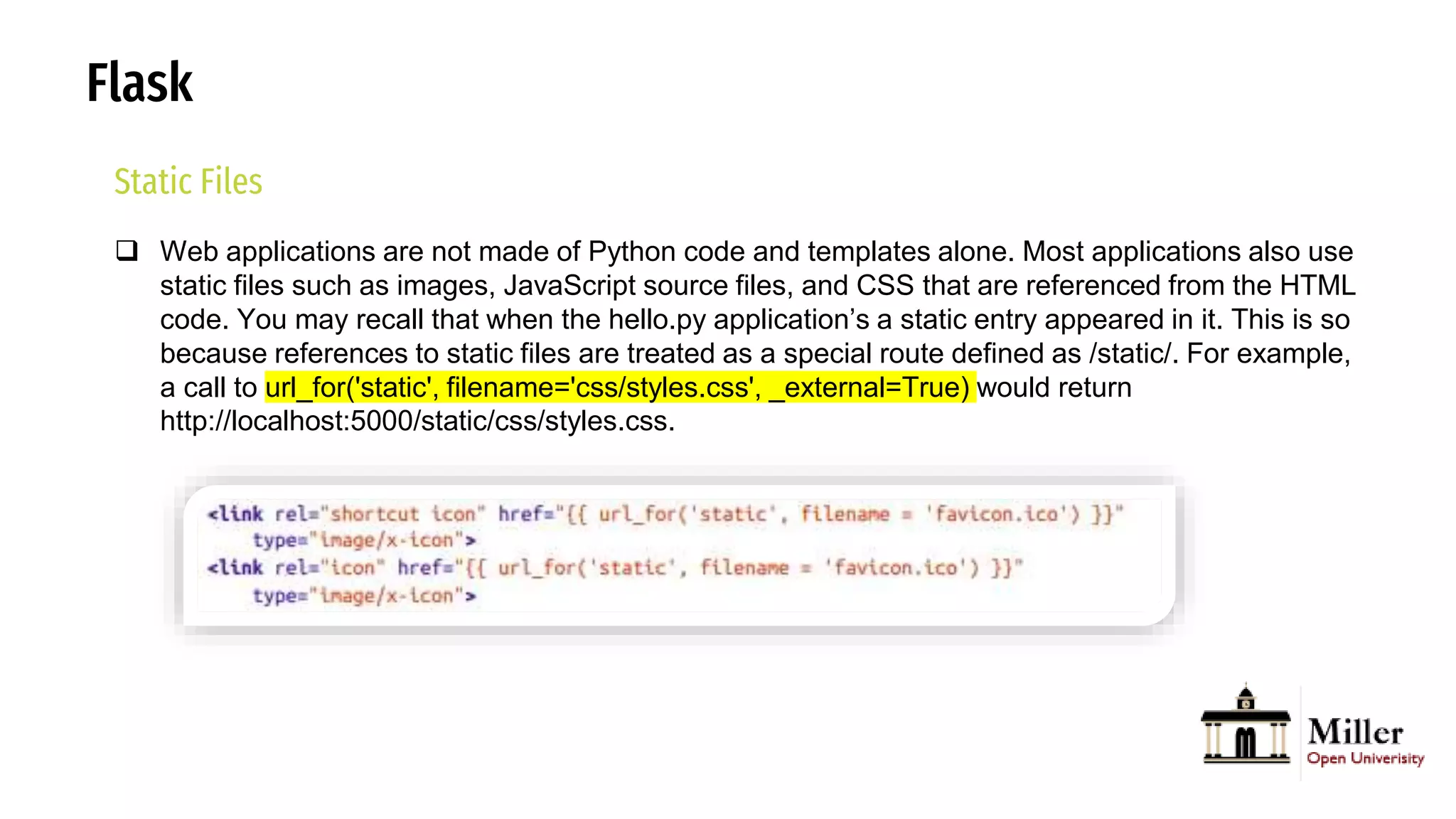
 Web applications are not made of Python code and templates alone. Most applications also use
static files such as images, JavaScript source files, and CSS that are referenced from the HTML
code. You may recall that when the hello.py application’s a static entry appeared in it. This is so
because references to static files are treated as a special route defined as /static/. For example,
a call to url_for('static', filename='css/styles.css', _external=True) would return
http://localhost:5000/static/css/styles.css.
Flask
Static Files
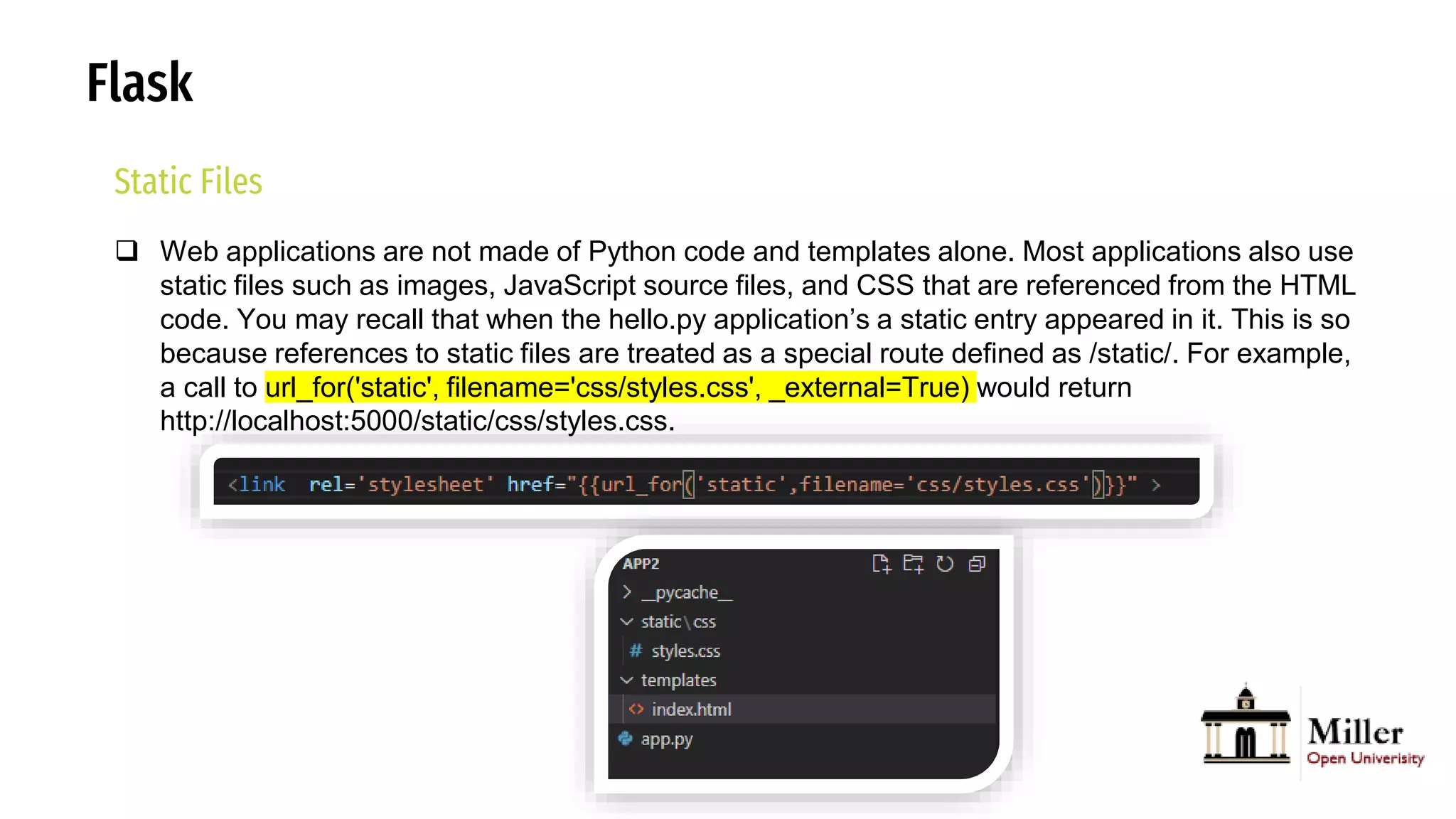
 Web applications are not made of Python code and templates alone. Most applications also use
static files such as images, JavaScript source files, and CSS that are referenced from the HTML
code. You may recall that when the hello.py application’s a static entry appeared in it. This is so
because references to static files are treated as a special route defined as /static/. For example,
a call to url_for('static', filename='css/styles.css', _external=True) would return
http://localhost:5000/static/css/styles.css.
Flask
Static Files
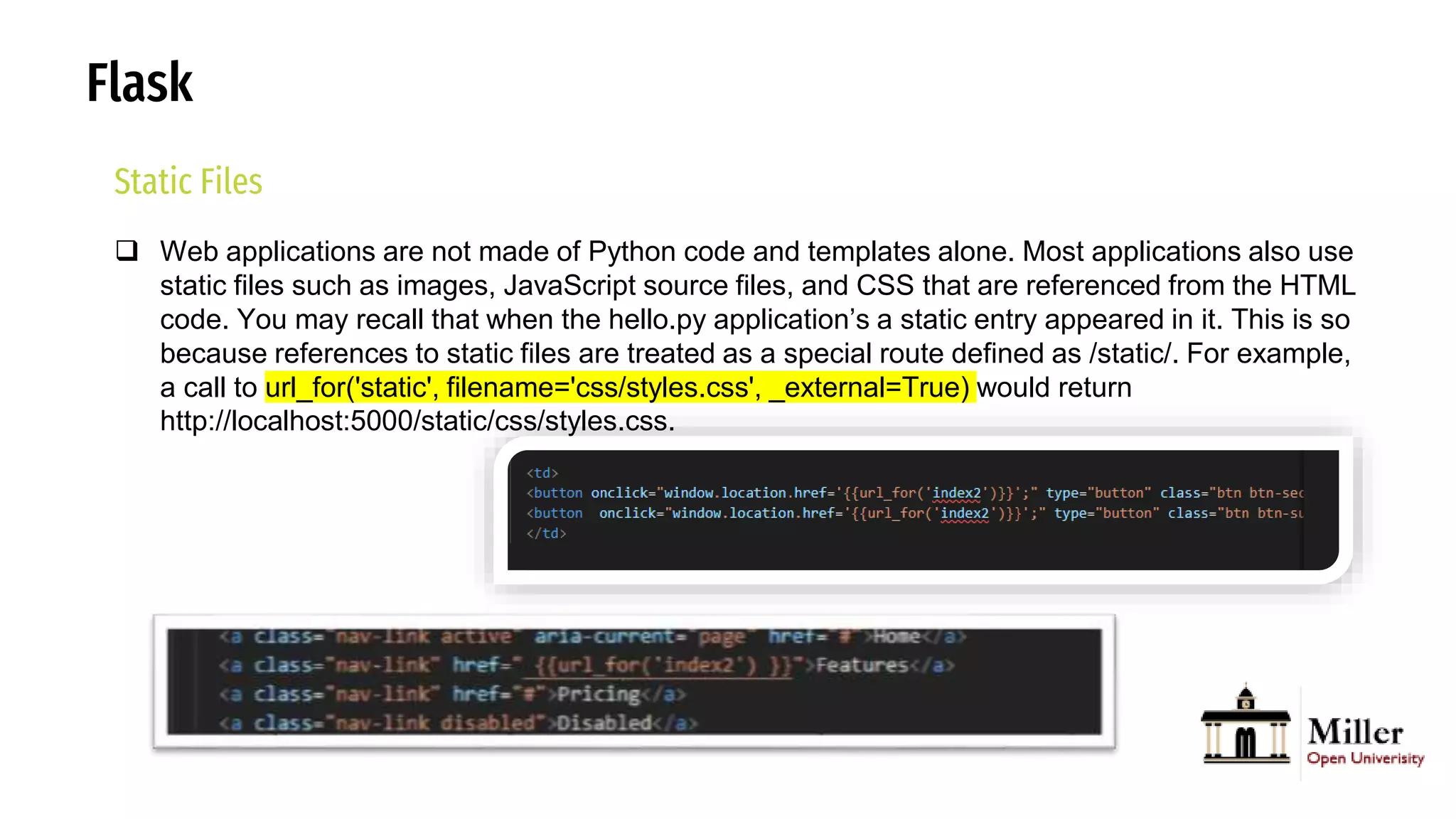
 Web applications are not made of Python code and templates alone. Most applications also use
static files such as images, JavaScript source files, and CSS that are referenced from the HTML
code. You may recall that when the hello.py application’s a static entry appeared in it. This is so
because references to static files are treated as a special route defined as /static/. For example,
a call to url_for('static', filename='css/styles.css', _external=True) would return
http://localhost:5000/static/css/styles.css.
Flask
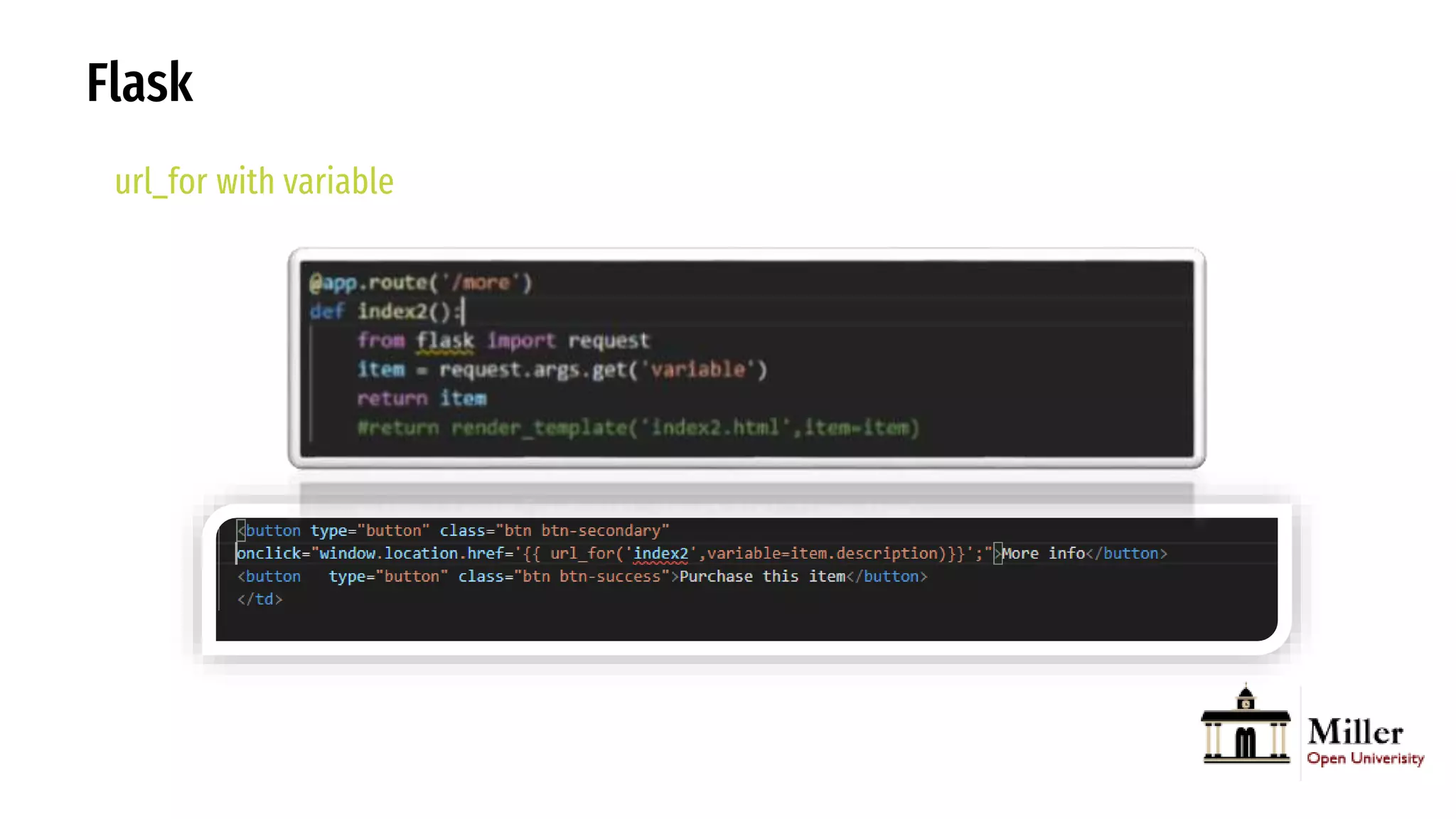
url_for with variable
Flask
Rendering Templates- Inhertance
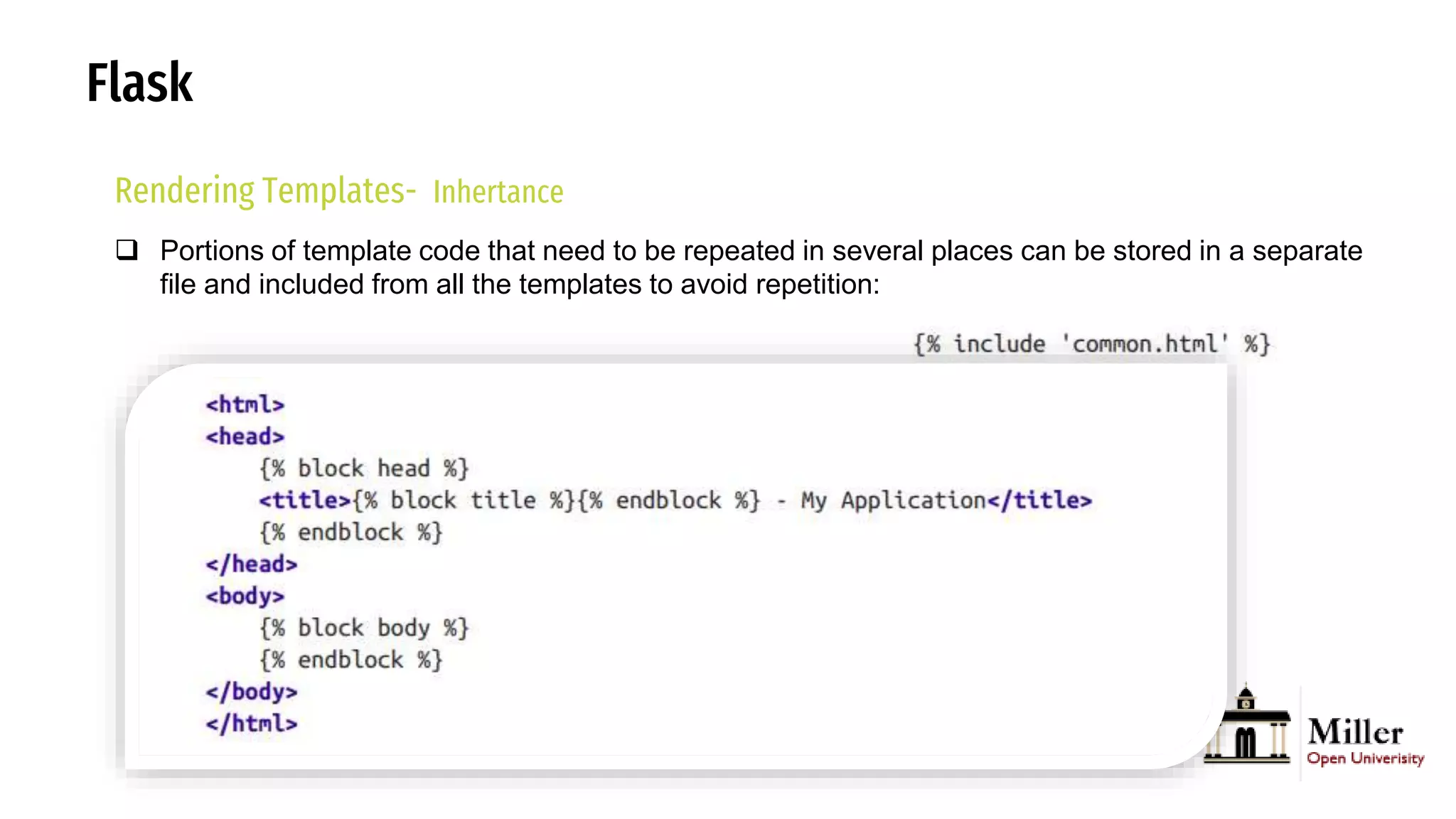
 Portions of template code that need to be repeated in several places can be stored in a separate
file and included from all the templates to avoid repetition:
Bootstrap
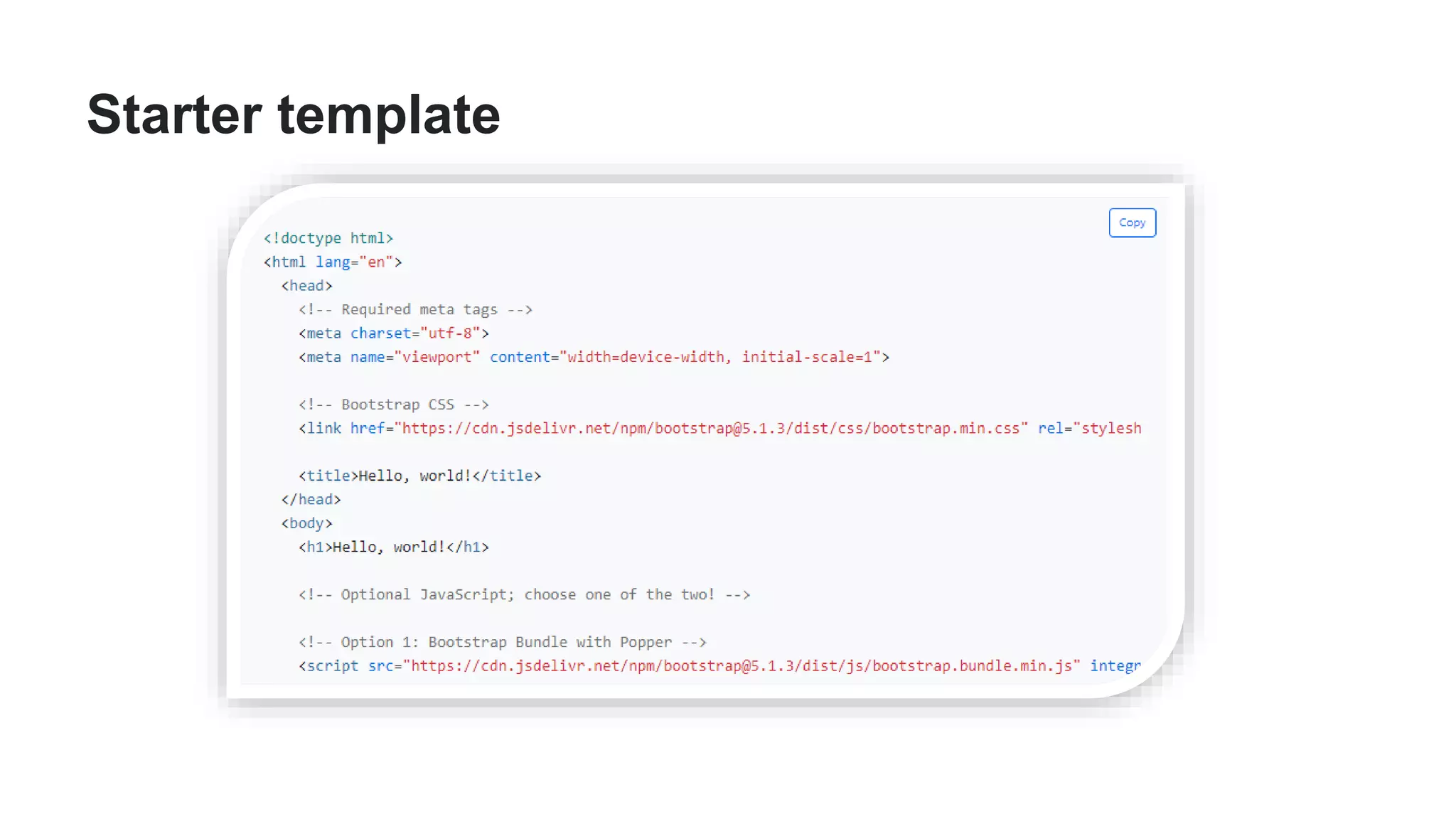
Starter template
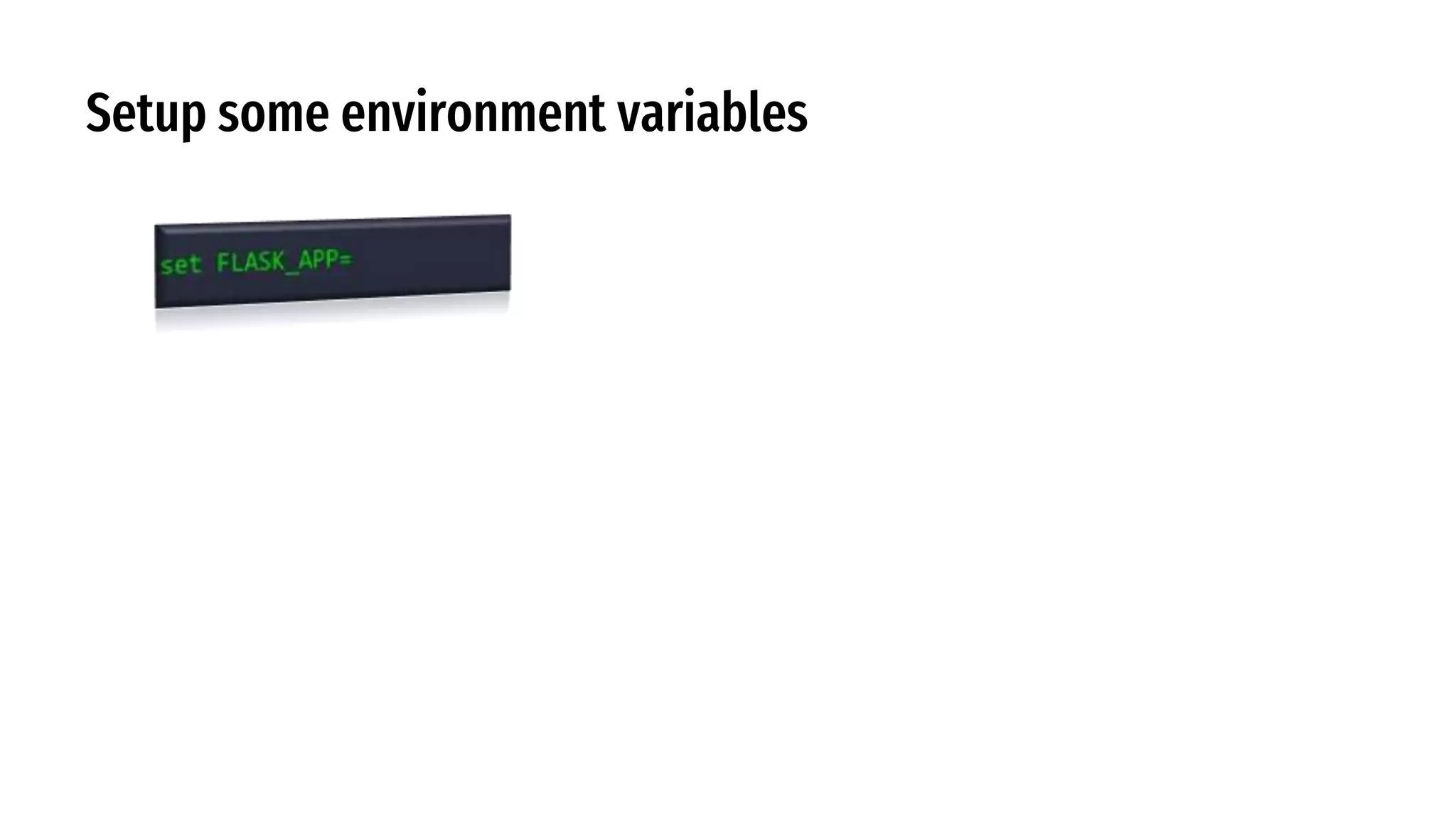
Setup some environment variables
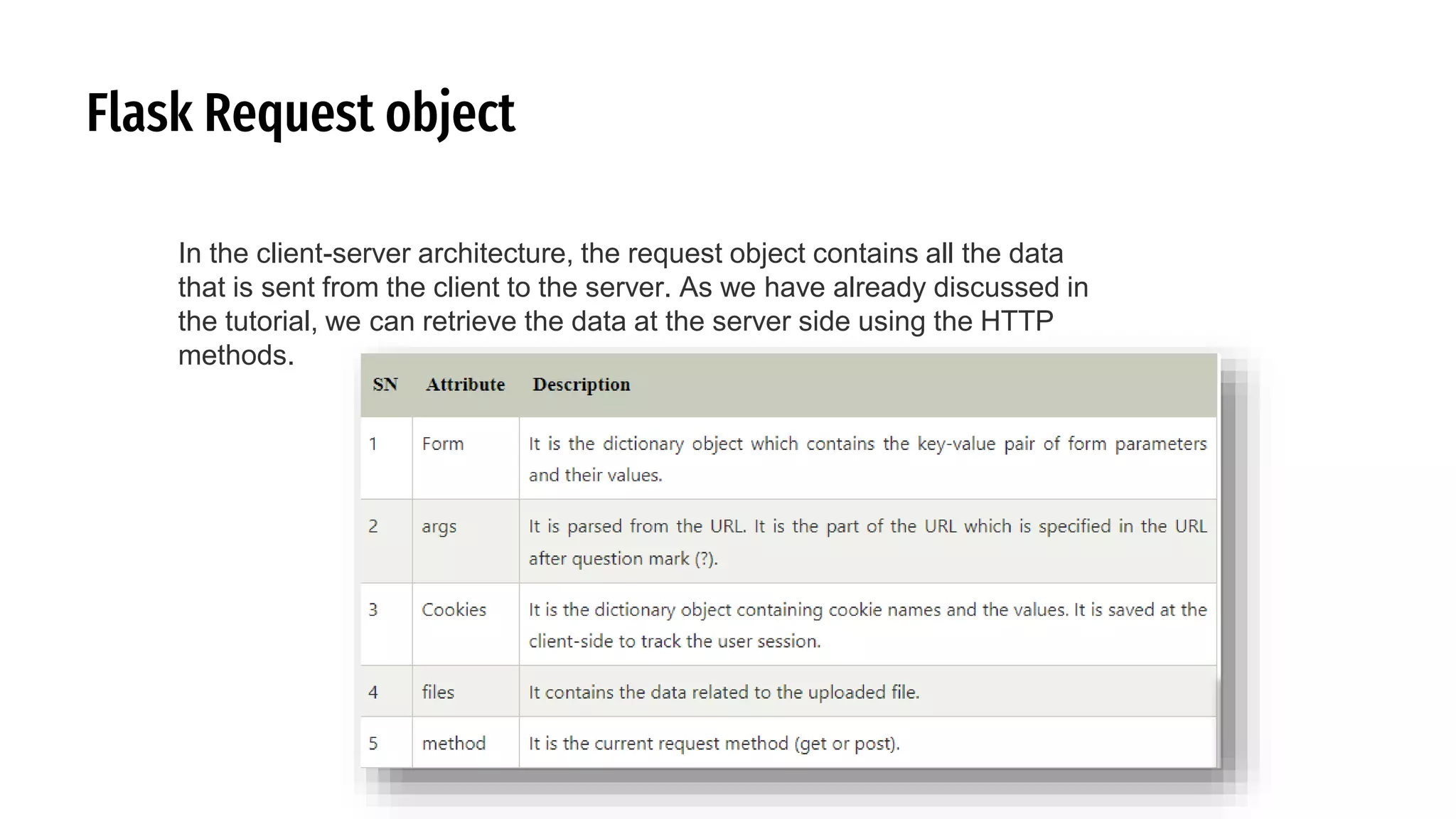
Flask Request object
In the client-server architecture, the request object contains all the data
that is sent from the client to the server. As we have already discussed in
the tutorial, we can retrieve the data at the server side using the HTTP
methods.
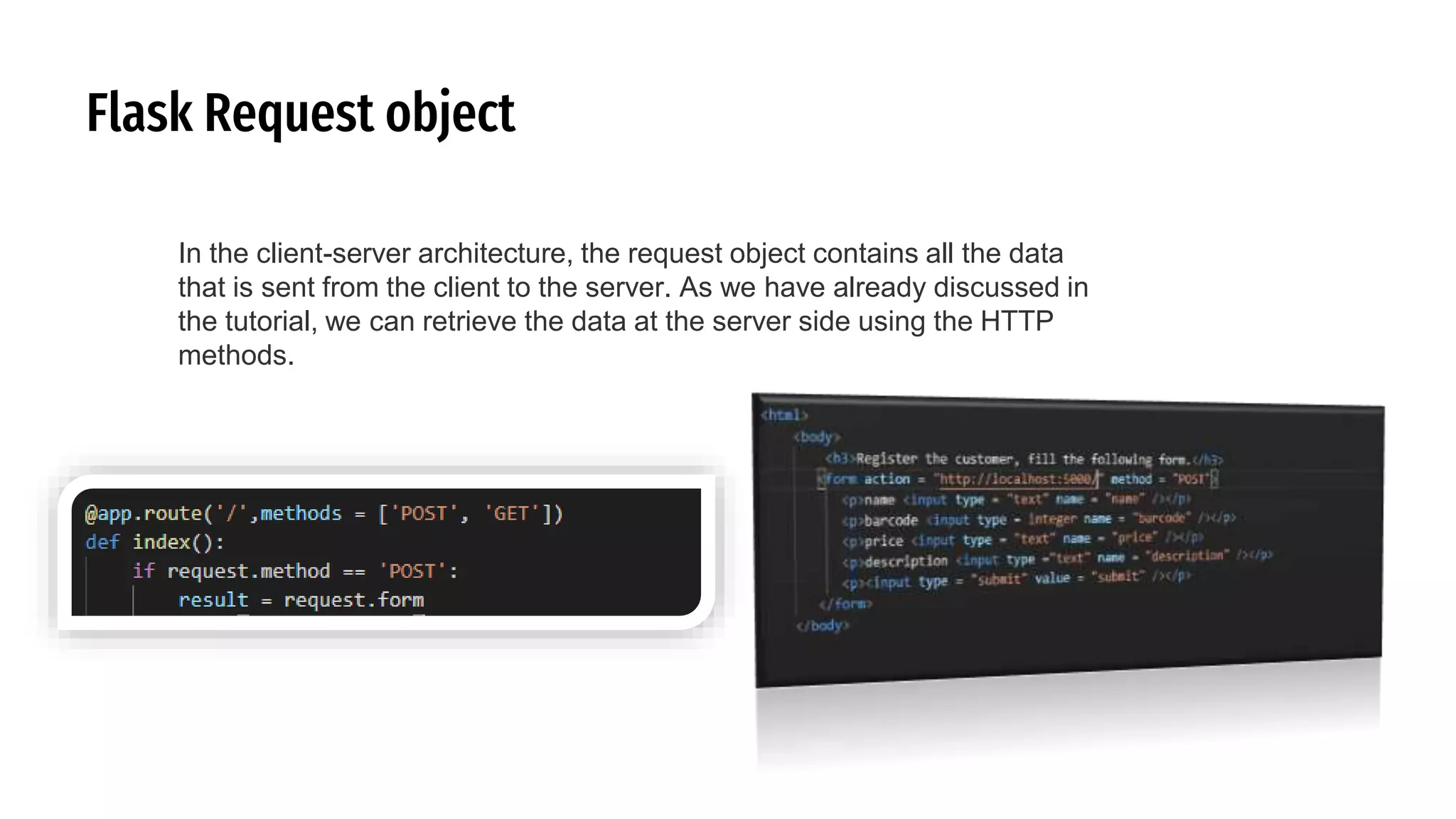
Flask Request object
In the client-server architecture, the request object contains all the data
that is sent from the client to the server. As we have already discussed in
the tutorial, we can retrieve the data at the server side using the HTTP
methods.

Intro to flask2

  • 1.
  • 2.
    Flask What Flask is?  Flask is a small framework by most standards, small enough to be called a “microframework.” But being small does not mean that it does less than other frameworks. Flask was designed as an extensible framework from the ground up; it provides a solid core with the basic services, while extensions provide the rest
  • 3.
  • 4.
    Flask What Flask is?  Flask is a web application framework written in Python. It is developed by Armin Ronacher, who leads an international group of Python enthusiasts named Pocco.  Flask is based on the Werkzeug WSGI toolkit and Jinja2 template engine. Both are Pocco projects.  WSGI is a specification for a universal interface between the web server and the web applications, It is a WSGI toolkit, which implements requests, response objects, and other utility functions. This enables building a web framework on top of it.  The Flask framework uses Werkzeug as one of its bases.  Jinja2 is a popular templating engine for Python. A web templating system combines a template with a certain data source to render dynamic web pages.
  • 5.
    Flask What Flask is?  Flask also implements a particular design pattern, or way that our program and code is organized. For Flask, the design pattern is generally MVC, or Model–view–controller:
  • 6.
    Flask What Flask is?  Flask also implements a particular design pattern, or way that our program and code is organized. For Flask, the design pattern is generally MVC, or Model–view–controller:  The controller is our logic and code that manages our application overall, given user input. In Flask, this will be our Python code. The view is the user interface, like the HTML and CSS that the user will see and interact with. The model is our application’s data, such as a SQL database or CSV file.
  • 7.
    Flask Install Flask inthis environment  Most Python packages are installed with the pip utility, which virtualenv automatically adds to all virtual environments upon creation. When a virtual environment is activated, the location of the pip utility is added to the PATH.
  • 8.
    Flask Install Flask inthis environment  All Flask applications must create an application instance. The web server passes all requests it receives from clients to this object for handling, using a protocol called Web Server Gateway Interface (WSGI). The application instance is an object of class Flask, usually created as follows:  The only required argument to the Flask class constructor is the name of the main module or package of the application. For most applications, Python’s __name__ variable is the correct value.
  • 9.
    Flask Install Flask inthis environment  All Flask applications must create an application instance. The web server passes all requests it receives from clients to this object for handling, using a protocol called Web Server Gateway Interface (WSGI). The application instance is an object of class Flask, usually created as follows:  The only required argument to the Flask class constructor is the name of the main module or package of the application. For most applications, Python’s __name__ variable is the correct value.
  • 10.
    Flask Install Flask inthis environment  All Flask applications must create an application instance. The web server passes all requests it receives from clients to this object for handling, using a protocol called Web Server Gateway Interface (WSGI). The application instance is an object of class Flask, usually created as follows:  The only required argument to the Flask class constructor is the name of the main module or package of the application. For most applications, Python’s __name__ variable is the correct value.
  • 11.
    Flask Routes and ViewFunctions  Clients such as web browsers send requests to the web server, which in turn sends them to the Flask application instance. The application instance needs to know what code needs to run for each URL requested, so it keeps a mapping of URLs to Python functions. The association between a URL and the function that handles it is called a route.  The most convenient way to define a route in a Flask application is through the app.route decorator exposed by the application instance, which registers the decorated function as a route. The following example shows how a route is declared using this decorator:
  • 12.
    Flask Routes and ViewFunctions  The portion enclosed in angle brackets is the dynamic part, so any URLs that match the static portions will be mapped to this route. When the view function is invoked, Flask sends the dynamic component as an argument. In the earlier example view function, this argument is used to generate a personalized greeting as a response.  The dynamic components in routes are strings by default but can also be defined with a type. For example, route /user/ would match only URLs that have an integer in the id dynamic segment. Flask supports types int, float, and path for routes. The path type also represents a string but does not consider slashes as separators and instead considers them part of the dynamic component.
  • 13.
    Flask Server Startup  The__name__ == '__main__' Python idiom is used here to ensure that the development web server is started only when the script is executed directly. When the script is imported by another script, it is assumed that the parent script will launch a different server, so the app.run() call is skipped.  Once the server starts up, it goes into a loop that waits for requests and services them. This loop continues until the application is stopped, for example by hitting Ctrl-C. There are several option arguments that can be given to app.run() to configure the mode of operation of the web server. During development, it is convenient to enable debug mode, which among other things activates the debugger and the reloader. This is done by passing the argument debug set to True
  • 14.
    Flask Responses  When Flaskinvokes a view function, it expects its return value to be the response to the request. In most cases the response is a simple string that is sent back to the client as an HTML page.  But the HTTP protocol requires more than a string as a response to a request. A very important part of the HTTP response is the status code, which Flask by default sets to 200, the code that indicates that the request was carried out successfully.  When a view function needs to respond with a different status code, it can add the numeric code as a second return value after the response text. For example, the following view function returns a 400 status code, the code for a bad request error:
  • 15.
    Flask Responses-HTTP HTTP (Hypertext TransferProtocol) is the system the internet uses to interact and communicate between computers and servers. When a URL is entered into a browser, an HTTP request is sent to a server, which interprets the request and sends appropriate HTTP response, which, if all goes as expected, contains the requested information to be displayed by the web browser.
  • 16.
    Flask Responses  Flask viewfunctions have the option of returning a Response object. The make_response() function takes one, two, or three arguments, the same values that can be returned from a view function, and returns a Response object. Sometimes it is useful to perform this conversion inside the.
  • 17.
    Flask Responses  The requestcookie is what is send from the client to the server (thus what the browser provides). The response cookie are the cookies that you want to place in the browser. The next connection from the browser that accepted the cookie from the response object will provide the cookie in the request object.
  • 18.
    Flask Responses  There isa special type of response called a redirect. This response does not include a page document; it just gives the browser a new URL from which to load a new page. Redirects are commonly used with web forms.  A redirect is typically indicated with a 302 response status code and the URL to redirect to given in a Location header.
  • 19.
    Flask Host command  The--host argument is a useful option because it tells the web server what network interface to listen to for connections from clients. By default, Flask’s development web server listens for connections on localhost, so only connections originating from within the computer running the server are accepted. The following command makes the web server listen for connections on the public network interface, enabling other computers in the network to connect as well
  • 20.
    Flask Templating Language  Atemplate is a file that contains the text of a response, with placeholder variables for the dynamic parts that will be known only in the context of a request. The process that replaces the variables with actual values and returns a final response string is called rendering. For the task of rendering templates, Flask uses a powerful template engine called Jinja2.
  • 21.
    Flask Rendering Templates  Bydefault Flask looks for templates in a templates subfolder located inside the applica‐ tion folder. For the next version of hello.py, you need to store the templates defined earlier in a new templates folder as index.html and user.html
  • 22.
    Flask Rendering Templates- Variables The {{ name }} construct used in the template references a variable, a special placeholder that tells the template engine that the value that goes in that place should be obtained from data provided at the time the template is rendered. Jinja2 recognizes variables of any type, even complex types such as lists, dictionaries and objects. The following are some more examples of variables used in templates:
  • 23.
    Flask Rendering Templates- ControlStructures  Jinja2 offers several control structures that can be used to alter the flow of the template. This section introduces some of the most useful ones with simple examples. The following example shows how conditional statements can be entered in a template
  • 24.
    Flask Rendering Templates- ControlStructures  Another common need in templates is to render a list of elements. This example shows how this can be done with a for loop:
  • 25.
    Flask Rendering Templates- ControlStructures  Another common need in templates is to render a list of elements. This example shows how this can be done with a for loop:
  • 26.
    Flask Rendering Templates- ControlStructures  Another common need in templates is to render a list of elements. This example shows how this can be done with a for loop:
  • 27.
    Flask Rendering Templates- ControlStructures  Another common need in templates is to render a list of elements. This example shows how this can be done with a for loop:
  • 28.
    Flask Static Files  Webapplications are not made of Python code and templates alone. Most applications also use static files such as images, JavaScript source files, and CSS that are referenced from the HTML code. You may recall that when the hello.py application’s a static entry appeared in it. This is so because references to static files are treated as a special route defined as /static/. For example, a call to url_for('static', filename='css/styles.css', _external=True) would return http://localhost:5000/static/css/styles.css.
  • 29.
    Flask Static Files  Webapplications are not made of Python code and templates alone. Most applications also use static files such as images, JavaScript source files, and CSS that are referenced from the HTML code. You may recall that when the hello.py application’s a static entry appeared in it. This is so because references to static files are treated as a special route defined as /static/. For example, a call to url_for('static', filename='css/styles.css', _external=True) would return http://localhost:5000/static/css/styles.css.
  • 30.
    Flask Static Files  Webapplications are not made of Python code and templates alone. Most applications also use static files such as images, JavaScript source files, and CSS that are referenced from the HTML code. You may recall that when the hello.py application’s a static entry appeared in it. This is so because references to static files are treated as a special route defined as /static/. For example, a call to url_for('static', filename='css/styles.css', _external=True) would return http://localhost:5000/static/css/styles.css.
  • 31.
  • 32.
    Flask Rendering Templates- Inhertance Portions of template code that need to be repeated in several places can be stored in a separate file and included from all the templates to avoid repetition:
  • 33.
  • 34.
  • 35.
  • 36.
    Flask Request object Inthe client-server architecture, the request object contains all the data that is sent from the client to the server. As we have already discussed in the tutorial, we can retrieve the data at the server side using the HTTP methods.
  • 37.
    Flask Request object Inthe client-server architecture, the request object contains all the data that is sent from the client to the server. As we have already discussed in the tutorial, we can retrieve the data at the server side using the HTTP methods.