Shroff S.R. Rotary InstitueShroff S.R. Rotary Institue
of Chemical Technologyof Chemical Technology
((SRICTSRICT))
ICTICT
Presentation onPresentation on InternetInternet
BY:BY:
Raj ParekhRaj Parekh
Jaymeet PatilJaymeet Patil
What is the Internet?What is the Internet?
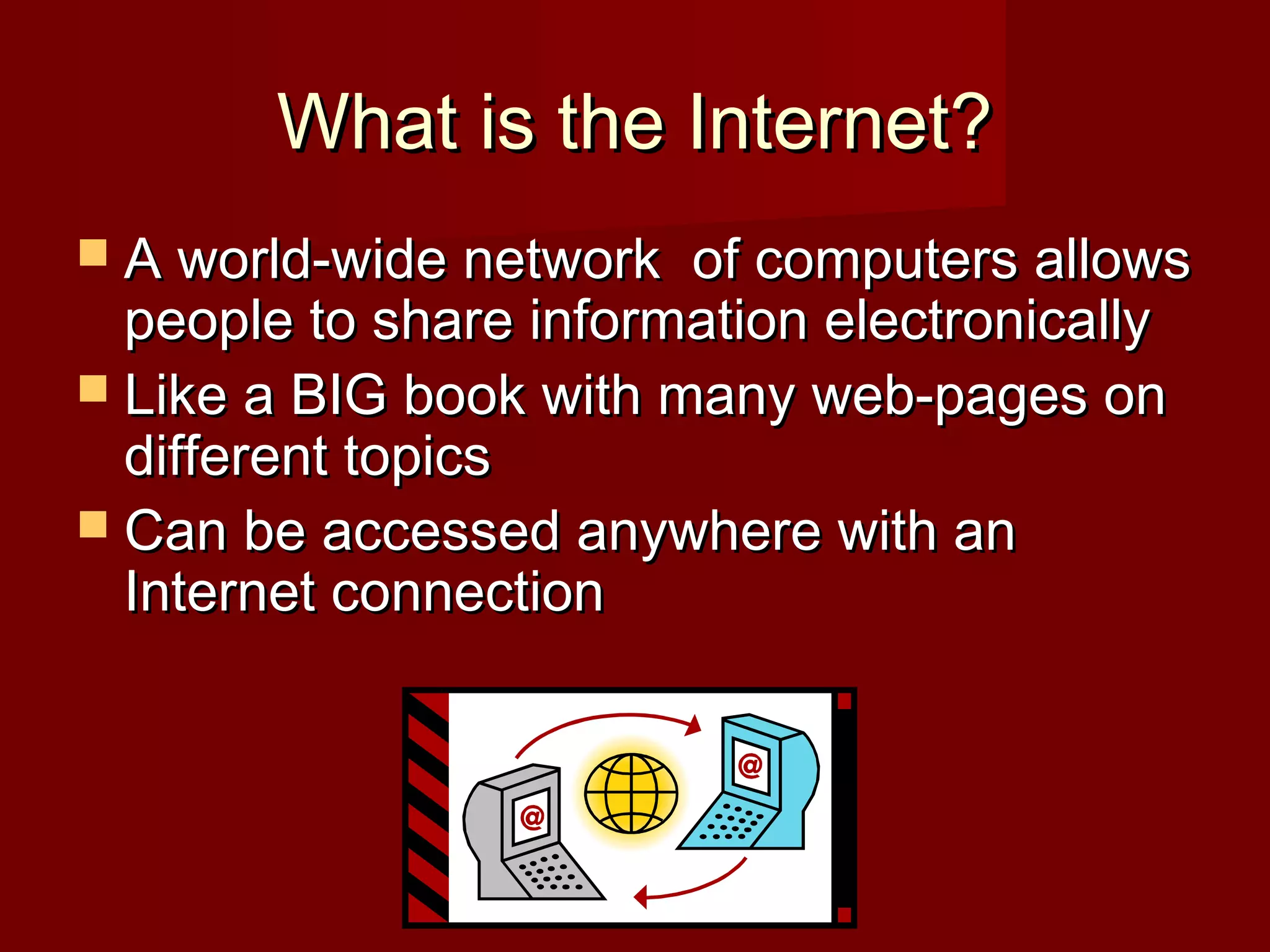
 A world-wide network of computers allowsA world-wide network of computers allows
people to share information electronicallypeople to share information electronically
 Like a BIG book with many web-pages onLike a BIG book with many web-pages on
different topicsdifferent topics
 Can be accessed anywhere with anCan be accessed anywhere with an
Internet connectionInternet connection
How to connect to the InternetHow to connect to the Internet
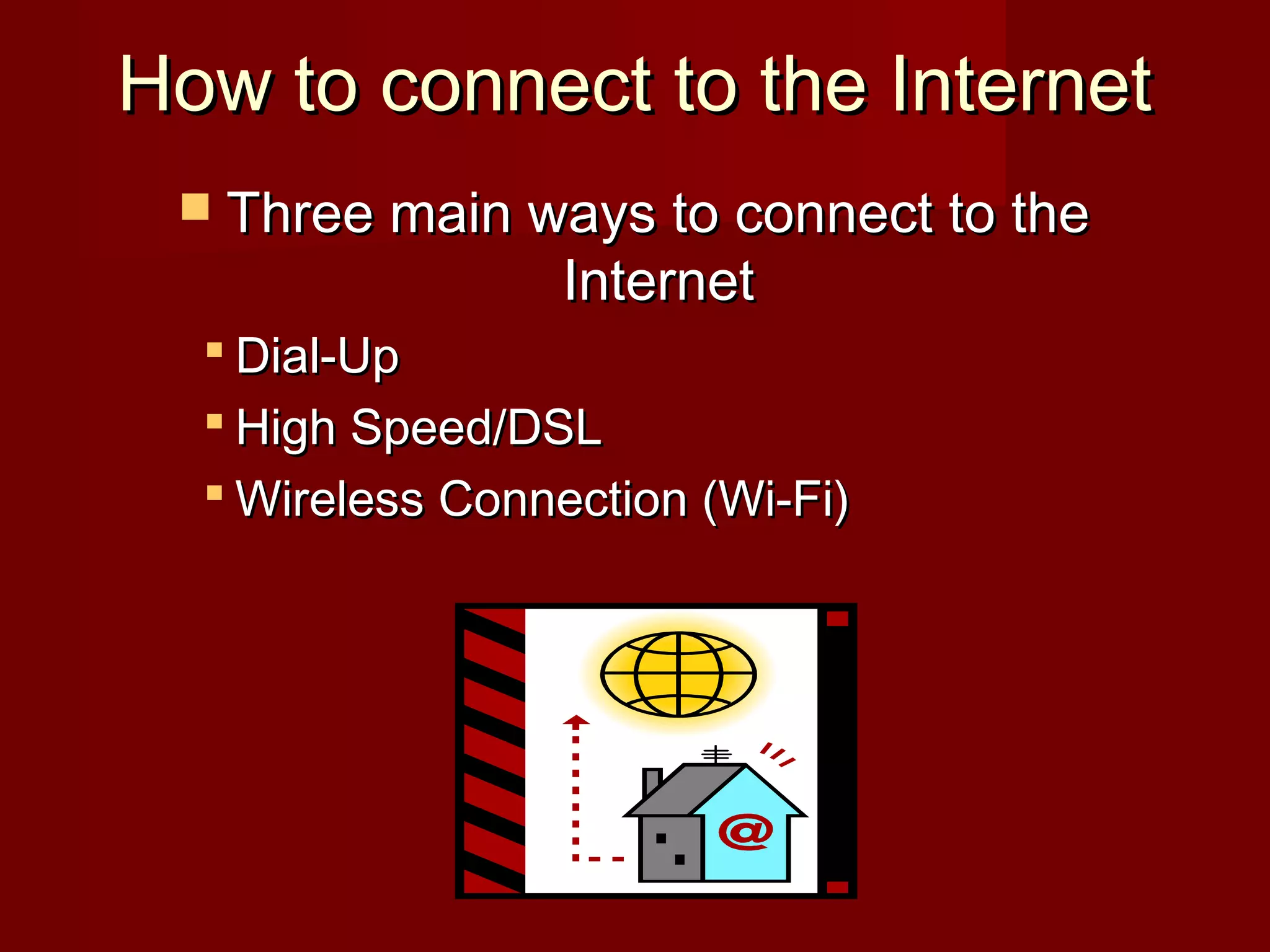
 Three main ways to connect to theThree main ways to connect to the
InternetInternet
 Dial-UpDial-Up
 High Speed/DSLHigh Speed/DSL
 Wireless Connection (Wi-Fi)Wireless Connection (Wi-Fi)
Dial-Up Internet ConnectionDial-Up Internet Connection
 Dial-UpDial-Up
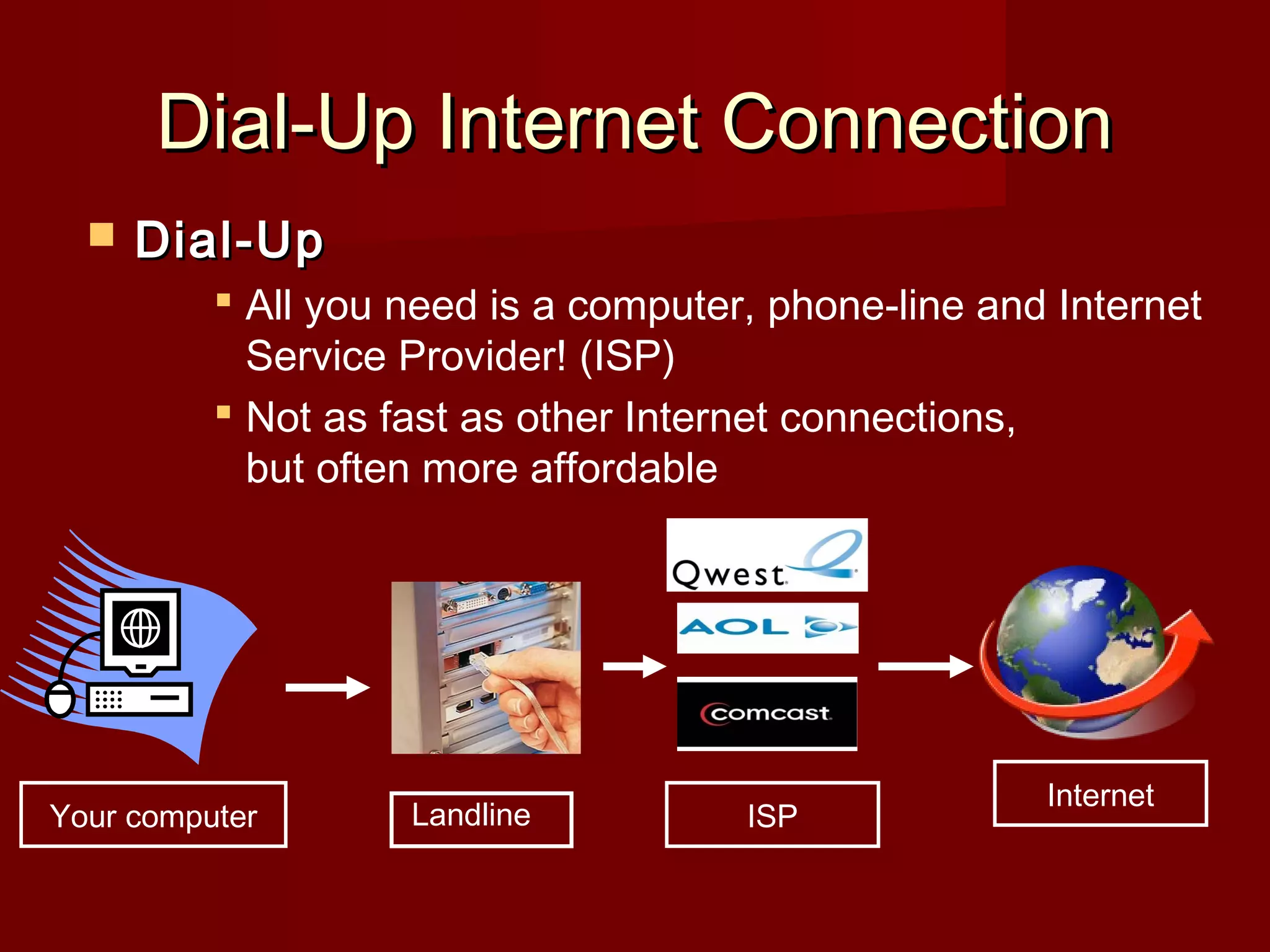
 All you need is a computer, phone-line and Internet
Service Provider! (ISP)
 Not as fast as other Internet connections,
but often more affordable
ISP
Internet
Your computer Landline
SlideSlide 55
R
E
G
I
O
N
A
L
L
O
C
A
L
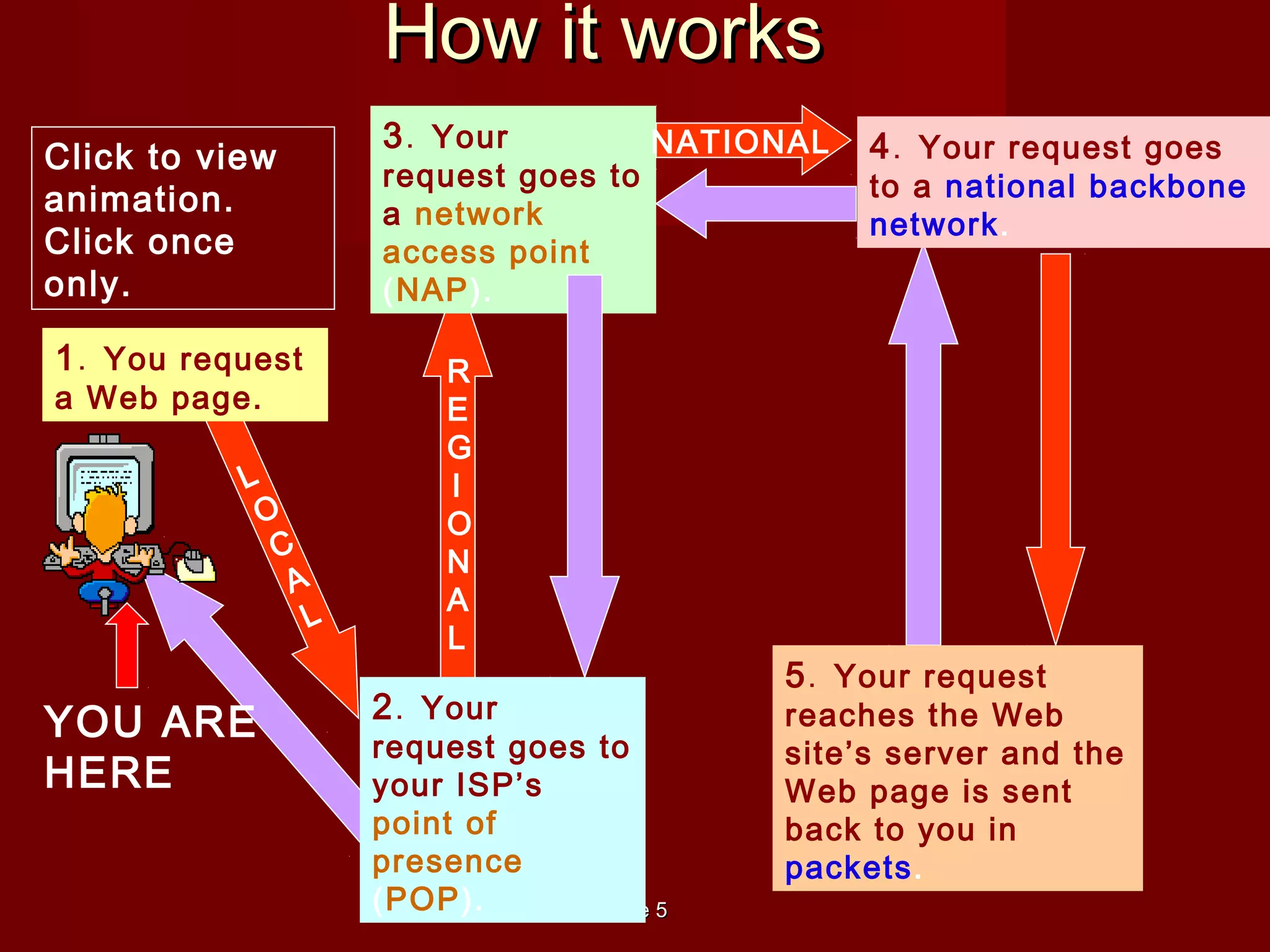
1. You request
a Web page.
2. Your
request goes to
your ISP’s
point of
presence
(POP).
3. Your
request goes to
a network
access point
(NAP).
4. Your request goes
to a national backbone
network.
5. Your request
reaches the Web
site’s server and the
Web page is sent
back to you in
packets.
YOU ARE
HERE
NATIONAL
Click to view
animation.
Click once
only.
How it worksHow it works
Slide 6Slide 6
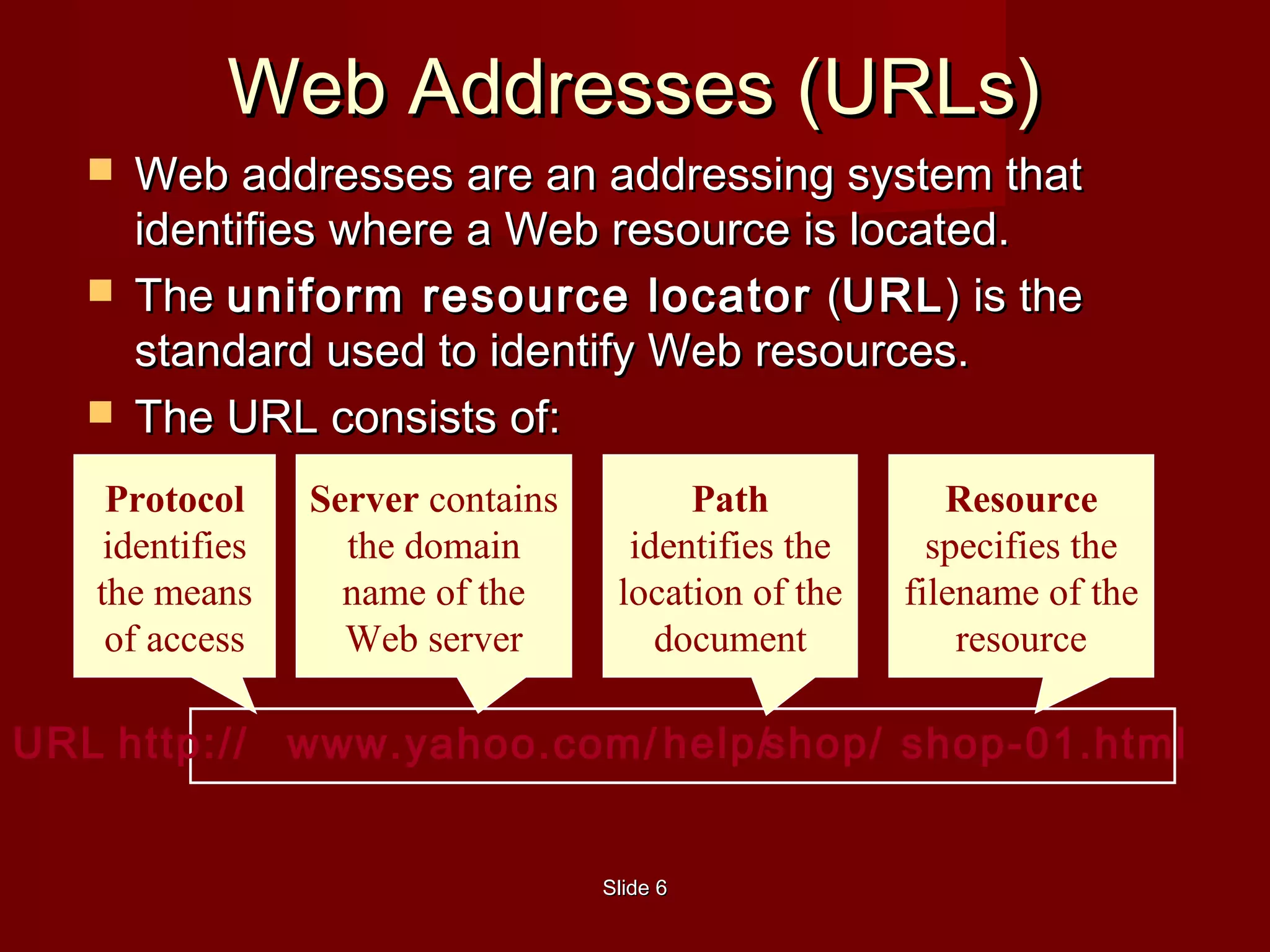
 Web addresses are an addressing system thatWeb addresses are an addressing system that
identifies where a Web resource is located.identifies where a Web resource is located.
 TheThe uniform resource locatoruniform resource locator ((URLURL) is the) is the
standard used to identify Web resources.standard used to identify Web resources.
 The URL consists of:The URL consists of:
URL
Web Addresses (URLs)Web Addresses (URLs)
http://
Protocol
identifies
the means
of access
www.yahoo.com/
Server contains
the domain
name of the
Web server
help/shop/
Path
identifies the
location of the
document
shop-01.html
Resource
specifies the
filename of the
resource
The Internet’s HistoryThe Internet’s History
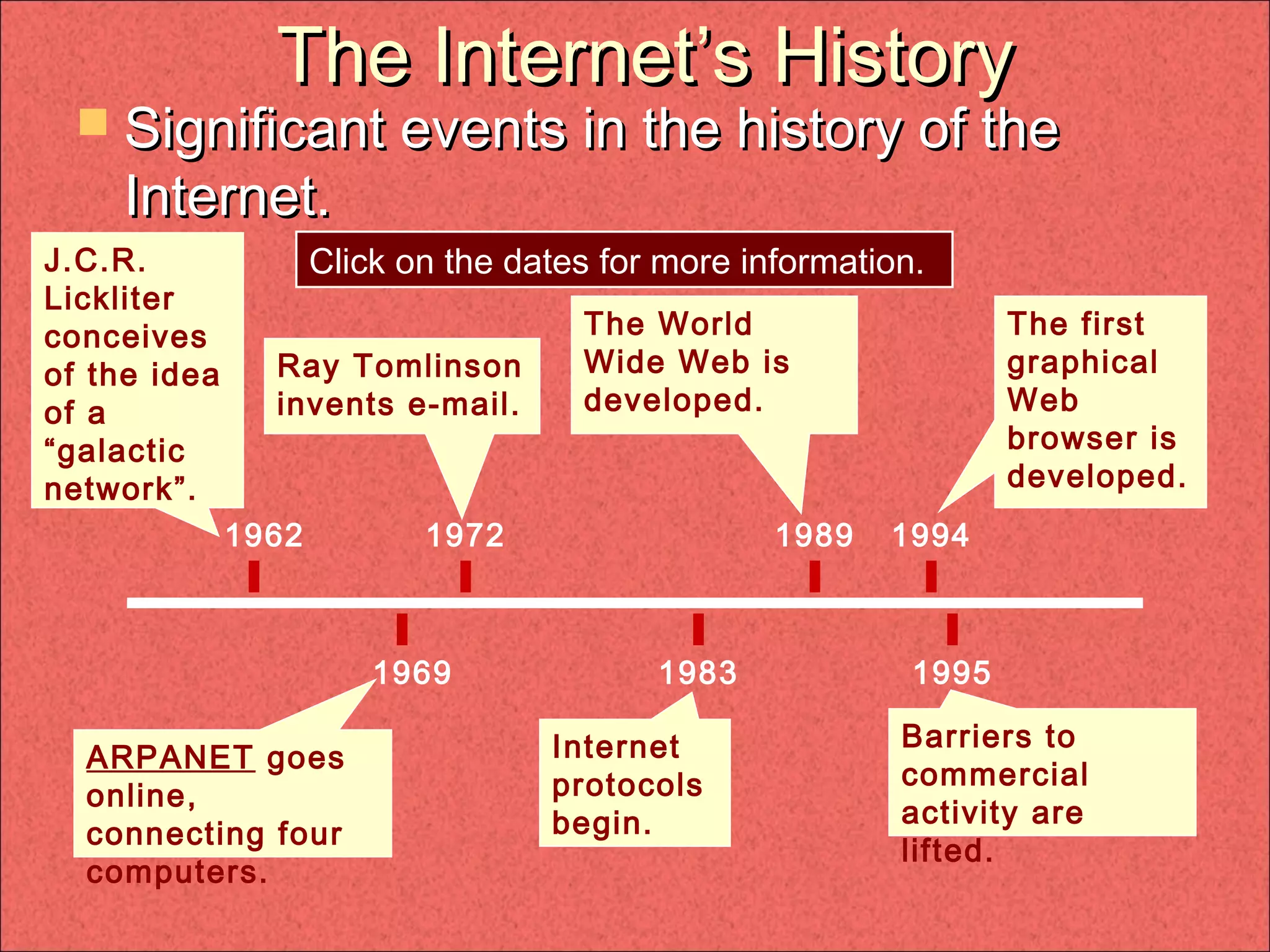
 Significant events in the history of theSignificant events in the history of the
Internet.Internet.
1962
1969
1972
1983
1989 1994
1995
J.C.R.
Lickliter
conceives
of the idea
of a
“galactic
network”.
Ray Tomlinson
invents e-mail.
The World
Wide Web is
developed.
The first
graphical
Web
browser is
developed.
ARPANET goes
online,
connecting four
computers.
Internet
protocols
begin.
Barriers to
commercial
activity are
lifted.
Click on the dates for more information.
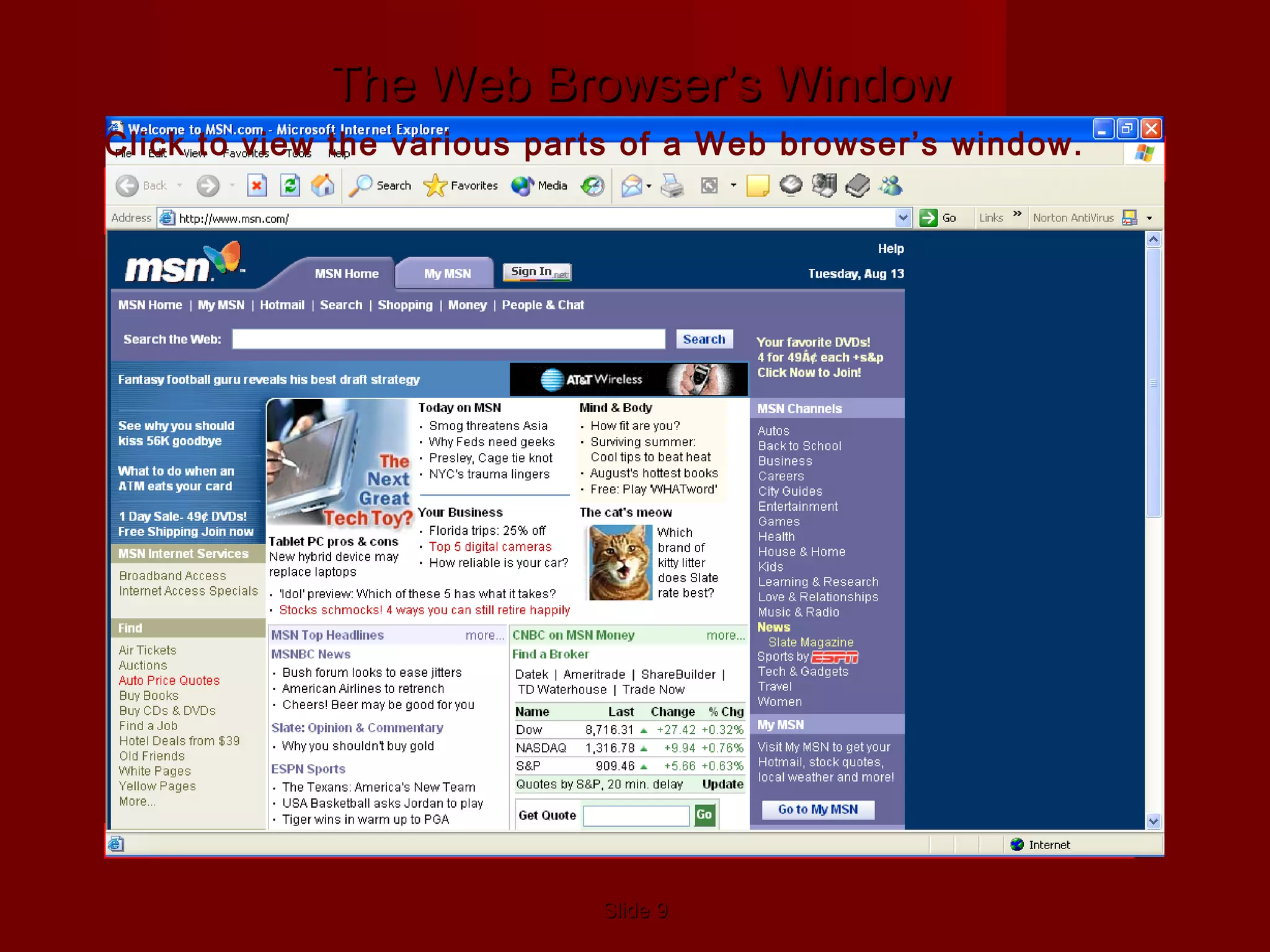
Web BrowserWeb Browser
A web-based program that displays the InternetA web-based program that displays the Internet
Common Web BrowsersCommon Web Browsers
 Safari: for Apples/MacintoshSafari: for Apples/Macintosh
 Internet Explorer: for Windows onlyInternet Explorer: for Windows only
SlideSlide 99
Standard Toolbar–
Contains Navigation buttons
Address Bar–
Contains URL of
Web page
Back & Forward
Buttons– Take you to
recently visited pages
Stop Button–
Stops downloading
Refresh Button–
Updates (refreshes) the
page
Home Button– Returns
to default start page
Search Button– Opens
search engine program
Favorites Button– List
of bookmarked Web
pages
Media Button– Opens
media player program
History Button– List of
Web sites visited over a
period of time
E-Mail Button–
Opens e-mail program
Printer Button– Prints
documents
Other Navigation ButtonsProgram icon–
Animates when
downloading
Status bar–
Messages about the
browser’s operation
Hyperlinks
The Web Browser’s WindowThe Web Browser’s Window
Click to view the various parts of a Web browser’s window.
Other Web BrowsersOther Web Browsers
 Google Chrome: created by GoogleGoogle Chrome: created by Google
 Mozilla Firefox: works on Mac & PCMozilla Firefox: works on Mac & PC
• The Internet is a global network providing direct access toThe Internet is a global network providing direct access to
computers worldwide.computers worldwide.
• Because of its cross-platform feature, computers of all typesBecause of its cross-platform feature, computers of all types
can use the Internet.can use the Internet.
• Related information, in hypertext documents, is referencedRelated information, in hypertext documents, is referenced
by linking to other documents.by linking to other documents.
• The user’s Web browser is known as the client, and theThe user’s Web browser is known as the client, and the
Web server retrieves documents requested by the client.Web server retrieves documents requested by the client.
• A URL consists of the:A URL consists of the:
ProtocolProtocol
ServerServer
PathPath
Resource nameResource name
• Web pages are created using Hypertext Markup LanguageWeb pages are created using Hypertext Markup Language
(HTML).(HTML).
SlideSlide 1212
• Online services are proprietary.Online services are proprietary.
• Client software enables information to be accessed, andClient software enables information to be accessed, and
server software delivers the information.server software delivers the information.
• An Internet address uniquely identifies each computerAn Internet address uniquely identifies each computer
connected to the Internet.connected to the Internet.
• Intranets enable companies to set up internalIntranets enable companies to set up internal
communications.communications.
• Popular Internet services include:Popular Internet services include:
E-mailE-mail
World Wide WebWorld Wide Web
FTPFTP
UsenetUsenet
ListservsListservs
Instant messagingInstant messaging
Internet Relay ChatInternet Relay Chat
Internet telephonyInternet telephony
SlideSlide 1313
• You can improve search results by using inclusionYou can improve search results by using inclusion
operators, phrases, and Boolean operators.operators, phrases, and Boolean operators.
• Critically evaluate the author’s credentials and purposesCritically evaluate the author’s credentials and purposes
for publishing when reading Web pages.for publishing when reading Web pages.

Intrenet and its uses

  • 1.
    Shroff S.R. RotaryInstitueShroff S.R. Rotary Institue of Chemical Technologyof Chemical Technology ((SRICTSRICT)) ICTICT Presentation onPresentation on InternetInternet BY:BY: Raj ParekhRaj Parekh Jaymeet PatilJaymeet Patil
  • 2.
    What is theInternet?What is the Internet?  A world-wide network of computers allowsA world-wide network of computers allows people to share information electronicallypeople to share information electronically  Like a BIG book with many web-pages onLike a BIG book with many web-pages on different topicsdifferent topics  Can be accessed anywhere with anCan be accessed anywhere with an Internet connectionInternet connection
  • 3.
    How to connectto the InternetHow to connect to the Internet  Three main ways to connect to theThree main ways to connect to the InternetInternet  Dial-UpDial-Up  High Speed/DSLHigh Speed/DSL  Wireless Connection (Wi-Fi)Wireless Connection (Wi-Fi)
  • 4.
    Dial-Up Internet ConnectionDial-UpInternet Connection  Dial-UpDial-Up  All you need is a computer, phone-line and Internet Service Provider! (ISP)  Not as fast as other Internet connections, but often more affordable ISP Internet Your computer Landline
  • 5.
    SlideSlide 55 R E G I O N A L L O C A L 1. Yourequest a Web page. 2. Your request goes to your ISP’s point of presence (POP). 3. Your request goes to a network access point (NAP). 4. Your request goes to a national backbone network. 5. Your request reaches the Web site’s server and the Web page is sent back to you in packets. YOU ARE HERE NATIONAL Click to view animation. Click once only. How it worksHow it works
  • 6.
    Slide 6Slide 6 Web addresses are an addressing system thatWeb addresses are an addressing system that identifies where a Web resource is located.identifies where a Web resource is located.  TheThe uniform resource locatoruniform resource locator ((URLURL) is the) is the standard used to identify Web resources.standard used to identify Web resources.  The URL consists of:The URL consists of: URL Web Addresses (URLs)Web Addresses (URLs) http:// Protocol identifies the means of access www.yahoo.com/ Server contains the domain name of the Web server help/shop/ Path identifies the location of the document shop-01.html Resource specifies the filename of the resource
  • 7.
    The Internet’s HistoryTheInternet’s History  Significant events in the history of theSignificant events in the history of the Internet.Internet. 1962 1969 1972 1983 1989 1994 1995 J.C.R. Lickliter conceives of the idea of a “galactic network”. Ray Tomlinson invents e-mail. The World Wide Web is developed. The first graphical Web browser is developed. ARPANET goes online, connecting four computers. Internet protocols begin. Barriers to commercial activity are lifted. Click on the dates for more information.
  • 8.
    Web BrowserWeb Browser Aweb-based program that displays the InternetA web-based program that displays the Internet Common Web BrowsersCommon Web Browsers  Safari: for Apples/MacintoshSafari: for Apples/Macintosh  Internet Explorer: for Windows onlyInternet Explorer: for Windows only
  • 9.
    SlideSlide 99 Standard Toolbar– ContainsNavigation buttons Address Bar– Contains URL of Web page Back & Forward Buttons– Take you to recently visited pages Stop Button– Stops downloading Refresh Button– Updates (refreshes) the page Home Button– Returns to default start page Search Button– Opens search engine program Favorites Button– List of bookmarked Web pages Media Button– Opens media player program History Button– List of Web sites visited over a period of time E-Mail Button– Opens e-mail program Printer Button– Prints documents Other Navigation ButtonsProgram icon– Animates when downloading Status bar– Messages about the browser’s operation Hyperlinks The Web Browser’s WindowThe Web Browser’s Window Click to view the various parts of a Web browser’s window.
  • 10.
    Other Web BrowsersOtherWeb Browsers  Google Chrome: created by GoogleGoogle Chrome: created by Google  Mozilla Firefox: works on Mac & PCMozilla Firefox: works on Mac & PC
  • 11.
    • The Internetis a global network providing direct access toThe Internet is a global network providing direct access to computers worldwide.computers worldwide. • Because of its cross-platform feature, computers of all typesBecause of its cross-platform feature, computers of all types can use the Internet.can use the Internet. • Related information, in hypertext documents, is referencedRelated information, in hypertext documents, is referenced by linking to other documents.by linking to other documents. • The user’s Web browser is known as the client, and theThe user’s Web browser is known as the client, and the Web server retrieves documents requested by the client.Web server retrieves documents requested by the client. • A URL consists of the:A URL consists of the: ProtocolProtocol ServerServer PathPath Resource nameResource name • Web pages are created using Hypertext Markup LanguageWeb pages are created using Hypertext Markup Language (HTML).(HTML).
  • 12.
    SlideSlide 1212 • Onlineservices are proprietary.Online services are proprietary. • Client software enables information to be accessed, andClient software enables information to be accessed, and server software delivers the information.server software delivers the information. • An Internet address uniquely identifies each computerAn Internet address uniquely identifies each computer connected to the Internet.connected to the Internet. • Intranets enable companies to set up internalIntranets enable companies to set up internal communications.communications. • Popular Internet services include:Popular Internet services include: E-mailE-mail World Wide WebWorld Wide Web FTPFTP UsenetUsenet ListservsListservs Instant messagingInstant messaging Internet Relay ChatInternet Relay Chat Internet telephonyInternet telephony
  • 13.
    SlideSlide 1313 • Youcan improve search results by using inclusionYou can improve search results by using inclusion operators, phrases, and Boolean operators.operators, phrases, and Boolean operators. • Critically evaluate the author’s credentials and purposesCritically evaluate the author’s credentials and purposes for publishing when reading Web pages.for publishing when reading Web pages.