Internet Safety and You
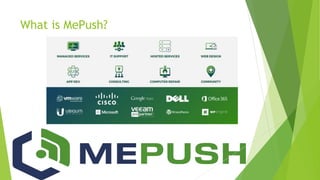
What is MePush?
Fast Facts
 The average cost of a malware attack on a company is 2.4 million dollars.
 Microsoft Office formats make up the most prevalent group of malicious file
extensions at 38% of the total.
 21% of all files are not protected at all.
 Ransomware attacks are growing more than 350% annually.
Small Businesses as a Target
 43% of cyber attacks target small
businesses
 Small businesses are easy prey for
international hacking
 Small businesses are very vulnerable to
generalized phishing and malware
 Small businesses are easy accidental
targets for script kiddies
Small Businesses as a Target
 Small business owners pay ransoms
 Small businesses have valuable data
 Small businesses are easy for hackers to
get in and stay in undetected
 Lack of budget for adequate
security
 Lack of staff and training
Malware
 Malware is any form of programming or code that can be used to expose a
vulnerability or open a door to your internal network.
 Types of malware:
 Trojan: Malware that pretends to be other software
 Spyware: Used to spy on network operations or users
 Rootkit: Installed to gain hidden unauthorized control
 Backdoor: Opening in the network for further exploitation
Phishing
 Phishing is the practice of sending emails
claiming to be from reputable companies
in order to get individuals to reveal
personal information.
Email Links
 Do not click suspicious email links.
 If you are unsure about a link, do not click on the link.
 Use https://safeweb.Norton.com by copying the link’s URL and pastig it into
the URL checker at Norton.
 Any link can be disguised to redirect you to somewhere else
 To circumvent this, just Google it.
Email Attachments
 The same best practices followed with the clicking links should also be
applied to email attachments.
 There are resources you can use if you believe you have a file that might be
malicious. You can upload the suspected file to the website
https://www.virustotal.com/#/home/upload
 This site will analyze the file and brief you with results if it is malicious.
Protected View
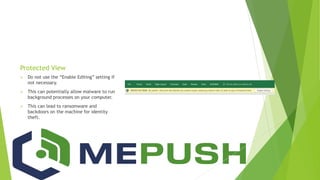
 Do not use the “Enable Editing” setting if
not necessary.
 This can potentially allow malware to run
background processes on your computer.
 This can lead to ransomware and
backdoors on the machine for identity
theft.
Social Engineering
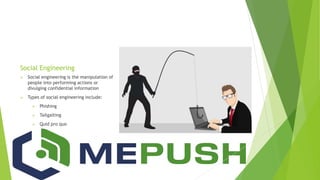
 Social engineering is the manipulation of
people into performing actions or
divulging confidential information
 Types of social engineering include:
 Phishing
 Tailgaiting
 Quid pro quo
Antivirus
 Antivirus tools are used to remove infections from computers using previously
known hash values. Hash values are the “DNA” of the virus.
 Antivirus monitoring are systems that are implemented to monitor normal
user use and network behavior to alert a system administrator of a potential
threat. Alerts could be too many failed login attempts to DNS spoofing and
other network changes.
Web Content and Media Filtering
 These tools are used to limit the risk of malware exposed to host machines
and servers. Without proper web filtering, users may access sites that could
put potential rootkits and backdoors on user machines, therefore allowing
unauthorized access to the machine from a remote hacker.
 Sites that should be blocked include sites that allow file transferring, for
example torrents and The Onion Router traffic. Furthermore, blocking not
suitable for work sites is needed to prevent users from accessing crude or
time-wasting sites that are not suitable for company operations.
Virtual Private Network (VPN)
 VPNs allow safe remote access to your company’s internal network to access
documents and work remotely.
 They work off individual access and encrypt traffic coming into your network
to prevent attackers from stalking and watching the network traffic.
 With a VPN, a user is able to remotely connect from a public network into a
private network safely and securely.
Data
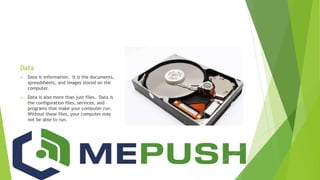
 Data is information. It is the documents,
spreadsheets, and images stored on the
computer.
 Data is also more than just files. Data is
the configuration files, services, and
programs that make your computer run.
Without these files, your computer may
not be able to run.
Backups
 A full backup is the simplest but most data intensive and timely type of
backup. This type of backup will completely record your entire computer or
server to external media.
 An incremental backup results in a copy of only the new data that has been
created since the last backup of any type. It can be run as often as desired
and is not usually time intensive or data intensive if managed properly.
 A differential backup copies all of the data that has been created since the
previous backup. However, each time the differential backup is run it will
continue to copy all data changed since the previous file backup.
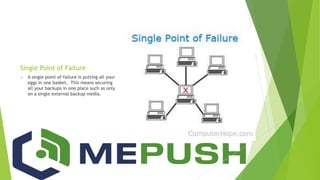
Single Point of Failure
 A single point of failure is putting all your
eggs in one basket. This means securing
all your backups in one place such as only
on a single external backup media.
Patching
 Patches are fixes to a piece of software that either fix bugs, fix security
vulnerabilities, or add features.
 More than 70% of cyber attacks exploit patchable vulnerabilities.
 Have a policy to patch your machines regularly.
 Test patches on one machine before deploying to all of them.
Wireless Security
 There are various forms of encryption
used for wireless.
 The most common is unhidden WPA2 with
a pre-shared-key.
 As a business, you want a strong
password, pre-shared-key, for your WiFi
because it has become increasingly easier
to decrypt these WiFi passwords.
Compliance
 Compliance means meeting all of the controls required by the governing
agency
 Payment Card Industry (PCI) depends on your business type
 HIPAA compliance is universal and applies to any organization that store ePHI.
 These regulations help protect your business from threats.
 In theory if you are fully compliant, an attacker will have a difficult time
compromising your data.
Dangers of Non-Compliance
 General
 Lawsuits for data loss
 PCI
 Fines from credit card companies
 Increase in transaction fees
 HIPAA
 Fines from HIPAA regulatory bodies
 Legal Fees
CyberSecurity Insurance
 General Liability insurance WILL NOT cover:
 Identity theft or fraud resulting from either a malicious or inadvertent security
breach
 Lawsuits or fines resulting from data leaked through a breach
 Theft or destruction of such valuable digital assets as intellectual property or
customer lists
 Interruption of your business or loss of business due to a hacker or malware
CyberSecurity Insurance
 Insurance companies offer cyber policies and data breach policies for covering
your business in the event of an attack. They may cover:
 Forensic investigation of the breach
 Legal advice to determine your notification and regulatory obligations
 Offering credit monitoring to customers as a result
 Settlements, damages, and judgments related to the breach
 Regulatory fines and penalties (including Payment Card Industry fines)
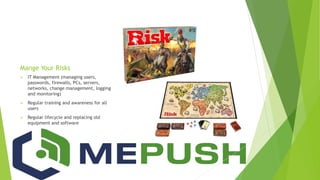
Mange Your Risks
 IT Management (managing users,
passwords, firewalls, PCs, servers,
networks, change management, logging
and monitoring)
 Regular training and awareness for all
users
 Regular lifecycle and replacing old
equipment and software
What is QuickWatch?
 QuickWatch protects your email, servers, network, website, and workstations.
 QuickWatch allows us to remotely access your machines to deal with certain
issues that you may have.
 QuickWatch automatically backs up your data.
 QuickWatch has automatic cloud-driven patch management.
Top Tips
 Never believe that you are not a
target to hackers.
 Keep your software and operating
system up-to-date
 Beware of suspicious emails and
phone calls
 Practice good password
management
 Never leave devices unlocked and
unattended
 Back up your data
 Use two-factor authentication
 Use secure internet connections
 Install an enterprise anti-virus and
keep it up-to-date
 Protect sensitive data
Sources
 https://www.quickwatch.support/
 https://blog.varonis.com/cybersecurity-statistics/
 https://security.berkeley.edu/resources/best-practices-how-to-articles/top-
10-secure-computing-tips
 https://ist.mit.edu/security/tips
 https://www.zdnet.com/article/simple-security-step-by-step-guide/

Internet safety and you

  • 1.
  • 2.
  • 3.
    Fast Facts  Theaverage cost of a malware attack on a company is 2.4 million dollars.  Microsoft Office formats make up the most prevalent group of malicious file extensions at 38% of the total.  21% of all files are not protected at all.  Ransomware attacks are growing more than 350% annually.
  • 4.
    Small Businesses asa Target  43% of cyber attacks target small businesses  Small businesses are easy prey for international hacking  Small businesses are very vulnerable to generalized phishing and malware  Small businesses are easy accidental targets for script kiddies
  • 5.
    Small Businesses asa Target  Small business owners pay ransoms  Small businesses have valuable data  Small businesses are easy for hackers to get in and stay in undetected  Lack of budget for adequate security  Lack of staff and training
  • 6.
    Malware  Malware isany form of programming or code that can be used to expose a vulnerability or open a door to your internal network.  Types of malware:  Trojan: Malware that pretends to be other software  Spyware: Used to spy on network operations or users  Rootkit: Installed to gain hidden unauthorized control  Backdoor: Opening in the network for further exploitation
  • 7.
    Phishing  Phishing isthe practice of sending emails claiming to be from reputable companies in order to get individuals to reveal personal information.
  • 8.
    Email Links  Donot click suspicious email links.  If you are unsure about a link, do not click on the link.  Use https://safeweb.Norton.com by copying the link’s URL and pastig it into the URL checker at Norton.  Any link can be disguised to redirect you to somewhere else  To circumvent this, just Google it.
  • 9.
    Email Attachments  Thesame best practices followed with the clicking links should also be applied to email attachments.  There are resources you can use if you believe you have a file that might be malicious. You can upload the suspected file to the website https://www.virustotal.com/#/home/upload  This site will analyze the file and brief you with results if it is malicious.
  • 10.
    Protected View  Donot use the “Enable Editing” setting if not necessary.  This can potentially allow malware to run background processes on your computer.  This can lead to ransomware and backdoors on the machine for identity theft.
  • 12.
    Social Engineering  Socialengineering is the manipulation of people into performing actions or divulging confidential information  Types of social engineering include:  Phishing  Tailgaiting  Quid pro quo
  • 13.
    Antivirus  Antivirus toolsare used to remove infections from computers using previously known hash values. Hash values are the “DNA” of the virus.  Antivirus monitoring are systems that are implemented to monitor normal user use and network behavior to alert a system administrator of a potential threat. Alerts could be too many failed login attempts to DNS spoofing and other network changes.
  • 14.
    Web Content andMedia Filtering  These tools are used to limit the risk of malware exposed to host machines and servers. Without proper web filtering, users may access sites that could put potential rootkits and backdoors on user machines, therefore allowing unauthorized access to the machine from a remote hacker.  Sites that should be blocked include sites that allow file transferring, for example torrents and The Onion Router traffic. Furthermore, blocking not suitable for work sites is needed to prevent users from accessing crude or time-wasting sites that are not suitable for company operations.
  • 15.
    Virtual Private Network(VPN)  VPNs allow safe remote access to your company’s internal network to access documents and work remotely.  They work off individual access and encrypt traffic coming into your network to prevent attackers from stalking and watching the network traffic.  With a VPN, a user is able to remotely connect from a public network into a private network safely and securely.
  • 16.
    Data  Data isinformation. It is the documents, spreadsheets, and images stored on the computer.  Data is also more than just files. Data is the configuration files, services, and programs that make your computer run. Without these files, your computer may not be able to run.
  • 17.
    Backups  A fullbackup is the simplest but most data intensive and timely type of backup. This type of backup will completely record your entire computer or server to external media.  An incremental backup results in a copy of only the new data that has been created since the last backup of any type. It can be run as often as desired and is not usually time intensive or data intensive if managed properly.  A differential backup copies all of the data that has been created since the previous backup. However, each time the differential backup is run it will continue to copy all data changed since the previous file backup.
  • 18.
    Single Point ofFailure  A single point of failure is putting all your eggs in one basket. This means securing all your backups in one place such as only on a single external backup media.
  • 19.
    Patching  Patches arefixes to a piece of software that either fix bugs, fix security vulnerabilities, or add features.  More than 70% of cyber attacks exploit patchable vulnerabilities.  Have a policy to patch your machines regularly.  Test patches on one machine before deploying to all of them.
  • 20.
    Wireless Security  Thereare various forms of encryption used for wireless.  The most common is unhidden WPA2 with a pre-shared-key.  As a business, you want a strong password, pre-shared-key, for your WiFi because it has become increasingly easier to decrypt these WiFi passwords.
  • 21.
    Compliance  Compliance meansmeeting all of the controls required by the governing agency  Payment Card Industry (PCI) depends on your business type  HIPAA compliance is universal and applies to any organization that store ePHI.  These regulations help protect your business from threats.  In theory if you are fully compliant, an attacker will have a difficult time compromising your data.
  • 22.
    Dangers of Non-Compliance General  Lawsuits for data loss  PCI  Fines from credit card companies  Increase in transaction fees  HIPAA  Fines from HIPAA regulatory bodies  Legal Fees
  • 23.
    CyberSecurity Insurance  GeneralLiability insurance WILL NOT cover:  Identity theft or fraud resulting from either a malicious or inadvertent security breach  Lawsuits or fines resulting from data leaked through a breach  Theft or destruction of such valuable digital assets as intellectual property or customer lists  Interruption of your business or loss of business due to a hacker or malware
  • 24.
    CyberSecurity Insurance  Insurancecompanies offer cyber policies and data breach policies for covering your business in the event of an attack. They may cover:  Forensic investigation of the breach  Legal advice to determine your notification and regulatory obligations  Offering credit monitoring to customers as a result  Settlements, damages, and judgments related to the breach  Regulatory fines and penalties (including Payment Card Industry fines)
  • 25.
    Mange Your Risks IT Management (managing users, passwords, firewalls, PCs, servers, networks, change management, logging and monitoring)  Regular training and awareness for all users  Regular lifecycle and replacing old equipment and software
  • 26.
    What is QuickWatch? QuickWatch protects your email, servers, network, website, and workstations.  QuickWatch allows us to remotely access your machines to deal with certain issues that you may have.  QuickWatch automatically backs up your data.  QuickWatch has automatic cloud-driven patch management.
  • 27.
    Top Tips  Neverbelieve that you are not a target to hackers.  Keep your software and operating system up-to-date  Beware of suspicious emails and phone calls  Practice good password management  Never leave devices unlocked and unattended  Back up your data  Use two-factor authentication  Use secure internet connections  Install an enterprise anti-virus and keep it up-to-date  Protect sensitive data
  • 28.
    Sources  https://www.quickwatch.support/  https://blog.varonis.com/cybersecurity-statistics/ https://blog.varonis.com/cybersecurity-statistics/  https://security.berkeley.edu/resources/best-practices-how-to-articles/top- 10-secure-computing-tips  https://ist.mit.edu/security/tips  https://www.zdnet.com/article/simple-security-step-by-step-guide/