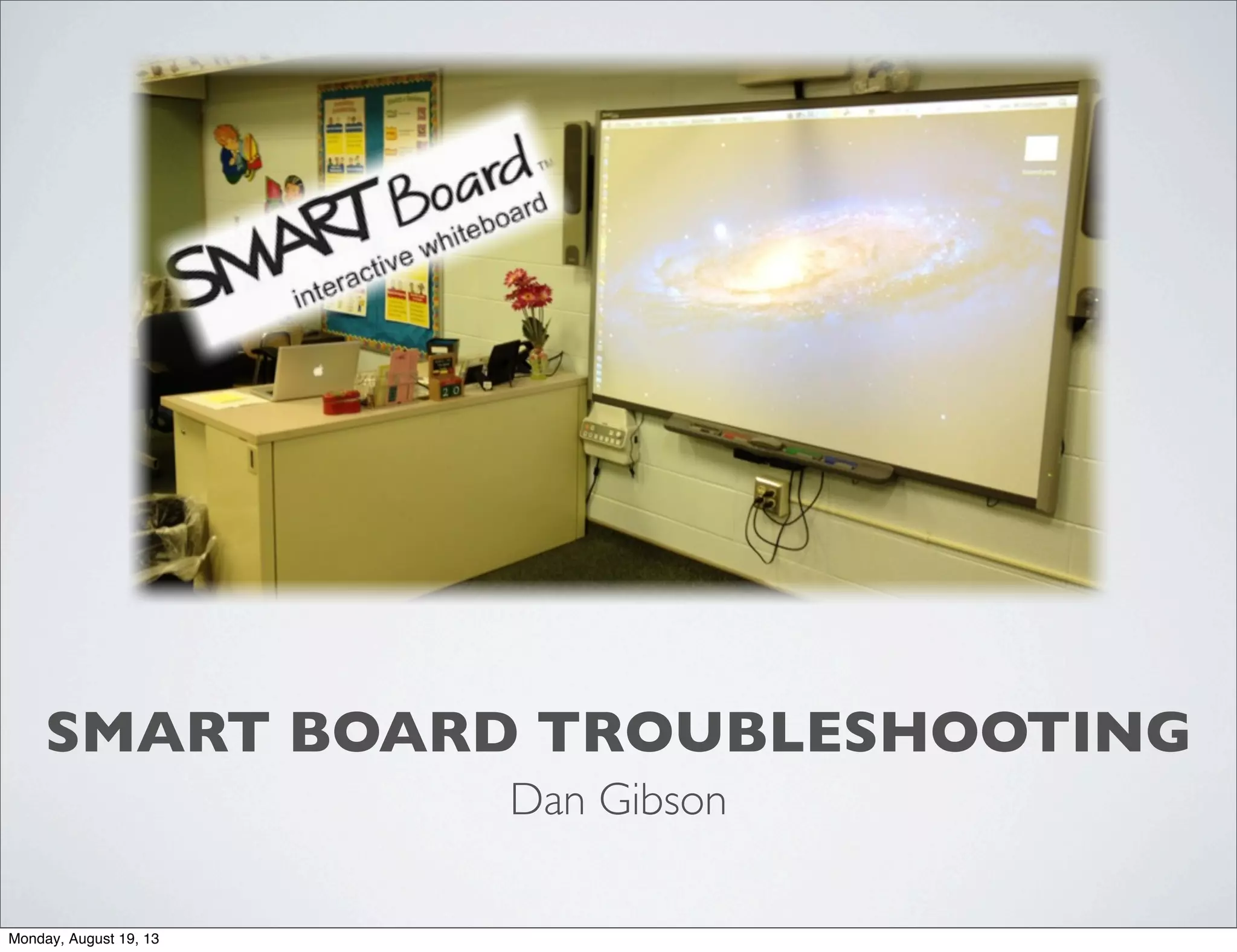
SMART BOARD TROUBLESHOOTING
Dan Gibson
Monday, August 19, 13
PROBLEM-
What happens when
your image doesn’t fill
the whole screen?
Monday, August 19, 13
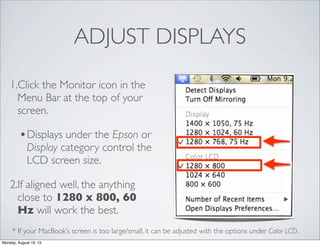
ADJUST DISPLAYS
1.Click the Monitor icon in the
Menu Bar at the top of your
screen.
•Displays under the Epson or
Display category control the
LCD screen size.
2.If aligned well, the anything
close to 1280 x 800, 60
Hz will work the best.
* If your MacBook’s screen is too large/small, it can be adjusted with the options under Color LCD.
Monday, August 19, 13
CHANGETHE ‘ASPECT RATIO’
1.Use your controller and press
the number 8, which changes
the Aspect Ratio.
2.Press this button until you get
to the Full Screen option.
•The different sizes will be
labeled in the upper-
righthand corner.
Monday, August 19, 13
•If the screen is still off the board,
someone from the technology
department can adjust the board for
you. Please put a work order into
theTri-Creek system.
-http://www.tricreek.k12.in.us/
technology/support.cfm
Monday, August 19, 13
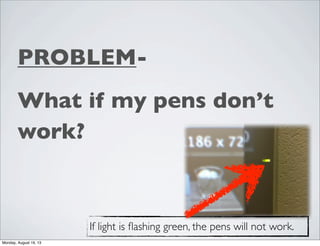
PROBLEM-
What if my pens don’t
work?
If light is flashing green, the pens will not work.
Monday, August 19, 13
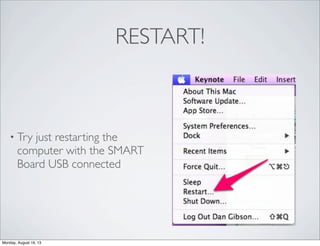
RESTART!
• Try just restarting the
computer with the SMART
Board USB connected
Monday, August 19, 13
PROBLEM-
What if I just see three
vertical lines?
Monday, August 19, 13
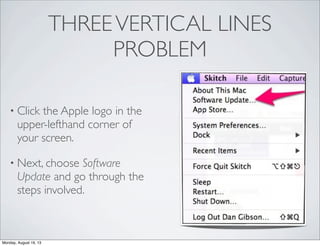
THREEVERTICAL LINES
PROBLEM
• Click the Apple logo in the
upper-lefthand corner of
your screen.
• Next, choose Software
Update and go through the
steps involved.
Monday, August 19, 13
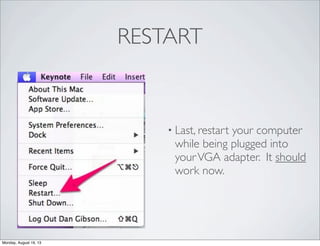
RESTART
• Last, restart your computer
while being plugged into
yourVGA adapter. It should
work now.
Monday, August 19, 13
•If the screen is still displaying three
vertical lines, please put a work
order into theTri-Creek system.
-http://www.tricreek.k12.in.us/
domain/82
Monday, August 19, 13
PROBLEM-
What if my board or LCD
isn’t working properly?
Monday, August 19, 13
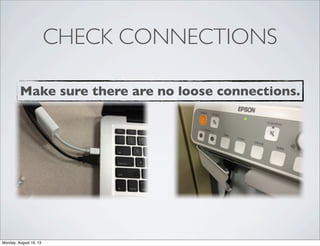
CHECK CONNECTIONS
Make sure there are no loose connections.
Monday, August 19, 13
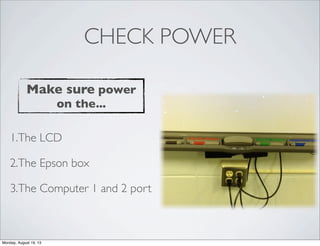
CHECK POWER
1.The LCD
2.The Epson box
3.The Computer 1 and 2 port
Make sure power
on the...
Monday, August 19, 13
•If the board is still not working
properly, please put a work order
into theTri-Creek system.
-http://www.tricreek.k12.in.us/
technology/support.cfm
Monday, August 19, 13

Smart troubleshooting

  • 1.
    SMART BOARD TROUBLESHOOTING DanGibson Monday, August 19, 13
  • 2.
    PROBLEM- What happens when yourimage doesn’t fill the whole screen? Monday, August 19, 13
  • 3.
    ADJUST DISPLAYS 1.Click theMonitor icon in the Menu Bar at the top of your screen. •Displays under the Epson or Display category control the LCD screen size. 2.If aligned well, the anything close to 1280 x 800, 60 Hz will work the best. * If your MacBook’s screen is too large/small, it can be adjusted with the options under Color LCD. Monday, August 19, 13
  • 4.
    CHANGETHE ‘ASPECT RATIO’ 1.Useyour controller and press the number 8, which changes the Aspect Ratio. 2.Press this button until you get to the Full Screen option. •The different sizes will be labeled in the upper- righthand corner. Monday, August 19, 13
  • 5.
    •If the screenis still off the board, someone from the technology department can adjust the board for you. Please put a work order into theTri-Creek system. -http://www.tricreek.k12.in.us/ technology/support.cfm Monday, August 19, 13
  • 6.
    PROBLEM- What if mypens don’t work? If light is flashing green, the pens will not work. Monday, August 19, 13
  • 7.
    RESTART! • Try justrestarting the computer with the SMART Board USB connected Monday, August 19, 13
  • 8.
    PROBLEM- What if Ijust see three vertical lines? Monday, August 19, 13
  • 9.
    THREEVERTICAL LINES PROBLEM • Clickthe Apple logo in the upper-lefthand corner of your screen. • Next, choose Software Update and go through the steps involved. Monday, August 19, 13
  • 10.
    RESTART • Last, restartyour computer while being plugged into yourVGA adapter. It should work now. Monday, August 19, 13
  • 11.
    •If the screenis still displaying three vertical lines, please put a work order into theTri-Creek system. -http://www.tricreek.k12.in.us/ domain/82 Monday, August 19, 13
  • 12.
    PROBLEM- What if myboard or LCD isn’t working properly? Monday, August 19, 13
  • 13.
    CHECK CONNECTIONS Make surethere are no loose connections. Monday, August 19, 13
  • 14.
    CHECK POWER 1.The LCD 2.TheEpson box 3.The Computer 1 and 2 port Make sure power on the... Monday, August 19, 13
  • 15.
    •If the boardis still not working properly, please put a work order into theTri-Creek system. -http://www.tricreek.k12.in.us/ technology/support.cfm Monday, August 19, 13