Berlin, October 16-17 2018
Installing Component
Pack 6.0.0.6
Martti Garden
Roberto Boccadoro
PLATINUM SPONSORS
GOLD SPONSORS
BRONZE SPONSORS
SILVER SPONSORS
SPEEDSPONSORING BEER SPONSOR
Social Connections 14 Berlin, October 16-17 2018
Who are we
Martti Garden
IBM Technical Leader Social Europe
@mgarden
http://socialibmer.com/
Roberto Boccadoro
Sr. Consultant at ELD Engineering
IBM Champion
@robboc59
http://robertoboccadoro.com
Social Connections 14 Berlin, October 16-17 2018
Who are we
Brendan Furey
Advisory Software Engineer –
IBM Connections Component Pack
Conall O’Cofaigh
Advisory Software Engineer –
IBM Connections Component Pack
Social Connections 14 Berlin, October 16-17 2018
Getting the prerequisites ready
• Docker
• Kubernetes
• Helm
• Docker Registry
• Persistent Volumes
Social Connections 14 Berlin, October 16-17 2018
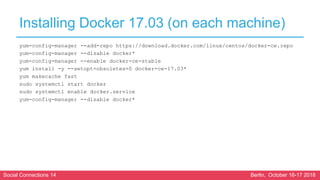
Installing Docker 17.03 (on each machine)
yum-config-manager --add-repo https://download.docker.com/linux/centos/docker-ce.repo
yum-config-manager --disable docker*
yum-config-manager --enable docker-ce-stable
yum install -y --setopt=obsoletes=0 docker-ce-17.03*
yum makecache fast
sudo systemctl start docker
sudo systemctl enable docker.service
yum-config-manager --disable docker*
Social Connections 14 Berlin, October 16-17 2018
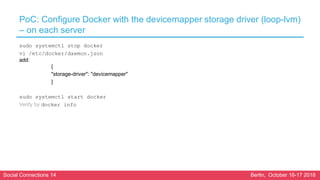
PoC: Configure Docker with the devicemapper storage driver (loop-lvm)
– on each server
sudo systemctl stop docker
vi /etc/docker/daemon.json
add:
{
"storage-driver": "devicemapper"
}
sudo systemctl start docker
Verify by docker info
Social Connections 14 Berlin, October 16-17 2018
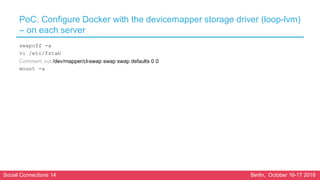
PoC: Configure Docker with the devicemapper storage driver (loop-lvm)
– on each server
swapoff -a
vi /etc/fstab
Comment out /dev/mapper/cl-swap swap swap defaults 0 0
mount -a
Social Connections 14 Berlin, October 16-17 2018
Install kubeadm, kubelet, and kubectl (on each server)
cat <<EOF > /etc/yum.repos.d/kubernetes.repo
[kubernetes]
name=Kubernetes
baseurl=https://packages.cloud.google.com/yum/repos/kubernetes-el7-x86_64
enabled=1
gpgcheck=1
repo_gpgcheck=1
gpgkey=https://packages.cloud.google.com/yum/doc/yum-key.gpg https://packages.cloud.google.com/yum/doc/rpm-package-key.gpg
EOF
Social Connections 14 Berlin, October 16-17 2018
Install kubeadm, kubelet, and kubectl (on each server)
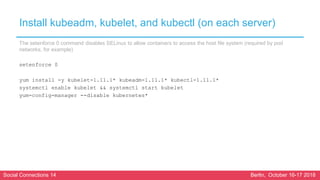
The setenforce 0 command disables SELinux to allow containers to access the host file system (required by pod
networks, for example)
setenforce 0
yum install -y kubelet-1.11.1* kubeadm-1.11.1* kubectl-1.11.1*
systemctl enable kubelet && systemctl start kubelet
yum-config-manager --disable kubernetes*
Social Connections 14 Berlin, October 16-17 2018
Install kubeadm, kubelet, and kubectl (on each server)
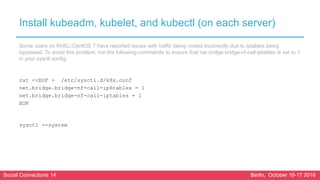
Some users on RHEL/CentOS 7 have reported issues with traffic being routed incorrectly due to iptables being
bypassed. To avoid this problem, run the following commands to ensure that net.bridge.bridge-nf-call-iptables is set to 1
in your sysctl config:
cat <<EOF > /etc/sysctl.d/k8s.conf
net.bridge.bridge-nf-call-ip6tables = 1
net.bridge.bridge-nf-call-iptables = 1
EOF
sysctl --system
Social Connections 14 Berlin, October 16-17 2018
Initializing Master (on Master)
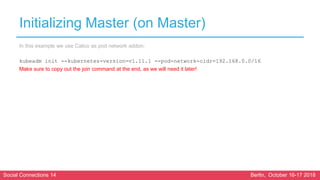
In this example we use Calico as pod network addon:
kubeadm init --kubernetes-version=v1.11.1 --pod-network-cidr=192.168.0.0/16
Make sure to copy out the join command at the end, as we will need it later!
Social Connections 14 Berlin, October 16-17 2018
Initializing Master (on Master)
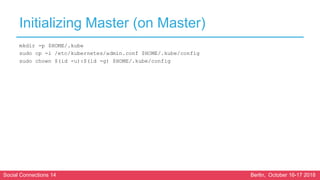
mkdir -p $HOME/.kube
sudo cp -i /etc/kubernetes/admin.conf $HOME/.kube/config
sudo chown $(id -u):$(id -g) $HOME/.kube/config
Social Connections 14 Berlin, October 16-17 2018
Initializing Master (on Master)
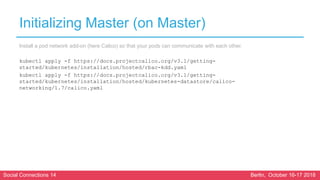
Install a pod network add-on (here Calico) so that your pods can communicate with each other.
kubectl apply -f https://docs.projectcalico.org/v3.1/getting-
started/kubernetes/installation/hosted/rbac-kdd.yaml
kubectl apply -f https://docs.projectcalico.org/v3.1/getting-
started/kubernetes/installation/hosted/kubernetes-datastore/calico-
networking/1.7/calico.yaml
Social Connections 14 Berlin, October 16-17 2018
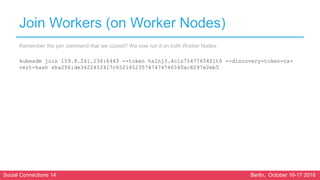
Join Workers (on Worker Nodes)
Remember the join command that we copied? We now run it on both Worker Nodes.
kubeadm join 159.8.241.236:6443 --token hslnj3.4c1s75477654flt0 --discovery-token-ca-
cert-hash sha256:de3422452417c652145235747474746540ac8297e2eb5
Social Connections 14 Berlin, October 16-17 2018
Join Workers (on Worker Nodes)
On the master you can now test if the nodes have been joined successfully:
kubectl get nodes
Social Connections 14 Berlin, October 16-17 2018
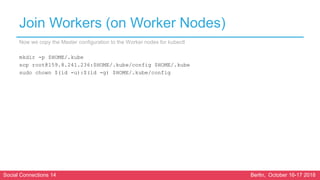
Join Workers (on Worker Nodes)
Now we copy the Master configuration to the Worker nodes for kubectl
mkdir -p $HOME/.kube
scp root@159.8.241.236:$HOME/.kube/config $HOME/.kube
sudo chown $(id -u):$(id -g) $HOME/.kube/config
Social Connections 14 Berlin, October 16-17 2018
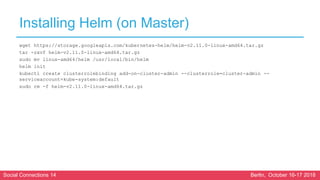
Installing Helm (on Master)
wget https://storage.googleapis.com/kubernetes-helm/helm-v2.11.0-linux-amd64.tar.gz
tar -zxvf helm-v2.11.0-linux-amd64.tar.gz
sudo mv linux-amd64/helm /usr/local/bin/helm
helm init
kubectl create clusterrolebinding add-on-cluster-admin --clusterrole=cluster-admin --
serviceaccount=kube-system:default
sudo rm -f helm-v2.11.0-linux-amd64.tar.gz
Social Connections 14 Berlin, October 16-17 2018
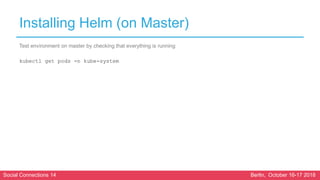
Installing Helm (on Master)
Test environment on master by checking that everything is running
kubectl get pods -n kube-system
Social Connections 14 Berlin, October 16-17 2018
Create Connections Namespace (on Master)
kubectl create namespace connections
Social Connections 14 Berlin, October 16-17 2018
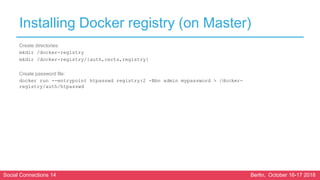
Installing Docker registry (on Master)
Create directories:
mkdir /docker-registry
mkdir /docker-registry/{auth,certs,registry}
Create password file:
docker run --entrypoint htpasswd registry:2 -Bbn admin mypassword > /docker-
registry/auth/htpasswd
Social Connections 14 Berlin, October 16-17 2018
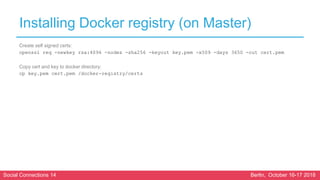
Installing Docker registry (on Master)
Create self signed certs:
openssl req -newkey rsa:4096 -nodes -sha256 -keyout key.pem -x509 -days 3650 -out cert.pem
Copy cert and key to docker directory:
cp key.pem cert.pem /docker-registry/certs
Social Connections 14 Berlin, October 16-17 2018
Installing Docker registry (on Master)
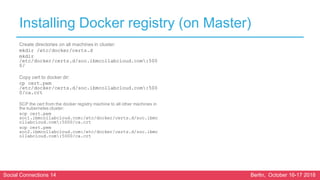
Create directories on all machines in cluster:
mkdir /etc/docker/certs.d
mkdir
/etc/docker/certs.d/soc.ibmcollabcloud.com:500
0/
Copy cert to docker dir:
cp cert.pem
/etc/docker/certs.d/soc.ibmcollabcloud.com:500
0/ca.crt
SCP the cert from the docker registry machine to all other machines in
the kubernetes cluster:
scp cert.pem
soc1.ibmcollabcloud.com:/etc/docker/certs.d/soc.ibmc
ollabcloud.com:5000/ca.crt
scp cert.pem
soc2.ibmcollabcloud.com:/etc/docker/certs.d/soc.ibmc
ollabcloud.com:5000/ca.crt
Social Connections 14 Berlin, October 16-17 2018
Installing Docker registry (on Master)
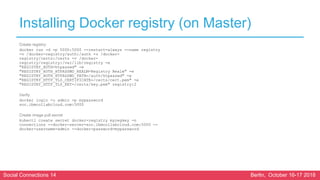
Create registry:
docker run -d -p 5000:5000 --restart=always --name registry
-v /docker-registry/auth:/auth -v /docker-
registry/certs:/certs -v /docker-
registry/registry:/var/lib/registry -e
"REGISTRY_AUTH=htpasswd" -e
"REGISTRY_AUTH_HTPASSWD_REALM=Registry Realm" -e
"REGISTRY_AUTH_HTPASSWD_PATH=/auth/htpasswd" -e
"REGISTRY_HTTP_TLS_CERTIFICATE=/certs/cert.pem" -e
"REGISTRY_HTTP_TLS_KEY=/certs/key.pem" registry:2
Verify:
docker login -u admin -p mypassword
soc.ibmcollabcloud.com:5000
Create image pull secret
kubectl create secret docker-registry myregkey -n
connections --docker-server=soc.ibmcollabcloud.com:5000 --
docker-username=admin --docker-password=mypassword
Social Connections 14 Berlin, October 16-17 2018
Create persistent volumes (on Master / NFS Server)
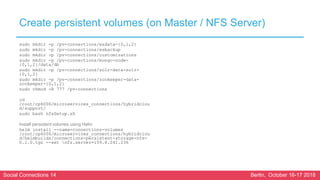
sudo mkdir -p /pv-connections/esdata-{0,1,2}
sudo mkdir -p /pv-connections/esbackup
sudo mkdir -p /pv-connections/customizations
sudo mkdir -p /pv-connections/mongo-node-
{0,1,2}/data/db
sudo mkdir -p /pv-connections/solr-data-solr-
{0,1,2}
sudo mkdir -p /pv-connections/zookeeper-data-
zookeeper-{0,1,2}
sudo chmod -R 777 /pv-connections
cd
/root/cp6006/microservices_connections/hybridclou
d/support/
sudo bash nfsSetup.sh
Install persistent volumes using Helm
helm install --name=connections-volumes
/root/cp6006/microservices_connections/hybridclou
d/helmbuilds/connections-persistent-storage-nfs-
0.1.0.tgz --set nfs.server=159.8.241.236
Social Connections 14 Berlin, October 16-17 2018
Labeling and tainting worker nodes for Elasticsearch (on Master)
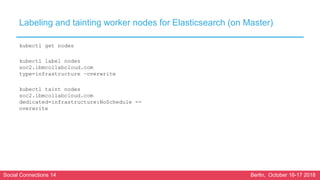
kubectl get nodes
kubectl label nodes
soc2.ibmcollabcloud.com
type=infrastructure –overwrite
kubectl taint nodes
soc2.ibmcollabcloud.com
dedicated=infrastructure:NoSchedule --
overwrite
Social Connections 14 Berlin, October 16-17 2018
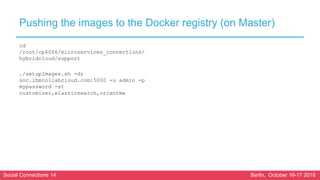
Pushing the images to the Docker registry (on Master)
cd
/root/cp6006/microservices_connections/
hybridcloud/support
./setupImages.sh -dr
soc.ibmcollabcloud.com:5000 -u admin -p
mypassword -st
customizer,elasticsearch,orientme
Social Connections 14 Berlin, October 16-17 2018
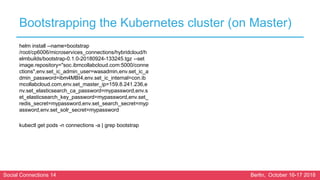
Bootstrapping the Kubernetes cluster (on Master)
helm install --name=bootstrap
/root/cp6006/microservices_connections/hybridcloud/h
elmbuilds/bootstrap-0.1.0-20180924-133245.tgz --set
image.repository="soc.ibmcollabcloud.com:5000/conne
ctions",env.set_ic_admin_user=wasadmin,env.set_ic_a
dmin_password=ibm4MBI4,env.set_ic_internal=con.ib
mcollabcloud.com,env.set_master_ip=159.8.241.236,e
nv.set_elasticsearch_ca_password=mypassword,env.s
et_elasticsearch_key_password=mypassword,env.set_
redis_secret=mypassword,env.set_search_secret=myp
assword,env.set_solr_secret=mypassword
kubectl get pods -n connections -a | grep bootstrap
Social Connections 14 Berlin, October 16-17 2018
Installing the Component Pack
Social Connections 14 Berlin, October 16-17 2018
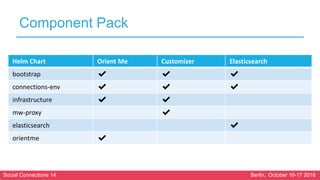
Component Pack
Helm Chart Orient Me Customizer Elasticsearch
bootstrap ✔ ✔ ✔
connections-env ✔ ✔ ✔
infrastructure ✔ ✔
mw-proxy ✔
elasticsearch ✔
orientme ✔
Social Connections 14 Berlin, October 16-17 2018
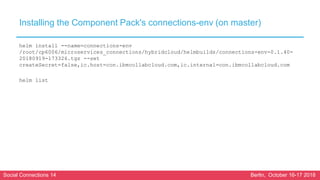
Installing the Component Pack's connections-env (on master)
helm install --name=connections-env
/root/cp6006/microservices_connections/hybridcloud/helmbuilds/connections-env-0.1.40-
20180919-173326.tgz --set
createSecret=false,ic.host=con.ibmcollabcloud.com,ic.internal=con.ibmcollabcloud.com
helm list
Social Connections 14 Berlin, October 16-17 2018
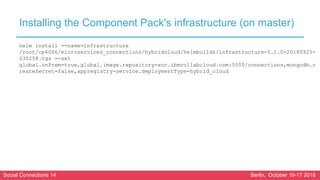
Installing the Component Pack's infrastructure (on master)
helm install --name=infrastructure
/root/cp6006/microservices_connections/hybridcloud/helmbuilds/infrastructure-0.1.0-20180925-
030258.tgz --set
global.onPrem=true,global.image.repository=soc.ibmcollabcloud.com:5000/connections,mongodb.c
reateSecret=false,appregistry-service.deploymentType=hybrid_cloud
Social Connections 14 Berlin, October 16-17 2018
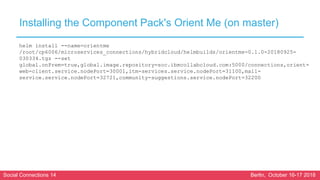
Installing the Component Pack's Orient Me (on master)
helm install --name=orientme
/root/cp6006/microservices_connections/hybridcloud/helmbuilds/orientme-0.1.0-20180925-
030334.tgz --set
global.onPrem=true,global.image.repository=soc.ibmcollabcloud.com:5000/connections,orient-
web-client.service.nodePort=30001,itm-services.service.nodePort=31100,mail-
service.service.nodePort=32721,community-suggestions.service.nodePort=32200
Social Connections 14 Berlin, October 16-17 2018
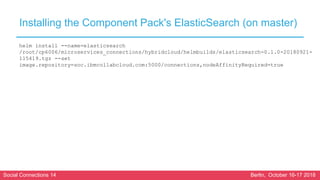
Installing the Component Pack's ElasticSearch (on master)
helm install --name=elasticsearch
/root/cp6006/microservices_connections/hybridcloud/helmbuilds/elasticsearch-0.1.0-20180921-
115419.tgz --set
image.repository=soc.ibmcollabcloud.com:5000/connections,nodeAffinityRequired=true
Social Connections 14 Berlin, October 16-17 2018
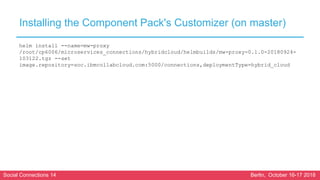
Installing the Component Pack's Customizer (on master)
helm install --name=mw-proxy
/root/cp6006/microservices_connections/hybridcloud/helmbuilds/mw-proxy-0.1.0-20180924-
103122.tgz --set
image.repository=soc.ibmcollabcloud.com:5000/connections,deploymentType=hybrid_cloud
Social Connections 14 Berlin, October 16-17 2018
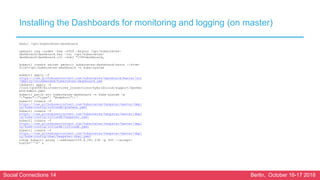
Installing the Dashboards for monitoring and logging (on master)
mkdir /opt/kubernetes-dashboard
openssl req -nodes -new -x509 -keyout /opt/kubernetes-
dashboard/dashboard.key -out /opt/kubernetes-
dashboard/dashboard.crt -subj "/CN=dashboard„
kubectl create secret generic kubernetes-dashboard-certs --from-
file=/opt/kubernetes-dashboard -n kube-system
kubectl apply -f
https://raw.githubusercontent.com/kubernetes/dashboard/master/src
/deploy/recommended/kubernetes-dashboard.yam
lkubectl apply -f
/root/cp6006/microservices_connections/hybridcloud/support/dashbo
ard-admin.yaml
kubectl patch svc kubernetes-dashboard -n kube-system -p
'{"spec":{"type": "NodePort"}}‘
kubectl create -f
https://raw.githubusercontent.com/kubernetes/heapster/master/depl
oy/kube-config/influxdb/grafana.yaml
kubectl create -f
https://raw.githubusercontent.com/kubernetes/heapster/master/depl
oy/kube-config/influxdb/heapster.yaml
kubectl create -f
https://raw.githubusercontent.com/kubernetes/heapster/master/depl
oy/kube-config/influxdb/influxdb.yaml
kubectl create -f
https://raw.githubusercontent.com/kubernetes/heapster/master/depl
oy/kube-config/rbac/heapster-rbac.yaml
nohup kubectl proxy --address=159.8.241.236 -p 443 --accept-
hosts='^*$' &
Social Connections 14 Berlin, October 16-17 2018
Installing the Component Pack's Sanity Dashboard (on master)
helm install --name=sanity
/root/cp6006/microservices_connections/hybridcl
oud/helmbuilds/sanity-0.1.8-20180924-121014.tgz
--set
image.repository=soc.ibmcollabcloud.com:5000/co
nnections
helm install --name=sanity-watcher
/root/cp6006/microservices_connections/hybridcl
oud/helmbuilds/sanity-watcher-0.1.0-20180830-
052154.tgz --set
image.repository=soc.ibmcollabcloud.com:5000/co
nnections
export NODE_PORT=$(kubectl get --namespace
connections -o
jsonpath="{.spec.ports[0].nodePort}" services
sanity)
export NODE_IP=$(kubectl get nodes --namespace
connections -o
jsonpath="{.items[0].status.addresses[0].addres
s}")
echo http://$NODE_IP:$NODE_PORT
Social Connections 14 Berlin, October 16-17 2018
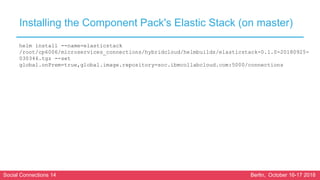
Installing the Component Pack's Elastic Stack (on master)
helm install --name=elasticstack
/root/cp6006/microservices_connections/hybridcloud/helmbuilds/elasticstack-0.1.0-20180925-
030346.tgz --set
global.onPrem=true,global.image.repository=soc.ibmcollabcloud.com:5000/connections
Social Connections 14 Berlin, October 16-17 2018
Configuring the components
Social Connections 14 Berlin, October 16-17 2018
Orient Me
Social Connections 14 Berlin, October 16-17 2018
Orient Me
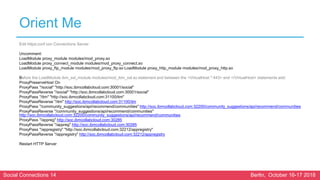
Edit httpd.conf con Connections Server
Uncomment:
LoadModule proxy_module modules/mod_proxy.so
LoadModule proxy_connect_module modules/mod_proxy_connect.so
LoadModule proxy_ftp_module modules/mod_proxy_ftp.so LoadModule proxy_http_module modules/mod_proxy_http.so
Before the LoadModule ibm_ssl_module modules/mod_ibm_ssl.so statement and between the <VirtualHost *:443> and </VirtualHost> statements add:
ProxyPreserveHost On
ProxyPass "/social" "http://soc.ibmcollabcloud.com:30001/social"
ProxyPassReverse "/social" "http://soc.ibmcollabcloud.com:30001/social"
ProxyPass "/itm" "http://soc.ibmcollabcloud.com:31100/itm"
ProxyPassReverse "/itm" http://soc.ibmcollabcloud.com:31100/itm
ProxyPass "/community_suggestions/api/recommend/communities" http://soc.ibmcollabcloud.com:32200/community_suggestions/api/recommend/communities
ProxyPassReverse "/community_suggestions/api/recommend/communities"
http://soc.ibmcollabcloud.com:32200/community_suggestions/api/recommend/communities
ProxyPass "/appreg" http://soc.ibmcollabcloud.com:30285
ProxyPassReverse "/appreg" http://soc.ibmcollabcloud.com:30285
ProxyPass "/appregistry" "http://soc.ibmcollabcloud.com:32212/appregistry"
ProxyPassReverse "/appregistry" http://soc.ibmcollabcloud.com:32212/appregistry
Restart HTTP Server
Social Connections 14 Berlin, October 16-17 2018
Orient Me
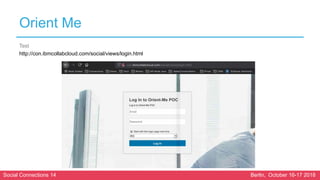
Test
http://con.ibmcollabcloud.com/social/views/login.html
Social Connections 14 Berlin, October 16-17 2018
Enabling profiles events for Orient Me
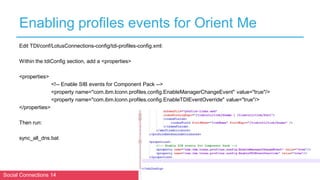
Edit TDI/conf/LotusConnections-config/tdi-profiles-config.xml:
Within the tdiConfig section, add a <properties>
<properties>
<!-- Enable SIB events for Component Pack -->
<property name="com.ibm.lconn.profiles.config.EnableManagerChangeEvent" value="true"/>
<property name="com.ibm.lconn.profiles.config.EnableTDIEventOverride" value="true"/>
</properties>
Then run:
sync_all_dns.bat
Social Connections 14 Berlin, October 16-17 2018
Enabling profiles events for Orient Me
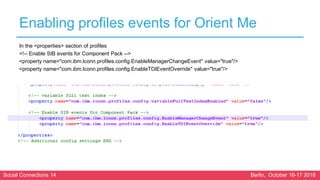
In the <properties> section of profiles
<!-- Enable SIB events for Component Pack -->
<property name="com.ibm.lconn.profiles.config.EnableManagerChangeEvent" value="true"/>
<property name="com.ibm.lconn.profiles.config.EnableTDIEventOverride" value="true"/>
Social Connections 14 Berlin, October 16-17 2018
Configuring notifications for the Orient Me homepage
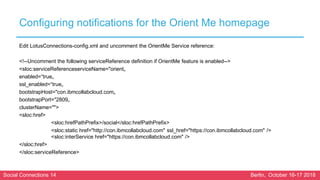
Edit LotusConnections-config.xml and uncomment the OrientMe Service reference:
<!--Uncomment the following serviceReference definition if OrientMe feature is enabled-->
<sloc:serviceReferenceserviceName="orient„
enabled=“true„
ssl_enabled=“true„
bootstrapHost="con.ibmcollabcloud.com„
bootstrapPort="2809„
clusterName="">
<sloc:href>
<sloc:hrefPathPrefix>/social</sloc:hrefPathPrefix>
<sloc:static href="http://con.ibmcollabcloud.com" ssl_href="https://con.ibmcollabcloud.com" />
<sloc:interService href="https://con.ibmcollabcloud.com" />
</sloc:href>
</sloc:serviceReference>
Social Connections 14 Berlin, October 16-17 2018
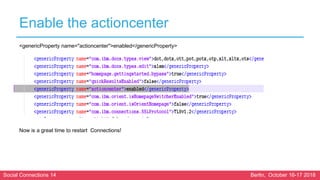
Enable the actioncenter
<genericProperty name="actioncenter">enabled</genericProperty>
Now is a great time to restart Connections!
Social Connections 14 Berlin, October 16-17 2018
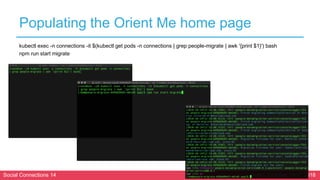
Populating the Orient Me home page
kubectl exec -n connections -it $(kubectl get pods -n connections | grep people-migrate | awk '{print $1}') bash
npm run start migrate
Social Connections 14 Berlin, October 16-17 2018
Customizer
Social Connections 14 Berlin, October 16-17 2018
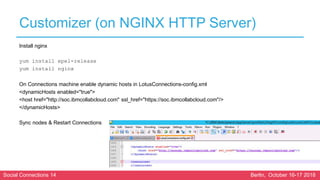
Customizer (on NGINX HTTP Server)
Install nginx
yum install epel-release
yum install nginx
On Connections machine enable dynamic hosts in LotusConnections-config.xml
<dynamicHosts enabled="true">
<host href="http://soc.ibmcollabcloud.com" ssl_href="https://soc.ibmcollabcloud.com"/>
</dynamicHosts>
Sync nodes & Restart Connections
Social Connections 14 Berlin, October 16-17 2018
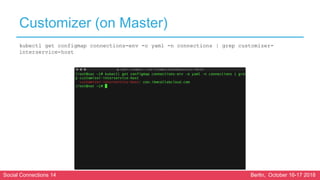
Customizer (on Master)
kubectl get configmap connections-env -o yaml -n connections | grep customizer-
interservice-host
Social Connections 14 Berlin, October 16-17 2018
Customizer (on NGINX HTTP Server)
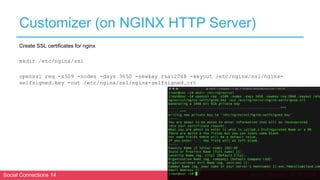
Create SSL certificates for nginx
mkdir /etc/nginx/ssl
openssl req -x509 -nodes -days 3650 -newkey rsa:2048 -keyout /etc/nginx/ssl/nginx-
selfsigned.key -out /etc/nginx/ssl/nginx-selfsigned.crt
Social Connections 14 Berlin, October 16-17 2018
Customizer (on NGINX HTTP Server)
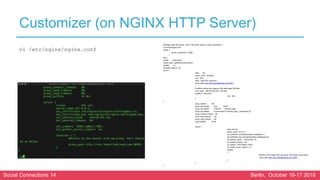
#Change paths and server / port in the server section: worker_processes 1;
vi /etc/nginx/nginx.conf
events {
worker_connections 16384;
}
http {
include mime.types;
default_type application/octet-stream;
sendfile on;
keepalive_timeout 65;
server {
listen 80;
server_name localhost;
root html;
index index.html index.htm;
proxy_pass http://soc.ibmcollabcloud.com:30301;
}
# redirect server error pages to the static page /50x.html
error_page 500 502 503 504 /50x.html;
location = /50x.html {
root html;
}
}
proxy_redirect off;
proxy_set_header Host $host;
proxy_set_header X-Real-IP $remote_addr;
proxy_set_header X-Forwarded-For $proxy_add_x_forwarded_for;
proxy_connect_timeout 90;
proxy_send_timeout 90;
proxy_read_timeout 90;
proxy_buffers 32 4k;
server {
listen 443 ssl;
server_name 127.0.0.1;
ssl_certificate /etc/nginx/ssl/nginx-selfsigned.crt;
ssl_certificate_key /etc/nginx/ssl/nginx-selfsigned.key;
ssl_session_cache shared:SSL:1m;
ssl_session_timeout 5m;
ssl_ciphers HIGH:!aNULL:!MD5;
ssl_prefer_server_ciphers on;
location
{
#Points to the master with mw-proxy. Port should be as below
proxy_pass http://soc.ibmcollabcloud.com:30301;
}
}
}
vi /etc/nginx/nginx.conf
Social Connections 14 Berlin, October 16-17 2018
Customizer (on NGINX HTTP Server)
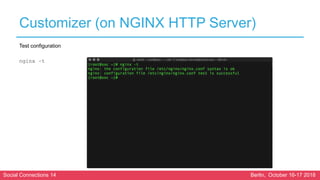
Test configuration
nginx –t
Social Connections 14 Berlin, October 16-17 2018
Customizer (on NGINX HTTP Server)
Now we need to disable the firewall between nginx and the
kubernetes masters
sudo setsebool -P httpd_can_network_connect
true
Next we set nginx to start automatically
mkdir /etc/systemd/system/nginx.service.d
cat <<EOF >
/etc/systemd/system/nginx.service.d/nofile_l
imit.conf
[Service]
LimitNOFILE=16384
EOF
systemctl daemon-reload
Social Connections 14 Berlin, October 16-17 2018
Customizer (on NGINX HTTP Server)
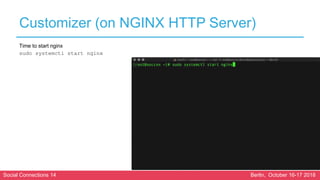
Time to start nginx
sudo systemctl start nginx
Social Connections 14 Berlin, October 16-17 2018
Configuring Orient Me to support a reverse-proxy server
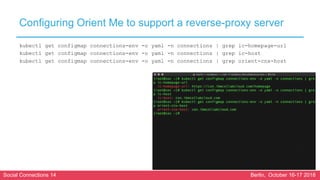
kubectl get configmap connections-env -o yaml -n connections | grep ic-homepage-url
kubectl get configmap connections-env -o yaml -n connections | grep ic-host
kubectl get configmap connections-env -o yaml -n connections | grep orient-cnx-host
Social Connections 14 Berlin, October 16-17 2018
Configuring Orient Me to support a reverse-proxy server
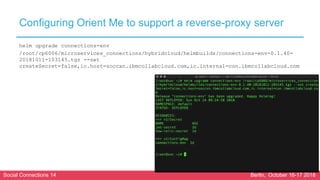
helm upgrade connections-env
/root/cp6006/microservices_connections/hybridcloud/helmbuilds/connections-env-0.1.40-
20181011-103145.tgz --set
createSecret=false,ic.host=soccxn.ibmcollabcloud.com,ic.internal=con.ibmcollabcloud.com
Social Connections 14 Berlin, October 16-17 2018
Configuring Orient Me to support a reverse-proxy server
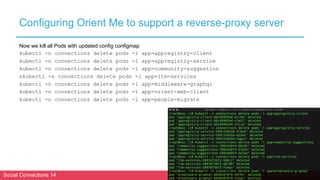
Now we kill all Pods with updated config configmap
kubectl -n connections delete pods -l app=appregistry-client
kubectl -n connections delete pods -l app=appregistry-service
kubectl -n connections delete pods -l app=community-suggestion
skubectl -n connections delete pods -l app=itm-services
kubectl -n connections delete pods -l app=middleware-graphql
kubectl -n connections delete pods -l app=orient-web-client
kubectl -n connections delete pods -l app=people-migrate
Social Connections 14 Berlin, October 16-17 2018
Configuring Orient Me to support a reverse-proxy server
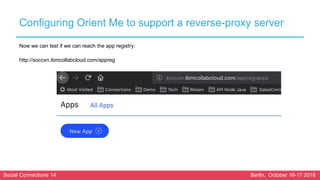
Now we can test if we can reach the app registry:
http://soccxn.ibmcollabcloud.com/appreg
Social Connections 14 Berlin, October 16-17 2018
Elasticsearch
Social Connections 14 Berlin, October 16-17 2018
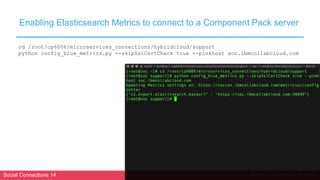
Enabling Elasticsearch Metrics to connect to a Component Pack server
cd /root/cp6006/microservices_connections/hybridcloud/support
python config_blue_metrics.py --skipSslCertCheck true --pinkhost soc.ibmcollabcloud.com
Social Connections 14 Berlin, October 16-17 2018
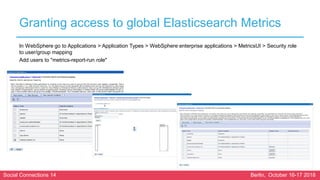
Granting access to global Elasticsearch Metrics
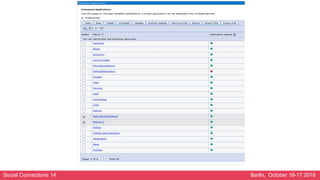
In WebSphere go to Applications > Application Types > WebSphere enterprise applications > MetricsUI > Security role
to user/group mapping
Add users to "metrics-report-run role"
Social Connections 14 Berlin, October 16-17 2018
Optional: Removing SSL settings that were configured for type-ahead search
Only needed if you had configured QuickResults before.
In the WebSphere Integrated Solutions Console:
Click Security > SSL certificate and key management > Dynamic outbound endpoint SSL
configurations and, for each cluster member, delete the endpoint that begins with "SearchToES".
Click Security > SSL certificate and key management > SSL configurations and delete the setting with
name "ESSearchSSLSettings".
Click Security > SSL certificate and key management > Key stores and certificates and delete the key
store with name "ESCloudKeyStore".
Social Connections 14 Berlin, October 16-17 2018
Enabling Elasticsearch Metrics to connect to a Component Pack server
kubectl get secret elasticsearch-secret -n connections -o=jsonpath="{.data['chain-
ca.pem']}" | base64 -d > chain-ca.pem
kubectl get secret elasticsearch-secret -n connections -
o=jsonpath="{.data['elasticsearch-metrics.p12']}" | base64 -d > elasticsearch-
metrics.p12
Copy the certificates to where they
are accessible to DMGR as well as
all Nodes.
Social Connections 14 Berlin, October 16-17 2018
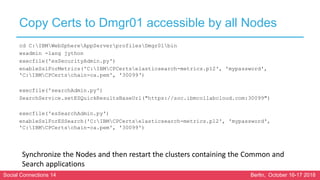
Copy Certs to Dmgr01 accessible by all Nodes
cd C:IBMWebSphereAppServerprofilesDmgr01bin
wsadmin -lang jython
execfile('esSecurityAdmin.py')
enableSslForMetrics('C:IBMCPCertselasticsearch-metrics.p12', 'mypassword',
'C:IBMCPCertschain-ca.pem', '30099‘)
execfile('searchAdmin.py')
SearchService.setESQuickResultsBaseUrl("https://soc.ibmcollabcloud.com:30099")
execfile('esSearchAdmin.py')
enableSslForESSearch('C:IBMCPCertselasticsearch-metrics.p12', 'mypassword',
'C:IBMCPCertschain-ca.pem', '30099')
Synchronize the Nodes and then restart the clusters containing the Common and
Search applications
Social Connections 14 Berlin, October 16-17 2018
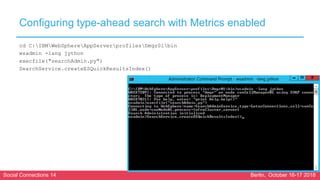
Configuring type-ahead search with Metrics enabled
cd C:IBMWebSphereAppServerprofilesDmgr01bin
wsadmin -lang jython
execfile("searchAdmin.py")
SearchService.createESQuickResultsIndex()
Social Connections 14 Berlin, October 16-17 2018
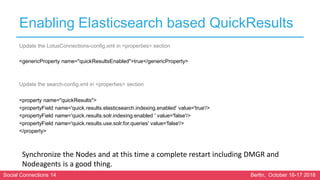
Enabling Elasticsearch based QuickResults
Update the LotusConnections-config.xml in <properties> section
<genericProperty name="quickResultsEnabled">true</genericProperty>
Update the search-config.xml in <properties> section
<property name="quickResults">
<propertyField name='quick.results.elasticsearch.indexing.enabled' value='true'/>
<propertyField name='quick.results.solr.indexing.enabled ' value='false'/>
<propertyField name='quick.results.use.solr.for.queries' value='false'/>
</property>
Synchronize the Nodes and at this time a complete restart including DMGR and
Nodeagents is a good thing.
Social Connections 14 Berlin, October 16-17 2018
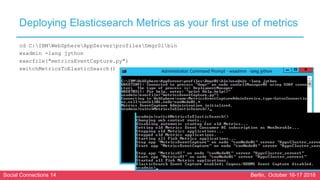
Deploying Elasticsearch Metrics as your first use of metrics
cd C:IBMWebSphereAppServerprofilesDmgr01bin
wsadmin -lang jython
execfile("metricsEventCapture.py")
switchMetricsToElasticSearch()
Social Connections 14 Berlin, October 16-17 2018
ALREADY DONE! 
PLATINUM SPONSORS
GOLD SPONSORS
BRONZE SPONSORS
SILVER SPONSORS
SPEEDSPONSORING BEER SPONSOR

Installing Component Pack 6.0.0.6

  • 1.
    Berlin, October 16-172018 Installing Component Pack 6.0.0.6 Martti Garden Roberto Boccadoro
  • 2.
    PLATINUM SPONSORS GOLD SPONSORS BRONZESPONSORS SILVER SPONSORS SPEEDSPONSORING BEER SPONSOR
  • 3.
    Social Connections 14Berlin, October 16-17 2018 Who are we Martti Garden IBM Technical Leader Social Europe @mgarden http://socialibmer.com/ Roberto Boccadoro Sr. Consultant at ELD Engineering IBM Champion @robboc59 http://robertoboccadoro.com
  • 4.
    Social Connections 14Berlin, October 16-17 2018 Who are we Brendan Furey Advisory Software Engineer – IBM Connections Component Pack Conall O’Cofaigh Advisory Software Engineer – IBM Connections Component Pack
  • 5.
    Social Connections 14Berlin, October 16-17 2018 Getting the prerequisites ready • Docker • Kubernetes • Helm • Docker Registry • Persistent Volumes
  • 6.
    Social Connections 14Berlin, October 16-17 2018 Installing Docker 17.03 (on each machine) yum-config-manager --add-repo https://download.docker.com/linux/centos/docker-ce.repo yum-config-manager --disable docker* yum-config-manager --enable docker-ce-stable yum install -y --setopt=obsoletes=0 docker-ce-17.03* yum makecache fast sudo systemctl start docker sudo systemctl enable docker.service yum-config-manager --disable docker*
  • 7.
    Social Connections 14Berlin, October 16-17 2018 PoC: Configure Docker with the devicemapper storage driver (loop-lvm) – on each server sudo systemctl stop docker vi /etc/docker/daemon.json add: { "storage-driver": "devicemapper" } sudo systemctl start docker Verify by docker info
  • 8.
    Social Connections 14Berlin, October 16-17 2018 PoC: Configure Docker with the devicemapper storage driver (loop-lvm) – on each server swapoff -a vi /etc/fstab Comment out /dev/mapper/cl-swap swap swap defaults 0 0 mount -a
  • 9.
    Social Connections 14Berlin, October 16-17 2018 Install kubeadm, kubelet, and kubectl (on each server) cat <<EOF > /etc/yum.repos.d/kubernetes.repo [kubernetes] name=Kubernetes baseurl=https://packages.cloud.google.com/yum/repos/kubernetes-el7-x86_64 enabled=1 gpgcheck=1 repo_gpgcheck=1 gpgkey=https://packages.cloud.google.com/yum/doc/yum-key.gpg https://packages.cloud.google.com/yum/doc/rpm-package-key.gpg EOF
  • 10.
    Social Connections 14Berlin, October 16-17 2018 Install kubeadm, kubelet, and kubectl (on each server) The setenforce 0 command disables SELinux to allow containers to access the host file system (required by pod networks, for example) setenforce 0 yum install -y kubelet-1.11.1* kubeadm-1.11.1* kubectl-1.11.1* systemctl enable kubelet && systemctl start kubelet yum-config-manager --disable kubernetes*
  • 11.
    Social Connections 14Berlin, October 16-17 2018 Install kubeadm, kubelet, and kubectl (on each server) Some users on RHEL/CentOS 7 have reported issues with traffic being routed incorrectly due to iptables being bypassed. To avoid this problem, run the following commands to ensure that net.bridge.bridge-nf-call-iptables is set to 1 in your sysctl config: cat <<EOF > /etc/sysctl.d/k8s.conf net.bridge.bridge-nf-call-ip6tables = 1 net.bridge.bridge-nf-call-iptables = 1 EOF sysctl --system
  • 12.
    Social Connections 14Berlin, October 16-17 2018 Initializing Master (on Master) In this example we use Calico as pod network addon: kubeadm init --kubernetes-version=v1.11.1 --pod-network-cidr=192.168.0.0/16 Make sure to copy out the join command at the end, as we will need it later!
  • 13.
    Social Connections 14Berlin, October 16-17 2018 Initializing Master (on Master) mkdir -p $HOME/.kube sudo cp -i /etc/kubernetes/admin.conf $HOME/.kube/config sudo chown $(id -u):$(id -g) $HOME/.kube/config
  • 14.
    Social Connections 14Berlin, October 16-17 2018 Initializing Master (on Master) Install a pod network add-on (here Calico) so that your pods can communicate with each other. kubectl apply -f https://docs.projectcalico.org/v3.1/getting- started/kubernetes/installation/hosted/rbac-kdd.yaml kubectl apply -f https://docs.projectcalico.org/v3.1/getting- started/kubernetes/installation/hosted/kubernetes-datastore/calico- networking/1.7/calico.yaml
  • 15.
    Social Connections 14Berlin, October 16-17 2018 Join Workers (on Worker Nodes) Remember the join command that we copied? We now run it on both Worker Nodes. kubeadm join 159.8.241.236:6443 --token hslnj3.4c1s75477654flt0 --discovery-token-ca- cert-hash sha256:de3422452417c652145235747474746540ac8297e2eb5
  • 16.
    Social Connections 14Berlin, October 16-17 2018 Join Workers (on Worker Nodes) On the master you can now test if the nodes have been joined successfully: kubectl get nodes
  • 17.
    Social Connections 14Berlin, October 16-17 2018 Join Workers (on Worker Nodes) Now we copy the Master configuration to the Worker nodes for kubectl mkdir -p $HOME/.kube scp root@159.8.241.236:$HOME/.kube/config $HOME/.kube sudo chown $(id -u):$(id -g) $HOME/.kube/config
  • 18.
    Social Connections 14Berlin, October 16-17 2018 Installing Helm (on Master) wget https://storage.googleapis.com/kubernetes-helm/helm-v2.11.0-linux-amd64.tar.gz tar -zxvf helm-v2.11.0-linux-amd64.tar.gz sudo mv linux-amd64/helm /usr/local/bin/helm helm init kubectl create clusterrolebinding add-on-cluster-admin --clusterrole=cluster-admin -- serviceaccount=kube-system:default sudo rm -f helm-v2.11.0-linux-amd64.tar.gz
  • 19.
    Social Connections 14Berlin, October 16-17 2018 Installing Helm (on Master) Test environment on master by checking that everything is running kubectl get pods -n kube-system
  • 20.
    Social Connections 14Berlin, October 16-17 2018 Create Connections Namespace (on Master) kubectl create namespace connections
  • 21.
    Social Connections 14Berlin, October 16-17 2018 Installing Docker registry (on Master) Create directories: mkdir /docker-registry mkdir /docker-registry/{auth,certs,registry} Create password file: docker run --entrypoint htpasswd registry:2 -Bbn admin mypassword > /docker- registry/auth/htpasswd
  • 22.
    Social Connections 14Berlin, October 16-17 2018 Installing Docker registry (on Master) Create self signed certs: openssl req -newkey rsa:4096 -nodes -sha256 -keyout key.pem -x509 -days 3650 -out cert.pem Copy cert and key to docker directory: cp key.pem cert.pem /docker-registry/certs
  • 23.
    Social Connections 14Berlin, October 16-17 2018 Installing Docker registry (on Master) Create directories on all machines in cluster: mkdir /etc/docker/certs.d mkdir /etc/docker/certs.d/soc.ibmcollabcloud.com:500 0/ Copy cert to docker dir: cp cert.pem /etc/docker/certs.d/soc.ibmcollabcloud.com:500 0/ca.crt SCP the cert from the docker registry machine to all other machines in the kubernetes cluster: scp cert.pem soc1.ibmcollabcloud.com:/etc/docker/certs.d/soc.ibmc ollabcloud.com:5000/ca.crt scp cert.pem soc2.ibmcollabcloud.com:/etc/docker/certs.d/soc.ibmc ollabcloud.com:5000/ca.crt
  • 24.
    Social Connections 14Berlin, October 16-17 2018 Installing Docker registry (on Master) Create registry: docker run -d -p 5000:5000 --restart=always --name registry -v /docker-registry/auth:/auth -v /docker- registry/certs:/certs -v /docker- registry/registry:/var/lib/registry -e "REGISTRY_AUTH=htpasswd" -e "REGISTRY_AUTH_HTPASSWD_REALM=Registry Realm" -e "REGISTRY_AUTH_HTPASSWD_PATH=/auth/htpasswd" -e "REGISTRY_HTTP_TLS_CERTIFICATE=/certs/cert.pem" -e "REGISTRY_HTTP_TLS_KEY=/certs/key.pem" registry:2 Verify: docker login -u admin -p mypassword soc.ibmcollabcloud.com:5000 Create image pull secret kubectl create secret docker-registry myregkey -n connections --docker-server=soc.ibmcollabcloud.com:5000 -- docker-username=admin --docker-password=mypassword
  • 25.
    Social Connections 14Berlin, October 16-17 2018 Create persistent volumes (on Master / NFS Server) sudo mkdir -p /pv-connections/esdata-{0,1,2} sudo mkdir -p /pv-connections/esbackup sudo mkdir -p /pv-connections/customizations sudo mkdir -p /pv-connections/mongo-node- {0,1,2}/data/db sudo mkdir -p /pv-connections/solr-data-solr- {0,1,2} sudo mkdir -p /pv-connections/zookeeper-data- zookeeper-{0,1,2} sudo chmod -R 777 /pv-connections cd /root/cp6006/microservices_connections/hybridclou d/support/ sudo bash nfsSetup.sh Install persistent volumes using Helm helm install --name=connections-volumes /root/cp6006/microservices_connections/hybridclou d/helmbuilds/connections-persistent-storage-nfs- 0.1.0.tgz --set nfs.server=159.8.241.236
  • 26.
    Social Connections 14Berlin, October 16-17 2018 Labeling and tainting worker nodes for Elasticsearch (on Master) kubectl get nodes kubectl label nodes soc2.ibmcollabcloud.com type=infrastructure –overwrite kubectl taint nodes soc2.ibmcollabcloud.com dedicated=infrastructure:NoSchedule -- overwrite
  • 27.
    Social Connections 14Berlin, October 16-17 2018 Pushing the images to the Docker registry (on Master) cd /root/cp6006/microservices_connections/ hybridcloud/support ./setupImages.sh -dr soc.ibmcollabcloud.com:5000 -u admin -p mypassword -st customizer,elasticsearch,orientme
  • 28.
    Social Connections 14Berlin, October 16-17 2018 Bootstrapping the Kubernetes cluster (on Master) helm install --name=bootstrap /root/cp6006/microservices_connections/hybridcloud/h elmbuilds/bootstrap-0.1.0-20180924-133245.tgz --set image.repository="soc.ibmcollabcloud.com:5000/conne ctions",env.set_ic_admin_user=wasadmin,env.set_ic_a dmin_password=ibm4MBI4,env.set_ic_internal=con.ib mcollabcloud.com,env.set_master_ip=159.8.241.236,e nv.set_elasticsearch_ca_password=mypassword,env.s et_elasticsearch_key_password=mypassword,env.set_ redis_secret=mypassword,env.set_search_secret=myp assword,env.set_solr_secret=mypassword kubectl get pods -n connections -a | grep bootstrap
  • 29.
    Social Connections 14Berlin, October 16-17 2018 Installing the Component Pack
  • 30.
    Social Connections 14Berlin, October 16-17 2018 Component Pack Helm Chart Orient Me Customizer Elasticsearch bootstrap ✔ ✔ ✔ connections-env ✔ ✔ ✔ infrastructure ✔ ✔ mw-proxy ✔ elasticsearch ✔ orientme ✔
  • 31.
    Social Connections 14Berlin, October 16-17 2018 Installing the Component Pack's connections-env (on master) helm install --name=connections-env /root/cp6006/microservices_connections/hybridcloud/helmbuilds/connections-env-0.1.40- 20180919-173326.tgz --set createSecret=false,ic.host=con.ibmcollabcloud.com,ic.internal=con.ibmcollabcloud.com helm list
  • 32.
    Social Connections 14Berlin, October 16-17 2018 Installing the Component Pack's infrastructure (on master) helm install --name=infrastructure /root/cp6006/microservices_connections/hybridcloud/helmbuilds/infrastructure-0.1.0-20180925- 030258.tgz --set global.onPrem=true,global.image.repository=soc.ibmcollabcloud.com:5000/connections,mongodb.c reateSecret=false,appregistry-service.deploymentType=hybrid_cloud
  • 33.
    Social Connections 14Berlin, October 16-17 2018 Installing the Component Pack's Orient Me (on master) helm install --name=orientme /root/cp6006/microservices_connections/hybridcloud/helmbuilds/orientme-0.1.0-20180925- 030334.tgz --set global.onPrem=true,global.image.repository=soc.ibmcollabcloud.com:5000/connections,orient- web-client.service.nodePort=30001,itm-services.service.nodePort=31100,mail- service.service.nodePort=32721,community-suggestions.service.nodePort=32200
  • 34.
    Social Connections 14Berlin, October 16-17 2018 Installing the Component Pack's ElasticSearch (on master) helm install --name=elasticsearch /root/cp6006/microservices_connections/hybridcloud/helmbuilds/elasticsearch-0.1.0-20180921- 115419.tgz --set image.repository=soc.ibmcollabcloud.com:5000/connections,nodeAffinityRequired=true
  • 35.
    Social Connections 14Berlin, October 16-17 2018 Installing the Component Pack's Customizer (on master) helm install --name=mw-proxy /root/cp6006/microservices_connections/hybridcloud/helmbuilds/mw-proxy-0.1.0-20180924- 103122.tgz --set image.repository=soc.ibmcollabcloud.com:5000/connections,deploymentType=hybrid_cloud
  • 36.
    Social Connections 14Berlin, October 16-17 2018 Installing the Dashboards for monitoring and logging (on master) mkdir /opt/kubernetes-dashboard openssl req -nodes -new -x509 -keyout /opt/kubernetes- dashboard/dashboard.key -out /opt/kubernetes- dashboard/dashboard.crt -subj "/CN=dashboard„ kubectl create secret generic kubernetes-dashboard-certs --from- file=/opt/kubernetes-dashboard -n kube-system kubectl apply -f https://raw.githubusercontent.com/kubernetes/dashboard/master/src /deploy/recommended/kubernetes-dashboard.yam lkubectl apply -f /root/cp6006/microservices_connections/hybridcloud/support/dashbo ard-admin.yaml kubectl patch svc kubernetes-dashboard -n kube-system -p '{"spec":{"type": "NodePort"}}‘ kubectl create -f https://raw.githubusercontent.com/kubernetes/heapster/master/depl oy/kube-config/influxdb/grafana.yaml kubectl create -f https://raw.githubusercontent.com/kubernetes/heapster/master/depl oy/kube-config/influxdb/heapster.yaml kubectl create -f https://raw.githubusercontent.com/kubernetes/heapster/master/depl oy/kube-config/influxdb/influxdb.yaml kubectl create -f https://raw.githubusercontent.com/kubernetes/heapster/master/depl oy/kube-config/rbac/heapster-rbac.yaml nohup kubectl proxy --address=159.8.241.236 -p 443 --accept- hosts='^*$' &
  • 37.
    Social Connections 14Berlin, October 16-17 2018 Installing the Component Pack's Sanity Dashboard (on master) helm install --name=sanity /root/cp6006/microservices_connections/hybridcl oud/helmbuilds/sanity-0.1.8-20180924-121014.tgz --set image.repository=soc.ibmcollabcloud.com:5000/co nnections helm install --name=sanity-watcher /root/cp6006/microservices_connections/hybridcl oud/helmbuilds/sanity-watcher-0.1.0-20180830- 052154.tgz --set image.repository=soc.ibmcollabcloud.com:5000/co nnections export NODE_PORT=$(kubectl get --namespace connections -o jsonpath="{.spec.ports[0].nodePort}" services sanity) export NODE_IP=$(kubectl get nodes --namespace connections -o jsonpath="{.items[0].status.addresses[0].addres s}") echo http://$NODE_IP:$NODE_PORT
  • 38.
    Social Connections 14Berlin, October 16-17 2018 Installing the Component Pack's Elastic Stack (on master) helm install --name=elasticstack /root/cp6006/microservices_connections/hybridcloud/helmbuilds/elasticstack-0.1.0-20180925- 030346.tgz --set global.onPrem=true,global.image.repository=soc.ibmcollabcloud.com:5000/connections
  • 39.
    Social Connections 14Berlin, October 16-17 2018 Configuring the components
  • 40.
    Social Connections 14Berlin, October 16-17 2018 Orient Me
  • 41.
    Social Connections 14Berlin, October 16-17 2018 Orient Me Edit httpd.conf con Connections Server Uncomment: LoadModule proxy_module modules/mod_proxy.so LoadModule proxy_connect_module modules/mod_proxy_connect.so LoadModule proxy_ftp_module modules/mod_proxy_ftp.so LoadModule proxy_http_module modules/mod_proxy_http.so Before the LoadModule ibm_ssl_module modules/mod_ibm_ssl.so statement and between the <VirtualHost *:443> and </VirtualHost> statements add: ProxyPreserveHost On ProxyPass "/social" "http://soc.ibmcollabcloud.com:30001/social" ProxyPassReverse "/social" "http://soc.ibmcollabcloud.com:30001/social" ProxyPass "/itm" "http://soc.ibmcollabcloud.com:31100/itm" ProxyPassReverse "/itm" http://soc.ibmcollabcloud.com:31100/itm ProxyPass "/community_suggestions/api/recommend/communities" http://soc.ibmcollabcloud.com:32200/community_suggestions/api/recommend/communities ProxyPassReverse "/community_suggestions/api/recommend/communities" http://soc.ibmcollabcloud.com:32200/community_suggestions/api/recommend/communities ProxyPass "/appreg" http://soc.ibmcollabcloud.com:30285 ProxyPassReverse "/appreg" http://soc.ibmcollabcloud.com:30285 ProxyPass "/appregistry" "http://soc.ibmcollabcloud.com:32212/appregistry" ProxyPassReverse "/appregistry" http://soc.ibmcollabcloud.com:32212/appregistry Restart HTTP Server
  • 42.
    Social Connections 14Berlin, October 16-17 2018 Orient Me Test http://con.ibmcollabcloud.com/social/views/login.html
  • 43.
    Social Connections 14Berlin, October 16-17 2018 Enabling profiles events for Orient Me Edit TDI/conf/LotusConnections-config/tdi-profiles-config.xml: Within the tdiConfig section, add a <properties> <properties> <!-- Enable SIB events for Component Pack --> <property name="com.ibm.lconn.profiles.config.EnableManagerChangeEvent" value="true"/> <property name="com.ibm.lconn.profiles.config.EnableTDIEventOverride" value="true"/> </properties> Then run: sync_all_dns.bat
  • 44.
    Social Connections 14Berlin, October 16-17 2018 Enabling profiles events for Orient Me In the <properties> section of profiles <!-- Enable SIB events for Component Pack --> <property name="com.ibm.lconn.profiles.config.EnableManagerChangeEvent" value="true"/> <property name="com.ibm.lconn.profiles.config.EnableTDIEventOverride" value="true"/>
  • 45.
    Social Connections 14Berlin, October 16-17 2018 Configuring notifications for the Orient Me homepage Edit LotusConnections-config.xml and uncomment the OrientMe Service reference: <!--Uncomment the following serviceReference definition if OrientMe feature is enabled--> <sloc:serviceReferenceserviceName="orient„ enabled=“true„ ssl_enabled=“true„ bootstrapHost="con.ibmcollabcloud.com„ bootstrapPort="2809„ clusterName=""> <sloc:href> <sloc:hrefPathPrefix>/social</sloc:hrefPathPrefix> <sloc:static href="http://con.ibmcollabcloud.com" ssl_href="https://con.ibmcollabcloud.com" /> <sloc:interService href="https://con.ibmcollabcloud.com" /> </sloc:href> </sloc:serviceReference>
  • 46.
    Social Connections 14Berlin, October 16-17 2018 Enable the actioncenter <genericProperty name="actioncenter">enabled</genericProperty> Now is a great time to restart Connections!
  • 47.
    Social Connections 14Berlin, October 16-17 2018 Populating the Orient Me home page kubectl exec -n connections -it $(kubectl get pods -n connections | grep people-migrate | awk '{print $1}') bash npm run start migrate
  • 48.
    Social Connections 14Berlin, October 16-17 2018
  • 49.
    Social Connections 14Berlin, October 16-17 2018 Customizer
  • 50.
    Social Connections 14Berlin, October 16-17 2018 Customizer (on NGINX HTTP Server) Install nginx yum install epel-release yum install nginx On Connections machine enable dynamic hosts in LotusConnections-config.xml <dynamicHosts enabled="true"> <host href="http://soc.ibmcollabcloud.com" ssl_href="https://soc.ibmcollabcloud.com"/> </dynamicHosts> Sync nodes & Restart Connections
  • 51.
    Social Connections 14Berlin, October 16-17 2018 Customizer (on Master) kubectl get configmap connections-env -o yaml -n connections | grep customizer- interservice-host
  • 52.
    Social Connections 14Berlin, October 16-17 2018 Customizer (on NGINX HTTP Server) Create SSL certificates for nginx mkdir /etc/nginx/ssl openssl req -x509 -nodes -days 3650 -newkey rsa:2048 -keyout /etc/nginx/ssl/nginx- selfsigned.key -out /etc/nginx/ssl/nginx-selfsigned.crt
  • 53.
    Social Connections 14Berlin, October 16-17 2018 Customizer (on NGINX HTTP Server) #Change paths and server / port in the server section: worker_processes 1; vi /etc/nginx/nginx.conf events { worker_connections 16384; } http { include mime.types; default_type application/octet-stream; sendfile on; keepalive_timeout 65; server { listen 80; server_name localhost; root html; index index.html index.htm; proxy_pass http://soc.ibmcollabcloud.com:30301; } # redirect server error pages to the static page /50x.html error_page 500 502 503 504 /50x.html; location = /50x.html { root html; } } proxy_redirect off; proxy_set_header Host $host; proxy_set_header X-Real-IP $remote_addr; proxy_set_header X-Forwarded-For $proxy_add_x_forwarded_for; proxy_connect_timeout 90; proxy_send_timeout 90; proxy_read_timeout 90; proxy_buffers 32 4k; server { listen 443 ssl; server_name 127.0.0.1; ssl_certificate /etc/nginx/ssl/nginx-selfsigned.crt; ssl_certificate_key /etc/nginx/ssl/nginx-selfsigned.key; ssl_session_cache shared:SSL:1m; ssl_session_timeout 5m; ssl_ciphers HIGH:!aNULL:!MD5; ssl_prefer_server_ciphers on; location { #Points to the master with mw-proxy. Port should be as below proxy_pass http://soc.ibmcollabcloud.com:30301; } } } vi /etc/nginx/nginx.conf
  • 54.
    Social Connections 14Berlin, October 16-17 2018 Customizer (on NGINX HTTP Server) Test configuration nginx –t
  • 55.
    Social Connections 14Berlin, October 16-17 2018 Customizer (on NGINX HTTP Server) Now we need to disable the firewall between nginx and the kubernetes masters sudo setsebool -P httpd_can_network_connect true Next we set nginx to start automatically mkdir /etc/systemd/system/nginx.service.d cat <<EOF > /etc/systemd/system/nginx.service.d/nofile_l imit.conf [Service] LimitNOFILE=16384 EOF systemctl daemon-reload
  • 56.
    Social Connections 14Berlin, October 16-17 2018 Customizer (on NGINX HTTP Server) Time to start nginx sudo systemctl start nginx
  • 57.
    Social Connections 14Berlin, October 16-17 2018 Configuring Orient Me to support a reverse-proxy server kubectl get configmap connections-env -o yaml -n connections | grep ic-homepage-url kubectl get configmap connections-env -o yaml -n connections | grep ic-host kubectl get configmap connections-env -o yaml -n connections | grep orient-cnx-host
  • 58.
    Social Connections 14Berlin, October 16-17 2018 Configuring Orient Me to support a reverse-proxy server helm upgrade connections-env /root/cp6006/microservices_connections/hybridcloud/helmbuilds/connections-env-0.1.40- 20181011-103145.tgz --set createSecret=false,ic.host=soccxn.ibmcollabcloud.com,ic.internal=con.ibmcollabcloud.com
  • 59.
    Social Connections 14Berlin, October 16-17 2018 Configuring Orient Me to support a reverse-proxy server Now we kill all Pods with updated config configmap kubectl -n connections delete pods -l app=appregistry-client kubectl -n connections delete pods -l app=appregistry-service kubectl -n connections delete pods -l app=community-suggestion skubectl -n connections delete pods -l app=itm-services kubectl -n connections delete pods -l app=middleware-graphql kubectl -n connections delete pods -l app=orient-web-client kubectl -n connections delete pods -l app=people-migrate
  • 60.
    Social Connections 14Berlin, October 16-17 2018 Configuring Orient Me to support a reverse-proxy server Now we can test if we can reach the app registry: http://soccxn.ibmcollabcloud.com/appreg
  • 61.
    Social Connections 14Berlin, October 16-17 2018 Elasticsearch
  • 62.
    Social Connections 14Berlin, October 16-17 2018 Enabling Elasticsearch Metrics to connect to a Component Pack server cd /root/cp6006/microservices_connections/hybridcloud/support python config_blue_metrics.py --skipSslCertCheck true --pinkhost soc.ibmcollabcloud.com
  • 63.
    Social Connections 14Berlin, October 16-17 2018 Granting access to global Elasticsearch Metrics In WebSphere go to Applications > Application Types > WebSphere enterprise applications > MetricsUI > Security role to user/group mapping Add users to "metrics-report-run role"
  • 64.
    Social Connections 14Berlin, October 16-17 2018 Optional: Removing SSL settings that were configured for type-ahead search Only needed if you had configured QuickResults before. In the WebSphere Integrated Solutions Console: Click Security > SSL certificate and key management > Dynamic outbound endpoint SSL configurations and, for each cluster member, delete the endpoint that begins with "SearchToES". Click Security > SSL certificate and key management > SSL configurations and delete the setting with name "ESSearchSSLSettings". Click Security > SSL certificate and key management > Key stores and certificates and delete the key store with name "ESCloudKeyStore".
  • 65.
    Social Connections 14Berlin, October 16-17 2018
  • 66.
    Social Connections 14Berlin, October 16-17 2018 Enabling Elasticsearch Metrics to connect to a Component Pack server kubectl get secret elasticsearch-secret -n connections -o=jsonpath="{.data['chain- ca.pem']}" | base64 -d > chain-ca.pem kubectl get secret elasticsearch-secret -n connections - o=jsonpath="{.data['elasticsearch-metrics.p12']}" | base64 -d > elasticsearch- metrics.p12 Copy the certificates to where they are accessible to DMGR as well as all Nodes.
  • 67.
    Social Connections 14Berlin, October 16-17 2018 Copy Certs to Dmgr01 accessible by all Nodes cd C:IBMWebSphereAppServerprofilesDmgr01bin wsadmin -lang jython execfile('esSecurityAdmin.py') enableSslForMetrics('C:IBMCPCertselasticsearch-metrics.p12', 'mypassword', 'C:IBMCPCertschain-ca.pem', '30099‘) execfile('searchAdmin.py') SearchService.setESQuickResultsBaseUrl("https://soc.ibmcollabcloud.com:30099") execfile('esSearchAdmin.py') enableSslForESSearch('C:IBMCPCertselasticsearch-metrics.p12', 'mypassword', 'C:IBMCPCertschain-ca.pem', '30099') Synchronize the Nodes and then restart the clusters containing the Common and Search applications
  • 68.
    Social Connections 14Berlin, October 16-17 2018 Configuring type-ahead search with Metrics enabled cd C:IBMWebSphereAppServerprofilesDmgr01bin wsadmin -lang jython execfile("searchAdmin.py") SearchService.createESQuickResultsIndex()
  • 69.
    Social Connections 14Berlin, October 16-17 2018 Enabling Elasticsearch based QuickResults Update the LotusConnections-config.xml in <properties> section <genericProperty name="quickResultsEnabled">true</genericProperty> Update the search-config.xml in <properties> section <property name="quickResults"> <propertyField name='quick.results.elasticsearch.indexing.enabled' value='true'/> <propertyField name='quick.results.solr.indexing.enabled ' value='false'/> <propertyField name='quick.results.use.solr.for.queries' value='false'/> </property> Synchronize the Nodes and at this time a complete restart including DMGR and Nodeagents is a good thing.
  • 70.
    Social Connections 14Berlin, October 16-17 2018 Deploying Elasticsearch Metrics as your first use of metrics cd C:IBMWebSphereAppServerprofilesDmgr01bin wsadmin -lang jython execfile("metricsEventCapture.py") switchMetricsToElasticSearch()
  • 71.
    Social Connections 14Berlin, October 16-17 2018 ALREADY DONE! 
  • 72.
    PLATINUM SPONSORS GOLD SPONSORS BRONZESPONSORS SILVER SPONSORS SPEEDSPONSORING BEER SPONSOR