Brett Inman
Senior Infrastructure Engineer, Docker
Docker on Docker:
Leveraging Kubernetes In
Docker EE
Manish Tomar
Senior Software Engineer, Docker
v
Using Docker EE at Docker Inc
● We are a customer
○ SaaS and internal workloads
● Sharing what we’ve learned
○ Best practices, tips
● Dogfooding
○ Better product
So?
● Background
● Planning Process for EE2.0
● Infrastructure Preparation
● Application Migration
● EE and Kube Features
Agenda
● EE - Docker Enterprise Edition
● UCP - Universal Control Plane
● DTR - Docker Trusted Registry
● SaaS - Software as a Service, e.g. Docker Hub
Acronyms
Disclaimer
● >200 hosts in production on EE
● >100 microservices
● Hub/Store/Cloud
○ 1 billion pulls every ~2 weeks
● Web properties (www, blog, etc)
● Build/CI systems
Running on EE
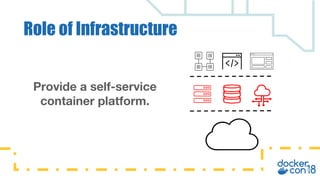
Provide a self-service
container platform.
Role of Infrastructure
Interfaces for our users
Role of Infrastructure
● Docker EE - Swarm and Kubernetes
● Logging
● Metrics and Monitoring
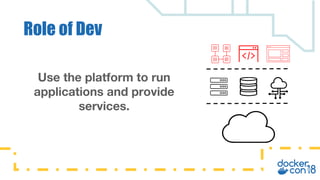
Use the platform to run
applications and provide
services.
Role of Dev
● Goal: provide real-world feedback pre-release
● Cross-functional
● Started in Summer 2016
● EE 2.0 - focus on Kubernetes
Dogfooding
v
Planning for EE 2.0 / Kubernetes
Planning
● Milestones - assign owners and dates
● Weekly syncs
● Common slack channel #dogfooding
● Release blocker
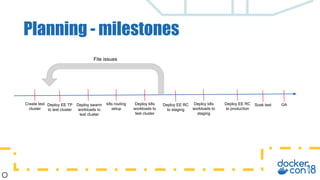
Planning - milestones
Create test
cluster
Deploy EE TP
to test cluster
Deploy swarm
workloads to
test cluster
k8s routing
setup
Deploy k8s
workloads to
test cluster
Deploy EE RC
to staging
Deploy k8s
workloads to
staging
Deploy EE RC
to production
Soak test GA
File issues
v
Infra prep for EE2 and Kubernetes
● Smaller clone of existing environments
● Make modifications to infra code
● PR changes back into stage/prod
Test cluster
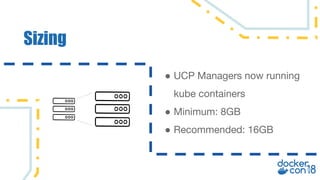
Sizing
● UCP Managers now running
kube containers
● Minimum: 8GB
● Recommended: 16GB
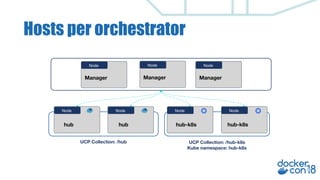
Hosts per orchestrator
Node Node Node
Node
Manager
hub
Node
hub hub-k8s hub-k8s
Node
Manager
Node
Manager
UCP Collection: /hub UCP Collection: /hub-k8s
Kube namespace: hub-k8s
● Calico
● Kubernetes concepts
○ Ingress Controllers
■ early, limited customization
○ Nodeport
■ simple building block
Networking
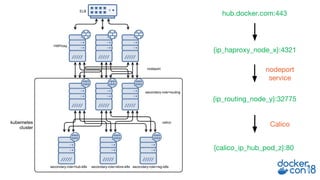
hub.docker.com:443
{ip_haproxy_node_x}:4321
{ip_routing_node_y}:32775
{calico_ip_hub_pod_z}:80
Calico
nodeport
service
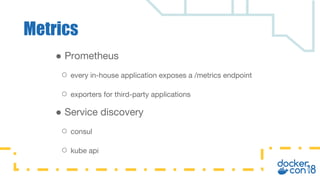
● Prometheus
○ every in-house application exposes a /metrics endpoint
○ exporters for third-party applications
● Service discovery
○ consul
○ kube api
Metrics
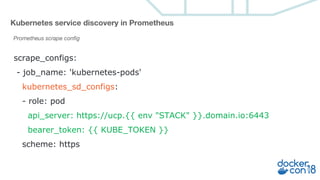
scrape_configs:
- job_name: 'kubernetes-pods'
kubernetes_sd_configs:
- role: pod
api_server: https://ucp.{{ env "STACK" }}.domain.io:6443
bearer_token: {{ KUBE_TOKEN }}
scheme: https
Kubernetes service discovery in Prometheus
Prometheus scrape config
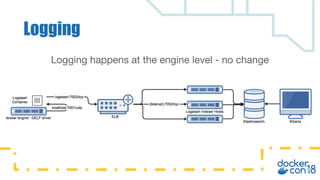
Logging happens at the engine level - no change
Logging
v
Upgrade and Migration
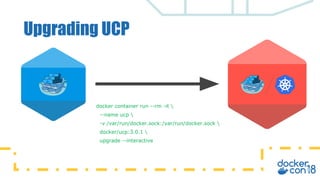
Upgrading UCP
docker container run --rm -it 
--name ucp 
-v /var/run/docker.sock:/var/run/docker.sock 
docker/ucp:3.0.1 
upgrade --interactive
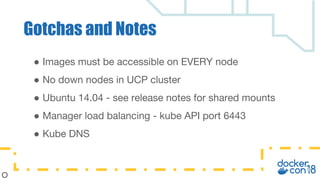
● Images must be accessible on EVERY node
● No down nodes in UCP cluster
● Ubuntu 14.04 - see release notes for shared mounts
● Manager load balancing - kube API port 6443
● Kube DNS
Gotchas and Notes
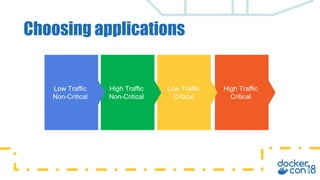
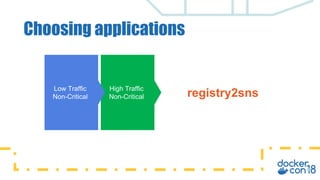
Choosing applications
Low Traffic
Non-Critical
High Traffic
Non-Critical
Low Traffic
Critical
High Traffic
Critical
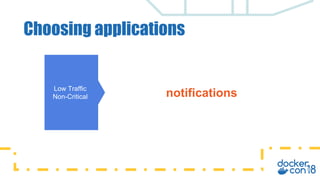
Choosing applications
Low Traffic
Non-Critical notifications
Choosing applications
Low Traffic
Non-Critical
High Traffic
Non-Critical registry2sns
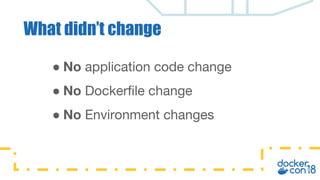
● No application code change
● No Dockerfile change
● No Environment changes
What didn’t change
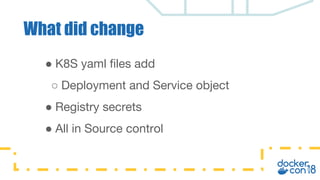
● K8S yaml files add
○ Deployment and Service object
● Registry secrets
● All in Source control
What did change
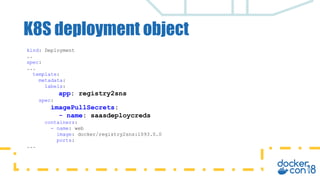
K8S deployment object
kind: Deployment
..
spec:
...
template:
metadata:
labels:
app: registry2sns
spec:
imagePullSecrets:
- name: saasdeploycreds
containers:
- name: web
image: docker/registry2sns:1093.0.0
ports:
...
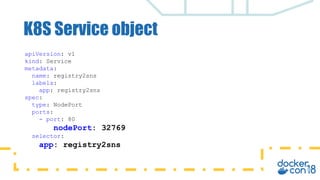
K8S Service object
apiVersion: v1
kind: Service
metadata:
name: registry2sns
labels:
app: registry2sns
spec:
type: NodePort
ports:
- port: 80
nodePort: 32769
selector:
app: registry2sns
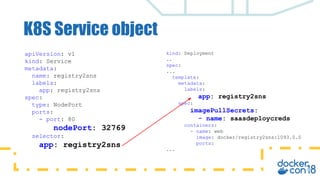
K8S Service object
apiVersion: v1
kind: Service
metadata:
name: registry2sns
labels:
app: registry2sns
spec:
type: NodePort
ports:
- port: 80
nodePort: 32769
selector:
app: registry2sns
kind: Deployment
..
spec:
...
template:
metadata:
labels:
app: registry2sns
spec:
imagePullSecrets:
- name: saasdeploycreds
containers:
- name: web
image: docker/registry2sns:1093.0.0
ports:
...
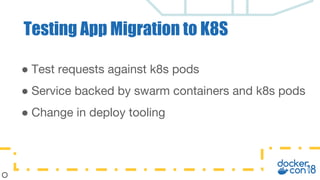
● Test requests against k8s pods
● Service backed by swarm containers and k8s pods
● Change in deploy tooling
Testing App Migration to K8S
v
Leveraging EE and Kubernetes
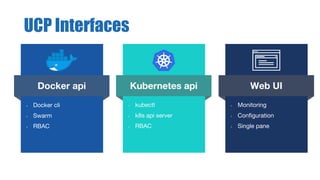
Kubernetes api
• kubectl
• k8s api server
• RBAC
Docker api
• Docker cli
• Swarm
• RBAC
Web UI
• Monitoring
• Configuration
• Single pane
UCP Interfaces
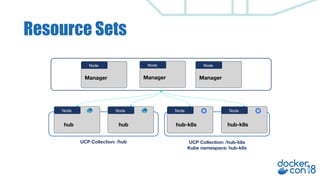
Resource Sets
Node Node Node
Node
Manager
hub
Node
hub hub-k8s hub-k8s
Node
Manager
Node
Manager
UCP Collection: /hub UCP Collection: /hub-k8s
Kube namespace: hub-k8s
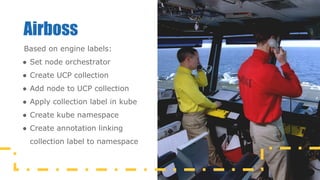
Airboss
Based on engine labels:
● Set node orchestrator
● Create UCP collection
● Add node to UCP collection
● Apply collection label in kube
● Create kube namespace
● Create annotation linking
collection label to namespace
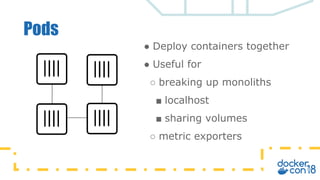
Pods
● Deploy containers together
● Useful for
○ breaking up monoliths
■ localhost
■ sharing volumes
○ metric exporters
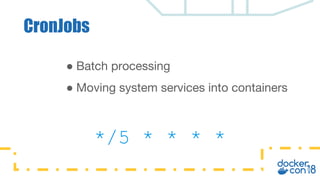
CronJobs
● Batch processing
● Moving system services into containers
*/5 * * * *
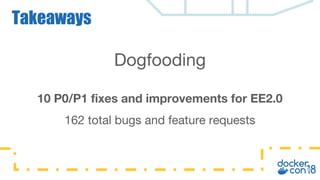
Dogfooding
10 P0/P1 fixes and improvements for EE2.0
162 total bugs and feature requests
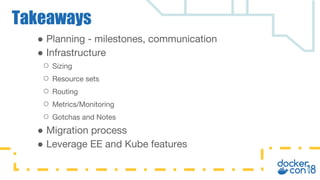
Takeaways
● Planning - milestones, communication
● Infrastructure
○ Sizing
○ Resource sets
○ Routing
○ Metrics/Monitoring
○ Gotchas and Notes
● Migration process
● Leverage EE and Kube features
Takeaways
v
Go try it!
Hosted Trial: trial.docker.com
EE trial licenses: store.docker.com

Docker on docker leveraging kubernetes in docker ee

  • 1.
    Brett Inman Senior InfrastructureEngineer, Docker Docker on Docker: Leveraging Kubernetes In Docker EE Manish Tomar Senior Software Engineer, Docker
  • 2.
    v Using Docker EEat Docker Inc
  • 3.
    ● We area customer ○ SaaS and internal workloads ● Sharing what we’ve learned ○ Best practices, tips ● Dogfooding ○ Better product So?
  • 4.
    ● Background ● PlanningProcess for EE2.0 ● Infrastructure Preparation ● Application Migration ● EE and Kube Features Agenda
  • 5.
    ● EE -Docker Enterprise Edition ● UCP - Universal Control Plane ● DTR - Docker Trusted Registry ● SaaS - Software as a Service, e.g. Docker Hub Acronyms
  • 6.
  • 7.
    ● >200 hostsin production on EE ● >100 microservices ● Hub/Store/Cloud ○ 1 billion pulls every ~2 weeks ● Web properties (www, blog, etc) ● Build/CI systems Running on EE
  • 8.
    Provide a self-service containerplatform. Role of Infrastructure
  • 9.
    Interfaces for ourusers Role of Infrastructure ● Docker EE - Swarm and Kubernetes ● Logging ● Metrics and Monitoring
  • 10.
    Use the platformto run applications and provide services. Role of Dev
  • 11.
    ● Goal: providereal-world feedback pre-release ● Cross-functional ● Started in Summer 2016 ● EE 2.0 - focus on Kubernetes Dogfooding
  • 12.
    v Planning for EE2.0 / Kubernetes
  • 13.
    Planning ● Milestones -assign owners and dates ● Weekly syncs ● Common slack channel #dogfooding ● Release blocker
  • 14.
    Planning - milestones Createtest cluster Deploy EE TP to test cluster Deploy swarm workloads to test cluster k8s routing setup Deploy k8s workloads to test cluster Deploy EE RC to staging Deploy k8s workloads to staging Deploy EE RC to production Soak test GA File issues
  • 15.
    v Infra prep forEE2 and Kubernetes
  • 16.
    ● Smaller cloneof existing environments ● Make modifications to infra code ● PR changes back into stage/prod Test cluster
  • 17.
    Sizing ● UCP Managersnow running kube containers ● Minimum: 8GB ● Recommended: 16GB
  • 18.
    Hosts per orchestrator NodeNode Node Node Manager hub Node hub hub-k8s hub-k8s Node Manager Node Manager UCP Collection: /hub UCP Collection: /hub-k8s Kube namespace: hub-k8s
  • 19.
    ● Calico ● Kubernetesconcepts ○ Ingress Controllers ■ early, limited customization ○ Nodeport ■ simple building block Networking
  • 20.
  • 21.
    ● Prometheus ○ everyin-house application exposes a /metrics endpoint ○ exporters for third-party applications ● Service discovery ○ consul ○ kube api Metrics
  • 22.
    scrape_configs: - job_name: 'kubernetes-pods' kubernetes_sd_configs: -role: pod api_server: https://ucp.{{ env "STACK" }}.domain.io:6443 bearer_token: {{ KUBE_TOKEN }} scheme: https Kubernetes service discovery in Prometheus Prometheus scrape config
  • 23.
    Logging happens atthe engine level - no change Logging
  • 24.
  • 25.
    Upgrading UCP docker containerrun --rm -it --name ucp -v /var/run/docker.sock:/var/run/docker.sock docker/ucp:3.0.1 upgrade --interactive
  • 26.
    ● Images mustbe accessible on EVERY node ● No down nodes in UCP cluster ● Ubuntu 14.04 - see release notes for shared mounts ● Manager load balancing - kube API port 6443 ● Kube DNS Gotchas and Notes
  • 27.
    Choosing applications Low Traffic Non-Critical HighTraffic Non-Critical Low Traffic Critical High Traffic Critical
  • 28.
  • 29.
    Choosing applications Low Traffic Non-Critical HighTraffic Non-Critical registry2sns
  • 30.
    ● No applicationcode change ● No Dockerfile change ● No Environment changes What didn’t change
  • 31.
    ● K8S yamlfiles add ○ Deployment and Service object ● Registry secrets ● All in Source control What did change
  • 32.
    K8S deployment object kind:Deployment .. spec: ... template: metadata: labels: app: registry2sns spec: imagePullSecrets: - name: saasdeploycreds containers: - name: web image: docker/registry2sns:1093.0.0 ports: ...
  • 33.
    K8S Service object apiVersion:v1 kind: Service metadata: name: registry2sns labels: app: registry2sns spec: type: NodePort ports: - port: 80 nodePort: 32769 selector: app: registry2sns
  • 34.
    K8S Service object apiVersion:v1 kind: Service metadata: name: registry2sns labels: app: registry2sns spec: type: NodePort ports: - port: 80 nodePort: 32769 selector: app: registry2sns kind: Deployment .. spec: ... template: metadata: labels: app: registry2sns spec: imagePullSecrets: - name: saasdeploycreds containers: - name: web image: docker/registry2sns:1093.0.0 ports: ...
  • 35.
    ● Test requestsagainst k8s pods ● Service backed by swarm containers and k8s pods ● Change in deploy tooling Testing App Migration to K8S
  • 36.
  • 37.
    Kubernetes api • kubectl •k8s api server • RBAC Docker api • Docker cli • Swarm • RBAC Web UI • Monitoring • Configuration • Single pane UCP Interfaces
  • 38.
    Resource Sets Node NodeNode Node Manager hub Node hub hub-k8s hub-k8s Node Manager Node Manager UCP Collection: /hub UCP Collection: /hub-k8s Kube namespace: hub-k8s
  • 39.
    Airboss Based on enginelabels: ● Set node orchestrator ● Create UCP collection ● Add node to UCP collection ● Apply collection label in kube ● Create kube namespace ● Create annotation linking collection label to namespace
  • 40.
    Pods ● Deploy containerstogether ● Useful for ○ breaking up monoliths ■ localhost ■ sharing volumes ○ metric exporters
  • 41.
    CronJobs ● Batch processing ●Moving system services into containers */5 * * * *
  • 42.
    Dogfooding 10 P0/P1 fixesand improvements for EE2.0 162 total bugs and feature requests Takeaways
  • 43.
    ● Planning -milestones, communication ● Infrastructure ○ Sizing ○ Resource sets ○ Routing ○ Metrics/Monitoring ○ Gotchas and Notes ● Migration process ● Leverage EE and Kube features Takeaways
  • 44.
    v Go try it! HostedTrial: trial.docker.com EE trial licenses: store.docker.com